Specs are compiled from manufacturer listings and verified buyer reviews and can change over time — please confirm the key details on the product page before buying.
Buying a home computer is mostly a decision about three things: how many cores the processor has, how much RAM you get, and how fast the storage wakes up. Get those three right and the desktop still feels quick in three years. Get them wrong and every morning starts with a spinning circle. The list below sorts the dependable home desktops from the ones that only look good on a spec sheet, and every pick here is a real, currently sold machine.
This guide is built by comparing the manufacturers’ published specifications and the patterns across verified customer reviews, so you get each pick’s real strengths and trade-offs instead of marketing spin.
The range here spans compact business minis, all-in-ones with the screen built in, and full towers with room to upgrade later. What follows is a plain-English ranking of the top rated home computers for everyday desks, students, and remote work.
Top Picks

How To Choose The Best Top Rated Home Computers
A home desktop is a long purchase, so the goal is picking the machine that still feels quick in three years. The four things that decide that are the processor, the memory, the storage, and how much room the case leaves you for later. Case color, bundled keyboard and RGB fans do not change how fast it runs.
Start with the processor, not the badge
The processor (the chip that does the actual computing) sets the ceiling on everything. A six-core chip with twelve threads, like the Intel Core i5-12400F, splits work across more lanes than a four-core part, so video calls and spreadsheets stop competing. Clock speed in GHz tells you how fast each core runs, but core count tells you how many jobs happen at once. For a family desk running a browser, a video call, and a document at the same time, more cores beat a slightly higher clock.
RAM: 8GB is the floor, 16GB is comfortable
RAM is the short-term workspace your computer keeps open tabs and programs in. At 8GB you can browse and work, but the moment you add a photo editor or a second monitor full of tabs, the machine starts shuffling. 16GB keeps a home office running without pauses, and 32GB is what you buy if you edit video or run heavy business software. Also check the RAM generation: DDR5 is the newer standard and generally pairs with newer chips, while DDR4 is older but still perfectly usable in a home tower.
Storage speed matters more than raw size
An SSD (solid state drive — storage with no moving parts) is the single biggest reason a modern desktop boots in seconds rather than minutes. Look for PCIe NVMe in the description, which is the fast lane an SSD can use. 512GB covers documents, photos, and a pile of programs comfortably. 1TB gives you room for video files and games without plugging in an external drive.
Side-by-Side Comparison
| Model | Best For | Processor | Memory | Storage | Amazon |
|---|---|---|---|---|---|
| Gaming PC, Ryzen 5 5600GT★ Best Overall | Everyday home tower with room to grow | AMD Ryzen 5 5600GT, 6-core, up to 4.6 GHz | 19 MB cache | SSD | Amazon |
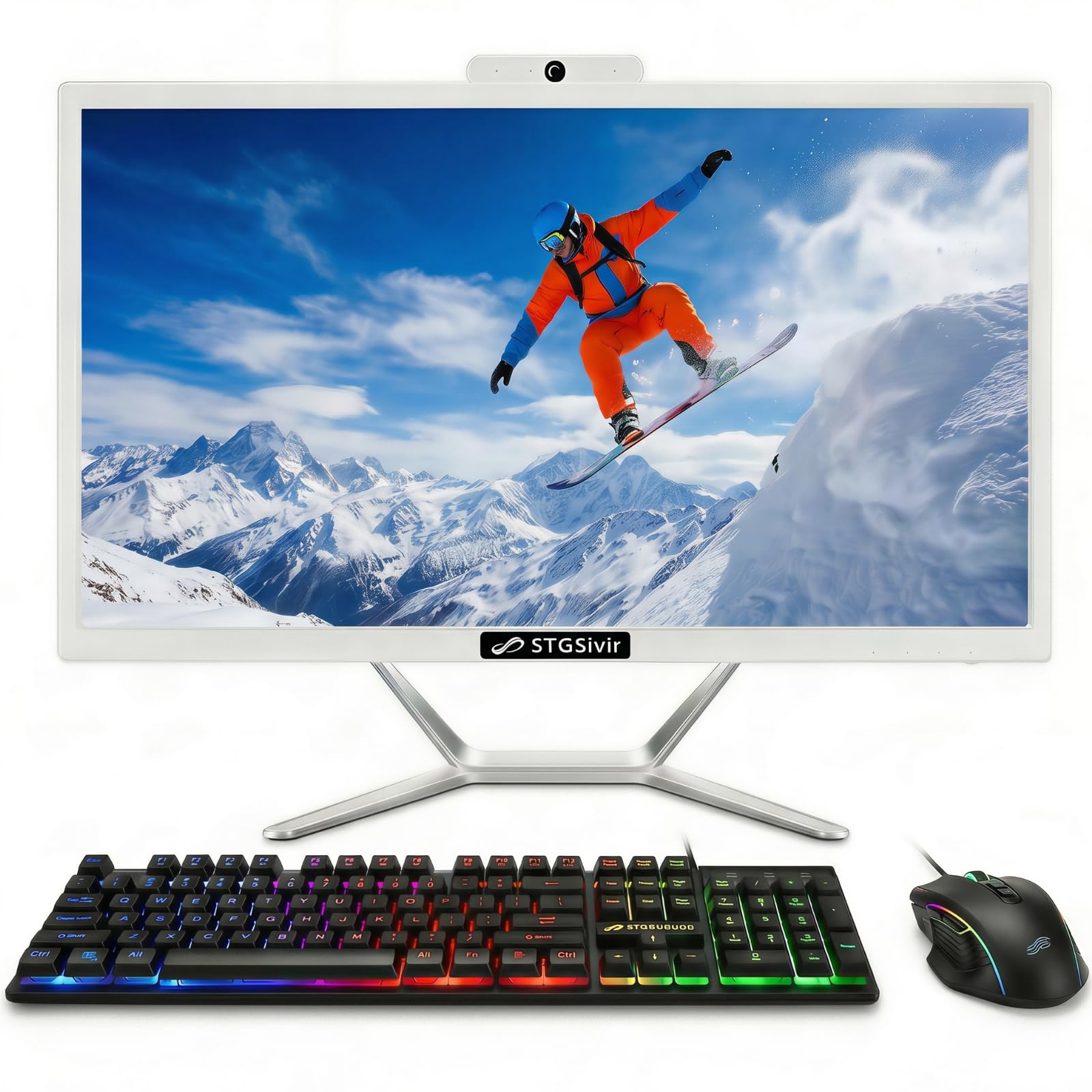
| STGSivir All in One 21.5″Best All-in-One | Small desk, one-cable setup | Intel Core i5, up to 3.6 GHz | 16GB | 512GB SSD | Amazon |
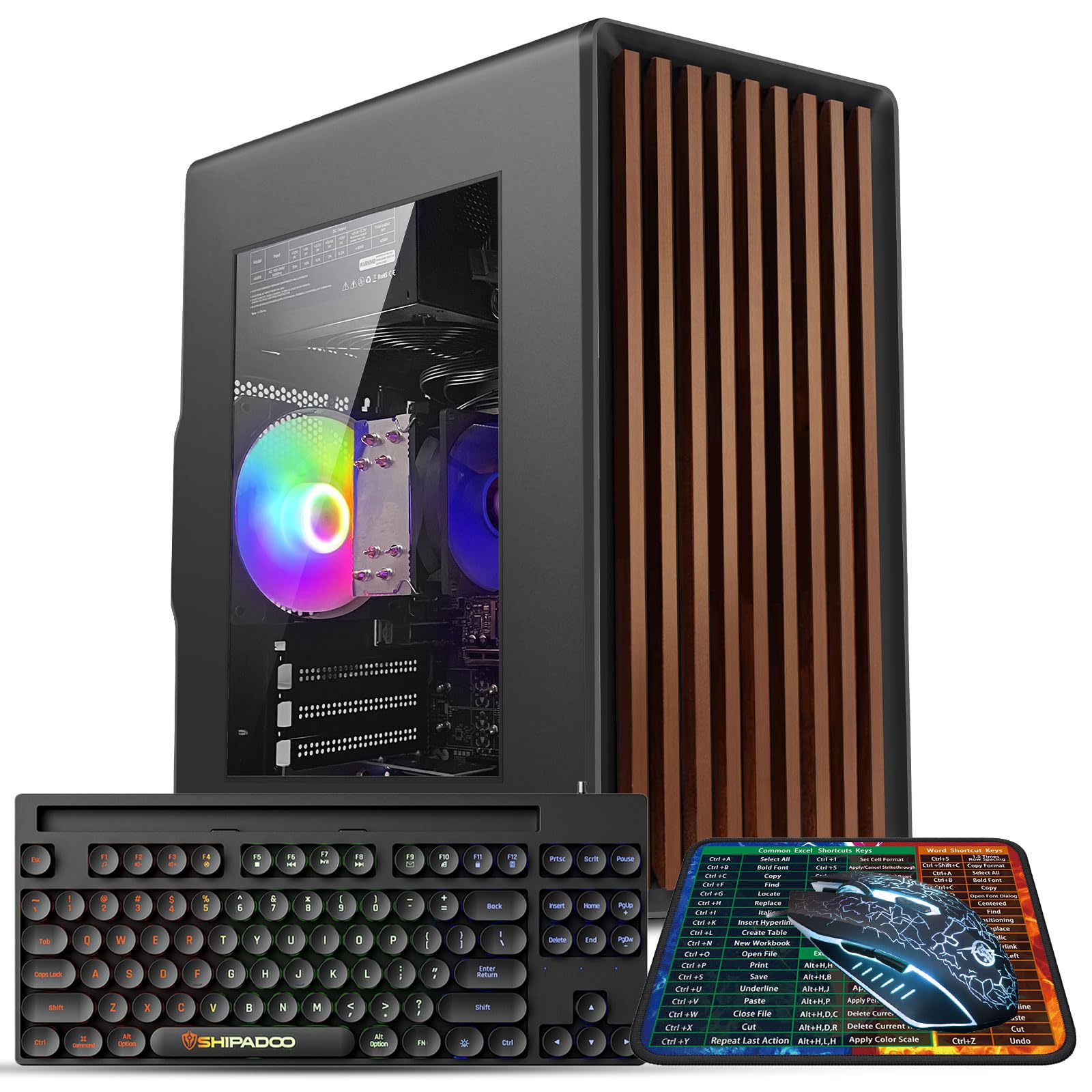
| Kroteaup Desktop Intel i7Best for Tinkering | Casual gaming plus home office | Intel i7-4770, quad-core, up to 3.4 GHz | 16GB DDR3 | 512GB SSD | Amazon |
| Lenovo IdeaCentre All-in-One | Home office and study AIO | Intel N100, 4-core, up to 3.4 GHz | 8GB DDR5 | 512GB PCIe SSD | Amazon |
| Lenovo ThinkCentre neo 55q Gen 6 | Business desk with dual 4K | AMD Ryzen AI 5 330, up to 4.5 GHz | 16 MB cache | — | Amazon |
| Dell Slim Desktop ECS1250 | Quiet, compact everyday work | Intel Core Ultra 5-225, up to 4.9 GHz | 20 MB cache | 512GB SSD | Amazon |
| Apple Mac mini M6 | Compact creative and AI work | Apple M6 chip | Up to 32GB unified | Up to 2x faster storage | Amazon |
| HP Desktop i5-12400F | Remote work with dedicated graphics | Intel i5-12400F, 6-core, up to 4.40 GHz | 16GB DDR4 | 1TB PCIe NVMe SSD | Amazon |
| HP Tower i5-12500 | Heavy multitasking students | Intel i5-12500, 6-core, up to 4.5 GHz | 32GB | 1TB NVMe SSD | Amazon |
| Dell Pro Tower Plus QBT1250 | Business workloads and AI apps | Intel Core Ultra 5 235 with 13 TOPS NPU | 32GB DDR5 | 1TB SSD | Amazon |
Detailed Reviews
1. Gaming PC, Ryzen 5 5600GT 6-Core High Performance Processor
Our pick — 4.5+★ from 150+ verified ratings; the strongest balance of quality and price.
Six real cores and a 19 MB cache turn “just a home PC” into something that shrugs off tabs.
This is the desk computer for the household that keeps everything open at once. The AMD Ryzen 5 5600GT is a six-core processor, and the cache (the tiny ultra-fast memory the chip keeps beside it) is listed at 19 MB. That cache figure is the biggest number in this whole group of towers — the Lenovo IdeaCentre all-in-one lists 6 MB by comparison — and a bigger cache means the processor spends less time waiting on slower system memory. Peak clock speed is 4.6 GHz, which is the highest of the tower picks that publish a number.
Wireless is Intel Wi-Fi 6 AX200 plus Bluetooth, so a router on the other side of the house still gets a usable signal and a wireless headset pairs without a dongle. The rear panel carries HDMI, VGA, PS/2, USB, RJ-45 Ethernet and audio, with USB and audio ports up front for a flash drive or headphones. That dual HDMI-and-VGA output is the practical part: an older VGA monitor can ride along with a newer HDMI screen instead of getting replaced.
The case is a black tower running an AMD B350 chipset with an 80 PLUS Bronze 600W ATX power supply — that rating means the power unit was certified for efficiency at its load range. Graphics are AMD Radeon integrated and share system memory, so expect video playback and office visuals rather than heavy gaming. The one honest limit: the listing gives cache and clock but no RAM or storage capacity, so confirm those on the page before you commit.
What earns it first place
- Six-core Ryzen 5 5600GT hitting 4.6 GHz, the top clock among the towers here
- 19 MB cache, the largest in this lineup
- Wi-Fi 6 AX200 and Bluetooth built in, no adapter needed
- Rear HDMI and VGA plus front USB keep old and new peripherals working
Where it asks you to check
- RAM and storage size are not published in the listing
- Integrated Radeon graphics share memory, so heavy gaming is out
- Full tower footprint needs real desk or under-desk space
Made for: a family or home-office desk that runs several programs at once and wants a case it can open and upgrade later.
Look elsewhere if: you need the exact RAM and drive size confirmed on the page before ordering, or you want the screen included.
2. STGSivir All in One Computer PC
Screen, speakers, webcam and PC in one slab — the kitchen-table setup with one cable to the wall.
For a small desk, a shared family table, or a dorm room, an all-in-one (a computer built into the back of its own screen) removes the tower, the monitor cable, and the speaker clutter in one move. This one is a 21.5-inch screen at 1920×1080 resolution — full HD, which is the standard sharpness for a display this size — and the panel is LED backlit with a 16:9 shape. A built-in webcam and microphone mean video calls work without buying anything extra.
Inside sits an Intel Core i5 (model 4570S) running up to 3.6 GHz, paired with 16GB of memory and a 512GB solid state drive, which boots Windows 11 Home quickly. The bundle includes an RGB keyboard and mouse and a built-in speaker. Buyers praise how much it does from the start, and the one-cable plug-and-play start matches that. Buyer sentiment on long-term reliability is genuinely split, so treat this as a machine for ordinary home duties rather than a workhorse you push hard.
Connectivity is USB 3.0, one RJ-45 Ethernet port, Wi-Fi 5 with Bluetooth, one HDMI and one VGA. Wi-Fi 5 is the previous wireless generation rather than the newest, so sit it near the router if the house is large. Support terms are listed as one year parts and labor with free lifetime tech support — worth knowing before the first year runs out, since that mixed reliability picture is the trade-off on this pick.
Where the value lands: a full 1920×1080 screen, 16GB of memory and a 512GB SSD in one body is a lot of everyday capability for a single purchase, and the included RGB keyboard and mouse finish the setup.
The catch to weigh: Wi-Fi 5 is a step behind current wireless standards, and long-term reliability is the question mark in buyer feedback rather than raw performance.
Reach for this if: desk space is tight and you want a working screen, speakers, and webcam out of one box on day one.
Think twice if: you expect to push it daily for years, or your router is far from the desk.
3. Desktop Computer PC
An open case and a free PCIe slot — the pick for the buyer who plans to add parts later.
The case tells you what this machine is really for. It is a standard-size tower with an open PCIe slot (the long connector a graphics card plugs into), so a dedicated GPU, another SSD or HDD, or more memory can go in when you want them. Three low-noise RGB cooling fans keep air moving and the lighting is adjustable.
The processor is an Intel i7-4770, a quad-core part running at 3.4 GHz, and it ships with 16GB of DDR3 memory plus a 512GB SSD. DDR3 is an older memory generation than the DDR4 and DDR5 you will see elsewhere in this lineup, so plan upgrades around that — but 16GB is still twice the memory of the Lenovo IdeaCentre, which lists 8GB. Boots arrive pre-installed with Windows 11 Home, and the included keyboard saves an extra purchase. Positive feedback centers on performance: it runs classic and retro indie titles plus daily Word, Excel and Zoom work without strain. Reliability and value tell a more divided story in buyer feedback, so weigh that against the low entry point.
The sharpest honesty on this one concerns Windows. Multiple buyers report the machine will not accept Windows 11 updates, which is the kind of thing you want to test in the first week. It is Wi-Fi 6 and USB 3.0 with HDMI, and the listing notes a 3840×2160 maximum display resolution — but the CPU, memory generation and that update issue are the facts that should drive your decision, not the RGB glow.
Why it stays on the list: an upgrade-ready chassis with an open PCIe slot and three RGB fans is rare at the entry end, and 16GB of memory plus a 512GB SSD covers everyday home work.
What you accept: the i7-4770 is a quad-core from an older generation paired with DDR3 memory, and Windows 11 update trouble is the recurring report to check early.
Pick it for: a first desktop that you intend to open up and add a graphics card to over time.
Not the one for: anyone who wants a machine that updates itself and never needs the screwdriver.
4. Lenovo IdeaCentre All-in-One Desktop Computer

The 23.8-inch panel covers 99% sRGB — color accuracy you can actually see on a home screen.
The screen is the reason to buy this one. It is a 23.8-inch IPS panel (IPS is the display type that keeps colors steady when you look from an angle) running full HD at 1920×1080, with 250 nits of brightness and 99% sRGB color coverage. That sRGB figure means the panel reproduces nearly the full standard color range, so photos look like the photos rather than a washed-out version. The anti-glare coating matters on a desk facing a window, and buyers consistently describe the display as crisp and easy to read.
Under the hood is an Intel N100 — four cores, four threads, up to 3.4 GHz, with 6MB of cache — matched to 8GB of DDR5 memory and a 512GB PCIe SSD. DDR5 is the newer memory generation, and the board supports up to 32GB if you want to add later. It also takes up to two displays total, counting the built-in screen, through HDMI-out 1.4b. Ports run to one USB-C at 10Gbps, two USB-A 2.0, two USB-A 10Gbps, RJ-45, and a headset jack, with Wi-Fi 6 AX203 and Bluetooth 5.2 for wireless. Performance wins people over most, with quick setup close behind.
Two things to size up honestly. The N100 is a four-core chip, so this is a home office, study and browsing machine — 8GB of memory and that processor are the first limit you will feel if you start editing video. And USB-A 2.0 ports on a modern all-in-one are the slow lanes of the port world, best saved for a keyboard and mouse rather than an external drive.
What the screen buys you
- 23.8-inch IPS at 1920×1080 with 99% sRGB and 250 nits
- Anti-glare finish for window-facing desks
- DDR5 memory that can be expanded to 32GB
- USB-C at 10Gbps plus Wi-Fi 6 and Bluetooth 5.2
The honest limits
- 8GB of memory and a four-core N100 cap heavy workloads
- Two USB-A 2.0 ports are slow for external drives
- No optical drive in the slim body
Suits: a home office or study corner that wants a genuinely good screen and a one-piece desk.
Not for: video editors or anyone whose day involves large files and many heavy apps.
5. Lenovo ThinkCentre neo 55q Gen 6 Mini Desktop

A 1.96 lb box that drives two 4K screens — the desk declutterer for spreadsheet-heavy work.
If your day is spreadsheets, a trading platform, or a dozen windows that you keep toggling between, dual 4K output is the feature that changes how you work. This mini desktop carries onboard DisplayPort and HDMI so two 4K displays run at once, which lets you keep a data sheet on one screen and the report on the other. It measures 7.05″ x 1.36″ x 7.2″ and weighs 1.96 lbs, so it tucks behind a monitor or under a shelf instead of claiming desk real estate.
Inside is an AMD Ryzen AI 5 330 built on the Zen 5 architecture, with a dedicated NPU (a neural processing unit — a chip section built specifically to run AI tasks) rated at up to 50 TOPS, a measure of how much AI computation it handles. Clock speed tops out at 4.5 GHz with 16MB of cache. The listing quotes a 3840×2160 maximum resolution, matching that dual-4K pitch. Windows 11 Pro comes pre-installed, and the bundle includes a wired keyboard, mouse, and a Thunderobot 7-in-1 USB-C hub — so the accessory shopping is already done.
Security and connectivity are the business-desk parts: ThinkShield hardware safeguards, Wi-Fi 6, Bluetooth, RJ-45 Gigabit Ethernet, and six USB ports. The honest caveat is that the listing gives cache and clock but not system RAM or drive capacity, so confirm both before buying. This is also a small-form-factor machine, which means upgrades are limited compared with a tower.
For the dual-screen worker: DP and HDMI both on board means two 4K panels without an adapter, and the 1.96 lb, 7.05 x 1.36 x 7.2 inch body frees the desk.
Check before you buy: RAM and storage figures are not published, and a mini chassis leaves little room for later changes.
Worth it for: analysts, remote workers, and anyone who wants two 4K monitors and a keyboard-mouse-hub bundle in one order.
Skip the shortlist if: you want to add parts later or you need published RAM and storage specs up front.
6. Dell Slim Desktop

Opens without a screwdriver and peaks at 4.9 GHz — the office machine that stays out of the way.
The Core Ultra 5-225 reaches 4.9 GHz, the highest published clock speed of any desktop on this list, and pairs it with a 20 MB cache. In real terms that means a spreadsheet recalculates and a browser tab opens without the little pause you learn to dread. It also ships with Windows 11 Home on a 512GB SSD, plus a wired Dell keyboard and mouse so the box is a complete workstation on arrival.
What sets this Dell apart is how it handles maintenance. The side panel is removable by hand and the internal components are reachable without tools, which matters when you want to add memory or swap a drive yourself. The listing also supports up to four FHD monitors via DisplayPort 1.4a and daisy chaining, or two 4K displays through HDMI 2.1 and DisplayPort 1.4a. A hardware TPM chip, a lock slot and a padlock loop cover the security side, and the case is built from recycled materials.
Buyers praise functionality most here, with quiet operation and easy setup close behind. The size is deliberately slim, so it sits on a shelf or beside a monitor. The trade-off to know: ease of use earns mixed feedback, and there is no fingerprint reader, so logins are typed rather than tapped. Service terms list one year of onsite support plus six months of Dell Migrate for moving your files over.
The maintenance angle: a tool-less side panel plus four-monitor support makes this the easiest pick to live with and expand, and 4.9 GHz is the fastest clock here.
Small points to note: no fingerprint reader, and the slim chassis is not built for a full-size graphics card.
Best fit: a quiet home office that wants a small box, fast clocks, and the ability to open the case without hunting for a screwdriver.
Consider another pick if: you want biometric login or plan on serious gaming upgrades.
7. Apple Mac mini Desktop Computer with M6 Chip

Five inches square, 1.47 pounds, and ready to drive three displays — the desk barely notices it.
The Mac mini is the smallest thing on this list at 5 x 5 x 1.97 inches and 1.47 pounds, yet it does more creative heavy lifting than machines several times its size. The M6 chip uses a Neural Accelerator in each GPU core alongside a Dual 16-core Neural Engine, so AI tools and photo or video work run on the machine itself. Memory is unified, which means the processor and graphics share one fast pool — up to 32GB of it, with 170GB/s of memory bandwidth so large media files open without a wait.
Ports are generous for a box this small: three Thunderbolt 4 ports, HDMI and 2.5Gb Ethernet in the back, plus two USB-C ports and a headphone jack up front. It supports up to three external displays, and the Apple-designed N1 wireless chip brings Wi-Fi 7 and Bluetooth 6. Build quality is what people rave about most, and speed and reliability follow close behind — it is a machine that feels dense and well-made rather than hollow. If you already carry an iPhone, the mirroring and copy-paste handoff across devices is the quiet everyday bonus.
Here is the honest friction. You are buying the box only — no screen, no keyboard, no mouse — so factor those into the desk budget. Value is also the mixed note in owner feedback, with a portion finding it expensive for what arrives in the box. Against the Lenovo ThinkCentre neo, which lists a 3840×2160 maximum, the Mac mini’s advantage is port count and wireless generation rather than a resolution figure.
What it does beautifully: a 5 x 5 x 1.97 inch, 1.47 lb chassis driving three displays with three Thunderbolt 4 ports and Wi-Fi 7 is a remarkable amount of capability per square inch.
The trade you make: no monitor, keyboard or mouse included, and the price draws divided opinions on value.
Choose this if: you want maximum capability in minimum desk space and already own a screen and keyboard.
Look past it if: you need a complete setup in one purchase or prefer Windows software.
8. HP Desktop Computer

Its own graphics memory and a full terabyte of NVMe storage — the workhorse that does not share.
The processor here is the Intel Core i5-12400F: six cores, twelve threads, and up to 4.40 GHz. Six cores at that thread count is the configuration that keeps a video call, a spreadsheet and a dozen browser tabs running at the same time without stutter. Paired with 16GB of DDR4 memory, this is a machine built for someone who works from home rather than checks email.
Storage is the standout: a 1TB PCIe M.2 NVMe SSD, which is the fastest common drive connection and the largest capacity on this list alongside the HP i5-12500 tower and the Dell Pro Tower Plus. Video work lives comfortably on that. Graphics get their own card — an NVIDIA GeForce GT 1030 with 2GB of GDDR5 memory (its own dedicated video memory rather than borrowing from the system), which makes video playback and light photo editing smoother than integrated graphics alone. Windows 11 Pro adds BitLocker encryption and remote desktop, which is the part remote workers notice.
Ports cover USB 3.2 Gen 2 front and rear, HDMI, DVI and RJ-45 Ethernet, with Wi-Fi and Bluetooth for the wireless side. The tower measures 13.19″ × 11.89″ × 6.10″ and weighs 9.26 lbs, so it fits under a desk rather than on it. The one thing to plan for: a dedicated card and a six-core processor run warmer than a mini, so leave the vents some breathing room.
Room to work
- 1TB PCIe NVMe SSD, among the largest drives here
- Dedicated NVIDIA GeForce GT 1030 with 2GB GDDR5
- Windows 11 Pro with BitLocker and remote desktop
- 16GB DDR4 with front USB 3.2 Gen 2 access
Points to plan around
- 9.26 lbs and a 13.19 x 11.89 x 6.10 inch footprint needs under-desk space
- The GT 1030 is a light-duty card, not a gaming GPU
- DDR4 rather than the newer DDR5 generation
Ideal for: a remote worker who wants Pro-grade security tools, a big drive, and graphics handled by their own card.
Better to pass if: you need a compact machine for a tiny desk or you want the latest memory generation.
9. HP Desktop Computer Tower

32GB of memory is the point — more open at once than the six-core chip alone would allow.
Most home towers here land at 16GB of memory. This one carries 32GB — double the 16GB in the HP i5-12400F and four times the 8GB in the Lenovo IdeaCentre — which is the difference between a machine that tolerates many windows and one that does not care how many you open. Virtual meetings, document edits, and a browser full of tabs all stay loaded at the same time. The chip doing the work is the Core i5-12500, a six-core processor running up to 4.5 GHz with an 18 MB cache.
Storage matches that headroom: a 1TB NVMe SSD, so a database, a set of financial records, and a coursework folder all fit without an external drive. Built-in Wi-Fi keeps the desk free of cable clutter, and Bluetooth pairs a headset for calls. It ships with a wired keyboard and mouse and arrives with Windows 11 pre-installed, so the first day is set up for study or work rather than setup itself. The listing also points to online learning platforms, which fits the machine this is aimed at.
Where it makes you think: the i5-12500 is a six-core chip but the graphics are Intel UHD Graphics 770 integrated, sharing system memory, so video playback and everyday visuals are fine and gaming is not the job. It is also a full tower, so plan the footprint. For a student running research, video lectures, and coding assignments across the same session, that 32GB is the part you will stop noticing — in the best way.
The headroom argument: 32GB of memory and a 1TB NVMe SSD is the heaviest memory-and-storage combination in this lineup, and a 4.5 GHz six-core chip backs it up.
The real limit: integrated Intel UHD 770 graphics mean no dedicated video memory, so this is not a gaming tower despite the memory count.
Made for: students and remote professionals who keep many apps and documents open for hours at a stretch.
Wrong pick if: gaming matters to you or desk space is already tight.
10. Dell Pro Tower Plus QBT1250 Desktop

A 13 TOPS NPU on board — this is the desktop that runs the AI features inside your apps.
AI features built into Adobe, Zoom and Office now lean on a dedicated chip section instead of your main processor. This tower carries it: an Intel Core Ultra 5 235 with a Neural Processing Unit rated at 13 TOPS, which is the measure of how much of that AI computation runs on-device. In practice, background removal, live transcripts, and similar tools do their work without dragging the rest of the system down. The 24 MB cache gives the processor fast access to frequently used data, and memory is 32GB of DDR5 — the newer RAM generation, and double the 16GB DDR4 in the HP i5-12400F.
Storage is a 1TB SSD, and display support runs to three 4K monitors at once, which suits a trader’s desk or a project board you want visible all day. Windows 11 Pro comes pre-installed, and there is a DVDRW drive for anyone still holding old discs. Gigabit Ethernet keeps video calls and cloud access steady on a wired connection. The tower has drawn a large body of owner feedback and holds a strong rating, which for a business-grade machine is the reassurance most buyers are looking for.
Two details to weigh. The connectivity list names Ethernet, so plan on a wired connection or add your own wireless adapter. And the AI acceleration is relative to what the software supports — 13 TOPS in a desktop app is not the same workload as a graphics card built for gaming.
Why the pros like it
- Intel Core Ultra 5 235 with a 13 TOPS NPU for in-app AI work
- 32GB DDR5 and a 1TB SSD
- Triple 4K monitor support for wide workspaces
- Windows 11 Pro and a 24 MB cache
What to keep in mind
- Connectivity listed is Ethernet, so wireless needs an add-on
- Full tower takes real desk or floor space
- Integrated graphics share system memory
Worth the outlay for: a business or power-user desk running AI-assisted apps, three 4K monitors, and Windows 11 Pro tools.
Not needed if: your work is browsing and email, or you cannot run an Ethernet cable to the desk.
Know the Specs
Processor cores, threads and clock speed
Cores are the individual computing engines inside the chip; threads are the queues of work each can handle. A six-core, twelve-thread chip like the Intel Core i5-12400F splits tasks across more lanes than a four-core part, so a video call and a spreadsheet stop fighting. Clock speed in GHz is how fast each core runs — 4.9 GHz on the Dell Slim Desktop is the faster single-lane speed, while core count decides how many jobs run together. You want both, but for a family desk, cores first.
RAM capacity and generation
RAM is the open workspace for tabs and programs. 8GB handles browsing and documents. 16GB is the comfortable home-office level. 32GB is for heavy multitasking, big spreadsheets or video work. The generation matters for upgrades: DDR5 is newer and higher-bandwidth, DDR4 is older but still common, and DDR3 in the Kroteaup tower signals an older platform. Check whether the board supports more than what ships — the Lenovo IdeaCentre, for instance, supports up to 32GB total.
SSD type and capacity
An SSD has no moving parts, which is why a machine with one boots in seconds. PCIe NVMe is the fast connection an SSD can use, and it is the spec to look for over a plain SATA drive. 512GB covers programs and documents for most homes. 1TB gives room for video, photos and games without an external drive. Drive size is easy to expand later on a tower; on a mini or an all-in-one, it is fixed.
Integrated versus dedicated graphics
Integrated graphics live on the processor and borrow system memory — fine for video playback, office visuals and browsing. A dedicated card like the NVIDIA GeForce GT 1030 with 2GB GDDR5 in the HP i5-12400F has its own memory, which smooths light photo editing and video. Neither is a gaming setup. If games matter, choose a tower with an open PCIe slot, like the Kroteaup, and plan to add a card.
Common Questions
Is 8GB of RAM enough for a home computer?
Do I need a separate graphics card for a home desktop?
Is an all-in-one computer worse than a tower?
What does PCIe NVMe mean on a desktop listing?
Can a mini desktop drive two or three monitors?
How long should a home desktop stay useful?
Is DDR5 memory worth it over DDR4 on a home computer?
Do these desktops come with a keyboard and mouse?
What is an NPU and does a home user need one?
Does a bigger cache on the processor actually matter?
The Bottom Line
For most homes, the winner is the Gaming PC with the Ryzen 5 5600GT because six cores at 4.6 GHz and 19 MB of cache give it the most processor headroom in this group, and the open B350 tower leaves room to add parts later. If you want the screen built in and the desk kept clear, the Lenovo IdeaCentre pairs a 23.8-inch IPS panel at 99% sRGB with DDR5 memory that expands to 32GB. And for a remote desk running AI-assisted apps on three 4K screens, the Dell Pro Tower Plus carries a 13 TOPS NPU and Windows 11 Pro.
Two more worth naming. If small is the whole point, the Apple Mac mini M6 fits in a five-by-five-inch footprint and drives up to three displays. If one purchase has to cover the whole setup, the STGSivir all-in-one hands you the screen, webcam, keyboard and mouse in a single box. Whichever you pick, check the published memory and storage figures before ordering — a couple of these listings leave those numbers to the product page rather than the description.
How we choose
We do not accept paid placement. Every pick is matched to a real buyer and a real use-case; we do not hands-on test units.
Sources
Specifications: manufacturer listings and product documentation. Review insights: verified customer reviews, as of November 2026. Pricing: not shown on this page (it changes often); check the current price via the retailer link.
As an Amazon Associate, Tactical Gear Guy earns from qualifying purchases. This does not affect which products we feature.