Specs are compiled from manufacturer listings and verified buyer reviews and can change over time — please confirm the key details on the product page before buying.
You want a gaming laptop that holds its frame rate after hour three, not one that sounds like a hairdryer the moment a shader compiles. The honest answer is that most buyers should start with the ASUS ROG Strix G16 — a 165Hz 16-inch machine with an RTX 5060, 16GB of DDR5 and a vapor chamber cooler — because it balances smooth motion, cooling and price better than anything else on this list. Below you get thirteen real machines, sorted by what they actually do well, so you can match one to your desk, your bag and your games rather than to a spec sheet’s biggest number.
This guide is built by comparing the manufacturers’ published specifications and the patterns across verified customer reviews, so you get each pick’s real strengths and trade-offs instead of marketing spin.
Every pick below is judged on the things you will feel within a week of ownership: panel refresh rate, graphics memory, how loud the fans get under load, and whether the battery survives a lecture. Here are the top rated gaming laptops that earn their place on a desk right now.
Top Picks


How To Choose The Best Top Rated Gaming Laptops
Three numbers decide whether a gaming laptop feels great or frustrating in your hands: the refresh rate of the screen, the amount of dedicated graphics memory, and how the cooling system behaves once the chassis warms up. Everything else — the RGB, the chassis colour, the free game bundle — is decoration you stop noticing by week two.
Start With the Panel, Not the GPU
A 144Hz or higher panel (hertz measures how many times per second the screen refreshes) makes camera pans and fast strafing read cleanly instead of smearing. The panels here range from 144Hz up to 240Hz, and on a 16-inch or 18-inch screen the jump from 144Hz to 240Hz is visible in competitive shooters. Resolution matters too: a 1920 x 1200 panel is easier to drive than a 2560 x 1600 one, so a slightly lower-resolution screen often gives you higher, steadier frame rates on the same graphics card.
Graphics Memory Sets Your Ceiling
VRAM (the memory soldered onto the graphics card) holds the textures for everything on screen. An 8GB card handles modern titles fine at high settings. Go past that — heavy texture packs, high-resolution creative work, Blender renders — and 8GB starts to hold you back, which is exactly the limitation owners of the thinner 16-inch creator machines keep running into. The larger cards here carry 16GB of GDDR7.
Cooling and Fan Noise Are the Hidden Spec
A vapor chamber (a sealed plate that spreads heat across the whole chassis instead of down a single pipe) and liquid metal (a thermal paste alternative applied between the chip and its cooler) both buy you sustained clock speeds. Without them, a laptop hits its peak for ninety seconds and then quietly slows down. Fan noise is the other half of that bargain: thin 16-inch bodies tend to run louder under load than a 7 lb desktop replacement that has room for two big fans.
Battery Hours Are a Bonus, Not a Promise
Gaming laptops list wildly different battery figures, and the honest read is that these numbers describe light office work, not gameplay. A machine rated at 10 hours will not give you 10 hours of Cyberpunk. Treat the battery figure as a measure of how long it survives a lecture or a flight, and plan on the power brick for actual sessions.
Side-by-Side Comparison
| Model | Best For | Refresh Rate | Graphics Memory | Memory / Storage | Amazon |
|---|---|---|---|---|---|
| ASUS ROG Strix G16★ Best Overall | All-round default pick | 165Hz | RTX 5060 | 16GB DDR5 / 1TB Gen 4 | Amazon |
| HP Victus 15.6″ (Ryzen 5)Budget Entry | First gaming laptop on a budget | 144Hz | RTX 2050 | 8GB / 512GB SSD | Amazon |
| HP Victus 15.6″ (i5-12450H)Battery Champ | Value with longer battery | 144Hz | RTX 3050 6GB GDDR6 | 16GB DDR4 / 512GB PCIe | Amazon |
| Alienware 16 Aurora | Sharp WQXGA panel up close | WQXGA 2560×1600 | RTX 5060 | Core 7 240H / 24MB cache | Amazon |
| msi Cyborg 17 | Big screen that travels | 144Hz | RTX 5060 | 16GB DDR5 / 1TB NVMe | Amazon |
| GIGABYTE Gaming A16 | Ray tracing on a budget | 165Hz IPS | RTX 5070 | i7-13620H / 13th Gen | Amazon |
| GIGABYTE AERO X16 | Creators who also play | 16″ panel | RTX 5070 | Ryzen AI 7 350 / 14-hour battery | Amazon |
| Acer Nitro V 16S AI | High refresh on a mid budget | 180Hz | RTX 5060 (572 AI TOPS) | 32GB DDR5 / 1TB Gen 4 | Amazon |
| msi Crosshair 18 HX AI | 18-inch 240Hz desktop replacement | 240Hz | RTX 5070 8GB GDDR7 | 32GB DDR5 / 1TB NVMe | Amazon |
| Lenovo Legion 5 15IRX10 | OLED colour accuracy | 165Hz | RTX 5070 8GB GDDR7 | 32GB DDR5 / 1TB Gen4 | Amazon |
| Lenovo Legion 5a | Storage and memory to spare | 165Hz OLED | RTX 5060 8GB GDDR6 | 64GB DDR5 / 2TB SSD | Amazon |
| Acer Predator Helios Neo 18 | Big-screen G-SYNC gaming | 240Hz / 3ms | RTX 5070 Ti (992 AI TOPS) | 32GB DDR5 / 2TB Gen 4 | Amazon |
| ASUS ROG Strix G18 | No-compromise flagship | 240Hz 2.5K | RTX 5080 16GB GDDR7 | 32GB DDR5 / 2TB | Amazon |
Detailed Reviews
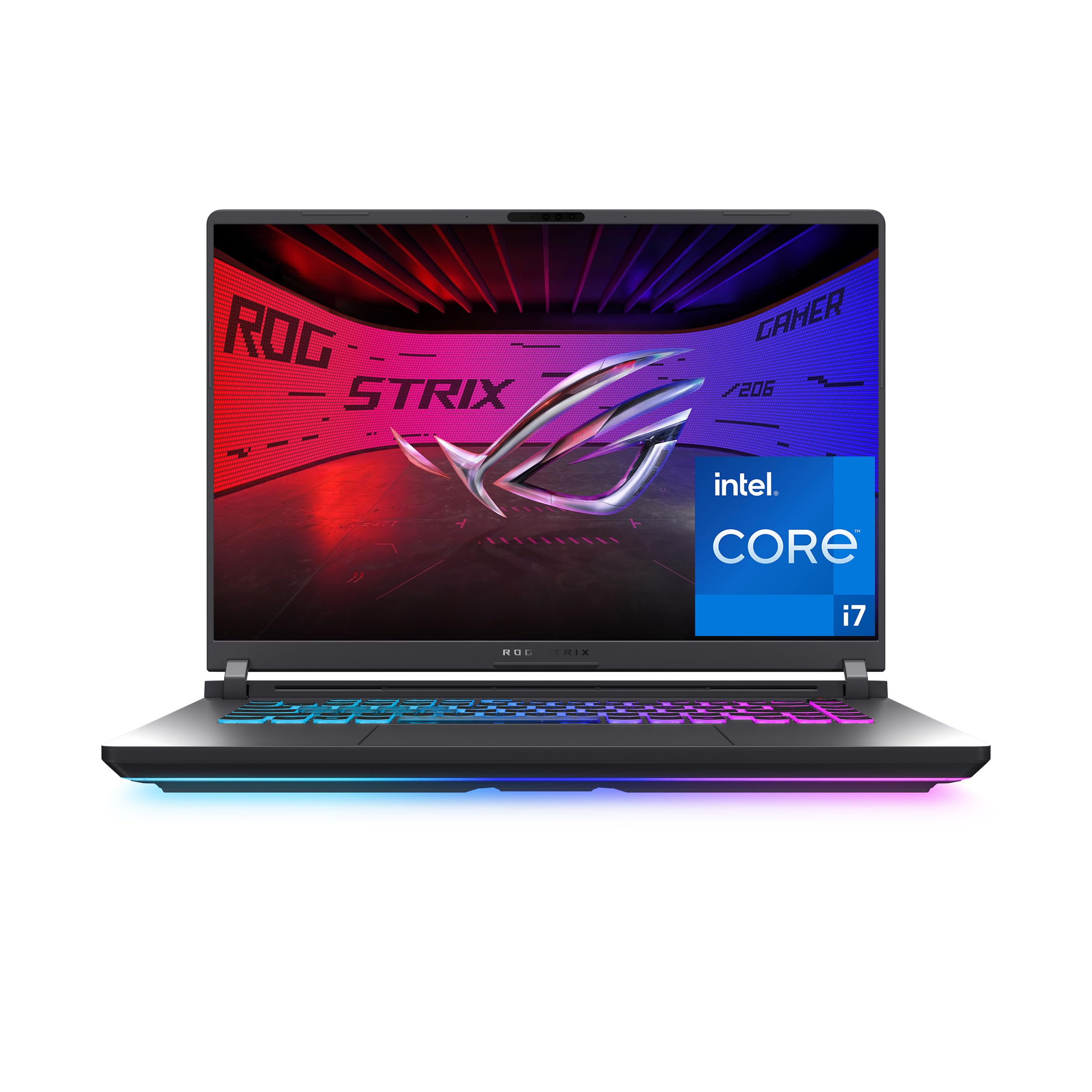
1. ASUS ROG Strix G16 (2025) Gaming Laptop
Our pick — 4.0+★ from 650+ verified ratings; the strongest balance of quality and price.
The 165Hz screen that keeps its cool when the vapor chamber has to work.
This is the pick for the buyer who wants smooth 165Hz motion, current-generation graphics and a cooler that survives a four-hour session — all without stepping into flagship money. The display refreshes 165 times a second at 1920 x 1200, so camera pans across a battlefield stay legible instead of smearing. Powering it is an Intel Core i7 14650HX that boosts to 5.2 GHz, paired with an NVIDIA GeForce RTX 5060 built on the Blackwell architecture with DLSS 4 and Max-Q — the upscaling tech that lets the card hit higher frame rates without dropping image quality.
The memory and storage story is straightforward: 16GB of DDR5 running at 5600MHz, and a 1TB PCIe Gen 4 SSD, which is the faster generation of the M.2 drive format. In plain terms, you can keep a full game library installed and still boot in seconds. A new ACR film on the panel boosts contrast and cuts glare, which matters if you play near a window. Wi-Fi 7 gives you the newest wireless standard, so an online match on a crowded home network has more headroom.
Cooling is where the money went. An end-to-end vapor chamber runs the full width of the chassis, three fans push air through it, and Conductonaut Extreme liquid metal sits on the chipset. The result is a machine that holds its clocks instead of fading after the first hot minute. A 360° RGB lightbar wraps the body and syncs with the keyboard and ROG peripherals, and a Stealth Mode kills all the lighting when you carry it into a meeting. What wins people over here is the overall package — the crowd favourite sits at 4.0+ stars across 600+ owners, which for a laptop in this class is a strong signal that the cooling and the frame rates hold up in real rooms.
What holds up under load
- 165Hz refresh at 1920 x 1200 keeps fast motion readable
- End-to-end vapor chamber plus liquid metal fights throttling
- 16GB DDR5-5600 and a 1TB Gen 4 SSD leave room for a full library
- Wi-Fi 7 and a glare-cutting ACR film on the panel
Where it asks you to compromise
- The 2-hour battery figure means this lives near a wall socket
- No OLED panel — you get speed and glare control, not infinite contrast
- The RGB lightbar will read as loud in a conservative office until you flip Stealth Mode
Reach for this if: you want one machine that handles competitive shooters and a full workday of tabs without the cooler giving up.
Know before you buy: that 2-hour battery rating is honest — plan on the power adapter for anything longer than a short hop.
2. HP Victus 15.6″ Gaming Laptop (AMD Ryzen 5 7535HS)
The starter machine for someone buying their first gaming laptop and not wanting to overthink it.
A Ryzen 5 7535HS processor and an NVIDIA GeForce RTX 2050 will not set records, but they will run esports titles and most modern games at sensible settings on the 15.6-inch 144Hz FHD anti-glare panel. That anti-glare finish is worth calling out on its own: it dulls reflections, so a bright window behind you stops washing out the screen. HP pairs the DDR5 memory and PCIe NVMe storage with Fast Charge, which tops the battery back up quickly between classes, and a Wide Vision HD camera for calls.
What buyers keep circling back to is how it actually plays. The consensus across the review pages is that it handles games smoothly without lag or hiccups, which is the whole point of a first gaming laptop. The keyboard includes a backlit layout with an integrated numeric pad, and the touchpad is enlarged over the previous design, so spreadsheet work is not a chore. Wi-Fi 6 and Bluetooth 5.3 cover everyday connectivity, and HP throws in a month of games through the Xbox App so you have something to play on day one.
The honest catch is upgrade ceiling. There is only one M.2 slot available, and the memory ships at 8GB, so a heavier game library or a Photoshop session will push you to add RAM sooner than you might like. Compared with the Strix G16 further up this list, battery life runs 6 hours to that machine’s 2 — a real advantage if portability between lectures matters more to you than raw frame rates. For a first machine at the entry tier, that trade is a fair one.
Buy it for the price of entry: the 144Hz panel and the lag-free play owners describe are the two reasons this belongs in the budget conversation, and the 6-hour battery makes it a workable daily carry.
Plan around: the single free M.2 slot and the 8GB starting memory — budget for a RAM upgrade in year one if you plan to play big.
Suits: the student or first-timer who wants a genuine 144Hz gaming screen and does not need the fastest card in the room.
Not the one if: you already know you need 16GB from the start.
3. HP Victus 15.6″ Full HD 144Hz (Intel Core i5-12450H)
Ten hours of rated battery in a 144Hz gaming body — that pairing is rarer than it should be.
Here is the number that changes the buying decision: this Victus is rated for 10 hours of battery. Against the ASUS ROG Strix G16’s 2-hour figure, that is a five-times gap, and it means you can carry this to a full day of classes or a long flight without hunting for an outlet.
Graphics come from an NVIDIA GeForce RTX 3050 with 6GB of GDDR6 — the dedicated video memory that holds your textures. That 6GB is a useful buffer for a 15.6-inch FHD IPS anti-glare panel running at 144Hz. Memory is 16GB of DDR4-3200 and storage is a 512GB PCIe SSD, a step up in RAM from the budget Victus and enough for a healthy game library. Wi-Fi 6 and a backlit keyboard round out the daily-driver checklist, and it ships with Windows 11 Pro rather than Home.
The thing owners praise most is the build quality, which tracks with how it feels in hand: a solid chassis rather than a flexing lid. Game performance gets plenty of praise too — the reviewers describe running titles like Arc Raiders and Street Fighter 6 perfectly, which lines up with what a 6GB RTX 3050 can do at FHD settings. The trade-off is the older graphics generation; you get a bigger VRAM buffer than the RTX 2050 above, but you are not getting Blackwell features like DLSS 4.
The case for it: a 10-hour battery, 6GB of graphics memory and Windows 11 Pro in one mid-tier chassis is a genuinely useful combination for a student who games between lectures.
The honest limit: the RTX 3050 is an older-generation card, so heavy ray-traced titles will need settings dialled back.
4. Alienware 16 Aurora Gaming Laptop
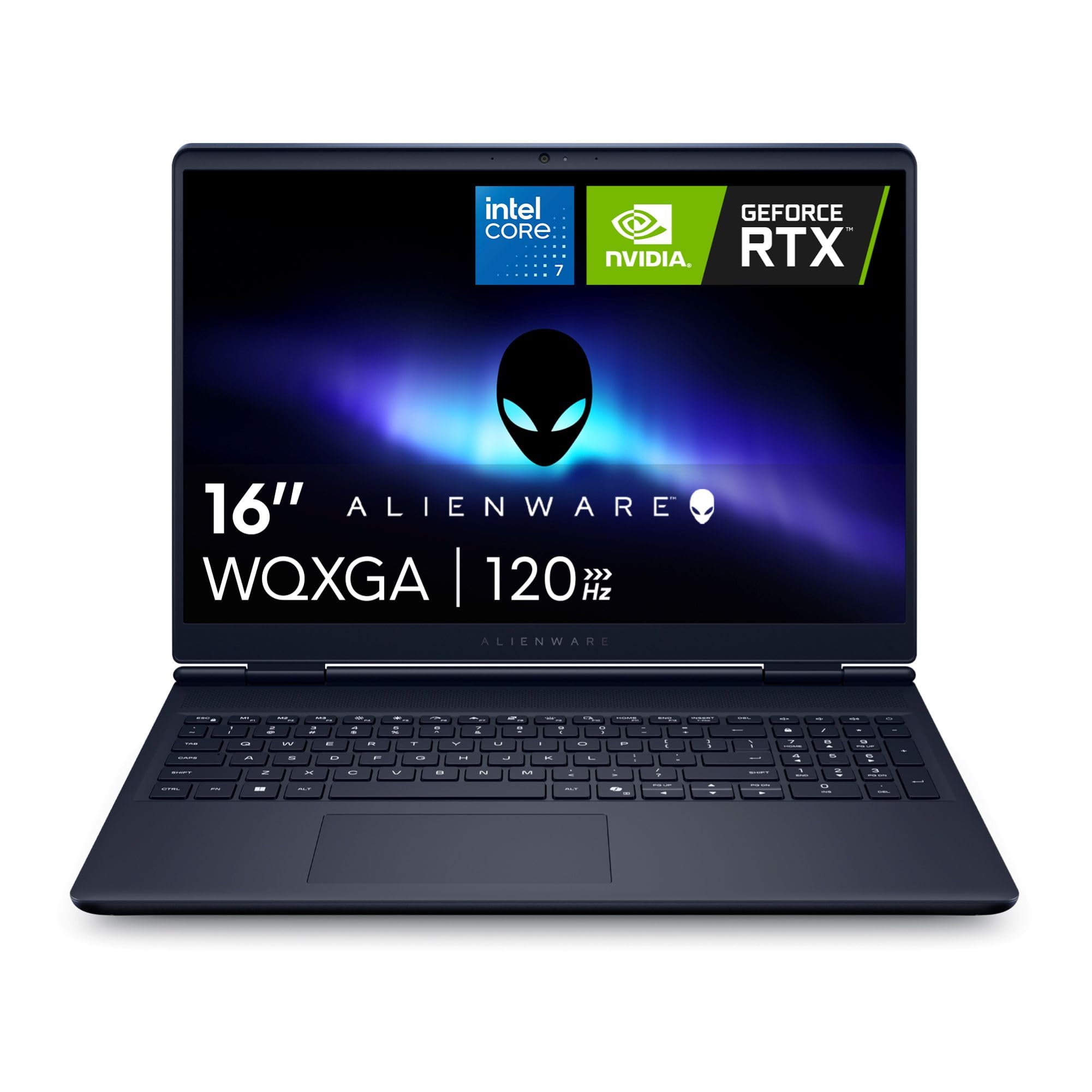
A 2560 x 1600 panel that makes texture detail obvious the moment you load in.
Resolution is the headline. This Aurora carries a 16-inch 16:10 WQXGA display at 2560 x 1600 — that is 33% more pixels than the 1920 x 1200 panel on the ROG Strix G16, and you feel it in fine foliage, distant signage and crisp UI text. Brightness is rated at 300 nits, and the anti-glare coating keeps reflections manageable. Inside sits an Intel Core 7 240H boosting to 5.2 GHz with 24MB of cache, paired with an NVIDIA GeForce RTX 5060 built on Blackwell with AI acceleration.
Cooling uses a redesigned Cryo-Chamber structure that focuses airflow onto the core components, and Alienware built it without a rear thermal shelf — so the body stays streamlined instead of growing a hump behind the hinge. A 180-watt adapter ships in the box to feed it. Buyers report it performs well and stays fast, with frame rates landing in the 80-120 FPS range in their own play, which lines up with what an RTX 5060 can push at this resolution with DLSS doing some of the lifting.
Performance is the thing that wins people over, and by a wide margin — it is the aspect reviewers return to again and again. The honest follow-up question is battery and value. Those two areas split opinion: some describe the battery as long-lasting while others report it dying, and the value conversation goes both ways too. Reliability and heat also draw scattered criticism. None of that makes it a bad machine; it makes it a machine you buy for the 2560 x 1600 panel and the 80-120 FPS, and keep plugged in.
Why the screen sells it: 2560 x 1600 at 16 inches with a 16:10 shape gives you taller, sharper work and play space than a 1920 x 1200 panel, and 300 nits plus anti-glare keeps it usable in daylight.
What to weigh: battery life is the recurring question mark, and heat under long sessions is a fair concern at this power level.
Pick this when: screen sharpness matters as much as frame rate, and the laptop mostly lives on a desk.
Look elsewhere if: unplugged runtime is near the top of your list.
5. msi Cyborg 17 17.3″ FHD 144Hz Gaming Laptop
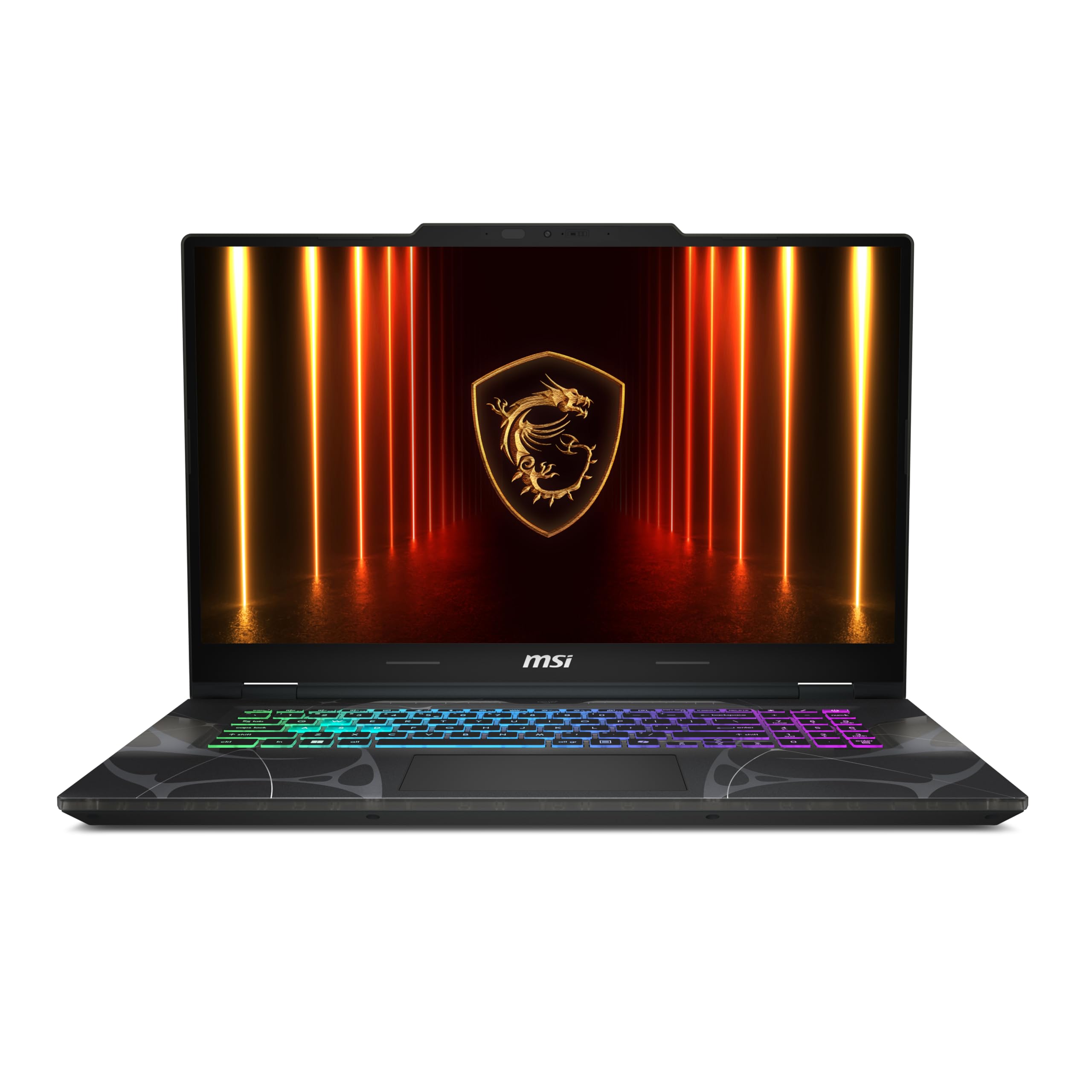
Seventeen inches of screen that still slides into a backpack at 5.5 lbs.
A 17.3-inch 144Hz FHD display at 0.83 inches thin and 5.5 lbs is the specific trick here. Most 17-inch gaming machines feel like a suitcase; this one is light enough to carry daily without resenting it, which is the entire reason to pick it over a 16-inch model. The processor is an Intel Core 7-240H boosting to 5.2 GHz — that peak is 18% higher than the 4.4 GHz of the HP Victus i5 machine above, so heavy strategy games and multitasking come through with less waiting. Bluetooth 5.3 also edges past that Victus’s Bluetooth 5.
Graphics come from an NVIDIA GeForce RTX 5060 with real-time ray tracing and DLSS 4, backed by 16GB of DDR5 and a 1TB NVMe SSD. MSI’s Cooler Boost shared-pipe thermal design keeps the internals in check, and you get USB-C, USB-A, HDMI, RJ45 ethernet and Wi-Fi 6E — that last one being the extended 6GHz band, useful in a crowded apartment block where 2.4 and 5GHz are jammed. A front camera and headphone plus speaker audio round out the everyday kit.
Owners are most taken with the design — the translucent black finish has a distinct look that people point out unprompted, and the value proposition gets consistent praise alongside the performance. The screen is where opinion splits; the 144Hz panel draws enthusiastic comments but not uniformly. Read that as: this is a laptop you choose for the size and the frame rates it can hold, not for a colour-graded display.
Built for: someone who wants a genuinely big screen without a genuinely big bag, and who values portability inside a 17-inch machine.
Room to know: the panel draws mixed reactions, so expect good speed and an unremarkable colour story.
6. GIGABYTE Gaming A16 (RTX 5070)
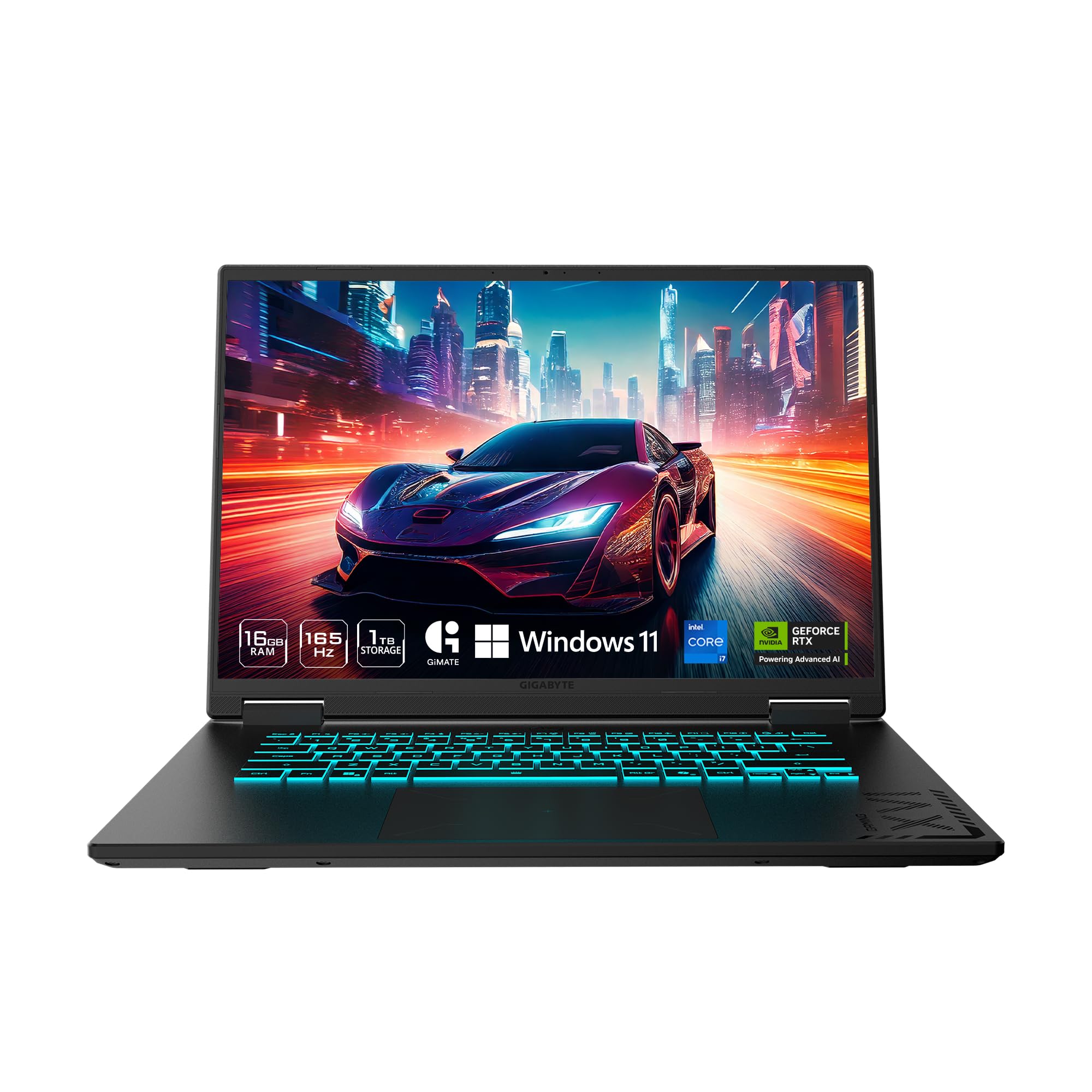
A step up to RTX 5070 graphics without jumping into flagship territory.
If you want the bigger graphics card, this is the least expensive route to it on this list. The NVIDIA GeForce RTX 5070 here runs on the Blackwell architecture with ray tracing and DLSS 4, and it sits a tier above the RTX 5060 machines around it. Driving it is an Intel Core i7-13620H at 4.9 GHz. The chassis is 19.45 millimetres (0.76 inches) thin with a 180-degree hinge that lays the lid flat — handy when you are showing a screen to someone across a table or working at an odd angle.
A 165Hz IPS panel handles the display side. GIGABYTE’s GiMATE interface is bundled as a control layer that adapts settings to what you are doing, and Windows 11 Home with Microsoft Office included means the productivity side is covered from the first boot. Two 2W speakers handle audio. The performance story is what buyers talk about most, with value close behind — for a 16-inch machine running an RTX 5070, that combination is the reason it earns a place here.
Now the honest part. The display draws a split verdict: some describe a detailed 165Hz IPS screen, others find it grainy for video calls. Battery drain comes up as quick, and the speakers are not loud. Thermals and reliability also land in mixed territory. None of that ruins the machine — but it does mean this is a pick for someone whose priority is RTX 5070 frame rate per dollar on a 16-inch screen, not for someone who needs a great webcam image or a full day unplugged.
The reason to pick it
- RTX 5070 graphics at the lowest point on this list where you can get it
- 165Hz IPS panel and a 180-degree hinge for flexible viewing
- Microsoft Office bundled alongside Windows 11 Home
- i7-13620H at 4.9 GHz handles streaming and multitasking
What you accept in return
- Battery drain is quick enough to notice
- Panel quality splits opinion — grainy for some video work
- 2W speakers run quiet
Worth it for: buyers who want the RTX 5070 tier and will keep the machine plugged in at a desk.
Not ideal if: you stream on camera daily or need the speakers to fill a room.
7. GIGABYTE AERO X16 (Ryzen AI 7 350)
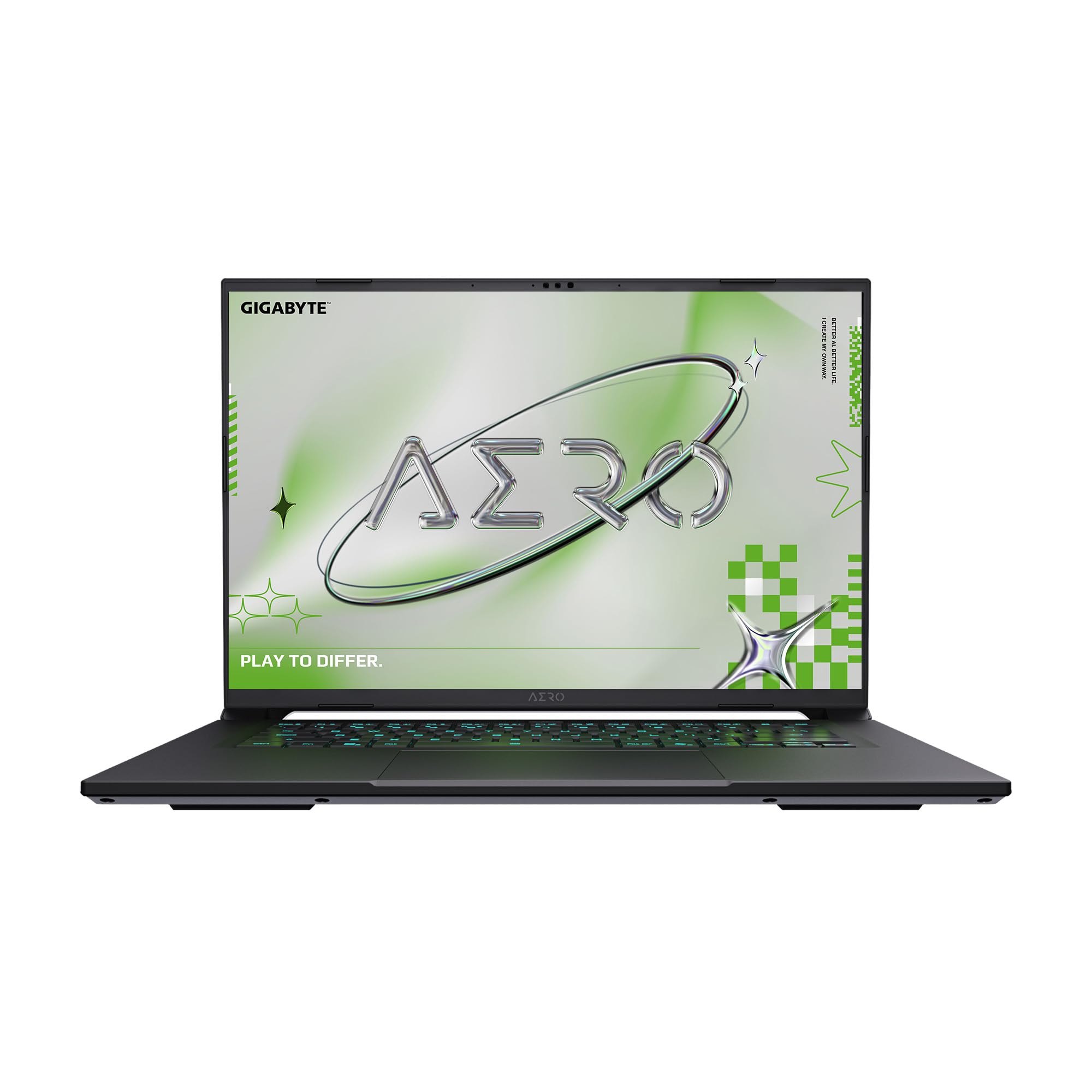
Four-point-one-eight pounds, a 14-hour rating and RTX 5070 graphics in one slim shell.
The AERO X16 is the machine for someone who spends more hours in Blender or Premiere than in a shooter, but still wants a real graphics card for the evenings. It measures 16.75 millimetres (0.65 inches) and weighs 1.9 kilograms (4.18 lbs) — light enough to commute with every day. The AMD Ryzen AI 7 350 processor boosts to 5 GHz and is built around on-device AI work, and the NVIDIA GeForce RTX 5070 with DLSS 4 handles rendering and ray-traced scenes.
Battery is rated at 14 hours, which is the longest figure in this entire group and the reason a creative professional can take it to a client meeting without a power brick. Windows 11 Home with Copilot+ PC features is on board, and the GiMATE control layer adapts performance to what you are running. Owners describe it running smoothly through creative applications including Blender, ZBrush and Substance Painter — the exact workload this laptop was shaped for.
The limit you need to know about is graphics memory. The 8GB of VRAM on the RTX 5070 is the point several owners flag as constraining, and it does cap how heavy your scene files can get before things slow down. That is not a defect — it is the trade you make for a 0.65-inch, 4.18 lb body and a 14-hour battery. If your Blender scenes are modest and your games are mainstream, 8GB is workable. If you build massive scenes for a living, size up.
The mobile-creator formula: 0.65 inches and 4.18 lbs paired with a 14-hour battery rating is the combination that makes this a laptop you actually carry, and the Ryzen AI 7 350 at 5 GHz keeps creative apps responsive.
The honest ceiling: 8GB of VRAM is finite, and heavy scene files will feel it.
Best match: the designer or editor who wants one light machine for both client work and evening games.
Think twice if: your daily file sizes are already pushing past 8GB of texture data.
8. Acer Nitro V 16S AI Gaming Laptop
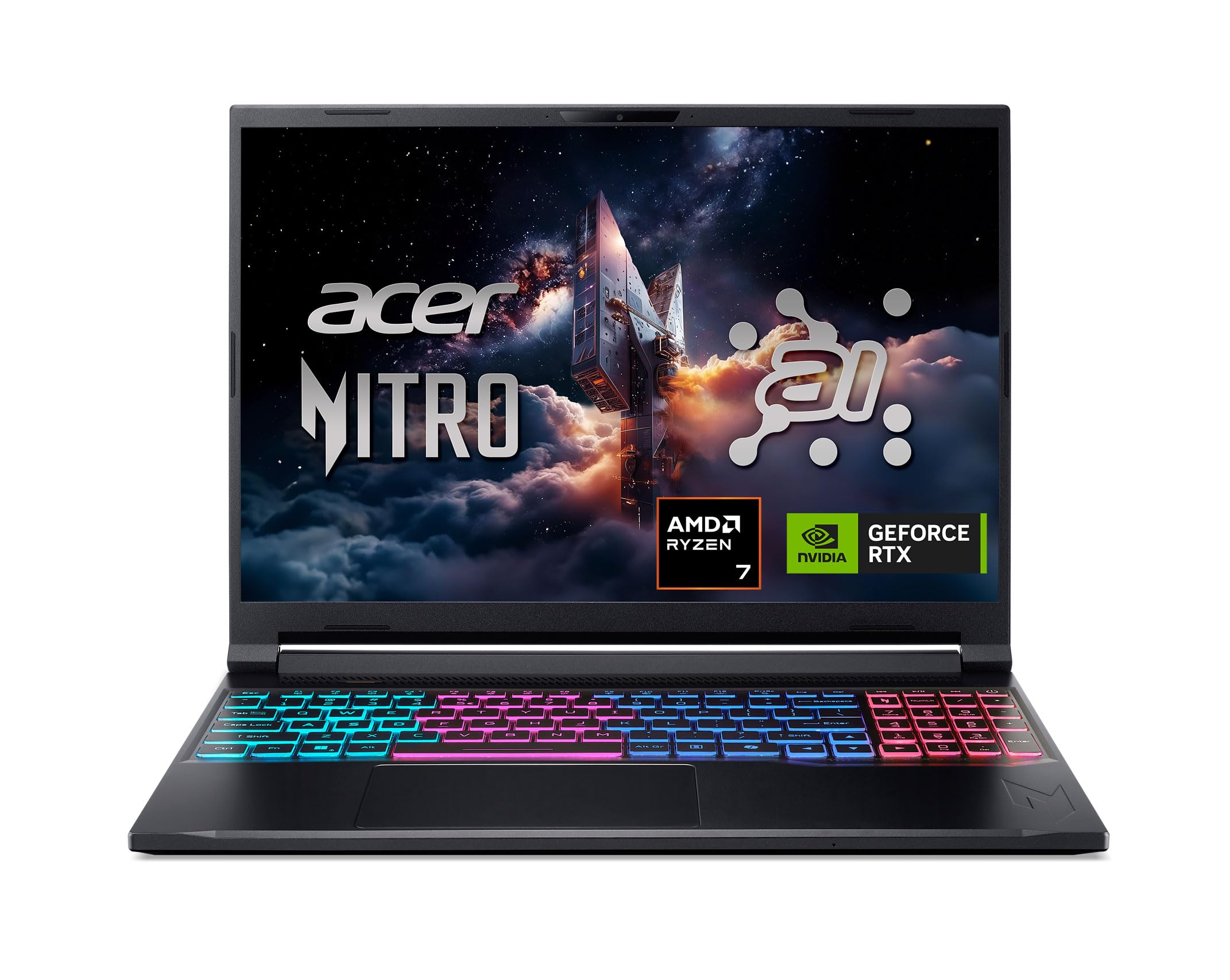
A 180Hz panel and 32GB of memory at a price that undercuts the flagships.
Acer built this one around frame rate rather than resolution. The 16-inch WUXGA panel runs 1920 x 1200 at 180Hz — a step above the 165Hz screens elsewhere in this list — and covers 100% of the sRGB colour space, so the games you play and the edits you export look the way they were graded. If you shoot footage on a phone and cut it on this screen, that colour coverage is the spec that stops your export looking washed out next to the original.
Graphics are an NVIDIA GeForce RTX 5060 with 572 AI TOPS (tera operations per second, a measure of on-device AI throughput) and full ray tracing with DLSS 4. The processor is an AMD Ryzen 7 260 boosting to 5.1 GHz. Memory is 32GB of DDR5 at 5600MHz across two slots and the maximum it takes, and storage is a 1TB PCIe Gen 4 SSD with a second M.2 slot still open — so adding a drive later is a screwdriver job, not a replacement.
Owners describe it running their favourite games perfectly and give the build quality solid marks, which is the kind of thing you only notice over months. The display draws praise for its 180Hz refresh, and value is a consistent theme. The one thing to accept is that this is an AI-branded mid-tier machine rather than a flagship — you get the refresh rate and the memory, and you give up the very top graphics tier.
Why it earns a spot: 180Hz plus 100% sRGB plus 32GB of DDR5 and an open M.2 slot is a lot of machine for the middle of the market.
What it is not: an RTX 5070-class card — the flagship tier above it renders faster.
9. msi Crosshair 18 HX AI Gaming Laptop
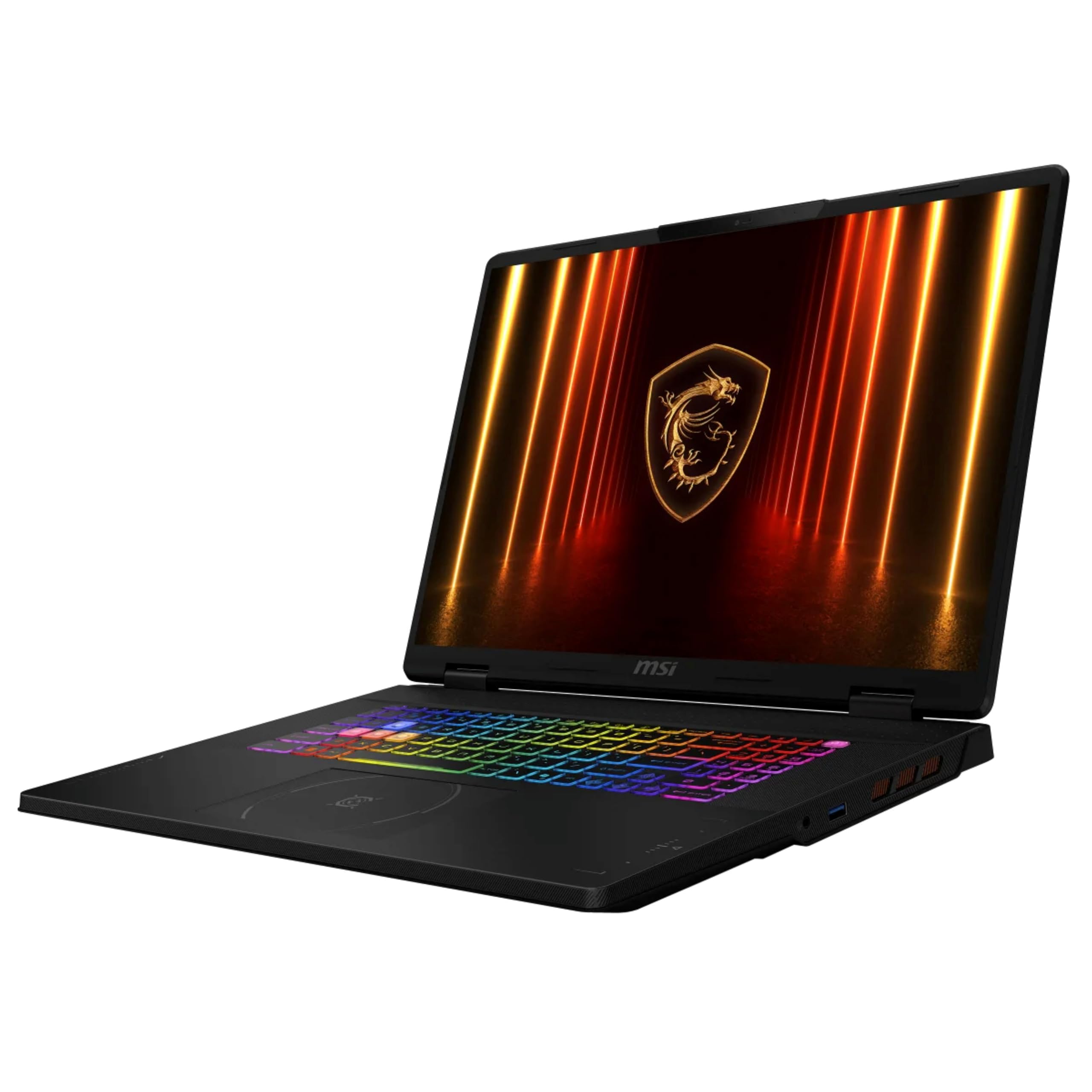
Eighteen inches at 240Hz, with a 24-core chip doing the thinking behind it.
The panel is the reason this exists: 18 inches of QHD+ at 2560 x 1600, refreshing 240 times a second and covering 100% of the DCI-P3 colour space. That is a wider colour range than sRGB, which is why video editors care about it. Driving the frames is an NVIDIA GeForce RTX 5070 with 8GB of GDDR7 — the newest generation of graphics memory. The processor is an Intel Core Ultra 9 275HX with 24 cores turbo boosting from 2.1 to 5.4 GHz, paired with 32GB of DDR5 at 5600MHz.
The keyboard is a SteelSeries 24-zone RGB unit with 99 anti-ghost keys — anti-ghosting means every keypress registers even when several are held at once, which matters in a firefight. Connectivity covers HDMI 2.1, USB-A 3.2 Gen1 ports, USB-C Thunderbolt 4 with DisplayPort and PD 3.0, RJ45 ethernet and an audio combo jack. A 240-watt adapter feeds it and the battery is a 90Whr four-cell Li-Ion. It weighs 6.83 lbs.
What buyers describe is a machine that runs the way a Core Ultra 9 should, with the screen getting its own share of compliments — the “gorgeous screen” note comes up in how owners talk about it — and the value read is favourable for what is inside. The catch is simple and physical: 6.83 lbs and an 18-inch footprint are a desktop-replacement commitment. This is not a laptop you toss into a tote every morning.
Where the money shows: 2560 x 1600 at 240Hz with full DCI-P3 coverage is a screen you notice in a fast shooter and in a colour grade, and 24 cores at 5.4 GHz keeps background work off your frame budget.
The physical cost: 6.83 lbs and 18 inches mean it stays home or stays on a desk most days.
Choose this if: you want a big, fast, colour-accurate panel and you are happy to treat the machine as a semi-permanent desk setup.
Skip the idea if: you commute with your laptop on your back every day.
10. Lenovo Legion 5 15IRX10 OLED Gaming Laptop
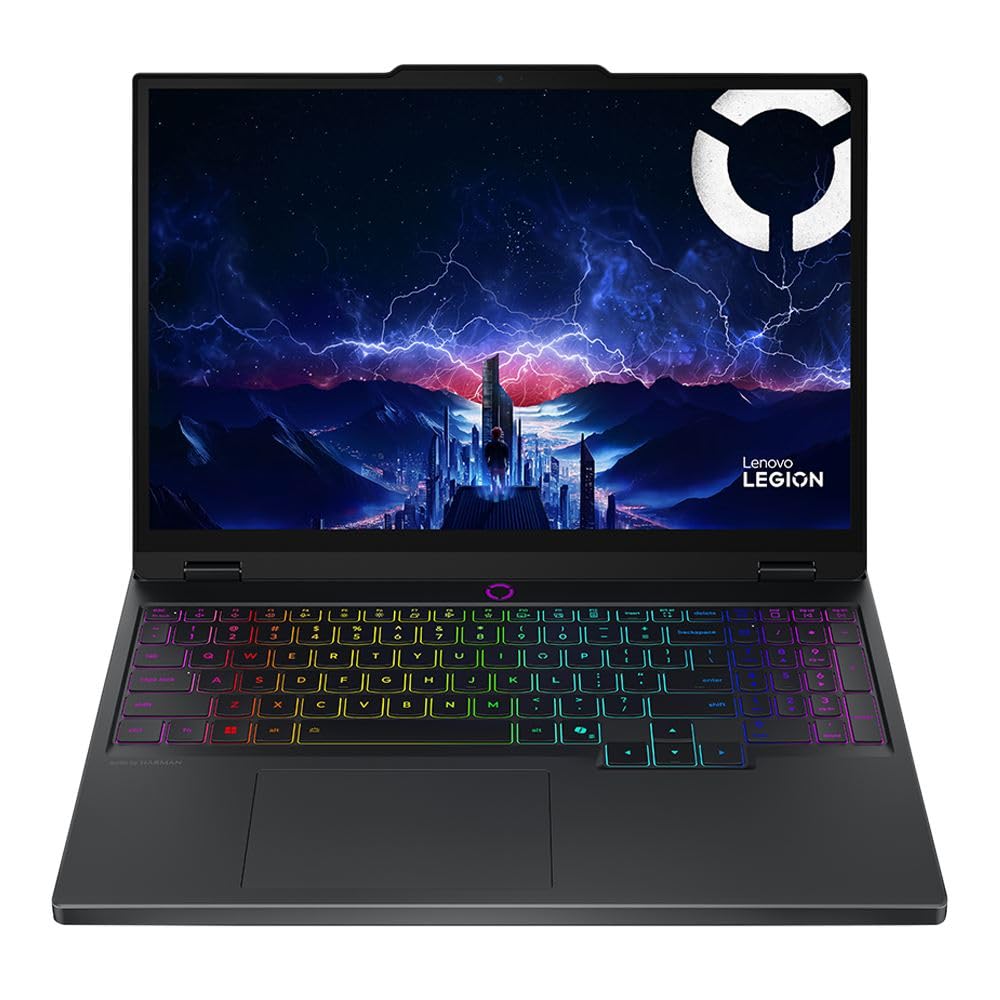
An OLED panel that turns dark scenes into actual darkness instead of grey mush.
OLED is the spec that matters here: each pixel makes its own light, so black areas switch off completely. On a glossy 15.1-inch WQXGA OLED running at 165Hz, that means cave sections and night maps look the way the artists intended rather than washed with backlight bleed. The machine runs an Intel Core i9 14th Gen 14900HX that boosts to 5.8 GHz — the highest clock on this entire list — with 32GB of DDR5-5600 memory and a 1TB PCIe Gen4 x4 NVMe M.2 SSD.
Graphics come from an NVIDIA GeForce RTX 5070 with 8GB of GDDR7. Networking is where it pulls ahead: Wi-Fi 7 (802.11be) on a 2×2 configuration, plus Bluetooth 5.4 and gigabit LAN. Wi-Fi 7 is the newest standard here, and Bluetooth 5.4 is the most current version in this group. A 5.0-megapixel front camera sits above the screen — well above the 720p webcams on several machines here — and it weighs 4.19 lbs (1.90 kg), which is light for a 15-inch i9 chassis.
The trade-off with OLED is the glossy finish. It looks superb in a dim room and reflects light in a bright one, so a window behind you will show up in dark scenes. And an i9 at 5.8 GHz in a 4.19 lb body means the fans have real work to do under load. If your desk faces a wall, neither of those will bother you — and you get the deepest blacks in this group.
The right buyer: someone who plays story-driven games in a dim room and wants contrast over everything else.
Reconsider if: your setup sits in front of a bright window — the glossy OLED will mirror it.
11. Lenovo Legion 5a Gaming Laptop (64GB / 2TB)

Sixty-four gigabytes of memory and two terabytes of storage — the spec sheet of a workstation.
For anyone who keeps a game library, a video project and a browser with forty tabs open at once, this is the machine. It carries 64GB of DDR5 RAM and a 2TB SSD, which is the most storage in this entire group and double what most picks here offer. The 15.3-inch WQXGA OLED panel runs at 165Hz, and the processor is an AMD Ryzen 7 250 with eight cores at a 3.3GHz base clock.
Graphics come from an NVIDIA GeForce RTX 5060 with 8GB of dedicated GDDR6. Cooling relies on Legion Coldfront Hyper with precision Falcon Fans, 3D copper heat pipes and dedicated airflow channels — the kind of hardware that keeps a long editing session from turning into a fan concert. Lenovo’s AI Engine+ tunes performance on the fly, and Wi-Fi 7 with Bluetooth 5.4 covers the network side. Battery is rated at 11 hours, and the aluminium body keeps the weight reasonable.
The display is a clear strength — the OLED fidelity is what draws the compliments. Performance is the top theme across the board. Value, fan noise, heat and build quality all split opinion to varying degrees: some find the chassis solid, others less so, and the fan noise under full load is noticeable. What tips this one is the memory and storage headroom, which no other pick here matches.
Where it earns its keep
- 64GB DDR5 and a 2TB SSD — the most storage on this list
- 15.3-inch WQXGA OLED at 165Hz with deep blacks
- Legion Coldfront Hyper cooling with Falcon Fans and 3D copper heat pipes
- 11-hour battery rating and Wi-Fi 7 with Bluetooth 5.4
What comes with the size
- Fan noise under full load is audible
- Heat is a recurring talking point in long sessions
- Build quality splits opinion across the review pages
Made for: the editor or heavy multitasker who needs 64GB of memory and 2TB of storage in a single chassis.
Worth knowing: the fans make themselves heard once you push the RTX 5060 hard.
12. Acer Predator Helios Neo 18 AI Gaming Laptop

An 18-inch 240Hz G-SYNC panel fed by an RTX 5070 Ti and 2TB of storage.
G-SYNC is the spec that changes what you see on this 18-inch WQXGA screen. It syncs the display’s refresh to the graphics card’s frame output, so a frame rate that dips from 200 to 140 does not produce visible tearing or stutter. The panel runs 240Hz with a 3ms overdrive response time (how fast a pixel changes colour), covers up to 100% DCI-P3, and supports NVIDIA Advanced Optimus for switching between integrated and dedicated graphics. The 16:10 aspect ratio gives you a taller screen than a standard widescreen.
Under the hood is an Intel Core Ultra 9 275HX boosting to 5.4 GHz with up to 13 NPU TOPS (the neural processing unit handles background AI chores). Graphics are an NVIDIA GeForce RTX 5070 Ti with 992 AI TOPS on the Blackwell architecture. Memory is 32GB of DDR5 clocked at 6400MHz in dual channel across two slots with a 64GB maximum, and storage is a 2TB PCIe Gen 4 SSD with a microSD card reader as a bonus. Cooling pairs dual fans with a fifth-gen AeroBlade 3D metal fan and liquid metal thermal compound.
Ports are generous: Thunderbolt 4, a USB-C 3.2 Gen 2 with DisplayPort and up to 90W charging, two USB 3.2 Gen 2 ports (one with power-off charging), a USB 3.2 Gen 1 port, HDMI 2.1, ethernet, a headphone jack and a Kensington lock slot. Killer Ethernet E3100G and Killer Wi-Fi 6E AX1675 handle networking. The reality check is weight: 7.28 lbs means this is a desk machine that occasionally travels, not the other way around. At 4.0+ stars it sits below the top-rated picks here, so weigh the G-SYNC panel and the 992 AI TOPS against the heft.
The G-SYNC argument: a 240Hz 3ms panel with adaptive sync and Advanced Optimus is the smoothest motion on this list at 18 inches, and the RTX 5070 Ti with 992 AI TOPS gives it frames to work with.
The weight argument: 7.28 lbs and a 15.79-inch width make it a permanent desk resident for most people.
Go for it when: screen size, adaptive sync and port selection all rank above portability for you.
Weigh first: 7.28 lbs is a lot to carry, and the rating trails the front-runners here.
13. ASUS ROG Strix G18 (RTX 5080)
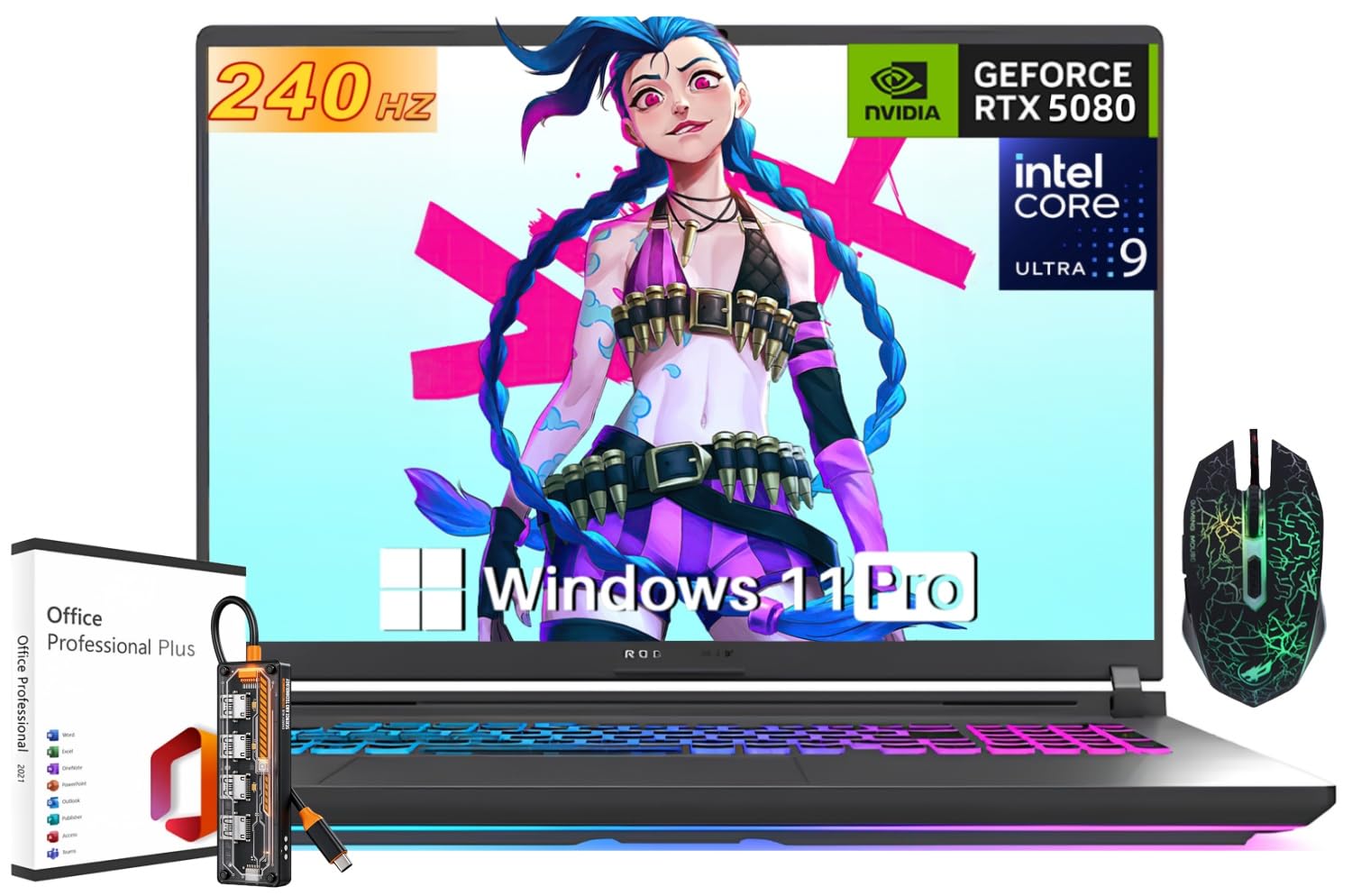
Sixteen gigabytes of GDDR7 graphics memory — the only machine here with that much.
Every other laptop in this guide tops out at 8GB of video memory. This one carries an NVIDIA GeForce RTX 5080 with 16GB of GDDR7 and up to 175W TGP (total graphics power — the wattage budget the card is allowed to draw). That doubled buffer is what stops texture-heavy titles and 3D renders from hitting a wall. It supports Blackwell, DLSS 4, Multi Frame Generation, ray tracing and Advanced Optimus, and it is paired with an Intel Core Ultra 9 HX processor for AAA gaming, esports, streaming and video editing alike.
The screen is an 18-inch 2.5K panel at 240Hz in a 16:10 shape, so you get both the size and the speed. Storage is 2TB and memory is 32GB of DDR5. Cooling uses ROG Intelligent Cooling with an end-to-end vapor chamber and Tri-Fan Technology to keep the RTX 5080 fed without cooking the chassis — the same approach that makes the G16 at the top of this list such a steady performer. Windows 11 Pro, an RGB keyboard and the Eclipse Gray chassis complete the package, with a 10-hour battery rating that matches the smaller G16’s figure.
Here is the honest frame on this one. You are also paying flagship money for it, and 16GB of VRAM only pays off if your workloads actually use it. For pure 1080p esports, the G16 up top delivers the same smoothness for a fraction of the commitment.
The VRAM mic drop: 16GB of GDDR7 at up to 175W TGP is double the graphics memory of every other pick here, and it is the reason heavy renders and max-texture games stay fluid.
The value question: that headroom only earns its keep if your games or project files genuinely exceed 8GB.
This is the one for: buyers running 3D renders, 4K editing or max-texture AAA titles who need the VRAM headroom no other pick offers.
Watch the sample size: the 4.5+ rating sits on far fewer owners than the mid-tier picks — and mainstream 1080p play does not need this much machine.
Know the Specs
Refresh Rate in Hertz
Hertz counts how many times per second the screen redraws. A 144Hz panel redraws 144 times a second; a 240Hz panel does it 240 times. In a fast shooter, a higher number means a target crossing your screen stays a clean shape instead of trailing a blur. The panels here run from 144Hz up to 240Hz, and the gap between them is most visible in competitive titles. Above 165Hz, the returns shrink for slower, story-driven games.
Graphics Memory and VRAM
VRAM is the dedicated memory soldered onto the graphics card, and it holds the textures for everything on screen. An 8GB card covers mainstream gaming at high settings. The moment you load heavy texture packs or work with large 3D scenes, 8GB becomes the bottleneck — which is exactly the limitation flagged on the slim 16-inch creator machines here. The RTX 5080 pick carries 16GB of GDDR7, double everything else in this group.
Vapor Chambers and Liquid Metal
A vapor chamber is a sealed plate that spreads heat across the whole chassis rather than down one pipe, and liquid metal is a conductive paste alternative applied between the chip and its cooler. Together they let a laptop hold its boost clocks for hours instead of fading after a minute. The Strix machines here use an end-to-end vapor chamber with tri-fan cooling; the Acer Predator uses liquid metal compound with a metal AeroBlade fan.
DLSS and Frame Generation
DLSS is NVIDIA’s upscaling technology: it renders a game at a lower internal resolution and uses AI to rebuild the image at full size, which raises frame rate without a visible quality drop. DLSS 4 adds Multi Frame Generation, which inserts additional AI-built frames between the real ones. On a 240Hz panel, that is often what makes the difference between using the refresh rate and wasting it.
Common Questions
Is a 144Hz gaming laptop screen fast enough for competitive shooters?
How much graphics memory do I need for modern games?
Why do gaming laptop battery numbers vary so wildly between models?
Does a vapor chamber cooler actually make a difference?
Is OLED better than a high refresh rate IPS panel for gaming?
Can I add more storage or memory to a gaming laptop later?
What does Wi-Fi 6E or Wi-Fi 7 actually change for online play?
How heavy is too heavy for a gaming laptop I carry daily?
Is an Intel Core i7 or Core i9 overkill for gaming?
What does a 16:10 aspect ratio give me over a standard widescreen?
The Bottom Line
For most people, the top rated gaming laptops choice is the ASUS ROG Strix G16 — a 165Hz panel, an RTX 5060 and an end-to-end vapor chamber that keeps the frame rate honest deep into a session, backed by 4.0+ stars from 600+ owners. If a single charge has to survive a full day of classes, the HP Victus with the Intel Core i5 and its 10-hour rating is the practical pick. And when graphics memory is the wall you keep hitting, the ASUS ROG Strix G18 is the only machine on this list with 16GB of GDDR7.
Start with the spec that limits your workload. Frame rate chasers should weigh refresh rate and cooling; creators should weigh VRAM and colour coverage; commuters should weigh pounds and battery hours. Every machine here clears the bar for its purpose — the trick is choosing which compromise you can live with for three or four years,.
How we choose
We do not accept paid placement. Every pick is matched to a real buyer and a real use-case; we do not hands-on test units.
Sources
Specifications: manufacturer listings and product documentation. Review insights: verified customer reviews, as of November 2026. Pricing: not shown on this page (it changes often); check the current price via the retailer link.
As an Amazon Associate, Tactical Gear Guy earns from qualifying purchases. This does not affect which products we feature.