Specs are compiled from manufacturer listings and verified buyer reviews and can change over time — please confirm the key details on the product page before buying.
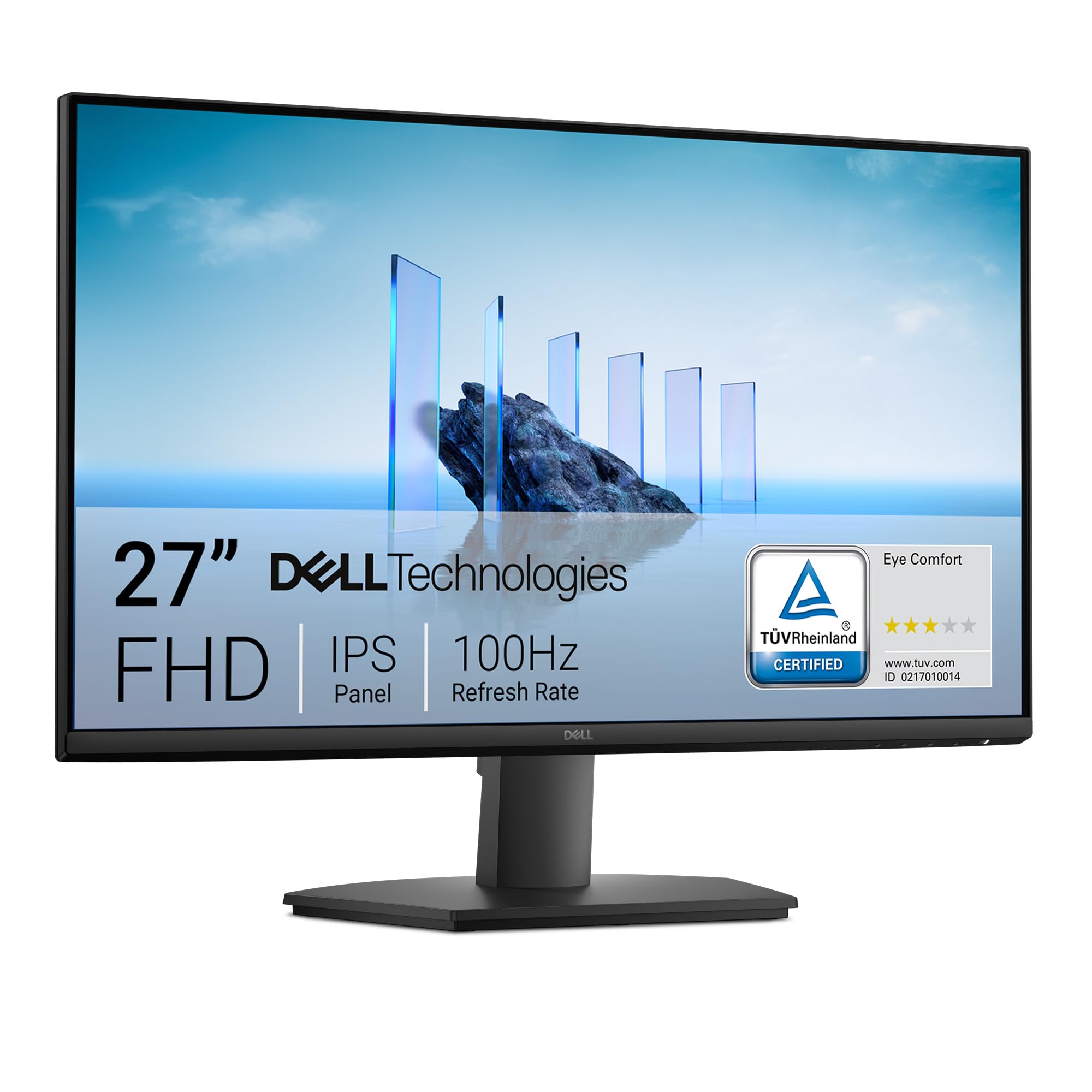
You stare at your monitor for hours, so the wrong 27-inch panel taxes your eyes and your patience every day. The Dell SE2725HM earns the top spot by pairing a 100Hz refresh rate with IPS color and a TÜV Rheinland 3-star eye-comfort rating, backed by 4.5+ stars from 900+ owners. Below you’ll find eleven 27-inch screens sorted by what they actually do well, from budget workhorses to a 300Hz gaming panel and an OLED that goes properly black.
This guide is built by comparing the manufacturers’ published specifications and the patterns across verified customer reviews, so you get each pick’s real strengths and trade-offs instead of marketing spin.
Refresh rate, panel type, and resolution decide most of what you feel day to day, and the picks here span all three. Read on for the top rated 27″ monitors that hold up in daily use, not just on paper.
Top Picks

How To Choose The Best Top Rated 27″ Monitors
At 27 inches the screen is big enough that the pixels have to be good, because you sit close enough to see them. The three things that decide whether you’ll be happy six months in are refresh rate, panel technology, and resolution — and they pull against each other on cost.
Refresh rate is the first thing your eyes notice
Refresh rate is how many times per second the screen redraws the image, measured in hertz (Hz). A 60Hz panel redraws 60 times a second; a 100Hz or 120Hz panel redraws more often, so scrolling a long webpage or dragging a window looks less jumpy. The Dell SE2725HM runs at 100Hz, the Acer SB273 and both ViewSonic models run up to 120Hz, and gaming panels go far higher. If most of your day is documents and email, 100Hz to 120Hz is the sensible floor.
IPS, QHD, and OLED in plain terms
IPS (In-Plane Switching) is a panel type that keeps colors and brightness steady when you look from an angle — handy if you swivel the screen or share it. QHD is a resolution of 2560 x 1440 pixels, which packs more detail than Full HD’s 1920 x 1080 onto the same 27 inches, so text looks tighter. OLED is a panel where each pixel makes its own light, so blacks go genuinely dark. Each step up costs more, and the picks below cover all three.
Brightness, glare, and long days
Brightness is measured in nits (a unit of screen luminance). A 250-nit screen is fine in a dim room but can struggle beside a bright window; 300 nits and up holds up better in daylight. An anti-glare finish matters just as much, because it scatters reflections instead of mirroring your lamp back at you. Look for a flicker-free backlight and a blue-light mode if you work into the evening.
Side-by-Side Comparison
| Model | Best For | Resolution | Refresh Rate | Panel / Brightness | Amazon |
|---|---|---|---|---|---|
| Dell SE2725HM★ Best Overall | Everyday desk work | 1920 x 1080 | 100Hz | IPS / 250 nits | Amazon |
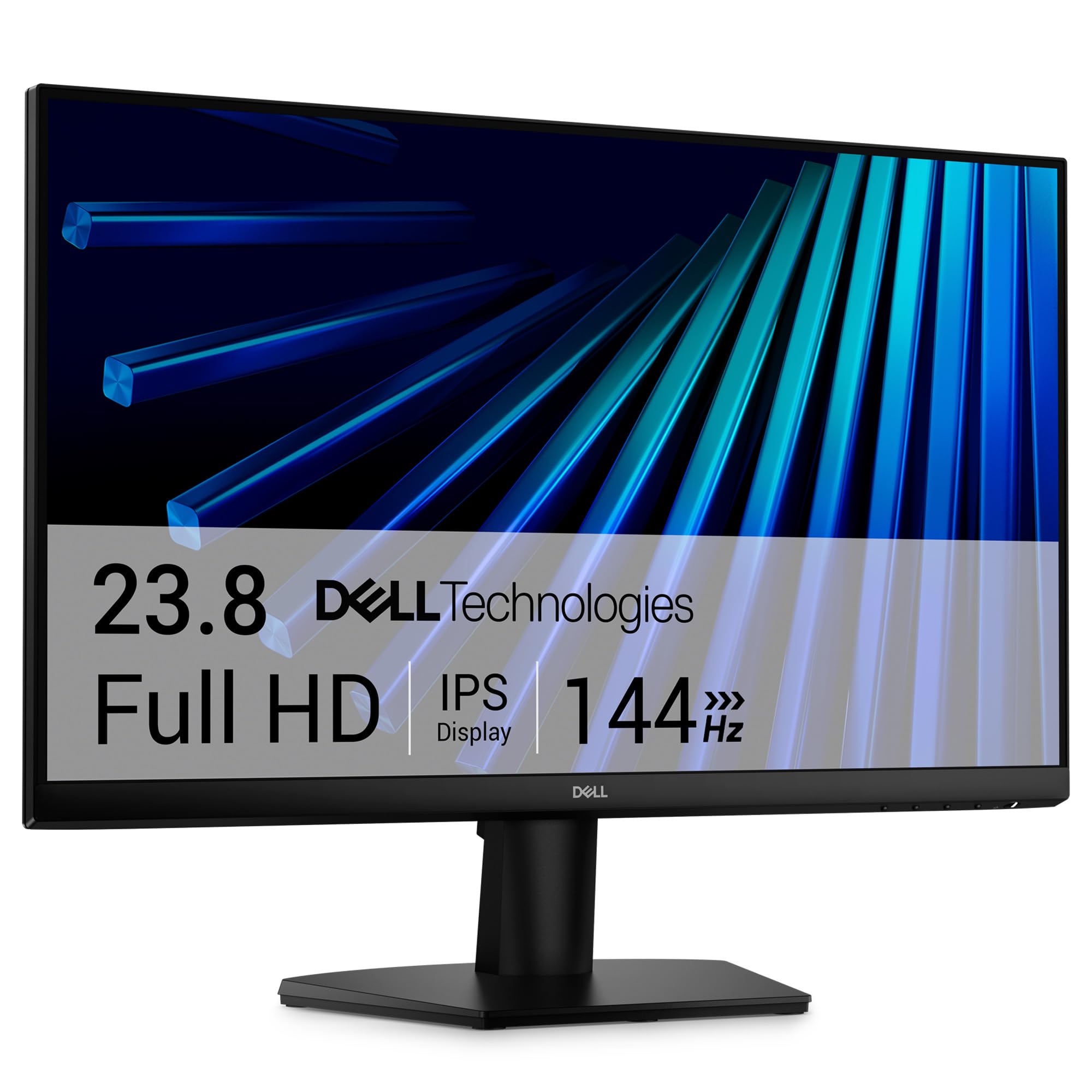
| Dell SE2726HTop Performer | Work plus gaming | 1920 x 1080 | 144Hz | IPS / 300 nits | Amazon |
| MSI PRO MP275QSharpest Pixels | Sharp productivity | 2560 x 1440 | 100Hz | IPS / 300 nits | Amazon |
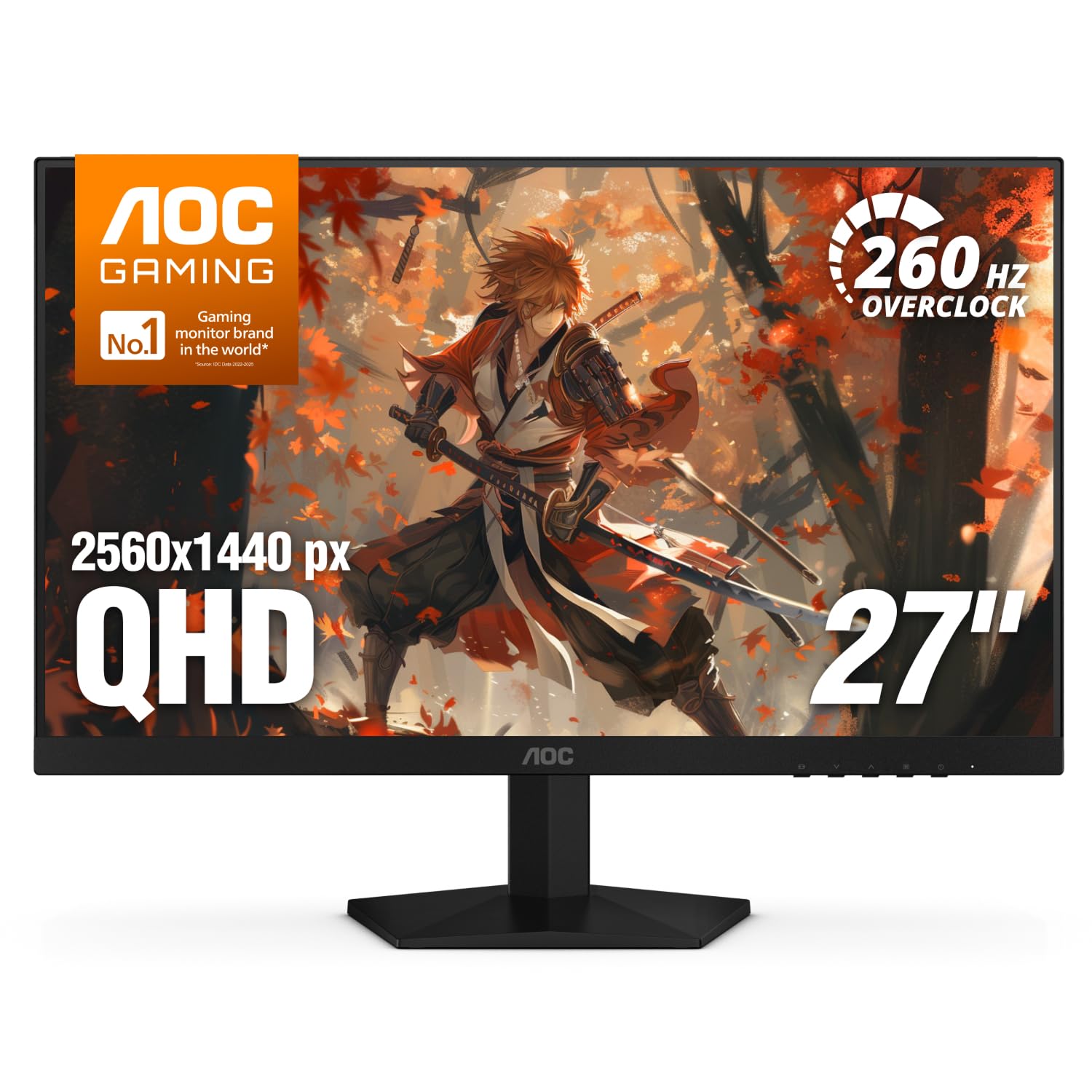
| AOC Q27G41ZE | Competitive gaming | 2560 x 1440 | 240Hz (260Hz overclocked) | IPS / 300 nits | Amazon |
| Acer SB273 G0bi | Budget office | 1920 x 1080 | 120Hz | IPS / 250 nits | Amazon |
| ViewSonic VA2756A-MHD | Multi-device desk | 1920 x 1080 | 120Hz | IPS / 250 nits | Amazon |
| Alienware AW2725DM | QD gaming step-up | 2560 x 1440 | 180Hz | IPS / 400 nits | Amazon |
| ASUS TUF VG27AQM5A | High-refresh esports | 2560 x 1440 | 300Hz | Fast IPS / — | Amazon |
| LG 27GX704A-B | OLED contrast | 2560 x 1440 | 240Hz | OLED / 275 nits | Amazon |
| LG 27UP650K-W | 4K detail work | 3840 x 2160 | 60Hz | IPS / 400 nits | Amazon |
| ViewSonic VA2448-MH | Tight budgets | 1920 x 1080 | 120Hz | IPS / 300 nits | Amazon |
Detailed Reviews
1. Dell 27 Monitor SE2725HM
Our pick — 4.5+★ from 900+ verified ratings; the strongest balance of quality and price.
A 100Hz IPS desk monitor built to keep long spreadsheet sessions easy on the eyes
Dell’s SE2725HM is built around the thing your eyes actually feel: a 100Hz refresh rate. That’s the screen redrawing 100 times a second instead of the old 60, so scrolling a long document or dragging a window stays smooth instead of smearing. It carries Dell’s ComfortView Plus blue-light handling, which filters the harsher part of the spectrum while keeping colors on target, and it lines up with a TÜV Rheinland 3-star eye-comfort certification — an external test of how gentle the panel is over a long session.
The IPS panel keeps color steady across a wide viewing angle, so two people can read the same screen without one of them seeing washed-out color. Resolution is 1920 x 1080, the standard Full HD step, which on 27 inches makes for big comfortable text rather than fine print. Connectivity runs HDMI and VGA, so your work laptop plugs straight in and an older tower still has a home.
What has held up best over thousands of workdays is simply how clean the image looks for the money — the crisp-text, sharp-picture reputation is what carries this one. The 4.5+ stars across 900+ ratings backs that up, and it is the highest score in this whole group. The catch is brightness: at 250 nits it is happiest in a room without a sun-facing window right behind you. On a bright, glassy desk you’d want more output — that is where the brighter Dells and the ViewSonic models step ahead.
What earns the top slot
- 100Hz refresh rate keeps everyday scrolling and window-dragging steady
- ComfortView Plus blue-light handling with a TÜV Rheinland 3-star eye-comfort rating
- Built-in power supply and cable holder keep the desk tidy
- Tilt adjustment plus VESA mounting for a wall or arm setup
What to weigh first
- 250 nits is modest next to a bright window
- Full HD only — no QHD detail on offer here
- No DisplayPort, so console and PC share HDMI or VGA
Best fit: Anyone whose day is documents, email, and video calls on a single screen.
Think twice: Bright, sun-drenched rooms where a 300-nit or brighter panel serves you better.
2. Dell 27 Monitor SE2726H
Dell’s fast twin: the same tidy desktop shell, cranked to 144Hz and 300 nits
If you want one screen for the workday and the evening, the SE2726H is the sharper version of Dell’s 27-inch formula. The refresh rate jumps to 144Hz and the response time is listed at 1ms MPRT (moving picture response time — a measure of how fast a pixel changes without leaving a blur trail), so fast pans in a game or a video stay clean. Brightness climbs to 300 nits, which is where the difference from the model above really lives: compared with the 250-nit SE2725HM, that is 20% more output, so a brighter room stops fighting your screen.
The IPS panel keeps color accurate at wide angles, and Dell states a 178°/178° viewing angle — essentially the full arc, so looking at it from the side doesn’t wash the picture out. Thin bezels mean two of these sit close together with barely a seam. AMD FreeSync support (a system that syncs the screen’s redraw to your graphics card) cuts the tear lines you’d otherwise see in motion.
Owners rate it on overall desk quality, and it’s the most-reviewed Dell here with a strong score. The honest limit: this is still a Full HD panel, so at 27 inches you get big, comfortable text rather than the extra detail of a QHD screen. If pixel density matters more than motion, the MSI PRO MP275Q below is the one to look at instead.
Best for mixed days: Work in the morning, gaming after dinner — 144Hz handles both without complaint, and 300 nits gives it daylight headroom.
The trade-off: Full HD at 27 inches is the entry resolution; sharpness fiends will want QHD.
Go for this: You want a single screen for office apps and fast games.
Hold off: You need more than 1920 x 1080 of on-screen detail.
3. MSI PRO MP275Q
Twice the pixel count of Full HD, squeezed into the same 27 inches — that’s the pitch
The PRO MP275Q runs a WQHD resolution of 2560 x 1440, which packs 33% more pixels than the 1920 x 1080 of the Dell models above. On a 27-inch panel that means tighter text, more of a spreadsheet visible without squinting, and photos that hold together at full size. The IPS panel is rated for a 100% sRGB color gamut — the color range most web and office content is built around — with 10-bit color support and 300 nits of brightness, so both color and output hold up in daylight.
A 100Hz refresh rate keeps scrolling steady, and MSI’s eye-comfort package bundles blue-light reduction and anti-flicker with a matte anti-glare surface. Display quality is what people rate most, and it’s the highest-ranked strength here by a wide margin — sharpness and color do the heavy lifting. There’s also tool-free assembly, 100mm VESA mounting, and built-in 2W speakers for the odd conference call.
The recurring gripe is brightness and reliability landing as mixed rather than universal praise — a few buyers find it dimmer than expected or hit a unit that needed a return. Its 4.0+ stars is the lowest score on this list, so if you want the safest bet, the Dell above is steadier. If QHD text sharpness is what you’ve been missing, though, this is the value play in the group.
Where it shines: QHD resolution at a work-monitor price, with 300 nits and 100Hz keeping it comfortable all day.
The honest caveat: The most polarised score on the list — a small share of buyers hit issues, so buy from a seller with a clean return path.
Pick this if: You stare at dense text or spreadsheets and want more pixels for your money.
Pass if: You’d rather have the strongest track record than the sharpest panel.
4. AOC Q27G41ZE
For the player who cares about the frame in front of them, right now
AOC builds this one for speed. The 27-inch QHD panel runs a 240Hz refresh rate over DisplayPort and pushes to 260Hz when overclocked (a setting that runs the panel faster than its rated spec), with a 0.3ms MPRT response for minimal blur in fast pans. That combination is the whole reason to buy it: a 240Hz-plus screen redraws the scene so often that tracking a moving target feels direct rather than laggy. Adaptive-Sync covers both AMD and NVIDIA cards, so either GPU stays tear-free.
The IPS panel keeps its 2560 x 1440 resolution sharp at wide angles, and with 300 nits and a 1000:1 contrast ratio it holds up in a normally lit room. Gaming extras include Shadow Control for lifting dark corners, game-mode presets, and a graphical on-screen menu you drive with the joystick — no hunting through nested buttons. Tilt runs from -3° to +21°, and the frameless three-sided design suits a multi-screen rig.
Value earns heavy praise here — this is the fastest panel per dollar in the group, and owners treat it as a competitive-gaming buy rather than a do-everything screen. The catch is that picture quality and color are rated mixed rather than raved about, and the stand only tilts, so you’ll want an arm if ergonomics matter. Its 4.5+ star score sits just under the Dells, but for pure frame rate nothing here touches it at this size.
The esports case: 240Hz native and 260Hz overclocked on a QHD IPS panel is a lot of motion for the money, and Adaptive-Sync keeps both GPU brands happy.
The catch: Tilt-only stand and colour tuned for speed rather than accuracy.
Your screen if: Competitive shooters are the point and you want QHD sharpness without paying flagship money.
Look elsewhere if: You need a colour-accurate panel for photo or design work.
5. Acer SB273 G0bi

Big, clean Full HD text at 120Hz — a budget panel that keeps long emails legible
Acer’s SB273 G0bi is the budget workhorse that doesn’t feel like one. The 27-inch IPS panel shows 1920 x 1080 in a 16:9 frame with a zero-frame design, so the picture runs right to the edge and looks bigger than the plastic around it. Refresh rate reaches 120Hz with a 1ms VRB response (a fast pixel-change spec aimed at reducing smear), and Adaptive-Sync support keeps motion tear-free when your graphics card can talk to it.
Brightness sits at 250 nits, so it’s happiest on a normal desk rather than beside a sunlit window. Connectivity is HDMI and VGA, which covers a modern laptop and an older desktop in one screen. The contrast figure is listed at 100,000,000:1 — a dynamic contrast number that measures the panel’s claimed range between its darkest and brightest moments, not a fixed contrast ratio. Treat it as a marketing figure and judge on the picture instead.
The score that surprises is that owners prize it for crisp images and easy setup, and a good number note it suits older eyes — the big Full HD text is exactly the point. It holds 4.5+ stars and a steady following, sitting right alongside the other top scorers. Port selection is the one mixed note: HDMI and VGA are all you get, so a DisplayPort-first setup will want the ViewSonic VA2756A-MHD below.
What it nails
- 120Hz and 1ms VRB keep scrolling and video smooth on a budget panel
- Zero-frame 27-inch design reads bigger than its footprint
- Full HD text stays large and legible for long reading sessions
What’s limited
- HDMI and VGA only — no DisplayPort
- 250 nits struggles against strong window light
Ideal for: Budget desks that need a big, clear, smooth Full HD screen.
Not for: DisplayPort-only gaming rigs or colour-critical work.
6. ViewSonic VA2756A-MHD
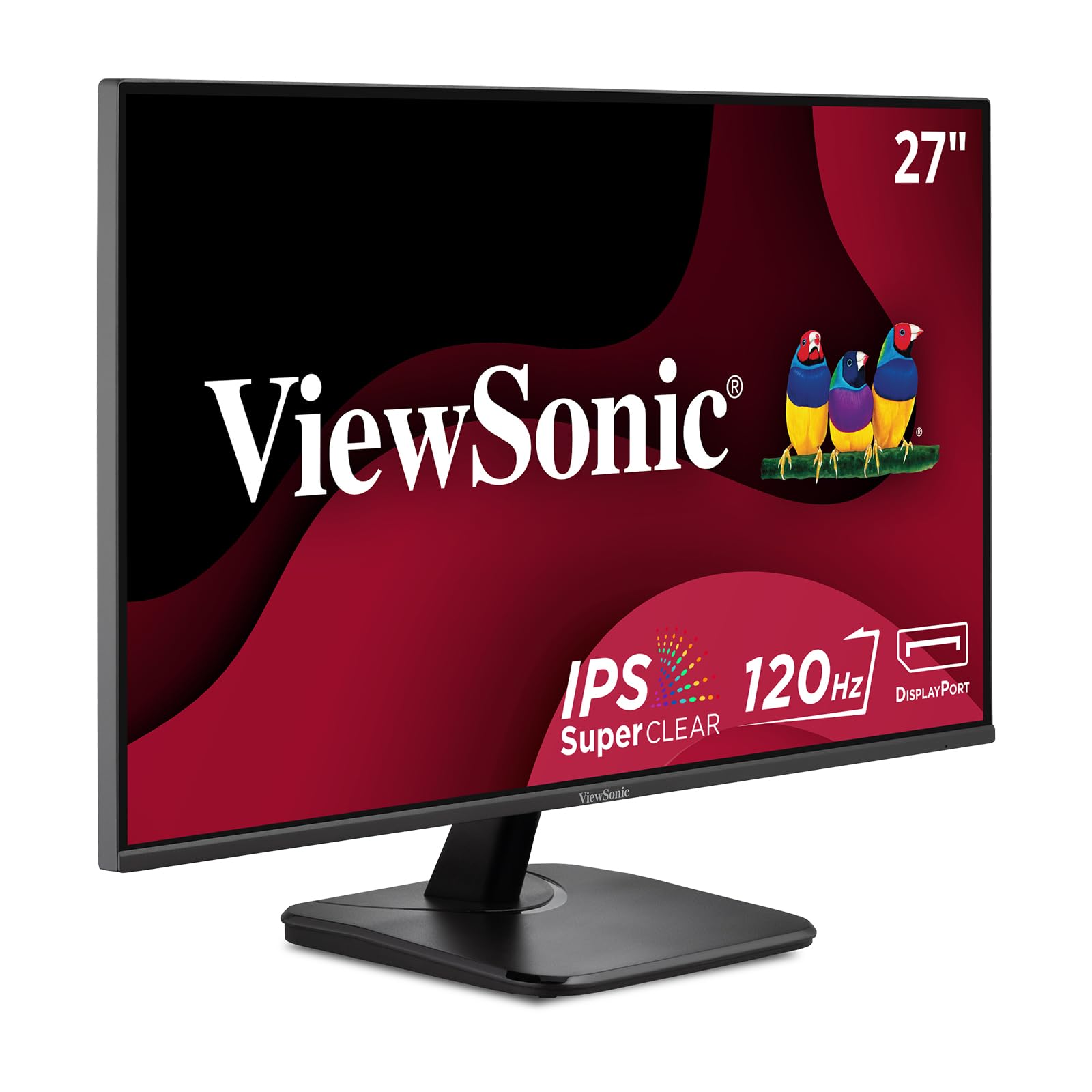
HDMI, DisplayPort and VGA plus two 2W speakers — one screen for every device on your desk
The VA2756A-MHD is the connector-friendly choice for a mixed desk. HDMI 1.4, DisplayPort and VGA all sit on the back, so a new laptop, a desktop PC, and an older machine can each take a turn without an adapter. The 27-inch IPS panel runs 1920 x 1080 at up to 120Hz with a 1ms response, and a frameless design lets you butt two or three screens together with almost no gap.
ViewSonic rates a 178-degree viewing angle, so color and brightness stay consistent whether you’re at the desk or watching from across the room. Two built-in 2W speakers plus 3.5mm audio in and out handle conference calls and casual music without a separate soundbar. Five one-touch presets — Game, Movie, Web, Text, and Mono — reset the picture for each task, and a Blue Light Filter with Flicker-Free keeps long sessions easier.
For a screen aimed at the budget end, this one holds 4.5+ stars and earns praise for sharp Full HD output and its versatile port set. Brightness is 250 nits — the same ceiling as the Acer above, so keep it off a glare-heavy desk. Mounting is 100 x 100mm VESA, and a 3-year limited warranty backs it if you like a longer safety net.
The all-rounder angle: DisplayPort plus HDMI plus VGA in one panel is the reason to pick it — nobody gets left out.
Keep in mind: 250 nits caps how bright it can go, and 1080p is the entry resolution here.
Reach for this: Your desk cycles between new and old devices and you want one screen for all of them.
Move on if: You work in a very bright room or need QHD detail.
7. Alienware AW2725DM

Alienware’s QHD panel that cares as much about color as it does about frame rate
The AW2725DM sits at the point where gaming and content creation overlap. Its 27-inch IPS panel runs 2560 x 1440 at 180Hz with a 1ms gray-to-gray response, so motion is smooth without the smear you’d get from a slower panel. Color coverage hits DCI-P3 95% — a wide film-industry color range — and it carries VESA DisplayHDR 400 certification, meaning it can push specific brightness levels and contrast for HDR content rather than faking it.
Ergonomics separate this from the cheaper gaming pick: height, tilt, swivel and pivot adjustments all move, so you can set the screen exactly where your neck wants it in portrait or landscape. Connectivity runs DisplayPort, HDMI and USB, and the box includes a Display Port 1.4 cable, an HDMI cable, and a USB Type-A to Type-B 5Gbps cable. A dedicated console mode and a hardware-based low-blue-light setting let you game longer without the color wash that software filters cause.
The build and picture quality are what buyers single out most, and it earns a strong 4.5+ stars. There’s a brightness caveat worth knowing: IPS panels can show a faint glow at the corners in a dark room, and that’s the most-mentioned nitpick here. In normal lighting you won’t notice it. Compared with the AOC above, this trades top-end frame rate for better color and a fully adjustable stand — a sensible swap if your screen does double duty.
The strongest case: QHD at 180Hz with DCI-P3 95% and DisplayHDR 400 makes it a genuine work-and-play panel, not just a shooter’s toy.
The trade: IPS glow in dark rooms is the recurring note, and it isn’t the cheapest 180Hz-class option.
Suits you: You want one QHD screen that’s comfortable for design work and fast enough for games.
Look past it: Pure esports players chasing the highest possible frame rate.
8. ASUS TUF Gaming VG27AQM5A
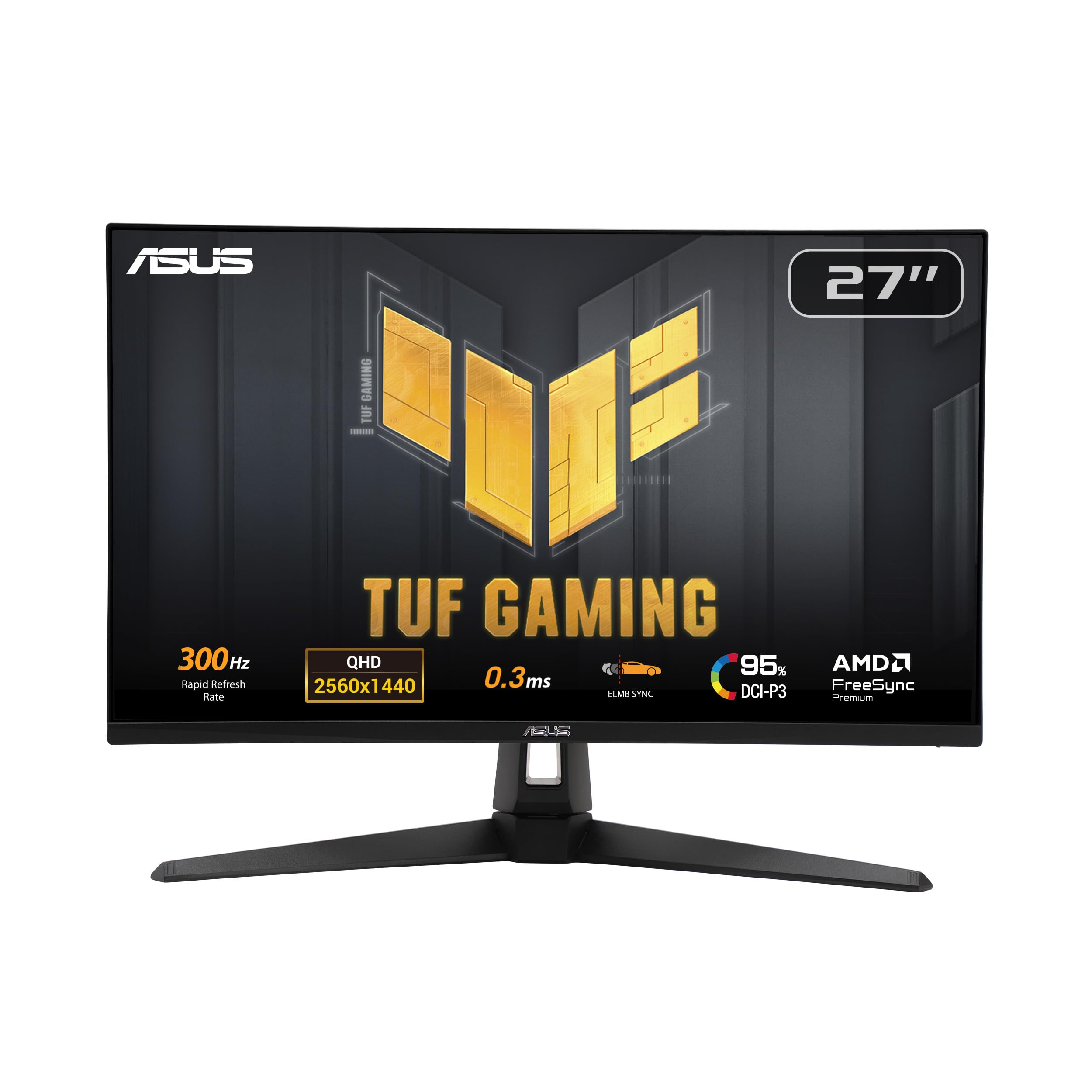
300 times a second on a QHD panel — the spec sheet that turns heads at a LAN table
The number that defines this monitor is 300Hz. That’s 300 screen redraws every second on a 27-inch 2560 x 1440 panel, paired with a 0.3ms gray-to-gray response, so extremely fast targets stay crisp instead of ghosting. ASUS calls the tech Fast IPS, and it backs the speed with ELMB Sync — a blur-reduction mode that runs alongside variable refresh rate instead of forcing you to pick one. That combination is why competitive players gravitate here.
Color coverage reaches 95% DCI-P3, so games and video look rich rather than washed out, and Shadow Boost lifts detail in dark corners without blowing out the bright areas. On-screen setting changes are quick via the DisplayWidget Centre app, which saves you poking buttons behind the panel. Build quality includes integrated speakers and a 3-year manufacturer warranty.
Sharp 1440p resolution and the sheer smoothness of 300Hz are what owners call out most — the panel does exactly what the spec promises when it’s working. Reliability is the mixed note: some report flawless running, while a share of buyers hit units that wouldn’t power on. That’s the caveat to weigh. If you want esports-tier speed, this delivers; if you want the safest possible pick, the Dell SE2726H sits higher in the score column.
Why competitive players want it
- 300Hz refresh on a QHD IPS panel with 0.3ms GTG response
- ELMB Sync cuts blur while variable refresh stays on
- 95% DCI-P3 colour for games and video alike
What to accept
- Reliability is mixed — a small share of units arrive faulty
- 300Hz only pays off if your GPU can feed it
- Built-in speakers are basic at best
Meant for: Tournament-minded players with the GPU to push high frame rates.
Not the one: Casual buyers who’d rather have a bulletproof track record than 300Hz.
9. LG 27GX704A-B
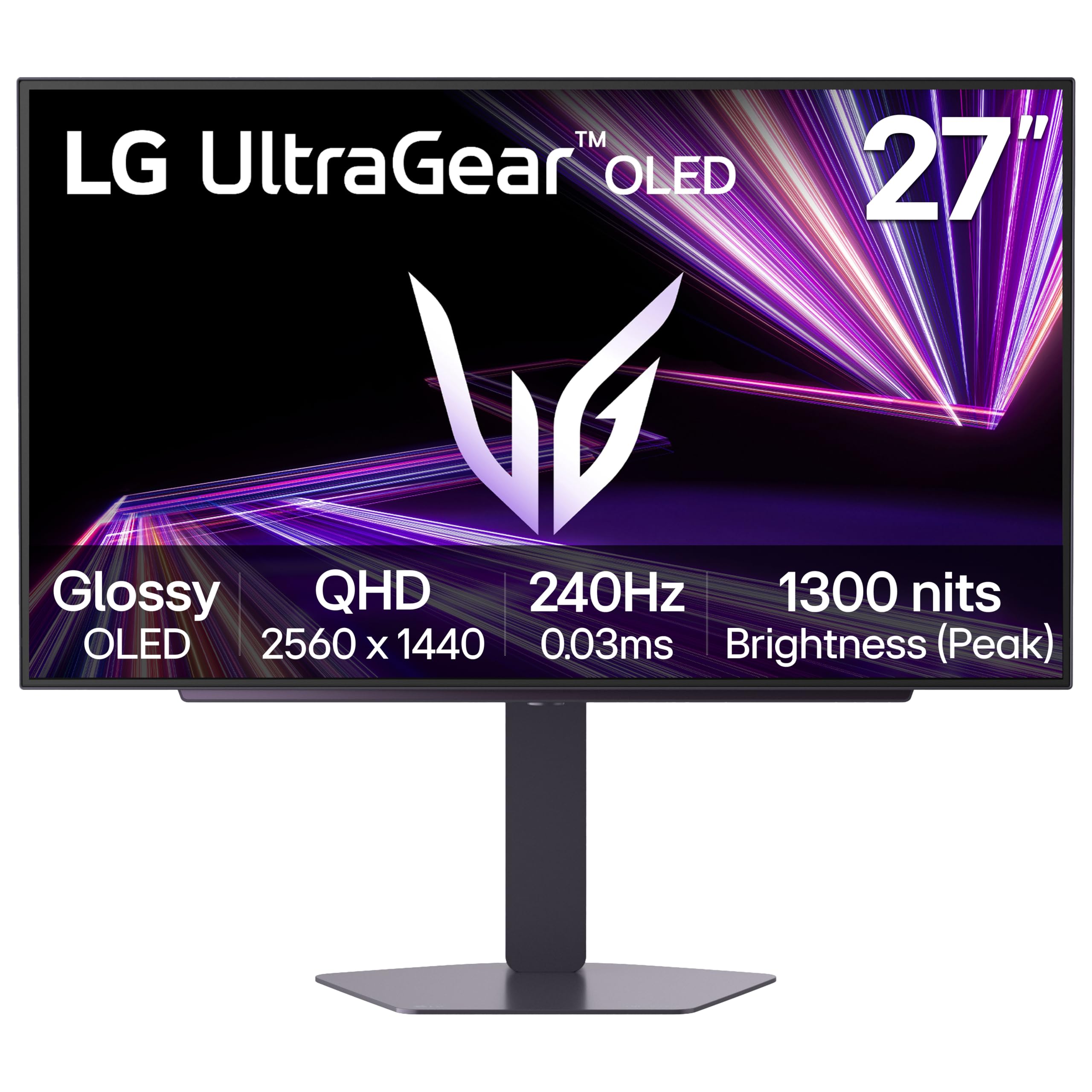
OLED black is a different animal: each pixel switches off, so dark scenes go truly dark
This is the only OLED panel in the group, and that changes what you see. Because each pixel makes its own light instead of sharing a backlight, blacks are genuinely black — LG rates a 1,500,000:1 contrast ratio, and the DisplayHDR True Black 400 certification is the OLED-specific HDR standard built around exactly that. The 27-inch QHD panel runs 240Hz with a 0.03ms response time, so motion is near-instant, and the glossy finish makes the image pop with a bright, crisp look.
Brightness is a two-part story: 275 nits standard, peaking at 1300 nits in bright moments for HDR highlights. That peak is what makes explosions and highlights shine while black stays deep. Ports are generous for a gaming screen — dual HDMI 2.1, DisplayPort 1.4, and USB 3.2 upstream plus two downstream ports. The stand adjusts height, tilt, swivel and pivot, and three UL certifications cover anti-glare, flicker-free, and low blue light.
Monitor quality and colour are what owners praise most, and the deep inky blacks are the hook that sells it. The caveat is real: performance and brightness are mixed, with some buyers reporting flicker during gameplay, and OLED panels need their built-in pixel-care cycles to ward off image retention. Compared with the ASUS above, this trades the 300Hz ceiling for vastly deeper black and instant pixel response — a picture-quality upgrade over a frame-rate one.
The OLED payoff: 1,500,000:1 contrast and 0.03ms response give you black levels no LCD here can touch.
The honest catch: Some units flicker in play, and OLED needs the automatic pixel-care routine to stay healthy.
For you if: Picture depth matters most and you game or watch in a dim room.
Steer clear if: You need rock-solid brightness in a sunlit space or want zero maintenance thought.
10. LG 27UP650K-W

The resolution king: 3840 x 2160 in a 27-inch frame, for text so sharp it looks printed
If your work is text — code, spreadsheets, documents — the 27UP650K-W gives you the most pixels here. Its IPS panel runs 4K UHD at 3840 x 2160, four times the pixel count of Full HD, which at 27 inches means letters render clean and fine print stays readable without zooming. Color reaches 95% DCI-P3, so photos and video edit with accurate hues, and VESA DisplayHDR 400 lets it hit specific brightness and contrast for HDR playback.
The white finish separates it on a desk, and the stand adjusts height, tilt and pivot so you can flip it vertical for long documents. It’s built for calm viewing: Reader Mode and Flicker Safe reduce strain over a long day, while Black Stabilizer and Dynamic Action Sync give games an edge when you take a break. Connectivity runs DisplayPort and HDMI, and both cables come in the box.
Owners point to sharp text and fonts as the reason they bought it, and the display reads close to a Mac screen — a specific match for a MacBook Pro over HDMI. The honest limit is refresh rate: 60Hz, so it’s the slowest panel here and won’t suit fast gaming. And 4K detail at native size can look small on a 27-inch screen at first; you’ll likely scale it up. For pure detail work, though, nothing here beats it.
The detail argument: 3840 x 2160 with 95% DCI-P3 gives text and photos the most resolution in this lineup, backed by DisplayHDR 400.
The snag: 60Hz means motion stays ordinary and gamers should look higher up this list.
Right for: Writers, developers, and photo editors who live in sharp text.
Wrong for: High-refresh gaming or anything that thrives on faster motion.
11. ViewSonic VA2448-MH
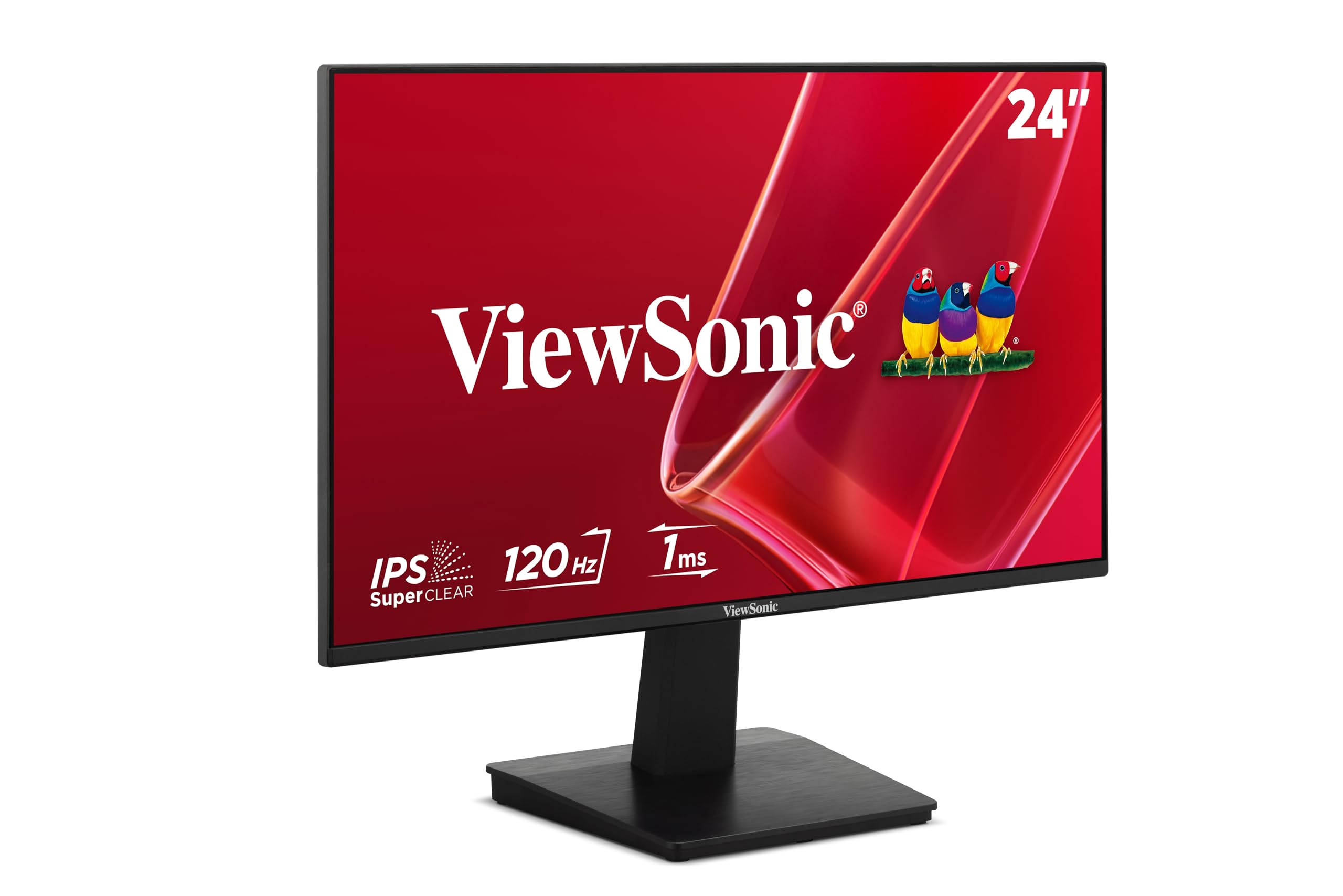
The lowest-priced route to a 120Hz IPS panel, and it still hits 300 nits
The VA2448-MH is the entry point, and it punches above its place in the line-up. Its IPS screen runs 120Hz over HDMI with a 1ms response and Variable Refresh Rate, so scrolling and casual games stay tear-free on a budget. Brightness hits 300 nits with an anti-glare finish — actually brighter than several pricier screens here — so it reads clearly beside a window, and the 178-degree viewing angle keeps color consistent from the side.
Note the size: despite the naming, this is a 24-inch panel, the one non-27-inch screen on this list, so treat it as the compact option for a small desk. A frameless design lets two or three sit side by side with almost no gap. HDMI 1.4 and VGA connect laptops, desktops and Macs, and two built-in 2W speakers with 3.5mm in and out cover basic audio for calls and video.
Reliability and picture quality are the strengths that keep its score high, and the low price is why people reach for it first. The trade-off is honest: the built-in speakers are weak, so plan for external sound if audio matters. Compared with the Dell SE2725HM, this gives up some screen real estate and a touch of score polish but costs far less and still runs a fast IPS panel.
Where it wins: 300 nits, 120Hz, and IPS colour for the smallest outlay here.
Where it stumbles: It’s a 24-inch screen, and the speakers are thin-sounding.
Grab this: Budget and a small desk are your two hard limits.
Skip it: You need the full 27 inches or proper built-in sound.
Know the Specs
Refresh Rate and Response Time
Refresh rate, in hertz, is how often the screen redraws each second; response time, in milliseconds, is how fast a pixel changes color. A 100Hz panel redraws 100 times a second, and a 1ms response keeps fast motion from smearing. Higher refresh plus a low response gives smooth scrolling and clean action, while a 60Hz panel with a slow response can look soft in motion. For office work 100Hz to 120Hz is plenty; for competitive gaming, higher is better.
Resolution, Contrast, and Nits
Resolution is the pixel count — 1920 x 1080 (Full HD), 2560 x 1440 (QHD), or 3840 x 2160 (4K) — and more pixels at 27 inches means sharper text. Contrast ratio compares the brightest white to the darkest black; OLED panels can reach far deeper blacks than LCD. Brightness in nits decides how well a screen fights room light: 250 nits is dim-room friendly, 300 and up handles daylight, and higher peaks help HDR highlights stand out. Match brightness to your room before you buy.
Common Questions
Is a 27-inch monitor too big for a standard desk?
Does 100Hz or 120Hz make a real difference over 60Hz?
Should I pick Full HD or QHD at 27 inches?
Isan OLED monitor worth it for a bright room?
What ports do I need on a 27-inch monitor?
Will a 144Hz or higher monitor help if my graphics card is modest?
Do I need a VESA mount for a 27-inch monitor?
Can a color-focused 27-inch monitor handle photo editing?
Does a 4K 27-inch monitor make text too small to read?
What does a TÜV Rheinland eye-comfort rating actually mean?
Will a 27-inch 1080p monitor look blurry compared with a smaller one?
The Bottom Line
For most desks, the top rated 27″ monitors winner is the Dell SE2725HM because it pairs a 100Hz refresh rate with IPS color and a TÜV Rheinland 3-star eye-comfort rating at the highest score in this group. If you want more speed for the evenings, the Dell SE2726H pushes to 144Hz and 300 nits for a small step up. And for pixel-hungry document work, the MSI PRO MP275Q delivers QHD detail that Full HD simply can’t match. Pick by the spec your day leans on most — refresh rate for motion, resolution for text, contrast for film.
How we choose
We do not accept paid placement. Every pick is matched to a real buyer and a real use-case; we do not hands-on test units.
Sources
Specifications: manufacturer listings and product documentation. Review insights: verified customer reviews, as of November 2026. Pricing: not shown on this page (it changes often); check the current price via the retailer link.
As an Amazon Associate, Tactical Gear Guy earns from qualifying purchases. This does not affect which products we feature.