Specs are compiled from manufacturer listings and verified buyer reviews and can change over time — please confirm the key details on the product page before buying.
If your cursor skips past the icon you wanted, or your shot lands a whisker off target, the fix is usually the mouse in your hand and not your aim. The short answer: most people should buy the Logitech G502 HERO, because it pairs a 25,600 DPI sensor with 11 programmable buttons and adjustable weights, and it remains the crowd favorite at 4.5+ stars across 58,000+ owners. Below you will find seven mice that each solve a different problem, sorted so you can match one to how you actually use a computer.
This guide is built by comparing the manufacturers’ published specifications and the patterns across verified customer reviews, so you get each pick’s real strengths and trade-offs instead of marketing spin.
Some of these mice are built for twitch reflexes, others for all-day spreadsheets.
Top Picks

How To Choose The Best Top PC Mouse
Pick a mouse by the job it has to do, not by the highest number on the box. A spreadsheet marathon and a ranked shooter put very different demands on the same plastic shell. Start with the three things below and the shortlist narrows fast.
Match the sensor to your actual screen work
The sensor is the eye underneath the mouse, and it is measured in DPI (dots per inch — how far the cursor travels for every inch you move the mouse). A high figure lets you cross a big monitor with a small flick of the wrist. A 25,600 DPI sensor is far more headroom than most desks ever need, while 12,000 DPI is plenty for everyday work and casual play. If you mostly browse and type, a lower DPI number is not a weakness — it is simply honest.
Decide how many buttons you will actually press
Every extra button is another shortcut you can map, but only if you will remember it. Six buttons cover the basics on a gaming mouse. Eleven or eighteen buttons open up macros, push-to-talk, and weapon swaps — genuinely useful in a game with a crowded skill bar. For office work, fewer buttons and a comfortable shape usually beat a wall of side keys you never touch.
Weigh the cable question first
A wired mouse never needs charging and never drops a signal, which is why serious competitive setups still use one. Wireless frees your desk and lets you switch between a laptop and a desktop. Bluetooth is the easiest for travel because there is nothing to plug in, while a 2.4G wireless dongle gives a steadier connection for gaming.
Side-by-Side Comparison
| Model | Best For | Sensor | Buttons | Connection | Amazon |
|---|---|---|---|---|---|
| Logitech G502 HERO★ Best Overall | All-round gaming and productivity | 25,600 DPI | 11 | USB wired | Amazon |
| Razer Basilisk V3Top Performer | Thumb-rest comfort with macro keys | 26,000 DPI | 11 | USB wired | Amazon |
| Logitech MX Master 3S | Office work across two computers | 8,000 DPI | 7 | Bluetooth | Amazon |
| Razer Viper V4 Pro | Competitive esports and low weight | 50,000 DPI | 6 | 2.4GHz wireless / USB-C | Amazon |
| AULA SC580 | Three devices and wireless freedom | 12,000 DPI | 8 | 2.4G / Bluetooth 5.0 / USB-C | Amazon |
| GLORIOUS Model O Eternal | Ultralight budget play | — | 6 | USB wired | Amazon |
| Redragon M921 | MMO players who want extra keys | 12,400 DPI | 18 | USB wired | Amazon |
Detailed Reviews
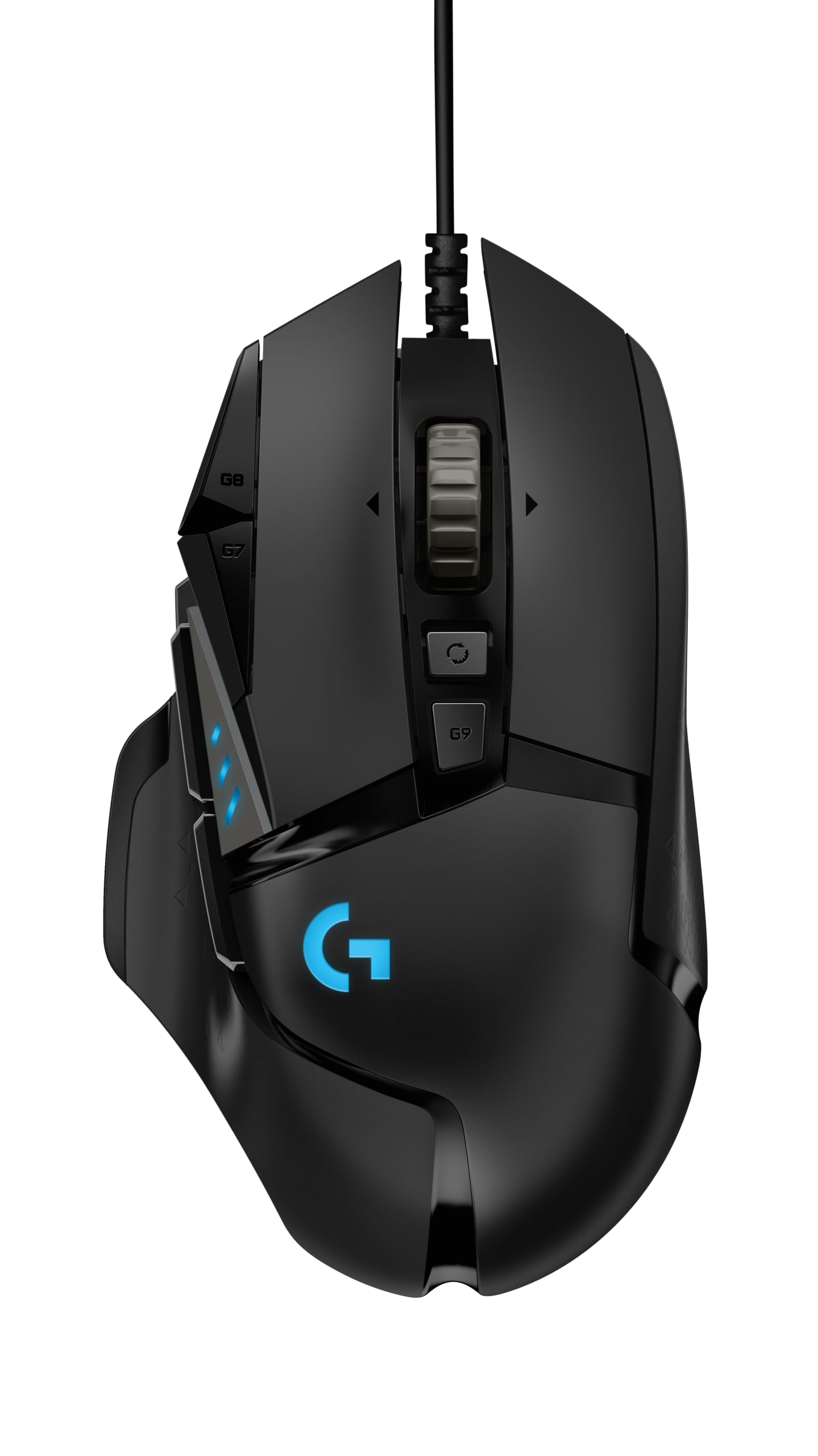
1. Logitech G502 HERO Wired Gaming Mouse
Our pick — 4.5+★ from 58,500+ verified ratings; the strongest balance of quality and price.
The wired all-rounder that gives you a 25,600 DPI sensor and 11 buttons without asking you to charge anything.
The number that does the heavy lifting here is 25,600 DPI (dots per inch, the sensor’s tracking ceiling). A figure that high means the cursor keeps up with a fast flick across a wide screen instead of stalling. It is one of the top tracking specs among the wired picks here, and it is why this mouse handles both a spreadsheet and a shooter on the same desk.
The HERO sensor in this mouse runs with zero smoothing, filtering or acceleration — plain words, the cursor moves exactly as far as your hand does. Around that sensor sits a set of 11 programmable buttons and a dual-mode hyper-fast scroll wheel. Flip the wheel into free-spin and a long document scrolls in one flick; click it back to tactile and you scroll line by line.
You can also tune the balance. The mouse takes up to five 3.6 g weights (small metal slugs you drop inside), so you can make it heavier for stability or keep it light for speed. Metal spring tensioning sits under the left and right buttons for a crisp, clean click with rapid feedback. Its switches are rated for fewer clicks than the 80 million the GLORIOUS model below carries. Reliability feedback is mixed: some units last years, others fail early, so treat the cable and buttons with care. Ergonomics also divide people: the shape is right-handed and built to be filled by your palm.
The strong points
- 25,600 DPI HERO sensor tracks with zero smoothing, filtering or acceleration.
- 11 programmable buttons plus a dual-mode scroll wheel cover macros and quick scrolls.
- Up to five 3.6 g weights let you set your own balance.
- No battery to charge — the wired USB connection never runs dry mid-match.
What to weigh
- Right-handed shape only, and some buyers find the ergonomics hit-or-miss.
- Reliability feedback splits between long-lasting units and early failures.
- Cable-free desk setups will want a wireless option instead.
Reach for this if: you want one wired mouse that covers gaming and office work and never needs charging.
Look elsewhere if: you have a left-hand grip or you cannot tolerate a cable across the desk.
2. Razer Basilisk V3 Gaming Mouse
A right-hand ergonomic shape with a thumb rest, a 26,000 DPI sensor, and a wheel that free-spins on command.
Start with the sensor ceiling: 26,000 DPI on the Focus+ optical sensor, which tracks with zero smoothing. That edges past the 25,600 DPI of the Logitech above and gives this mouse serious pixel-precise accuracy for a wired option. The 11 programmable buttons let you assign macros and secondary actions like push-to-talk or pings without lifting your hand.
The scroll wheel is the standout feature. It free-spins until you stop it, or you flick it into tactile mode for that satisfying click-by-click feedback — great for cycling through weapons or skills. Eleven separate RGB lighting zones cover the body, and each is customizable from over 16.8 million colors.
The optical switches are rated for up to 70 million clicks and actuate in 0.2ms (milliseconds — thousandths of a second), so the click registers almost the instant your finger presses. The ergonomic form factor is built around a thumb rest with buttons placed for quick reach. The catch: it is a right-handed shape, and those 11 buttons add a learning curve before the macros feel natural. The rubberized finish also needs a wipe now and then to stay grippy.
Where it wins: the combination of 26,000 DPI tracking, an 11-button layout, and a free-spin wheel makes it the most feature-dense wired pick on this list.
The trade-off: it is a wired right-hander, so a left-hand grip or a cable-free desk rules it out.
Best for: right-handed gamers who want an exacting sensor and a scroll wheel that can fly or click.
Think twice if: you want a simpler setup with fewer buttons to learn.
3. Logitech MX Master 3S Bluetooth Wireless Mouse
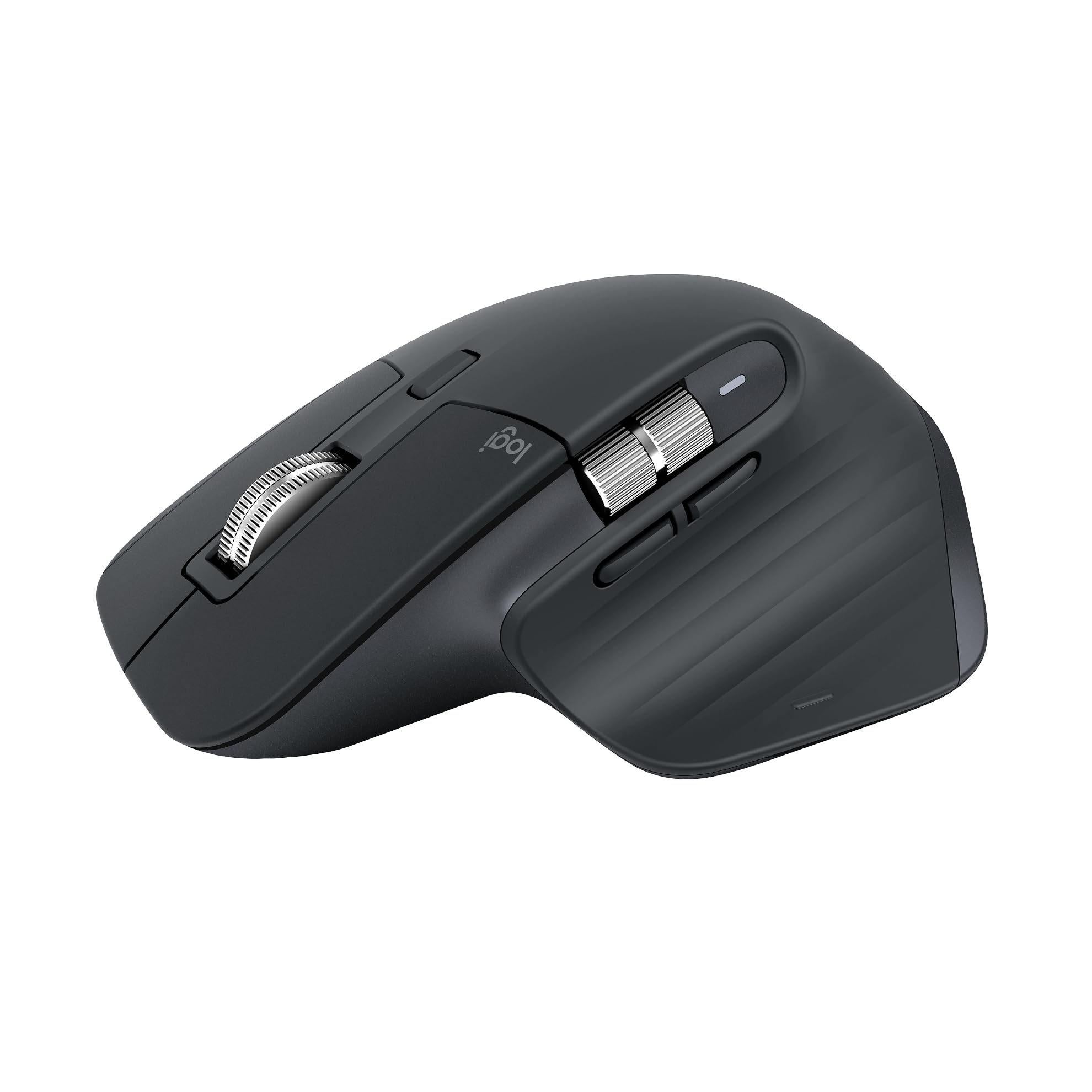
The office workhorse that glides on glass and keeps clicking for up to 70 days per charge.
This one is built for the desk, not the scoreboard. An 8,000 DPI sensor tracks on any surface — including glass — so a shiny conference table does not throw the cursor. The mouse weighs 141 g (heavier than the 49 g Viper below), and that extra heft sits steady under your palm during long sessions instead of skating away.
Battery life is the headline: up to 70 days on a charge, so you are not hunting for a cable every other evening. Quiet Clicks give you the same satisfying feel, which matters in a shared office or a late-night room. MagSpeed scrolling is fast and precise, so a huge PDF scrolls at speed and still lands where you want.
The genuinely useful trick is FLOW cross-computer control: it moves text, images, and files between a Windows and a macOS machine. You can pair it with up to 3 devices over Bluetooth and switch between them. The catch is in the name — this is a Bluetooth-only edition with no USB receiver or charging cable in the box, so if your desktop lacks Bluetooth you will need an adapter. Value is also a matter of taste: the performance and comfort win broad agreement, but whether it is worth the spend is a point buyers split on.
Why it earns the desk: cross-computer file transfer, a 70-day battery, and a shape built for a natural wrist posture make it the pick for anyone working across machines.
Know before you buy: no receiver and no cable are included, so Bluetooth support in your machine is mandatory.
Pick it for: a multi-computer office where silence and a long-lasting charge matter more than frame rates.
Skip the upgrade if: you want a gaming-first sensor or a mouse you can plug in.
4. Razer Viper V4 Pro Wireless Esports Gaming Mouse
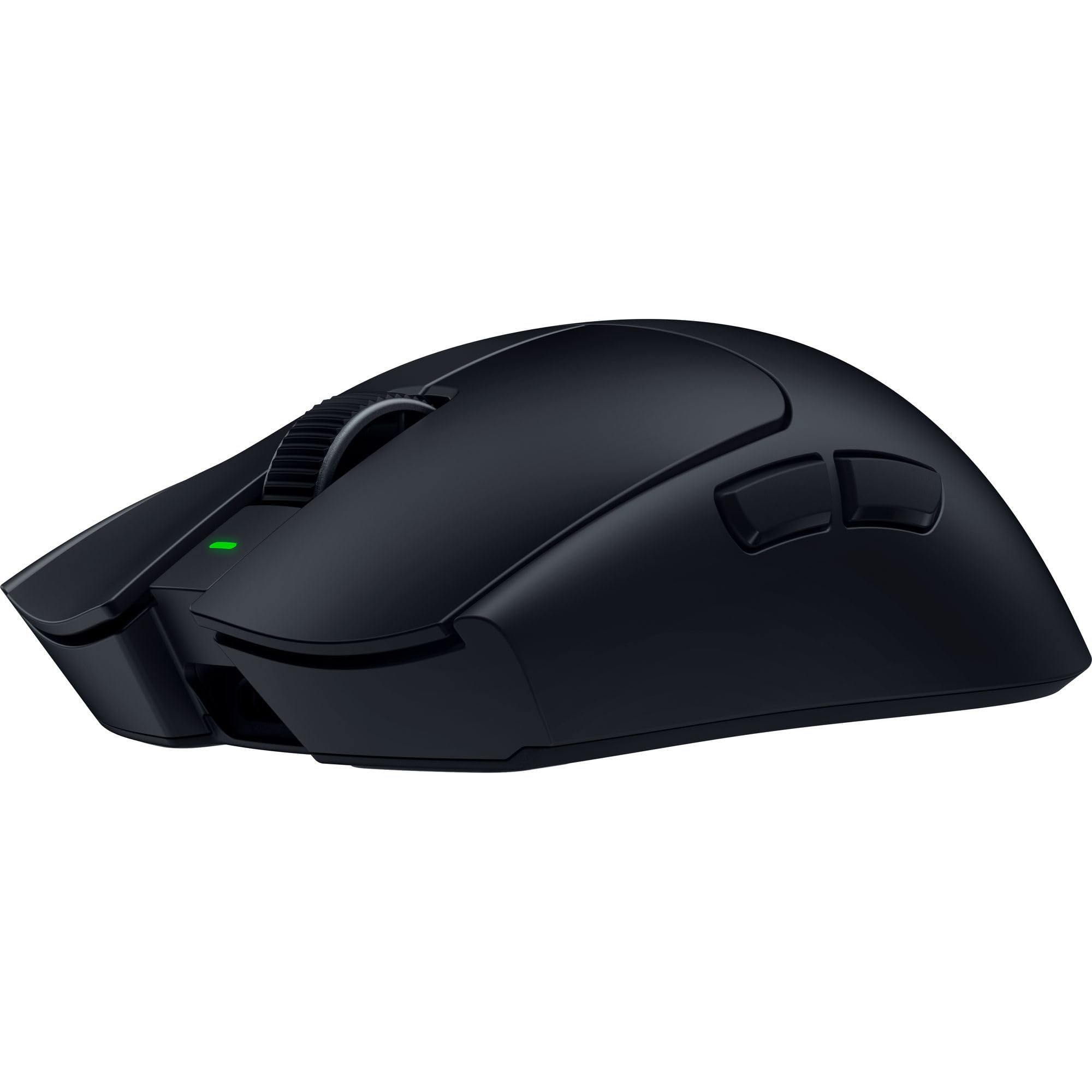
A 49 g wireless esports build with a 50,000 DPI sensor and up to 180 hours on a charge.
At 49 g, this is the lightest mouse on the list — the MX Master above tips the scales at 141 g — and that lightness is what lets you swat the cursor across a screen and stop it dead. The Focus Pro 50K sensor (a high-end tracking chip) tracks up to 930 IPS (inches per second) and 90 G acceleration, so even a violent flick does not lose the surface. It is a genuinely high ceiling for competitive play.
Razer HyperSpeed Wireless Gen-2 with true 8000 Hz polling keeps the connection tight, and the 100-million-click optical switches are built to take a beating. The optical scroll wheel uses light rather than a mechanical contact, which keeps tracking consistent and adds durability. Battery runs up to 180 hours at 1000 Hz, or up to 45 hours at 8000 Hz, so you trade endurance for lower latency when it counts.
The catch is reliability. Performance, weight, battery life, and responsiveness are what people rave about, but a small number find the mouse stops responding within a few months. Weight it as a rare report rather than the norm. It is also the top of the price ladder here, and at 6 buttons you get fewer macros than the 11-button wired picks — this is a mouse tuned for aim, not for a crowded skill bar.
Why competitors buy it
- 49 g shell makes fast swipes and hard stops easier.
- 50,000 DPI sensor with 930 IPS and 90 G acceleration.
- Up to 180 hours at 1000 Hz, or 45 hours at 8000 Hz.
- 100-million-click optical switches rated for the long haul.
The fine print
- Premium-tier pricing.
- Only 6 buttons, so macro-heavy games fell a little short.
- A small number of units report early dropouts.
The right match: tournament and ranked players who count grams and want a wireless mouse that barely registers in the hand.
The mismatch: MMO players who rely on a bank of side buttons.
5. AULA SC580 Wireless Gaming Mouse

The 82 g wireless connection-switcher that hops between three devices without a dongle swap.
Here is a rare convenience at an entry-level build: three connection modes — 2.4G wireless, Bluetooth 5.0, and USB-C wired — that can all be saved and switched from a button on the bottom. That means one mouse can drive a work laptop over Bluetooth, a desktop over the 2.4G dongle, and still take a wired link when you want zero lag. It supports Windows, Mac OS, Linux, and Android.
The 12,000 DPI sensor spans six levels you can step through with the DPI button or the software: 800, 1600, 2400, 3200, 6400, and 12,000. At 82 g it is a touch lighter than the 141 g MX Master, and the included non-slip stickers keep your grip steady against oily fingers. A 1000 Hz polling rate (how often the mouse reports its position) keeps the cursor moving smoothly rather than jumping.
The 500mAh rechargeable battery runs 10-14 days on about 5 hours of daily use, and a red blinking indicator warns you before it dies. Click lifespan is rated up to 10 million clicks — clearly lower than the 80 million clicks the GLORIOUS model below is rated for, so plan on a shorter service life. A few owners find the ergonomics imperfect, chiefly if the right-handed shape does not match your grip.
The clever bit: three-way connection at an entry-level build makes it the best pick if you juggle a laptop, a desktop, and a tablet.
Where it tapers: the 10 million-click lifespan asks more care than the premium switches elsewhere on this list.
Choose it when: you want one mouse to cover several devices and do not want to pay for a premium sensor.
Consider stepping up if: you want the click rating to last through years of heavy daily use.
6. GLORIOUS Model O Eternal Gaming Mouse
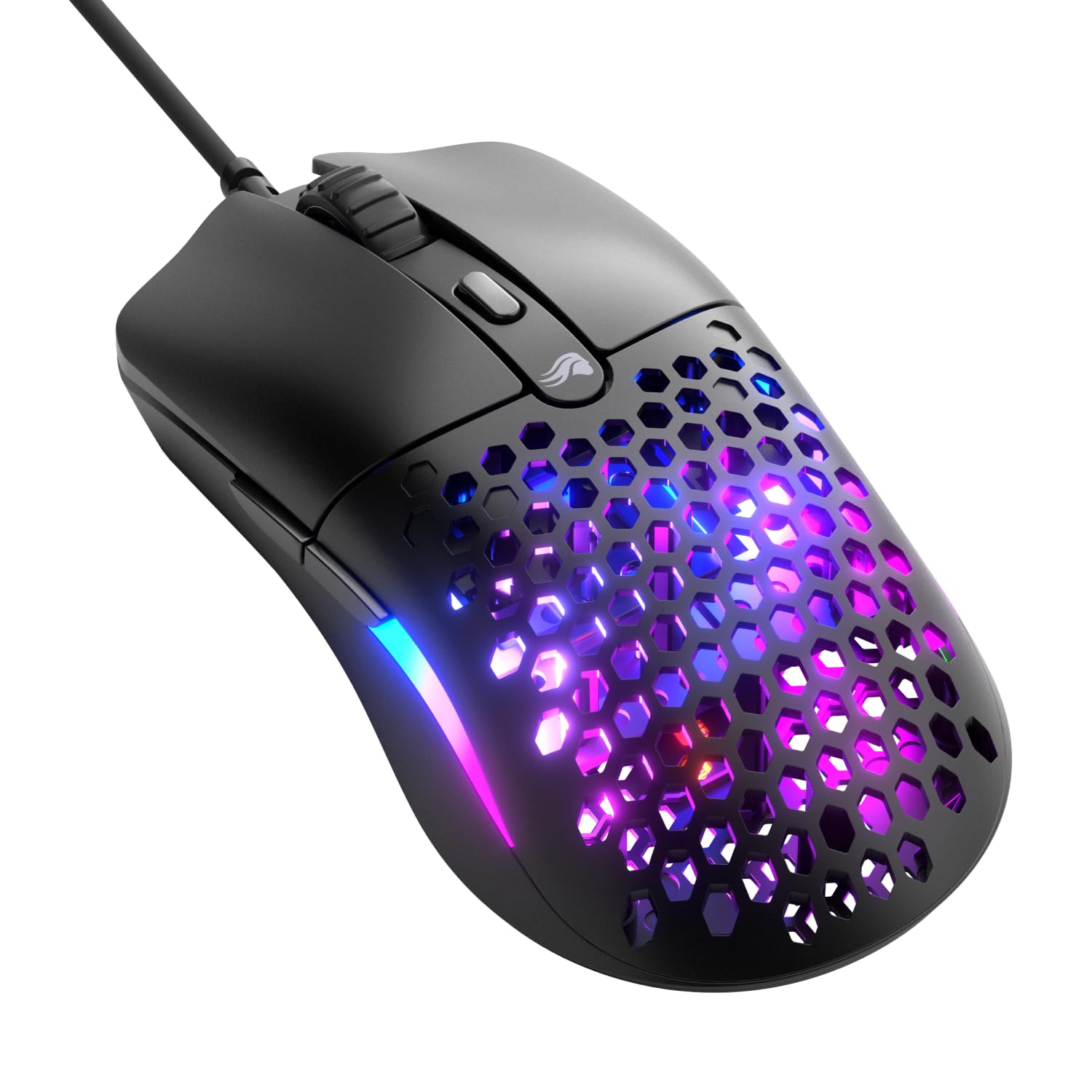
The honeycomb-shell mouse that drops to 55 g and still rates its switches for 80 million clicks.
Weight and durability are the two numbers to know here. The honeycomb shell (a grid of holes cut into the body) brings it down to 55 g — comfortably lighter than the 82 g AULA above — while the mechanical switches are rated for a full 80 million clicks. That is one of the longest click ratings on this list, and it is built to keep clicking without double-clicking issues creeping in.
It is a symmetrical shape, so it sits naturally whether you palm it or grip it closer to the tips. Six remappable buttons can be mapped to abilities and shortcuts in the Glorious CORE software. Dual-zone RGB lights up the flared side panels, and you can change colors with quick button shortcuts or fine-tune them in software.
Owners praise the build quality for the price: the 55 g honeycomb shell feels solid, not flimsy. The honest catch is functionality and responsiveness get mixed reads — drag clicking is where the occasional complaint lands — so if you rely on that specific technique, try before you commit. It is also a wired USB connection, so it will not untether your desk the way the wireless picks can.
Standout spec: a 55 g body paired with an 80 million-click switch rating, which is the longest click life in this lineup.
Worth knowing: drag clicking is where the occasional gripe shows up, so that technique carries a little risk.
Go for it if: you want a featherweight wired mouse and want the switches to outlast the rest of the list.
Pass if: drag clicking is your go-to technique, or you need wireless freedom.
7. Redragon M921 Wired RGB MMO Gaming Mouse
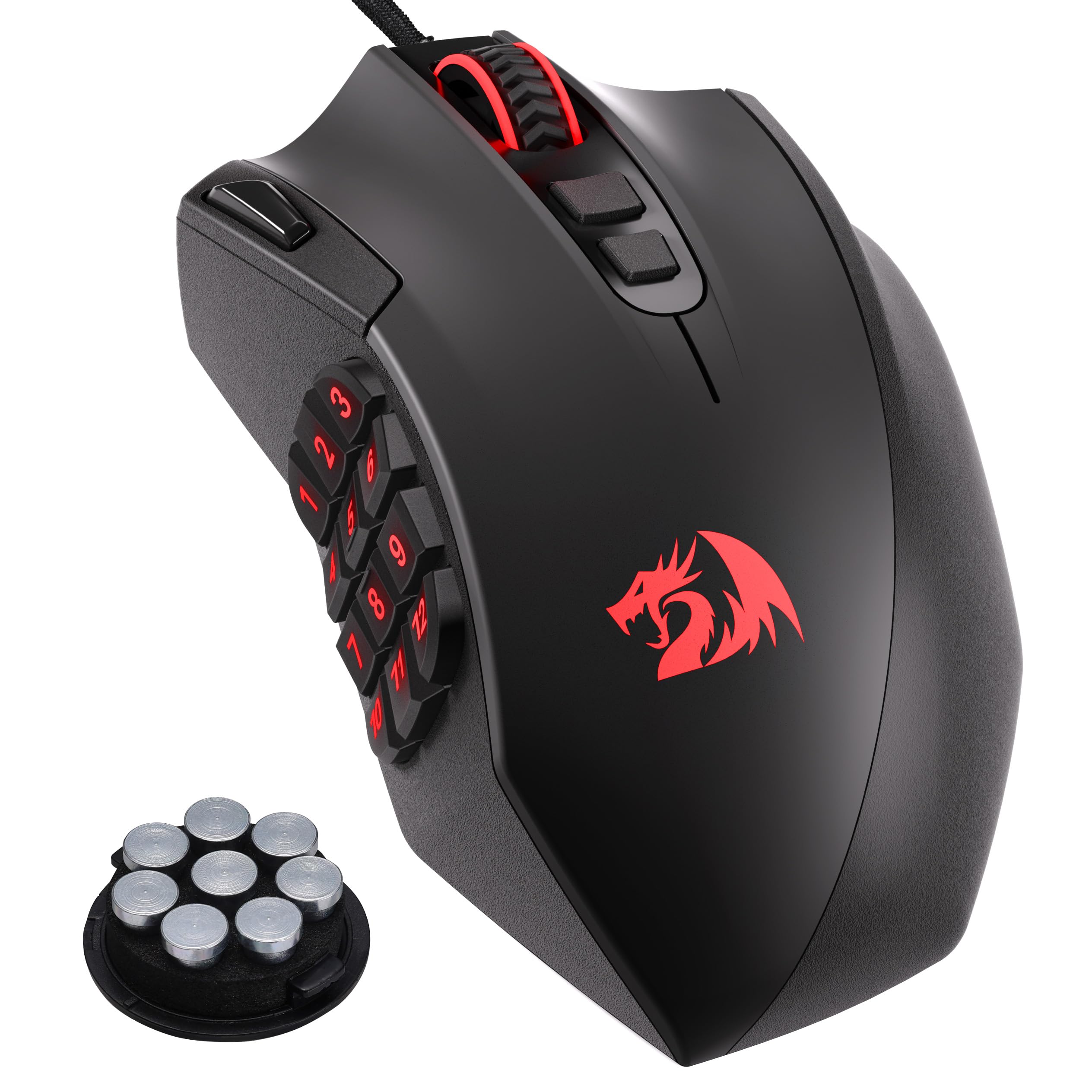
Eighteen programmable buttons and a dedicated fire key make this the macro board for MMO players.
The headline is the button count: 18 programmable buttons, versus 6 on the GLORIOUS above, including 12 side buttons and a dedicated fire button. In an MMO with a crowded skill bar, that turns your thumb into a second keyboard. Every key can be reassigned with tactical keybinds in whatever game or task you are running.
Underneath sits a PAW3327 optical sensor with a 1,000 Hz polling rate, tracking speeds up to 200 IPS, and 30g acceleration. The 12,400 DPI range can be stepped through five presets (500/1000/2000/3000/6200) or fine-tuned between 200 and 12,400 in software. An 8-piece weight set (2.4 g each) lets you balance the body to your taste, and five memory profiles each carry a dedicated light color so you know which loadout you are on.
Its 4.0+ rating is the lowest on the list, and the feedback points to button responsiveness. The buttons are well-positioned and work great for most, but button responsiveness gets mixed reads, with some units triggering multiple inputs at once and a few reporting left-click reliability issues. RGB control also draws a surprising share of complaints, so treat the lighting as a bonus and not the reason to buy.
The reason to buy: 18 programmable buttons with a dedicated fire key make it the clear tool for MMO and macro-heavy play.
The one caveat: if reliability of every single button is your priority, expect this one to need a careful return if it misbehaves.
Right for you if: you play games built around a vast skill bar and want a dedicated fire button under your thumb.
Not the one if: you want a simple, few-button mouse or you value a spotless button record above all.
Know the Specs
DPI (dots per inch)
DPI measures how far the cursor travels for each inch you move the mouse. A 25,600 DPI sensor (Logitech G502 HERO) crosses a wide screen with a small flick, while 8,000 DPI (MX Master 3S) is more than enough for office work. Higher DPI is headroom, not a requirement — most desks never use the top end. What matters is that the sensor keeps the cursor steady on the surface you own.
Polling rate (Hz)
Polling rate is how often the mouse reports its position to the computer, measured in hertz (Hz, times per second). A 1,000 Hz rate (the AULA SC580) keeps the cursor moving smoothly rather than jumping, and the Viper V4 Pro goes to 8000 Hz for lower latency. A higher rate costs battery life — the Viper runs up to 180 hours at 1000 Hz or up to 45 hours at 8000 Hz.
Common Questions
Is a higher DPI mouse actually better for everyday use?
Will a wireless gaming mouse lag behind a wired one?
How do I pick between a 6-button mouse and an 18-button MMO mouse?
What is the difference between Bluetooth and a 2.4G dongle?
How long does a wireless mouse battery really last?
Are ultralight mice durable enough for heavy use?
Can the MX Master 3S work with a desktop that has no Bluetooth?
What does adjustable weight actually change?
Do mouse click ratings like 10 million or 100 million really matter?
Is a right-handed ergonomic shape comfortable for everyone?
The Bottom Line
For most desks, the top pc mouse winner is the Logitech G502 HERO because it pairs a 25,600 DPI sensor with 11 programmable buttons and never needs a charge. If you want a thumb-rest shape with a wheel that free-spins, grab the Razer Basilisk V3. And for a multi-computer office, the Logitech MX Master 3S is the one to reach for. If you are torn, start with the G502 HERO: it carries a 4.5+ star rating across 58,000+ owners.
How we choose
We do not accept paid placement. Every pick is matched to a real buyer and a real use-case; we do not hands-on test units.
Sources
Specifications: manufacturer listings and product documentation. Review insights: verified customer reviews, as of November 2026. Pricing: not shown on this page (it changes often); check the current price via the retailer link.
As an Amazon Associate, Tactical Gear Guy earns from qualifying purchases. This does not affect which products we feature.