Specs are compiled from manufacturer listings and verified buyer reviews and can change over time — please confirm the key details on the product page before buying.
The fastest way to waste money on a budget laptop is to buy one with 4GB of RAM. That 4GB ceiling is why budget machines stutter as soon as you open a second browser tab. Each pick below either clears the 8GB bar or says plainly why it doesn’t.
This guide is built by comparing the manufacturers’ published specifications and the patterns across verified customer reviews, so you get each pick’s real strengths and trade-offs instead of marketing spin.
Budget machines live or die on three numbers: memory, storage speed, and screen quality. Here is what actually matters when you are shopping for top budget laptops.
Top Picks


How To Choose The Best Top Budget Laptops
Every budget laptop is a set of compromises; the trick is picking the one whose compromises cost you least day to day. Memory, storage type, and screen resolution are where the money goes — and where the corners get cut.
Memory Is the First Thing You Check
8GB of RAM is the comfortable floor for a Windows machine. It lets you keep a browser with several tabs open while a video call runs in the background. A 4GB machine can browse fine on its own, but it slows down the moment you pile on tabs.
Screen Resolution and Panel Type
A 1920×1080 screen shows sharp text and fits more of a document on screen. A 1366×768 panel is workable for email and streaming but looks softer and gives you less room. An IPS panel keeps colors steady when you tilt the screen, while basic LED panels shift.
Storage: UFS vs SSD
UFS (Universal Flash Storage) is fast flash memory built for low power use — it boots quickly and sips battery. A PCIe SSD is the faster option for large file transfers. 128GB is enough for Windows and everyday apps, but plan on cloud storage or an SD card for photos and documents.
Side-by-Side Comparison
| Model | Best For | RAM | Storage | Screen | Amazon |
|---|---|---|---|---|---|
| HP Chromebook 14★ Best Overall | Simple everyday browsing | 8 GB LPDDR5 | 128 GB UFS | 14″ HD 1366×768, 60Hz | Amazon |
| ASUS Vivobook Go 15Lowest Entry | Low-cost Windows basics | 4 GB DDR4 | 128 GB SSD | 15.6″ FHD 1920×1080, 60Hz | Amazon |
| Acer Aspire Go 15 (N355)Best Value | Value with Copilot AI | 8 GB DDR5 | 128 GB UFS | 15.6″ FHD IPS 1920×1080 | Amazon |
| HP Everyday Laptop | All-day battery and portability | 4 GB LPDDR5 | 128 GB UFS | 14″ HD 1366×768, 60Hz | Amazon |
| NIMO 15.6″ FHD | Upgradable creator starter | 8 GB DDR4 (up to 32GB) | 128 GB SSD (up to 4TB) | 15.6″ FHD 16:9 | Amazon |
| Acer Aspire Go 15 (Ryzen 3) | Fast CPU for the tier | 8 GB LPDDR5 | 128 GB PCIe SSD | 15.6″ FHD IPS 1920×1080 | Amazon |
| Dell 15 (Core 3 100U) | Full keyboard with numpad | 8 GB | — | 15.6″ FHD | Amazon |
| Lenovo IdeaPad Slim-3i | Ready-to-use bundle | 8 GB LPDDR5 | 128 GB UFS + SD | 15.6″ FHD anti-glare | Amazon |
| Dell 15 (Ryzen 5 7520U) | Everyday speed and style | — | — | 15.6″ | Amazon |
Detailed Reviews
1. HP Chromebook 14 inch Laptop, Intel N100
The Chrome OS machine that treats 8GB of memory as the starting line, not a luxury.
Most cheap laptops make you choose between enough memory and a livable price. The HP Chromebook 14 refuses that trade: it pairs 8 GB of LPDDR5 RAM (low-power memory that keeps background apps from stalling) with a 128 GB UFS drive (a fast, low-power storage chip), so it boots quickly and pulls less battery than an old spinning hard drive. For a student shuffling between a lecture video and a dozen research tabs, that combination is the difference between a machine that keeps up and one that makes you wait.
The screen is the honest compromise. It is a 14-inch HD panel at 1366×768 pixels with a 60Hz refresh rate (the screen redraws 60 times a second) — fine for email and streaming, but you get roughly one million pixels, which is well short of the 1920×1080 sharpness on several picks below. The anti-glare coating is a real win outdoors, though, because it cuts reflections so the display stays readable in daylight instead of turning into a mirror.
Inside, the Intel Processor N100 with 6 MB of cache and Intel UHD Graphics handles web apps, video calls, and 4K streaming without drama. Chrome OS is the quiet hero here — it updates itself automatically and is a lean operating system, so the 8 GB of RAM stretches further than the same amount would on Windows.
Where it earns the crown
- 8 GB LPDDR5 memory — smooth multitasking at a budget price
- Anti-glare 14-inch panel stays readable outdoors
- 128 GB UFS storage boots fast and sips power
- Chrome OS updates itself and runs lean
What you give up
- 1366×768 resolution is softer than the FHD rivals here
- Chrome OS means Windows-only desktop software is off the table
Reach for this if: your day is browser tabs, email, class portals, and streaming, and you want zero maintenance headaches.
Look elsewhere if: you need Windows programs for work — the FHD Windows picks below are your lane.
2. ASUS 15.6” Vivobook Go Slim Laptop
A full-HD Windows screen for the least money — if you can live with 4GB of memory.
This is the pick that proves screen quality and memory sit on opposite ends of the budget. You get a 15.6-inch FHD display at 1920 x 1080 and 60Hz with 220 nits of brightness — genuinely sharp, detailed text for essays and spreadsheets. Then you hit the Intel Celeron N4500 with a 2.8 GHz maximum and just 4 GB of DDR4 RAM, and the FHD advantage starts competing with the memory ceiling.
The gap that hurts: the NIMO below carries 8 GB of RAM where this one carries 4 GB. That doubling shows up the moment you open a second heavy tab. It also runs a max speed of 2.8 GHz (a measure of how many cycles the processor completes per second) against the Acer Aspire Go’s 3.9 GHz — this is the slowest chip on the list, and buyers report a mixed record: some units run fine, while others freeze during simple tasks.
Where it redeems itself is the extras. Wi-Fi 5 and Bluetooth 5.1 keep you connected, the 720p webcam has a privacy shutter for calls and class, and the SonicMaster speakers are built to run louder than a typical budget set. Battery life is rated at 8 hours — behind the HP Everyday’s 11 hours by a clear margin.
Bottom line: the sharpest screen you can get at the entry tier, wrapped around the thinnest memory. Windows 11 in S Mode (a locked-down version that only installs apps from the Microsoft Store) keeps it safe but limits what you can install until you switch modes.
Suits you if: you mainly write, browse one thing at a time, and want the biggest sharpest display for the least money.
Think twice if: you juggle many tabs or apps at once — 4 GB will feel tight.
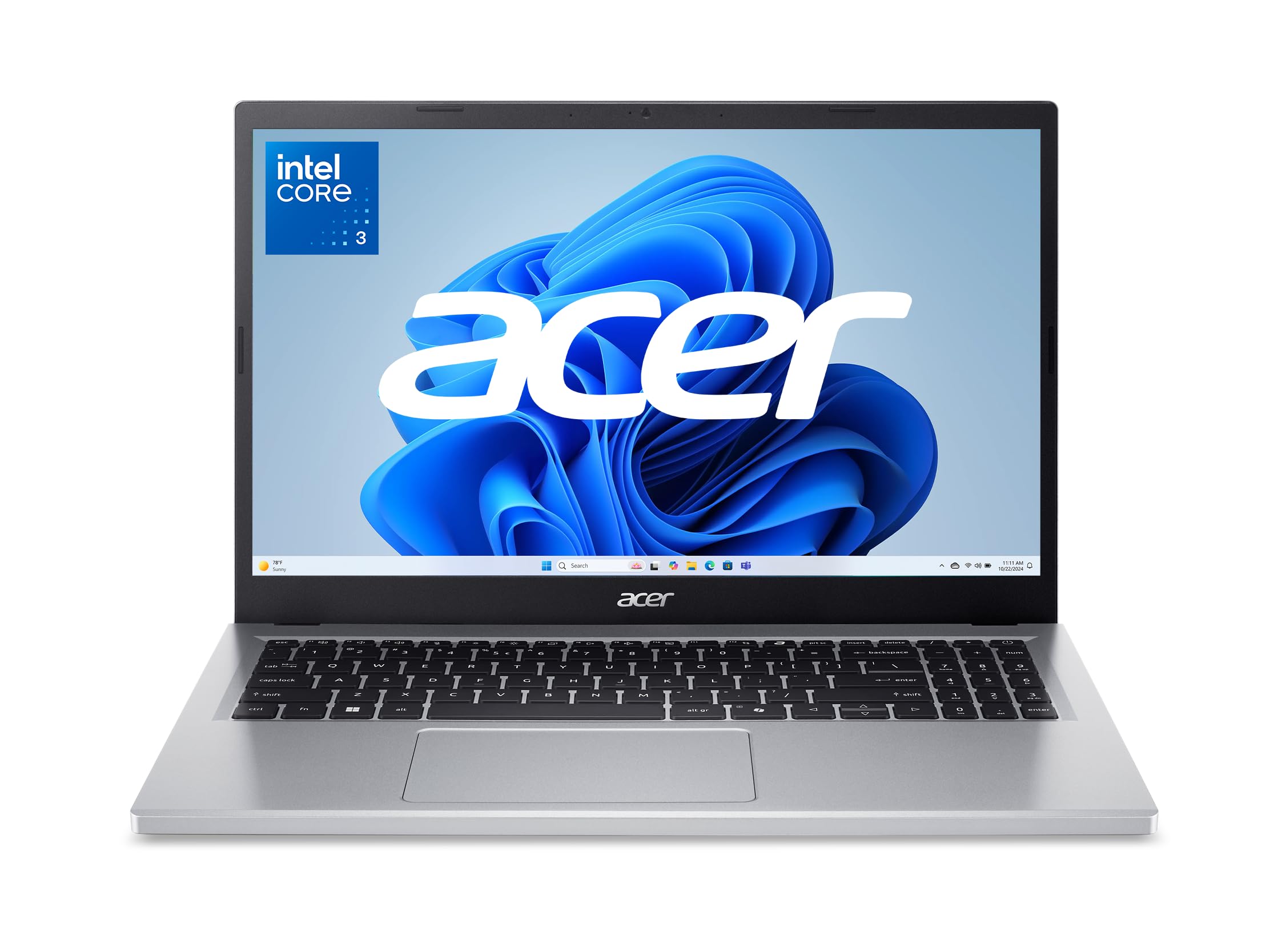
3. Acer Aspire Go 15 AI Ready (Intel Core 3 N355)
Copilot built in, a sharp IPS panel, and the memory to actually use both.
What wins people over here is the value-to-spec ratio. You get 8 GB of DDR5 memory (faster than the DDR4 in cheaper rivals), 128 GB of UFS storage (a fast, low-power storage chip), and an Intel Core 3 processor N355 that tops out at 3.9 GHz — noticeably quicker than the ASUS’s 2.8 GHz ceiling. The 15.6-inch 1080p IPS display (a panel type that keeps colors steady from an angle) is the real star: IPS keeps color and contrast steady when you tilt the screen, so it stays readable on a lap or a kitchen table.
Acer leans hard into its Copilot angle — the dedicated Copilot key summons Windows’ AI assistant with one press for drafting and summarizing. There is also AcerSense, a one-button control panel for battery, storage, and apps, plus Wi-Fi 6 and HDMI 2.1 for faster connections. Two full-function USB Type-C ports both charge and drive a monitor.
The catch is thin review history. It is a newer model with only a modest number of buyer ratings so far, and the buyers who have weighed in mostly praise the value and performance.
The draw: a 3.9 GHz chip, DDR5 memory, and an IPS panel in one package — the sharpest all-around spec sheet at the value tier.
The caveat: it is early days on the review front, so you are trusting the hardware more than a long track record.
A strong match for: students and home users who want modern memory, a bright IPS screen, and Copilot without stretching the budget.
Less ideal for: buyers who want years of proven reliability data before committing.
4. HP 2027 Everyday Laptop, Intel N150
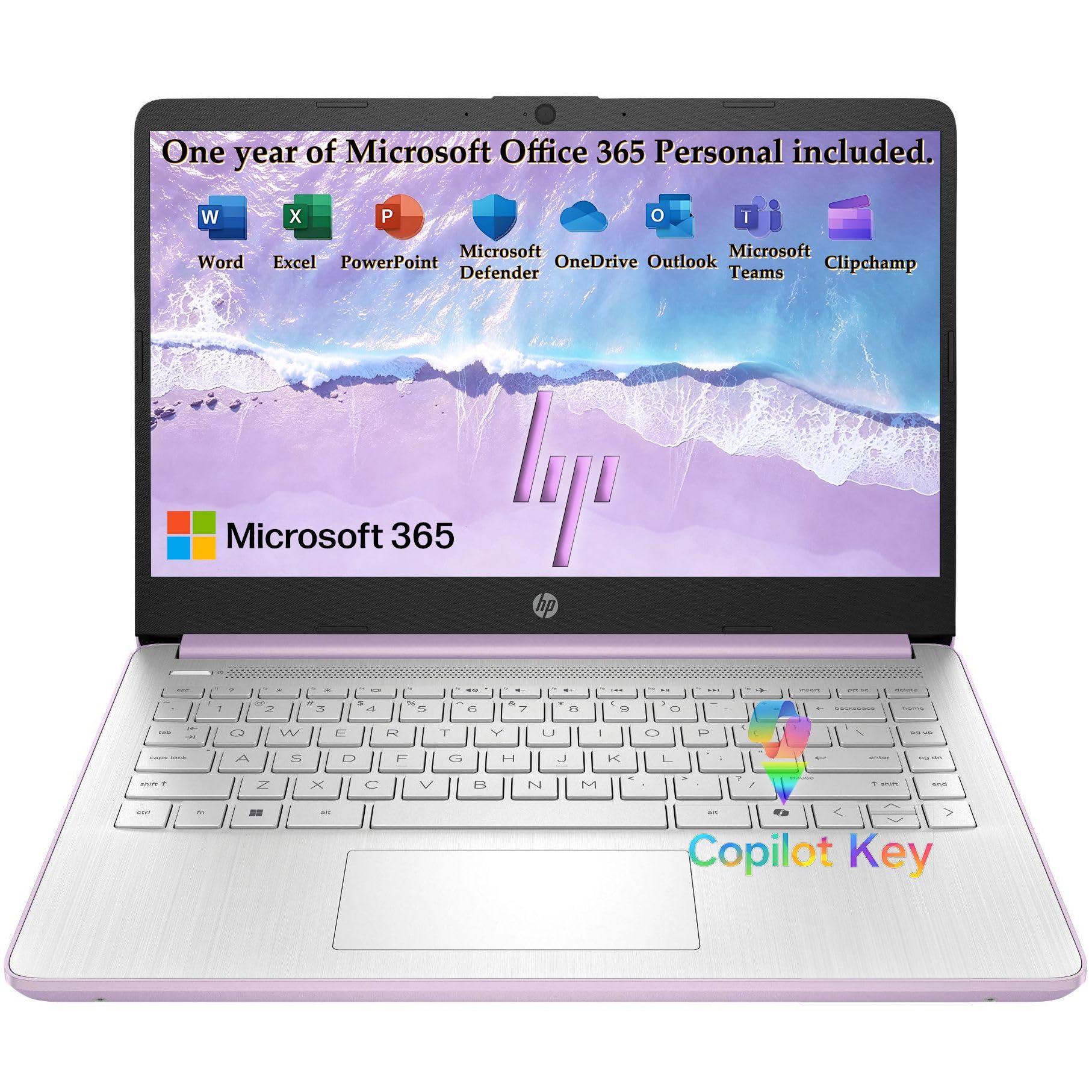
Eleven hours of video playback in a 3.24-pound frame you can genuinely carry all day.
The headline number is endurance. HP rates this machine for up to 11 hours of video playback — three hours longer than the ASUS Vivobook Go’s 8 hours, a big gap for anyone who leaves the charger at home. It backs that up with the Intel N150 quad-core processor, which boosts to 3.6 GHz with 6 MB of L3 cache, and 128 GB of UFS storage for fast boots.
The body is the other selling point. At 3.24 lbs with a slim 0.71-inch profile in a Honey Lavender matte finish, it slips into a tote or backpack without a second thought. The performance is what buyers rave about most — the everyday tasks it handles well span spreadsheets, Zoom calls, and streaming, and setup is about as painless as it gets.
The memory is the trade-off to weigh: 4 GB of LPDDR5-4800, which is speedy memory but a smaller pool. Also note that the 14-inch display runs at 1366×768, and touch and compatibility drew more mixed feedback than performance. For light personal use those quirks rarely bite, but heavy multitaskers should look at an 8 GB pick.
Why it travels well
- Up to 11 hours of video playback — the longest rated here
- 3.24 lbs and 0.71 inches thin for easy carrying
- Intel N150 with 6 MB cache boosts to 3.6 GHz
- Wi-Fi 6, Bluetooth 5.4, USB-C, and an SD card reader
Keep in mind
- 4 GB LPDDR5 memory is the tightest spec on a Windows pick
- 1366×768 screen is softer than the FHD rivals
Built for: travelers, commuters, and students who value a full day off the charger over raw multitasking headroom.
Skip if: you routinely run many apps at once — the 4 GB ceiling will remind you.
5. NIMO 15.6″ FHD R5 AI Student Laptop
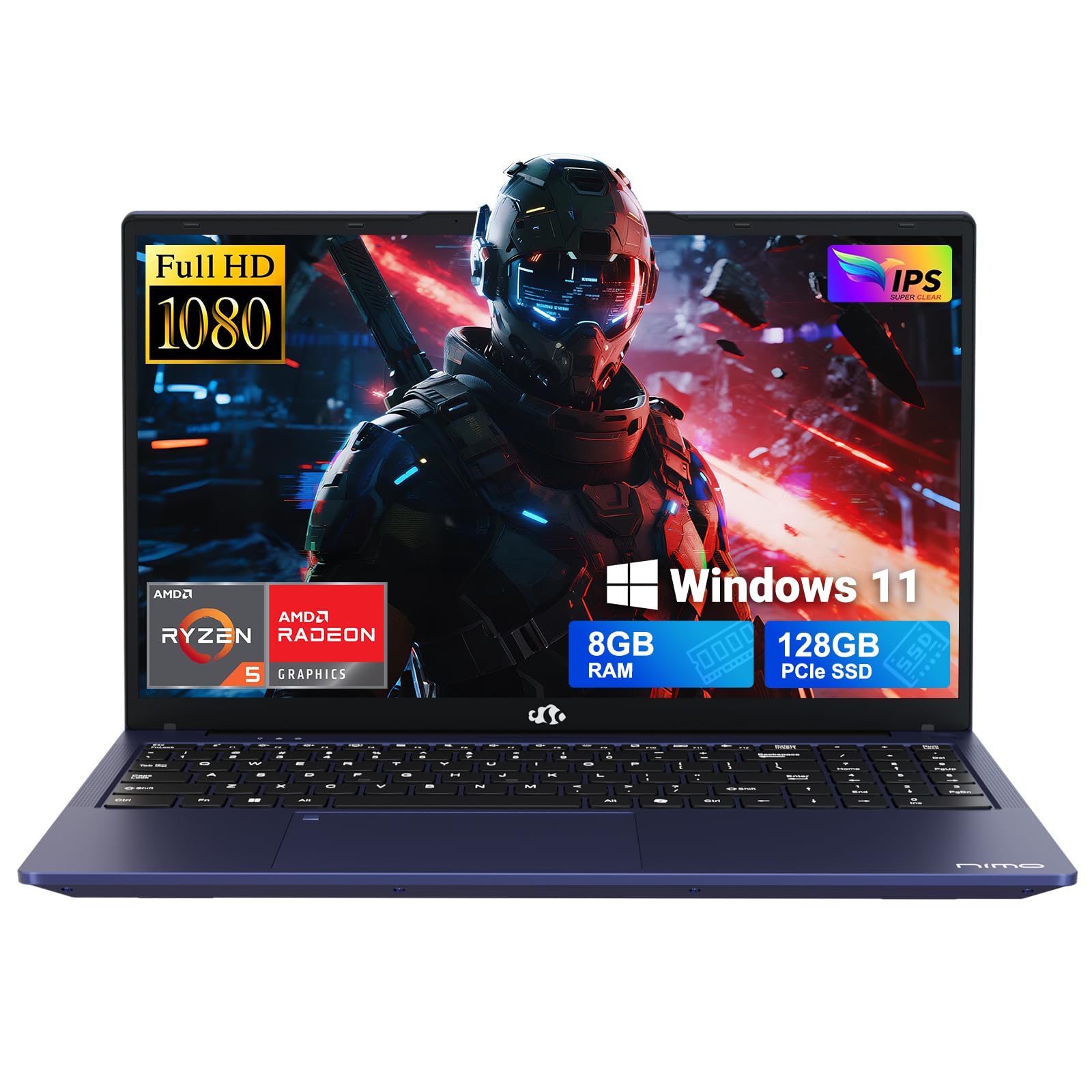
The budget laptop that lets you add RAM and storage later instead of replacing it.
Most cheap laptops are sealed boxes that age out the day you buy them. The NIMO breaks that rule with two DDR4 SO-DIMM slots that take memory up to 32GB and an M.2 PCIe 3.0 x4 2280 SSD slot that accepts storage up to 4TB. It ships with 8 GB of DDR4 and a 128 GB SSD, but the ceiling is what makes it worth a look for a college student who wants the machine to survive four years of growing assignments.
The engine is an AMD Ryzen 5 with 4 cores, 8 threads, and a 3.7 GHz boost. Paired with Radeon Vega 8 graphics, it covers slide building, photo viewing, and light image edits. The gap that matters: this carries 8 GB of RAM where the ASUS Vivobook carries just 4 GB, which means fewer freezes when you multitask. Performance is where this machine earns its reputation, and the appearance and screen quality get solid nods too.
The fingerprint reader and backlit keyboard are luxury touches at this tier — fast logins and typing in a dim dorm room. The catch is battery life, which drew mixed reactions; some find it strong, others report it draining fast. The 65W PD fast charger helps top it back up quickly.
Room to grow
- RAM expandable to 32GB and storage to 4TB — rare at this tier
- AMD Ryzen 5 with 4 cores and 8 threads boosts to 3.7 GHz
- Fingerprint reader and backlit keyboard included
- 2-year warranty and 90-day returns
Watch for
- Battery life is the most debated spec — results vary by buyer
- Gaming is light-duty only, suited to basic titles
Best for: students and entry creators who expect their workload to grow and want to upgrade parts, not replace the whole machine.
Consider another pick if: you need a full-day battery you can count on without a nearby outlet.
6. Acer Aspire Go 15 AI Ready (AMD Ryzen 3 7320U)
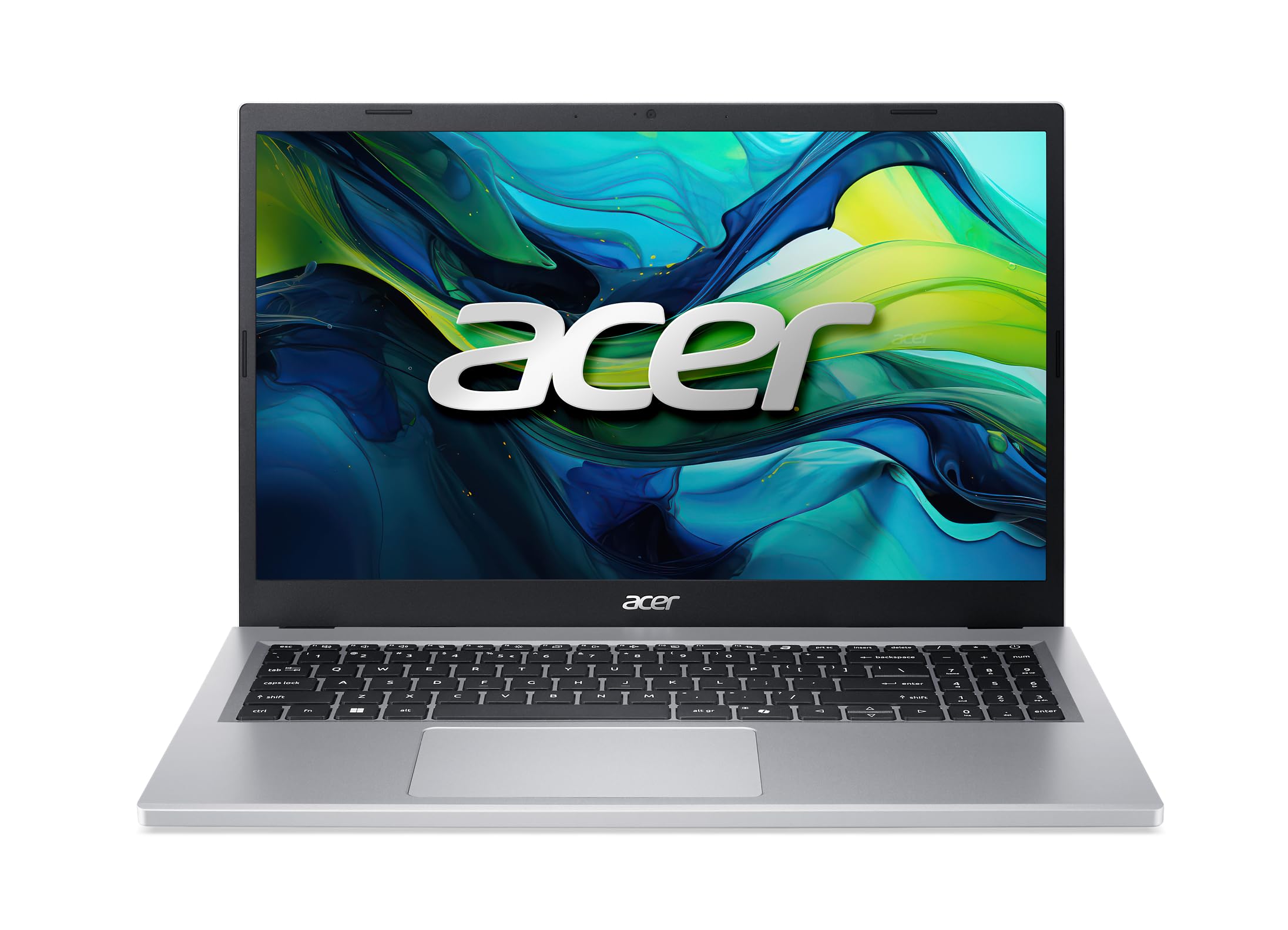
A Ryzen chip rated to 4.1 GHz — the fastest clock speed on the Windows side of this list.
If raw clock speed is your scoreboard, this Acer wins the Windows race at 4.1 GHz. That comes from the AMD Ryzen 3 7320U, paired with 8 GB of LPDDR5 memory and a 128 GB PCIe SSD. It is a clear step above the ASUS Vivobook’s 2.8 GHz Celeron on paper, and the PCIe SSD means big file transfers go faster than UFS storage would.
The display is the same 15.6-inch 1080p IPS panel as the N355 model above, with narrow bezels and Acer BluelightShield to dial down blue light for long evening sessions. You also get Wi-Fi 6, dual USB Type-C ports, and HDMI 2.1 for a second monitor, plus the Copilot key and AcerSense controls. Buyers describe it as better than expected with strong battery life and easy setup.
The one honest note: performance is split. Some find it excellent for everyday use, others say it suits only simple tasks. The 7320U is a light workload engine, so treat 4K video editing or heavy gaming as off the table. It is a swift browser-and-office machine, not a workstation.
Fastest clock here: a 4.1 GHz Ryzen 3 with a PCIe SSD and an IPS panel — a strong showing on paper.
Reality check: that speed is built for everyday tasks, and buyers confirm it shines there but not under demanding work.
Grab this if: you want the snappiest everyday Windows machine and a bright IPS screen for browsing and streaming.
Pass if: your work leans on video editing or gaming — you need more graphics muscle than a 610M delivers.
7. Dell 15.6 Laptop, Intel Core 3 100U
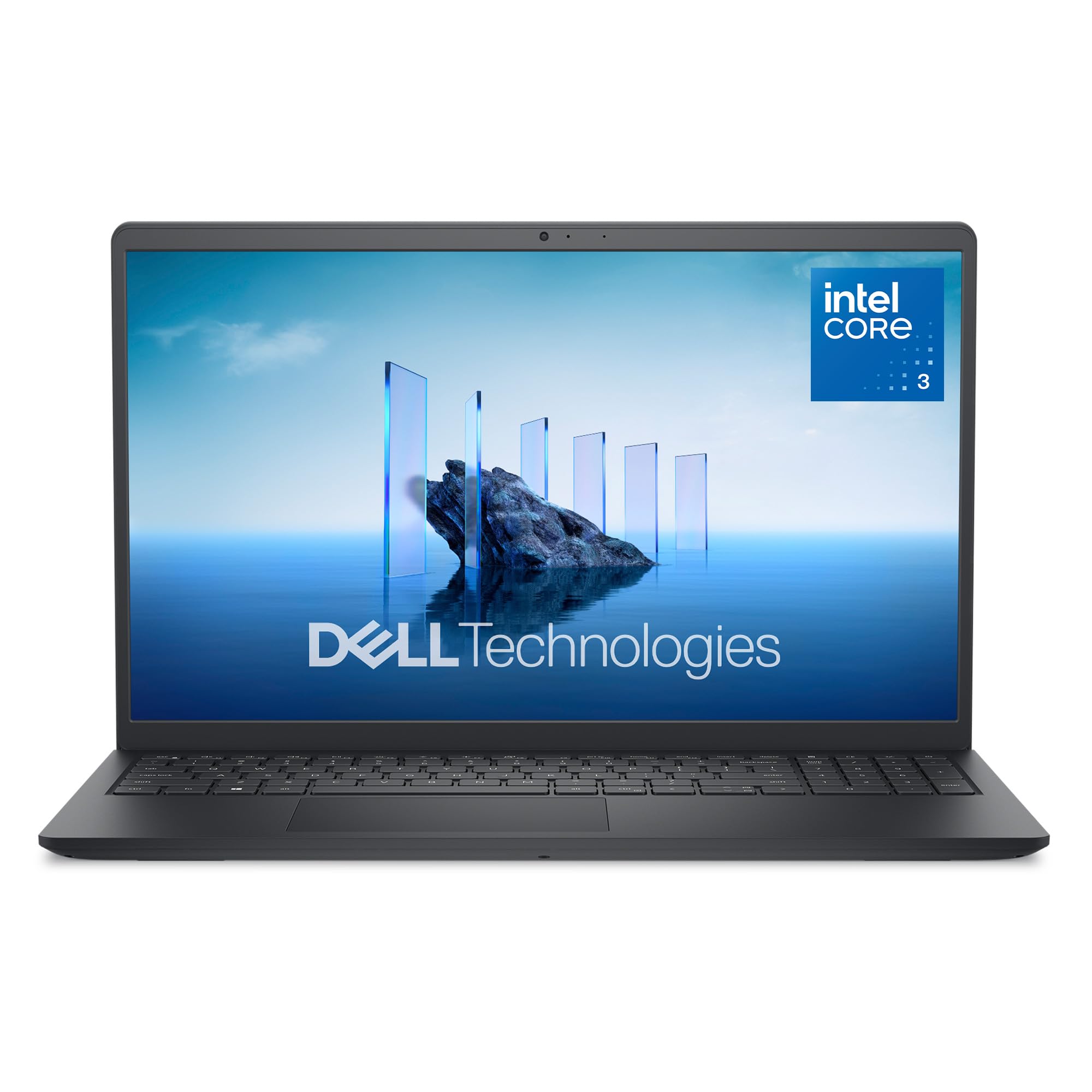
The full keyboard with a separate number pad — built for people who live in spreadsheets.
Some buyers care less about clock speed and more about how the machine feels under their fingers. This Dell answers that with a roomy keypad, a separate numeric keypad, and a calculator hotkey for fast number entry. The lifted hinges angle the deck up for a more comfortable typing posture over a long session. Those touches matter when you type all day.
Under the hood sits the Intel Core 3 100U, clocked up to 4.7 GHz (a measure of how many cycles the processor completes per second) — a strong number on paper. Dell also bundles 1 Year Onsite Service, meaning a technician comes to your home or office if a covered hardware issue cannot be fixed remotely. For a budget buyer who dreads shipping a laptop back, that is genuine confidence.
The flip side is battery life, which is the weak spot in buyer feedback, with reports of quick drains. Reliability and speed also drew mixed reactions, so this is a pick for someone who values the keyboard and on-site service more than all-day endurance. The ComfortView software cuts blue light to ease long viewing sessions.
The typing case: a full keypad, numeric pad, calculator hotkey, and an angled deck make data entry comfortable.
The endurance caveat: battery life is the recurring gripe — plan on staying near a charger.
Choose it for: accounting, spreadsheets, and typing-heavy work where a number pad and on-site service matter.
Look next door if: you need a machine that lasts a full day unplugged — the HP Everyday runs far longer.
8. Lenovo IdeaPad Slim-3i 15.6-in Laptop
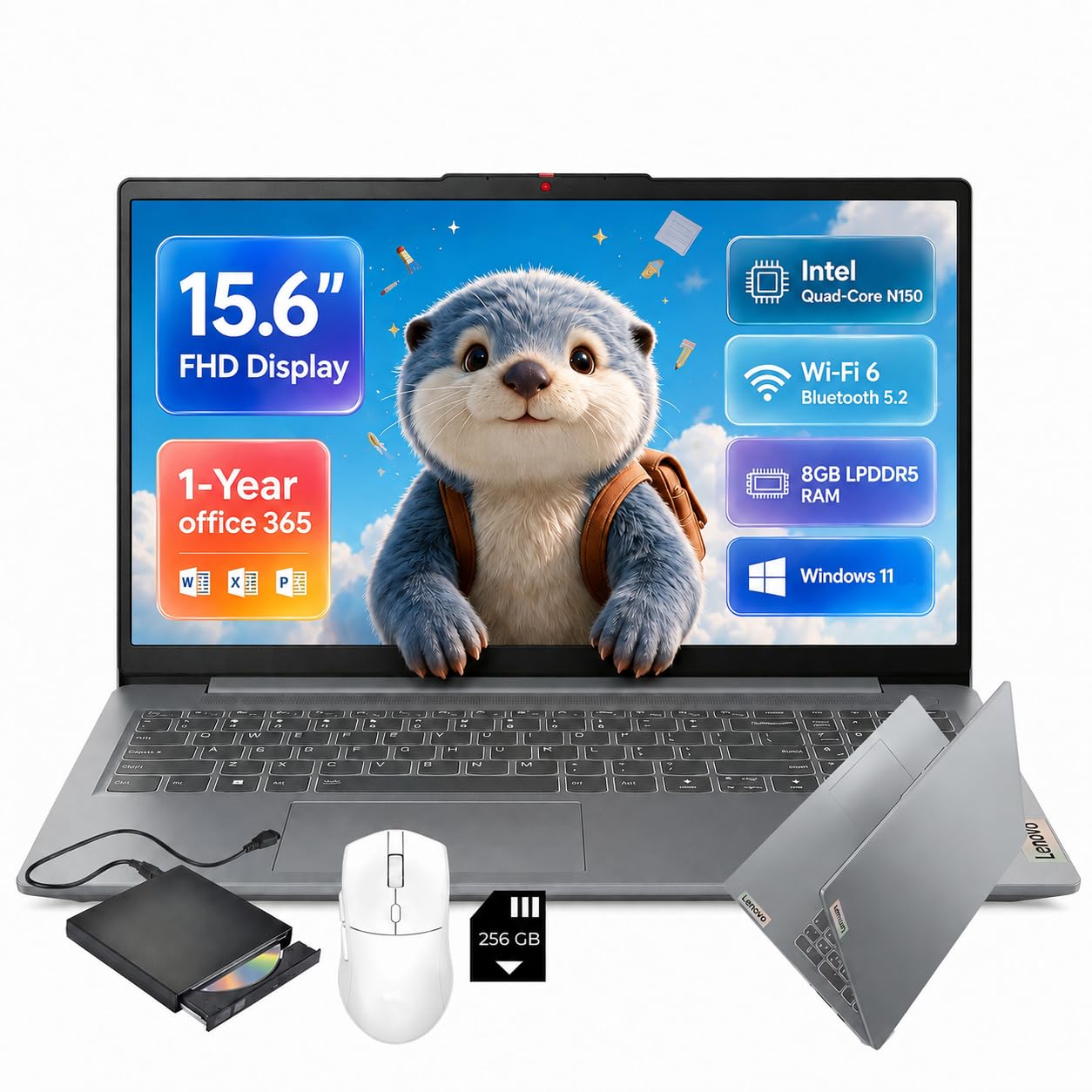
Everything in one box — Office 365, a mouse, an SD card, and even a disc drive.
This is the ready-to-work pick. The bundle includes a 1-Year Office 365 subscription with Word, Excel, and PowerPoint, plus a wireless mouse, a removable 256 GB SD card, and an external CD/DVD drive. For a student or home user who would otherwise buy all of that separately, the Lenovo lets you open the box, sign in, and start writing an essay the same afternoon.
The engine is the Intel N150 quad-core with 8 GB of LPDDR5 RAM and 128 GB of UFS storage. That is the same approachable chip family that makes everyday browsing and video meetings smooth, though Lenovo is upfront that it is not built for heavy gaming or professional video editing. The 15.6-inch 1920 x 1080 anti-glare display gives you sharp, spacious real estate for essays and spreadsheets.
The connectivity rounds it out: Wi-Fi 6, Bluetooth 5.2, USB-C, HDMI, two USB-A ports, an SD card reader, and a 720p webcam with a privacy shutter for video calls. The caveat is review depth — this is a new listing with a small handful of ratings, so the long-term track record is thin. The bundle and the battery of ports are the reasons to pick it.
Ready on day one
- 1-Year Office 365, wireless mouse, SD card, and disc drive included
- 8 GB LPDDR5 and 128 GB UFS storage
- Wi-Fi 6, USB-C, HDMI, and a privacy-shutter webcam
- Sharp 1920 x 1080 anti-glare display
The honest limits
- Small review history so far — a newer listing
- Not built for heavy gaming or pro video editing
Ideal for: students and home offices that want a full software-and-accessories kit without buying each piece.
Not for: power users eyeing creative or gaming workloads — the N150 stays in its lane.
9. Dell 15.6 Laptop, AMD Ryzen 5 7520U

The AMD Dell with adaptive thermals that keep it steady whether on a desk or a lap.
At the top of this list sits the AMD version of Dell’s 15. The Ryzen 5 7520U boosts to 4.3 GHz (a measure of how many cycles the processor completes per second) and pairs with Radeon 610M graphics (a built-in graphics chip for everyday visuals), and Dell gives it adaptive thermals — the machine adjusts its power and cooling on its own, so it runs efficiently whether you are at a desk or working from your lap. That self-tuning is the feature you notice most on a hot afternoon with a laptop that normally throttles.
The rest is a refined take on the same Dell shell: a separate numeric keypad and calculator hotkey, lifted hinges for a comfortable typing angle, and an HD webcam that keeps you looking sharp on calls. It runs Windows 11 Home and carries 1 Year Onsite Service, so a technician comes to you if a covered hardware issue cannot be fixed remotely. Buyers describe it as fast and elegant, with performance being the standout strength.
The reliability side is the one to weigh. Some owners say it works well, others report issues, so this is a strong performer whose long-term consistency has drawn a mixed read. It sits at the premium end of this budget group, so you are paying for the faster chip and the refined finish.
The top-shelf draw: a 4.3 GHz Ryzen 5, adaptive thermals, and 1 Year Onsite Service — Dell’s most polished budget machine here.
Weigh honestly: reliability drew a mixed read, so this suits buyers who value speed and finish over a spotless long-run record.
A fit for: buyers who want the quickest AMD Dell of the group and a more refined chassis to match.
Better to compare: the Acer 15 AI Ready with its 4.1 GHz Ryzen 3 and IPS panel — close on speed, and with a longer proven track record to lean on.
Know the Specs
Processor Speed and Cores
The clock speed (measured in GHz) tells you how fast a chip can crunch a task — higher usually means snappier app launches. Core count matters more for multitasking, so a quad-core at 2.8 GHz can feel smoother than a dual-core clocked higher. A chip running up to 3.9 GHz like the Acer N355 will handle everyday tasks more comfortably than a 2.8 GHz Celeron in the same price range.
RAM, UFS, and SSD
RAM (Random Access Memory) is your laptop’s short-term workbench — more of it means more tabs and apps open at once without slowing. 4 GB is the bare minimum for browsing, 8 GB is the comfortable floor for Windows, and upgrade slots that accept up to 32GB future-proof the machine. Storage comes as either UFS (fast flash, low battery draw) or an SSD (faster for big files) — 128GB fits the OS and everyday apps, so use the cloud or an SD card for photos.
Common Questions
Is 8GB of RAM enough for a budget laptop?
What is the difference between UFS and SSD storage?
Can a budget laptop handle Zoom and online classes?
Should I pick Chrome OS or Windows for a budget laptop?
Does a 1366×768 screen look noticeably different from 1920×1080?
Is Windows 11 S Mode a problem?
Can I upgrade the RAM or storage on these laptops?
How long should the battery last on a budget laptop?
Is a dual-core Celeron fast enough for everyday work?
The Bottom Line
For most buyers, the top budget laptops winner is the HP Chromebook 14 because it puts 8 GB of LPDDR5 memory and fast UFS storage on a lean Chrome OS that stays quick and maintenance-light. If screen sharpness and a full-HD Windows display matter most, the Acer Aspire Go 15 N355 pairs an IPS panel with DDR5 memory and a 3.9 GHz chip. And if you want a machine you can upgrade instead of replace, the NIMO 15.6″ FHD lets you add RAM and storage down the line.
How we choose
We do not accept paid placement. Every pick is matched to a real buyer and a real use-case; we do not hands-on test units.
Sources
Specifications: manufacturer listings and product documentation. Review insights: verified customer reviews, as of November 2026. Pricing: not shown on this page (it changes often); check the current price via the retailer link.
As an Amazon Associate, Tactical Gear Guy earns from qualifying purchases. This does not affect which products we feature.