Specs are compiled from manufacturer listings and verified buyer reviews and can change over time — please confirm the key details on the product page before buying.
Here is the short answer: buy the Samsung X5 if your machine has a real Thunderbolt 3 port, and buy the SABRENT Rocket Nano XTRM if you want a small, tough drive that also works on older USB ports. Those two cover most buyers: a current Thunderbolt 3 machine or a mix of Thunderbolt and older USB ports. The rest of this page matches a drive to your footage, file sizes, and machine — and steers you away from the mistake that sinks Thunderbolt 3 SSD buyers: a fast drive plugged into a laptop that cannot feed it.
This guide is built by comparing the manufacturers’ published specifications and the patterns across verified customer reviews, so you get each pick’s real strengths and trade-offs instead of marketing spin.
A Thunderbolt 3 drive only hits its rated speed when the port and the cable both support it, so port-check your machine before anything else. This breakdown covers the real differences among the top drives in my guide to the best thunderbolt 3 external ssd.
Top Picks


How To Choose The Best Thunderbolt 3 External SSD
A Thunderbolt 3 external SSD is only as fast as the port feeding it. Before you compare read and write speeds, confirm your laptop or desktop actually has a Thunderbolt 3 port — the small oval connector with a lightning bolt beside it. A plain USB-C port shaped identically will run the same drive at a fraction of the speed, and that gap is the single most common reason people feel let down after buying.
Check the port before the spec sheet
Thunderbolt 3 moves data at up to 40Gbps (gigabits per second), and that ceiling is what lets these drives reach multi-gigabyte transfer speeds. USB 3.2 Gen 2 tops out far lower, so a Thunderbolt-certified drive in a USB-only port drops to USB speeds. If your machine is older or a budget model, pick a drive with a strong USB fallback mode so it still earns its keep.
Read speed sells, write speed works
Read speed is how fast you pull files off the drive; write speed is how fast you push them on. When you are dumping camera cards or rendering, write speed sets your clock. Look at both, and favour drives with sustained-performance design — an aluminum core or a heat spreader — because a drive that throttles under load gives you peak speed only in short bursts.
Build quality is a real spec, not a vibe
Portable drives ride in bags, get dropped on set, and sit next to coffee cups. A metal enclosure helps shed heat and survive knocks. Look for stated drop heights, crush resistance, and an IP rating — the code that tells you how sealed a drive is against dust and water. Stated drop heights, crush ratings and IP numbers are what separate a drive built for a camera bag from one that never leaves the desk.
Side-by-Side Comparison
| Model | Best For | Capacity | Top Speed | Interface | Amazon |
|---|---|---|---|---|---|
| Samsung X5 2TB★ Best Overall | Mac editors who want proven speed | 2 TB | 2,800 MB/s read | Thunderbolt 3 (40Gbps) | Amazon |
| SABRENT Rocket Nano XTRM 1TBBest for Travel | Tiny drive that works on any port | 1 TB | 2,700 MB/s | Thunderbolt 3 / USB 3.2 | Amazon |
| SanDisk G-DRIVE PRO 1TBMost Rugged | Rough handling on location | 1 TB | 2,800 MB/s read / 2,400 MB/s write | Thunderbolt 3 (40Gbps) | Amazon |
| G-Technology G-DRIVE Mobile Pro 1TB | Fast exports on a metal chassis | 1 TB | 2,800 MB/s | Thunderbolt 3 | Amazon |
| SABRENT Rocket XTRM Plus 2TB | Best speed-to-capacity balance | 2 TB | 2,700 MB/s | Thunderbolt 3 / USB 3.2 | Amazon |
| LaCie Rugged SSD Pro 1TB | Dust, water and impact protection | 1 TB | 2,800 MB/s | Thunderbolt 3 / USB-C | Amazon |
| Glyph Atom Pro 2TB | Scratch-disk video work | 2 TB | 2,800 MB/s read / 2,600 MB/s write | Thunderbolt 3 | Amazon |
| SanDisk PRO-G40 2TB | Dual-mode Thunderbolt and USB-C | 2 TB | 3,000 MB/s | Thunderbolt 3 / USB-C | Amazon |
| Glyph Atom Pro 2 4TB | Big archive for large projects | 4 TB | 2,800 MB/s read / 2,600 MB/s write | Thunderbolt 3 | Amazon |
Detailed Reviews
1. Samsung X5 Portable SSD 2TB
Our pick — 4.5+★ from 700+ verified ratings; the strongest balance of quality and price.
A Thunderbolt 3 portable that reads at 2,800 MB/s and writes at 2,300 MB/s — internal-drive speed in an external shell.
For anyone cutting 4K footage straight off an external drive, the X5 is the safest first buy. It was Samsung’s first NVMe-based portable SSD with Thunderbolt 3, and it pushes sequential reads to 2,800 MB/s and writes to 2,300 MB/s. Those are the numbers that stop Premiere and Final Cut from stalling while you scrub a timeline. The 40Gbps Thunderbolt link is what feeds it, and that is the whole reason this drive exists.
What wins people over is the speed — owner after owner describes it as the cure for a bottlenecked edit. Set-up is genuinely painless: on a Mac it mounts right away with no driver digging. It is also built to travel, with a full metal body, a non-slip base, and a stated drop rating of 2 meters, plus optional AES 256-bit hardware encryption for when a client drive leaves the office. Be honest about the temperature: it runs warm, and a metal-cased NVMe drive doing sustained work will. Dynamic Thermal Guard is there to keep it inside a safe zone rather than stop the warmth entirely.
The catch is compatibility, and it is the loudest theme in the owner feedback. This drive wants a true Thunderbolt 3 port and it does not talk to everything — older iMac Pro setups and some macOS builds have been reported as no-shows, complete with no light and no prompt. If your machine is current and has the lightning-bolt port, you are in the clear. If you are unsure, this is the wrong drive to gamble on. 2,800 MB/s and Thunderbolt 3 make the X5 the reference point every other drive on this list gets measured against.
What earns the top spot
- Sequential reads up to 2,800 MB/s and writes up to 2,300 MB/s — the fastest verified pairing here
- Metal body with a 2-meter drop rating and a non-slip base
- Optional AES 256-bit hardware encryption for client work
- Mounts on a Mac with no drivers to install
Where it pushes back
- Demands a real Thunderbolt 3 port — USB-C alone will not do it
- Runs warm under sustained heavy transfers
- Reported to refuse some older Mac configurations outright
Buy it if: you edit video on a current Mac or PC with a genuine Thunderbolt 3 port and want the speed that is proven in the field.
Pass if: you cannot confirm your machine’s port is Thunderbolt 3, or you need a drive that also plugs into older USB-A gear.
2. SABRENT 1TB Rocket Nano XTRM
Pocket-sized, certified for Thunderbolt, and happy on an older USB port.
If you split your week between a new laptop and an older desktop, this is the drive that never leaves you stranded. Thunderbolt 3 mode connects at 40Gbps and hits up to 2,700 MB/s. Drop down to USB 3.2 Gen 2×1 and it still moves up to 900 MB/s, with backward compatibility that the X5 above simply does not have. It also ships with both a Thunderbolt cable and a USB-C to USB-A cable, so you are not hunting for an adapter on day one.
The size is the part people latch onto — small enough to disappear into a bag pocket, with a solid aluminum body that helps spread heat and shrug off knocks. An included silicone sleeve adds drop protection, and it is bus-powered with no drivers required. Gamers get real use out of it too, with users confirming it works with PS5.
Heat is the honest trade-off. The drive gets warm during long sessions, and that is the recurring theme in owner feedback rather than a one-off. The aluminum shell and sleeve help, and it has not stopped people using it hard, but if you are pushing a single sustained transfer for an hour, expect a warm hand when you pick it up. Plug-and-play on Mac, PC and PS5 with a 1TB capacity and 2,700 MB/s peak — this is the flexible one.
The everyday win: two cables in the box and a USB fallback that keeps the drive useful on hardware without Thunderbolt. That flexibility is why it travels well.
The honest caveat: sustained Thunderbolt transfers build noticeable heat, so plan long jobs with airflow rather than burying it in a bag.
Reach for this if: you move between Thunderbolt and ordinary USB machines and want one small drive that handles both.
Look elsewhere if: you need maximum sustained throughput with zero heat rise on hours-long renders.
3. SanDisk Professional 1TB G-DRIVE PRO SSD
Built for the tripod bag, not the desk drawer.
Shoot on location and this is the spec that matters: 3M drop protection and 1000lb crush resistance, tested on a carpeted concrete floor. The G-DRIVE PRO pairs that armor with Thunderbolt 3 at 40Gbps and quoted speeds of 2,800 MB/s read and 2,400 MB/s write. Compared with the Samsung X5’s 2,300 MB/s write, this one leads the write race on paper — a real edge when you are offloading a card in a hurry.
It arrives Mac-ready in HFS+ and works with Windows after a reformat, so cross-platform teams have a one-step job rather than an afternoon of setup. The 5-year limited warranty is the longest cover on this list, and SanDisk backs it with a Thunderbolt 3 cable in the box so the connection is right out of the gate.
Here is what to weigh: this is a 1TB drive with ruggedness as its headline feature, not capacity. If your projects are huge, you will be managing files rather than dumping everything on one drive. 3M drops and 1000lb of crush resistance make this the drive you can throw in a bag without a second thought.
The armor, in plain numbers: 3 meters of drop tolerance and 1000 pounds of crush resistance are the reasons location shooters pick it over a slimmer drive.
The size trade: 1TB fills up fast with RAW video, so budget for a second drive or a fast offload routine.
Pick it when: your drive lives in a camera bag, gets handled roughly, and needs a 5-year warranty behind it.
Skip the ruggedness premium if: the drive never leaves a desk and you would rather put the money into capacity.
4. G-Technology 1TB G-DRIVE Mobile Pro SSD

The drive that turns a render queue into a coffee break.
G-Technology rates this drive at up to 2,800 MB/s sustained transfer, and that word “sustained” is doing real work. A 54-minute Camtasia export finishing in about 3 minutes is the kind of result people describe — the speed shows up in file conversions and exports, not just benchmark screenshots. It connects over Thunderbolt 3 and ships with a 0.5m Thunderbolt 3 cable (40Gbps) so nothing extra is needed.
The aluminum core is the quiet hero. It pulls heat off the drive so speed holds up under load instead of sagging once the transfer heats the internals. A shock-resistant design covers the knocks a mobile drive takes, and the form factor is genuinely portable. Read speed matches the SanDisk G-DRIVE PRO at 2,800 MB/s, and it undercuts the Samsung X5’s 2,300 MB/s write figure on paper.
Now the part you need to know before you commit: connectivity. The drive’s reliability record is mixed, and the recurring theme is disconnection — drives ejecting themselves from a Mac at random, sometimes on both a 2017 iMac and a 2018 MacBook Pro. Some setups run clean for a month. That variance is the honest picture, so treat cable seating and port condition as part of your setup, not an afterthought.
What makes it a contender
- 2,800 MB/s sustained transfer with a 0.5m Thunderbolt 3 cable in the box
- Aluminum core designed to hold speed under sustained load
- Big exports finish fast — a 54-minute video conversion in about 3 minutes
- Shock-resistant build for travel
What to watch
- Random disconnects reported across multiple Mac generations
- 1TB fills quickly with high-bitrate footage
- Cable and port condition matter more here than on most drives
Good match for: editors who want fast sustained exports and will keep the cable seated on a known-good Thunderbolt port.
Think twice if: you need a set-and-forget drive for unattended overnight renders.
5. SABRENT Rocket XTRM Plus 2TB

Double the capacity of the Nano XTRM without giving up the speed.
The math here is simple: this is 2TB against the Rocket Nano XTRM’s 1TB, twice the storage at Thunderbolt speeds. It moves up to 2,700 MB/s over Thunderbolt 3 at 40Gbps, and falls back to up to 900 MB/s on 10Gbps USB 3.2 Gen 2×1 so older machines still get real speed. A music producer describes pushing a gigabyte of tracks to it in 10 seconds. That is the kind of headroom that changes how you work.
The shell is aluminum for ruggedness and heat dissipation, with a removable silicone sleeve for extra protection. It is bus-powered and plug-and-play, and it comes with a Thunderbolt 3 cable plus a USB-A to USB-C cable. Mac, Windows and Linux are all covered, so one drive fits a mixed-team studio.
Heat is worth a note. Aluminum dissipates it, but a sustained Thunderbolt session will still make the shell warm to the touch. That is normal for NVMe in a small body, and the sleeve helps. 2TB, 2,700 MB/s and a USB fallback put this at the best speed-to-capacity balance on the list. One owner put the durability plainly: it is built like a tank, so a separate protective case is not needed.
The capacity story: 2TB at 2,700 MB/s means you stop juggling project files mid-edit — a real change for 4K timelines.
The heat note: the aluminum body runs warm under long Thunderbolt transfers, so give it airflow on big jobs.
Strongest pick for: editors who want 2TB of Thunderbolt speed and a USB fallback without stepping into premium territory.
Not the one if: you need IP-rated water and dust proofing for outdoor work.
6. LaCie Rugged SSD Pro 1TB

An IP67 drive that shrugs off rain, dust and a two-ton truck.
When your work happens outdoors, the rating sheet is the buying decision. The Rugged SSD Pro carries an IP67 rating — dustproof, waterproof and shockproof — and is rated to withstand a 2-ton vehicle. It runs Thunderbolt 3 with transfer rates quoted at 2,800 MB/s, aimed squarely at 8K video transfer and high-bitrate RAW playback. The FireCuda NVMe drive inside is the same class of hardware as the other premium picks here, wrapped in a scratch-resistant aluminum body with rubber bumpers designed by Neil Poulton.
It is bus-powered, so no AC adapter, and it works with both Mac and Windows. Plenty of shooters will value the iPad use case too: plug it straight into a USB-C iPad to offload files and edit on the go. Data recovery service is included at no cost once within the 5-year warranty period, which is the kind of cover that matters when a card is the only copy of a shoot.
The trade-off is straightforward. This is a 1TB drive tuned for protection, so the rugged shell adds bulk compared with a slimmer travel drive, and capacity is your ceiling with big RAW projects. If you shoot indoors, you are paying for armor you will not use. IP67 sealing plus 2-ton crush resistance makes this the drive for rain, dust and rough terrain.
The protection number: IP67 is the highest dust/water rating on this list, and the 2-ton vehicle rating backs it up for field work.
The size reality: 1TB is the cap here, and the rugged build adds heft next to the Nano XTRM.
Right call if: you shoot outside, work near water and dust, or want included data recovery within the warranty.
Skip the armor if: your drive stays on a clean desk and you would rather have 2TB.
7. Glyph Atom Pro 2TB
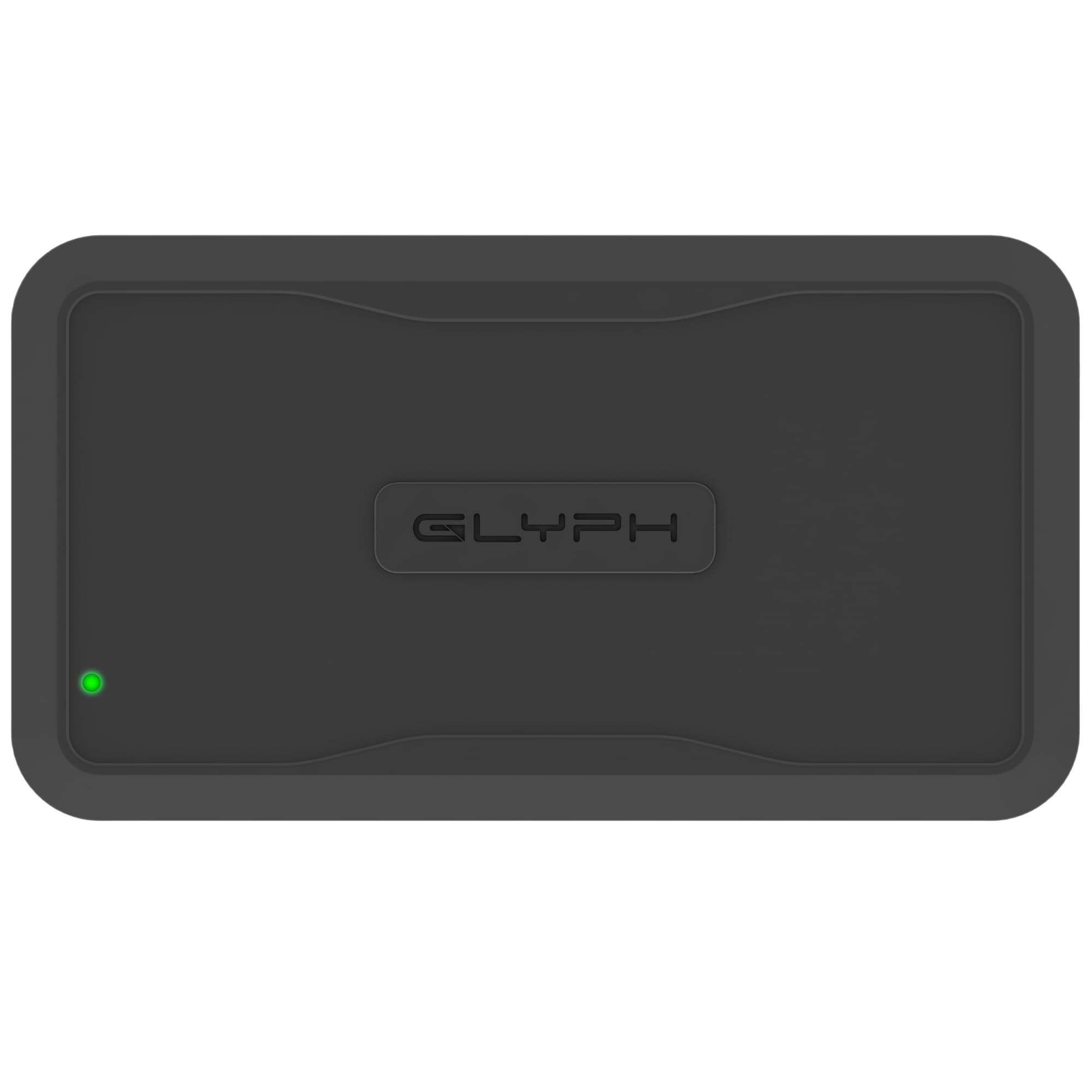
A 2TB scratch disk that handles 8K timelines without a fan.
Glyph built this one for 4K, 8K and VR workflows, and the numbers match the brief: up to 2,800 MB/s transfer and 2,600 MB/s writes over Thunderbolt 3. That write figure is well above the Samsung X5’s 2,300 MB/s, and it is the spec that matters when you are caching renders. A MIL-Standard 810F rating covers shock, vibration, dust and sand, so it takes a jolt without drama.
The clever bit is the cooling. It uses fan-less heat dissipation, so the drive stays quiet while it works — a small thing that stops mattering only until you sit next to it on a long edit. Owners describe it as perfect for storage and as a scratch or cache disk for video editing, and one makes the comparison that it leaves Samsung’s T5 drives feeling like old spinning platters.
Two things to know. It ships formatted for macOS and needs a reformat for Windows, so budget five minutes for that. And it sits in the premium tier — a fair point if you are comparing against bare enclosures. For a working editor, that cost buys a drive tuned for sustained video load. 2,800 MB/s read, 2,600 MB/s write and a fan-less design make this the scratch disk for heavy video work.
The editing angle: 2,600 MB/s writes and fan-less cooling suit long render sessions where noise and heat both matter.
The setup step: Mac-formatted from the start, so Windows users reformat before first use.
Made for: video editors who want a quiet 2TB scratch disk for 4K and 8K projects.
Overkill for: document storage and photo backups, where a slower, cheaper drive does the job.
8. SanDisk PRO-G40 2TB

The read-speed ceiling of this whole list, sealed against dust and water.
At up to 3,000 MB/s over Thunderbolt 3, this drive reads faster than anything else on the page. It also runs a second mode: USB-C at 10Gbps, verified against Intel EVO laptops and desktops. That dual-mode design means one drive handles a Thunderbolt edit bay and a USB-C laptop without a swap. It arrives in exFAT, so it is PC-ready from the start rather than Mac-first like the Glyph drives.
The protection sheet is where it pulls ahead of the LaCie. It carries IP68 dust and water resistance, 4000lb crush resistance, and up to 3m drop protection. Compare that to the LaCie’s IP67 and 2-ton vehicle rating and you get a drive built for the same environments with a higher seal. An aluminum core pulls heat off the internal drive to keep transfers from sagging, and the 2TB capacity holds a full project without offloading.
The one thing to check before you buy: the fast mode needs Thunderbolt 3 specifically. On a plain USB-C port you are on the 10Gbps curve, not the 3,000 MB/s one. That is true of every drive here, but it is easy to forget when the read number is this big. 3,000 MB/s read, IP68 sealing and dual Thunderbolt/USB-C modes make this the most capable drive on the list.
Why it leads on paper
- Up to 3,000 MB/s read — the highest figure in this comparison
- IP68 dust/water rating plus 4000lb crush and 3m drop protection
- Dual-mode Thunderbolt 3 and USB-C 10Gbps, verified with Intel EVO machines
- exFAT format means it is ready for Windows and Mac alike
The limits to know
- Full read speed needs a true Thunderbolt 3 port
- 2TB only — no bigger option in this exact model
Go here for: the fastest read speed here plus serious weatherproofing and dual-mode flexibility.
Not necessary if: your port is USB-C only — you will never see the 3,000 MB/s figure.
9. Glyph Atom Pro 2 4TB

Four terabytes in a pocketable shell, for projects that never seem to end.
Nobody buys 4TB because they want less. This is the biggest drive on the list, with 4TB of storage, a 2,800 MB/s read and 2,600 MB/s write rating, and Thunderbolt 3 connectivity in a compact 2.5-inch body. Compared with the Glyph Atom Pro 2TB above, it holds twice as much at the same headline read speed — that is the whole point of this drive. It ships with a rubbery TPU shell, and owners describe it fitting easily in a pocket, warm but not hot under heavy use.
Reliability is the strongest theme in the feedback, with clean running reported over long stretches of use. One owner has this drive doing TimeMachine backup duty, which speaks to how it is being used — always on and always connected. The Windows 10 note in the listing is worth reading carefully against your setup before you commit; this is a Thunderbolt 3 drive first.
Speed is the honest variable here. Not everyone sees the full rated number — one owner reports a consistent 2,500 MB/s on an iMac, and another finds writes slower than hoped on a newer MacBook Pro. That variance is the thing to go in with your eyes open about. 4TB at 2,800 MB/s read in a 2.5-inch shell makes this the drive for large, long-running projects.
The capacity win: 4TB is the top figure here, and it is twice the Glyph Atom Pro 2TB’s storage at the same rated read speed.
The speed variable: reported throughput lands under the rated figure for some machines, so test it against your own setup.
Built for: large, long-running projects where 4TB of Thunderbolt storage beats a smaller faster drive.
Weigh before buying: write speeds can come in under the rating depending on your machine.
Know the Specs
Thunderbolt 3 vs USB-C
Thunderbolt 3 moves data at up to 40Gbps, which is the ceiling these drives are built to use. USB-C is a connector shape, not a speed — a USB-C port can run far slower than its look suggests. The lightning-bolt icon is your proof. If your port lacks it, the drive falls back to a USB speed tier, which on many of these drives means up to 900 MB/s instead of multiple gigabytes per second.
Read vs Write Speed
Read speed is how fast you pull footage off the drive; write speed is how fast you push it on. Both matter, but they pull in different directions. Editors scrubbing playback live on read speed, while anyone dumping cards or rendering lives on write speed. Compare both numbers, and favour drives that quote sustained performance rather than a single peak figure.
Heat and Sustained Performance
NVMe drives generate heat, and a drive that gets hot can slow down to protect itself. That is why so many of these units use aluminum bodies — metal spreads heat better than plastic. A heat spreader or an aluminum core keeps speed high for longer sessions. Expect the shell to feel warm after a big transfer; that is the design working, not a fault.
IP Ratings, Drop and Crush Numbers
An IP rating tells you how sealed a drive is against dust and water — a higher second digit means more water resistance. Drop heights, crush-resistance figures and shock ratings tell you how it handles a fall or a heavy bag. If the drive travels to a job site, these numbers decide whether it survives the trip intact. If the drive stays on a desk, skip the rugged premium and put that budget toward capacity.
Common Questions
Will a Thunderbolt 3 SSD work on a plain USB-C port?
How do I know if my laptop has a real Thunderbolt 3 port?
Does the cable in the box matter for speed?
Is 1TB or 2TB the better starting point?
Why do these drives get warm during transfers?
Can I use a Thunderbolt 3 SSD with a PS5 or Xbox?
Do these drives work with both Mac and Windows?
Is a rugged SSD worth it over a standard portable one?
Can I edit video directly off the drive instead of copying it first?
Which drive has the longest warranty?
The Bottom Line
For most editors, the thunderbolt 3 external ssd winner is the Samsung X5 because its 2,800 MB/s read and 2,300 MB/s write have been proven in the field, and it mounts on a Mac with no fuss. If you want one small drive that works across Thunderbolt and older USB machines, grab the SABRENT Rocket Nano XTRM for its 900 MB/s USB fallback. And for rain, dust and rough terrain, the LaCie Rugged SSD Pro is the one to reach for, with its IP67 rating and included data recovery within warranty. Confirm your port is Thunderbolt 3, match capacity to your footage, and any of these drives will keep up with a modern edit.
How we choose
We do not accept paid placement. Every pick is matched to a real buyer and a real use-case; we do not hands-on test units.
Sources
Specifications: manufacturer listings and product documentation. Review insights: verified customer reviews, as of November 2026. Pricing: not shown on this page (it changes often); check the current price via the retailer link.
As an Amazon Associate, Tactical Gear Guy earns from qualifying purchases. This does not affect which products we feature.