Specs are compiled from manufacturer listings and verified buyer reviews and can change over time — please confirm the key details on the product page before buying.
You want a second screen that disappears into your laptop bag instead of dragging on your shoulder. The catch is that “thin” gets printed on almost every listing, and a lot of those panels are dim, flimsy, or fussy about cables. The picks below are the ones where the slimness is real and the panel is bright enough to use.
This guide is built by comparing the manufacturers’ published specifications and the patterns across verified customer reviews, so you get each pick’s real strengths and trade-offs instead of marketing spin.
Thinness is only half the story — panel type, brightness, and port count decide whether the screen earns a spot in your bag. That is what separates a monitor you actually carry from one that stays in a drawer.
Top Picks


How To Choose The Best Thin Portable Monitor
Thickness is the number printed in the biggest font, but it is almost never the number that decides whether you like the screen. Two monitors can both be “ultra-slim” and behave completely differently once you plug them into a laptop on a hotel desk.
Thinness Without a Kickstand Is Half a Design
A slim panel needs to hold itself up, because a hotel desk and a café table rarely offer a friendly wall. Some units use a fold-out kickstand, some use a foldable magnetic base, and some bolt straight onto a VESA arm. Check the folded thickness rather than just the screen thickness — that is the dimension that goes into your bag. The SOTSU models fold their stand flat and drop to just half an inch, which is what makes them genuinely packable.
Brightness and Contrast Decide Where You Can Actually Work
Panel brightness is measured in nits, and it tells you how hard the screen fights a window or a café skylight. A 250-nit panel reads fine at night and gets washed out in daytime glare. Higher numbers give you headroom. Contrast ratio is the gap between the darkest black and the whitest white — a higher number means text edges look clean instead of grey. An OLED panel sidesteps the argument entirely because each pixel lights itself, which is why those screens show true black.
Check the USB-C Port Before You Fall for the Picture
One cable for video and power is the whole appeal of this category, and it only works if your laptop’s port handles video over USB-C. That mode is usually called DP Alt Mode or Thunderbolt 3/4. A port that only charges will leave you hunting for the mini-HDMI cable. Look for a monitor that ships with both USB-C and HDMI cables so a dead port never strands you.
Side-by-Side Comparison
| Model | Best For | Resolution | Brightness | Panel | Amazon |
|---|---|---|---|---|---|
| VisionOwl 16″ 2.5K 144Hz★ Best Overall | Everyday second screen | 2560 x 1600 pixels | 470 nits | IPS | Amazon |
| ASUS ZenScreen MB16AHVBest for Travel | Light travel kit | 1920 x 1080 pixels | 250 nits | LCD | Amazon |
| Acer PM191QBiggest Screen | Desk-sized workspace | 1920 x 1080 | 856.5 lm | IPS | Amazon |
| ARZOPA 17.3″ | Big-screen gaming | 1920 x 1080 | 300 cd/m2 | IPS | Amazon |
| Lenovo L15 | Height-adjustable setup | 1920 x 1080 | 250 nits | LED | Amazon |
| ASUS ZenScreen MB16ACV | Mac and USB-A laptops | 1920 x 1080 | — | IPS | Amazon |
| UPERFECT 22″ 2K QLED | Colour-critical design | 2560 x 1440 | 300 nits | QLED | Amazon |
| UPERFECT 14″ 3K OLED Touch | Touch and gaming | 2880 pixels | 500 cd | OLED | Amazon |
| SOTSU FlipAction Touch 14″ | Fold-flat travel | 1920 x 1080 pixels | 400 cd | IPS | Amazon |
| ViewSonic VX1655-4K-OLED | Photo and video editing | 3840 x 2160 pixels | 400 | OLED | Amazon |
| SOTSU FlipAction Elite 16″ | MacBook-matched colour | 3840 x 2400 pixels | 450 cd | LCD | Amazon |
Detailed Reviews
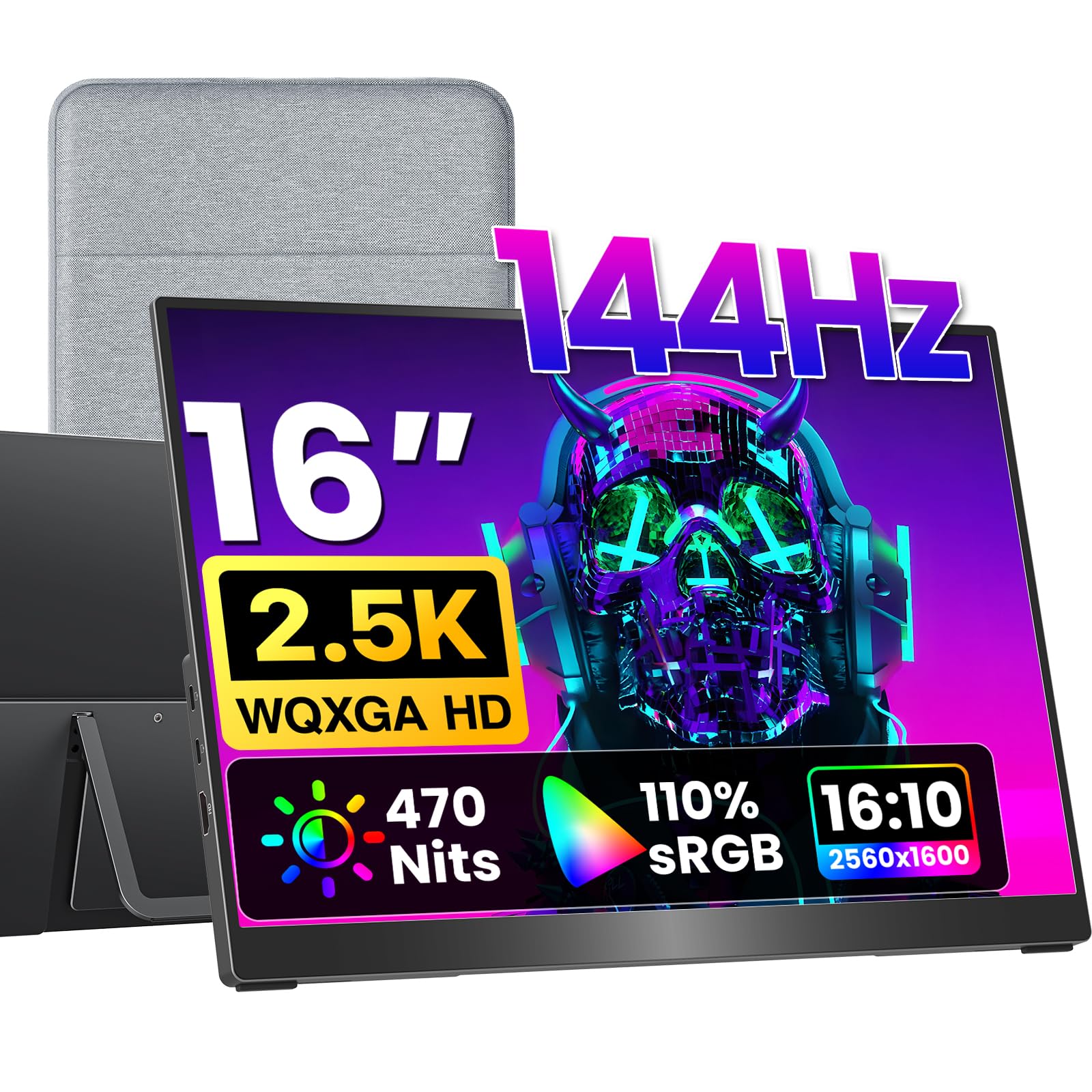
1. VisionOwl Portable Monitor 16 Inch 2.5K QHD 144Hz
Our pick — 4.5+★ from 3,000+ verified ratings; the strongest balance of quality and price.
The slim panel that keeps up with a gaming laptop instead of apologising for itself.
Motion is the reason this one sits at the top. It refreshes the picture 144 times a second, which is the spec that decides whether fast camera pans smear or stay readable in a shooter. The Acer below runs at 100 Hz, so the VisionOwl leads on smoothness — 144 Hz against 100 Hz is a visible gap once you start tracking a target across the screen.
Sharpness holds up too. The 2560 x 1600 pixel resolution puts more detail on the panel than the ASUS ZenScreen MB16AHV manages at 1920 x 1080, and the 16:10 shape mirrors a MacBook screen without black bars down the sides. Brightness sits at 470 nits, which is the buffer you want when the hotel-room window is behind you, and the panel covers 110% of the sRGB colour range so photos do not come out looking bleached.
Where the money went is build and ports. The chassis is metal and weighs 1.48 lbs, so it rides in a bag without you noticing the extra load. You get a full-size HDMI port rather than the fragile mini version, plus dual USB-C, a sleeve case, a power adapter, an HDMI cable, and two USB-C cables in the box. Setup is genuinely plug-in-and-go with no driver dance.
Slimness comes at the usual cost: this is a 16-inch panel, so check your bag’s sleeve before you commit. Under that size you are fine in most backpacks, but a slim 13-inch laptop sleeve will not swallow it. The 16:10 ratio also shows thin bars on a 16:9 source.
What earns it first place
- The 144 Hz refresh rate against the Acer’s 100 Hz — smoother motion for gaming and fast scrolling.
- 2560 x 1600 resolution gives you more working room than a 1920 x 1080 panel.
- 470 nits of brightness and 110% sRGB coverage hold colour in a bright room.
- 1.48 lbs in a metal body, and a full cable kit in the box.
- Full-size HDMI plus two USB-C ports, so you are not hunting for an adapter.
Where it asks a little of you
- Buyers report the single-cable trick needs Thunderbolt 3/4 or DP Alt Mode on your laptop.
- At 16 inches it wants a roomy bag sleeve, not a slim one.
- The 16:10 shape leaves small bars when you play a 16:9 video full-screen.
Grab this one if: you want one screen that handles a spreadsheet at noon and a game at night without swapping hardware.
Look elsewhere for: a tablet-sized panel that vanishes into a slim sleeve.
2. ASUS ZenScreen MB16AHV 15.6 Inch 1080p
A 10mm slab built for the café table, and honest about its one weak hinge.
If the goal is a second screen that slides into a laptop bag beside your charger, this is the shape you want. The body measures 10mm thick, which is the sort of slimness you can feel when you tuck it into the same compartment as your notebook. The panel is 15.6 inches at 1920 x 1080 with an anti-glare coating, so an overhead light does not turn the screen into a mirror while you work.
Two things earn their keep on the road. The first is 15W USB-C power delivery, which lets a single cable carry both the picture and the power so your travel desk stays clean. The second is the ionic silver coating on the surface, aimed at shared coworking tables and airport lounges. Both are useful when the monitor lives in public spaces.
Now the catch, and it is a real one. The fold-out stand is the part that lets owners down most often, with the stand breaking within a month of use being the recurring theme in the review data. Treat the kickstand as the fragile component and consider a separate tripod mount if the screen will be set up and torn down daily. The HDMI side has also drawn complaints about the port going dead, so pick your cable carefully and avoid yanking it out by the cord.
The buying logic: you are paying for the slim ASUS body, the anti-glare finish, a three-year warranty, and a free three-month Adobe Creative Cloud subscription. Owners consistently describe the picture as crisp and the setup as a plug-in job with both Mac and PC.
The honest caveat: brightness is listed at 250 nits, which is fine indoors and weak in a bright window seat. This is a night-and-office screen, not a patio screen.
The right owner: the commuter who sets up at a café table for two hours and packs it away again.
The wrong owner: anyone who wants a stand they can fold and unfold without thinking about it.
3. Acer PM191Q 18.5in FHD IPS 100Hz
The screen that turns a tight desk into a real workstation, if your bag can take it.
Eighteen and a half inches of glass in a 0.54-inch frame is a strange and useful combination. The Acer gives you 18.5 inches of diagonal while measuring just 0.54 inches deep, which means the panel takes barely more desk than a closed laptop and still leaves you two full windows side by side. Thinner panels exist, but few of them offer this much actual screen.
The contrast is the quiet win. At 2000:1 it pulls ahead of the VisionOwl’s 1200:1, and that gap shows up in dark scenes and in black text on a white document — less grey haze, cleaner edges. The 100 Hz refresh rate keeps scrolling smooth enough for everyday work, and the single USB-C cable carries the picture, the data, and the power in one run.
Portability is where the size starts to argue with you. Owners who work in tight corners find it travels well, but the people who actually commute with it note it barely fits in a work backpack. Weighing 2.49 lbs, it is a bag decision, not a pocket decision. If the screen mostly moves between the office and the kitchen table, the bag fit stops mattering.
Why it works: a 1920 x 1080 IPS panel with full-size HDMI plus USB-C, an HDMI cable, a power cord, and a USB-C cable in the box. Owners describe the colour as sharp and the setup as quick.
The trade: a DisplayPort-friendly laptop is not required here, but the size means you should measure your backpack’s laptop sleeve before ordering.
Meant for: the home-office user who wants two big windows and does not care about pocketability.
Think again if: the monitor has to live in a slim commuter bag every day.
4. ARZOPA 17.3″ Portable Monitor 1080P IPS
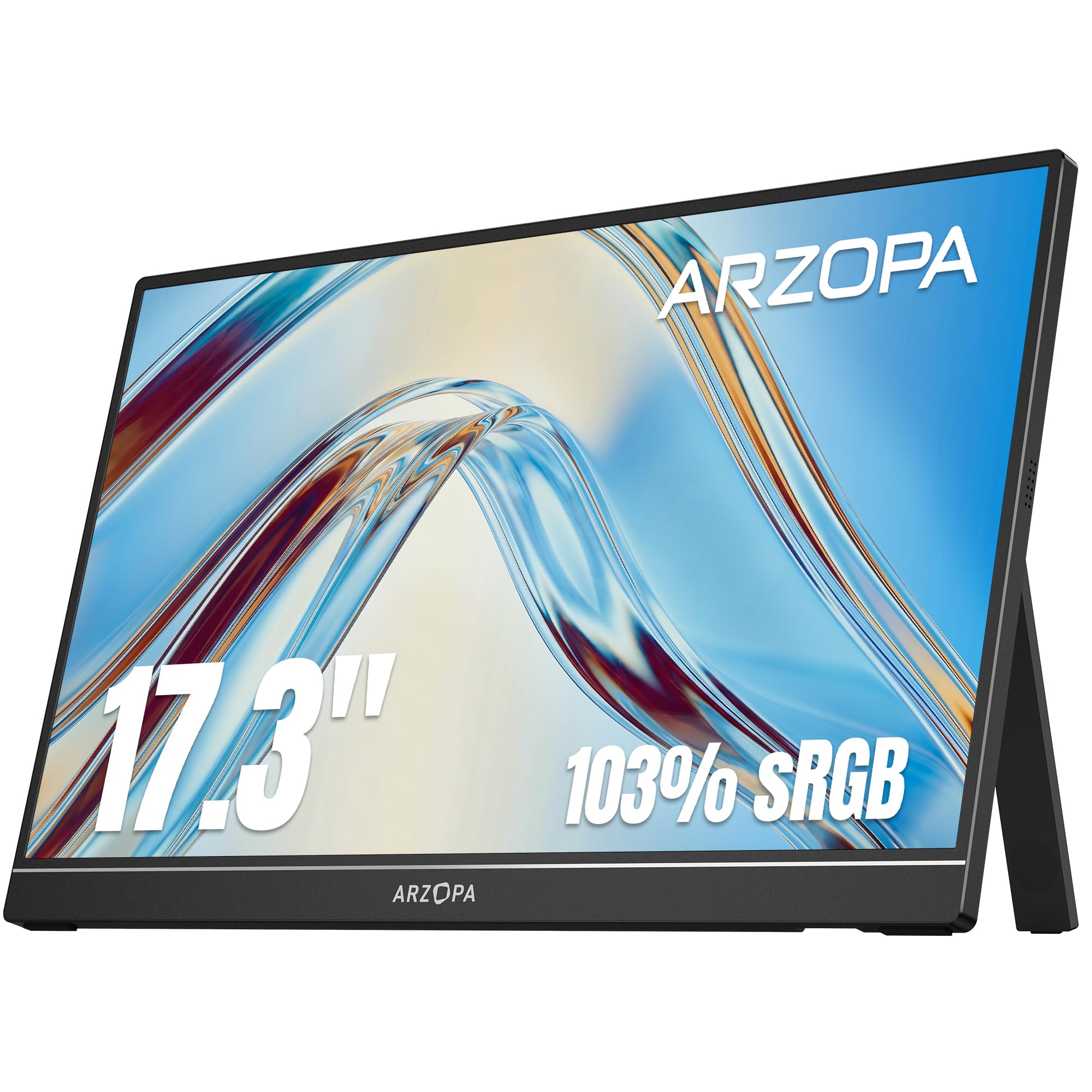
Seventeen inches of colour-accurate glass that swaps between portrait and landscape.
Colour coverage is the number that matters for anyone editing photos on the road. This panel covers 103% of the sRGB range, so skin tones and printed proof colours stay close to what you intended rather than drifting green. The 17.3-inch screen makes that colour easy to read, and the IPS technology keeps the picture steady when you lean sideways to check a detail.
The stand is the practical part. It rotates between landscape for video and portrait for long documents, so a full-page PDF fits without endless scrolling. Plug-and-play takes a single USB-C cable for video and power, though your phone needs a full-featured USB-C port to join in. Type-C and mini HDMI ports cover laptops, PCs, and consoles.
Where it gets awkward is the connective tissue. Xbox and iPad owners are the ones who hit trouble — compatibility with those devices is the recurring friction in the review data, so verify your console or tablet before you build a setup around it. USB-C laptop users report smooth sailing. A few units also stop working early, which is worth a warranty check.
The pitch: a large 1920 x 1080 travel screen with G-Sync Compatible support, three display modes (duplicate, extend, second screen), and a built-in stand that swivels to portrait.
The friction: brightness is listed at 300 cd/m2, so bright rooms will flatten the colours you bought it for.
Suits: the photographer or designer who needs a big colour-accurate panel in a backpack.
Suits less: console gamers and iPad users chasing a plug-and-play result.
5. Lenovo L15 Portable Monitor 15.6″

The travel screen that finally sits at eye level instead of propped on a paperback.
Most portable monitors force your neck down because the panel sits low on a kickstand. The L15 solves that with a height-adjustable stand, so you can line the screen up with your laptop display and stop craning. For anyone logging long hours at a hotel desk, that is the feature worth paying attention to.
The rest of the package is a sensible 15.6-inch 1920 x 1080 IPS panel with 250 nits of brightness and a 60 Hz refresh rate. Two USB-C ports handle the connection, and flicker-free technology is there to ease eye fatigue over a long session. The body is listed at just under two pounds in the marketing copy, which is the weight that makes it a genuine bag item.
The honest note is reliability. That is the strongest signal in the review data for this model, and it runs both ways — plenty of units work flawlessly for months while some fail within days. Buy from a seller with a clean return path, and test the panel thoroughly in the first week. That is sensible advice for any travel electronics, and especially worth heeding on a panel with this reliability record.
Where it earns its place: owners praise the picture and the plug-and-play setup, and the height adjustment is the differentiator nothing else in this list offers at this size.
What to weigh: the listed weight of 4.7 pounds in the specification table does not match the “just under two pounds” claim in the copy, so confirm the shipping weight before you plan for it in a carry-on.
Pick it for: a fixed desk-away-from-desk where the screen lives at the same spot and your neck matters.
Skip the risk if: you need one monitor to survive a year of daily commuting with no support backup.
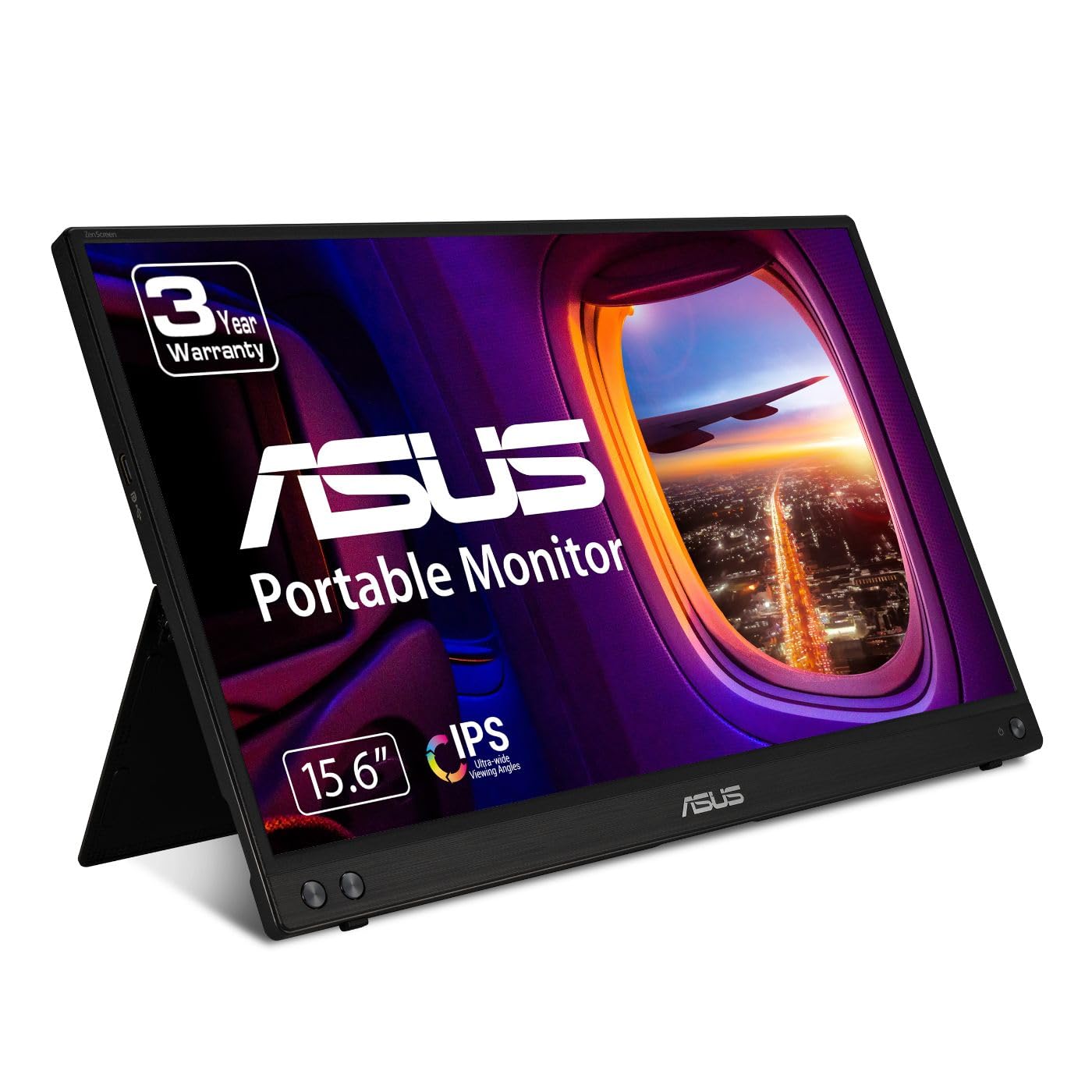
6. ASUS ZenScreen MB16ACV 15.6 Inch
One cable, no power brick, and a hybrid signal that works with older laptops too.
This is the monitor for the person whose laptop does not have a video-capable USB-C port. ASUS built a hybrid-signal connection that carries both power and picture over either USB Type-C or the older Type-A port, which is the compatibility bridge almost no slim panel bothers to include. If your work laptop is a couple of generations old, that single feature can decide the whole purchase.
The screen itself is a 15.6-inch 1920 x 1080 IPS panel with an anti-glare finish and an ultraslim body. USB-C Power Delivery means a single cable supplies both power and video, so there is no separate power cable to forget at the hotel. The kickstand props the screen in portrait or landscape, and TV Rheinland-certified flicker-free and low blue light modes are there for long evening sessions.
Two things you should know before you buy. The kickstand and the cables are the parts that wear out — stand breakage within a month is a recurring theme, and some cables fail after a few months. A three-year warranty with advanced replacement takes some of the sting out of that. The panel is also fixed at 1920 x 1080, so text is less dense than on the higher-resolution picks above.
Why people keep it in the bag
- Hybrid signal works with USB-C and USB-A laptops, a rare bridge for older machines.
- Single-cable USB-C Power Delivery, so no power brick to pack.
- Anti-glare IPS panel with flicker-free and low blue light modes.
- Three-year warranty with advanced replacement and repair service.
- A free three-month Adobe Creative Cloud subscription in the box.
The reality to plan around
- The kickstand is the weakest link — treat the hinges gently.
- Cables have been known to fail after a few months of daily use.
- 1080p resolution feels coarse next to the 2.5K and 3K panels here.
Reach for it when: your laptop rocks USB-A and you still want a one-cable travel screen.
Pass it over for: a setup where the kickstand gets folded hundreds of times a year.
7. UPERFECT 22″ 2K QLED Portable Monitor

A 22-inch QLED panel that treats colour accuracy as the whole point.
Twenty-two inches is not a travel monitor in any normal sense, and that is the honest starting point. What you get for the size is a 2560 x 1440 QLED panel covering 100% of the DCI-P3 colour range, which is the standard colour space video editors care about. Brightness sits at 300 nits with a 2000:1 contrast ratio, so the picture holds up in a lit room and blacks stay genuinely black rather than washed grey.
For chart-heavy work and design review, the extra pixels make a real difference. Owners describe the resolution as crisp enough for complex charts and the picture as beautiful at 2K. The panel also uses anti-glare coating and built-in blue light filtering, so long sessions are less punishing on the eyes.
The body is 0.2 inches slim, which is remarkable for a screen this size, and the patented 180° stand folds into the back. For full brightness UPERFECT recommends an external power source of at least 30W, and the box includes a PD 30W charger plus two Type-C cables and a mini HDMI cable. The catch is the weight — at 3.2 kg it is a desk-to-desk monitor, not a backpack one, and the stand prefers a shallow angle over a steep one.
The draw: 22 inches of 2K QLED with VESA mounting, 100% DCI-P3 colour, and a stand that folds flat into the body.
The bill: 3.2 kg is a two-hand lift, and the panel wants external power for full brightness rather than a laptop’s USB-C budget.
Best for: a designer who moves between two desks and wants a colour-accurate big screen at both.
Not for: a business traveller building a carry-on workstation.
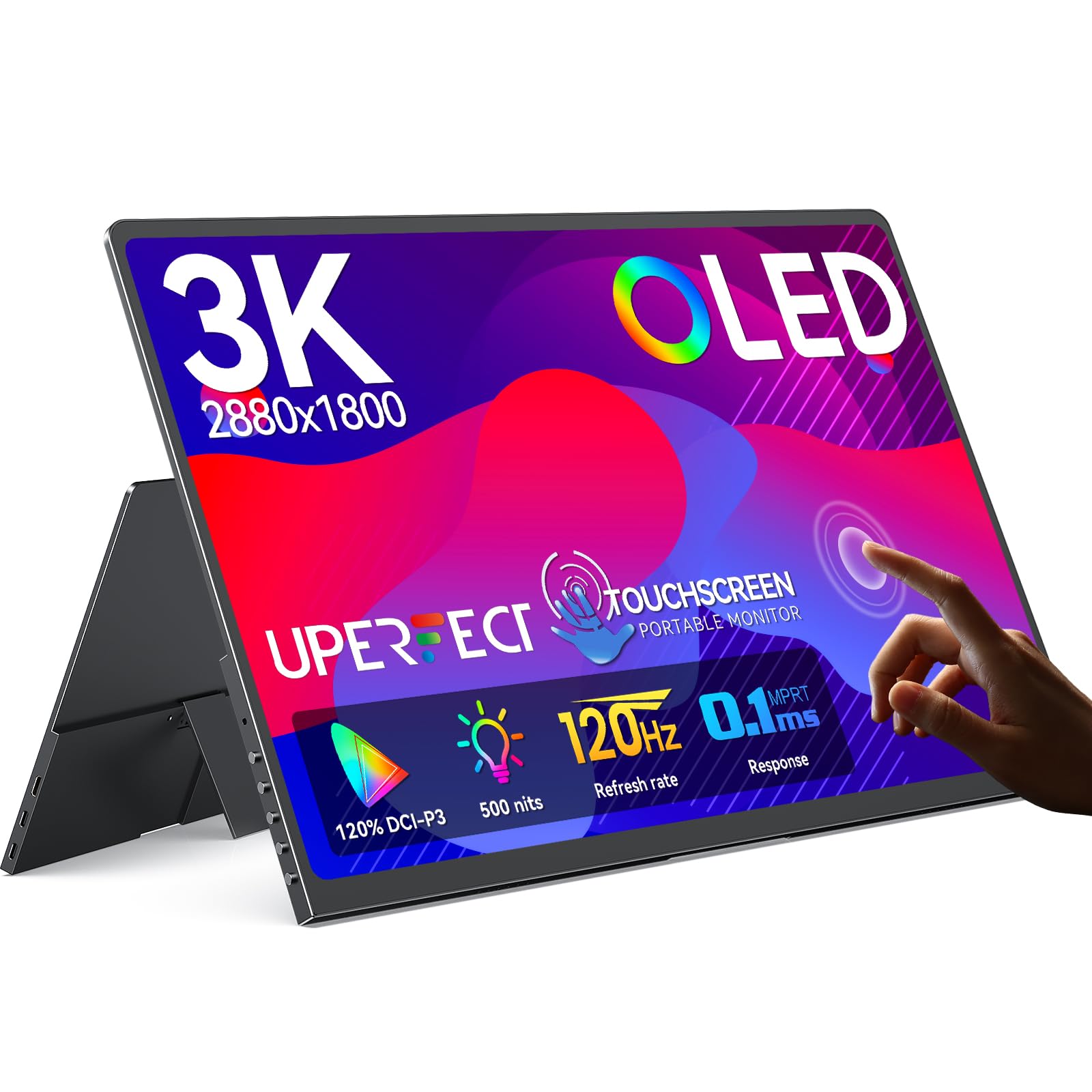
8. UPERFECT 14″ 3K OLED Touchscreen
Touch, OLED black, and 120Hz motion in a panel only 0.12 inches thin.
This is the most technically ambitious screen in the list, and the numbers back that up. The 2880 x 1800 OLED panel lights each pixel itself, so blacks are true black and the contrast ratio is listed at 500000:1. The refresh rate is 120 Hz with a 0.1ms response, which is the combination that keeps fast scrolling and gaming crisp instead of smeared.
The touch layer is what makes it different from every other pick. Taps and swipes register with what UPERFECT describes as pixel-accurate input and zero offset, so you can draw or tap small icons without fighting the cursor. One thing to know: the touch only behaves itself when the monitor is set as your main screen, so adjust that in your display settings first.
At 1.29 lbs and 0.12 inches thin, it fits in a laptop bag without a second thought, and the full-metal body with an adjustable stand and VESA support lets it work as a standalone display. Brightness goes up to 500 nits with 120% DCI-P3 colour. The practical catch is HDMI — the 3K resolution runs at 100 Hz over HDMI, and you only get the full 120 Hz through Type-C. Some phone connections are also fiddly.
Where it wins out
- 2880 x 1800 OLED with 500000:1 contrast for true blacks.
- 120 Hz refresh and 0.1ms response for smooth motion.
- Pixel-accurate touch input with no cursor offset.
- 0.12 inches thin and 1.29 lbs, with a full-metal body.
- 120% DCI-P3 colour and up to 500 nits of brightness.
What to plan around
- The full 120 Hz only arrives over Type-C — HDMI caps the 3K panel at 100 Hz.
- Touch needs the monitor set as your main screen to track correctly.
- Phone compatibility over USB-C is hit and miss depending on the handset.
Your pick if: you want to draw, tap, and game on a panel that disappears into a slim sleeve.
Not your pick if: an HDMI-only device is your main source and you expect 120 Hz from it.
9. SOTSU FlipAction Touch 14″ Portable Monitor
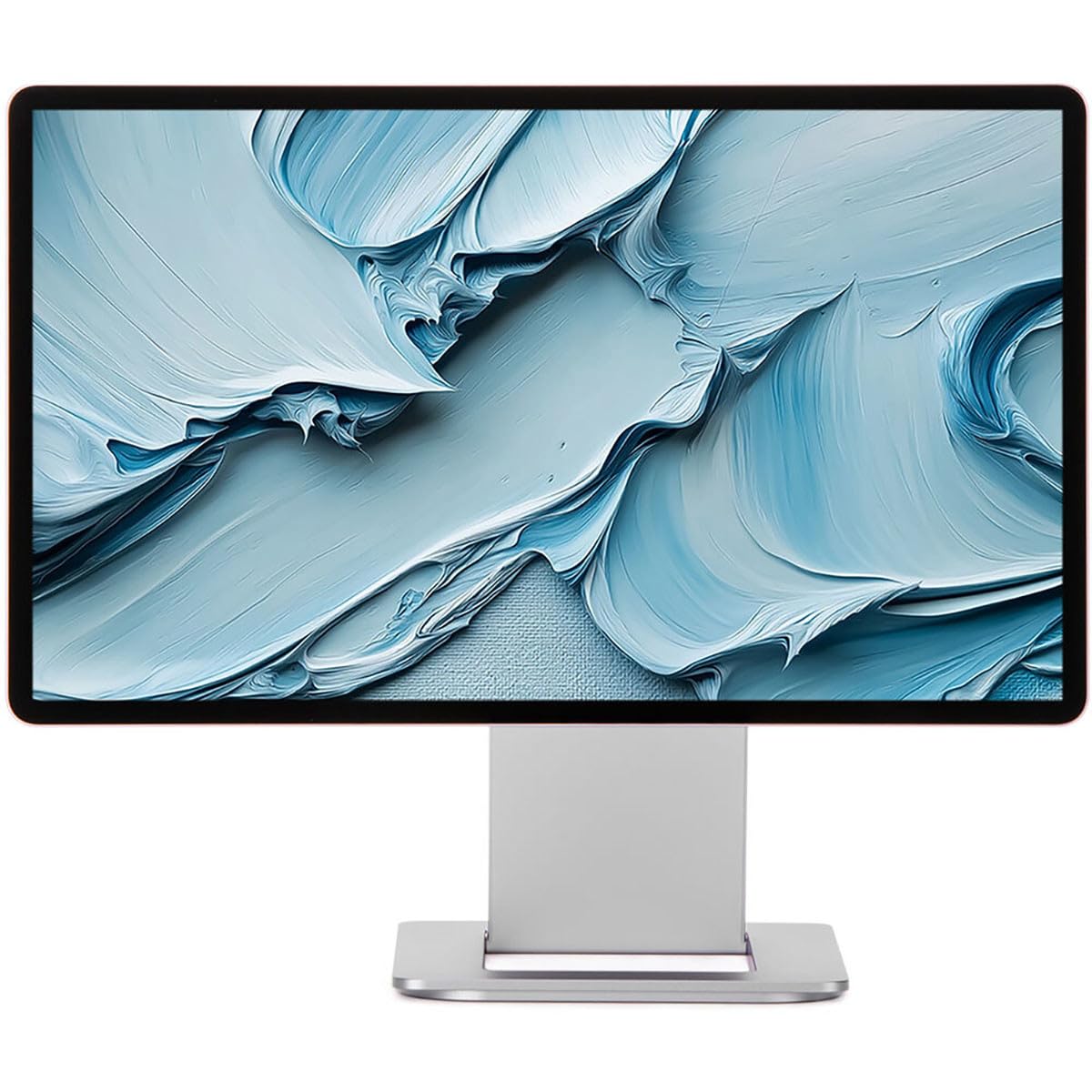
A stand that magnetises flat to the back, so the whole thing folds to half an inch.
Most slim monitors are thin only until you count the kickstand jutting out. This one folds its base stand flat against the screen via magnets, so the packed unit measures just half an inch thick. That half-inch packed thickness is what lets it live in your bag instead of on your desk.
The panel is a 14-inch 1920 x 1080 IPS display with 400 nits of brightness and 100% sRGB coverage, wrapped in tempered glass and a full CNC-machined metal body. The touchscreen is 10-point with multi-touch gestures, and it supports the MPP2.0 stylus protocol so a compatible pen works with it. The hinges rotate from 0 to -90, 90, and 180 degrees and adjust the height to line up with your laptop, and pass-through charging lets one charger feed both the monitor and your device.
Two honest limits. macOS users lose most of the touch functionality because of how the system handles touch input, and Mac text can show smaller than on Windows at 1080p. Owners also split on the display quality — some love the Full HD picture, while others find fine detail softer than they expected. Treat it as a beautifully built 1080p panel, not a colour-matching workstation screen.
The build is the story: CNC-machined aerospace aluminium, an anodised finish, and a fold-flat base that makes half an inch of packed thickness possible.
The compromise: at 400 nits the panel is fine indoors, but a sunny window will still wash it out.
Built for: the traveller who wants a touch second screen that folds as flat as a clipboard.
Look elsewhere if: you work on a Mac and expect the touch layer to do much.
10. ViewSonic VX1655-4K-OLED 16 Inch

Full 4K OLED detail in a 1.5-pound panel, with power delivery that works both ways.
For photo and video work, resolution and contrast are the entire argument, and this screen wins both. The panel is a 15.6-inch 3840 x 2160 OLED with self-lit pixels and a stated 100,000:1 contrast plus 1ms response. Colour coverage is 100% of the DCI-P3 range, so grading footage on a hotel desk gets you closer to what the final file will look like.
The power design deserves attention. USB-C 60W two-way power means your laptop can run the monitor, or the monitor can charge your laptop or phone from a power bank or the included adapter. Video, data, and charging all ride one USB-C cable. At 0.6 inches thick and 1.5 pounds, it slips into a laptop bag with a screen cover included for travel.
What buyers should watch for is the power draw and the brightness consistency. The review data flags mixed feelings on both — some report a picture that dims when it is not connected to power, and others note it pulls a lot of juice. There are also Mac compatibility reports around high-DPI mode. Plugging into mains power whenever you can is the safest way to get the panel you paid for.
Where it delivers: real 4K OLED contrast, 100% DCI-P3 colour, mini HDMI and dual USB-C plus a headphone jack, and ports built into the kickstand so cables stay hidden.
The catch worth knowing: value and brightness both split opinion among owners, so treat the adapter as essential rather than optional.
Choose it if: you edit photos or footage on the move and want OLED black and 4K pixel density.
Choose differently if: your workflow has to run off a laptop battery with no wall socket nearby.
11. SOTSU FlipAction Elite 16″ 4K Portable Monitor
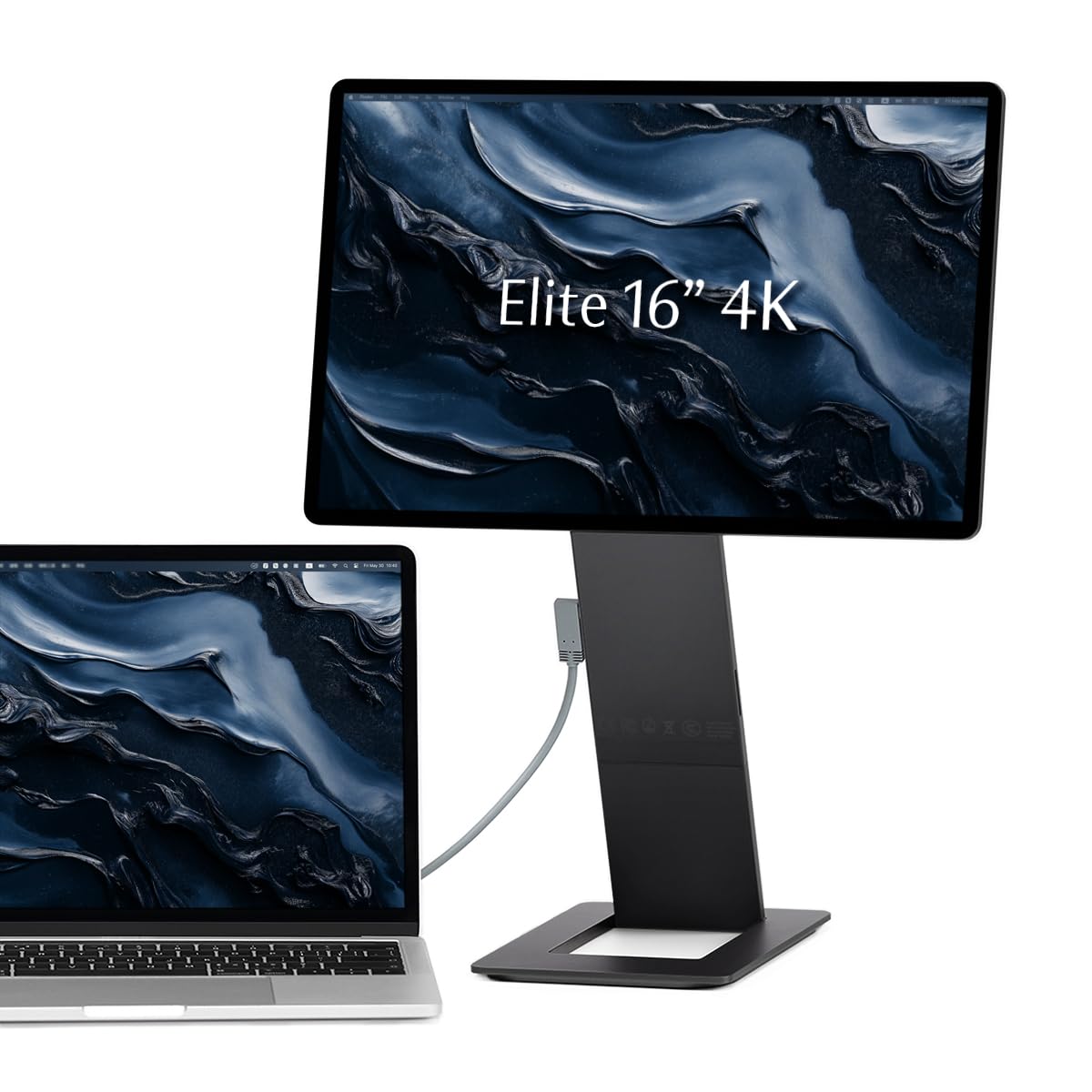
A MacBook-matched 16-inch 4K panel machined from aerospace aluminium.
This is the pick for the person who wants the second screen to look like it shipped with the laptop. The 3840 x 2400 resolution matches the pixel density MacBook Pro owners are used to, and the 16:10 shape removes the black bars when you mirror that screen. Colour coverage hits 100% of the DCI-P3 range, which is the standard designers and photographers work in.
The construction is why you would spend premium money here. The body is CNC-machined from aerospace-grade aluminium with an anodised finish and rounded edges cut to tight tolerances. The base stand magnetises flush to the back for half an inch of packed thickness, and it works as a kickstand alone in landscape or portrait. Brightness sits at 450 nits with a 1200:1 contrast ratio, and a full SD card slot lives in the kickstand so travelling creatives can skip the card reader.
The price is the honest sticking point, and owners say so. Value for money splits almost evenly — half consider it worth the premium for the build and the match to a MacBook, half cannot justify the outlay. That is not a defect, it is a clear statement of who this is for. If the Mac-like finish and the resolution matter to you daily, the maths works. If the second screen is just extra space for email, it does not.
The case for it: a 16-inch 4K panel at 450 nits with 100% DCI-P3 colour, a built-in SD slot, a height-adjustable hinge rotating 0 to -90, 90, and 180 degrees, and pass-through charging.
The case against: the premium build is what you are paying for, and only you can say whether that matches your workflow.
Fits: Mac-based creatives who want a second screen that matches the laptop in look and pixel density.
Less fitting: anyone who just needs extra windows for email and calendars.
Know the Specs
Thickness, Weight, and Packed Size
Panel thickness in inches or millimetres tells you how thin the glass is, but the packed size is what determines whether the monitor actually travels. A monitor with a fold-flat stand can measure 0.12 inches thin at the panel and still pack to half an inch once the stand magnetises onto the back. That is the number that fits a bag sleeve. Weight in pounds or kilograms matters just as much — a 1.29-pound panel is a shoulder-free addition, while a 3.2 kg unit is a desk-to-desk appliance.
Brightness in Nits and Contrast Ratio
Brightness is measured in nits (candela per square metre), and it tells you how hard the backlight pushes against room light. Two hundred fifty nits is a dim-room screen; 470 nits gives you far more headroom in a bright café. Contrast ratio is the spread between the darkest black and the brightest white, so a 2000:1 panel draws cleaner text and deeper shadows than a 1200:1 one. An OLED screen beats the comparison outright because each pixel switches off entirely for true black.
Common Questions
Do I need a special USB-C port for a single-cable portable monitor?
Why does my portable monitor dim when I unplug the power adapter?
Is 16:10 better than 16:9 for a thinportable monitor?
How bright does a portable monitor need to be to use outdoors?
Can I use a portable monitor with a PS5 or Xbox?
Will a portable monitor work with my Mac?
How thin is actually thin enough to fit in a laptop bag?
Do portable monitors come with cables and a power adapter?
Can I mount a thin portable monitor on an arm?
Is a 4K portable monitor worth it over a 1080p one?
What causes a portable monitor’s kickstand to break?
The Bottom Line
If you want one thin portable monitor that handles work, video, and gaming without a compromise, the VisionOwl 16″ 2.5K is the one to buy — 2560 x 1600 resolution, 144 Hz motion, 470 nits of brightness, and a metal body at 1.48 lbs. It is the crowd favorite here at 4.5+ stars across 3,000+ ratings, and its 144 Hz panel scrolls visibly smoother than the Acer’s 100 Hz.
If portability is the whole point and your bag is tight, the fold-flat SOTSU FlipAction Touch 14″ packs to half an inch and adds a 10-point touchscreen. For a Mac-matched desktop replacement, the SOTSU FlipAction Elite 16″ brings 3840 x 2400 and 100% DCI-P3 in machined aluminium. And if you edit photos or footage, the ViewSonic VX1655-4K-OLED gives you true 4K OLED black. Any of these four beats a thicker panel that never leaves the desk.
How we choose
We do not accept paid placement. Every pick is matched to a real buyer and a real use-case; we do not hands-on test units.
Sources
Specifications: manufacturer listings and product documentation. Review insights: verified customer reviews, as of November 2026. Pricing: not shown on this page (it changes often); check the current price via the retailer link.
As an Amazon Associate, Tactical Gear Guy earns from qualifying purchases. This does not affect which products we feature.