Specs are compiled from manufacturer listings and verified buyer reviews and can change over time — please confirm the key details on the product page before buying.
If you want a tiny printer that spits out labels, notes or full letter-size documents without a single drop of ink, start with the Phomemo D30 for labels and sticker fun, or step up to a letter-size travel unit if you need real documents on the road. The trick is knowing which job you actually have, because a palm-size sticker maker and a document printer are built for very different work.
This guide is built by comparing the manufacturers’ published specifications and the patterns across verified customer reviews, so you get each pick’s real strengths and trade-offs instead of marketing spin.
A mini thermal printer runs on heat instead of ink, so the only consumable you ever buy is thermal paper. That single fact changes the math on every pick below, and it is the reason this breakdown of the thermal mini printer field sticks to what each machine actually prints.
Top Picks

How To Choose The Best Thermal Mini Printer
The first fork in the road is what you want to come out of the slot. A sticker and label maker prints narrow strips you peel and stick. A document printer handles full sheets you sign and file. Mixing those two jobs up is the most common way people end up disappointed.
Match the paper width to the job
Narrow label rolls suit jars, cables, folders and name tags. If you need US Letter pages at 8.5 × 11 inches, you need a machine rated for that size — the HPRT and the CamScanner P1 Pro both list it, while the pocket sticker units do not. Check the paper type too: every one of these printers needs thermal paper, never ordinary copy paper.
Resolution sets how small your text can go
Resolution is measured in dpi, or dots per inch — more dots means crisper detail. A 300 dpi machine renders small print and photos noticeably finer than a 203 dpi one. If you mostly print bold labels or short notes, a lower figure is workable; if you print contracts or study diagrams, chase the higher number.
Decide how you will connect
Almost all of these pair to a phone over Bluetooth through a companion app. Laptop printing is the split point — some units add USB-C or USB so a Windows or Mac machine can drive them, and some are Bluetooth-only. Read that line twice if you plan to print from a computer at all.
Side-by-Side Comparison
| Model | Best For | Print Speed | Resolution | Paper / Width | Amazon |
|---|---|---|---|---|---|
| Phomemo D30★ Best Overall | Label and sticker labeling | 40 pages per minute | — | Label tapes (3 rolls included) | Amazon |
| Phomemo M04STop Performer | High-resolution photos and notes | 1 page per minute | 300 dpi | 110mm max width, 50+ paper styles | Amazon |
| Memoking T02Best for Notes | Students and study notes | 25 pages per minute | — | 6 rolls of thermal paper included | Amazon |
| TATTMUSE A28U | Travel document printing | 20 pages per minute | 300 dpi | Thermal paper (10 pcs + case) | Amazon |
| Inkless Portable (TATTMUSE A285M) | All-day travel and field work | 7 pages per minute | — | 5 sizes, up to 8.5 × 11 in | Amazon |
| Rongta Bluetooth Printer | Slim notebook-slip portability | 15 pages per minute | — | Up to 8.5 × 11 in | Amazon |
| HPRT Travel Printer | Quick simple travel printing | 15 pages per minute | 203 dpi | 4–8.5 inch thermal paper | Amazon |
| Ponek T02 Sticker Printer | Kids and creative sticker play | 20 pages per minute | — | 3 rolls white paper included | Amazon |
| CamScanner P1 Pro | Scan-and-print business documents | 4 pages per minute | 300 dpi | US Letter 8.5 × 11 in | Amazon |
Detailed Reviews
1. Phomemo D30 Thermal Printer
Our pick — 4.0+★ from 33,000+ verified ratings; the strongest balance of quality and price.
The pocket label gun that turns a messy shelf into a sorted one.
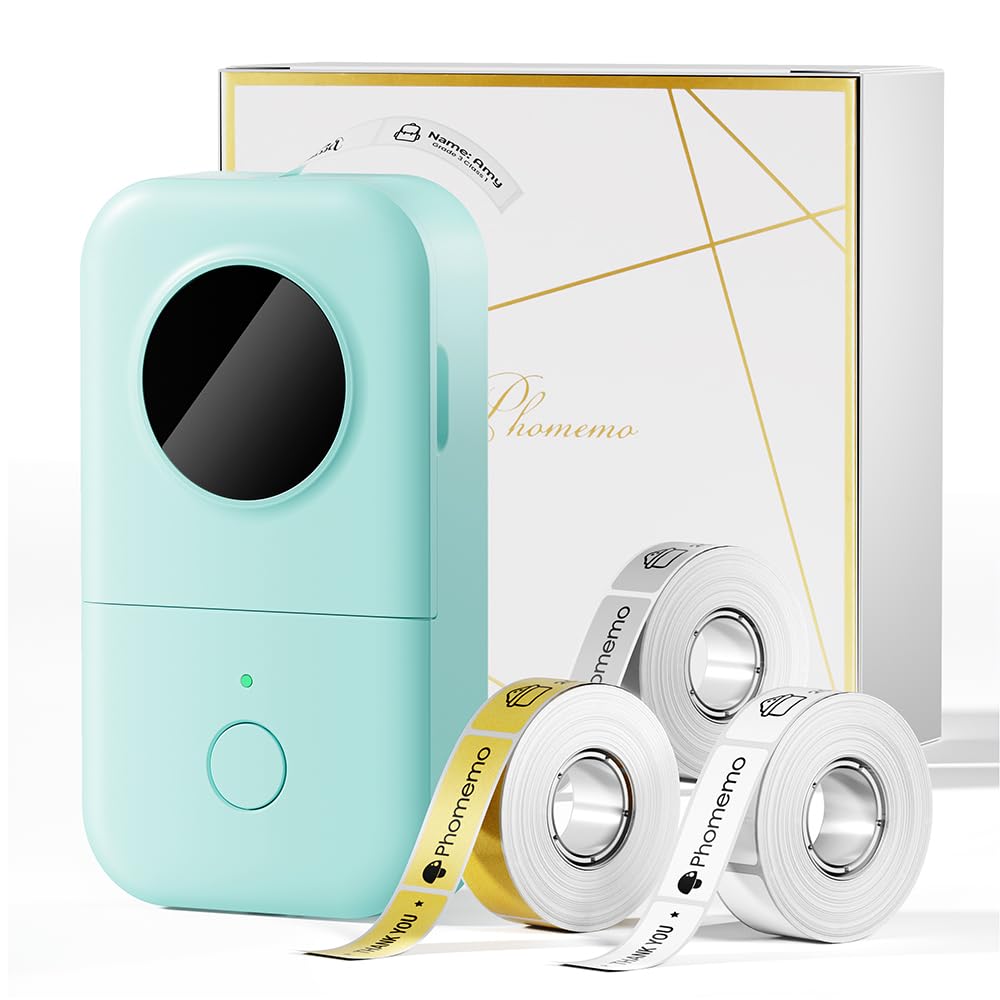
This is the pick for the person whose clutter problem is smaller than a document and bigger than a to-do list — pantry jars, cables, school folders, cosmetic bottles. It prints on narrow label tapes rather than sheets, and it arrives with three rolls: one white, one gold and one clear.
Speed is where it separates from the travel crowd. It lists 40 pages per minute against the Rongta’s 15, and it is built for short bursts of label tape rather than long documents. It also holds the title of the most compact machine here at 0.65″D x 1.95″W x 5″H — the Rongta runs 4″D x 0.5″W x 1″H by comparison, so the D30 stands tall and slim where the Rongta lies flat and wide.
What wins people over is the ease of the Phomemo app — setup and printing a label never become a project. The creative side runs deep too: over 1000 symbols, 110+ frames and a spread of fonts mean you can build a proper label instead of a bare word. It prints black text only, so any color you see in the marketing images comes from the patterned tape, not the print head.
The honest catch is print longevity. Plenty of labels come out crisp, but some fade toward illegible over time — so label the lunchbox lid, not the legal file. It is a labeling tool with a real ceiling, and within that job it is the crowd favorite, sitting at 4.0+ stars across 33,000+ ratings.
Why the shelf gets organized
- 40 pages per minute means a row of labels prints in one quick pass
- Three tapes in the box — white, gold and clear — so you can start the same day
- 1000+ symbols and 110+ frames in the app for labels that look designed
- Slides into a pocket at 0.65″D x 1.95″W x 5″H
Where it stops short
- Black-only printing; color comes from the tape, never the printer
- Some labels fade over months, so it is not for permanent records
- Narrow tape only — no full-size pages
Grab this one if: your jobs are labels, jars, cables and school supplies, and you want them done in seconds from your phone.
Think twice if: you need full letter pages or printing that has to survive years in a filing cabinet.
2. Phomemo M04S Thermal Printer
The one that prints photos you would actually stick on a wall.
Detail is the whole pitch here. It runs 300 dpi — that is 300 dots per inch, the measure of how fine the print head lays down detail — which is why photos and small type hold up where a lower-resolution pocket unit blurs out. With a 110mm maximum printing width, it also gives you the widest format of the pocket-size machines reviewed here.
Paper choice is unusually broad at 50+ thermal styles, including colored and transparent sticker rolls. The claim that matters for buyers is that these rolls prevent paper blackening, and the print lands clean and even on white stock. Battery is generous on paper: 5 hours of continuous printing per full charge and a standby time listed at over one month.
Two caveats keep it honest. First, it is not a speed machine — the spec shows 1 page per minute, so think photos and notes, not a stack of invoices. Second, the printing width is generous but the body is long, so it is a desk-and-bag companion rather than a jeans-pocket one. What earns it the top performer badge is print quality, the thing people rave about most, with ease of use right behind it.
Picture-perfect payoff: 300 dpi plus 110mm width makes this the best pick for journal images, study diagrams and Bible-journaling spreads.
Pace yourself: at 1 page per minute it suits a creative session, not a mail-merge run.
The creative pick: journalers, crafters and students who want sharp imagery across three paper sizes.
Keep looking if: you need document speed or true palm-size portability.
3. Memoking T02 Mini Thermal Printer
A study-bag printer that turns lecture notes into peel-and-stick cards.
Buy this one if you are a student, a nursing student or a teacher, because the whole package is aimed at printing study material. It fires off at 25 pages per minute, faster than the Rongta’s 15, and it ships with 6 rolls of thermal paper so you are not hunting refills in the first week.
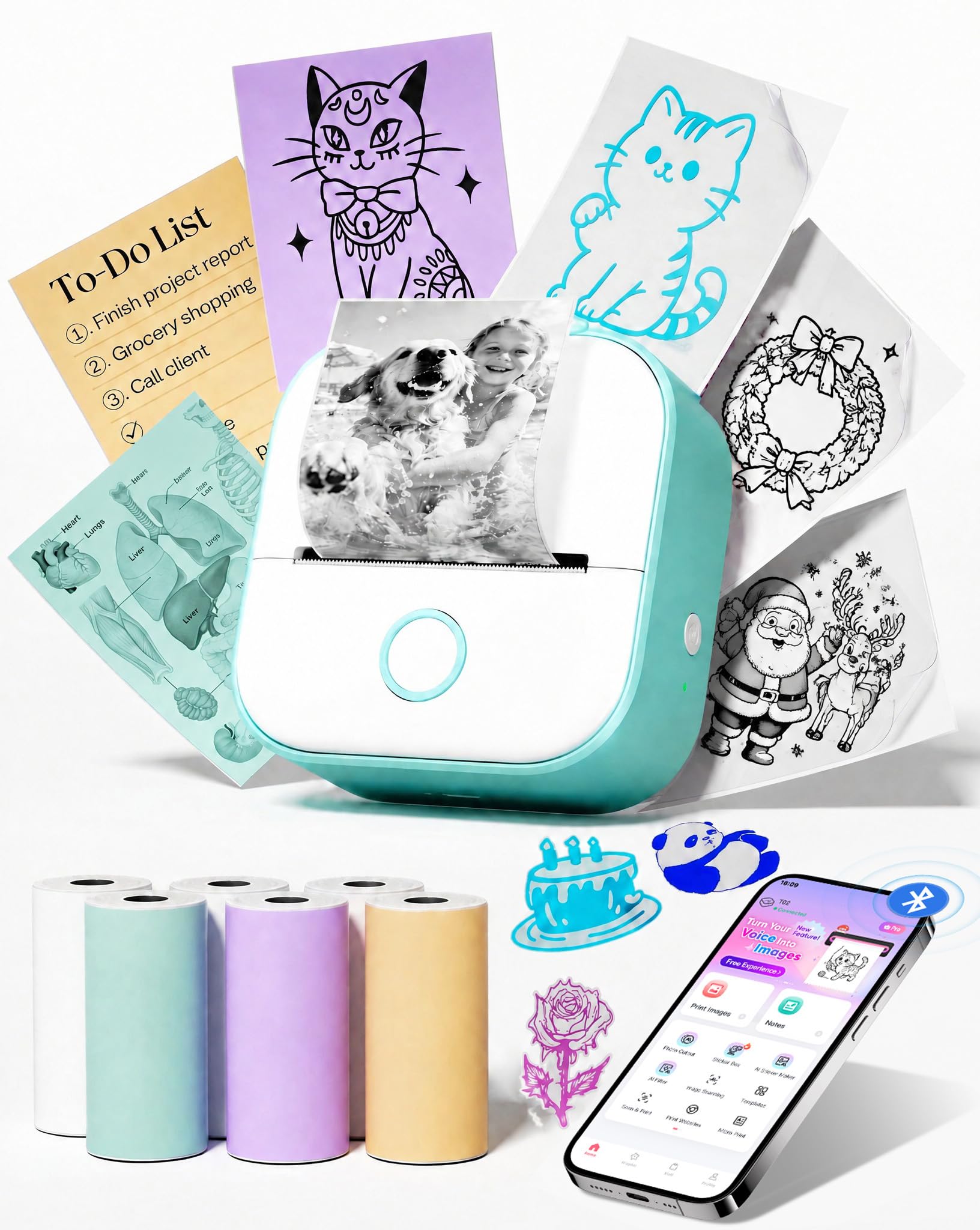
The Scan feature is the sleeper. It pulls a diagram from a textbook or a handwritten page and prints it clearly — the exact job for anatomy flashcards and physics figures. It pairs over Bluetooth through the Phomemo app with a one-click connect listed at within 2 seconds on iOS and Android, and it explicitly does not print from a computer, so this is a phone-first tool.
What people rave about most is how well it performs, and it lands at 4.0+ stars overall. The recurring gripe is print quality: some units come out unclear or blurry, so check the first roll before you commit a whole study unit. Sized at 1.4″D x 3.4″W x 3.4″H, it lives in a pencil case without complaint.
What students get out of it
- 25 pages per minute keeps flashcard sessions moving
- 6 rolls of thermal paper bundled in the box
- Scan function turns textbook pages into printable study graphics
- Bluetooth-only setup keeps it simple from a phone
What to expect honestly
- Print clarity varies — start with a short test print
- No computer printing, so laptop-only users are out
- Sticker/note format, not full-page documents
Reach for this if: you study, teach, or want a phone-driven sticker printer that eats through notes fast.
Look elsewhere if: your work lives on a laptop or you need document-size paper.
4. TATTMUSE A28U Portable Printer
A travel document printer that clears its own paper jams with a double tap.
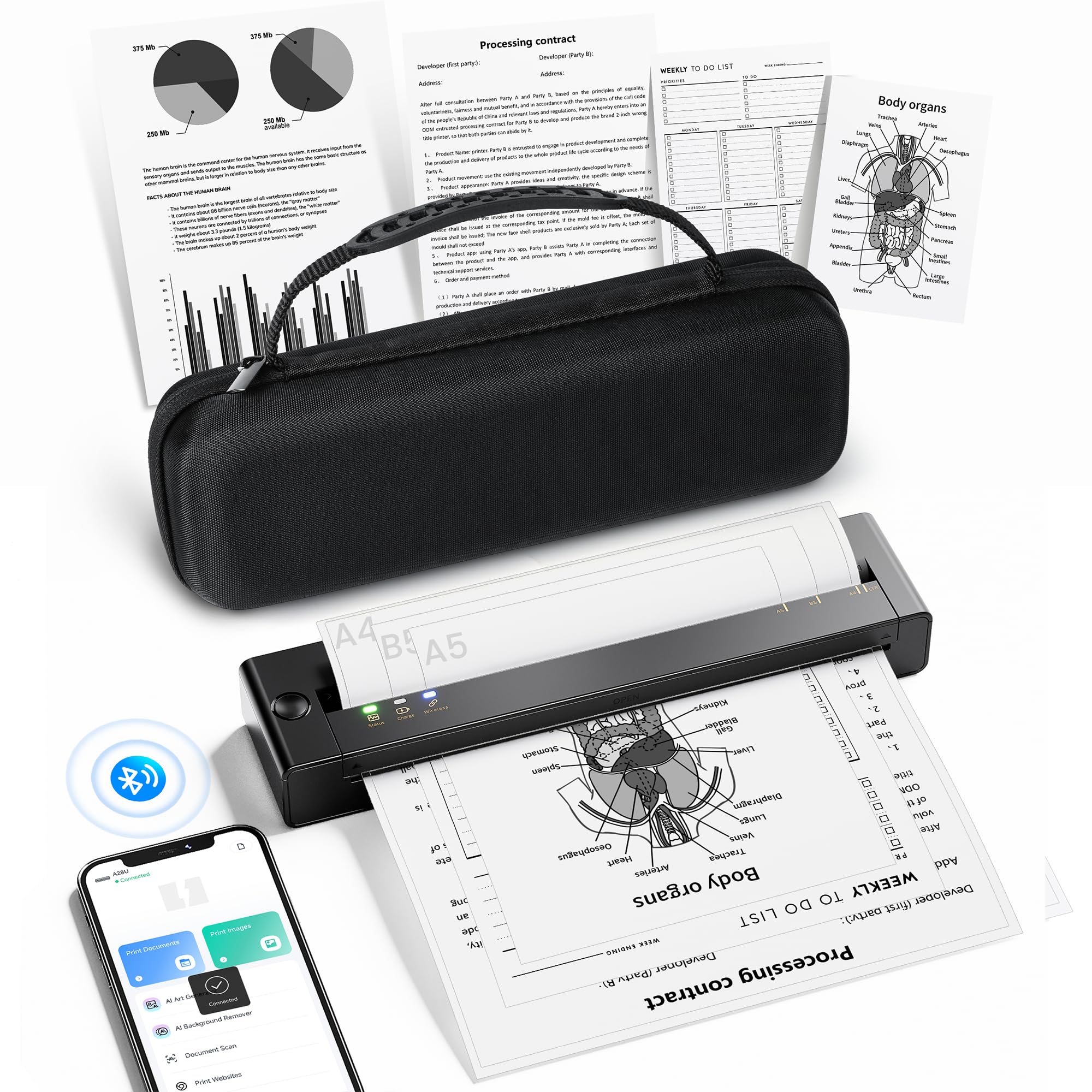
The double-tap jam reversal is the standout feature here. Instead of forcing a stuck sheet out by hand, you tap twice and the mechanism backs the paper out — a small thing that saves a lot of frayed edges. It runs 20 pages per minute and carries a 300 dpi print head, and it can also print from a laptop or PC, which the pocket sticker units cannot.
The print head is where the design effort shows: a dual-zone heat control with a ±0.1°C temperature lock, tuned for even density across the page. Printing is inkless and uses only thermal paper, so a fresh installer never has to buy a cartridge. Ten sheets and a case come in the box, enough to test it before you stock up.
Battery life is a stated priority, with cool charging billed as extending the pack’s lifespan over time. The honest limits are the ones that repeat in reviews: a few units arrive that simply will not print, and some connections act up with Chrome Books and MacBooks. If that happens, lean on the double-tap return and the paper check before assuming a dead unit. At 4.0+ stars it is a solid travel companion for people who print a handful of documents at a time.
Travel-ready edge: the double-tap jam return plus 300 dpi and laptop support make it a genuinely useful bag-size printer for a working trip.
Small correction to make: some device pairings are hinky, so test your MacBook or Chrome Book connection early.
Best for the road warrior: professionals printing receipts, invoices and short documents from a bag.
Not for you if: your print quality expectations are picky or you need a flawless first-try setup.
5. Inkless Portable Thermal Printer

The all-day field printer that handles five paper sizes from one paper bin.
The multi-size paper bin is the reason to shortlist this one. It supports 8.5 × 11 inch US Letter, A4, 4.33 inch (110mm), 3.14 inch (80mm) and 2.08 inch (53mm) thermal paper, so one machine can print a contract, a receipt and a label from the same body. That kind of flexibility is rare in this niche, where most picks lock to one width.
Portability is the other draw. It weighs 1.5lb, sits at 10.39″D x 3.07″W x 1.77″H, and is built for people who work away from a desk — notaries, truck drivers, teachers and students. Bluetooth handles phone and tablet printing; USB-C with a downloaded driver handles a laptop. Charging needs a 5V 2A supply, so a standard modern adapter is the right call.
It is not fast. It lists 7 pages per minute, slower than the 15 on the Rongta, so it is a document-per-page tool rather than a batch machine. What it does win is daily performance — the aspect people rave about most, with ease of use and reliability right behind. The print quality is mixed, with some finding it clear and others reporting blanks, so run a test page before a big job.
What makes it a daily carry
- Five supported paper sizes from US Letter down to 53mm
- 1.5lb body fits in a backpack or briefcase
- Works with a phone over Bluetooth and a laptop over USB-C
- Built-in paper bin means no separate roll holder
Where it slows you down
- 7 pages per minute is the slow end of the field
- Print quality varies unit to unit
- Charger must be 5V 2A — higher-voltage adapters are ruled out
Pick it for: flexible paper sizes and true all-day portability from a phone or laptop.
skip it if: you print in volume or need speed above single documents.
6. Rongta Bluetooth Thermal Portable Printer for Travel
A paper-flat travel printer that slips into the laptop sleeve.
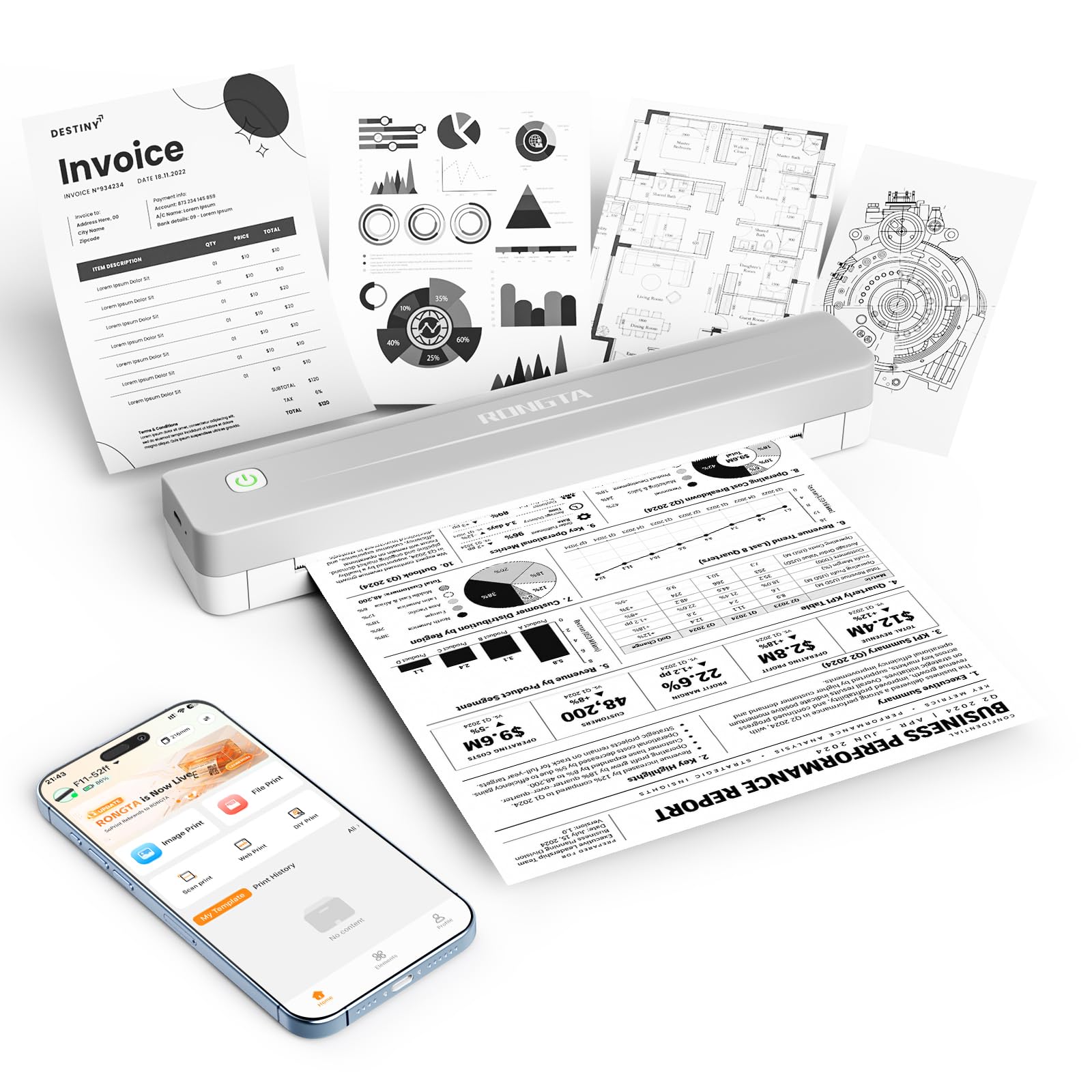
Its shape is its superpower. It measures 4″D x 0.5″W x 1″H, which is thin and wide rather than a little cube — the kind of profile that slides into the pocket of a laptop case next to a notebook. At 8 ounces it barely registers in a bag, and it tops out at 8.5 x 11 inch media for real letter-size pages.
Output quality is the headline strength: it consistently turns out readable documents, and users describe it as practical for daily travel, home and work printing. The RONGTA app is the other point of praise — straightforward to learn, especially for first-time thermal users. Speed sits at 15 pages per minute, mid-pack but plenty for a boarding pass and an invoice.
Where it asks you to plan ahead is the connection. The RONGTA app is the Bluetooth route for phones; for laptops and PCs you download a driver and use the USB cable, so a Bluetooth-only laptop will not do it. Bluetooth itself is also the mixed spot, with some connections dropping and needing a re-pair. Treat it as a reliable travel printer with an occasional hiccup, not a desktop workhorse.
Flat-pack advantage: 4″D x 0.5″W x 1″H and 8 ounces make it the easiest one here to tuck into a laptop bag.
Plan the setup: Bluetooth can be finicky and laptops need the USB driver, so learn the pairing before you travel.
Go for it when: you need letter-size pages from a slim, light bag companion.
Hold off if: you want a totally wireless laptop setup or you dislike re-pairing Bluetooth.
7. HPRT Portable Thermal Inkless Printer
Auto-feed printing for people who want zero fiddling on the go.
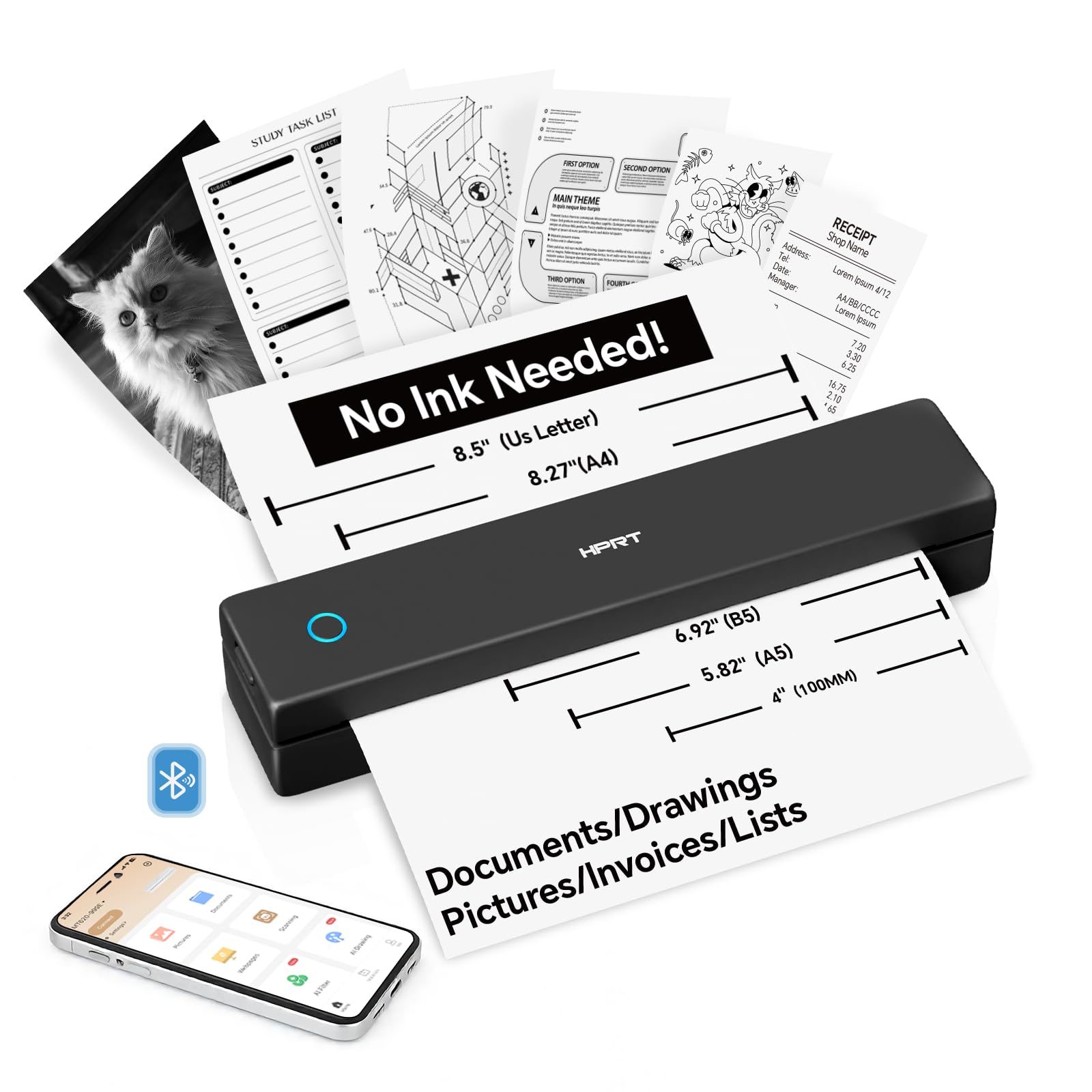
The automatic paper feed is what makes this one beginner-friendly. You insert the paper into the inlet and the printer grabs it itself — no cover to open, no alignment to fuss over. That small ease matters when you are printing a receipt in a parking lot. It is also genuinely light at 1.1 lb and sized 2.2″D x 10.2″W x 1.8″H, so it fits a backpack or briefcase.
The resolution is 203 dpi, which is the entry tier in this category — readable for text and invoices, softer on fine detail than a 300 dpi machine. It prints at 15 pages per minute and supports 4 to 8.5 inch thermal paper, including US Letter, Legal, A4 and A5. Auto-shutoff after 15 minutes idle keeps the battery in reserve.
Buyers who like it cite the value and the simplicity; the honest caveat is that a few report laptop connection trouble, so test the USB-C link on a Windows or Mac machine early. This is a pick for the person who wants a simple, low-fuss thermal printer for quick pages, not a high-resolution document system.
Why it feels easy
- Auto paper feed removes the loading fuss
- 1.1 lb body with 4–8.5 inch paper support
- 15-minute auto-shutoff protects battery
- USB-C and Bluetooth both available
Where the bar is lower
- 203 dpi is the base-resolution tier
- Laptop connectivity is the recurring trouble spot
- Black-and-white only, and thermal paper only
Good match for: quick, low-fuss printing of receipts, notes and invoices on light hardware.
Not the one if: you need razor-sharp detail or a guaranteed laptop handshake.
8. T02 Mini Sticker Printer
A phone-fed sticker machine that lets kids design, cut out and print.
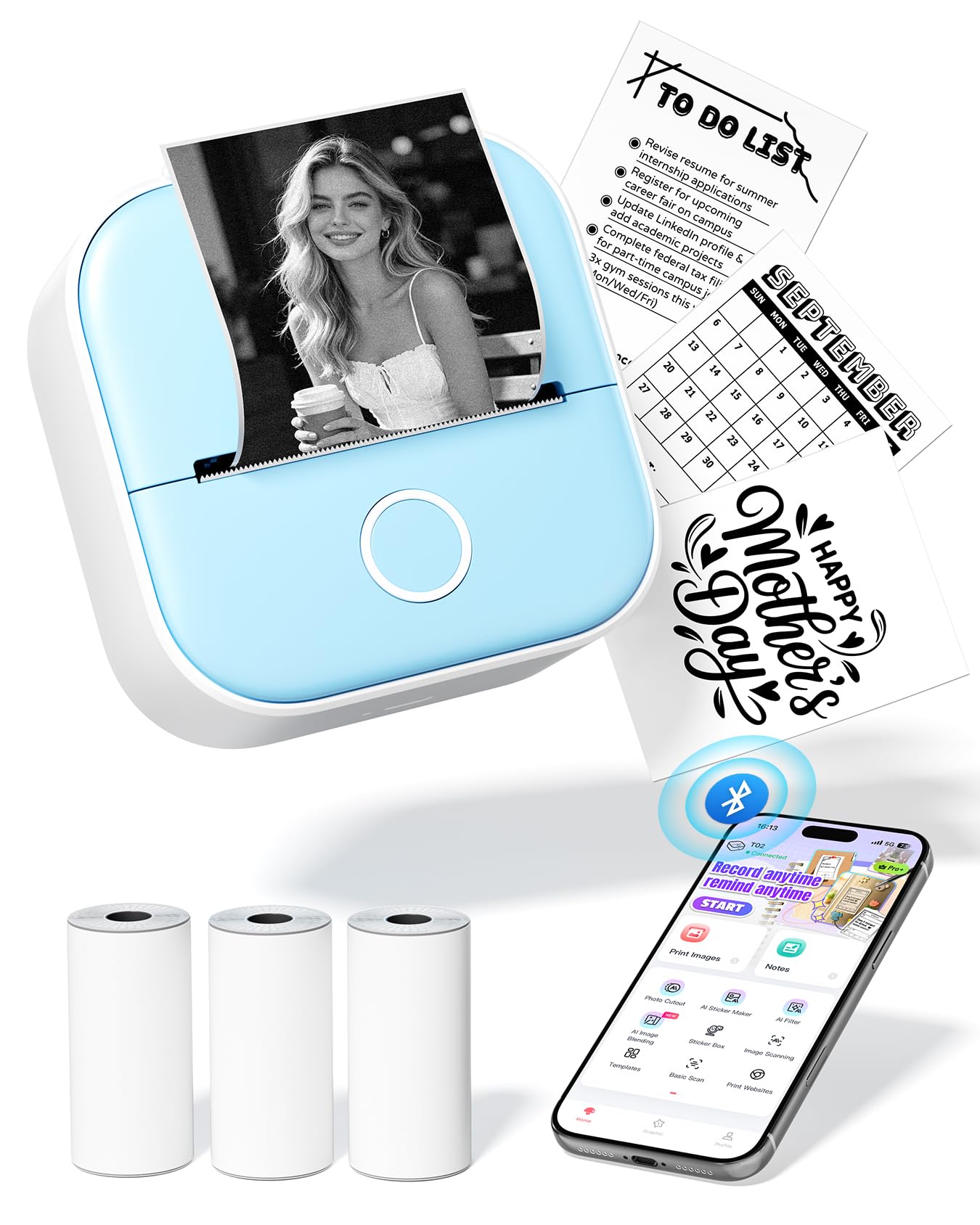
This is the fun-first option in the group. It is built around AI tools — text and voice prompts generate printable images, multiple filters turn a photo into pixel, oil-painting or sketch styles, and the one-click AI cutout pulls an element out of any image. The 20k+ templates and 700+ fonts, refreshed weekly, give a kid endless starting points.
The hardware is pocket-sized at 1.4″D x 3.3″W x 3.3″H with a 1000mAh rechargeable battery that is listed at a full week on standby. It prints at 20 pages per minute, uses inkless thermal tech on 10+ paper types, and pairs over Bluetooth with iPhone or Android in 3 seconds. A paper holder keeps prints neat.
The honest side: this is a creative plaything, and its print quality is mixed, with some finding it clear and others blurry or grainy. A few report reliability stumbles after a short run. It is best judged as a gift for a kid or teen who loves journaling and craft, not as a document tool — and its ease of use earns consistent praise.
Creative engine: AI filters and a one-click cutout turn any photo into a printable sticker without design software.
Set the expectation: it is a fun maker for kids, so judge it on creative value rather than sharp print output.
Best gift: kids, teens and journalers who want to design and print their own stickers.
Look elsewhere if: you need reliable document printing or crisp photo prints.
9. P1 Pro Portable Inkless Printer
The scan-and-print pro that turns a contract into a signed page.
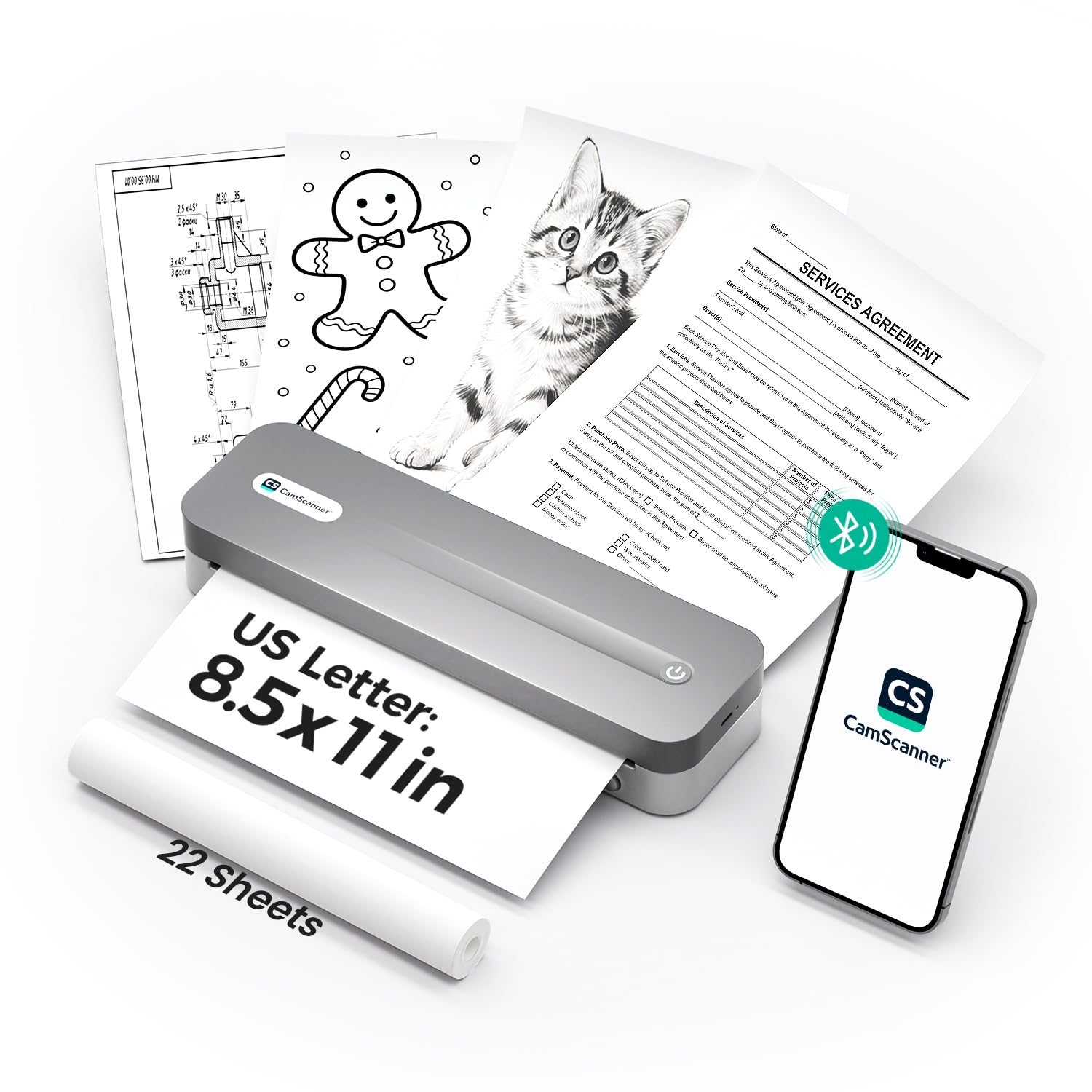
This is the pick for someone who actually prints business documents on the move. It pairs natively with CamScanner and offers 7 tune filters tuned for contracts, receipts, tax forms and handwritten notes, so a phone scan comes out legible rather than washed out. Batch printing from a single tap keeps multi-document jobs moving.
The battery is the standout number: a 2,600mAh pack that reaches a full charge in 3 hours via USB-C and delivers up to 200 pages of continuous printing per charge. Even below a full charge, it keeps printing while it charges as long as the battery stays above 10%. Resolution is 300 dpi, one tier up from the 203 dpi machines here, and it prints US Letter at 8.5 × 11 inches.
The honest picture: it weighs 1.61 lbs, which is heavier than the HPRT at 1.1 lb, and it lists just 4 pages per minute, so it is a deliberate, page-at-a-time tool. Print quality is mixed — some find it works well and others report document images not printing properly. It sits at 3.5+ stars across a small pool of ratings, so try a test page before trusting it with a contract you cannot reprint.
Office-in-a-bag: 300 dpi, US Letter support and CamScanner filters make this the closest thing to printing from a desk while you are nowhere near one.
The trade-off: 4 pages per minute is slow and 1.61 lbs is the heaviest of the lot, so this is a work tool, not a pocket toy.
Best fit for: remote workers and travelers who scan and print letters, contracts and receipts on the go.
Not for you if: you want speed, featherweight portability or flawless first-try output.
Know the Specs
Resolution (dpi)
Dpi stands for dots per inch — how many tiny ink-free heat dots the print head fires across each inch of paper. A 300 dpi machine lays down more dots than a 203 dpi one, so small text and photos come out crisper. If you print labels and short notes, a lower figure is fine; for contracts and study diagrams, aim higher.
Pages per minute
This is the listed speed of output. It matters far less than you might think for short jobs, but a 40 pages per minute label maker versus a 1 page per minute photo printer tells you which is built for bursts and which is built for detail. Match it to how many pages you print at once.
Paper width and type
Narrow label rolls suit jars and name tags; 8.5 × 11 inch thermal sheets suit documents. Every pick here requires thermal paper specifically — ordinary copy paper will not print, no matter how the machine is set up. Check the supported range, because a machine locked to one width cannot grow with you.
Battery capacity (mAh)
Milliamp-hours measure how much charge a battery holds. A larger figure buys you more pages between charges, and some units keep printing while plugged in if the battery stays above a set level. Short standby notes tell you how long it sits in a bag without draining.
Common Questions
Do thermal mini printers need ink or toner?
Can I print on ordinary copy paper?
Which mini thermal printer prints full US Letter documents?
Do these printers work with a laptop or only a phone?
Why does my thermal printer print blank pages?
How long does a printed thermal label last?
Is 300 dpi worth choosing over 203 dpi?
Can I print from an iPhone or Android phone?
What size paper does the Phomemo M04S print?
How do I avoid a paper jam on a travel thermal printer?
The Bottom Line
The thermal mini printer that earns the top spot is the Phomemo D30 — because it turns a labeling job into a thirty-second task with 40 pages per minute and three tapes in the box. It is the crowd favorite at 4.0+ stars across 33,000+ ratings. If you want sharp photos and wide paper, reach for the Phomemo M04S with its 300 dpi head and 110mm width. And for printing genuine US Letter documents from a bag, the CamScanner P1 Pro is the one to carry.
How we choose
We do not accept paid placement. Every pick is matched to a real buyer and a real use-case; we do not hands-on test units.
Sources
Specifications: manufacturer listings and product documentation. Review insights: verified customer reviews, as of November 2026. Pricing: not shown on this page (it changes often); check the current price via the retailer link.
As an Amazon Associate, Tactical Gear Guy earns from qualifying purchases. This does not affect which products we feature.