Specs are compiled from manufacturer listings and verified buyer reviews and can change over time — please confirm the key details on the product page before buying.
If your team keeps asking you to repeat yourself, the headset is usually the problem, not your internet. This list covers nine computer headsets — wired and wireless — that put a working microphone and clear speakers on your head for Zoom, Teams, and plain old phone calls. Before you read: these picks use flexible, human-like matching for “connects to a computer” (USB or 3.5mm), so not every unit is the exact model number you searched — the nearest same-type option serves the same job.
This guide is built by comparing the manufacturers’ published specifications and the patterns across verified customer reviews, so you get each pick’s real strengths and trade-offs instead of marketing spin.
You’ll see why microphone placement, ear cushion shape, and connection type matter more than driver size when you’re on back-to-back calls. The right telephone headset for computer simply makes your voice land clearly on the other end.
Top Picks

How To Choose The Best Telephone Headset for Computer
The single decision that shapes everything else is how the headset reaches your computer. USB plugs into a port and just works; Bluetooth frees you from the cord but depends on your laptop’s radio. Decide between USB and Bluetooth before you compare anything else, because that choice rules out half the field.
Wired USB or wireless Bluetooth
A wired USB headset never needs charging and never drops a call because of a flat battery. That reliability is why so many call-center desks run corded units. A wireless headset lets you stand up, refill a coffee, and keep talking — but you’re now managing battery hours and a charging routine. Some wireless models also ship a USB dongle (a small plug-in adapter) that gets around a laptop with no Bluetooth at all.
The microphone is the part that gets judged
People on the other end hear your mic, not your speakers. A bendable boom arm that puts the mic an inch from your mouth does more for call clarity than any speaker upgrade. Look for a noise-canceling mic (it filters background sound before it leaves your desk) and, on wireless sets, a physical mute button you can hit without hunting through software menus.
Comfort over a full shift
Foam or leatherette ear cushions and an adjustable headband decide whether hour four feels fine or awful. Over-ear cups seal around the ear; on-ear pads sit against it. If you wear glasses, note that some cushions press on the arms of your frames — a fit detail worth checking before a long deployment.
Certification and platform fit
Teams-certified and Zoom-friendly headsets typically auto-configure as your default audio device the moment you plug in. That means no audio-settings scramble when the meeting starts. If your office runs Avaya or Cisco desk phones plus softphones on the PC, look for a model that lists both.
Side-by-Side Comparison
| Model | Best For | Connection | Talk / Battery Spec | Mic Setup | Amazon |
|---|---|---|---|---|---|
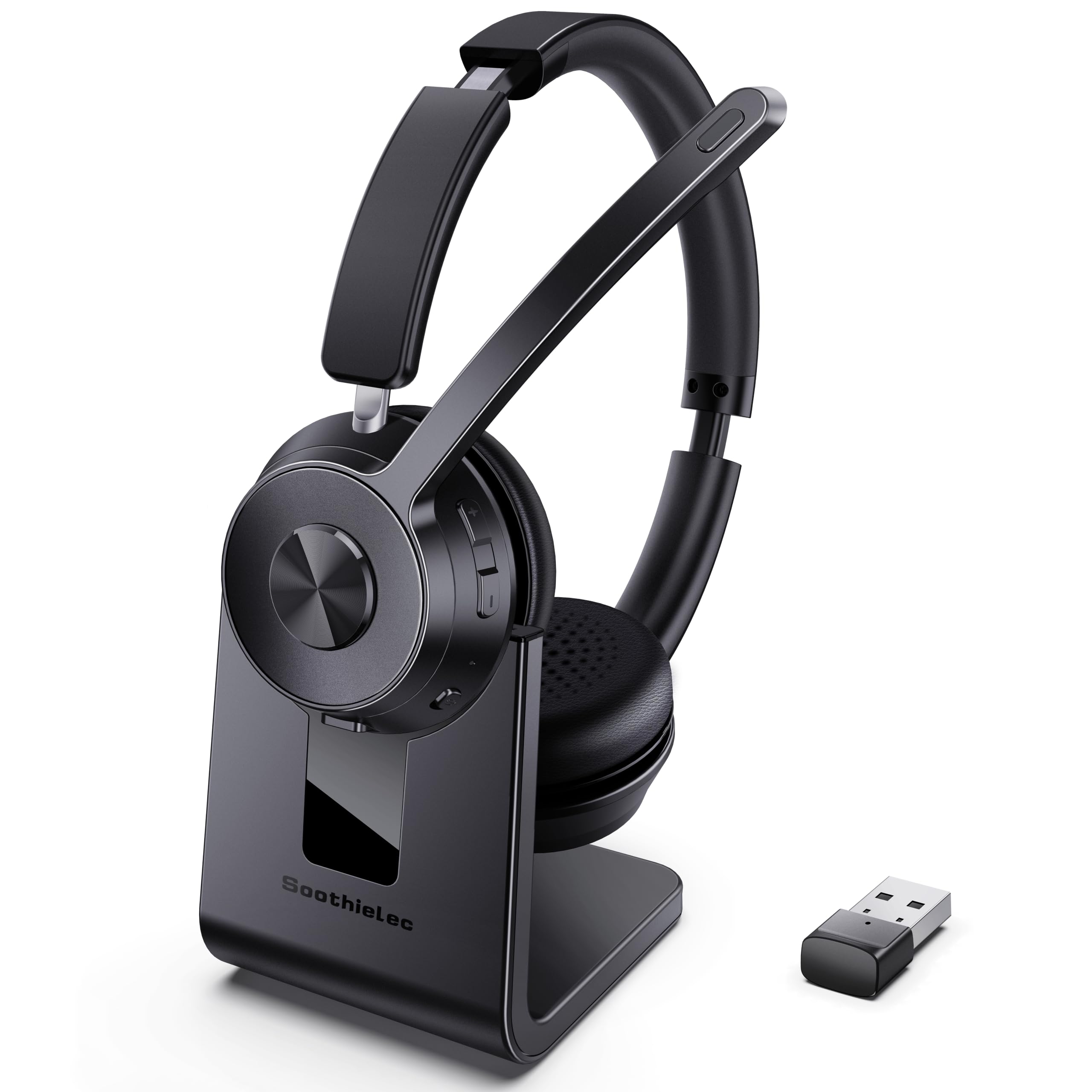
| Soothielec Wireless Headset (KH53)★ Best Overall | All-round office and home calls | USB dongle + Bluetooth 5.3 | 40 hrs talk time, 600mAh, 2-hr charge | ENC boom mic, one-touch mute | Amazon |
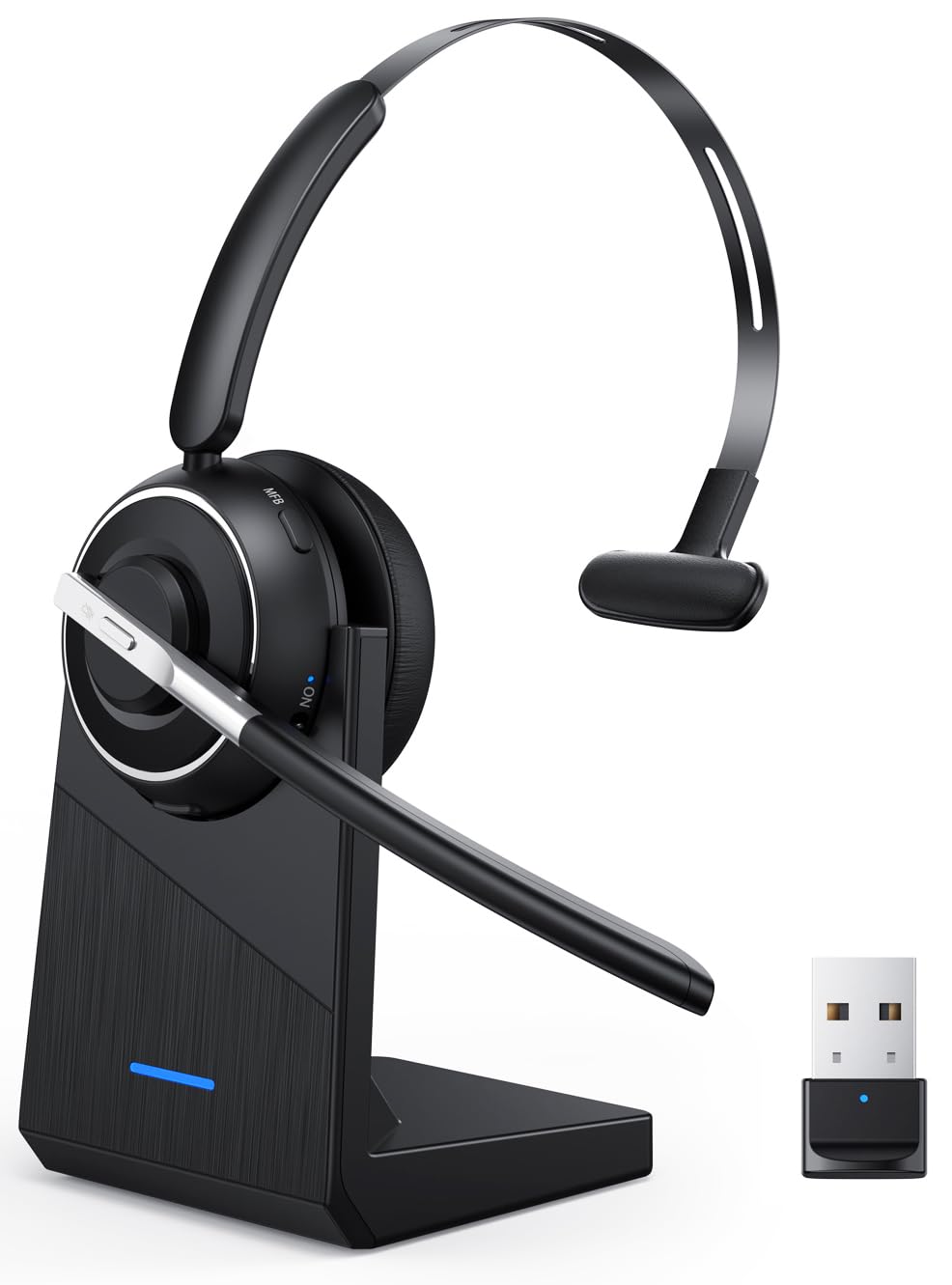
| OTYHVV Wireless HeadsetBest Wireless Freedom | Single-ear freedom on long shifts | USB dongle + Bluetooth 5.2 | Up to 40 hrs talk time, 2-hr charge | 270° rotatable AI noise-canceling boom | Amazon |
| Lenovo Wireless VoIP HeadsetTeams Certified | Teams-heavy hybrid desks | USB-A receiver + Bluetooth 5.3 multipoint | 31 hrs talk, 60 hrs playback | Three-mic noise suppression | Amazon |
| Jabra Evolve 20 | Plug-and-play laptop meetings | USB-A or USB-C wired | No battery — corded | Advanced noise-canceling mic | Amazon |
| Jabra Biz 1500 USB Duo | Desk phone plus softphone mix | USB wired | No battery — corded | Noise-canceling mic, 270° boom | Amazon |
| Yealink UH35 | Music-then-call switching | USB-A wired | No battery — corded | 2 noise-canceling mics, busylight | Amazon |
| Poly Blackwire 5220 | Multi-device PC, phone, tablet | USB-C with USB-A adapter + 3.5mm | No battery — corded | Flexible noise-canceling boom | Amazon |
| Yealink UH34 Lite | Lightweight everyday calling | USB-A wired | No battery — corded | Noise-canceling mic | Amazon |
| KEMEILE USB Headset | Dictation and online courses | USB wired | No battery — corded | Voice-recognition mic, in-line mute | Amazon |
Detailed Reviews
1. Wireless Headset with Mic
Our pick — 4.5+★ from 600+ verified ratings; the strongest balance of quality and price.
Two ways to charge, two devices paired at once, and a battery that outlasts your week.
The number that decides this one is 40 hours of talk time off a 600mAh rechargeable battery. Plug it in for 2 hours and you’re set for days of calls, or drop it on the included charging stand between meetings so it’s never empty when you sit down. The crowd here is large and largely happy — 4.5+ stars across 600+ owners, which is why it takes the top spot.
The connection options are what justify the top spot. You get Bluetooth 5.3 for phones and laptops that speak the standard, plus a USB-A dongle for Windows PCs that don’t — plug that adapter in and the headset behaves like a normal USB device. Dual pairing means your laptop and your phone are both connected at once, and the 33ft Bluetooth range lets you walk to the kitchen mid-call.
The honest catch is two small notes buried in the manual. The mute button only silences your mic during calls, and the dongle won’t work with desk phones or landlines — pull it out when the headset isn’t in use. The MFB voice-assistant button also controls smartphone functions only, not computer apps. Those are manual-reading quirks, not audio flaws.
What earns the top mark
- 40 hours of talk time off a 600mAh battery, with a 2-hour recharge
- USB dongle handles PCs that lack Bluetooth; Bluetooth 5.3 covers phones and laptops
- Charging stand plus cable gives two ways to top it up
- 33ft wireless range so you can move around during long calls
Where it asks you to adapt
- Dongle does not work with desk phones or landlines
- Mute only engages during active calls
- Voice-assistant button drives your phone, not your PC apps
Bring it home if: you juggle a laptop and a phone all day and want one headset to cover both without a charging scramble.
Think again if: your desk still runs a landline phone — the dongle won’t talk to it.
2. Wireless Headset OTYHVV
One ear free, a 40-hour tank, and a toggle switch that skips the button-holding ritual.
This is the pick for people who need to hear the room, not just the call. At 102g it’s a single-ear design, so colleagues can still get your attention and you can regulate your own speaking volume naturally. Both sides get padding — a detail most single-ear headsets skip — and the memory foam earpad, hinge, and slide let you switch ears when one gets tired.
On the wireless side, the OTYHVV holds 40 hours of talk time with a 2-hour recharge, and it charges either by USB-C or by setting it on the included dock. That dock also stores the USB dongle when it’s not in use, so the little adapter doesn’t vanish into a desk drawer. The dongle itself is the quiet hero: plug it into any PC with no Bluetooth and you get plug-and-play audio, plus full mute control from the computer. This one runs Bluetooth 5.2, while the Soothielec above runs 5.3 — a small step down in the wireless standard, though both handle Teams, Zoom, and Skype fine.
Where it gets real: the talk time is the big claim, and owners do report long stretches between charges, but some find the advertised wireless distance optimistic — you’ll get room-to-room freedom rather than house-wide roaming. The voice prompts that announce “mute on” and “mute off” are helpful at first and mildly repetitive by week three. Neither is a deal-breaker; both are worth knowing before you buy.
Standout spec: 102g on a single-ear frame means no neck strain and no need to pull it off to hear someone standing beside your desk.
The trade to weigh: Bluetooth 5.2 instead of newer 5.3, plus voice prompts that some find chatty over time.
Suits you perfectly if: you work a reception desk or open office and can’t block out the room completely.
Skip past it if: you need maximum isolation and prefer both ears sealed off from chatter.
3. Lenovo Wireless VoIP Headset
Built for the Teams crowd that wants a certified receiver rather than hoping Bluetooth cooperates.
Lenovo’s angle here is certification. This headset carries Microsoft Teams Open Office certification, and the company is clear that you need the included USB-A receiver for all the Teams features to work. Plug that receiver into a work laptop and you skip the pairing dance entirely. Bluetooth 5.3 multipoint covers the rest — you can hold two connections at once and flip between them.
The battery split is worth noting: up to 31 hours of talk time or 60 hours of music playback on a single charge, with a 2-hour refill via USB-C. Owners tend to report several workdays between top-ups, and one noted still sitting at 40% after three weeks of daily use. The three-mic noise suppression handles background distraction, and at 140g the adjustable memory foam earcups and flexible headband are built for long workdays.
Connectivity is the honest asterisk. Feedback on the wireless link is mixed, with some owners reporting drops every so often rather than every call. It’s still a strong pick for Teams-heavy desks — just know that a USB receiver connection is the most stable path, and that earcup replacement is on the menu since the pads are listed as replaceable. Versus the OTYHVV above: you gain the Teams certification and extra playback hours, you give up the lighter single-ear frame.
Why offices pick it: Teams Open Office certification plus a 31-hour talk-time battery and dual Bluetooth connections make it a set-and-go workhorse.
Check before you commit: wireless drops are reported by a slice of owners; the USB-A receiver is the fix and the reason it’s included.
Made for: hybrid workers whose calendar is wall-to-wall Teams meetings and who want a certified device plugged into a locked-down laptop.
Not your match if: you switch between a Mac and a PC constantly and want the simplest possible connection.
4. Jabra Evolve 20 Wired USB Headset
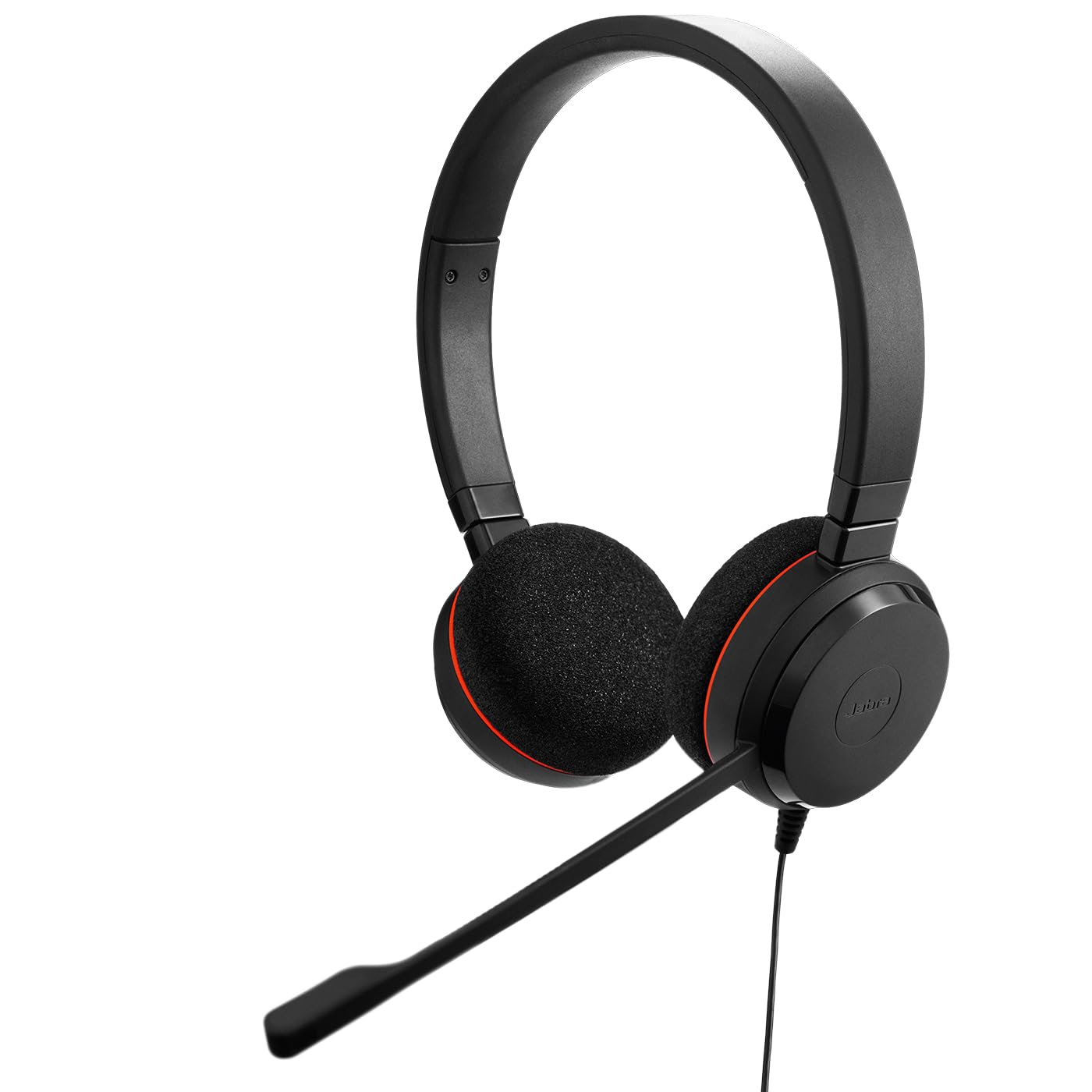
The corded workhorse that connects to a laptop and just works, no charging ritual required.
Some setups don’t need wireless at all — they need a cable that never dies. The Evolve 20 covers that with USB-A or USB-C connectivity, so it fits both a modern laptop and an older desktop without an adapter hunt. Inside are 28mm speakers, and the mic array is built to cancel background noise so the other side hears your voice rather than your dog.
Setup is genuinely instant: plug it in, and call and volume controls sit on the cable where your hand expects them. It works with all the major meeting platforms and is certified for Avaya and Cisco, which matters if your office runs those systems alongside Teams. Foam or leatherette ear cushions give you a material choice for long meetings, and the lightweight frame keeps the weight off your neck.
One honest note: build quality doesn’t feel premium, and the microphone volume is described as adequate for meetings rather than broadcast-grade. At this price, meeting-grade mic volume is an acceptable compromise. It also handled an older computer that auto-detected it on connection — helpful when you can’t install drivers.
Daily reality: plug into USB and you’re live in seconds, with call controls on the cord and no battery to manage.
Fair warning: the plastic frame reads as basic, and mic volume is good enough for meetings, not for professional recording.
Your best fit: a permanent desk where the headset lives plugged into your laptop and you never want to think about charging again.
Look toward wireless instead: if you need to move away from the desk during calls.
5. Jabra Biz 1500 USB Duo Wired Headset

A call-center veteran that plays nicely with desk phones and softphones on the same shift.
This is the one for the agent who still has a physical phone on the desk. The Biz 1500 is listed as working with both desk phones and softphones, which is rarer than it should be — most modern headsets assume the computer is your only dial tone. The 270-degree flexible spin boom arm lets you swing the mic exactly where your mouth is, and the noise-canceling element means you can speak softly and still be heard.
What owners keep mentioning is the sound profile: you sound clear without raising your voice, and the people on the other end don’t hear the background. The USB version gives you a volume control unit and a mute button on the cord. Foam cushions and an over-the-head fit round out the package for an 8-hour shift.
The trade-offs are honest and specific. Padding is on the thin side, so long call sessions can leave your ears wanting more cushion — leaner headsets feel better by hour six. Some find the foam cushions less comfortable than leatherette over an entire day. And the fit runs snug enough that hearing-aid wearers may need to micro-adjust the earpieces. The mic and speakers still hold up; these are fit complaints, not audio ones.
The case for the Biz 1500
- Works with desk phones and softphones, unusual in this price range
- Noise-canceling mic lets you speak quietly and stay audible
- 270° spin boom arm dials the mic into position
- Corded USB connection means zero battery anxiety
The comfort catch
- Thin foam padding gets noticeable on very long calls
- Fit runs snug — glasses and hearing aids may need adjustment
- Corded design limits you to the desk
Pick it when: your workflow includes desk phones and softphones side by side and you want one headset to cover both.
Consider the alternative: if you only ever call from a laptop, a lighter wireless unit is easier on the ears.
6. Yealink UH35 Wired Headset

Flips between call mode and music mode so your workday soundtrack doesn’t sound like a conference bridge.
The UH35 puts 35mm speakers in the cups and pairs them with dynamic EQ that switches automatically between call mode and music mode. That means the audio tuning adapts itself — brighter and clearer for a meeting, fuller for the playlist you play between them. Teams certification means it auto-configures, and the visual busylight on the headset tells colleagues you’re not to be interrupted.
Two noise-canceling mics handle the background, and the leather ear pads are shaped to conform to your ears rather than press on them — useful when calls stack up. Call control puts mute, volume, and answer at hand. The package even ships with a protective case and a fold-flat design, so it travels in a laptop bag without getting crushed.
The honest note is durability. Some buyers report the set lasting about a year, and one unit arrived with only one side working — the occasional build slip rather than the norm. The busylight doesn’t include a pet mode, so a barking dog still finds your mic, though the noise-canceling mics work hard to keep it off the line. Teams certification plus 35mm music drivers is a combination few corded headsets offer.
Why it stands out: 35mm drivers with dynamic EQ, a busylight, and Teams certification in a single fold-flat package.
Real-world watch-out: a few units have arrived with one channel dead, so check both ears the moment it lands.
Worth it for: people who want one headset for meetings and music without swapping devices between tasks.
Might not suit: heavy users who want the longest possible service life and prefer a simpler corded unit.
7. Poly Blackwire 5220 Wired Headset, USB-C/USB-A/3.5mm

Three connection paths — USB-C, USB-A, and a 3.5mm jack — in one over-ear body.
Few headsets cover this many devices. The Blackwire 5220 plugs into a PC via USB-C using a tethered USB-A adapter, or into a compatible phone or tablet through the 3.5mm audio jack. That makes it the easiest pick to share across devices you already own. It’s certified for Microsoft Teams and Zoom, so plug-and-play applies on both platforms, and the dynamic EQ adjusts the tuning for voice versus multimedia.
Comfort is a genuine strength — the ergonomic over-ear design with conforming ear cushions keeps pressure off, and one detail stands out: it doesn’t squeeze against glasses. The noise-canceling boom mic plus passive noise isolation from the cushions means you can work through noisy cube-mates without turning up your volume.
The trade-off is in the long haul. Build is comfortable but some ears simply don’t take to over-ear cups for eight hours straight, and the fit relies on you finding a good clamp. There’s also a separate carrying case to keep track of. For mixed-device households, though, having USB-C, USB-A, and 3.5mm in one headset is hard to argue with.
Reasons it earns a spot
- USB-C, USB-A, and 3.5mm connections cover almost any device
- Certified for Teams and Zoom so calls just work
- Conforming cushions don’t press against glasses
- Dynamic EQ adjusts between voice and music tuning
Where to think twice
- Over-ear cups can feel warm on long shifts
- No wireless option
Go for this if: you juggle a USB-C laptop, an older USB-A desktop, and a tablet, and want one headset to rule all three.
Reconsider if: you need to leave the desk with calls still running.
8. Yealink UH34 Lite Wired Headset, USB-A, Noise Canceling Mic

Five ounces of dual-ear headset with a cable long enough to actually stand up.
At just 5 oz, the UH34 Lite is the sort of headset you forget you’re wearing. That low weight is the whole pitch for people whose job is back-to-back calls — it doesn’t pull on your ears, and you can wear it straight through a shift without a break. Microsoft Teams certification means it auto-configures as your default audio device on plug-in, so there’s no menu-diving before a meeting.
The 6.89 ft cable is a small detail with real consequence: it lets you slide back from the desk, grab a document, or stretch without unplugging. A high signal-to-noise ratio speaker and independent cavity design keep voices clear, and the noise-canceling mic handles background sound on the pickup side. Compatible with Windows and MacOS over USB-A, it covers the standard office setups.
Two honest caveats. Comfort is subjective — some owners find the pads press against glasses after a few hours, so if you wear frames, plan a break-in period. And the sound is described as clear for voice but not audiophile-grade, which is exactly what you want in a calling headset. If you need music-grade drivers or wireless, look at the UH35 above. Lightweight and corded, though, this one is tough to top for straight call duty.
Lightweight on purpose: 5 oz plus a 6.89 ft cable means all-day wear with room to move at your desk.
Glasses wearers be warned: the pads can press on frames over long sessions — most settle in, but try before a full shift.
Reach for it if: you take calls all day and want the lightest possible corded headset with Teams auto-setup.
Pick something else if: you need music-quality sound or freedom from the cable.
9. KEMEILE USB Headset with Microphone Noise Cancelling for PC

An entry-level USB headset aimed at dictation, courses, and the occasional call.
This is the pick for students, part-time remote workers, and anyone who needs a working mic on the cheap. The KEMEILE is a plain USB headset — no Bluetooth, no battery, no charging stand. Plug it into a computer, Mac, or laptop and it shows up as your audio device. The mic boom bends and rotates so you can aim it, and the in-line control handles volume and mute with a button. Digital Signal Processing (DSP) digitally cleans up your voice and cuts echoes, which helps in a less-than-quiet room.
Two features make it more practical than it first looks. The acoustic shock protection (ASP) element protects your hearing if a loud spike hits the line, and the click-stop steel headband is designed to fit a range of head sizes. Voice recognition is where this headset was pitched — think dictation software and online courses — and the leatherette cushions and bendable mic suit long study sessions.
The honest part: at this budget tier, longevity is the weak point. Some units stop working within weeks, and a few report feedback noise. The 2-year manufacturer warranty and 45-day money-back window soften that risk, and a lot of owners do get solid use out of one. If your setup is a dorm desk and a lecture stream, it earns its keep.
Where it shines: plug-and-play USB with DSP voice cleanup and a 2-year warranty at the entry tier.
The honest risk: some units don’t last beyond a few weeks, so keep the warranty paperwork.
Fits nicely if: you need a cheap headset for dictation, online courses, or occasional calls.
Step up if: you make your living on calls and need it to survive daily use.
Know the Specs
Connection type: USB dongle vs Bluetooth vs 3.5mm
A USB dongle is a small plug-in adapter that gives you a stable wireless link even on a computer with no Bluetooth or locked-down software. Bluetooth is convenient for phones and modern laptops but can drop on older machines. A 3.5mm jack is the universal fallback for anything with a headphone port. Match the connection to the devices you actually use daily.
Talk time and charge time
Talk time tells you how long a wireless headset runs on one charge. Charge time tells you how long it takes to refill. A headset with a dock or charging stand can be topped up between meetings, so a short charge time paired with a stand often beats a bigger battery with no dock. Corded headsets skip this whole question.
Noise-canceling mic vs noise-isolating cushions
A noise-canceling mic filters background sound on the pickup side — what the other person hears. Noise-isolating cushions block sound on your side by sealing around your ear. They’re different tools; a headset can have both, and together they make calls cleaner on both ends.
Ear cushion material and fit
Leatherette (faux leather) cushions seal and isolate but can warm up. Foam breathes better but seals less. Both come in on-ear and over-ear shapes. If you wear glasses, the clamp of the headband and the shape of the cushion matter more than the material — check reviews for fit notes before committing to a long deployment.
Common Questions
Will a USB headset work on a laptop without Bluetooth?
Does a Bluetooth headset work with desk phones?
How many hours of talk time should a wireless headset have?
Will a noise-canceling mic block background noise on the other end of the call?
Are Teams-certified headsets better for Microsoft Teams calls?
Can I wear a computer headset with glasses?
Do I need a USB-C adapter for a USB-A headset?
How long should a computer headset last?
Can I listen to music on a work headset?
Will a single-ear headset pick up background noise?
The Bottom Line
For most people, the telephone headset for computer winner is the Soothielec Wireless Headset because it pairs a 40-hour battery with dual pairing and a USB dongle that covers PCs without Bluetooth. If you want a single-ear frame and a rotatable AI mic, the OTYHVV Wireless Headset is the one. And if you work on Teams all day and want a certified wireless receiver, the Lenovo Wireless VoIP Headset is worth a hard look.
If your desk still runs a landline phone, go corded and grab the Jabra Biz 1500 USB Duo — it’s the rare headset that talks to both desk phones and softphones. And if you’re on a tight budget and just need a working mic for dictation, the KEMEILE USB Headset gets you plugged in for very little.
How we choose
We do not accept paid placement. Every pick is matched to a real buyer and a real use-case; we do not hands-on test units.
Sources
Specifications: manufacturer listings and product documentation. Review insights: verified customer reviews, as of November 2026. Pricing: not shown on this page (it changes often); check the current price via the retailer link.
As an Amazon Associate, Tactical Gear Guy earns from qualifying purchases. This does not affect which products we feature.