Specs are compiled from manufacturer listings and verified buyer reviews and can change over time — please confirm the key details on the product page before buying.
Your TCL Google TV still works fine — it is the remote that quit. And before you buy anything, know the one thing that decides everything: the remote has to match your TV’s series code, not just the brand. A remote built for a TCL Roku TV will not pair with a Google TV, no matter how many times you hold the buttons down. This guide walks you through the replacements that actually pair with Google TV models, what the shortcut buttons really give you, and which one fits your set.
This guide is built by comparing the manufacturers’ published specifications and the patterns across verified customer reviews, so you get each pick’s real strengths and trade-offs instead of marketing spin.
Pairing a replacement is usually a five-second button hold, not a trip to the settings menu, and knowing your series code before you order saves you a return. Here is what separates a working replacement from a paperweight when you shop for a TCL Google TV Remote Replacement.
Top Picks

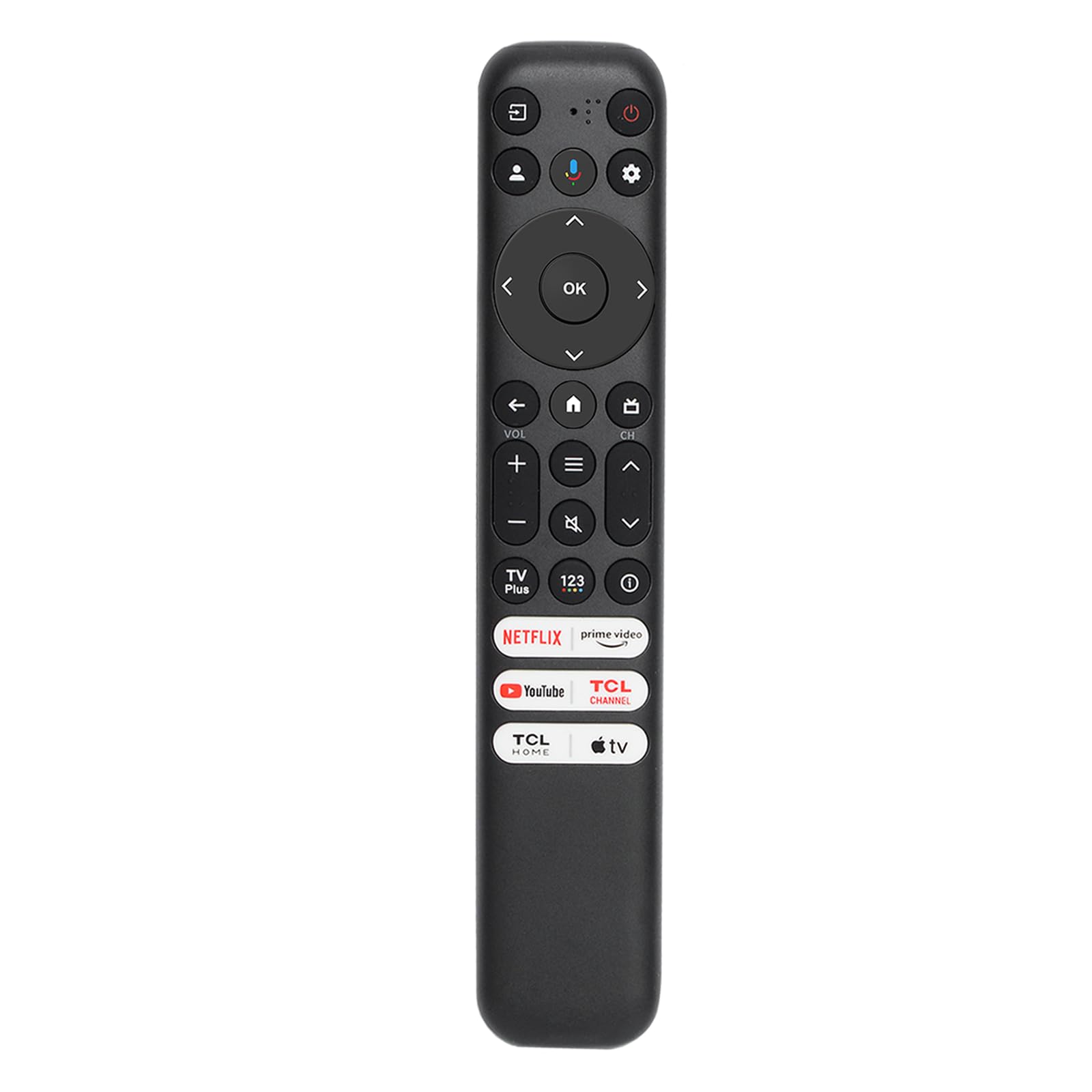
How To Choose A TCL Google TV Remote Replacement
The first thing to understand is that “TCL” alone tells you almost nothing. TCL makes Google TV sets, Roku TV sets and older Android TV sets, and each family uses a different remote and a different pairing routine. A remote listed for Roku will not talk to a Google TV, and the listing pages say so plainly — most of these replacements carry a “not compatible with TCL Roku TV” line for exactly that reason.
Match the model number first
Find the sticker on the back of your TV and read the code — something like 55Q650G or 65QM850G. The letters and numbers before the G tell you the series. Q6, Q7 and QM8 are the higher-end lines; S3 and S4 are the entry lines. Every remote here lists its supported model codes in the description, so compare your code against that list before you order anything. If your exact code appears, you are almost certainly fine.
Voice pairing is a button hold, not a menu
Voice control on these remotes is set up with a physical sequence, not a settings screen. The usual routine: install two AAA batteries, press the Google Assistant button, then hold HOME and OK together for about five seconds until the TV confirms. Some remotes ask for three seconds, some five — the range is short either way, so hold firm and watch the screen. Batteries are almost never included, so buy a pack of AAA at the same time.
Shortcut buttons and what they cost you
Six dedicated app buttons are common on the RC813 and RC923A replacements, and they cover the big streamers: Netflix, Prime Video, YouTube, Disney+, Apple TV+ and the TCL Channel. They are fixed — you cannot reprogram most of them — so look at the lineup and check it matches what you actually watch. A remote loaded with apps you never open is a remote with clutter on it.
Side-by-Side Comparison
| Model | Best For | Remote Code | Connectivity | Range | Amazon |
|---|---|---|---|---|---|
| LOUTOC RC813 Voice Remote★ Best Overall | Widest model coverage | RC813 | Bluetooth + Infrared | 12 meters / 40 feet | Amazon |
| Yrtnlo RC813 Voice RemoteBest Value | Quick no-fuss replacement | RC813 | Bluetooth + Infrared | 40 feet | Amazon |
| FAVLOV RC813 Replacement | Heavy daily button use | RC813 | Infrared | 40 feet | Amazon |
| Angrox RC813 Voice Remote | Widest shortcut coverage | RC813 | Bluetooth | — | Amazon |
| Rongyanim RC923A FMB1 | Newer QM-series Google TVs | RC923A | Bluetooth | 12 meters | Amazon |
| SAQVX RC923A FMB1 | X11K and Mini-LED sets | RC923A | Bluetooth | 26 feet | Amazon |
Detailed Reviews
1. LOUTOC RC813 Voice Remote Replacement for TCL Google TV
Our pick — 4.0+★ from 45,000+ verified ratings; the strongest balance of quality and price.
The widest model list here — more than 30 TCL Google TV models, from the 32-inch S3 up to the 98-inch QM8.
The reason this takes the top spot is coverage. The listing names more than 30 specific TCL Google TV models, spanning Q6, Q7, QM8, S3 and S4 — from the 32S370G up to the 98QM850G. That spread is the widest in this group, which means the odds your back-panel code appears somewhere in the list are better here than anywhere else. If you own a TCL Google TV and you do not want to think hard about it, this is the one to start with.
Voice control works the way it should: insert two AAA batteries, press the Google Assistant button, then hold HOME and OK together for roughly five seconds until the screen confirms the pair. From there the voice search handles app launches and title searches, and the six app buttons — Netflix, Prime Video, YouTube, TCL Channel, TCL Home and Apple TV+ — drop you straight into the apps you actually watch. The dual Bluetooth and infrared design means you can point the remote anywhere, or at nothing, and it still works.
The honest catch is that the pairing sequence is not instant if you rush it. Hold the buttons too briefly and nothing happens, which is where most frustration lands. The remote also needs its own AAA batteries and ships without them, so add a pack to the order. What wins people over is the reach and reliability of the pairing once it is done — this is a set-and-forget remote once the five-second hold clicks. It carries a 60-day warranty and a support line that promises a reply within 12 hours.
top slot earned
- More than 30 listed TCL Google TV models — the broadest match list here
- Bluetooth plus infrared, so pointing direction does not matter
- 0.2-second response and up to 12 meters / 40 feet of range
- Six shortcut keys including Netflix, YouTube and Apple TV+
where it stumbles
- Pairing needs a firm five-second HOME and OK hold — rush it and nothing happens
- Batteries not included, so budget for a pack of AAA
go here first if: you own any current TCL Google TV and want the safest model match without spelunking through spec sheets.
think twice if: your TV is a TCL Roku set — this RC813 will not pair with it.
2. Yrtnlo RC813 Voice Remote Control for TCL Google TV
A high-grade ABS shell with a non-slip grip and silicone buttons built to survive daily handling.
Most of these replacements are plastic rectangles you scroll past without a second thought. This one pays attention to the thing your hand actually touches — the shell is high-grade ABS with a non-slip grip, and the buttons are upgraded silicone with high resilience and a comfortable press. If your last remote cracked at the seam or had buttons that turned mushy after a year of channel surfing, that build is the reason to pick this over a plainer RC813.
Functionality is the thing that gets praised most here, and the numbers back it up: 35 positive mentions of functionality, then 9 for connectivity. That lines up with the spec sheet — 0.2-second response time and a 40-foot range on infrared plus Bluetooth. The six shortcut keys cover Netflix, Prime Video, YouTube, Channel, Disney+ and Apple TV, which is a wider streaming mix than the LOUTOC carries. No programming is required out of the gate.
What you give up is the giant model list. This one states its compatibility as the QM8, QM7, S5, S4, S3, Q7, Q6 and Q5 Google TV series rather than naming every panel size, so check your series code against that before ordering. It is also a newer listing with a smaller review base than the top pick, which is a fair trade if you want the better-feeling buttons. It stays strictly out of Roku territory — the listing is explicit on that.
the right call for: a household where the remote gets handled hard and button feel matters more than matching a long code list.
look elsewhere if: your TCL is a Roku model — this RC813 will not talk to it.
3. FAVLOV RC813 Voice Remote
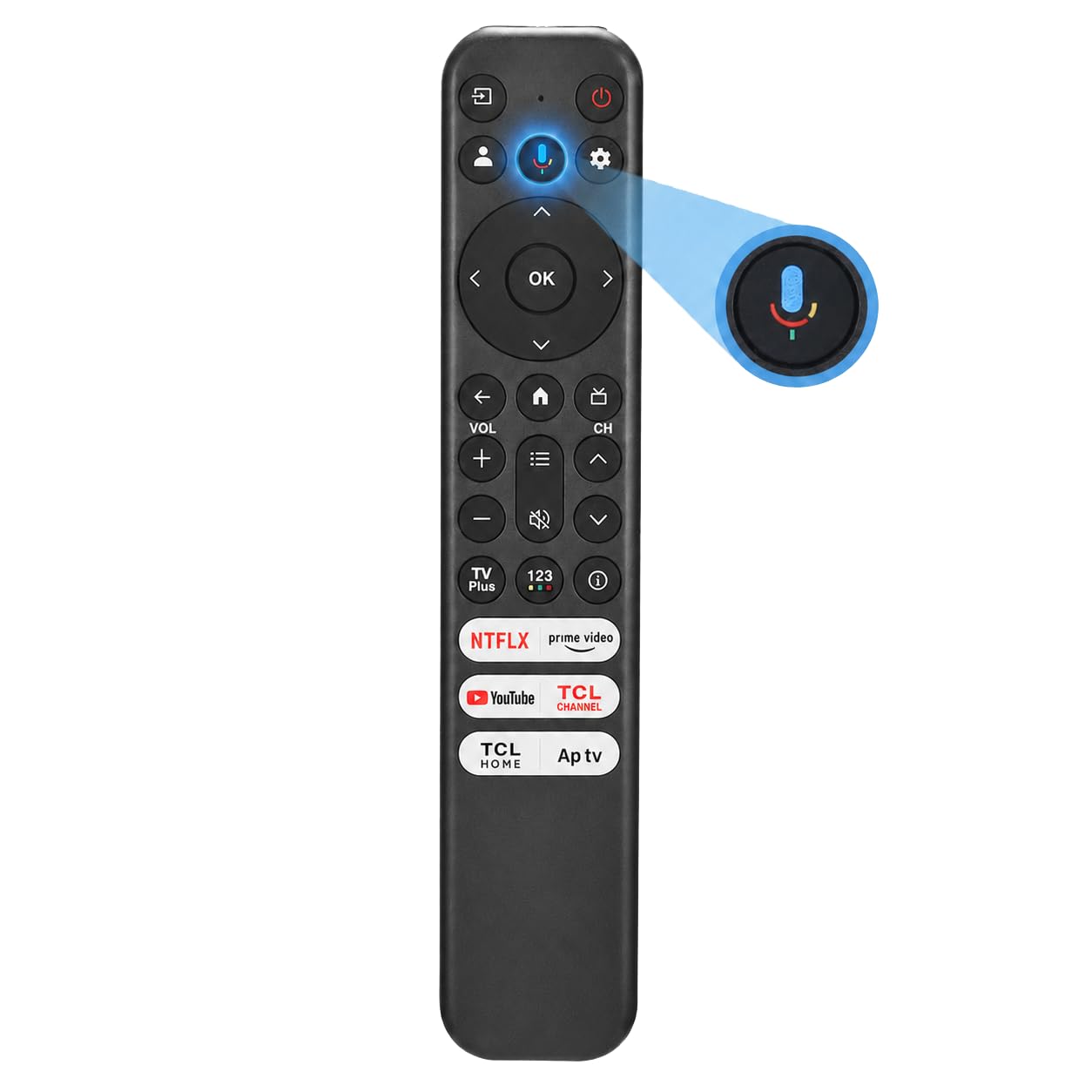
Each key is tested past 100,000 clicks — the maker equates that to 9+ years at 30 presses a day.
If your household fights over the remote at a pace that kills buttons, this is the pick. Each key on this RC813 is tested for over 100,000 clicks, and the listing frames that as the equivalent of 9+ years of daily use at 30 presses a day. That is the longest published button-life figure in this whole group. Combine it with a 2-year warranty and it is built for the long haul.
The rest of the spec sheet is the standard RC813 package. It covers more than 30 listed TCL Google TV models, from 32S370G to 98QM850G, with voice control on the microphone button and six preset app keys for Netflix, Prime Video, YouTube, TCL Channel, TCL Home and Apple TV+. Pair it by holding the Assistant, HOME and OK buttons, and expect a 40-foot range. Functionality is what buyers report being happiest with — 58 positive mentions — with 39 more flagging compatibility, which tells you it earns its keep as a straight swap for the factory remote.
The one recurring note is that the buttons are a touch hard to press — 16 mixed mentions on button responsiveness. That stiffness folds into the durability story: firm keys with a solid actuator tend to last, but a soft-press feel they are not. Set that against the 100,000-click figure and the 2-year cover, and it is a reasonable trade. This is the one to grab if stiff-but-sturdy beats soft-but-uncertain.
reach for it when: you want buttons rated for 100,000 clicks and backed by a 2-year warranty.
softer alternative if: you need light-touch buttons and the firm press would bother you.
4. Angrox Voice Replacement Remote for TCL Google TV

A full 28-button keypad with navigation keys and voice search, for buyers who would rather press than speak.
Some of the remotes here trim the keypad down and lean on voice. This RC813 goes the other way — 28 buttons on the face, with full navigation keys on board for the people who would rather steer menus with a D-pad than speak at their TV. It carries voice search too, so you are not choosing one over the other. The pairing is the standard Google TV hold: Assistant, then HOME and OK together for five seconds. Note the Roku exclusion yet again — it will not work on a TCL Roku TV.
The six app shortcuts here run to Netflix, Prime Video, YouTube, Channel, Home and Apple TV+, so most of the mainstream streaming services are one press away. Range is not published as a clean figure, so treat it as a standard Bluetooth remote with no long-distance claim attached. What owners tend to appreciate is that it does the job straight out of the gate — plug in batteries, pair, and it navigates menus without a setup ritual. The ergonomic contour and fingerprint-free feel get a mention too.
The watch-item is the quality and value feedback, which is genuinely split. Some buyers call it better than the original factory remote; others have found it does not suit them. That is normal for a third-party replacement and worth weighing against the enormous review base this listing carries — it is the most-reviewed remote here. If you want the shortest shortcut list without worry, the LOUTOC above is the calmer pick; if you want a full keypad, this earns the spot.
suits: buyers who need a full 28-button keypad with navigation keys and voice search on the same remote.
may not suit: you if a leaner, shortcut-driven layout is what you are after.
5. Rongyanim RC923A FMB1 Voice Remote

The RC923A code for TCL’s newest QM-series Google TVs — not the RC813.
If you have bought a TCL Google TV from the recent QM5K, QM6K, QM6KPRO, QM7K or Q77K lines, the RC813 remotes above are the wrong family. You need the RC923A, and this is that remote. It covers those series by model size, from the 50-inch QM5K up to the 115QM7K and the 98QM6KPRO. Ordering an RC813 for one of these sets is the most common mismatch, so pin down your code before you click.
What wins people over here is reliability — 22 positive mentions of it, with quality next at 12, and the sense that it behaves exactly like the remote that came in the box. It has a low-power design that stretches battery life, and the Bluetooth connection runs out to 12 meters. Voice control runs through Google Assistant for content search, app launches and playback control. It takes two AAA batteries, which you supply yourself.
The honest limit is that this is a specialized remote, not a universal one. It will not help an S4 or Q6 owner, and the S3/S4 crowd should stay with the RC813 picks above. It also carries a modest review base compared with the older remotes here, so the track record is shorter — but for the newer QM-series sets it is the correct code and it does its one job cleanly. For 2025-era TCL Google TV owners, that is the whole point.
your match if: you own a TCL Google TV in the QM5K, QM6K, QM6KPRO, QM7K or Q77K series.
stay with rc813 if: your set is an S3, S4, Q6, Q7 or QM8 — this remote will not talk to those.
6. SAQVX RC923A FMB1 Voice Remote

An RC923A that lists factory part number G0401-000267 and adds X11K coverage the other RC923A lacks.
This remote is the same RC923A family as the Rongyanim above, but it goes a step further on the compatibility documentation: it lists a replacement part number, G0401-000267, and claims a 100% functional match. It also names the X11K series in 85 and 98 inches, which the other RC923A listing leaves out. If your concern is a genuine factory part match rather than a generic compatible remote, that part number is the reassuring detail.
Setup is quick — two AAA batteries in, then press HOME and OK together within 3 feet of the TV, and the voice button also opens a setup interface if you need it. The shortcut keys cover six streaming apps, and the signal is stable out to 26 feet. The ABS shell is built for impact resistance and the contour is shaped to sit comfortably in the hand, with a low-power design to keep batteries lasting.
The part to weigh honestly is the streaming buttons. The functionality feedback is mixed, and the recurring note is that the Disney and Samsung TV Plus buttons do not always work. If those two apps are core to your viewing, that is a real gap. Weigh it against the part-number match and the wider model coverage — including the X11K — and this is the choice for a buyer who wants the closest possible factory replica for a newer high-end TCL.
the pick for: X11K and Mini-LED Google TV owners who want a documented factory part-number match.
heads up if: Disney and Samsung TV Plus are your primary apps — those two shortcut buttons have been reported unreliable.
Know the Specs
Bluetooth vs Infrared — two ways to send a signal
Infrared is a beam of invisible light that needs a clear line to the TV — point the remote and it works, cover the front and it does not. Bluetooth is a radio link, so you can point anywhere or leave the remote on the sofa and it still talks to the set. Most of these remotes use both, which means you get the reliability of Bluetooth with the fallback of infrared. That is why a set like the LOUTOC RC813 can claim up to 12 meters of working distance without needing a straight sightline.
Model code and series matching
The letters and numbers on your TV’s back panel are the whole game. The series prefix — Q6, Q7, QM8, S3, S4 — tells you which remote family you need. The newest QM5K through Q77K sets take the RC923A; the Q6, Q7, QM8, S3 and S4 sets take the RC813; older P and 6500 sets take the RC802V. Check your code against the listing’s supported list every time — this is the single step that prevents a return.
Voice pairing sequence
Voice control is activated by a physical button hold, not a menu setting. The usual routine is to press the Google Assistant button, then hold HOME and OK together for roughly 3 to 5 seconds until the TV confirms. The exact timing varies by remote — some want 3 seconds, some 5 — so if the first attempt fails, hold longer. The remote also needs two fresh AAA batteries before it will pair at all.
Shortcut buttons and button life
The preset app keys are fixed on a dedicated button bank, usually six of them, and they cover a rotating mix of Netflix, Prime Video, YouTube, Disney+, Apple TV+ and the TCL Channel. Check the lineup against what you actually stream before buying. Button durability is the other spec worth reading: the FAVLOV tests each key for over 100,000 clicks.
Common Questions
How do I know which replacement remote my TCL Google TV needs?
Will any of these work with a TCL Roku TV?
How do I pair a replacement remote with my TCL Google TV?
Do these replacement remotes come with batteries?
What is the difference between the RC813 and RC923A remotes?
Can I reprogram the preset app buttons on the remote?
How far away can I use the remote?
One of my shortcut buttons does not work on a new remote. What should I do?
Will a replacement remote work with my older TCL smart TV that is not Google TV?
The Bottom Line
For most TCL Google TV owners, the winner is the LOUTOC RC813 Voice Remote, simply because its supported-model list runs to more than 30 panels from the 32-inch S3 up to the 98-inch QM8 — the widest coverage here. If you want tougher button feel and a non-slip shell, the Yrtnlo RC813 is the better-feeling choice. For an older P-series or 6500-model TCL, the OMAIC RC802V is the one to reach for, and the Angrox RC813 suits buyers who want a full 28-button keypad. Before you order, read your TV’s back-panel code against the supported list one last time — that single check is the difference between a five-second pairing and a return label.
How we choose
We do not accept paid placement. Every pick is matched to a real buyer and a real use-case; we do not hands-on test units.
Sources
Specifications: manufacturer listings and product documentation. Review insights: verified customer reviews, as of November 2026. Pricing: not shown on this page (it changes often); check the current price via the retailer link.
As an Amazon Associate, Tactical Gear Guy earns from qualifying purchases. This does not affect which products we feature.