Specs are compiled from manufacturer listings and verified buyer reviews and can change over time — please confirm the key details on the product page before buying.
If your monitor sits too low, your neck pays for it every afternoon. A tall monitor arm fixes that by lifting the screen up the height it needs — but not every arm lifts high enough or holds a big screen steady. Some top out far too quickly, and others sag the moment a heavy curved panel gets hung on them. This guide sorts the truly tall arms from the ones that only look tall, so you can match pole height and weight capacity to your exact desk and screen.
This guide is built by comparing the manufacturers’ published specifications and the patterns across verified customer reviews, so you get each pick’s real strengths and trade-offs instead of marketing spin.
A taller pole, a longer reach, and a firm clamp are what really decide your comfort — so here is a walkthrough of the tall monitor arm options worth your desk space.
Top Picks

How To Choose The Best Tall Monitor Arm
Most buyers assume tall means the pole is simply longer, then get caught out because the screen still ends up at the wrong height. The useful way to think about it is this: you want the screen’s centre near your eye level when you sit tall and when you stand. Two numbers get you there — how high the arm can lift the screen, and how far out it can reach.
Match the pole height to how you actually sit or stand
An arm with a longer centre pole lets you move the screen between a low seated position and a high standing one without a fight. If you drift to the back of a deep desk, reach matters as much as height, because a short arm strands the screen too close to the edge. Check the maximum height the screen reaches above the desktop, not just the pole’s own length.
Weigh your monitor honestly, including what hangs off it
Every arm has a ceiling on how much screen weight it holds. Curved and ultrawide panels are often heavier than flat ones of the same width, and any adapter or camera you bolt on counts toward that limit. Leave room under the ceiling rather than riding right at it — an arm pushed to its maximum holds less steady.
Confirm the VESA pattern and the clamp before you buy
The four bolt holes on the back of your monitor follow a pattern, usually 75×75 mm or 100×100 mm. Most tall arms cover both, but some ultrawide screens need an extra adapter to reach that pattern. Your desk has limits too: the clamp squeezes onto a set thickness range, and a grommet fitting needs a hole within a certain diameter.
Side-by-Side Comparison
| Model | Best For | Screen Range | Weight Limit | Tilt | Amazon |
|---|---|---|---|---|---|
| 24-57” Ultrawide Monitor Desk Mount★ Best Overall | Ultrawide rigs up to 57″ | 24–57″ | 59.4 lbs flat / 48.4 lbs curved | 15 degrees | Amazon |
| Single Tall Monitor Mount with 47 inch PoleFloor-Standing Pick | Floor-standing tall setups | 13–27″ | 22 lbs | 90 degrees | Amazon |
| VIVO Extra Tall Single Monitor Desk MountMost Trusted | Everyday sit-stand desks | 13–32″ | 22 lbs | 90 degrees | Amazon |
| MOUNTUP 27 inch Extra Long Monitor Arm | Reach across a deep desk | 22–32″ | 19.8 lbs | 90 degrees | Amazon |
| MOUNT PRO Single Long Monitor Arm | Tall users needing reach | 13–32″ | 19.8 lbs | 90 degrees | Amazon |
| ULTRARM Extra-Tall Heavy-Duty Monitor Arm | Stacked or multi-screen builds | 17–40″ | 26.4 lbs | 100 degrees | Amazon |
| VIVO Dual Monitor Arm Extra Tall Mount | Two-screen tall setups | 17–32″ | 19.8 lbs each | 90 degrees | Amazon |
| ULTRARM Heavy Duty Monitor Arm MA20P-S | Heaviest ultrawide panels | 17–57″ | 44 lbs | 50 degrees | Amazon |
| Ergotron LX Monitor Arm, Tall Pole | Buy-it-once quality | Up to 34″ | 7–25 lbs | 75 degrees | Amazon |
Detailed Reviews
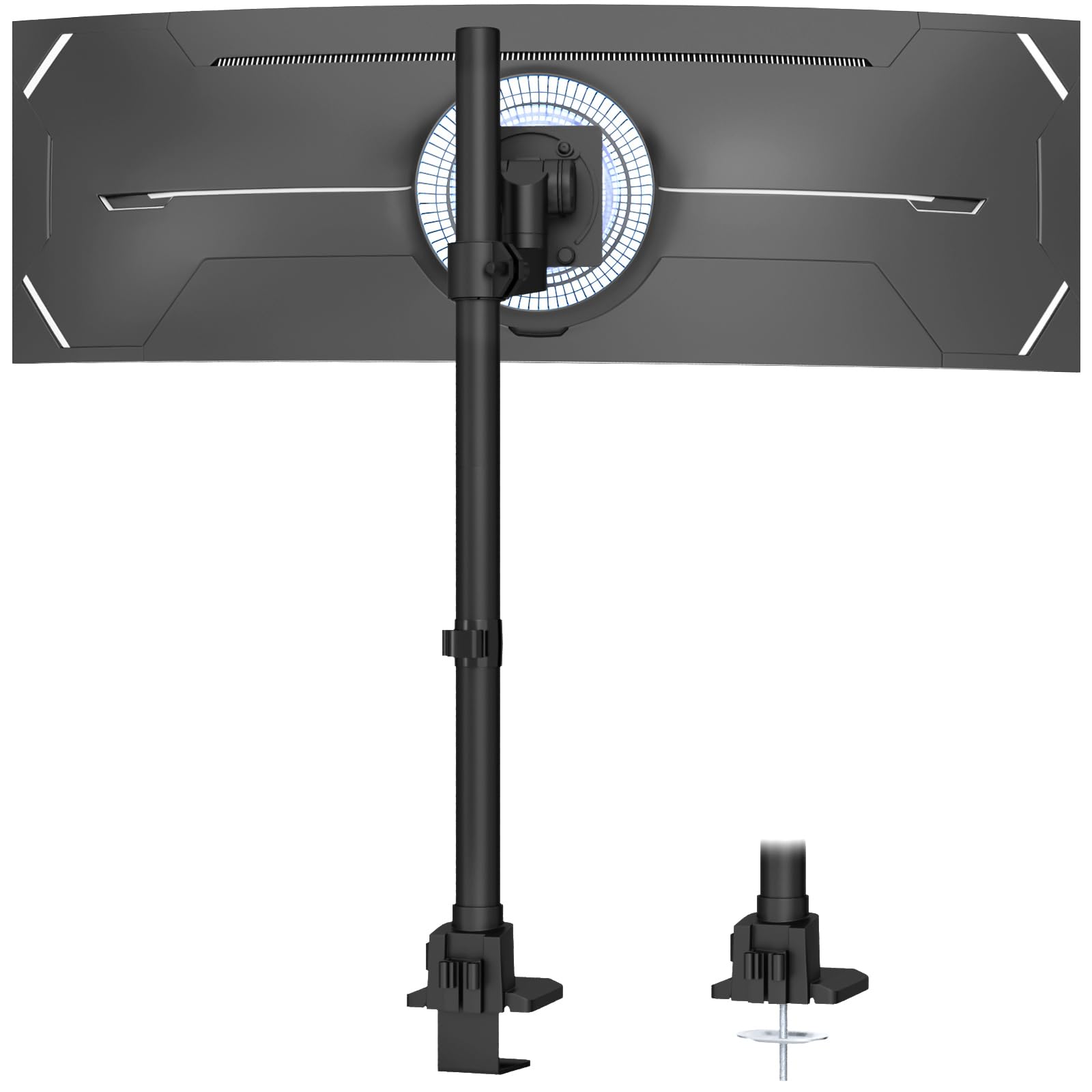
1. 24-57” Ultrawide Monitor Desk Mount
Our pick — 4.5+★ from 650+ verified ratings; the strongest balance of quality and price.
One arm that climbs tall enough for a 57-inch ultrawide and still looks tidy doing it.
The number that separates this arm from the rest is its screen range: it holds flat panels from 24 to 57 inches, which means a giant curved ultrawide sits inside its comfort zone rather than at the edge of it. That same wide band carries a weight ceiling of 59.4 lbs for a flat screen and 48.4 lbs for a curved one, so a hefty curved panel still has headroom. The extra-tall pole lifts the screen enough to open up the space underneath for a laptop, a tablet, or a notebook.
What wins people over here is the mounting and the solidity of the thing — the arm clamps or grommet-mounts to the desk and stays put, and the vertical pole holds its line whether your desk is fixed or a sit-stand model. Setup is a patient exercise rather than a quick one, and buyers report: “Owners mention the clamp holds firm on a sit-stand desk, with setup taking about 20 minutes.” Tilt, swivel, and rotation all move with a push, which is what lets you swing the screen flat for a call and back to your working angle.
The catch is the up-and-down travel — sliding the screen higher or lower takes more effort than the one-handed tilt, so set your height once and leave it. If you run a superwide 49-, 55-, or 57-inch monitor, double-check the VESA bolt pattern first, because some of those panels need a steel adapter to reach 75×75 mm or 100×100 mm. The arm covers a lot of ultrawide ground, and it holds it well.
Where it pulls ahead
- Handles a 24–57 inch screen with a 59.4 lb flat / 48.4 lb curved ceiling.
- Extra-tall pole frees the desk for a laptop and accessories underneath.
- Rock-solid clamping that survives sit-stand desk movement.
- Aluminum build keeps the whole arm rigid as you adjust it.
Worth knowing first
- Raising and lowering the screen is stiffer than the tilt motion.
- Some large ultrawides need an extra VESA adapter you supply yourself.
Reach for this if: you drive a large curved ultrawide and want one arm that clears the desk without a wobble.
Look elsewhere if: you need to nudge screen height constantly through the day.
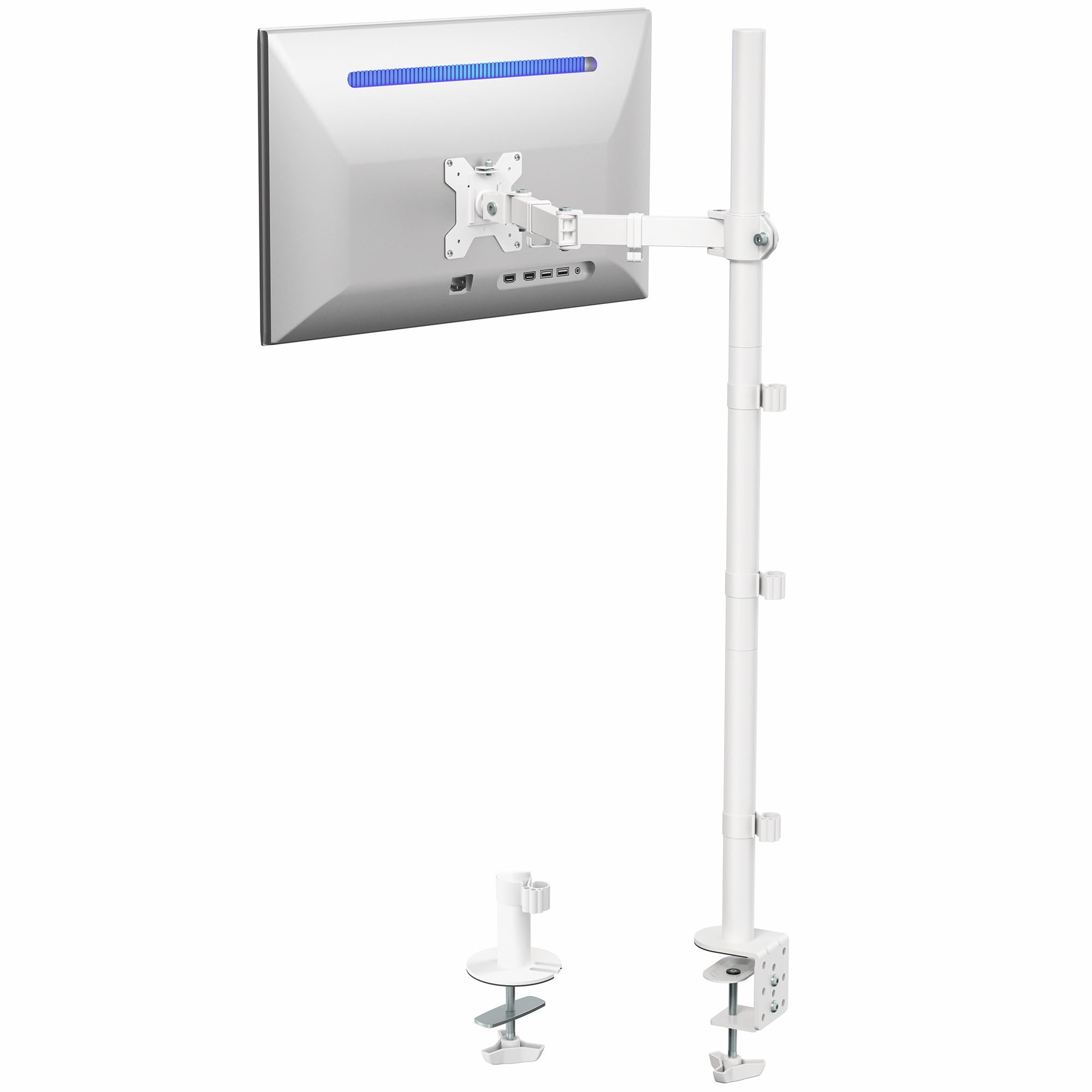
2. Single Tall Monitor Mount 47 inch Pole
A 47-inch pole that stands on the floor, for desks that refuse to take a clamp.
This is the arm for a desk with a drawer underneath, a glass top, or a thick lip that blocks a clamp. Instead of squeezing onto the desk, the 47-inch pole stands on the floor and gives you a long vertical range — so the screen can sit at eye level even at the far end of a deep desk. It takes screens from 13 to 27 inches up to 22 lbs, and it tilts through 90 degrees.
Buyers praise the look and the heft of it most — the finish is clean and the pole feels solid, and the whole thing assembles in about ten minutes with the included hardware. That tall pole also lets you flip between landscape and portrait mode, which suits anyone reading long documents or code. With no clamp on the desk edge, the floor base leaves the whole desktop clear.
The honest limit here is weight: with a 22 lb ceiling, a chunky curved monitor can push up against it, and a few customers note it holds less steady with a heavier panel, so pair it with a lighter screen. It’s also a single-monitor stand, so a multi-screen setup needs a different route. For a light to mid-weight display and a desk that won’t clamp, the trade is a good one.
Build and sizing: The floor-standing design solves the clamp problem for a 13–27 inch screen at up to 22 lbs, with a 90 degree tilt and a free-standing base that leaves the desktop completely clear.
Real fit note: Keep your monitor toward the lighter side of that 22 lb ceiling — the arm holds a light panel far better than a heavy curved one.
Best for: a desk that can’t clamp and a monitor on the lighter side.
Skip when: you’re driving a heavy curved panel or want two screens.
3. VIVO Extra Tall Single Monitor Desk Mount
The tall arm with the longest track record — a 99.1 cm pole and a steel build that just works.
If you want the arm most likely to behave the way you expect, this is the one. The 99.1 cm centre pole lifts the screen from seated to standing height, and the steel construction takes a 13–32 inch screen up to 22 lbs with VESA 75×75 mm or 100×100 mm. Unlike the MOUNTUP arm’s 90-degree tilt swing, this one runs the same +90° to -90° tilt with a full 360° swivel and 360° rotation for portrait or landscape. Integrated cable clips along the arm and pole keep the wires out of sight.
Quality and sturdiness are what buyers single out most — the arm holds an ultrawide without sag, and the detachable VESA plate makes hanging the monitor a one-person job. It clamps to desks up to about 10.2 cm thick, or you can grommet-mount it. The one recurring gripe is that the clamp screw and tilt joint can need a firm hand, and a few buyers with heavier screens found the tilt loosened over time, so check the tension bolt on arrival. For a single everyday ultrawide, though, it’s about as safe a bet as a tall arm gets.
Why it earns its spot: A 99.1 cm pole, 13–32 inch range, 22 lb capacity, and steel construction make it the dependable all-rounder, and the cable clips tidy the back of the desk.
The trade: Tilt tension can drift on heavier panels, so set the joint firmly before you hang anything big.
Pick this when: you want a proven single-arm for a 32-inch or smaller ultrawide and a straightforward install.
Consider another if: you plan to mount a heavy curved panel that needs extra tilt bite.
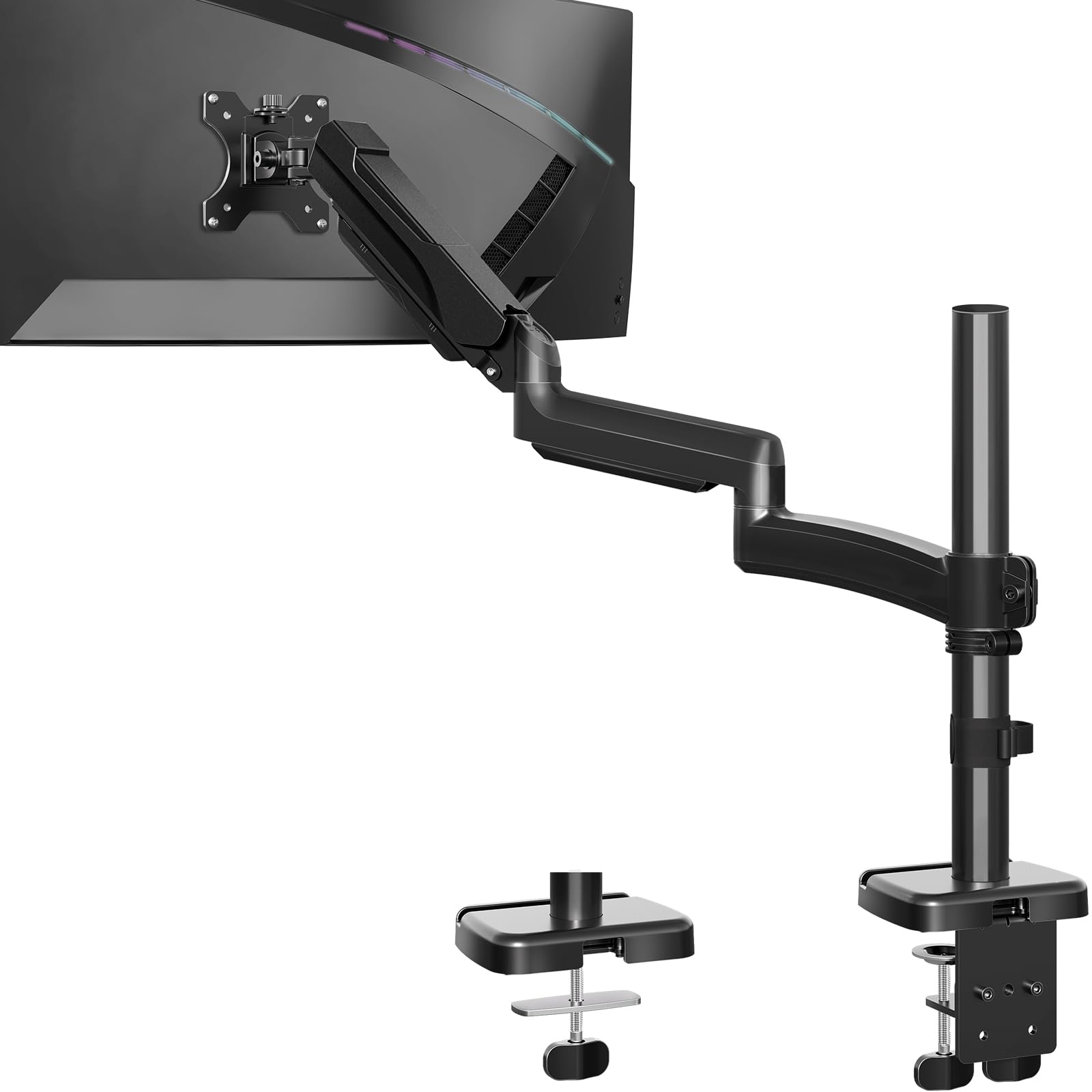
4. MOUNTUP 27 inch Extra Long Monitor Arm
Built for the back of a big desk — the arm reaches out where the screen needs to be.
The headline figure here is reach: the arm extends up to 27.7 inches, so a deep desktop doesn’t strand your monitor near the front edge. Height adjustment climbs to 28.5 inches, and the arm swings through tilt, swivel, and rotation to land on your eye level. It fits 22–32 inch screens up to 19.8 lbs on both 75×75 mm and 100×100 mm VESA patterns. The clamp takes desks from 0.39 to 3.15 inches thick, and the grommet option covers 0.39 to 1.97 inches.
Compare it to the VIVO above and the roles split cleanly: this one gives you the long horizontal reach, while the VIVO gives you a slightly taller center pole. The clamp and grommet base feel secure, the arm is built from alloy steel, and the maker says the alloy steel arm is cycle-tested for daily height changes. Setup is manageable despite the part count — expect to spend time leveling the arm — and cable clips help keep the run tidy.
The main thing to weigh is that this arm’s tilt runs to the same 90-degree range as the MOUNTUP spec states, and some buyers find the joint takes persuasion to hold a heavier screen at an angle. It’s also aimed at screens from 22 to 32 inches, so a big 49-inch ultrawide is beyond it — that job belongs to the taller, heavier arms further down. For a standard 27-inch or 32-inch display on a deep desk, the reach is the win.
What makes it useful
- 27.7 inches of extension puts the screen where a deep desk needs it.
- 28.5 inches of height adjustment for eye-level viewing.
- Clamp and grommet base options for most desk setups.
The honest trade
- Tilt can need firm adjustment to hold an angled heavy screen.
- Capped at 32 inches, so no ultrawide beyond that width.
Fits best with: a 27–32 inch screen and a desk deep enough that horizontal reach beats vertical height.
Not the one for: ultrawides wider than 32 inches or heavy curved panels.
5. MOUNT PRO Single Long Monitor Arm, 13 to 32 inch

A long-reach aluminum arm with an extra-tall column, aimed at taller desk users.
If you’re tall and your existing arm can’t lift the screen high enough, this one’s 28.5-inch height range puts the monitor closer to eye level rather than making you hunch. Its arm extends up to 27.76 inches, and it holds 13–32 inch flat or curved screens from 4.4 to 19.8 lbs on 75×75 mm and 100×100 mm VESA patterns. The movement set is wide — 360° rotation for portrait or landscape, plus swivel and tilt — and integrated cable routing keeps the look clean.
Functionality and reach are what buyers value most here — the arm works well, and its long extension is the reason people choose it. The trade is adjustment feel: a few owners find the joints stiff and finicky to dial in, and one gripes the supplied hex key didn’t match the bolts. Plan to take your time on the first setup and recheck every bolt.
It also won’t work with 1000R, 1500R, or 1800R curved screens — the aggressive curve of those panels doesn’t sit right on this VESA plate. The 19.8 lb ceiling rules out a big curved ultrawide, so this is a tall arm for a standard flat or gently curved 27- or 32-inch screen. Repeat buyers pick up a second one for a two-screen desk.
The case for it: 28.5 inches of height, 27.76 inches of reach, and a 13–32 inch range at up to 19.8 lbs make it a strong tall-thin-setup arm.
The catch: Joints can be stiff to tune, and heavily curved (1000R–1800R) panels won’t fit.
Worth it for: taller users and deep desks where you need the screen up and out, with a flat or gently curved 27–32 inch panel.
Pass if: you’re mounting a strongly curved monitor or want tool-free adjustment.
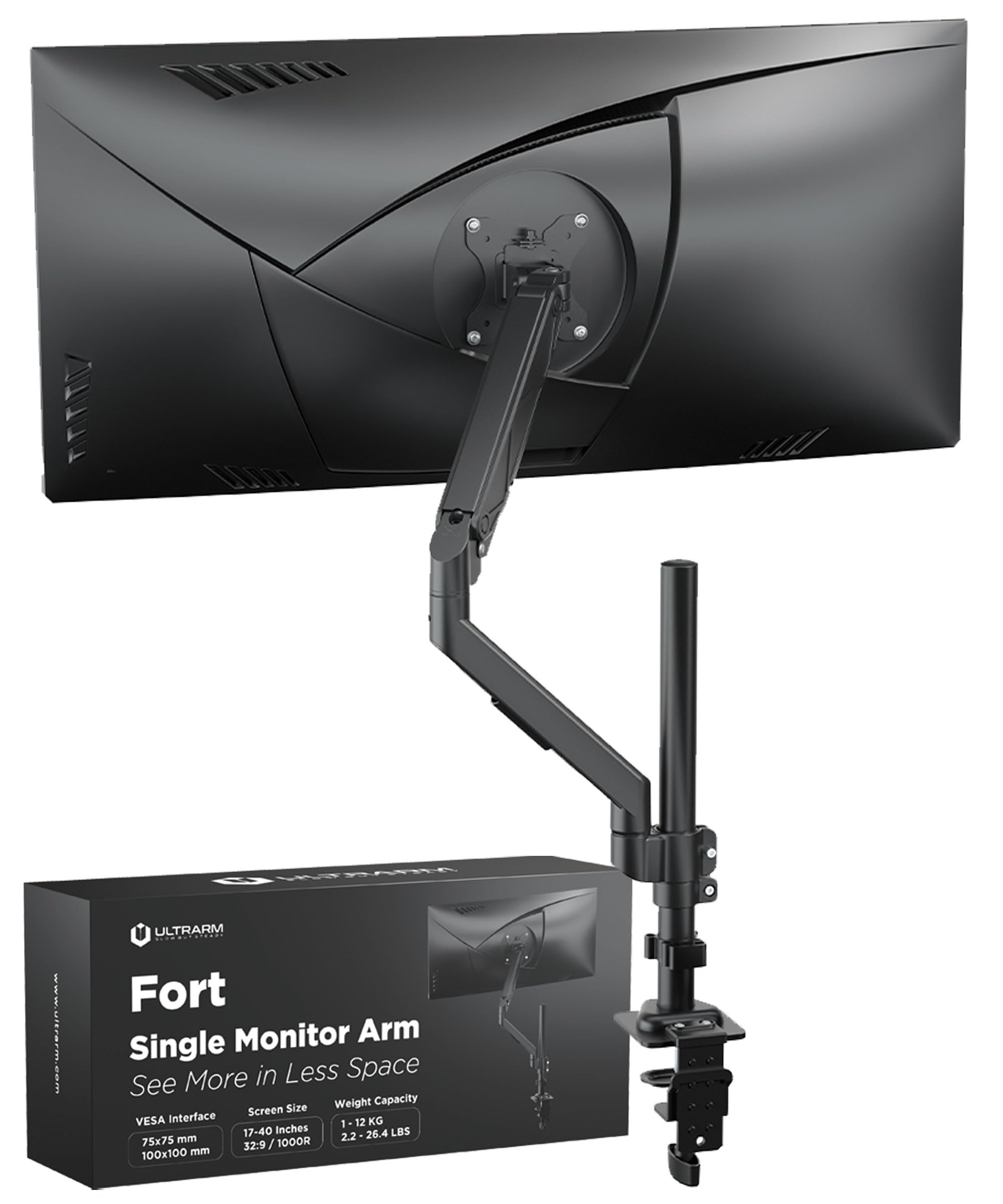
6. ULTRARM Extra-Tall Heavy-Duty Monitor Arm Mount
A 33.4-inch gas-spring arm that starts as one screen and grows into four.
Buy this if you want room to grow. The extra-tall pole reaches a 33.4-inch maximum height, and the modular design lets you add arms to run dual, triple, or even quad monitors on the same pole, so you don’t buy a fresh base each time. It takes 17–40 inch flat and curved panels up to 26.4 lbs per arm, and the 22-inch arm length pushes the screen up and out to clear desk clutter. A gas spring handles smooth height changes while the mechanical spring structure keeps the tilt feel firm without drift.
The tilt range is the widest in this group at 100 degrees, which is what makes it useful for stacked setups where you angle a top screen down toward you. It supports 1000R, 21:9, and 32:9 curved formats, so a big curved ultrawide is inside its reach. Flat-to-curved coverage from 17 to 40 inches means it fits a standard 27-inch today and an ultrawide later without replacing the mount. It’s a newer listing with fewer owner write-ups so far, which is worth knowing before you commit.
The one thing to plan for is the pole’s footprint and clamp range on your specific desk — this is a substantial arm, and you want the clamp to sit where you actually work. The reward is a single pole that can carry more screens as your setup grows, with a height ceiling above the smaller single arms here.
Standout spec: 33.4 inches of maximum height and a modular pole that goes from one screen to four, with 26.4 lbs per arm and 100 degrees of tilt — a rare combination in the tall-arm class.
Before you buy: It’s a newer listing with a thinner review history, and the substantial pole needs a deliberate clamp location on your desk.
Built for: a stacked or multi-screen desk that might grow, and you want height with headroom.
Hold off if: you want a well-worn, review-heavy track record before buying.
7. VIVO Dual Monitor Arm Extra Tall Mount, Up to 32″ Screens
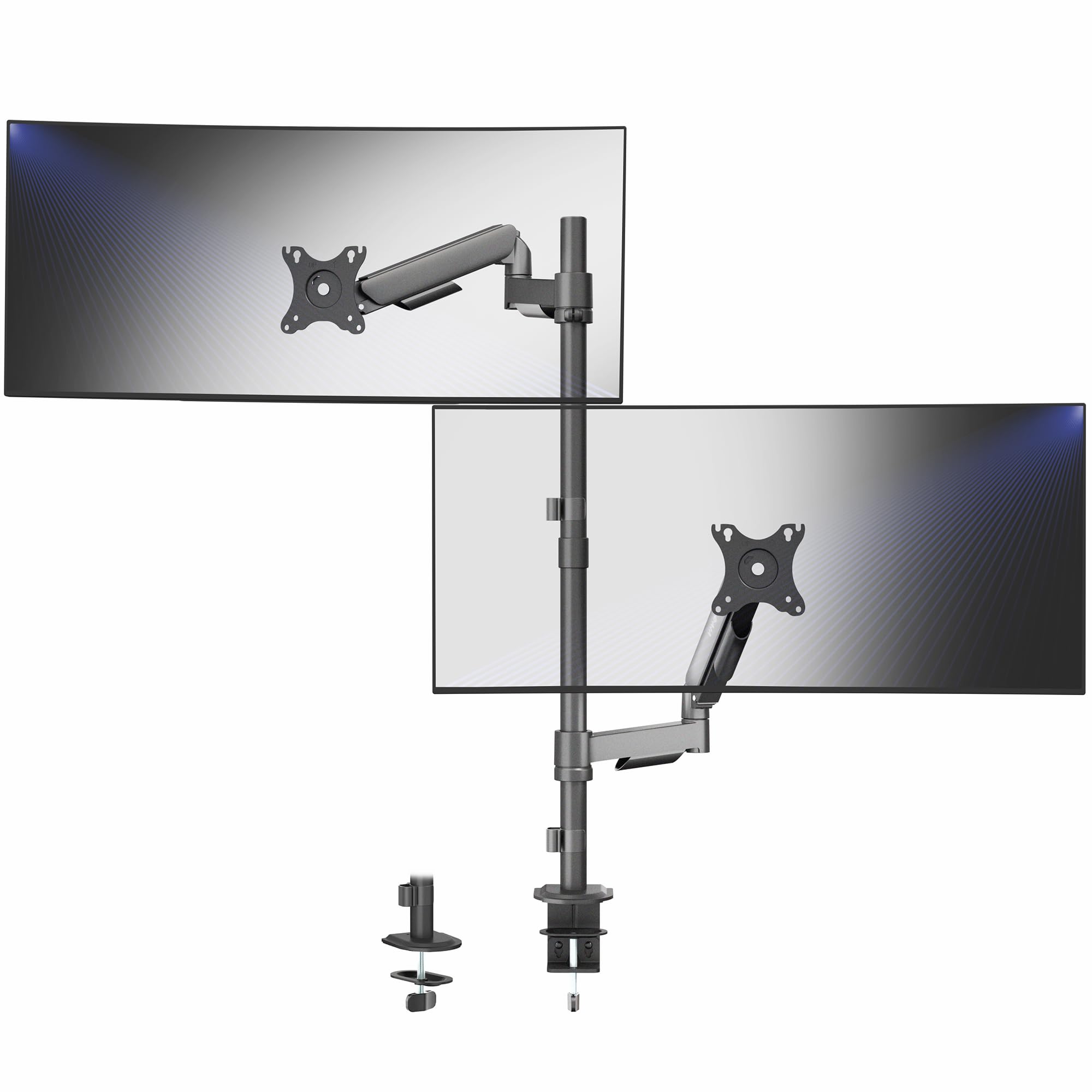
Two screens on one tall steel pole, with mechanical springs that lift both together.
This is the tall arm for a two-screen desk. It carries two 17–32 inch monitors at up to 19.8 lbs each on 75×75 mm or 100×100 mm VESA, and the extra-tall pole lets you stack them vertically. Dual mechanical springs counterbalance the weight so each arm transitions smoothly, and the tilt, swivel, and rotation let each screen find its own angle. The C-clamp takes desks up to 3.3 inches thick, and a grommet mount is available.
Buyers find it works well and goes together without drama, and the included hardware covers most monitor backs. The removable VESA plates let you slide each screen on rather than hold it in place while you bolt it, which matters when you’re mounting two. Cable management runs the wires along the arm so the desk doesn’t turn into a nest.
The thing to think through is balance — the stability counts here skew mixed, especially with two heavy screens, so a lighter pair at 27 inches tends to sit steadier than two big curved panels. If both your screens are compact and you want them stacked vertically, this earns its keep; if they’re both heavy ultrawides, the single-screen heavyweight arms further down are firmer.
Why a two-screen desk likes it
- Two arms on one tall steel pole, 17–32 inches and 19.8 lbs each.
- Mechanical springs counterbalance for smooth height moves.
- Extra-tall pole allows vertical stacking of the two screens.
Sizing it right
- Two heavy curved panels can feel less than solid.
- Best with lighter, mid-size screens rather than big ultrawides.
Choose it for: a two-monitor setup with mid-size screens that you want stacked or angled on one tall pole.
Think twice if: both screens are heavy curved panels — a single hefty arm per screen holds better.
8. ULTRARM Heavy Duty Monitor Arm

The brute of the group — a 44 lb arm built around a single 57-inch ultrawide.
When the screen itself is the problem, this is the arm that carries the weight. It holds one screen up to 44 lbs and fits ultrawides up to 57 inches, running down to 49- and 24-inch flat or curved panels. A pneumatic spring system adjusts to the monitor’s weight, and 13 inches of gas-spring height lift smooths the up-down move. The quick-release VESA plate does 75×75 mm and 100×100 mm, and you get a 180-degree swivel, 180-degree rotation, and a +25 to -25 degree tilt.
Sturdiness is the reason people pick it — it supports big Samsung Odyssey panels without sagging under the load, and setup is manageable. The base with its extra-tall pole carries up to 88 lbs of mounting capability, which is what lets you add a second arm later and stack a second big ultrawide. The clamp takes desks from 0.6 to 3.3 inches thick, with a grommet option for 0.6 to 1.9 inches.
Now the honest bit: the tilt mechanism is the weak joint on the heaviest panels — several owners found it too soft to hold a large Neo G9 fully upright, and the grip and adjustment counts run mixed. It’s a 50-degree tilt arm rather than a 90-degree one, so deep downward angles aren’t its strength. And one unit arrived with stripped base screws, so check your hardware on arrival. On weight and reach, though, few arms this side of premium hold a 57-inch screen.
What it commands: 44 lbs on a single screen, up to 57 inches, with a pneumatic spring and a base that can carry 88 lbs for future expansion.
Fit caveat: The tilt joint struggles to keep the very heaviest 57-inch panels perfectly upright, and it tilts 50 degrees rather than 90.
Right when: you own a very large, very heavy ultrawide and need one arm that won’t flinch on weight.
Wrong when: you want deep tilt angles or the firmest possible hold on the heaviest Neo-class panel.
9. Ergotron LX Monitor Arm, Single Desk Mount, Tall Pole

The buy-it-once arm: a 13-inch lift, a 10-year warranty, and one-hand positioning.
If you’d rather not revisit this purchase in a few years, the Ergotron LX is the arm people buy to be done. It fits a single screen up to 34 inches and 7 to 25 lbs on VESA 75×75 mm or 100×100 mm, and the tall pole gives 13 inches of monitor lift that rises 22.1 inches from the worksurface. The two-piece desk clamp fits edges from 0.63 to 2.6 inches thick, and a grommet mount is available separately. Movement covers 360-degree rotation and 75 degrees of tilt.
What owners talk about most is the finish and the ease of use — one hand swivels, lifts, or lowers the screen and it holds the angle you set. The arm folds back to reclaim desk space and slips under a storage shelf or cabinet, and Ergotron backs it with a 10-year warranty and technical support, the longest coverage here. One-hand positioning is what justifies the premium price.
The trade is that the coverage is narrower than the ultrawide specialists — 34 inches and 25 lbs rules out a 40- or 57-inch panel, so this is a tall arm for a standard single screen, not a giant curved one. It’s also the priciest option here, and a small number of units have shown up with loose base plastics, so give the clamp a firm check when it arrives. On a standard screen, the 10-year warranty makes it the arm least likely to need replacing.
The long view: A 13-inch lift to 22.1 inches, one-hand positioning, and a 10-year warranty make this the set-and-trust purchase of the group.
Where it stops: A 34-inch / 25 lb ceiling means it won’t take a big curved ultrawide, and it’s the most spendy choice here.
Buy it if: you have a standard single screen up to 34 inches and want one arm with long coverage.
Look on if: you’re mounting a 40-inch-plus ultrawide or you’re watching the budget closely.
Know the Specs
Maximum height vs. screen size range
Height is the number that makes an arm “tall” — how high the pole can raise the screen above the desktop. Screen size range is a separate thing: it sets the smallest and largest panels the VESA plate will physically hold. A 33.4-inch height arm that caps at 40 inches can lift high, while a 13-inch-lift arm that fits up to 34 inches holds height and screen differently. Read both before you buy, because a high pole does not guarantee it fits a giant screen.
Weight capacity and curved panels
Every arm lists a ceiling on how much screen weight it holds, and curved or ultrawide panels eat into that quickly. A 44 lb ceiling suits a 57-inch ultrawide, while a 19.8 lb arm is meant for a standard 27- or 32-inch screen. Stay under the limit rather than at it, and count any adapter or camera you bolt on. If the clamp and tilt joints seem soft on a heavy panel, that’s usually the weight being pushed too close to the ceiling.
Common Questions
How tall does a monitor arm need to be to reach eye level at a standing desk?
Can a tall monitor arm hold a 57-inch ultrawide?
What VESA pattern do I need to check before buying a tall monitor arm?
Will a clamp tall monitor arm work on a glass or drawer desk?
Is a gas spring monitor arm better than a mechanical one for a tall setup?
How much weight can a tall single monitor arm hold?
Do tall monitor arms tilt enough to angle the screen down at me?
Can I make a tall single monitor arm hold two screens later?
Why does my tall monitor arm sag or droop at the tilt joint?
Is a taller pole always the right choice for a deep desk?
The Bottom Line
The tall monitor arm that earns the top spot is the 24-57” Ultrawide Monitor Desk Mount because it holds a 24–57 inch ultrawide up to 59.4 lbs flat or 48.4 lbs curved on an extra-tall pole that clears the desk. If you want the dependable everyday single arm with a long track record, the VIVO Extra Tall Single Monitor Desk Mount is the proven choice. And for the heaviest single ultrawide, the ULTRARM MA20P-S carries 44 lbs and 57 inches. Check the height the screen reaches and the weight ceiling against your monitor first.
How we choose
We do not accept paid placement. Every pick is matched to a real buyer and a real use-case; we do not hands-on test units.
Sources
Specifications: manufacturer listings and product documentation. Review insights: verified customer reviews, as of November 2026. Pricing: not shown on this page (it changes often); check the current price via the retailer link.
As an Amazon Associate, Tactical Gear Guy earns from qualifying purchases. This does not affect which products we feature.