Specs are compiled from manufacturer listings and verified buyer reviews and can change over time — please confirm the key details on the product page before buying.
Walmart’s cheap tablet shelf looks like a bargain and feels like a gamble. The practical answer for most families: the DIGITHINK Kids Tablet is the safest first pick for a young child, the Lenovo Tab One is the one to buy if you want it for yourself, and everything in between depends on how much battery and screen size you really need.
This guide is built by comparing the manufacturers’ published specifications and the patterns across verified customer reviews, so you get each pick’s real strengths and trade-offs instead of marketing spin.
Some of these picks sit right at the top of the budget range and a couple stretch slightly past it, which is normal for this shelf. Here is what actually separates the durable picks from the disposable ones among these tablets at walmart under $100.
Top Picks

How To Choose a Budget Tablet
On a cheap tablet, the spec sheet is a minefield of look-good numbers. The screen size tells you whether it slips into a kid’s backpack or a purse. The battery number tells you whether a road trip ends in silence. Everything else is decoration until those two are sorted.
Screen size and resolution
A 7-inch panel is the kid-tablet standard, because small hands hold it and small bags swallow it. A 10-inch screen is the one you actually want for watching a movie in bed or working on a document. Resolution matters more than size for sharpness: 1024×600 looks coarse, while 1280×800 stays crisp for reading and subtitles. Look for “IPS” (an LCD type that keeps colors steady when you tilt the screen) on either size.
Battery capacity vs. claimed hours
Sellers quote “up to 10 hours,” but the number to compare is the battery capacity in mAh (milliamp-hours — a measure of stored charge). Some 7-inch kids models carry 3000 mAh, others 3500 mAh, and a 10-inch model can carry 6000 mAh. Bigger batteries tend to run longer, but a bigger, brighter screen eats into that. A big screen with 6000 mAh is a safer bet than a small screen with 3000 mAh.
RAM, storage, and the “expanded” trick
You’ll see specs written like “8GB RAM” or “4GB (2GB+2GB).” That parenthetical is the honest tell: only the first number is physical memory, and the rest is virtual, borrowed from storage. More real RAM means fewer frozen apps. Storage of 32GB fills fast with videos, so check whether a microSD card slot lets you add more.
Side-by-Side Comparison
| Model | Best For | Screen | Battery | RAM / Storage | Amazon |
|---|---|---|---|---|---|
| DIGITHINK Kids Tablet 7″★ Best Overall | Kids 1–3 | 7″ 1024×600 IPS | 3000 mAh | 4GB (2+2) / 32GB | Amazon |
| CUPEISI 7″ TabletBest Value | Small kids | 7″ 1024×600 IPS | 3000 mAh | 4GB (2+2) / 32GB | Amazon |
| Topelotek 7″ Kids TabletMost Educational | Offline learning | 7″ 1024×600 LCD | 3500 mAh | 2GB / 32GB | Amazon |
| Zcobro Kids Tablet 7″ | Long battery days | 7″ 1024×600 IPS | 3500 mAh | 2GB / 32GB | Amazon |
| BYANDBY 10.1″ 2-in-1 | Laptop style | 10.1″ 1280×800 IPS | 6000 mAh | 8GB (3+5) / 32GB | Amazon |
| NOVOJOY 10″ Tablet | Value 10-incher | 10.1″ 1280×800 IPS | 6000 mAh | 8GB (3+5) / 32GB | Amazon |
| PRITOM TAB10 Max | Built-in storage | 10″ 1280×800 IPS | 6000 mAh | 3GB / 64GB | Amazon |
| CFVOCUY 10.1″ Kids Tablet | Older kids | 10.1″ 1280×800 IPS | 5000 mAh | 8GB (3+5) / 64GB | Amazon |
| Lenovo Tab One 8.7″ | Adult daily driver | 8.7″ 1340×800 LCD | up to 12.5 hrs YouTube | 4GB / 64GB | Amazon |
Detailed Reviews
1. DIGITHINK Kids Tablet 7 inch with Protective Case (Rose Red)
A 7-inch starter tablet for tiny hands, with the case already in the box.
What makes this the top choice is not a headline spec but the fit: it comes with a shock-absorbent protective case in the box, so a toddler’s first drop doesn’t end the tablet’s life. The 7-inch 1024×600 IPS screen (IPS keeps the picture bright even when the tablet is tilted) is sized for a child’s grip, and the automatic brightness adjustment reduces eye strain during long cartoon sessions. It runs Android 12 with a quad-core processor at up to 1.3 GHz, and GMS certification means you can pull kids’ apps straight from Google Play.
Storage is 32GB, expandable to 1TB through a microSDXC card, so downloaded videos and e-books don’t fill it up quickly. The 4GB figure is 2GB physical RAM plus 2GB expansion. from the start you get the Aiwawa kids apps with activities like animal coloring, story listening, and puzzle games, plus parental controls for filtering content and setting time limits.
The catch is performance consistency. Performance feedback is mixed, so this is a watching-and-learning tablet, not a fast-games one. Durability is the other variable: the case helps, but the 3000 mAh battery and the 3000 mAh cell type mean you should expect shorter sessions than the 10-inch picks. That said, this is the pick that gets a 4.0+ star rating from hundreds of owners because it does the young-kid job without fuss.
What earns it the top spot
- Protective shock-absorbent case bundled in, ready for toddler drops
- Age-appropriate apps pre-installed with parental controls built in
- 32GB storage expandable to 1TB via microSDXC
- 1024×600 IPS screen with automatic brightness for eye comfort
Where it falls short
- 3000 mAh battery means shorter sessions than 10-inch rivals
- Performance is mixed across owner feedback — fine for basic apps, not speed demons
- 4GB RAM is really 2GB physical plus 2GB virtual
Ideal for: parents buying a first tablet for a child around age 1–3 who mostly watches and taps simple learning apps.
Think twice if: you need all-day battery for car trips — the 3000 mAh cell taps out sooner than the 10-inch options below.
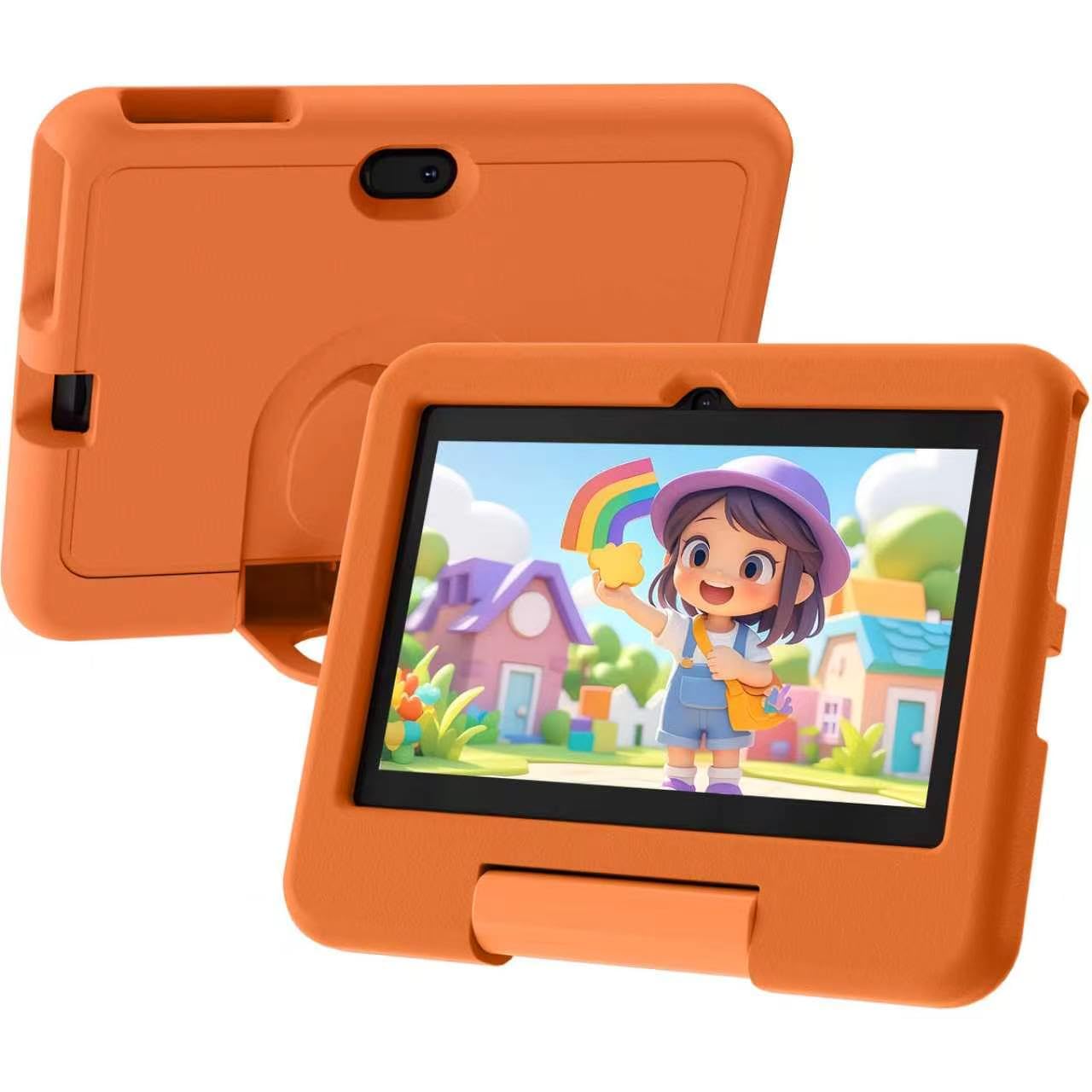
2. CUPEISI 7″ Android Tablet with Orange EVA Case
The 7-inch that gets the basics right and throws in a leather case.
The standout here is device quality — the thing owners rave about most — and a tied 4.0+ star rating is the strongest on this list alongside the Lenovo. It’s a 7-inch Android tablet with a 1024×600 IPS screen, GMS certification for Google Play, and Widevine L1 support so Netflix streams in high resolution. The quad-core processor handles multitasking, and with 32GB of storage expandable to 1TB via microSD, you won’t run out of room for photos and videos.
The 3000 mAh battery is rated for up to 6 hours of use, with Type-C fast charging to top it back up. For a quick comparison, that’s the same up-to-6-hours figure the DIGITHINK claims, so neither wins the endurance race over the other. The included protective leather case — in a bright orange EVA finish — saves you hunting for an accessory, and the five-megapixel rear camera plus two-megapixel front camera are decent for a budget tablet.
Reliability is where the honest caveat lands. Some units stop working unexpectedly or freeze, which is the trade-off on any sub- tablet. If you’re buying this for a small child who mostly watches videos and reads, the quality is there. If you need a tablet that boots reliably for schoolwork every morning, the Lenovo below is the safer pick.
Why the value case holds: you get a 7-inch IPS screen, expandable 32GB storage, Widevine L1 Netflix support, and a case bundled in — a complete package for a first tablet. The EVA case is protective enough for everyday bumps, and the five-point capacitive touch keeps taps responsive.
Where careful buying pays off: reliability is mixed, and some buyers report freezing. Treat it as a light-use kids’ tablet, not a workhorse.
Worth grabbing if: you want a complete 7-inch setup with the case already sorted and streaming that actually looks sharp.
Hold off if: you expect a tablet to survive heavy daily school app use — the reliability feedback is too variable for that job.
3. Topelotek 7″ Kids Tablet with Offline Learning Apps
Montessori lessons baked in, no Wi-Fi needed on the drive.
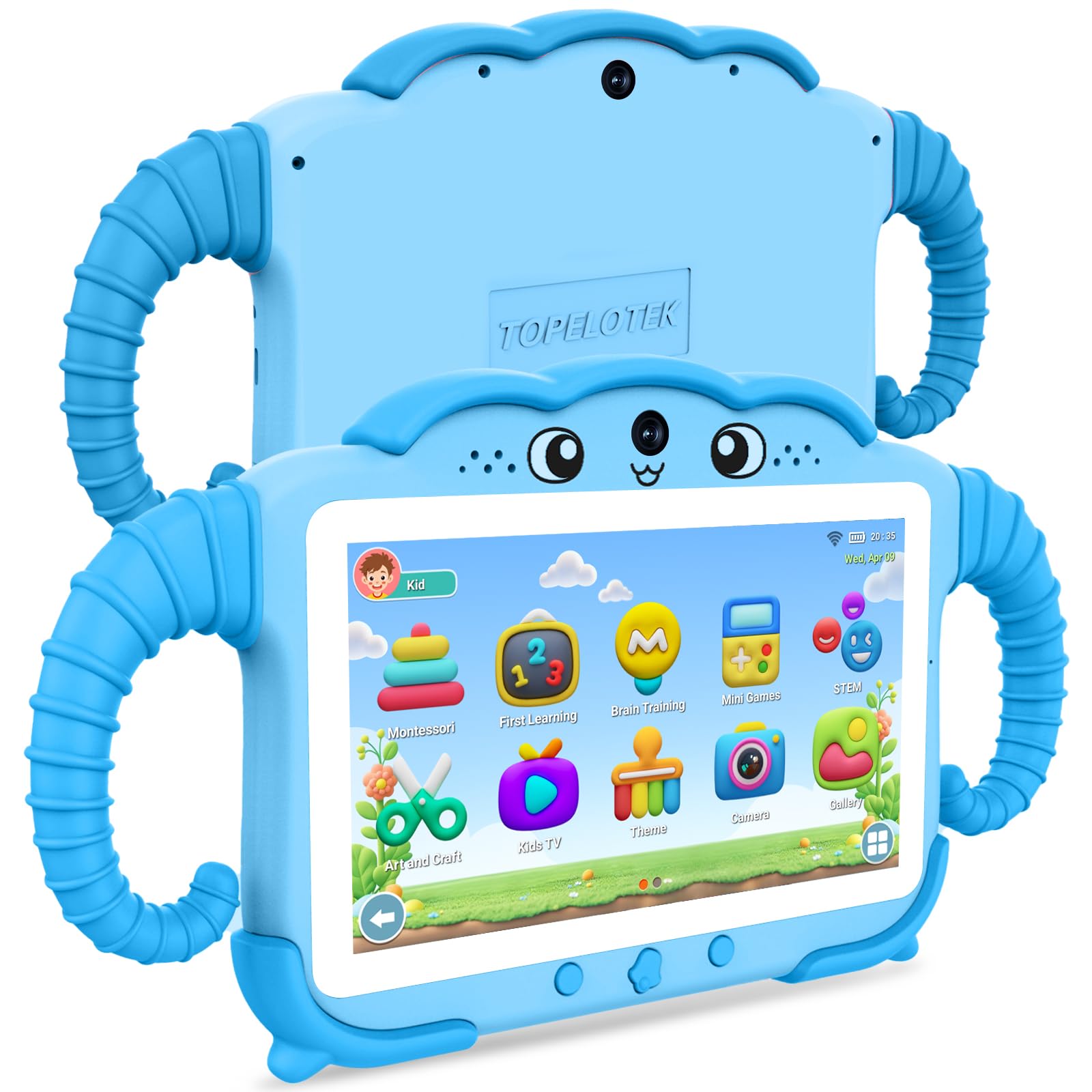
If you want the tablet to teach rather than just entertain, this one leads on the thing that matters: the pre-loaded offline content earns more praise than anything else about it. You get Montessori lessons, early education, brain exercises, mini games, and STEM modules, all stored on the device so a child can work through them on a plane or in the back seat without a signal. The 32GB of storage expands to 128GB, and parental controls let you set screen time limits, learning targets, and content filters.
The 3500 mAh battery is rated for 8 hours, and compared to the CUPEISI’s 3000 mAh cell, that’s a meaningful step up in staying power for a small screen. The screen is a 7-inch 1024×600 LCD with adjustable brightness, and the tablet comes with a rotatable stand for hands-free use — handy for propping it up at the kitchen table.
Now the honest part: this tablet has 650+ ratings at 3.5+ stars, the lowest on this list, and the data shows why. Reliability and battery life both come in with more negative reports than positive — some units stop working, and some batteries die within months. The educational content is the genuine strength, but you’re buying a device with a bigger track record of faults than the others here. It suits a light user who wants the offline lessons and nothing more.
The education-first argument: no other tablet on this list leans this hard into offline learning, and the 3500 mAh battery outlasts the smaller 3000 mAh cells. The rotatable stand makes it genuinely hands-free.
The reality check: between reliability and battery life dragging the score down to 3.5+ stars, this is a purchase for someone who prioritizes the curriculum over long-term dependability.
Yes for: a parent who travels a lot and wants a screen stocked with ready-made lessons and no Wi-Fi dependence.
Not for: anyone who needs the tablet to be the family’s reliable daily driver — the longer-term reliability feedback puts it behind the top picks.
4. Zcobro Kids Tablet 7 inch 32GB with Case (Purple)
A 10-hour battery in a 7-inch shell — the road-trip specialist.
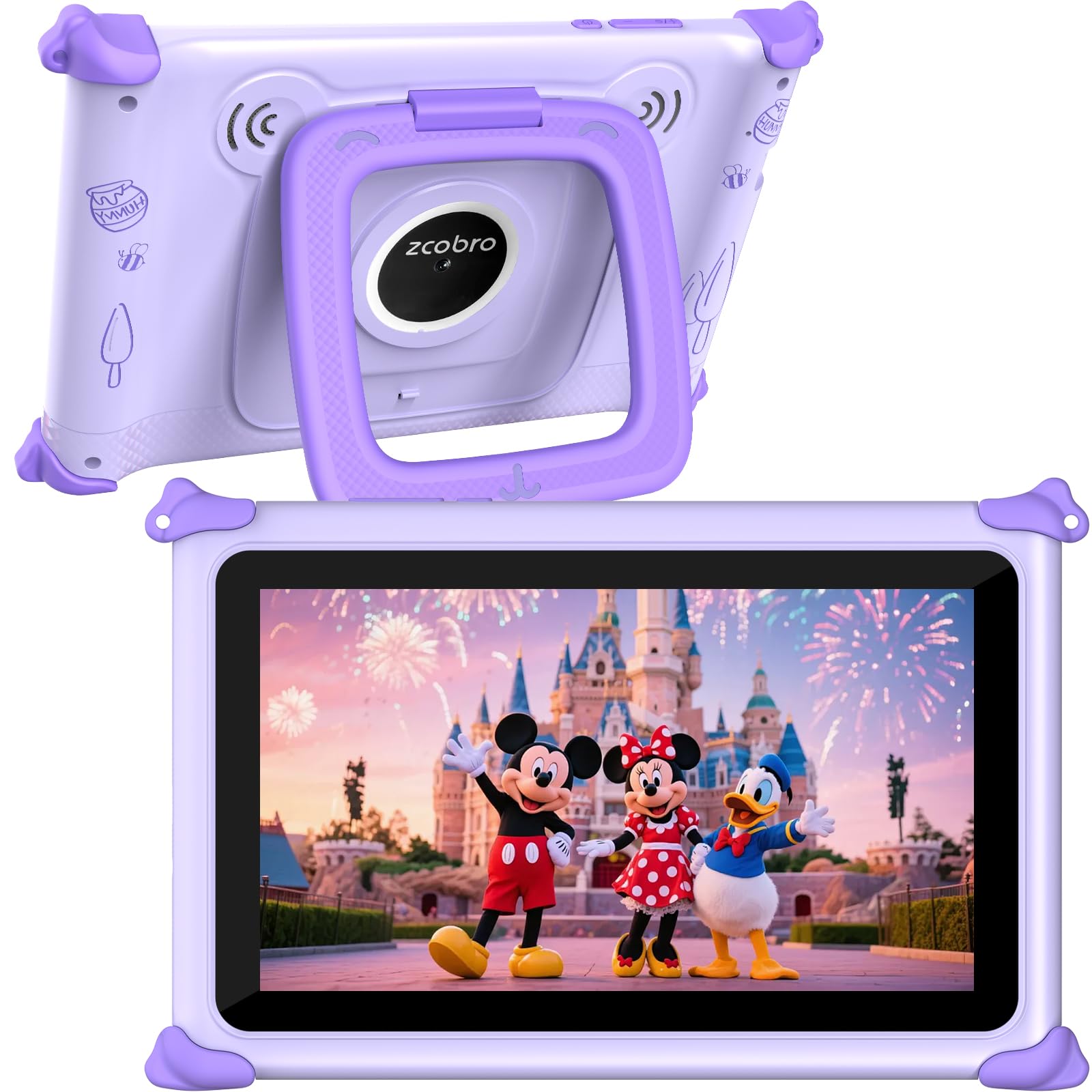
What you get here is a 3500 mAh battery rated for up to 10 hours of use, and that’s the biggest endurance claim of any 7-inch tablet on this list. For a family that spends weekends in the car, that’s the number that matters. The 1024×600 IPS screen plays cartoons clearly, the silicone bumper handles bumps, and the adjustable stand on the back lets a child prop it up hands-free for watching or drawing.
Pre-loaded on the tablet is the Yubabe app, which supplies educational and entertainment content offline — language learning, animal coloring, simple crafts, story listening, and puzzle games. Parental controls let you filter by age, run multiple child accounts, set time limits, and approve downloads, with a default home-mode password of 0000. The maker claims the quad-core processor runs apps 40% faster, a figure worth treating with caution.
The 2GB physical RAM is the lowest on this list (two gigabytes, not expandable like the virtual RAM on the DIGITHINK), so expect more waiting when switching apps. Reliability and battery issues show up in the feedback too, which is the trade-off on every inexpensive tablet. Still, the child-friendly design earns near-universal praise, and the 4.0+ star rating reflects a solid, straightforward kids’ device.
The battery story: 3500 mAh rated up to 10 hours beats the 3000 mAh DIGITHINK and the CUPEISI on stated endurance, so a long drive stays quiet longer. The Yubabe offline content is a real bonus when there’s no signal.
The one to note: with 2GB physical RAM and some reliability reports, it suits a video-first child more than a power user.
Reach for this if: battery life is your priority and the tablet will mostly play downloaded shows and simple learning apps.
Look elsewhere if: you want snappy app-switching — the 2GB physical RAM is the smallest here.
5. BYANDBY 10.1″ 2-in-1 Tablet with Keyboard
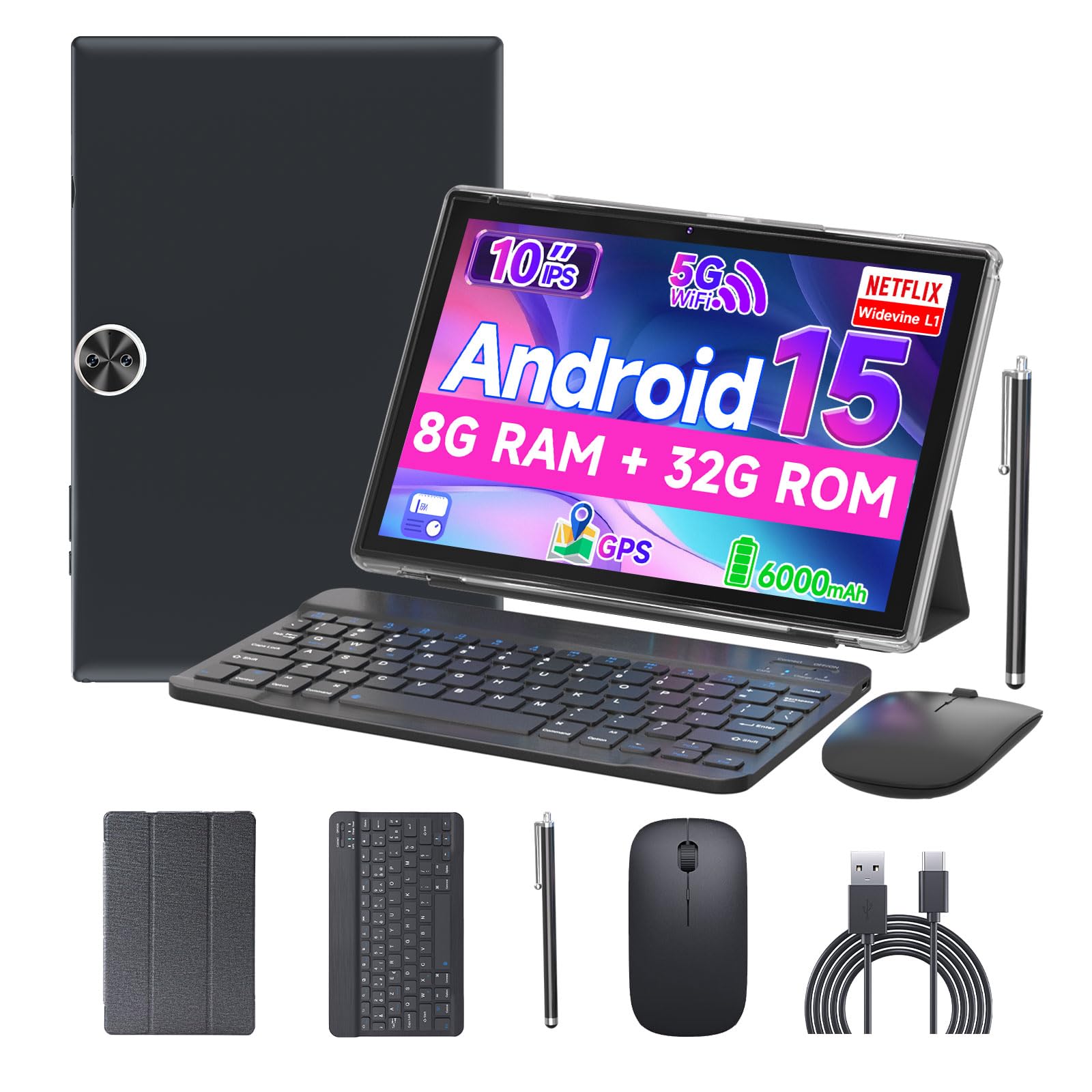
Turns into a laptop with a keyboard, mouse, and stylus in the box.
Here’s a different proposition from the 7-inch kids’ tablets: a 10.1-inch screen at 1280×800 resolution paired with a Bluetooth keyboard, a wireless mouse, and a stylus. That turns the tablet into a laptop-style device for essays, email, or a spreadsheet at the kitchen table. The 6000 mAh battery is rated for up to 10 hours, which is the kind of endurance you want if this is replacing a laptop for light work.
The screen is a 10.1-inch IPS panel with an 8MP rear and 2MP front camera, and it supports 2.4G/5G Wi-Fi plus Bluetooth 5.0. The 8GB RAM figure is 3GB physical plus 5GB virtual, the same split as the NOVOJOY below, and 32GB of storage expands up to 2TB via microSD. For a 10-inch tablet at this tier, the screen-to-body ratio is kept tight with a narrow-edge design.
The catch is the usual one for this shelf: performance and battery feedback leans negative, with the tablet running slow on heavier apps and the battery fading after months. Value is what buyers praise most — it delivers a laptop-style setup for a fraction of a laptop’s cost — but treat it as a light-work device, not a productivity workhorse.
What makes it tempting
- Keyboard, mouse, and stylus included for a laptop-style setup
- 6000 mAh battery rated up to 10 hours
- 10.1″ 1280×800 IPS screen with 8MP rear camera
- 32GB storage expands to 2TB via microSD
The trade-offs to know
- 8GB RAM is 3GB physical plus 5GB virtual, not all real
- Performance feedback leans negative on heavier apps
- Battery can fade after months of use
Great choice for: a student or light office user who wants laptop-style typing on a budget.
Skip it for: anything demanding on speed — the performance reports make it a basic-apps-only machine.
6. NOVOJOY 10 inch Android Tablet with Case and Stylus
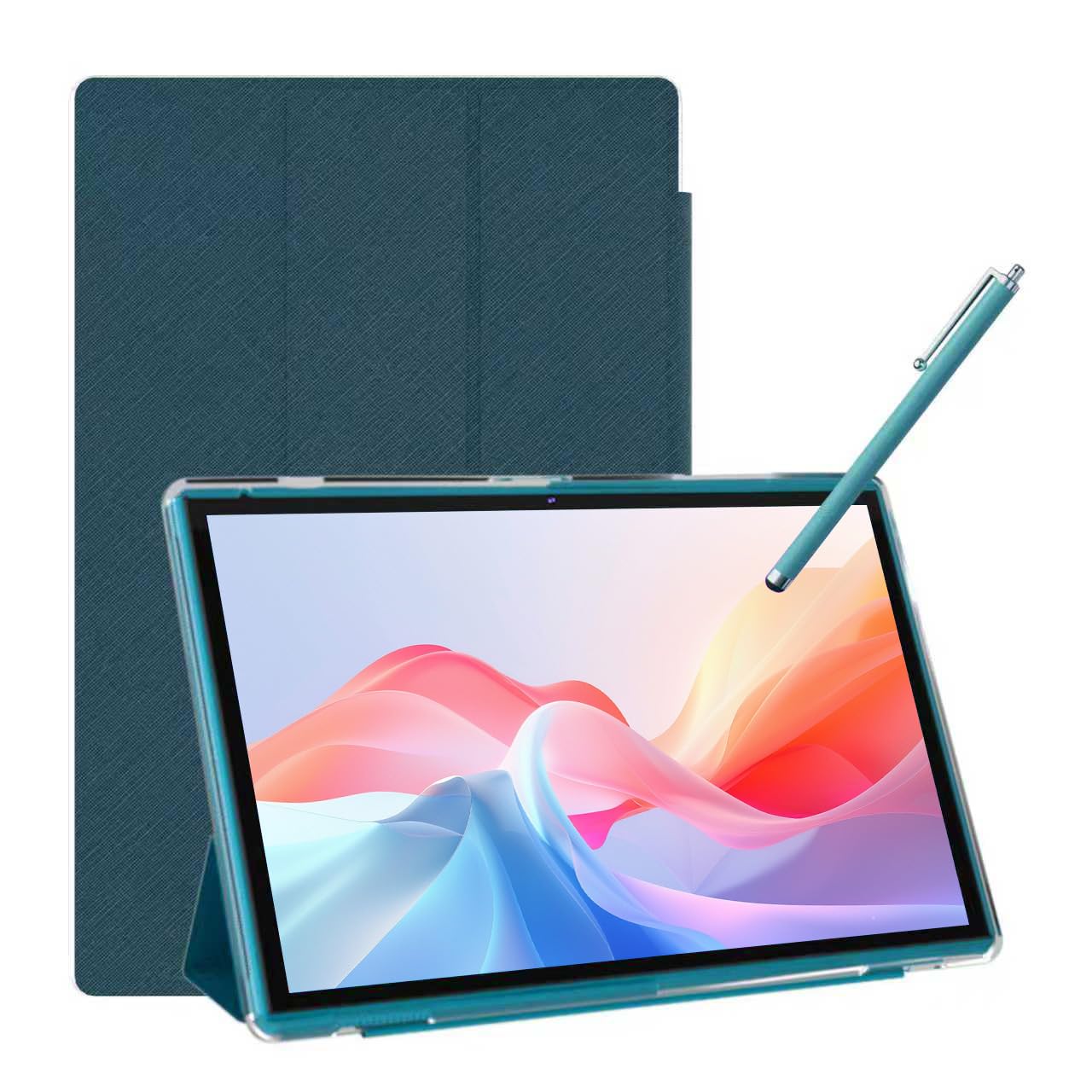
A 10-inch screen with a 6000 mAh cell and Wi-Fi 6 — the workhorse of the big-screen group.
This is the tablet to consider if you’re watching a movie in bed or reading on a long flight. The 10.1-inch 1280×800 IPS display gives you a rich, clear picture, and the 6000 mAh battery carries 6–8 hours of continuous use plus 360 hours of standby — enough that you’re not scrambling for a charger mid-evening. USB-C charging via 5V2A tops it back up.
It runs Android 15 with a quad-core processor, 32GB of storage, and 8GB RAM (5GB of which is expansion). Wi-Fi 6 keeps the connection smoother on a crowded home network, and Bluetooth 5.0 handles wireless headphones. The stylus and foldable leather case come included, and you can type directly on the screen with the stylus for notes or drawing.
Quality feedback is the strongest of the big-screen group, matching its 4.0+ star rating. The trade-off is durability and Wi-Fi reliability: the plastic body is light and the stand cover helps, but some users report the screen cracking and some report Wi-Fi dropping. It’s a solid everyday entertainment tablet, with the usual caveat that you treat the screen with care.
The big-screen value: a 10.1-inch 1280×800 IPS panel, 6000 mAh battery, Wi-Fi 6, and a case-plus-stylus bundle — a lot of tablet for the big-screen tier.
The honest note: durability feedback is the recurring gripe, so a case and careful handling are not optional here.
Solid for: a shared family tablet for movies and browsing where the big screen matters most.
Not ideal if: rough handling is likely — the screen-crack reports point to treating this one gently.
7. PRITOM TAB10 Max 10″ Tablet with Case (Pink)

Double the built-in storage of its rivals, in a soft pink shell.
The headline is 64GB of built-in storage — twice what the other 10-inch tablets here ship with — so you’re not immediately reaching for a memory card. It runs the latest Android 16 operating system, which the maker notes rolled out since mid-June, on a quad-core processor up to 1.6 GHz. The 1280×800 HD IPS screen with eye-health mode dims the backlight for comfortable late-night reading.
Battery is a 6000 mAh cell rated for up to 10 hours of mixed use — watching, browsing, and light gaming. It’s Google-certified, so Netflix, YouTube, Skype, and TikTok all come straight from the Play Store. The included leather case is made specifically for the TAB10 Max and handles scratches and bumps, and there’s a TF card slot that expands storage to 512GB if 64GB ever isn’t enough.
The honest limitation sits in the memory: 3GB RAM is the smallest of the 10-inch group, so heavy multitasking will feel sluggish next to the 8GB (expanded) NOVOJOY. A 12-month warranty and dedicated support line soften the risk. If storage is your priority and you want a clean, simple 10-inch tablet, the 64GB base is the reason to pick this one.
The 64GB advantage: double the base storage of the other 10-inch tablets means more room for downloaded movies and saved photos with no card required. The 1.6 GHz processor and Android 16 keep basic browsing responsive.
Mind the RAM: 3GB is the leanest here, so keep app use simple rather than juggling many at once.
Choose this for: someone who stores a lot of media offline and doesn’t want to fiddle with memory cards.
Pass if: you plan to run several apps at once — the 3GB RAM is the tightest in the 10-inch group.
8. CFVOCUY 10.1″ Kids Tablet with EVA Case (Blue)
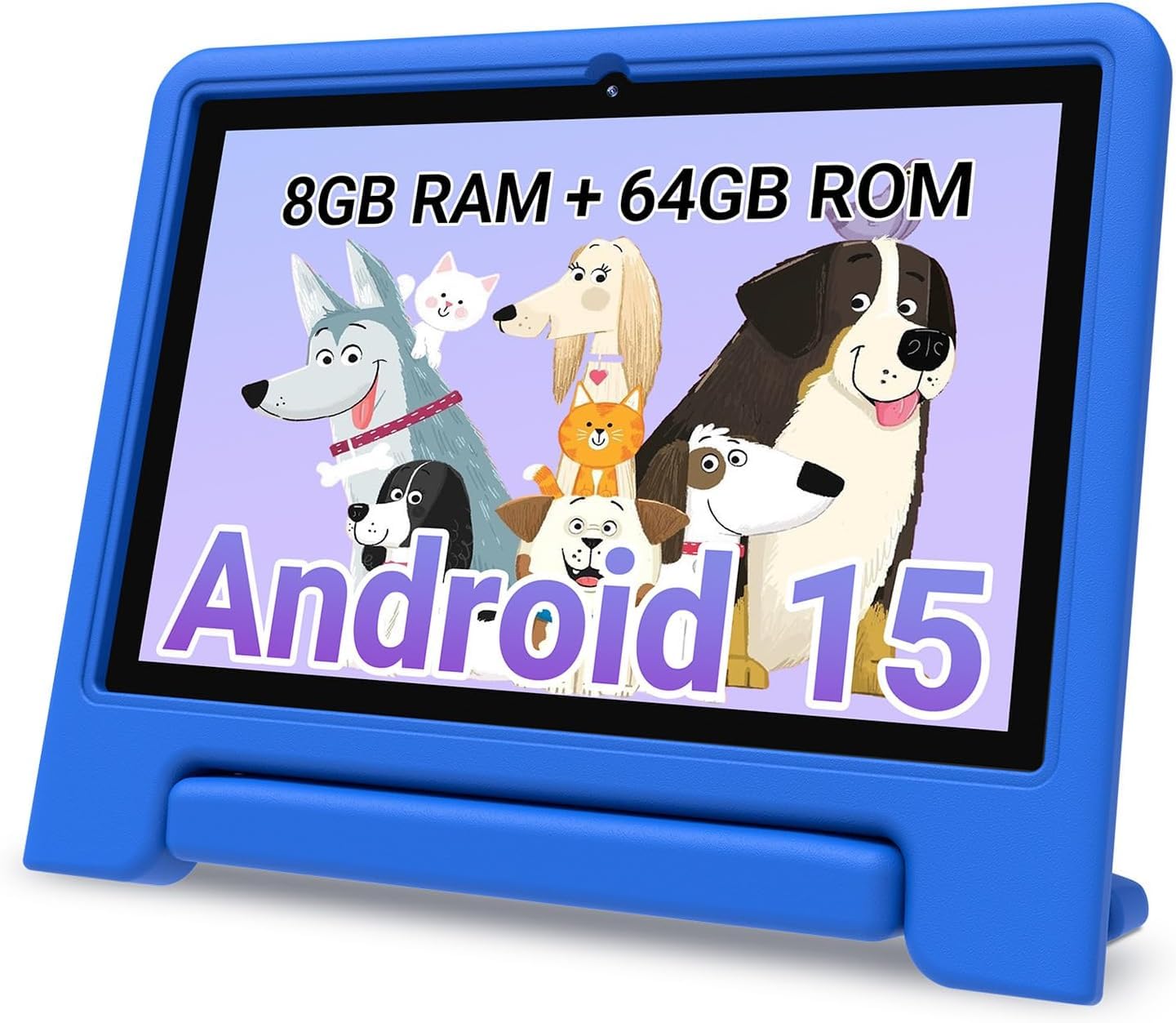
A big screen built for kids who’ve outgrown the 7-inch stage.
The reason to pick this over the smaller kids’ tablets is size: a 10.1-inch 1280×800 IPS screen gives a child room to read, draw, and watch without squinting. It runs Android 15 on an octa-core processor, with 8GB RAM (3GB physical plus 5GB expansion) and 64GB of storage expandable to 1TB. The 5000 mAh battery is rated for 8 hours, and the soft EVA case — a squishy foam-style shell — is built to survive everyday drops.
Child-friendliness draws 100% positive feedback, and the pre-installed educational apps plus parental controls (screen time limits, app management, content filtering) keep the experience safe. A built-in adjustable stand makes hands-free watching easy, and the eye-protection mode softens the display for long sessions.
Where it stumbles is battery and speed. The 5000 mAh cell drains within a day of heavy use, and lag shows up when switching accounts or loading apps. The 4.0+ star rating is respectable, but the honest read is that this is a great first big-screen tablet for a younger child — not a fast machine for a teenager.
The big-screen kid value: 10.1 inches of 1280×800 IPS, an EVA drop-resistant case, 64GB storage, and parental controls — a full kids’ package in the larger size.
Battery reality: the 5000 mAh cell is smaller than the 6000 mAh 10-inch rivals, and owners note it lasts about a day, so plan for an evening charge.
Perfect for: a child stepping up from a 7-inch tablet who wants a bigger screen for lessons and videos.
Reconsider if: your child expects fast app switching — the lag reports make this better for one app at a time.
9. Lenovo Tab One 8.7″ Tablet with Folio Case
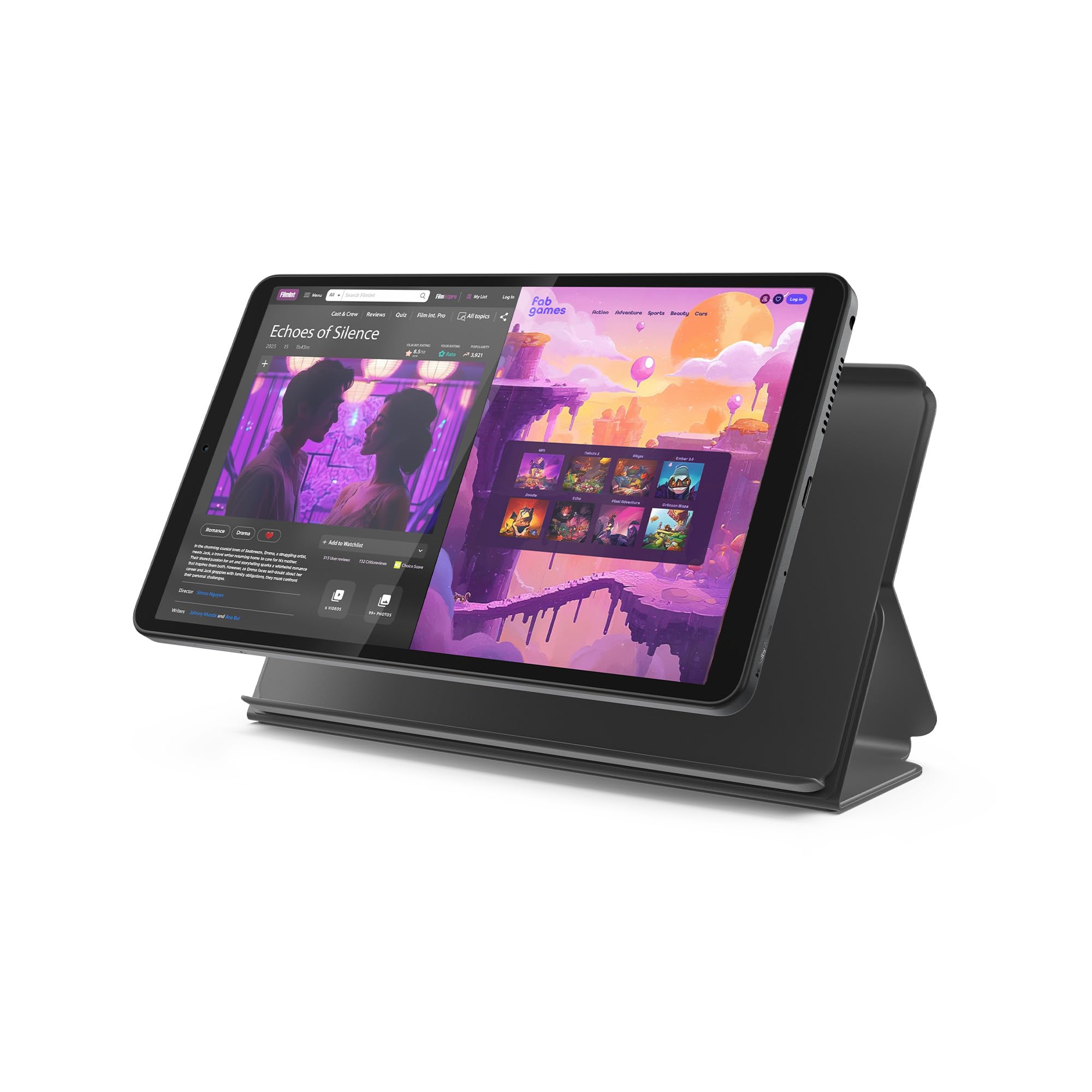
The one to buy for yourself — a sub-one-pound tablet with a 12.5-hour video claim.
This is the pick most people should buy if the tablet is for them rather than the kids. The 8.7-inch HD LCD runs at 1340×800 and 480 nits of brightness (a measure of how bright the screen is in normal light), which keeps the picture legible on a sunny train ride.
Battery is the strong suit: Lenovo rates it up to 12.5 hours of unplugged YouTube streaming, and the maker says it charges 15W faster than previous models. Add dual Dolby Atmos speakers (a surround-sound processing standard) and you have a genuinely good media tablet. The MediaTek Helio G85 processor and 60Hz refresh keep browsing and casual gaming smooth, and it runs Android 14 with two years of security patches.
Performance gets a mixed reception, with some owners finding it slow to boot. The 4GB RAM is real rather than expanded, though, and the 64GB storage plus microSD slot handle a normal load. The included folio case with a built-in stand is a nice touch, and Google Kids Space makes it shareable with children.
The adult-default pick: a lightweight, compact 8.7-inch tablet with up to 12.5 hours of streaming, 480-nit brightness, and dual speakers — the most polished media experience here.
The caveat: performance is mixed, so it isn’t a gaming tablet; it’s for streaming, reading, and browsing.
Buy this if: you want a portable everyday tablet for streaming and reading that won’t weigh down your bag.
Not your pick if: you need a fast, high-refresh gaming tablet — the mixed performance feedback rules it out for that.
Know the Specs
RAM and Virtual RAM
When a listing says “8GB RAM (3+5GB),” only the first number is physical memory. The rest is storage borrowed to act as extra RAM, which helps a little but isn’t the same thing. A tablet with 2GB physical RAM (like the Zcobro) will feel slower switching apps than one with 4GB real (like the Lenovo), regardless of the headline number.
Screen Resolution
Resolution is two numbers — width by height in pixels — and the higher, the sharper the text. A 1024×600 panel looks soft up close, while 1280×800 or 1340×800 stays crisp. For a child watching cartoons, either works; for reading e-books, the sharper panel is kinder on your eyes.
mAh and Real Battery Hours
mAh (milliamp-hours) measures stored energy. A 3000 mAh cell is a short-session battery; 6000 mAh is an all-evening one. But screen size matters too: a 10-inch screen drains more, so a 6000 mAh 10-inch tablet and a 3500 mAh 7-inch tablet can end up in a similar ballpark of actual hours.
Parental Controls and Cases
On a kids’ tablet, the parental-control mode filters content and caps screen time, and the bundled case takes the first drop. Check that a tablet includes a case — several here do, which saves you the accessory hunt. Fingerprint-resistant screens are not a spec you’ll find here; treat a glass screen gently either way.
Common Questions
Are these tablets powerful enough to run Netflix and YouTube smoothly without stuttering?
Is a 7-inch tablet too small for a child, or should I go to 10 inches?
Do these budget tablets support a microSD card for extra storage?
Can I remove the parental controls and use the tablet as a normal Android device?
How long does the battery really last on a cheap tablet?
Is the Lenovo Tab One a good tablet for an adult, or is it better for kids?
Do I need a case, or does the tablet already come with one?
Can these tablets make video calls to family?
Are cheap tablets worth it for a first-time buyer?
The Bottom Line
For most families, the winning tablet is the DIGITHINK Kids Tablet 7 inch, because it bundles a shock-absorbent case, pre-loaded learning apps, and parental controls at a young-child fit. If you want a 10-inch screen for movies, grab the NOVOJOY 10 inch Tablet with its 6000 mAh battery and Wi-Fi 6. And for grown-up daily use with a lightweight feel and a 12.5-hour streaming claim, the Lenovo Tab One is the one to reach for — the fact that it carries the highest overall rating here on the most ratings is a reassuring sign for a first-time buyer.
How we choose
We do not accept paid placement. Every pick is matched to a real buyer and a real use-case; we do not hands-on test units.
Sources
Specifications: manufacturer listings and product documentation. Review insights: verified customer reviews, as of November 2026. Pricing: not shown on this page (it changes often); check the current price via the retailer link.
As an Amazon Associate, Tactical Gear Guy earns from qualifying purchases. This does not affect which products we feature.