Specs are compiled from manufacturer listings and verified buyer reviews and can change over time — please confirm the key details on the product page before buying.
If you want a tablet that looks and feels like paper, the answer is short: buy an E Ink device, not an iPad. E Ink is a screen made of tiny ink capsules that rearrange into text, so it throws no glare back at your eyes and holds a page without glowing at you. The Kindle Scribe is the safest first buy for most people: a 10.2″ 300 ppi glare-free display plus instant access to your Kindle library. Below are ten paper-like tablets sorted by what each one is genuinely best at.
This guide is built by comparing the manufacturers’ published specifications and the patterns across verified customer reviews, so you get each pick’s real strengths and trade-offs instead of marketing spin.
E Ink readers and writers are a different animal from a conventional tablet, and the specs that matter are display resolution, storage, and stylus support. Here is how to pick the best Tablet That Looks Like Paper for the way you actually read.
Top Picks


How To Choose The Best Tablet That Looks Like Paper
Buying one of these is really a decision about three things: how big the page is, how sharp the text is, and whether you plan to write on it. Get those three right and the rest is detail. Get them wrong and the device ends up in a drawer.
Screen size — how much page you actually get
A bigger screen means less zooming and more words per page. A 10.2″ or 10.3″ display reads like a hardback page and gives you room to annotate a PDF in the margins. A 6″ panel slips into a coat pocket but forces more page turns. Measure against what you read: novels suit a smaller screen, while contracts, textbooks, and sheet music need the bigger one.
Resolution and ppi — sharp text versus soft text
PPI (pixels per inch) is how tightly the screen packs its dots. At 300 ppi the letters have clean edges and your eyes stop hunting for focus. Lower density can leave faint pixelation around letter edges, which matters most when you read small type for hours.
Stylus support — the make-or-break spec
Some paper tablets ship with a pen; others support one sold separately. A passive electromagnetic pen draws power from the screen and never needs charging, so it is ready whenever you are. An active pen has its own battery and typically has to be bought on top of the device. Check the box contents before you commit.
Front light and color temperature
A front light layers illumination over the page rather than shining through it, which is why these screens read calmly at night. Adjustable warmth lets you shift the light to a softer tone in the evening. Some models add a color layer for comics and covers, at the cost of a slightly softer, less contrasty black.
Side-by-Side Comparison
| Model | Best For | Display | Storage | Pen Included | Amazon |
|---|---|---|---|---|---|
| Like-New Amazon Kindle Scribe (16 GB)★ Best Overall | First paper tablet | 10.2″ 300 ppi | 16 GB | Yes — Premium Pen | Amazon |
| Bigme B6 Color eReaderBest for Color | Pocket color reading | 6″ color E Ink | 32 GB | No | Amazon |
| Like-New Kindle Scribe (32GB)Best for Work Notes | Work note-taking | 10.2″ 300 ppi | 32 GB | Yes — Premium Pen | Amazon |
| BOOX Tablet Go 7 | One-hand reading | 7″ 300 ppi | 64 GB | No — InkSense sold separately | Amazon |
| Ocean C 7″ Color | Color plus notes | 7″ color E Ink | 64 GB | No — Musnap sold separately | Amazon |
| Amazon Kindle Scribe 32GB (newest) | Big-page writing | 11″ front-lit | 32 GB | Yes — pen with eraser | Amazon |
| AINOTE Air 8.4″ | Meeting transcription | 8.4″ color paper-like | 64 GB | Yes — 4096-level pen | Amazon |
| VIWOODS AiPaper 10.65″ | Long-form documents | 10.65″ 2560 x 1920 | 128 GB | Yes — W2 Stylus Pro | Amazon |
| reMarkable 2 | Pure focus writing | 10.3″ black and white | — | Yes — Marker Plus | Amazon |
| BOOX Tablet Go 10.3 Gen II Lumi | Android app freedom | 10.3″ 300 ppi | 64 GB | Yes — InkSense Plus | Amazon |
Detailed Reviews
1. Like-New Amazon Kindle Scribe (16 GB)
Our pick — 4.0+★ from 900+ verified ratings; the strongest balance of quality and price.
The safest first step into paper-feel computing — a big Kindle that also journals.
What makes this the default recommendation is the screen: 10.2″ at 300 ppi, with a matte, front-lit finish that reads the same in bed or on a park bench. That size is what owners single out — it holds text-sized books comfortably, so you stop fiddling with font sliders. The refreshed unit is tested and certified to look and work like new, and it carries the same limited warranty as a new device. It may arrive in a plain Amazon-branded box rather than a retail one.
The pen writes without much lag between the tip and the E Ink layer, and the notebook tools now include AI summary and refinement, plus a way to convert handwriting into text and share it. Active Canvas is the neat part: start writing on a book’s page and the layout opens space for your notes, which you can expand or collapse. Files and PDFs import through Send to Kindle, so you can mark up a document directly on the page.
As a pure Kindle, the experience is a little plainer than a Paperwhite — one owner of both described the Scribe as less elegant to use for plain reading, and journaling depth is not its strong suit either. Battery life is the quiet win: months of reading and weeks of writing per charge, and people report charging it only a handful of times over several months. That means you can leave the charger at home.
What it gets right
- 10.2″ 300 ppi glare-free screen that reads like a printed page in any light
- Premium Pen included — no extra purchase to start writing
- AI note tools plus convert-and-share handwriting
- Months of reading and weeks of writing per charge
Where it asks patience
- 16 GB fills up if you hoard large PDFs
- Plain-Kindle reading feels slightly behind a Paperwhite
- Journaling is basic next to a dedicated note tablet
Start here if: you want one device that reads your Kindle library and takes handwritten notes without a learning curve.
Think twice if: your day is mostly deep PDF markup — the 32GB Scribe gives you more headroom for that.
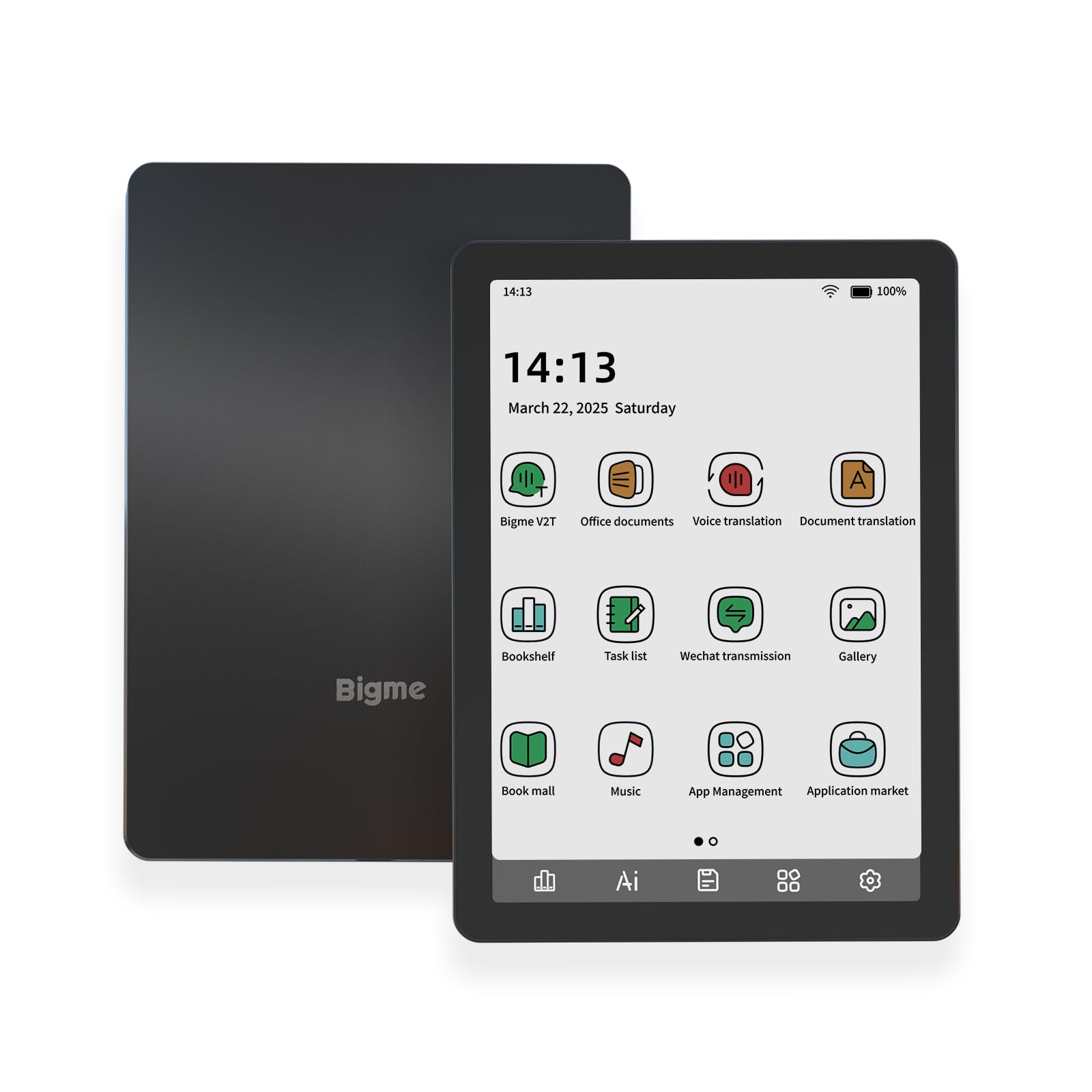
2. Bigme B6 Color eReader
A pocket-sized color E Ink reader that runs Android apps — at a steep battery cost.
The color Kaleido panel here is the headline: text stays paper-sharp while comic and magazine pages carry actual color, and the 36-step dual front light lets you dial the warm/cold mix for day or night. At 6″ it drops into a coat pocket, which is exactly where it beats the 10.2″ Kindle Scribe for daily carry — but it holds 32 GB against the Scribe’s 16 GB, so libraries are not the bottleneck.
Under the hood sits an octa-core processor on Android 14, with 2 GB of RAM and 32 GB of storage. That is the Android-app side of “tablet”: audiobooks, AI summarization, translation, and even streaming apps are on the table. Buyers report the YouTube Kids app runs fine, and that third-party reading apps work when you install them.
The honest catch is the battery. It is the single most-discussed negative on this device, with reports of the cell degrading to the point the reader stops being useful, and it ships without a charger. The native BookShelf app is also thin, so most people will want to side-load a reader. Buy this as a light-focus color reader for short sessions, not as a week-long road companion.
Why color earns its place: comics and illustrated books finally read like a glossy magazine page instead of a grey screen.
The realistic trade-off: its battery is the weak link, so plan to keep it near an outlet and treat it as a short-session device.
Reach for this if: you mainly read comics and illustrated books and want a 6″ E Ink panel small enough to carry everywhere.
Look elsewhere if: you expect a week of reading per charge — that is not what this one reliably delivers.
3. Like-New Amazon Kindle Scribe (32GB)
For the person with a desk full of half-used legal pads and sticky notes.
Double the storage of the 16 GB Scribe and the same 10.2″ 300 ppi glare-free display is the short version — the long version is that this is the Scribe tuned toward working with documents. It ships with the Premium Pen, and meeting notes describe keeping notes in order with ease at work. There is no notifications tray, no social feed, no app store clamoring for attention.
The AI layer does real work here: convert messy handwriting into readable type, summarize a notebook, and reset the length or tone of what you wrote. Documents and PDFs import through Send to Kindle and you mark them up on the page. Active Canvas lets you write in a book’s margin and expand the space to fit, which keeps notes from crowding the text.
Two things to budget for. The first is an older model — the newest 11″ Scribe has 32 GB too and adds a bigger screen, so check which generation you are ordering. The second is that sync between Amazon devices is the weakest part of the Scribe story: if you flip between this and another Kindle, the other one may not know where you left off. Neither is a reason to skip it for single-device work.
Where it shines: work notes — the AI summarization turns a page of handwriting into a tidy recap you can paste elsewhere.
Know before you buy: cross-device sync is patchy, so pick one source of truth for where you stopped reading.
Best fit: professionals who take meeting notes and read PDFs and want no distractions tempting them mid-task.
Consider the 11″ model instead if: you want the biggest page Amazon makes before you settle on this generation.
4. BOOX Tablet Go 7 B/W E Ink Tablet
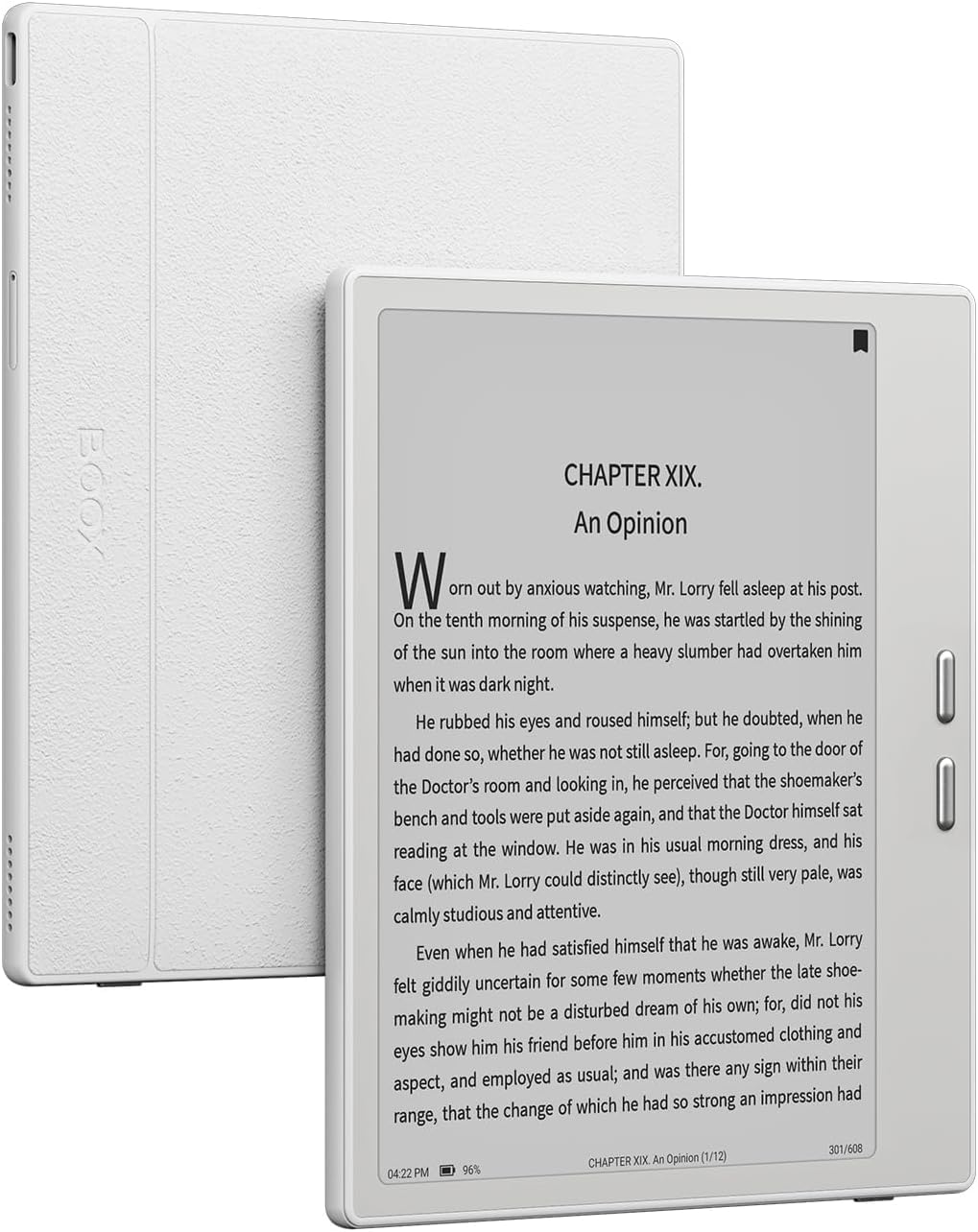
The one-handed reader with physical page buttons and an open Android soul.
At 195 g with a 7″ glass screen, this is built for holding up in one hand on a commute. The panel runs 1680 x 1264, which BOOX rates at 300 ppi — the same density as the big Scribe, just packed into a smaller page. The pair of page-turn buttons along the edge is a detail owners specifically single out, and it appeals to anyone who has ever poked a touchscreen with a thumb at arm’s length. Against the 2 GB Bigme B6, this one doubles you to 4 GB of RAM — the headroom that keeps Android apps from stuttering.
Android 13 with an octa-core CPU and 64 GB of storage opens the door to any reading app from the Play Store. The BOOX refresh modes are worth understanding: HD Mode for static books, Fast Mode for scrolling a website, Ultrafast for video. There is a warm/cold front light, dual speakers, a microphone, a microSD slot, and a USB-C port. It is a complete little computer, and the styling is just a glass rectangle with a paper feel.
Two important realities. The InkSense stylus is not in the box — you buy it separately — and no other stylus will work. And these panels are slow by nature: an E Ink screen moves physical ink, so taps and menus can feel sluggish next to a phone. Choose it for reading and light note-taking, not for browsing.
The standout detail: physical page-turn buttons mean you never touch the screen mid-sentence, and the 4 GB of RAM keeps apps running smoothly.
The fine print: the pen is sold separately and only BOOX’s own InkSense works, so budget for that addition up front.
Pick this one if: portability tops your list and you want a 300 ppi monochrome page you can hold with one hand.
Pass if: writing is your main goal — you would need the stylus on top of the device.
5. Ocean C 64GB+4GB 7″ Color eBook Reader
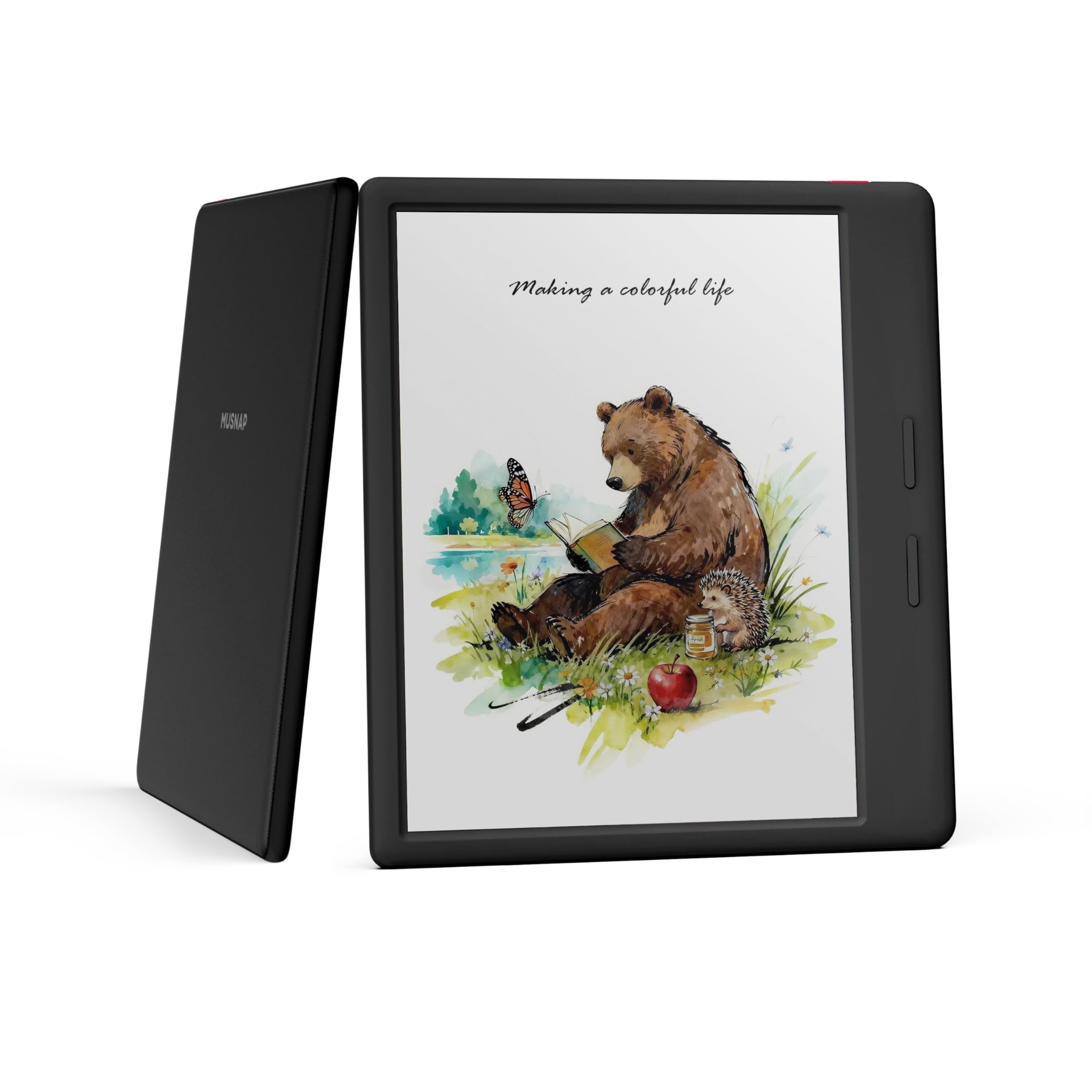
A 7″ color reader that punches above its size — and turns pages fast.
There is a lot of storage here: 64 GB paired with 4 GB of RAM on an octa-core processor clocking at 2.2GHz. That combination makes it the speed pick among color readers, turning pages and launching apps without lag. Owners describe it as incredibly fast and responsive, power-efficient, and comfortable to hold, and the 7″ color panel balances a reasonable page with that one-hand feel.
The screen design is a real strength. It has a matte, glare-free touchscreen with both brightness and color-temperature adjustment, and people report the lighting is even with no obvious bright patches. The faux-leather backing gives it a premium hand-feel, and the page-turn buttons sit where your thumb lands. It also runs Android and supports third-party apps.
Handwriting is possible, but the Musnap Stylus is sold separately — this is a reading-first device. Also note it lacks a microSD slot, so the 64 GB is the 64 GB. If you want color, fast page turns, and a comfortable 7″ grip without a fussy interface, this is the one.
Reasons it stands out
- 64 GB storage and 4 GB RAM — lots of headroom to load up on books and apps
- Octa-core 2.2GHz engine turns pages without lag
- Glare-free color touchscreen with adjustable brightness and temperature
- Even front lighting with none of the bright patches common elsewhere
Worth weighing first
- Stylus sold separately — it does not arrive ready to write
- No microSD slot; the 64 GB is the ceiling
The match: readers who want color and speed at 7″ without a steep learning curve.
The mismatch: anyone who needs to write from the start — buy the Musnap pen alongside it.
6. Amazon Kindle Scribe 32GB (newest model)
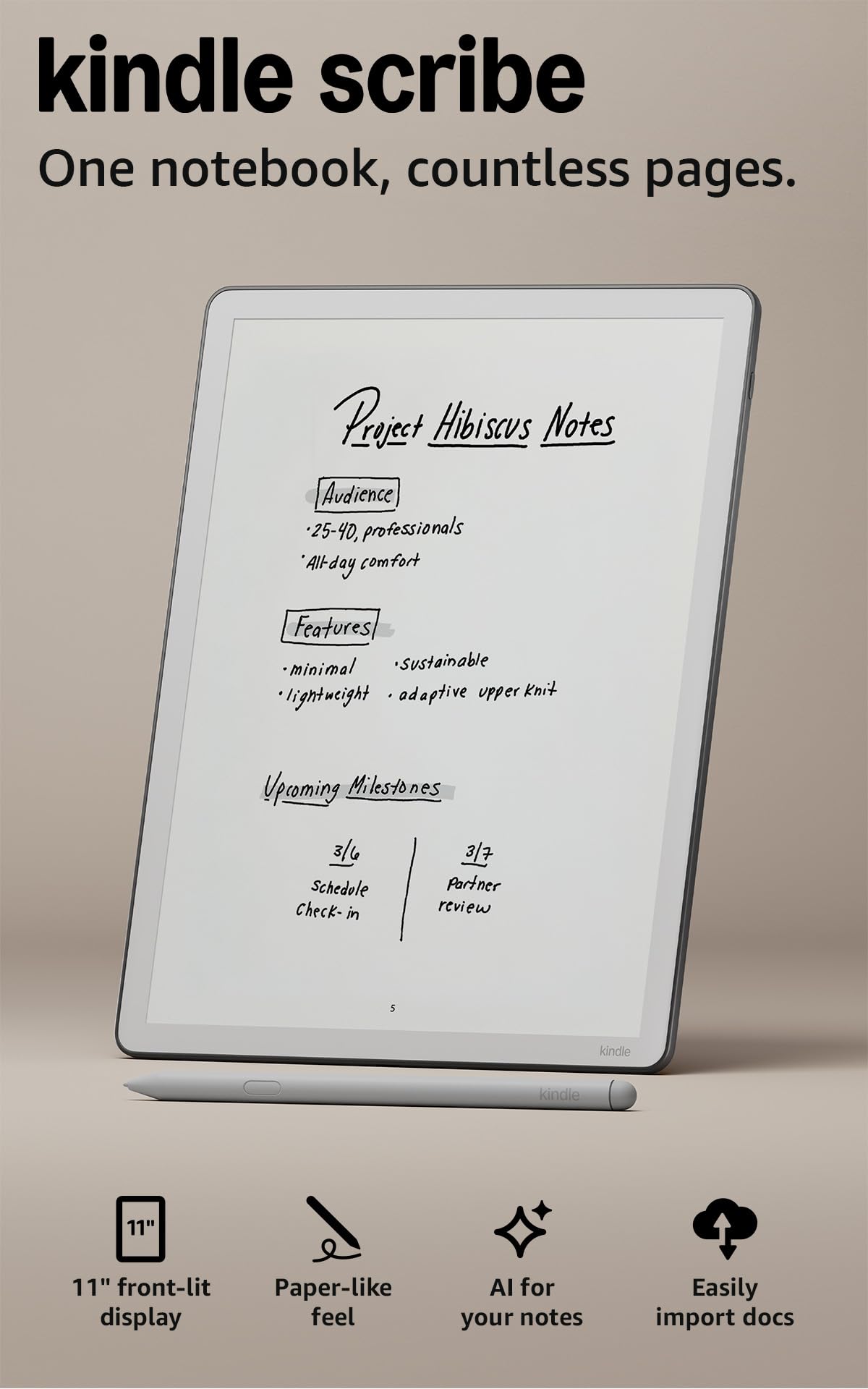
The 11″ Scribe — a full page of workspace that almost disappears in a bag.
Two numbers define this one: 11″ of screen and 5.4 mm of thickness. That is a bigger page than the 10.2″ Scribe models above, paired with a 400 g body that stays light enough to hold in landscape for long stretches. Owners credit exactly that — comfortable for extended reading with no hand fatigue. The front light adapts to your room’s brightness and shifts warm at night.
Amazon claims the writing and page turns are 40% faster than the previous generation. Whether or not you measure the difference, the paper feel is the part people talk about, and the included pen never needs charging. It has an eraser end and a shortcut button for tools like the highlighter, so you can correct mid-thought without hunting a menu.
The software is where it gets complicated. The AI tools can find things inside your notes, answer questions about what you wrote, and generate summaries, plus clean up handwriting or convert it to text. Some owners find the writing surface closer to pen on glass than on paper — a matter of taste rather than a defect. Documents from Google Drive or OneDrive import for markup, and notebooks can push to Microsoft OneNote for editing elsewhere.
What makes it readable: a glare-free front-lit display with automatic brightness means the page stays comfortable from morning to midnight.
The honest caveat: the paper texture is a little less tactile than some rivals — if you crave a scratchy pen-on-paper drag, try one before committing.
Right for: writers and readers who want the largest page Amazon offers with a pen that is always ready.
Wrong for: anyone who needs a scratchier paper texture or a broad third-party app store.
7. AINOTE Air 8.4″ AI Digital Notebook
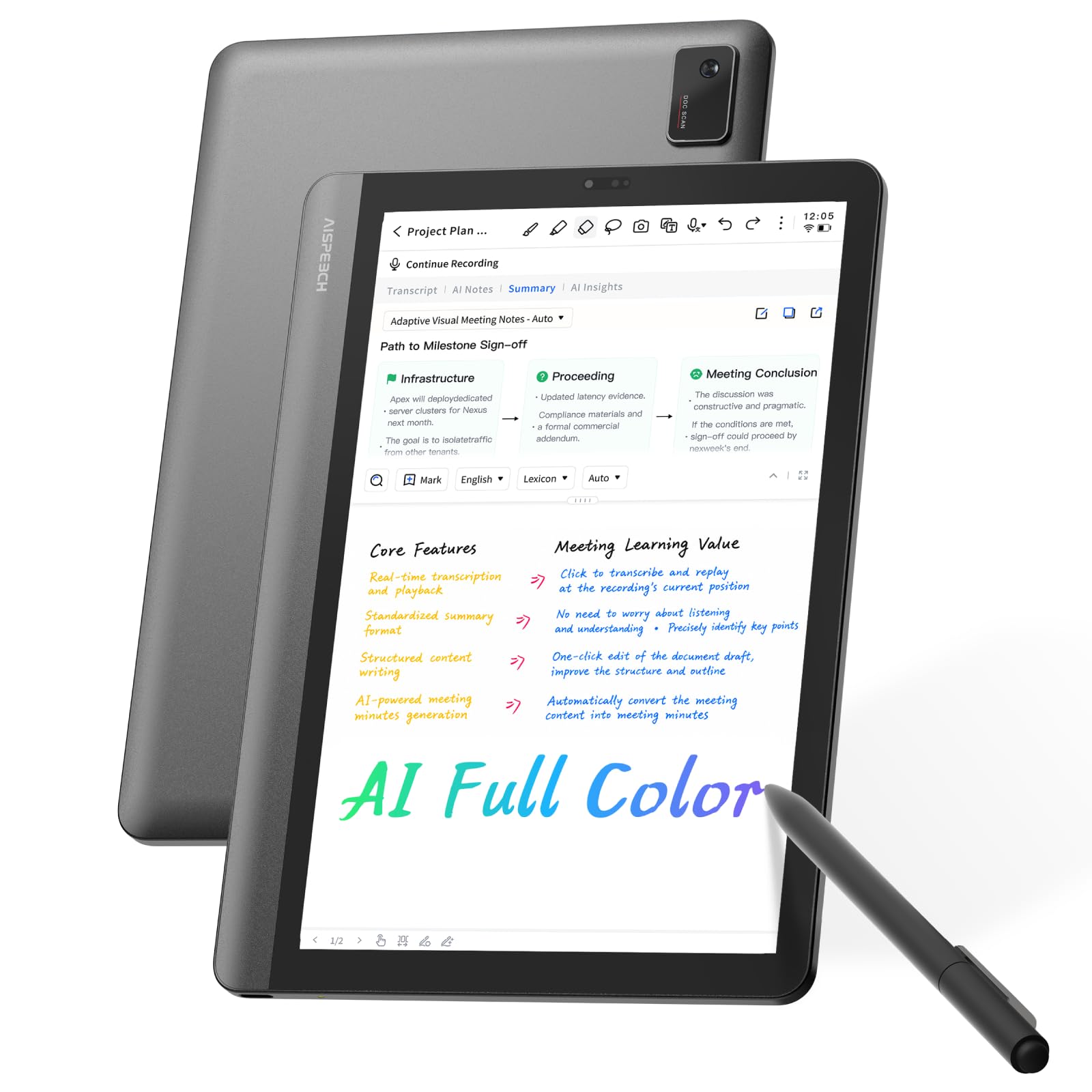
A color note tablet built to record the meeting and summarize it while you write.
This is the transcription-first pick. Capture audio offline, then let the AI transcribe, summarize, and pull action items once you are connected. It handles real-time voice-to-text in 48 languages, and the interface itself speaks 7 languages. For anyone in back-to-back calls with international colleagues, that combination is the reason to look here rather than at a plain note tablet.
The writing surface is an 8.4″ soft-color paper-like screen with AG anti-glare treatment, which the maker says filters 99.36% of blue light. The electromagnetic pen is 4096-level pressure-sensitive — that means it can register the lightest touch and the press of a heavy stroke — and handwriting recognition works in 66 languages with one-tap conversion to editable text. At 320 g with up to 25 days of battery life, it is built for a briefcase or a classroom desk rather than a display cabinet.
Note that this is a newer listing with very little review history behind it yet, so you would be an early adopter. OfficeAI has a free-for-life Basic plan, and the bundle includes 90 days of OfficeAI Pro. Storage is 64 GB local with password protection and encrypted audio transmission, and cloud backup is available for key documents.
The headline for note-takers: pick it up, talk in a meeting, and leave with organized notes and a summary without typing a word.
The early-adopter reality: a light review record so far, so treat the first order as a trial.
Choose it for: international meetings and language-heavy work where transcription and translation save real hours.
Leave it if: you want a long track record of owner feedback before you commit.
8. VIWOODS AiPaper 10.65″ AI E Ink Tablet
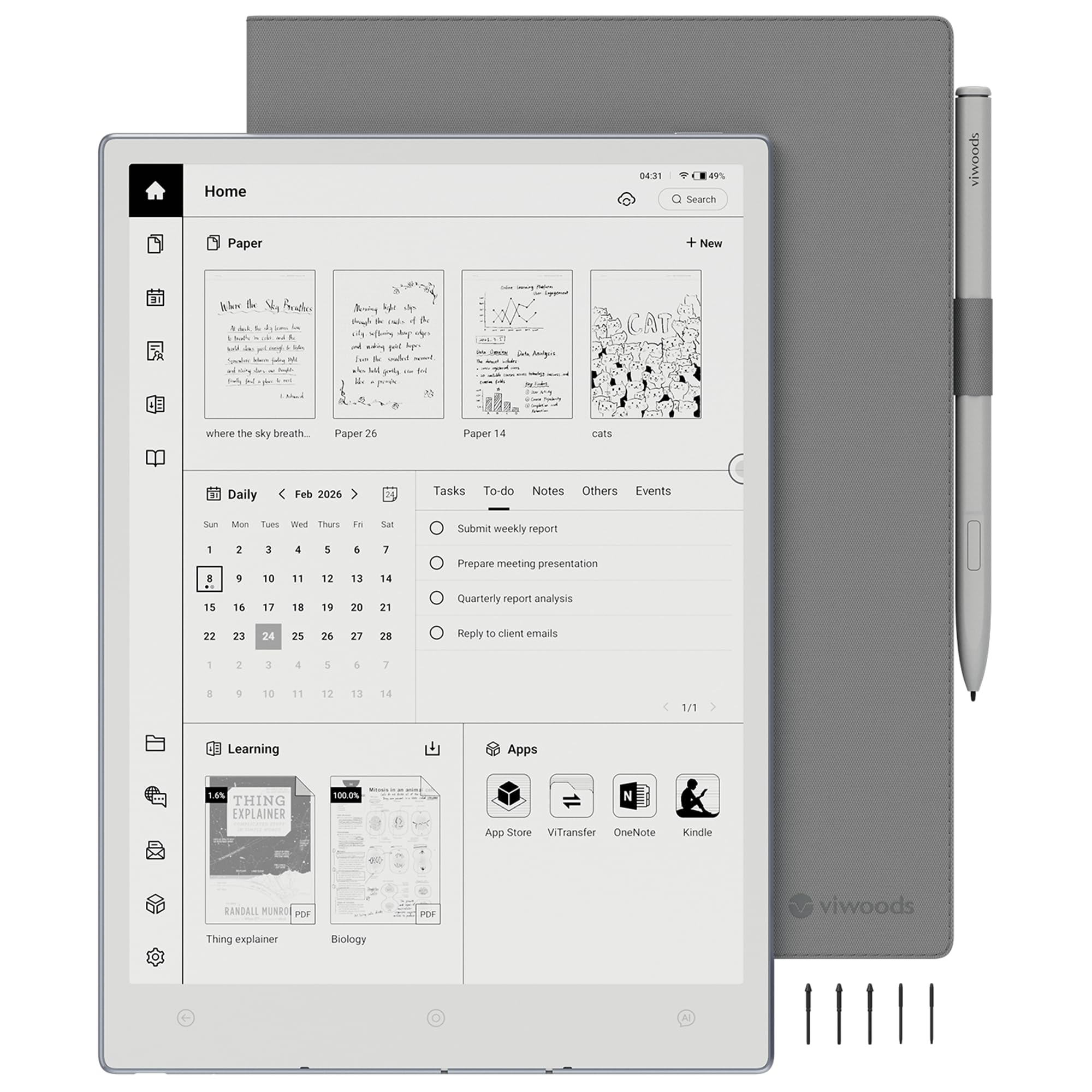
The library-on-a-desk option — a huge page and 128 GB of room for documents.
The biggest reason to look at this one is the amount of space: 128 GB built in, which is eight times the 16 GB inside the entry-level Kindle Scribe — the kind of headroom you want if you keep a personal archive of PDFs. The 10.65″ Carta 1300 panel runs 2560 x 1920, dense enough that a full contract page stays legible without zooming. Owners describe the screen as crisper than expected, with ghosting pretty well controlled.
The included W2 Stylus Pro is a proper working pen — 4096 pressure levels and a 750-micron pen gap between screen and sensor glass, which keeps the tip close to the ink so strokes feel direct. The kit is complete from the start: folio cover, spare nibs, and USB-C cable, running Android 13 with app compatibility, including a calendar that syncs with Google. For reading foreign novels and academic articles, owners rate it highly.
E Ink latency is a real thing and VIWOODS names it plainly: a natural refresh delay is expected. Reports of the device hanging are the outlier end of mixed reliability feedback, not the norm. Read that as a sign this is a work tool first and a media tablet second — good for documents and notes, no substitute for a phone on a video call.
Where it earns its keep
- 128 GB of storage — a deep archive of PDFs and books fits comfortably
- 2560 x 1920 resolution on a 10.65″ Carta 1300 panel
- Folio cover, W2 Stylus Pro, spare nibs, and USB-C cable all in the box
- Android 13 with app support, including Google calendar sync
Where expectations need setting
- E Ink refresh delay means it never matches a phone for speed
- A few owners mention hanging — do a full setup before relying on it daily
Made for: researchers, lawyers, and students who read long documents on a big, crisp page.
Not for: anyone who expects a media-smooth screen — E Ink delay is baked in.
9. reMarkable 2 with Marker Plus and Leather Folio

A 4.7 mm slab that exists to do one job: put thoughts on a page without interruption.
reMarkable sells the idea of subtraction and this bundle delivers it in physical form: 4.7 mm thick, 10.3″ black and white display, no app store, no pop-up ads, no notifications, no social media. The Marker Plus has a built-in eraser, the folio is premium black leather, and there are 9 spare tips plus a USB-A to C cable in the box. Up to 2 weeks of battery life means you can leave the charger at home.
Organization is the hidden strength: folders and tags keep notes findable, you write straight onto PDFs, and handwriting converts to typed text. Microsoft Word and PowerPoint files transfer over for drafting and reviewing slides by hand. The build is the thing buyers praise most — light enough to carry, elegant in the hand, and a genuinely focused writing surface. Sharing works via email or through Google Drive, Dropbox, and Microsoft OneDrive.
The Connect subscription question is the one that trips people up. Cloud storage and sync across devices come with a Connect plan, and new customers get a 100-day free trial — but that subscription is a running commitment, and this bundle also includes a 1-year free Connect subscription. Check what you get and what it costs to renew before you commit, because a paper tablet without cloud sync is much less useful for a commuter.
The case for it: a distraction-free surface you can leave open on your desk without a single banner begging for attention.
The question to answer first: the cloud model runs on a subscription — work out whether the free trial window covers your habit.
Best paired with: deep-focus writers, students, and readers who bought this to escape notifications, not apps.
Not the one if: you want a browser and an app store to keep everything in a single gadget.
10. BOOX Tablet Go 10.3 Gen II Lumi
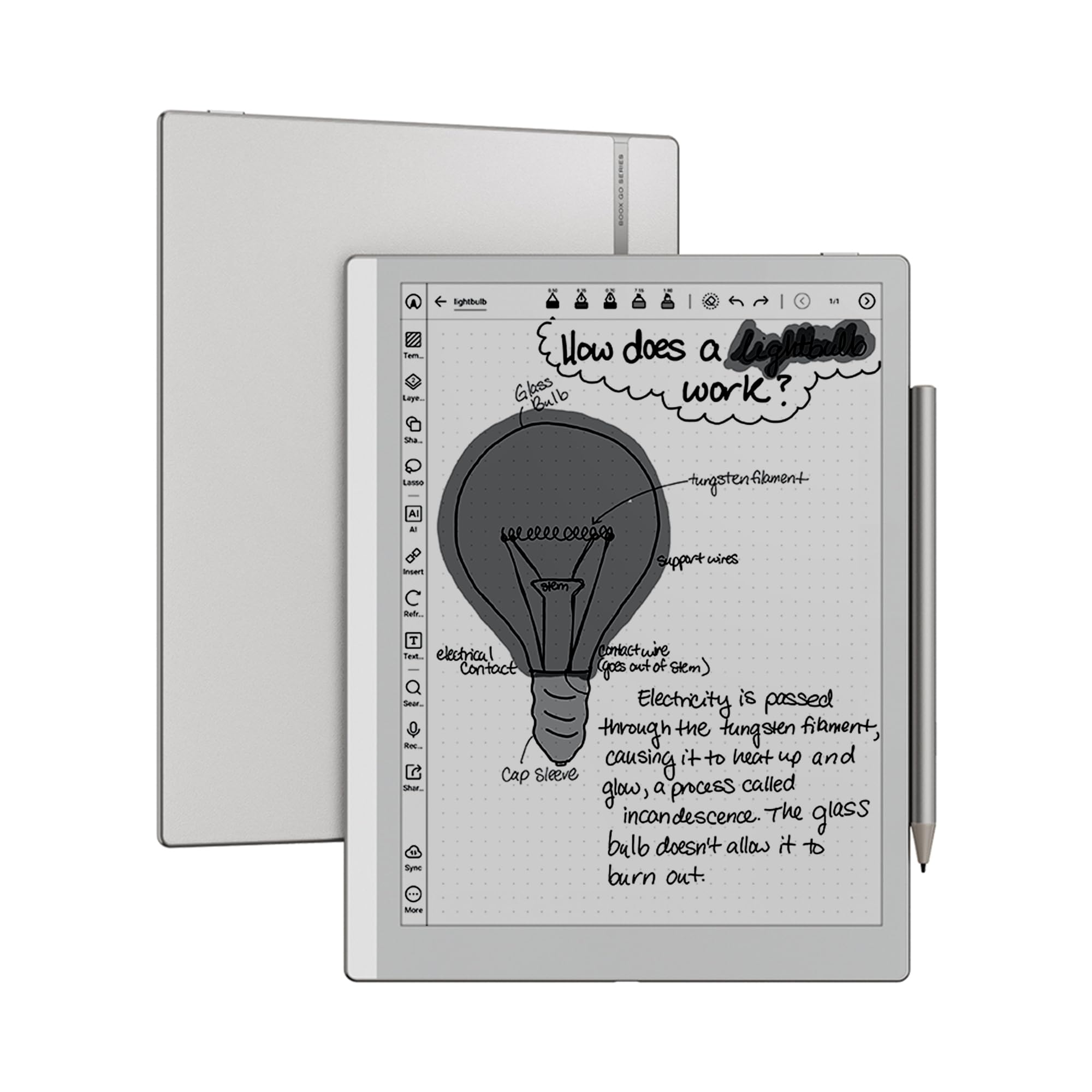
The open-Android paper tablet for anyone who wants Play Store apps on an E Ink page.
Where the Scribe and reMarkable wall you into their own software, this one runs Android 15 with an octa-core CPU and 4 GB of RAM. That opens third-party reading, note, and productivity apps alongside 64 GB of storage for your files. The 10.3″ HD ePaper glass screen runs 2480 x 1860, which BOOX rates at 300 ppi — sharp enough that a page of small type stays clean. The included InkSense Plus stylus carries 4,096 levels of pressure sensitivity.
It is genuinely slim at 364 g with dimensions of 235 x 183 x 4.8 mm, and it carries a warm/cold front light, a G-sensor that flips the display automatically, dual speakers, a microphone, and a USB-C port that also takes headphones. The refresh modes let you tailor it: HD Mode for a static book page, Fast Mode for scrolling a website, Ultrafast for video.
Realistically, the E Ink panel is the bottleneck. People who use it daily describe it as a wonderful reading and note tool, but the same people call it slow and wisely warn it will not give you an iPad experience. The setup can feel fiddly, and some find the battery life modest. Read that as a fit issue — wonderful for reading and notes, wrong tool for streaming.
What you get
- 2480 x 1860 at 300 ppi — crisp type on a 10.3″ page
- Android 15 with an octa-core CPU and 4 GB of RAM for real apps
- InkSense Plus stylus included with 4,096 pressure levels
- Ultra-thin at 4.8 mm with dual speakers and a G-sensor
What you give up
- E Ink refresh is inherently slower than an LCD tablet
- Setup takes patience, and battery reports are modest
If you live in apps: this is the paper tablet that lets you install the ones you already use.
If you want speed: an E Ink display will never match a phone — adjust expectations before you buy.
Know the Specs
PPI and resolution
PPI (pixels per inch) is how tightly the dots on the page are packed. At 300 ppi the edges of letters look clean, so small type stays easy to read. Lower density often leaves a faint fuzzy edge, which starts to bother you after an hour of reading. If reading is the point, buy the highest ppi your budget allows.
E Ink vs LCD
E Ink works by rearranging tiny ink capsules into text, so it reflects ambient light and produces no glare. Reflected light is why it looks like a printed page, and why a charge lasts weeks. LCD and OLED panels glow and refresh differently; they suit video and apps, not hours of reading.
Stylus tech
A passive electromagnetic pen draws power from the screen and never needs charging, which is why it is always ready. An active pen carries its own battery and must be bought separately on some models. Pressure levels (4096 is the number you see on the better ones) control how subtle a line gets when you press lightly.
Front light and warm tone
A front light sits above the E Ink layer and lights the page from the surface, not through it. Adjustable warmth shifts the light toward a softer tone for evening reading, and a color layer makes comics and covers more vivid at the cost of some punch in the black.
Common Questions
What actually makes a tablet look like paper?
Is 300 ppi noticeably sharper than a lower-resolution E Ink screen?
Can I write on these without buying a separate pen?
Does an E Ink tablet have to be charged every day?
Can I read comics and magazines in color?
Will a paper tablet work with Google Drive or Dropbox?
Why does an E Ink screen feel slow when I tap it?
Do I need a subscription to use a paper tablet?
The Bottom Line
For most people, the best tablet that looks like paper is the Like-New Amazon Kindle Scribe (16 GB) — it combines a 10.2″ 300 ppi glare-free display with a pen in the box and months of reading per charge, at a like-new price. If you take a lot of meeting notes and read PDFs, the Like-New Kindle Scribe (32GB) doubles your storage for the same screen. And for anyone who wants the largest page Amazon makes, the 11″ Kindle Scribe is the one to reach for.
Want color and portability over page size? The Ocean C 7″ Color earns the secondary spot for its speed, even lighting, and 64 GB of storage — just add the stylus separately. Whichever way you go, the paper-feel screen is the point: pick the one whose ppi, size, and pen are right for how often you actually read and write.
How we choose
We do not accept paid placement. Every pick is matched to a real buyer and a real use-case; we do not hands-on test units.
Sources
Specifications: manufacturer listings and product documentation. Review insights: verified customer reviews, as of November 2026. Pricing: not shown on this page (it changes often); check the current price via the retailer link.
As an Amazon Associate, Tactical Gear Guy earns from qualifying purchases. This does not affect which products we feature.