Specs are compiled from manufacturer listings and verified buyer reviews and can change over time — please confirm the key details on the product page before buying.
If your tablet keyboard keeps dropping its connection mid-sentence, the fix is usually not a better keyboard — it is a different connector. A wired or pogo-pin connection hands your keystrokes straight to the tablet with no pairing step to fail. This guide covers the four tablet keyboard connectors worth your attention and which one fits your tablet.
This guide is built by comparing the manufacturers’ published specifications and the patterns across verified customer reviews, so you get each pick’s real strengths and trade-offs instead of marketing spin.
The biggest mistake buyers make is assuming every tablet keyboard talks to every tablet. The connector type — pogo pin, Lightning, or USB-C — decides whether the keyboard works at all, so check that before anything else. Here is a breakdown of the best Tablet Keyboard Connector options for your tablet.
Top Picks
How To Choose The Best Tablet Keyboard Connector
The connector decides whether the keyboard works with your tablet at all. Pick the wrong one and the keyboard won’t connect at all; pick the right one and it works the moment you plug it in. Three connector families cover nearly every tablet keyboard on the shelf, and each one locks you to a different set of tablets.
Pogo Pin Connections: The No-Pairing Option
A pogo pin connector is a set of spring-loaded metal contacts that touch matching pads on the tablet. Power and data move across those contacts the instant you snap the keyboard on. There is no pairing menu and no charging cable for the keyboard itself, because the tablet feeds it. The catch is that pogo pins are cut to one tablet’s contact layout, so a pogo keyboard generally fits one model line and nothing else.
Lightning Connectors: Check Your iPad Generation First
A Lightning connector is Apple’s older small plug, and it only exists on older iPads and iPhones. If your iPad has a Lightning port, a wired Lightning keyboard plugs straight in and draws its power from the tablet. If your iPad has USB-C, a Lightning keyboard will not physically connect — no adapter trick changes that. Verify your port before you buy anything.
USB-C Connectors: The Current Standard
USB-C is the oval plug on newer iPads and most Android tablets. A wired USB-C keyboard plugs in and works instantly with no batteries and no Bluetooth pairing. USB-C is the current standard on newer iPads and most Android tablets.
Side-by-Side Comparison
| Model | Best For | Connector | Key Spec | Weight | Amazon |
|---|---|---|---|---|---|
| Lenovo Keyboard Pack for Idea Tab Pro★ Best Overall | Laptop-style typing on a Lenovo Idea Tab Pro | Pogo Pin (3-point) | 1.5 mm key travel | 2 pounds | Amazon |
| Kensington Compact iPad Keyboard (K75505US) | Classroom and shared-desk iPad typing | Wired Lightning | 14 shortcut keys | 8 ounces | Amazon |
| Belkin USB-C Wired Keyboard w/ Stand | Durable iPad workstation setup | USB-C | Mil-STD 810G drop protection | — | Amazon |
| Logitech Wired Keyboard iPad with Lightning | Older Lightning-port iPads | Wired Lightning | 78 keys, 5 million+ keystrokes | — | Amazon |
Detailed Reviews
1. Lenovo Keyboard Pack for Idea Tab Pro
Our pick — 4.0+★ from 50+ verified ratings; the strongest balance of quality and price.
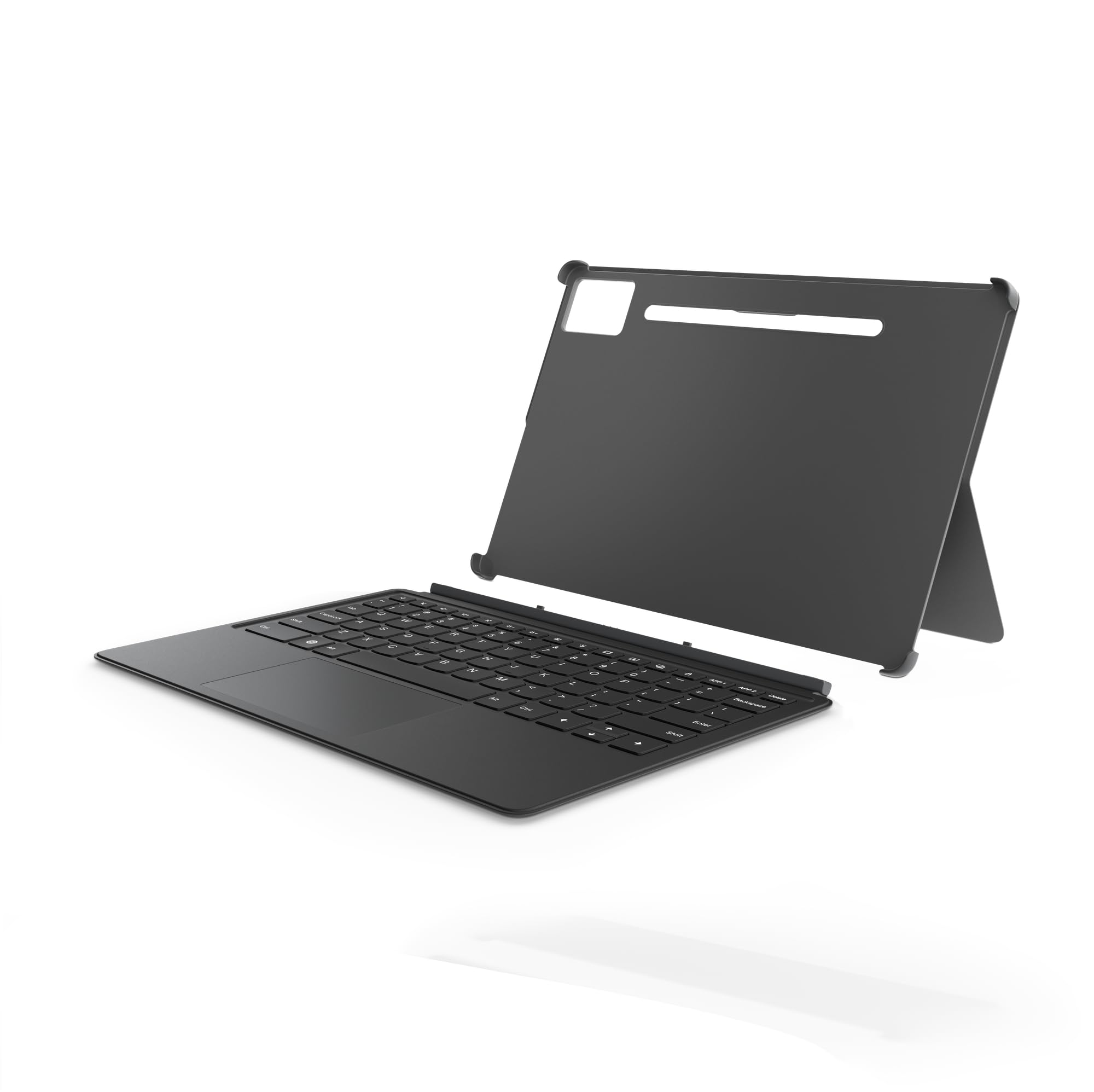
Three pogo pins snap this keyboard to a Lenovo Idea Tab Pro and it wakes up ready to type.
The Lenovo Keyboard Pack is the pick that behaves most like a real laptop. Its three-point pogo pin connector passes data and power across physical contacts, so there is no pairing step and no keyboard battery to charge — the tablet powers it directly. That removes the pairing menu and reconnect routine that Bluetooth keyboards require.
The typing hardware is what earns the price. Key travel of 1.5 mm gives each press a real downward click before it bottoms out, and the 19 mm key pitch spaces letters at the same distance as a full laptop. A subtle concave dip on each keycap keeps your fingers centered. Add the 62 mm x 105 mm one-piece trackpad with gesture support, and you have cursor control without reaching for the screen. The integrated kickstand adjusts from 0° to 165°, so you can stand it nearly upright for a video call or lay it low for sketching. Sixteen hotkeys cover screen lock, split screen, full screen, and screenshots.
What buyers fixate on is build quality, and it holds up: the polycarbonate and PU shell feels solid in hand and the magnetic snap locks the tablet into place. The honest caveat is fit. This fits the Idea Tab Pro, and the maker’s own product note says it does not fit the Idea Tab Pro Gen 2 — so confirm your exact model before you order. A few owners also find it heavier than expected at 2 pounds, and the keyboard has no backlight for dark-room typing.
Where it delivers
- Three-point pogo pin connection means zero pairing and zero keyboard charging
- 1.5 mm key travel and 19 mm key pitch give a genuine laptop typing feel
- 62 mm x 105 mm trackpad with gesture support for real cursor control
- Kickstand adjusts from 0° to 165° for standing or low-angle work
- 16 hotkeys put screen lock, split screen, and screenshots one press away
What to weigh first
- Does not fit the Idea Tab Pro Gen 2, per the maker’s own note
- At 2 pounds it adds noticeable heft to a tablet carry
- No backlight, so typing in a dim room is harder
Solid match if: you own a Lenovo Idea Tab Pro and want to turn it into a laptop for short trips and report writing.
Confirm first: your tablet is not the Gen 2 model, because this keyboard will not fit it.
2. Kensington Compact iPad Keyboard K75505US

Eight ounces of wired Lightning keyboard built for a desk that gets used by a lot of different hands.
The K75505US is the lightest option here by a wide margin — 8 ounces against the Lenovo’s 2 pounds — which makes it the one you can toss in a bag without noticing. It connects by a wired Apple Lightning plug, so there is no Bluetooth, no batteries, and no software to install. Plug it into a Lightning-port iPad and it works.
The scissor keys are full-sized and give a precise, responsive press rather than a mushy one. Fourteen shortcut keys map to common iOS commands so you can jump around the iPad interface without lifting your hands. A caps lock indicator gives you a visual confirmation of that state — a small thing that saves a lot of misfired capital letters. Kensington backs it with a two-year warranty, which is the kind of cover that matters when the keyboard lives in a shared space.
The catch sits with the connector itself. Lightning is Apple’s older port, so this keyboard is for iPads that still have one — the maker lists the 10th Generation iPad, 11th Generation iPad, iPad Pro 9.7-inch, and iPad mini 2 through mini 6 among the compatible models. If your iPad has moved to USB-C, this connector will not reach it. And with no reviews aggregated for this listing, you are relying on Kensington’s published specs and warranty rather than owner consensus, so buying from a seller with a clear return policy is the smart move.
Bottom line on the Kensington: It trades the Lenovo’s trackpad and kickstand for a featherweight 8-ounce build and a two-year warranty. If portability and durability cover beat productivity extras for you, this is the lighter path.
Best fit for: students and teachers shuffling a Lightning-port iPad between classrooms and library desks.
Different connector needed if: your iPad has already switched to USB-C.
3. Belkin USB-C Wired Keyboard w/ Stand
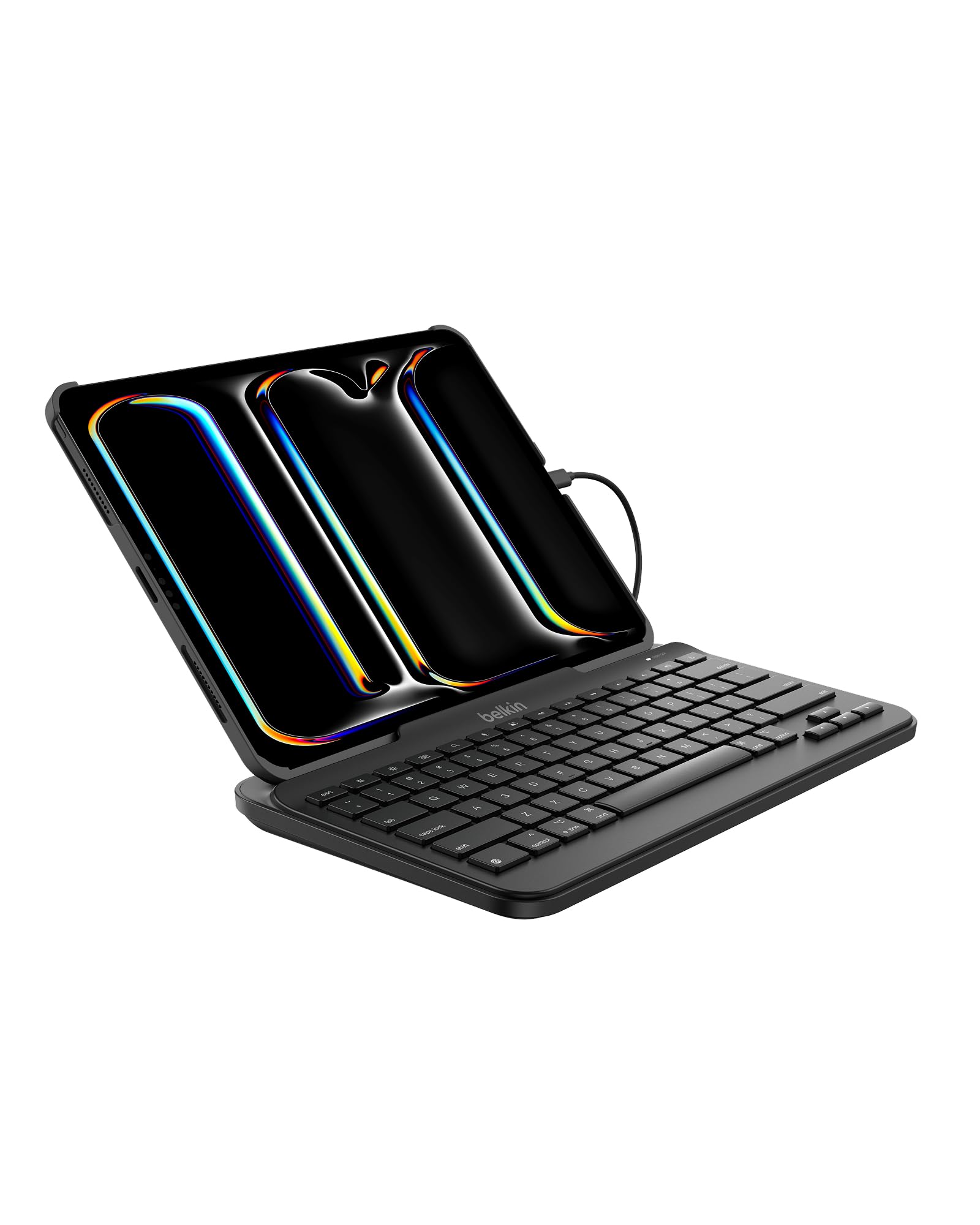
A USB-C keyboard built to survive drops, dust, and a shared classroom desk without flinching.
Most tablet keyboards are made to be carried gently. This one is made to be dropped. Belkin rates it to Mil-STD 810G, a military-standard drop test, and adds IP51 resistance, which means it shrugs off dust and light water splashes. For a keyboard that gets shoved into a backpack or handed between students, those two ratings are worth more than any cosmetic detail.
The connector is an integrated USB-C cable, so it plugs directly into USB-C iPads with no batteries and no Bluetooth pairing. It is ready the second you connect it. Full-size keys carry pry-resistant caps that resist tampering, and a protective membrane coating backs up durability for repeated daily use. The low-profile keys have tactile feedback so you feel each press register. iPadOS hotkeys handle brightness, media, and volume, and you can switch those hotkeys off when you want fewer distractions during focused work.
The Belkin lights up the connectivity story that the older wired boards struggle with — its USB-C cable works with iPad 10th generation, iPad A16, iPad Air, iPad mini, and iPad Pro, and the maker lists a minimum iPadOS 16 requirement, so check your software version. Where it trails the Lenovo is in extras: there is no trackpad, so you navigate by touch or hotkey. And it is a plain, sturdy tool rather than a refined one — expect function over finesse.
Built to survive
- Mil-STD 810G drop protection plus IP51 dust and water resistance
- USB-C cable plugs straight in with no batteries or pairing
- Full-size keys with pry-resistant caps and a protective membrane coating
- Hotkeys for brightness, media, and volume that can be disabled
Limits worth knowing
- No trackpad, so cursor control is via touch or hotkeys
- Requires iPadOS 16 or newer on a USB-C iPad
- Function-first build rather than a refined typing feel
Reach for this if: your workspace is rough on gear and you want a USB-C keyboard that survives drops and spills.
Look elsewhere if: you want a trackpad and adjustable stand in the same package.
4. Logitech Wired Keyboard iPad
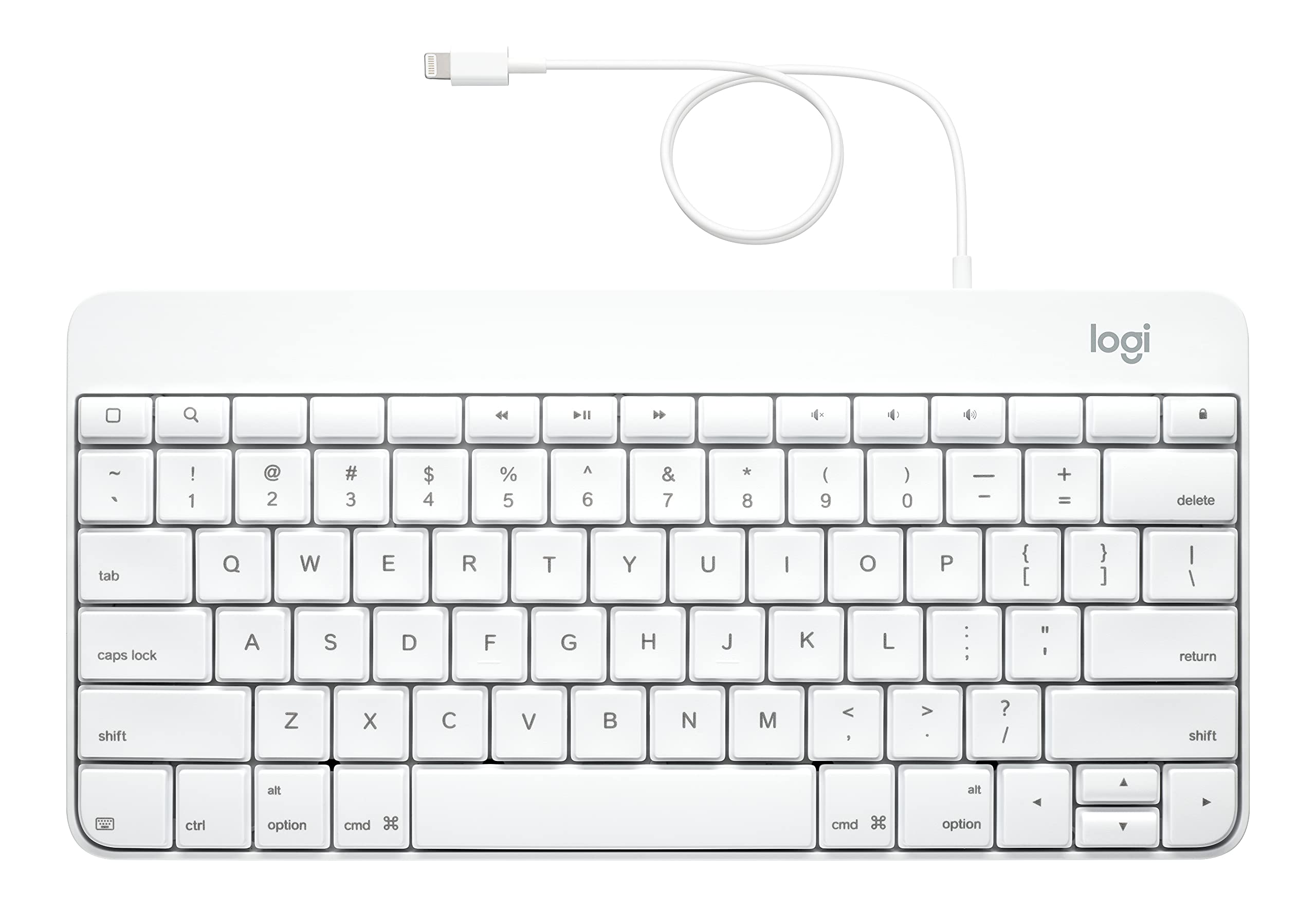
Seventy-eight full-size keys on a wired Lightning cable for an older iPad that still needs them.
This Logitech is the old-reliable option — a wired Lightning keyboard for iPads that predate the USB-C switch. It has 78 full-sized keys, and the integrated Lightning connector plugs straight into the tablet with no Bluetooth and no Wi-Fi to drop out. Just plug in and type. Because the tablet feeds it through the cable, there are no batteries to swap and nothing to charge.
The durability claims are concrete. Logitech rates the keys for a lifespan of over 5 million keystrokes, which is measured as presses before the mechanism gives out. It also handles a maximum of 60 ml of liquid spillage, so a knocked-over cup of coffee does not end the session — though the maker is clear you should not immerse it. Integrated shortcut keys map to iPad functions so you can adjust and navigate without hunting through menus.
Where this keyboard leaves the most room is longevity. The build quality is praised as solid and the wired connection is praised as straightforward, but the reliability and durability feedback is genuinely mixed across the long review history, and some buyers report the keyboard giving out sooner than they expected. That is the honest trade-off on a wired iPad keyboard from an earlier generation. It also only fits Lightning-port iPads, so verify your port before choosing this over the Belkin or Kensington.
Straight read: Full-size keys, a 5 million+ keystroke rating, and spill resistance up to 60 ml make this a solid basic typing tool for a Lightning iPad. The mixed reliability feedback is the reason to buy it as a stopgap rather than a forever board.
Connector contrast: Unlike the Belkin’s USB-C cable, this is a Lightning-only board, so it will not fit newer iPads at all.
Pick it when: your iPad has a Lightning port and you want full-size keys with spill protection for basic typing.
Think twice if: you need a keyboard you can count on for years, given the mixed reliability reports.
Know the Specs
Connector Type
The connector is the physical link that carries your keystrokes from keyboard to tablet. Pogo pins are spring-loaded contacts that pass data and power the instant the keyboard snaps on, and they generally fit one tablet model line. Lightning is Apple’s older small plug, found on older iPads. USB-C is the newer oval plug on current iPads and most Android tablets. A keyboard with the wrong plug won’t connect, no matter how good its keys are.
Key Travel and Key Pitch
Key travel is how far a key moves down before it bottoms out, measured in millimeters — more travel usually means a more deliberate, laptop-like press. Key pitch is the distance between the centers of two neighboring keys, also in millimeters, and it decides how comfortably your fingers spread out. The Lenovo’s 1.5 mm travel and 19 mm pitch are the numbers that put it closest to laptop typing among these picks.
Trackpad and Kickstand
A trackpad lets you move a cursor and use gestures without touching the screen, and a one-piece trackpad like the Lenovo’s 62 mm x 105 mm surface makes multitasking faster. A kickstand is a fold-out prop that holds the tablet at an angle — one that adjusts across a range like 0° to 165° covers everything from near-flat sketching to nearly upright video calls. Wired keyboards without a stand or trackpad rely on touch for control.
Durability Ratings
Drop and water ratings tell you how much abuse a keyboard can take. Mil-STD 810G is a military-standard drop test, and IP51 is a rating for dust and light water exposure — the Belkin carries both. Spill resistance measured in milliliters, like Logitech’s 60 ml maximum, tells you how much liquid a board survives before it fails. For a keyboard carried in a bag or shared in a classroom, check these ratings before you buy.
Common Questions
Will the Lenovo Keyboard Pack fit my Idea Tab Pro Gen 2?
Do these keyboards need to be charged or paired over Bluetooth?
How do I know if my iPad has a Lightning or USB-C port?
What is the difference between a pogo pin and a Bluetooth keyboard connection?
Is the Belkin USB-C keyboard actually drop and water resistant?
How long do the keys on the Logitech wired iPad keyboard last?
Do these keyboards work with Android tablets or only iPads?
Which keyboard here has the most comfortable typing feel?
Can I use the Belkin keyboard if my iPad is on an older iPadOS version?
Do these keyboards come with a warranty?
The Bottom Line
For most tablet owners who want to type like they are on a laptop, the winner is the Lenovo Keyboard Pack for Idea Tab Pro. Its pogo pin connection skips pairing and charging entirely, and its 1.5 mm key travel, 19 mm pitch, and 62 mm x 105 mm trackpad turn a tablet into a real workstation — as long as you own the right Idea Tab Pro model. If your iPad has a USB-C port and you need something tough enough for daily abuse, grab the Belkin USB-C Wired Keyboard with Stand and its Mil-STD 810G and IP51 ratings. And if you are typing on an older Lightning iPad and want something light and backed by a warranty, the Kensington Compact iPad Keyboard is the one to reach for. Match your connector first, then weigh key travel, trackpad, and durability.
How we choose
We do not accept paid placement. Every pick is matched to a real buyer and a real use-case; we do not hands-on test units.
Sources
Specifications: manufacturer listings and product documentation. Review insights: verified customer reviews, as of November 2026. Pricing: not shown on this page (it changes often); check the current price via the retailer link.
As an Amazon Associate, Tactical Gear Guy earns from qualifying purchases. This does not affect which products we feature.