Specs are compiled from manufacturer listings and verified buyer reviews and can change over time — please confirm the key details on the product page before buying.
You want one screen that survives the car — a tablet big enough to read at a stoplight, bright enough to beat overhead sun, and sturdy enough for kids kicking the back seat. This guide sorts through the tablets actually worth mounting, from a giant 12.4-inch Samsung with Galaxy AI to a rugged 5G unit that doubles as a projector and a camping light.
This guide is built by comparing the manufacturers’ published specifications and the patterns across verified customer reviews, so you get each pick’s real strengths and trade-offs instead of marketing spin.
In a moving car, two things decide whether a tablet works: how readable the screen is and how much battery you actually get. For car use, match screen size and brightness to your dash mount and back seat rather than chasing the biggest spec sheet.
Top Picks
How To Choose The Best Tablet for Car
Buying a tablet for the car is different from buying one for the sofa. It has to survive sunlight on the windshield, temperature swings, and the occasional dropped juice box. The four specs below decide whether a tablet earns a permanent spot on your dash mount or ends up in a drawer.
Screen brightness and resolution for daylight readability
Direct sun is the enemy. A tablet rated at 700 nits (the brightness unit used for screens) stays readable when light is pouring through the windshield. Resolution matters too — a 2800 x 1752 panel keeps map text and subtitles sharp, while a 1280 x 800 panel is softer but fine for cartoons in the back seat. If it is for navigation up front, prioritize brightness and resolution together.
Battery capacity and real-world streaming time
Battery is measured in mAh (milliamp-hours — how much charge the cell holds). The big numbers sound great, but check the listed average life in hours, which is what actually tells you how long a road trip will go before you reach for the cable. A high mAh cell with an enormous screen can still drain faster than a smaller one.
Mounting, ruggedness, and kid-proofing
Not every car tablet needs an IP68 rating (the standard for dust-tight, water-resistant electronics). But an IP68 rugged body or a bundled EVA case (a soft foam material that absorbs knocks) saves you from cracked corners when the tablet gets knocked off the seat. If kids will handle it, look for a protective case and a foldable stand baked in.
Side-by-Side Comparison
| Model | Best For | Display | Battery | Connectivity | Amazon |
|---|---|---|---|---|---|
| Samsung Galaxy Tab S10+ 12.4”★ Best Overall | Large dash screen with AI tools | 12.4″ AMOLED, 2800 x 1752, 120Hz | — | Wi-Fi, 4G, 5G, Bluetooth | Amazon |
| Kids Tablet 10 InchBest for Kids | Rear-seat kid screen on a budget | 10″ IPS, 1280 x 800 | 6000mAh, 12 hours | Dual-band Wi-Fi, Bluetooth 5.4 | Amazon |
| Gleeso Android 16 Kids Tablet | Learning apps with parental locks | 10.1″ LCD, 1280 x 800 | 6000mAh | 5G | Amazon |
| 8849 Tank Pad 5G | Rugged outdoor trips and camping | 10.95″ FHD+, 1200 x 1920, 120Hz, 700 nits | 21000mAh | 5G, Wi-Fi, Bluetooth | Amazon |
| CHUWI Hi10 Max | Laptop-style productivity in the car | 12.96″ IPS, 2880 x 1920 | 37.12 Wh | Wi-Fi 6, BT 5.3, HDMI, USB | Amazon |
| Samsung Galaxy Tab S11 | Premium travel screen with S Pen | 11″ AMOLED 2X, 2560 x 1600, 120Hz | 8400mAh, 18 hours | Wi-Fi | Amazon |
| Microsoft Surface Pro 11 13″ | Full Windows work on the road | 13″ LCD, 2880 x 1920, 120Hz | — | Wi-Fi, dual USB-C 4 | Amazon |
Detailed Reviews
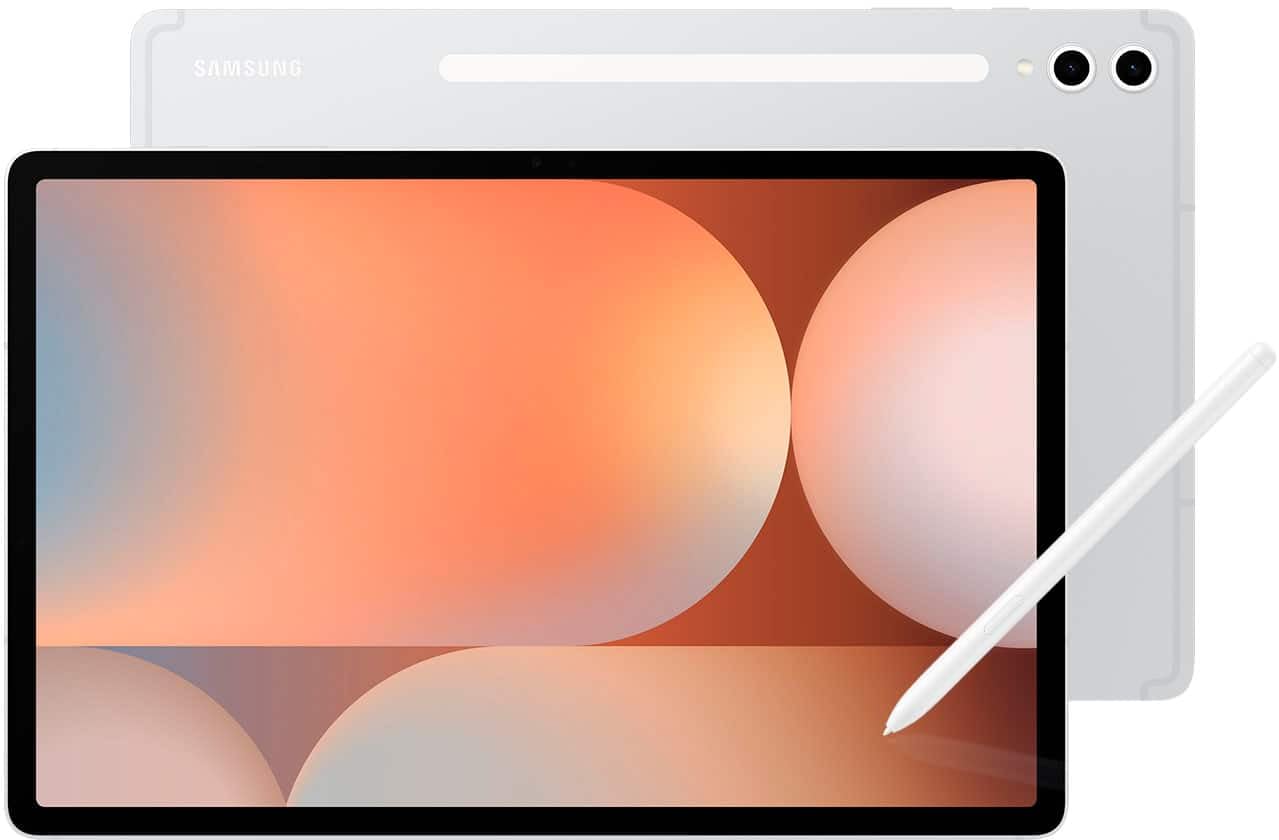
1. Samsung Galaxy Tab S10+ Plus 12.4” 512GB Android Tablet
Our pick — 4.5+★ from 750+ verified ratings; the strongest balance of quality and price.
A 12.4-inch AMOLED dash screen that stays sharp and glare-resistant in direct sun.
The 12.4-inch AMOLED display is the biggest reason this one lands at the top. AMOLED means each pixel lights itself, so colours stay rich and black stays genuinely black while the sun beats down on the glass. At 2800 x 1752 pixels, map text and subtitles stay crisp from the driver’s seat, and the 120Hz refresh rate (the screen redraws 120 times a second) keeps scrolling and map pans smooth instead of smeary.
Running your daily apps is where it earns its keep. The MediaTek Dimensity 9300+ processor (the tablet’s main chip) handles navigation, streaming, and split-screen apps without stutter — and buyers report performance is what wins them over most in the review pages. Galaxy AI tools like Sketch to Image, Circle to Search, and Note Assist add real value on the road: you can circle a landmark on screen to search it, or let the tablet summarise a voice memo from a meeting.
The honest catch is durability. Reliability feedback is genuinely split — some units arrive sturdy and some arrive not working, which is a real risk on a device this expensive. Treat it as a dashboard ornament that wants a quality mount rather than a toss-it-in-the-back-seat tablet. It is also a Wi-Fi, 4G, and 5G capable machine, so you can keep it connected on long drives without tethering to your phone.
Why the big screen wins
- 12.4-inch AMOLED at 2800 x 1752 keeps map text and subtitles sharp in daylight
- 120Hz refresh rate smooths scrolling and live navigation
- Dimensity 9300+ processor keeps apps and split-screen running without lag
- Galaxy AI tools like Circle to Search and Note Assist do real work on the go
- 4G and 5G options keep it connected without a phone hotspot
What to weigh before mounting
- Reliability feedback is split — some units arrive faulty, so buy from a seller with easy returns
- A screen this large needs a substantial mount, not a flimsy clip
- It is a serious investment, so plan for a protective case too
Mount this if: you want the largest, sharpest screen on the dash and will use the AI tools for work on the go.
Think twice if: you need a throw-it-in-a-bag tablet that survives rough handling — the split reliability record makes the rugged picks below safer bets.
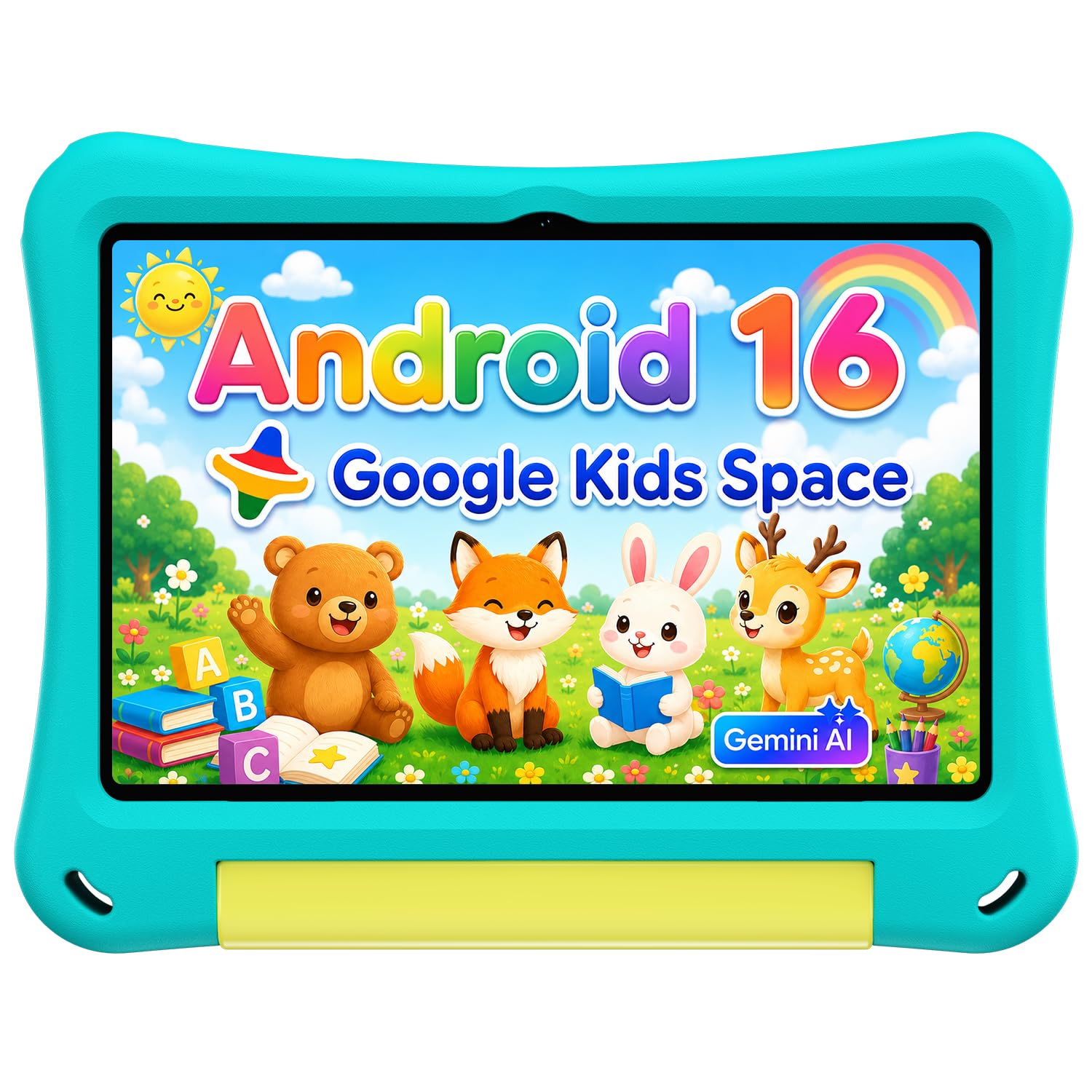
2. Kids Tablet 10 Inch
A 10-inch headrest tablet with an EVA foam case and a foldable stand for hands-free movies.
For parents who want a second screen clipped to the headrest, the specs line up neatly. The 6000mAh battery (the charge the cell holds) is rated for 12 hours of average use, which covers most road trips with room to spare. The 10-inch IPS display (a panel type with wide viewing angles) sits at 1280 x 800, sharp enough for cartoons and picture books without pushing the price into premium territory.
What sells it for family use is the parental control setup. Google Kids Space lets you create profiles, set screen time limits, filter content, and approve apps — all from your own phone. The included EVA case (a soft foam that absorbs knocks) plus a foldable stand means it can prop up hands-free for a movie or fold flat for drawing. Dual-band Wi-Fi handles 2.4GHz and 5GHz networks, and Bluetooth 5.4 pairs with wireless headphones so the driver is not stuck listening to cartoons.
The one caveat to know going in: reliability is the mixed point. Most units run fine, but a minority stop working sooner than expected, so keep the receipt handy. Ease of use and value round out the things buyers appreciate most. For a dedicated kid screen where durability and parental controls matter more than premium performance, this is the sensible pick.
Family-first setup: Google Kids Space profiles, screen-time limits, and content filtering are all managed from your own device — so the tablet never needs to leave the back seat for you to supervise it.
Stay alert on reliability: a share of units fail early, so buy from a seller with a straightforward return window and test it before the first big trip.
Reach for this if: you want an affordable headrest tablet with real parental controls and a case that survives kid handling.
Look elsewhere if: you need it for adult work or heavy apps — the 1280 x 800 screen and kid-focused software are tuned for streaming and learning, not productivity.
3. Gleeso Android 16 Kids Tablet, 24GB RAM 64GB ROM, 6000mAh
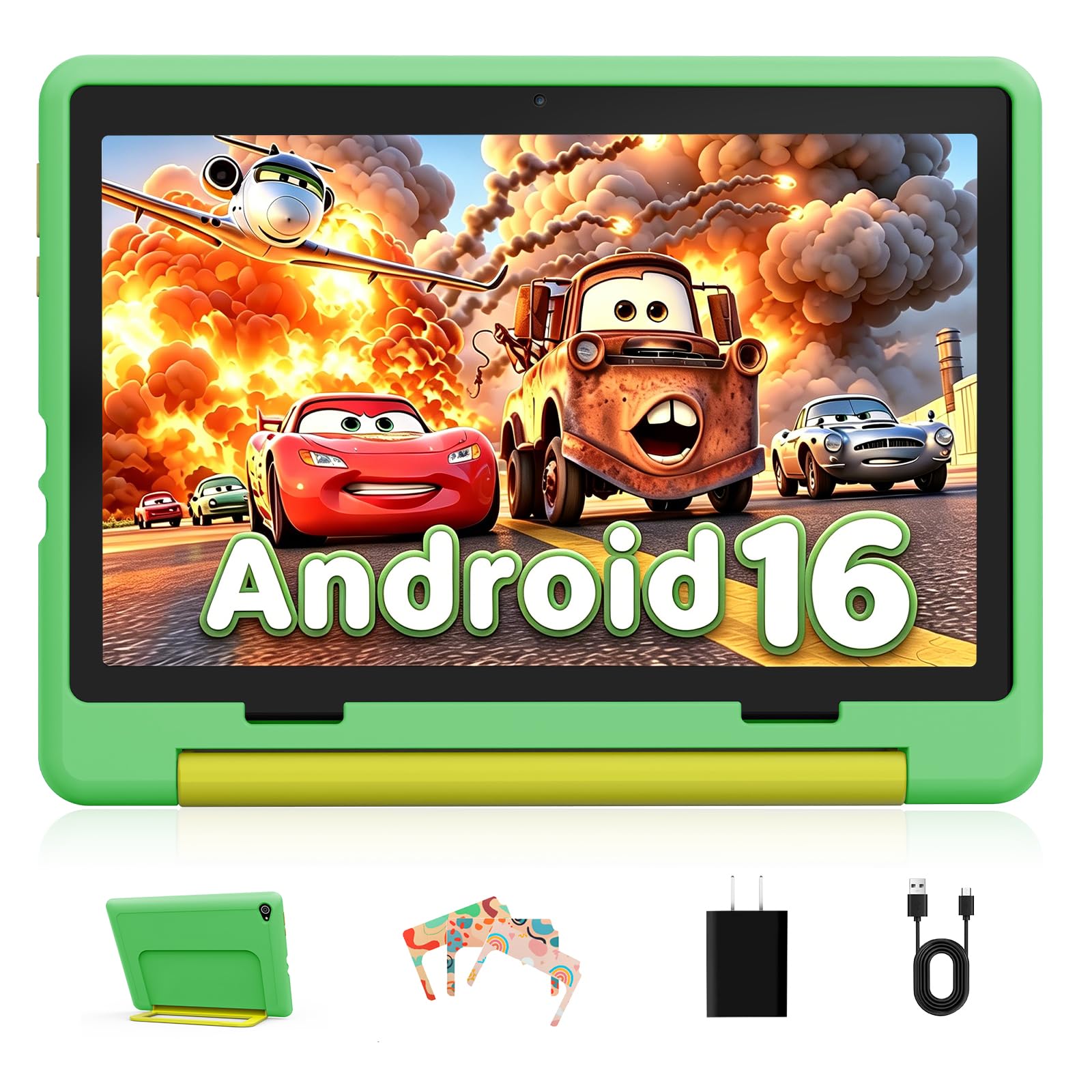
A 10.1-inch kids’ tablet with 24GB RAM and 1TB microSD expansion for downloaded learning apps.
The headline here is memory: 24GB of RAM and 64GB of storage that expands up to 1TB with a microSD card. For a car tablet, that means you can stash a whole trip’s worth of downloaded cartoons and study material locally and skip the streaming dropouts when the signal fades. Running genuine Android 16 gives faster response and better app compatibility for the learning apps, games, and videos kids cycle through.
The screen is a 10.1-inch LCD at 1280 x 800 with a blue-light reduction mode, which helps ease eye discomfort during long viewing stretches. The 6000mAh battery is built for a full day of study and play. Dual cameras — 5MP front, 8MP rear — cover video calls to family from the road, and the bundled case and kids space with UKIDOZ content target children aged 3-12.
Where it can fall short is speed. Performance feedback is mixed, with some finding it snappy and others calling it slow under load. Set your expectations to light kids’ apps and streaming rather than heavy multitasking. The parental control system for limiting apps and blocking content is a genuine strength for families who want oversight without hovering.
What families gain
- 24GB RAM and 64GB storage, expandable to 1TB with a microSD card
- Genuine Android 16 for smoother response and app compatibility
- 6000mAh battery supports a full day of study and play
- Parental controls limit time, block content, and track usage
- Blue-light reduction mode eases long viewing sessions
Where it may fall short
- Speed feedback is split — some find it slow with heavy apps
- The 1280 x 800 LCD panel is fine for streaming but soft for detailed reading
- Best suited to kids’ apps rather than adult productivity
Pick it for: families who download a lot of content and want big memory plus parental controls in a kids’ shell.
Pass on it if: you need fast performance for demanding apps — the mixed speed reports point to light-duty use.
4. 8849 Tank Pad 5G
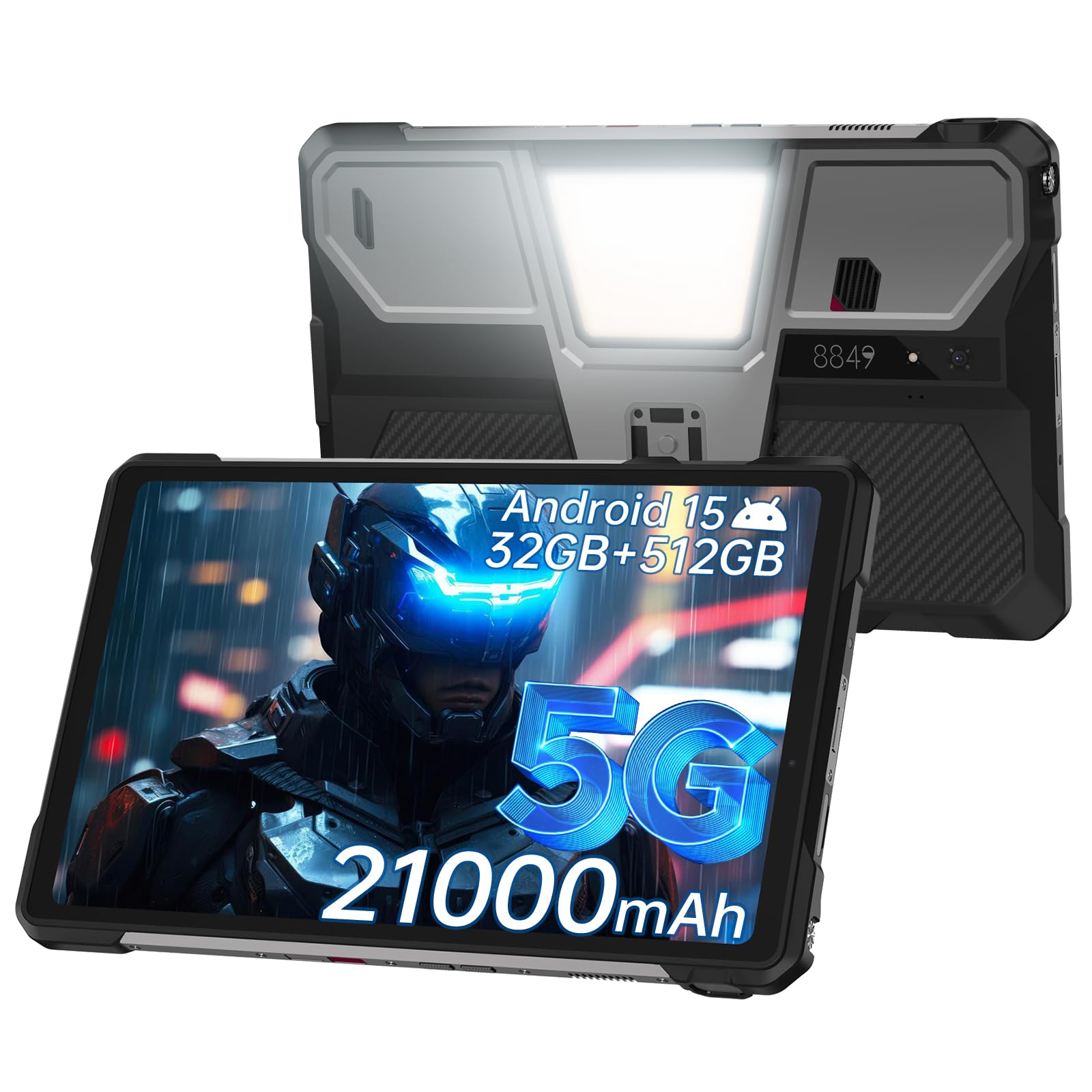
An IP68 rugged tablet with a 21000mAh battery and a built-in projector for tailgate movies.
For overlanding, job sites, and family camping, the rugged credentials are the point. It carries an IP68 rating (dust-tight and water-resistant) plus shockproof construction, and the 21000mAh battery is the largest in this group — a capacity that keeps it running through long days without a charger. The 10.95-inch FHD+ display hits 700 nits of brightness, which keeps it legible in direct sunlight, and the 120Hz refresh rate keeps motion smooth.
Then there is the built-in projector: 120Hz projection refresh, 854 x 480 resolution, and manual focus to sharpen the image on a tent wall or tailgate screen. An 800-lumen camping light rounds out the outdoor toolkit for site work, repairs, or emergencies. Dual SIM 5G works with T-Mobile and Verizon in the U.S., and the dual 97dB speakers are loud enough to hear calls and video in a noisy cab.
The trade-offs are real but narrow. There is a warning in the listing that the screen can shatter if it lands on an uneven surface, so a case is still smart despite the rugged build. Battery feedback is also mixed, with some reporting excellent runtime and others shorter-than-expected life. As a do-everything outdoor machine, the quality is what buyers praise most.
One machine, three jobs: a projector, a 21000mAh battery, and an 800-lumen light mean you can leave three separate gadgets at home.
Still guard the glass: rugged does not mean indestructible — the listing itself warns the screen can crack on uneven ground, so add a case.
Choose it for: camping, job sites, and road trips where water, dust, and battery life are the deciding factors.
skip it if: you want a slim commuter tablet — the rugged body and huge battery make this a substantial, heavy-duty device.
5. CHUWI Hi10 Max
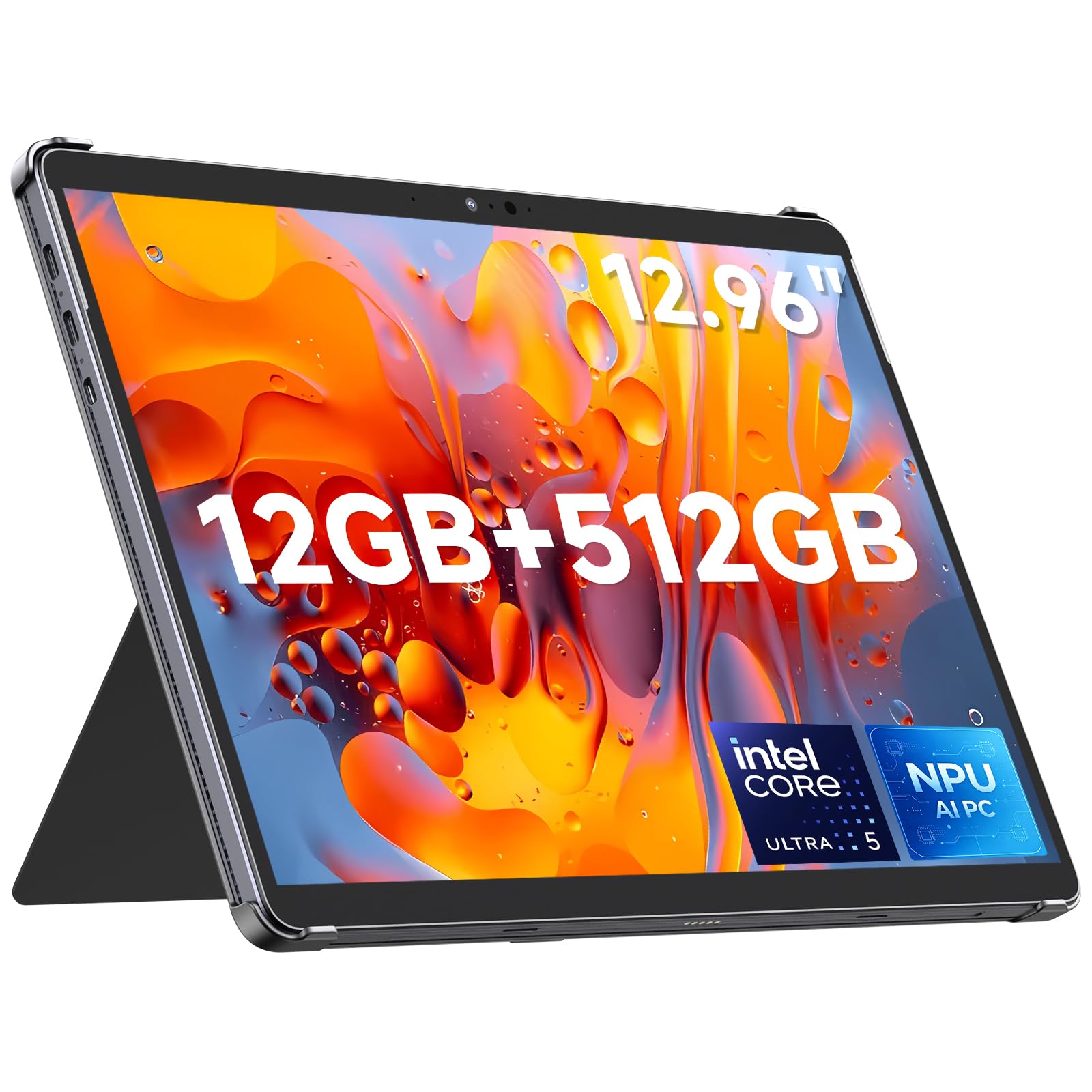
A 12.96-inch Windows 11 tablet with a 3:2 screen and full-size ports for work between drives.
If the tablet lives in the car for work rather than cartoons, this is the one to study. The 12.96-inch 3:2 display runs 2880 x 1920 pixels, and that taller aspect ratio gives you more vertical space for documents and spreadsheets than a widescreen panel — useful when you are reviewing files at a roadside stop. The Intel Core Ultra 5 125U processor with 12 cores and a max boost of 4.3GHz handles multitasking and light creative work.
Memory and storage are generous for the price tier: 12GB of LPDDR5 RAM at 6400MT/s keeps browser tabs and office apps running together, and the 512GB SSD upgrades to 1TB if you need more room. Connectivity is where it beats most tablets here — two full-function Type-C ports, Micro HDMI 1.4, USB-A 3.2 Gen1, and a 3.5mm jack, plus Wi-Fi 6 and Bluetooth 5.3. The kickstand case lets it stand hands-free, and a backlit magnetic keyboard (sold separately) turns it into a laptop.
Be aware of two things before you buy. It runs Windows 11, and the activation key is injected manually — the listing notes rare omissions, with a fix by contacting the seller with your serial number. It also does not include the stylus or keyboard, so factor those in if you want full laptop mode. Performance is the quality buyers highlight most, and for the money it is a capable all-rounder.
Worth it when: you need Windows apps, real ports, and a tall 3:2 screen for document work between drives.
Add to cart separately: the stylus and backlit keyboard are sold apart, so budget for them if you want the full laptop experience.
6. Samsung Galaxy Tab S11 512GB

An 11-inch AMOLED tablet with an IP68 body and an included S Pen for splash-prone trips.
This is the compact premium pick. The 11-inch Dynamic AMOLED 2X display at 2560 x 1600 with Vision Booster keeps text clear and colours rich, and 12GB of RAM opens and switches Android apps without slowdowns. The S Pen is included, so note-taking and Drawing Assist work straight from the start — handy for a passenger capturing ideas on a long drive.
Rated at IP68 (dust-tight, water-resistant), it is the rare Samsung tablet here that can handle a splash, which changes what you can do with it on a road trip. Battery life is rated at 18 hours from an 8400mAh cell, enough for multi-hour stretches without a charger. The compact 11-inch size makes it easier to mount than the 12.4-inch S10+, and buyers praise the AMOLED screen as the standout feature.
The catch is battery consistency — some find it great, others just okay — and it is a Wi-Fi-only model, so you will want a phone hotspot on the road. For a premium travel screen where display quality and water resistance matter most, this is the sharper daily driver.
The screen is the sell: a Dynamic AMOLED 2X panel at 2560 x 1600 paired with Vision Booster reads clearly even with sunlight washing across it, and the included S Pen adds note-taking without extra cost.
Wi-Fi only: no cellular here, so plan to tether or use a hotspot — and expect battery life that some find great and others only adequate.
Grab this for: a compact, premium AMOLED screen with S Pen included and IP68 protection for occasional splashes.
Keep looking if: you need built-in cellular data or the most consistent battery runtime in the group.
7. Microsoft Surface Pro 11 13″

A 13-inch Copilot+ PC running full Windows 11 Pro with dual USB-C 4 docking.
The Surface Pro 11 is a Copilot+ PC, which means it runs full Windows 11 Pro with AI features built in. The Snapdragon X Plus powers it with a 45 TOPS NPU (the dedicated AI chip, rated in trillions of operations per second), and 16GB of RAM with a 512GB SSD handles real work — spreadsheets, video calls, and document editing between stops. The 13-inch PixelSense Flow display runs 2880 x 1920 at up to a 120Hz dynamic refresh rate (it redraws the screen up to 120 times a second), so it feels smooth under the finger.
For a travelling setup, the dual USB-C 4 ports are the real asset: they can drive up to three 4K monitors at 60Hz (4K is a high-resolution display standard), so you can pull into a hotel or office and dock it into a full desktop without a separate hub. Security is handled by facial recognition and password protection as part of a Secured-core PC. For a fully mobile work machine, the port selection is the headline.
The honest limit: this is a premium notebook-class device first and a casual tablet second, and no keyboard or pen is listed in the box — the Surface experience usually wants those add-ons. Some owners mention less-consistent everyday performance than the price suggests. If your car is a mobile workstation and you need Windows, though, this is the most capable machine in the group.
Why road warriors pick it
- Full Windows 11 Pro with Copilot AI for real work on the road
- Snapdragon X Plus with a 45 TOPS NPU and 16GB RAM
- Dual USB-C 4 ports can drive up to three 4K monitors at 60Hz
- 13-inch 2880 x 1920 display at up to 120Hz
The honest limits
- No keyboard or pen included — both are usually wanted and sold separately
- Some customers note everyday performance that trails the price tag
- Premium pricing makes it a stretch if you only stream videos in the back seat
Made for: anyone whose car doubles as an office and needs real Windows multi-monitor docking on arrival.
Not for: casual back-seat streaming — you would be paying for PC power you never use.
Know the Specs
Screen brightness and nit ratings
Nits are the unit of screen brightness. Higher nits mean the display fights sun glare better, so map text stays readable when light hits the windshield. Look for brightness figures when daylight use is the priority.
Battery capacity in mAh
mAh (milliamp-hours) describes how much charge a battery stores. A bigger number often means longer runtime, but the listed average life in hours is the number to watch because a large power-hungry screen can still drain a big cell fast.
Refresh rate in Hz
Refresh rate is how many times per second the screen redraws. A 120Hz panel makes scrolling and map pans smoother than a lower rate, which matters when you are glancing at a moving map.
IP ratings explained
An IP rating tells you how well a device resists dust and water. IP68 means dust-tight and able to withstand water immersion. For a car tablet that may sit near a cup holder or get caught in rain at a tailgate, a rugged rating is worth checking.
Common Questions
What size tablet works best on a car dash mount?
Can I use a Wi-Fi-only tablet in the car without a hotspot?
Is an IP68 tablet actually safe near water in the car?
How long does a car tablet battery last on a road trip?
Which tablet is best for kids in the back seat?
Do I need a rugged tablet for camping trips?
Can a tablet replace a laptop for work during a road trip?
Does a 120Hz screen matter in a car?
How bright should a car tablet screen be for daylight use?
The Bottom Line
For most drivers, the winner in this search for the best tablet for car is the Samsung Galaxy Tab S10+ 12.4” because its combination of a 12.4-inch AMOLED screen at 2800 x 1752, a 120Hz refresh rate, and Galaxy AI tools gives you the largest, sharpest dashboard workspace in the group. If you want the compact premium alternative with S Pen and IP68 (an official rating for dust and water resistance), grab the Samsung Galaxy Tab S11. And for rugged camping and job-site duty, the 8849 Tank Pad 5G is the one to reach for.
How we choose
We do not accept paid placement. Every pick is matched to a real buyer and a real use-case; we do not hands-on test units.
Sources
Specifications: manufacturer listings and product documentation. Review insights: verified customer reviews, as of November 2026. Pricing: not shown on this page (it changes often); check the current price via the retailer link.
As an Amazon Associate, Tactical Gear Guy earns from qualifying purchases. This does not affect which products we feature.