Specs are compiled from manufacturer listings and verified buyer reviews and can change over time — please confirm the key details on the product page before buying.
Your Switch is telling you the truth when it says storage is full — and the card you slide behind that kickstand decides whether your next digital game takes minutes or seconds to open. The short answer: most Switch owners should buy a licensed 128GB card, not the biggest or the fastest one on the shelf. This guide covers eight microSD cards that physically fit the Switch slot, explains what each speed number actually does for you, and points out the ones that only make sense for a specific kind of player.
This guide is built by comparing the manufacturers’ published specifications and the patterns across verified customer reviews, so you get each pick’s real strengths and trade-offs instead of marketing spin.
A card rated U3 with roughly 100MB/s read speed covers nearly every Switch game load, and the licensed cards guarantee the fit. Below you will find the honest breakdown of the switch micro sd card options worth your money.
Top Picks


How To Choose The Best Switch Micro SD Card
Three things decide whether a card is right for your console: it has to fit the slot, it has to be fast enough for game data, and it has to hold enough games. Everything else on the packaging is noise. Work through these in order and you will not overpay.
Fit comes first — the Switch 2 wrinkle
The original Switch, the Switch OLED and the Switch Lite all take a standard microSDXC card. Several cards in this list are explicitly labelled as not designed for the Nintendo Switch 2, which uses a different, newer card format. If you own the newer console, check the label before you buy. If you own any of the three original models, every card here will seat properly behind the kickstand.
Read speed is what you feel
Read speed is how fast the card sends data back to the console — it is the number that governs how quickly a game opens. A card rated for 100MB/s read speed handles Switch game data comfortably. Cards rated higher, like 140MB/s or 190MB/s, are built for cameras and drones that move huge files; on a Switch the extra headroom mostly goes unused.
Capacity: how many games fit
A 64GB card suits a player who buys mostly physical cartridges and downloads a handful of titles. A 128GB card is the realistic floor for an all-digital library. A 1TB card is for the collector who wants every download on one chip and never wants to see the storage warning again. Remember that formatting eats into the labelled number — a card marked 128GB will show less usable space once the console sets it up.
The markings explained in plain words
U3 (UHS Speed Class 3) means the card sustains a steady write rate suitable for recording video. V30 (Video Speed Class 30) is a similar guarantee aimed at cameras. A2 (Application Class 2) means the card handles many small random reads quickly, which helps app loading on phones and tablets. For Switch game storage, U3 is the marking that matters most.
Side-by-Side Comparison
| Model | Best For | Capacity | Read Speed | Speed Class | Amazon |
|---|---|---|---|---|---|
| SanDisk 128GB Super Mario Super Mushroom Edition★ Best Overall | Most Switch owners | 128 GB | Up to 100 MB/s | UHS-I | Amazon |
| Silicon Power 128GB U3 SDXCBest Value | Budget multi-device use | 128 GB | Up to 100 MB/s | V30 | Amazon |
| SanDisk 128GB Extreme + Adapter | Creators who also game | 128 GB | Up to 190 MB/s | U3 / V30 / A2 | Amazon |
| KEXIN 128GB 5 Pack | Spares across many devices | 128 GB each | Up to 80 MB/s | C10 / U1 | Amazon |
Detailed Reviews
1. SANDISK 128GB microSD Card Super Mario
Our pick — 4.5+★ from 231,000+ verified ratings; the strongest balance of quality and price.
The card that ends the storage warning without any guesswork about fit
If you want the safest possible pickup for an original Switch, OLED or Lite, this is it. The card carries an official Nintendo licence, which means SanDisk built it to Nintendo’s own specification for the console rather than adapting a general-purpose chip. It slides into the slot behind the kickstand and the system recognises it with no update dance.
The numbers cover the job: up to 100MB/s read speed (how fast the card hands game data back to the console) and up to 90MB/s write speed (how fast a download lands on the card). In practice your digital downloads move at the speed your home internet allows, and games open without the long spinner. It also adds up to 128GB of extra room for downloaded games, screenshots and video captures, so you can keep the whole library in one place and leave the game cases at home.
The one thing to be honest about: data quality is the only aspect drawing mixed feedback, with a small group running into corrupted data problems while the vast majority report no issues at all. Buy from a reputable seller, and you avoid most of that risk. The other detail worth knowing is that this card is explicitly not designed for the Nintendo Switch 2 — owners of the newer console should look at the microSD Express model instead.
Mushroom branding bonus
- Officially licensed by Nintendo for Switch, OLED and Lite, so the fit is guaranteed
- 128GB of extra room holds a large digital library plus captures
- Plug-and-play install behind the kickstand takes a couple of minutes
- The Mushroom artwork adds no premium over a plain card
novelty over speed
- A small share of cards arrive with corrupted data; buy from a trusted seller
- Not built for the Nintendo Switch 2, which needs a different format
grab this: if you own any original-generation Switch and want the card Nintendo itself signs off on.
pass on it: if your console is a Switch 2, or if you need the fastest file offloads to a PC.
2. Silicon Power 128GB Micro SD Card U3 SDXC
An unbeatable-value 128GB chip that plays nicely with everything but the newest console
Here is the card for the player who wants 128GB without paying a licence premium. Silicon Power rates it U3 and V30 — two markings that promise a steady sustained write rate for video — with read speeds up to 100MB/s. For Switch game storage those figures are more than enough. It also handles drones, dash cams, action cameras and Android tablets, so it is a single card type that covers your whole drawer of devices.
What really lands is the value story. Buyers report around 115.8GB of usable room, enough for roughly 100,000 photos. That is a lot of game downloads and screenshots for a modest outlay. It carries a 5-year limited manufacturer warranty and shrugs off drops, temperature swings, water and X-ray scanning.
The catch is the Switch 2. Silicon Power spells it out plainly: this is not a microSD Express card, so in the newer console it can store screenshots and videos but cannot install games or hold save data. Camera owners should also know a large-capacity card can outstrip an older device’s ability to read it. Treat this as the budget workhorse for an original Switch plus your camera bag, not a future-proof buy.
budget 128GB pick: near-identical core speed to licensed cards at a friendlier position, with a warranty to back it up.
verify device support: confirm your device’s capacity ceiling before formatting, and remember the Switch 2 needs a different format entirely.
worth buying: you own an original Switch and other gadgets, and you want one affordable card that covers them all.
check specs first: you plan to move to the Switch 2 or need corruption-proof confidence above all else.
3. SANDISK 64GB microSD Card, Yoshi Edition
A no-frills 128GB card that covers the Switch and the camera bag without fuss
You get premium-card performance without the premium label. It meets U3 and V30 (speed ratings for steady video writing), adds A2 (an app-performance rating for quick loading), and offers up to 100MB/s read speed (how fast files open). The capacity is stated honestly too: a 128GB card is listed to give at least 116GB of usable space after the console formats it, so you know what to expect before you open the pack.
Where it shines is durability and flexibility. The card is shock-resistant, IPX6 water-resistant (IPX6 means it survives powerful water jets), rated for temperatures from −10°C to +80°C, and shielded against X-rays and magnetic fields. That makes it as comfortable in a dash cam or a drone as it is behind a Switch’s kickstand. It ships with a full-size SD adapter, so it slots into a laptop’s wide slot for file transfers too.
The one recurring note is reliability — a small number report a card going corrupt after a couple of months, while the clear majority report smooth, long-running use in Switches and cameras alike. Back up anything irreplaceable and you sidestep that entirely.
adapter included bundle: premium-grade markings and real-world durability ratings on a practical, honest 128GB card.
modest read speeds: a minority hit early corruption, so keep backups of anything you cannot lose.
solid basic buy: a Switch plus dash cam or camera owner who wants one rugged 128GB card.
slow for video: if you need the absolute fastest transfer speeds for large video files.
4. SANDISK 128GB Ultra microSD Card

The do-everything card built for a drone, an action cam, and a Switch in the same week
This is the fastest card in the lineup at up to 190MB/s read speed, with up to 90MB/s write, U3 and V30 rated for sustained 4K and 5K video capture, and A2 to load apps quickly. The 190MB/s figure comes from SanDisk’s QuickFlow technology and needs a compatible reader to reach it — paired with SanDisk’s own PRO-READER it is designed to hit top speed. It is overkill for pure Switch duty, but its wide compatibility makes it a smart single-card solution.
What wins people over is versatility. Owners lean on it across DJI cameras, GoPros, Zoom field recorders and Insta360 rigs, noting it handles 4K footage smoothly with no lag and plenty of space for long shoots. Owners also use it for up to 3 weeks of dashcam footage before offloading. The included adapter means you can pop the chip into a full-size slot whenever you need to offload.
Honest caveat: reliability draws some mixed feedback, and a minority report a card failing months in. That happens across the category, and backing up important clips neutralises it. For a Switch player who mostly downloads games, the 190MB/s ceiling is headroom you will never stress — it pays off only when you move big files.
action cam ready: creators juggling drones, action cams and a Switch who want a single high-speed card.
casual use only: the pure Switch player — 190MB/s is speed the console cannot use.
5. KEXIN 128GB Micro SD Card 5 Pack with SD Adapter
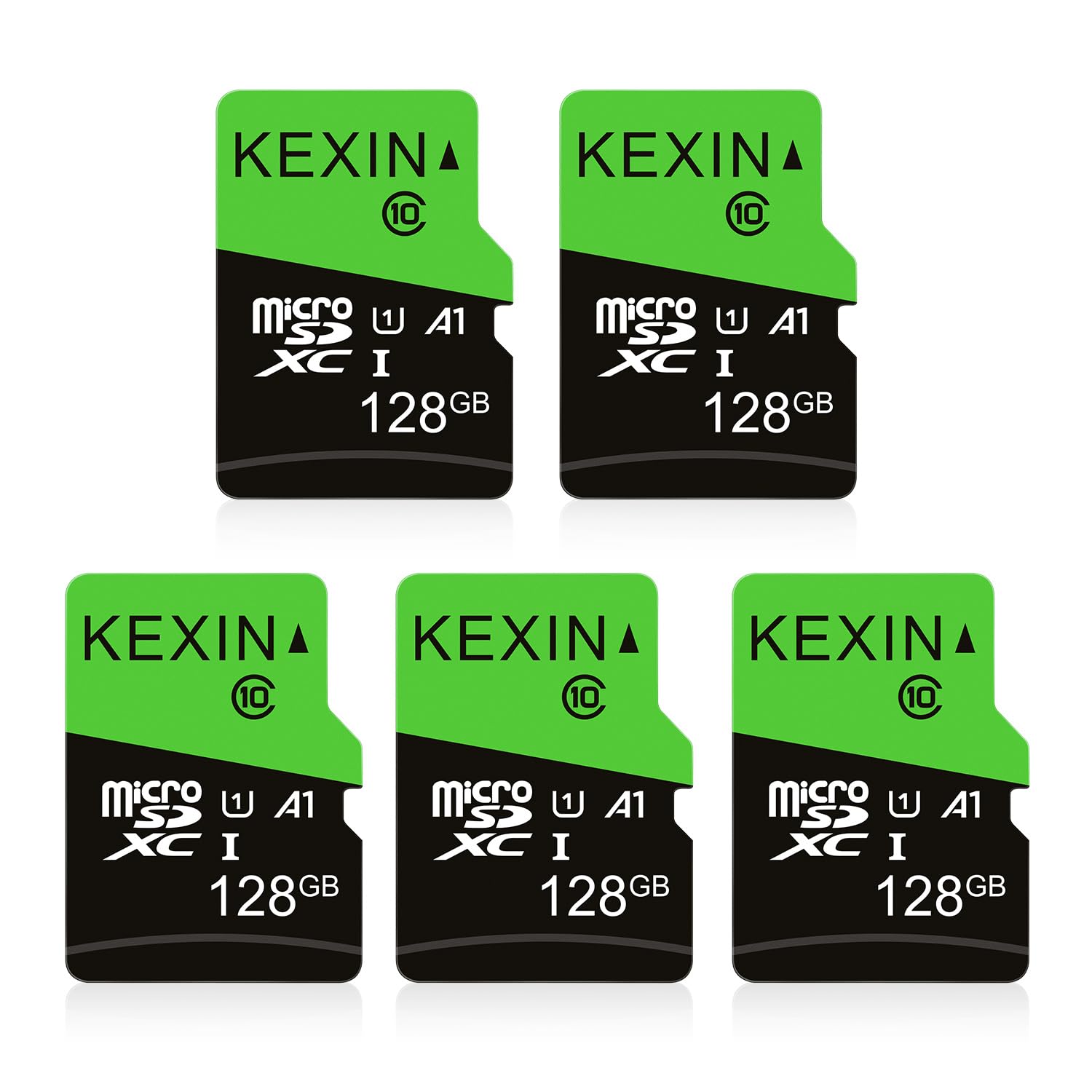
Five 128GB cards in one box for the household with a console, a dash cam, and a tablet
This is the only bulk option in the lineup — five separate 128GB cards, each rated C10 and U1 with up to 80MB/s read and 15MB/s write speeds. That read speed is the lowest here, which is fine for Switch downloads and Full HD recording but a step behind the SanDisk cards on raw throughput. Each card is reinforced against water, shock, X-ray and temperature extremes, and the pack includes an SD adapter for cameras and laptops.
The reason to buy: spread the storage across the whole family. One card for the Switch, one for a security camera, one for the kids’ tablet, one in a dash cam, and a spare in the drawer. The value angle is what buyers praise most — plenty of storage for a 16mp camera and easy formatting across cameras and tablets. If you have several devices that each need a card, buying five at once saves the repeated shopping trip.
Reliability is the weak spot: owners mention mixed feedback on quality, and a few mention multiple failures. Format each card in your device before first use and keep backups of anything critical. Also note the 80MB/s read speed is the slowest here—fine for the Switch slot, but not ideal for high-bitrate video work.
five cards one price: one box covers a console, cameras and tablets, with adapters and protective ratings thrown in.
no speed ratings: 80MB/s read is the slowest here, and mixed reliability feedback means formatting each card and keeping backups.
bulk buy win: several devices in your house need cards and you want them all handled in one purchase.
single card need: you need the fastest, most dependable single card for a Switch alone.
Know the Specs
Read Speed vs Write Speed
Read speed is how fast the card sends stored data back to your device — it is the number that decides how quickly a game opens. Write speed is how fast new data lands on the card, which governs how quickly a download finishes and how smoothly video records. For Switch game storage, a card rated around 100MB/s read is plenty; the higher 140MB/s and 190MB/s ratings pay off when you move big files to a computer.
Capacity and Usable Space
The number on the label is the raw capacity. Formatting and the difference between how manufacturers and operating systems count gigabytes both eat into it, so a labelled 128GB card typically shows less usable room once set up. Buy for your real library: a 64GB card suits cartridge-first players, 128GB is the practical all-digital floor, and a 1TB card is for collectors who want every download on one chip.
What U3, V30 and A2 Mean
U3 (UHS Speed Class 3) means the card keeps a steady write speed for recording video. V30 (Video Speed Class 30) is a similar steady-write guarantee for cameras, often shown next to U3. A2 (Application Class 2) means the card handles many small random reads quickly, so apps load faster on phones and tablets. For Switch game storage, U3 is the marking that matters most.
Switch 2 Compatibility
The original Switch, the Switch OLED and the Switch Lite all take a standard microSDXC card. The Nintendo Switch 2 needs a newer microSD Express format, and several cards in this list are explicitly labelled as not designed for it. If you own the newer console, check the label before buying; if you own any of the three original models, every card here seats correctly behind the kickstand.
Common Questions
Will any microSD card fit in the Nintendo Switch slot?
Does a faster card make Switch games load faster?
Is a 64GB card enough for a Switch?
What does U3 mean on a microSD card?
Why do some cards say they are not for the Nintendo Switch 2?
How do I install a microSD card in the Switch?
How much storage does a Switch game take up?
Do I need to reformat a card before using it in the Switch?
Is a licensed Nintendo card better than a generic one?
Can I use one card across a Switch and a camera?
The Bottom Line
For most Switch owners the winner is the SanDisk 128GB Super Mario Super Mushroom Edition, because the official Nintendo licence guarantees the fit and the 100MB/s read speed covers every game load. If you want to spend less and can live without the licence, the Silicon Power 128GB U3 covers a console and a camera bag on a budget. And for the collector who wants every download on one chip with room to spare, the SanDisk 1TB Legend of Zelda Edition ends the storage question permanently.
How we choose
We do not accept paid placement. Every pick is matched to a real buyer and a real use-case; we do not hands-on test units.
Sources
Specifications: manufacturer listings and product documentation. Review insights: verified customer reviews, as of November 2026. Pricing: not shown on this page (it changes often); check the current price via the retailer link.
As an Amazon Associate, Tactical Gear Guy earns from qualifying purchases. This does not affect which products we feature.