Specs are compiled from manufacturer listings and verified buyer reviews and can change over time — please confirm the key details on the product page before buying.
You need a screen that connects to your DVR and shows a face or a plate clearly. The plug matters more than the panel: a monitor with a gorgeous picture is useless if it has no BNC port (the round connector that carries video from a DVR) for your DVR. And the wrong resolution stretched across the wrong size can smear the one thing you actually need to read: a face or a plate. Most of the picks below trade blows on exactly that, so match the port first, then the picture.
This guide is built by comparing the manufacturers’ published specifications and the patterns across verified customer reviews, so you get each pick’s real strengths and trade-offs instead of marketing spin.
Every screen here has a specific job — the right one for your DVR rack is decided by inputs and pixel size, not by brand name. Here is a straight read on surveillance camera screen picks that actually fit a real system.
Top Picks


How To Choose The Best Surveillance Camera Screen
Start with the cable in your hand. If your recorder has a BNC output (the round metal twist-lock connector used on traditional CCTV gear), you need a screen that accepts BNC natively. If your recorder is an NVR with HDMI out, HDMI is all you need and the extra ports are just insurance. Getting this wrong is the number one reason a monitor gets returned.
Match the port, not the picture
HDMI, VGA, BNC, AV and USB cover almost every recorder made. The screens here vary widely — one offers four port types, another limits you to HDMI and VGA. Plug count is the difference between a swap-in screen and a trip back to the store.
Also check whether the panel takes 4K input even if it cannot show 4K. A screen that accepts a downscaled 4K HDMI signal will still render your high-megapixel cameras cleanly. One that only accepts 1080p will fall back on its own scaler.
Pixel size beats diagonal size
A 15.6-inch screen running 1920×1080 puts more pixels into every inch than an 18.5-inch panel running 1366×768. In surveillance terms, that is the difference between a smeared face and a readable one. If plate-reading matters, density wins over screen real estate.
Continuous duty and mounting
Surveillance screens run all day, every day. Panels advertised for 24/7 operation are built for that duty cycle; consumer PC panels are not. Look for that claim and a metal-reinforced chassis if the screen lives in a rack or garage.
To mount your screen, check two numbers: whether it includes a desk stand, and what VESA pattern the back plate accepts (the standard screw-hole layout for wall arms). A pattern mismatch means drilling your own bracket.
Side-by-Side Comparison
| Model | Best For | Screen Size | Resolution | Key Inputs | Amazon |
|---|---|---|---|---|---|
| SVD 18.5″ Security Monitor★ Best Overall | Mixed old and new gear | 18.5 in | 1366 x 768 | BNC, HDMI, VGA, USB | Amazon |
| 101AV 18.5″ Security MonitorSharpest Detail | Sharp detail in tight spaces | 18.5 in | 3840 x 2160 input | HDMI, VGA, BNC | Amazon |
| Eyoyo 22″ Security MonitorBest Big Display | Big-picture wall display | 22 in | 1920 x 1080 | HDMI, VGA, AV, BNC, USB | Amazon |
| Eyoyo 15.6″ FHD Monitor | Dense detail on a desk | 15.6 in | 1920 x 1080 | HDMI, VGA, AV, BNC | Amazon |
| Real HD 22″ Monitor | Sharp budget 22-incher | 22 in | 1920 x 1080 | HDMI, VGA | Amazon |
| Jexiop 17″ Security Monitor | USB playback without a PC | 17 in | — | HDMI, VGA, AV | Amazon |
| Cocar 15″ CCTV Monitor | Legacy 4:3 camera systems | 15 in | 1024 x 768 | HDMI, VGA, BNC, AV | Amazon |
| Haiway 15.6″ HDMI Monitor | Tight budget, small desk | 15.6 in | 1366 x 768 | HDMI, VGA, BNC, AV | Amazon |
Detailed Reviews
1. SVD 18.5 Inch Security Monitor
Our pick — 4.5+★ from 90+ verified ratings; the strongest balance of quality and price.
Four port types on one panel, so almost any recorder in the building plugs straight in.
If your rack holds a mix of old BNC cameras and a newer NVR, this is the screen that stops the juggling. It carries 1x BNC, 1x HDMI, 1x VGA and 1 USB input on a single 18.5-inch LED panel. Connect a DVR, an NVR and a PC at the same time without unplugging anything — you just switch inputs from the front.
A 1366 x 768 panel at this size is not the sharpest picture here, and I will not pretend otherwise. What it does carry is a 10000:1 dynamic contrast figure, which keeps dark garage corners and bright loading bays from washing into grey. At 5.8 pounds it hangs on a VESA arm without sagging.
The build is where this one earns its keep. Buyers report it working right from the start, and build quality is the trait buyers single out most. That matches what the spec sheet implies: this is built to run continuously rather than to look flashy. If the panel’s picture detail matters more to you than port count, the 101AV below resolves far finer, but you give up the USB input and the second video loop for it.
What earns the top spot
- BNC, HDMI, VGA and USB all present — old CCTV gear and new NVRs connect without adapters
- 10000:1 dynamic contrast keeps dark corners from turning into mush
- 5.8-pound body hangs cleanly on a VESA arm
- Rated for continuous surveillance duty, not a repurposed desktop panel
Where it gives ground
- 1366 x 768 resolution — the least dense panel among the bigger screens here
- 200 cd/m2 brightness needs a shaded spot to look its best
Buy this one if: your system mixes BNC cameras with HDMI recorders and you refuse to keep swapping cables.
Reconsider if: you need the finest pixel detail on the smallest area — the 15.6-inch Eyoyo wins that fight.
2. 101AV 18.5″ Security Monitor
It takes a 4K feed and scales it down so cleanly that faces stay readable.
Surveillance screens live or die on one question: can you read the plate? This unit’s answer is a downscaled 4K/8MP HDMI input, worked down to an 18.5-inch panel through Super Sampling Anti-Aliasing — a smoothing process that removes the jagged staircase edges around moving objects. The HDMI port accepts 3840×2160 at 30Hz, plus 5MP, 4MP and 1080p signals. Your high-megapixel cameras keep their detail instead of being flattened to a generic picture.
A looping BNC video-in port lets a camera talk straight to the screen without going through the DVR first — handy for bench-testing a new camera install. Old composite 960H cameras still work over BNC up to 700 TV lines, and VGA handles up to 1366 x 768. The bare panel resolution tops out at 1366 x 768 too, which is why the 22-inch Real HD looks sharper on a static image at 1920 x 1080. The 101AV’s advantage is not raw pixel count — it is how well it handles whatever signal you feed it.
The duty-cycle luxury: this is built for 24/7 operation with a metal-reinforced chassis and a 178-degree viewing angle. Display quality is what buyers praise most, and owners repeatedly call the picture crisp and clear with old-style composite video. Setup is quick and owners treat the price as fair for the panel.
The honest catch: you are paying for signal processing, not screen pixels. If all you watch is a single 1080p camera on a small desk, this is more scaler than you need — and you would do well with a lower-cost 1080p panel instead.
Worth it for: anyone running 4K or 8MP cameras who needs sharp retrievable detail and a metal-bodied screen that never sleeps.
Overkill if: your cameras output plain 1080p or composite only — the processing is wasted on the signal.
3. Eyoyo Security Camera Monitor 22-inch
The biggest screen here that still handles BNC, HDMI, VGA, AV and USB in one box.
A 22-inch 1080p panel with a 75Hz refresh rate and 5ms response time keeps movement on a panning camera smooth instead of stuttery. The 300 cd brightness is the brightest among the larger screens here, which buys you headroom in a room with a window. You get HDMI, VGA, AV, BNC and USB inputs — the widest port spread in this group — so a legacy DVR and a modern NVR share the same panel.
It also does something the others do not: a mirror-flip function that turns the display through a teleprompter-style mirror or a ceiling-mounted orientation. That is a real advantage for a lobby wall or an over-counter install where the screen hangs at an odd angle.
Buyers single out the display quality first, with owners consistently satisfied with the picture and the unit’s functions. No panel at this size is free of compromises, though: at 1000:1 contrast it does not go as deep in the blacks as the Real HD 22-inch below, which lists a 3000:1 figure. Expect solid, not cinematic, shadow detail in a dim warehouse corner.
For the wall, not the desk only: two mounting routes — a desk stand or a 100x100mm VESA mount — cover both a reception desk and a wall bracket.
The trade-off to accept: contrast is mid-tier for a 22-inch screen, so very dark feeds can look flat compared to higher-contrast panels in this list.
The call: grab it when you want the largest feed with the most ports and a flip-mode for a strange mounting angle.
But: if pure black-level depth is your priority, the Real HD’s 3000:1 panel edges it out.
4. Eyoyo 15.6″ FHD Security Monitor

A 1080p IPS panel packed into 15.6 inches — the sharpest picture per inch in this list.
Smaller can mean sharper. This screen squeezes 1920 x 1080 pixels onto a 15.6-inch IPS panel, and IPS is the display type that holds colour and contrast steady when you look from an angle. It has a 178-degree viewing angle and 300 cd brightness, so a group can crowd around it in a control room without the edges going dim. Check any 22-inch 1366 x 768 panel against that density and the difference in readability is plain.
Ports are the full set — HDMI, VGA, AV and BNC — plus a USB flash drive slot for playing video straight off a stick without a computer. A built-in image flip mirrors or rotates the display for a ceiling mount or a teleprompter rig. VESA 75×75 mounting is supported, and a one-year limited warranty backs it.
Why the density pays off
- 1920 x 1080 on 15.6 inches — tightly packed pixels make faces and plates readable
- IPS panel with a 178-degree viewing angle holds up from the side
- Full port spread plus USB media playback with no PC needed
- Image flip suits ceiling mounts and odd installations
The fine print
- 15.6 inches is small for a room-wide glance — best at arm’s length
- Input count is generous but the panel geometry is the focus, not raw size
Pick it for: a desk-side station where you study detail up close and want the full 1080p pixel count.
Look elsewhere if: the screen has to be read from ten feet across a room — go to the 22-inch options.
5. Real HD 22 Inch Security Camera Monitor

A 1080p 22-incher with the deepest contrast of the big screens, at a mid-tier price.
Three numbers sell this one. First, 1920 x 1080 resolution on a 22-inch panel. Second, a 3000:1 contrast ratio — higher than the Eyoyo 22-inch’s 1000:1 or the 101AV’s 1000:1 — which means darker blacks and more separation between a shadowed intruder and a dark wall. Third, a 75Hz refresh rate with a 4ms response time. A 22-inch monitor with a 75Hz refresh and that contrast, at a mid-tier tag, is a strong mix of size, sharpness and value.
It is engineered for round-the-clock use with enhanced W-LED technology and 16.7 million display colours. The 178-degree viewing angle keeps detail legible from any seat in the room, and the ultra-thin edgeless bezel makes multi-monitor walls look like one picture.
The catch is a strict one: this is a professional surveillance display with no Bluetooth and no WiFi. It cannot talk to WiFi cameras on its own — it expects to be wired to a DVR or NVR over HDMI or VGA. Buy it for a wired rack and it will serve you well; buy it for a smart wireless camera and it will not see it at all.
Picture and value: Buyers praise picture quality and value-for-money most, with the clear image and easy connection drawing the loudest notes. Owners call the size just right and the setup quick.
The honest check: reliability feedback is mixed — some units work flawlessly for the long haul, a few have stopped within a couple of months. That is a fit-for-your-rack caveat, not a reason to write off the whole screen; buy through a seller with a solid return window.
Reach for this if: you want a big 1080p picture with deep contrast and a wired DVR to feed it.
Steer clear if: your cameras are WiFi-only — this screen has no wireless path to them.
6. Jexiop 17inch Security Monitor
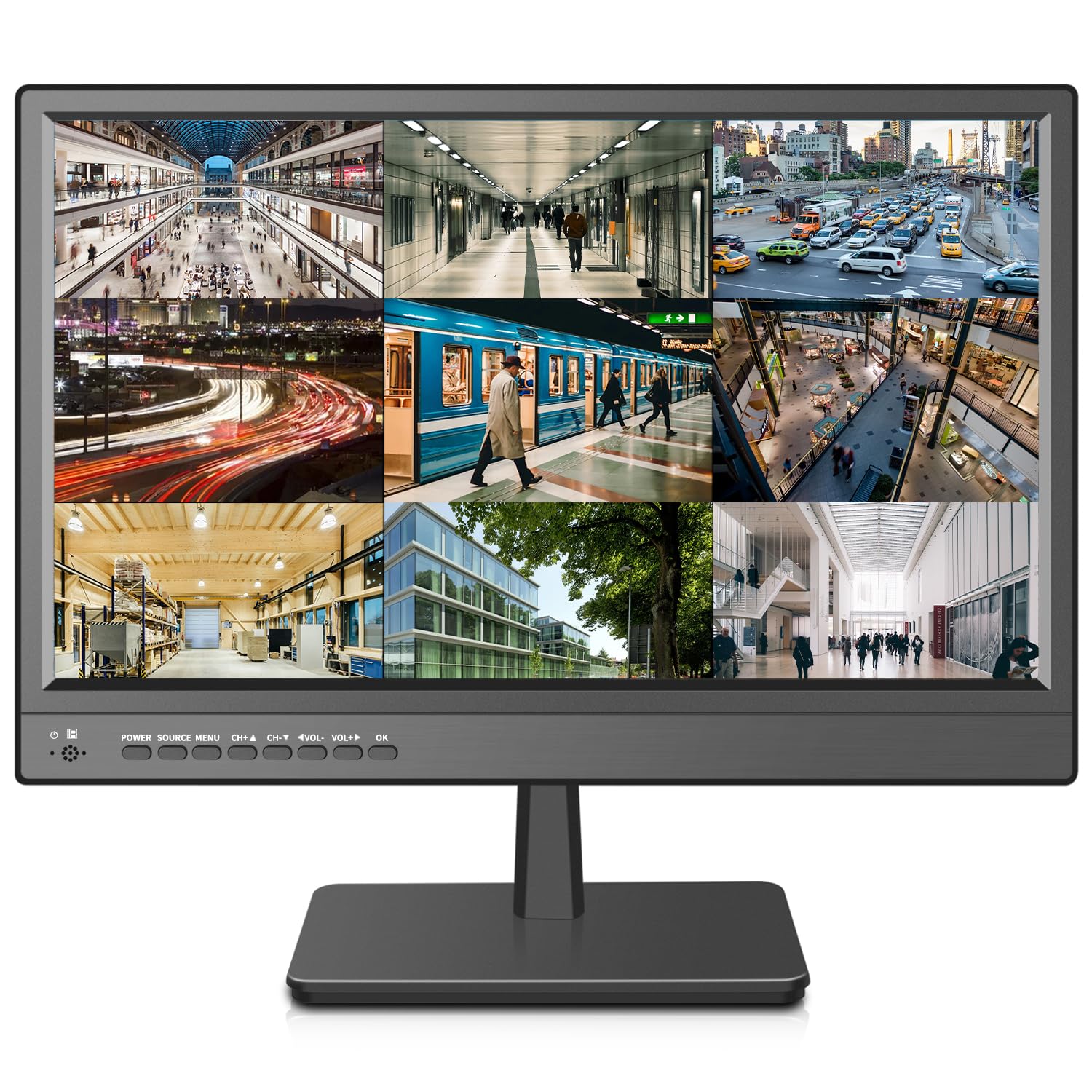
A 17-inch screen that plays footage off a USB stick with no recorder in the loop.
Sometimes you want to walk into a room, plug in a thumb drive and watch a clip — this screen does exactly that. The built-in USB media player reads video straight off a USB disk, which is the fastest way to review a downloaded DVR segment without booting a PC. Its 170-degree viewing angle keeps the image readable across a shop counter, and its 200 cd/m2 brightness suits an indoor spot.
Ports cover HDMI, AV, VGA and a 3.5mm audio input/output for speakers or a headset, plus two built-in speakers for audio during playback. It works as a straight CCTV monitor for a DVR, NVR or STB, and doubles as a PC or DVD-box display.
Its one real limit is that it is not a pixel-density champion — at 17 inches it trades sheer sharpness for a size that reads from a standing glance. Pair it with a recorder that already does the detail work and let the panel do the showing.
The bottom line: it is the screen to reach for when USB playback is the actual job — a retrofitting repair shop or a store counter that needs to play footage for a customer on the spot.
The gentle caution: this panel is chosen for its input flexibility, not for the deepest contrast or the tightest pixel pitch, so a detail-obsessed viewer should look to the 15.6-inch Eyoyo.
Best fit: anyone who regularly plays back files from a USB drive and wants a self-contained shop-floor screen.
Not the one for: a control-room wall where you want the sharpest per-inch picture — that job belongs to a denser panel.
7. Cocar 15″ CCTV Monitor

The 4:3 holdout — a 15-inch panel built for older square-format camera feeds.
Most cameras today are widescreen 16:9, so a 4:3 screen looks like a throwback. That is exactly the point. If your system runs older square-format cameras, a widescreen panel letterboxes your image with black bars on the sides. This Cocar 15-inch display runs native 1024 x 768 in 4:3, so the feed fills the whole screen. Its 500 cd/m2 brightness is the second-brightest here and its 3ms response time is quick enough that motion does not smear.
The ABS housing resists impact and stays ductile in the cold, and the LED backlight is built for long continuous runs. Ports run HDMI, BNC, VGA, AV and a 3.5mm audio in/out, with NTSC/PAL auto-switching for older international cameras and two built-in speakers. A 100x100mm VESA pattern is on the back for a wall bracket. One-year backup and a 30-day money-back window round out the package.
Honest bit: at a 4:3 resolution of 1024 x 768, a modern 1080p wide camera will feel cropped rather than sharp — this screen wants the older gear it was made for. And its build is small enough that a widescreen camera on it wastes side space.
The compatibility play: this is the one to buy when you have dozens of legacy CCTV cameras and no intention of replacing them — the 4:3 panel shows them as they were designed to be seen.
Know what you are getting: a 4:3 panel now looks dated, and the resolution is lower than the wide 1080p screens here. That is a format trade-off, not a fault.
Buy it if: your camera fleet is old square-format kit and you want a native-aspect screen for it.
Wrong pick if: your cameras are modern widescreen 1080p or 4K — you would waste your image on the boxy screen.
8. Haiway 15.6 Inch Small HDMI Monitor

Budget-priced 15.6-inch screen with the full port set — HDMI, VGA, BNC and AV.
For a small desk or a DIY cabinet build, this is the entry point. It runs a 1366 x 768 panel at 60Hz with 178-degree viewing angles and an 800:1 contrast ratio — modest but honest numbers. Ports cover HDMI for a laptop or Raspberry Pi, VGA for a PC, BNC for a CCTV recorder and AV for a DVD or TV box, so old and new gear share the screen. It mounts on a wall or a stand and ships with an adjustable stand, cables, power adapter and a remote.
Built-in speakers save you hooking up separate audio for a recorder’s buzzer feed or a playback clip. Build quality is the trait owners praise most, with functionality close behind. The included USB cable and adapter give you flexibility when there is no power run to the spot.
One honest thing to know before you buy: this is the least dense panel of the group, so it is a no-frills viewer. And because the panel is smaller at 15.6 inches with a 1366 x 768 resolution, fine detail on the far side of a big parking lot will not resolve like it will on a 1080p screen. It is a starter screen, for close-range viewing or an AV job.
The starter truth: the pixels are spread thin, but the port count and price make it a sensible first monitor for a small home system while you learn what you actually watch.
The recurring note: the VGA cable is video-only and the USB port is not a powered one, so plan the cabling before you mount it.
A good start if: you are on a tight budget and want one screen for a desk, a Pi, or a single camera feed.
Outgrow it fast: if you plan to read plates at distance, jump to a 1080p panel instead of learning the hard way.
Know the Specs
Resolution (1920 x 1080 vs 1366 x 768)
The resolution is the number of pixels the panel lights up, written width by height. 1920 x 1080 is Full HD — roughly two million pixels — which packs more detail into the same space than 1366 x 768, closer to one million. That gap matters most scaled down: a small 15.6-inch 1080p screen reads a face sharper than a bigger 1366 x 768 screen because the pixels are packed tighter, not spread wider.
Contrast Ratio
Contrast ratio is the brightness difference between the whitest white and the blackest black the panel can show. A 3000:1 panel separates a dark figure from a dim wall better than a 1000:1 one, so a shadowed intruder does not disappear into the background. Higher is better for night footage — and honest notes, like a “dynamic” contrast figure, often sound bigger than the real usable panel contrast.
Brightness in cd/m2
Brightness, in candelas per square metre — cd/m2 for short — is how hard the backlight pushes out. A 300 cd/m2 panel stays legible in a well-lit room; a 200 cd/m2 screen is happiest out of direct sun. For a control room or a dim office, anything in the 200-300 range works; a bright shop window needs more.
Inputs: BNC, HDMI, VGA, AV, USB
BNC is the round metal connector older CCTV recorders use, HDMI carries modern digital video, VGA is an older analog PC connection and AV is standard composite video. USB on these monitors is for playback off a flash drive. Match the screen’s ports to the outputs on your recorder and you avoid dongles that drop signals.
Common Questions
Will a surveillance camera screen work with my older BNC DVR?
Can I use a regular PC monitor instead of a security monitor?
Is a 22-inch 1080p screen or an 18.5-inch screen better for reading license plates?
Why does the Jexiop screen have a USB port and the Real HD does not?
What VESA pattern do these surveillance monitors use?
Can a surveillance camera screen show 4K video?
Do these monitors support WiFi security cameras?
How long will a surveillance monitor last?
Can a security monitor display two cameras at once?
What does the “mirror flip” function on some monitors do?
The Bottom Line
The winner is the SVD 18.5-inch Security Monitor, because it carries BNC, HDMI, VGA and USB together — the one screen that takes whatever your rack throws at it without a single adapter. If what you really need is retrievable detail from 4K or 8MP cameras, the 101AV 18.5-inch is the sharper tool for the job. And when the wall needs the biggest picture with the most inputs, the Eyoyo 22-inch hands it to you with a flip function for tricky mountings.
Decide on your ports first: no amount of contrast or brightness rescues a screen that cannot connect to your recorder. Match the plug, then pick the picture — that order keeps a surveillance monitor out of the returns bin.
How we choose
We do not accept paid placement. Every pick is matched to a real buyer and a real use-case; we do not hands-on test units.
Sources
Specifications: manufacturer listings and product documentation. Review insights: verified customer reviews, as of November 2026. Pricing: not shown on this page (it changes often); check the current price via the retailer link.
As an Amazon Associate, Tactical Gear Guy earns from qualifying purchases. This does not affect which products we feature.