Specs are compiled from manufacturer listings and verified buyer reviews and can change over time — please confirm the key details on the product page before buying.
You already know the problem: you hit record on a video, play back the clip, and your voice sounds thin and far away — or your audience tells you the audio is muffled. A speaker for YouTube work has to do two jobs at once: make your voiceover sound honest and stay listenable through a three-hour edit. It has to make your voice editing sound honest, so you can hear what the microphone actually captured. And it has to be pleasant enough to sit through a three-hour edit without fatigue.
This guide is built by comparing the manufacturers’ published specifications and the patterns across verified customer reviews, so you get each pick’s real strengths and trade-offs instead of marketing spin.
Below you will find nine speakers sorted by what they actually do for a creator desk, from pocket-sized portables to full sound bars, so you can match one to your setup and your budget. My picks for the speaker for youtube crowd lean on clean dialogue, honest mids, and connections that do not fight your computer.
Top Picks


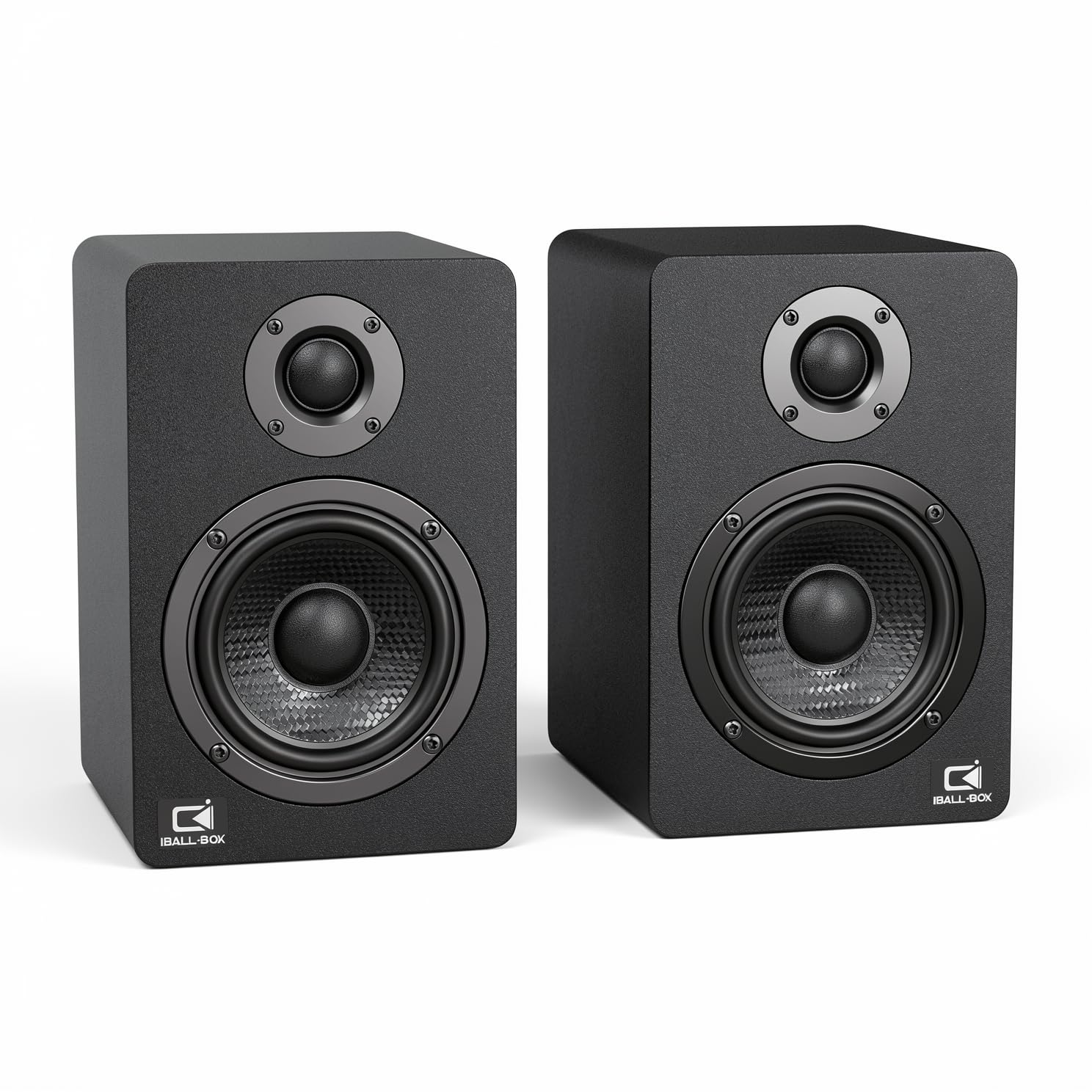
How To Choose The Best Speaker for YouTube
Most people buying a speaker for video work get this backwards. They chase the biggest bass number they can find, then wonder why their voiceover edits sound boomy and unclear. The speaker in front of you is a reference tool first and a party box second. Get the midrange and dialogue right, and the rest is a bonus.
Hear the voice before you hear the boom
Speech lives in the midrange, so a speaker that pushes vocals forward is worth more to a creator than one with a fat low end. A dedicated center tweeter or a clear silk-dome tweeter is the part doing that work. If you edit talking-head videos or tutorials, prioritize that clarity over subwoofer output. Deep bass is fun; dialogue you can trust is the job.
The delay question nobody warns you about
Bluetooth is convenient, but it introduces a small lag between the picture on your screen and the sound leaving the speaker. For casual listening that is invisible. For lip-sync checks it can throw you off. Wired options — USB-C, optical, HDMI ARC, or 3.5mm auxiliary — remove that variable. Several picks here offer both, so you can stream wirelessly for music and switch to a cable when you are doing precision work.
Match the footprint to your desk
A pair of bookshelf monitors with a subwoofer will dominate a small desk. A single bar sitting in front of your monitor takes almost no depth. Measure the gap between your monitor stand and the front edge of the desk before you buy anything wider than a laptop. Compact powered speakers with a rear bass reflex port also need a little breathing room behind them, or the low end turns muddy.
Side-by-Side Comparison
| Model | Best For | Output / Power | Connection Types | Battery / Portability | Amazon |
|---|---|---|---|---|---|
| JBL Go 4★ Best Overall | Pocket carry and on-location clips | JBL Pro Sound, dynamic driver | Bluetooth | Up to 7 hours, IP67 | Amazon |
| Saiyin Sound Bar with SubwooferBiggest Sound | Cheap room-filling movie audio | 5-inch driver, dedicated subwoofer | Auxiliary, Bluetooth, Optical | Wired power | Amazon |
| H1 Computer SpeakersDesk Upgrade | Budget desktop upgrade | 60W system output, 100W-rated amplifier | Aux, Bluetooth, Optical, USB-C | Wired power | Amazon |
| Hisense A620 | Compact TV and casual video | 240W, 2.1ch built-in subwoofer | Bluetooth, HDMI ARC, AUX, USB | Wired power | Amazon |
| Edifier MR3 | Accurate monitoring on a budget | 18W × 2 RMS, 92.5dB peak SPL | TRS, RCA, AUX, Bluetooth | Wired power | Amazon |
| Razer Mako X | Gaming desk with RGB styling | 2.75-inch full-range drivers, passive radiators | USB-C, Bluetooth 5.3, 3.5mm | Wired power | Amazon |
| Edifier M90 | Premium all-in-one desktop hub | 100W RMS, dual Class-D amplifiers | HDMI eARC, Optical, AUX, USB-C, Bluetooth 6.0 | Wired power | Amazon |
| Klipsch ProMedia Lumina | Bass-forward gaming and streaming | 2.1 system, low-profile subwoofer | USB-C, AUX, Bluetooth 5.3 | Wired power | Amazon |
| Bose TV Speaker (2nd Gen) | Dialogue-first TV and video | Center tweeter plus angled speakers | Bluetooth, HDMI-ARC | Wired power | Amazon |
Detailed Reviews
1. JBL Go 4 Ultra-Portable Bluetooth Speaker
Our pick — 4.5+★ from 20,500+ verified ratings; the strongest balance of quality and price.
A speaker small enough for cargo shorts pockets that still fills a room with sound.
If you film on location rather than at a desk, this is the one to grab first. The JBL Go 4 measures up to its billing as a genuine pocket carry — the review pages talk about it sliding into cargo shorts pockets and getting carried when your hands are full of camera gear. It weighs next to nothing in a bag, which matters when you are already hauling a tripod and a microphone kit to a shoot.
The spec that earns it the top slot is the IP67 rating. That is a waterproof and dustproof certification — the 6 means dust cannot get in and the 7 means it survives being dunked in water. For a creator who shoots poolside, at the beach, or in a dusty workshop, that is the difference between a speaker that lasts and one that dies on the second trip.
Playtime runs up to 7 hours on a single charge, and a Playtime Boost button adds up to 2 more hours when you are running low. Bluetooth reach is 33 feet, which is enough to set the speaker across a room while your phone stays on the tripod. Sound quality wins people over more than any other trait here — the consensus is that it plays louder than its size suggests, with bass that carries. You can also pair two Go 4 units for stereo, or link multiple Auracast-enabled speakers into a bigger system.
Now the honest catch. Battery life is the one point that splits opinion — plenty of people find it impressive and quick to charge, while others report charging trouble over time. Treat the 7-hour figure as a real ceiling rather than a floor, and top it up between shoots rather than relying on a full day out of one charge. This is the highest-rated pick on the list at 4.5+ stars across 20,000+ ratings, so the strong majority of owners are clearly happy with what they got.
Why it takes the crown
- IP67 waterproof and dustproof rating survives poolside, beach, and workshop shoots
- Up to 7 hours of playtime, plus 2 more with the Playtime Boost button
- 33-foot Bluetooth range lets your phone stay on the tripod
- Auracast pairing links multiple speakers for bigger sound
- Build uses post-consumer recycled plastic and fabric in the grille
Where it falls short
- Battery life is the most argued-about trait, with some units failing to charge properly over time
- A single small driver cannot match a pair of desktop monitors for stereo separation
Go for this if: you shoot away from a desk and want a speaker that drops into a pocket and shrugs off weather.
Think twice if: your workflow is entirely at a desk and you need left-right stereo separation for mixing.
2. Saiyin Sound Bar with Subwoofer
A bar and a real subwoofer for the price most people pay for a bar alone.
Here is the direct comparison that matters: the Saiyin brings a separate passive subwoofer to the desk, where the JBL Go 4 relies on a single small driver with no low-end reinforcement at all. If you want to feel a bass line in your chest while you watch a gaming video back, that is the gap between the two. The bar measures a 5-inch driver feeding a large-cavity subwoofer, and the 28-degree sound dispersion angle is designed to keep the listening experience even whether you sit close or far.
Three equalizer modes let you switch the sound profile for news, movie, or music content — useful when you are reviewing different styles of video in one session. The three-color LED indicator tells you at a glance which input is live: purple for optical, blue for Bluetooth, green for auxiliary. On a desk with cables running everywhere, that saves you hunting for the wrong source.
What owners praise most is the clarity for the money — the sound is described as clear and loud, with the compact size fitting medium rooms nicely. Setup takes minutes, and the package includes an optical cable and a 3.5mm auxiliary cable so you are not hunting for extras. Weigh this against the honest side: reliability is the most-discussed concern, with some units failing within a couple of months, and volume gets mixed reports — some love how loud it goes, while a few describe static at low levels. One setup trap worth knowing: the subwoofer must plug into the SUB OUT port, not the identically shaped AUX IN port, or it stays silent. Also note this bar does not decode Dolby or DTS, so set your TV and streaming box to PCM or Stereo output first.
Read it as a starter kit: treat this as an entry-level cinema setup for a spare room, not a long-term studio reference. The sound impresses for the money, and the inclusion of both cables plus a wall mount kit shows the maker expects you to get running fast.
The set-and-check habit: because reliability is the recurring concern, buy it somewhere with an easy return window and test both the bar and the subwoofer in the first week.
Worth it for: a spare-room movie and gaming setup where a real subwoofer matters more than long-term service life.
Pass if: you need a set-and-forget desk monitor for voiceover editing, where a bar without stereo separation will leave you guessing.
3. H1 Computer Speakers for Desktop PC
Dual woofers and tweeters built to make your desk sound like a proper listening room.
Sixty watts split across two 3-inch carbon-fiber woofers and two 1-inch silk-dome tweeters is the kind of hardware that makes a laptop’s built-in speakers sound broken. The rear bass reflex port pushes air out and back, which is how a speaker this size produces fuller low end. Frequency coverage is quoted at 40Hz to 20KHz with a signal-to-noise ratio of at least 95dB — plain English: quiet passages stay quiet instead of hissing, so the gaps in your narration are genuinely silent. The Texas Instruments amplifier is rated at 100W and paired with DSP processing, giving the system headroom so the sound stays clean when you push it.
On the desk, front-panel knobs for volume, treble, and bass mean you can trim the sound for voice work without opening a single menu. Connections cover USB-C with a 24-bit DAC, optical input, and 3.5mm auxiliary, plus Bluetooth 5.3 for wireless listening. That wired flexibility is the real draw for editing — a USB-C or optical cable gives you a stable, lag-free signal while you sync audio to picture.
Owners consistently praise the bass and the way the speakers still deliver at low volumes, which is exactly what late-night editing needs. Setup and Bluetooth pairing are described as straightforward, and the ability to compare well against pricier options comes up often. The one trade-off to plan around is cable length — some find the included cables too short, so measure the run from your PC tower to each speaker before buying. This model carries fewer ratings than the top picks here, so treat the strong 4.5+ star score as promising rather than proven.
What it brings to a desk: front-panel bass and treble knobs, four input types, and 60W of output in a compact footprint. For a first serious desktop setup, that is a lot of hardware to grow into.
Best for: anyone upgrading a bare PC desk who wants wired USB-C and optical inputs plus on-speaker tone control.
Look elsewhere if: your tower sits on the opposite side of the room — the included cables may not reach.
4. Hisense A620 2.1ch All-in-one Sound Bar

The subwoofer is built into the bar, so the floor stays clear.
Most 2.1 systems ask for a separate subwoofer box on the floor. The A620 puts a 75mm by 160mm subwoofer inside the bar itself, sealed under an acrylic window so you can actually watch the driver move. Losing the extra box is the win for a small room or an editing corner where floor space is already spoken for. It also delivers 240W of total output, which is a serious step up from what a monitor’s built-in speakers can do.
The surround processing here is Dolby Digital Plus and DTS Virtual:X, which simulates height and movement around the room using extra processing rather than actual upward-firing drivers. There is a TV mode that borrows your Hisense TV’s own Dolby Atmos decoding and pipes it back through the bar via HDMI ARC or eARC. Keep that specific — this is a Hisense-to-Hisense trick, not a magic Atmos upgrade for any TV.
What wins people over is the sound quality, described as a clear jump over stock TV speakers and loud enough to fill a room. Setup is a quick win too — plug in and connect. The honest side is reliability, which gets mixed reports and a few stops working after several weeks. Connectivity has its quirks as well, with some units getting stuck in Bluetooth mode. If you own a Hisense TV, expect tighter integration through EzPlay, which lets your TV remote control both the bar and its settings menus.
Space-saving math: an all-in-one bar like this fits where a separate subwoofer simply will not, which is often the whole reason people never upgrade their TV audio in the first place.
The brand-handshake question: the EzPlay remote trick and the TV-mode Atmos handoff both work best when the TV in the room is also a Hisense.
Reach for it when: you have a Hisense TV and want bigger sound without a subwoofer box on the floor.
Skip it when: you need a brand-agnostic bar for a non-Hisense setup — much of what makes this one special depends on that pairing.
5. Edifier MR3 Powered Studio Monitor

A monitor that tells you the truth about your audio instead of flattering it.
Studio monitors are built to be honest, and honest is exactly what you need when you are checking whether a voiceover take actually sounds clear. The MR3 carries Hi-Res Audio certification with a flat response across 52Hz to 40kHz, meaning the speaker does not add extra color to a mix. Output is 18W per side for a total of 36W RMS, with peak SPL of 92.5dB. A 3.5-inch mid-low driver handles the body of the sound and a 1-inch tweeter takes the highs. The MDF cabinet is the unglamorous hero here — that wood composite resists cabinet vibration, which is what causes distortion in cheaper plastic enclosures.
Connectivity is unusually generous for a monitor pair: balanced TRS, RCA, and AUX inputs plus a headphone output, with Bluetooth supporting multi-point so you can keep a phone and a laptop both connected. The maker spells out that RCA and AUX can be connected to two devices at once — useful if you keep a phone for reference tracks and a PC for editing on the same desk.
Sound quality is what earns these their reputation, described as clear and distortion-free across the range. Setup takes minutes, and the look earns its own praise — buyers report a nicer color in person. Where opinions split is peak volume and performance. Some find the output plenty for a desk while others find the maximum lower than they expected, and a few report issues at the 24-bit/96kHz setting. If your room is large or your speakers sit far from your ears, plan on these being desk-close rather than room-filling.
Why a monitor beats a party speaker here: the Music, Monitor, and Custom modes plus the Edifier ConneX app let you flatten the response for mixing, then relax it back for listening. A boomy speaker with no flat mode cannot do the first half.
Pick these if: you want to hear exactly what a recording sounds like, with enough inputs to run two sources side by side.
Not ideal if: you need room-filling volume from across a large space — this is a near-field desk monitor.
6. Razer Mako X RGB Desktop Speakers

A desk speaker pair angled straight at your ears, with the lighting to match your setup.
Two 2.75-inch full-range drivers and dual passive radiators in a compact cabinet give the Mako X its punch. A passive radiator is a second cone that moves with the air inside the cabinet to reinforce low frequencies without needing a second powered driver. In practice that means fuller bass from a speaker that does not take up much desk depth. USB-C audio, Bluetooth 5.3, and a 3.5mm jack cover the three ways most creators connect a machine.
The 40-degree angled design aims the sound at your head rather than straight out into the room. That matters for a desktop setup where you sit in one fixed spot editing. Virtual 7.1 surround adds directional cues for gaming and video, and Chroma RGB gives you 10 lighting zones across 16.8 million colors with game integrations. These speakers weigh 3.2 pounds and occupy 5.69 inches of depth, so they fit on a crowded desk far more easily than a pair of monitor speakers.
One thing to be upfront about: this is a newer product with a small pool of reviews so far, so there is less owner feedback to lean on than the other picks here. The trade-off is honest: you are buying on the spec sheet and the Razer ecosystem rather than on years of documented use. For a streaming or gaming channel where the visual match to your setup matters, that trade is often worth making. If pure audio accuracy is the goal, the Edifier MR3 is the more proven choice.
Made for: a content creator who wants speakers that match a gaming desk and add directional cues to a video review.
Consider another option if: you want a long track record of owner reviews to lean on before committing.
7. Edifier M90 Computer Speakers
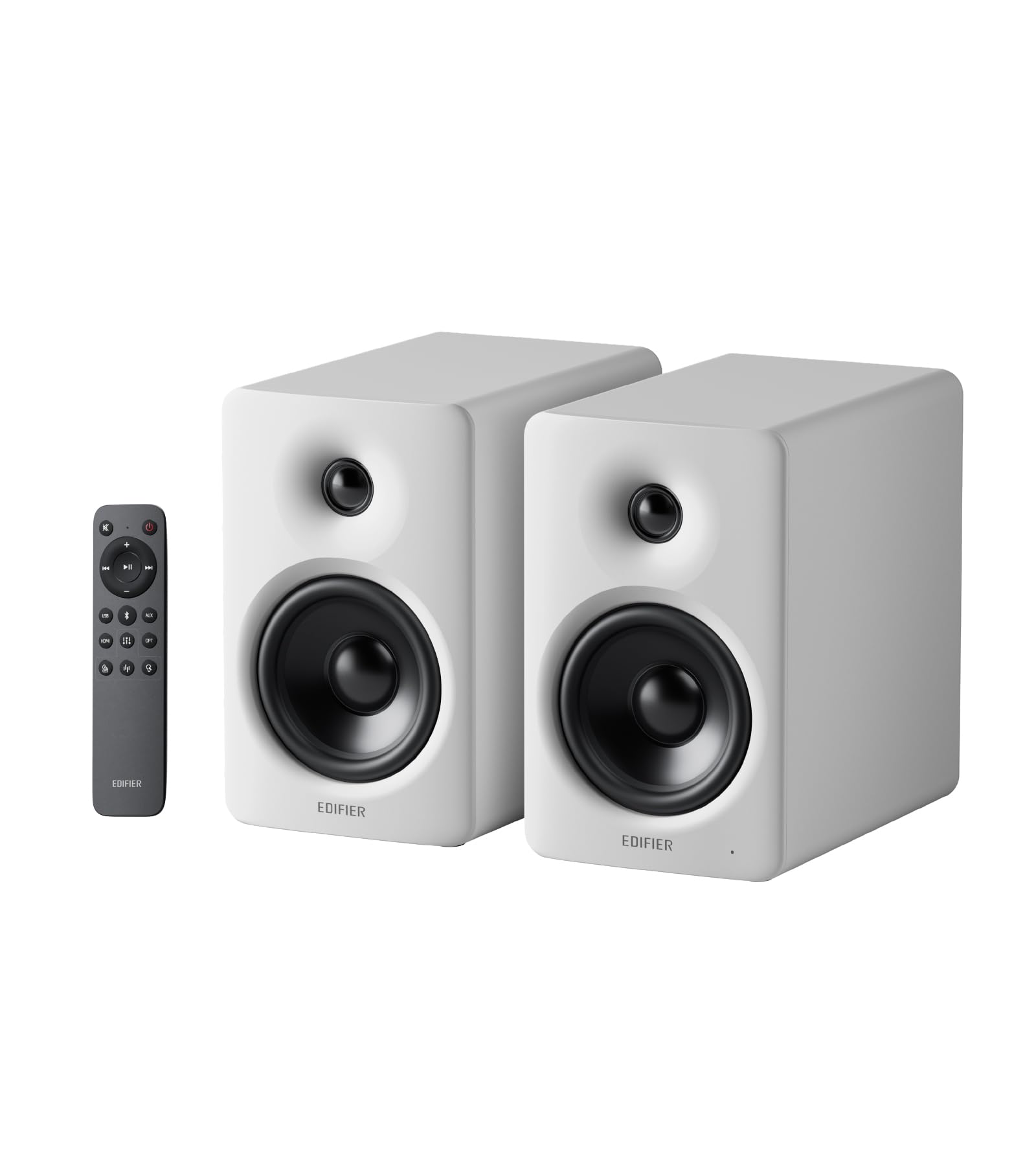
One pair of speakers that swallows every device on your desk and your TV.
If your problem is too many cables and too many sources, the M90 solves it in one purchase. Inputs cover HDMI eARC with TV remote control, optical, auxiliary, USB-C, and Bluetooth 6.0. That is a PC, a smart TV, a streaming stick, and a record player all on one pair of speakers. The 100W RMS output runs through dual Class-D amplifiers into a 4-inch aluminum driver and a 1-inch silk dome tweeter, in a cabinet compact enough to keep the desk from feeling crowded. A dedicated SUB OUT port means you can add a powered subwoofer later without replacing the speakers.
Bluetooth 6.0 here supports multipoint and the LDAC codec — LDAC is a high-resolution wireless audio standard that sends more data than a standard Bluetooth stream, aimed at Android devices running version 8.0 or later. Note the multipoint connection ships off by default and has to be switched on manually through the Edifier ConneX app. The included 2.4GHz remote gives you control from across the room, and the app handles EQ editing in Bluetooth mode, with saved custom EQ accessible on every input through the remote.
Owners keep coming back to the sound, with the clean, controlled bass singled out most. Size gets its own praise, since this compact set fills medium to large rooms better than its footprint suggests. Build quality and looks both draw positive notes. The mixed part is connectivity and the EQ system — some find the range of HDMI eARC, optical, USB-C, and AUX input overwhelming or fiddly at first, and a few find the EQ presets lacking depth. The included cables also draw mixed opinions, so check what ships in the box before you plan your cable run.
The hub argument: a pair of speakers that also decodes your TV’s audio through HDMI eARC can replace two products — the PC speaker set and the soundbar. That consolidation is where the value sits: one pair replaces your PC speakers and your soundbar.
Where it takes work: between the app-only EQ in Bluetooth mode and the subwoofer port, this rewards a buyer willing to spend an evening dialing it in. Plug-and-play it is not: expect an evening of app setup and EQ dialing.
Choose this if: you want one speaker pair to handle PC, TV, and phone with a subwoofer upgrade path.
Choose something simpler if: you will never open an app to adjust EQ and want a true plug-in-and-go setup.
8. Klipsch ProMedia Lumina 2.1 Gaming System
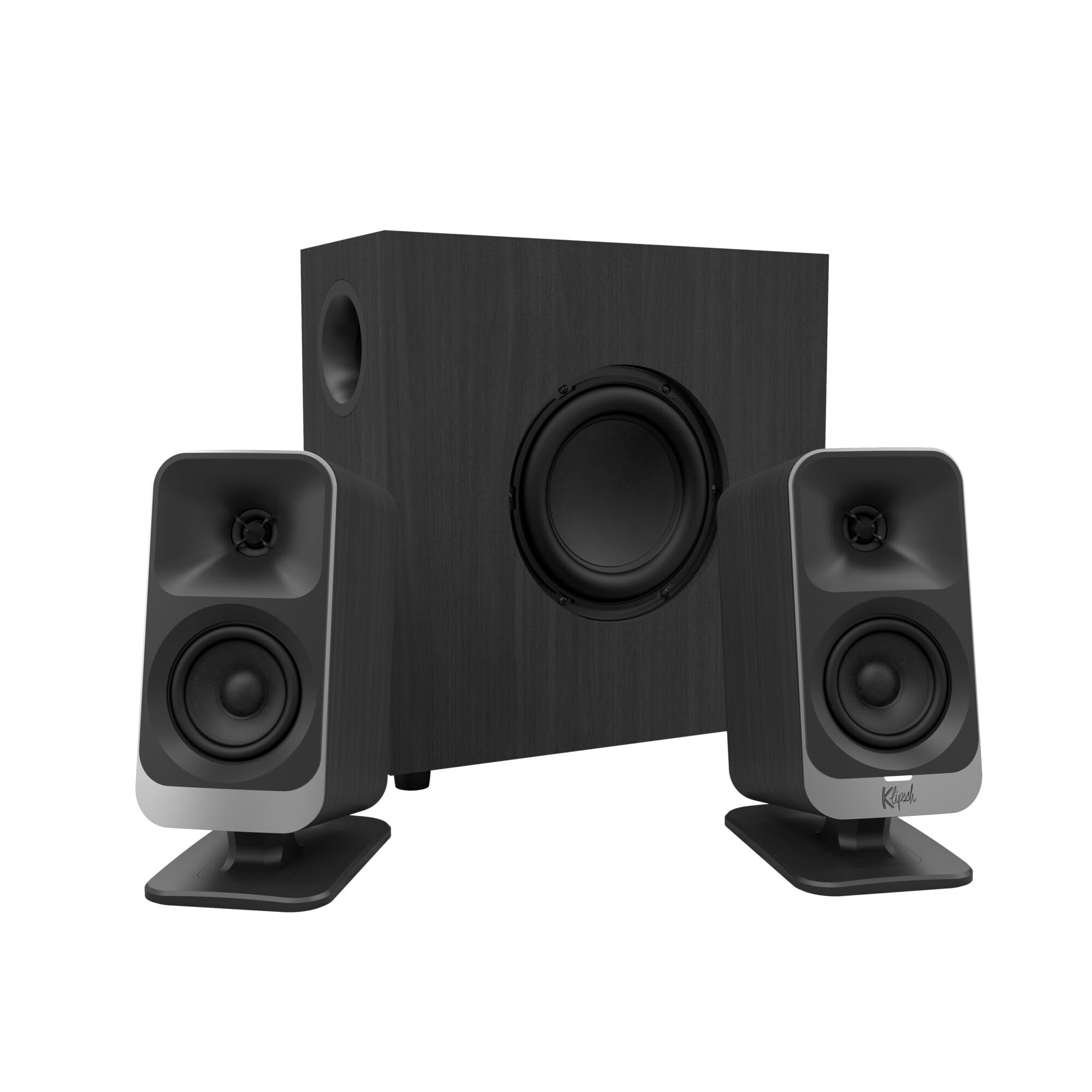
The classic ProMedia name returns with a low-profile sub and lighting to match.
Klipsch has sold the ProMedia line since 1999, and this Lumina version keeps its most useful trick: a low-profile subwoofer that hides under or behind the desk rather than eating floor space. An adjustable gain knob on the sub lets you dial the low end back when you are editing voiceover and push it forward when you are gaming. The tiltable stands let you angle the speakers up toward your ears, which is more useful than it sounds when your monitor sits high. Connections are USB-C, AUX, and Bluetooth 5.3, and a 20Hz frequency response figure signals the low end reaches deep.
The Klipsch Control app covers EQ, lighting, night mode, and a music react mode that syncs the lights to the beat. Three color options let you match your workspace. Setup takes minutes, and that speed earns its own praise alongside the sound.
Sound quality is where these speakers shine, and they deliver a physical low end that desktop monitors cannot. The honest counterweight is that this is a 2.1 system at a premium tier, so it earns scrutiny. Bluetooth gets mixed reports — some find it unreliable — while the RGB lighting draws split opinion on whether it feels fully integrated. The subwoofer itself has both fans and critics. Value for money is the most-debated topic, which makes sense at this end of the market. If you switch between music and gaming all day and want a sub on the floor, this earns its keep. For pure dialogue clarity on a video edit, a centered soundbar or a dedicated monitor pair may serve you better.
What the sub buys you
- Low-profile subwoofer with an adjustable gain knob so you can trim bass for editing
- Tiltable stands angle sound toward your ears
- Klipsch Control app handles EQ, night mode, and music react lighting
- 20Hz frequency response reaches well into low bass
What to weigh up
- Bluetooth reliability draws mixed feedback
- RGB lighting splits opinion on how well it integrates
- Value for money is the most-debated point among buyers
Built for: a gamer or streamer who wants a real subwoofer and app-controlled lighting on a busy desk.
Not the pick for: a voiceover editor who wants the flattest, most neutral response — bass-forward tunes get in the way of judging dialogue.
9. Bose TV Speaker (2nd Gen)
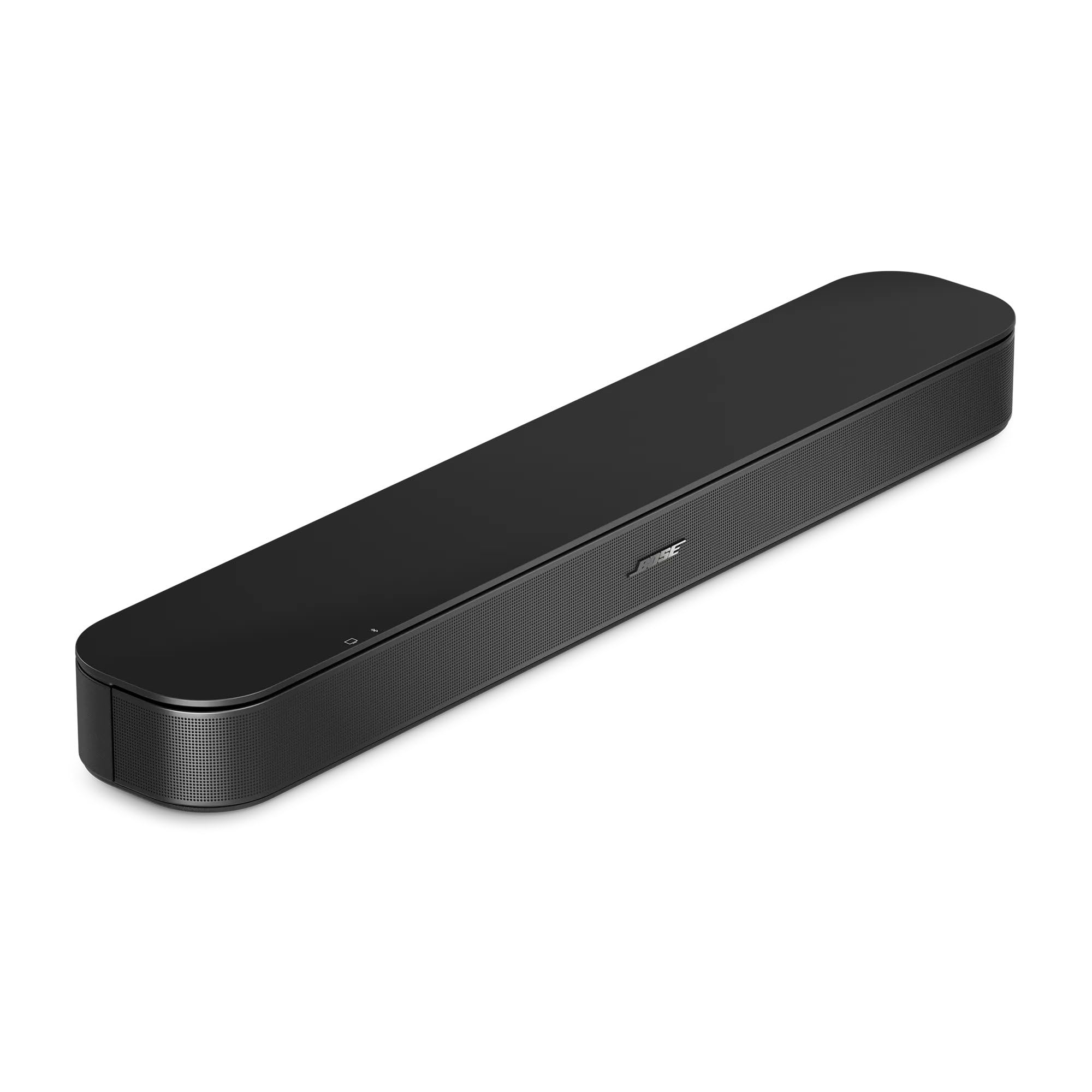
A bar built around one job: making speech audible over background noise.
For a YouTube creator, speech is the product. The Bose TV Speaker puts a center tweeter front and center to handle dialogue, with left and right speakers angled outward to widen the soundstage. A proprietary Dialogue Mode raises the vocal track above the background mix, which is the exact control you want when checking a narration edit or a tutorial. Against the wider Hisense bar, this one is narrower, standing just over 2 inches tall and built to slip in front of a TV without blocking the screen.
Setup is the strongest card in the deck. The included HDMI cable gets you running in seconds through HDMI-ARC, or you can switch to an optical cable if your TV prefers that. The included remote handles volume, Dialogue Mode, and a bass boost button, so you are never reaching for a phone to adjust the sound while editing. Bluetooth covers music and podcast playback from a phone or tablet, with a 30-foot range.
What earns the Bose its room here is voice clarity, which is the one thing a bar aimed at video work has to nail. The makers also allow expansion later — the bar accepts a Bose Bass Module 700 or Lifestyle Ultra Subwoofer, with the connection cable sold separately. The realistic limit is that this is a dialogue tool, not a stereo mixing tool. A bar cannot give you the left-right separation of a monitor pair, so final audio balance checks still belong on headphones.
The one-trick advantage: a dedicated center tweeter plus a Dialogue Mode button is a very specific engineering choice. Most bars split their drivers between music and movies; this one points its best driver at speech.
Best fit: a creator who mostly publishes talking-head or tutorial video and wants to catch every word of the edit.
Look elsewhere if: you need true stereo imaging for a music mix — a pair of speakers will always beat a single bar at that job.
Know the Specs
Wattage and What It Really Means
A wattage figure like 60W or 100W RMS tells you how much electrical power the amplifier can push into the drivers. RMS means root mean square — the continuous, sustained power rather than a brief peak, so it is the honest number to compare. Higher wattage usually means more headroom before the sound distorts, but a well-tuned 18W monitor can sound cleaner at a desk than a 100W system pushed into a corner. Match the wattage to your room and your listening distance, not to the biggest number on the box.
Frequency Response and Dialogue
Frequency response describes the range of pitches a speaker can produce. Human hearing runs from roughly 20Hz (deep bass) up to 20kHz (the top of the treble). A speaker quoting 52Hz to 40kHz is claiming to reach well into both extremes, which is why a Hi-Res certification shows up alongside. For video work, the critical band sits in the middle where voices live, so a flat midrange matters more than an impressive low-end figure. If your dialogue sounds muddy on playback, a speaker with a flatter response will expose that faster than a bass-boosted one.
Common Questions
Can I use a Bluetooth speaker as my main speaker for editing YouTube videos?
Will a sound bar work with my computer for editing?
What does an IP67 rating actually protect against?
How long does the JBL Go 4 battery last and can I extend it?
Do I need a subwoofer for YouTube work?
What is the difference between studio monitors and computer speakers?
Can I add a subwoofer to the Edifier M90 later?
Does HDMI ARC matter for a speaker used with a TV and a PC?
Why does my sound bar not decode Dolby and DTS streams?
Will a desktop speaker pair fit on a small desk?
The Bottom Line
For most people looking for a speaker for youtube, the winner is the JBL Go 4 because it pairs a genuinely pocket-sized body with an IP67 waterproof and dustproof rating and 33-foot Bluetooth reach. It also earned the highest score across the biggest pool of ratings on this list — 4.5+ stars from tens of thousands of owners — which is not a small thing when you want a pick you can trust. If you want a real subwoofer for cinematic playthroughs without a huge footprint on your desk, grab the Klipsch ProMedia Lumina. And for dialogue-first clarity in front of a TV, the Bose TV Speaker is the one to reach for.
If you want the single best first upgrade for a bare desk, though, do not overlook the Edifier MR3. A flat monitor pair tells you what your audio actually sounds like, and that skill is worth more to a YouTube channel than any amount of untuned bass. Pick one based on where you shoot: on location, at a desk, or on a sofa with a controller.
How we choose
We do not accept paid placement. Every pick is matched to a real buyer and a real use-case; we do not hands-on test units.
Sources
Specifications: manufacturer listings and product documentation. Review insights: verified customer reviews, as of November 2026. Pricing: not shown on this page (it changes often); check the current price via the retailer link.
As an Amazon Associate, Tactical Gear Guy earns from qualifying purchases. This does not affect which products we feature.