Specs are compiled from manufacturer listings and verified buyer reviews and can change over time — please confirm the key details on the product page before buying.
The short answer: buy a dock that seats your DualSense on the first try and charges both pads overnight without you thinking about it. Everything else — RGB modes, brand licensing, a power brick in the box — is a bonus you can take or leave. The OIVO RGB dock takes the top spot here because it does the two things that matter, and it does them for the biggest crowd of owners in this category.
This guide is built by comparing the manufacturers’ published specifications and the patterns across verified customer reviews, so you get each pick’s real strengths and trade-offs instead of marketing spin.
Below you get nine docks that all fit Sony PS5 DualSense controllers, split by what each one actually solves — seating fuss, charge speed, light pollution in a dark room, or a cable you have to hunt for. Every pick lists the charging current and cable it really ships with, so you can match one to your setup before you commit to the sony ps5 charging station you plug in.
Top Picks

How To Choose The Best Sony PS5 Charging Station
Most people buying a PS5 dock are solving one problem: the controller dies mid-session and the USB cable is somewhere behind the TV. A good dock turns “plug it in and hope” into “drop it and walk away”. Here is what actually separates one dock from another.
Charging current: the number that decides your wait
Current, measured in amps (A), is how much power flows into the dock. More amps generally means a shorter wait, but only if the adapter feeding the dock can supply it. A dock rated at 3 A needs a 5V/3A adapter to hit its stated speed — and several docks here ship without one, or tell you to use your own. A dock rated at 0.5 A is fine for overnight charging and will feel slow if you want a top-up between matches.
Seating: drop-in pins versus a click-in cradle
This is where most of the frustration in this category lives. A drop-in design lets the controller settle onto spring-loaded pins by itself, so you do not have to line anything up. A click-in cradle grips the pad the way the official dock does. Either works — what matters is whether the contacts line up cleanly with your specific controller. Edge controllers and pads wearing a silicone skin are the two cases where seating gets fussy, so check that before you buy.
Where the power comes from
Some docks plug into your PS5’s front or back USB port and draw power from the console. Others include their own AC adapter and plug into the wall. Wall-powered docks free up your console ports for headsets and drives; USB-powered docks mean one fewer wall socket used but one more cable running to the console. Neither is wrong — just decide which cable you would rather see.
Lights, size, and living-room reality
RGB light modes look good in a gaming room and can be genuinely annoying in a dark bedroom. Several docks here let you long-press to kill the lights, which is worth having. Size matters too: a dock that matches the PS5’s white shell looks intentional on a shelf, while a compact one is easier to tuck beside a monitor.
Side-by-Side Comparison
| Model | Best For | Rated Current | Stated Full Charge | Power In The Box | Amazon |
|---|---|---|---|---|---|
| OIVO RGB PS5 Charger Station★ Best Overall | Most PS5 owners | 0.5 A | 2 hours (dual) | USB cable | Amazon |
| PowerA Twin Charging StationOfficially Licensed | Official-licensed build | 83 milliamps | — | AC adapter | Amazon |
| NEWDERY Dual Charging DockEdge-Ready Pick | Edge owners with skins | 3 A | 2.5 hours | 3.3ft Type-C cable | Amazon |
| P5 Controller Charger with AC Adapter | Wall power, no console ports | 0.67 A | 3 hours | AC power adapter | Amazon |
| Rzkipdy Click-In Charger | Dark rooms, no light spill | 3 A | 90% in 50 mins | Power adapter (not USB) | Amazon |
| Tokluck RGB Charging Station | RGB lighting fans | 2 A | 2 hours (dual) | Charging base | Amazon |
| Svetaecho FC600 Drop & Charge | Small space, low power needs | 2 A | Edge 2 hrs / DualSense 3 hrs | 1M USB-C to C cable | Amazon |
| LVFAN Dual Controller Charger | Self-aligning drop-in | 2 A | 2.5 hours (dual) | 3.3ft Type-C cable | Amazon |
| HEATFUN Dual Charging Station | Budget dual dock | 2 A | 4 hours (dual) | USB-C cable | Amazon |
Detailed Reviews
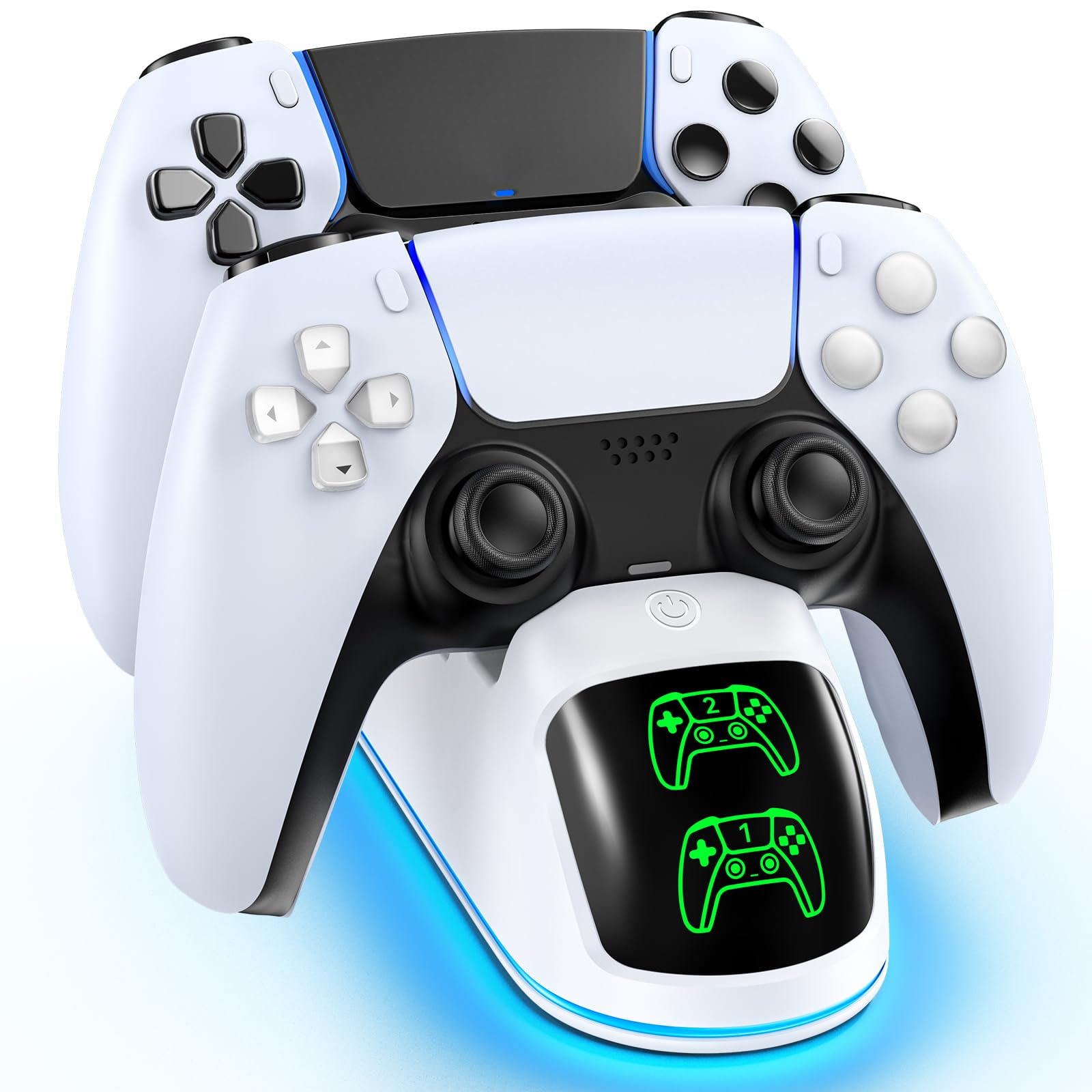
1. OIVO PS5 Controller Charger Station (RGB, DualSense & Edge)
Our pick — 4.5+★ from 44,500+ verified ratings; the strongest balance of quality and price.
A two-bay dock that keeps both DualSense pads charged, so nobody has to hunt for a cable.
Two controllers go on, both come off full, and nobody has to line up a plug. OIVO rates this dock at a full charge for two DualSense or Edge pads in 2 hours, and it feeds off a 34.8-inch USB cable you can run to the PS5’s front port, the back port, a laptop, or an original AC adapter. That cable length is the practical detail — it is long enough to reach a shelf above the console instead of dangling off the front.
Its real strength is repeatable seating: both pads drop onto the contacts and charge without a re-seat ritual. Owners keep coming back to the same point: the dock removes the nightly cable swap. A dual red/green indicator tells you at a glance whether each pad is still filling or already done, so you never pull a half-charged controller off the base. Nine RGB modes with touch control are there if you want atmosphere, and a long press kills the lights entirely — useful the moment the room goes dark.
Two honest notes. The dock leans on an external adapter you supply yourself, so its 2-hour claim depends on what you plug into it. And Edge owners with a thick silicone skin should pull the skin before seating, since the contacts expect the bare controller. Otherwise this is the safe default for a two-controller household.
What works in your favour
- 2-hour dual charge gets both pads full before your next session.
- 34.8-inch USB cable reaches front, back, laptop, or adapter.
- Kill-switch on the RGB via a long press — dark-room friendly.
- Per-controller red/green LEDs show each pad’s status separately.
- Built-in chip guards against over-current, over-voltage, and shorts for overnight charging.
Where it asks something of you
- No power brick included — you bring the adapter for full speed.
- Silicone-skinned Edge pads need the skin removed first.
Reach for this if: you have two DualSense pads and want the simplest path from “dead” to “ready” without reading a manual.
Bring your own brick: the fast 2-hour number runs through an adapter that is not in the box.
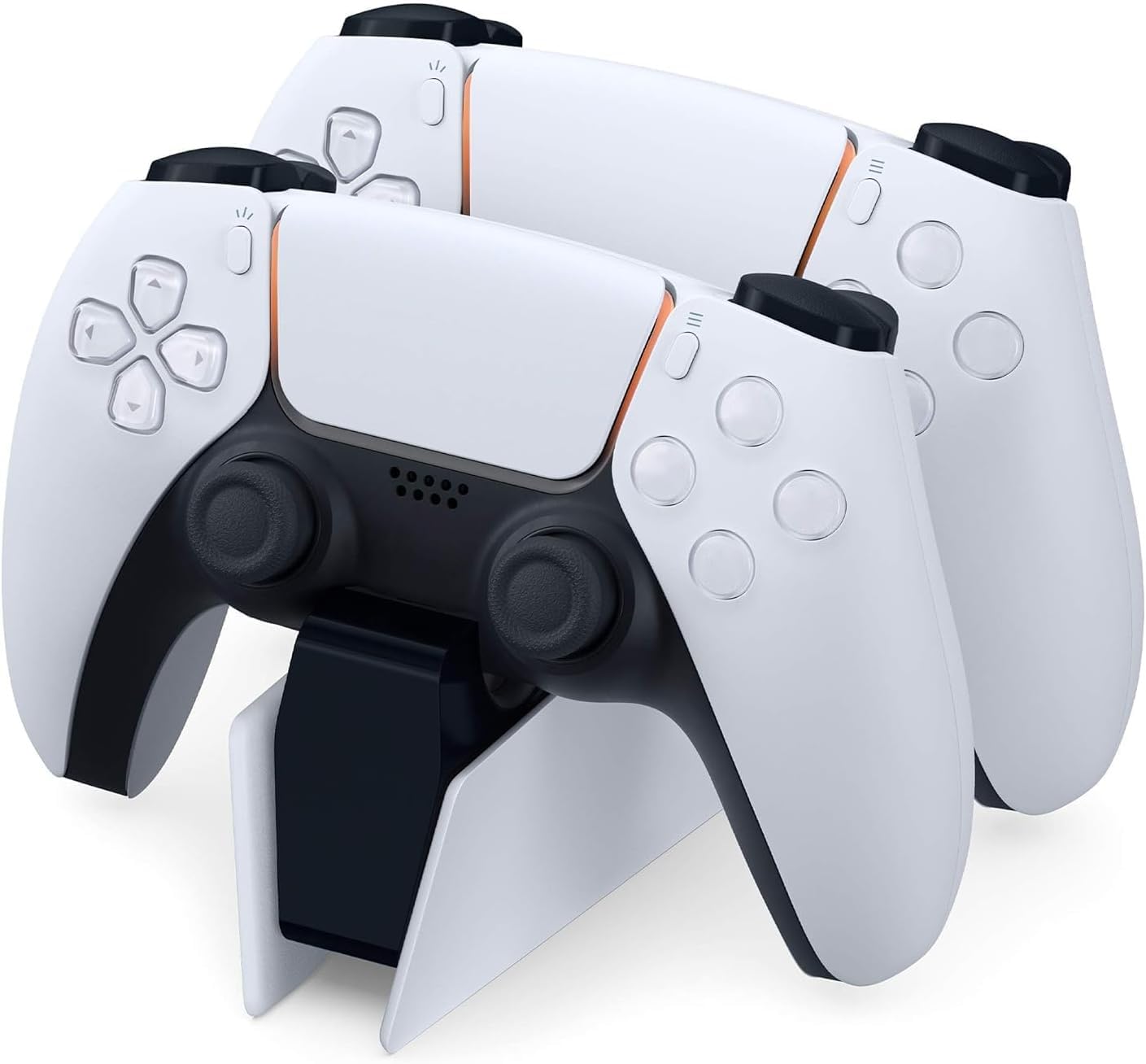
2. PowerA Twin Charging Station for DualSense
The licensed dock with a real wall adapter and a warranty that outlasts most return windows.
If you want a licensed dock with a wall adapter in the box, this is it. PowerA’s twin station is licensed for PlayStation 5 and ships with its own AC adapter, so it plugs straight into the wall and leaves your console’s USB ports free for a headset or an external drive. Both DualSense pads sit and display in the cradle, and the top of the unit is built to look like a piece of OEM kit rather than an accessory.
Speed is not the bragging point here — the amperage sits low, so expect a steady fill rather than a sprint. What you get in trade is a two-year limited warranty, which is the kind of cover you rarely see on a charging dock. Owners describe full charges for both pads without drama, and the dual-charging layout keeps each controller in its own bay instead of stacking them.
The one recurring ache is seating — the controllers want to be lined up properly rather than just dropped, and it takes a moment to get right the first few times. Once you know the feel, that becomes automatic. This is the pick for the person who would rather have a wall adapter in the box and a warranty card in the drawer than a flashy light show.
The warranty angle: a two-year limited warranty on a charging dock is a genuine differentiator, and it pairs with the included AC adapter to make this the least fussy install of the wall-powered options.
Best suited to: a PS5 owner who wants an official-licensed dock, a wall adapter, and warranty cover in one box.
Give it a miss if: you want the fastest top-up in this lineup or a pure drop-and-go seat.
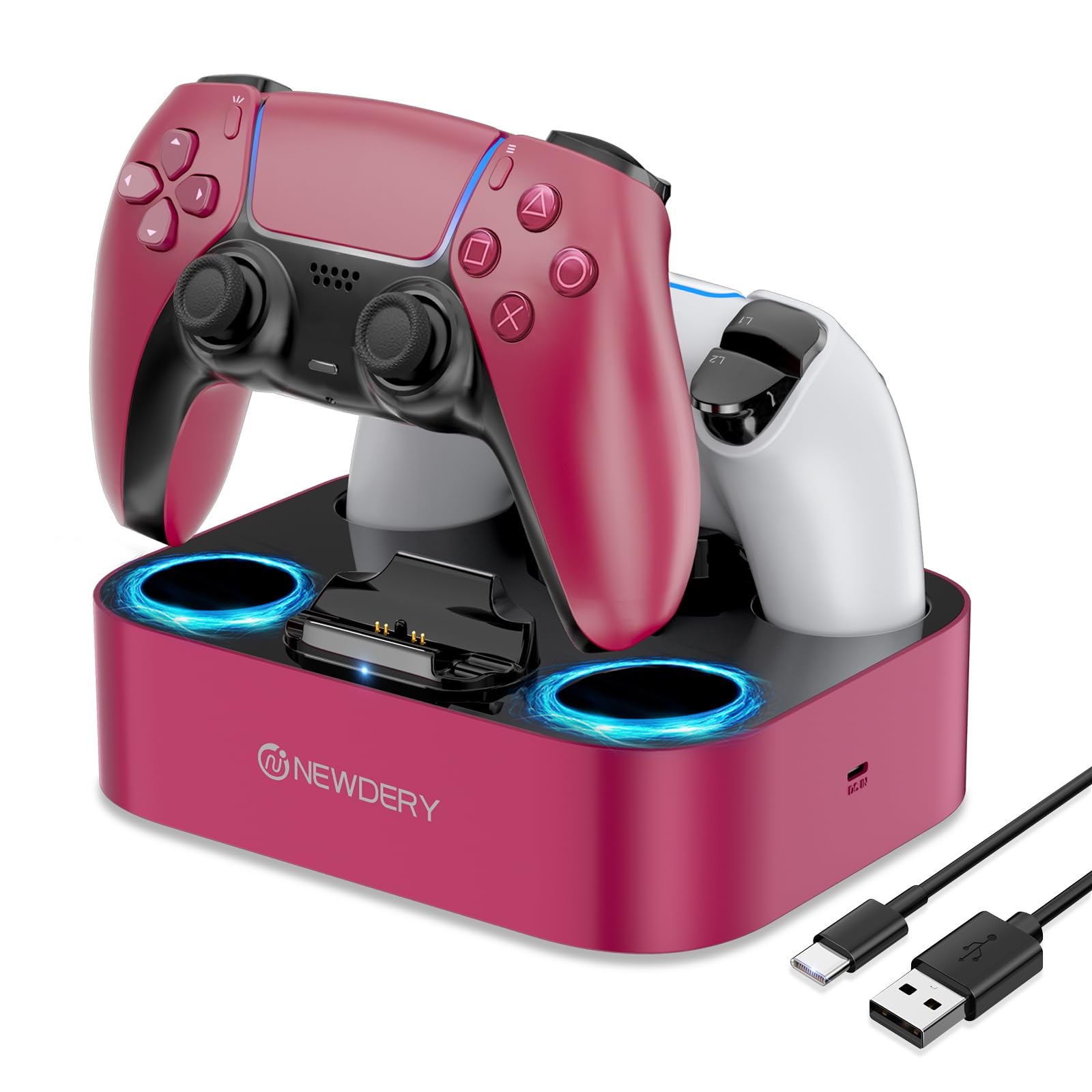
3. NEWDERY Dual Charging Dock for PS5 & DualSense Edge
Built for the Edge pad, and generous enough to charge one that is still wearing its skin.
Edge controllers are the fussy ones in this category — thicker grips, different contact geometry, and often a silicone cover. NEWDERY’s dock is designed around that problem. The four-slot cradle holds both a standard DualSense and an Edge pad at once, and buyers report it charging normally even with a silicone skin left on the controller. That is the detail that makes this the pick for anyone who bought Sony’s pricier pad.
The dock is rated at 3 A and states a 2.5-hour full charge for both controllers, run through the included 3.3ft Type-C cable. Here is the catch: that speed assumes you feed it a 5V/3A adapter, which is not in the box, so your actual charge time depends on the brick you pair with it. Four anti-slip mats under the base keep the whole thing planted when you drop a controller in one-handed.
The LED behaviour is straightforward — blue while charging, solid when full or standing by — so you can see status from across the room without an RGB show. If you own an Edge and a standard DualSense and want both ready, this is the dock that does not make you choose.
Why Edge owners gravitate here: a 2.5-hour stated dual charge on a 3 A-rated dock, plus a cradle that tolerates a silicone skin — the two things Edge owners keep running into on cheaper docks.
Pick this one if: an Edge controller is in your house, especially one wearing a cover.
The fine print: you supply the 5V/3A adapter, or the 2.5-hour claim slows down.
4. P5 Controller Charger with Fast Charging AC Adapter
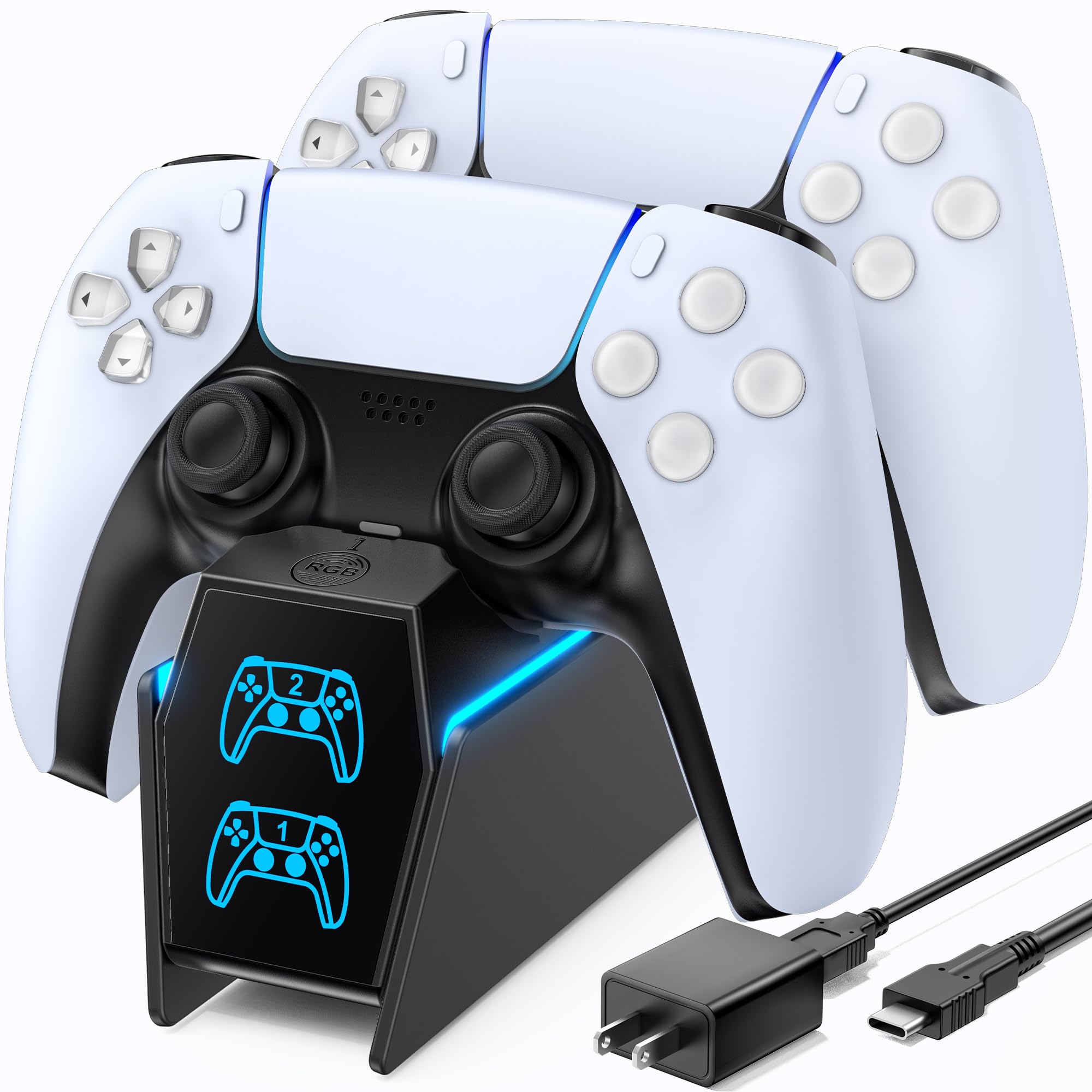
An all-black twin dock that takes its own power brick and takes it off your console’s ports.
Three things sell this one. It includes its own AC adapter, so nothing has to hang off the PS5. It has a physical on/off switch on the back near the USB-C input, which cuts power when you are not gaming. And it charges two pads at once with copper connector contacts inside the cradle. Owners here praise the reliable dual charging and the black shell that sits neatly next to a PS5.
Speed is the trade. The unit is rated at 0.67 A and states up to 3 hours for two controllers, so this is a set-it-overnight dock rather than a between-match top-up. Compare that to the Rzkipdy further down this list, which is rated at 3 A and claims 90% on both pads in 50 minutes — a big gap in wait time if speed is your priority.
The front indicator strip runs red to blue so you can see charge state without squinting, and there is an anti-scratch film on the front screen you peel off before first use. If your console ports are already crowded with a headset and an SSD, the wall adapter here is the practical answer.
What it frees up: a wall adapter plus an on/off switch means the PS5’s USB ports stay free and the dock draws nothing while switched off — the tidy setup most people are actually chasing.
Go here if: your console ports are full and you want the dock on its own wall socket.
Know before buying: a 3-hour dual charge means planning ahead, not grabbing a pad mid-match.
5. Rzkipdy Click-In PS5 Controller Charger
Fifty minutes to 90% on two pads, with the lights going dark when they are done.
For a dark bedroom, this is the pick. Rzkipdy rates the dock to bring two DualSense controllers to 90% at the same time in 50 minutes — the fastest stated figure in this whole lineup — on a 3 A rating. The click-in cradle mirrors the official Sony dock’s seating, so it feels familiar from the first drop. A power adapter is included, and the listing makes clear it is not a USB-powered unit, which is why it can hit that speed.
The quiet selling point is the light behaviour. Instead of a glowing RGB ring, the controller’s own light bar blinks orange slowly during charging and goes off when it is full — the same way Sony’s own dock behaves. In a dark room, there is nothing left shining at you at 2am. The housing is slim enough to fit where a bulkier dock would not, and owners consistently point to how quickly it gets both pads topped up.
One fair caveat: the pad cradles are built for standard DualSense controllers with a snap-in fit. If you use a thick silicone cover, plan to remove it before charging. For everyone else chasing the shortest wait between sessions, this is the dock to beat.
Speed and darkness, both delivered
- Stated 90% charge on two pads in 50 minutes.
- 3 A rated with a power adapter in the box.
- Controller light bar slowly blinks then goes out — no RGB glare.
- Click-in cradle mirrors the official dock’s seating.
The one thing to plan for
- Fits best without a silicone skin on the pad.
- Slim housing means a tighter fit if you want a chunky lookalike.
Built for: dark-room gamers who want the fastest top-up and no lights glowing after bedtime.
Worth knowing: it kisses the official dock’s click-in feel, so expect to remove any case first.
6. Tokluck PS5 Charging Station with RGB Lighting
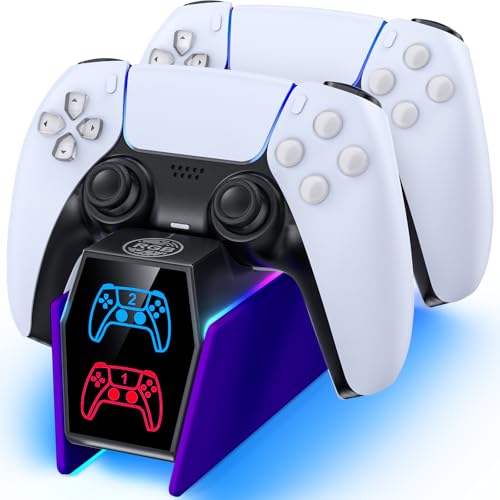
Ten lighting modes, a purple shell, and a 2-hour dual charge if you can live with the seating.
This is the dock for a PS5 corner where the lighting is part of the setup. Tokluck gives you 10 RGB light modes with touch control — short press to switch, long press to kill the lights — inside a station that charges two DualSense or Edge pads in 2 hours on a 2 A rating. It draws power through a 34.8-inch USB cable you can run to your console’s front or back port, an original adapter, or a laptop. A built-in protective chip handles over-current, over-voltage, and short-circuit protection for overnight use.
Owners praise the build and reliability, and the rear on/off switch lets you kill the RGB entirely. In Galactic Purple, it makes a deliberate statement beside a white console. The LEDs run red while charging and blue at full or standby, so both pads report their own status.
Now the honest part: seating is this dock’s weak spot. Pads do not always fall perfectly onto the contacts on the first try, and a couple of owners found the points hard to line up. It rewards a settled two-handed drop over a rushed one. That is a real adjustment, not a deal-killer — but if you want zero fuss, look at the Rzkipdy above instead.
The setup piece: 10 RGB modes plus a purple shell make this the most visually deliberate dock here, and the on/off switch keeps the lights optional.
Made for: a PS5 corner where the lights and colour are half the fun.
Slow down to seat: the contacts reward a careful drop, not a chuck.
7. Svetaecho FC600 PS5 Controller Charger Station
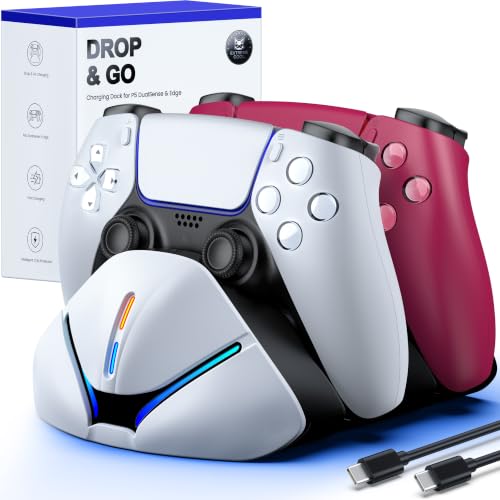
Guided contacts that grab the controller the moment it lands — no lining anything up.
Svetaecho’s FC600 takes the drop-and-go idea furthest. The guided contacts self-align the controller as soon as it lands, so there is no fumbling for a pin position. It states a full charge in 2 hours for an Edge pad and 3 hours for a DualSense, done on a 2 A rating. That is a useful nuance: an Edge controller fills faster than a standard one here.
Here is the spec that makes it genuinely versatile — it runs on just 5V/2A, and it includes a 1M USB-C to C cable. That means any phone charger or console USB port can feed it. No hunting for a rare 3 A brick, no proprietary plug. It is the most forgiving dock in this lineup for whatever power source you already have lying around, and for tight shelf space.
The trade is coverage. It is built for official PlayStation 5 controllers, not third-party pads, and the review pages show occasional seating and charging gripes. If you already own a phone charger you like, this is the least demanding dock to power up.
The power flexibility: needing only 5V/2A and shipping with a 1M USB-C to C cable makes this the dock most likely to work with the charger already in your drawer.
Fits you if: you want a small dock powered by whatever USB source you own.
Steer clear if: your pads are third-party, since this one is built for official PlayStation hardware.
8. LVFAN Dual Controller Charger Station for PS5
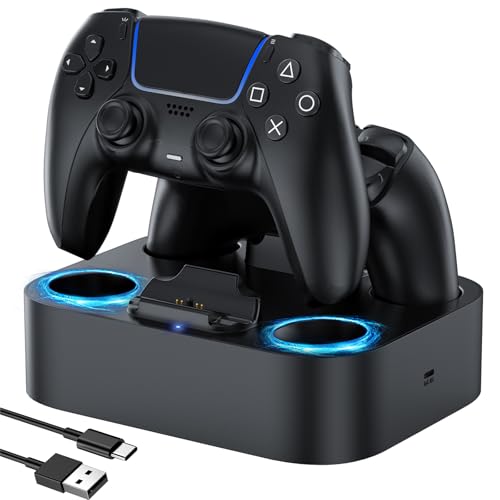
Drop it and go — the pins find the pad on their own, no lining up required.
LVFAN made its name on one move: you drop a controller and the pin charger self-aligns it. No lining up the connector, no plugging. Rated at a 2.5-hour full charge for two controllers at 5V/3A, it comes with a 3.3ft Type-C cable — but not the adapter, which you supply. Four anti-slip mats keep the base planted, and the black shell sits neatly beside the console as storage as much as charging.
Compare that to the OIVO above, which states 2 hours at 0.5 A availability; LVFAN is rated at 2 A and works best with a proper 5V/3A adapter you provide. Where LVFAN earns its keep is the seating — the pins do the work so kids can dock a pad on the way past. The LED indicators at the front flick blue during charging and stay on when full.
The one design thing owners notice: there is no glowing ring around the controller, so if you saw lights in the product shots and expected them, you will be disappointed. That aside, this is a steady, sturdy dock with a bit of weight to it so it does not slide around. A reasonable call if the drop-in seat is what you care about most.
Self-aligning pins: the controller finds the charger even when it is dropped in a hurry, which is the whole point of this dock.
Worth it when: you want a controller to self-seat without lining anything up.
One expectation to reset: no glowing light ring — the LEDs sit at the front of the dock only.
9. HEATFUN PS5 Controller Charger, Dual Station with LED

The plainest dual dock here, with a safety chip and a controller-status light you can read at a glance.
HEATFUN keeps the brief simple: two pads on, both charge, nothing fancy. It runs on a 5V/2A adapter you supply, states 4 hours to fill two controllers, and includes a USB-C cable. A safety charging chip guards against overcharging, and the housing is plastic with a white finish that fits a PS5 shelf the way the console does.
What stands out is how the status works. Your controller’s own light does the talking — orange while charging, blue when full — while the dock’s blue light is purely atmospheric. So you read charge state from the pad in your hand, not from a separate indicator. Owners mainly land on the look and the simple setup, and it takes almost nothing to get running.
That 4-hour dual charge is the slowest stated time in this lineup, so treat this as an overnight dock. It is worth knowing that the controller-cradle hold is less secure than a click-in design, so seat pads deliberately. Budget-friendly and basic, it does the job for anyone who does not need fast charging or RGB.
Simple and safety-first: a charging-protection chip, controller-status light, and 4-hour dual charge make this the no-frills option.
Good match for: a second setup that charges overnight and never needs fast top-ups.
Accept the pace: 4 hours for two pads rules out quick swaps mid-session.
Know the Specs
Amperage (A) and input voltage
Amperage is how much current flows into the dock. A 3 A-rated dock can push more power than a 0.5 A one, and the difference shows up in charge time. Voltage by contrast is the “pressure” behind the current — most PS5 docks here run around 5 volts input. The key point: a dock’s rated amps only matter if your adapter can supply them, which is why “5V/3A adapter required” appears on so many listings.
Full charge time (stated)
Manufacturers list a number like “2 hours for two controllers” or “90% in 50 minutes”. That figure usually assumes the best-case adapter and a bare controller. Treat it as a best case, not a promise. It is still the fairest way to rank speed — Rzkipdy’s 90%-in-50-minutes beats OIVO’s 2 hours beats HEATFUN’s 4 hours.
Adapter included or not
Some docks ship with a wall adapter; others ship with only a cable and expect you to supply the brick. Wall-powered docks free up console ports. Cable-only docks are cheaper and more flexible if you own a good adapter already. Check which one you are buying before you assume the speed figure applies straight from the start.
Controller compatibility: DualSense vs Edge
All docks here are built for the PS5 DualSense, but only some expressly list the Edge. Edge pads are thicker with different contacts, so seating is the pain point. Several docks also warn that third-party controllers or thick silicone skins will not seat. That single line — “not compatible with third-party controllers” — is worth reading twice before you buy.
Common Questions
Will any of these charging stations work with the DualSense Edge controller?
Do I need a special power adapter for a fast-charging dock to hit its stated time?
Can I leave my controllers on the charging station overnight?
Will my controller still charge if I leave a silicone cover on it?
Does a faster-charging dock actually charge my controller quicker than the official Sony dock?
Do these charging stations plug into the PS5 or the wall?
Will the RGB lights on these docks turn off so they do not light up my room at night?
Is a drop-in charging station sturdier than a click-in one?
Can I charge a standard DualSense and an Edge controller on the same station at once?
The Bottom Line
For most people setting up a two-controller household, the OIVO RGB PS5 Charger Station is the one — a stated 2-hour dual charge, a long 34.8-inch USB cable, and lights you can switch off. If an Edge controller is in the mix and it wears a silicone skin, the NEWDERY Dual Charging Dock is the safer buy. And for a dark bedroom where you want the fastest top-up in 50 minutes, reach for the Rzkipdy Click-In Charger. Whatever you pick, check the adapter requirement first — that one line decides whether the speed number is real on your shelf.
How we choose
We do not accept paid placement. Every pick is matched to a real buyer and a real use-case; we do not hands-on test units.
Sources
Specifications: manufacturer listings and product documentation. Review insights: verified customer reviews, as of November 2026. Pricing: not shown on this page (it changes often); check the current price via the retailer link.
As an Amazon Associate, Tactical Gear Guy earns from qualifying purchases. This does not affect which products we feature.