Specs are compiled from manufacturer listings and verified buyer reviews and can change over time — please confirm the key details on the product page before buying.
You do not need a dozen gadgets to make a home feel smart. You need the right handful — a plug that switches the lamp, a sensor that tells you the basement is flooding, a dimmer that actually dims. The trick is buying devices that speak the same language, so one app or one voice command does the work instead of five separate apps fighting each other.
This guide is built by comparing the manufacturers’ published specifications and the patterns across verified customer reviews, so you get each pick’s real strengths and trade-offs instead of marketing spin.
Below you will find nine connected devices that earn their place, sorted by what they actually do in a house rather than by brand hype. Every pick here has been checked against its own published specs, and the result is a shortlist of smart things devices that work together instead of against you.
Top Picks

How To Choose The Best Smart Things Devices
The most common mistake is buying a device that only works with one assistant, then discovering your household uses a different one. The second most common mistake is buying a plug when you needed a dimmer, or a sensor when you needed a siren. Get the platform and the job right first, and the shopping gets short.
Check the platform before the feature list
A Matter-certified device is one that has been built to a shared industry standard, which means it can talk to Alexa, Google Home, Apple HomeKit, and Samsung SmartThings without a translator. That certification is the single most useful line on any box, because it decides whether your new gadget joins the family or sits in its own app forever. A device that lists only one assistant will work — just never with the other devices in your house.
Match the device to the job, not the other way round
A smart plug is an on/off switch for anything with a physical toggle: a lamp, a fan, a coffee maker. A smart dimmer replaces the wall switch itself and controls brightness, which a plug cannot do. A contact sensor tells you a door, window, or cabinet opened. Buy the plug for the floor lamp and the sensor for the back door — swapping them wastes both.
Decide whether a hub earns its place
Some devices connect straight to your Wi-Fi and need nothing else. Others — battery sensors especially — use a low-power radio and require a hub to relay their messages, which is why they last far longer on a single battery. If you are starting with one or two plugs, skip the hub. If you want a house full of sensors, the hub is what makes them practical.
Side-by-Side Comparison
| Model | Best For | Connection | Control | Key Rating | Amazon |
|---|---|---|---|---|---|
| Amazon Smart Plug★ Best Overall | Lamps and small appliances | Wi-Fi | Alexa voice and app | — | Amazon |
| Tapo Smart Plug P110M (4-Pack)Best Value | Tracking energy hogs | Matter, Wi-Fi | App, voice, scheduling | 15 A | Amazon |
| Tapo Door Sensor Starter Kit T31Most Versatile | Doors, windows, cabinets | Matter, Sub-G via hub | App notifications, 90dB alarm | 3 sensors + hub | Amazon |
| Amazon Echo Dot | Bedrooms and offices | Wi-Fi, Bluetooth | Alexa voice, tap controls | — | Amazon |
| YoLink Water Leak Sensor Kit | Basements and laundry rooms | LoRa via SpeakerHub, Wi-Fi | App, spoken alerts | 2,034 ft range | Amazon |
| Lutron Caseta Diva Starter Kit | Dimmable ceiling lights | Lutron hub (no Wi-Fi needed) | App, Pico remote, voice | 150W LED | Amazon |
| Philips Hue Starter Kit | Colour scenes and mood lighting | Bluetooth, Zigbee via Bridge | App, voice, remote | 75W equivalent, CRI 80 | Amazon |
| Airthings Corentium Home 2 | Radon and air monitoring | Bluetooth | App readings, on-device display | — | Amazon |
| Home Assistant Green | Running the whole house locally | Ethernet, USB | App and automation engine | 4GB RAM, 32GB storage | Amazon |
Detailed Reviews
1. Amazon Smart Plug, Works with Alexa
Our pick — 4.5+★ from 571,000+ verified ratings; the strongest balance of quality and price.
The plain little brick that turns any lamp into something you can talk to.
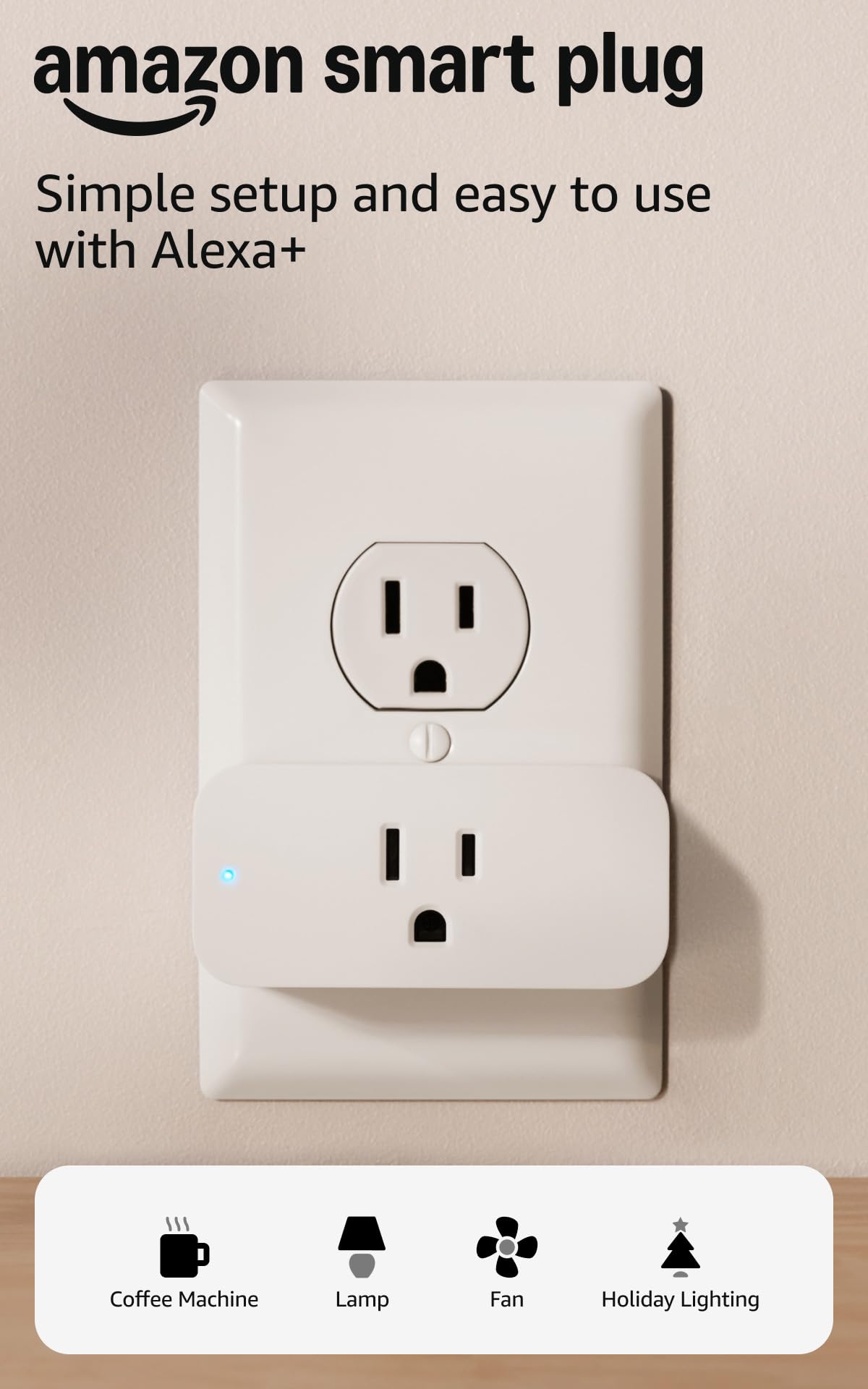
This is the simplest entry point into a connected home, and that is exactly why it takes the top spot. It needs no hub — you plug it into the wall, plug the lamp into it, open the Alexa app, and you are done in minutes. It is designed for anything with a physical on/off switch: lamps, fans, coffee makers, string lights.
The part that keeps people happy long-term is reliability. It is built to reconnect to Alexa on its own after a power cut or a Wi-Fi dropout, so you are not crawling behind the sofa to re-pair it. You can also set Routines so the living room lamp comes on at dusk or the coffee maker fires up before your alarm.
The honest catch is connectivity. Some units settle into a Wi-Fi connection instantly; a few do not, and a plug that drops off the network is a dumb plug again. If your router sits far from the outlet you plan to use, that risk goes up. Consider the four-pack Tapo below if you want Matter certification and energy readings instead of the tightest Alexa integration.
What earns it the top spot
- No hub needed — the Alexa app does the setup
- Reconnects to Alexa by itself after power and Wi-Fi outages
- Compact shell leaves the second outlet usable
- Routines let you schedule lights and small appliances by voice
Where it can annoy you
- Wi-Fi dropouts happen on some units
- Alexa-only — it will not answer to Google or Apple
- On/off only, with no brightness control
Buy it if: your household already runs on Alexa and you want the cheapest reliable way to make a lamp smart today.
Look elsewhere if: your home is built on Apple HomeKit or Google, where this plug will not fit.
2. Tapo Smart Plug P110M (4-Pack), Matter Compatible
Four plugs that tell you exactly what your gadgets are costing you.
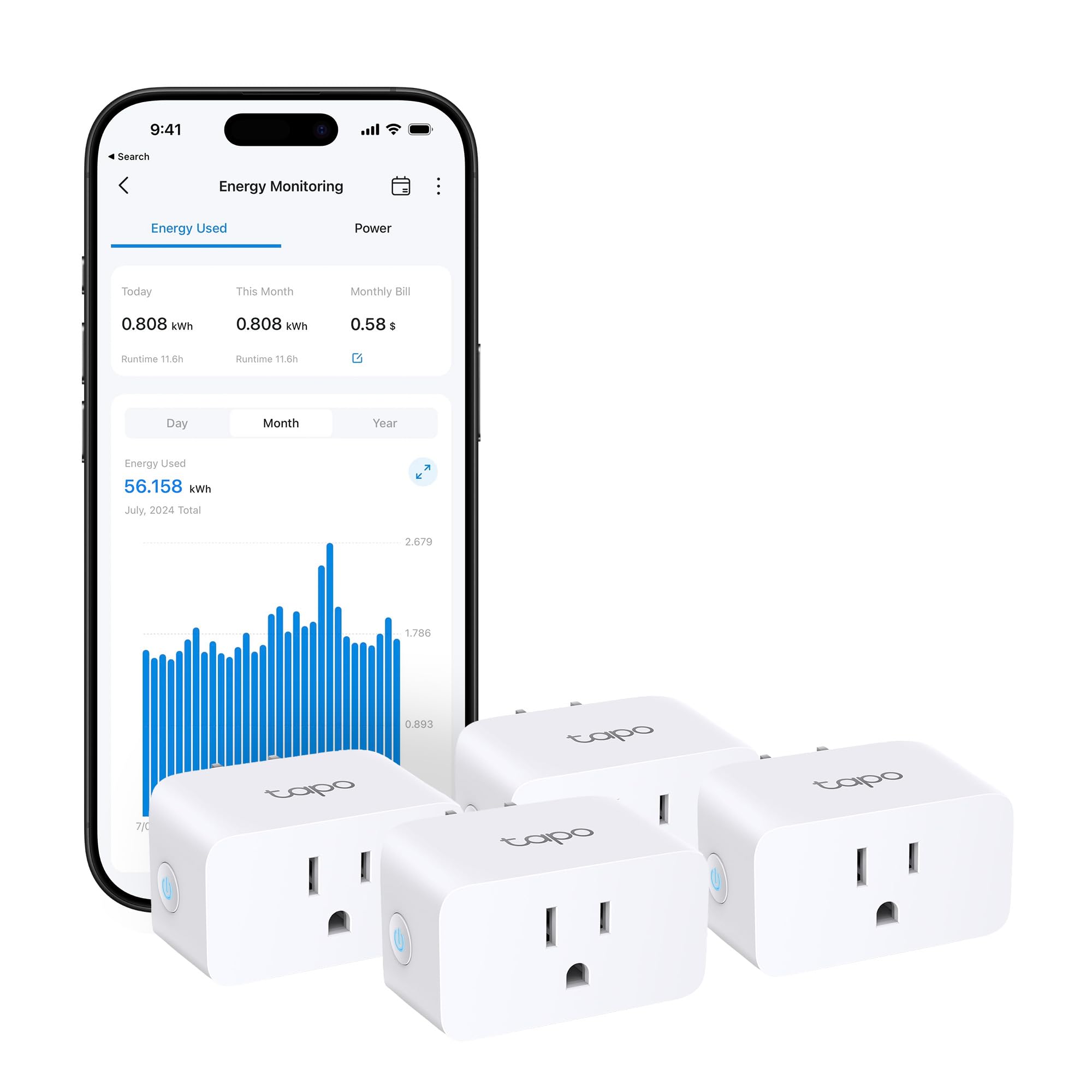
Where the Amazon plug just switches things on and off, this one counts the electricity flowing through it. Four plugs arrive in the box, each rated to 15 amps (the current a heavier appliance like a space heater or a window air conditioner draws), so you are not limited to lamps. The app shows in-depth statistics and clear visuals of what each connected device has used, and it can even estimate your bill by integrating with billing systems.
Buyers bring up one trait first: the on/off switching stays dependable over long stretches. That reliability is why a four-pack makes sense — put one behind the TV, one on the dehumidifier, and one on the charger you keep forgetting to unplug. You can schedule high-consumption devices around off-peak electricity rates, and an overcharge cutoff kills power once a user-set threshold or duration is reached.
Matter certification is the quiet superpower here: it means these plugs work with Alexa, Apple HomeKit, Google Home, and Samsung SmartThings regardless of brand. The app usability and connectivity are the softer spots — some find the connection spotty and the app less polished than they would like. Setup is generally straightforward, though.
Three things it does well: Four 15A plugs in one box, a Matter badge that keeps your platform options open, and clear energy graphs that show real consumption instead of a vague guess.
The honest limit: The app and the Wi-Fi link are the weak points. If you want a plug-and-forget switch and never plan to look at stats, the simpler Amazon plug is the more forgiving choice.
Reach for this if: you are curious where your electricity goes and you want four switches that work across every major platform.
Think twice if: you want zero app fiddling — the monitoring is the point, and it lives in the app.
3. Tapo Door Sensor Starter Kit T31
Three stick-anywhere sensors that quietly tell you every door and cabinet in the house moved.
This kit is the first pick on the list that actually needs its hub — and the hub is included. You get three Tapo T110 contact sensors and one Tapo H100 hub with a built-in chime. The sensors talk to the hub over Sub-G, a low-power radio protocol, rather than Wi-Fi, which is why they run on a CR2032 battery for up to two years instead of weeks.
The range and battery advantage is real: the hub can hold up to 64 sensors, switches, and buttons, and the low-power protocol extends connected device battery life by up to 10x compared to Wi-Fi-based devices. Each sensor mounts with built-in magnets or 3M adhesive, no tools needed. Beyond doors and windows, they work on cabinets, fridges, and mailboxes — anywhere that opens and closes.
Alerts usually reach your phone quickly, but buyers report a delay of 10 to 15 seconds, so treat this as a monitoring tool rather than a burglar alarm you can rely on to the second. The 90dB alarm (roughly the loudness of a smoke detector at close range) gives intruders something to think about. Matter certification (a standard that lets smart devices work across brands) means the whole kit can join Alexa, Google Home, Apple HomeKit, or SmartThings. Connectivity and mounting are the softer spots — some find the pairing fussy.
Why it earns its place
- Hub included, so the sensors are ready to pair
- Two-year CR2032 battery life per sensor
- Magnets or adhesive — no drilling, no tools
- Works with cabinets, fridges, and mailboxes, not just doors
What to keep in mind
- Alerts can lag 10 to 15 seconds
- Sensors only function through the included hub
- Pairing can be fiddly on some units
The right call for: renters and homeowners who want to know when a window, cabinet, or back door opens without drilling a single hole.
Not the tool for: instant-response security — the alert delay rules out split-second alarm duty.
4. Amazon Echo Dot
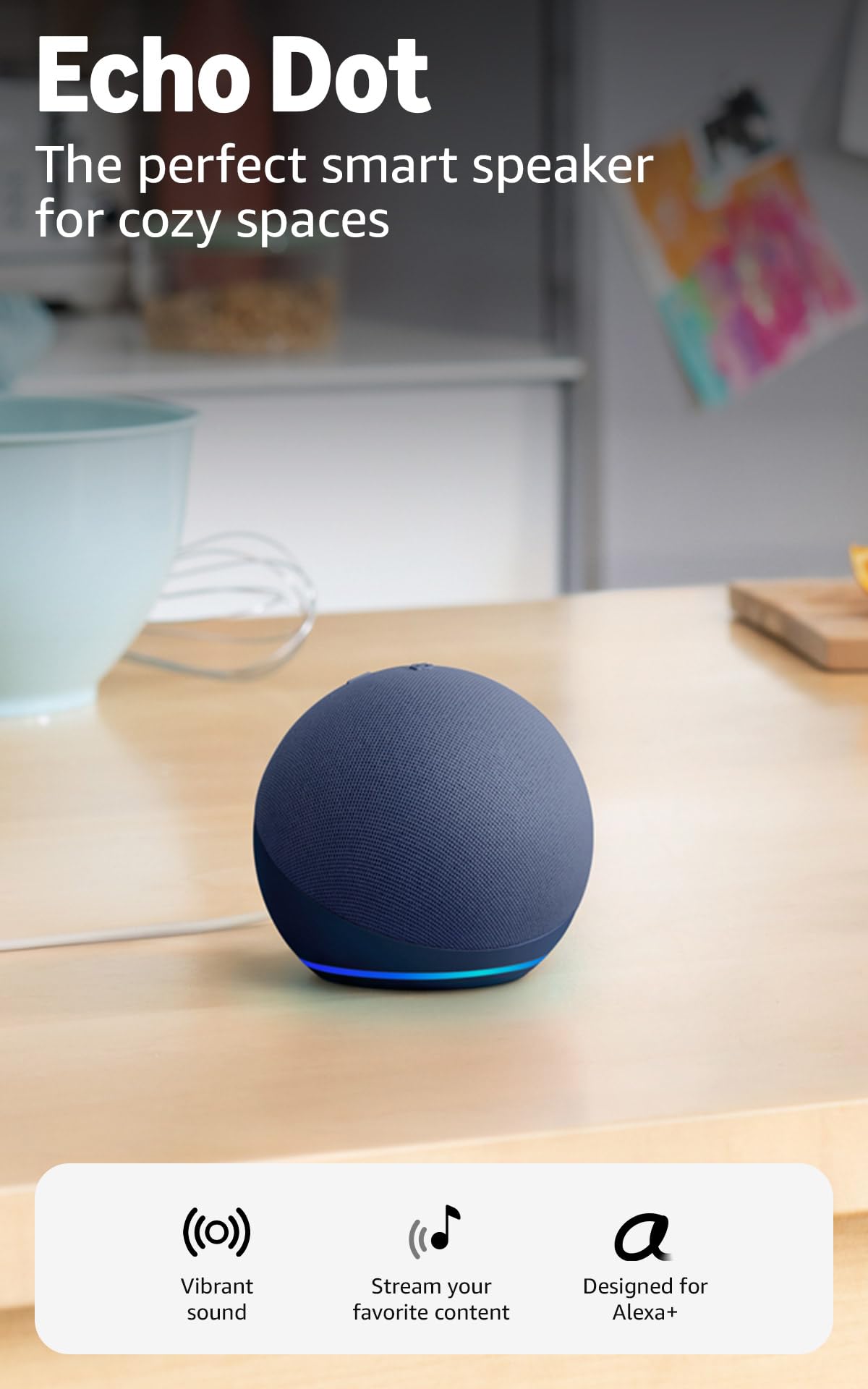
The bedside speaker that runs your lights, answers questions, and quietly boosts your Wi-Fi.
Every other pick on this page needs a controller, and this is it. The Echo Dot plays music, audiobooks, and podcasts from Amazon Music, Apple Music, Spotify, and others, or over Bluetooth. Ask it for the weather, a hands-free timer, or a joke, and tap the top to snooze your alarm. It also controls compatible smart home devices by voice.
The reason it earns a slot beyond the speaker function is the extras. Built-in motion and indoor temperature sensors can trigger routines — so a hallway light comes on when you walk past, or the heat gets a nudge when the room runs cold. Pair it with other Echo devices to fill different rooms with the same music, or team it with Fire TV for a home theatre. Through eero Built-in it also acts as a mesh Wi-Fi extender, adding up to 1,000 sq. ft. of coverage to an existing eero network.
The trade-off is longevity. Most units keep running for years, but a chunk of the criticism centres on devices that randomly stop working or shut off without warning. That is worth knowing before you make one the sole brain of your home. On privacy, there is a mic-off button and multiple layers of privacy controls. It is the crowd favourite of the group, with 4.5+ stars across 200,000+ owners.
The case for it: A speaker, a voice assistant, a temperature and motion sensor hub, and a Wi-Fi extender in one small puck for the bedroom shelf.
The catch: Some units fail unexpectedly and switch themselves off. If your whole smart home runs through one Dot, keep a backup plan.
Best fit: anyone who wants a voice controller for the plugs and lights on this page without buying a separate hub first.
skip it if: you do not want a microphone in the bedroom — the mic-off button helps, but the mic is still there.
5. YoLink Water Leak Sensor 1 Kit: 3-Pack + SpeakerHub

Three sensors that shout “water detected in the basement” before the floor is ruined.
You want to hear about water damage in seconds, and this kit is built for exactly that. The box holds one YoLink SpeakerHub and three leak sensors. The SpeakerHub connects to Wi-Fi and USB power, and it can play your chosen tones or speak custom messages out loud — something a flat phone notification cannot match when you are asleep or in the shower.
The numbers behind it are unusual. The sensors use the LoRa YoLink protocol, which reaches up to 2,034 feet, so a basement or under-sink sensor still reaches the hub upstairs. The leak sensors are rated for up to five years on a battery. The hub itself has no microphone, so it listens to nothing, and it measures under three inches across. Beyond leaks, it can double as a security siren and a door chime. Compatibility runs to Alexa, IFTTT, and Home Assistant.
Reliability is what buyers talk about most, followed by setup — scanning a QR code gets most people configured quickly. Connectivity is the weaker point, so plan your hub placement rather than burying it in a metal cabinet. The one-year hub and two-year sensor warranty is note too, since the battery figures are long-term promises rather than instant proof.
The strongest arguments
- Spoken alerts in your own words — impossible to sleep through
- Up to 2,034 feet of range reaches the far corners of a house
- Up to five-year battery life on the leak sensors
- Doubles as a siren and a door chime
Before you buy
- Needs Wi-Fi and USB power at the SpeakerHub
- Connection quality can vary with where the hub sits
- The 4-pack label means four items, not four sensors
Pick this for: basements, laundry rooms, and under-sink cabinets where a slow leak would cost far more than the kit.
Not for: homes without a free Wi-Fi signal — the SpeakerHub will not work fully offline.
6. Lutron Caseta Diva Smart Dimmer Starter Kit

The dimmer that keeps working when the Wi-Fi does not, with a remote that needs no wiring.
Most smart switches rely on your Wi-Fi network, which means they inherit its bad days. The Lutron hub here works without Wi-Fi, giving the dimmer a dedicated, low-latency link. That is why it earns the premium slot: it is the pick for a light that absolutely must switch on first time. The kit includes the Diva dimmer, a Pico remote, a Pico pedestal, and the smart hub. The wallplate is sold separately.
Installation is the standout. No neutral wire is required, and fitting the dimmer takes as little as 15 minutes. You can add a second switch location in under 15 minutes by placing the Pico on a nightstand or mounting it on the wall. The dimmer handles up to 150W of LED or 600W of incandescent and halogen (the load limits, meaning the total wattage of bulbs it can drive), so most ceiling fixtures fit comfortably. The Diva paddle design blends with existing switches, and the spring-loaded paddle feel is something owners call out.
Compatibility reaches Alexa, Apple HomeKit, Google Home, Ring, and Sonos. The softer areas are value and dimming behaviour — the kit is not cheap for a single switch, and some find the dimming ramp not to their taste. But for a bedroom light or a hallway you use every night, that reliability is what you paid for.
Why it costs more: The hub runs independently of Wi-Fi, which sidesteps the single most common smart-light failure — the router.
What to weigh: Value and dimming feel are the mild complaints. If you want app-level scene control for the lowest spend, a bulb kit goes further per dollar.
Choose it if: your lights must work the instant you flick the paddle, and you want a wall-mounted remote without pulling new cable.
Pass if: you are lighting a whole room on a tight budget — four smart bulbs cover more fixtures for less.
7. Philips Hue Smart Light Starter Kit (Bridge + 4 Bulbs)

Four bulbs that paint a room in colour, with a bridge that keeps them off your Wi-Fi.
This is the kit for the person who wants the room to look different at 8pm than it did at noon. The box holds four A19 E26 bulbs rated at 75W equivalent, with full White and Color Ambiance — so you get warm white, daylight, and any colour in between. The included Bridge is the key piece: it holds a secure, stable connection that will not drain your Wi-Fi, and it lets you control the lights from anywhere in the world. Matter support is built in, so the system joins other smart home platforms.
Preset scenes are where the kit shines. You can set a 24-hour natural light scene that mimics the sun, or pick light to help you focus or unwind, and dynamic light effects show subtle shifts in brightness and colour throughout the day. Voice control works through Alexa or Google Assistant once configured in the Hue app.
What earns the most praise is how reliably the bulbs behave, with lighting quality close behind. Colour is bright and rich — the colour rendering index (a measure of how faithfully colours look under the bulb, with 100 being daylight) sits at 80, which is solid for general and decorative lighting. The two softer spots are value and connectivity: the kit is not cheap for four bulbs, and while many connect straight from the start, some have a bumpier pairing experience.
Where the money goes
- Four 75W-equivalent colour bulbs plus the Bridge in one box
- 24-hour natural light scenes and dynamic colour effects
- Bridge keeps the bulbs off your Wi-Fi network
- Matter support for cross-platform control
The fine print
- Premium pricing for four bulbs
- Pairing is occasionally fussy
- Colour rendering index sits at 80, not reference-grade
The pick for: living rooms and bedrooms where mood lighting is a feature you will actually use, not a novelty.
Consider the alternative if: you only need white light on a schedule — the Lutron dimmer covers that for less.
8. Airthings 325 Corentium Home 2 Radon Detector
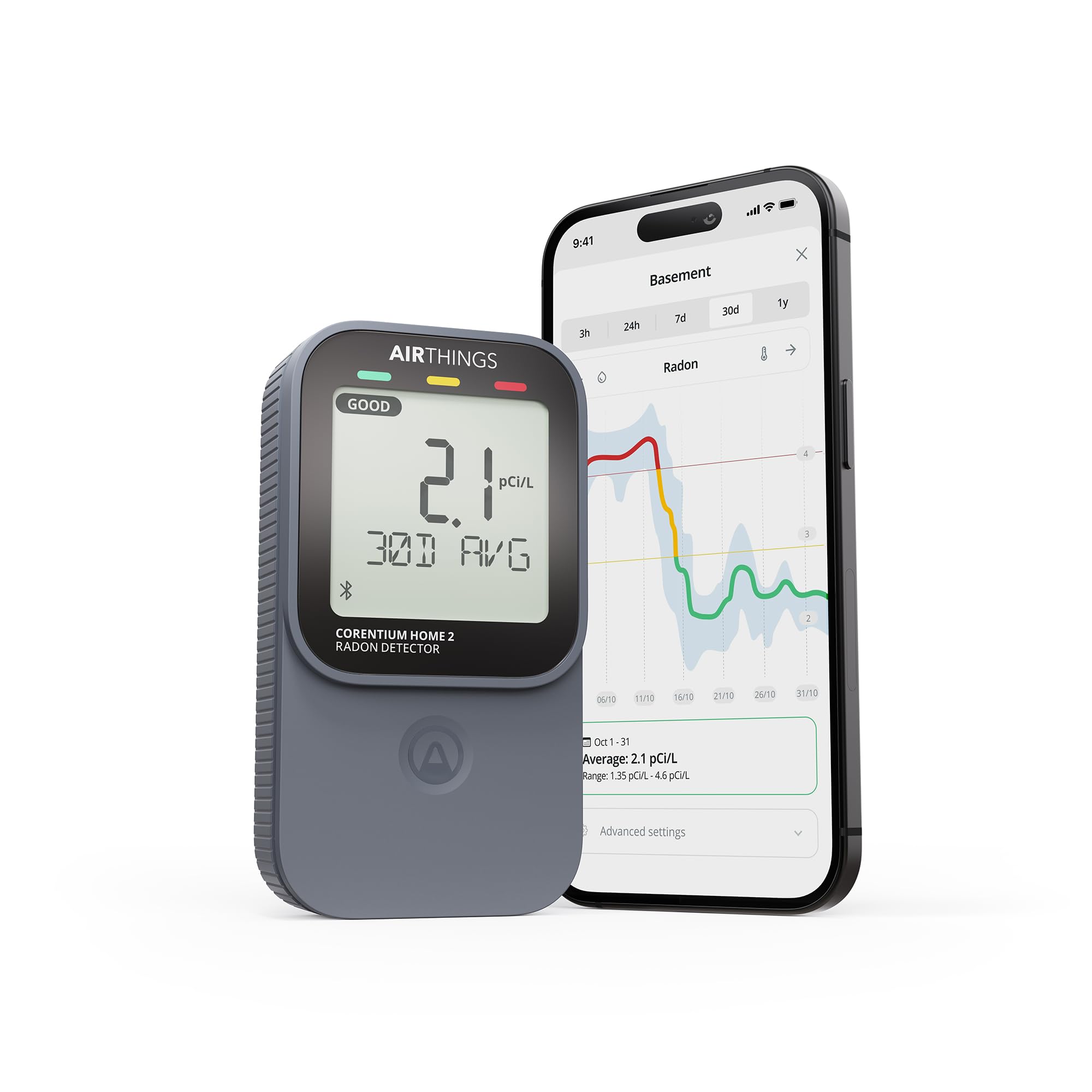
A small black slab that sits in the basement and tells you what the air is doing.
Not every smart device is about convenience. This one is an indoor air monitor with a specific job: continuous radon tracking, no lab fees and no waiting for a mailed test kit. Radon is a naturally occurring gas that can build up in a home, and a long-term monitor shows you how its level rises and falls over weeks rather than a single snapshot. The same unit adds bonus humidity and temperature sensors.
The redesigned display shows short and long-term radon averages alongside current environmental readings, with simple GOOD, FAIR, or POOR indicators so you do not need to decode a raw number. Bluetooth connectivity lets you pull readings onto your phone, and the app graphs the trend over time so you can see whether a change actually helped. It runs on two AA alkaline batteries and needs no installation, so it moves to the basement, the bedroom, or wherever you want to check.
Households that buy it tend to report it as reliable and quick to set up. One honest limit: the unit itself is a monitor, not a fix. To get 24/7 remote monitoring and notifications away from home, you need to pair it with an Airthings Hub or View series monitor, sold separately. The operating humidity ceiling is 85%, so do not park it in a dripping crawlspace.
What it gives you: Bluetooth readings, a clear GOOD/FAIR/POOR display, and humidity plus temperature tracking from one battery-powered unit.
What it does not: Remote alerts need a separate Airthings Hub, and the readout tells you about the air — it does not change it.
Suits you if: you want ongoing visibility on radon and general air quality without shipping samples to a lab.
Keep looking if: you want push notifications while you are away — budget for the hub as well.
9. Home Assistant Green Smart Home Hub

The small green box that puts every brand of smart device under one roof.
If you have accumulated plugs, bulbs, sensors, and cameras from five different makers, each with its own app, this is the device that ends the clutter. Home Assistant Green arrives with Home Assistant already installed — you plug in the included power supply and Ethernet cable and you are running. It is the official hardware from Nabu Casa, the team behind the Home Assistant software.
The hardware is deliberately modest: a fanless, silent design with a quad-core processor, 32GB of storage, and 4GB of RAM, drawing only a couple of watts. It measures about 4.41 inches square and weighs 12 ounces, so it tucks onto a shelf unnoticed. Automation is the real point — lights that dim when a movie starts, heat that turns off when you leave. Your home’s data stays on the Green, and you can view, share, and export it yourself. If you need more radio coverage, USB ports accept Z-Wave, Zigbee, and Thread adapters.
The honest friction is that this is not a one-evening setup for a total beginner. The purchase includes the hardware with the software installed, but building automations takes some curiosity. Once it is running, it is the most capable controller on this page by a wide margin — it swallows devices the single-brand apps will never speak to.
Why it stands alone
- Works with devices across brands and ecosystems
- All data stays local on the device
- USB expansion for Z-Wave, Zigbee, and Thread
- Silent, fanless, and low power
What to expect
- Needs a wired Ethernet connection
- Setup and automation require patience
- No built-in radio for Zigbee or Thread without an adapter
Made for: tinkerers and multi-brand households who want one dashboard and local control instead of five apps.
Overkill if: you own two plugs and a lamp — the Echo Dot handles that for far less effort.
Know the Specs
Matter certification
Matter is a shared industry standard, meaning a certified device can talk to other certified devices regardless of brand. In practice, a Matter badge on the box is your assurance that the gadget will work with Alexa, Google Home, Apple HomeKit, and Samsung SmartThings rather than locking you into one app. For a buyer starting a smart home, it is the single most useful line to check, because it keeps your options open as you add devices.
Hub versus no hub
A hub is a small box that relays messages between your devices and your Wi-Fi network. Some devices — plugs, speakers, bulbs with Bluetooth — connect straight to your router and need nothing else. Others, particularly battery-powered sensors, use a low-power radio and rely on a hub, which is why their batteries last far longer. Knowing which type you are buying decides whether the device works on day one or waits for extra hardware.
Amp rating and load limits
A smart plug’s amp rating tells you how much current it can safely carry before it becomes a fire risk. A 15A plug (15 amps) handles heavier appliances like space heaters and window air conditioners, while a basic plug is meant for lamps and small devices. Smart dimmers use a watt limit instead — 150W LED or 600W incandescent and halogen — which caps the total bulb load on that circuit. Always match the rating to what you plan to plug in.
Battery life and radio range
Battery sensors live or die on their radio protocol. A Wi-Fi sensor drains in weeks; a low-power protocol sensor can run for years, with some rated up to five years and others up to two on a CR2032. Range is the other half of the equation: a long-range protocol such as LoRa can reach 2,034 feet, while a hub-based Sub-G system covers a house through the hub. Check both before relying on a sensor in a basement or detached garage.
Common Questions
Do I need a hub to use smart plugs and bulbs?
Will a Matter-certified device work with Apple HomeKit if I use Alexa?
Can a smart plug dim a lamp?
How long do battery-powered door sensors last?
What is the difference between the Tapo P110M and the Amazon Smart Plug?
Can the Echo Dot really extend my Wi-Fi?
Does a smart dimmer need a neutral wire?
Is a radon monitor the same as a radon test kit?
What can Home Assistant Green control that a single-brand app cannot?
How do I stop a smart plug from dropping off my Wi-Fi?
The Bottom Line
For most homes, the smart things devices winner is the Amazon Smart Plug because it is the cheapest reliable way to make any lamp respond to your voice, with no hub, no subscription, and automatic reconnection after an outage. If you want energy readings and Matter compatibility across platforms, grab the Tapo P110M 4-Pack. And for the one thing you genuinely cannot afford to miss, the YoLink Leak Sensor Kit speaks its warning out loud before a slow leak becomes a floor replacement.
One last thought on where to start: the Amazon plug carries 4.5+ stars across 500,000+ ratings, a sign that the simplest smart home is often the one people stick with. Buy the one device that solves today’s annoyance, then add the next.
How we choose
We do not accept paid placement. Every pick is matched to a real buyer and a real use-case; we do not hands-on test units.
Sources
Specifications: manufacturer listings and product documentation. Review insights: verified customer reviews, as of November 2026. Pricing: not shown on this page (it changes often); check the current price via the retailer link.
As an Amazon Associate, Tactical Gear Guy earns from qualifying purchases. This does not affect which products we feature.