Specs are compiled from manufacturer listings and verified buyer reviews and can change over time — please confirm the key details on the product page before buying.
Buy the wrong smart device first and you will spend the next year juggling four apps and a hub that speaks to nothing else. The fix is boring but real: pick devices that need no hub at all, or that run on Matter (a shared smart-home language that lets gadgets from different brands finally talk to each other). Then match the device to the job you actually have. A leak sensor under the washing machine, a camera pointed at the dog, a dimmer that behaves like a normal light switch — these are different problems, and they want different answers.
This guide is built by comparing the manufacturers’ published specifications and the patterns across verified customer reviews, so you get each pick’s real strengths and trade-offs instead of marketing spin.
Below you get nine connected devices sorted by what they do best, from a budget outlet adapter to a full lighting kit. Each entry names the spec that matters, where it falls short, and who should skip it — a straight read on smart devices for the home.
Top Picks


How To Choose Smart Devices for the Home
Start with the plug in the wall, not the app store. The device that fits your home is the one your Wi-Fi, your phone, and your existing speakers can already handle — everything else is a bonus. Get these four things straight before you add anything to a cart.
Decide if you want a hub in the house
A hub is a small box that talks to your devices over a low-power radio (Zigbee, Sub-G, or Thread) and then relays to your phone. It adds one more thing to plug in, but it can stretch battery life and keep devices off your Wi-Fi. The Tapo door-sensor kit needs its hub to work at all; the Amazon plug runs on Wi-Fi alone with no hub in sight.
Check the voice platform you already own
If your house is all Echo speakers, a device that only speaks Apple Home is dead weight. Look for the platforms named in the listing — Alexa, Google Home, Apple HomeKit, SmartThings — and confirm yours is on the list. A Matter-certified device can usually be added to most major platforms, which saves you from buying into one brand’s app forever.
Match the spec to the job
A plug carries a load, so check its amp rating (15 A on the Enbrighten) before you hang a space heater on it. A bulb needs lumens (1600LM on the Linkind) to fill a room, not just a colour count. A CO2 monitor needs a real sensor spec (400–5000 ppm on the SONOFF) to mean anything. Yes, those numbers look like fine print, but each one decides whether the device does its job in your house.
Plan for one automation, not twenty
Most people never use half the scenes a device offers. Pick the one routine you actually want — lights on at sunset, a chime when the back door opens, a phone alert when the basement floods — and buy the device that nails that. Simpler systems are easier to keep running when the Wi-Fi drops.
Side-by-Side Comparison
| Model | Best For | Hub Needed | Voice Platforms | Defining Spec | Amazon |
|---|---|---|---|---|---|
| Amazon Smart Plug★ Best Overall | Any outlet, no fuss | No | Alexa | 4.5+ rating | Amazon |
| Aeotec SmartThings Water Leak SensorHidden Hero | Flood alerts | Yes (Zigbee) | SmartThings | 32–104 °F range | Amazon |
| Linkind Matter Smart BulbsBrightest Bulbs | Bright colour light | Matter controller | Alexa, Apple, Google | 1600 lm | Amazon |
| Tapo T31 Door Sensor Kit | Doors and windows | Yes (included) | Alexa, Google, HomeKit, SmartThings | 3 sensors + hub | Amazon |
| SONOFF AirGuard CO2 | Air quality tracking | Matter controller | Alexa, Apple, Google, SmartThings | 400–5000 ppm | Amazon |
| Tapo 2K Pan Tilt Camera | Indoor watch | No | Alexa, Google | 2K, 360° pan | Amazon |
| Enbrighten Matter Smart Plug 4-Pack | Multi-outlet control | No | Alexa, Google | 15 A | Amazon |
| Lutron Caseta Diva Starter Kit | Smart dimming | Yes (included) | Alexa, Apple, Google, Ring | 150W LED / 600W incandescent | Amazon |
| Philips Hue Starter Kit | Full lighting system | Yes (included) | Alexa, Apple, Google | Bridge + 4 bulbs | Amazon |
Detailed Reviews
1. Amazon Smart Plug, Works with Alexa
Our pick — 4.5+★ from 571,000+ verified ratings; the strongest balance of quality and price.
The cheapest way to test whether you actually want a smart home at all.
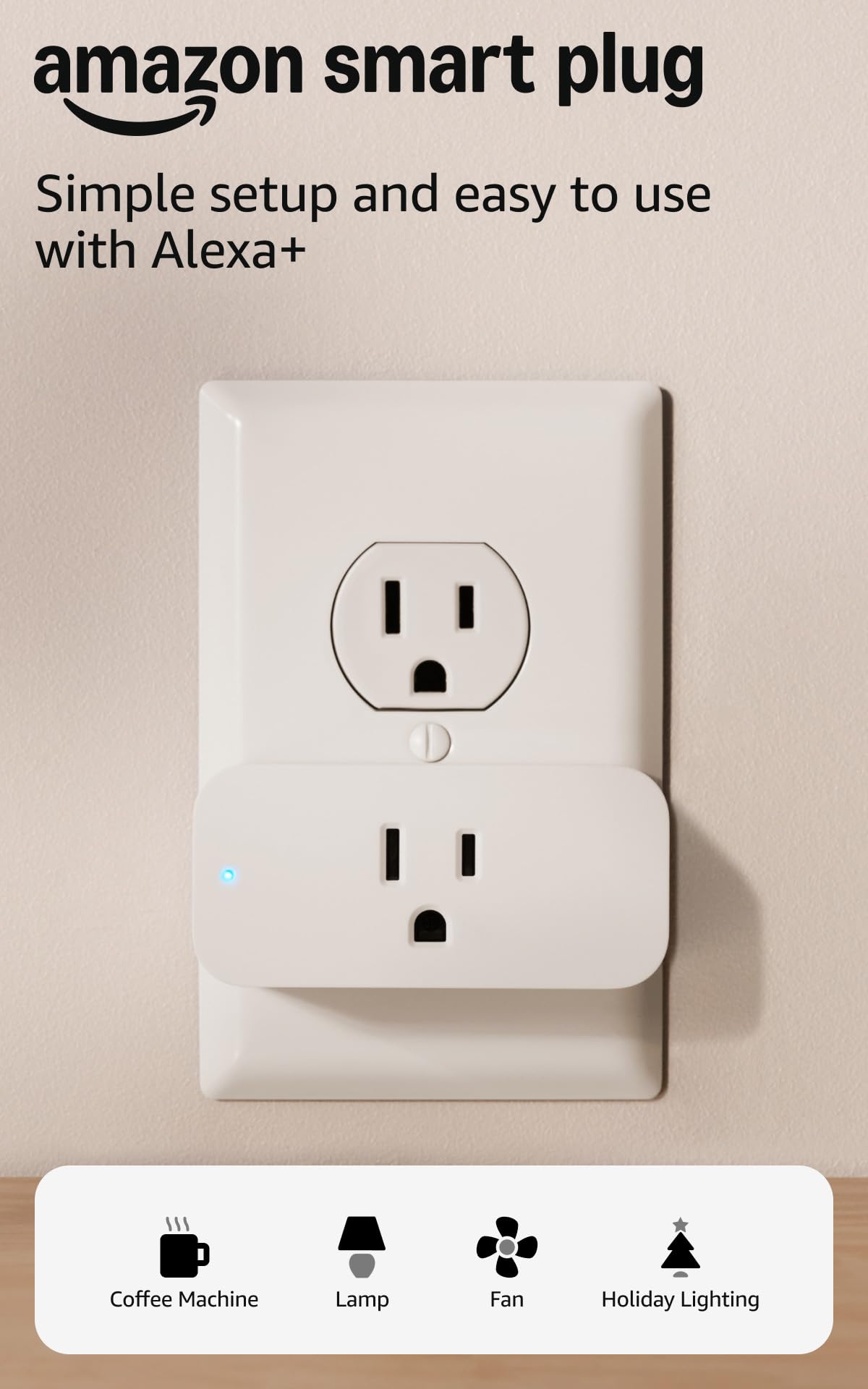
If you own an Echo speaker and nothing else, this is where to start. The Amazon Smart Plug turns any outlet — a lamp, a fan, a coffee maker with a physical on/off switch — into something you can control from the Alexa app or by voice. Setup is genuinely simple: you plug it in, open the app, and follow the on-screen steps. No hub box, no second app, no radio protocol to learn.
The compact body leaves your second wall outlet free for a second plug, which sounds small until you are stacking adapters behind a couch. It also behaves like a proper appliance in a power cut — it reconnects to Alexa on its own after the Wi-Fi or the power comes back, so you are not re-pairing it every storm. Reviewers single out its reliability: it reconnects on its own after an outage and keeps answering Alexa without a re-pair.
The catch is what it does not do. Alexa is the only voice platform on board — this plug will not answer to Google Assistant or Apple Home — and the thing driving buyers’ mixed feedback is the occasional Wi-Fi dropout on the connection side. If your router is distant or flaky, pair patience with it. For a first smart device on an Echo household, though, it is the smallest sensible step, and the crowd favorite at 4.5+ stars across 570,000+ ratings.
What does the daily work
- Runs on Wi-Fi with no hub — one fewer box on the shelf
- Compact enough to keep the second outlet usable
- Reconnects to Alexa by itself after a power or Wi-Fi outage
- Routines and timers let you schedule lights while you are away
Where it stops short
- Alexa only — no Google Assistant, no Apple HomeKit
- Wi-Fi connection occasionally drops and needs a nudge
- Needs a household device with a physical on/off switch to control
Reach for this if: you already run Echo speakers and want one outlet to obey your voice this afternoon.
Pass on it if: your home is Google- or Apple-led — this plug simply does not speak to them.
2. Aeotec SmartThings Water Leak Sensor
A small puck that turns a hidden leak into a phone alert before the floor warps.
A water leak sensor is not notable, which is exactly why it gets bought last and mattered most. You drop this little plastic puck under a sink, behind the washing machine, or beside the water heater, and it watches for moisture and temperature swings. The sensor’s temperature range is 32 to 104 °F, so it flags a freezing line before it bursts as well as the puddle after. Its Zigbee radio is rated to reach 50 to 130 feet depending on your home’s construction — one hub can blanket a basement.
This one is a hub device, plain and simple. It needs an Aeotec Smart Home Hub or a Samsung SmartThings Hub Gen 3 to do anything, and it will also talk to other compatible Zigbee hubs. Once paired, the SmartThings app can push a phone alert — light-up or siren style — and, if you have other connected gear, trigger a shut-off of water flow or electronics automatically. Owners trust it because it flags even a faint film of moisture under a sink.
Two honest notes before you buy. Battery life and its water resistance both draw a mixed reaction, so treat this as a maintenance item and check the cell now and then. Zigbee range also slips through dense walls, so measure your layout before assuming the hub reaches the far end of the basement. For a homeowner already inside SmartThings, it is close to a no-brainer.
Why it earns a spot: a 32–104 °F sensing range means the same puck guards against a frozen pipe and a leaking one, which is more than the average flood sensor watches for.
The honest trade-off: it is useless without a SmartThings or Zigbee hub, and there is a 1-year limited warranty — so it is a fit for existing SmartThings homes, not an impulse buy.
Suits you when: you already run a SmartThings or Aeotec hub and want cheap insurance under the appliances that hold water.
Look elsewhere if: you have no Zigbee hub — the sensor would sit in a drawer.
3. Linkind Matter Smart Light Bulbs
A 100W-equivalent smart bulb that finally lights a real room, not a hallway.
Most smart bulbs are dimming accents. This one pushes 1600 lumens — the rough equal of a 100W bulb — while sipping just 14W, so it fills a living room or kitchen where a standard 800-lumen bulb would leave corners dark. Brightness is the thing everyone raves about, and it is the reason this pick beats the Philips Hue kit below on raw output: 1600 lumens versus the 75W-equivalent Hue bulbs. Colour temperature is tunable from 1800K for a warm evening to 6500K for focused work, and the colour rendering index of 90 keeps skin tones and fabrics looking natural.
Because it is Matter-enabled, you can skip yet another manufacturer app and add it straight to Apple Home, Alexa, or Google Home instead. A Matter controller — a HomePod, Echo Dot, or Nest speaker — is required for those platforms; the AiDot app is the fallback if you have none. Preset scenes and a music-sync mode let the bulbs pulse to a beat, and the microphone permission lives in the AiDot app. Smooth dimming runs from 1% to 100%, but only through the app or voice, not a wall dimmer.
That dimmer warning is the recurring gripe: put these on an older traditional dimmer switch and they may flicker or buzz. Connectivity and long-term reliability both split opinion, so buy from a seller with a return window. Even so, the setup experience wins second-most praise behind brightness, and the colour range is wider than most bulbs at this tier.
My read: if your priority is a genuinely bright, colourful smart bulb with the fewest app hoops, this pairing delivers 1600 lumens through Matter, which also makes it the smartest pick for mixed-brand homes.
Fair warning: it must not go on a traditional dimmer switch — dimming lives in the app or voice, and old switches can make it flicker.
The fit: you want maximum brightness and colour in a fixture, and you already own a Matter controller like an Echo Dot or HomePod.
Skip if: the room is wired to a wall dimmer you plan to keep using.
4. Tapo Door Sensor Starter Kit (T31)

Three doors covered in one box, chime included, batteries in the package.
This is the widest-coverage starter kit here: three contact sensors and a hub with a built-in chime, four items in the box against the single sensor the Aeotec water leak pick ships. The sensors stick to doors, windows, cabinets, fridges, or mailboxes with built-in magnets or 3M adhesive, no tools needed, and each runs on a CR2032 battery rated for up to 2 years. Opening a door triggers a real-time notification, and the hub’s 90dB alarm can be set to sound — loud enough to startle a would-be intruder.
The hub does the heavy lifting. Its low-power Sub-G radio links the sensors to the hub, which Tapo rates for up to 10x the battery life of Wi-Fi devices and a capacity of 64 sensors, switches, and buttons on a 2.4 GHz Wi-Fi network. Because the kit is Matter-certified, it works across Alexa, Google Home, Apple HomeKit, and Samsung SmartThings, and you can sync the sensors to Tapo pan/tilt cameras to record when a door opens. Owners rate reliability highest: the contacts keep reporting open and closed on doors and windows without re-pairing.
The honest wrinkle: connectivity is the split opinion here. Some owners pair it instantly, others report it will not stay connected, and notifications can lag 10 to 15 seconds before they hit your phone — fine for convenience, worth knowing if you expect instant alarms. Mounting also draws mixed comments, so give the adhesive a clean, flat surface. Bought as a bundle, though, it covers a whole flat for the effort of one install.
Inside the box
- Three contact sensors, a hub, and a 90dB built-in chime
- Matter-certified — speaks Alexa, Google, HomeKit, and SmartThings
- Sub-G radio rated for up to 10x the battery life of Wi-Fi sensors
- Up to 64 devices on one hub; batteries included
Know before you install
- Connectivity is mixed — some units need re-pairing
- Notifications can lag 10 to 15 seconds to reach the phone
- Requires 2.4 GHz Wi-Fi; sensors are dead weight without the hub
Go for it if: you want three doors and windows watched plus a chime, all in one install, with room to grow to 64 devices.
Think twice if: you need split-second security alerts — the notification delay may not suit an alarm-first setup.
5. SONOFF AirGuard CO2 Monitor
A CO2 gauge for the bedroom, the nursery, and the home office — with a real sensor inside.
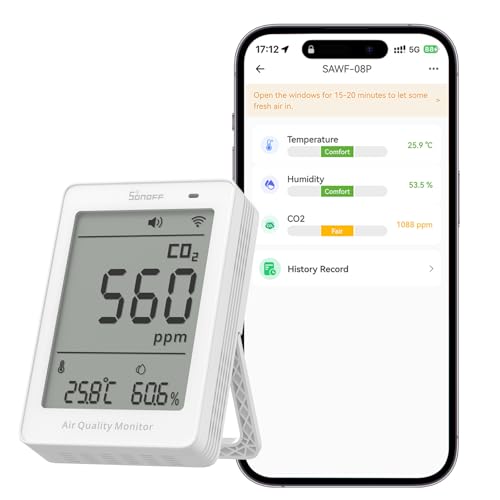
Stale air is invisible, which is why a cheap CO2 display is one of the more useful gadgets nobody thinks to buy. This one packs an NDIR sensor — a genuine optical gas sensor rather than the guessy kind — accurate to ±(50ppm + 5%) across a range of 400 to 5000 ppm. It updates every 5 seconds on continuous power, so you see the number climb as a room fills with people and dip once you crack a window.
One screen shows all three numbers at once: CO2, temperature, and humidity. Temperature accuracy lands at ±0.5 °C, and the multi-colour LED indicator tells you comfort level at a glance before you even read the digits. Through the eWeLink app you can set custom alerts when any of the three crosses a level you choose, and the app stores 12 months of history as graphical charts you can export. It is Matter-compatible too, sliding into Apple Home, Alexa, Google Home, SmartThings, or Home Assistant.
It is built for a wall or tabletop spot in a bedroom, office, or nursery, and works best where you can leave it plugged in — the 5-second refresh depends on continuous power. This newer entry is still building its reputation, so consider it a considered bet on a genuinely useful sensor rather than a proven long-runner. If you have ever wondered why a closed room feels stuffy, this answers in numbers.
Where it shines: an NDIR sensor with 400–5000 ppm range and a 5-second refresh gives you real data, not a vague “good air” light — plus 12 months of exportable history in the app.
The sensible caveat: it wants continuous power to keep that 5-second update, and its review base is still young compared to the camera or plug picks.
Worth it for: bedrooms, nurseries, and home offices where you want to see and track air quality, and you already run Apple, Google, Alexa, or SmartThings.
Not for you if: you want a battery-powered unit to move around — this one is happiest plugged in.
6. Tapo 2K Pan Tilt Security Camera (C210P2)

Sharp 2K video that pans across the whole room, and no subscription to use it.
If you want to see the dog, the baby, and the front hallway without buying three cameras, one pan/tilt unit is the smarter buy. This one shoots 2K high-definition video and swivels across a 360° horizontal and 114° vertical field of view, so a single camera covers a whole room or walkway. Night vision reaches 30 feet with the built-in IR system, and two-way audio plus a built-in siren let you talk to a pet or sound an alarm from your phone.
Motion, person, and baby-crying detection all push notifications, and there is no extra fee to run it as a baby monitor — a real cost saver against subscription cameras. It pairs with Alexa and Google Assistant for live viewing on an Echo Show or a Chromecast with a screen. Picture quality and setup earn the most praise: the app walks you through pairing, and owners consistently call the video sharp and the night vision clear into every corner.
Here is the trade-off to weigh. Buyers report mixed results on reliability and connectivity — most cameras connect smoothly, but some run into connection trouble, so a strong 2.4 GHz signal (the standard Wi-Fi band most smart devices use) near the camera helps. It only streams on Google through Chromecast and Nest devices, not the full Google ecosystem. On the strength of its video and no-fee monitoring, it is the indoor pick most buyers will be happiest with.
What puts it ahead
- 2K resolution with a 360° horizontal and 114° vertical sweep
- No extra fee for baby-monitor, motion, or person alerts
- Two-way audio and a built-in siren for two-way security
- Night vision to 30 feet; app-guided setup
The fine print
- Some units hit Wi-Fi connection issues — good signal matters
- Google streaming limited to Chromecast and Nest displays
- Corded power, so it needs an outlet nearby
Pick this for: watching a room, a pet, or a baby with sharp 2K video and no monthly fee, on Alexa or Google gear.
Consider another if: your Wi-Fi signal is weak where the camera goes — connection reliability is the known soft spot.
7. Enbrighten Matter Indoor Smart Plug, 4-Pack
Four outlets made smart in one go, with room to group lamps and holiday lights.
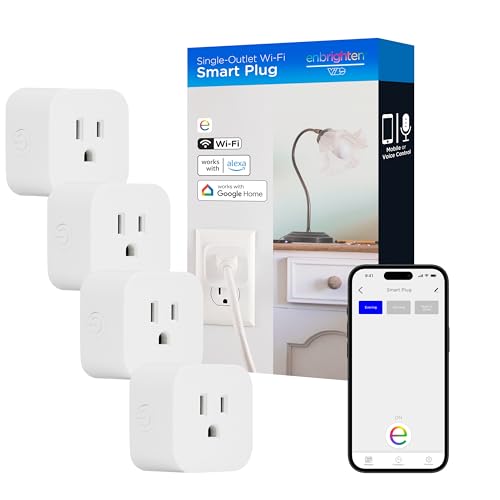
Where the single Amazon plug starts you off, this pack scales you up. You get four grounded outlets, each controllable on its own, plus a grouping function in the app that lets you flip several plugs at once — handy for lining a hallway with lamps or switching a whole set of holiday décor. Each plug is rated at 15 A (amps, a measure of how heavy a load it can carry) and runs over Matter on your 2.4 GHz Wi-Fi network, so it works with an Enbrighten app or any Matter-certified controller.
No hub is needed for voice commands through Amazon Alexa and Google Assistant, and automations go well beyond a simple timer: you can base them on time, presets, weather, or location. The plug also carries an IP20 rating, meaning it is built for dry indoor spots — not the back patio or a damp garage. Set-up is genuinely quick; owners mention being done in about 10 minutes.
The recurring knock is compatibility, not the hardware: it is Matter-friendly but does not name Apple HomeKit on the box, so iPhone-led households should confirm their setup before committing. On function and ease of set-up it holds up well, and buying four at once beats piecing them together one by one. A neat match if you want multiple outlets on one schedule.
Why four beats one: a 15 A rating and Matter support across four grounded outlets means lamps, fans, and seasonal lights all obey one schedule app — without a hub.
The compatibility caveat: the voice platforms are Alexa and Google Assistant, so check Apple Home support before you buy if that is your setup.
Made for: a home that wants several outlets automated at once, especially Alexa or Google households.
Hold off if: you need an Apple-Home-native plug or intend to use one outdoors.
8. Lutron Caseta Diva Smart Dimmer Starter Kit

A smart dimmer that keeps working when the Wi-Fi does not.
Here is the difference that sets this kit apart from a Wi-Fi switch: the Lutron smart hub talks to your dimmer without relying on Wi-Fi, so the lighting keeps responding even when your internet is down. That is why buyers trust it most: the lights keep dimming from the wall and the Pico remote month after month, router or not. The box holds a Diva dimmer, a hub, a Pico remote, and a pedestal, and the dimmer works with your existing bulbs rather than demanding new smart ones.
Installation respects older wiring. No neutral wire (the extra wire some smart switches need) is required, and it can go in in as little as 15 minutes; the Pico remote then gives you a second switch point anywhere — a nightstand, a side table, or a wall mount. On the connection side it is among the most compatible smart switches around, handling Alexa, Apple HomeKit, Google Home, and Ring. Power handling runs to 150W of LED or 600W of incandescent/halogen (watts, the load it can drive), so it runs most home fixtures comfortably.
The honest limits: compatibility and value both draw mixed reactions, so confirm your speakers and app line up first, and the wallplate is sold separately. Dimming, too, gets the occasional note — the spring-loaded paddle feel is praised, but some wish the dim curve were smoother. For anyone who wants physical switches that still work, not app-only control, this is the pick that respects how a light switch actually feels.
The deciding strength: a hub that runs the lighting without Wi-Fi means your switches keep working in a router outage — a real advantage over Wi-Fi-only dimmers.
Budget for: the wallplate sold separately, and platform compatibility that splits opinion, so double-check your ecosystem.
Best matched to: anyone replacing a wall switch who wants a real dimmer with a remote, no neutral wire, and lighting that survives an outage.
Skip if: you want app-only control or need a plate included — the wallplate is a separate purchase.
9. Philips Hue Smart Light Starter Kit

The whole-lighting-kit answer: a bridge and four colour bulbs out of one box.
If you want every light in a room to sing the same tune, a kit makes more sense than buying bulbs one at a time. This bundle pairs a Hue Bridge with four White and Color Ambiance 75W-equivalent A19 bulbs, and the bridge is what you are really paying for. It holds a secure, stable Zigbee connection that does not hog your Wi-Fi, and it is your routing point to Matter — so future smart-home devices can join the lighting system too.
The bulbs themselves are rich and bright, with colour quality that has owners calling them a worthy upgrade over ordinary lighting. Through the app you get preset scenes, plus a 24-hour natural-light scene that imitates the sun across the day — cool and energising in the morning, warm and calm at night. Voice control runs through Alexa and Google Assistant once you set it up in the Hue app, and the whole system is built to be expanded rather than replaced.
Here is the split to plan around. Reliability is the strongest praise of all, but value is the recurring question — this is the priciest route to smart lighting on this list, and connectivity pairs cleanly for some and takes fiddling for others. If you want a single tidy ecosystem you can grow, the included bridge makes this the most complete starting point here. If you just need one bright bulb, the Linkind costs far less to try.
The complete-kit advantage: a dedicated Zigbee bridge plus four bulbs makes this the most expandable lighting base here — stable, Matter-ready, and out of your Wi-Fi’s way.
What to weigh: it is the priciest lighting route on this list, and connectivity tests differ, so a wired-in bridge is the real draw, not just the bulbs.
Choose it when: you want a full colour-lighting system with a bridge that grows with you and stays off your Wi-Fi.
Look at the Linkind instead if: you only need volume brightness in one fixture without a bridge in the picture.
Know the Specs
Hub vs No Hub
A hub is a small box that speaks a low-power radio (Zigbee, Sub-G, Thread) to your devices and relays to your phone. Devices that need one — the Tapo sensor kit, the Aeotec leak sensor, the Lutron and Hue kits — can run longer on a battery and stay off your Wi-Fi. Devices with no hub, like the Amazon plug and the Tapo camera, set up in minutes but lean entirely on your Wi-Fi signal.
Matter Certification
Matter is a shared language that lets devices from different brands talk to Apple, Alexa, and Google without a proprietary app per brand. A Matter-certified bulb or sensor works across platforms, so your purchases do not lock you into one ecosystem. Check the listing’s named platforms anyway — some Matter devices still list which controllers they require.
Amps, Lumens, and ppm
These unit specs decide whether a device does its job. A plug’s amp rating (15 A on the Enbrighten) says how heavy a load it carries, so a space heater stays within its limit. A bulb’s lumens (1600 on the Linkind) says how much light it throws, so a whole room reads bright. A CO2 monitor’s ppm range (400–5000 on the SONOFF) says what it can sense, so it tracks air quality from fresh to stuffy. Buy to the number your job requires.
Battery Life and Wi-Fi Load
Sub-G and Zigbee sensors sleep between events instead of holding a Wi-Fi connection, and Tapo rates its hub’s sensors at up to 10x the battery life of Wi-Fi devices. Every always-on Wi-Fi gadget adds load to your router, so a hub-based system can keep a dozen sensors off the network entirely. Continuous-power devices like the CO2 monitor and camera want a nearby outlet for full function.
Common Questions
Do I need a hub to run smart devices at home?
Will a Matter-certified device work with the speakers I already own?
Can I use a smart bulb with my existing dimmer switch?
How far can a Zigbee leak sensor reach from its hub?
Do I have to pay a monthly fee to use a security camera as a baby monitor?
What does the ppm number mean on a CO2 monitor?
Will a smart plug handle a space heater or a fan?
Can I set a light schedule for when I am away from home?
Does a smart dimmer need a neutral wire?
Are smart bulbs worth it over smart plugs for lighting?
The Bottom Line
For most homes, the smartest first move among these smart devices for the home is the Amazon Smart Plug — it needs no hub, sets up in minutes, and proves whether voice control fits your routine before you spend more. If you want an actual security layer, the Tapo Door Sensor Starter Kit covers three doors and windows with a chime and hub in one box. Want the whole room lit and colourful instead? The Linkind Matter bulbs throw 1600 lumens (a measure of brightness) and join Apple, Alexa, or Google without a second app. And if you have ever sweated a dripping pipe, start with the quiet hero: the Aeotec leak sensor. Pick the job that annoys you most and buy the device built to end it.
How we choose
We do not accept paid placement. Every pick is matched to a real buyer and a real use-case; we do not hands-on test units.
Sources
Specifications: manufacturer listings and product documentation. Review insights: verified customer reviews, as of November 2026. Pricing: not shown on this page (it changes often); check the current price via the retailer link.
As an Amazon Associate, Tactical Gear Guy earns from qualifying purchases. This does not affect which products we feature.