Specs are compiled from manufacturer listings and verified buyer reviews and can change over time — please confirm the key details on the product page before buying.
You want a keyboard thin enough to slide into a bag, but you also want keys that don’t wobble, ghost, or drop the Bluetooth link halfway through a sentence. That is the trade-off every slim board forces. This guide covers nine low-profile Bluetooth keyboards and tells you which one suits a typist, which one suits a tablet, and which one fits a cramped desk. Each pick gets its honest trade-off, so you don’t buy twice.
This guide is built by comparing the manufacturers’ published specifications and the patterns across verified customer reviews, so you get each pick’s real strengths and trade-offs instead of marketing spin.
Thin bodies mean less room for key travel, so feel and layout matter more here than on a full-height board. What separates a keyboard you keep from one you quietly stop using is quiet keys paired with a layout that still fits your hands.
Top Picks


How To Choose The Best Slim Bluetooth Keyboard
Start with your hands, not the spec sheet. A board that is too narrow forces your wrists together and makes you miss keys. A board that is too wide won’t sit under a tablet stand or beside a mouse on a small desk. Measure the space you actually type in before you fall for a profile photo.
Key travel and switch type decide the feel
Key travel is how far a keycap sinks when you press it. The Lenovo board lists 1.3 mm, which is a shallow, laptop-style press. Low-profile scissor switches (two plastic scissor arms that keep a short keycap level) give you that crisp click-free feel on most boards here. Membrane boards feel softer and quieter but a touch vaguer under the finger.
How many devices do you need to hop between
Three-channel pairing means the keyboard remembers three gadgets and swaps with a keypress. That is worth having if you type on a laptop and an iPad in the same hour. If you only ever use one computer, you are paying for switching you won’t touch — and the simplest boards are often the most reliable.
Batteries or a charging cable
Two AAA cells give you a long stretch between swaps but you have to keep spares. USB-C recharge means a cable on your desk and a top-up every few weeks. Neither is better in the abstract; it depends on whether you travel with the keyboard or leave it parked.
Side-by-Side Comparison
| Model | Best For | Layout / Keys | Battery | Weight | Amazon |
|---|---|---|---|---|---|
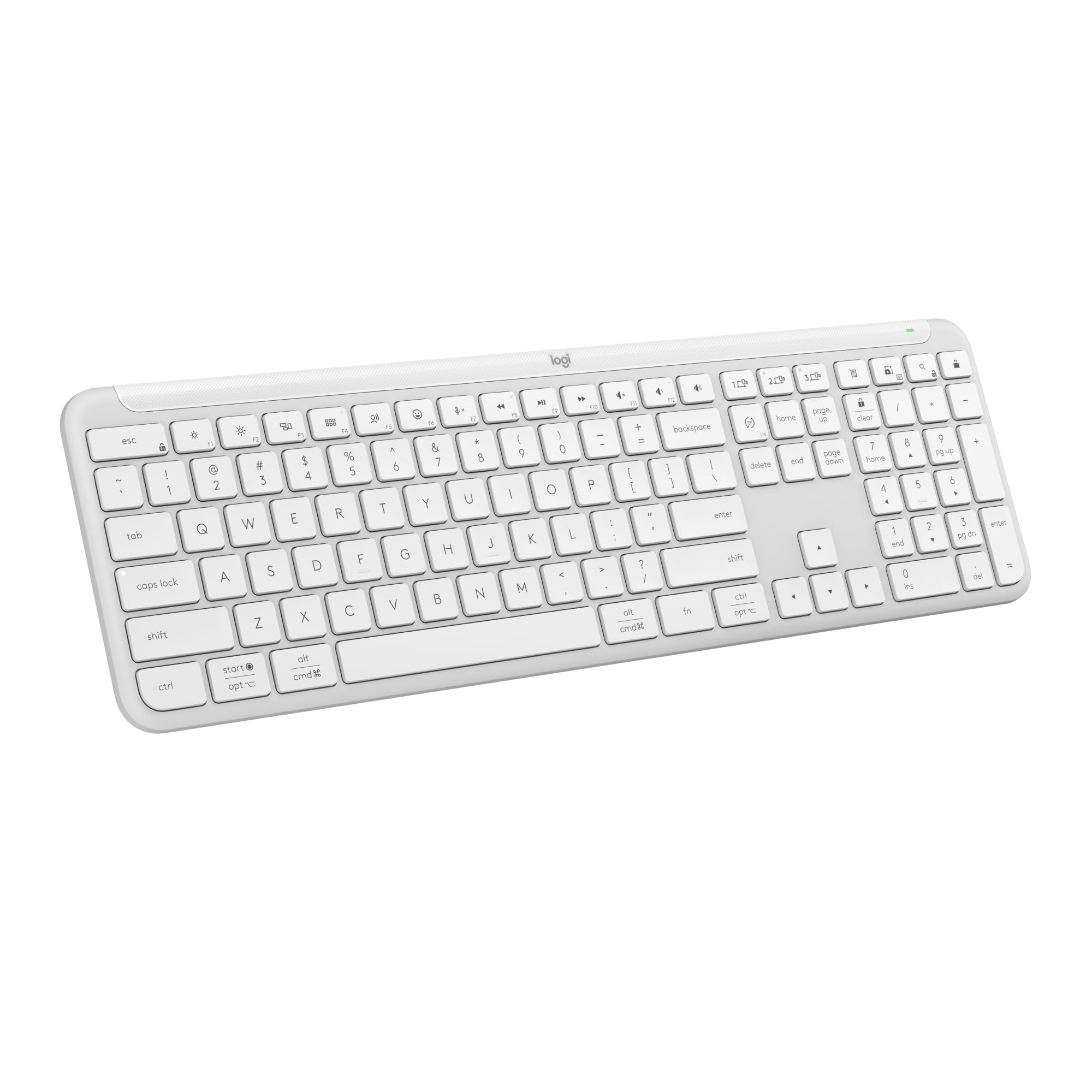
| Logitech Signature Slim K950★ Best Overall | All-day office typing | Full size, number pad / QWERTY | 2 x AAA (included) | 685 g | Amazon |
| OMOTON Ultra-Slim Bluetooth KeyboardBest For iPad | iPad and iPhone travel kit | 78-key QWERTY, 11.2″L x 4.7″W | 2 x AAA (not included), up to 400 hours | — | Amazon |
| Logitech Pebble Keys 2 K380sMost Portable | Travel and desk-hopping | 104 keys, compact | 3-year battery (included) | — | Amazon |
| Microsoft Designer Compact Keyboard | Tight desks, tenkeyless | 78 keys, 11.18″L x 4.36″W x 0.38″H | Button cells | — | Amazon |
| Keychron B1 Pro | Programmable cross-platform work | Low-profile QWERTY, 0.2″ front / 0.57″ rear | Up to 1200 hours | — | Amazon |
| seenda SK64-3 | Spreadsheets and data entry | Full size with number pad, 16.9″L x 4.5″W x 0.62″H | USB-C, up to 60 days | 1 lb | Amazon |
| iClever BK10 Max | Mac-first full-size setups | Full size with numeric pad, 0.16″ profile | USB-C, up to 6 months | 1.2 lb | Amazon |
| Lenovo Multi-Device Wireless Keyboard | Bag-ready portability | 75 keys, 5.6 mm profile | 300 mAh, up to 62 hours | 177 g | Amazon |
| Satechi Slim EX3 | Mac and Windows switchers | Full size with numpad, 108 keys | 450 mAh, up to 5 weeks | 552 g | Amazon |
Detailed Reviews
1. Logitech Signature Slim K950 Wireless Keyboard
Our pick — 4.5+★ from 500+ verified ratings; the strongest balance of quality and price.
The full-size quiet typer that turns three gadgets into one desk.
This is the keyboard for the person who types all day and shares an office or a kitchen table. Its 685 g body sits still while you work, and the full-size layout gives you a number pad for invoices, budgets, and anything with columns. The quiet deck is the headline: the keys are described by owners as soft and quiet with solid feedback, so a call next to you doesn’t hear every word land.
Pairing is the other practical win. You can hold three devices at once and tap between them, which means your work laptop, home laptop, and tablet all answer to the same deck. Owners describe the feel as close to typing on a MacBook Pro, and the Logi Options+ app (Windows and macOS) lets you remap the shortcut keys and stack macros on the ones you never use. It runs on 2 x AAA batteries that ship pre-installed, and it connects over Bluetooth or the bundled Logi Bolt receiver.
What people come back to is the typing itself — the key quality is the thing owners talk about most, and the multi-device connection runs a close second. The catches are worth naming. Responsiveness draws more mixed notes than any other aspect, so a fast touch typist may notice the odd soft press. And the full-size slab is wide, which is fine at a desk but not the board you toss in a tote for a coffee shop. Against the OMOTON’s 400 hours on AAA cells, the Logitech’s 1200 hours is three times the stretch before you think about batteries.
quiet typing at desk
- Quiet, laptop-style keys that don’t broadcast your typing across the room
- Tap-to-switch between three paired devices, no re-pairing dance
- Full number pad plus one-tap shortcut row for volume, mute, and search
- Batteries included, and pairing works over Bluetooth or the Logi Bolt receiver
no backlight
- 685 g and a full-size footprint — this stays on a desk, not in a bag
- Some owners find the key response softer than a crisp mechanical board
desk workhorse: the desk-bound typist juggling a laptop, a second computer, and a tablet who wants quiet keys above all.
lighting needed: if you carry your keyboard daily — the 685 g frame and full width make it a stay-at-home board.
2. OMOTON Ultra-Slim Bluetooth Keyboard
A 0.2-inch slab built to live in the same sleeve as your iPad.
At 11.2 inches long and 4.7 inches wide, this board is sized for a tablet bag rather than a workstation. The 0.2-inch body slides under a tablet stand without tilting it, and the 78-key QWERTY deck keeps a familiar layout at a fraction of laptop width. Twelve multimedia hotkeys cover volume, brightness, and music, which is the difference between fumbling for the on-screen controls and just tapping a key.
Compatibility is the reason it exists: the listing names iPad 10th generation, iPad mini 5 and 6, the iPad Pro line, and iPhone models from recent generations, and it needs iPadOS 14 or later. It’s fair to expect a keyboard with 78 keys instead of 104 to come up short — and it does, on function keys outside the Apple ecosystem. Budget for 2 x AAA batteries because none come in the box, and the maker’s own maths puts a fresh set at about 100 days if you type four hours a day.
The thing buyers notice most is that it feels like a proper keyboard rather than a toy — it’s the sound and feel of the keys that carries the day, and pairing takes well under a minute. Typists hitting serious speeds report that their words-per-minute hasn’t dropped. Two honest notes: it isn’t rechargeable, so you’re managing AAA cells, and a small share of units have had keys come loose over time. Compared with the Microsoft Designer Compact at 4.36 inches wide, this one runs 4.7 inches — a little more room between your hands.
thin iPad pairing: it’s aimed squarely at iPadOS and iOS, and the listing admits the function keys aren’t fully compatible on other systems. If your primary machine is a Windows laptop, a different board on this list will serve you better.
flimsy key travel: battery cells instead of a charging port. You get up to 400 hours per set and a 10-minute auto-sleep to stretch it, but you’ll want spare AAAs in a drawer.
tablet travelers: your iPad is your main computer and you want a thin deck that pairs fast and types like a laptop.
heavy typists: you need Windows or Android function keys to behave — the iOS focus shows here.
3. Logitech Pebble Keys 2 K380s Wireless Keyboard
Scooped round keys that stay silent and fit in the front pocket of a backpack.
Here’s the board for the person who moves between a kitchen table, a train seat, and a shared desk. It’s compact and light enough to travel without a second thought, and the round scooped keys give you a laptop-like press rather than a stiff clack. The quiet operation is what wins people over — no click to announce every message you send — and the soft touch stays comfortable even if your hands run large.
Logitech rates the battery at three years, and cells come included, so the power question drops off your radar. The Easy-Switch buttons hold three devices across Windows, macOS, iPadOS, and ChromeOS, and the 10 Fn shortcut keys can be remapped in the Logi Options+ app for search, screen capture, and the emoji menu. At 104 keys it’s more complete than the Microsoft Designer Compact’s 78, so you get a fuller deck in a smaller footprint.
Owners treat this as a long-term companion — plenty have replaced one with an identical third or fourth unit rather than switch brands. Two things to plan for. It connects over Bluetooth, so if you want the low-lag dongle route you’ll be buying a Logi Bolt receiver separately. And with 2,000+ ratings behind it, connection stability draws some mixed notes, which is the one thing to keep an eye on during your return window.
casual note taking: your keyboard lives in a bag and you want years of cell life plus silent keys in a compact deck.
fast touch typing: you need a bundled receiver — Bluetooth only here, and the dongle is a separate buy.
4. Microsoft Designer Compact Keyboard
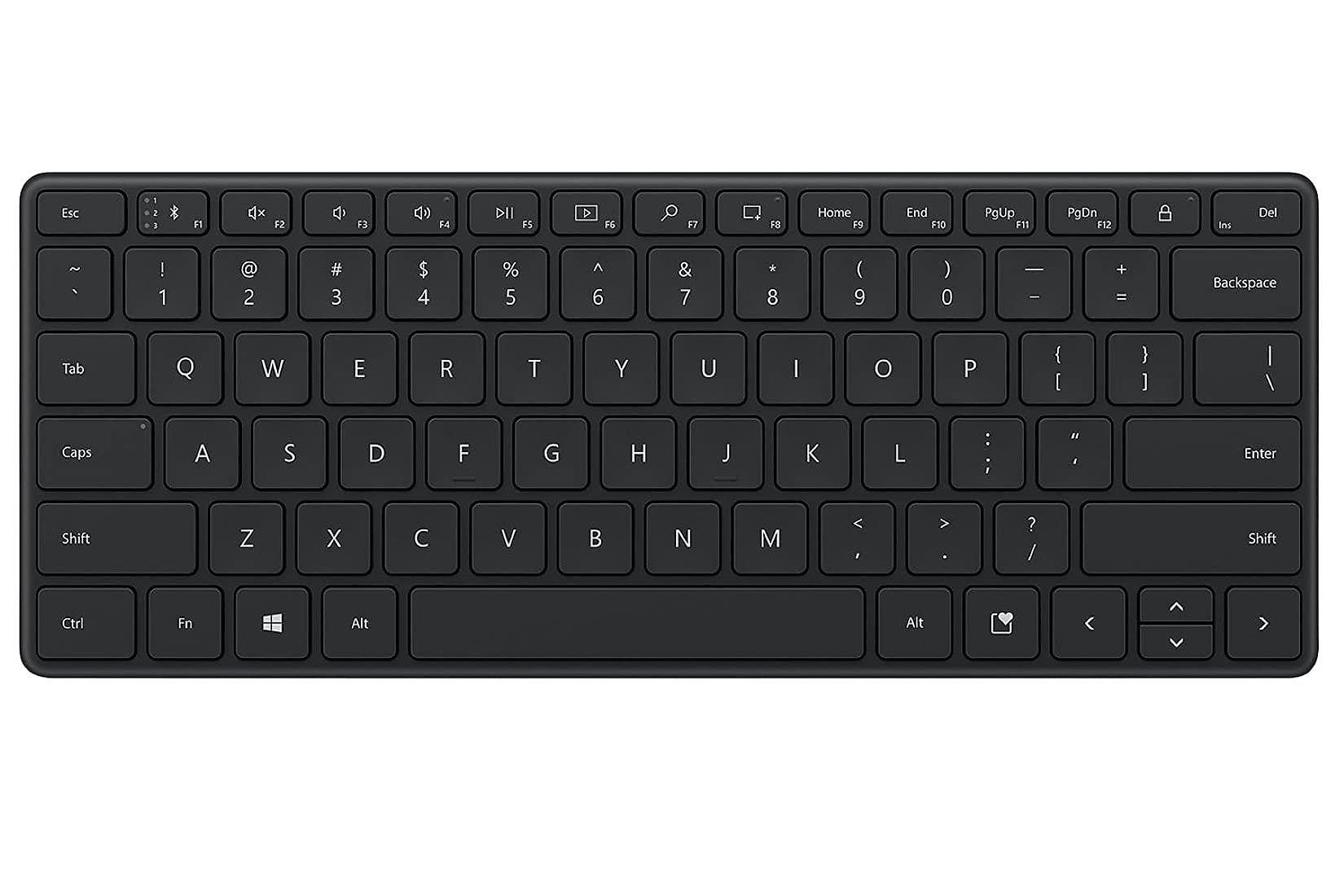
A tenkeyless board that frees up room for a mouse right where you need it.
This is the one for a small desk or a laptop stand setup where every inch counts. Drop the number pad and you get 11.18 inches of length by 4.36 inches of width, at just 0.38 inches tall — short enough to tuck under a monitor without crowding your wrist rest. The design brief was close, comfortable mouse position, and the compact footprint delivers it.
The 78 keys share tune key spacing and travel, so fast typists still get a quick, fluid stroke. Buyers report pulling off serious speed on it, and the slightly tactile punch of the keys keeps accuracy up on longer sessions. It pairs with three devices and switches between them, and the expressive input key gets you to emojis and symbols in one press. Unlike the Logitech K950, this one has no side number pad at all — a fair fit for writing, a poor fit for a bookkeeper.
Two limits shape who should buy. First, there’s no backlight, and the board runs on button cells rather than a charging cable, so keep spares where you can reach them — they aren’t stocked everywhere. Second, connection reliability and responsiveness each draw mixed feedback; most owners mention smooth operation, and the quality of the deck is the most-praised part of the package. On a work desk where you need a full number row and a wide stance, this isn’t the pick.
compact desk footprint
- 11.18″ x 4.36″ x 0.38″H — frees desk space for a closer mouse
- tune key spacing and travel for fast, fluid typing
- Three-device pairing with quick switching
cramped arrow cluster
- No backlight, which matters for dim-room work
- Runs on button cells, not a rechargeable battery
- No numeric keypad — data entry will feel cramped
small desks: you write more than you crunch numbers and want a compact board that leaves room for a mouse.
spreadsheet users: your work runs on spreadsheets — the missing number pad is the reason owners return it.
5. Keychron B1 Pro Ultra-Slim Wireless Keyboard

The thin board that goes months between charges — and lets you rewire every key.
Up to 1200 hours of battery life is the headline spec on this board. The maker’s own maths puts that at roughly eight months of five-hour days, which means the charging cable lives in a drawer, not on your desk. It’s also 0.2 inches tall at the front and 0.57 inches at the rear, so the typing angle stays flat and laptop-like without a wrist riser.
You can remap any key and build macros without installing software, using the Keychron Launcher web app. You can also use ZMK firmware (open-source keyboard software) in current Chrome, Edge, and Opera browsers, on macOS, Windows, or Linux. Three connection routes cover nearly every setup: Bluetooth 5.2 for pairing, a 2.4 GHz dongle that polls at 1000 Hz (a measure of how often the board reports a keypress) for lag-sensitive work, and USB-C wired when you want zero radio in the room.
The scissor-switch deck runs quiet enough for a shared office or a late-night desk. Owners describe the keys as firmer and springier than an Apple board, which suits people who want feedback rather than a soft mush. The honest catch: reliability draws mixed notes, and Mac users are the ones hitting trouble — Bluetooth conflicts with a mouse and system glitches are the recurring shape of that complaint. If you’re on a Mac and mostly wired, it’s not the issue it is on wireless. Against the OMOTON’s 400 hours, the Keychron’s 1200 hours is the longer run by a wide margin.
custom firmware freedom: up to 1200 hours on a charge is class-leading on this list. At roughly eight months of five-hour days, most owners will forget the cable exists.
steep setup curve: if you’re a Mac user who needs a rock-solid Bluetooth link, the reliability story here is the weakest part of an otherwise strong package.
tinkerers: the tinkerer who wants a web-based key remapper and a board that runs most of a year between charges.
plug and play: Mac owners who want zero Bluetooth fuss — the connection quirks show up most on Apple hardware.
6. seenda SK64-3 Rechargeable Bluetooth Keyboard
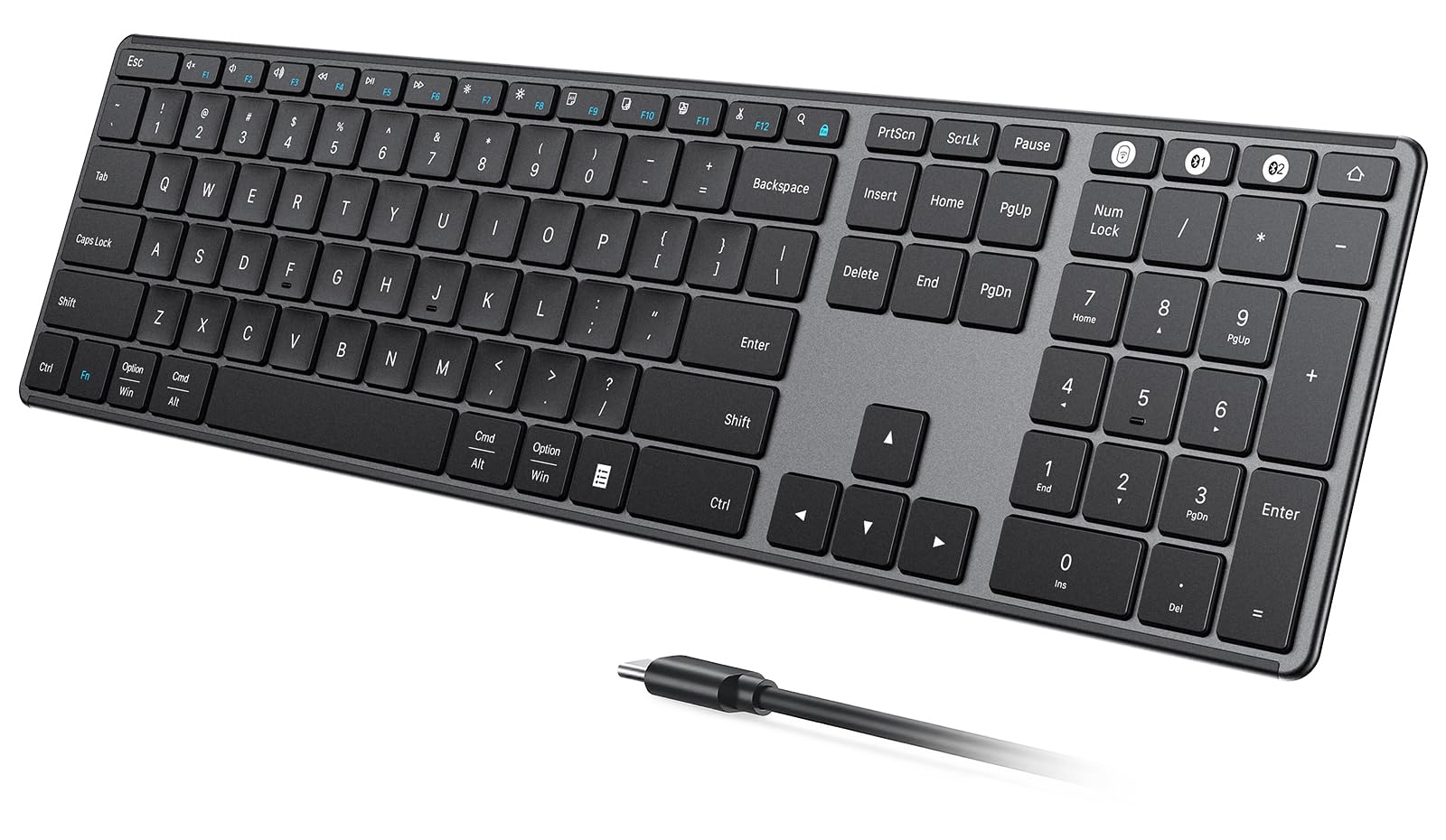
A full-size desk keyboard with a number pad you can charge by USB-C.
The seenda SK64-3 is built for people who live in columns: invoices, budgets, reports, data entry. A three-zone full-size layout gives you a numeric keypad, a dedicated arrow cluster, and a shortcut row, so you can work without a cramped feel. The metallic-look panel and flat body tidy up an office desk without crowding it.
It pairs over 2.4G USB plus two Bluetooth channels, handling Windows, macOS, iPadOS, iOS, and Android devices from one deck — desktop, laptop, and tablet all at once. The low-profile scissor keys keep typing quiet for open offices, libraries, and late work. The USB-C top-up takes about 2–3 hours for up to 60 days of use, with auto-sleep and a power switch to stretch it further.
What to plan for: at 16.9 inches long it needs real desk width, and at 1 lb it’s a stay-home board. It’s on the newer side, so there isn’t a deep review record to lean on yet — a fair fit for someone who wants a full-size rechargeable deck and is comfortable being early. The three-channel switching is the practical hook: it’s one board for your PC, your MacBook, and your iPad, with no receiver hunt between them.
multi gadget owners: the number-cruncher who wants a full numeric keypad, a rechargeable battery, and one deck across PC, tablet, and phone.
mechanical fans: your desk is narrow — 16.9 inches of length needs room, and the 1 lb frame isn’t meant to travel.
7. iClever BK10 Max Bluetooth Keyboard
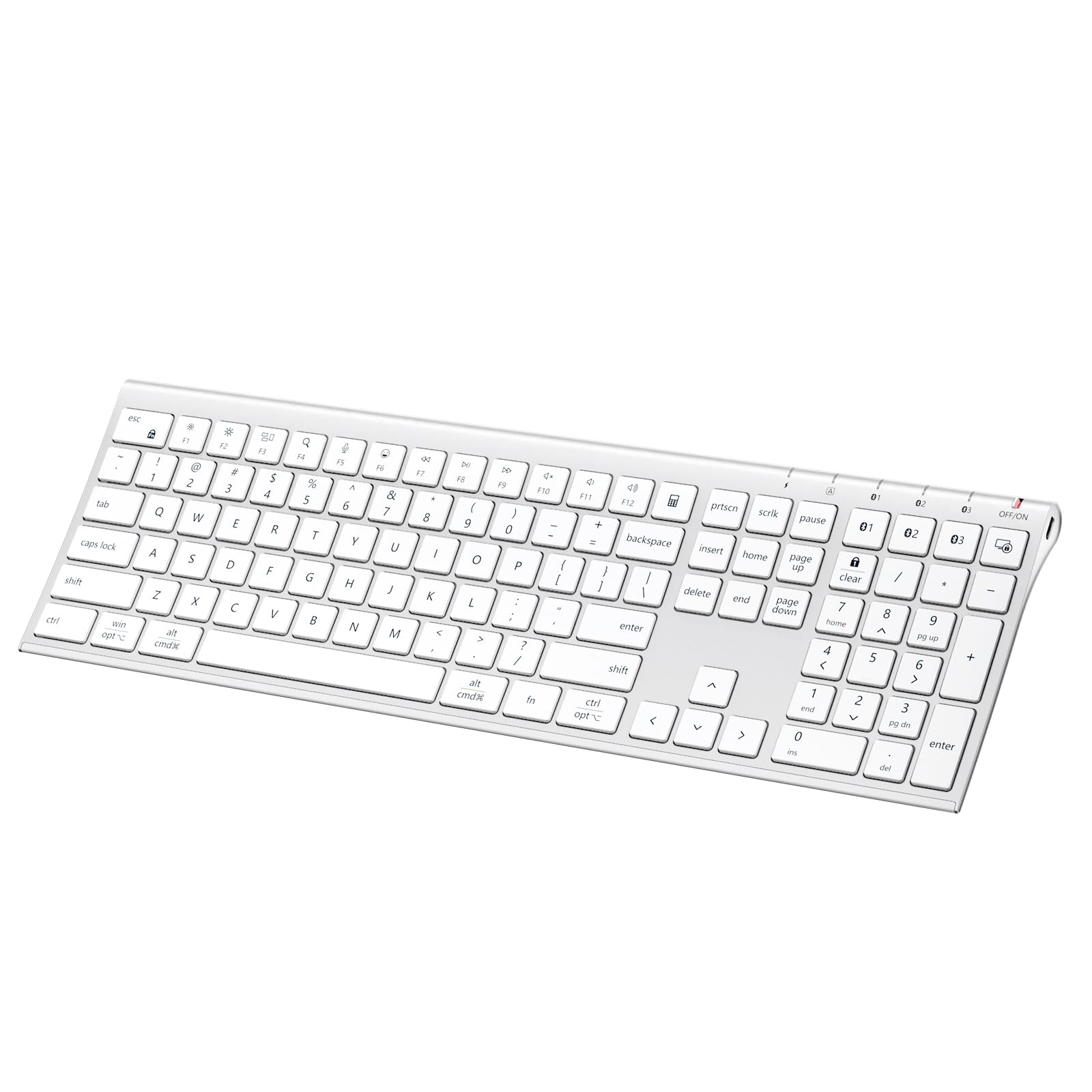
A silver full-size deck that switches its function keys between Mac and Windows.
This is for the person with an iMac or MacBook who still needs a number pad. A metal bottom case and an ultra-slim 0.16-inch profile give it a solid, low stance that suits a Mac desk, while the full-size layout adds the numeric keypad. A physical dual-layout toggle gives macOS and Windows their own function keys, so a Mac user gets the shortcut row they expect and a Windows user gets theirs.
Charging runs through USB-C, and the maker rates the battery at up to six months on a charge based on two hours of daily use. An auto-sleep kicks in after two hours idle to protect it, and low-profile scissor switches keep the press quiet with defined feedback for long sessions. It pairs with three devices and switches with a single tap, which is the practical part if your phone and iPad sit on the same desk as your MacBook.
The honest read: this is a young listing, so long-term reliability is the open question rather than a known pattern. The quality praise that does come in is warm, with one owner comparing its reliability to a Logitech board. The built-in dust cover is a small extra that suits a shared desk. On price, it sits above the Logitech Pebble Keys 2 while offering a full number pad — the fair trade is that the Pebble has a longer record behind it.
Mac desktop setups: your desk leans Mac and you want a slim full-size board with a numeric pad and USB-C charging.
travel light: you want a proven track record — this one is early in its life, so treat it as a bet on a newer listing.
8. Lenovo Multi-Device Wireless Keyboard

At 177 g, the board you forget is in the bag until you need it.
Weight is the story here: 177 g, or 0.39 lb, with a 5.6 mm profile before you clip the rubber stand. That’s light enough to travel without noticing and slim enough to slide into a laptop sleeve. The compact 10.07 x 4.17 inch body with 75 keys keeps enough room for real touch typing — customers note it’s just big enough to type on properly without hunting for keys.
You get two ways to connect: Bluetooth for pairing with up to three devices, or a USB-C cable when you’d rather go wired. The 300 mAh lithium-ion polymer battery is rated for up to 62 hours of use, and the maker notes the figure shifts with settings and usage. A 1.3 mm key travel and 18 mm key pitch keep the press comfortable and the fingers spread right, and 12 function keys put media and system controls within a tap.
The typing quality and size are the two things owners praise most, and portability threads through both. It’s the pick for someone who packs a keyboard for tablet work, train journeys, or co-working desks. The one to weigh: at 75 keys it’s a small board, and it’s best suited to lighter input than eight-hour spreadsheet days. If you want a full number row and a wide stance, one of the full-size picks above is the better match.
easy device hopping: 177 g and a 5.6 mm profile put it in the same weight class as a phone in a case, and the rubber stand adds angle without adding bulk.
short key travel: 75 keys means fewer function keys and no number pad. It’s a companion board, not your main workstation.
commuters: you want a keyboard that disappears into a bag and charges over USB-C on a 62-hour clip.
long typing days: you need a number pad or full-size key spacing for daily heavy typing.
9. Satechi Slim EX3 Wireless Keyboard
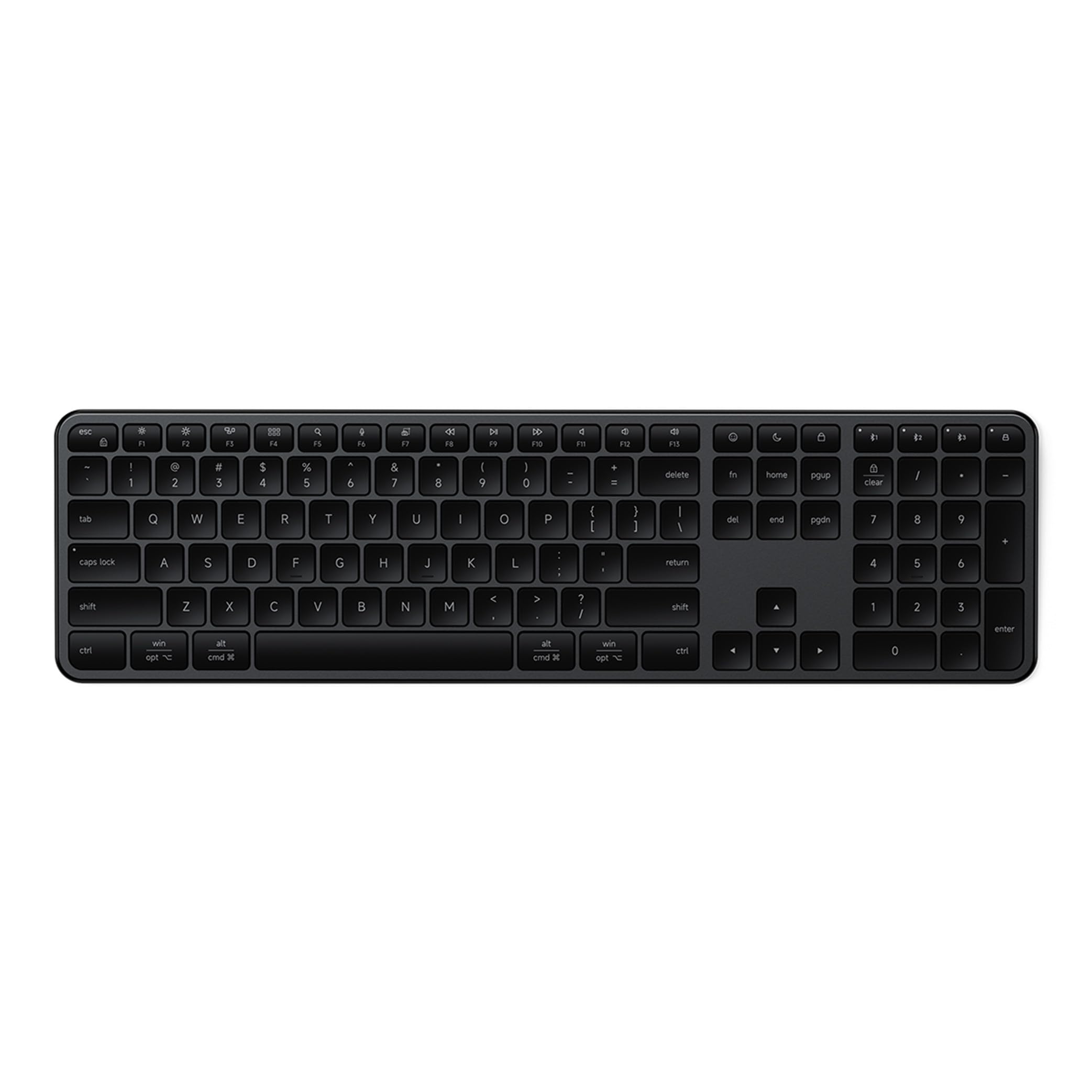
Four ways to connect, one toggle to fix your shortcuts, zero backlight to drain power.
For anyone who lives across a Mac and a Windows machine, this is the board built around the problem. It offers three Bluetooth 5.3 channels plus one 2.4 GHz dongle connection, so four devices sit on the switch. A physical OS toggle flips the keys between Mac and Windows layouts, which means shortcuts actually feel native on whichever machine you’re at, without relearning the function row each time.
The full-size deck runs 108 keys with a number pad, a galvanized steel and plastic build, and low-profile scissor keys. It weighs 552 g and runs on a 450 mAh removable lithium-ion battery rated at up to five weeks per charge over USB-C. There’s no backlight by design — Satechi’s own reasoning is power efficiency and keeping the price down. The maker backs it with a two-year limited warranty against defects in materials and workmanship under normal use.
Sound is what people respond to first: the low-profile deck types quietly, which is the thing that gets mentioned most warmly. The real caution is the wireless link — disconnections are the recurring complaint, and it’s the one weak spot in an otherwise strong package. If you want a wired setup or the dongle route, you sidestep it. One more honest note: no backlight means dim-room work gets harder, and that’s a design choice, not a fault.
Apple style fans: the Mac-and-Windows switcher who wants four connections, a number pad, and OS-native shortcut keys.
budget buyers: the wireless handshake is the reported weak point — if you’ll be wireless all day, keep a 2.4 GHz dongle or cable in reserve.
Know the Specs
Key travel and switch type
Key travel is how far a keycap sinks when you press it. The Lenovo board lists 1.3 mm, a shallow laptop-style press, and that’s a fair yardstick for the low-profile class. Scissor switches keep the short keycap level and give a crisp, quiet stroke; membrane decks feel softer and more muted. If your fingers are used to a full-height board, expect a week of adjustment before the shorter press feels natural.
Battery type and runtime
On this list you’ll meet three battery setups. AAA cells ship in the Logitech K950 and Pebble Keys 2, and the OMOTON takes 2 x AAA that you supply. USB-C recharge covers the seenda, iClever, Lenovo, and Satechi boards, while the Microsoft Designer runs on button cells. Runtime figures range from the Lenovo’s 62 hours to the Keychron’s 1200. Longer is easier — but rechargeable cells mean keeping a cable nearby.
Connection routes: Bluetooth vs 2.4 GHz
Bluetooth pairs without a dongle and holds up to three remembered devices on most boards here. A 2.4 GHz dongle adds its own dedicated link, which the Keychron rates at a 1000 Hz polling rate and the Satechi offers as a fourth channel. If you’ve had Bluetooth dropouts with a crowded desk of wireless gear, the dongle is the calmer path. If you swap between tablet and phone, Bluetooth is simpler.
Device switching and OS layouts
Multi-device pairing remembers several gadgets and swaps with a keypress. Some boards go further: the iClever and Satechi have physical Mac/Windows layout toggles, so shortcuts land where you expect on whichever system is in front of you. A keyboard without that toggle still works, but the function row may not match the labels. Check which system you type on most before you commit to a board built for the other one.
Common Questions
Will a slim Bluetooth keyboard work with my iPad and my Windows laptop at the same time?
Do I need a USB receiver or is Bluetooth enough?
How long does a slim keyboard battery actually last?
Is a rechargeable keyboard better than one that uses AAA batteries?
Why is key travel distance so important on a thin keyboard?
Can I use a Mac-layout keyboard on a Windows PC?
Will a compact keyboard slow my typing speed?
What is a 1000 Hz polling rate and does it matter for typing?
Can I use a slim keyboard with a phone?
Do any of these slim keyboards have backlighting?
The Bottom Line
The winner is the Logitech Signature Slim K950 because it nails the two things that most decide whether a slim keyboard survives daily use: quiet, laptop-style keys and one-tap switching between three devices. If your iPad is the computer you actually use, the OMOTON Ultra-Slim fits a tablet bag at 0.2 inches thin and pairs in seconds. And for anyone who wants to go months between charges and rewire every key, the Keychron B1 Pro with its 1200-hour rating is the one to reach for. Start with the Logitech: a 4.5+ star rating across 500+ owners and a quiet key deck that keeps an open office peaceful.
How we choose
We do not accept paid placement. Every pick is matched to a real buyer and a real use-case; we do not hands-on test units.
Sources
Specifications: manufacturer listings and product documentation. Review insights: verified customer reviews, as of November 2026. Pricing: not shown on this page (it changes often); check the current price via the retailer link.
As an Amazon Associate, Tactical Gear Guy earns from qualifying purchases. This does not affect which products we feature.