Specs are compiled from manufacturer listings and verified buyer reviews and can change over time — please confirm the key details on the product page before buying.
You want an alarm that talks to the assistant you already use every day — something you can arm from the couch by saying a few words, not by fumbling for a keypad. That narrows the field fast, because plenty of kits look smart but only a handful genuinely link to Google Home or Google Assistant. Below you get seven that really do, sorted by what each one is best at, with the honest catch spelled out for each.
This guide is built by comparing the manufacturers’ published specifications and the patterns across verified customer reviews, so you get each pick’s real strengths and trade-offs instead of marketing spin.
You will see which kits arm by voice alone, which need a hub, and which fall back to a cellular network when your Wi-Fi drops. I have grouped the picks by real-world strength so you can skip straight to your situation with the right security system with google home.
Top Picks

How To Choose The Best Security System with Google Home
The first thing to settle is what “Google Home compatible” actually buys you on a given kit. On some systems it means you can say “Hey Google, arm the alarm” and the base station listens — that is the core value most buyers want. On others the assistant link is narrower, so it pays to read how the maker describes the voice control before you commit.
Voice control versus full smart-home routines
Voice arming is the everyday win: you walk out the door, say the phrase, and the system arms without touching a panel. Deeper routines — having your lights flash when a sensor trips, for example — depend on the broader ecosystem a hub supports. A kit built on a Z-Wave and Zigbee hub (two common wireless languages smart locks and lights speak) can fold those devices into one app; a simpler Wi-Fi kit cannot.
How the alarm reaches you when the internet dies
A Wi-Fi-only alarm is only as reliable as your router. Kits that add a 4G cellular backup keep reporting after the broadband drops, which matters in a power cut or a storm. Check whether the cellular path needs a separate SIM card you supply, because that changes the running cost and the setup steps.
Siren loudness in plain terms
Loudness is quoted in decibels, and the jump from roughly 93 dB to 120 dB separates a siren you notice from one that is painful to stand near. A louder siren is not automatically better for every home, but for a large house or a detached garage it is the spec that decides whether the alarm carries.
Side-by-Side Comparison
| Model | Best For | Siren Loudness | Backup Battery | Connection | Amazon |
|---|---|---|---|---|---|
| SimpliSafe 11 Piece Gen 3★ Best Overall | Whole-home coverage with a camera | 95 dB | 24 hours | Wireless | Amazon |
| Abode 4 Piece Smart Security SystemSmartest Hub | Mixing in smart locks and lights | 93 dB | — | Wireless, Ethernet hub | Amazon |
| YBJ 16-Piece Alarm System | Dual Wi-Fi and 4G backup | 120 dB | 8 hours | 2.4GHz Wi-Fi + 4G | Amazon |
| PGST 24-Piece Wi-Fi + 4G System | Fast setup with an SOS button | 120 dB | — | 2.4GHz Wi-Fi + 4G | Amazon |
| XUK 24-Piece Touchscreen System | Big homes wanting a touch panel | 120 dB | — | 2G/4G + Wi-Fi | Amazon |
| LWOHSI Wireless Alarm System | Expandable multi-channel alerting | 120 dB | — | Wi-Fi + GSM | Amazon |
| SKYLINK SK-250 Deluxe | IFTTT tinkerers with a camera | — | — | Wireless, Internet hub | Amazon |
Detailed Reviews
1. SimpliSafe 11 Piece Wireless Home Security System Gen 3
Our pick — 4.0+★ from 400+ verified ratings; the strongest balance of quality and price.
Eleven pieces of plug-and-go coverage, armed by your voice and backed by a full day of battery.
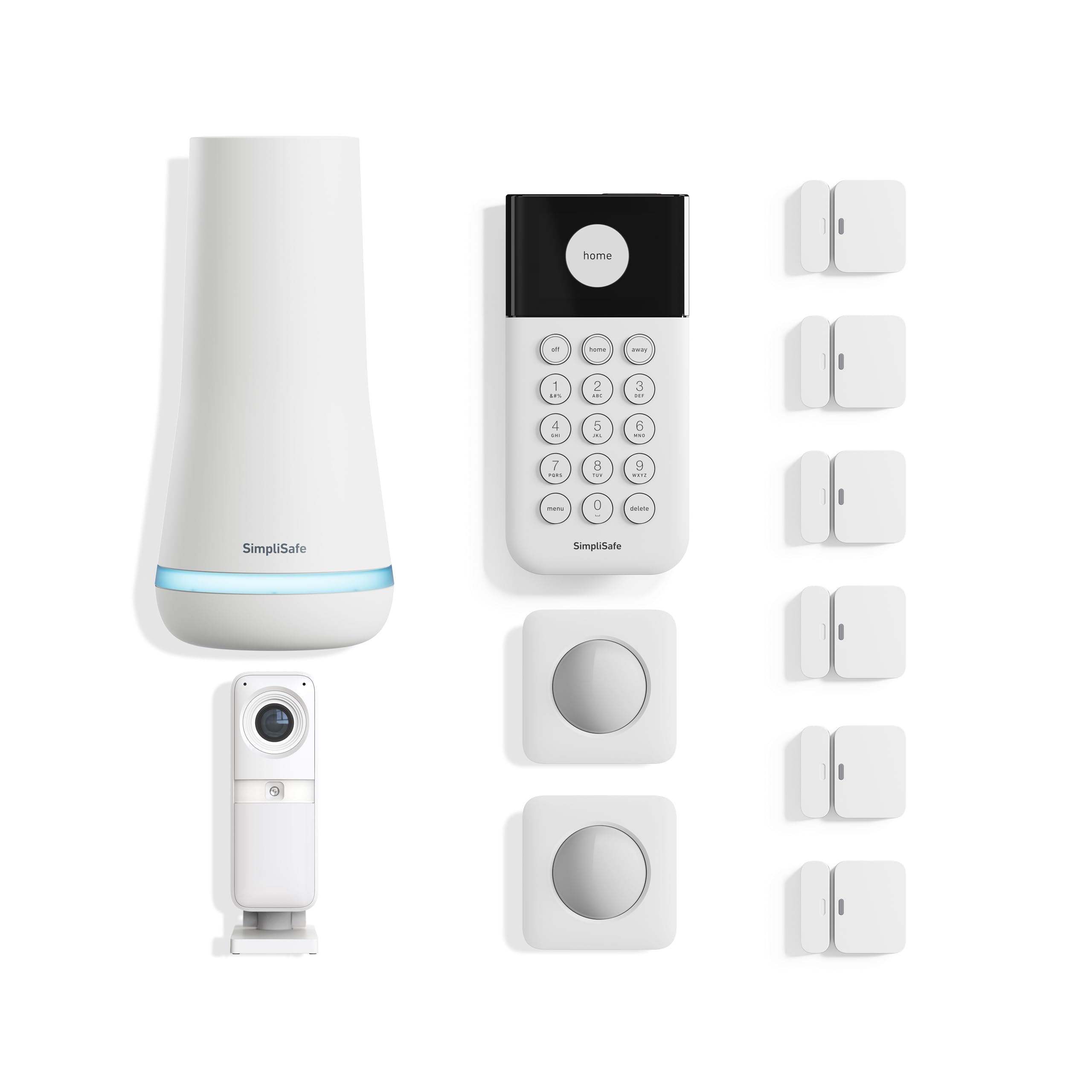
What you get in the box is a complete starter home: one base station, one indoor wireless camera, one keypad, two motion sensors and six entry sensors. Nothing needs wiring or drilling — the sensors are self-adhesive, so you peel and place them on doors and windows. Then you say the word to Google Assistant and the system arms while you are still pulling on your coat.
The motion sensors cover a 35-foot range with a 90-degree field of view, and they are specified to coexist with pets under 60 lbs, so a mid-size dog roaming the hall will not trip them. The backup battery holds 24 hours — three times the YBJ 16-piece kit’s 8 hours, enough to ride out an overnight outage. Compared directly against the Abode 4-piece set, this kit’s 95 dB siren sits above Abode’s 93 dB, and you are covering a whole home rather than one doorway.
The catch worth knowing: the strong customer satisfaction here centers on how reliably it just works and how quick the setup is, while connection stability and the self-monitoring experience draw more divided verdicts. If your Wi-Fi is patchy at the far end of the house, plan the base station placement around that. The optional professional monitoring is genuinely optional — you can run it yourself with no contract — but some owners do find the paid tiers worth adding later, so go in clear about which mode you want.
What sells it
- Six entry sensors plus two motion sensors cover a whole home, not one door
- 24-hour backup battery keeps the base alive through a long outage
- No drilling — self-adhesive sensors go up in minutes
- Google Assistant arming means no keypad dash on the way out
Where it strains
- Wi-Fi connection reports are the most divided part of the feedback — placement matters
- The 24/7 live guard camera feature is tied to SimpliSafe’s own monitoring, not the free tier
- Pets over 60 lbs are outside the motion sensor’s stated tolerance
Reach for this if: you want one box that secures the doors, the hallway and a room camera, with voice arming on top.
Think twice if: your router lives in a dead zone — you will want to sort that before mounting the hub.
2. Abode 4 Piece Wireless Smart Security System
The one kit that doubles as a smart-home brain, so a lock or light joins the same app as your alarm.
Most alarms in this list are closed systems. This one carries a hub that speaks Z-Wave and Zigbee — two wireless standards smart locks, lights and sensors use — so those devices fold into the same setup as your security. The kit itself is modest: a central hub with a built-in 93 dB siren, a motion sensor, a key fob and a mini door/window sensor. That is a front-door starter, not whole-house coverage, and the maker intends you to add sensors as you go.
It is also the only system in this round that has been tested and certified for Works with Apple HomeKit, and it works with Google Assistant and Alexa alongside Siri. The hub connects over ethernet, which sidesteps the Wi-Fi flakiness that dogs wireless hubs. What owners love most about it is the build quality — it lives up to the polished reviews — with setup ease running a close second. Professional monitoring is available if you want it, dispatching police, fire or medical help, but it stays optional.
The honest fit note: reliability draws a split verdict, and the motion sensors in particular are the piece with the most inconsistent reports. Nothing here says the system is a dud — it says a small number of owners hit sensor or function snags, so test each sensor the day it arrives. The ethernet-only hub also means you need a spare port near your router.
The ecosystem argument: if your house already runs on smart locks and Zigbee bulbs, this hub lets one app manage security and those devices together — something the Wi-Fi-only kits below cannot do.
The trade you accept: four pieces is a starting point, not a full perimeter, and the motion sensor is the component to verify first.
Built for the tinkerer: you want an alarm that grows into a smart-home controller and already owns other smart gear.
The one snag: an ethernet cable is required at the hub, so plan a spot near your router.
3. YBJ Alarm System for Home Security, 16-Piece Kit
Sixteen pieces and a 120 dB siren, plus a cellular lifeline for when the broadband goes dark.
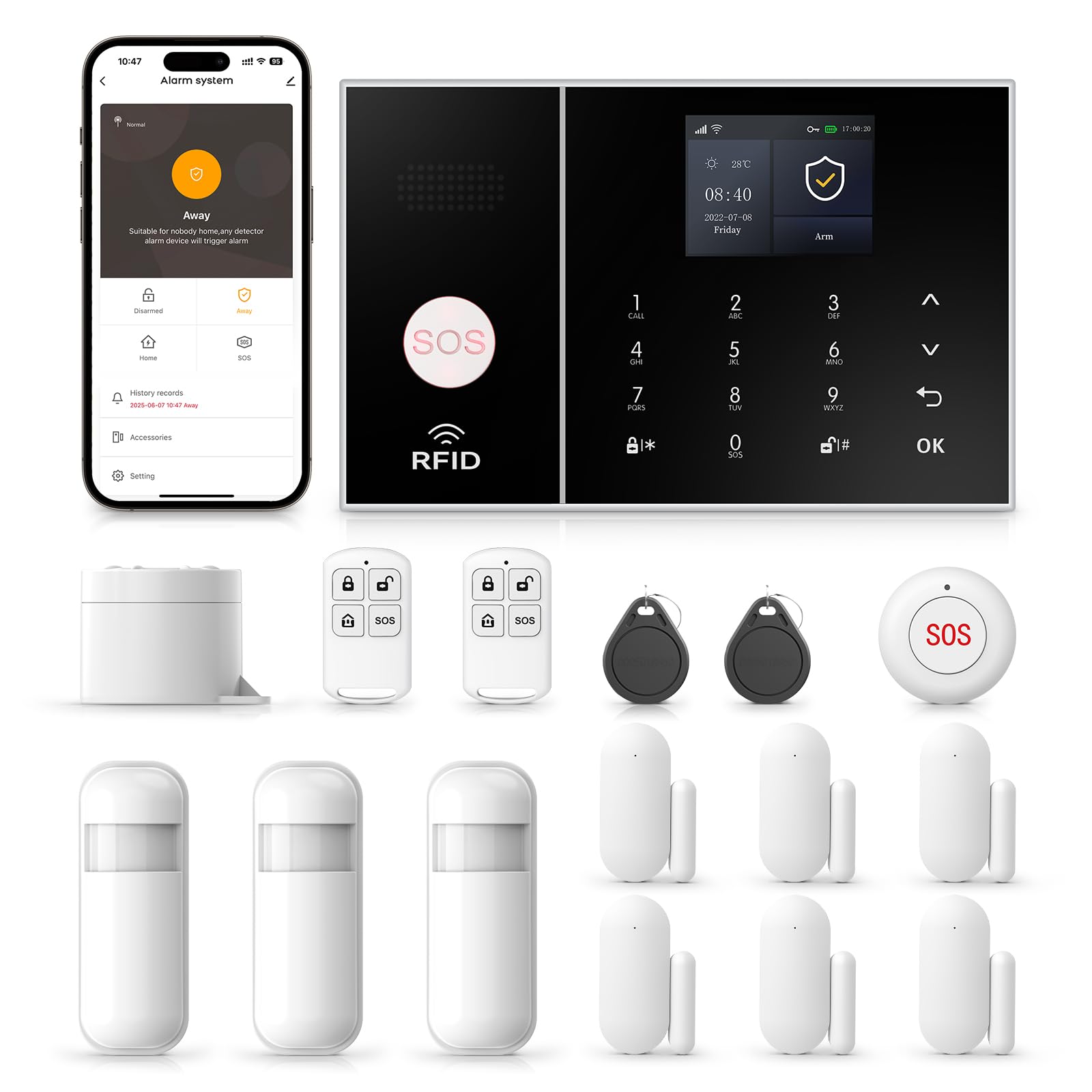
The headline here is redundancy. This kit runs on 2.4GHz Wi-Fi and also accepts a 2G/3G/4G SIM card, so when the Wi-Fi drops the system switches to the cellular network and keeps sending alerts. That cellular fallback matters in a storm or a cut line, and it is why this ranks high for anyone who has lost internet at the worst moment. You do need to buy the SIM separately from your carrier, and it does not work on 5G Wi-Fi.
The siren is rated at 120 dB — 27 dB above the Abode kit’s 93 dB, a room-filling alarm rather than a chirp. You get a full 16-piece spread of entry and motion gear, plus a key fob. Setup is straightforward for a DIY kit: mount the siren unit on the wall, stick the door and window sensors down, and pair everything through the Tuya or Smart Life app. Google Assistant and Alexa both control it by voice.
No monthly fee is the pitch, and unlike some systems the free app genuinely open up the main function. The caveat is the battery: the backup holds 8 hours, which is far shorter than the SimpliSafe’s 24. That is fine for a brief outage and thin for an extended one, so this is a kit you pair with confidence in your power supply.
The redundancy play: a Wi-Fi kit that falls back to a SIM card when your router dies is the closest thing to always-on alerting in this group.
What to plan for: the 8-hour backup is the shortest in this comparison, and you supply the SIM card yourself.
Pick this for: a home where the internet flickers and you want alerts to keep flowing anyway.
Line up first: a carrier SIM card, or the cellular backup stays unused.
4. PGST Home Alarm System, 24-Piece Wi-Fi + 4G Kit
Factory-paired parts and a panic button you can hand to a child or a grandparent.
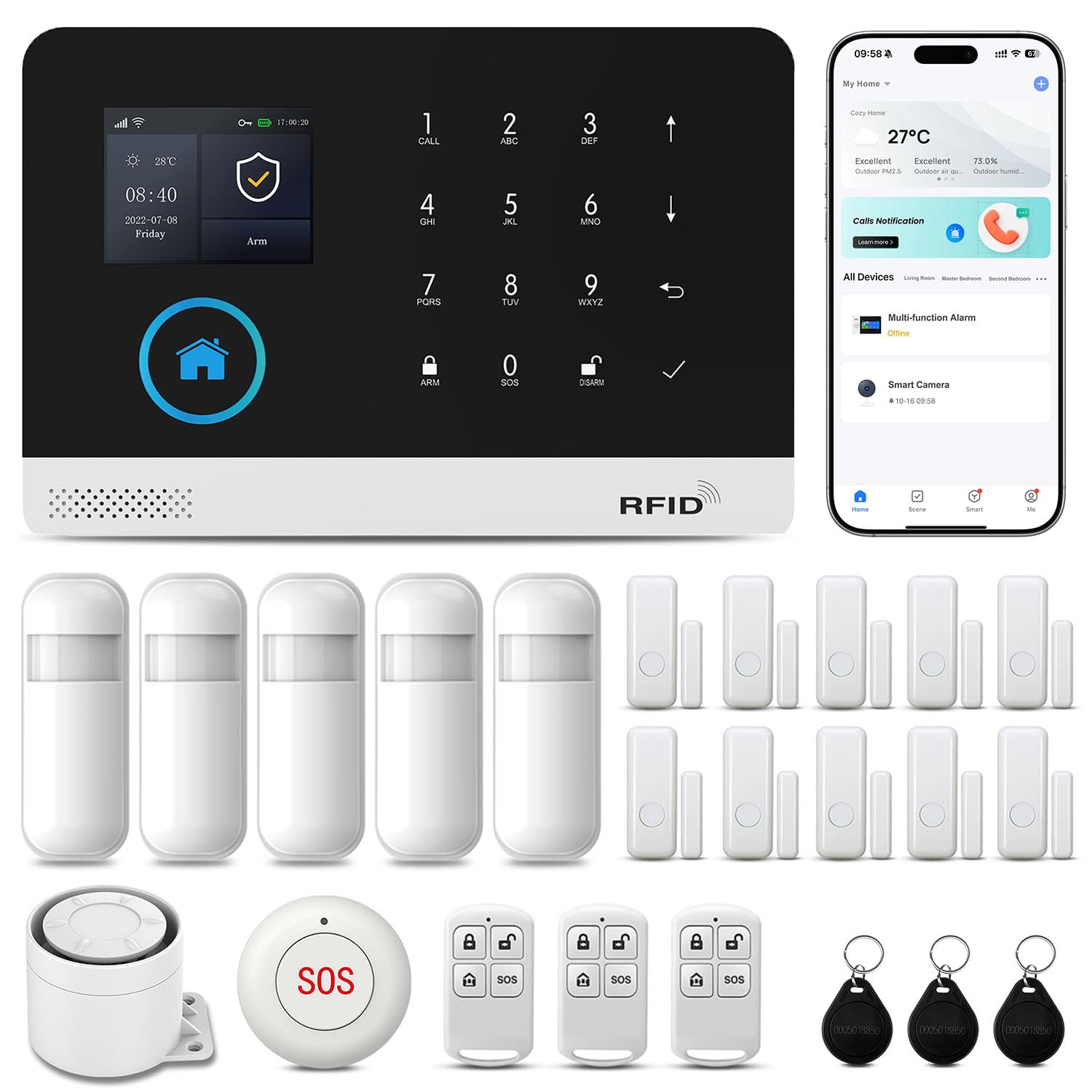
If wiring and pairing feel like the sticking point, this kit removes it. Every accessory ships pre-paired with the main hub at the factory, so there is no manual pairing step — the maker quotes 10 minutes to a working system. You stick the sensors down, power the hub, and you are live. You get 24 pieces in the box, including door and window sensors, motion detectors, a remote and an SOS button.
That SOS device is the part worth pointing out. It is a portable panic button that fires an immediate alarm — an app notification plus the hub’s own siren — and the remote control does the same job from across the room. For a household with an elderly parent or a young child, that button is a direct way to call for help without hunting for a phone. The siren is rated 120 dB, and the system runs on both 2.4GHz Wi-Fi and 4G, switching to cellular when the Wi-Fi drops.
Owners single out the security quality above all — it earns strong marks for doing the core job — with setup ease close behind. Voice control through Google Assistant and Alexa means arming hands-free. The honest limit: the kit does not spell out a backup battery figure, and the in-app SMS and phone-call alerts bring third-party fees, so rely on push notifications if you want zero running cost.
The ten-minute promise: pre-pairing at the factory is the single biggest time-saver for a first-time alarm owner.
The working assumption: plan around app push alerts; the SMS and call alerts carry fees you supply.
The right call for: anyone who wants an alarm up and running the same afternoon, with a panic button in the mix.
Worth noting: you need a 4G SIM for the cellular backup, and the SMS and call alerts add third-party charges.
5. XUK 24-Piece Touchscreen Alarm System
A colour touch panel instead of a keypad, spread across 24 pieces for a multi-story house.
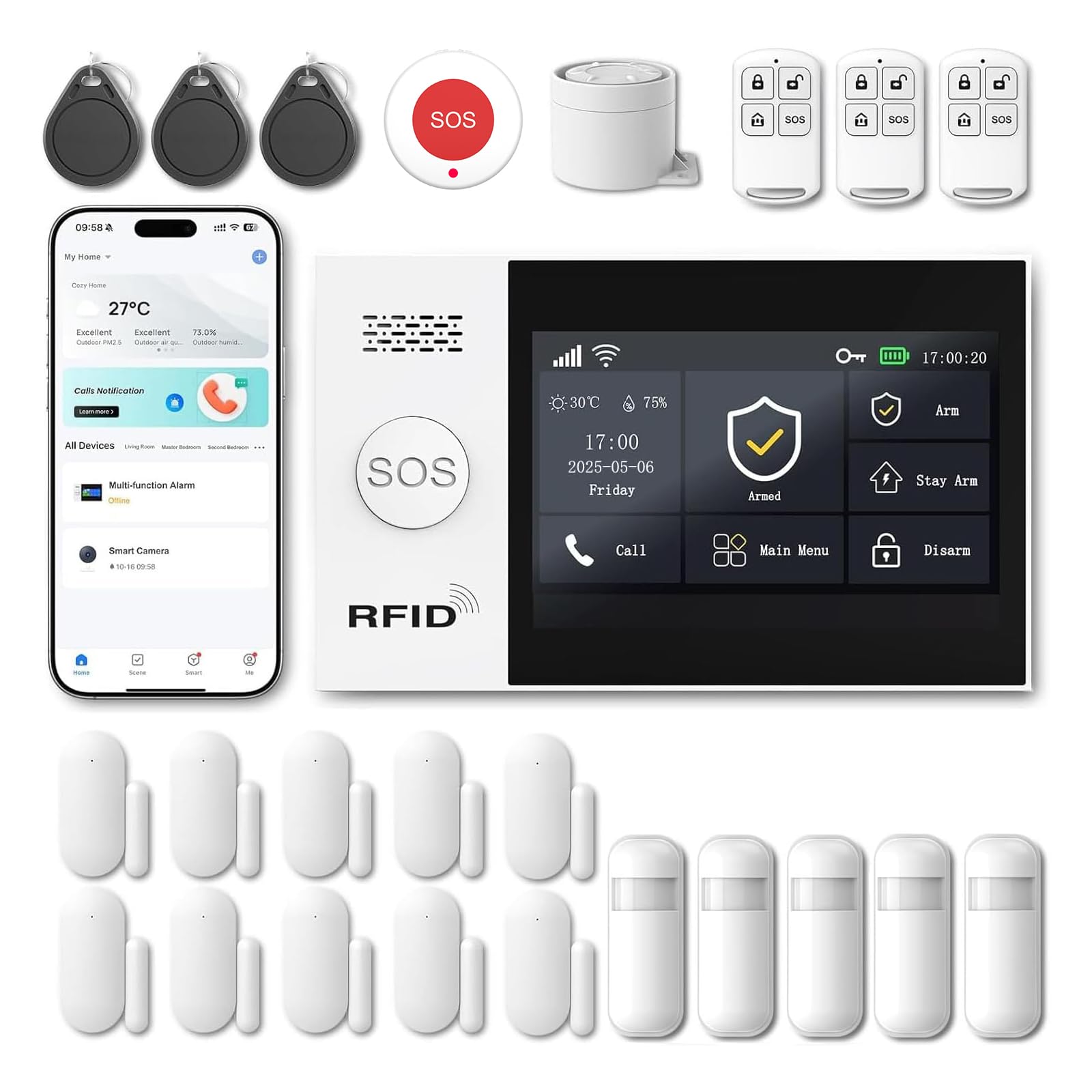
Walk up to this hub and you meet a 4.3-inch colour touch screen that shows the system status, the time and live alerts — no squinting at a row of rubber buttons. The kit scales to bigger properties: 5 PIR motion detectors (passive infrared sensors that spot body heat), 10 door and window alarms, a 120 dB siren, an SOS button, 3 remotes and 3 RFID keychains. It supports up to 100 sensors and 10 RFID keychains, so you can grow it room by room.
Control comes four ways — the touch screen itself, the app on iOS or Android, the remotes, or an RFID card tap. Google Assistant and Alexa both accept voice commands to arm and monitor entry points. Installation is quoted at 10 to 15 minutes with no wiring, and the integrated battery backup keeps the system reporting through a blackout, with sabotage alerts if someone tampers with a sensor.
Here is the honest part. Reliability is the most-discussed theme in its feedback and it comes down the middle, with false alarms and setup difficulty showing up as recurring gripes. Quality and ease of use land in similar mixed territory. That does not make it a bad buy — the physical kit is generous and the touchscreen is a real convenience — but it is the pick for someone ready to spend an afternoon tuning sensor sensitivity and reading the manual rather than expecting instant perfection.
Why the screen matters: a 4.3-inch colour display that shows status and alerts is genuinely friendlier for kids and older relatives than a bare keypad.
The homework it asks: budget time to dial in sensor placement and sensitivity, because false alarms and setup fiddliness are the most-cited issues.
Fits the patient planner: a large, multi-story home where the piece count and the touch panel earn their keep.
Not for the impatient: expect a session of tuning before the false alarms settle.
6. LWOHSI Wireless Alarm System, 4G + Wi-Fi
A 32-bit brain and room for 99 sensors, built to grow from a flat to a full apartment block.
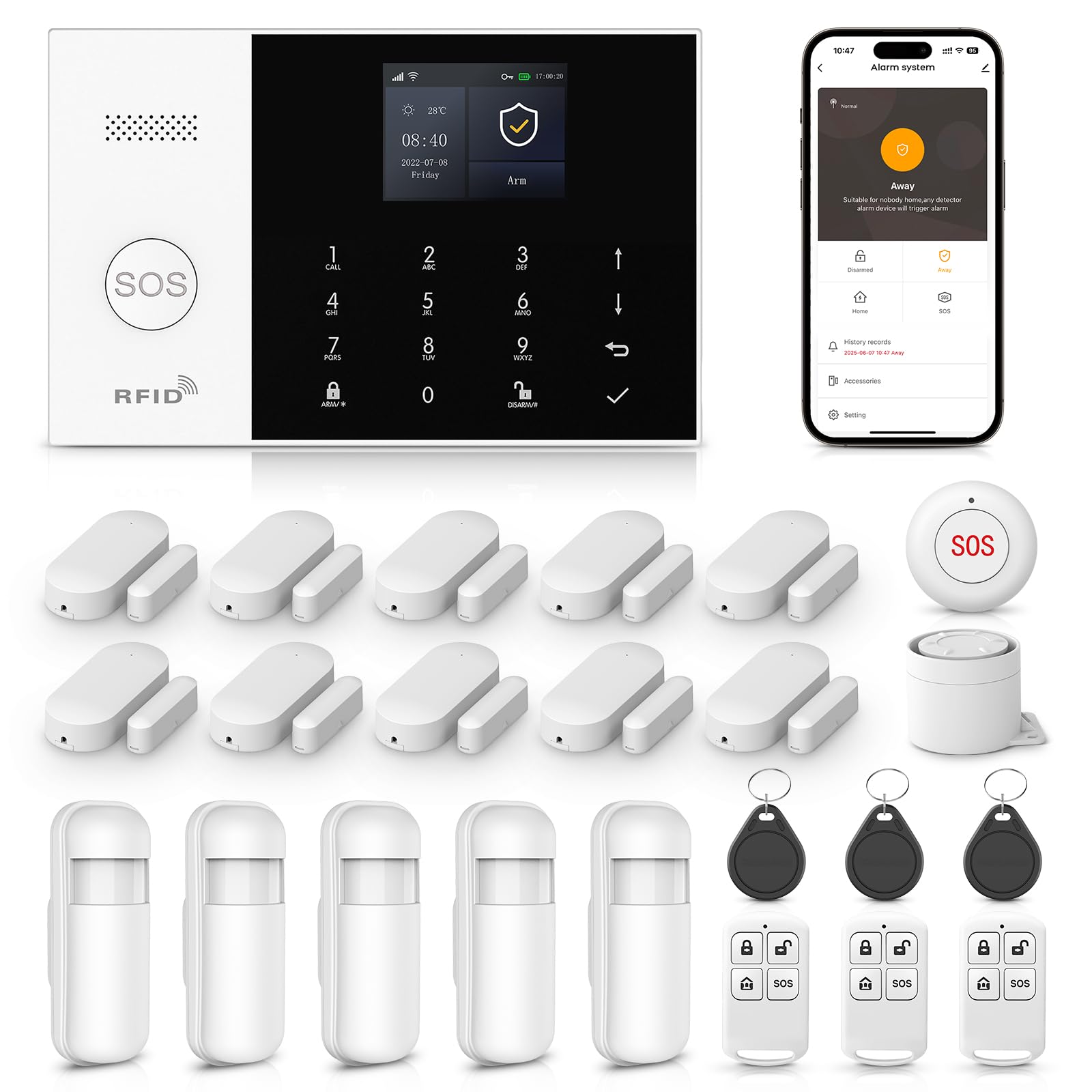
Under the hood this hub runs a 32-bit Cortex-M3 processor — a small on-board chip that handles the alarm logic — and it drives the Tuya app for remote control. You get Google Assistant and Alexa voice control on top. The expansion ceiling is the real story: it supports up to 99 sensors and 3 wired zones, so you can add a door sensor here and a motion sensor there as the house evolves. It also stores up to 100 controllers, RFID cards and wireless detectors.
Alerting travels several paths at once: Wi-Fi app push, SMS, and voice monitoring, so there are multiple channels to reach you. The 120 dB siren is loud enough to be noticed from outside, and setup is a do-it-yourself job with the sensors sticking to doors and windows and the keypad bracketed to a wall via the included mounts. It is built for apartments, condos and flats where you want coverage without carving up the walls.
One thing to check before you buy: there is no customer review data on file for this listing yet, so you are working from the manufacturer’s specification alone. That is not a red flag — the spec sheet is detailed and the hardware is solid on paper — but it means you lose the crowd-sourced reassurance the other picks carry, so weigh how much that matters to you. It also does not support 5G.
The growth path: 99 sensors and 3 wired zones is the largest headroom in this lineup, so it suits a home you plan to keep adding to.
The honest gap: no owner feedback exists yet on this listing, so lean on the published spec and the maker’s own warranty terms.
Choose this when: you want the most room to expand and multiple alert channels, and you are comfortable being an early owner.
Before you commit: confirm the Tuya app is the one you want to live in, since it drives the whole system.
7. SKYLINK SK-250 Wireless Security System
The one that plugs into everything — Google Home, Alexa and IFTTT — so your alarm joins your rules.
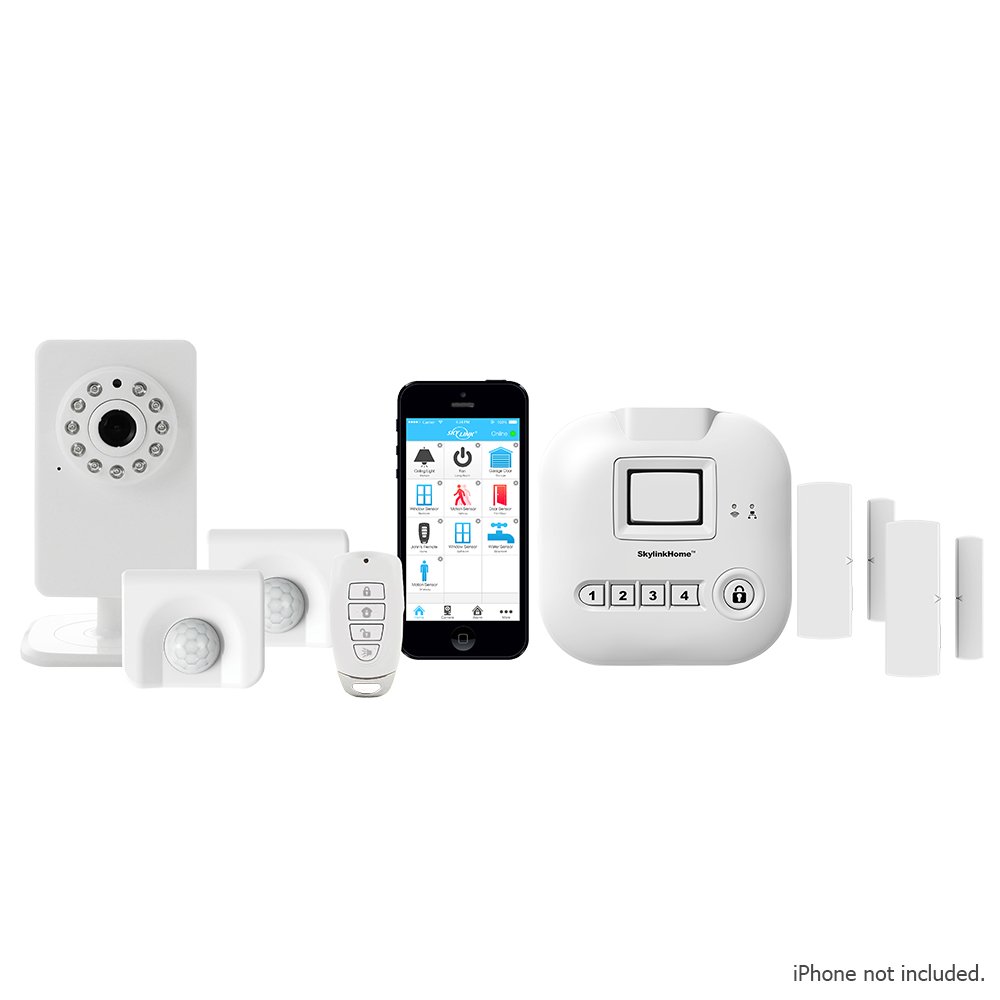
If you like your smart home to run on automatic rules, this is the kit that cooperates. It works with Google Home, Amazon Echo and is IFTTT compatible — IFTTT being a service that wires different brands’ devices together into “if this, then that” actions. That means a door sensor trip can trigger a light, a camera, or anything else you have linked. You get an internet hub, two door/window sensors, two motion sensors, a keychain remote and a wireless indoor camera in the box.
Arming is flexible: arm away to activate all sensors when you leave, arm home to keep motion off while you are in, and a panic mode to fire the siren instantly. On a power cut, the battery backup keeps every unit and sensor working as a local alarm, with an indoor or outdoor siren added separately if you want the noise outside too. The hub supports up to 100 devices and up to 10 cameras, so it can grow.
What folks notice first is the quality of the kit and how quickly the door sensors install, with the camera coverage rated well. The thing that keeps the rating from climbing higher is reliability, which comes down split, with firmware updates on the camera and hub-to-app pairing showing up as the friction points. It is a capable system, but a tinkerer’s system — the IFTTT flexibility is exactly what makes it powerful, and exactly why some owners hit snags wiring it all together.
The open-door advantage: IFTTT compatibility plus Google Home is the widest automation reach here, letting your alarm trigger other devices.
The catch: reliability and hub connectivity are the split areas in feedback, so give yourself time for the first pairing and any firmware updates.
Made for rule-builders: you want your alarm to trigger lights, cameras and other gear through IFTTT.
The patience needed: expect some pairing work and firmware wrangling before everything talks to everything.
Know the Specs
Siren loudness in decibels
Decibels (dB) measure how loud the alarm sounds. A kit around 93 dB gives a firm, noticeable siren; one rated 120 dB is several times more intense and carries further through walls and doors. For a small flat, a quieter siren is plenty. In a large house or a detached garage, the higher-rated siren decides whether the alarm reaches the far end.
Backup battery hours
The backup battery figure is how long the system keeps working after mains power drops. A 24-hour rating covers an overnight outage; an 8-hour rating covers a shorter window. Match this to how reliable your local grid and broadband are — a longer battery means fewer gaps in protection.
Common Questions
Do I need a Google Home speaker for these alarms to work?
What is the difference between self-monitoring and professional monitoring?
Is a Wi-Fi alarm reliable if my internet drops?
Will the motion sensors trigger from my pets?
How many sensors can these systems expand to?
Can I arm and disarm without a monthly fee?
Which systems work with Apple HomeKit as well as Google?
Do I need a SIM card for 4G backup?
How long does installation take on a DIY alarm?
What happens to the alarm during a power cut?
The Bottom Line
For most homes, the security system with google home winner is the SimpliSafe 11 Piece Gen 3 — eleven pieces, a 24-hour backup battery and a camera in one box, armed by voice with Google Assistant. If you want your alarm to double as a smart-home hub, the Abode 4 Piece speaks Z-Wave and Zigbee and is HomeKit-certified. And if a Wi-Fi failure is your worry, the YBJ 16-Piece falls back to a cellular SIM so alerts keep flowing. That SimpliSafe kit carries 4.0+ stars across 400+ ratings, the strongest review footing in this lineup.
How we choose
We do not accept paid placement. Every pick is matched to a real buyer and a real use-case; we do not hands-on test units.
Sources
Specifications: manufacturer listings and product documentation. Review insights: verified customer reviews, as of November 2026. Pricing: not shown on this page (it changes often); check the current price via the retailer link.
As an Amazon Associate, Tactical Gear Guy earns from qualifying purchases. This does not affect which products we feature.