Specs are compiled from manufacturer listings and verified buyer reviews and can change over time — please confirm the key details on the product page before buying.
You can see and touch real laptop security. It is a fingerprint reader that replaces a typed password, a physical shutter that slides over the camera lens, and a security chip that keeps your files scrambled even if the machine is stolen. Every pick below has at least one of those built in — none of them relies on software alone.
This guide is built by comparing the manufacturers’ published specifications and the patterns across verified customer reviews, so you get each pick’s real strengths and trade-offs instead of marketing spin.
You will see where each machine’s protection actually lives, what it costs you in weight and battery, and which quirks show up after the first few weeks. Here is the honest breakdown of the best security laptop computers for anyone who carries private work on their machine.
Top Picks

How To Choose The Best Security Laptop Computers
Start with the lock you will use every single day, not the one that sounds most impressive on a spec sheet. The hardware you touch at login is what actually shapes how you live with the machine.
The login method you will actually use
A fingerprint reader means you press a pad instead of typing a password. When the reader sits inside the power button, one press wakes the laptop and signs you in at the same time — useful when you step away for coffee and come back mid-task. When it sits in the touchpad, your thumb reaches it without moving your hand. Either way, the point is that a strong password gets used only once instead of being typed forty times a day.
The camera question: shutter or nothing
A physical privacy shutter is a sliding cover you can see closed. That visible state is the whole value — you never have to wonder whether software really turned the camera off. Some laptops in this list ship with one; others trust software and an indicator light. If you take calls in a bedroom or shared office, a sliding cover lets you see the lens is closed.
Security chips and the operating system behind them
A TPM (Trusted Platform Module — a small chip that stores the encryption keys protecting your drive) is what lets Windows encrypt your files so a stolen laptop is a paperweight. Several machines here run Windows 11 Pro, which adds BitLocker drive encryption and Remote Desktop on top of the Home feature set. If your employer or client requires encrypted storage, that Pro licence matters more than any processor upgrade.
Weight, ports and battery are security features too
A 3.99-pound laptop that stays home protects nothing; the 2.71-pound MacBook Air travels. Machines in this list run from 2.71 pounds up to 3.99 pounds, and the lighter ones tend to travel more. Ethernet ports and Thunderbolt 4 matter for offices that will not let you on the wireless network. Battery life decides whether you are hunting for an outlet in a lobby where strangers can see your screen.
Side-by-Side Comparison
| Model | Best For | Display | Memory / Storage | Security Hardware | Amazon |
|---|---|---|---|---|---|
| Apple 2026 MacBook Air 13-inch (M5)★ Best Overall | All-day battery with Touch ID | 13.6-inch Liquid Retina | 24GB / 1TB SSD | Touch ID, built-in virus protection | Amazon |
| NIMO 15.6″ FHD AI-Ready LaptopBest Value | Office work on a wide screen | 15.6-inch 1920 x 1080 FHD | 16GB / 512GB SSD | Fingerprint reader, physical camera shutter | Amazon |
| NIMO 15.6” IPS FHD Student LaptopMultitask Champion | Heavy multitasking on a budget | 15.6-inch 1920×1080 IPS anti-glare | 32GB / 1TB SSD (both upgradable) | Fingerprint reader, fTPM, Kensington lock | Amazon |
| HP ProBook 4 G1a Business AI PC | Corporate deployments and IT fleets | 16-inch WUXGA 1920×1200 anti-glare | 16GB DDR5 / 512GB SSD | HP Wolf Security, Windows 11 Pro | Amazon |
| Lenovo ThinkBook 16 Gen 8 | AI-assisted office workflows | 16-inch WUXGA 1920×1200 IPS anti-glare | 16GB DDR5 / 512GB SSD | TPM 2.0, fingerprint reader, IR camera with privacy shutter | Amazon |
| ASUS Vivobook 15 (i9-13900H) | Heavy processing plus privacy cover | 15.6-inch FHD 1920 x 1080 | 32GB / 1TB SSD | Fingerprint reader, physical webcam shield | Amazon |
| Dell Latitude 3550 Business Laptop | Locked-down enterprise logins | 15.6-inch FHD 1920×1080 IPS anti-glare | 32GB DDR5 / 1TB SSD | SafeID fingerprint reader in power button, ControlVault 3 | Amazon |
| Lenovo ThinkPad E16 Gen 3 | Storage-heavy data work | 16-inch anti-glare | 32GB DDR5 / 1TB SSD + 500GB external HDD | Fingerprint power button, physical camera shutter, Windows 11 Pro encryption | Amazon |
| HP ProBook 460 G11 Business Laptop | Large-screen office security | 16-inch WUXGA 1920×1200 IPS anti-glare | 32GB DDR5 / 1TB SSD | HP Wolf Security, fingerprint reader, MIL-STD tested | Amazon |
| Dell XPS 14 Premium Laptop | Creative screens with fingerprint login | 14.5-inch Touch 3.2K OLED 48-120Hz | 32GB / 1TB SSD | Fingerprint reader, Windows Copilot, Bluetooth 5.4 | Amazon |
Detailed Reviews
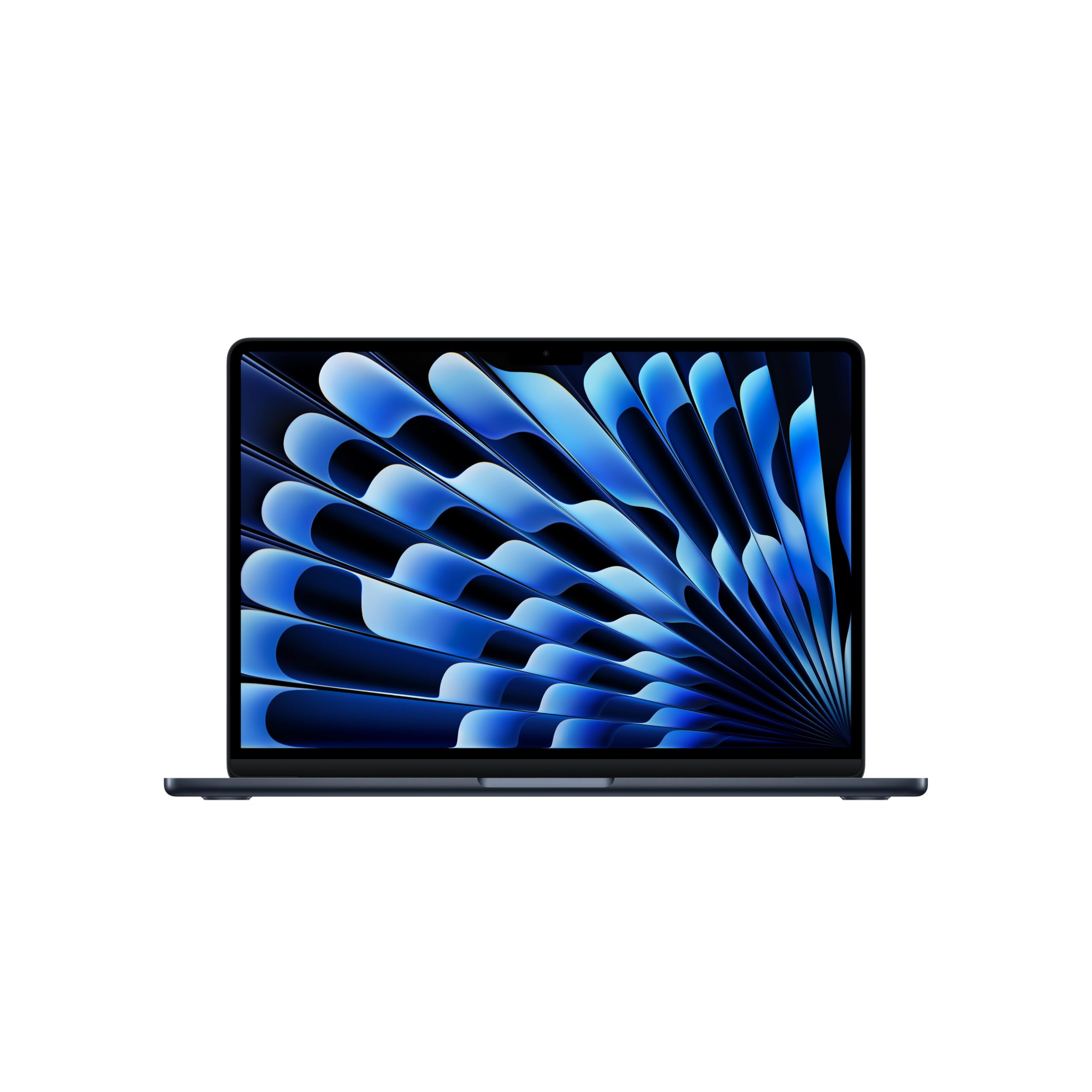
1. Apple 2026 MacBook Air 13-inch Laptop with M5 chip
Our pick — 4.5+★ from 350+ verified ratings; the strongest balance of quality and price.
Thirteen point six inches of screen and a fingerprint key that logs you in before the lid settles.
Touch ID is the security story here, and it is a good one. The sensor sits in the top-right key, so you press your thumb once and macOS loads your encrypted profile without a typed password. Anyone who shares a desk or a flat gets a machine that locks itself the moment you walk away and opens only for your print.
Battery life is the other number worth pinning up. Apple rates this machine at up to 18 hours, against the 9 hours the NIMO 15.6″ AI-Ready model claims — a gap that means you can walk out at breakfast and finish the day without hunting for an outlet behind strange desks. The 13.6-inch Liquid Retina screen handles 1 billion colors, so spreadsheets and photo review both stay legible under office lighting.
You get 24GB of unified memory and a 1TB SSD, which is the sort of working room that keeps a hundred browser tabs and a video call open at once. Ports are two Thunderbolt 4, a MagSafe charging connector and a headphone jack, plus Wi-Fi 7 and Bluetooth 6 on Apple’s own N1 chip. Weighing 2.71 pounds, it slips into a bag the way a tablet does.
What the fanless design buys you
- Touch ID key gives a genuine hardware login, not a software mask
- Up to 18 hours of rated battery keeps you working away from public outlets
- Built-in virus protection and free software updates run natively on macOS
- 2.71 pounds of aluminum that travels without complaint
Where it will test your patience
- No physical camera shutter — the camera lives under software control and a green indicator
- The first-time setup splits opinion sharply: some fly through it, some stall
- Two Thunderbolt ports leaves little room for dongles and a monitor at once
Buy this one if: you want the strongest login convenience plus the best battery number in this whole comparison, and you do not need a shutter over the lens.
Think twice if: a visible sliding cover on the webcam is non-negotiable for your room or your employer’s policy.
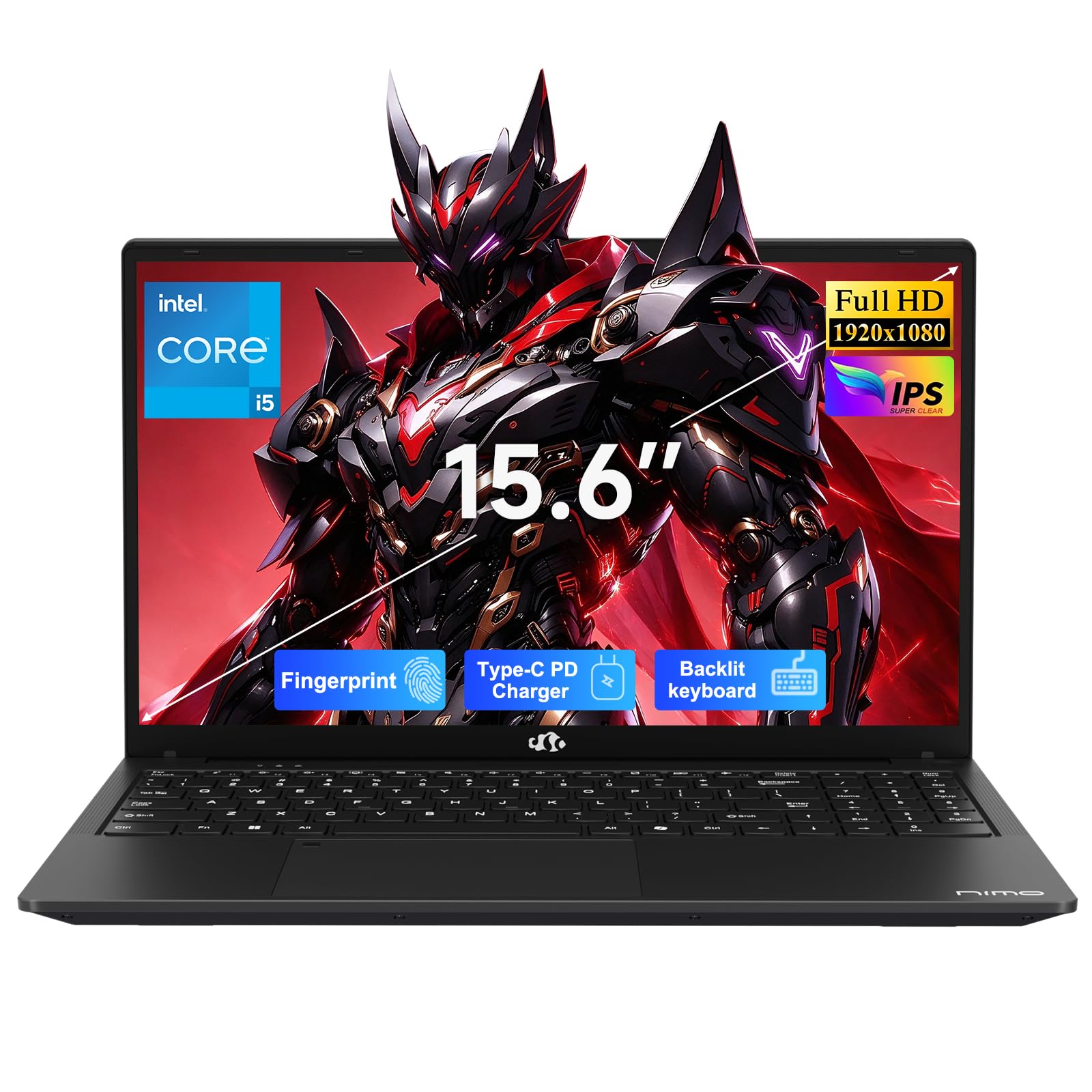
2. NIMO 15.6″ FHD AI-Ready Laptop, Intel Core i5-13420H
Two locks for the price of an entry-level office machine: a fingerprint pad and a shutter you can see close.
Most budget laptops give you one security feature and call it a day. This NIMO gives you both the ones that matter daily: a fingerprint reader built into the touchpad area for one-touch sign-in, and a physical privacy shutter that slides across the 2MP webcam lens. When you finish a call, you can look at the laptop and see the camera covered.
You get more horsepower for the report edits and call-joins that fill a working afternoon. The Intel Core i5-13420H runs 8 cores and 12 threads up to 4.6GHz, with 4 performance cores against the 2 in the older Core i5-1235U. The 15.6-inch 1920 x 1080 screen is the widest here after the 16-inch business models, giving you room for a reference document beside your draft.
Battery is rated at 9 hours, and the included 100W USB-C adapter is the strongest charger in this comparison — 100W against the 65W brick in the NIMO 32GB model. A 2-meter cable means the outlet can sit further from your seat. Ports run three USB-A, HDMI, a USB-C that handles charging, DisplayPort and data, plus a second USB-C for charging alone, a microSD slot and a headphone jack.
What holds up: the build and the everyday pace draw steady praise, and the machine boots and shuts down briskly. For students and home-office workers, the combination of shutter plus fingerprint plus a fast charger is uncommon at this tier.
The honest trade-off: speed reactions split — some find it quick, others describe it as slower than hoped for heavy work. Treat it as an office and study machine, not a video-editing rig.
Reach for this if: you want a visible shutter and a fingerprint reader on a wide screen without climbing into premium spending.
Look elsewhere if: you routinely run heavy creative software that needs more cores than eight.
3. NIMO 15.6” IPS FHD Student Laptop, 32GB RAM, 1TB SSD
Twice the memory of its NIMO sibling, and a Kensington slot to chain it to a desk.
Here is a straight head-to-head worth knowing: this model carries 32GB of DDR4 against the 16GB in the NIMO 15.6″ AI-Ready laptop, and both numbers come from the listings. That doubling is the difference between closing research tabs and just leaving them open. Storage doubles too, at 1TB of PCIe SSD, and both the RAM and the SSD slots are upgradable by you with a screwdriver rather than a service visit.
You get more security than most budget machines offer. A fingerprint scanner sits in the touchpad for one-second sign-in, an fTPM (firmware-based Trusted Platform Module — the encryption key keeper built into the processor firmware) protects your data, and a Kensington lock slot lets you physically tether the laptop in a library or shared office. That combination of software and physical protection is rare below the business tier.
The 15.6-inch 1920×1080 IPS anti-glare panel carries an 85% screen-to-body ratio and a micro-edge frame, and the aluminum top cover adds a bit of durability where a backpack will knock it. Weight lands under 3.75 lbs (under 1.7kg). The included 65W USB-C charger adds roughly 2 hours of use from a 15-minute top-up.
Where it earns its keep: performance is the headline, with an AMD Ryzen 5 and 32GB doing the heavy lifting for dozens of tabs and business apps. Screen sharpness and setup ease also get consistent good notices.
What to plan around: battery life is the clear weak spot on this machine — expect to keep the 65W charger in your bag. Gaming and build durability draw mixed reads, so treat it as a workhorse rather than a rugged field unit.
This one is for: students and analysts who want maximum memory and storage plus a physical lock slot, and who work near outlets.
The catch to accept: a rated 9-hour battery that real use often undercuts, so you trade endurance for capacity.
4. HP ProBook 4 G1a Business AI PC Laptop
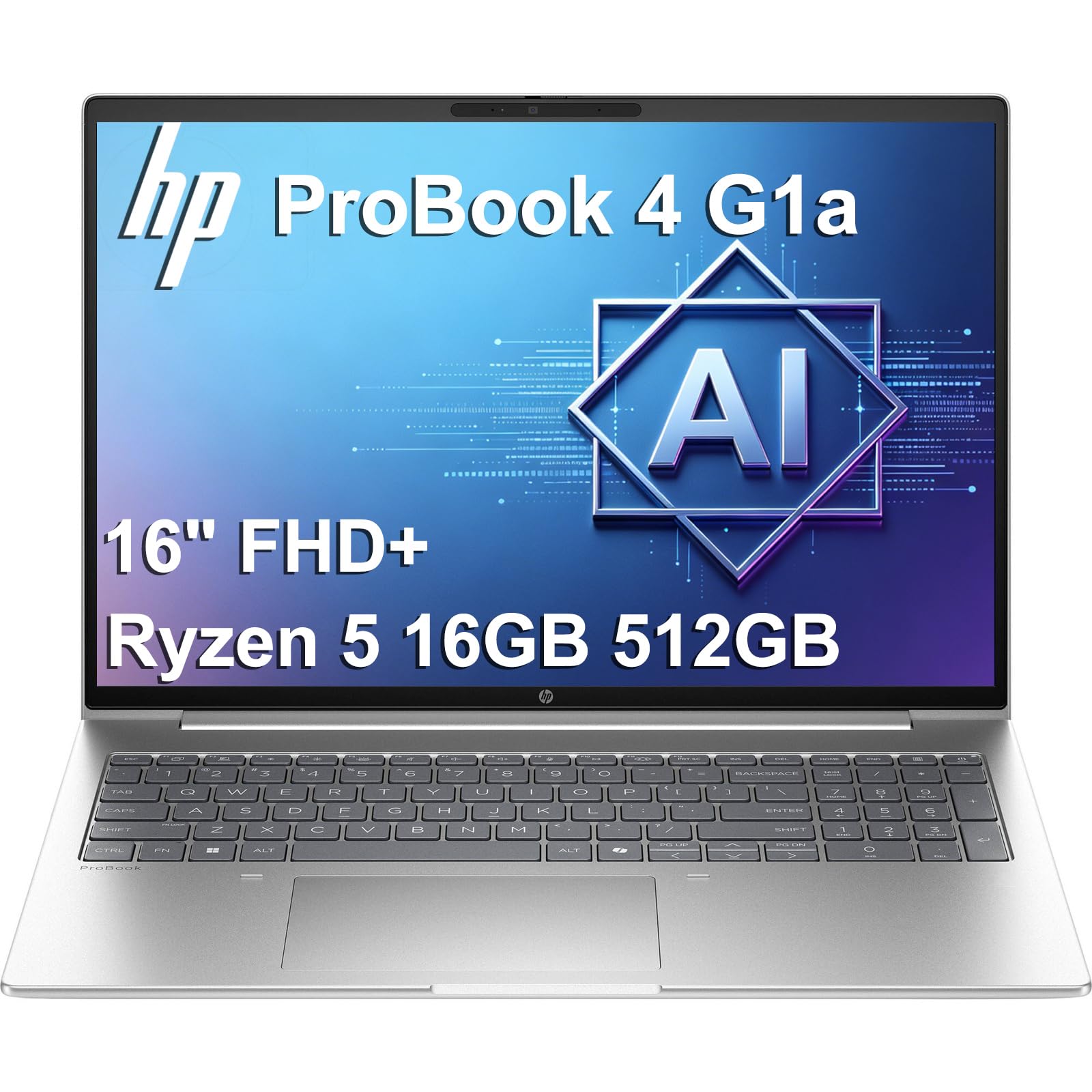
Built for the IT department that hands out laptops and takes them back three years later.
HP Wolf Security is the reason this machine exists. It layers endpoint protection below the operating system — the kind of defense an employer can manage remotely rather than trusting you to click wisely. Windows 11 Pro rides on top with BitLocker drive encryption and Remote Desktop. The AMD Ryzen 5 230 runs with an integrated Radeon 760M graphics core and up to 16 TOPS of NPU (a dedicated chip for AI tasks measured in trillions of operations per second).
The 16-inch WUXGA 1920×1200 anti-glare screen hits 300 nits and covers 62.5% of the sRGB color range, which is enough for spreadsheets and documents but not for color-critical photo work. You can drive up to three external monitors over HDMI or USB-C at 4K and 60Hz, and the FHD webcam pairs with a dual-microphone array for calls. Ethernet is onboard, which matters for offices that block wireless access.
Critically for a machine you might buy through a reseller, the SSD has been upgraded and resealed, with a three-year warranty from the upgrading seller on that drive and one year from HP on the rest. The honest question buyers raise is reliability: reports split between units that keep going and units that crash, so this is the pick where you lean on that warranty.
The argument for it: managed security plus Windows 11 Pro plus Ethernet plus up to 16GB DDR5 and a 512GB SSD is a package built for corporate policy, not for looks.
What to weigh: the split on reliability and the mixed feelings about value mean you should buy from a seller whose warranty you trust. Screen brightness at 300 nits also struggles beside a bright window.
Suits you when: your workplace demands managed endpoint protection and a wired network port, and the warranty backs the upgrade work.
Pass on it when: you want a laptop that is yours alone and you would rather not depend on a reseller’s coverage terms.
5. Lenovo ThinkBook 16 Gen 8 Business Laptop
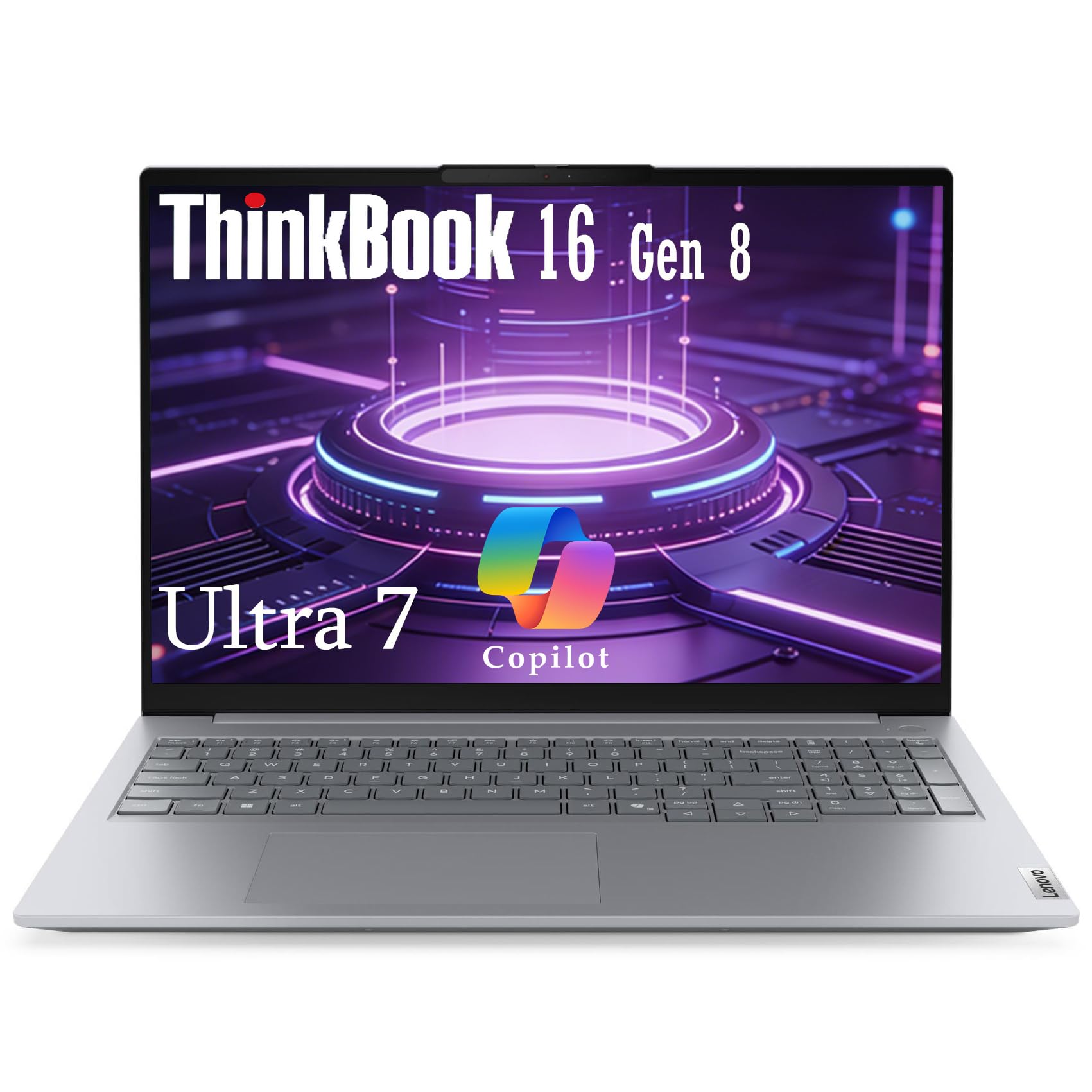
Firmware-level TPM 2.0 plus a shutter over the IR camera, in a 16-inch frame.
Three layers of protection sit on this machine, and each one solves a different worry. Firmware-level TPM 2.0 is a chip that stores the keys Windows uses to encrypt your drive, so a stolen machine yields scrambled files. A fingerprint reader handles quick logins. An IR camera (infrared, which can recognize your face in low light) pairs with a physical privacy shutter you slide shut after calls.
The Intel Core Ultra 7 255H reaches 5.1GHz and draws on integrated Intel Arc graphics, with a dedicated Neural Processing Unit for on-device AI. Lenovo AI Now handles the workflow side — adjusting system behavior and speeding up routine tasks. The 16-inch WUXGA 1920×1200 IPS anti-glare panel with slim bezels gives you a broad canvas for presentations.
Ports cover Thunderbolt 4, USB-C, HDMI 2.1, Ethernet and an SD card reader, with Wi-Fi 6E for wireless. AI noise cancellation cleans up calls, and Smart Connect keeps the wireless link steadier when you move between rooms. Memory is 16GB of DDR5 and storage is a 512GB PCIe NVMe SSD.
Why the security spec stands out: the combination of TPM 2.0, fingerprint and a shuttered IR camera is the fullest hardware security set among the 16-inch machines in this list.
The reality check: this is a newer listing with a modest rating, and a 4.0+ score on a 16-inch machine usually means buyers met some rough edges. Buy it for the security hardware, and keep expectations calibrated on polish.
It fits: offices that standardize on TPM 2.0 and want face or finger login with the camera covered between calls.
Not for you if: you want the most proven track record — the higher-rated ThinkPad siblings are the safer comfort pick.
6. ASUS Vivobook 15 Laptop, Intel Core i9-13900H

Fourteen cores of i9 muscle with a shutter you can see and a fingerprint pad in the corner.
The Core i9-13900H spreads 14 cores up to 5.4GHz, which is the kind of processing headroom you want when a simulation or a compile run eats a whole afternoon. The bundle adds a PCO Cooler chosen to pair with the Vivobook’s internal cooling, aimed at the throttling that high-performance laptops usually hit under load.
Privacy is handled with hardware. A fingerprint reader gives instant login, and the webcam sits behind a physical shield you slide across when the call is over. Windows 11 Pro is preinstalled. Memory is 32GB of DDR4 and storage is a 1TB PCIe M.2 SSD, so booting takes seconds and your whole working library fits.
The 15.6-inch FHD 1920×1080 non-touch screen is glare-free for daytime work or streaming. Ports run a USB Type-C, two USB Type-A 3.x, a USB 2.0 for peripherals, HDMI for 4K displays and a 3.5mm audio jack. The backlit keyboard handles dim rooms.
What buyers talk about: quality and performance both draw steady approval, and it is regarded as strong value for the hardware inside. The blue chassis looks sharper than most work machines.
Worth knowing before you click: the seal is opened for the RAM and SSD upgrade, and three years of coverage on those parts comes from the upgrading seller rather than ASUS. The rest of the machine keeps the original one-year manufacturer’s coverage.
Best fit: someone running heavy AI or creative software who also wants a shutter and fingerprint login, and accepts a seller-backed warranty on the upgraded parts.
Where it falls short: the screen stops at FHD non-touch, so the display is the compromise against the faster chip.
7. Dell Latitude 3550 Business Laptop
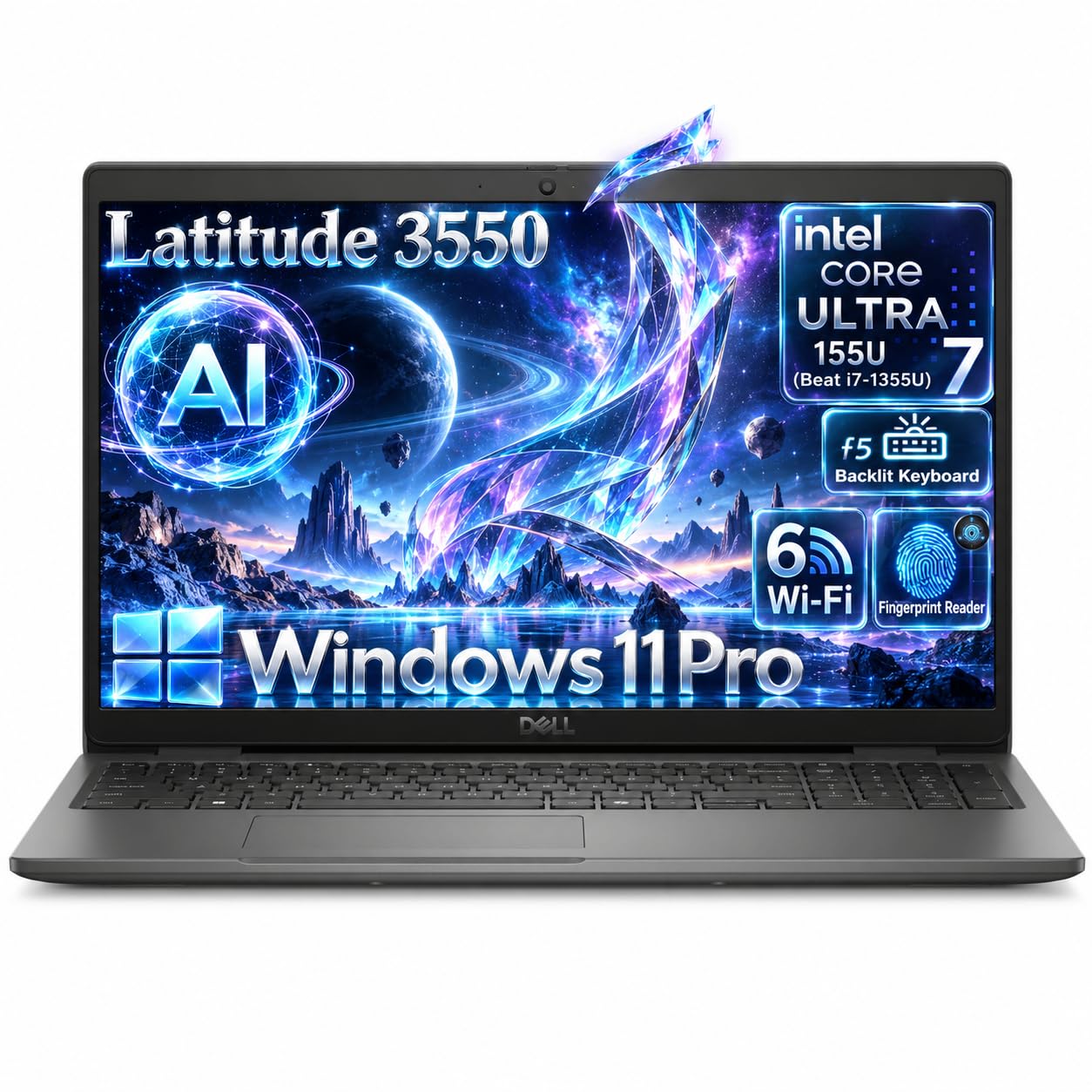
The fingerprint reader is the power button, and the key store is a separate chip.
This is the login design that security teams like. Dell’s SafeID fingerprint reader lives in the power button and talks to ControlVault 3, a dedicated security chip that stores credentials apart from the main processor. Press the button, and the machine wakes and authenticates in one motion, with the credential handed off through hardware the operating system cannot casually reach.
The Intel Core Ultra 7 155U runs 12 cores with 14 threads up to 4.8GHz and 12MB of cache, paired with 32GB of DDR5 and a 1TB M.2 PCIe NVMe SSD. The 15.6-inch FHD 1920×1080 IPS anti-glare panel sits at 250 nits and 60Hz, with a 45% NTSC color range — built for documents rather than color grading.
You get plenty of ports: a USB4 Type-C with Power Delivery and DisplayPort, three USB 3.2 Gen1 ports (one with PowerShare for charging other devices), HDMI 1.4, an RJ-45 Ethernet port for wired networks and a wedge-shaped lock slot for a cable. A 1080p FHD RGB HDR camera at 30fps works with dual-array microphones, and the 99-key backlit keyboard includes a numeric keypad. Weight starts at 3.99 lb.
Where it satisfies: overall performance draws steady approval, which is the right headline for a machine aimed at data-heavy business work.
The honest caveat: battery life is the split point, with some units reported as not charging or holding correctly. Confirm the return window before you rely on it for travel.
Built for: corporate buyers who want fingerprint-in-power-button plus a separate credential chip and a wired Ethernet port.
Skip the risk if: you travel constantly — the battery feedback makes a desktop-bound workflow the safer bet.
8. Lenovo ThinkPad E16 Gen 3 Business Laptop

A terabyte inside, half a terabyte in the box, and three separate security layers on top.
Storage is the standout: 1TB of internal SSD plus a 500GB external hard drive bundled alongside, so your project archive does not have to live on the boot drive. That matters when you are carrying client files and want a second physical copy in a separate enclosure.
Protection is layered the ThinkPad way. A fingerprint power button wakes the laptop and authenticates in a single press, a physical shutter covers the camera when calls finish, and Windows 11 Pro adds encryption to scramble the drive if the machine goes missing. There is also an integrated AI Boost NPU for tasks like noise suppression during meetings.
The Intel Core Ultra 5 225H reaches 4.8GHz, backed by 32GB of DDR5 to hold many applications open at once. The 16-inch anti-glare screen gives you workspace for multitasking and reduces glare through long sessions. Connectivity runs Thunderbolt 4, USB-A, HDMI, Ethernet, Wi-Fi 6E and Bluetooth 5.3, plus a backlit keyboard. Rapid USB-C charging comes from an included 65W adapter.
Why it stands tall: 32GB of memory plus a terabyte inside plus an external drive is a rare bundle, and the security set of fingerprint power button, shutter and Pro encryption covers both login and data at rest.
What you should accept: the bigger chassis is the trade for that storage, and the anti-glare panel is built for documents rather than color work.
Choose it if: you haul large project files and want encryption, one-press login and a shutter with room to spare.
Look past it if: you want the lightest bag on the plane — the 16-inch body is the price of all that storage.
9. HP ProBook 460 G11 Business Laptop

Sixteen inches of vertical workspace with Wolf Security underneath and a fingerprint pad on deck.
Business-grade defense is the whole point. HP Wolf Security adds multi-layered endpoint protection below the operating system, and the chassis carries MIL-STD testing for durability through daily professional use. A fingerprint reader handles sign-in, and Windows 11 Pro brings its security controls along, with Copilot for document and meeting assistance.
The Intel Core Ultra 7 155U hits 4.8GHz Turbo with integrated Intel Graphics, and the listing puts it about 20% ahead of the ProBook 450 G10 with a Core i7-1355U.. Memory is 32GB of DDR5 and storage is a 1TB PCIe NVMe M.2 SSD, so multitasking and startup both stay swift.
The 16-inch WUXGA 1920×1200 16:10 IPS anti-glare panel at 300 nits gives you extra vertical rows for spreadsheets, and you can run three external monitors over HDMI or USB-C at up to 4K and 60Hz. Ports run two USB-C with Power Delivery and DisplayPort 1.4, two USB-A, HDMI 2.1, Ethernet and a combo audio jack, with Wi-Fi 6E and Bluetooth 5.3. The keyboard is backlit and includes a numeric keypad.
The case for it: Wolf Security plus a fingerprint reader plus MIL-STD durability plus 32GB and 1TB is a full office package on a big screen.
Before you commit: the memory and SSD were upgraded and resealed by the seller, who covers them for three years while HP covers the rest for one. A modest body of feedback means you are buying on specs plus warranty, not on a long track record.
The right buyer: someone who lives in spreadsheets on a 16:10 screen and wants managed security with a numeric keypad.
The hesitation: the seller-level upgrade warranty is the variable — check the terms before you commit.
10. Dell XPS 14 Premium Laptop DA14250
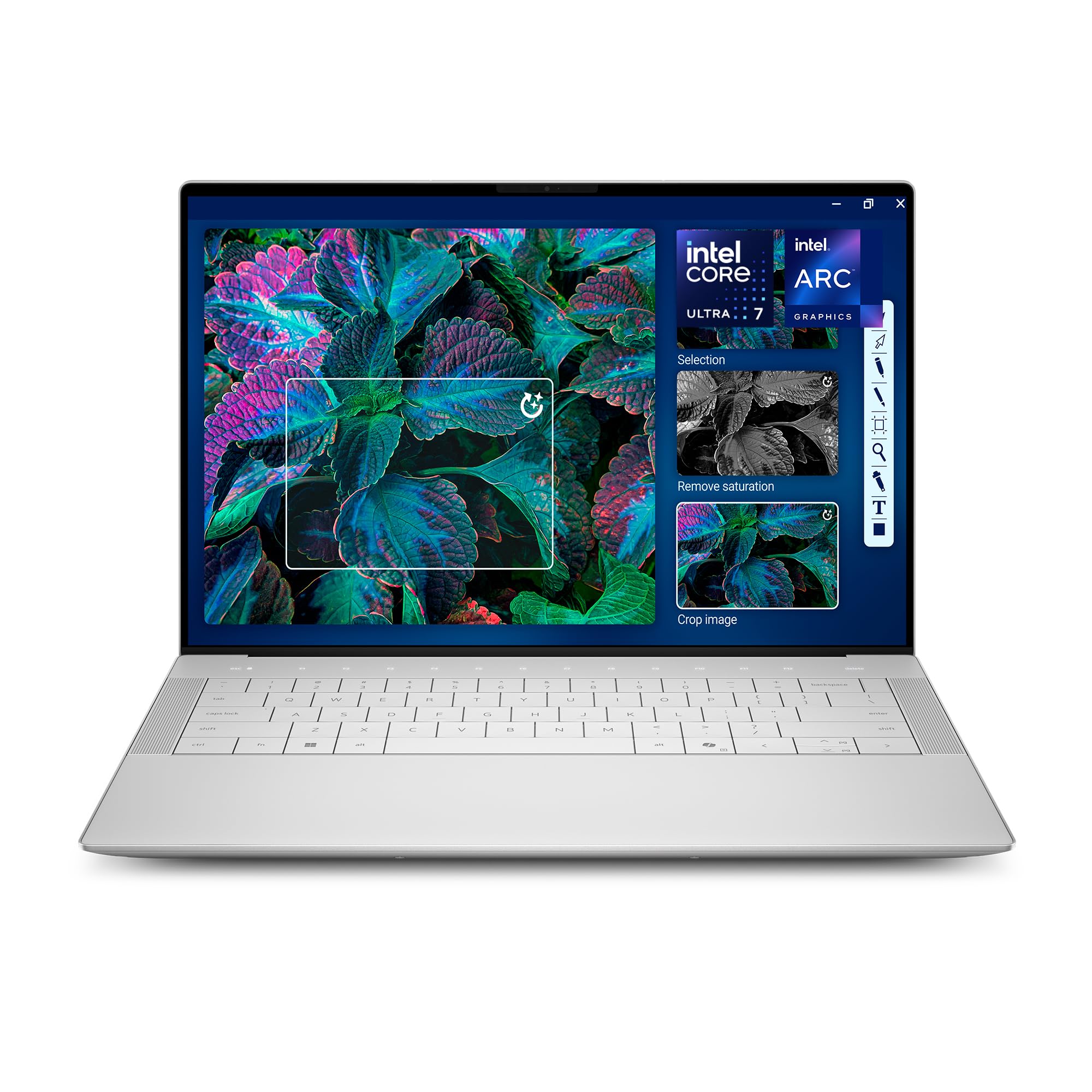
A 3.2K OLED panel that ramps from 48Hz to 120Hz, with a fingerprint pad on the keyboard.
The screen is what you pay for. A 14.5-inch Touch 3.2K OLED panel with a variable refresh rate from 48Hz to 120Hz keeps moving content smooth and drops the refresh when the page is static — which helps the battery last. OLED means each pixel lights itself, so dark scenes stay genuinely dark.
Underneath sits an Intel Core Ultra 7 255H reaching 5.1GHz with integrated Intel Arc graphics, backed by 32GB of memory and a 1TB SSD. The backlit English keyboard carries a fingerprint reader for instant login. The chassis is machined aluminum with Gorilla Glass 3, built to stay light while taking knocks. Bluetooth 5.4 is current, and Windows Copilot is on board for document and project assistance.
Unlike the 16-inch business machines above, this one trades screen area for panel quality and a slimmer body. A 60W Type-C adapter comes in the box, and the fingerprint reader means you are not typing a password to wake it.
What stands out: performance gets the approval here, and the value read is favorable given the OLED panel and 32GB of memory.
The caveat worth noting: a fingerprint reader covers login, but there is no physical camera shutter listed. If a visible lens cover matters to you, the ThinkPad and NIMO picks handle that.
Worth it for: designers and creatives who want a color-rich OLED screen and fingerprint login in one aluminum body.
Not the pick for: anyone who needs a webcam shutter or a numeric keypad for spreadsheet entry.
Know the Specs
Fingerprint readers and TPM chips
A fingerprint reader replaces a typed password with a press of your thumb. The best placement is inside the power button, so waking and signing in happen together; the next best is in the touchpad, where your hand already rests. A TPM (Trusted Platform Module) is a separate chip that stores the encryption keys protecting your drive — fTPM does the same job inside processor firmware. When Windows encrypts your files through that chip, a stolen laptop gives up scrambled data instead of your documents. Windows 11 Pro adds BitLocker, the built-in drive encryption tool, which is why the business machines here lean on it.
Webcam shutters and display ratings
A physical shutter is a sliding cover over the camera lens. Its value is that you can see whether it is closed, unlike a software toggle that depends on an indicator light. Some laptops here pair a shutter with an IR camera for face login; the IR sensor reads your face in low light but still sits behind the same cover. Screen brightness matters for security too, because a 250-nit or 300-nit panel forces you to sit closer to a window where onlookers can read your screen. Anti-glare finishes and low-blue-light certifications reduce strain during long sessions, and IPS panels keep colors stable when you view from an angle.
Common Questions
Is a fingerprint reader more secure than a typed password on a business laptop?
Does a physical webcam shutter actually block a hacker?
What does TPM 2.0 do that Windows 11 Home does not?
How much RAM do I need for a security-focused work laptop?
Is Windows 11 Pro necessary for a secure laptop?
Will a Kensington lock slot stop someone stealing my laptop?
Which is more important, the processor or the security hardware?
Does a laptop with a metal cover survive being carried daily?
Can I upgrade the RAM or SSD in these security laptops?
How long should a security laptop last before I replace it?
Is a 14-inch or 16-inch screen better for secure business work?
The Bottom Line
For the majority of shoppers, the security laptop computers winner is the Apple 2026 MacBook Air 13-inch with M5 because it pairs Touch ID hardware login with up to 18 hours of rated battery, so you spend your day working rather than hunting for a safe outlet. If a visible shutter over the lens is what you need, grab the NIMO 15.6″ AI-Ready Laptop, which gives you a fingerprint reader, a sliding camera cover and the strongest 100W charger here. And for storage-heavy field work, the Lenovo ThinkPad E16 Gen 3 is the one to reach for, with 32GB of RAM, a terabyte inside and a 500GB external drive in the box.
If your workplace hands out the machine and manages it remotely, the HP ProBook 460 G11 folds Wolf Security and MIL-STD testing into a 16:10 screen. And when the panel itself is the point, the Dell XPS 14 brings a 3.2K OLED display that ramps between 48Hz and 120Hz. Every pick here has hardware protection you can point at — a fingerprint reader, a TPM chip or a camera shutter.
How we choose
We do not accept paid placement. Every pick is matched to a real buyer and a real use-case; we do not hands-on test units.
Sources
Specifications: manufacturer listings and product documentation. Review insights: verified customer reviews, as of November 2026. Pricing: not shown on this page (it changes often); check the current price via the retailer link.
As an Amazon Associate, Tactical Gear Guy earns from qualifying purchases. This does not affect which products we feature.