Specs are compiled from manufacturer listings and verified buyer reviews and can change over time — please confirm the key details on the product page before buying.
Will your SAS PCIe card see all your drives the moment you boot? Most of the cards below do exactly that. The difference between a smooth build and a weekend of driver fights usually depends on which chipset sits on the board. This guide covers the seven that hold up, and the models to avoid are the ones that quietly mismatch your backplane.
This guide is built by comparing the manufacturers’ published specifications and the patterns across verified customer reviews, so you get each pick’s real strengths and trade-offs instead of marketing spin.
You will see which cards run cool, which ship with the breakout cables you actually need, and where a RAID controller makes more sense than a plain host bus adapter. The short version sits in one table of the sas pcie card options that fit a standard home-lab build.
Top Picks

How To Choose The Best SAS PCIe Card
Your first decision is not brand or price — it is if you need an HBA (host bus adapter, a card that simply passes drives through to your software) or a RAID controller (a card that builds the array itself in hardware). For ZFS, TrueNAS, unRAID, and Proxmox, an HBA flashed to IT mode is what you want, because the software wants raw access to each disk. A hardware RAID card hides the disks behind its own logic and makes recovery harder if the card dies.
Port count and connector type
Count your drives before you buy. An 8-port card covers a typical starter NAS, while 16 ports give you room to grow without adding an expander. Check the connector shape too: SFF-8643 is the small internal mini-SAS HD connector these cards use, and each one feeds four drives through a breakout cable. If your backplane uses SFF-8482 connectors, you need the matching cable.
PCIe lanes and generation
These cards talk to your motherboard over PCIe, and most here use PCIe 3.0 x8 — eight lanes of the third-generation bus. That width matters because a 12Gb/s SAS card with 16 ports needs real bandwidth to keep every channel fed. A x8 slot in a modern board is usually free, but check your manual before you assume it is open.
Cooling and firmware
SAS controllers run warm, and passive cards like these rely on case airflow. Give them a fan-adjacent slot and you avoid the throttling that shows up as dropped drives. Firmware is the other quiet factor: an outdated build can mean a card that will not POST or a drive that randomly drops, so confirm the IT-mode firmware version before you install.
Side-by-Side Comparison
| Model | Best For | Ports | Interface Speed | Card Type | Amazon |
|---|---|---|---|---|---|
| LSI Broadcom SAS 9300-8i★ Best Overall | First home-lab NAS build | 8 (2x SFF-8643) | Up to 12Gb/s | HBA | Amazon |
| LSI 9300-16i P16 IT ModeMost Drive Room | Big ZFS arrays | 16 | 12Gb/s | HBA (IT mode) | Amazon |
| LANPAN SAS HBA (9305-16i style) | Dense drive shelves | 16 (4x SFF-8643) | 12Gb/s SAS / 6Gb/s SATA | HBA (IT mode) | Amazon |
| LANPAN 9211-8i / 9300-8i with Cables | Plug-and-play 8-drive build | 8 (2x SFF-8643) | Up to 12Gb/s | HBA (IT mode) | Amazon |
| BROADCOM 05-25703-00 (9305-16i) | High-IOPS virtualisation hosts | 8 channel | 12Gb/s SAS | SAS controller | Amazon |
| SVNXINGTII 9305-16i Kit | Cable-included 16-port kit | 16 (4x SFF-8643) | 12Gb/s SAS | HBA (IT mode) | Amazon |
| HighPoint RocketRAID 3720C | Hardware RAID arrays | 8x 12Gb/s SAS/SATA | 12Gb/s | RAID controller | Amazon |
Detailed Reviews
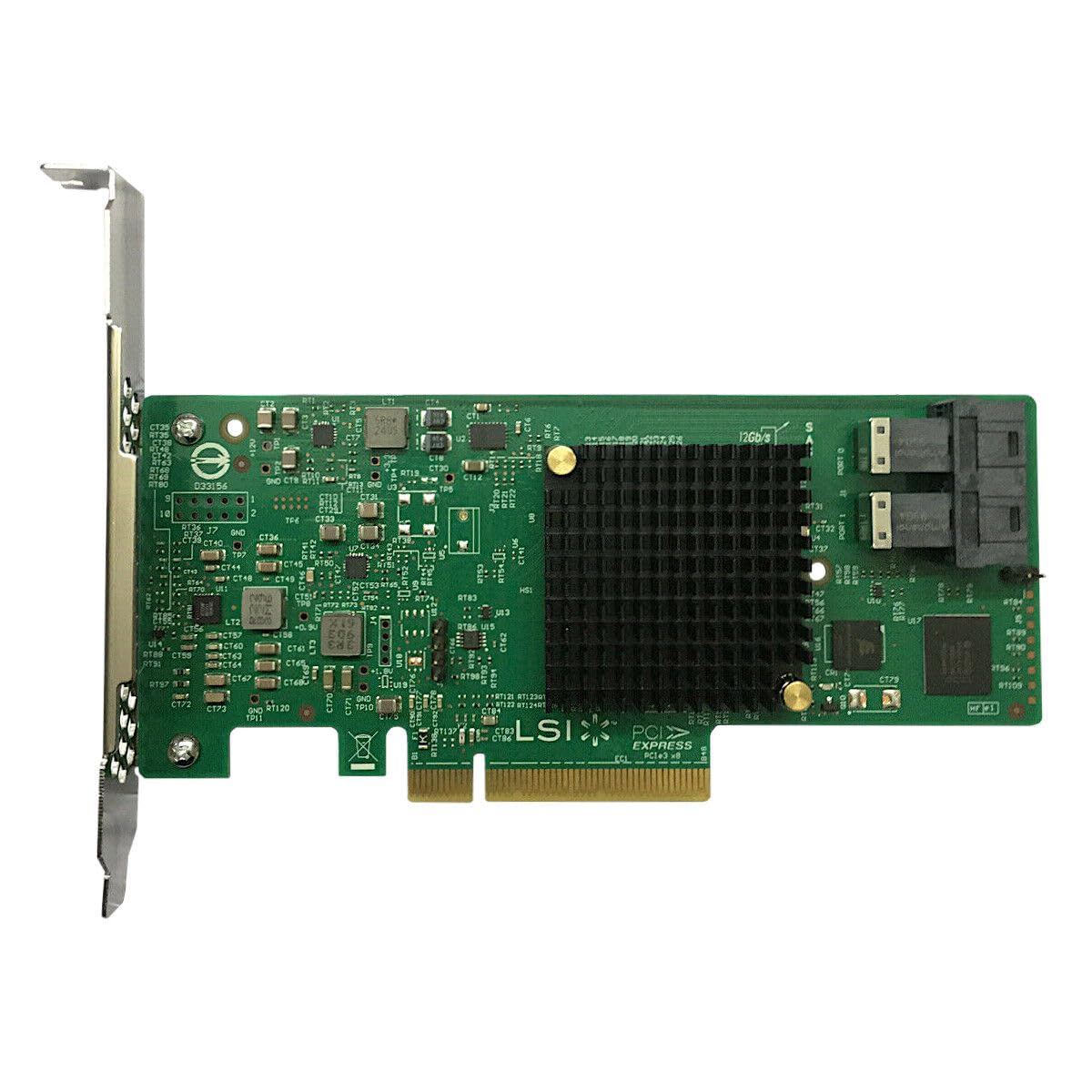
1. LSI Broadcom SAS 9300-8i 8-port Host Bus Adapter
Our pick — 4.5+★ from 150+ verified ratings; the strongest balance of quality and price.
Eight ports that work the moment TrueNAS boots.
Eight drives, one slot, and no firmware arguments — that is the pitch of the LSI 9300-8i. It is an HBA, so it hands each disk straight to your operating system, which is exactly what TrueNAS, unRAID, and ZFS want. The card carries two SFF-8643 connectors (the small internal mini-SAS HD ports), and each one feeds four drives through a breakout cable.
Connectivity is the strength here, and the crowd favourite proves it: Its 4.5+ stars across 150+ ratings is the highest score on this list, and what wins people over is how it works the moment it lands. It boots straight into TrueNAS and gets recognised on first sight, no flashing ritual required. It also lists broad server compatibility, including the PowerEdge R730xd and R740xd, Precision 7920, and R640 — so if your chassis is on that list, you are on solid ground.
There is a real link between this card and the 16-port options further down. This one tops out at 12Gb/s per channel, while the bigger cards give you 16 ports for more drives — but you will not feel the speed difference on spinning disks. Where it falls short is drive count: eight ports is the ceiling unless you add an expander. For a starter or mid-size NAS, that ceiling rarely matters.
Where it earns its keep
- Up to 12Gb/s per channel — plenty for a home server
- Recognised by TrueNAS from the start, no flashing needed
- Low-profile form fits both slim and full-height cases
- 2x SFF-8643 ports feed eight drives with the right cables
What to weigh first
- Eight-port ceiling — more drives means an expander or a 16-port card
- Passive cooling, so it needs airflow over the heatsink
- Breakout cables are not included
Reach for this if: you are building a first TrueNAS or unRAID box with up to eight drives and want zero setup drama.
Think twice if: you already own a 12-drive shelf and need 16 ports from the start.
2. LSI 9300-16i 16-Port SAS Controller HBA Card
Sixteen ports for the people who ran out of SATA headers three drives ago.
If your shelf is already full, the 9300-16i answers the obvious question: how do I attach more drives without buying an expander? Sixteen drives, straight off one card, all at 12Gb/s. It ships in P16 IT mode, so the firmware already behaves as a pass-through adapter rather than a RAID device.
Setup is the part buyers tend to enjoy — it goes in, the system sees the drives, and TrueNAS takes over from there. That said, this card runs hot, and the heat is the most-discussed subject in its feedback. Reliability is genuinely mixed in the reports: plenty of cards hum along, but some arrive with problems. Treat thorough testing in the first week as part of the job. Firmware is the other complaint, with some builds shipping outdated and needing a flash.
Compare it with the 9300-8i above: you double the ports and lose the near-flawless reputation. At 9 ounces it is the lighter of the two LSI cards here, despite the heatsink on that 16-port board. It is rated 4.0+ stars.
The straight read: the port count is the reason to buy, and the heat is the price you pay. Slot it near a case fan, check the firmware revision, and burn it in with a full drive test before you trust your data to it.
Suits you if: you need 16 drives on one card without adding a SAS expander.
Hold off if: your case has weak airflow or you want a card with a spotless track record.
3. SAS HBA Card 9305-16i & 9300-8i 16 Ports
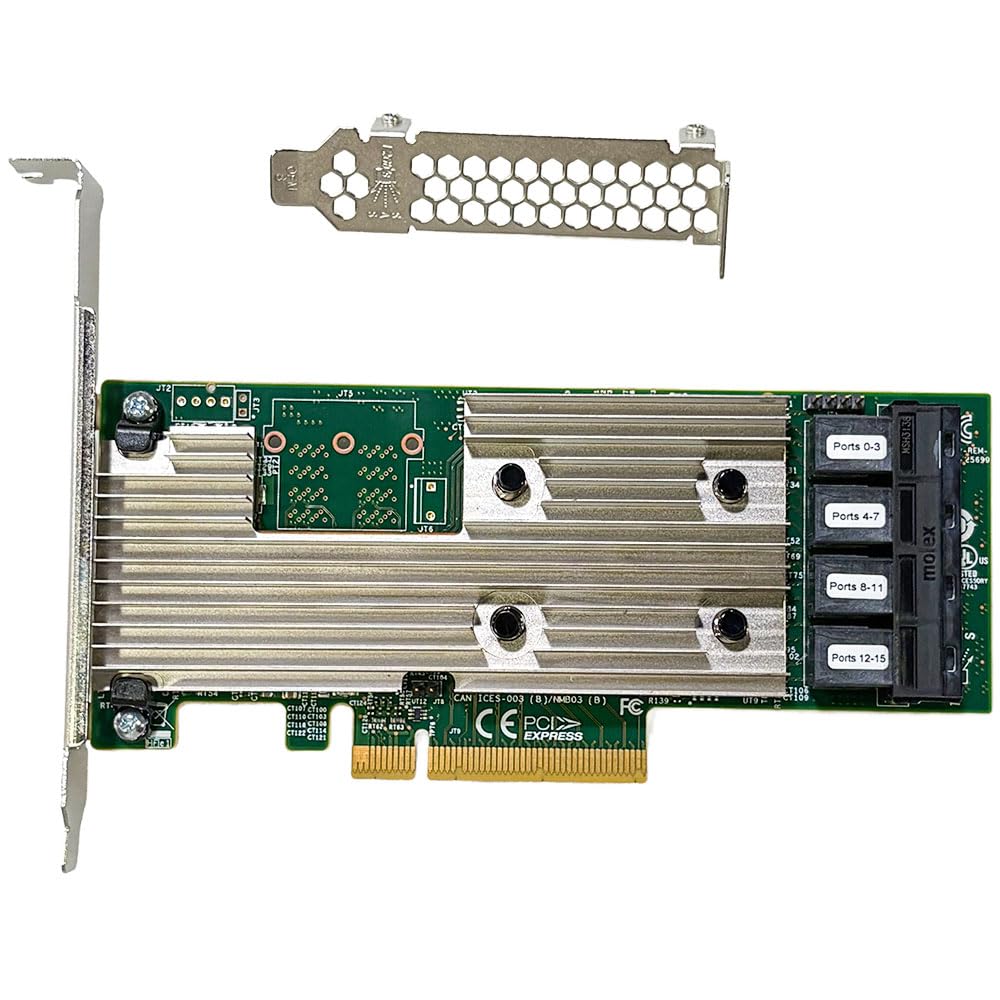
Sixteen drives from four little connectors — no expander, no juggling act.
This LANPAN card is the tidier way to reach 16 drives. Instead of two connectors on a long board, it puts four SFF-8643 ports across a compact PCB, and it runs the LSI/Broadcom SAS3216 controller. Each port carries four drives, which is how you arrive at sixteen.
What people talk about most is performance — it is the top-mentioned subject, and the card shows up working with TrueNAS right from the start. Compatibility stretches further than you might expect for a home-lab part: owners run it in a Dell T3610 and under Proxmox without a fuss. The card also supports 12Gb/s SAS and 6Gb/s SATA, so mixed fleets of drives are fine. That SATA support matters, because a SAS backplane still accepts SATA disks.
At 0.27 kg it is the lighter of the two LANPAN cards, and it sits in a PCIe 3.0 x8 slot, the same width the rest of this class uses. The honest trade-off is documentation — the listing is thin, so you will lean on the LSI SAS3216 reference material if anything needs flashing.
Tidy hardware, thin paperwork: the four-port layout is the smartest use of space in this group. Just budget an hour to confirm the IT-mode firmware matches your OS build before you commit.
Worth picking if: you want 16 ports on a short card and your build leans on Proxmox or TrueNAS.
Pass it by if: you want a manual and warranty support spelled out in writing.
4. HBA Card LSI 9211-8i & 9300-8i with SAS Cables
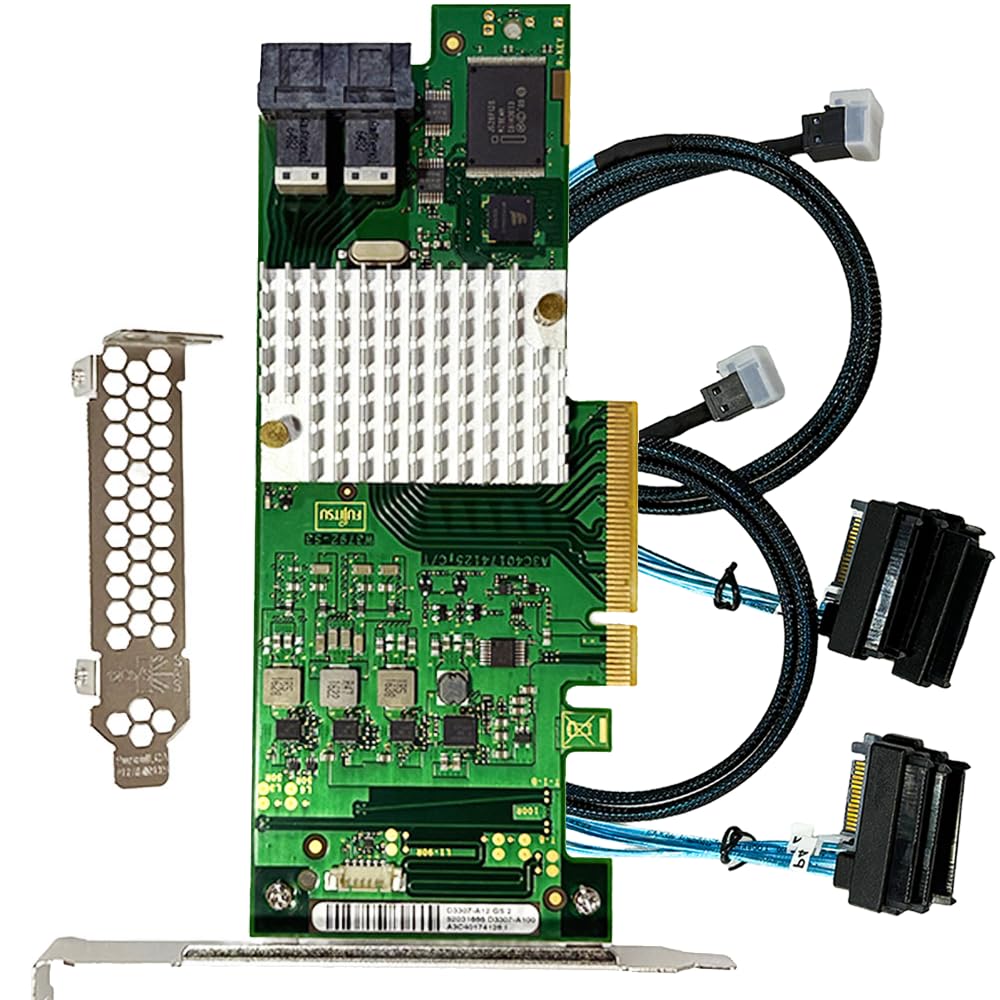
Two breakout cables in the box, so eight SAS drives connect on day one.
Most 8-port cards arrive bare, so your build stalls until the breakout cables show up. This one ships with two SFF-8643 to 4x SFF-8482 SAS cables in the box, and those cables connect eight SAS drives directly. The card itself runs the LSI/Broadcom SAS3008 controller with IT-mode firmware, over a PCIe 3.0 x8 host interface at up to 12Gb/s.
Owners describe it as working perfectly on first power-up, including on 12TB drives — the kind of capacity where a weak card would show itself. TrueNAS and HexOS builds both get named as happy homes for it. Functionality is the subject that comes up most in its feedback, which is not surprising for a part whose whole job is to be invisible.
Read the cable note carefully, because it is the one thing that trips people up: those included cables are for SAS drives and will not work with SATA drives. If your shelf is full of SATA disks, you need SFF-8643 to 4x SATA breakout cables, sold separately. That is a small catch on an otherwise tidy package.
The reasons it sells
- Breakout cables included — eight SAS drives connect on day one
- IT-mode firmware, ready for ZFS and unRAID
- Handles large drives, including 12TB units
Before you click
- Included cables are SAS-only, not SATA
- Eight ports, so expansion means an expander
The fit: a first-timer with SAS drives who wants everything in one box and one install.
The mismatch: a SATA-only shelf, where you will need extra cables on top.
5. BROADCOM 05-25703-00 9305-16i Storage Controller
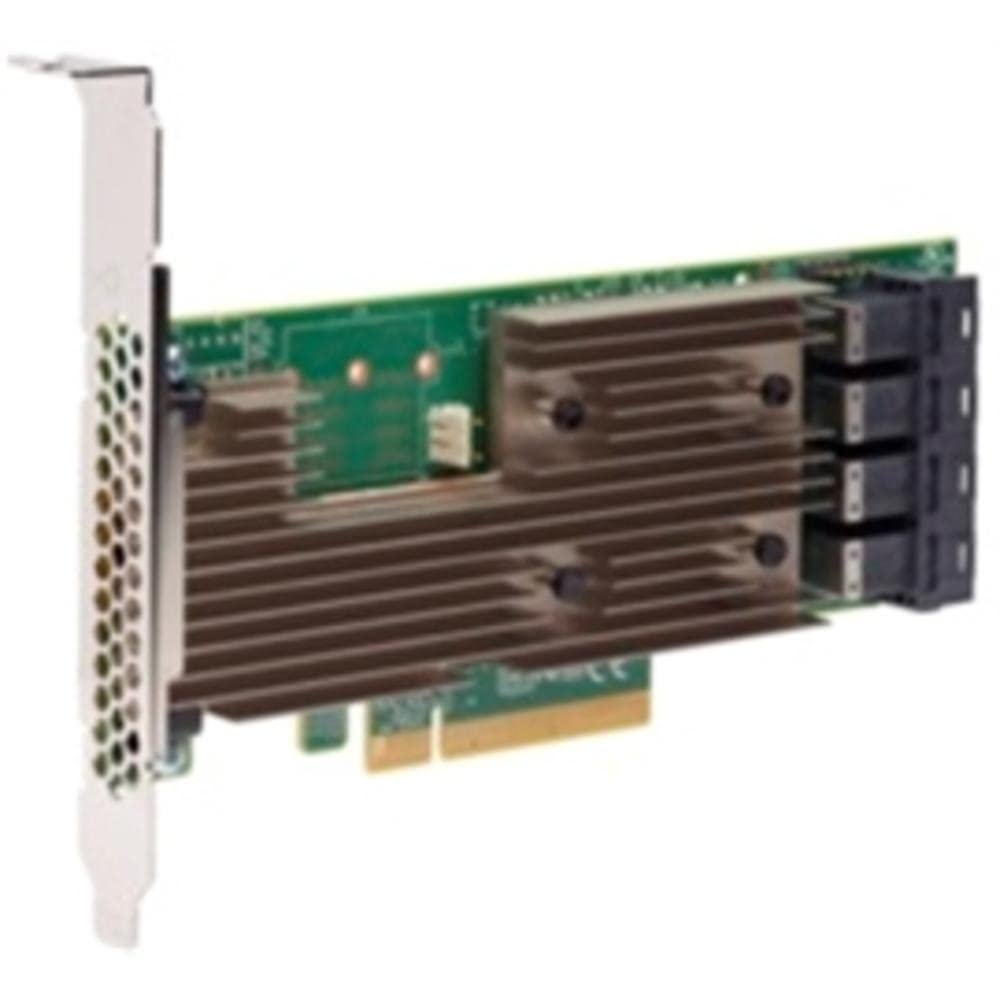
Built for the virtualisation host that never gets a quiet night.
The number that defines this Broadcom card is 1.5 million IOPS — input/output operations per second, the measure of how many little read and write requests it can chew through. That is the figure for performance-sensitive work, and it is why this one belongs in a Proxmox or ESXi host rather than a simple file server.
It runs an 8-channel SAS 12Gb/s interface on a PCIe 3.0 x8 bus, with a stated data transfer rate of 1.2 GBps. In practice, owners pass it through to TrueNAS Core inside Proxmox and it behaves. Linux compatibility is the other thing it does well, and that pairing is why it suits a headless server you administer over SSH.
That mass is heatsink, and it tells you the card expects real airflow. Unlike the LANPAN cards above, this is a Broadcom-branded controller, so firmware lookup goes through the Brocade/Broadcom lineage rather than a generic LSI listing.
Where the money goes: the 1.5 million IOPS rating and the 1.2 GBps transfer rate are the reasons this card exists. If your workload is a media library, you will never touch that ceiling — a plain 8-port HBA serves you better.
Pick it when: you run virtual machines and want headroom for heavy random I/O.
Leave it when: your case is cramped and airflow is already tight.
6. 9305-16i SAS9305-16i 4 Port HBA Card
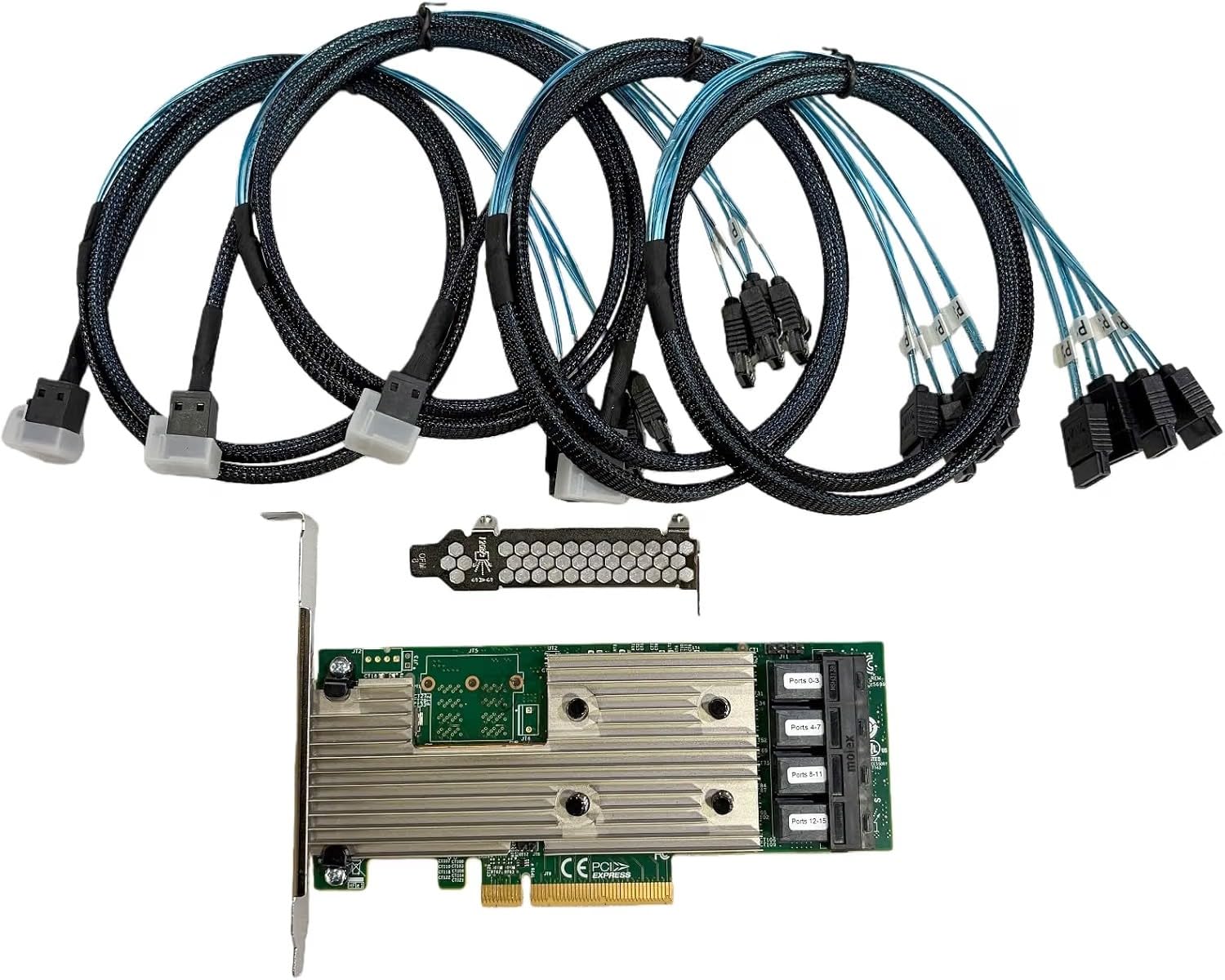
Everything in one box, brackets and four cables included.
You get sixteen internal ports at 12Gb/s (12 gigabits per second, the link speed to each drive) in one box. The SVNXINGTII package includes the HBA card, a high bracket, a low bracket, and four SFF-8643 to SATA cables (cables that convert the card’s small SAS connectors to standard SATA drive plugs). That means you can fit it to either a slim or a standard case and wire drives without another order. The onboard SAS3216 chip runs in IT mode (pass-through mode that hands each disk straight to your software) over PCIe 3.0 x8 (a slot that moves data at about 8 gigatransfers per second).
Flexibility is the theme: it supports SAS link rates of 3Gb/s, 6Gb/s, and 12Gb/s, so older drives and newer ones share the same card. It also supports up to 1024 SATA or SAS terminal devices, a ceiling far beyond what a home lab will attach. The card lists Windows Server, Linux, and Unix among its operating systems.
Compare it with the 9300-8i at the top: you get double the ports and four bundled cables, against a lower track record and a much smaller body of feedback to learn from. At 0.44 kg it is the second-heaviest card here, so give it a fan-adjacent slot. If you are building a fresh 16-bay rig and want one shipment to cover it, this is the least fiddly route.
The value case: brackets and four cables already in the box save you a follow-up order and a week of waiting. Just verify the IT-mode firmware on arrival, since the listing itself is your only reference.
Best for: a brand-new 16-bay build where you want every part in one shipment.
Not for: buyers who want a long, well-documented track record before committing.
7. Highpoint RocketRAID 3720C 8-Port RAID Controller

The only card here that builds the array for you, in hardware.
Every other pick in this article is a pass-through adapter. The RocketRAID 3720C is a true RAID controller, and that changes what it is for. It carries eight 12Gb/s SAS/SATA ports on a PCIe 3.0 x8 host interface and supports RAID 0, 1, 5, 6, 1/0, 5/0, JBOD, and Single Disk — the full spread, including the parity levels (RAID 5 and 6, which keep your data safe if one or two drives fail) that protect you against a drive failure without software involvement.
Operating system reach is the widest in this group. It covers Windows 7 and later, Windows Server 2008 and later, Hyper-V, Linux flavours including RedHat, Ubuntu, and Fedora, Arch Linux on kernel 5.17.5 and above, and macOS from 10.9 through Monterey 12.x. The macOS support is where it separates itself from the LSI and Broadcom cards, which list Linux, Windows Server, and Unix but not Apple’s platform. It only supports 64-bit operating systems, and the Mac M1 driver needs a manual download and install from the manufacturer site.
The catch is philosophical rather than mechanical: hardware RAID hides your disks from ZFS and TrueNAS, so if you are running those, this is the wrong tool. It is also the only card here that states a two-year warranty. Rated 4.0+ stars.
Who it is genuinely for: a Windows or macOS workstation that needs a protected array and no software layer. If your plan involves ZFS, go back to the 9300-8i.
The right call when: you want RAID 5 or RAID 6 handled by the card on Windows or macOS.
The wrong call when: your storage stack is TrueNAS, unRAID, or plain ZFS.
Know the Specs
HBA versus RAID controller
An HBA (host bus adapter) passes each drive straight to your operating system, which is why ZFS and TrueNAS want one. A RAID controller builds the array itself, which is simpler for Windows or macOS but hides the disks from software that wants raw access. Pick the type that matches your operating system first, then worry about ports.
Port count and breakout cables
Each SFF-8643 connector feeds four drives through a breakout cable, so four connectors mean sixteen drives. The cables are not universal: SAS breakout cables will not work with SATA drives, and vice versa. Count your drives, check your backplane’s connector type, then confirm the cables are either included or on order.
12Gb/s and PCIe 3.0 x8
12Gb/s is the per-channel link rate for the drives, and PCIe 3.0 x8 is the eight-lane slot the card plugs into. In practice, spinning disks rarely saturate either, but a bank of SSDs will. Check your motherboard manual for a free x8 slot before you buy — an x1 slot will not do.
IT mode and firmware
IT mode (initiator-target mode) tells the card to behave as a pass-through rather than a RAID device. Many cards ship in this mode already, but not all, and an outdated firmware build can stop a card from posting. Confirm the mode and the firmware revision before you install, and test every drive before you trust data to it.
Common Questions
Will a SAS PCIe card work in a normal desktop motherboard?
What is IT mode and why does it matter for TrueNAS?
Do I need an HBA or a RAID controller?
Will the breakout cables work with SATA drives?
How many drives can I connect to an 8-port card?
Why do these cards run so hot?
Do I need to flash the firmware before use?
Can I use one of these in a Mac Pro or Mac M1 machine?
What does 1.5 million IOPS actually mean for me?
The Bottom Line
The sas pcie card that earns the top spot is the LSI Broadcom SAS 9300-8i, because eight ports at 12Gb/s plus out-of-box TrueNAS recognition is the least bumpy path into a home-lab build. Its 4.5+ star rating across 170+ reviews is the highest in this guide. If you need more drives, the LANPAN 16-port card doubles your port count on a compact four-connector layout. And for a Windows or macOS machine that needs hardware RAID 5 or 6, the HighPoint RocketRAID 3720C is the one to reach for.
How we choose
We do not accept paid placement. Every pick is matched to a real buyer and a real use-case; we do not hands-on test units.
Sources
Specifications: manufacturer listings and product documentation. Review insights: verified customer reviews, as of November 2026. Pricing: not shown on this page (it changes often); check the current price via the retailer link.
As an Amazon Associate, Tactical Gear Guy earns from qualifying purchases. This does not affect which products we feature.