Specs are compiled from manufacturer listings and verified buyer reviews and can change over time — please confirm the key details on the product page before buying.
Finding a wall mount for a 50-inch Samsung is less about brand loyalty and more about three numbers on the back of your TV: the VESA hole spacing, the TV’s weight, and your wall studs. Get those right and almost any mount on this list will hold your screen rock-solid for years. Get them wrong and you will be drilling extra holes. This guide covers eight mounts that all fit a 50-inch Samsung, from a no-drill option for renters to a flush Samsung-specific bracket.
This guide is built by comparing the manufacturers’ published specifications and the patterns across verified customer reviews, so you get each pick’s real strengths and trade-offs instead of marketing spin.
One thing to know before you scroll: this list uses flexible matching for screen size and VESA compatibility. Not every pick is the exact model you typed into the search bar — some are rated for a range that happens to include 50 inches, which serves the same purpose. Every mount here will physically hold a 50-inch Samsung, but the brackets differ in how they move, how far they sit from the wall, and what wall type they need. Here is the short version of the samsung 50 inch smart tv wall mount shopping decision.
Top Picks


How To Choose The Best Samsung 50 Inch Smart TV Wall Mount
Your 50-inch Samsung is light enough that almost any mount rated for it will hold it. The real decision is where your studs are, how much you want the TV to move, and how close to the wall you want it to sit. Start with the three checks below before you look at any bracket.
Check the VESA pattern on the back of your TV
VESA is the four-hole square or rectangle on the back of your TV, measured in millimeters. A 50-inch Samsung typically lands in the 200x200mm to 400x400mm range. Every mount on this list covers that range, but confirm yours before ordering — a mount with a max VESA of 400x400mm will not bolt to a TV with wider holes. Measure the horizontal and vertical distance between the four threaded holes and write it down.
Match the mount to your stud spacing
Most American homes have wood studs spaced 16 inches apart. Some have 12, 18, 24, or even 32 inches. A mount’s wall plate has slots wide enough for a specific range, so check that range against your wall. If your studs sit further apart than the plate allows, you either need a spacer kit or a different mount. A no-drill mount sidesteps this entirely by gripping drywall instead of studs.
Decide how much movement you actually need
Full-motion mounts swing out and tilt, so you can point the screen toward a kitchen or a corner couch. Tilting mounts only angle the screen up and down — enough to kill glare but not enough to view from the side. Fixed mounts sit closest to the wall and look the cleanest but offer no adjustment at all. For a 50-inch TV on a living-room wall, a tilt mount is usually plenty. For a bedroom corner, full motion earns its keep.
Side-by-Side Comparison
All eight mounts fit a 50-inch Samsung. The specs below show how they differ in movement, extension, and weight capacity.
| Model | Best For | Movement | Max Extension | Weight Capacity | Amazon |
|---|---|---|---|---|---|
| Mounting Dream MD2380★ Best Overall | Full-motion all-rounder | Full motion | 17.5 in | 110 lbs | Amazon |
| EZISE Studless MountRenter Friendly | Renters and no-stud walls | Fixed | 0.8 in from wall | 150 lbs | Amazon |
| Pipishell PILFK1Big-Screen Ready | Big-screen full motion | Full motion | 14.84 in | 132 lbs | Amazon |
| Perlegear PGMF21 | Height-adjustable full motion | Full motion | 17.3 in | 99 lbs | Amazon |
| Mounting Dream MD2263-XLK | Glare-busting tilt mount | Tilt | 2.5 in from wall | 120 lbs | Amazon |
| VIVO MOUNT-TVSG1 | Samsung Frame and Neo QLED | Tilt (3°) | 0.3 in from wall | 132 lbs | Amazon |
| USX Mount XML008-1K-01 | Large TVs with big swivel | Full motion | 16.49 in | 132 lbs | Amazon |
| monTEK TM1004W-LT | Heavy TV, tight-to-wall tilt | Tilt (0–8°) | 1.7 in from wall | 200 lbs | Amazon |
Detailed Reviews
1. Mounting Dream Full Motion TV Wall Mount
Our pick — 4.5+★ from 98,500+ verified ratings; the strongest balance of quality and price.
A 17.5-inch full-motion arm with 110 lbs of capacity that has held up in thousands of living rooms.
This is the pick when you want the TV to point where you actually sit. The arm pulls out to 17.5 inches and folds back to 3.4 inches, so you get a big swing angle for a corner sofa and a tidy look the rest of the time. Tilt runs 5 degrees up and 15 degrees down, which is enough to push glare off the screen from a window behind you.
It is rated for 32 to 70 inch TVs up to 110 lbs, with mounting holes from 200x100mm up to 400x400mm — a 50-inch Samsung fits comfortably inside that. Six articulating arms carry the load, and the thing weighs in around 10 lbs itself. The arm extension here is longer than the Pipishell’s 14.84 inches, so this is the better pick if you need to swing a screen out toward a perpendicular wall.
The one thing buyers flag again and again is the tilting mechanism, which has a friction joint that some find loosens over time — it is the only weak point on an otherwise rock-solid frame. Installation is the part everyone praises: a paper template, a bubble level, and hardware sorted into labeled bags make it a solo job. Plan for 16-inch studs, because this bracket is not rated for drywall alone.
What earns the top spot
- Full motion with 17.5 in of pull-out — best in this group
- Max VESA 400x400mm covers any 50-inch Samsung pattern
- Paper template, labeled hardware, and level included for solo mounting
- 110 lbs capacity and six articulating arms for a 50-inch screen
The honest trade-off
- Tilt joint is the recurring weak point — check it stays tight
- 16-inch stud requirement rules out wide-spaced walls
- Not rated for drywall-only installation
Pick this if: you want one mount that tilts, swivels, and swings out for a corner or a kitchen sightline.
Think twice if: your studs are wider than 16 inches — the MD2380-24K is the version for that wall.
2. Studless TV Wall Mount
No studs, no drill, no landlord phone call — and it still holds 150 lbs.
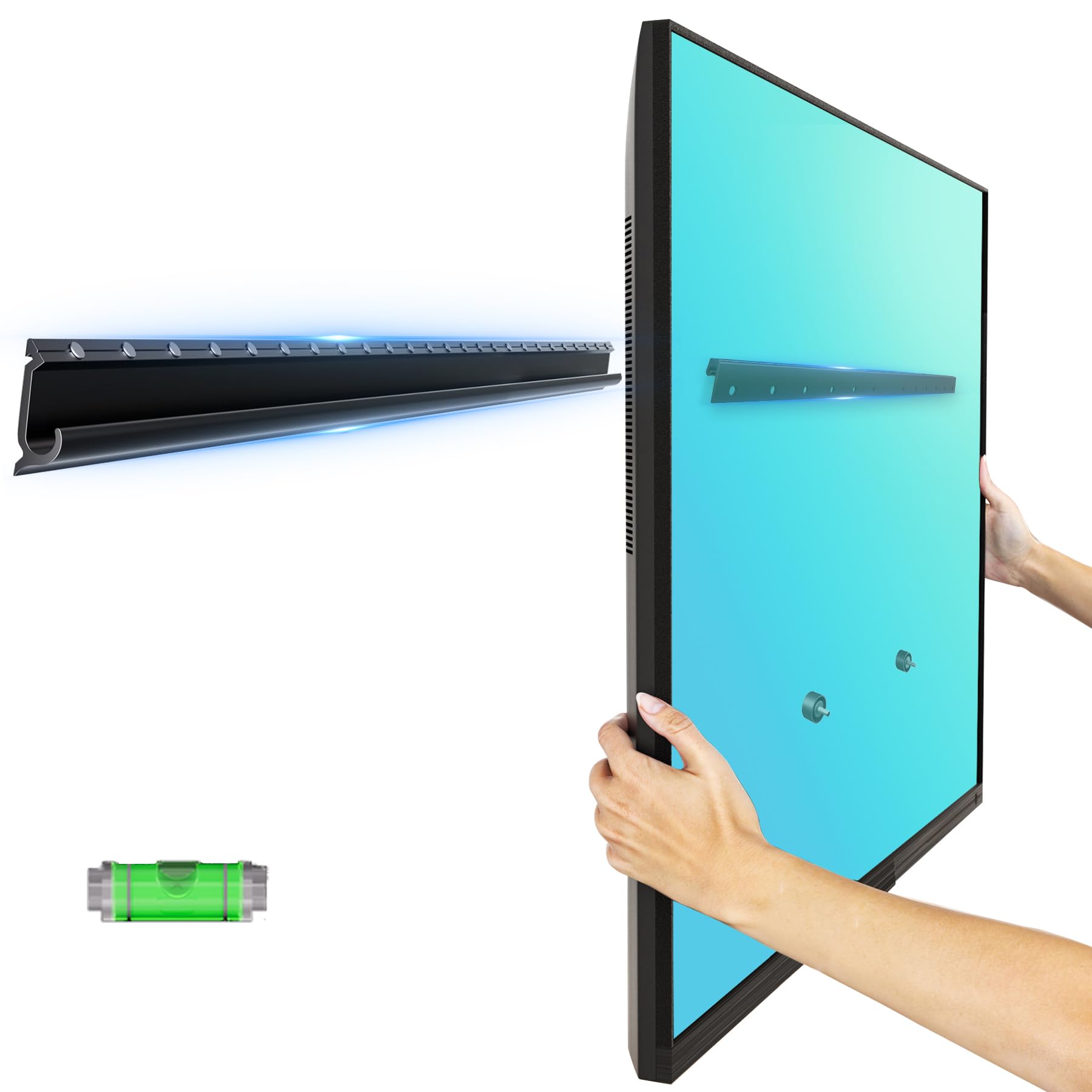
For a rental or manufactured home, this drywall-gripping plate installs without studs or drilling. You hammer the plate into the drywall and hang the TV, skipping the stud hunt and the big holes.
What wins people over is how simple the install is: the mount is rated for 32 to 75 inch TVs with VESA from 200x100mm to 600x400mm, so a 50-inch Samsung slots right in. It sits just 0.8 inches from the wall, giving you a clean, low-profile look that reads as professional rather than improvised. The aluminum-alloy build supports that 150 lb rating.
Buyers report the mount is sturdy: one customer notes it held up a 55-inch TV without hitting any studs, and it provides a secure fit that doesn’t move. The honest catch is alignment — the bracket can take a couple of tries to sit perfectly level, and the bubble level in the box is basic. It is also a fixed mount, so there is no swivel or tilt to redirect the screen once it is up.
Where it shines: a 0.8-inch gap to the wall on a bracket that never touches a stud is the whole pitch here — perfect for an apartment you will eventually move out of.
What to expect: budget a few minutes for leveling, and pick a different mount if you need the screen to angle toward a seat.
Reach for this if: you cannot or will not drill into studs, or you are outfitting a bedroom or manufactured home.
Look elsewhere if: you want tilt or swivel — this one is fixed by design.
3. Pipishell Full Motion TV Wall Mount
A 37–84 inch full-motion bracket you buy once and keep when the TV gets bigger.
It holds TVs from 37 to 84 inches up to 132 lbs, with VESA (the hole pattern on the back of your TV) from 200x100mm to 600x400mm. That is a wider screen range than the Mounting Dream MD2380, which tops out at 70 inches, so a 50-inch Samsung has plenty of headroom whether you stay put or size up later.
Smooth movement is the standout: the arm extends to 14.84 inches and retracts to 3 inches from the wall, with +5/-15 degree tilt, +/-45 degree swivel, and +/-3 degree leveling after installation. Owners describe the motion as the part that keeps them happy long-term, and the steel frame carries a matching 132 lb rating to the USX Mount.
The one thing to weigh is weight — at 10.6 lbs the bracket is heavier than the Perlegear and the USX, so plan for a second pair of hands at the wall-plate stage. Some owners also note the included lag bolt heads strip easily, so use the right socket and do not overtighten. The build is solid steel, and it installs on 12 or 16 inch wood studs, concrete, or brick — not drywall alone.
The long-view buy: a 37–84 inch range and 132 lbs of capacity make this the pick that does not need replacing when a bigger Samsung arrives.
One caveat: the bolt heads want gentle torque — a stripped lag bolt turns a 20-minute job into a hardware-store run.
Best for: someone buying once and expecting to size up the TV later, or a household with a 65-inch screen already in the plan.
Skip if: you want the lightest possible bracket for a solo install on a 50-inch — the Perlegear is the easier solo lift.
4. Perlegear PGMF21 TV Wall Mount
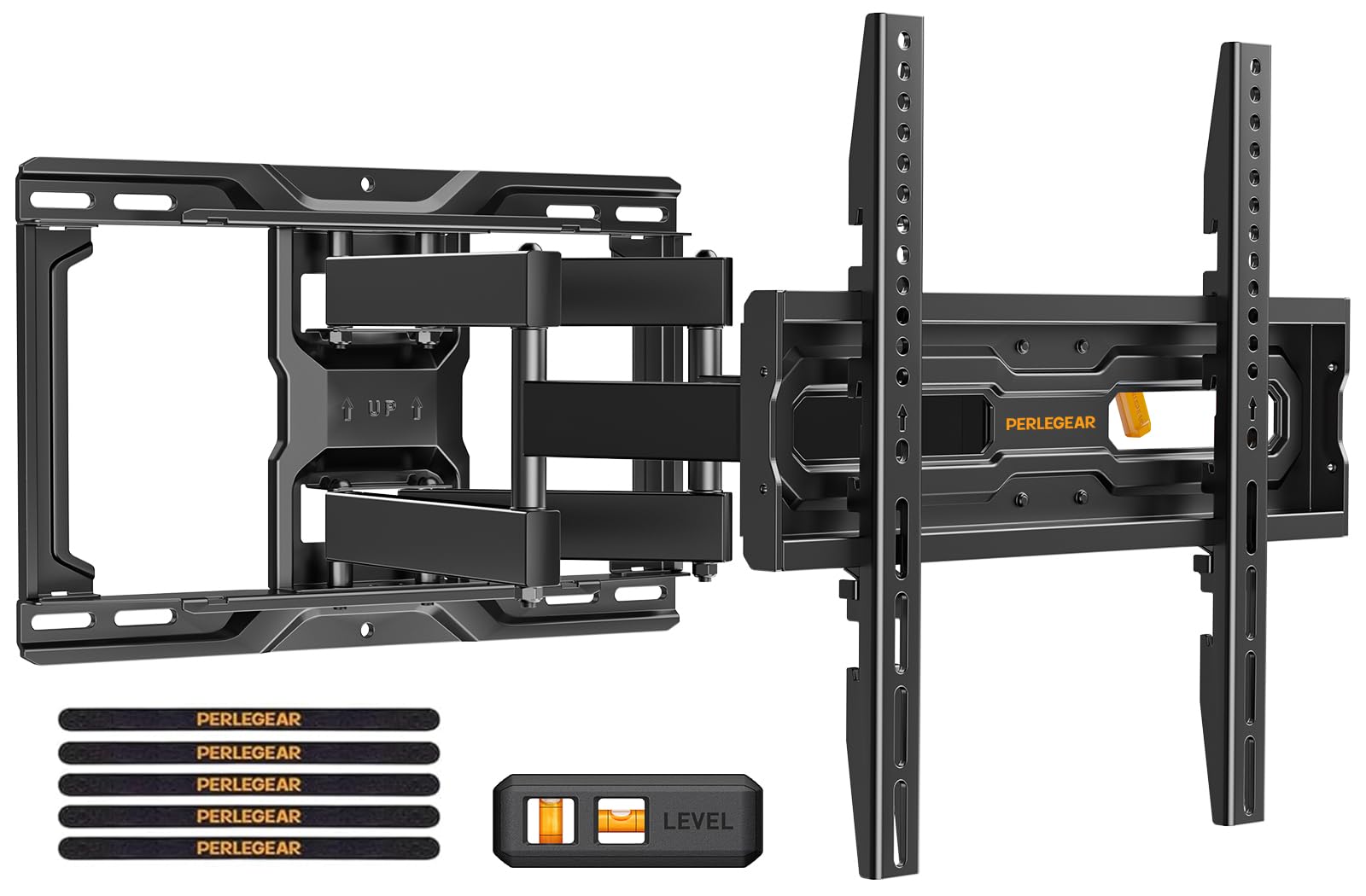
Three height settings so you can clear a soundbar without remounting the whole bracket.
Most mounts give you one height and one height only. If you add a soundbar under the TV, or want the screen at seated eye level instead of above the fireplace, you loosen the brackets and drop or raise the arms — no new holes in the wall. The swivel runs +/-45 degrees, tilt is 5 degrees up and 15 degrees down, and the arm extends 17.3 inches and folds back to 3 inches.
It fits 26 to 74 inch TVs up to 99 lbs with VESA from 100x100mm to 400x400mm, so a 50-inch Samsung is well within range. That 99 lb ceiling is lower than the Pipishell’s 132 lbs, but a 50-inch screen will not come close to either number. The pre-assembled bracket arms and pre-divided hardware are what make the 15-minute install claim feel realistic, and there is a 5-year product service window behind it.
Adjustability is the mixed bag here. The range of motion is real and smooth, but the bracket’s own fitment leaves some owners fiddling with leveling. It is a small thing on a 50-inch screen, and the tool-free tilt makes glare fixes something you can do from the couch with one hand.
The case for the PGMF21
- Three height settings for soundbars and eye-level viewing
- Tool-free tilt at 5° up and 15° down
- Pre-assembled arms and divided hardware for fast install
- 5-year product service backing
What to know going in
- 99 lb capacity is the lowest of the full-motion picks here
- Leveling can take a retry or two during install
- No drywall-only installation
Good match for: a room where the TV may move up or down over time — over a fireplace, above a soundbar, or at seated eye level.
Less suited to: a very heavy large screen, where the 99 lb ceiling gives you less margin than the Pipishell or monTEK.
5. Mounting Dream MD2263-XLK TV Wall Mount

A tilt-only bracket that fits 16, 18, or 24-inch studs and sits 2.5 inches off the wall.
If you already know you do not need the TV to swing out, this is the cleaner solution. The TV sits 2.5 inches from the wall, the tilt handle lets you angle the screen 15 degrees forward or 5 degrees back without tools, and there is a +/-1 degree leveling adjustment so the final line is straight. It handles 42 to 86 inch TVs up to 120 lbs with VESA (the hole pattern on the back of your TV) from 200x100mm up to 800x400mm — wide enough for a 50-inch Samsung and then some.
Stud flexibility is where this pulls ahead of the MD2380 above. Where that model wants 16-inch studs, this one fits 16, 18, or 24-inch spacing, which covers a lot of older walls and off-center stud finder results. The magnetic level in the box is the one detail owners keep coming back to, because it lets one person line up the plate without a helper.
The tilt mechanism is the one thing to think about before you commit. There is a real split in the feedback — some find the tilt action smooth and useful, others say it does not hold an angle as firmly as they wanted. With a 50-inch screen the load is light enough that this is rarely a problem, but a heavier TV may droop. The 120 lb capacity and 10-year warranty back up the build.
Built for the flat-wall room: 2.5 inches from the wall, 15 degrees of forward tilt, and 16, 18, or 24-inch stud support in one plate.
The trade-off: no swivel — if you sit far off-center from the TV, the MD2380 or Pipishell is the better shape.
Choose this when: your studs are wider than 16 inches or your TV is on a flat wall facing the couch.
Pass on it if: you need the TV to swing toward a corner or kitchen — tilt alone will not get you there.
6. VIVO Micro-Gap TV Wall Mount Designed for Compatible Samsung

A Samsung-specific bracket that holds The Frame about 0.1 inches off the wall.
This is the one mount on the list built around Samsung specifically. It is designed for most 2021 to 2023 43 to 85 inch Samsung Neo QLED (excluding the QN95C series) and QLED sets (excluding the AU7000, Q80A, and Q80C). It holds the TV about 0.3 inches from the wall on Neo QLED and Crystal UHD models, and roughly 0.1 inches on The Frame — the tightest gap in this entire group.
To fit it, your TV must have either recessed mounting pockets or VESA holes from 200x200mm to 800x400mm. Tilt is limited to 3 degrees, and the pop-out kickstand bracket lets you pull the TV off the wall for cable routing and hold it there while you work.
The catch is installation. The flatness wins are loud and clear, but the instructions divide opinion — some find the process straightforward, others describe them as unhelpful and end up replacing the lag screws after a head strips. The solid steel build holds up to 132 lbs, so the hardware gripes are about convenience, not safety. It is a mount for someone who cares how the wall looks.
Why Frame owners pick it
- About 0.3 in from the wall on Neo QLED, roughly 0.1 in on The Frame
- Built specifically for Samsung Neo QLED and QLED models
- Pop-out kickstand for cable access and maintenance
- Solid steel build rated to 132 lbs
Where it asks patience
- Instructions get mixed reviews — read them twice
- Lag screws have been known to strip; a hardware swap is a cheap fix
- Only 3 degrees of tilt, so glare control is limited
Made for: a Samsung Frame or Neo QLED owner who wants the screen almost painted onto the wall.
Not the one for: a wall where you need the TV to angle toward a side seat — pick the MD2380 or USX Mount instead.
7. USX Mount Full Motion TV Wall Mount
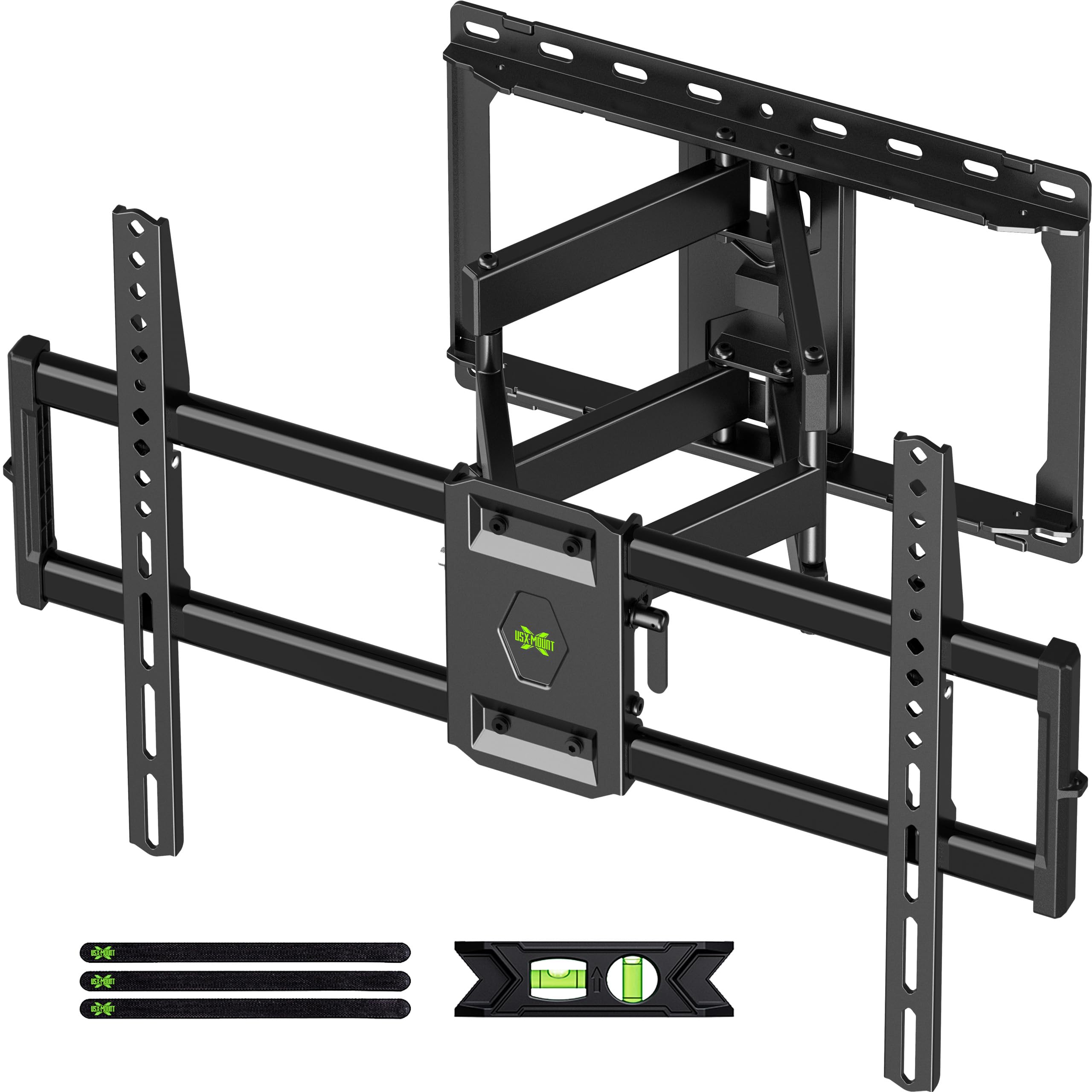
A 42–90 inch full-motion bracket rated to 132 lbs, with 16.49 inches of extension and +/-45 degree swivel.
For a 50-inch TV this mount is overqualified, and that is the point. It is rated for 42 to 90 inch screens up to 132 lbs with VESA from 200x100mm to 600x400mm. The dual articulating arms extend to 16.49 inches and fold back to 2.40 inches, with +5/-15 degree tilt, +/-45 degree swivel, and +/-3 degree leveling after install. It sits almost flush against the wall when pushed in and swings wide when you want it out.
What wins people over is the range of motion plus the fit — a 50-inch Samsung lines up without fighting the bracket, and the quick-lock mechanism makes it easy to drop the TV on and lock it down. It installs on 16-inch wood studs, concrete, or brick, and comes with a bubble level, cable ties, and labeled hardware. The 11.9 lb frame is heavier than the Perlegear, so plan for two people at the lift.
The honest limit is at the top of its stated range. On a lighter 50-inch screen the arms stay firm, but heavier 75-inch-plus TVs have left some owners with a droop they could not level out, and one report describes the mounting arms as flimsy for a 75-inch. On a 50-inch Samsung that is not the scenario you are in.
The 50-inch balance: 132 lbs of capacity and a 42–90 inch range mean a 50-inch Samsung sits comfortably inside the mount’s comfort zone, not at its edge.
Plan for the lift: the bracket itself is around 12 lbs, so bring a helper for the hang.
Worth it for: a wall where you want strong swivel now and room to grow the screen size later.
Consider the MD2380 instead if: you want slightly more extension at 17.5 in and a 16-inch-stud plate that is a touch easier to align.
8. monTEK Heavy Duty Tilt TV Wall Mount
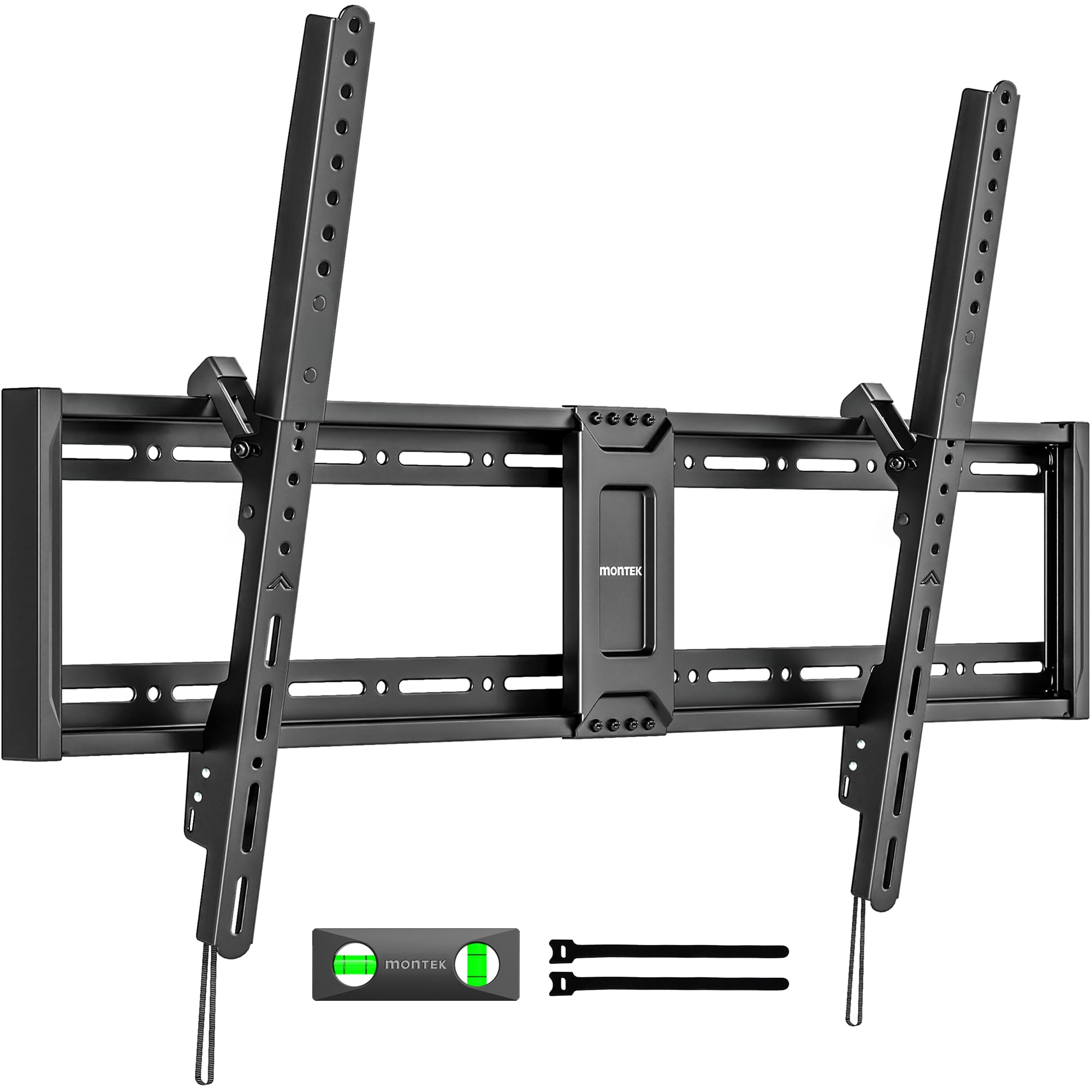
A 200 lb tilt mount sized for 100-inch TVs that a 50-inch Samsung will never stress.
It fits 43 to 100 inch flat and curved TVs with VESA from 200x200mm up to 800x600mm, so a 50-inch Samsung is a light load by its standards. Tilt runs 0 to 8 degrees down with no tools, and the TV sits 1.7 inches from the wall.
What you pay for is stud flexibility and the open-back plate. It mounts to 16, 18, 24, or 32-inch wood studs — wider than anything else on this list — plus concrete and brick. The 7.2 lb steel frame has a quick-release spring lock with pull cords, so the TV clicks into place and can be lifted off again without hunting for a latch. The wide wall plate also shifts side to side to center the screen.
The tilt-only design is the trade-off. There is no swivel and just 8 degrees of downward angle, so if glare comes from directly behind your seat, you will need to adjust the TV height before hanging it — the tilt mechanism is hard to reach once a large screen is up. The capacity, though, is the headline: owners mount heavyweight 98 and 100-inch TVs on it without issue.
The heavy-TV insurance policy: a 200 lb rating, VESA to 800x600mm, and 32-inch stud support in one mount.
Know the shape: tilt only — set the angle before the TV goes on, because reaching the mechanism afterward is a stretch.
Buy it for: wide-spaced studs, a heavy future TV, or a wall where you want maximum weight margin on a 50-inch.
Not the fit for: a room that needs the screen to swing toward a side seat — the monTEK tilts but does not swivel.
Know the Specs
Four numbers on the box decide whether a mount works on your wall. Here is what each one means in plain terms.
VESA Pattern
The four threaded holes on the back of your TV, measured in millimeters between the centers. A mount only fits if its VESA range includes your TV’s pattern. A 50-inch Samsung typically uses a 200x200mm or 400x400mm pattern. Buying a mount with a max VESA of 400x400mm or larger keeps you covered.
Weight Capacity
How much the bracket can hold, in pounds. For a 50-inch Samsung you are typically in the 30 to 50 lb range, so any mount rated to 99 lbs or higher gives plenty of margin. A 200 lb mount is overkill for a 50-inch, but the capacity is also a proxy for build strength when the mount also needs to fit wide stud spacing.
Extension and Profile
How far the arm pulls out from the wall, and how close it sits when pushed back. A 17.5-inch extension gives you a big swing for a corner seat. A 1.7-inch profile looks flush. Full-motion mounts trade profile for movement; fixed mounts win on flushness.
Stud Spacing
The distance between your wall studs. Most homes run 16 inches, but 12, 18, 24, and 32-inch spacing exist. A mount’s wall plate slots only span a set range, so confirm your spacing before you buy. No-drill mounts skip this check and grip drywall instead.
Common Questions
Will a 50-inch Samsung TV fit on a mount rated for 32 to 70 inches?
What VESA pattern does a 50-inch Samsung use?
Can I mount a TV without drilling into studs?
What is the difference between a full-motion and a tilting TV mount?
Is a full-motion mount strong enough for a 50-inch Samsung?
Will the VIVO micro-gap mount fit my Samsung Frame TV?
Can I install a TV wall mount by myself?
How much tilt does a TV mount need to fix screen glare?
What if my studs are spaced wider than 16 inches?
Can I mount a TV on drywall alone?
The Bottom Line
For most people mounting a 50-inch Samsung, the Mounting Dream MD2380 is the one to buy — it does everything full motion should do with 17.5 inches of extension, a 110 lb capacity that dwarfs a 50-inch screen’s weight, and hardware that makes solo installation realistic. If you cannot drill into studs, the EZISE Studless Mount gets you a tight 0.8-inch profile without a single hole. And if you own a Samsung Frame and want it flush, the VIVO MOUNT-TVSG1 brings the screen roughly 0.1 inches off the wall. Any of the eight will hold your 50-inch Samsung securely — the right one is simply the one that matches your wall and how much you want the TV to move.
How we choose
We do not accept paid placement. Every pick is matched to a real buyer and a real use-case; we do not hands-on test units.
Sources
Specifications: manufacturer listings and product documentation. Review insights: verified customer reviews, as of November 2026. Pricing: not shown on this page (it changes often); check the current price via the retailer link.
As an Amazon Associate, Tactical Gear Guy earns from qualifying purchases. This does not affect which products we feature.