Specs are compiled from manufacturer listings and verified buyer reviews and can change over time — please confirm the key details on the product page before buying.
The quick answer: if you want one card that does everything well for a high-end gaming build, the MSI RTX 5070 12G Gaming Trio OC is the safest bet here. Everything below helps you match a card to your monitor, your case and your power supply, so you don’t overpay for frames you can’t display.
This guide is built by comparing the manufacturers’ published specifications and the patterns across verified customer reviews, so you get each pick’s real strengths and trade-offs instead of marketing spin.
A graphics card is only as useful as the screen it feeds and the case it fits into. The picks below cover 1440p gaming rigs, compact builds and full flagship setups, so you can match power to your setup without overspending. That is exactly the job of this rtx 5000 series graphics card breakdown, and it starts with a quick look at how these cards differ.
Top Picks
How To Choose The Best RTX 5000 Series Graphics Card
Start with your monitor, not the card. A 1440p screen at a high refresh rate gets the most out of a 5070 or 5070 Ti, and a 4K panel is what pushes you toward the 5080 and 5090 tier. A 5070 or 5070 Ti only pays off if your panel can show the frames it produces.
Memory matters more than the spec sheet suggests
A card’s video memory (VRAM) holds the textures and geometry the graphics chip needs on hand. Blackwell cards run GDDR7, the newest generation of graphics memory, which moves data faster and draws less power than the last generation. In this lineup you’ll see 12GB on the RTX 5070 cards, 16GB on the 5070 Ti and 5080 cards, and 32GB on the RTX 5090 card. More VRAM gives you headroom at higher resolutions and in texture-heavy games. A 12GB card is built for 1440p work, and it will feel the squeeze sooner if you jump to 4K with everything maxed out.
DLSS 4 is half the reason these cards exist
DLSS 4 is NVIDIA’s AI-assisted rendering system. It upscales a lower-resolution frame and generates extra frames between the ones your card actually renders, which raises your on-screen frame rate. It does this without redrawing every pixel from scratch. In practice it means a mid-tier card can hold smooth motion on a demanding game at settings that would otherwise drop it to a slideshow. All 13 cards here list DLSS 4 support.
Fit, power and cooling decide more builds than raw speed
Check your case clearance and your power supply before you fall in love with a card. Physical size is listed as card length and slot thickness, and you should measure your case’s free bay and your clearance in slots before ordering. The power delivery matters just as much: a card needs a certain wattage supply and often a specific cable. The RTX 5070 Ti Shadow 3X OC asks for a 750W unit, while the 5070 Gaming Trio OC recommends 650W. A card with more fans and a bigger heatsink runs quieter under load. That is why the same GPU chip ships in cards with very different coolers, lengths and slot widths.
Side-by-Side Comparison
| Model | Best For | GPU | Memory | Boost Clock | Amazon |
|---|---|---|---|---|---|
| MSI RTX 5070 12G Gaming Trio OC★ Best Overall | All-round 1440p build | RTX 5070 | 12 GB GDDR7 | 2610 MHz | Amazon |
| PNY RTX 5070 12GB Triple FanBest Value | Straightforward 1440p value | RTX 5070 | 12 GB GDDR7 | 2325 MHz | Amazon |
| PNY RTX 5070 Ti OC Triple-FanCompact Pick | Quiet 1440p and light 4K | RTX 5070 Ti | 16 GB GDDR7 | 2295 MHz | Amazon |
| MSI RTX 5070 Ti 16G Shadow 3X OC | Performance-first upgrades | RTX 5070 Ti | 16 GB GDDR7 | 2482 MHz | Amazon |
| Gigabyte RTX 5070 Ti Eagle OC ICE SFF | Compact and small-form-factor builds | RTX 5070 Ti | 16 GB GDDR7 | 2542 MHz | Amazon |
| ZOTAC RTX 5070 Ti Solid SFF OC | Tight cases with style | RTX 5070 Ti | 16 GB GDDR7 | 2482 MHz | Amazon |
| ASUS TUF Gaming RTX 5070 Ti OC | Long-session durability | RTX 5070 Ti | 16 GB GDDR7 | 2588 MHz | Amazon |
| Gigabyte RTX 5080 Windforce OC SFF | 4K gaming in a small case | RTX 5080 | 16 GB GDDR7 | 2670 MHz | Amazon |
| NVIDIA RTX 5080 Founders Edition | The reference design | RTX 5080 | 16 GB GDDR7 | 2806 MHz | Amazon |
| ASUS TUF Gaming RTX 5080 OC Edition | Heavy 4K work and play | RTX 5080 | 16 GB GDDR7 | 2700 MHz | Amazon |
| ZOTAC RTX 5080 Solid OC | ARGB show builds | RTX 5080 | 16 GB GDDR7 | 2640 MHz | Amazon |
Detailed Reviews
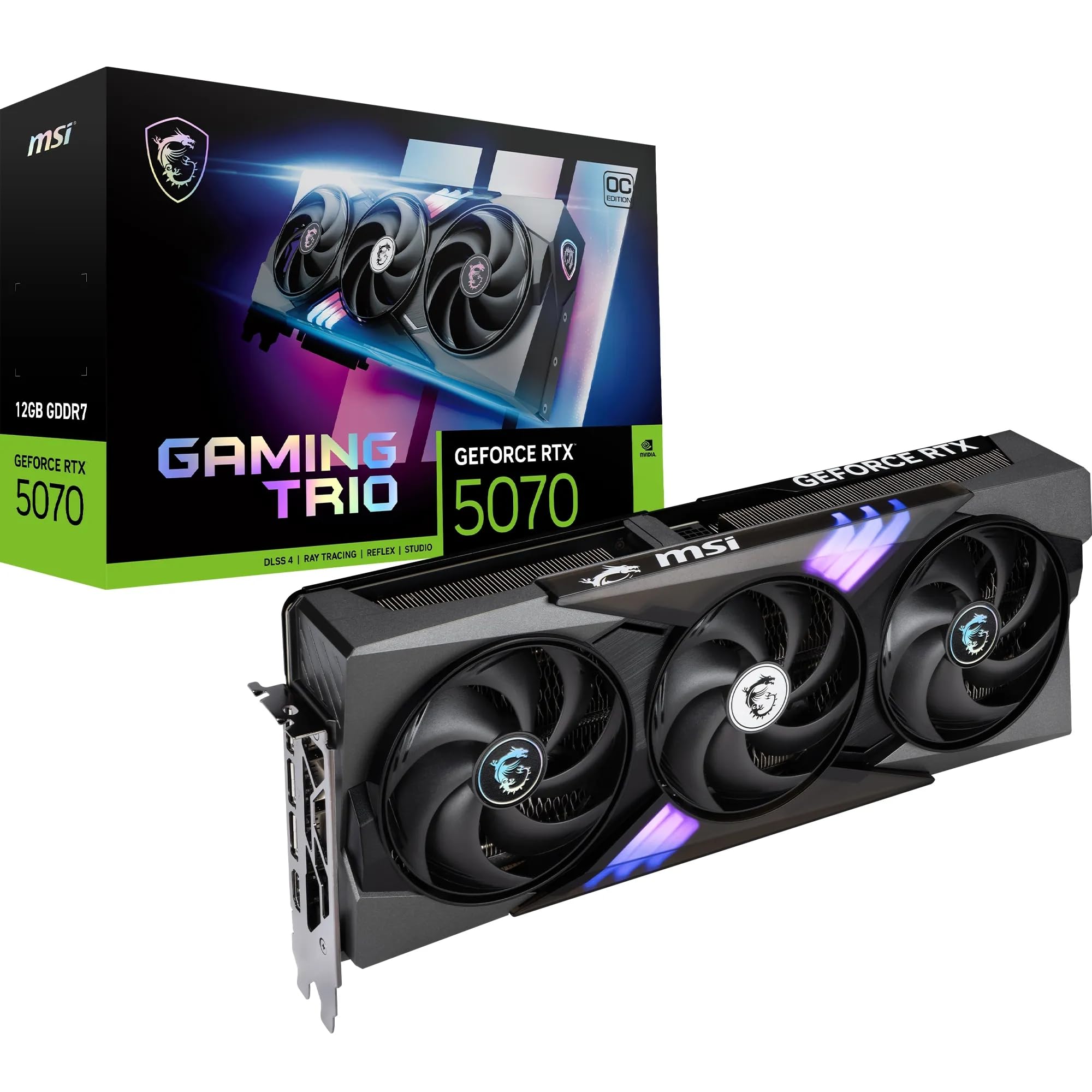
1. MSI RTX 5070 12G Gaming Trio OC Graphics Card
Our pick — 4.5+★ from 350+ verified ratings; the strongest balance of quality and price.
The one that balances a real overclock with a cooler you can live with.
This is the card to buy if you want a 1440p machine that just works. The GPU core runs at 2610 MHz from the start, a factory bump over the stock spec, and that headroom shows up as steadier frame times in a busy scene. The 12GB of GDDR7 memory sits on a 192-bit bus, and MSI rates the memory chips at 28Gbps. That is a wide, fast pipe for texture data, so a big open-world game streams in without stutter.
The TRI FROZR 4 cooling system — three fans over a nickel-plated copper baseplate and a fin stack — is what keeps this card calm under a long session. You get three DisplayPort 2.1b outputs and one HDMI 2.1b, so a multi-monitor desk is easy to wire. DLSS 4 does the heavy lifting when a game strains the chip, using AI to upscale the image and insert extra frames. MSI recommends a 650W power supply and the latest drivers, and you should treat that as a floor rather than a ceiling.
The one honest catch is memory. If you already own a 4K high-refresh monitor, the 5070 Ti cards below carry 16GB and are the calmer match. For everyone else, this card’s combination of speed, output count and cooling is the reason it tops this list. Pick it and you’re set for smooth 1440p play at high refresh rates.
What earns its place up top
- 2610 MHz core clock is a genuine factory overclock, not a sticker claim
- TRI FROZR 4 triple-fan cooling keeps a three-fan card from turning into a hairdryer
- Three DisplayPort 2.1b plus one HDMI 2.1b covers a multi-screen desk
- 12GB of GDDR7 on a 192-bit bus at 28Gbps moves texture data fast
The limits worth knowing
- 12GB of memory is a 1440p tool, not a 4K-max-settings tool
- MSI’s own 650W recommendation means a weak old supply won’t cut it
The smart default: a 1440p gamer who wants a fast, quiet, well-connected card without climbing into flagship money.
Look further up if: your monitor is 4K and you plan to run textures at the top setting — the 16GB cards below fit that job better.
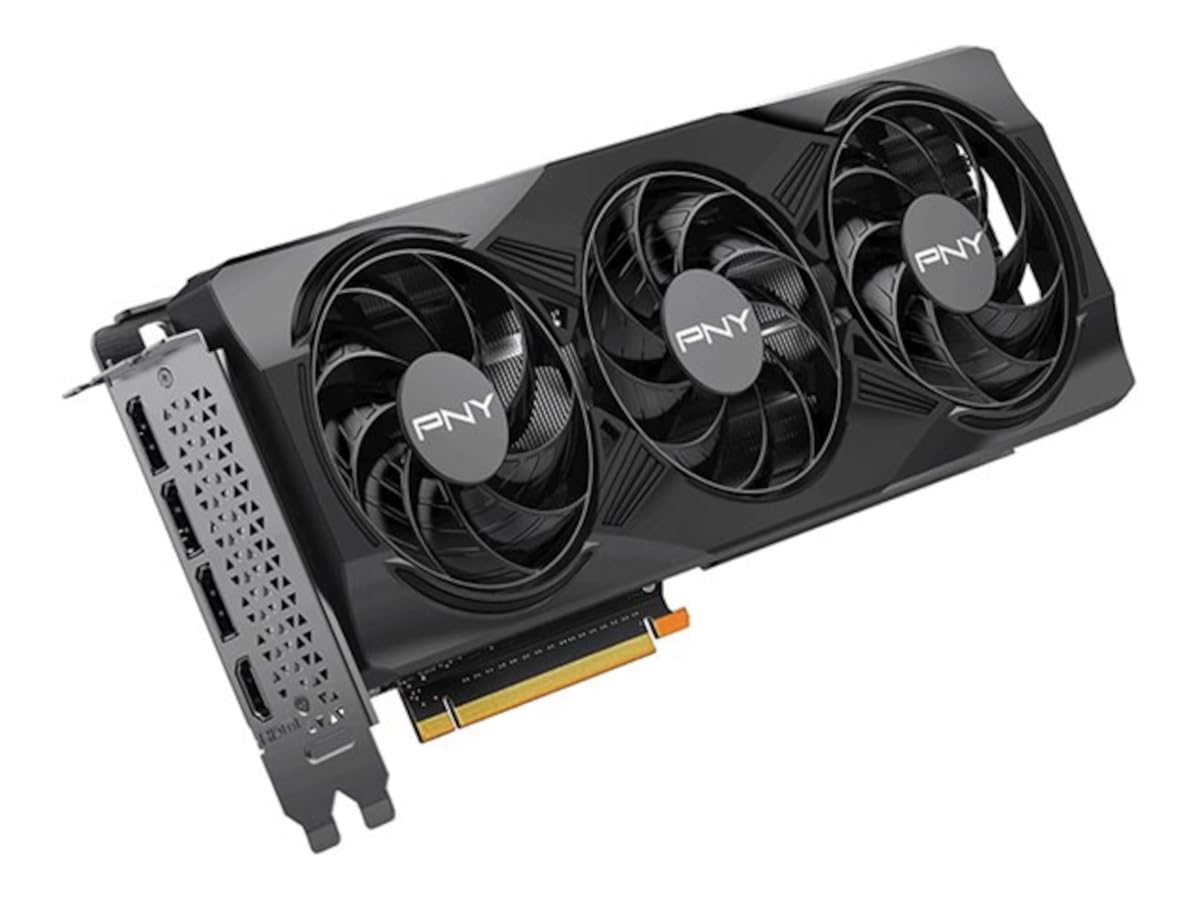
2. PNY GEFORCE RTX 5070 12GB Triple Fan DLSS 4 Graphics Card
The modest-clocked 5070 that keeps its 6144 CUDA cores and 250W draw.
Here is the cheapest way into a triple-fan RTX 5070 in this list. It runs at 2325 MHz with a 2512 MHz boost clock, which is lower than the MSI Gaming Trio’s 2610 MHz. You will not notice that gap in most games, but you will notice the different cable setup in the box. PNY includes a 16-pin to 2×8-pin adapter cable, so a power supply without a native 16-pin lead still works. That is a real convenience for anyone upgrading an existing machine.
The memory is the same 12GB of GDDR7 on a 192-bit bus, with up to 672GB/s of bandwidth. The card’s 6144 CUDA cores (the small compute units that do the drawing) are what handle geometry and shading. Its 250W TDP is the amount of power it draws under full load, and PNY rates the output resolution at up to 7680×4320. You also get VelocityX software, which lets you adjust clocks and fan curves yourself.
Set expectations honestly: this is the plainest package of the 5070 trio, with no factory overclock to brag about and a smaller review base than the MSI cards. That is what you trade for the lower price. If you want maximum clock speed straight from the start, the Gaming Trio above does it better. If you want a competent 1440p card and a bundle that adapts to your existing power supply, this is the value pick of the group.
Why it makes sense: The included 16-pin to 2×8-pin cable removes the biggest upgrade headache — whether your power supply has the right connector — and 672GB/s of memory bandwidth is plenty for 1440p texture work.
What you give up: A lower 2512 MHz boost clock than the MSI Gaming Trio and a slimmer review history mean you are buying on specs rather than a long track record.
Pick this one for: a first 50-series upgrade where you want the full 12GB GDDR7 and CUDA core count at the friendliest entry point.
Spend more if: clock speed from the start is what you care about most.
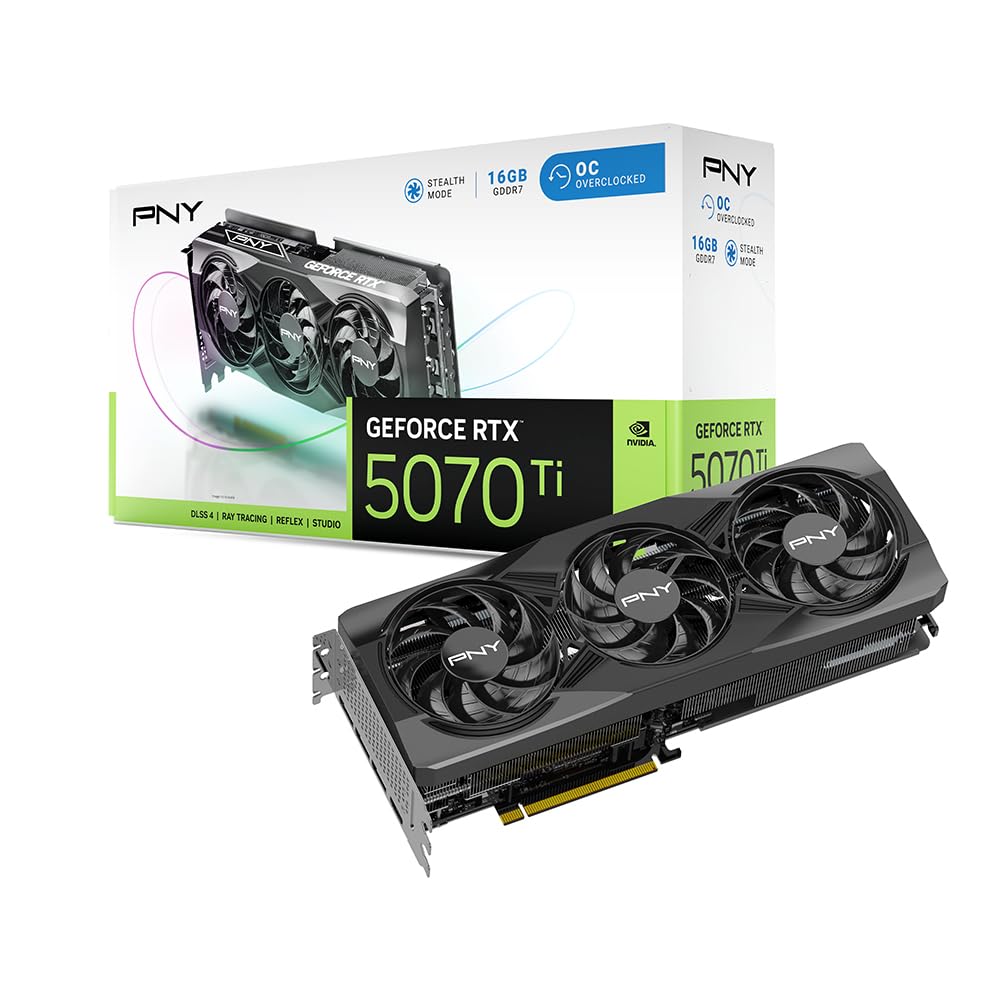
3. MSI NVIDIA GeForce RTX 5070 12G Ventus 2X OC Graphics Card
The first step up to 16GB — and the card people describe as whisper-quiet.
Moving from a 12GB 5070 to this 5070 Ti buys you memory headroom and a cooler that punches above its weight. The 16GB of GDDR7 on a 256-bit bus gives you room for high-resolution textures. That is the difference you feel when a 4K scene loads heavy texture packs. Its boost clock is 2295 MHz, which is lower than the 5070 cards here. Don’t let that fool you into thinking it’s slower — the Ti chip carries more raw hardware underneath.
The quiet operation is what really lands. Triple 90mm axial fans use counter-rotation to cut turbulence, and Stealth Mode stops the fans entirely at low temperatures. PNY claims up to 15% more airflow from the refined blades, and a vapor chamber plus a dense heatsink pulls heat away fast. That keeps temperatures low under a long workload. VelocityX software lets you tune clocks and fan curves and save up to five profiles for instant recall.
Performance and value come up most often among buyers, with quiet running close behind — the card has a reputation for doing exactly what it promises without shouting. The trade-off is fan noise under extreme load can step up, and the memory bus is 256-bit versus the 5080’s 256-bit too, so gaming at 4K is still its practical ceiling. A tool like the 5070 Gaming Trio runs the same GDDR7 family at higher clock, but this Ti wins on memory breadth and calm cooling.
Why buyers keep it
- 16GB of GDDR7 on a 256-bit bus gives real 4K texture headroom
- Stealth Mode idles the fans down for near-silent desktop use
- Vapor chamber and dense heatsink hold temperatures steady under load
Where it gives ground
- 2295 MHz boost clock trails the 5070 cards on paper
- Under extreme load the fans make themselves heard
Good match for: a 1440p high-refresh or light 4K setup where a quiet machine matters as much as frame rate.
Cross it off if: you want the highest possible clock number on the box for bragging rights.
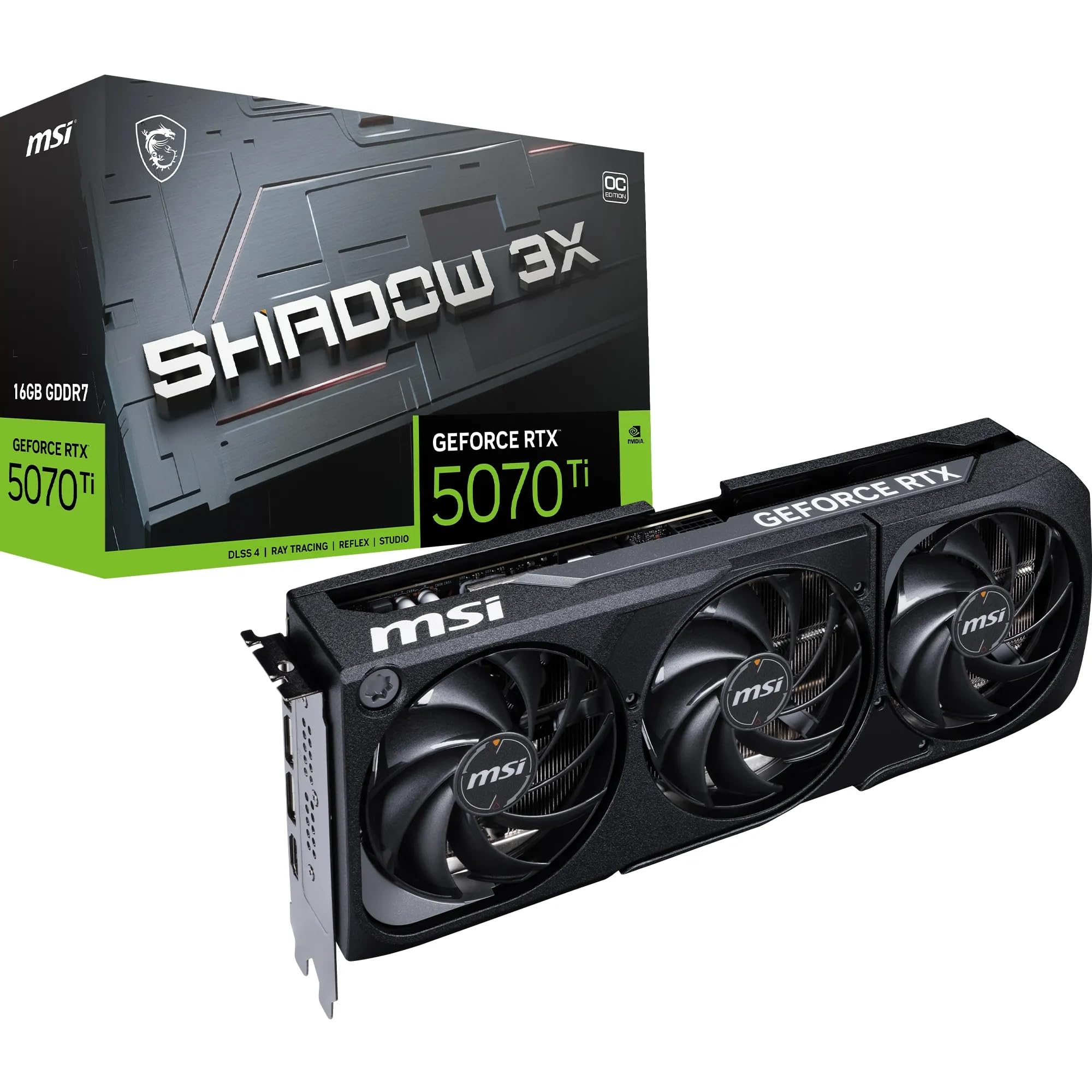
4. MSI GeForce RTX 5070 Ti 16G Shadow 3X OC
A performance-first Ti with 16GB of memory and a 2482 MHz boost.
The Shadow 3X OC is MSI’s working-gamer take on the 5070 Ti. It pairs the same 16GB of GDDR7 with a 2482 MHz clock, which is a step above the PNY Ti’s 2295 MHz. The card is aimed at people who want headroom for a demanding game at 1440p or a lighter 4K load, and reviewers describe its performance as mind-blowing. What everyone keeps returning to is the raw speed — this is a card that does not stagger when a scene gets busy.
Underneath you get the Blackwell architecture and DLSS 4, the AI frame-upscaling and frame-generation system. The Shadow series design is built to fit a standard ATX case and upgrade path. The memory runs on the GDDR7 standard, which is faster and more power-efficient than the last generation.
Value is the one subject where sentiment splits — some see the performance per dollar as fair, others feel it should cost less. That is a normal read on a card at this performance level, and it does not change how it runs. Compare it with the PNY Ti above and this card leads on clock speed at 2482 MHz vs 2295 MHz, while the PNY brings the vapor chamber and Stealth Mode. If speed is the priority, this is your card.
The speed argument: 2482 MHz beats the PNY Ti’s 2295 MHz, and the 16GB of GDDR7 gives you room for texture-heavy games at 1440p or moderate 4K settings.
The cost side: The 750W power requirement is higher than the 5070 cards call for, and value is the point where opinions diverge most.
Go here for: maximum Ti-tier clock speed when your power supply is already big enough.
Think twice if: your case leans on a 650W unit — you’ll need more headroom than that here.
5. Gigabyte GeForce RTX 5070 Ti Eagle OC ICE SFF 16G

The Ti that shrinks into a small-form-factor case without losing 16GB.
A 5070 Ti used to mean a card too long for a tight chassis. This one is built to NVIDIA’s SFF-ready guideline, which means it fits the small-form-factor cases that spec is written around. It carries the same 16GB of GDDR7 on a 256-bit interface as the other Ti cards, and the memory advantage over the 12GB 5070 cards is exactly what you expect — Gigabyte’s 16 GB vs MSI’s 12 GB Gaming Trio puts a third more memory in your rig. That extra room pays off when a game’s texture set grows past 12GB.
The core runs at 2542 MHz, higher than the PNY Ti and the ZOTAC Ti, and close to the ASUS TUF Ti. You get WINDFORCE cooling, RGB lighting and a dual-BIOS switch that lets you choose a Performance or Silent fan profile. Gigabyte also adds a reinforced structure and a VGA holder to support the card’s weight. Outputs are three DisplayPort 2.1a and one HDMI 2.1b.
The shorter heatsink is the price of SFF sizing, not a build flaw. If your case is small and you still want 16GB of GDDR7, this is the least painful way to get there.
Reach for this if: you’re building in a compact case and refuse to drop down to a 12GB card.
Look elsewhere if: your case is roomy and you want maximum heatsink volume for the longest, hardest sessions.
6. ZOTAC Gaming GeForce RTX 5070 Ti Solid SFF OC

Compact, cool and styled for a glass side panel — not just a spec sheet.
ZOTAC’s Solid SFF OC is the Ti card that owners describe as a solid GPU first and a looker second. It measures 12 inches long and 1.6 inches wide, which is genuinely tight for a 16GB card, and it pairs 16GB of GDDR7 at 28Gbps with a 2482 MHz boost clock. The IceStorm 2.0 cooling system uses three 90mm BladeLink fans, composite heat pipes and a pass-through airflow design to keep that compact body cool. A FREEZE Fan Stop mode halts the fans when the card is cool, which is how it earns its quiet reputation.
Card quality is what buyers praise most — people describe it as an excellent, well-built card. Performance praise follows close behind, and the compact size gets noticed too. On the outputs it’s future-proof on paper: three DisplayPort 2.1b, one HDMI 2.1b, 8K ready, four-display ready and VR ready. A metal backplate and an included GPU support stand keep the card from sagging in a vertical build. White LED lighting and the SPECTRA Link cable add a clean look.
The fit is where sentiment splits. Some tight-case builders found the dimensions perfect, and a few ran into clearance trouble, so measure your case’s graphics bay carefully. On the positives the card is quiet, doesn’t run hot, and looks the part. Good value also comes up. That combination makes it a smart pick for a small build where appearance matters as much as airflow.
What stands out
- 12-inch length with 16GB of GDDR7 makes it a rare compact Ti
- FREEZE Fan Stop keeps it silent at low load
- Includes a GPU support stand for a heavy card in a small case
- 8K ready, four-display ready and VR ready on the outputs
Measure before you buy
- Fit is mixed — a few tight builds ran out of clearance
Built for: compact builds with a windowed panel, where cooling, looks and quiet operation all count.
Check first: your case’s graphics bay — the 12-inch length is compact but a tight fit still needs measuring.
7. ASUS TUF Gaming RTX5070 Ti OC Graphics Card

The durability play — a Ti card built for long sessions and a dusty desk.
ASUS built this one around surviving years of heavy use rather than winning a spec-sheet argument. It runs at 2588 MHz, above the PNY and ZOTAC Ti cards and within a whisker of the Gigabyte Eagle’s 2542 MHz. The memory is 16GB of GDDR7 on the same 256-bit interface as the rest of the Ti family. Where it stands apart is the build: military-grade components, a protective PCB coating against moisture and debris, and a phase-change GPU thermal pad instead of thermal paste. That pad is designed to hold up under heavy load far better than paste.
Cooling comes from a vented exoskeleton in a 3.125-slot design, with axial-tech fans that ASUS says move up to 31% more air than standard fans. A dual-BIOS switch toggles between Quiet and Performance fan profiles. GPU Tweak III gives you tuning and monitoring. There are two HDMI and three DisplayPort outputs, and the box includes a TUF graphics card holder plus a 1-to-3 adapter cable.
Think about your case before ordering. A 3.125-slot card covers a lot of real estate, so a compact chassis is a bad match. For a big case with room to breathe, this is the Ti card to trust for the long haul. It trades a little clock headroom for a design that keeps working when the dust builds up.
The case for TUF: Protective PCB coating, military-grade components and a phase-change thermal pad aim squarely at lifespan, and the 2588 MHz clock is near the top of the Ti group.
Size warning: At 3.125 slots this occupies a big footprint, so it wants a roomy case rather than a compact one.
Right for: a full-size case and a builder who wants the card to keep going after years of heavy use.
Pass if: your chassis is slim — the 3.125-slot depth needs a lot of room.
8. Gigabyte GeForce RTX 5080 WINDFORCE OC SFF 16G Graphics Card
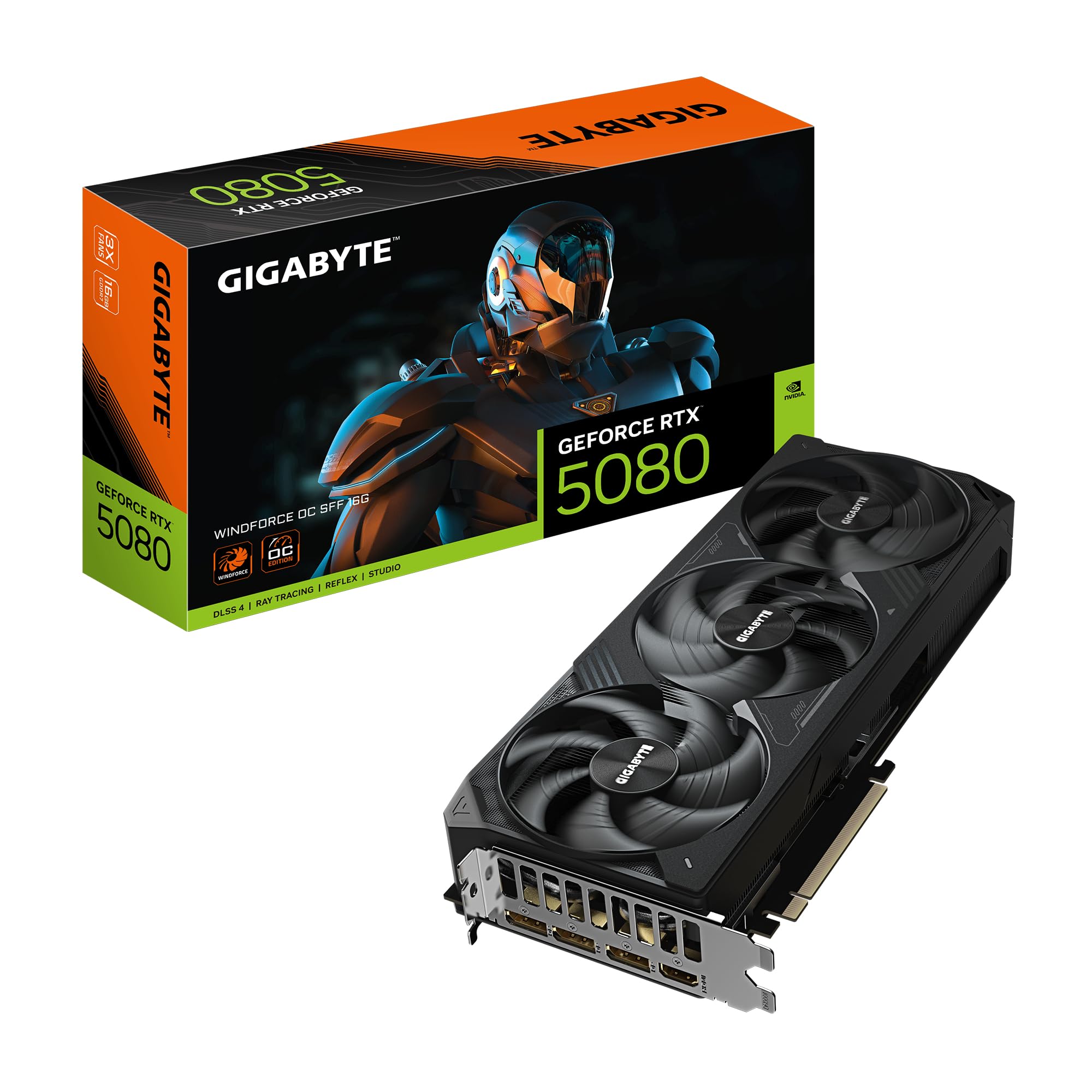
A 5080 that still fits a small case, with a 2670 MHz core and dual BIOS.
This is where the lineup jumps from the 5070 Ti tier into the RTX 5080 family, and Gigabyte brings it in a small-form-factor-ready package. The 2670 MHz core clock is the highest of the pre-5080 cards here and beats every 5070 Ti in this list. You get 16GB of GDDR7 on a 256-bit interface — the same memory layout as the Ti cards — so the leap here is in the GPU chip’s raw muscle, not the memory reserve. Three DisplayPort 2.1a and one HDMI 2.1b cover your outputs.
WINDFORCE cooling handles the heat, and the dual-BIOS switch gives you Performance or Silent fan profiles without software. Gigabyte includes a reinforced structure and a VGA holder to keep the card steady. Since it meets the SFF-ready guideline, you can pair it with a compact build that would turn down a full-length flagship.
The honest limit: a 5080 in an SFF chassis runs with less heatsink and fin area than a full-size card, so thermals are the thing to watch in a very tight build. That smaller fin stack is the cost of SFF sizing, not a defect. Buy it if you want 5080-level clock speed in a case that cannot host a full-length card. If you have the space, a full-size 5080 will run cooler for the same chip.
The one to choose: a compact build that needs a jump to 5080 graphics without a full-length slot budget.
Skip if: your case is large — a full-size 5080 breathes better for the same chip.
9. NVIDIA GeForce RTX 5080 Founders Edition

The reference 5080, running at the highest 2806 MHz clock in this list.
The Founders Edition is NVIDIA’s own version of the 5080, and its most eye-catching number is a 2806 MHz GPU clock — higher than any other card on this page. It carries 16GB of GDDR7 and the full Blackwell feature set: Tensor Cores with FP4 and DLSS 4, Reflex 2 with Frame Warp, and full ray tracing with neural rendering. That is the complete feature stack, straight from the company that designs the chip. Reviewers talk about its performance first, and the card staying cool under load comes up nearly as often. Buyers also confirm it matches the advertised specifications, which matters with flagship hardware.
One spec needs a plain-language note: the interface is listed as PCI Express 4.0, while the AIB partner cards here list PCIe 5.0. PCIe is the slot standard linking the card to your motherboard, and 4.0 slots are far more common in existing builds, so this is not a problem — just be aware the listing says 4.0. The 16GB of GDDR7 is the same memory type and capacity as the partner 5080 cards. The listed maximum resolution is 3840×2160.
Value is the split point. Owners range from well worth it to a poor return, and 16GB of VRAM at the top end of this tier means a 4K texture load can lean on it. The Founders Edition’s draw is the reference design and that 2806 MHz clock. If you want NVIDIA’s own build and the top clock on the page, this is it.
The strongest points
- 2806 MHz clock is the highest core speed listed in this lineup
- Full Blackwell feature set — DLSS 4, Reflex 2, full ray tracing
- Buyers report it stays cool under load and matches its advertised spec
Read before ordering
- Interface is listed as PCIe 4.0, not the 5.0 of the partner cards
- Value is the one point where buyers genuinely disagree
For the brand loyalist: someone who wants NVIDIA’s own reference build and the highest clock speed on this page.
Weigh carefully if: you specifically need a PCIe 5.0 interface listed on the spec sheet.
10. ASUS TUF Gaming GeForce RTX 5080 16GB GDDR7 OC Edition

A 5080 with a 2730 MHz OC mode and a cooling stack that dwarfs the rest.
ASUS rates this card at 1858 AI TOPS — a measure of how much AI compute it can throw per second for tasks like DLSS and creative AI work — and that figure headlining the spec sheet tells you where the pitch is aimed. The clock speeds are 2730 MHz in OC mode and 2700 MHz in Default mode, both above the ZOTAC 5080’s 2640 MHz. It pairs 16GB of GDDR7 with the same Blackwell architecture and DLSS 4 support as the rest of the family.
The cooling is the standout physical feature. A 3.6-slot design houses a massive fin array fed by three Axial-tech fans, and a vapor chamber plus a phase-change GPU thermal pad move heat away from the chip. ASUS says the pad outlasts traditional thermal paste under heavy loads, which is the kind of claim that matters for a card you plan to run hard for years. Military-grade components and a protective PCB coating round out the durability story, and Auto-Extreme automated manufacturing aims at reliability.
Make sure your case can take a 3.6-slot card before anything else — that is its defining trait and its limitation. In a big tower withairflow to spare, this is one of the strongest 5080 builds for sustained 4K work. The 2730 MHz OC mode clock is the fastest of the ASUS cards here, and GPU Tweak III gives you software tuning on top.
Ideal owner: a full-tower builder who wants AI-compute headroom plus the thickest cooling stack in this lineup.
Move on if: your case can’t spare 3.6 slots of depth.
11. ZOTAC Gaming GeForce RTX 5080 Solid OC

A 5080 that turns the inside of your case into part of the display.
ZOTAC’s Solid OC pairs the RTX 5080 chip with 16GB of GDDR7 on a 256-bit bus at 28Gbps, and sets the boost clock at 2640 MHz. That’s a touch below the ASUS TUF 5080’s 2700 MHz default mode and the Founders Edition’s 2806 MHz, so raw clock speed isn’t the reason to pick it. The reason is the presentation. SPECTRA 2.0 ARGB lighting, a metal backplate and a reinforced frame structure make it a card aimed at a case with a glass panel and a builder who wants the hardware to look intentional.
Cooling is handled by IceStorm 3.0: three 100mm BladeLink fans, a vapor chamber, composite heat pipes and a pass-through airflow design that sends some air straight through the card. FREEZE Fan Stop parks the fans at low temperatures, and Active Fan Control 2.0 manages them independently. There’s a dual-BIOS switch for Performance or Silent profiles. The 13-inch length and 2.67-inch width make it a wide card, and ZOTAC includes a GPU support stand to hold that weight. Outputs are three DisplayPort 2.1b and one HDMI 2.1b, with 8K, four-display and VR support listed.
The honest note here is a small review base compared with the ASUS and Gigabyte cards, so you’re leaning more on the spec sheet than on a long owner track record. The spec sheet shows no weak point; the listing is just newer, with fewer owner reviews behind it. If a coordinated ARGB build is the goal and you want 5080 performance to power it, this is the pick that fits that picture.
The visual argument: SPECTRA 2.0 ARGB lighting, a metal backplate and a reinforced frame are aimed at showcase builds where the card is on display.
Cooling complement: Three 100mm fans, a vapor chamber and pass-through airflow give a wide card enough thermal headroom to stay quiet.
What to know: The 2640 MHz boost trails the other 5080 cards here, and the owner history is shorter than its rivals’.
Best for: a glass-panel 5080 build where lighting, a metal backplate and a reinforced frame matter as much as clock speed.
Not your card if: you want the highest 5080 boost clock on this page.
Know the Specs
GDDR7 Memory and Bus Width
VRAM (video memory) is the card’s short-term storage for textures and geometry. GDDR7 is the newest generation, and it moves data faster while drawing less power than the last generation. Memory bus width — 192-bit, 256-bit or 512-bit here — is the width of the road that data travels on, so a wider bus carries more per clock. The RTX 5070 cards use 12GB on a 192-bit bus, the 5070 Ti and 5080 cards use 16GB on 256-bit, and the RTX 5090 uses 32GB on 512-bit. More capacity and a wider bus give you headroom at higher resolutions and with heavy texture packs.
Boost Clock and Power Draw
The boost clock in MHz is the peak speed the GPU core can reach under load, and higher figures generally mean more frames when cooling allows. It is not the whole story — the chip underneath matters more. Power draw in watts (TDP) tells you how much electricity the card pulls under full load, and that number drives your power supply choice. A card rated at 250W needs a supply with real headroom, which is why MSI recommends a 650W unit for the 5070 cards and 750W for the higher-tier Ti models. Always check your supply’s wattage and its connector type first.
DLSS 4 and Ray Tracing
DLSS 4 is the AI upscaling and frame-generation system built into these cards. It raises frame rate without redrawing every pixel at full resolution. Ray tracing is a rendering technique that traces light paths for realistic shadows and reflections, and these cards use fourth-generation RT cores to handle it. Together they let a mid-tier card hold smooth motion in a demanding game at higher settings than raw rendering alone would allow. Every card on this page supports DLSS 4.
Slots, Length and Case Fit
Slot thickness and card length decide whether a card goes into your case at all. A 2.5-slot card fits most mid-towers, while a 3.6-slot design covers a lot of real estate and needs a roomy chassis. Length is measured in millimeters or inches, and small-form-factor-ready cards follow NVIDIA’s SFF guideline to fit compact builds. Measure your case’s graphics bay and your clearance before ordering. A bigger card also weighs more, which is why many come with a support stand or VGA holder to stop sag.
Common Questions
Do I need PCIe 5.0 for an RTX 5000 Series Graphics Card?
Is 12GB of VRAM enough for 1440p gaming?
How much power supply wattage do these cards need?
Will a three-slot graphics card fit in my case?
What is the difference between an RTX 5070 Ti and an RTX 5080?
Does DLSS 4 work on every card in this lineup?
Is the RTX 5090 worth it over an RTX 5080?
What does factory overclock actually change?
Do I need a special cable for a 16-pin graphics card?
Can these cards drive four monitors or an 8K display?
The Bottom Line
For most builders, the rtx 5000 series graphics card that makes the most sense is the MSI RTX 5070 12G Gaming Trio OC, because it pairs a 2610 MHz factory overclock and 12GB of GDDR7 with TRI FROZR 4 cooling and three DisplayPort 2.1b outputs. If you want 16GB of memory for high-resolution textures, reach for the Gigabyte RTX 5070 Ti Eagle OC ICE SFF. And for a small case that still deserves 5080 speed, the Gigabyte RTX 5080 Windforce OC SFF is the one to reach for.
One nudge before you close the tab: the Gaming Trio’s 4.5+ star standing and its sizable owner base make it the safest 1440p bet on this page, and it costs far less than the 5080 and 5090 cards. Match the card to your monitor’s resolution and refresh rate and you won’t pay for frames it can’t display.
How we choose
We do not accept paid placement. Every pick is matched to a real buyer and a real use-case; we do not hands-on test units.
Sources
Specifications: manufacturer listings and product documentation. Review insights: verified customer reviews, as of November 2026. Pricing: not shown on this page (it changes often); check the current price via the retailer link.
As an Amazon Associate, Tactical Gear Guy earns from qualifying purchases. This does not affect which products we feature.