Specs are compiled from manufacturer listings and verified buyer reviews and can change over time — please confirm the key details on the product page before buying.
You want the VPN running on the router itself, so every phone, console, and smart TV in the house is covered without installing an app on each one. The catch: most routers treat VPN as an afterthought, and switching encryption on can collapse your download speed. This guide separates routers that hold real WireGuard and OpenVPN throughput from ones that only list “VPN support” on the box. If tunnel speed is what you care about, start with the GL.iNet Flint 2 — a 4.5+ star pick with 3,000+ owners behind it.
This guide is built by comparing the manufacturers’ published specifications and the patterns across verified customer reviews, so you get each pick’s real strengths and trade-offs instead of marketing spin.
Below are eleven routers that run a VPN client or server on the hardware itself, ranked by what matters once the tunnel is up. Each entry gives the WireGuard or OpenVPN throughput you can expect and who it fits, so you can pick a router with built-in VPN without guessing.
Top Picks


How To Choose The Best Router with Built-In VPN
The biggest mistake buyers make here is shopping by the Wi-Fi speed headline. A router can advertise a huge combined Wi-Fi figure and still crawl the instant traffic goes through a VPN tunnel, because the router’s processor handles encryption, not the antennas. That is why the number to hunt for first is the VPN throughput figure in Mbps — the speed the router can push through WireGuard or OpenVPN with encryption active.
Look at VPN throughput before anything else
WireGuard is the lighter, faster protocol, and OpenVPN is the older, more widely compatible one. A router that lists a WireGuard speed in the high hundreds of Mbps is a very different machine from one that quietly omits the figure. If the spec sheet lists no VPN throughput number at all, treat that as a sign the maker isn’t confident about it.
Decide if you need a VPN client, a server, or both
A VPN client lets the router connect out to a commercial VPN provider, so every device in the house appears to browse from that location. A VPN server lets you dial back into your home network from a hotel or café. Some routers here do both, and one of the PCWRT picks even lets you route only selected VLANs through the tunnel while other devices stay on your normal connection.
Match the wired ports to your internet plan
If your provider gives you multi-gig internet, a router with only gigabit ports becomes the bottleneck regardless of how good the Wi-Fi is. Several picks here carry 2.5G ports, and one TP-Link carries a 10 Gbps port, which matters for wired backhaul and fast NAS transfers. On slower cable or fiber plans, standard gigabit ports are perfectly fine.
Side-by-Side Comparison
| Model | Best For | VPN Throughput | Wi-Fi Standard | Wired Ports | Amazon |
|---|---|---|---|---|---|
| GL.iNet GL-MT6000 Flint 2★ Best Overall | Fast VPN at a mid-range price | WireGuard 900 Mbps / OpenVPN 880 Mbps | Wi-Fi 6 | Dual 2.5G | Amazon |
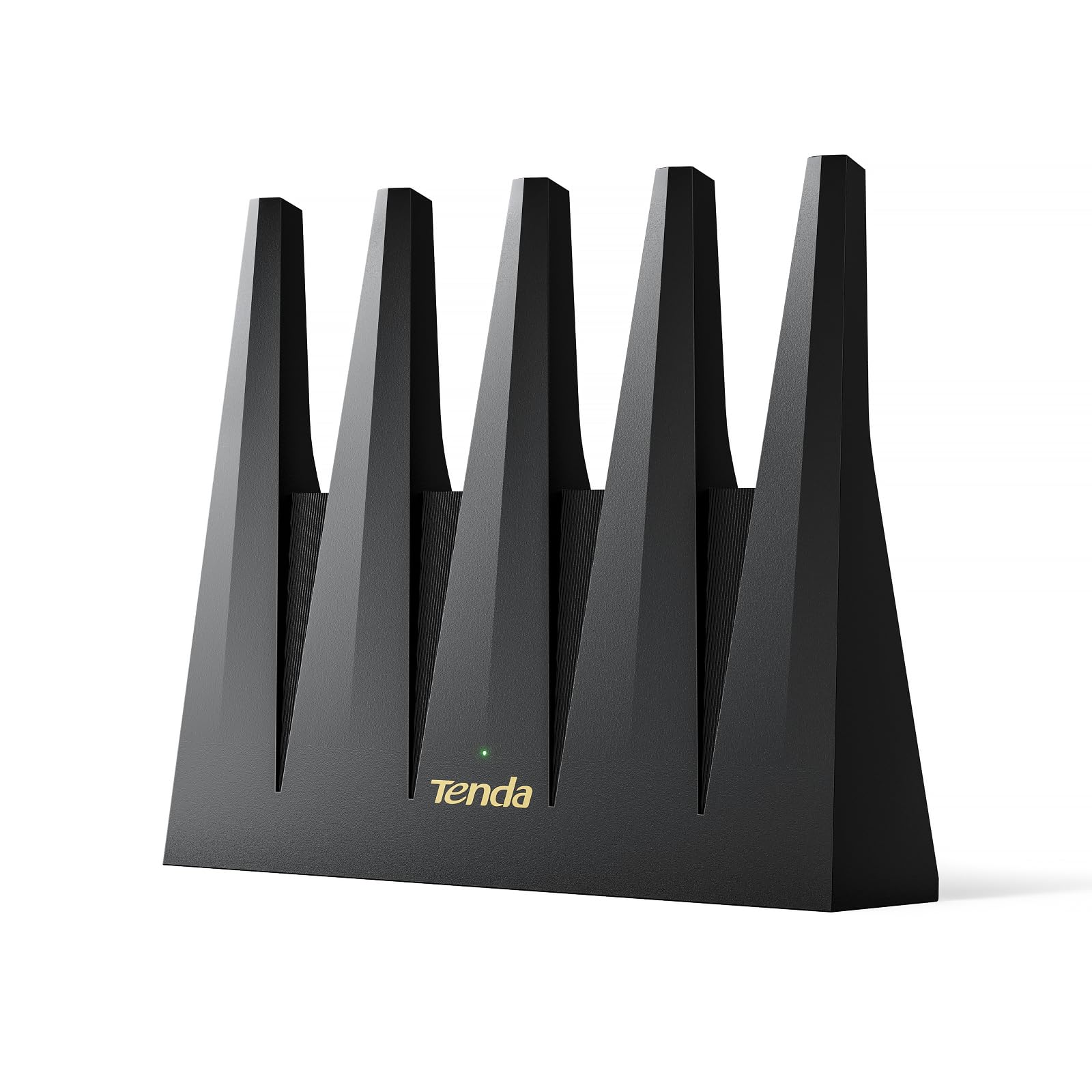
| Tenda BE7200 (BE12Pro)Wi-Fi 7 Value | Wi-Fi 7 on a tighter budget | VPN client support (WireGuard, OpenVPN, L2TP, PPTP) | Wi-Fi 7 | 2× 2.5G + 3× 1G | Amazon |
| TP-Link Archer AX72 ProSimple Coverage | Simple all-device VPN coverage | VPN client + server | Wi-Fi 6 | 1× 2.5G + 4× 1G | Amazon |
| GL.iNet Flint 3e (GL-BE6500) | Fastest VPN throughput, Wi-Fi 7 | WireGuard 1100 Mbps / OpenVPN 1100 Mbps | Wi-Fi 7 | Ethernet (retractable-antenna design) | Amazon |
| ASUS RT-BE55 | Mesh-ready VPN home coverage | Advanced VPN support | Wi-Fi 7 | 2.5G WAN | Amazon |
| NETGEAR Nighthawk RAX36 | Reliability-first everyday coverage | Built-in VPN | Wi-Fi 6 | 4× 1G | Amazon |
| Cudy BE11000 (WR11000) | Tri-band Wi-Fi 7 + many VPN protocols | WireGuard, OpenVPN, ZeroTier, IPsec, PPTP, L2TP server/client | Wi-Fi 7 Tri-Band | 4× 2.5G | Amazon |
| Omada ER706W | Business-grade VPN with multi-WAN | WireGuard, OpenVPN, IPsec, GRE, PPTP, L2TP | Wi-Fi 6 | 5× 1G + SFP | Amazon |
| PCWRT PW-AX1800 | Per-VLAN VPN routing + privacy | OpenVPN, IPsec, WireGuard client & server | Wi-Fi 6 | Gigabit Ethernet | Amazon |
| TP-Link Archer BE600 | Large-home Wi-Fi 7 with 10G port | VPN client + server | Wi-Fi 7 Tri-Band | 10G + 2.5G + 3× 2.5G | Amazon |
| Synology RT6600ax | Premium network control + VPN server | Comprehensive VPN server | Wi-Fi 6 Tri-Band | 2.5GbE | Amazon |
Detailed Reviews
1. GL.iNet GL-MT6000 Flint 2 Wi-Fi 6 Router
Our pick — 4.5+★ from 3,000+ verified ratings; the strongest balance of quality and price.
The VPN speed king of the mid-range — 900 Mbps through WireGuard without breaking stride.
The Flint 2 is here because of one number: WireGuard VPN speeds up to 900 Mbps and OpenVPN up to 880 Mbps. For you, that means a full-speed fiber or cable connection stays useful even with the tunnel running, so 4K streaming on the TV and a game download on the console happen at the same time without either choking. The Wi-Fi 6 side pushes up to 6 Gbps across 8 streams, which covers phones, laptops, and a wired console comfortably.
The hardware is built for tinkering without being hostile to beginners. Its 1GB DDR4 RAM and 8GB eMMC storage let it hold over a hundred devices and still have room for extra plugins, and OpenWrt comes pre-installed for anyone who wants to go deep into settings. AdGuard Home support adds network-wide ad and tracker blocking through a simple web interface. Setup runs through a web admin panel or the setup tutorial, and most people are online quickly.
Where the story gets honest is long-term reliability — some buyers report it running perfectly for months, others hit periods where it stops for no clear reason, and the occasional laptop drops its connection briefly. None of that is universal, but if you need a hands-off appliance you’ll want to keep an eye on it. It also has fewer reviews than some rivals below, though the rating holds higher.
Why It Wins The Slot
- WireGuard up to 900 Mbps and OpenVPN up to 880 Mbps keeps your full plan speed usable under encryption.
- Dual 2.5G ports plus 8-stream Wi-Fi 6 at a 6 Gbps peak.
- 1GB DDR4 RAM and 8GB eMMC handle over a hundred devices.
- Pre-installed OpenWrt and AdGuard Home for blocking ads network-wide.
What To Keep An Eye On
- Some owners see brief disconnections on laptops.
- Occasional reports of it needing a restart.
Reach for this if: you want the fastest real VPN throughput at a mid-range price and don’t mind a little firmware upkeep.
Think twice if: you want zero maintenance and never plan to touch the settings panel.
2. Tenda BE7200 (BE12Pro) Wi-Fi 7 Router
Next-gen Wi-Fi 7 with VPN clients built in, priced well under the premium tier.
You get the newest Wi-Fi standard without premium-tier prices here. It runs Wi-Fi 7 with Multi-Link Operation (MLO) — a feature that uses more than one band at once so a device’s connection stays steady — and delivers up to 5765 Mbps on 5GHz and 1376 Mbps on 2.4GHz off a quad-core 2 GHz chipset (the processor that runs the router). That 5765 Mbps on 5GHz beats the TP-Link Archer AX72 Pro below at 4804 Mbps, so big downloads finish faster.
The VPN side is more flexible than you might expect at this level. It supports WireGuard, OpenVPN, L2TP, and PPTP clients plus a PPTP server, so you can point it at a commercial provider or dial in remotely. It also runs OpenWrt if you prefer to swap the factory firmware. Two 2.5G ports and three gigabit ports give you fast wired links to a PC, console, or NAS, and NFC tap-to-connect gets guests online without typing a password.
The trade-off is consistency. Owners mention strong 5GHz performance and easy setup, but connectivity is the shakiest part — some connections cut out randomly or struggle to connect to a provider. Compatibility is also hit-and-miss, and some users find it doesn’t work with every VPN. If you’re on Spectrum, restarting the modem during setup is the fix.
The real draw: Wi-Fi 7 speeds and MLO at a budget-friendly price, with the widest spread of VPN protocols in its tier. Nine signal modules and a vertical cooling design help it hold up under load. But buy it with the expectation of a little troubleshooting, and check your VPN provider’s compatibility before you commit.
Best fit: a household that wants Wi-Fi 7 now and has devices that can actually use the faster bands.
Not ideal if: you need rock-steady connections and won’t tolerate occasional dropouts.
3. TP-Link Archer AX72 Pro AX5400
The set-and-forget option that puts every device behind a VPN without extra software.
This is the pick for someone who wants the VPN handled entirely at the router and doesn’t want to think about it again. It supports both a VPN server and a VPN client, so devices in your home can reach remote VPN servers without installing anything on each phone or laptop. Dual-band AX5400 delivers up to 4804 Mbps on the 5GHz band and 574 Mbps on 2.4GHz. Against the Tenda above, that’s 4804 Mbps versus 5765 Mbps on 5GHz — the Tenda leads on raw Wi-Fi speed.
Coverage is the quiet strength here. Six high-performance antennas plus Beamforming (which aims the signal at where your devices actually sit) spread a strong signal to every corner of a typical house. MU-MIMO keeps multiple devices talking at once and OFDMA splits a channel efficiently among them. One 2.5G WAN/LAN port, one gigabit WAN/LAN, and three gigabit LAN ports cover most wired needs, and voice control through Alexa and Google Assistant handles things like toggling guest Wi-Fi.
What lets it down is the connection itself sometimes — some report rock-steady links while others fight modem problems or dropouts. A few question the value. Neither pattern is universal, and if you’re on a standard cable or fiber service it usually just works after a quick, easy setup.
What you’re paying for: predictable coverage and a VPN that lives on the router, not on your devices. Setup is straightforward and the app keeps management simple.
The honest wrinkle: the 2.4GHz band on this one runs at 574 Mbps versus the Tenda’s 1376 Mbps, so older devices on the slower band won’t get the same speed.
Pick it when: you want a whole-home VPN layer without any per-device setup.
Hold off if: you need the strongest possible 2.4GHz performance or a future-proof Wi-Fi 7 platform.
4. GL.iNet Flint 3e (GL-BE6500) Wi-Fi 7 Router
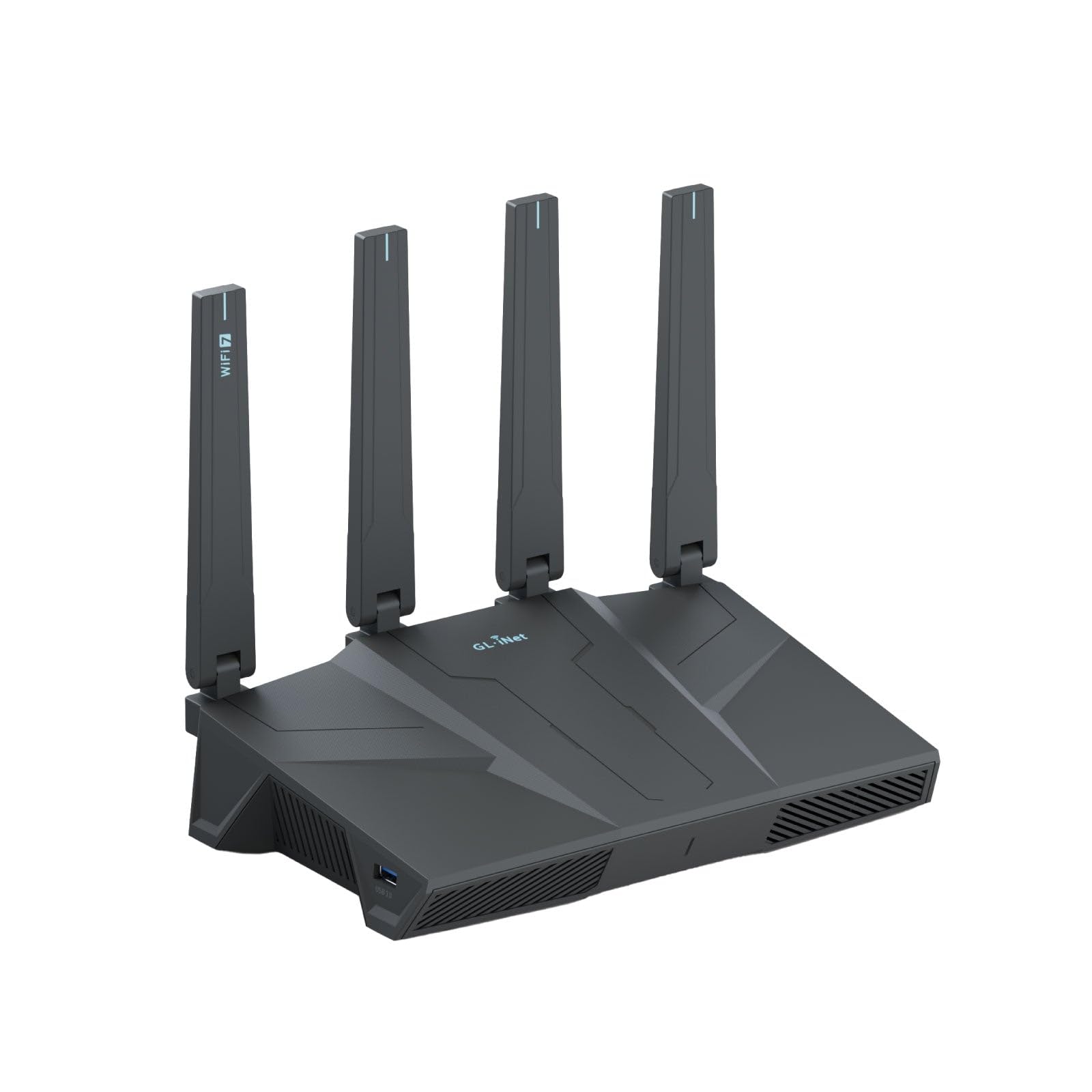
The fastest VPN engine on the list, and it runs on Wi-Fi 7 hardware too.
Here’s where the VPN math gets serious. The Flint 3e pushes both WireGuard and OpenVPN to 1100 Mbps — against the Flint 2 above, that’s 1100 Mbps versus 900 Mbps on WireGuard, and 1100 Mbps versus 880 Mbps on OpenVPN. If your internet plan is gigabit and you refuse to watch it get cut in half by encryption, this is the model that gets out of the way.
The Wi-Fi 7 platform brings MLO, 4K-QAM, and preamble puncturing, which together mean lower latency and steadier connections when many devices are competing for airtime. Coverage reaches up to 2,500 square feet and the hardware handles over a hundred connected devices. AdGuard Home blocks ads and trackers at the DNS level, and Bark parental-control support gives you screen-time limits and safe-search enforcement.
The recurring complaint is connectivity — some units hold a superb, stable signal while others drop the connection or refuse to link to the modem. The 1GB DDR4 memory is ample for serious tinkering but modest if you plan to load it down. For most homes it settles in fine after the guided setup.
Where It Pulls Ahead
- WireGuard and OpenVPN both at 1100 Mbps — the fastest here.
- 2,500 sq. ft. of coverage on Wi-Fi 7 with MLO and 4K-QAM.
- AdGuard Home and Bark parental controls built in.
Where It Wobbles
- Some units drop connections or struggle to link with a modem.
Ideal for: gigabit-plan households that run heavy VPN traffic and want the tunnel to keep pace.
Consider another pick if: you’ve had modem handshake headaches before and want the least fussy setup possible.
5. ASUS RT-BE55 WiFi 7 Router
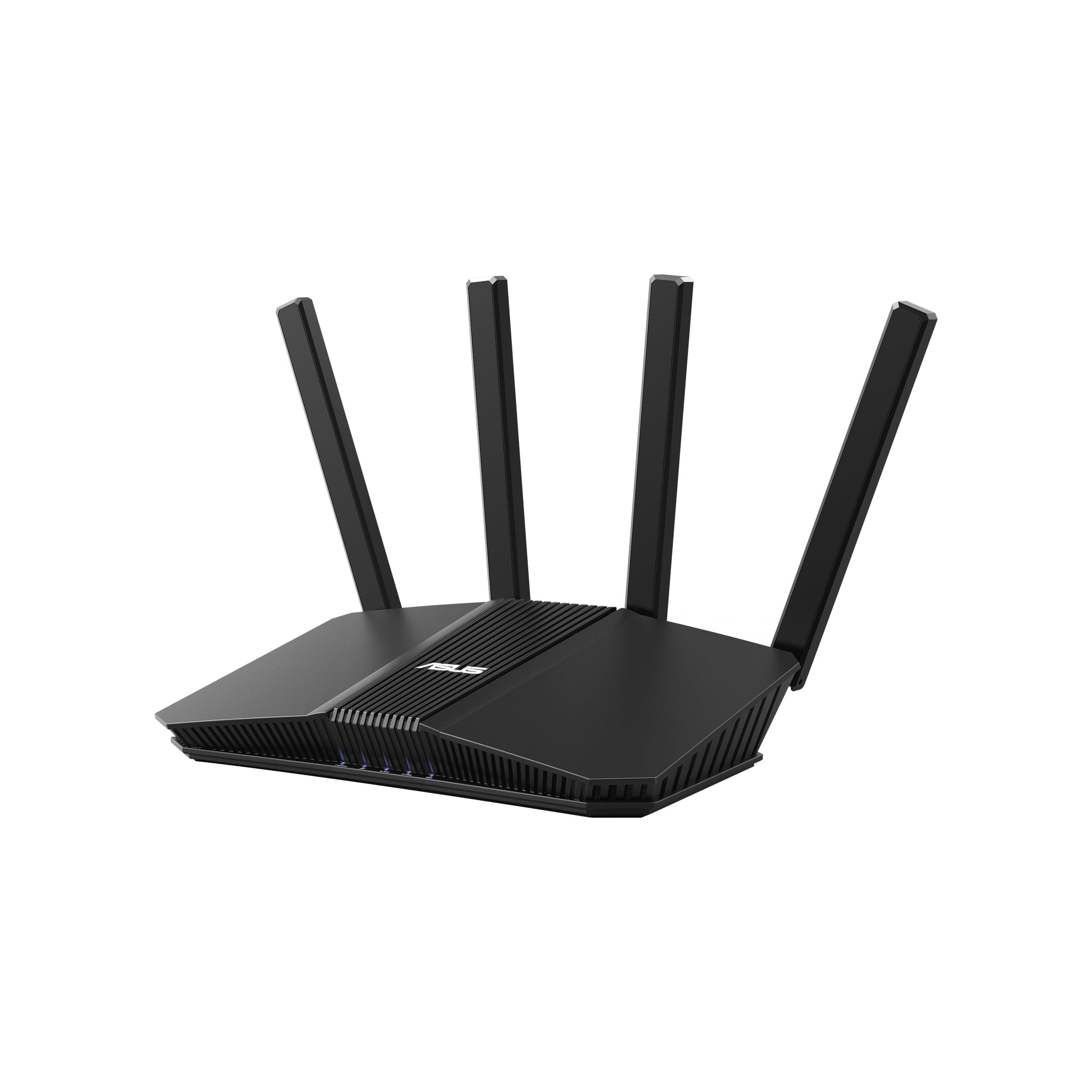
A Wi-Fi 7 starter that grows into a mesh — and keeps VPN traffic out of the mix.
Coverage of up to 2,000 square feet from four internal antennas and four high-power front-end modules (amplifiers that push the signal out and catch weak ones coming in) is the headline here. Wi-Fi 7 with MLO and 4K-QAM pushes speeds up to 3600 Mbps, and Smart AiMesh lets you add compatible ASUS units later to fill a bigger house without starting over. A 2.5G WAN port gives you a fast wired backhaul for a mesh node.
If you run a VPN, the feature that matters is Smart Home Master Network: it lets you create separate SSIDs (separate Wi-Fi network names) — one for IoT gadgets (smart-home devices), one for parental-controlled devices, one for guests — so you can route or isolate traffic without exposing everything. Advanced VPN support and commercial-grade AiProtection (the brand’s built-in security service) round out the security layer. Customers note setup is consistently praised, and range and coverage get good feedback. One owner summed up the upside: it costs less than you’d expect for the feature set.
Speed is where expectations need calibrating — some report it isn’t as fast as a straight Ethernet connection, and a few note it lacks extra bells and whistles. This is a leaner ASUS, not a loaded flagship. For a small-to-mid home or an apartment, it covers well and does the VPN job.
The case for it: a mesh-ready, Wi-Fi 7 base with separate SSIDs for secure segmentation and straightforward setup.
An honest limit: it’s a value-tier ASUS, so if you need maximum speed or a deep feature set, look higher up the range.
Made for: a mid-size home planning to add mesh nodes later and wanting separate networks for IoT and family devices.
Look elsewhere if: you demand the fastest possible wireless speed on a single router.
6. NETGEAR Nighthawk RAX36 AX3000

A dependable everyday router with VPN built in, and it earns its keep on reliability.
If your priority is a router that just keeps running rather than one that maxes out a spec sheet, the RAX36 is worth a look. It’s rated well for reliability and build quality, which tells you what owners value most. AX3000 speeds up to 3 Gbps over Wi-Fi 6 handle streaming, HD gaming, and video calls, and it covers up to 2,000 square feet for up to 25 devices. Wi-Fi 6 clients on the 5GHz band routinely hit close to gigabit.
The VPN lives on the router itself, so you get whole-network coverage without installing software on every device. There’s a USB 3.0 port for sharing storage, and four gigabit Ethernet ports for consoles, PCs, and streaming boxes. Setup is straightforward through the app, and one note that trips people up: it has no built-in cable modem, so you’ll connect it to your existing one.
Connectivity is the softer spot — most owners are happy, but a minority have trouble establishing connections or hit compatibility issues. That’s the nature of the ISP handshake rather than a design fault, and it usually resolves with a modem restart. For sheer day-to-day steadiness, this one rarely disappoints.
Why owners trust it: consistent performance and solid construction matter more than headline numbers, and this router is built to that brief.
One thing to check first: it pairs with a cable modem you supply, so budget for that if you don’t already have one.
Great match for: a medium home that values a stable, familiar router with built-in VPN over cutting-edge speeds.
skip it if: you need Wi-Fi 7 or multi-gig wired ports.
7. Cudy BE11000 (WR11000) Tri-Band Wi-Fi 7

Tri-band Wi-Fi 7 with the widest VPN protocol spread and four multi-gig ports.
Four 2.5G Ethernet ports is unusual at this price, and it’s the reason to consider the Cudy. It means a multi-gig modem plus a gaming PC and a NAS can all run wired without a switch. Tri-band Wi-Fi 7 delivers up to 5.7 Gbps on 6GHz, 4.3 Gbps on 5GHz, and 688 Mbps on 2.4GHz across 6 streams, covering up to 140 m² (1,500 ft²) with Beamforming. A Qualcomm 1.5 GHz quad-core CPU drives it all.
The VPN support is the broadest here by protocol count: WireGuard, OpenVPN, ZeroTier, IPsec, PPTP, and L2TP, all as server or client. That matters if you use an uncommon provider or want site-to-site links. It supports up to 384 clients (200 recommended), and Wi-Fi 7 efficiency tools like MLO, MRU, Puncturing, OFDMA, MU-MIMO, and BSS Color keep busy networks orderly. Cudy Mesh expands coverage with wired or wireless backhaul.
The caveat is consistency — connectivity and performance split opinion, with some reporting a threefold speed improvement and others failing to get online at all. That’s a wide spread, so treat it as a router that rewards a careful setup and a returned unit if it doesn’t behave.
Standout: four 2.5G ports and six VPN protocols on tri-band Wi-Fi 7 is a lot of flexibility for the middle of the market.
Worth knowing: the 1,500 ft² coverage is the smallest here, so it suits a compact home or an apartment better than a sprawling one.
Right choice if: you want multi-gig wired ports and an unusual VPN protocol like ZeroTier.
Pass if: you’re covering a large house or want the reassurance of a long track record.
8. TP-Link Omada ER706W AX3000 VPN Router

A small-office brain with enterprise VPN protocols and five WAN ports to load-balance.
This isn’t a living-room router — it’s an Omada piece designed for shops, home offices, and small businesses that need serious network control. AX3000 Wi-Fi 6 delivers 2402 Mbps on 5GHz and 574 Mbps on the 2.4GHz band, and there’s one gigabit SFP slot plus five gigabit RJ45 ports for wired gear. Load balancing across up to five WAN ports keeps multiple broadband lines working together so one failing line doesn’t kill your connection.
The VPN lineup is where it earns its keep for business buyers: SSL, IPSec, GRE, WireGuard, PPTP, and L2TP VPN plus OpenVPN, covering nearly every protocol an IT team might rely on. Omada Mesh lets you extend Wi-Fi with Omada access points without extra cabling, and a USB 3.0 port supports storage or an LTE backup dongle. It’s a router that fits into an existing managed network rather than standing alone.
Reliability is the honest watch point — several units run well, but some report wireless drops or crashes, and a few question the value. That’s the reality of a small-business device pushed into a consumer setup. Manage it through the Omada platform and it behaves; treat it like a plug-and-play home router and you may fight it.
Who it’s built for: small businesses or home offices already running Omada gear, needing multi-WAN and a wide spread of VPN protocols.
Not for: casual buyers who want to plug in and forget it — this is a managed device.
Go for this if: you run multiple internet lines or manage a small office network with Omada access points.
Stay with a consumer pick if: you want a simple home setup and don’t need multi-WAN.
9. PCWRT PW-AX1800 WiFi 6 VLAN Router

Route only the devices you choose through the VPN, and leave the rest on your normal line.
This is the pick for the privacy-conscious tinkerer. Five preconfigured VLANs (virtual networks that fence off one group of devices from another) let you isolate IoT gadgets, guest users, and work systems into separate streams. Each LAN port and every Wi-Fi SSID can be assigned to its own VLAN. Add the VPN client/server with OpenVPN, IPsec, and WireGuard support, and you can push only selected VLANs through the tunnel while others stay on your regular ISP connection.
Hardware is modest but purposeful: an IPQ6000 quad-core ARM at 1.2GHz with 128MB flash and 256MB RAM plus hardware NAT acceleration, so it can route VPN and VLAN traffic without bogging down. Dual-band Wi-Fi 6 runs the standard bands and stays compatible with older devices, and mesh is available after a firmware update. Parental controls use OpenDNS, CleanBrowsing, and Cloudflare filtering with custom block lists and schedules, and it’s subscription-free.
The catch is the small owner base — with a thin review pool, real-world variety is limited, and most feedback focuses on functionality, privacy, and setup being solid. And while it’s a flexible platform, it’s not a speed machine at 1800 Mbps total. If per-device privacy is the goal, it does the job; if raw speed is what you want, go higher up the list.
The big idea: selective VPN routing per VLAN — a feature most routers at this price don’t offer.
The honest catch: 1800 Mbps total throughput is the lowest here, so it suits privacy-first homes, not gigabit-maximalists.
Built for: privacy-focused users who want IoT devices kept off the VPN while work devices are routed through it.
Choose something else if: you want the fastest throughput or a long track record of owner reviews.
10. TP-Link Archer BE600 Tri-Band Wi-Fi 7

A 10 Gbps port and 320MHz channels for a large home that wants headroom for years.
You pick this one for its ports. One 10 Gbps WAN/LAN port (a 10-gigabit wired connection), one 2.5 Gbps WAN/LAN, and three 2.5 Gbps LAN ports give you wired flexibility that dwarfs most of the list — enough to hardwire a NAS (network storage drive) and a gaming PC at full speed. The Wi-Fi 7 radio with up to 320MHz channels (wide lanes that carry more data) delivers 5,765 Mbps on 6GHz, 2,882 Mbps on 5GHz, and 1,032 Mbps on 2.4GHz. Coverage of 2,600 square feet handles up to 120 devices, and 6 antennas with Beamforming (which aims the signal at each device) push into hard-to-reach corners.
The VPN client and server support lets the whole home use a remote VPN, and it can run VPN and regular internet at the same time. Setup is quick via the Tether app, and many find it done in about fifteen minutes. HomeShield handles parental controls and IoT protection, and the whole product sits under TP-Link’s Secure-by-Design commitment. One owner praised the separate SSIDs for different bands as a genuine convenience.
The split is in long-term reliability and speed — some see immediate speed gains and gaming lag disappear, while others report reduced performance and units failing. Given those mixed signals, buy it for the port loadout and coverage, and keep your expectations realistic on the speed side.
Where it shines: 10G plus four 2.5G ports, 320MHz Wi-Fi 7 channels, and 2,600 square feet of coverage for a busy household.
The honest risk: durability feedback is mixed, so it’s a pick for the port-hungry, not the warranty-wary.
Ideal when: you want maximum wired headroom and Wi-Fi 7 speed for a large, device-heavy home.
Not the pick if: you prioritize proven long-term reliability above all else.
11. Synology RT6600ax Tri-Band Router

The premium choice for network control freaks — five separate networks and a full VPN server.
This is the router for the person who wants to build and manage their own network like a small IT department. It supports up to five separate networks to segregate and contain vulnerable IoT devices, and its 2.5GbE port can be reconfigured as a LAN port for high-speed wired backhaul. Tri-band 4×4 160MHz Wi-Fi with expanded 5.9 GHz spectrum support open up faster channels, and it’s the most feature-deep router here for segmentation and traffic control.
The VPN side is a full server solution with remote desktop and site-to-site tunneling, so you can connect from anywhere and link two offices securely. Parental controls, web filtering, traffic control, and Threat Prevention round out a serious security package, all managed through an interface owners describe as intuitive. It’s a genuine premium platform, not a plug-and-play box.
The cost is real — it’s the priciest pick, and connection drops are the most-cited frustration, with some questioning whether the premium is justified. Those complaints are mixed rather than universal, and the user interface and features keep most owners happy. For a home or home office that values granular control, the depth pays off.
The draw: five isolated networks, a full VPN server, and the deepest security and filtering suite here — a real management platform.
The trade-off: the most expensive router on the list, and some units drop connections unpredictably.
Best fit for: a power user or home office that wants VLAN-style segregation and a full VPN server with remote desktop.
Skip if: you want simple, cheap, and set-and-forget — this rewards the tinkerer.
Know the Specs
VPN Throughput (Mbps)
This is the speed the router can move data while encryption is running, not the raw Wi-Fi number. A router that lists 900 Mbps WireGuard keeps your full fiber line usable; one that doesn’t list a VPN figure may drop sharply when you switch the tunnel on. Always compare the VPN figure across models, and match it to your internet plan — a figure above your plan speed is what you want.
WireGuard vs. OpenVPN
WireGuard is the newer, lighter protocol that generally runs faster, while OpenVPN is older and more widely supported by providers. Many routers here support both. If your commercial VPN provider offers WireGuard, use it — the faster protocol usually wins the speed test. If it only offers OpenVPN, check the router’s OpenVPN figure so you know what you’re planning around.
VPN Client vs. VPN Server
A VPN client points your home’s traffic out through a commercial provider, useful for privacy or accessing content from another region. A VPN server lets you reach your home network remotely and securely. Routers that do both, like several picks here, give you the most flexibility. The router must support the protocol your provider uses — that’s the first compatibility check.
VLAN Segmentation
A VLAN is a virtual network that isolates one group of devices from another. Routers like the PCWRT and Synology let you fence off IoT gadgets from work devices, and some route only selected VLANs through the VPN. This matters for privacy and security — a hacked smart bulb lives in its own segregated network rather than reaching your laptop.
Common Questions
Will a VPN router slow down my internet?
What’s the difference between a VPN client and a VPN server on a router?
Do I need to install VPN software on each device with a VPN router?
Can a VPN router work with my commercial VPN provider?
How much Wi-Fi coverage does a VPN router give me?
Does a VPN router cause gaming lag?
Can I run a VPN and normal internet at the same time?
Do I need Wi-Fi 7 to use a VPN router?
Is a VPN router better than VPN software on each device?
Will my VPN router work with a cable modem from my provider?
How many devices can a VPN router handle?
The Bottom Line
For most homes, the router with built-in vpn winner is the GL.iNet GL-MT6000 Flint 2. Its 900 Mbps WireGuard and 880 Mbps OpenVPN throughput (encrypted tunnel speeds) keep a gigabit plan usable under encryption, and its 1GB DDR4 and 8GB eMMC (memory and storage) handle a hundred-plus devices. Want the fastest tunnel of all? Grab the GL.iNet Flint 3e, which pushes both protocols to 1100 Mbps on Wi-Fi 7 hardware. For a large home that needs a 10 Gbps port and 2,600 square feet of coverage, reach for the TP-Link Archer BE600. Whichever you choose, check your VPN provider’s protocol first — that one compatibility check saves more returns than any spec on the box.
How we choose
We do not accept paid placement. Every pick is matched to a real buyer and a real use-case; we do not hands-on test units.
Sources
Specifications: manufacturer listings and product documentation. Review insights: verified customer reviews, as of November 2026. Pricing: not shown on this page (it changes often); check the current price via the retailer link.
As an Amazon Associate, Tactical Gear Guy earns from qualifying purchases. This does not affect which products we feature.