Specs are compiled from manufacturer listings and verified buyer reviews and can change over time — please confirm the key details on the product page before buying.
If you only need your screen to tilt and swivel a little, a basic bracket is fine. But once you want a TV to swing out from the wall, spin sideways toward the sofa, or flip up into portrait for a menu board or a workout video, the pivot decides whether the whole thing works. That vertical spin is the part most mounts cheap out on, so it is the exact spec to check first.
This guide is built by comparing the manufacturers’ published specifications and the patterns across verified customer reviews, so you get each pick’s real strengths and trade-offs instead of marketing spin.
Below you will find the swing-outs, the flat-to-wall flip models, and the long-arm brackets ranked by what they actually do in a room. Each entry explains the rotation range, the weight it carries, and the real complaint buyers hit, so you can spot the right rotating VESA mount before you drill anything.
Top Picks


How To Choose The Best Rotating VESA Mount
A rotating mount is two jobs in one: it holds the screen safely, and it lets that screen spin without drooping. Get the rotation wrong and you will fight the TV every time you move it. Get the weight rating wrong and you will hear it creak. Here is what to check before you buy.
Rotation, Swivel, and Tilt Are Not the Same Thing
Swivel is side-to-side movement, usually written in degrees like ±90° — the plate swings left and right from center. Rotation is the full turn that takes a landscape screen into portrait, and only some mounts offer it. Tilt is the up-and-down angle used to kill glare. A mount can swivel far without ever rotating into portrait, so read the spec that matters for your use case rather than assuming.
Match the VESA Pattern First
Your TV has four screw holes on the back in a rectangular layout — that spacing is the VESA pattern, written as width by height in millimeters. A 400x400mm pattern needs a mount rated to at least 400×400. Some bigger brackets reach 600×400 or even 900×600. Measure the hole spacing on your own set before ordering; no amount of rotation helps if the plate will not bolt on.
Weight Capacity and Arm Reach
The load rating tells you how much screen weight the arms hold when fully extended. A long arm puts far more strain on the wall plate than a flush mount, so oversized reach usually comes with a heavier steel build. If your TV sits near the top of a mount’s rating, favor a bracket with more headroom rather than less.
Side-by-Side Comparison
| Model | Best For | Screen Range | Max Load | Extension | Amazon |
|---|---|---|---|---|---|
| Mounting Dream MD2380★ Best Overall | Everyday living-room swing-out | 32-70 in | 110 lbs | 17.5 in | Amazon |
| USX MOUNT XMM006-1Best Value | Tight-budget full motion | 26-65 in | 77 lbs | 16.7 in | Amazon |
| Pipishell PIMF7Best for Corners | Single-stud corner installs | 26-65 in | 80 lbs | 17 in | Amazon |
| ONKRON M4R-B | Landscape-to-portrait flipping | 32-65 in | 90.4 lbs | 19.5 in | Amazon |
| Mount-It! MI-391 | Pole and cart mounting | 17-32 in | 17.6 lbs | Articulating arms | Amazon |
| Perlegear PGMF25B | Reaching across a large room | 32-65 in | 110 lbs | 37.4 in | Amazon |
| Mount-It! MI-387 | Flush portrait whiteboards | 37-80 in | 110 lbs | 1.8 in profile | Amazon |
| WHYFONE HY9427 | 48-inch reach with portrait flip | 26-65 in | 110 lbs | 48 in | Amazon |
| monTEK HW1277BK | Massive 100-inch-plus screens | 60-120 in | 265 lbs | 27.7 in | Amazon |
Detailed Reviews
1. Mounting Dream Full Motion TV Wall Mount
Our pick — 4.5+★ from 98,500+ verified ratings; the strongest balance of quality and price.
Six robot-welded arms, a 110-lb rating, and 90,000+ reviews at 4.5+ stars.
Six articulating arms carry the load here, welded by robot rather than bolted together by hand. That build is why this bracket holds up to 110 lbs across 32 to 70 inch screens, and it is the reason so many people settle on it and stop shopping. The crowd verdict is loud: this is the most-reviewed mount in the lineup at 4.5+ stars, with 90,000+ ratings behind it.
What you get to play with is a genuinely useful range. It tilts 5° up and 15° down to kill glare, swivels left or right toward your seat, pulls out to 17.5 inches and tucks back to 3.4 inches. That retraction is the headline versus a long-arm pick — the ONKRON retracts to 2.3 inches, while this one tucks back to 3.4 inches. The mounting plate is built for standard 16-inch studs and tops out at a 400x400mm VESA pattern.
The catch is the wall itself: this is not a drywall-only mount, and if your studs are spaced wider than 16 inches you will need a different variant. The other thing to know is that ±3° of post-install leveling is what saves you after drilling — it lets you straighten a slightly crooked screen without starting over. The included paper template and pre-labeled hardware bags make the first hour far less painful than it sounds.
Where it earns its keep
- Holds 110 lbs, so it covers big 70-inch sets with room to spare
- 17.5-inch extension with a 3.4-inch retract keeps the wall tidy when parked
- Six welded arms resist sag far better than two-arm budget brackets
- ±3° leveling after install fixes a crooked drill line
What to plan around
- Not rated for drywall-only installation
- Designed for 16-inch stud spacing, so wide-spaced walls need the other model
Go for it if: you want one proven bracket that swings, tilts, and levels without fuss for a typical 55 to 70 inch TV.
Measure first: your stud spacing and VESA holes decide whether this fits your wall and your screen.
2. USX MOUNT Full Motion TV Mount
A corner-friendly swing mount that asks for very little and gives a lot of motion.
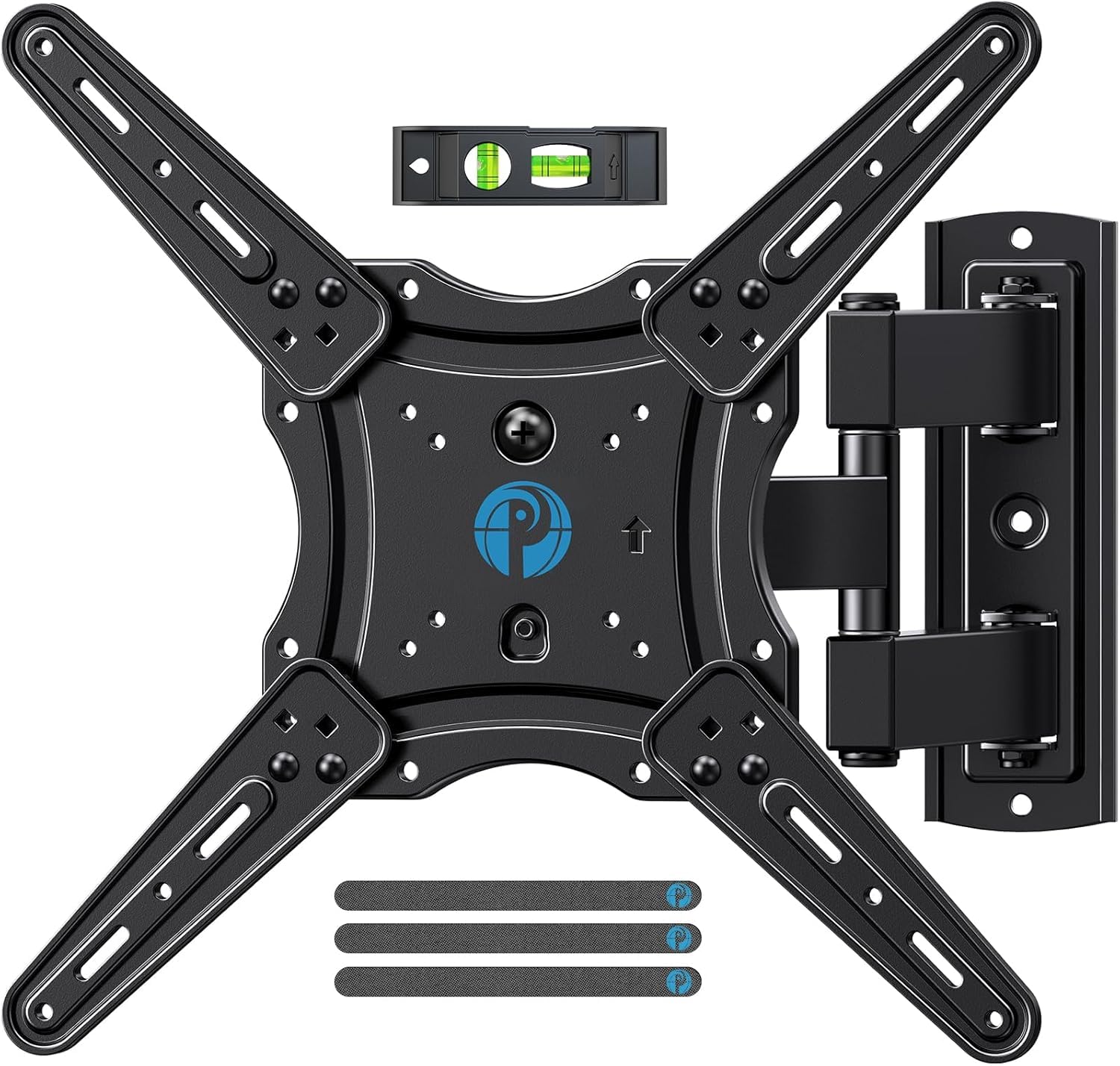
A budget bracket that carries 26 to 65 inch screens up to 77 lbs on VESA 75x75mm to 400x400mm. The “perfect center design” keeps the plate centered on the arm, which is what lets you tuck a TV into a corner and still aim it at the couch. It swivels a full ±90° (the real angle depends on your TV), tilts 5° up and 15° down, and allows ±5° of leveling once it is hung.
Set the maximum weight beside the Mounting Dream pick: 77 lbs here versus 110 lbs, and that gap is the trade you make for a lighter, cheaper bracket. It still pulls out to 16.7 inches and retracts to 2.81 inches, so it gets close to the wall when parked. The package is unusually complete — a bubble level, three cable ties, and screws and spacers in a spread of sizes all come in the box.
Here is the honest bit: USX deliberately leaves concrete anchors out of the package to stop people driving them into wood studs by mistake. So if you are mounting to solid concrete, you supply the anchors yourself. Buyers report it holds heavier sets than the rating suggests — “sturdy enough to hold large TVs like 55″ and 85″ models” is the recurring theme, including a 58-inch, 30-lb TV handled without complaint. Match it to a set within the 77-lb rating and it behaves.
Where it shines: full ±90° swivel and corner mounting at an entry-level tier, with the hardware kit to back it up.
The honest limit: the 77-lb ceiling rules out the heaviest 65-inch sets, and concrete installs need anchors you buy separately.
Reach for this if: your screen is a mid-size set and you want real swivel travel on a lean budget.
Look elsewhere if: you are hanging a heavy premium TV that pushes past 77 lbs.
3. Pipishell Full Motion TV Wall Mount
Bolts to a single stud, so it fits corners where dual-arm mounts cannot go.
The defining trait here is the single-stud build. Where a dual-arm bracket demands two studs lined up, this one bolts to a single stud — which is the fix for a corner or a wall where only one is available. It carries 26 to 65 inch screens up to 80 lbs on VESA patterns from 75x75mm up to 400x400mm, and it mounts to wood stud, concrete, or brick.
Build quality is the thing that wins people over, and it shows in the spec: the articulating arms are 33% thicker than other mounts, made from heavy-duty steel with a durable faceplate and security screws. Motion is generous — tilts 5° up and 15° down, swivels ±90°, levels ±4°, extends 17 inches and retracts to 2.36 inches. That 2.36-inch retract sits flatter than the Mounting Dream’s 3.4-inch parked depth.
Installation is the part that surprises people. It hangs on a single stud (one vertical wooden beam inside the wall) instead of lining up two, so the job moves faster — owners mention hanging a TV in under 10 minutes. It is among the most-reviewed brackets here at 4.5+ stars with 200,000+ ratings behind it, and quality is the theme that comes up most in the feedback. One thing to respect: it is not for drywall alone, so the wall needs a real stud or masonry behind it.
Sharpest angle: single-stud mounting makes corner and tight-wall installs possible where dual-arm mounts simply will not go.
Worth knowing: the thinner reach tops out at 17 inches, so it suits a normal room rather than a wide open-plan space.
Choose it when: you have one usable stud and want full motion anyway.
Pass on it when: your TV weighs more than 80 lbs.
4. ONKRON Rotating TV Wall Mount

Rotates -90° to +5°, flipping a 32 to 65 inch screen between landscape and portrait.
This is the pick to start with if portrait mode is the whole reason you are shopping. The plate rotates from -90° to +5°, letting you switch a flat or curved 32 to 65 inch screen between horizontal and vertical orientation — the setup kitchens, cafés, photo studios, and digital signage actually need. It swivels up to 180°, tilts 5° up and 15° down, and the arm travels from 2.3 inches out to 19.5 inches.
That 19.5-inch extension is the longest reach among the single-arm picks here and it is why this earns a spot over a standard swivel mount — the WhyFone reaches 48 inches, but it is a heavier, pricier animal. VESA support runs 100x100mm to 400x400mm thanks to extension adapters, and the 90.4-lb rating covers most mainstream 65-inch sets. Thoughtful touches are real: plastic covers hide the hardware, soft inserts protect the back of the screen, and built-in cable management keeps wires off the floor.
The trade-off is honest. Installation gets mixed feedback, and some find the end-cap covers fiddly, while the supplied hardware draws the occasional gripe about quality. Mount quality and how well it actually functions are the parts that win praise — it works, and it rotates cleanly. If you want a turnkey fifteen-minute hang, this one asks a little more patience.
Built for: anyone who needs real landscape-to-portrait rotation on a mid-size screen.
Set expectations: the fit-and-finish of the covers and included screws is where this one asks for patience.
5. Mount-It! Universal Full Motion Steel Pole Mount

Clamps to poles from 1.1 to 2.4 inches and rotates a monitor a full 360°.
Skip the drill entirely if your setup is a pipe or pole. This steel bracket clamps to any pole from 1.1 inches to 2.4 inches, so it works on an RV, a boat, a garage post, a retail display, or a stage rig. It holds 17 to 32 inch screens up to 17.6 lbs on VESA 75x75mm or 100x100mm patterns (VESA is the square hole spacing on the back of your screen). That small screen range is why the max VESA sits at 100×100 — the ONKRON runs to 400×400, but it is a wall mount while this one is a pole mount.
For a little monitor, the motion is the most you will find. Two articulating arms tilt 45° up and 45° down, swivel 180° left to right, and rotate a full 360°. The VESA plate detaches, which makes the install faster and lets you lift the display off and carry it inside at night if it lives outside. Functionality and build quality are what keep owners happy across the feedback.
The gripes are small and predictable: fit is the mixed note, because no clamp fits every pole diameter perfectly, so measure yours against that 1.1-to-2.4-inch window with care. The 17.6-lb ceiling also means this is strictly a monitor or small-TV mount, not a big-screen bracket. For the odd-mounting case — a bunk bed, a chair, a post outdoors — nothing else here solves it.
Why it is here: a 360° rotatable, detachable-plate mount for poles, which is a job the wall brackets cannot do.
Fair warning: the 17.6-lb limit caps it at monitors and small TVs.
Best if: you are mounting to a pole, cart, or RV and need to move the screen freely.
Not for: anyone hanging a full-size television.
6. Perlegear Long Arm TV Wall Mount

Extends 37.4 inches and still holds 110 lbs fully stretched, with no sag.
The number that changes rooms is 37.4 inches — the far edge of how far this arm can push a screen from the wall. That lets one TV serve a couch and a dining table, or cover an open floor plan that a 17-inch mount would fall short of. It covers 32 to 65 inch screens with VESA patterns 100x100mm to 400x400mm, mounts to a single wood stud or solid concrete, and retracts to 2.6 inches when parked.
The strength side matters as much as the reach. Thicker, heavy-duty steel, a reinforced wall plate, and a solid central pivot let it hold 110 lbs even fully extended — no sag, no wobble when it is stretched out. Motion runs ±90° swivel, +5°/-15° tool-free tilt, and ±3° leveling after install. Compared with the ONKRON’s 19.5 inches of extension, this reaches 37.4 inches while keeping the same 110-lb rating the Mounting Dream carries.
Quality is clearly the standout, and with 4.5+ stars it is clearly a well-liked bracket. It even shrugs off weather — it stood up to high winds in a patio install and held a 32-inch tablet without wobble, though it is not meant to live outdoors permanently. The one honest caveat: it is heavy, and some find it extremely heavy. That heft is exactly what buys the stability, but plan a second pair of hands for the hang.
The long-reach strengths
- 37.4-inch extension covers big rooms and multiple seating zones
- 110-lb rating holds up fully extended with no sag
- Single-stud design suits corners and odd layouts
- Tool-free tilt makes glare fixes a one-hand job
Budget the effort for
- Noticeably heavy to lift and level on your own
- Not intended for permanent outdoor use
Made for: big or awkward rooms where the TV must swing far to be seen.
Bring help: the weight is the price of that reach, so line up a second set of hands.
7. Mount-It! Landscape to Portrait Rotating TV Wall Mount

Pivots a 37 to 80 inch screen a full 360° and parks at a 1.8-inch profile.
When the goal is a big whiteboard or digital display that rotates and then disappears against the wall, this is the build. It handles 37 to 80 inch screens up to 110 lbs, and pivots a full 360° so a landscape panel flips to portrait and back. The 1.8-inch low-profile frame keeps it nearly flush — dramatically flatter than the extended arms on the swing-out picks.
VESA support is the widest on the wall-mount side of this lineup: 200×200, 400×200, 300×300, 400×300, 400×400, and 600x400mm. It is built for digital whiteboards like the Samsung Flip and Microsoft Surface Hub 2S, plus curved TVs from the major brands. A spring lock keeps the rotation safe, a magnetic pull strap hides away when not in use, and the slide-in plate makes hanging and later removal easy.
The steel is high-strength cold rolled, and the mount was tested to 4 times its rated load. What to weigh before buying: it earns 4.0+ stars, the lowest score in this group, and the rotation is a pure flip rather than a swing — there is no long extension arm for angling across a room. Easy install and tight-space use are what owners highlight. For a wall-mounted rotating display, that is the whole brief.
Its real talent: 360° rotation with a 1.8-inch flush profile and up to 600×400 VESA support.
Know the boundary: it flips and parks flat but does not reach out to angle a screen across a room.
Pick it for: whiteboards, menu boards, and big panels that need to spin in place.
skip it if: you want a long extendable arm to aim the screen across a wide space.
8. WHYFONE 48″ Extension Long Arm Rotating TV Wall Mount

Extends 48 inches and rotates 90° each way into portrait, carrying up to 110 lbs.
Few brackets combine a very long arm with portrait rotation, and this one does both. The arm extends 48 inches and retracts to 5.47 inches, so a screen can swing from the living room to reach the dining table, then tuck away. It rotates to switch between landscape and portrait — a 90° turn each way — and carries 26 to 65 inch screens up to 110 lbs on VESA 100x100mm to 400x400mm.
Full motion runs the whole spread: 48-inch extend, 5.47-inch retract, 5° up and 12° down tilt, 90° swivel each way, and 3° leveling. The cold-rolled steel pipe is a chunky 1.97 inches across on the front arm and 0.08 inches thick through the cross-section, which is the brawn behind that long reach. Compared with the Perlegear’s 37.4 inches, this adds reach and keeps the portrait flip the Perlegear does not have.
The mounting limits are worth stating plainly: it fits 16-inch wood stud, concrete, or brick, but never drywall alone, and it is heavy at 18 lbs, so installation calls for two people in about half an hour. Adjustability draws mixed feedback even though the 180° rotation is the feature people appreciate. Four cable straps are included to keep wires from dangling where kids can trip on them.
Standout spec: a 48-inch extendable arm that also flips to portrait, a combo most mounts skip.
Plan around: the heft and two-person install, plus a firm no on drywall-only walls.
Right for you if: you need serious reach and portrait rotation in one bracket.
Think twice if: you want a light, one-person weekend hang.
9. monTEK Heavy Duty Full Motion TV Wall Mount
The only bracket here built to boss around a hundred-inch screen.
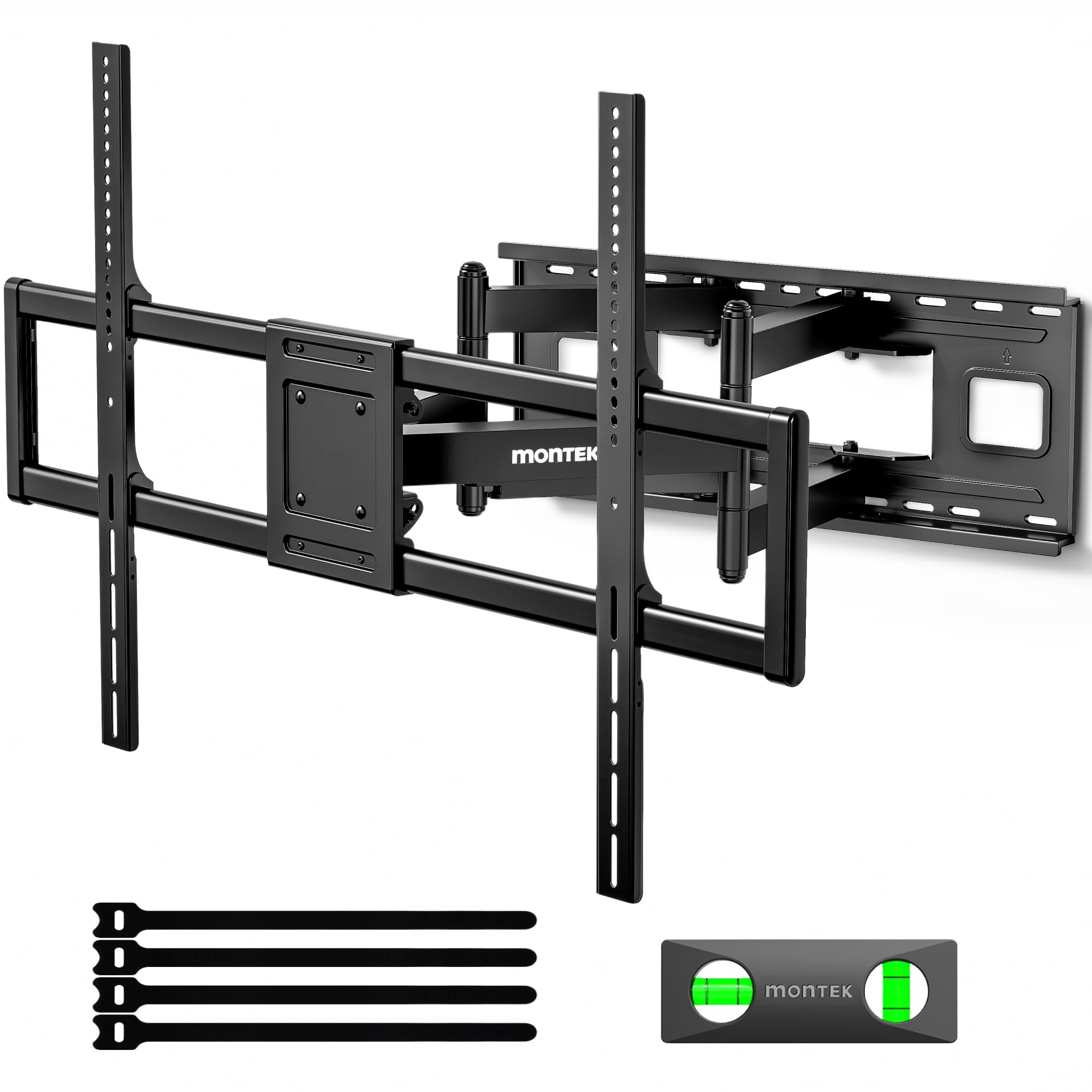
Most mounts stop at 65 or 70 inches. This one starts at 60 and runs to 120 inches, holding up to 265 lbs — a figure no other pick here comes close to. The reinforced dual-arm structure is designed to hold stability even with a 100-inch-plus TV fully extended, so the big screen stays level instead of sagging. When retracted, the whole thing sits just 2.95 inches from the wall.
VESA compatibility stretches to 900x600mm, the widest pattern in this lineup, and it mounts to 12, 16, 18, or 24-inch wood studs plus concrete or brick. Full motion means 27.7 inches of extension, ±60° swivel, and a +5°/-15° tool-free tilt for glare. It passed 4x load-bearing tests, and the quick lock and release lets you snap the TV on or off for upgrades without fighting the arms.
Sturdiness is what owners keep coming back to — the mount simply feels solid, and it is rated to hold a 100-inch set. That strength is the trade: it weighs 34.6 lbs, and the feedback flags it as heavy, so the maker itself recommends two people for the install. The preassembled structure, bubble level, and mounting template cut down the setup time, but the lifting still needs help.
The draw: 265-lb capacity and 900x600mm VESA cover the biggest screens other mounts cannot touch.
The cost of muscle: 34.6 lbs of mount means a two-person job, and it is priced at the top of the range.
For the big-screen owner: anyone mounting a 75-inch or larger TV needs this level of capacity.
Not for: small or mid-size sets, where the heft and price are overkill.
Know the Specs
VESA Pattern (Hole Spacing)
The four screw holes on the back of your screen form a rectangle, and its width-by-height in millimeters is the VESA pattern. A 400x400mm mount fits any screen whose holes are no wider than 400mm each way; a 900x600mm mount like the monTEK covers the largest panels. Measure your own holes before ordering — the plate can only bolt on if the pattern matches.
Rotation vs. Swivel vs. Tilt
Rotation is the full turn that flips a landscape screen into portrait, and only some mounts offer it. Swivel is the side-to-side swing written in degrees, like ±90°, used to aim the screen at a seat. Tilt is the small up-and-down angle, usually 5° up and 15° down, that cuts glare. Read each figure separately; a mount can swivel widely and still never rotate.
Load Rating and Extension
The load rating is how much weight the arms hold when the screen is fully pulled out, not tucked in. Long extension puts more leverage on the wall plate, which is why the biggest-reach brackets here pair a 110-lb or 265-lb rating with heavier steel. Stay comfortably under the stated limit for a long-reach mount.
Common Questions
Will a rotating VESA mount fit my TV?
Can I install a rotating mount on drywall alone?
What does portrait rotation actually let me do?
How much does swivel range matter on a wall mount?
Do I need a single-stud or dual-stud mount?
Is a long extension arm as stable as a flush mount?
Can I mount a monitor to a pole instead of a wall?
How heavy is a long-arm or big-screen mount to install?
Which mount handles the largest TV?
The Bottom Line
For most rooms, the rotating vesa mount that just works is the Mounting Dream MD2380 — six welded arms, 110 lbs, and 17.5 inches of swing that levels out after the drill. If you specifically need a landscape-to-portrait flip, grab the ONKRON M4R-B and its real rotation range. And for a hundred-inch screen that needs 265 lbs of backbone, the monTEK is the only one on this list built for it.
How we choose
We do not accept paid placement. Every pick is matched to a real buyer and a real use-case; we do not hands-on test units.
Sources
Specifications: manufacturer listings and product documentation. Review insights: verified customer reviews, as of November 2026. Pricing: not shown on this page (it changes often); check the current price via the retailer link.
As an Amazon Associate, Tactical Gear Guy earns from qualifying purchases. This does not affect which products we feature.