Specs are compiled from manufacturer listings and verified buyer reviews and can change over time — please confirm the key details on the product page before buying.
If your current streaming stick makes you stare at a spinning circle while everyone else has already started the episode, the fix is a proper TV box with real processing power and enough storage to hold your apps. Below are nine boxes that plug into your TV’s HDMI port and turn it into a smart TV — sorted so you can pick the right one in a couple of minutes instead of an afternoon.
This guide is built by comparing the manufacturers’ published specifications and the patterns across verified customer reviews, so you get each pick’s real strengths and trade-offs instead of marketing spin.
You will see which boxes handle 4K cleanly, which ones hold enough storage for a full app library, and which remotes you will actually enjoy using every night. Here is the straight answer on the recommended tv box for your living room setup.
Top Picks


How To Choose The Best Recommended TV Box
A TV box is a small computer that sits under or behind your television and runs the apps you watch. The spec sheet looks like a phone’s, but what matters here is narrower: how fast apps open, how much storage your library eats, and how stable the stream stays during a two-hour film. Get those three right and everything else is comfort.
Memory and storage come first
RAM is the short-term workspace the box uses while apps are running, and storage is where the apps themselves live. A box with only 8GB of storage fills up quickly once you install Netflix, Prime Video, Disney+, YouTube and a couple of games. Look for 16GB or 32GB if you plan to keep a full app drawer and never want to uninstall something to make room.
Match the Wi-Fi standard to your router
A box rated for Wi-Fi 6 or Wi-Fi 6E can only reach that speed if your router broadcasts it. On an older router, the box simply drops back to the older standard. If your router sits two rooms away, a box with an Ethernet port gives you a wired option that holds a steady 4K stream without dropouts.
Check what the remote can do
The remote is the part you touch every single day. Voice control lets you say a title instead of typing it letter by letter. Backlit or motion-activated buttons matter if you watch with the lights low. TV controls on the remote mean one less clicker on the couch.
Decide how much you care about picture processing
Every box here outputs 4K, but some also upscale older 1080p content to fill a 4K screen more cleanly. If most of your library is older shows and Blu-ray rips, upscaling quality separates the boxes far more than the resolution badge does.
Side-by-Side Comparison
| Model | Best For | Storage | RAM | Weight | Amazon |
|---|---|---|---|---|---|
| Roku Express 4K 2022 (Renewed)★ Best Overall | Cheapest route to 4K | — | — | 1.6 ounces | Amazon |
| Xiaomi TV Box S (3rd Gen)Also Great | Best overall balance | 32 GB | 2 GB | 91.2 g | Amazon |
| NVIDIA Shield TV ProTop Performer | Upscaling and raw power | 16 GB | 3 GB | 2.1 pounds | Amazon |
| onn. Google TV 4K Streaming Box | Simple Google TV on a budget | 8 GB | — | 340 g | Amazon |
| KICKPI KP1 Android TV Box | Chromecast and voice on Android | 16 GB | 2 GB | 122 g | Amazon |
| Amazon Fire TV Cube | Hands-free Alexa control | — | — | — | Amazon |
| Infomir MAG555 | Wired Ethernet stability | 16 GB | — | 12.8 ounces | Amazon |
| Google TV Streamer 4K | Polished interface and speed | 32 GB | — | 5.7 ounces | Amazon |
| Formuler Z11 Pro | Gigabit LAN and big footprint | 16 GB | 2 GB | — | Amazon |
Detailed Reviews
1. Roku Express 4K 2022 (Renewed)
Our pick — 4.5+★ from 500+ verified ratings; the strongest balance of quality and price.
A TV stick that weighs 1.6 ounces and asks almost nothing of you to set up.
The Roku form factor here is a stick, not a box: you plug it into HDMI and it draws power, then the Simple Remote with TV controls manages your set from one clicker. At 1.6 ounces it hangs off the port without sagging. HDR and 4K output are on the spec sheet, along with support for multiple internet services and wireless streaming, and the bundle includes a premium HDMI cable.
Setup is the easy part — that is the one thing this stick does reliably well, and it is why Roku keeps a following. The honest counterpoint is that functionality and reliability split opinion sharply: some users find it works perfectly from the first minute, others hit a wall and cannot get it running at all. Buying renewed sharpens that risk, since you are getting a checked return rather than a sealed unit.
For a spare-room TV or a first step into 4K on the smallest possible outlay, this stick covers the basics. If you want a box that keeps up with a full app library and a busy household, the Xiaomi’s 32 GB or the Google TV Streamer is the better destination.
Why it still sells
- 1.6-ounce stick hangs neatly from the HDMI port
- Setup takes minutes and the remote controls the TV too
- Premium HDMI cable included in the box
The real risks
- Reliability feedback swings between flawless and dead on arrival
- Renewed status means no sealed-unit guarantee
- No storage headroom for a heavy app library
Worth it for: a cheap 4K upgrade on a secondary TV where a stick can slip in behind the panel.
Better avoided if: this is the only box in the house — a renewed stick is not where you want reliability gambles.
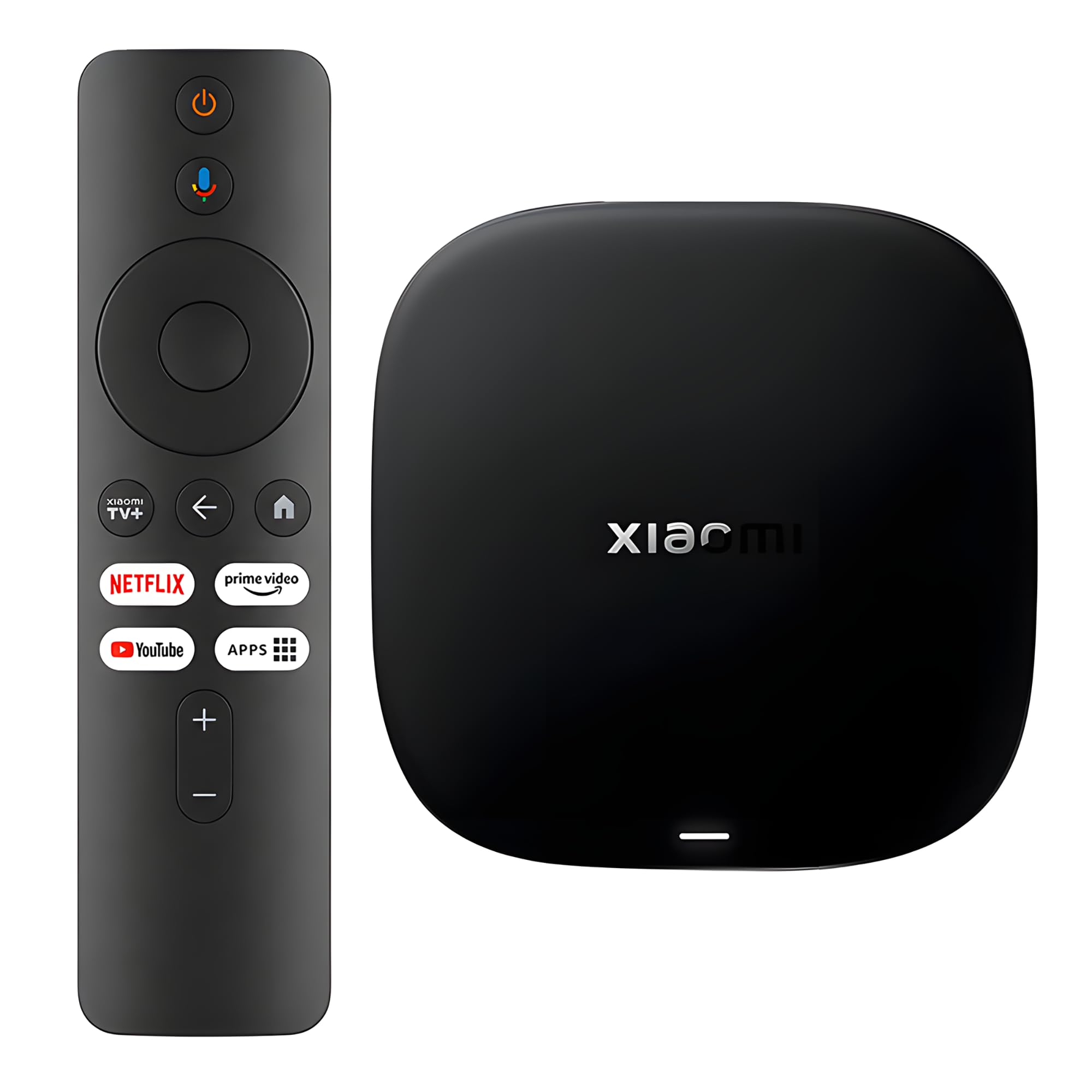
2. Xiaomi Android Google TV Box S 3rd Gen
The box with 32 GB of storage, enough for a full app drawer with room to spare.
Here is the number that settles it: 32 GB of storage. That is 4.0x what the onn. Google TV 4K Streaming Box carries in its 8 GB, so you can put Netflix, Prime Video, Disney+, YouTube, a music app and a few games on the Xiaomi without deleting one to fit the next. The box itself weighs just 91.2 g, which is 3.7x lighter than that same onn. unit at 340 g — light enough that adhesive mounting behind a wall-hung television is genuinely an option.
The 64-bit 6nm platform inside runs a quad-core A55 CPU, and the 2 GB + 32 GB memory pairing keeps menus moving between apps without the pause that cheap boxes give you. Wi-Fi 6 support uses OFDMA and MU-MIMO (two tricks that share the airwaves more efficiently across devices) so long as your router broadcasts Wi-Fi 6 — on an older router this drops back to the previous standard. Dolby Vision and HDR10+ handle compatible content, and Dolby Atmos with DTS:X feed a soundbar properly.
The 360° Bluetooth remote carries a Google Assistant mic button, so you can speak a title instead of spelling it. What wins people over most is the sheer pace of it — this box is routinely described as outrunning a Firestick on the same television. The honest catch sits with the remote: it is the one part that draws steady complaints about freezing and sluggish response, so treat that clicker gently and keep the voice button as your main route through the menus.
Where this box earns its place
- 32 GB storage holds a full app library without housekeeping
- Wi-Fi 6 with OFDMA and MU-MIMO for steadier high-bitrate streams
- Dolby Vision, HDR10+ and Atmos plus DTS:X for a real soundbar
- 91.2 g — light enough to tuck behind a wall-mounted TV
What to weigh before you commit
- The remote is the weak link, with freezing and lag the recurring note
- Wi-Fi 6 benefits need a Wi-Fi 6 router to show up
- Some buyers feel the outlay is steep against a bare-bones stick
Make this your default: anyone replacing a sluggish stick who wants 32 GB of headroom, modern Wi-Fi and Dolby Vision in one small box.
Think twice if: your router is older than Wi-Fi 6 and the remote’s voice button is the only control you plan to use.
3. NVIDIA Shield TV Pro
Built for the person whose library is mostly old shows and who refuses to watch them soft.
The Tegra X1+ chip does something no other box here advertises: AI upscaling that enhances HD video to 4K in real time. If your shelves are full of 1080p Blu-ray rips and older series, that turns a soft image into something that fills a modern panel cleanly. Dolby Vision HDR and Dolby Atmos with Dolby Digital Plus handle the newer end of your library just as well.
Spec-wise you get 3 GB RAM and 16 GB storage, plus 2x USB 3.0 ports for external drives, keyboards, controllers or a USB camera. Plex Media Server is built in, so the box can serve your own library to other rooms. Connectivity runs to Gigabit Ethernet, dual-band AC Wi-Fi and Bluetooth 5.0, and the remote adds motion-activated backlit buttons with a customizable menu key plus a built-in locator for when it slips between cushions.
Raw performance is the thing this box lives on, and it delivers — owners describe it as the quickest, smoothest player they have used, and 1080p material visibly gains from the upscaling. Two things pull it back. At 2.1 pounds it is a dense, hefty unit that wants shelf space rather than a spot taped to the back of the panel. And the stability question keeps coming up, with crashes and lock-ups a recurring theme in the feedback — this is a serious machine that expects a serious owner, not a plug-and-forget stick.
The upscaling payoff: if your collection skews older than 4K, the AI upscaling alone justifies the step up — no other pick here claims it.
The honest trade-off: 2.1 pounds and a mixed stability record mean you should give it ventilation and expect to reboot it now and then.
Reach for this if: you run a Plex server, keep Blu-ray rips, and want USB ports plus the sharpest upscaling here.
Look elsewhere if: you just want a small box stuck behind the TV for streaming apps and nothing more.
4. Amazon Fire TV Cube
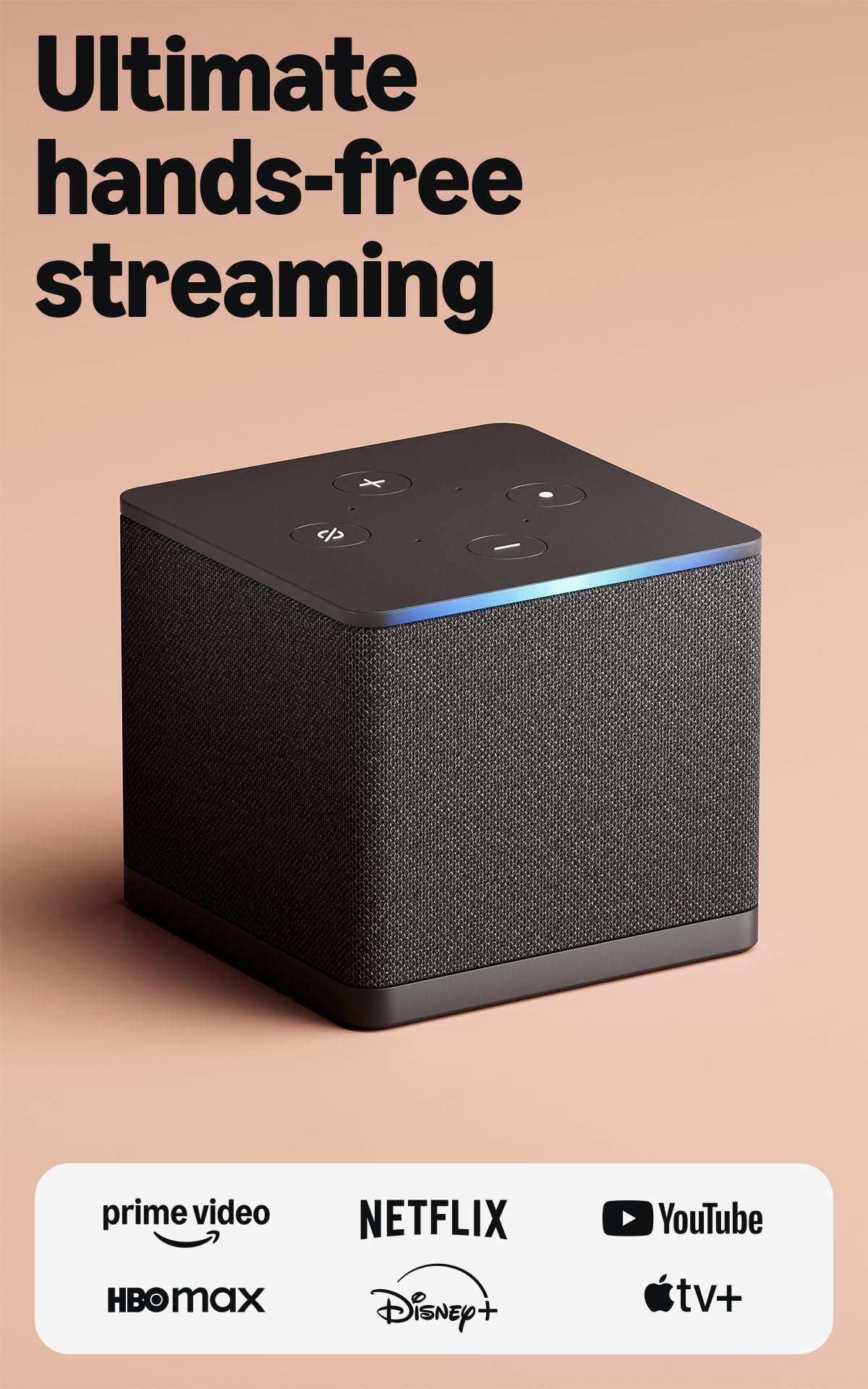
The only one on this list you can talk to from across the room without lifting a finger.
Amazon calls its octa-core processor the fastest ever in a streaming media player and rates it 2X as powerful as the Fire TV Stick 4K Max. Whether that matters to you depends on one question: do you want to control the set hands-free? Built-in microphones and speakers mean you can say a command from the sofa and the Cube hears it, then asks Alexa to start your show, dim the lights or pull up a Ring camera feed on screen.
It is also the first streaming media player with Wi-Fi 6E, which adds a less crowded band for busy homes. Picture handling covers 4K Ultra HD with Dolby Vision, HDR and Dolby Atmos audio, and an HDMI passthrough lets you switch between streaming and a cable box or console without changing inputs. An off button electronically disconnects the microphones when you want silence.
What buyers praise hardest is the pace of it — apps open with no lag and the interface stays responsive. The honest counterweight is stability: crashes and bug reports come up often enough that this is not the fire-and-forget box for a non-technical household. Cable box compatibility is another sticking point for some setups. Buy it for the voice control and the speed, and go in expecting the occasional hiccup.
What makes it different
- Hands-free Alexa from across the room, no remote needed
- Wi-Fi 6E, a first in a streaming media player
- HDMI passthrough for cable boxes, consoles and webcams
- Mic-off button for when you want privacy
Where it asks patience
- Crashes and bugs show up in enough feedback to be a real note
- Some cable box setups do not play nicely with it
- Pricier than a stick for the same core app selection
The one to buy if: talking to your TV sounds better than hunting for a remote, and you want the newest Wi-Fi standard in the room.
Pass if: you want a box that never needs a reboot and you never plan to use voice.
5. Google TV Streamer 4K
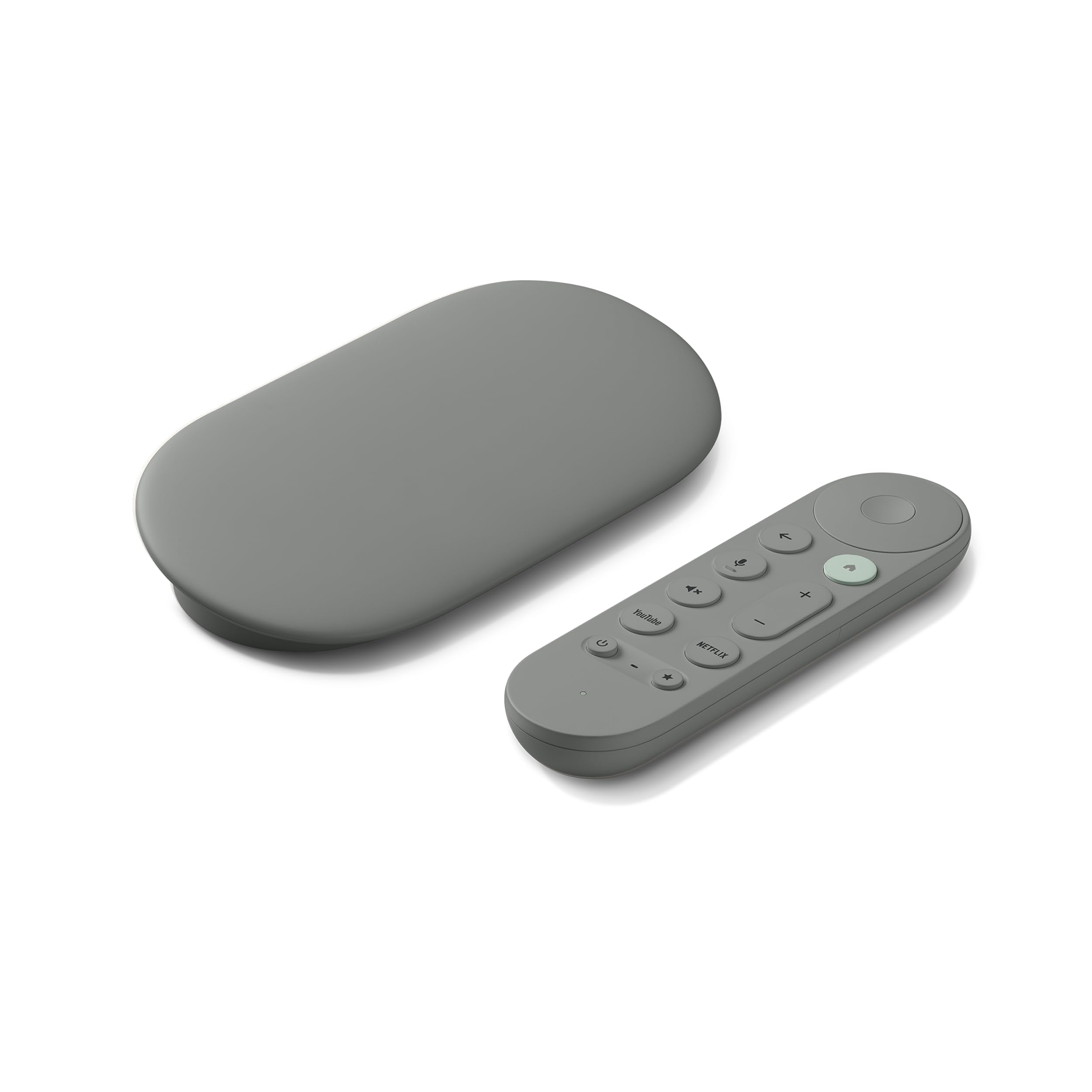
Google’s own box, and the one that feels most like the TV was built with it.
Thirty-two gigabytes of storage puts this on equal footing with the Xiaomi for app headroom, and the interface is the draw: shows from all your services sit on one home screen, with recommendations tailored per person in the house. Add something to your watchlist from your phone or a Google search and it is waiting on the TV when you sit down. Picture runs up to 4K HDR with Dolby Vision, and speakers that support Dolby Atmos connect for a wider sound field.
A short note on setup: an HDMI 2.1 cable is required and sold separately, so check what came with your TV before you order. The box measures 6.4″L x 3″W x 1″H and weighs 5.7 ounces — a slim slab that sits on a media shelf rather than dangling from the port. Connectivity covers Ethernet and Wi-Fi, so a wired run is available if your router is close.
Owners consistently point to speed and picture as the reasons they are happy: quick loading, no lag, and a 4K image that upscales older content into something sharper. The gripes are worth knowing. Some find the price hard to square against cheaper boxes, sometimes described as not worth double the cost. The remote and the Wi-Fi connection both draw a share of complaints, with occasional dropouts mentioned. A smooth, well-supported Google TV experience is what you are paying for — not raw spec-per-dollar.
The interface is the product: cross-app search and per-person recommendations are what make this feel polished, and the 32 GB storage means you never trim your app drawer to keep it that way.
Mind the cable: HDMI 2.1 is required and not included, so budget for one more item when it arrives.
Best for: a household where several people watch different things and want the TV to remember each of them.
Not for: bargain hunters — the same money buys more raw spec elsewhere, just with a rougher interface.
6. Infomir MAG555

For the room where Wi-Fi keeps dropping and a cable is the only honest answer.
The MAG555 carries a dedicated Ethernet port alongside dual-band Wi-Fi (2.4GHz and 5GHz) with 2×2 MIMO, which is the antenna trick that keeps two streams running side by side. On a wired run, high-bitrate 4K streams stop stuttering because the signal never has to fight the microwave. It also packs dual USB 2.0 ports and HDMI 2.1 with HDCP support, so external drives and modern receivers connect without an adapter.
Video playback runs 4K Ultra HD at 60 fps on the Amlogic S905Y4-B chipset with Dolby Audio, and the interface is official Google TV 12 through the Google Play Store. The voice remote uses Google Assistant for search and smart-home control. Storage lands at 16 GB, and the box measures 4.17″L x 4.17″W x 0.92″H at 12.8 ounces. You also get Chromecast built in for casting from a phone or laptop.
Video quality is the bright spot, with owners describing excellent images and performance that holds up against better-known streaming devices. The honest caveat is ease of use: setup and app compatibility split opinion, and some find certain apps slow to load. This is a box that rewards a wired setup and a patient first evening.
Pick this when: you can run a cable to the TV and want a stable 4K feed with Dolby Audio and Google TV 12.
Give it a miss if: you want app-store breadth and a setup that never asks a question.
7. Formuler Z11 Pro
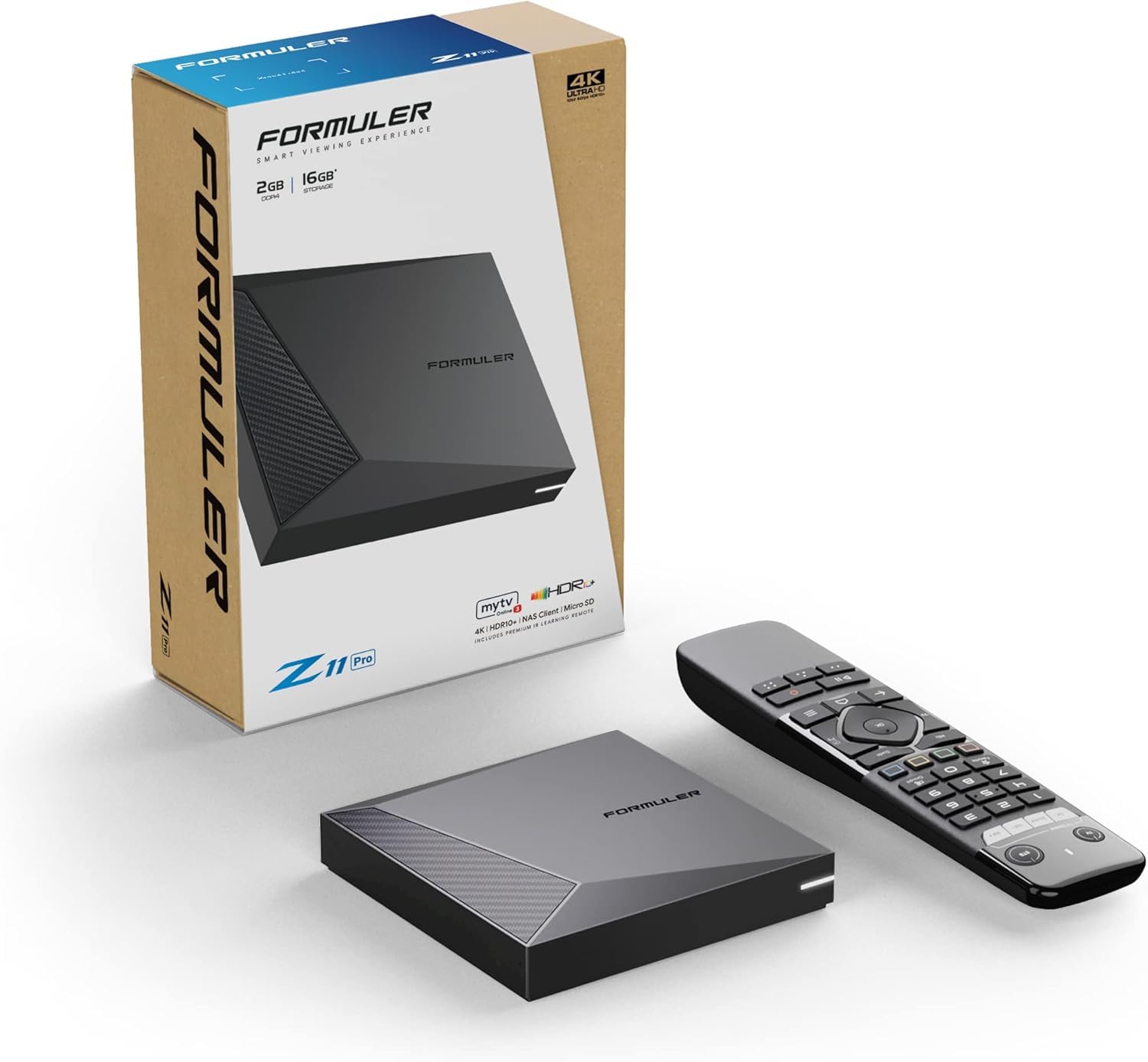
A desktop-sized box with a gigabit port for people who treat streaming like a network project.
Look at the footprint first: 8″L x 6″W x 2″H. This is not a puck that hides behind the panel; it is a proper set-top box that wants a shelf and sits there looking like one. Into that space it packs Android 11, 2GB RAM and 16GB storage, plus a dual-band 2×2 dual-antenna 6th-generation AX wireless radio and a Gigabit LAN 1000M wired port. If your NAS or media server lives on your network, that wired port is the whole reason to consider this one.
The bundle is generous for what it is: main unit, remote control, HDMI cable, a remote control extender, power adapter, batteries and a quick setup guide. The IR1 remote with the extender means you can tuck the box in a cabinet and still control it from the sofa — handy if you dislike gear on show.
Performance and functionality are the two things owners talk about, and both land on the positive side. It streams, it works, and it keeps up. The trade-off is that this is an Android 11 box built for people comfortable with a setup menu — not the app-centric simplicity of Google TV. If you want a curated home screen and recommendations pushed at you, the Google TV Streamer above is the friendlier path.
The case for the Z11 Pro
- Gigabit LAN 1000M for a wired, server-friendly setup
- Dual-band 2×2 dual-antenna AX wireless
- Remote extender so the box can live in a cabinet
- Full accessory bundle including HDMI cable and batteries
What to accept
- Big 8″ x 6″ x 2″ body needs shelf space
- Android 11 rather than the newer Google TV interface
- 16GB storage fills faster than a 32GB box
Made for: the person with a media server, a network closet, and no patience for wireless dropouts.
Skip if: you want a polished, curated interface that does the thinking for you.
8. KICKPI KP1 Android TV Box
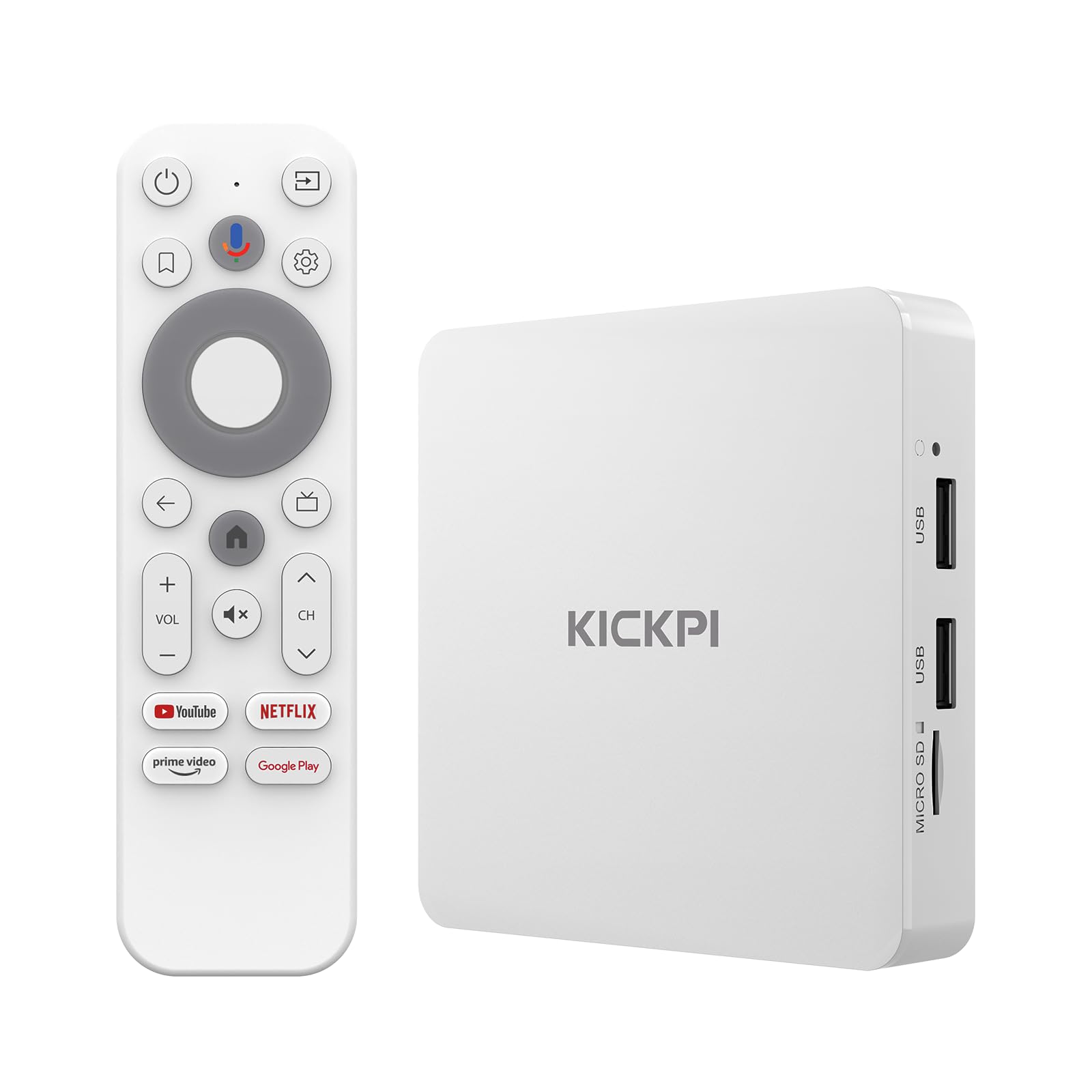
A tiny white box that brings Android 14 and a voice remote for a modest outlay.
At 3.78″L x 3.78″W x 0.91″H and 122 g, this is one of the smaller boxes here and far more compact than the onn. Google TV 4K Streaming Box, whose 6.89″L x 3.78″W x 2.05″H body takes up noticeably more room. Inside you get the Amlogic S905Y4 quad-core Cortex-A35 chip, 2GB RAM and 16GB ROM, expandable through USB when your movie files outgrow it. Android TV 14 covers app compatibility and receives OTA updates.
Google certification is the pitch: over 700,000 movies and shows across Netflix, Prime Video, Disney+, Apple TV+, YouTube, Hulu and Google Play, all in 4K HDR. The voice remote wakes Google Assistant for search and smart-home control, and Chromecast is built in so you can fling a video from your phone with one tap.
Setup is the part buyers like most — it gets going quickly. Beyond that, opinion splits on quality and reliability, with some calling it a superb streamer and others running into errors. Value draws the same split. This is the pick when you want Android flexibility and casting on a sensible budget, and you accept that you are not buying the polish of a first-party box.
The budget-friendly angle: Android 14, expandable 16GB storage, Chromecast and a Google Assistant remote in a 122 g shell — that is a lot of capability for the money.
The realistic expectation: quality and reliability feedback is genuinely split, so buy it as a second-room box rather than the sole set-top in a busy living room.
Right choice for: a bedroom or spare-room TV where you want casting and Android apps without much outlay.
Look past it if: you need the main TV in the house to work flawlessly every night.
9. onn. Google TV 4K Streaming Box

The 8 GB starter box: fine on day one, tighter once your app drawer grows.
This one carries 8 GB of storage, which is the figure that tells you most about it. Against the Xiaomi’s 32 GB, that is a 4.0x difference in room for apps — and you feel it once Netflix, Prime Video, Disney+ and YouTube are all installed. It is also the heaviest box here at 340 g, so it sits on a shelf rather than hiding behind the panel. In exchange, it gives you Google TV with voice control through the remote and an HDMI connection to any television.
Picture and streaming performance are where it earns its keep — the box handles playback well and does not ask much of you to get going. Where it stumbles is reliability: getting stuck in an endless loop comes up often enough that you should expect an occasional power cycle rather than a flawless run.
If your list of apps is short and your budget is the hard limit, this is the entry point to Google TV without stretching. If you want room to grow and a box you never think about, the extra storage on the Xiaomi above is worth the step up.
Choose it for: a second TV and a handful of apps, with Google TV voice search in the mix.
Wrong pick if: you install everything — 8 GB will have you deleting apps within the first month.
Know the Specs
RAM vs storage: why both numbers matter
RAM is the short-term memory a box uses while apps are open — it decides whether switching from Netflix to YouTube feels instant or gives you a pause. Storage is the long-term space where apps and downloads live. A box with 3 GB RAM and 16 GB storage will feel faster day to day than one with 2 GB and 8 GB, because apps open without reloading. Read both figures, never just one.
Wi-Fi 6 and 6E explained plainly
Wi-Fi 6 and Wi-Fi 6E are newer wireless standards that handle many devices at once more gracefully than older ones. A box that supports them only reaches those speeds if your router broadcasts the same standard. If it does not, the box falls back to the older standard automatically — nothing breaks, you just do not get the benefit. If your router is far away, a box with an Ethernet port is the safer bet for high-bitrate 4K.
Upscaling: what it does for older content
Upscaling is the process of stretching a lower-resolution image to fill a 4K screen. Cheap boxes stretch it plainly, which looks soft. Better boxes use processing that sharpens edges and adds detail, so a 1080p Blu-ray rip looks far closer to native 4K. If most of your library is older than the panel, upscaling quality is a bigger deal than the 4K badge itself.
Remotes, voice, and daily use
A voice remote uses a microphone to turn speech into a search — say a title instead of typing it on a grid. On some boxes the remote also controls your TV’s power and volume, replacing a second clicker. It is the part you handle every night, so a remote that freezes or drops its Bluetooth pairing will annoy you far more than a slightly slower processor would.
Common Questions
Will a TV box work with any television?
How much storage do I need for streaming apps?
Do I need a Wi-Fi 6 router to use a Wi-Fi 6 TV box?
Is a TV box better than a streaming stick?
What is AI upscaling and does it matter?
Can a TV box control my cable box or game console?
Does a TV box support Dolby Atmos and Dolby Vision?
How often do these boxes receive updates?
Should I buy a renewed or refurbished TV box?
Does a wired Ethernet port really improve 4K streaming?
The Bottom Line
For most living rooms, the recommended tv box is the Xiaomi TV Box S 3rd Gen, because 32 GB of storage, Wi-Fi 6 and Dolby Vision deliver the best all-round balance of room to grow and picture support. If raw power and upscaling of older content matter most, the NVIDIA Shield TV Pro is the one to reach for. And for a household that wants to talk to the TV and never touch a remote, the Amazon Fire TV Cube is the clear choice — its hands-free Alexa and Wi-Fi 6E are what earn the spot.
One last thought on the top pick: the Fire TV Cube and Shield TV Pro both carry far larger owner followings, but the Xiaomi holds the strongest balance of storage, weight and audio support in this lineup. If a full app library and a box you can hide behind the panel are what you want, that is the one to order.
How we choose
We do not accept paid placement. Every pick is matched to a real buyer and a real use-case; we do not hands-on test units.
Sources
Specifications: manufacturer listings and product documentation. Review insights: verified customer reviews, as of November 2026. Pricing: not shown on this page (it changes often); check the current price via the retailer link.
As an Amazon Associate, Tactical Gear Guy earns from qualifying purchases. This does not affect which products we feature.