Specs are compiled from manufacturer listings and verified buyer reviews and can change over time — please confirm the key details on the product page before buying.
You want a cheap tablet that opens apps without a two-second pause and still has charge by bedtime. That is the whole ask, and it is genuinely achievable. The fastest way to get it: ignore the giant-screen photos and check three things — the amount of real memory, the screen resolution, and the battery size in mAh (milliamp-hours, the fuel tank number). Below are nine budget tablets that real owners live with daily. The best all-rounder comes first, and each compromise pick is flagged where its trade-off bites.
This guide is built by comparing the manufacturers’ published specifications and the patterns across verified customer reviews, so you get each pick’s real strengths and trade-offs instead of marketing spin.
Cheap tablets live or die on memory and screen quality, not brand logos, so every pick here is judged on what it actually runs and shows. This breakdown of the recommended budget tablet field keeps each pick to what its own spec sheet and owner feedback actually support.
Top Picks
How To Choose The Best Recommended Budget Tablet
Budget tablets are not small versions of premium ones. They are built to a tighter parts budget, so the money you spend buys a specific set of strengths — and you need to know which strength you actually want before you click buy.
Read the physical memory number, not the headline
Marketing will say “24GB RAM” or “36GB RAM,” but that usually bundles real memory with virtual memory borrowed from storage. The physical figure — 4GB, 6GB, 8GB — is what decides whether three apps stay open or the tablet starts reloading tabs. Look for the number in brackets.
Storage and the microSD escape hatch
64GB is workable for streaming and browsing but tight for downloaded films and offline games. A microSD slot (a tiny card slot on the side) lets you add space later, and the better budget models here accept cards up to 1TB or 2TB.
Screen: resolution beats size
A 10-inch panel at 1280×800 shows visible pixels on small text. A 2K panel (around 2000×1200 or higher) keeps book pages and subtitles clean. Refresh rate matters too — 60Hz is standard, while 90Hz and 120Hz make scrolling feel less jumpy. If you mostly read, resolution wins; if you scroll social feeds, refresh rate is the one you feel.
Battery, charging, and the accessories bundle
Battery size is listed in mAh, and a bigger tank generally means more screen time — though the processor and screen brightness also drain it. A keyboard, mouse, stylus, or folio case bundled in the box can save you a separate purchase, which matters on a budget. Check what is actually included before comparing two tablets side by side.
Side-by-Side Comparison
| Model | Best For | Physical RAM | Storage | Screen | Amazon |
|---|---|---|---|---|---|
| Jeazans 10.1″ Android 16 Bundle★ Best Overall | All-in-one starter kit | 3GB + 21GB virtual | 64GB (1TB microSD) | 10.1″ 1280×800 IPS | Amazon |
| Lenovo Tab OneBest for Travel | Pocketable YouTube machine | 4GB | 64GB (microSD) | 8.7″ 1340×800, 60Hz | Amazon |
| Evermyth 10″ Octa-CoreMost Memory | Most memory for the money | 6GB + 30GB virtual | 128GB (1TB microSD) | 10″ 1280×800 IPS, 60Hz | Amazon |
| Samsung Galaxy Tab A11 | Smoothest small screen | 4GB | 64GB (2TB microSD) | 8.7″ 1340×800, 90Hz | Amazon |
| ROSYVIBE Slim 11″ Kit | Sharp 2K work station | 12GB + 24GB virtual | 256GB (1TB microSD) | 11″ 2000×1200 IPS | Amazon |
| Samsung Galaxy Tab A7 Lite | Kid-proof metal frame | Not listed | 32GB (1TB microSD) | 8.7″ TFT | Amazon |
| QDDQ 13″ with Gemini AI | Big-screen desk work | 8GB + 24GB virtual | 256GB (2TB microSD) | 13.4″ 1920×1200, 120Hz | Amazon |
| Lenovo Idea Tab | Students taking notes | 4GB | 128GB (microSD) | 11″ 2560×1600, 90Hz | Amazon |
| TCL TAB A1 Plus | Premium screen and CPU | 6GB + 10GB virtual | 128GB (2TB microSD) | 12.2″ 2400×1600, 120Hz | Amazon |
Detailed Reviews
1. Jeazans 10.1-Inch Android 16 Tablet Bundle
A 10.1-inch Android 16 kit that becomes a laptop once the bundled keyboard clips on.
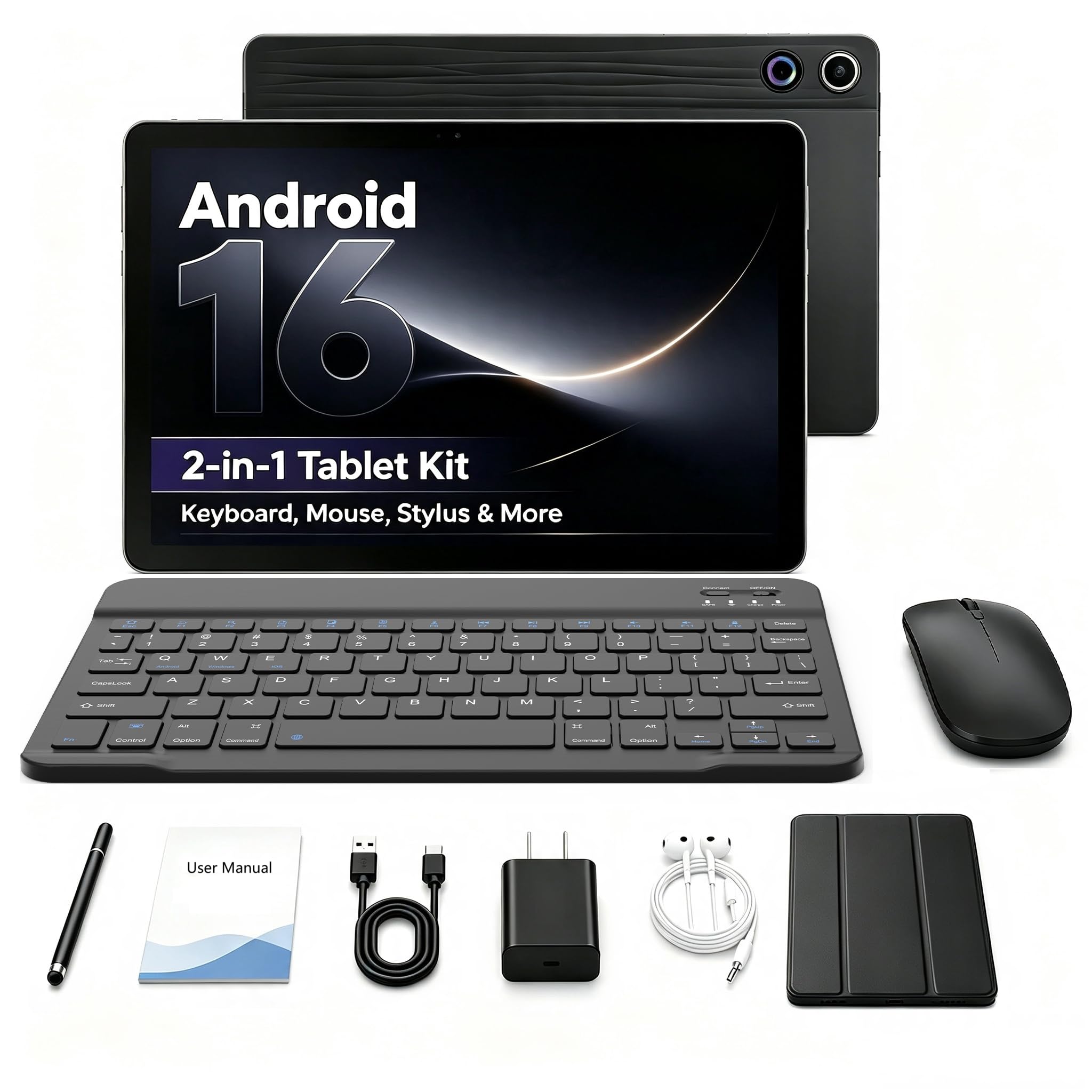
The Jeazans KB10L is a full starter desk in a box. You get a Bluetooth keyboard, a wireless mouse, a stylus, and a leather folio case in the same order — so you are not hunting for extras the week after it arrives. The panel is a 10.1-inch IPS screen (in-plane switching, which keeps colours steady when you tilt it) running at 1280×800, and the whole thing boots on the Android 16 operating system.
What wins people over is the overall delight of the thing — nearly every owner says they would recommend it to a friend, and setup is rated the single easiest thing about it. One buyer describes it as the kind of gift you hand to a grandparent who has never owned a tablet, and that use case fits: the Play Store comes pre-installed, so apps download straight from the start. Its 6000mAh battery is the largest in the first four picks here, bigger than the Samsung Galaxy Tab A11’s 5100mAh, and Type-C fast charging tops it back up.
Be honest with yourself about the memory, though. The listing says 24GB RAM, but the configuration reveals 3GB physical plus 21GB virtual — virtual memory is storage used as a makeshift workbench, and it is slower. Three apps at once is fine; six heavy ones will make it reload. Storage is 64GB, expandable to 1TB with a microSD card that is not included. The 1280×800 resolution also means small text looks slightly soft, so this is not the pick for long reading sessions.
What the bundle gives you
- Keyboard, mouse, stylus and leather case all included — a complete setup from one order
- 6000mAh battery with Type-C fast charging, plus Wi-Fi 6 and Bluetooth 5.4 for steady dual-band connections
- Android 16 with Google Play pre-installed, so nothing needs sideloading to get started
- Dual HD cameras for video calls and a 16:10 screen shape that suits films
What to know before you click buy
- 3GB of physical memory is the limiter — the 21GB “virtual” figure is storage doubling as memory
- 1280×800 resolution on a 10.1-inch screen shows soft edges on small text
- The microSD card that open up the 1TB ceiling is sold separately
Reach for this if: you want a complete desk-ready kit in one purchase and mostly stream, browse, and video-chat.
Look elsewhere if: you juggle several heavy apps at once — the 3GB of real memory is where it will slow down.
2. Lenovo Tab One
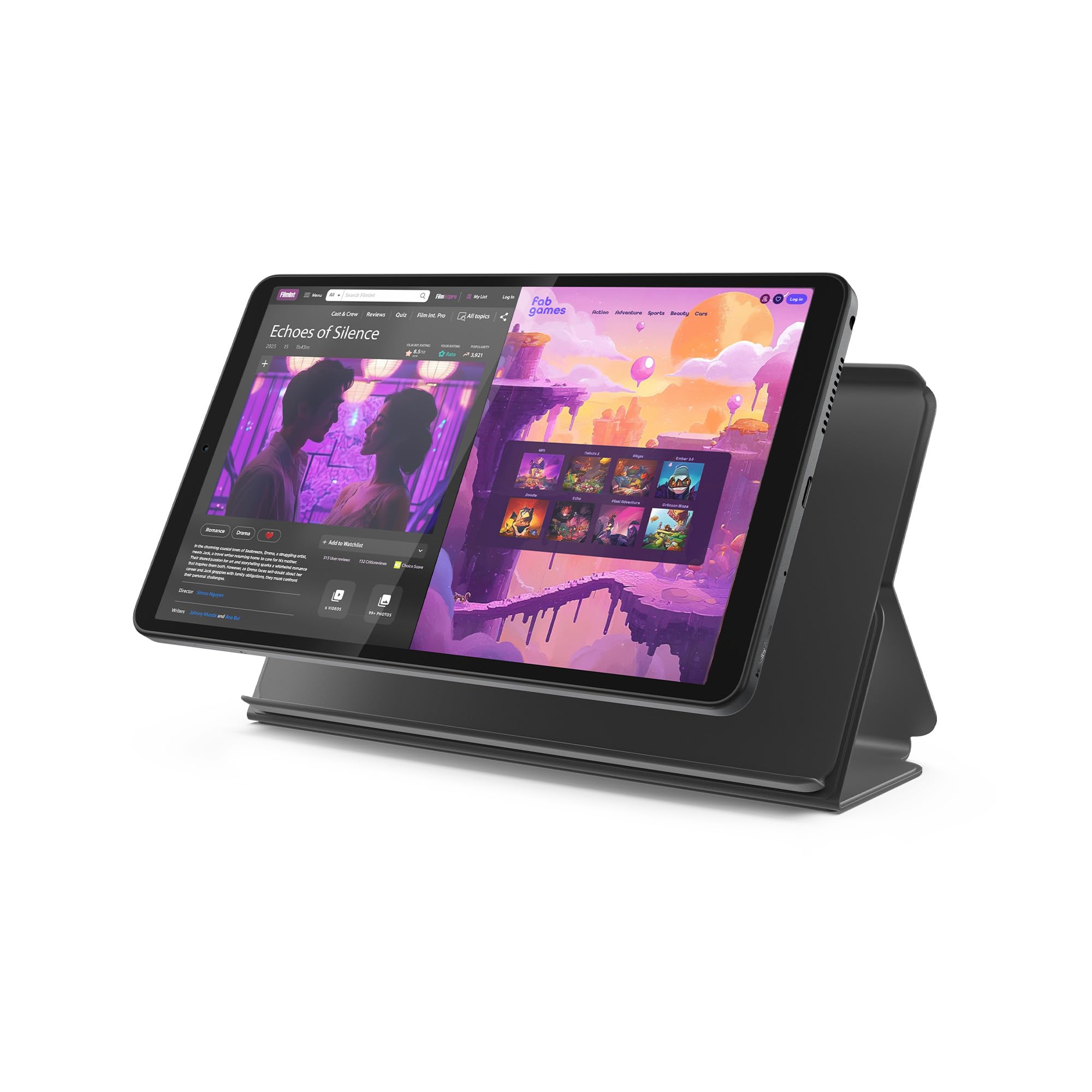
An 8.7-inch, sub-one-pound tablet that slides into a coat pocket.
The Lenovo Tab One earns its spot on battery life: Lenovo claims 12.5 hours of YouTube streaming on one charge, and 43 owners bring up battery life as a genuine strength rather than a claim. It weighs under a pound, so it goes into a purse or backpack and you stop noticing it on a commute. The HD display pushes 480 nits (a brightness measure — enough to stay visible in a cafe without maxing the slider). Dual Dolby Atmos speakers give the sound some depth for a device this small.
It also comes with a folio case that folds into a stand, so you can watch hands-free on a tray table. The MediaTek Helio G85 processor and 60Hz refresh rate keep browsing fluid in normal use. Kids Space is onboard too, recommending teacher-approved content for younger users.
The honest trade-off is speed under pressure. Performance is the most-discussed topic in the reviews, and it is genuinely split: plenty of people find it snappy, while others describe a slow boot-up and a setup process that fights back. If you demand instant app launches, look at the Evermyth below instead. Charging is 15W, which Lenovo notes is faster than previous models, and the 4GB of memory is enough for a single streaming app plus a browser tab.
Where it earns its spot: 12.5 hours of YouTube and a sub-one-pound body make this the most portable option on the list for pure entertainment. The 4GB of memory trails the 6GB physical in the Evermyth Octa-Core, but for one app at a time it is plenty.
The part to weigh up: boot-up speed is the recurring grumble. Treat it as a media machine and it behaves; treat it as a mini laptop and you will feel the limits.
Go with it if: streaming on the move is the job and you want the lightest thing that fits a bag.
Think twice if: you expect desktop-style multitasking from a small tablet.
3. Evermyth 10-Inch Octa-Core Android 16 Tablet
128GB of storage and 6GB of physical memory — double the Jeazans bundle on both counts.
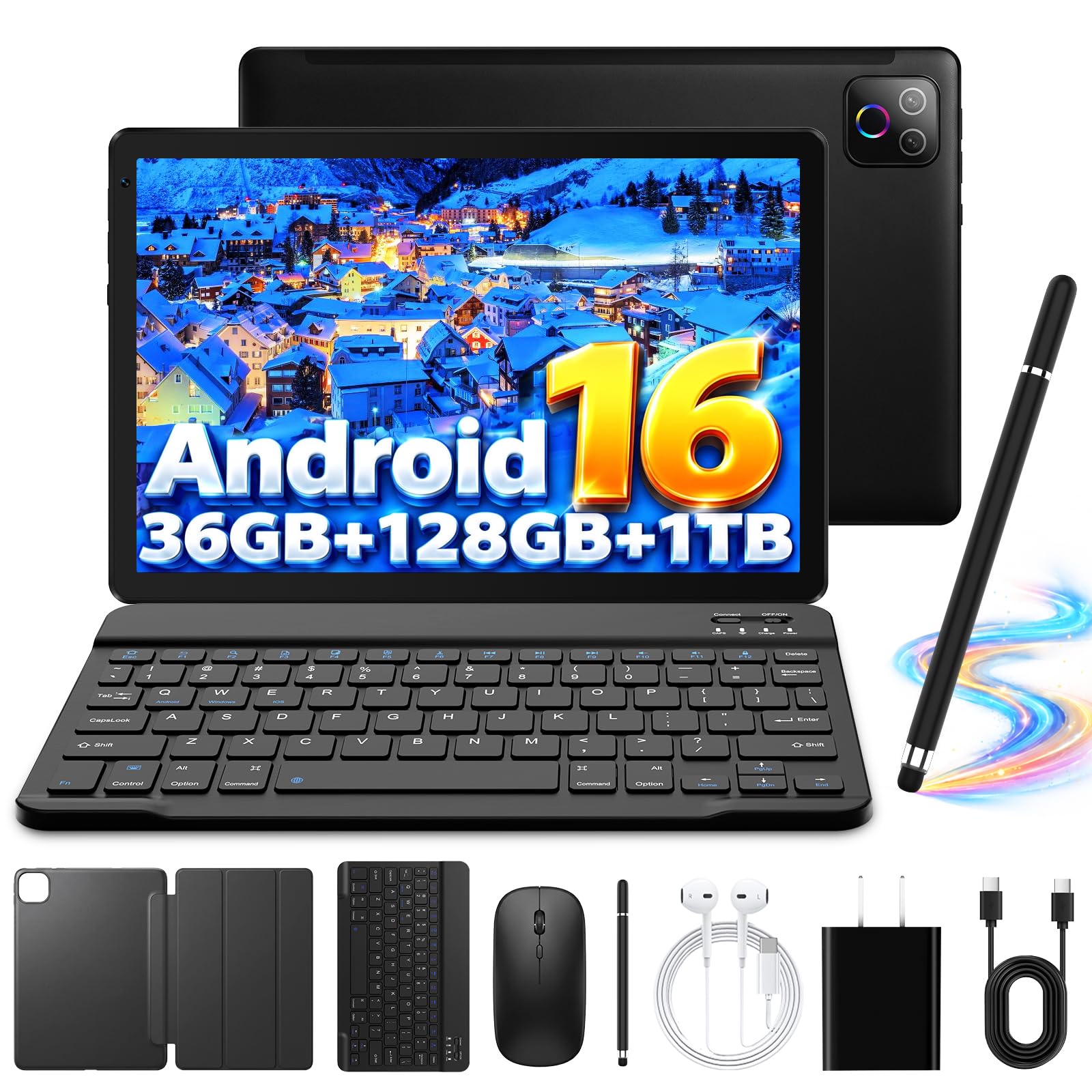
If you are comparing this against the Jeazans bundle, the storage math is simple: 128GB here versus 64GB there, exactly double before you touch a microSD card. Physical memory is the bigger jump — 6GB against the Jeazans’ 3GB. That is the difference between three apps staying open and six, and it is the single strongest reason to pick the Evermyth for anything beyond casual use.
The screen is a 10-inch IPS panel at 1280×800 with an in-cell touch layer that keeps the glass thin, and the 60Hz refresh rate is standard for this bracket. A 5MP front camera handles video calls and an 8MP rear handles photo sharing. Battery is 6000mAh, and the maker quotes up to 8 hours of mixed use plus up to 3 days of standby — enough for a full school or work day with charging left over. Wi-Fi 6 and Bluetooth 5.4 cover both bands for stable transfers.
Where it falls short of the Samsung Galaxy Tab A11 is the small-screen experience: this runs at 60Hz, while the Tab A11 refreshes at 90Hz, which makes scrolling noticeably less blurry on the Samsung. The Evermyth counters with expandable storage to 1TB and a GMS-certified Android 16 build that downloads straight from the Play Store. It is a do-more tablet rather than a look-nicer one.
The value case in one line: 6GB of real memory and 128GB of built-in storage for a price that undercuts most 64GB rivals — the spec sheet is the argument.
The catch: the panel resolution is HD rather than 2K, so text looks softer than on the Lenovo Idea Tab or TCL A1 Plus. Fine for video, less ideal for long documents.
The right call if: you want maximum memory and storage per pound spent and can live without a top-tier screen.
Not the one if: a bright, high-refresh display is your priority.
4. Samsung Galaxy Tab A11 (Wi-Fi, 8.7-Inch)
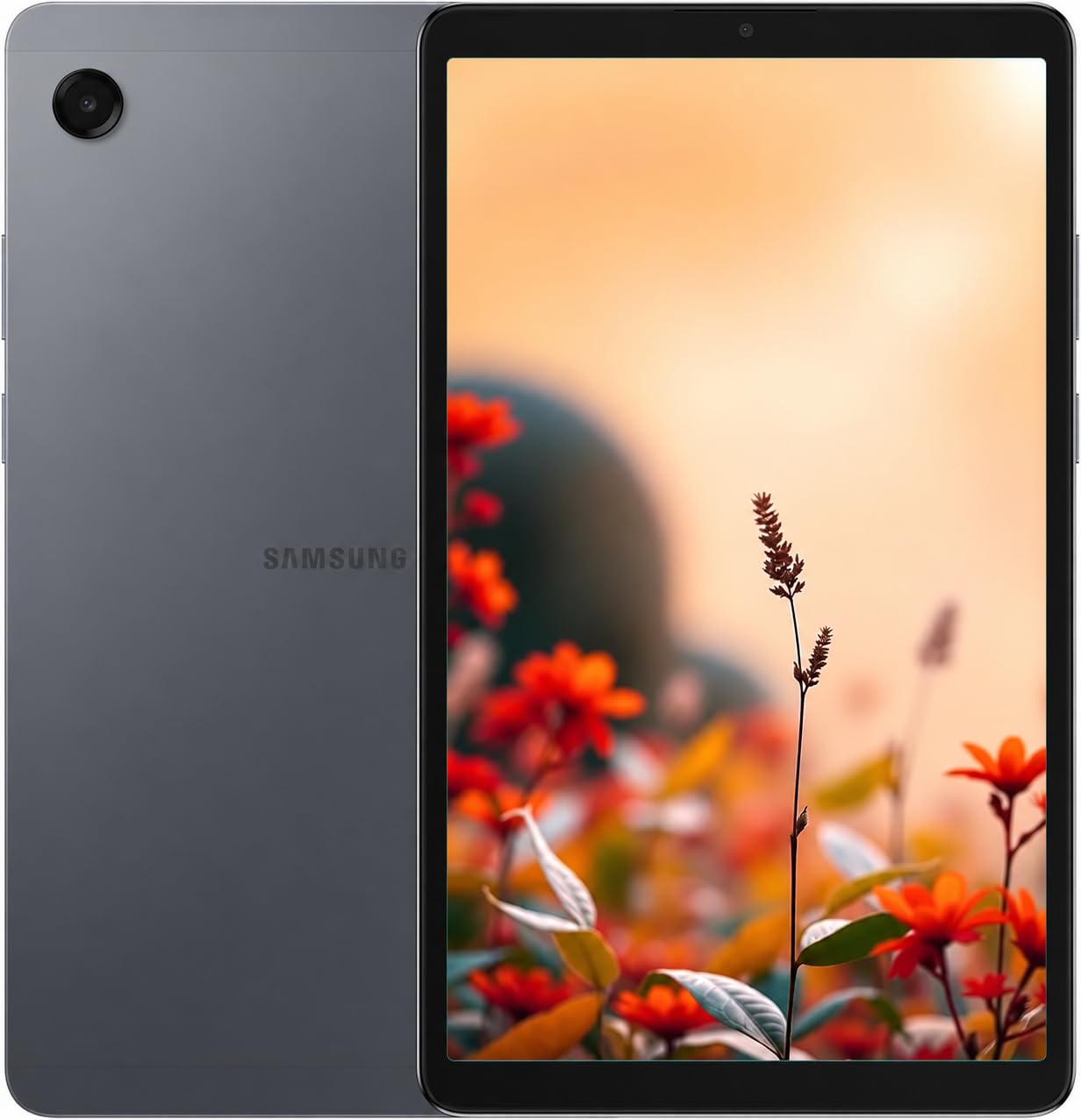
An 8.7-inch Samsung whose 90Hz panel is the smoothest in its size class.
The Galaxy Tab A11 refreshes at 90Hz, which means the image updates 90 times a second instead of the usual 60. In plain terms, scrolling through a feed or a long article stops looking smeary. That is 50% faster than the 60Hz panel in the Jeazans bundle above, and it is the one upgrade you feel instantly in daily handling. The 8.7-inch display runs at 1340×800 (WXGA+) on TFT glass with 16 million colours.
Underneath sits a MediaTek Helio G99 built on a 6nm process with eight cores and a Mali-G57 MC2 graphics chip — Samsung’s own spec sheet, not a marketing estimate. Memory is 4GB and storage 64GB, expandable to 2TB with a microSD card (twice the 1TB ceiling on the Jeazans bundle). The 5100mAh battery is smaller than the 6000mAh in the Evermyth above, and the charger is not in the box, so budget for a USB-C plug. Cameras are an 8MP rear and a 5MP front.
Owners describe it as a proper Samsung device that simply works, and the screen clarity gets singled out. The snag is size — the same compact body some buyers love is the one others call very small, and lighter-framed users find the compact footprint less comfortable for long reading. Buy it for pocketability, not for a big canvas. Speed also splits opinion, so don’t expect desktop-class pace.
Why it earns attention: 90Hz plus a 2TB card slot is a rare pairing at this tier — smooth scrolling and room to grow.
What to factor in: the charger ships separately, and the 8.7-inch frame is genuinely small for anyone used to a 10-inch screen.
Best suited to: readers and scrollers who want fluid motion in a one-hand body.
Look past it if: you want a bigger canvas for films and split-screen work.
5. ROSYVIBE Slim 11-Inch Android 16 Kit
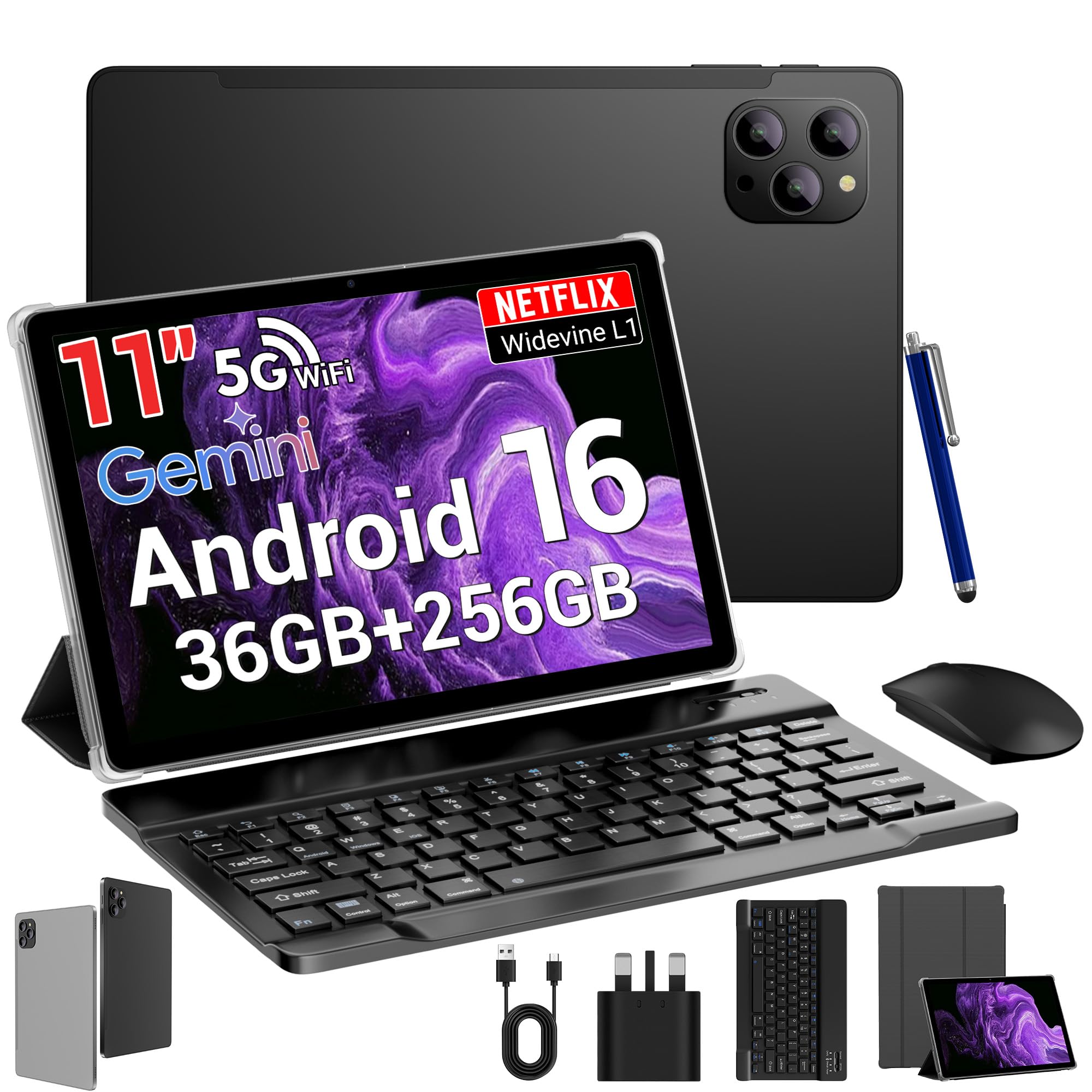
An 11-inch 2000×1200 metal-bodied kit with keyboard, mouse and stylus in the box.
Resolution is where this one leaps ahead. The 11-inch IPS panel runs at 2000×1200 — marketed as 2K — with 178° wide-angle viewing and 350-nit brightness, so book pages come out crisp and split-screen windows stay readable. The 84.9% screen-to-body ratio keeps the frame slim, and the metal body with G+G double glazing (an extra glass layer for durability) gives it a sturdier feel than the plastic-backed budget picks. At 1.13 lb and 0.32 inches thick, it still slips into a messenger bag.
Memory is 12GB physical plus 24GB virtual, storage is 256GB expandable to 1TB, and the T615 octa-core runs at up to 1.8GHz. You also get a keyboard, mouse, stylus and screen protector in the box, plus Widevine L1, which is the streaming licence level that lets Netflix and similar services play in HD rather than a softer stream.
Broad performance draws the most praise, and the machine keeps up with multitasking for the money. Screen quality splits opinion, though — some describe it as clear and vivid, others find it dim and undersaturated at the lower brightness settings. The 350-nit rating explains that: it is fine indoors, weaker in direct sun. Note the rear camera is listed as 13MP in the description and 16MP on the spec sheet.
Reasons this earns a look
- 2000×1200 resolution — the clearest panel before you reach the student-tier picks
- 8000mAh battery with keyboard, mouse, stylus and screen protector included
- Widevine L1 for HD streaming on paid services
- Metal body at 1.13 lb, with split-screen for real work
Reasons to pause first
- 350-nit brightness struggles in bright daylight
- Screen reviews split between vivid and dim
- The camera megapixel figure is reported differently in the description and spec sheet
Pick it when: you want a sharp, metal-bodied work machine with the accessories already in the box.
Pass on it if: you plan to use the tablet outdoors a lot — the brightness ceiling will show.
6. Samsung Galaxy Tab A7 Lite

An 8.7-inch Samsung with a reinforced metal frame built for kids’ daily drops.
This is the tablet you hand to a kid without wincing. Samsung specifies an upgraded metal frame designed to protect against everyday bumps, and the 8.7-inch body stays light enough for small hands to carry. Storage starts at 32GB, and a microSD slot takes cards up to 1TB — Samsung notes that is almost twice the expandable ceiling of the previous generation. That matters when every cartoon and game wants its own space.
Inside is a MediaTek MT8768N processor, Bluetooth 5.0, and a 3.5mm headphone jack — a small thing that real parents notice, because wired headphones mean no pairing fuss and no lost earbuds. Battery capacity is 5100mAh with fast charging. Samsung Kids mode puts you in charge of what your child can reach, and One UI lets a show hand off from a Galaxy phone to the tablet mid-episode, or the reverse.
Durability, not raw speed, separates it from the cheaper no-name builds. It runs Android with Samsung’s long software support, and the metal frame earns its keep when the tablet gets dropped on a kitchen floor. Compare it to the Tab A11 above and the trade is screen smoothness: the A11 gives you 90Hz, this gives you the tougher frame. If the tablet will live in a rucksack with a seven-year-old, that trade usually pays off.
Its real job: absorbing knocks and staying usable, with Samsung’s own kids mode and a headphone jack for quiet car journeys.
The honest limit: 32GB of starting storage fills fast without a microSD card, and the processor is built for patience rather than speed.
Buy this for: a first tablet for a child, or a kitchen-proof secondary screen.
Skip if: you’re shopping for yourself and want high-refresh gaming.
7. QDDQ 13-Inch Android 16 Tablet with Gemini AI
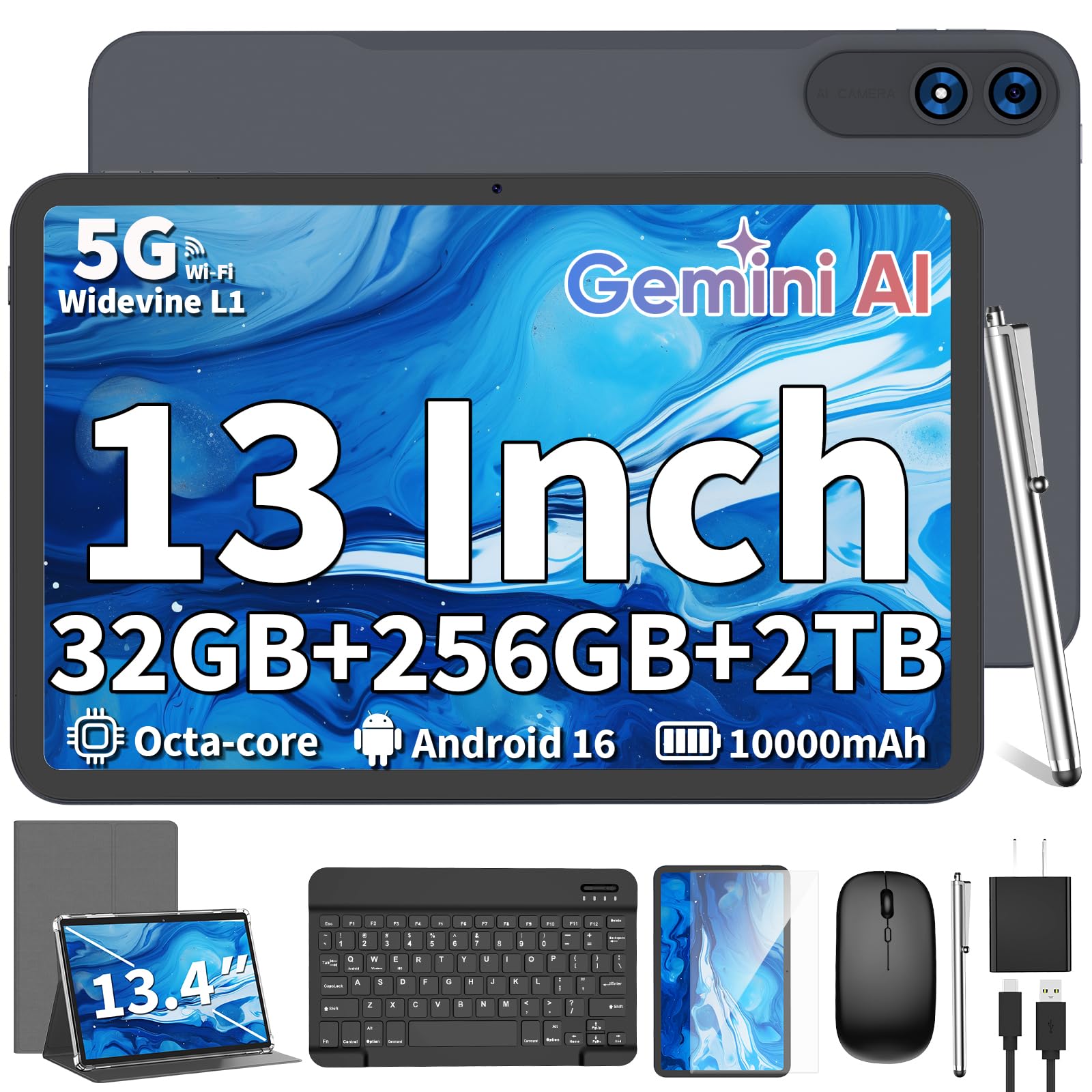
A near-laptop-sized screen for people who work at a desk.
Most budget tablets ask you to squint. The QDDQ P90 gives you a 13.4-inch IPS panel at 1920×1200 with 120Hz refresh — the biggest, fastest display in this entire group — and the extra real estate turns split-screen work into something you can actually read. Around it sits the Unisoc T615 octa-core, 8GB of physical memory plus 24GB virtual, and 256GB of storage that expands to 2TB with a microSD card. The reviewer consensus is that it makes a strong daily work device, and the large screen is the reason.
It ships with a Bluetooth keyboard, mouse, stylus, foldable case and screen protector, so it is a two-in-one from the start. Widevine L1 is supported, so HD streaming works on the major services, and the dual speakers put out real volume. GPS is built in, which is unusual on a tablet in this tier — handy if it doubles as a car navigation screen. The 10000mAh battery is the largest on the list.
Two honest notes. Battery life is the weak spot on this one: the reviews repeatedly register it as a problem area, and the charging behaviour described by owners suggests slow top-ups. Connectivity also splits — some find Wi-Fi simple, others hit drops. And the 120Hz panel is a claimed spec only, so temper expectations of flawless 120Hz gaming. At 13.4 inches, it is also a desk-bound tablet rather than a bag companion.
Where the money goes: a 13.4-inch 1920×1200 panel, 10000mAh, 256GB expandable, plus keyboard and stylus. The screen size alone justifies the tier.
What to plan around: battery life is the recurring complaint, so plan on desk charging. The 8GB of physical memory is the second-highest here, behind the ROSYVIBE’s 12GB.
Worth it for: anyone who wants a big, sharp work screen and doesn’t need all-day portability.
Miss it if: you carry a tablet in a bag — 13.4 inches is a lap-desk commitment.
8. Lenovo Idea Tab

The student machine with a 2.5K screen and a pen in the box.
The detail that matters here is resolution: 2560×1600 on an 11-inch panel, the sharpest in this whole group, with a 90Hz refresh rate to keep scrolling and stylus strokes smooth. That is a full step above the QDDQ’s 1920×1200 and the ROSYVIBE’s 2000×1200. Lenovo pairs it with TÜV Rheinland Low Blue Light hardware filtering and quad Dolby Atmos speakers, so long study sessions and late-night TV marathons both work.
The included Tab Pen is the second piece of the pitch. Circle to Search lets you ring an object on screen for an instant web search, and four learning apps — Lenovo AI Note, Squid, Nebo and MyScript Calculator — cover notes, sketching and maths. The MediaTek Dimensity 6300 lives in here, backed by 4GB of memory and 128GB of storage. A 20W charger refills the battery, and the maker quotes up to 12 hours of YouTube between charges.
The one to be cautious about is pace. Performance is the most-discussed aspect and it genuinely splits, with some owners finding it high-performing and others describing it as extremely laggy, particularly during YouTube playback. Battery life is also contested — some get a full day, others recharge every couple of hours. For note-taking and reading, it is the standout; for heavy gaming, it is not the tool.
Why students gravitate to it
- 2560×1600 — the sharpest 11-inch panel on this page
- Tab Pen and folio case bundled, with four built-in learning apps
- 90Hz refresh plus TÜV Rheinland Low Blue Light filtering
- Circle to Search for quick lookups without swapping apps
What you give up
- 4GB of memory is modest for the screen it has to drive
- Performance is the most-disputed point in owner feedback — some find it laggy
- Real-world battery time varies widely between users
Get it if: you take handwritten notes, read textbooks and want the best-looking screen for the money.
Not your pick if: you need to run demanding games or heavy app switching at speed.
9. TCL TAB A1 Plus
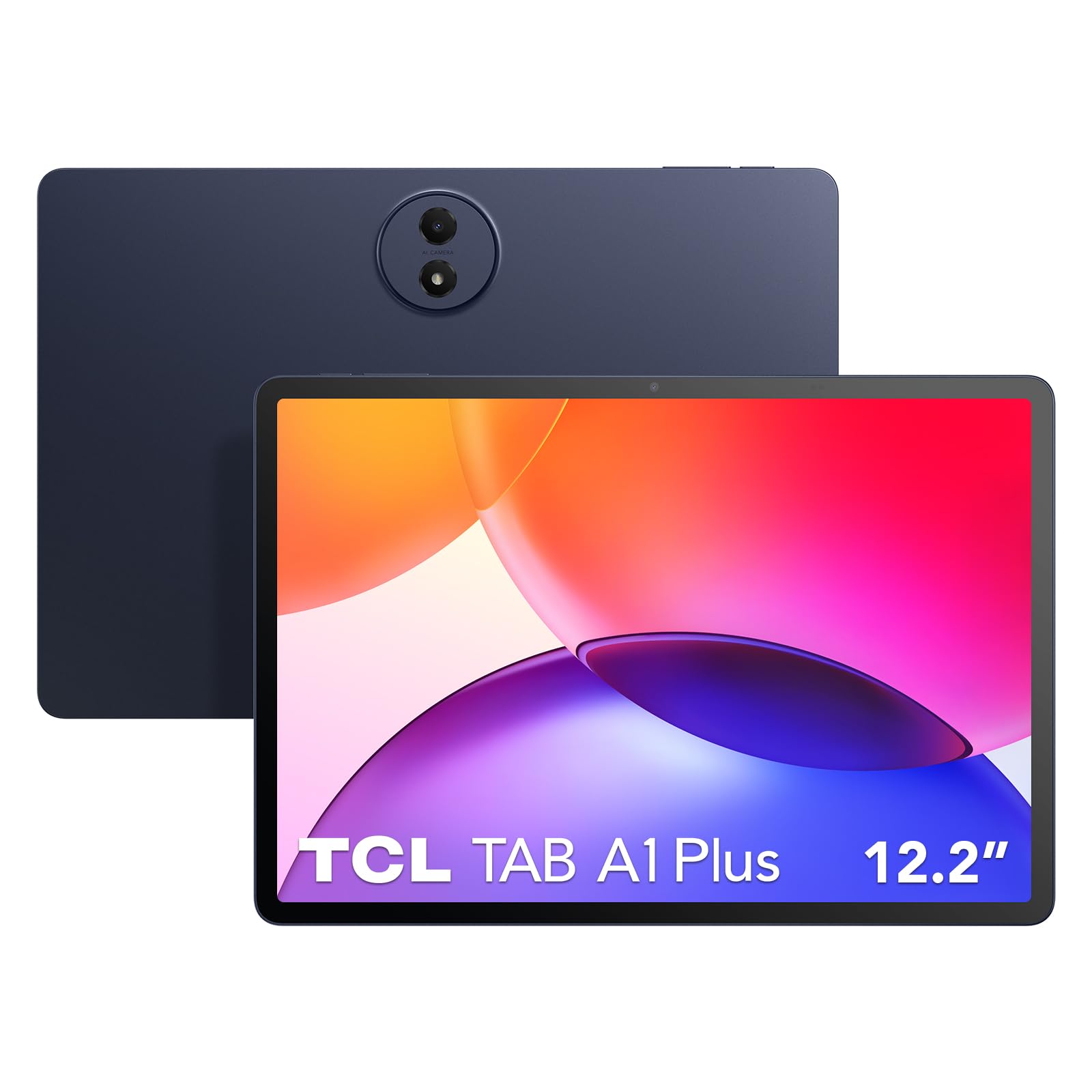
The top-tier tablet here: a 12.2-inch 2.4K panel at 120Hz.
If you want the screen that makes the biggest difference, this is it. The 12.2-inch display runs at 2400×1600 — a 2.4K panel — with a 120Hz refresh rate and 100% sRGB colour, plus TCL’s NXTVISION processing to tune contrast in real time. That refresh rate matches the QDDQ 13-inch for smoothness but the resolution is higher (2400×1600 versus 1920×1200). The 3:2 aspect ratio makes it more comfortable for reading and browsing than a widescreen shape.
Under the glass is a Snapdragon 4 Gen 2 with 6GB of physical memory plus up to 10GB expansion, 128GB of storage expandable to 2TB, and LPDDR5 memory. The whole body is a metal unibody at 0.26 inches thick and 1.19 lb, rated IP54 for dust and splashes (a light-resistance rating, not a waterproof one). The 8000mAh battery charges at 20W, and quad stereo speakers handle audio. Google Gemini, Circle to Search and Smart Translator are baked in.
Two things to weigh. Functionality and battery life both split in the feedback — some owners find the battery drains quickly and the stylus surface unresponsive, and a sizeable group reports reliability trouble after several weeks. The stylus in particular draws mixed notes: fine for marking documents, less so for sustained handwriting. Those are real costs at the top of the range; if your needs are simple, a cheaper pick above will do the same work.
The top-tier argument: a 12.2-inch 2.4K 120Hz panel, a Snapdragon chip, 8000mAh with 20W charging and IP54 splash resistance — the most complete package here.
The fair caveat: reliability concerns sit alongside the strong screen, so buy from a seller you can reach if a unit misbehaves.
Choose it if: screen quality is the whole reason you’re buying and you’ll pay more for a 2.4K 120Hz experience.
Choose a lower pick if: you value simple dependability over top-end visuals.
Know the Specs
Physical RAM vs virtual RAM
When a listing says “36GB RAM,” check the bracket. Usually only 6GB or 8GB is physical memory — the real, fast working space. The rest is virtual RAM, borrowed from storage to help when memory runs short. Virtual RAM helps a little, but it is slower than real RAM. Choose the tablet with the higher physical number if you want several apps open at once.
Display resolution and refresh rate
Resolution is the number of pixels — 1280×800 shows soft text on a 10-inch screen, while 2400×1600 keeps everything clean. Refresh rate is how often the screen redraws: 60Hz is standard, 90Hz and 120Hz make scrolling look smoother. For reading, favour resolution; for browsing and games, favour refresh rate.
Battery capacity and charger wattage
Battery size is quoted in mAh — milliamp-hours. A bigger figure usually means more screen time, though the screen and chip also drain power. Charger wattage matters too: a 15W or 20W charger refills faster than a basic one. A 10000mAh battery paired with a 20W charger is a reasonable balance for a big screen.
Widevine L1 and streaming quality
Widevine L1 is the top DRM (digital rights management) level for streaming. With L1, services like Netflix serve HD content. Without it, the same app quietly drops to a lower resolution. Not every budget tablet supports it, so it is worth checking before buying if streaming is the point of the purchase.
Common Questions
Is 4GB RAM enough for a budget tablet in normal use?
How much storage do I actually need on a cheap tablet?
Will Netflix and Disney+ play in HD on these tablets?
Can a budget tablet replace a laptop for study or work?
What does the “36GB RAM” number really mean?
Do these tablets take SIM cards or are they Wi-Fi only?
Which budget tablet is best for a young child?
Is a bundled keyboard worth choosing a tablet for?
Does refresh rate change how a budget tablet feels day to day?
Why does the charger come separately on some models?
The Bottom Line
For most people buying a tablet without overspending, the recommended budget tablet answer is the Jeazans 10.1-Inch Bundle — you get the keyboard, mouse, stylus and case from day one and an easy-to-live-with Android 16 setup. If screen smoothness in a small body matters, the Samsung Galaxy Tab A11 gives you 90Hz in a one-hand frame. For students who want the sharpest 11-inch display and a pen, the Lenovo Idea Tab is the pick. And if the screen itself is the whole reason you’re buying, the TCL TAB A1 Plus delivers 12.2 inches at 2.4K and 120Hz. Compare physical memory and screen resolution first, and the choice narrows fast.
How we choose
We do not accept paid placement. Every pick is matched to a real buyer and a real use-case; we do not hands-on test units.
Sources
Specifications: manufacturer listings and product documentation. Review insights: verified customer reviews, as of November 2026. Pricing: not shown on this page (it changes often); check the current price via the retailer link.
As an Amazon Associate, Tactical Gear Guy earns from qualifying purchases. This does not affect which products we feature.