Specs are compiled from manufacturer listings and verified buyer reviews and can change over time — please confirm the key details on the product page before buying.
You want a mouse that keeps aiming after the cable stops holding you back. The short answer: the Logitech G PRO X2 SUPERSTRIKE is the strongest all-round pick here — it is the crowd favorite at 4.5+ stars across 700+ ratings, it reports your hand position 8,000 times a second, and it runs for 60 hours per charge. Below, every pick is ranked by how it actually behaves in a long session, not by the marketing sheet.
This guide is built by comparing the manufacturers’ published specifications and the patterns across verified customer reviews, so you get each pick’s real strengths and trade-offs instead of marketing spin.
Rechargeable wireless gaming mice have quietly replaced cables on most competitive desks, and the differences that matter are down to polling rate, sensor ceiling, and grams. This roundup covers nine rechargeable wireless gaming mice and which one fits your hand, your game, and your desk. Choosing a Rechargeable Wireless Gaming Mouse is easier once you know which spec actually changes how your aim feels.
Top Picks


How To Choose The Best Rechargeable Wireless Gaming Mouse
Buying a rechargeable wireless gaming mouse is mostly a matter of matching three numbers to your game: how often it reports your movement, how high its sensor tracks, and how many grams you drag around the desk. Get those wrong and no amount of RGB fixes your aim.
Polling rate: the number that decides how fast your aim registers
Polling rate is how often the mouse sends your hand position to the PC, measured in Hz. A standard 1 kHz mouse reports every millisecond. An 8 kHz mouse reports eight times as often, on a 0.125 ms interval. In a fast flick shooter that gap is what you feel as “my shot landed late” — so if you play competitive FPS, buy the highest polling rate you can comfortably afford. If you mainly play MMO or strategy titles, a 1 kHz connection will never hold you back.
Sensor DPI and IPS: how much headroom your aim gets
DPI is the sensitivity ceiling of the sensor — how far the cursor travels per inch of mouse movement. IPS (inches per second) is how fast you can sweep before the sensor loses tracking. You do not need 44,000 DPI to play well, but a high ceiling usually signals a sensor with the accuracy to keep up with hard swipes. Look for IPS figures that comfortably exceed how fast you actually flick.
Weight in grams: the feel you notice in hour three
Mouse weight is measured in grams, and a lighter frame is easier to stop precisely and less tiring to lift for repositioning. The lightest picks here sit in the high 40s to low 50s of grams. Heavier ergonomic shapes give you more palm support and a more planted feel, which some players prefer for long MMO sessions. There is no universally correct weight — it is a grip-fit decision.
Grip shape and hand orientation matter more than the spec sheet admits
An ergonomic right-handed shape with a raised hump supports the palm for long sessions. An ambidextrous shape suits claw and fingertip grips. Check the listed hand orientation and dimensions against how you actually hold a mouse — a near-perfect sensor fails if the shell fights your grip.
Side-by-Side Comparison
| Model | Best For | Polling Rate | Max DPI | Weight | Amazon |
|---|---|---|---|---|---|
| Logitech G PRO X2 SUPERSTRIKE★ Best Overall | Competitive FPS all-rounder | 8 kHz | 44,000 DPI | 61 g | Amazon |
| Razer DeathAdder V3 HyperSpeedBest Value | Lightweight ergonomic value | Up to 8 kHz (with HyperPolling dongle) | 26,000 DPI | 55 g | Amazon |
| ASUS ROG Gladius III Wireless AimpointEndurance Pick | Battery endurance and tri-mode connectivity | 2.4 GHz RF | 36,000 DPI | 79 g | Amazon |
| Logitech G PRO X Superlight 2 DEX SE | Ergonomic precision | 1 kHz | 44,000 DPI | 60 g | Amazon |
| Sony INZONE Mouse-A | Ultra-light esports play | 8 kHz | 30,000 DPI | 48.4 g | Amazon |
| Razer Cobra Pro | Customizable controls and RGB | Razer HyperSpeed 2.4 GHz | 30,000 DPI | 2.72 oz | Amazon |
| Keychron G3 8K | Carbon-fiber lightness plus range | 8 kHz | 30,000 DPI | 47±3 g | Amazon |
| CORSAIR SCIMITAR ELITE WIRELESS SE | MMO and MOBA button count | 1,000 Hz | 33,000 DPI | 0.11 kg | Amazon |
| GravaStar Mercury X Pro | Magnesium frame and 8K wireless | 8 kHz | 32,000 DPI | 49 g | Amazon |
Detailed Reviews
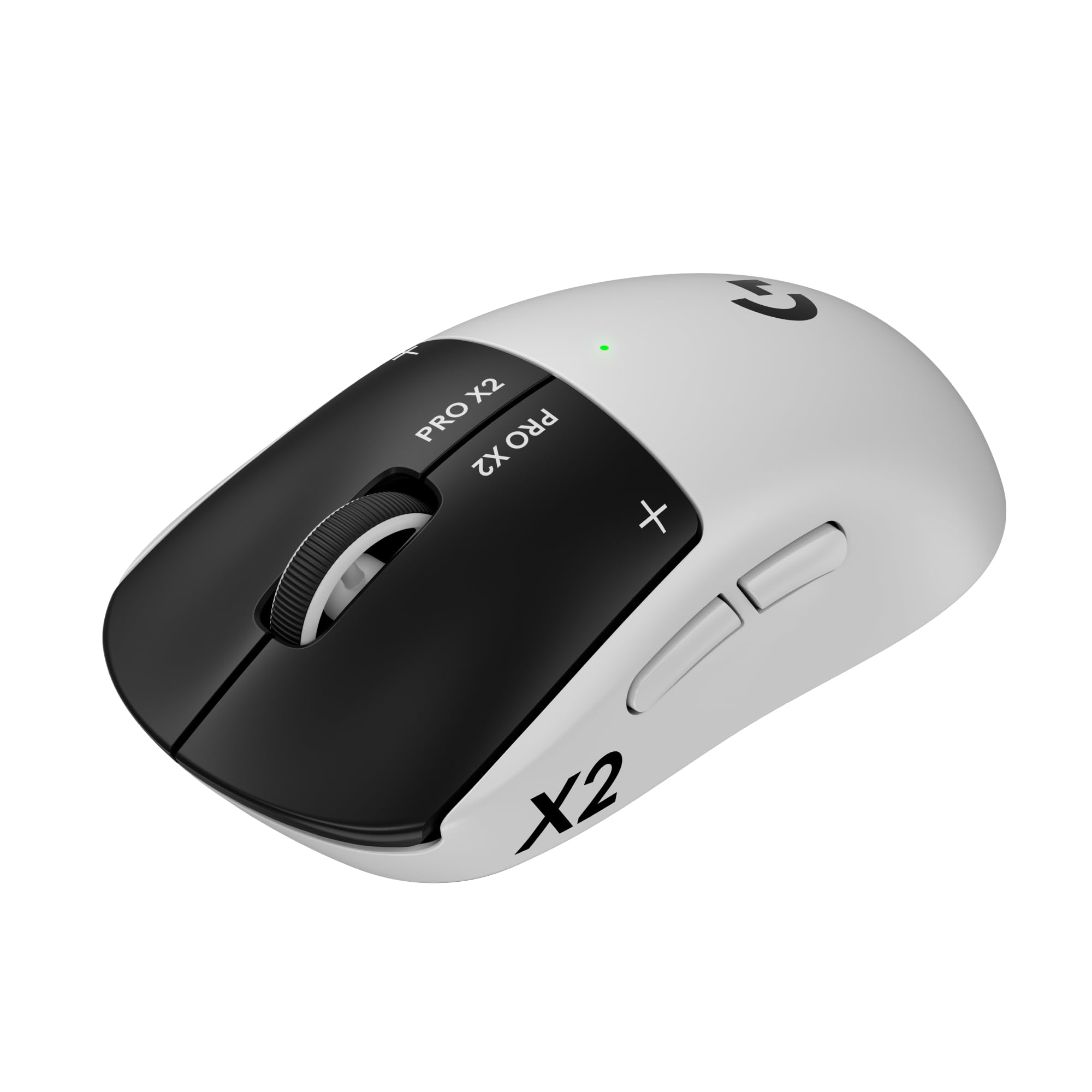
1. Logitech G PRO X2 SUPERSTRIKE Wireless Gaming Mouse
Our pick — 4.5+★ from 750+ verified ratings; the strongest balance of quality and price.
Polls your hand position at 8,000 Hz and runs 60 hours per charge.
The defining number here is 8 kHz polling. That means the mouse sends your movement to the PC every 0.125 milliseconds, so a fast flick registers while your hand is still moving. Compare that to the Superlight 2 DEX SE in this list, which reports at 1 kHz — an 8.0x gap in polling. In a competitive shooter, that is the difference between a snap shot landing and feeling late.
The HERO 2 sensor tracks up to 44,000 DPI, over 888 IPS, and 88 g-force. Plain English: the sensor ceiling sits far above anything your hand can physically generate, so hard swipes stay clean. The whole shell weighs 61 g and uses a 0.7 mm thin-wall case with extra-large UHMWPE feet — those are the glide pads on the bottom, chosen to reduce friction. The result is a mouse that slides rather than drags, and performance is the trait buyers praise most, with responsiveness close behind.
Battery is listed at 60 hours, so a single charge covers roughly two weeks of normal play. You also get adjustable actuation points and customizable click haptics, so the left and right buttons can be tuned to how you like them to feel. If you already own the POWERPLAY 2 mat, the mouse can run without ever needing a cable again — that mat is sold separately, so budget for it if you want that setup.
Where it earns its place
- 8 kHz polling — eight times the report rate of the 1 kHz Superlight 2 DEX SE
- 61 g with a 0.7 mm thin-wall case and extra-large UHMWPE glide feet
- 60 hours of battery, so charging is a fortnightly chore, not a nightly one
- Adjustable actuation and click haptics let you tune the buttons to your taste
What to weigh first
- Value is the most contested point in owner feedback — it is a premium-tier outlay for a mouse that saves weight rather than adding features
- POWERPLAY 2 wireless charging is sold separately
- Advanced tuning needs the Logitech G HUB software installed
Made for: competitive FPS players who want the fastest click response and do not mind paying premium-tier money for it.
Look elsewhere if: you want a feature-stuffed mouse with RGB zones and extra buttons — this one strips down to 5 buttons deliberately.
2. Razer DeathAdder V3 HyperSpeed Wireless Gaming Mouse
A 55 g ergonomic shell that runs a hundred hours between charges and undercuts the premium field.
Start with the mass: 55 g, built with a mass-centralised design so the weight sits where your palm pushes. That makes swipes feel balanced rather than nose-heavy. The shape was worked out with esports pros for a natural right-handed grip, and it carries a smooth-touch matte finish that stays planted in your hand.
Then there is battery. Razer lists up to 100 hours on the USB Type C rechargeable cell — longer than the 60 hours of the PRO X2 SUPERSTRIKE above, and enough for a full tournament schedule without hunting for a cable. The Focus X 26K optical sensor tracks at 26K DPI with 99.6% resolution accuracy. It is a step down from the 44K ceiling of the Logitech picks, but the Gen 3 optical switches are rated to 90 million clicks with 0.2 ms actuation and no debounce delay, which is the part your fingers actually feel.
The wireless dongle runs HyperSpeed from the start, and you can upgrade to true 8000 Hz polling with the Razer HyperPolling Wireless Dongle — that dongle is a separate buy, so the fast polling is not included. Build quality is the trait buyers praise most on this mouse, with its 55 g weight close behind. One honest fit note: this shell runs smaller, suiting medium-to-small hands, and players with bigger palms tend to find it cramped.
What made the shortlist: 100 hours of listed battery life, a 55 g frame, and optical switches rated for 90 million clicks — a durable, long-running package at an entry-to-mid tier.
The trade-off you should know: 8000 Hz polling requires the HyperPolling dongle sold separately, and the compact shell is best for medium-to-small hands.
Reach for this if: you have medium or small hands and want a light ergonomic mouse that goes weeks between charges.
Pass on it if: you need the widest possible shell or want 8K polling straight from the start.
3. ASUS ROG Gladius III Wireless Aimpoint Gaming Mouse
The battery champion of this list — 119 hours on 2.4 GHz, and 143 in Bluetooth.
If your problem with wireless mice is remembering to plug them in, this is your answer. ASUS rates the Gladius III for up to 119 hours in ultrafast 2.4 GHz RF mode, and up to 143 hours on Bluetooth. That is close to double the 60 hours of the PRO X2 SUPERSTRIKE at the top of this list. A full recharge takes about 30 to 60 minutes, and the 119-hour rating means weeks between top-ups.
The AIMPOINT optical sensor ranges from 100 to 36,000 dpi with under 1% cpi deviation, tracking up to 650 inches per second at 50 g acceleration. Deviation, in plain terms, is how far the cursor drifts from where the sensor thinks it is — under 1% is tight. The asymmetrical right-handed shell gives lasting comfort across several grip styles, and the 6-button layout stays out of the way.
Tri-mode means you pick your connection: 2.4 GHz RF for gaming, Bluetooth for up to three paired devices, or wired USB for fast-charging mid-game. Hot-swappable switches let you change out the click mechanism without a soldering iron, which is rare at any tier. At 79 g it is the heaviest mainstream pick reviewed here — 79 g against the 48.4 g of the Sony INZONE Mouse-A — so if a feather-light flick is your priority, this is a different animal.
Why it stays on the list: 119 hours on 2.4 GHz and 143 on Bluetooth, plus hot-swappable switches and three connection modes — a mouse you charge rarely and repair easily.
Where the weight shows: 79 g is a planted feel for long sessions, but it takes more effort to lift than the sub-50 g picks here.
Best matched to: players who prioritise battery slack, palm support, and the ability to swap switches years from now.
Not your pick if: your game rewards the lightest possible shell.
4. Logitech G PRO X Superlight 2 DEX SE Gaming Mouse – Black

An asymmetrical right-handed shape with the same 44K sensor ceiling as the top pick, at a lower tier.
This is the shape-first pick. The asymmetric right-handed shell and programmable thumb buttons are built for a natural hand-off from your desk, and you get the same HERO 2 sensor ceiling as the PRO X2 SUPERSTRIKE — 44,000 DPI, 888 IPS, 88 g acceleration. What you give up is polling speed: this mouse runs LIGHTSPEED wireless at 1 kHz, where the SUPERSTRIKE runs 8 kHz. The DEX SE is also 60 g against the SUPERSTRIKE’s 61 g, so the glide weight is essentially a wash.
Battery is listed at up to 88 hours on one charge, and it recharges over the included USB-A to USB-C cable. That sits above the 60 hours of the SUPERSTRIKE and below the 100 hours of the DeathAdder V3. The LIGHTFORCE hybrid optical-mechanical switches combine light-based actuation with a mechanical click, which is why the button press feels crisp rather than mushy. Zero-additive PTFE feet — the polymer glide pads — keep the movement smooth without losing control.
The one thing to note: the receiver in the box is the standard LIGHTSPEED USB receiver at 1 kHz, and the faster PRO LIGHTSPEED Wireless Receiver that open up 8 kHz performance is sold separately. If low latency is your whole reason for buying, factor that extra piece in. Otherwise this is a comfortable, accurate mouse that works quietly on both Mac and PC.
What it does well
- 44,000 DPI HERO 2 sensor — the same ceiling as the top pick
- 88 hours of battery, well ahead of the 60-hour SUPERSTRIKE
- Asymmetrical right-handed shape with programmable thumb buttons
- Zero-additive PTFE feet for a smooth, controlled glide
Where it gives ground
- 1 kHz polling from the start — the 8 kHz PRO LIGHTSPEED receiver is a separate purchase
- No adjustable actuation or click haptics like the top pick offers
- Advanced tuning requires the G HUB software
Yes for: players who care more about grip comfort and sensor ceiling than the last drop of report rate.
Hold off if: 8 kHz polling is your non-negotiable — buy the SUPERSTRIKE instead.
5. Sony INZONE Mouse-A Wireless Gaming Mouse
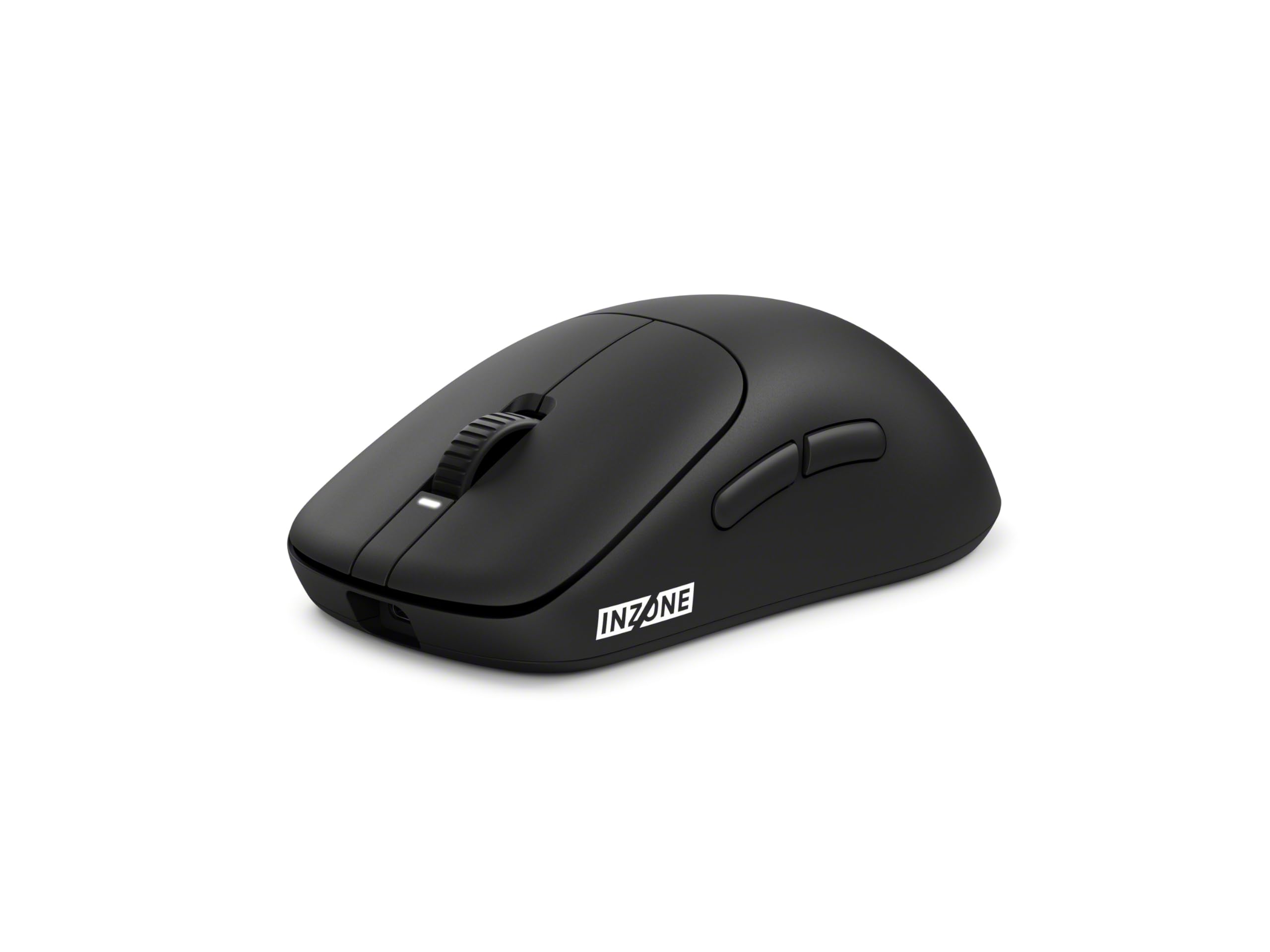
48.4 g of reinforced shell with 8 kHz polling — the lightest mouse here that still reports at full speed.
Weight is the headline: 48.4 g, dialled down with Fnatic’s feedback. That makes it 30.6 g lighter than the 79 g Gladius III above, a difference you feel every time you lift the mouse to reposition. Sony reinforces the internal frame with polyamide and hollow glass microspheres for 360° lateral support, so it resists flexing despite the missing material. The build comes out of a collaboration with Fnatic, the esports organisation.
The custom 3950IZ sensor resolves up to 30,000 DPI and tracks up to 70 G acceleration and 750 IPS. The 8000 Hz polling rate runs over the USB dongle for the lowest input latency on this list alongside the SUPERSTRIKE. Optical switches rated at 150 million clicks handle the primary buttons, reacting with light rather than friction. The tactile scroll wheel has defined stepped notches built with Fnatic, so weapon switching gives you a click you can feel.
There is a back button that rotates through up to four onboard profiles with a three-second press — an unusual touch. The honest caveat is the scroll wheel: it divides opinion, with feedback split between buyers who like the clicks and those who find the wheel on the sensitive side. Battery is listed at up to 90 hours with quick charging. If scroll wheel feel is your biggest sensitivity, test this one in person.
The verdict in one line: 48.4 g and 8 kHz polling make this the sharpest lightweight option for flick-heavy esports play, and quality is the trait it is best known for.
One caution: the scroll wheel’s sensitivity is the most polarising part of this mouse across owner feedback.
Choose this when: your grip is claw or fingertip and you want the lightest shell on the shortlist without losing 8K polling.
Think twice if: you rely heavily on the scroll wheel for weapon cycling and prefer a heavier detent.
6. Razer Cobra Pro Wireless Gaming Mouse

Ten remappable controls and eleven RGB zones wrapped around an ambidextrous shell.
Count the buttons: 10 customizable controls, all remappable to macros or commands through Razer Synapse. For a game with a deep ability bar that is a genuine advantage. The Focus Pro 30K optical sensor also tracks on glass, which most optical sensors will not do, so a glass-topped desk is not a problem here.
Battery is the standout spec: Razer lists up to 100 hours on HyperSpeed and up to 170 hours on Bluetooth, charged over USB Type C. That is close to three times the 60 hours of the SUPERSTRIKE at the top of the list. Gen-3 optical switches are rated for 90 million clicks with 0.2 ms actuation, and there is no double-click gremlin to worry about. The ambidextrous shell adds 11 Chroma RGB zones with underglow, and 5 onboard memory profiles let you carry your settings between machines.
Build quality and weight are the two things buyers like best here — the shell does not feel heavy despite the 10-button layout. But note it is a 2.72 ounce mouse, so it is the heaviest-feeling compact option on this list. And with an ambidextrous shape, the palm support is more neutral than an ergonomic hump — if you want a sculpted hand rest, look to the Gladius III instead.
Where it pulls ahead: 10 remappable controls, 11 RGB zones, and up to 170 hours on Bluetooth — a spec sheet built for players who want options, not minimalism.
What it asks of you: 2.72 ounces is heavier in the hand than the sub-50 g picks, and the neutral ambidextrous shell is not a palm-resting shape.
Pick this if: your game needs a fistful of buttons and you like lit-up gear with per-game profiles.
Skip the fuss if: you want the lightest grip possible — the button array and shell add weight you will feel.
7. Keychron G3 8K Wireless Gaming Mouse
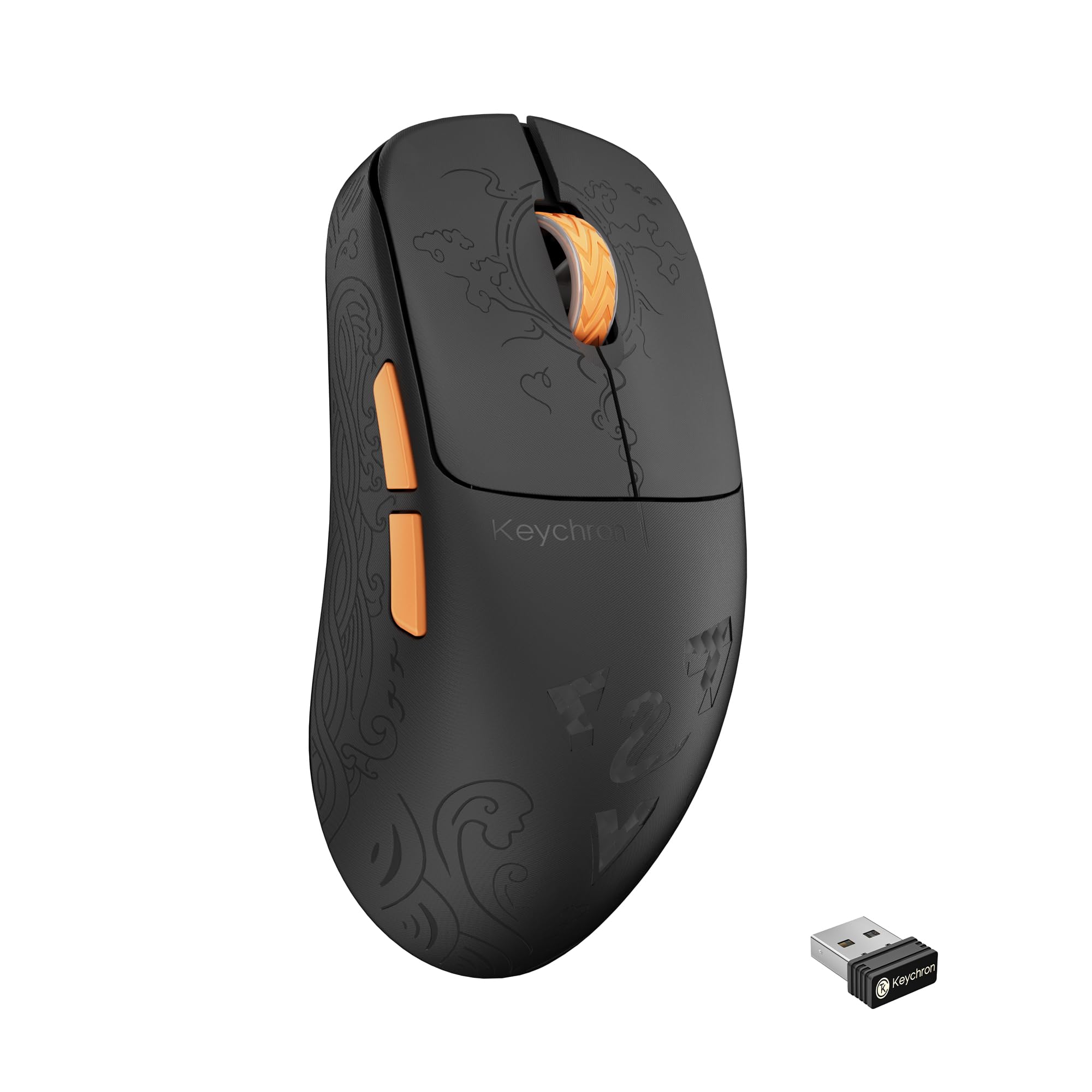
A carbon-fiber shell, 160 hours of battery, and three ways to connect to your PC.
Carbon fiber is uncommon on a mouse, and here it keeps the weight at 47±3 g while stiffening the shell. The flip side is a very light, very rigid body — some players love that, others want more heft in the hand. Either way, the 500mAh battery is rated for up to 160 hours per charge, with a full recharge in just 2 hours. That is the longest listed battery of any mouse reviewed here.
Connection is genuinely flexible: ultra-stable 2.4 GHz wireless, Bluetooth 5.3 for multi-device work, and a USB-C wired connection. It switches between up to 3 paired devices. The 8000 Hz polling rate reports your cursor position every 0.41 milliseconds, which Keychron notes is 8 times faster than standard 1000 Hz mice. The PixArt PAW3950 sensor tops out at 30000 DPI, and above 5000 DPI you set it through Keychron Launcher Web rather than an installed app.
Five programmable buttons and 5 onboard profiles mean you can carry a gaming layout and an office layout on the same mouse. A raised hump gives full palm support, and the shape was tuned to encourage a balanced grip. Useful for work and play — the catch is that this mouse targets a right-handed grip, so left-handed players should look at an ambidextrous option instead.
Why it belongs here: up to 160 hours of battery, a 2-hour recharge, and tri-mode switching between three devices — the most flexible connectivity package on the list.
Worth knowing: DPI above 5000 is configured through Keychron’s web launcher, not an installed desktop app, and the right-handed shape rules out left-handed use.
Ideal for: mixed use — a gaming rig by night and a multi-device work setup by day, without swapping mice.
Not ideal for: left-handed players or anyone who wants a heavier, more planted feel.
8. CORSAIR SCIMITAR ELITE WIRELESS SE Gaming Mouse

Sixteen programmable buttons for the player whose ability bar outgrew a normal mouse.
This mouse exists for one reason: button density. 16 programmable buttons put every power, consumable, and attack under your thumb and fingers. For an MMO or MOBA with long cooldown rotations, that is the difference between reaching across the keyboard and keeping your hand planted. The MARKSMAN S sensor resolves 33,000 DPI with improved DPI detection and lower power consumption than the previous version.
The other unique piece is Elgato Stream Deck integration. You can map Stream Deck functions directly onto the SCIMITAR’s buttons from the Stream Deck app, or route them through a Virtual Stream Deck for productivity, streaming, and game profiles. That is a genuinely different feature from anything else here, and it suits players who stream their sessions.
For connection you get SLIPSTREAM WIRELESS at 1,000 Hz polling for low latency on PC or Mac, plus Bluetooth, plus a USB-C cable for charging while you play. Battery is listed at 150 hours, which outlasts the 60 hours of the SUPERSTRIKE by a wide margin. Ergonomics are what people praise — the shape sits well in hand, and it fits large hands especially well. The trade-off is weight and simplicity: this is a big, feature-dense shell rather than a featherweight flick machine.
The case for it: 16 buttons, Stream Deck mapping, and 150 hours of battery — nothing else on this list gives you that much control under one hand.
The catch: it is a large-shell mouse with a big button array, so pure-aim shooters are not where it shines.
Right for: MMO, MOBA, and streaming setups where every ability needs its own key.
Wrong for: twitch-shot shooters — the size and button count work against you there.
9. GravaStar Mercury X Pro Wireless Gaming Mouse

An open-skeleton magnesium frame at 49 g, with the 8K dongle already in the box.
The hollow skeleton design is the first thing anyone notices, but the frame is the substance: magnesium alloy at 49 g, one gram lighter than the DeathAdder V3 HyperSpeed and noticeably stiffer than a plastic shell. The ventilated structure keeps the mouse cool over a long session, and the included 8K wireless receiver means you get 8000 Hz polling without buying a separate dongle — a step the Razer DeathAdder and Logitech Superlight 2 DEX both require for fast polling.
The PAW3950 optical sensor resolves up to 32,000 DPI, enough for flick aim in competitive FPS. Polling runs at 0.125 ms intervals, so input updates land frequently. Tri-mode connectivity covers 2.4 GHz wireless, Bluetooth 5.1, and USB-C wired. Battery is listed at up to 110 hours, though that figure depends on lighting and polling rate, so dial the RGB down if you want the long number. Five programmable buttons and onboard memory profiles are configurable through a browser.
Here is the honest piece: performance and weight are what owners love, but durability and value are the two contested points. Some reports describe a unit failing after a couple of months, and for that reason treat the open frame with care and check the return policy. It is still a fast, distinctive mouse — just know the hollow build is not a tank.
Reasons it stands out
- 49 g magnesium alloy frame with a hollow, ventilated structure
- 8K wireless dongle included, so 8000 Hz polling comes in the box
- 110 hours of listed battery, tri-mode 2.4 GHz / Bluetooth 5.1 / USB-C
- Customizable GLOWSYNC RGB and five programmable buttons
Where to proceed carefully
- Durability is a contested point, with a few reports of failures after a couple of months
- Value for money divides opinion at this tier
- Battery figures depend on lighting and polling rate, so real-world hours drift with your settings
Go for it if: you want the feel of a metal frame and 8K polling without buying an extra dongle.
Handle with care if: you are hard on your gear — the open skeleton rewards gentle handling.
Know the Specs
Polling Rate (Hz)
Polling rate is how many times per second the mouse tells the PC where your hand is. A 1 kHz mouse reports every millisecond; an 8 kHz mouse reports every 0.125 milliseconds, which is why fast flicks register sooner. In a competitive shooter the higher figure is worth paying for. In a slower game you will never notice the difference, so spend the money elsewhere.
DPI and IPS Tracking
DPI is the sensitivity ceiling — how far the cursor moves per inch of mouse travel. IPS is how fast you can sweep before the sensor loses tracking. A 44,000 DPI sensor sits far above what any human hand produces, but a high ceiling usually signals accurate tracking at speed. Match the sensor ceiling to your play style rather than chasing the biggest number on the box.
Weight in Grams
A lighter mouse is easier to stop precisely and less tiring to lift and reposition over a long session. The lightest picks here sit in the high 40s to mid 50s of grams; the heaviest mainstream option is 79 g. There is no magic number. Players who prefer a planted, palm-supported feel often choose a heavier shell deliberately.
Battery Life and Charging
Listed battery hours are measured under specific settings, and turning on RGB or a higher polling rate shortens the figure. A 60-hour mouse needs a charge roughly every two weeks of normal use, while a 160-hour mouse stretches that to about five weeks. Quick charging matters too — a partial top-up before a session can cover an evening. A mouse with wireless charging support can skip cables entirely, though the charging mat is usually sold separately.
Common Questions
Does a higher polling rate really improve my aim?
Will an 8K wireless dongle work without extra software?
Can I use these rechargeable wireless mice with a Mac?
How often will I need to charge a wireless gaming mouse?
Is a lighter mouse always better for gaming?
What is the difference between optical and mechanical switches?
Do these mice work with a PS5 or console?
How many programmable buttons do I actually need?
Can a wireless gaming mouse match a wired one for latency?
What does DPI above 30,000 actually do for me?
The Bottom Line
The best rechargeable wireless gaming mouse for most competitive players is the Logitech G PRO X2 SUPERSTRIKE — 8 kHz polling, a 44,000 DPI HERO 2 sensor, 61 g, and 60 hours of battery make it the fastest complete package here. If you want maximum battery slack, the ASUS ROG Gladius III runs 119 hours on 2.4 GHz with hot-swappable switches. And for the lightest flick-ready shell on the list, the Sony INZONE Mouse-A at 48.4 g and 8 kHz is the one to reach for. Buy the shape that fits your hand first,and the spec that matches your game second — that order is what keeps a mouse feeling right after the first week.
How we choose
We do not accept paid placement. Every pick is matched to a real buyer and a real use-case; we do not hands-on test units.
Sources
Specifications: manufacturer listings and product documentation. Review insights: verified customer reviews, as of November 2026. Pricing: not shown on this page (it changes often); check the current price via the retailer link.
As an Amazon Associate, Tactical Gear Guy earns from qualifying purchases. This does not affect which products we feature.