Specs are compiled from manufacturer listings and verified buyer reviews and can change over time — please confirm the key details on the product page before buying.
Buying a prebuilt desktop is mostly a question of which part is quietly letting the rest down. A fast processor paired with an older graphics card will stumble in new games, and a big graphics card fed by too little memory will stutter the moment you open a browser tab mid-match. The picks below sort that out for you: each one is chosen for a balanced combination you can actually live with, from entry-level 1080p towers to a liquid-cooled machine that holds 240Hz frame rates.
This guide is built by comparing the manufacturers’ published specifications and the patterns across verified customer reviews, so you get each pick’s real strengths and trade-offs instead of marketing spin.
The trick is matching the graphics card’s VRAM to the resolution you actually play at, not the one on the box. Below you will find the configurations that hold up in daily use, laid out so you can pick the right really good pc without overpaying for power you will never touch.
Top Picks
How To Choose The Best Really Good PC
Start with the screen you already own. A 1080p monitor at 60Hz asks far less of a graphics card than a 1440p panel running at 240Hz, and most prebuilt towers are built with one of those two targets in mind. Matching the machine to your actual display is what stops you from buying a card you cannot use or a card that cannot keep up.
Graphics memory is the first number to check
Video memory, usually written as VRAM in gigabytes, is the graphics card’s own scratch space for textures. Newer games at 1440p can push past 8GB, so a card with 12GB or 16GB gives you room to keep detail settings high. A 6GB card like the GTX 1660 SUPER in the two HP towers is fine for 1080p, but it is the first thing you will notice aging.
Processor cores decide whether streaming is smooth
A six-core chip handles a game and a browser without complaint. Twelve cores or more, like the Ryzen 9 9900X, keep the game smooth while you record or edit video at the same time. If you only play, skip the extra cores and put the money into the graphics card.
Cooling, power, and upgrade room
An air cooler with multiple fans can hold a mid-range card stable, while a 360mm liquid cooler is what keeps a flagship card from throttling its own clock speed under long sessions. A Gold-certified power supply and spare memory slots mean the tower can grow with you instead of needing replacement.
Side-by-Side Comparison
| Model | Best For | Graphics Card | Processor | Memory | Amazon |
|---|---|---|---|---|---|
| HP OMEN 40L★ Best Overall | Balanced all-rounder | GTX 1660 SUPER 6GB | Ryzen 7 5700X, 8-core | 16GB DDR4 | Amazon |
| Prebuilt Ryzen 5 / RTX 3050Best Value | First gaming tower | RTX 3050 6GB | Ryzen 5 5500, 6-core | 16GB DDR4 3200MHz | Amazon |
| Olialia RTX 3060 Ti2K Gaming Pick | 1440p on a budget | RTX 3060 Ti 8GB | Ryzen 5 5500, 6-core | 16GB | Amazon |
| CyberPowerPC i5-14400F | 1080p esports speed | RTX 5060 8GB | Intel Core i5-14400F, 10-core | 16GB DDR5 | Amazon |
| KOTIN Ryzen 7 8700F | Multitasking and VR | RTX 5060 Ti 8GB | Ryzen 7 8700F, 5 GHz max | 16GB DDR5 | Amazon |
| HP OMEN 45L | Editing and heavy multitasking | GTX 1660 SUPER 6GB | Intel Core i7-12700KF, 12-core | 64GB DDR4 | Amazon |
| iBUYPOWER Element | 1440p high refresh | Radeon RX 9070 GRE 12GB | Ryzen 9 9900X, 12-core | 16GB DDR5 | Amazon |
| MSI Codex Z2 | Raw power per dollar | RTX 5070 12GB | Ryzen 7 8700F, 5 GHz max | 32GB DDR5 | Amazon |
| Alienware Aurora | Quiet, cool, compact | RTX 5070 | Intel Core Ultra 7 265F | — | Amazon |
| Skytech King 95 | 1440p at Ultra settings | RTX 5070 Ti 16GB | Ryzen 7 9800X3D | 32GB DDR5 6000 | Amazon |
| STORMCRAFT Phantom | 240Hz gaming rigs | RTX 5080 16GB | Ryzen 7 9800X3D | 32GB DDR5 6000MHz | Amazon |
Detailed Reviews
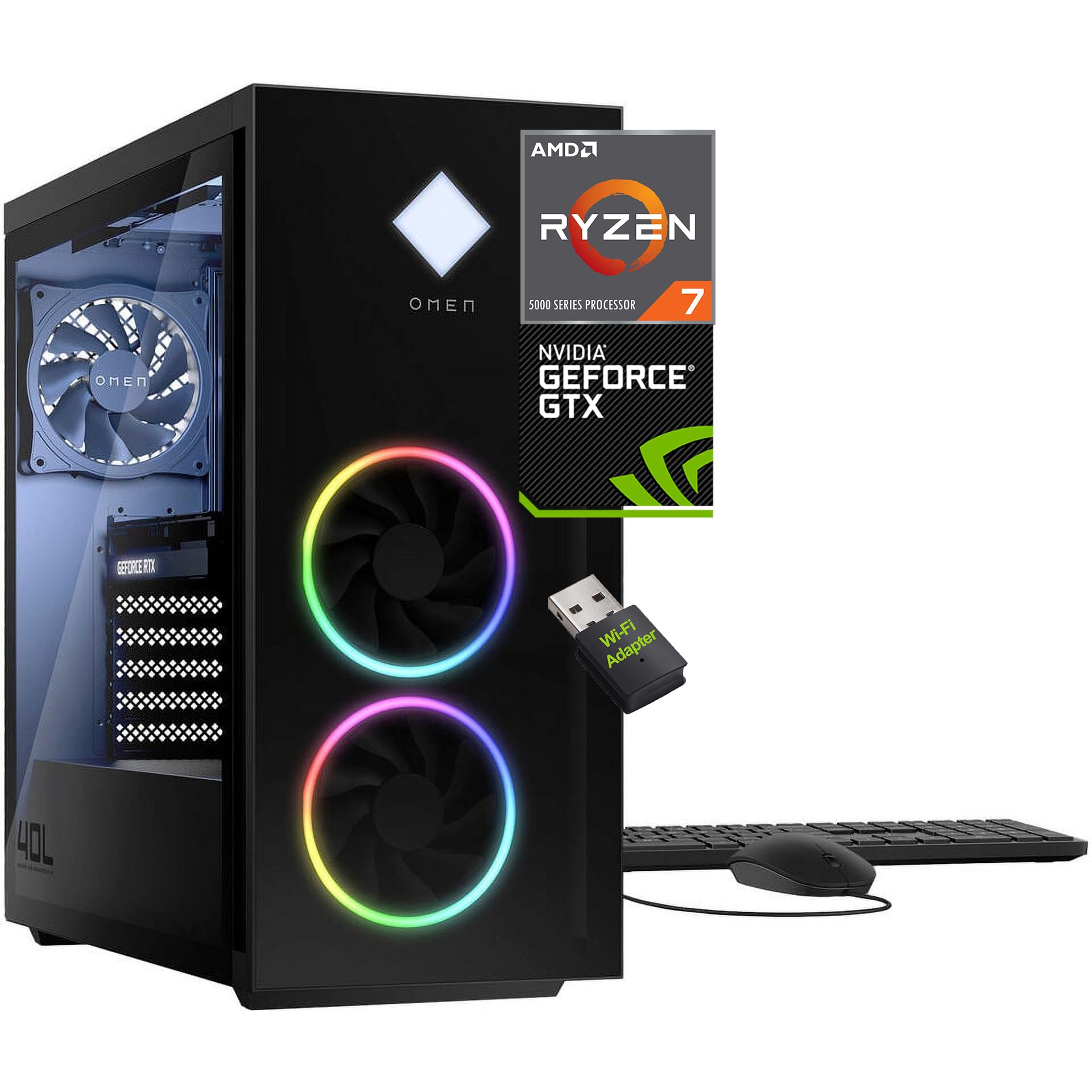
1. HP OMEN 40L Gaming Desktop PC
Our pick — 4.5+★ from 400+ verified ratings; the strongest balance of quality and price.
Eight cores, a 1TB drive, and an open chassis you can upgrade with your hands.
The part that makes this tower the sensible default is the processor: an AMD Ryzen 7 5700X with 8 cores and 16 threads, clocking up to 4.60GHz with 32MB of cache — the chip’s own fast-access working memory. That cache figure doubles the 16MB in the Prebuilt Ryzen 5 tower, which means less waiting on data fetches during heavy scenes and smoother juggling of a game, a stream, and a few browser tabs.
Storage is a 1TB PCIe NVMe M.2 SSD, solid-state storage that sits directly on the board instead of on a spinning platter. In plain terms, boot times shrink and game loads stop being the part of the evening you dread. It is paired with 16GB of DDR4 memory, enough for several programs at once — the everyday workhorse that makes this feel like a home machine as much as a gaming one.
The graphics card is the honest limit here. A GeForce GTX 1660 SUPER with 6GB of dedicated memory handles 1080p comfortably and gives you DVI, HDMI, and DisplayPort for a multi-monitor setup, but 6GB is thin for demanding new titles at high settings. The other trade-off is cooling: the active fan-sink system with 4-pin fan control keeps temps in check, while the tool-less chassis and OMEN Light Studio RGB controls make the inside pleasant to work on. What owners praise most is overall build quality, and the recurring note is a wireless adapter that occasionally refuses to cooperate — a wired Ethernet run sidesteps it entirely. This is the pick that balances price, upgrade room, and quiet operation better than anything else on the list.
Where it earns its keep
- Ryzen 7 5700X with 8 cores, 16 threads, and 32MB cache — double the cache of the Ryzen 5 prebuilt below
- 1TB NVMe SSD keeps boots and level loads short
- Tool-less chassis makes adding memory or a drive a five-minute job
- 600W power supply and 5.1 surround with DTS:X Ultra support
Where it asks you to compromise
- GTX 1660 SUPER with 6GB VRAM is a 1080p card, not a 1440p one
- The bundled wireless USB adapter is the weak link for some owners
Go for it if: you want a fast eight-core tower you can upgrade yourself over the next few years.
Think twice if: your monitor is 1440p and you expect high settings — the 6GB card will be the thing you replace first.
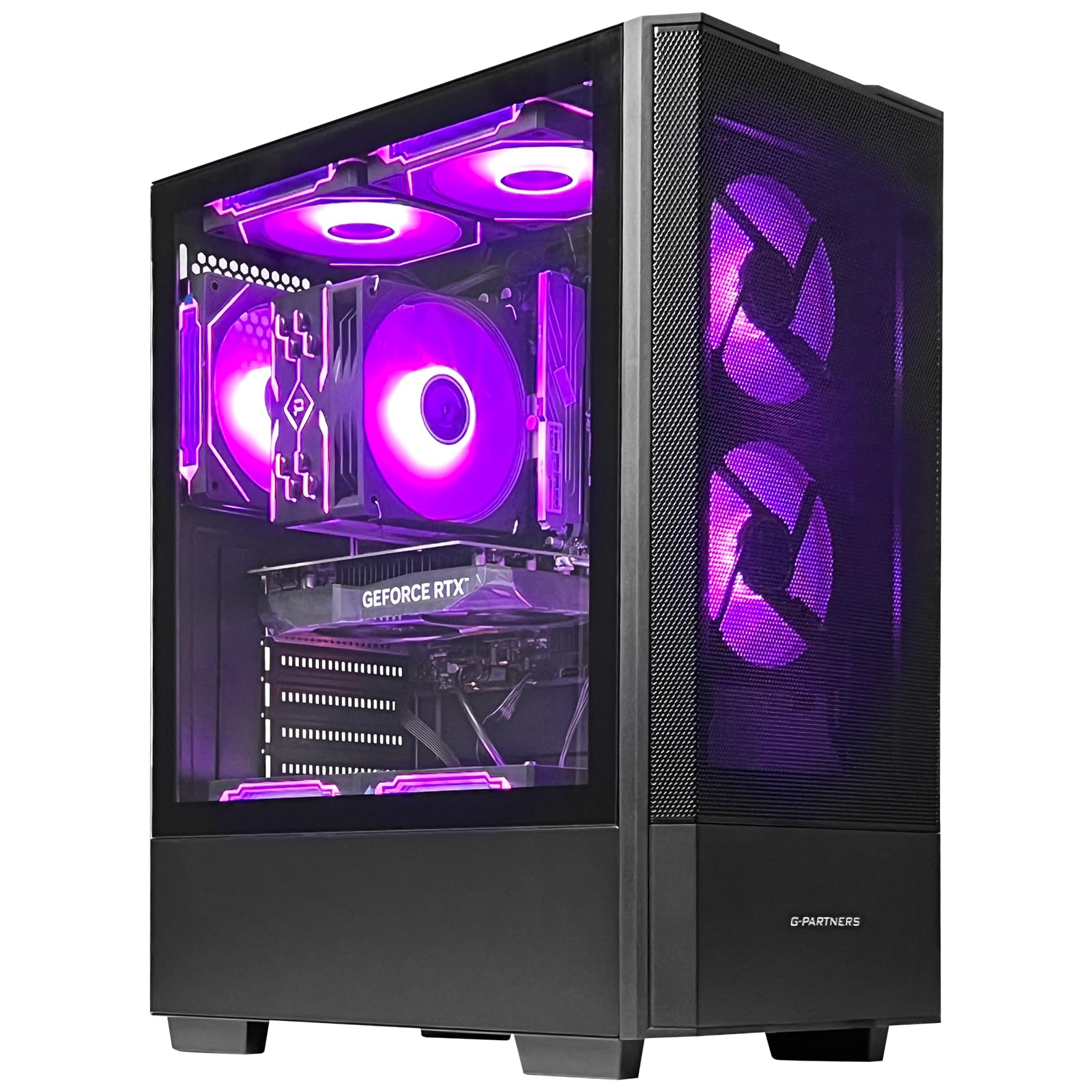
2. Prebuilt Gaming Desktop PC
The plug-in-and-play starter tower that gets you into 1080p gaming without a build list.
If you have never assembled a PC and do not want to start now, this is the low-friction route. It ships with Windows ready to go — it arrives pre-installed and boots to the desktop so you can connect a monitor and start playing. A 1TB NVMe SSD means your game library has room to grow, and the 16GB of DDR4 3200MHz memory covers the everyday work of a game plus a browser and a chat app at the same time.
The GeForce RTX 3050 with 6GB of GDDR6 memory is the piece that sets the ceiling. It handles 1080p at high frame rates and supports ray tracing, the lighting technique that makes reflections and shadows look physical. Where it falls short of the Olialia RTX 3060 Ti build below is raw headroom — that card has 8GB and is pitched at 1440p, while this one stays in its lane at 1080p.
Cooling comes from an ARGB air system with multiple fans, which owners describe as quiet even during long sessions. Performance is the thing buyers talk about most, and the one recurring setup catch is a case fan that sometimes arrives with its cable unplugged — a panel removal and a single connector fixes it. Ports cover HDMI and DisplayPort for flexible monitor choice, plus built-in Wi-Fi and Bluetooth. For a first tower, this hits the balance of price and capability squarely.
The quiet-fan reality: an air-cooled layout with several fans keeps noise low without a liquid loop to maintain, and the ARGB lighting is adjustable to taste.
Cable check on arrival: open the side panel and confirm every fan header is seated before you judge the thermals — that is the single most common out-of-box snag here.
Reach for this if: this is your first gaming desktop and 1080p is your target resolution.
Look elsewhere if: you already own a 1440p monitor and want the settings turned up.
3. Gaming PC Prebuilt, RTX 3060 Ti, AMD Ryzen 5 5500, 16GB RAM
The 8GB card that gets you into 2K territory for less than the next tier up.
This tower is built to run demanding games at 2560×1440 resolution, and two parts do that work: an RTX 3060 Ti graphics card with 8GB of GDDR6 memory (video memory that holds the textures and detail a game needs). The card is built for maxed-out 1080p or smooth 60-plus frames at 1440p in demanding titles. DLSS upscaling helps hold those frame rates without dropping visual quality — an AI-assisted setting that renders at a lower internal resolution and rebuilds the detail.
The processor is a Ryzen 5 5500 with 6 cores and 12 threads up to 4.2GHz, backed by 19MB of cache and 16GB of RAM. Snappy boots and lag-free play are what that combination is for, and the 512GB SSD holds a focused library rather than a sprawling one. If you keep dozens of large titles installed at once, plan on adding a second drive.
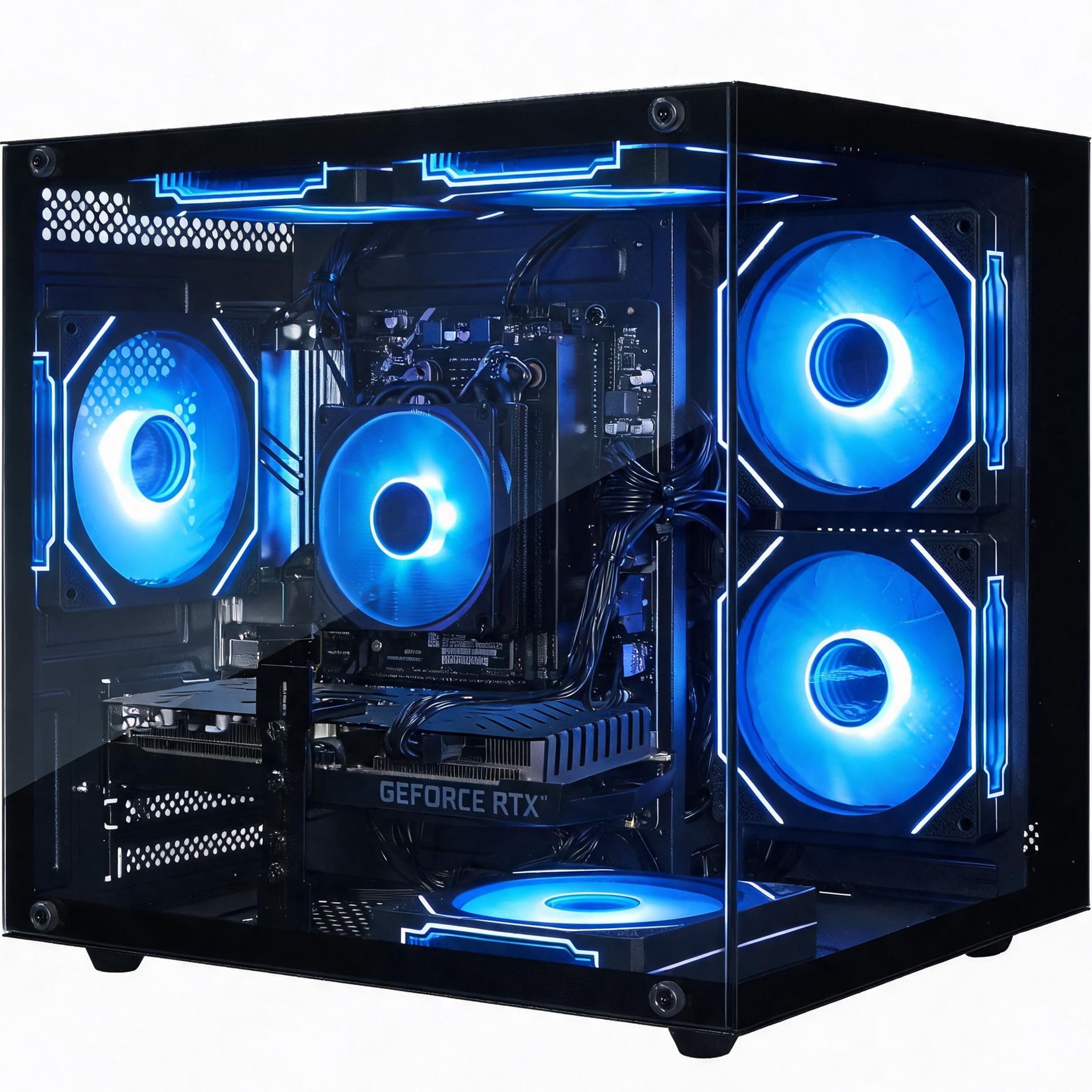
The chassis is a compact mid-tower with dual tempered glass panels and six adjustable RGB fans plus an RGB CPU cooler, so the build is meant to be seen. Ventilated top and side panels with dust filters keep airflow moving. What buyers highlight most is build quality, and the fair caveat is that this is a newer, smaller brand — the rattle some units develop from a case fan is worth checking in the first week. For a first 1440p machine, the RTX 3060 Ti’s price-to-performance math works.
Why the card leads the pitch
- RTX 3060 Ti with 8GB GDDR6 is aimed at 1440p, not just 1080p
- Dual tempered glass and six RGB fans make it a showcase tower
- Dust filters and ventilated panels support sustained airflow
The fine print worth reading
- 512GB SSD fills quickly with modern AAA installs
- Six-core Ryzen 5 5500 is a solid but not luxurious pairing for a 3060 Ti
Pick this one if: 1440p is where you play and you want the card that gets you there without jumping a tier.
Steer clear if: you install a dozen big titles at a time — 512GB will send you shopping for storage early.
4. CyberPowerPC Gaming PC
Higher frame rates in competitive shooters than the 3060 Ti build, thanks to a newer card.
Competitive players chase frames, and this tower’s RTX 5060 with 8GB of GDDR7 memory is the newer-generation card. The Intel Core i5-14400F brings 10 cores, paired with 16GB of DDR5 memory and a 1TB PCIe 4.0 NVMe SSD on the B760 chipset.
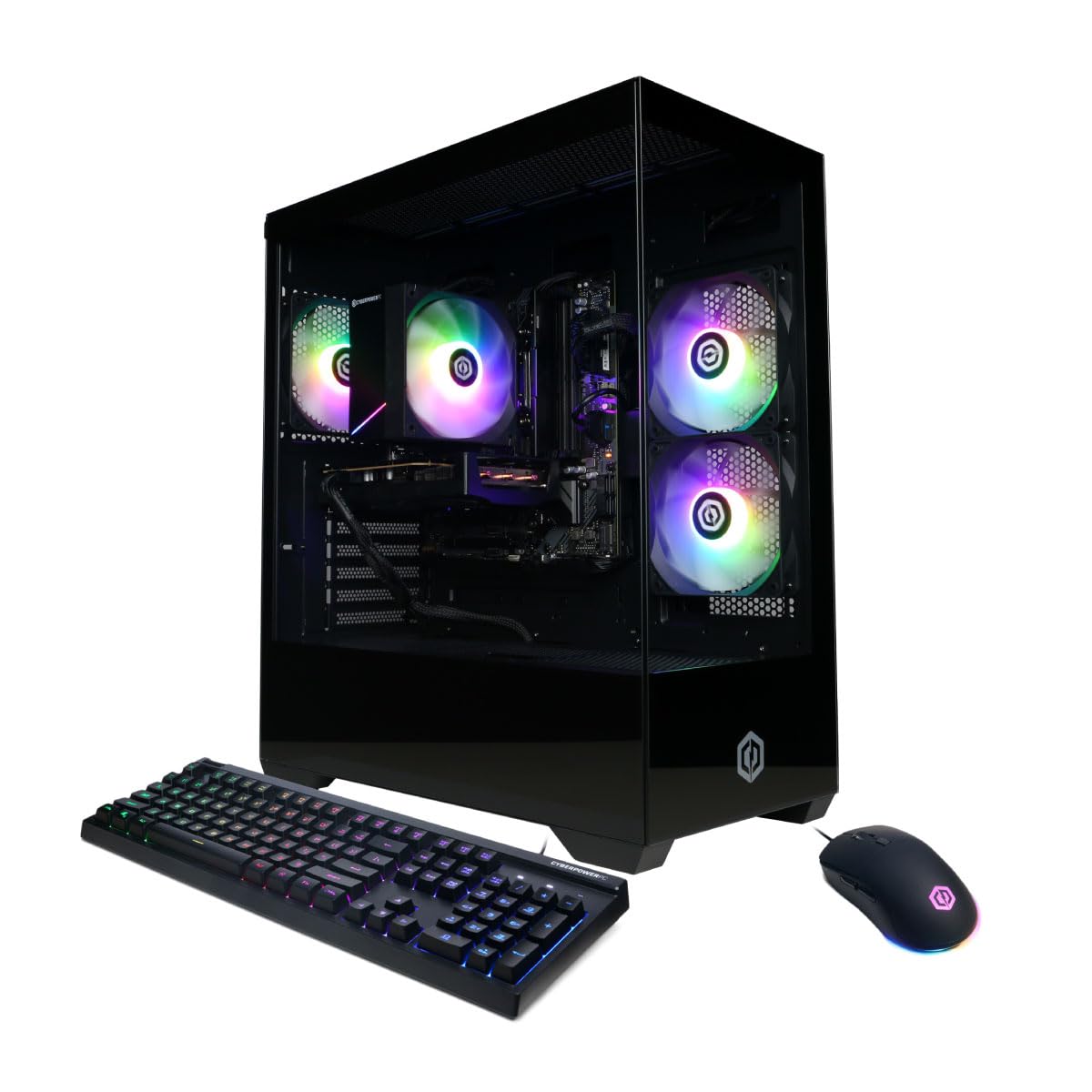
The rest of the package is built for convenience. WiFi 6 and Bluetooth 5.3 cover wireless without a dongle, 2x USB-A 3.2 and 6x USB-A 2.0 handle peripherals, and the tempered side panel with custom RGB lighting sits alongside an included keyboard and mouse. A 1-year parts and labor warranty with free lifetime tech support is the safety net.
Performance is the story buyers care about — it runs Fortnite at 500–600 fps, enough to feed a 240Hz monitor. The honest note is that this is a 1080p machine with 1440p as a maybe; pushing 4K on 8GB of VRAM will disappoint. Setup is quick and the RGB is easy on the eyes, which is why families buying a first gaming rig gravitate to it.
What the newer memory buys you: GDDR7 on the RTX 5060 is a genuine generational step over the GDDR6 cards lower on this list, and it shows in competitive frame rates.
Resolution honesty: 8GB remains the ceiling — treat 1440p as the upper edge and 1080p as the home turf.
Made for: esports players and households buying a first gaming PC that boots fast and looks good.
Not the one for: 4K or ultra-wide high-detail play, where the 8GB buffer runs out.
5. KOTIN Gaming PC Desktop
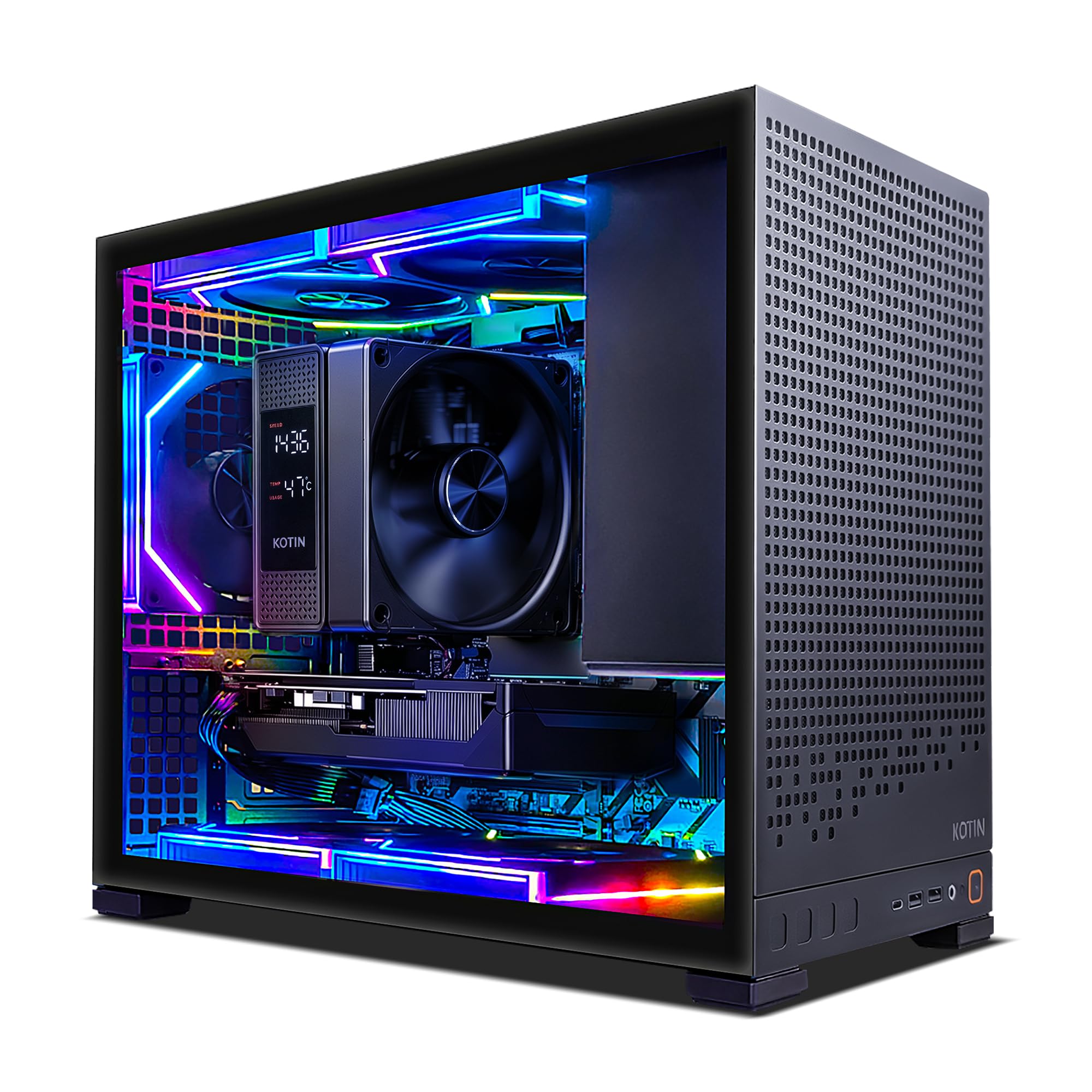
Five ARGB fans, gold-rated power, and room for more memory than you will likely need.
The specification that earns this tower its place is headroom. Four DDR5 DIMM slots — the slots where memory sticks sit — and three M.2 SSD slots mean you can expand memory and storage for years without replacing the machine. A 650W 80 PLUS Gold power supply, rated for efficiency, backs that up. Inside, a Ryzen 7 8700F with a 5 GHz maximum clocks faster than the Prebuilt Ryzen 5’s 4.2 GHz, and the RTX 5060 Ti with 8GB of GDDR7 supports DLSS 4 and ray tracing.
Cooling is the visible feature: a CPU air cooler with six copper heat pipes and a digital temperature display, working with five 120mm ARGB fans. That is a lot of airflow for a mid-range card, which usually means fans spin slower and stay quieter under load. The 1TB PCIe Gen4 NVMe SSD keeps boots and load screens brief, and 16GB of DDR5 covers gaming, streaming, and app switching.
Performance is what owners bring up most, and it holds up in real use: multiple games running at once, VR sessions, and MMO play all report smoothly. The setup note worth knowing is to plug your monitor into the graphics card’s ports on the lower rear, not the motherboard’s upper ports, or you get no picture. It is assembled and tested in the USA with a 1-year limited warranty. If you want a machine that grows with you, this is the most flexible frame on the list.
The expansion argument: four memory slots and three drive slots are the difference between a PC you upgrade and a PC you replace.
Cable placement gotcha: the display output only works from the graphics card’s rear ports — a one-minute fix if you know it going in.
Worth it for: buyers who want to add memory and drives over time and play at 1080p or 1440p today.
Skip the upgrade path if: you never plan to open the case — the expansion room adds bulk you would not use.
6. HP OMEN 45L Gaming PC
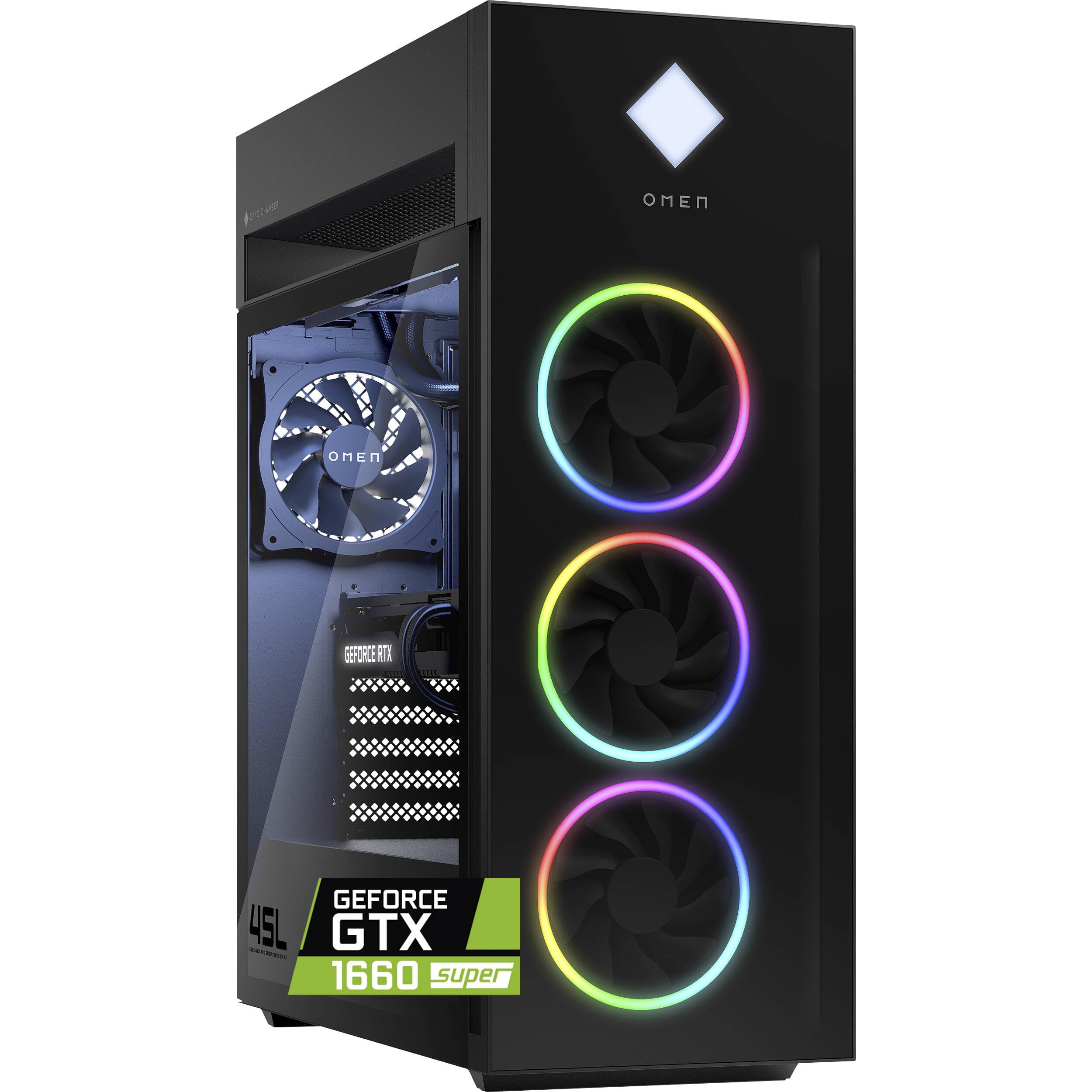
Sixty-four gigabytes of memory and a 2TB Gen4 drive for people who edit as much as they play.
Two numbers tell you who this tower is for: 64GB of DDR4 memory and a 2TB PCIe Gen4 NVMe SSD. That much memory is the difference between editing RAW photo files and video timelines comfortably and waiting on a progress bar. HP rates the 2TB Gen4 drive at up to 2x Gen3 speed, so large project files load without mid-project shuffling. The processor is an Intel Core i7-12700KF with 12 cores and 20 threads boosting to 4.90GHz via Intel Turbo Boost Max 3.0 and 25MB of cache.
Where it declines — for gaming specifically — is the graphics card. The GTX 1660 SUPER with 6GB is the same 1080p-class GPU as in the OMEN 40L, so a creator who also plays would find that the graphics card is the bottleneck long before the processor or memory is. For pure gaming, the KOTIN or CyberPowerPC builds above deliver more frames per dollar. For editing, streaming, and running dozens of background processes, this is the machine those workloads want.
Cooling and power are serious: an 800W 80 Plus Gold power supply rated at 90% efficiency, plus an extensive fan layout. Owners rate the value highly, citing Modern Warfare at 120–130 fps at 1440p max settings. The consistent gripe is thermal under heavy load, which is the price of a 12-core chip in a compact chassis. Ten USB ports, Gigabit Ethernet, and 5.1 surround with DTS:X Ultra round out the connectivity.
Built for the timeline scrub
- 64GB DDR4 memory handles video and RAW edits with room to spare
- 2TB Gen4 NVMe SSD holds large project libraries
- 12-core i7-12700KF boosts to 4.90GHz for rendering and encoding
- 800W Gold-rated power supply leaves headroom for a future card
What you give up
- GTX 1660 SUPER with 6GB caps gaming at 1080p-class settings
- Heavy loads push temperatures up — the fan noise follows
This is your machine if: photo and video editing are the day job and gaming is the evening hobby.
Different pick if: frames per second in new games is the goal — the graphics card here is the older 6GB one.
7. iBUYPOWER Element Gaming PC
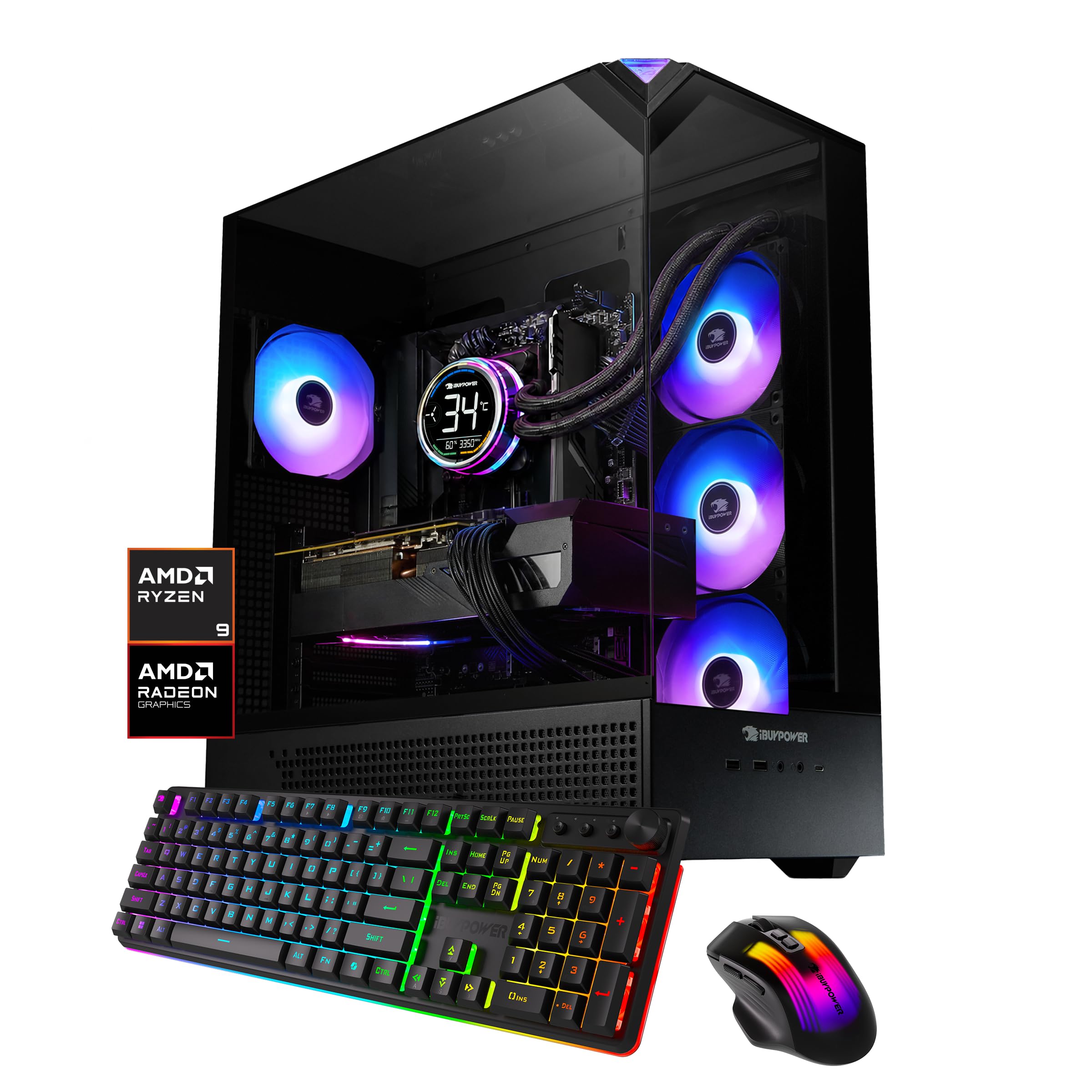
Twelve gigabytes of video memory and a 360mm liquid cooler for 1440p at 100-plus frames.
The Radeon RX 9070 GRE carries 12GB of dedicated VRAM, and that is the reason this tower belongs in the high-refresh conversation. Twelve gigabytes is double the 6GB in the OMEN 40L, which means texture packs and high-detail settings at 1440p have somewhere to live. AMD FSR Redstone, the card’s machine-learning upscaling, uses that hardware to raise frame rates and sharpen detail in supported titles. HP’s spec sheet claims high settings at 1440p and 100-plus fps in most games.
You can game, stream, record, or edit at the same time without the game stuttering, because a Ryzen 9 9900X processor with 12 cores and 24 threads — the most cores in this guide — sits behind that card, paired with 16GB of DDR5 memory. A 1TB NVMe SSD (fast flash storage) covers a core library, and a second drive bay is there for later. A 360mm AW5 all-in-one liquid loop (a sealed liquid cooler) keeps the chip cool, with an LED display on the cooling block that tracks system performance. The case has tempered glass panels and an ARGB light strip (addressable RGB, meaning each LED can show its own color).
The trade-off to plan for is memory and storage capacity: 16GB and 1TB are a sensible starting point, not a generous one, and adding sticks or a second drive is the upgrade most owners make. Personal note for anyone worried about the fine print — the box has Wi-Fi 5 (802.11ac), which is fine for most homes but a step behind the Wi-Fi 6 on the CyberPowerPC. What buyers value most here is the raw performance-per-dollar at 1440p. For a 1440p rig with a high-refresh monitor, this is the sweet-spot buy.
The VRAM advantage: 12GB does not just benchmark better — it lets you leave texture quality on high without watching frame rates sag.
Wi-Fi 5 honesty: wireless is the one dated spec; a wired Ethernet run or a cheap PCIe Wi-Fi 6 card fixes it if your router is modern.
Best match for: a 1440p high-refresh monitor and a stream running in the background.
Not ideal if: you want the longest possible out-of-box storage — 1TB and 16GB are a starting kit.
8. MSI Codex Z2 Gaming Desktop

A 12GB RTX 5070 and 32GB of DDR5, with 2TB of SSD to hold the whole library.
The RTX 5070 with 12GB of dedicated memory is built on NVIDIA’s Blackwell architecture, the generation behind the card’s rasterization and ray-tracing performance. In plain terms, that is what makes lighting and reflections look right in new titles. A Ryzen 7 8700F with 8 cores and 16 threads boosting to 5.0 GHz drives it, and 32GB of DDR5 memory removes memory pressure entirely for most workloads.
Storage is 2TB of SSD — double the iBUYPOWER’s 1TB — which is enough for a large modern library without deleting anything. Cooling runs through an ARGB fan air cooler plus four system fans: three pulling in at the front, one pushing out at the rear. A single MSI LED button cycles the RGB, and MSI Center software refines it if you want to.
The word buyers use is quiet, and performance is the reason they stay. The recurring honest caveat is reliability — a small number of units fail early, and a few report bad boot attempts. Check the machine thoroughly in its first week and keep the return window in mind. If it is healthy, this configuration is the most powerful 1440p package in the guide at its tier.
Why the numbers work: 12GB VRAM, 32GB of memory, and a 2TB drive are the three specs that usually cost you on a 1440p build, and all three are covered here.
First-week discipline: run a long session and a few reboots early — early failures show up fast, and the return window is your friend.
This beats the pack if: you want 1440p power with storage and memory already sorted.
Consider an alternative if: you want the longest proven track record — this one is the highest-risk, highest-reward pick on the list.
9. Alienware Aurora Gaming Desktop
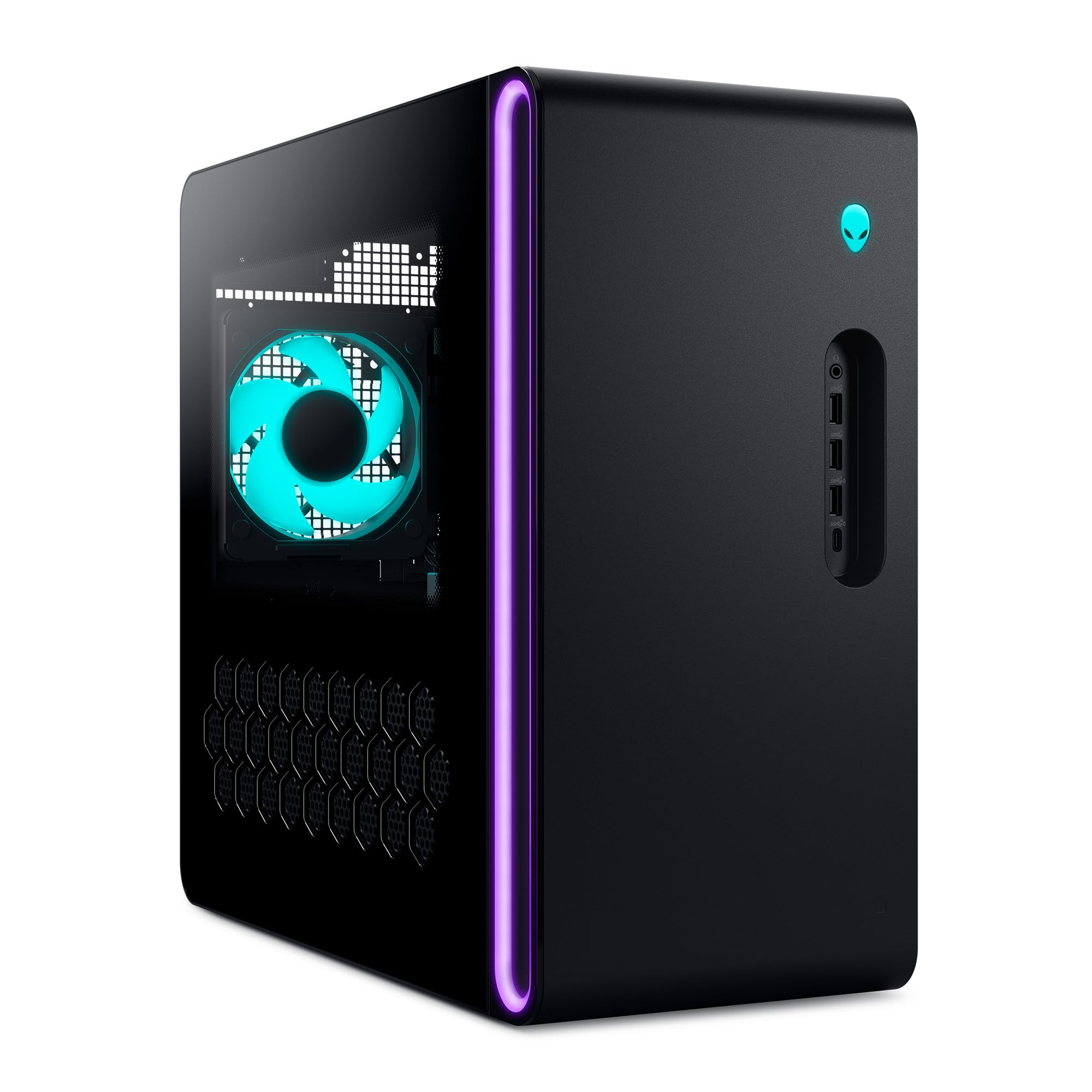
Dell’s own technician comes to your house — the support is the differentiator here.
Most desktops leave you to troubleshoot alone. This one includes 1 Year Onsite Service from Dell: a technician comes to your home or office if an issue covered by the limited hardware warranty cannot be solved remotely. That is real reassurance on a purchase this size. For graphics, an RTX 5070 with NVIDIA Blackwell architecture (the chip design generation) handles the visuals, and an Intel Core Ultra 7 265F with a 5.3 GHz maximum runs the show. The chassis comes in matte basalt black with customizable AlienFX lighting zones.
The airflow story is well executed. The tower stays quiet and cool enough that in-game temperatures sit comfortably below thermal limits, which is what a system this size needs to avoid throttling. Alienware Command Center software lets you set performance modes and build individual game profiles. Ports are the one limitation worth naming: it is light on rear display outputs, so a multi-monitor setup needs planning.
The aesthetic is where the design wins over owners — it is a matte-black tower with an intentional look rather than a generic box, and the lighting zones are what most people mention. The mixed note is storage: some wish there were more RAM slots or a larger default drive, and there were early reports of listing specs not matching delivery. Confirm your configuration at checkout, and this is a well-supported, quiet, compact 1440p machine.
The support is the selling point
- 1 Year Onsite Service sends a Dell technician to your location
- Matte basalt black chassis with AlienFX lighting zones
- Runs quiet and cool enough to avoid thermal throttling in game
Worth planning around
- Limited display outputs make multi-monitor setups a consideration
- Verify the exact configuration on the listing at checkout
Built for: buyers who want onsite service and a genuinely compact, quiet tower.
Not for: multi-monitor triple-screen setups — count the display ports before you buy.
10. Skytech Gaming PC Desktop
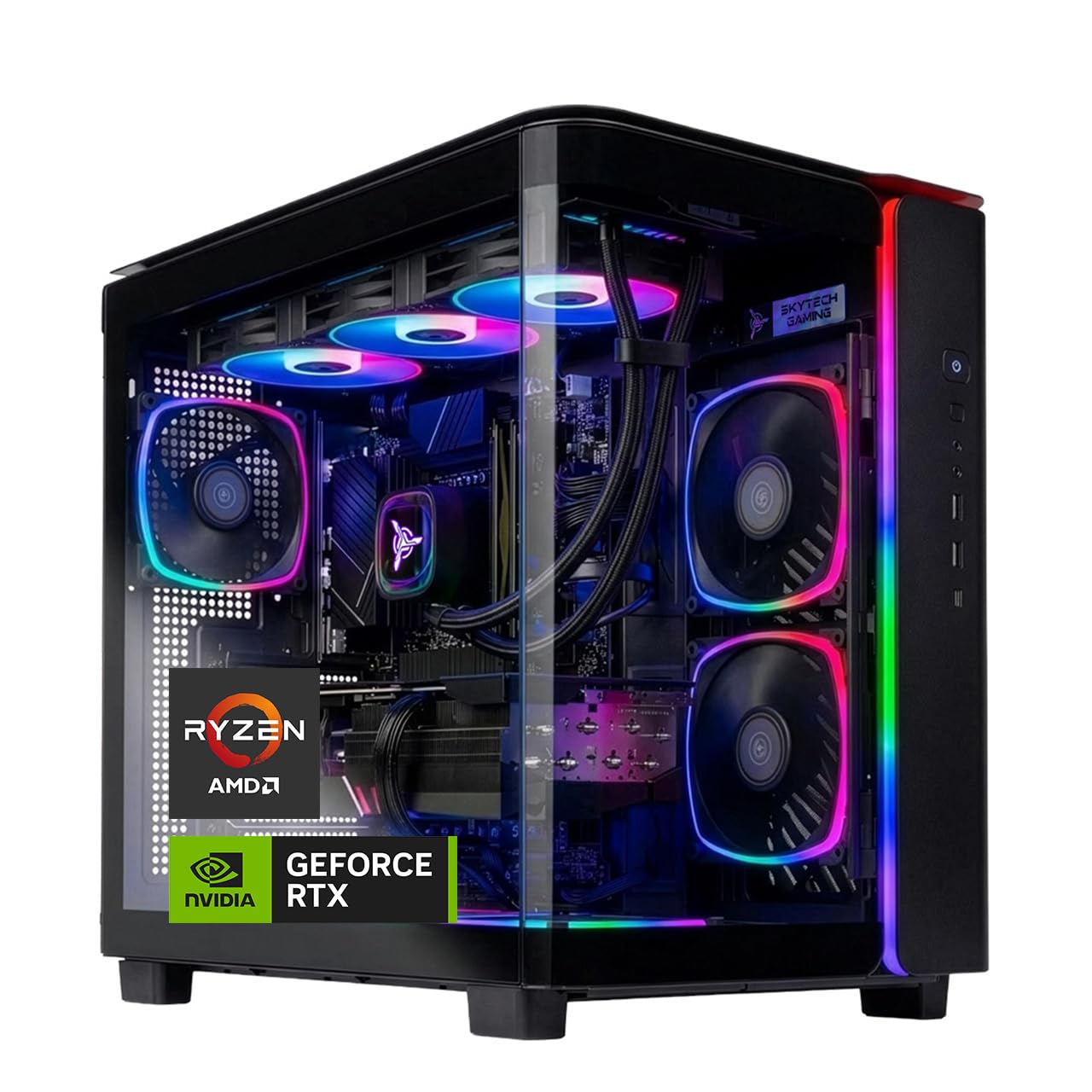
Sixteen gigabytes of GDDR7 and a liquid loop that keeps the card from ever holding itself back.
Ray tracing at 1440p (lighting calculated in real time for realistic reflections and shadows) asks a lot of a graphics card, and the RTX 5070 Ti answers with 16GB of GDDR7 memory — more than double the 6GB in the OMEN 40L’s card, and the plenty-of-room end of this list. A Ryzen 7 9800X3D, a processor built for gaming with a 4.7GHz base and 5.2GHz Turbo Boost (the top speed it can reach), pairs with it, so the two parts that matter most are not compromised. The Windows 11 Home machine arrives without bundled bloatware, and a free gaming keyboard and mouse come with it.
You get room for a full game library and for streaming at the same time: a 2TB Gen4 NVMe M.2 SSD (fourth-generation fast flash storage) holds a full library, and 32GB of DDR5 6000 RGB memory with a heat spreader (a metal cover that pulls heat off the memory sticks) covers multitasking and streaming with room left over. A 360mm AIO liquid CPU cooler with ARGB fans keeps the chip cool, and the King 95 case in black gives that loop a window to be seen through. The pitch is simple — liquid cooling keeps the hardware unrestricted by temperature limits.
Performance is the consensus standout, and given this is the 9800X3D, that tracks. The value question is where it gets careful: this is a premium build and the cost is the cost. Buyers consider it worth it as a prebuilt versus building your own, but it is not a bargain machine. For 1440p Ultra detail with frame rates well above the 60-fps mark, this is the build that delivers without fiddling.
Where the money goes: the 9800X3D processor and the 16GB RTX 5070 Ti are the two line items that justify this tier — both are at the top of what mainstream gaming needs.
The price honesty: you are paying a premium for prebuilt convenience and high-end parts; if budget is tight, the MSI or iBUYPOWER builds give you most of the experience for less.
Made for: 1440p Ultra play with ray tracing on and no shortcuts on the parts that count.
Look past it if: you want to build your own and save on assembly — the parts cost is what it is.
11. STORMCRAFT Phantom RTX 5080 Gaming PC
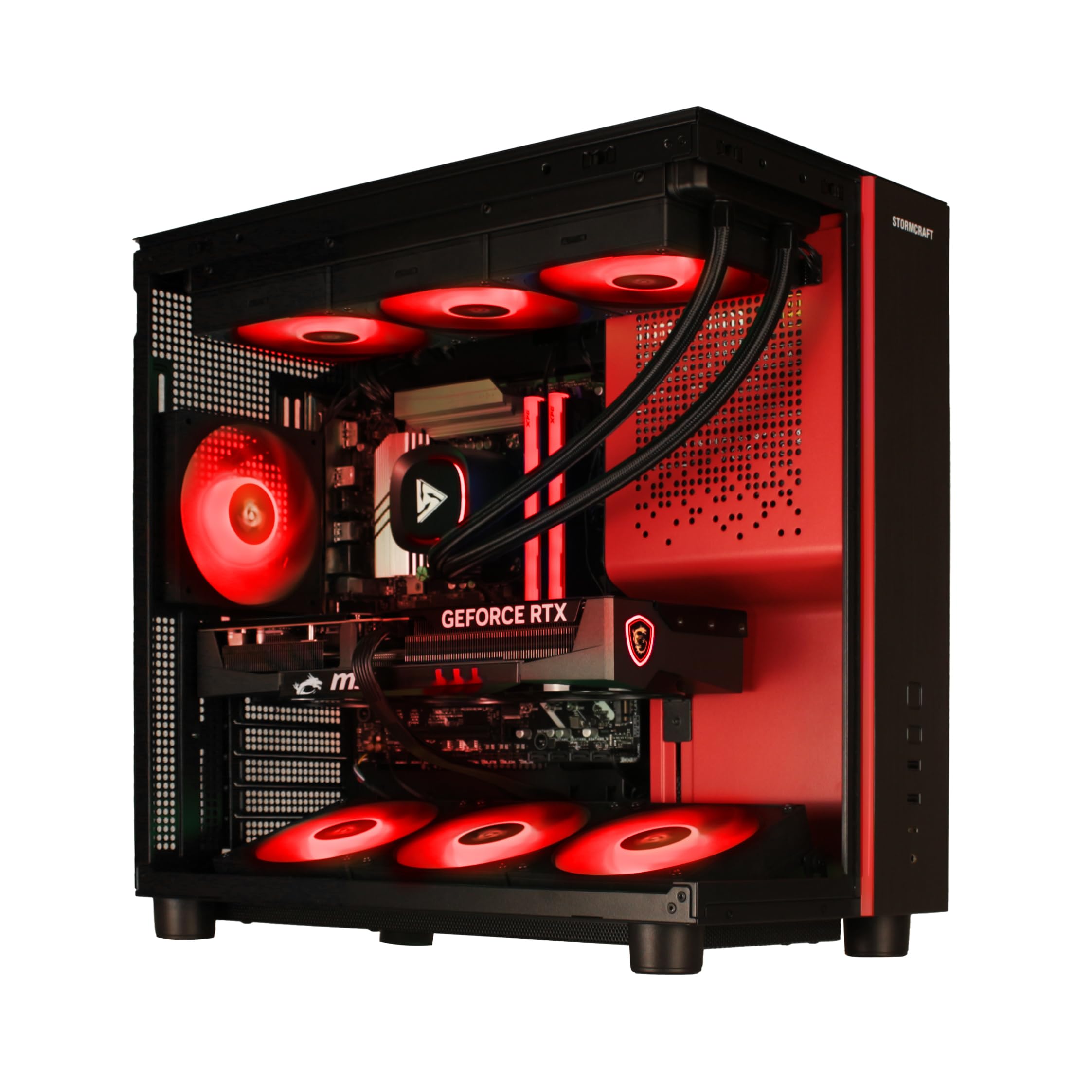
The top of the mountain: an RTX 5080, seven ARGB fans, and a three-year labor warranty.
If you want 240Hz at 1440p (a screen that redraws 240 times a second), this is the machine built for it. The RTX 5080 with 16GB of GDDR7 memory is the most powerful card in the guide, paired with the same Ryzen 7 9800X3D as the Skytech — an 8-core, 16-thread processor at 4.7GHz, boosting to 5.2GHz. Where the Skytech pairs that chip with a 5070 Ti, this tower steps up to the 5080 and adds a 96MB cache figure for the processor (fast on-chip memory) — the largest cache number here by a wide margin, which is what keeps frame pacing even in fast shooters.
The support package is the flagship-level part: 2-year parts and 3-year labor coverage, a year of shipping, free lifetime technical support, and assembly in California. Power is an 850W Gold Certified supply, and cooling is a 360mm AIO liquid loop with seven ARGB system fans. Storage and memory are the generous 32GB DDR5 6000MHz and 2TB NVMe Gen4 SSD. The 256-bit memory interface on the card is the widest here, which is what gives it headroom for texture-heavy titles.
The buyer this is actually for owns a 240Hz monitor and plays competitively; in that pairing it runs incredibly smooth with no issues and holds frame rates without strain. The catch is simple arithmetic — this is the most expensive tower on the list, and if your monitor tops out at 60Hz or 144Hz, the RTX 5080 is power you never see. For the right buyer, though, the build quality holds up and the components are assembled with care.
The frame-rate ceiling: a 240Hz 1440p monitor is the reason to buy this card — anything slower and the RTX 5080 has nowhere to spend its headroom.
What the warranty buys: 2-year parts and 3-year labor is the longest coverage in this guide, which takes the sting out of a flagship purchase.
This is the one if: you own a 240Hz 1440p panel and want the fastest card in the roundup driving it.
Hard pass if: your display tops out at 144Hz — the RTX 5080 is headroom you will never feel.
Know the Specs
VRAM and graphics card generation
VRAM is the graphics card’s own memory, measured in gigabytes, and it decides how high you can push textures and shadows before frame rates fall. A 6GB card suits 1080p, while 12GB and 16GB cards give you room at 1440p. The generation matters too: GDDR7 is a faster memory type than GDDR6, and newer architectures like NVIDIA Blackwell add better ray tracing and AI upscaling support. Match VRAM to your monitor’s resolution and the card will last.
Processor cores and cache
Cores are the number of independent work units in a processor. Six cores handle a game plus a browser comfortably; twelve or more keep the game smooth while you record, stream, or edit. Cache is the processor’s fast-access working memory, measured in megabytes — a bigger cache reduces trips to slower main memory, which keeps frame pacing steady in busy scenes. Compare cache and core count together, not just the clock speed on the box.
Storage: NVMe SSD vs a spinning drive
An NVMe SSD is solid-state storage that plugs directly into the motherboard, and it is responsible for boot times and level loads far more than the processor is. Capacities matter for how many big titles fit at once: 512GB is a focused library, 1TB is comfortable, and 2TB lets you keep everything installed. Gen4 drives move data faster than Gen3, which shortens load screens further.
Cooling, power, and upgrade room
Air coolers with multiple fans suit mid-range cards, while a 360mm all-in-one liquid loop is what keeps a flagship card from throttling under long sessions. Power supplies rated 80 PLUS Gold run more efficiently and leave room for a future card. Spare memory slots and M.2 drive slots are the difference between a machine you upgrade and one you replace — check those counts before you buy.
Common Questions
Will a prebuilt gaming desktop run new games at 1440p?
What is the difference between GDDR6 and GDDR7 memory?
Do I need a liquid cooler for a gaming PC?
Can I upgrade the RAM and storage in a prebuilt desktop?
Is 16GB of RAM enough for gaming and streaming at the same time?
What does a 360mm AIO cooler mean?
Will my monitor work with these prebuilt PCs?
How many USB ports should a gaming desktop have?
Is a Gold-certified power supply worth having?
Does a dedicated graphics card matter more than the processor?
The Bottom Line
For most buyers, the really good pc starting point is the HP OMEN 40L because its 8-core Ryzen 7 5700X and 32MB cache give you upgrade room without overspending on a card you will replace first. If you want the strongest 1440p value in one box, grab the MSI Codex Z2 — 12GB VRAM, 32GB of DDR5, and 2TB of SSD is the complete package. And for a 240Hz 1440p setup, the STORMCRAFT Phantom is the one to reach for, backed by the longest coverage here at 2-year parts and 3-year labor.
How we choose
We do not accept paid placement. Every pick is matched to a real buyer and a real use-case; we do not hands-on test units.
Sources
Specifications: manufacturer listings and product documentation. Review insights: verified customer reviews, as of November 2026. Pricing: not shown on this page (it changes often); check the current price via the retailer link.
As an Amazon Associate, Tactical Gear Guy earns from qualifying purchases. This does not affect which products we feature.