Specs are compiled from manufacturer listings and verified buyer reviews and can change over time — please confirm the key details on the product page before buying.
You built your Raspberry Pi 5, it works, and then it sat on a shelf collecting dust because there was nowhere to put it. A rack mount fixes that. It bolts your board into a proper server cabinet so it becomes real hardware you can build on — a cluster, a NAS, a home-lab box — instead of a hobby board sliding around on a desk. The hard part is fit: the 10-inch and 19-inch standards are not the same thing, and a mount that only accepts older boards will not hold your Pi 5. That is the single mistake to avoid, and it is what this list is built around.
This guide is built by comparing the manufacturers’ published specifications and the patterns across verified customer reviews, so you get each pick’s real strengths and trade-offs instead of marketing spin.
Every unit here holds a Pi 5, but widths, heights, and M.2 SSD support split them into very different jobs. Read on for the Raspberry Pi 5 rack mounts that fit a real cabinet.
Top Picks


How To Choose The Best Raspberry Pi 5 Rack Mount
Start with your cabinet, not the mount. A rack mount is a metal frame that slides into a rack slot, and it only works if its width matches the rails you already own. Get that wrong and nothing else matters. Below are the four checks worth making before you commit.
Measure your rack width first
Server cabinets come in two common widths. A 19-inch rack takes the full-width frames, while a 10-inch rack — the size DeskPi RackMate builds use — takes the narrower ones. These are different physical standards, so a 10-inch mount will not fit a 19-inch rail, and the reverse is also true. Confirm the model name of your cabinet before anything else.
Decide between 1U and 2U
The U is a unit of rack height: 1U takes one slot and 2U takes two. A 1U mount is the space-saver in a crowded cabinet. A 2U mount buys you more room for boards, adapters, and airflow, which matters once you start stacking Pi 5 units and NVMe drives together. If your cabinet has spare slots, 2U costs you nothing.
Check the board count you actually need
Some frames hold a single Pi 5, while others hold up to four. Plan for the cluster you want in a year, not the one you have today. A mount with spare slots and reserved cutouts for HDMI, LAN, and USB inserts saves you from buying twice when your project grows.
Look at how storage attaches
Pi 5 boards support PCIe expansion, which is the high-speed lane that lets an adapter board connect an M.2 NVMe SSD — a small, fast stick-style drive. If you plan to run a NAS or a database, a mount that bundles those adapters saves you a separate purchase. If you only need the Pi itself, skip the adapters and keep the build simple.
Side-by-Side Comparison
| Model | Best For | Rack Size | Pi 5 Capacity | Drive Support | Amazon |
|---|---|---|---|---|---|
| UCTRONICS 1U Rack for Raspberry Pi★ Best Overall | First cluster build | 1U, 19-inch | Up to 4 units | Pi boards only | Amazon |
| GeeekPi 19 inch 1U Rack MountRemovable Brackets | Easy-access maintenance | 1U, 19-inch | Pi 5/4B/3B+/3B | Pi boards only | Amazon |
| GeeekPi 10 inch 2U Rack MountDeskPi Fit | DeskPi RackMate owners | 2U, 10-inch | Pi 5/4B/3B+/3B | Pi boards only | Amazon |
| UCTRONICS 19” 1U with SSD Brackets | Pi-powered NAS builds | 1U, 19-inch | Up to 4 units | 4x 2.5-inch SSD | Amazon |
Detailed Reviews
1. UCTRONICS 1U Rack for Raspberry Pi, 19″ Rackmount
Our pick — 4.5+★ from 150+ verified ratings; the strongest balance of quality and price.
The plain steel frame that quietly does everything a first cluster needs.
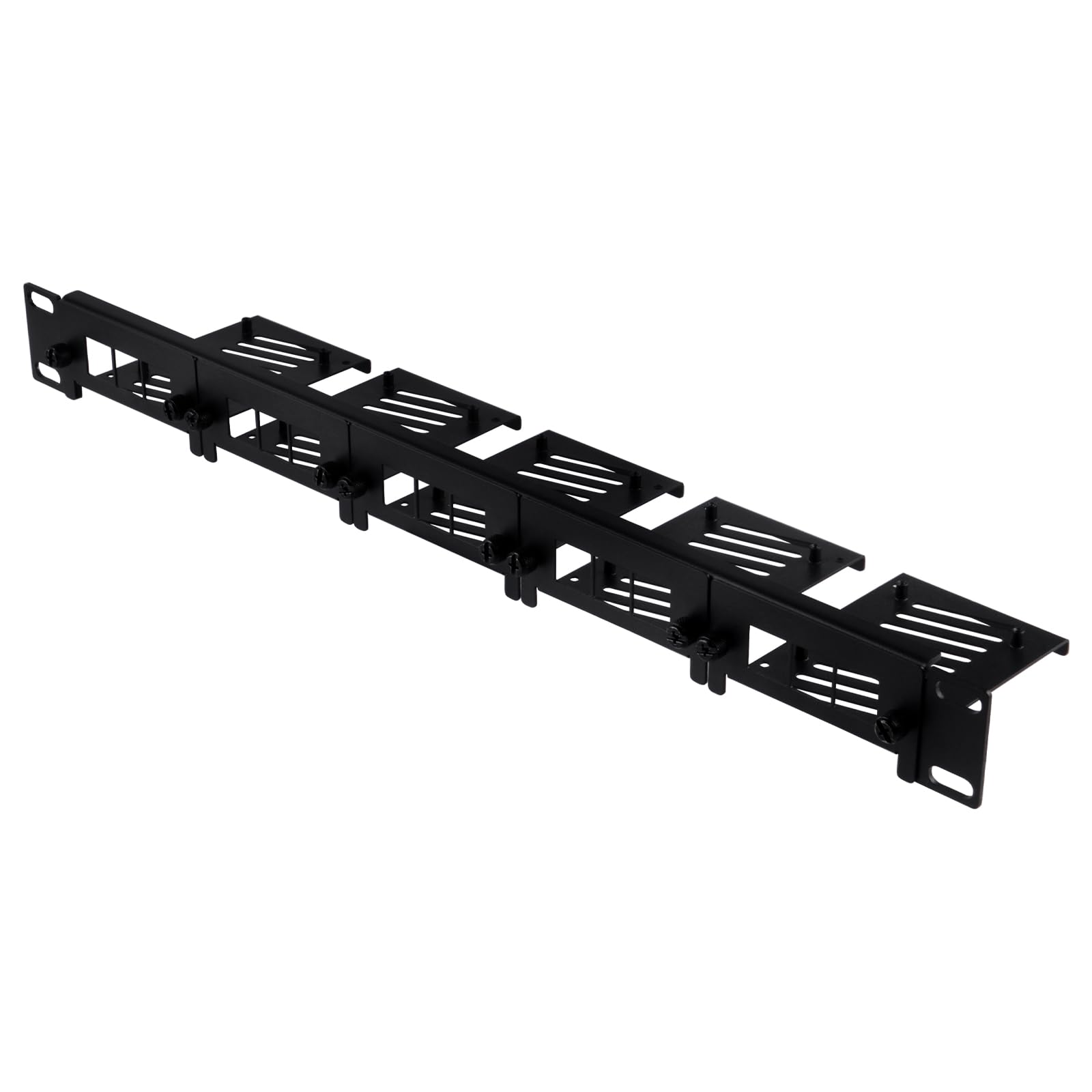
If you are buying your first Pi 5 rack mount, this is where to start. Four slots hold four Raspberry Pi boards, whether you run Pi 5, 4B, or 3B/B+ units. Each board sits on its own slot and gets fixed with the included screw, so nothing slides around once the frame is in the cabinet. The frame itself is a standard 1U size, 19 inches wide and 1.75 inches tall, which means it drops into a normal 19-inch server rack without fuss.
The 1.2mm carbon steel is the standout. UCTRONICS uses 1.2mm carbon steel — thick sheet metal rather than stamped tin — with a matte black powder coat finish. The corners of the plates are rounded off smooth, so you are not going to slice a finger on a cut edge while you are threading screws. It is also the lightest full-width option here at 0.36 kg, which sounds like a small thing until you are lifting the cabinet into place; the GeeekPi 2U mount, by comparison, weighs 1.41 kg, so this one is far easier to handle before installation.
There is real expandability too. Eight slots around the boards are reserved for optional keystone inserts — HDMI, RJ45, and USB 3.0 jacks that route your ports to the front of the rack. Those inserts are not in the box, so budget for them separately if you want front-panel access. The one honest catch is layout: the way the boards and cutouts line up draws more gripes than anything else here, and a handful of owners find the pricing steep for what is essentially a bent steel plate. If cable routing in a tight cabinet matters to you, look at it carefully first.
What lands well
- Holds four Pi boards in a single 1U slot, so a cluster fits in one rack space
- 1.2mm carbon steel with a powder coat finish and smoothed plate corners
- Eight reserved slots for optional HDMI, RJ45, and USB 3.0 keystone jacks
- Standard 19-inch, 1.75-inch-tall frame slots into a normal server rack
Where it asks patience
- Keystone jacks and the SSD plate are sold separately, not included
- Mounting screws for the rack rail are not in the box
- The board layout divides opinion once cables go in
Worth it if: you have a 19-inch cabinet and want four Pi 5 boards in one tidy slot without paying for extras you will not use.
Think twice if: your build needs front-panel port access from the start — the keystone inserts are a separate buy.
2. GeeekPi 19 inch 1U Rack Mount with Removable Front Brackets
Pop one bracket off, work on that board, snap it back — no full teardown.
The front brackets are the whole point here. Each one comes off on its own, so you can pull a single Pi board out to swap an SD card or re-seat a hat while the rest of the frame stays bolted in the cabinet. On a four-board cluster that is the difference between a five-minute fix and an afternoon of unbolting. The frame is a standard 1U, 19-inch design that fits a normal server cabinet, and it accepts Pi 5, 4B, 3B+, and 3B boards.
Unlike the UCTRONICS frame above, which relies on screws through fixed slots, this one gives you per-board access as a built-in feature. The steel body shields the boards while leaving room for air to move past them — the maker states that ventilation is designed to prevent overheating. It is a straightforward metal enclosure, and the maker backs it with a 6-month warranty.
Set expectations on the box contents: Pi boards, hats, and PCIe adapters are not included, so this is the frame only. That is standard for the category, but it is worth saying plainly if you are pricing out a full build. For anyone who maintains a running cluster and needs quick access, the removable brackets do the heavy lifting.
Access is the feature: individual front brackets come off without disturbing the other boards, which suits a live cluster you tinker with often.
What to plan for: the frame ships alone — boards, hats, and adapters are your own purchase.
Built for the tinkerer: grab this if you will be pulling boards out regularly and want each one independently accessible.
Move on if: you are after a mounting plate that holds four boards and nothing more — the removable hardware is the premium you are paying for.
3. GeeekPi 10 inch 2U Rack Mount for Raspberry Pi 5/4B/3B+/3B
The 10-inch answer for anyone running a small DeskPi cabinet.
If your rack is a DeskPi RackMate, this is the mount built for it. It fits the T0, T1, T2, T0 Plus, T1 Plus, TL1, and T1/2 Plus server racks, along with other 10-inch cabinets. That width is the entire story: a 10-inch frame will not go into a 19-inch cabinet, and the 19-inch GeeekPi 2U mount above runs 19 inches of rail width, so the two are not interchangeable. Measure your cabinet first.
At 2U tall you get two rack slots of height, which gives the Pi 5 and 4B boards more breathing room than a 1U frame. The front brackets come off individually, matching the access setup on the 19-inch sibling above. The body is metal, and GeeekPi lists it as built for stable operation of the boards inside. It weighs 0.6 kg.
One note that trips people up: the Pi boards themselves and any PCIe to M.2 NVMe SSD adapters are not in the box. GeeekPi points you to a different listing if you want the 10-inch 2U with adapters included. So if your goal is a bare frame in a small cabinet, this does the job; if you want drives inside, buy the adapters separately or pick the adapter bundle.
The width question: this is the 10-inch option, so it only makes sense if your cabinet is a RackMate or another 10-inch rack.
Real limitation: no boards and no NVMe adapters included — this is the frame alone.
For RackMate owners: the right width for a small DeskPi cabinet, with 2U of height and per-board bracket access.
Not your pick if: you run a full 19-inch rack — this frame will not reach the rails.
4. UCTRONICS 19” 1U Rack Mount with SSD Mounting Brackets

Four Pi boards and four SSDs stacked into one lean 1U frame.
This is the mount to pick when you plan to turn your Pi 5 into a NAS — a network storage box. It holds up to four Raspberry Pi boards and four 2.5-inch solid state drives, which is the physical drive size used on standard SSDs. Both 7mm and 9mm drive heights fit, and the board support covers Pi 5, 4B, 3B+, and other B/B+ models.
Setup takes no tools. Two thumbscrews hold the rackmount in place, and the screw-in design means you can install and swap hardware quickly without hunting for a screwdriver. The SSD brackets also keep two holes open for a Micro SD card extension adapter, so you can reach the card from the front of the rack instead of pulling the drive tray out.
UCTRONICS pitches this at NAS builds, surveillance stations, and web servers running on OpenMediaVault and similar software. The drive-and-board layout draws the most praise in its own reviews. The honest tension is fit and sturdiness: the frame does what it should, but some builders find it less rigid than they expected once it is loaded, and the aluminum build rewards careful handling. If you are going to fill every slot and leave it running, account for that.
Where it pulls ahead
- Takes four Pi boards plus four 2.5-inch SSDs in the same 1U frame
- 7mm and 9mm drive heights both fit the brackets
- Two thumbscrews, no tools, for fast install and swaps
- Reserved holes for a front-facing Micro SD card adapter
What to weigh
- Rigidity is the split opinion — some builds want a stiffer frame
- The SD adapter and I/O panel are optional extras you add on
Made for storage: choose it if four Pi 5 boards plus four SSDs in one slot is the build you have in mind.
Look elsewhere if: you want a thick, immovable frame you never touch again — this one favors access over extra bulk.
5. GeeekPi 10 inch 1U Rack Mount
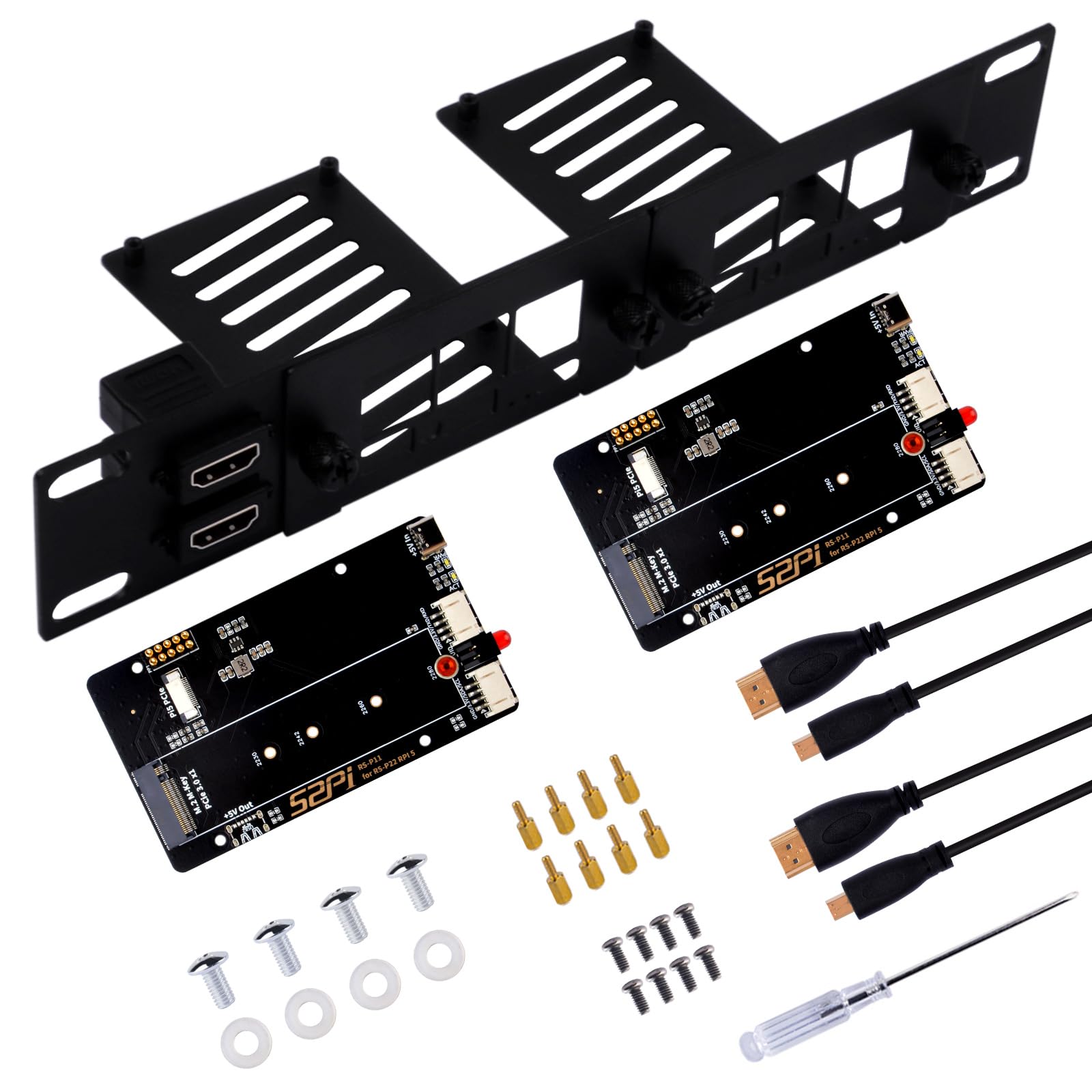
Two Pi 5 boards and two NVMe drives squeezed into one small rack slot.
This one does the storage work for you. It arrives with two PCIe to M.2 NVMe adapters already in the frame, and the PCIe lane is the high-speed connection that lets your drive move data far faster than an SD card. The adapters accept M.2 2230, 2242, 2260, and 2280 drives, so most common NVMe lengths fit. You get two Pi 5 boards per frame and a compact 1U footprint.
The width story matters most. This is a 10-inch mount, built for the DeskPi RackMate T0, T1, T2, T0 Plus, T1 Plus, TL1, and Tr than only older boards. Both numbers together tell you whether a frame will grow with a cluster or cap it at day one.
Common Questions
Will a 10-inch rack mount fit my 19-inch server cabinet?
Do these rack mounts include the Raspberry Pi 5 board?
What is the difference between a 1U and a 2U rack mount?
Can I use a Pi 5 rack mount with an older Raspberry Pi 4B or 3B?
What does the PCIe to M.2 NVMe adapter in some mounts actually do?
Do I need to buy keystone jacks separately for the UCTRONICS mount?
Will my boards overheat inside a rack mount?
Can I use a Raspberry Pi 5 rack mount for a NAS or home server?
How much rack height does a Pi 5 cluster take?
Do I need tools to install a Pi 5 rack mount?
The Bottom Line
For most people, the raspberry pi 5 rack mount winner is the UCTRONICS 1U Rack for Raspberry Pi because it holds four boards in one 1U slot with real 1.2mm steel, and at 0.36 kg it is easy to lift into any 19-inch cabinet — it is the crowd favorite for a reason, holding the strongest mix of owner praise in this group. If you want drives inside the box instead of just boards, grab the UCTRONICS 19” 1U with SSD Mounting Brackets, which fits four Pi boards and four 2.5-inch SSDs. And for a 10-inch DeskPi RackMate cabinet, the GeeekPi 10 inch 2U Rack Mount is the one to reach for. Measure your rack width first, then pick the mount built for it.
How we choose
We do not accept paid placement. Every pick is matched to a real buyer and a real use-case; we do not hands-on test units.
Sources
Specifications: manufacturer listings and product documentation. Review insights: verified customer reviews, as of November 2026. Pricing: not shown on this page (it changes often); check the current price via the retailer link.
As an Amazon Associate, Tactical Gear Guy earns from qualifying purchases. This does not affect which products we feature.