Specs are compiled from manufacturer listings and verified buyer reviews and can change over time — please confirm the key details on the product page before buying.
If you are about to drill into a wall and you are not certain what is behind it, the Bosch D-tect 120 is the pick to start with. It uses radar — radio waves that look through the wall instead of just feeling the surface — so it can flag live cables, water-filled plastic pipes and metal as well as wooden studs. This guide covers four radar scanners, what each one does best, and where each one falls short so you pick the right tool for your wall.
This guide is built by comparing the manufacturers’ published specifications and the patterns across verified customer reviews, so you get each pick’s real strengths and trade-offs instead of marketing spin.
Below you will find the best radar stud finder picks for drywall, concrete and everything in between.
Top Picks

How To Choose The Best Radar Stud Finder
The first decision is not brand, it is detection type. A radar scanner sends radio waves into the wall and reads the echo that comes back. That echo changes depending on what the material is, which is why radar tools can tell you whether you are looking at a wooden stud, a plastic water pipe or a metal conduit. A magnetic finder only locates the screw heads in a stud, so it tells you nothing about plastic pipes or live cables. If your wall carries plumbing or wiring you plan to drill near, radar is the safer choice.
Match the detection mode to your wall material
Most radar scanners offer a drywall setting, a concrete setting, and a universal setting for when you do not know what the wall is made of. Drywall is thin and has hollow gaps, so the scanner needs a different sensitivity than dense concrete. Picking the wrong setting is the single most common cause of a missed read. When you are working in an older building where materials change from room to room, the universal setting keeps you moving without stopping to guess.
Think about where you will actually use the tool
A scanner is only useful if you can hold it flat against the surface and slide it. In a narrow corner beside a door frame, behind a radiator, or low under a cabinet, a tool that needs a long sideways sweep cannot deliver a reading. Spot view modes are built for exactly that problem. If your work happens in tight spots, check for a spot measurement feature before anything else. If you mostly scan wide open walls before fitting cabinets, a standard sweep is fine and this matters less.
Side-by-Side Comparison
| Model | Best For | Detection Settings | Power Source | Carry Weight | Amazon |
|---|---|---|---|---|---|
| Bosch D-tect 120 Wallscanner★ Best Overall | All-round drywall and concrete scanning | 3 (drywall, concrete, universal) | 12 V Li-ion or AA adapter | 2.3 pounds | Amazon |
| Walabot DIY 2 Bundle | Phone-based scanning with a visual image | 2 (Images, Expert) | Built-in rechargeable battery | 15.8 ounces | Amazon |
| Bosch D-tect 120 Cable Detector | Chasing cables and pipes in tight spaces | 3 (drywall, concrete, universal) | 12 V Li-ion or AA adapter | 0.32 kg | Amazon |
Detailed Reviews
1. Bosch D-tect 120 Wallscanner Professional
Our pick — 4.0+★ from 950+ verified ratings; the strongest balance of quality and price.
A three-setting radar scanner that fits in one hand.
The D-tect 120 is a dual-power radar scanner with three detection settings that identifies cables, plastic pipes and metal, not just stud location. Bosch’s patented radar covers live and non-live cables, water-filled plastic pipes, and both magnetic and non-magnetic metal. That matters because a plastic water pipe has no metal in it at all, so no magnet will ever find it. You get an LED display, a center finder, and arrows that walk you toward the object rather than just beeping at you.
Weight is the thing to think about before you buy. This unit is listed at 2.3 pounds, and the D-tect 200 C in this list is listed at 0.51 kg. Those two figures use different units, so read them as written rather than converting — the practical point is that the 200 C is the tool you hold overhead for a long session, and this one is the tool you clip to a belt. The IP54 rating (protection against dust and splashing water) means it survives a dusty site and a wet patch, which is more than most magnetic finders will claim.
Power flexibility is another quiet win. You can run it from a 12 V lithium-ion battery or drop in standard AA batteries using the included adapter. That dual option means a dead pack never stops the job mid-scan. The spot view feature is the part that saves you in a tight doorway corner where there is no room to slide the head along the wall — it gives an immediate reading without a full sweep. The center finder indicator then confirms you are on the middle of the joist, so the drill bit lands where you planned.
What earns it first place
- Three detection settings — drywall, concrete, and universal for walls of unknown material
- Spot view reads in corners with no room for a sideways sweep
- Runs on a 12 V Li-ion battery or AA batteries via the adapter
- IP54 dust and splash protection for site conditions
Where it asks for patience
- At 2.3 pounds it is a two-hand tool during long overhead work
- You still need room to hold the head flat against the wall
- The multi-readout display takes a first session to learn
Buy it for: remodels where the wall could hide cables, plastic pipe or metal, and you want one tool that handles all three.
Know first: it needs a flat, unobstructed stretch of wall to sweep properly, so corners are handled by spot view only.
2. Walabot DIY 2 Advanced Stud Finder and Wall Scanner Bundle
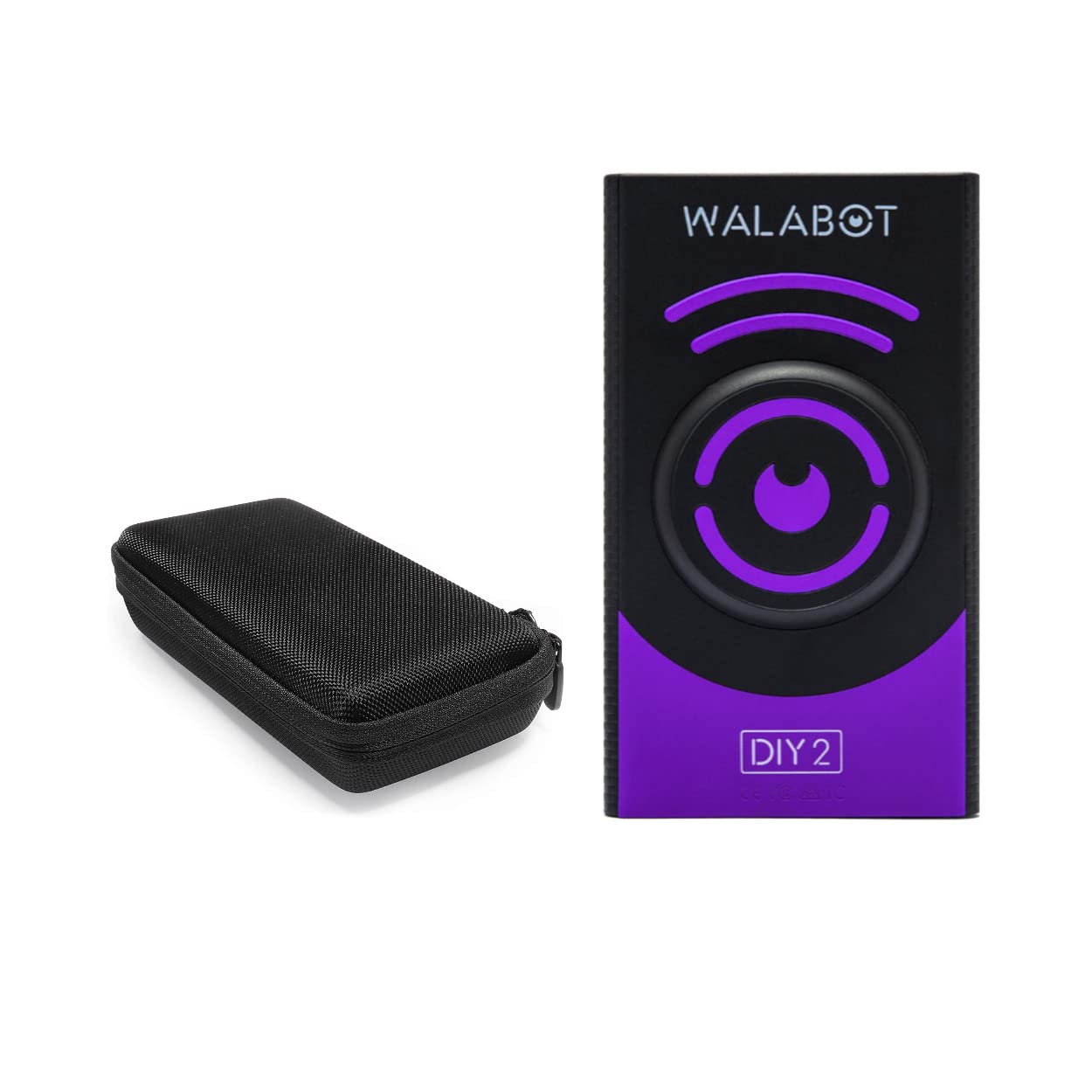
A scanner that draws what it senses on your phone screen instead of a blinking LED.
If you have stared at a scanner’s LED and wondered what the reading meant, the Walabot DIY 2 replaces it with a shape on your phone screen. It pairs with iOS and Android phones and offers two scanning modes — Images Mode and Expert Mode. Images Mode draws what it senses onto your screen, which is a genuinely different way to read a wall than a bar graph. Expert Mode opens up the raw signal for people who want to interpret the data themselves. A built-in rechargeable battery runs the unit so it will not drain your phone.
The bundle is where the practical value sits. You get the scanner plus a carrying case with a mesh pocket and an elastic strap, so the tool and its cable travel together instead of rattling loose in a job box. Wi-Fi connectivity lets you work away from your phone rather than keeping it tethered by a cable. The whole thing is listed at 15.8 ounces, which makes it the lightest pick in this comparison by its own stated figure.
The honest part is the calibration routine. Recalibration comes up often in owner feedback, and the device tends to want it repeatedly rather than once per job. Functionality is the most-discussed topic across its reviews and the opinions split both ways — some find it reads walls well, others hit a wall it could not sort out. Tracking accuracy draws similar mixed feedback, with misses on real studs and false alerts showing up in the mix. None of that makes it a bad tool; it makes it a tool for a hobbyist who enjoys the phone interface, not a substitute for a dedicated scanner on a paid job.
What wins people over: the visual readout and the phone pairing — seeing a shape on screen is easier to interpret than a chirp, and the app-based approach appeals to people who like a screen.
The honest catch: plan on recalibrating before each session, and treat any single reading as a hint to confirm rather than a final answer.
Reach for this if: you are a DIYer who wants to see the wall, not hear it, and you own an Android or iOS phone.
Look elsewhere if: you need a tool that reads consistently on the first pass with no calibration dance.
3. Bosch Professional D-tect 120 Cable Detector

A 0.32 kg cable detector light enough to hold overhead all afternoon.
Bosch builds this one around chasing cables and pipes, and the numbers back the pitch. It weighs 0.32 kg, while the D-tect 200 C in this list weighs 0.51 kg — held overhead or pressed against a ceiling, the lighter body makes a real difference over a long session. The published detection depths give you the working range: 120 mm for ferrous and non-ferrous metals, 60 mm for live wires and for plastic, and 38 mm for wood. Read those as the maximum depth for each material, not a promise for every wall.
Under the hood it uses the same Bosch-patented radar as the top pick, so it finds live lines, water-filled plastic pipes, and both ferrous and non-ferrous metals. The three detection settings — drywall, concrete and universal — behave the same way here. Spot measurement delivers instant results when there is little or no room to slide the tracking device, which is exactly the situation in a narrow cabinet gap or beside a stud on a tight frame. You get the box contents ready to work: the scanner, four AA batteries, a battery adapter, and a protective case.
The dual power source repeats the top pick’s flexibility, letting you run a 12 V lithium-ion battery or standard AA cells through the adapter. Where this pick differs is focus: it is tuned as a cable detector rather than a general-purpose wall scanner, so if your main worry is drilling into a live wire, it earns its place. Its review history sits between the two extremes here — good enough that most owners get on with it, not so dominant that it displaces the top pick.
The cable-first case: published depths of 120 mm for metal and 60 mm for live wires cover the runs you meet before fitting a shelf or a socket.
What to weigh: at 0.32 kg it is easy to hold, but the 38 mm wood depth is the shallowest of its listed ranges, so confirm stud reads with a second pass.
Best fit: anyone whose real worry is a cable behind the plaster and who wants a light tool to hold all day.
Trade-off to accept: it is built around cables and pipes first, so treat wood detection as the supporting act.
Know the Specs
Detection depth by material
Depth figures tell you how far into the wall a scanner can reach for a given material. Bosch publishes the D-tect 120 cable detector at 120 mm for ferrous and non-ferrous metals, 60 mm for live wires and plastic, and 38 mm for wood. Read those as maximums for the ideal case. A thick skim coat, foil-backed insulation or a dense concrete mix can all shorten the real-world reach. When a target sits deep, a slower sweep gives the scanner more time to register the return.
Radar versus magnetic detection
A magnetic finder locates screws or nails in a stud, which is handy for drywall and useless for plastic pipe or a copper cable with no fastener near it. Radar sends a signal into the wall and reads the echo, so it can distinguish one material from another and report where the object sits. That is why radar tools carry a drywall, concrete and universal setting — each material returns a different echo, and the scanner needs to know which pattern to expect. Pick the setting that matches the wall whenever you know it.
Common Questions
Will a radar stud finder locate plastic water pipes inside a wall?
What is the difference between the drywall, concrete and universal detection settings?
Does the Walabot DIY 2 work with both iPhone and Android phones?
How deep can a radar scanner actually see into a wall?
Can I use a radar scanner in a tight corner with no room to sweep?
Do these scanners run on standard AA batteries or a rechargeable pack?
Is a radar scanner accurate enough to trust before drilling a hole?
What does the screen capture feature on the D-tect 200 C actually do?
Can a radar scanner detect a water leak inside a wall?
Do I need to recalibrate a radar scanner often?
The Bottom Line
The radar stud finder most people should buy is the Bosch D-tect 120 Wallscanner, because it covers cables, plastic pipes, metal and wood across drywall and concrete, and it runs on either a 12 V pack or AA batteries. If your work is mostly chasing live wires through walls and you want the lightest tool for holding overhead, the D-tect 120 Cable Detector at 0.32 kg is the one to reach for. For a job where you need a saved record of every scan, the D-tect 200 C and its USB-C and Micro SD export is the pick. And if a phone screen makes a wall easier for you to read, the Walabot DIY 2 bundle gives you the visual approach — just expect to recalibrate more often than you would like.
How we choose
We do not accept paid placement. Every pick is matched to a real buyer and a real use-case; we do not hands-on test units.
Sources
Specifications: manufacturer listings and product documentation. Review insights: verified customer reviews, as of November 2026. Pricing: not shown on this page (it changes often); check the current price via the retailer link.
As an Amazon Associate, Tactical Gear Guy earns from qualifying purchases. This does not affect which products we feature.