Specs are compiled from manufacturer listings and verified buyer reviews and can change over time — please confirm the key details on the product page before buying.
You want a keyboard your deskmate can’t hear through a headset, and the quickest way to get there is to ignore how a keyboard looks and check what sits under each key. The nine picks below all deliver genuinely hushed keys, from full-size mechanical boards to slim scissor-switch travel keyboards.
This guide is built by comparing the manufacturers’ published specifications and the patterns across verified customer reviews, so you get each pick’s real strengths and trade-offs instead of marketing spin.
Some boards here are mechanical and some are scissor-switch; both can be whisper-quiet if the internals are dampened properly. Below you’ll find a full comparison of the quiet keyboard for office options, with the noise traps that make loud boards loud.
Top Picks


How To Choose The Best Quiet Keyboard for Office
The core problem for a shared desk is airborne noise from keys bottoming out and from the metal plate under them vibrating. A quiet keyboard attacks that at three points: the switch itself, the structure beneath it, and the material inside the case. Get all three right and a mechanical board can drop to a muted, dampened press.
Switch type decides your baseline noise
A linear switch (one with no click bump) drops straight down with a smooth press, while a scissor switch (the low-profile mechanism under laptop keys) uses a short travel of a few millimeters to cut noise from the start. Click switches are the loudest and are best left out of any shared space. Pre-lubed switches arrive with a thin coating of grease inside that softens the keystroke click and grind.
Gasket structure and foam are the hidden quieters
A gasket-mounted board floats the plate on soft material instead of screwing it tight to plastic, so the whole surface flexes gently on every press and absorbs impact sound. Layers of sound-absorbing foam fill the empty air inside the case, and that’s what stops a hollow echo when a key bottoms out. A listing that shows gasket structure plus multiple foam layers is describing a board built to swallow keystroke echo. A plain plastic case with no mention of either will sound hollow and clacky.
Battery, connection, and layout for a real desk
An 8000mAh battery is the largest cell a wireless mechanical board here carries. A 2.4GHz dongle (a small USB plug that makes a direct, low-latency link) gives the most stable everyday connection, and Bluetooth lets you flip between a work laptop and a tablet. A full numeric keypad matters if you crunch spreadsheets, while a 96% layout (nearly full size, arrow keys and number area kept) saves desktop space.
Side-by-Side Comparison
| Model | Best For | Switch Type | Connection | Battery | Amazon |
|---|---|---|---|---|---|
| AULA F99 Pro Silent★ Best Overall | All-round quiet mechanical | Pre-lubed linear mechanical | BT5.0 / 2.4GHz / USB-C | 8000mAh | Amazon |
| Keychron B1 ProBest for Travel | Ultra-portable quiet typing | Silent scissor switch | 2.4GHz / Bluetooth 5.2 / USB-C | Up to 1200 hours | Amazon |
| Logitech Signature Slim K950Most Versatile | Switching between three devices | Membrane, laptop-style | Bluetooth / Logi Bolt | — | Amazon |
| SABLUTE Ergonomic Wave | Long-session wrist comfort | Membrane, wave layout | 2.4GHz USB | 2 AAA (not included) | Amazon |
| AULA H108 | Quiet mechanical with numpad | Silent mechanical, gasket | 2.4GHz / BT5.0 / USB-C | 8000mAh | Amazon |
| Cherry KC 200 MX | Quiet wired mechanical | MX2A Silent Red linear | USB-A wired | None (wired) | Amazon |
| Logitech MK955 Combo | Keyboard and mouse together | Membrane, laptop-style | Bluetooth / Logi Bolt | — | Amazon |
| EDJO MK358 Combo | Budget full-size pair | Scissor switch | 2.4GHz USB | 2 AA (not included) | Amazon |
| INFINMIND K913 | Budget slim wireless | Low-profile membrane | 2.4GHz USB-A / USB-C | 2 AAA (included) | Amazon |
Detailed Reviews
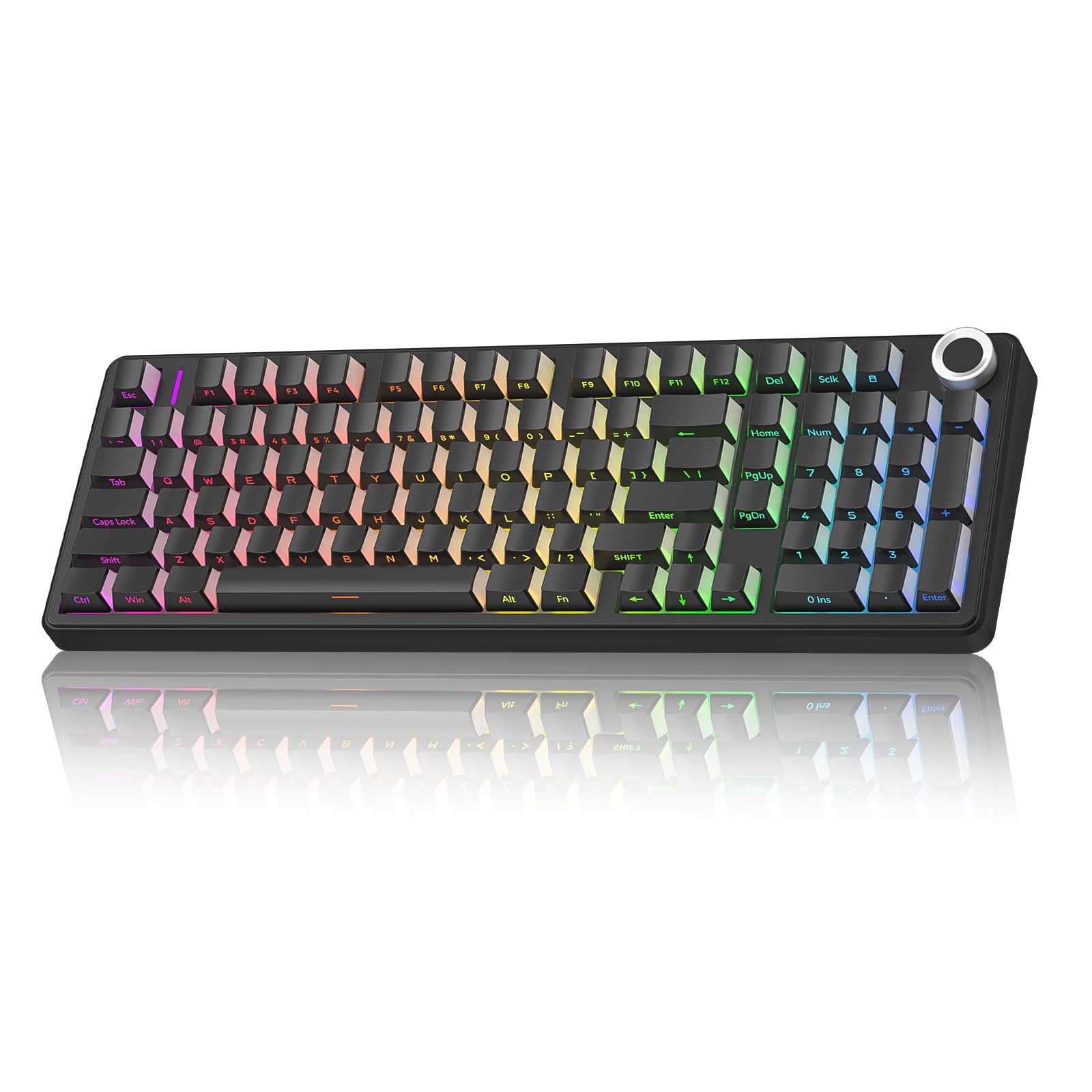
1. AULA F99 Pro Wireless Mechanical Keyboard Silent Version
Our pick — 4.5+★ from 400+ verified ratings; the strongest balance of quality and price.
A five-layer foam, gasket-mounted mechanical board that keeps the deep press and drops the hollow clack.
Five layers of silencing foam and a gasket mount are the whole story here. A gasket mount means the plate that holds the keys rests on soft material instead of being bolted hard into plastic, so every keystroke flexes and the impact sound gets swallowed. Add foam packed into the space above and below the PCB (the circuit board) and the hollow clack that makes cheap mechanical boards so annoying basically disappears. That foam-and-gasket combination is why this one takes the top slot for a shared office.
The pre-lubed linear switches arrive with grease already inside, so the press is smooth and the noise stays low from day one. That matters because a scratchy, dry switch is where a lot of unwanted keystroke noise comes from in the first place. The board also does BT5.0, 2.4GHz wireless, and USB-C wired, and can hold five paired devices you flip between with a function-key combo. The 96% layout keeps the arrow keys and number area for spreadsheets while taking less desk width than a full-size board.
The 8000mAh battery is the biggest cell in this lineup, and you recharge over USB-C, so daytime typing and a weekend of gaming run off one charge, though the maker says to follow the manual’s charging instructions to protect battery life. PBT keycaps resist the greasy shine that plagues plastic caps after months of typing. The multi-function knob flips between brightness control and volume, which is a small nicety that keeps your hands off the mouse. The one honest gap: nothing here is a shortcut to working quietly if your deskmate reacts to any sound at all — mechanical keys have some audible press, just a low one.
What earns the top spot
- Five-layer foam plus gasket mount kills cavity echo
- 8000mAh battery means fewer recharge interruptions
- Hot-swap PCB lets you change switches without soldering
- Tri-mode connection across five devices
Where it asks something of you
- Mechanical keys are low-noise, not silent-silent
- Battery care depends on following the charging steps
Worth grabbing if: you want mechanical typing feel in a shared office and care about the deep, dampened press.
Keep in mind: if your room needs near-total silence, a scissor-switch board below is a safer fit.
2. Keychron B1 Pro Ultra-Slim Wireless Keyboard
A 0.57-inch-thick board that slips into a laptop sleeve and runs up to 1200 hours per charge.
Up to 1200 hours of battery life is the number that should stop you here. Figure five hours of typing a day and that stretches to roughly eight months, which means you can pack it for a conference and forget the charger entirely. Silent scissor switches give you the short, quiet laptop-style press that’s welcome in a quiet room or a late-night session at home. The height runs just 0.2 inches at the front and 0.57 inches at the rear, so it’s genuinely thin enough to slide into a laptop sleeve.
Connections run three ways: a 1000Hz polling rate on 2.4GHz wireless, which means the board reports your presses to the computer up to a thousand times a second so typing feels instant, plus Bluetooth 5.2 for flipping between devices and a USB-C wired fallback. If you like remapping keys or building macros, the Keychron Launcher web app and ZMK firmware let you do it in a browser with no download. Concave keycaps give your fingers a shallow dish to land in, which keeps typos down during fast typing.
Now the trade-off worth knowing before you click: scissor switches feel nothing like the deep travel of the mechanical board above, so if you love a springy press this one will feel flatter. The compact layout also trims keys versus a full-size board, so number crunchers will miss the separate keypad. Still, the build quality and key feel keep this a favorite for people who move around, and the review pages consistently single out the quality and connectivity.
Battery that goes the distance: 1200 hours is the standout, so plan on charging twice a year, not twice a week.
Who it fits: buyers who split time between a laptop bag and a desk and want a near-silent, slim board.
The fit for movers: this is the one for a laptop-toting commute and a quiet shared desk.
Reconsider for: heavy spreadsheet work, since the compact layout drops the separate number pad.
3. Logitech Signature Slim K950 Wireless Keyboard
One key tap moves your typing between a paired laptop, tablet, and phone over Bluetooth or Logi Bolt.
The three-device switch is the reason this board exists. A single tap of a key moves your typing from a computer to a tablet to a phone, so you’re not unplugging a dongle every time the phone rings. Quiet typing is a stated priority too — the low-travel membrane keys are made to be discreet so the people around you aren’t bothered. Full-size with a number pad and a familiar laptop-style feel, it lands as a natural upgrade for someone coming off a work laptop keyboard.
Pairing runs over Bluetooth or a Logi Bolt receiver, and works across Windows, macOS, Chrome OS, Linux, iPadOS, iOS, and Android. The Logi Options+ app lets you customize keys and build shortcuts for the tools you use most. Logitech also notes that the plastic parts in this board include a minimum of 48% certified post-consumer recycled plastic, so there’s an environmental angle if that matters to you.
What could catch you out: the board’s keyboard feel is tuned for quiet, not for the deep mechanical press some typists crave, so if you’re chasing a satisfying thock this isn’t the board. It’s also solely a keyboard, so a mouse is an extra purchase — unless you step up to the combo version further down the list.
Quiet, do-it-all strengths
- One-tap switch between three paired devices
- Customizable keys through the Logi Options+ app
- Works on Windows, macOS, Chrome OS, Linux, iPadOS, iOS, and Android
- 48% certified post-consumer recycled plastic in the case
What you trade away
- Membrane feel, not deep mechanical typing
- Keyboard only — no mouse in the box
Best for: the multi-device office worker who flips between laptop, tablet, and phone all day.
Think twice if: you want mechanical depth in every press.
4. SABLUTE Ergonomic Wireless Keyboard and Mouse Combo
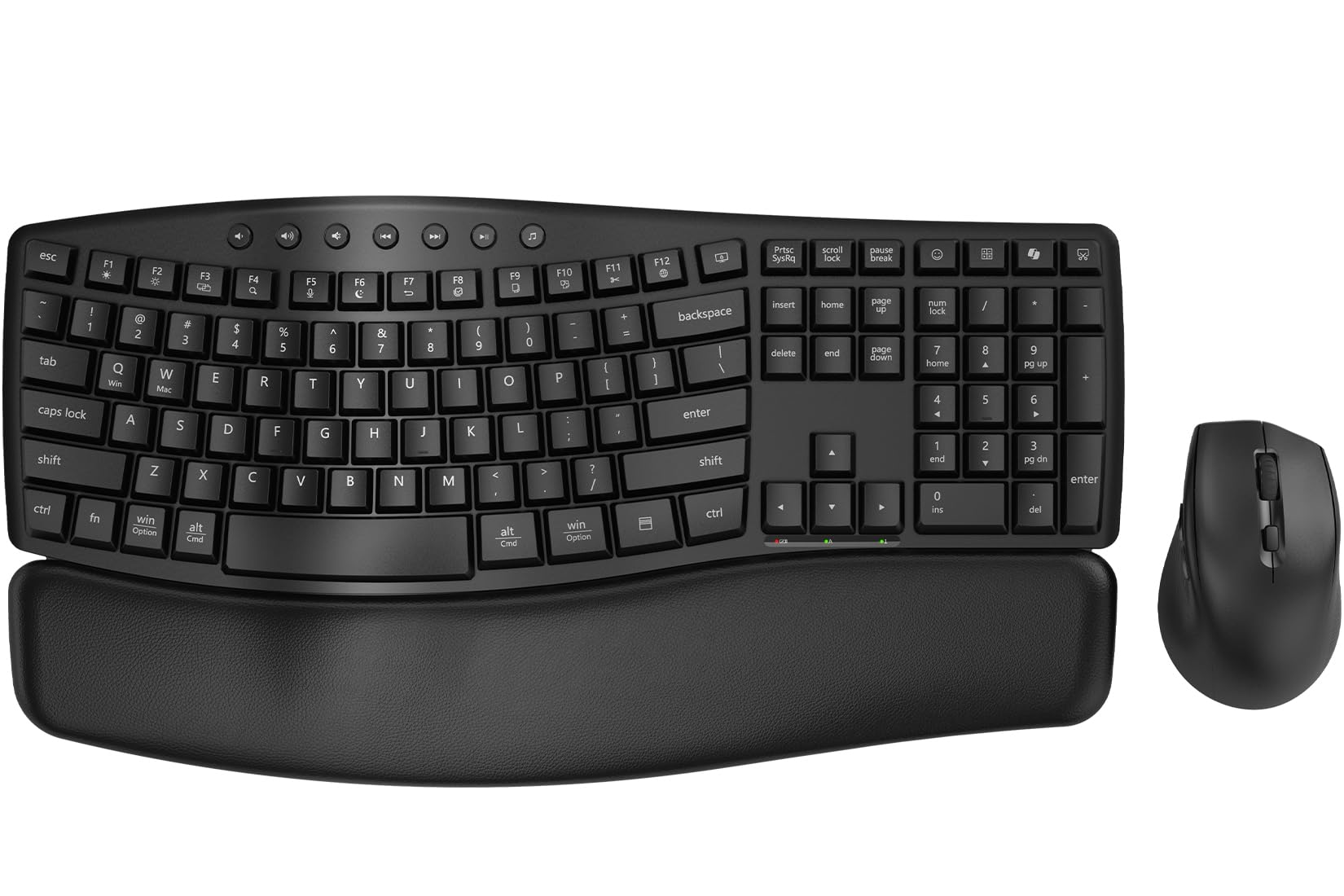
A wave-shaped membrane deck with a cushioned leather wrist rest and two adjustable tilt angles.
The 30dB quiet-typing rating is the headline for a shared space, and the maker frames it as a reduction in noise for a calmer desk in home offices, shared offices, meetings, and late-night work. The wave design floats the key rows in a gentle arc and offers two adjustable tilt angles, which lets you raise or flatten the deck to a more natural typing posture over hours of use. On top of that sits a cushioned leather wrist rest, softer than the hard plastic palm rests that punish your wrists after a long session. The foam support is what wins people over, and comfort is the second-most-praised trait in the listings.
Twelve productivity shortcuts put screenshots, media controls, the calculator, AI tools, and screen lock a keypress away — though on macOS the Music app, Calculator, and AI Assistant shortcuts are unavailable. Every key is tested for up to 10 million keystrokes, the lettering is laser-etched to resist fading, and a 2-year replacement warranty backs the board. A single 2.4GHz receiver runs both the keyboard and the mouse and fills one USB port, and spill resistance guards the deck against the occasional coffee slosh. Auto sleep stretches battery life to a stated 6 to 12 months on 2 AAA batteries for the keyboard and 1 AA for the mouse, which are not included.
The recurring gripe is worth an honest mention: reliability is mixed in the reviews, with a few cases of a keyboard that stops working after a couple of weeks and the occasional unit that won’t pair. Sized against a deck this popular, those look like isolated units rather than a pattern, but it’s the thing to watch with return windows. The wave layout also takes an adjustment day or two if you’re used to a flat board — expect a short learning curve, not a long one.
What the desk notices first: the leather wrist rest. It’s the comfort upgrade, and it earns more praise than the key feel.
The honest caveat: keep the box and return window handy — a few buyers hit pairing trouble out of the gate.
Right for: eight-hour typists with wrist fatigue who want quiet keys and cushioning in one package.
Skip if: you need a plug-and-play board with zero setup fuss on day one.
5. AULA H108 Wireless Silent Mechanical Keyboard
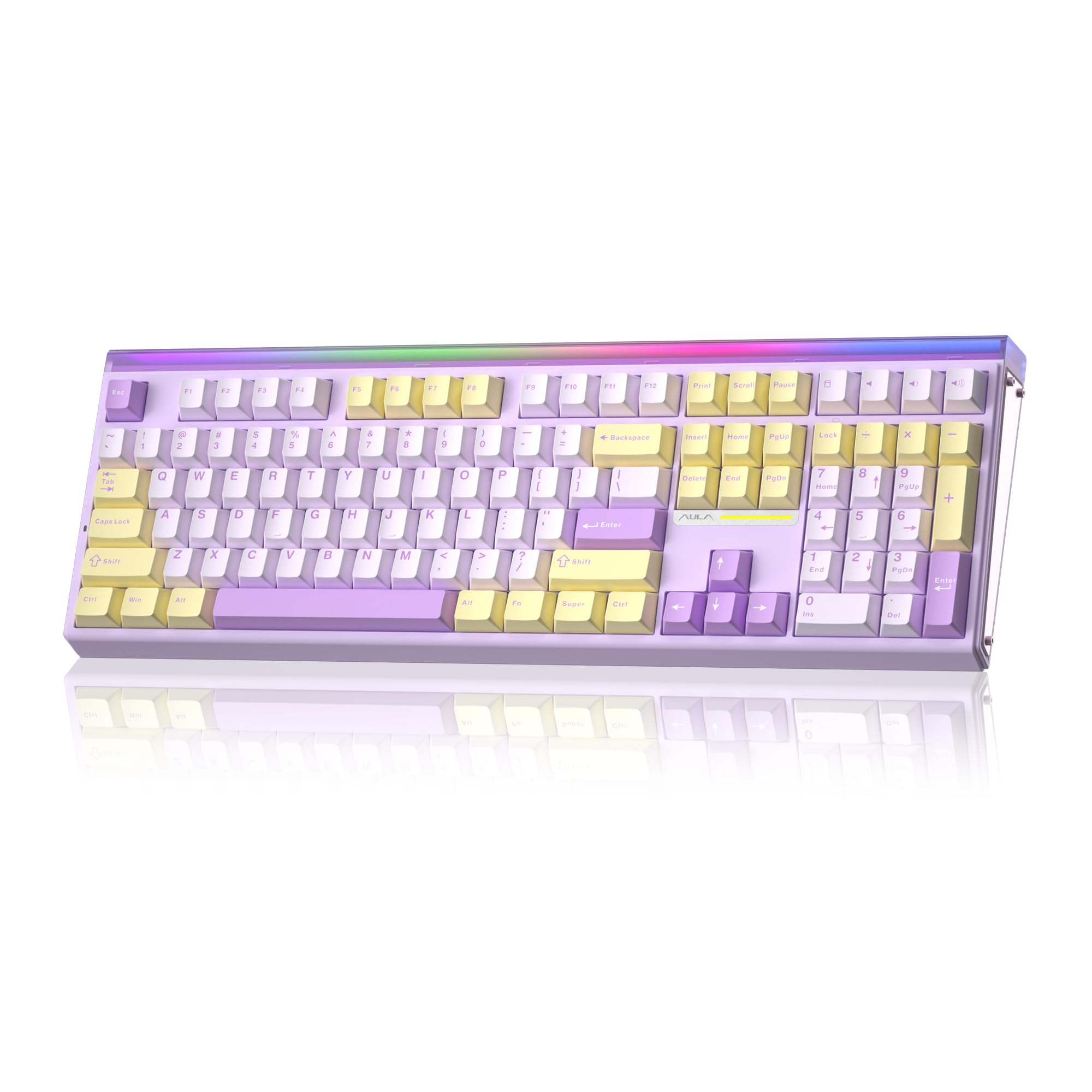
A full-size silent mechanical with a numeric pad, for people who want every key and no clatter.
Silent switches on a gasket structure with five layers of sound-absorbing foam put this in the same quiet camp as the top pick, but in a 108-key full-size body. That means the separate number pad survives, which the 96% layout above trims away — a real difference if you live in spreadsheets. The board also carries a built-in RGB lightbox and supports 15 backlight modes, so you can tune brightness, speed, and color, with a 16-million-color palette in the driver software. PBT keycaps resist wear, fading, and the oil buildup that makes keys look grimy over time.
Hot-swap sockets let you pull switches and drop in replacements without soldering, so the feel is adjustable months down the line. Connections run 2.4GHz, BT5.0, and USB-C wired, with up to five paired devices switched via function-key combos and a stated 10m transmission range with anti-interference, so a full desk of wireless gear shouldn’t cause dropouts. The 8000mAh battery gives weeks of use on a charge, taking the recharging chore off your daily list.
The quiet mechanical press and solid construction are what the review pages latch onto, and the triple connectivity tops the list of reasons buyers pick it. The honest limit: at full size it eats more desk width, and if all you type is prose you may not need the extras like the RGB lightbox — those extras are aimed at gamers who work in the same chair.
Why a number cruncher picks it
- 108-key full size keeps a dedicated number pad
- Gasket mount plus five foam layers damps the clack
- 8000mAh battery runs for weeks per charge
- Hot-swap sockets for changing switches later
The honest costs
- Full-size footprint needs more desk room
- Pricier than the slim wireless options
Go for it if: you need a number pad and mechanical feel without annoying the room.
Look elsewhere if: desk width is tight or you’re after a minimalist look.
6. Cherry KC 200 MX Wired Mechanical Office Keyboard
A wired, metal-plated board built on genuine Cherry silent switches that are rated to outlast your PC.
More than 50 million actuations per key is the endurance claim on these MX2A Silent Red switches. Cherry’s improved mechanism uses a smooth linear throw with no click bump, so every press is quiet by design rather than by padding. The keycaps are laser-etched and abrasion-resistant, so the lettering stays legible even after years of use. An anodized metal plate under the keys adds stiffness and weight, which cuts the hollow plastic resonance that makes cheap boards sound shrill.
This is a wired USB-A board, so you plug it in and it works — no dongle, no charging, and no battery to worry about. A tactile feel built on the classic metal-plate design keeps the press precise, and full N-key rollover reads every key simultaneously so nothing drops during fast typing. White status LEDs on CAPS LOCK, SCROLL LOCK, and NUM LOCK, plus four extra keys for the calculator app and volume control, keep the common tasks within reach. Two sturdy, non-slip fold-out feet let you set the tilt where your wrists want it.
The obvious trade-off is the cable, so if you want to move the board between a desk and a sofa you’ll want a wireless pick above. The switches need a firm press to bottom out cleanly, and quieter rubber-dome fans might find the metal plate’s character different from a soft keybed. But for a fixed desk where silence and durability matter more than portability, this is the wired standard the rest are measured against, with the metal-and-mechanical quality lifting it above the plastic crowd.
The endurance argument: 50 million actuations per key means this board is a long-haul purchase, not a throwaway.
What you give up: wireless freedom — this one stays tethered to a USB-A port.
Pick this if: your keyboard never leaves the desk and you want genuine silent switches that last.
Not for you if: a cable across the desk is a deal you won’t make.
7. Logitech MK955 Signature Slim Wireless Keyboard Mouse Combo

The complete quiet desk: silent keys and a silent-click mouse that share one wireless link.
The 90% reduction in click noise from the M750 L mouse’s SilentTouch technology is what sets this combo apart. You get a quiet keyboard and a quiet mouse in one box, and both connect over Bluetooth or a Logi Bolt receiver so you fill only one port. The K950 keyboard inside pairs with up to three devices and flips between them with a single tap, and the mouse is built for larger hands — the review pages describe it as slightly larger than prior models — with a SmartWheel that scrolls line by line or flies through long documents. Quiet typing and clicking are the sum of the package, and that quiet operation is the second most-discussed trait after overall quality.
Custom keys and buttons are configurable in the Logi Options+ app for Windows and macOS, so you can map the tools you use daily. The combo covers Windows, macOS, Chrome OS, Linux, iPadOS, iOS, and Android, and the plastic parts include a minimum of 48% certified post-consumer recycled plastic for the keyboard and 25% for the mouse. Setup is simple — pair via Bluetooth or Bolt and you’re typing in under a minute.
Two things to weigh. The keyboard shares the same laptop-style membrane feel as the solo K950 above, so if you’re hooked on mechanical press this won’t satisfy you. And the larger-hand mouse shape is an asset for bigger palms but may feel chunky for smaller ones. Size is a fit question, not a fault, and the combo’s popularity suggests most buyers find it lands right.
Why it wins as a pair
- SilentTouch mouse cuts click noise by 90%
- One receiver runs both keyboard and mouse
- Switch typing between three devices with a tap
- SmartWheel scrolls line-by-line or freely through long pages
What you should know
- Membrane feel, not mechanical
- Mouse is shaped for larger hands
The complete buy: ideal if you want a matched quiet keyboard and mouse from one brand in a single purchase.
Pass if: you already have a mouse you love or want a smaller grip.
8. EDJO MK358 Wireless Keyboard and Mouse Combo
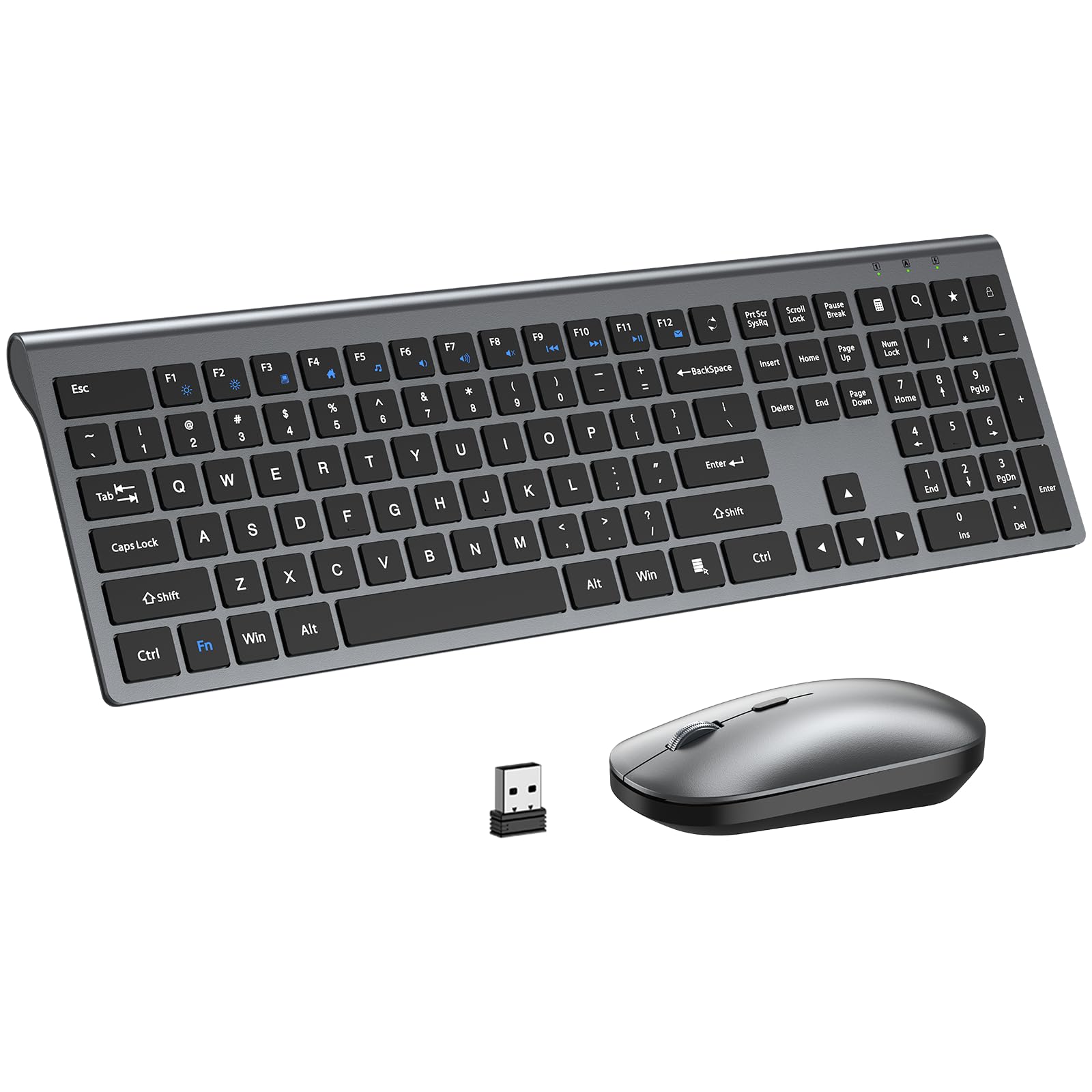
A budget full-size pair with scissor keys and a quiet mouse, for a desk that doesn’t ask much.
The 0.23-inch keyboard and 1.14-inch mouse make this one of the slimmest pairs on the list. Scissor-switch keys with a low-profile, soft-touch surface deliver hushed, responsive typing — the kind of short, quiet press that won’t carry across an open-plan floor. A full-size layout with a separate numeric keypad keeps data entry quick, and the muted gray-black finish fits a work desk without drawing attention.
One nano receiver tucked inside the mouse runs both devices, and the keyboard and mouse can also be used separately if you only want one. An optical mouse with three adjustable DPI levels (800, 1200, and 1600) lets you pick the pointer sensitivity that suits your hand. Smart sleep kicks in after 10 minutes of idle time, and any key wakes it back up, so you can go months between battery changes on 2 AA for the keyboard and 1 AA for the mouse, which aren’t included.
Quality is the trait buyers bring up most, and the quiet operation and value do a lot of the persuading. One caution: the review pages note a few units where the keyboard stopped working after a day of use, so keep the packaging and the return window until you know yours behaves. It’s a fit-and-finish gamble at the budget end rather than a known flaw across the line. If you need a rock-solid daily driver and don’t mind spending more, the K950 or the combos above are safer.
The everyday positives: slim deck, full number pad, and a mouse you can tune to three sensitivity levels.
What to watch: keep the return window open — a few units have faltered early.
Best for: a second desk, a home office starter, or anyone who wants quiet keys and a mouse on a tight budget.
Don’t choose it if: you need guaranteed day-one reliability above all else.
9. INFINMIND K913 Wireless Keyboard
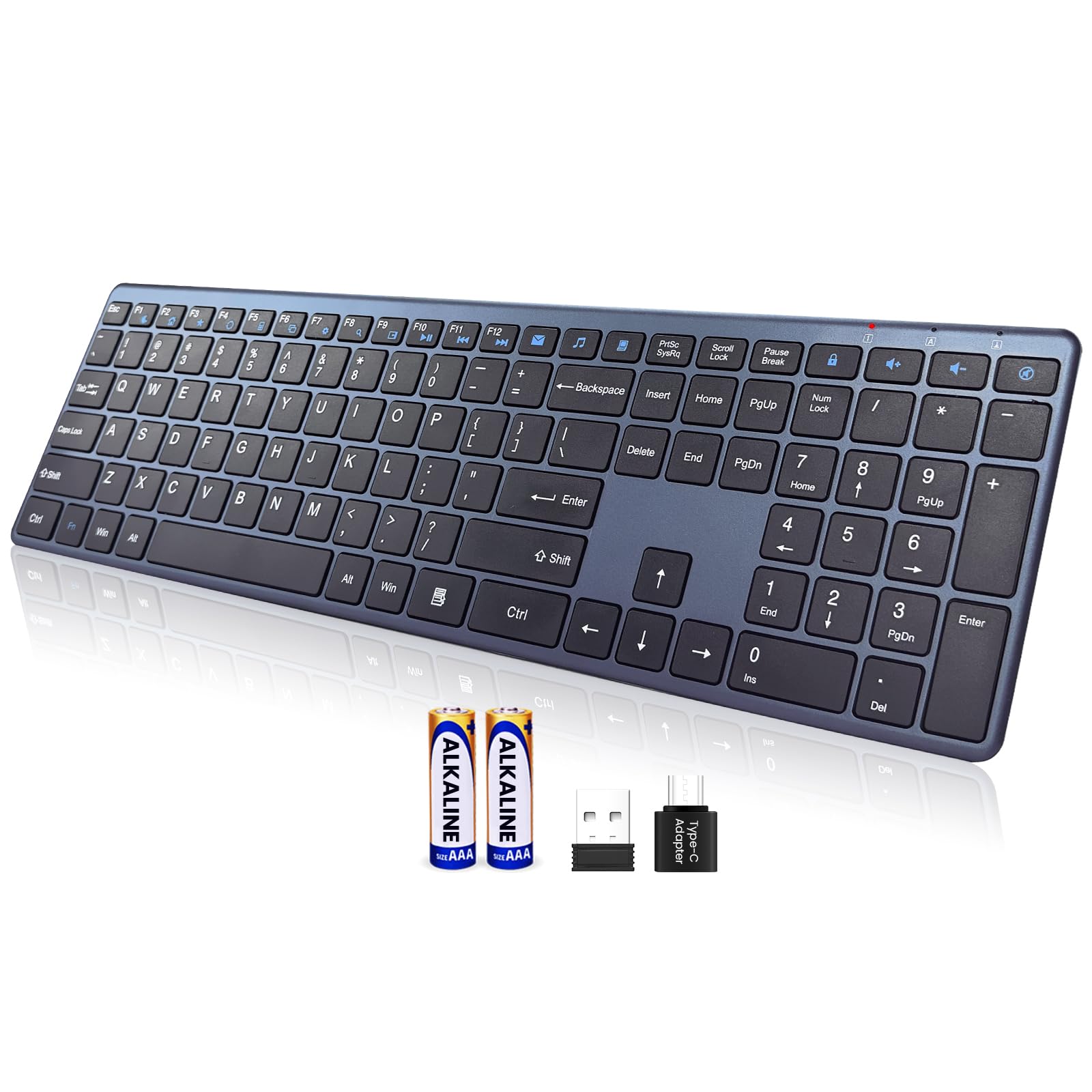
Quiet laptop-style keys, a full number pad, and up to a year on a set of batteries.
The claim to keep in mind is the noise reduction: the short-throw, laptop-style keys are rated by the maker to cut noise by up to 90%, which is the number that puts a membrane board in the same conversation as the silent mechanicals higher up. A full standard layout with arrow keys, a number pad, and shortcut keys keeps it practical for data entry. The slim profile looks neat on a desk, and the matte keycaps resist fingerprints and shine so the board stays looking fresh between cleanings.
Up to 12 months on a set of 2 AAA batteries (which are included) takes battery swaps off your worry list, helped by an auto sleep that kicks in after 15 minutes idle and an ON/OFF switch on the back. The 2.4GHz connection is stated to hold up to 33 feet and stays stable among other wireless gear, and the plug-and-play USB-A receiver sets up in seconds. A USB-C adapter in the box covers modern laptops and tablets that dropped the older port. Twelve multimedia keys hit the common shortcuts, with seven more for Windows; some of those may not work on a Mac.
This is a membrane board, so the feel is flatter and shorter than the mechanical picks — good for quiet, not for a deep springy press. The 112 keys are convenient but the deck runs 16.13 inches long, so measure your desk if space is tight. That said, quality is the aspect buyers praise most here, and the value and quiet cooperation make this a strong first quiet board.
The battery win: 12 months on included AAA cells means one set covers a whole work year.
The layout caveat: seven shortcuts are Windows-only, so Mac users lose a few of them.
Reach for this if: you want a full-size quiet board and the longest battery life for the lowest outlay.
Hold off if: you want mechanical feel or your desk can’t spare the width.
Know the Specs
dB, Noise Reduction, and Silent Switches
Quiet boards describe their noise in two ways: decibels (a unit that measures loudness, where 30dB is a soft, library-level sound) or a percentage reduction versus a normal board. A “silent” switch or scissor mechanism isn’t truly noiseless — it’s dampened so the press is muted rather than the loud clack of a clicky mechanical. The lower the number and the more dampening (foam, gaskets, pre-lubed switches), the better the odds your deskmate hears nothing through their headset.
Battery, Connection, and Layout Priorities
Battery figures here range from up to 1200 hours (Keychron) to 12 months on AAA (INFINMIND) to an 8000mAh rechargeable cell (the two AULA boards). Decide whether you’d rather swap batteries rarely or recharge over USB-C. On connection, a 2.4GHz dongle gives the most stable single-device link, while Bluetooth lets you hop devices — worth it only if you actually switch. Match layout to workload: a full 108-key board or 96% layout when you need a number pad, a compact slim board when desk space and portability win.
Common Questions
Will a “silent” mechanical keyboard disturb coworkers in a shared office?
What does 30dB or 90% noise reduction actually mean in practice?
Is a gasket-mounted keyboard really quieter than a regular one?
Can I use a 2.4GHz wireless keyboard with a Mac or a USB-C laptop?
How long should a quiet office keyboard’s battery last?
What is the difference between scissor-switch and mechanical laptop-style keys?
Do full-size quiet keyboards with a number pad exist?
Is a wireless quiet keyboard worth it over a wired one for a fixed desk?
Can I swap the switches in a hot-swappable quiet keyboard?
The Bottom Line
For most office desks, the quiet keyboard for office winner is the AULA F99 Pro because its gasket mount, five foam layers, and pre-lubed silent switches give you mechanical feel without the clatter. If you’d rather type flat and quiet on the move, grab the Keychron B1 Pro and its 1200-hour battery. And if you want a matched keyboard and mouse pair, the Logitech MK955 is the one to reach for. The easy first move on a shared floor is the quiet-mechanical top pick, which delivers the most desk-friendly combination of dampening and typing feel in this lineup.
How we choose
We do not accept paid placement. Every pick is matched to a real buyer and a real use-case; we do not hands-on test units.
Sources
Specifications: manufacturer listings and product documentation. Review insights: verified customer reviews, as of November 2026. Pricing: not shown on this page (it changes often); check the current price via the retailer link.
As an Amazon Associate, Tactical Gear Guy earns from qualifying purchases. This does not affect which products we feature.