Specs are compiled from manufacturer listings and verified buyer reviews and can change over time — please confirm the key details on the product page before buying.
Buying a QHD OLED monitor is a bet on two things at once: that the picture will ruin every other screen for you, and that the panel inside survives past the first year. The first part is easy — a 2560 x 1440 OLED panel (that’s 1440p resolution on a self-lit screen where each pixel switches off completely) delivers true black and instant motion in a way no backlit LCD can match. The second part is where you should spend your research time, because burn-in protection, warranty terms, and cooling design vary wildly between models that otherwise look identical on a spec sheet.
This guide is built by comparing the manufacturers’ published specifications and the patterns across verified customer reviews, so you get each pick’s real strengths and trade-offs instead of marketing spin.
Below you’ll find eleven 27-inch-class 1440p OLED screens sorted by what they actually do well, from a QD-OLED bargain to a 360Hz flagship. The short answer, if you want it now: best qhd oled monitor shopping starts with honesty about how bright your room is and how long you keep static windows open.
Top Picks
How To Choose The Best QHD OLED Monitor
The mistake most first-time buyers make is treating all 1440p OLED panels as the same screen in a different plastic shell. They are not. Two monitors can both list 2560 x 1440, 0.03ms response time, and HDR400, and still feel completely different on your desk — one shows a clean grey gradient, the other shows faint vertical stripes on a foggy game sky. The differences live in the panel generation, the cooling, and the anti-glare coating.
Panel type: QD-OLED versus WOLED
QD-OLED (quantum-dot OLED) adds a quantum-dot layer that converts light into very saturated reds and greens, so colors look punchy and blacks stay black. WOLED (white OLED with a color filter) tends to produce cleaner small text and more uniform greys. If you read dense documents all day, that text difference is worth more than a slight color pop. If you mostly play games and watch video, the QD-OLED color volume is the more visible upgrade.
Brightness, HDR, and the room you sit in
OLED brightness is not a single number you can rank. A monitor rated for a peak figure in a small bright window behaves very differently from one rated for full-screen white. If your desk faces a window, put glare handling and sustained brightness near the top of your list. If you game in a dim room, deep blacks and contrast matter far more than nits.
Burn-in protection is a real buying decision
Every OLED here ships some form of care routine: pixel shifting, logo and taskbar detection, screen dimming after inactivity, or automatic pixel refresh. What separates them is the hardware behind it — a graphene heatsink or a heat-pipe cooling system moves heat away from the panel so the organic pixels age more slowly. A monitor with strong cooling plus a warranty that names burn-in coverage is a materially safer buy for a work-from-home desk.
Refresh rate and what your GPU can actually feed
A 360Hz panel only pays off if your graphics card can push frames that fast at 1440p. A 240Hz or 280Hz screen is the more sensible match for most mid-range builds, and every monitor here supports adaptive sync (FreeSync or G-Sync Compatible) so the panel tracks your frame rate instead of tearing. Buy for the refresh rate you can feed, not the biggest number on the box.
Side-by-Side Comparison
| Model | Best For | Resolution | Refresh Rate | Panel Type | Amazon |
|---|---|---|---|---|---|
| Samsung 27″ Odyssey OLED G6 (G61SH)★ Best Overall | Balanced all-round gaming | 2560 x 1440 | 240Hz | QD-OLED | Amazon |
| INNOCN 27″ QD-OLED 2780sBudget Entry | First OLED on a tight budget | 2560 x 1440 | 280Hz | QD-OLED | Amazon |
| LG 27GX700A-B UltragearBrightest Panel | Bright-room HDR gaming | 2560 x 1440 | 280Hz | OLED | Amazon |
| MSI MAG 271QPX QD-OLED E2 | Dark-room cinematic play | 2560 x 1440 | 240Hz | QD-OLED | Amazon |
| MSI MAG 271QPX QD-OLED 360Hz | Competitive shooters | 2560 x 1440 | 360Hz | QD-OLED | Amazon |
| ASUS ROG XG27AQDMG | Clean text and glossy finish | 2560 x 1440 | 240Hz | WOLED | Amazon |
| ASUS ROG Strix XG27ACDNG | Fast QD-OLED with warranty | 2560 x 1440 | 360Hz | QD-OLED | Amazon |
| Samsung Odyssey OLED G6 (G60SD) | Slim design and cooling | 2560 x 1440 | 360Hz | QD-OLED | Amazon |
| Alienware AW2725DF | Wide color for creators | 2560 x 1440 | 360Hz | OLED | Amazon |
| GIGABYTE AORUS FO27Q2 | KVM desk switchers | 2560 x 1440 | 240Hz | QD-OLED | Amazon |
Detailed Reviews
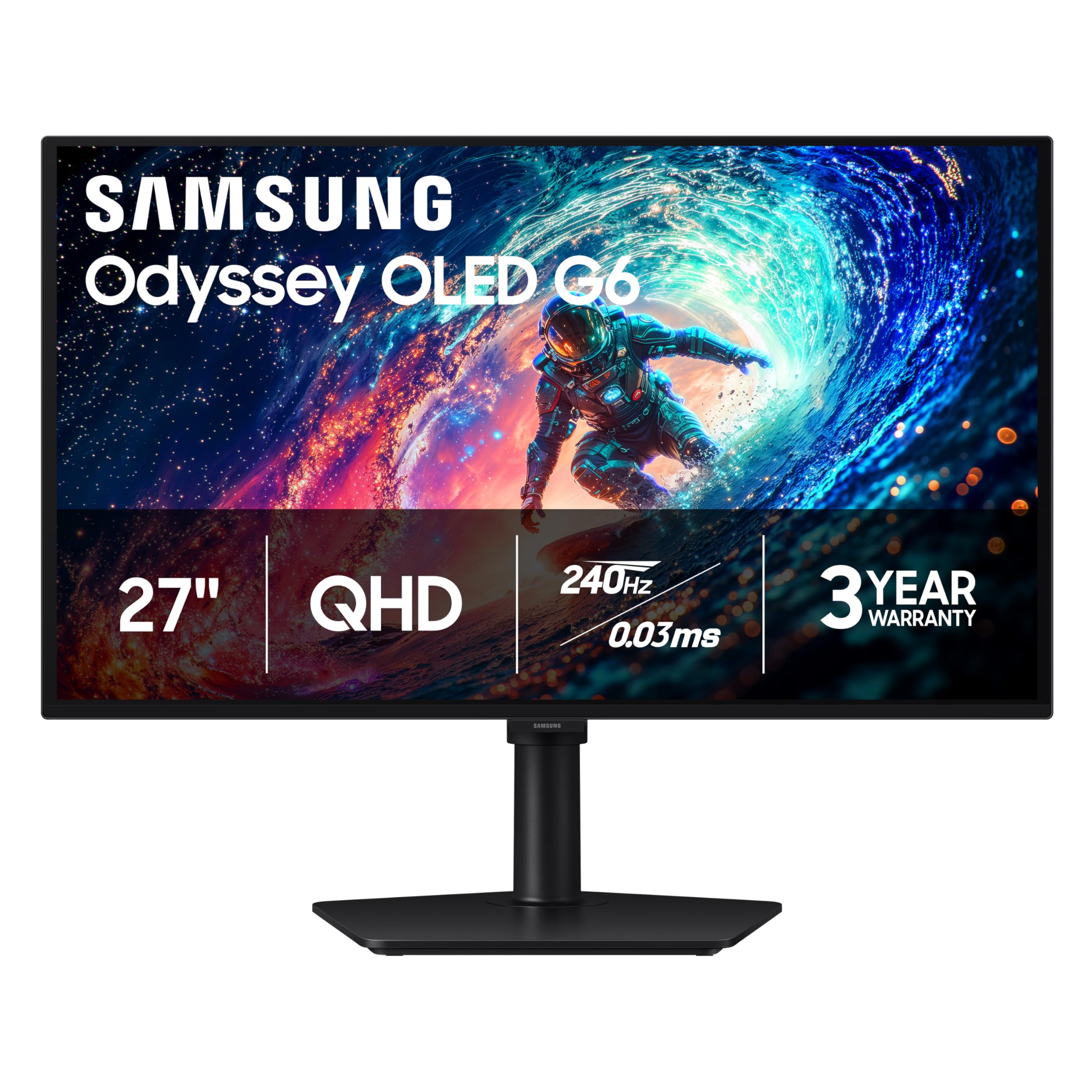
1. Samsung 27″ Odyssey OLED G6 (G61SH) QD-OLED
Our pick — 4.5+★ from 450+ verified ratings; the strongest balance of quality and price.
The 1440p OLED that makes the fewest demands on your setup — and the crowd favorite at 4.5+ stars across 400+ ratings.
Start with the panel itself. This is a QD-OLED screen with a 2560 x 1440 resolution, a 240Hz refresh rate, and a 0.03ms response time — the last figure is how fast a pixel changes color, and at that speed fast camera pans stop smearing into ghost trails. Samsung pairs it with AMD FreeSync Premium, which means the panel matches your graphics card’s frame output instead of tearing when frames land unevenly.
The anti-glare treatment is the underrated part. Samsung calls it Glare Free Technology, and it scatters reflections from a window or a desk lamp rather than bouncing them back at you. That is what lets the deep blacks survive daylight. The panel also carries a Pantone Validated rating for 2100+ colors and 110+ skin tone shades, which matters if you ever touch up photos or judge a game’s faces by how natural they look.
Owners single out overall build and picture quality first, with color rendering a close second. Owners upgrading from a 32-inch ultrawide call it money well spent, and the 240Hz refresh reads as crisp and immediate in motion.
QD-OLED contrast punch
- A QD-OLED panel that owners consistently compare favorably to WOLED screens in the same bracket
- Glare Free coating keeps the picture legible in a bright room
- Height-adjustable stand that pivots, tilts, and swivels for an easy fit on a normal desk
- 240Hz with FreeSync Premium covers both console and PC play
firmware quirks linger
- Small text can read a touch soft if you sit very close — step back a little and it clears up
- An HDMI handshake glitch has left some setups showing one second of image before going black
- No 360Hz option for a build that can actually feed it
crown contender: you want the safest all-round 1440p OLED — good color, anti-glare, a properly adjustable stand, and a brand you can call.
check ports first: you run a 360Hz-capable PC and want every frame, or you sit 18 inches from the panel doing spreadsheet work all day.
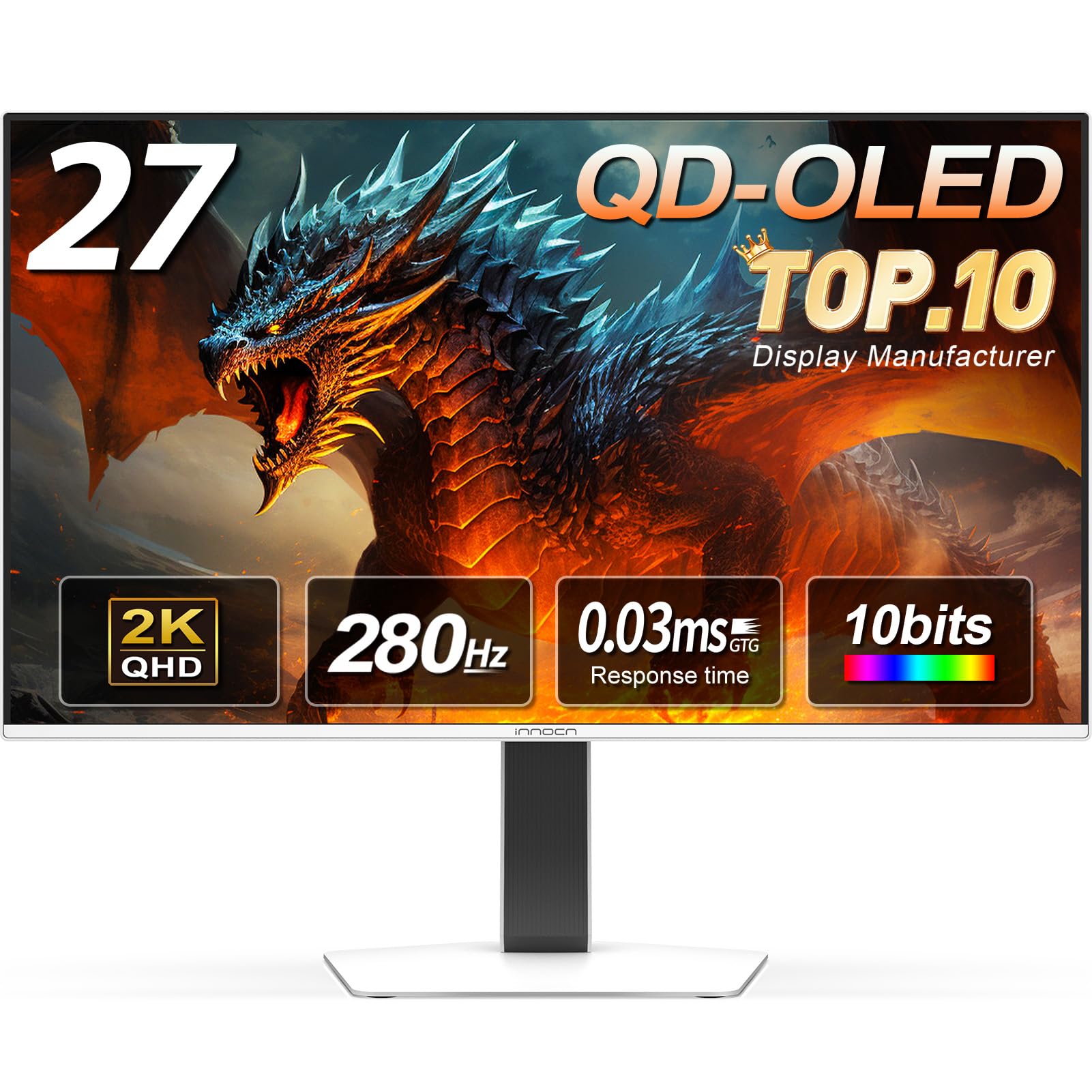
2. INNOCN 27″ QD-OLED 2K QHD 2780s
280Hz, a 1,500,000:1 contrast ratio, and a price tag that makes OLED feel like a reasonable first step.
Here is the number that makes this pick interesting: a 280Hz refresh rate, which is faster than most budget OLEDs and matches the premium models sitting further up this list. Combine that with the 0.03ms response time and you get motion that reads as instant, not just quick — track a strafing target and there is no trail behind it. The panel is QD-OLED at 2560 x 1440, so the deep blacks and saturated color come standard.
The build holds a comfortable middle ground. A white chassis, a fully adjustable stand with height, tilt, and pivot, and a slim profile that does not eat your desk depth. Built-in speakers mean you get sound without hunting for a cable, which is genuinely useful for console play on a Switch or a PS5 tucked under a monitor. HDMI 2.1 is on board for high-frame-rate console output, and both FreeSync and G-Sync Compatible are listed so either GPU camp is covered.
Owners praise build quality and value most, and repeatedly call this a smart first OLED. The one honest gap: the picture controls for dark and light levels are shallow, so if you like dialing in a fine-tuned image, you will feel the ceiling.
value balance: the smartest entry point in this list for a first 1440p OLED, especially if you split time between a console and a PC.
limited warranty support: limited brightness and black-level tuning means out-of-the-box is close to as good as it gets.
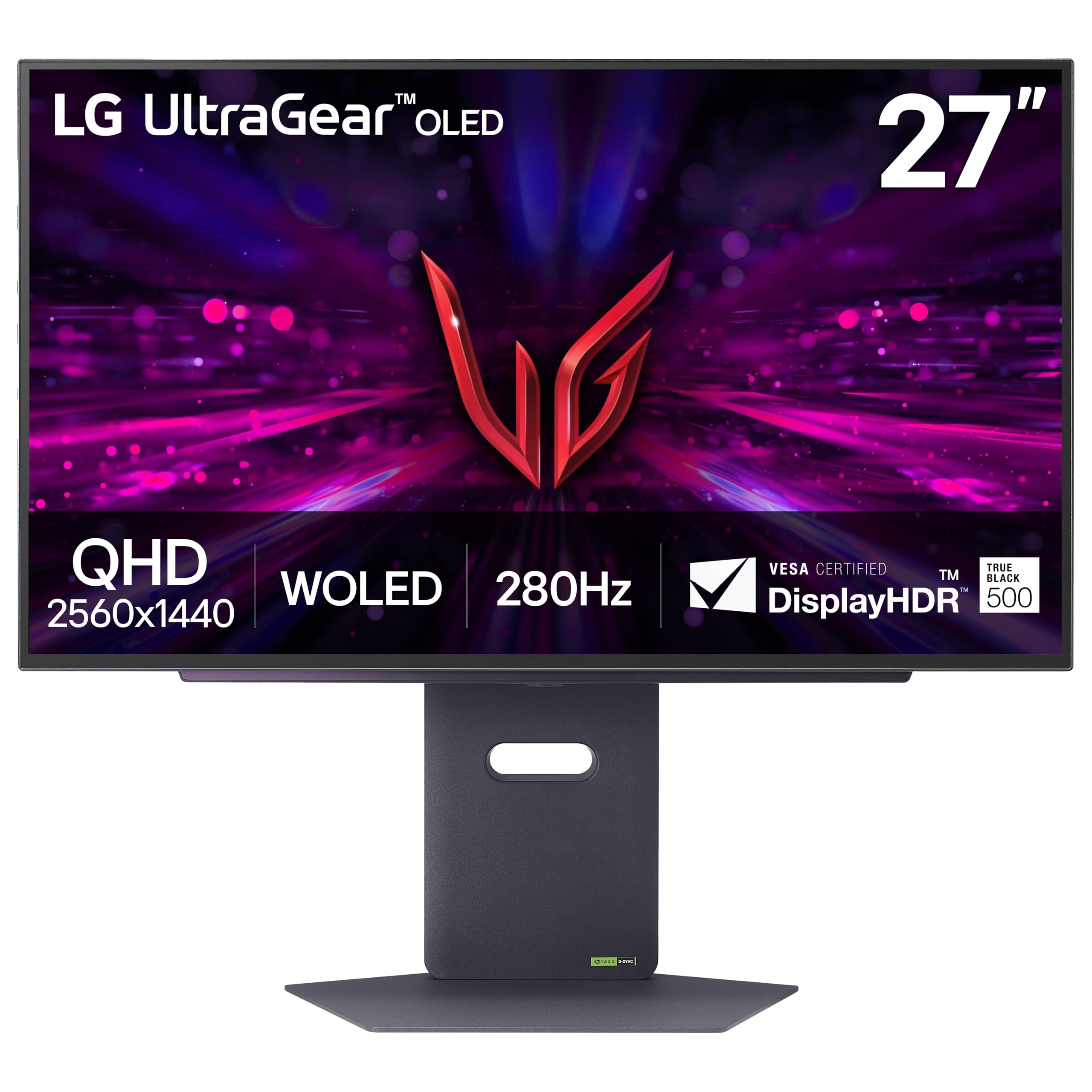
3. LG 27GX700A-B Ultragear OLED
LG’s brightest OLED gaming panel, with 1500 nits of peak punch to fight a sunny window.
Brightness is the whole argument here, and it is a big one. LG rates this panel at up to 1500 nits of peak brightness using its Primary RGB Tandem OLED structure, and it holds a VESA DisplayHDR True Black 500 certification — the higher-tier HDR stamp, not the entry one. In practice, highlights in a bright game scene stay visible instead of washing to grey, and daylight gaming on a monitor stops being a compromise.
Color is the second number worth knowing: up to 99.5% DCI-P3 coverage, which is the wide color range filmmakers and game artists work in. Compare that with the Samsung G61SH’s 0.99 color gamut figure in this same list and the LG leads on the saturation spec, if only by a hair. It pairs 280Hz with 0.03ms, supports both G-Sync Compatible and FreeSync Premium Pro, and ships with an HDMI 2.1 cable and a DisplayPort cable in the box.
The trade-off is texture. Owner experience around this tandem OLED panel repeatedly points at vertical banding — faint stripes visible across grey and dark midtones — and that is the kind of thing you cannot unsee once you notice it on a foggy scene. Reliability stories are mixed too, so buying from a seller with a clean return process is the sensible play. Owner reports split sharply: some units run for years, others failed within a week.
high brightness output: a daytime desk, a window behind you, HDR games that lean on highlights — this is the panel built for that room, and True Black 500 is the certification that backs it up.
raised black levels: banding on midtones is the recurring trade-off with this panel generation, so if you edit photos on flat grey backgrounds, audition it carefully.
bright room pick: a bright room and a buyer who wants HDR highlights that actually pop.
dark room doubts: you work in grey-heavy design apps where banding would distract you daily.
4. MSI MAG 271QPX QD-OLED E2

Made for the sim rig and the late-night campaign — blacks so deep they read as a hole in the room.
What makes this one sing is contrast behavior in the dark. Contrast and pixel response are the two specs that decide whether a night level feels like a place or like a grey wall, and this QD-OLED panel down at 2560 x 1440 gets the black level right. Owners who built three of these into a racing sim rig describe the blacks as genuinely black, and that is the single most repeated reaction to this screen.
The 240Hz refresh rate with a 0.03ms response time keeps fast driving and shooting smooth without a trail behind the car or the crosshair. MSI’s OLED Care 2.0 adds the burn-in protection layer, and a custom graphene heatsink with a fanless design pulls heat out silently, which matters if you sit near the monitor for hours. The stand adjusts in four directions, and the panel carries VESA DisplayHDR True Black 400 for highlight detail in HDR scenes.
Picture quality from the start is strong and gets better after a short pass through the settings. The honest note is brightness: this is not the panel for a sunlit room, and some owners find it dimmer than they expected. Keep it in a controlled-light space and it delivers exactly what you bought it for.
niche upgrade path: dim-room gaming, sim rigs, and cinematic single-player titles where black level is the whole experience.
not for purists: your desk sits in direct daylight — this panel is not chasing peak brightness.
5. MSI MAG 271QPX QD-OLED 360Hz

360Hz with a 48Gbps HDMI 2.1 port — built for the player who counts frames, not features.
360Hz is the number to lock onto here. That refresh rate, paired with a 0.03ms GtG (grey-to-grey) response time, gives you the shortest gap between a click and what your eyes see that this list offers — and for a competitive shooter at 1440p, that gap is the product. The HDMI 2.1 port carries a full 48 Gbps of bandwidth, which is what lets a current console or high-end GPU deliver 2560 x 1440 at the top refresh rate without downscaling.
Panel quality backs the speed up. A third-generation QD-OLED panel with Delta E ≤2 color accuracy and VESA DisplayHDR True Black 400 means the fast motion is not happening on a washed-out image. MSI’s OLED Care 2.0 handles burn-in risk, and the stand tilts and changes height for a comfortable eye line over long sessions.
Owners praise the colors, blacks, sharpness, and 360Hz motion, with HDR output close behind. There is a real care instruction that owners learn the hard way: the coating is sensitive to scratches and marks, and a scuffed panel becomes visible in bright light. Treat the screen like a lens, not a window, and it holds up.
360Hz motion clarity: 360Hz at 1440p with a full-bandwidth HDMI 2.1 port and a 0.03ms response gives competitive players the fastest reaction window on this list.
high refresh upkeep: the surface marks easily, so keep cleaning cloths soft and fingers off the panel.
competitive upgrade: you play ranked shooters on a GPU that can hold high frame rates at 1440p.
stick to 240Hz: your card would leave 360Hz unused and you would rather bank the difference.
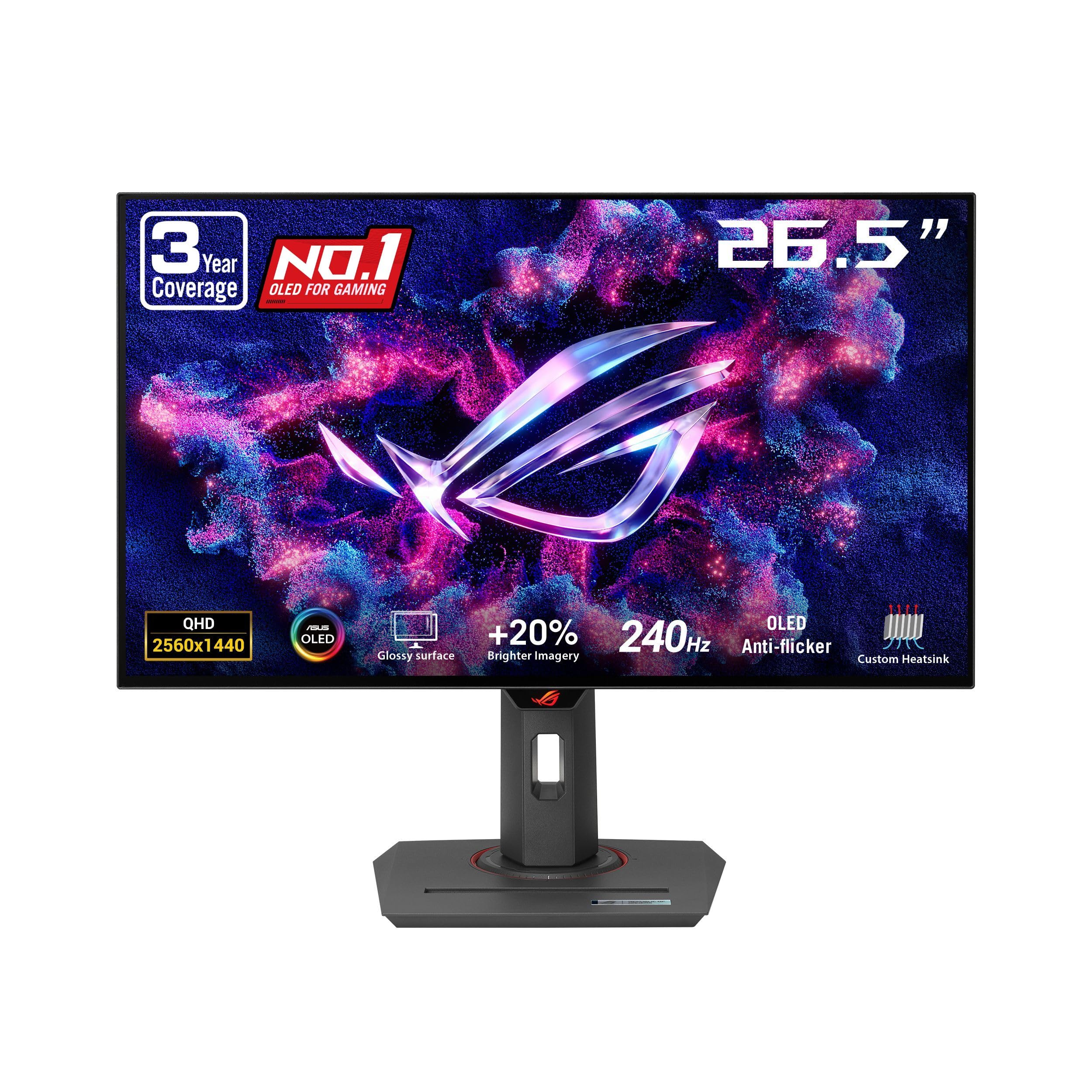
6. ASUS ROG XG27AQDMG Glossy OLED
A third-generation WOLED panel with a glossy coat — the one to pick if you read more than you shoot.
WOLED versus QD-OLED is the decision here, and ASUS leans into the WOLED strength. A third-generation WOLED panel is rated for brighter full-white windows and clearer text than earlier generations, and on a 2560 x 1440 26.5-inch screen that text clarity is the difference between comfortable spreadsheets and a faint fringing you cannot stop seeing. It runs 240Hz with a 0.03ms response time, covers 99% DCI-P3, and carries G-Sync Compatible plus FreeSync Premium support.
The gloss finish is polarizing by design — it makes color look wet and saturated, and it also makes a window reflection more obvious. If your desk layout puts no light source behind you, gloss is the better-looking option. ASUS backs it with a custom heatsink, an advanced airflow design, and OLED Care routines, plus a 3-year warranty that names burn-in coverage. That warranty is the strongest anti-anxiety feature on this whole page.
Deep blacks and the glossy finish are what people react to most. The honest counterweight is image retention and long-term panel health — some buyers report marks appearing early, so run the OLED Care settings rather than switching them off. A uniform brightness setting is available if you want consistent luminance across the screen instead of a bright spot in the middle.
dim room fit: a mixed work-and-play desk where text clarity and a saturated glossy image both count.
glare haters: you want to leave static toolbars up all day and never think about panel care.
7. ASUS ROG Strix XG27ACDNG QD-OLED
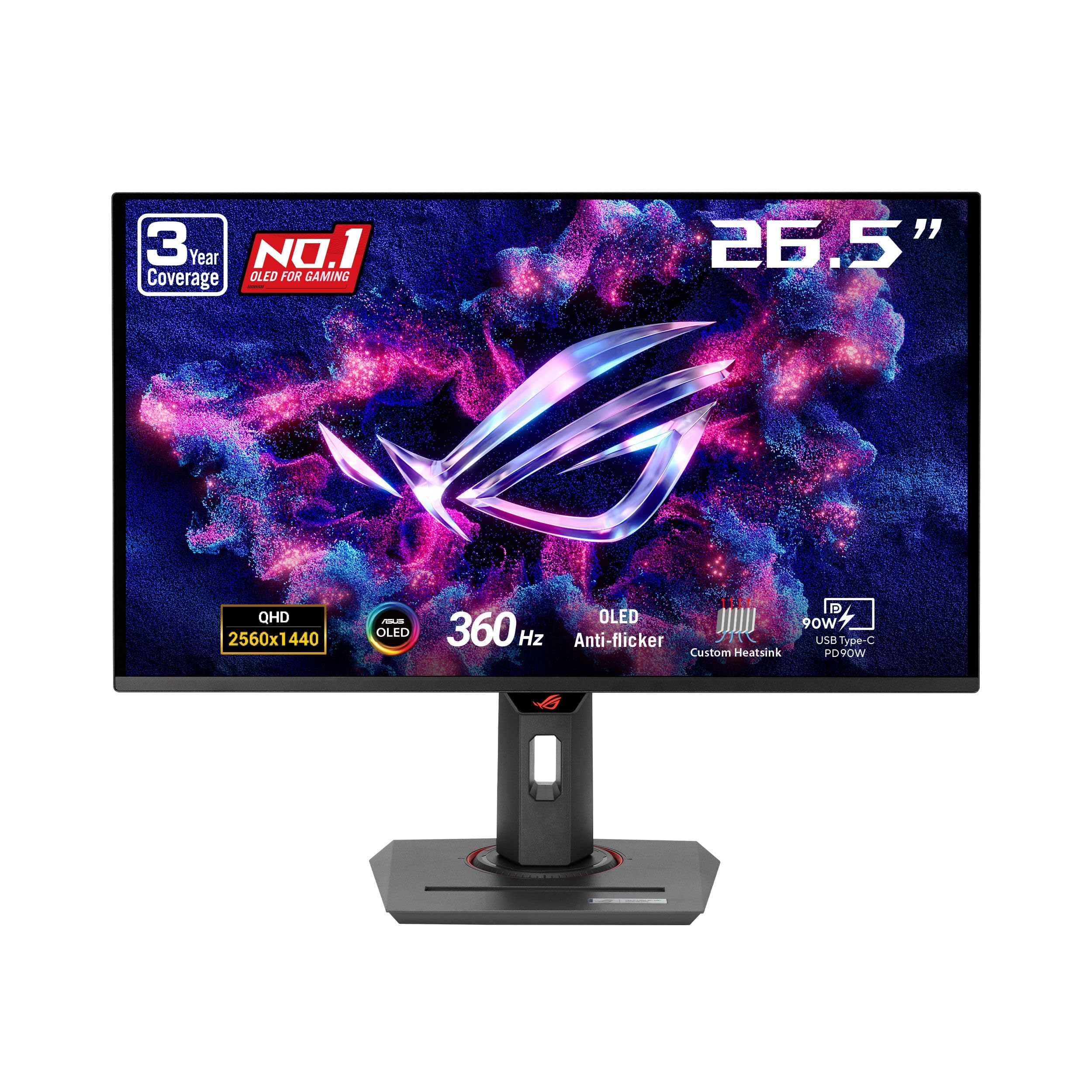
360Hz QD-OLED speed with a burn-in-covered warranty and true 10-bit color behind it.
The spec stack here is dense, so start with the warranty. ASUS covers this monitor for 3 years with ARR and burn-in coverage, and that single line changes the risk math on an OLED purchase — you are not personally underwriting the panel’s aging. Behind it sits a 26.5-inch QD-OLED at 2560 x 1440 with a 360Hz refresh rate and 0.03ms response time, VESA DisplayHDR 400 True Black, 99% DCI-P3, true 10-bit color, and Delta E < 2 accuracy.
ASUS adds its OLED Anti-flicker technology, which targets the flicker that can appear when adaptive refresh rates swing — a specific fix for a specific annoyance. A custom heatsink and airflow design keep heat away from the pixels, and DisplayWidget Center software lets you reach the OLED Care settings with a mouse instead of digging through a joystick menu. One gap worth naming: the listed contrast ratio is 4000:1, far lower than the 1,500,000:1 figures the MSI panels on this list carry, so treat the black-level claim on paper with a raised eyebrow and judge it on the panel in front of you.
Vibrant color, inky blacks, and snappy response come through as the parts owners love, and the text clarity is repeatedly called out as ahead of cheaper WOLED screens. The counterweight is stability — random black screens and anti-flicker behavior that occasionally blanks the display are the recurring complaints. Buy from a seller with a straightforward return policy and the 3-year coverage does the rest.
feature-rich fit: a buyer who wants 360Hz speed but refuses to take the burn-in gamble without a warranty behind it.
budget shoppers: you have seen anti-flicker blanking on other panels and know it would drive you up the wall.
8. Samsung Odyssey OLED G6 (G60SD)

A pulsating heat pipe inside a monitor — Samsung’s answer to burn-in is genuinely unusual hardware.
The engineering claim is the hook. Samsung put a Pulsating Heat Pipe into this monitor, a loop that evaporates and condenses a coolant to move heat off the panel, and states it diffuses heat 5x better than the older graphite sheet method. Paired with a Thermal Modulation System that predicts surface temperature and adjusts brightness to compensate, this is the most elaborate burn-in defense on the list. The panel itself is QD-OLED at 2560 x 1440 with a 360Hz refresh rate and 0.03ms response time, plus AMD FreeSync Premium Pro for tear-free variable refresh.
Samsung also carries over the practical touches: Logo and Taskbar Detection dims static elements automatically, and a Screen Saver dims the display after 10 minutes of inactivity. The design is genuinely slim at just 3.9mm at its thinnest point, and CoreLighting ambient lighting lets you match the backlight to the room. Glare Free technology keeps reflections down so the blacks read clean even in a lit office.
Owners love the deep blacks, vivid color, and sharp text, and 360Hz motion hits hardest for anyone upgrading from 144Hz. What gives people pause is build feel and durability, particularly the input-toggle button, which has cracked on more than one unit within weeks. Treat that button gently and the panel is the star.
balanced color accuracy: the pulsating heat pipe and thermal modulation make this the most deliberately cooled panel here, and 360Hz on a 3.9mm-thin chassis looks the part on a desk.
burn-in caution needed: the input-toggle button is the weak point in owner experience — use the remote or the software route where you can.
mixed-use winner: buyers who want the most advanced cooling design on this list and a slim, striking monitor on the desk.
static screen worry: you have already broken a monitor’s physical menu button and know the frustration.
9. Alienware AW2725DF QD-OLED

A 360Hz QD-OLED with DCI-P3 99.3% coverage and a factory calibration report in the box.
This one is aimed at the person who switches between editing and ranked play without changing desks. A 26.7-inch QD-OLED at 2560 x 1440 delivers DCI-P3 99.3% color coverage with Delta E < 2 accuracy, and Alienware ships a factory calibration report so you know what the panel actually measured before it left the factory. Add a 360Hz refresh rate and 0.03ms grey-to-grey response time and the panel serves both jobs at once.
The contrast and brightness story is worth a line of its own: Alienware lists an infinite contrast ratio with VESA DisplayHDR True Black 400, and a 1.5 million:1 figure at both SDR and HDR. In a dark scene the blacks are simply off, not dim grey, and the highlights in the same frame hold their detail. AMD FreeSync Premium Pro and VESA AdaptiveSync cover the tear-free side, and the stand offers height, tilt, swivel, and pivot adjustment.
Owners describe the image as beautiful and the 360Hz performance as the reason they stopped noticing their old screen. The recurring gripe is the finish — the panel scratches more easily than expected, and brightness is judged dim by some eyes. Keep the included microfiber cloth handy and this screen treats you well. The three-year burn-in coverage is the quiet reassurance under the whole purchase.
Alienware design polish
- DCI-P3 99.3% and Delta E < 2 with a factory calibration report included
- 360Hz and 0.03ms for competitive play on the same panel
- Full height, tilt, swivel, and pivot adjustment
- Three-year burn-in coverage to back the panel
careful pixel upkeep
- The surface is scratch-prone — handle and clean with the cloth provided
- Brightness reads dim to some buyers, so a sunlit room is not its home
desk centerpiece: an editor’s dual-use workstation where color accuracy and 360Hz both earn their place.
small space setups: anyone who keeps a monitor in a bright room or treats their screen carelessly.
10. GIGABYTE AORUS FO27Q2 QD-OLED
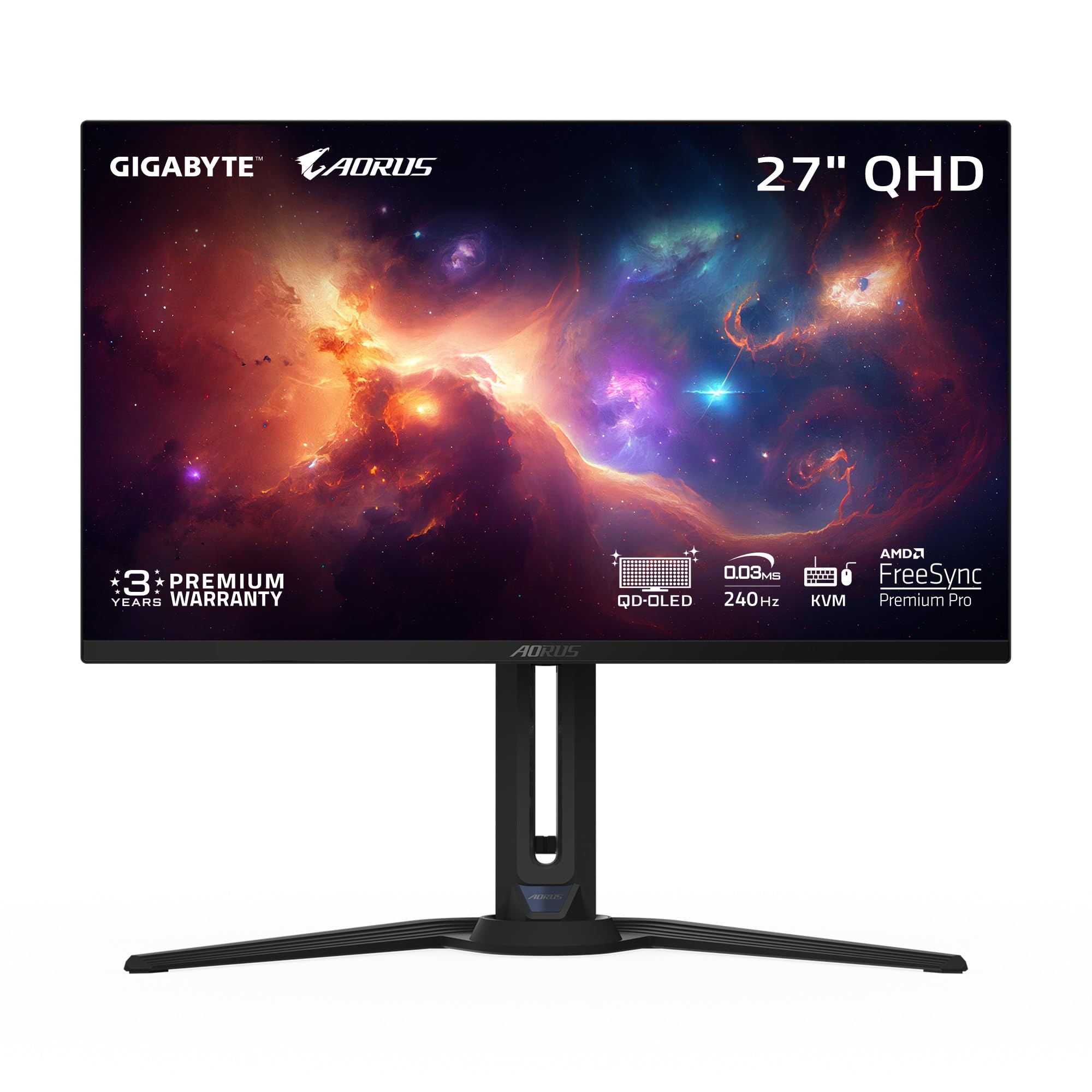
A built-in USB-C KVM is the feature you cannot get on most of the screens above this pick.
If you run a work laptop and a gaming desktop off one monitor, this is the panel that solves it. A USB-C KVM switch lets you jump between two connected machines with the same keyboard and mouse, so you are not swapping cables every morning. Around that sits a third-generation QD-OLED panel at 2560 x 1440 with a 240Hz refresh rate and 0.03ms grey-to-grey response, plus a 1.5M:1 contrast ratio and 99% DCI-P3 coverage at 10-bit color depth.
GIGABYTE handles burn-in with an AI-based algorithm inside its OLED Care suite, running in the background and adjusting as you go. The panel carries VESA DisplayHDR True Black 400 and a VESA ClearMR 13000 motion-clarity rating, and the OSD is organized well enough that you are not hunting for basic settings. Inputs cover HDMI, DisplayPort, and USB Type-C, with height adjustment on the stand.
Display quality is the part buyers talk about most, and the brightness is bright enough that the low ambient setting is not the one you will use. The concern is longevity — this pick has the thinnest ownership record on the list, and there are accounts of a screen going black after a few months of use. The 3-year warranty including burn-in coverage is the answer GIGABYTE offers, and it is a real one, but confirm the terms for your region before you commit.
tinker-friendly choice: a USB-C KVM solves a daily cable headache and you want a 3-year burn-in warranty alongside it.
set-and-forget folks: you want the longest real-world track record — the ownership base here is the smallest in this list.
Know the Specs
QD-OLED vs WOLED
QD-OLED uses a quantum-dot layer to convert light into very saturated color, so reds and greens look punchy and blacks drop to true black. WOLED uses a white OLED layer behind a color filter, which tends to produce cleaner small text and more even greys. Neither is better in every case — pick QD-OLED for color volume and gloss, WOLED for text-heavy work and grey uniformity.
Response Time (GtG)
Grey-to-grey response time measures how fast a pixel changes shade. A 0.03ms figure like the ones on these panels is so short that motion blur from the pixel itself is effectively gone — what remains is whatever your frame rate and the panel’s refresh rate allow. It is the number that stops fast pans from leaving ghost trails.
Refresh Rate
Refresh rate is how many times per second the screen redraws, in Hz. 240Hz means 240 redraws a second, 280Hz slightly more, and 360Hz more again. The payoff only lands if your graphics card can feed frames at that pace at 1440p — otherwise the panel spends time waiting.
HDR Certification
VESA DisplayHDR True Black is the OLED-specific HDR standard, and the number after it (400 or 500) sets a brightness floor for the certification. Higher tiers ask more of the panel, which is why True Black 500 on the LG pick carries more weight than the 400-tier badges elsewhere.
Common Questions
Will a 1440p OLED look blurry if I sit close for spreadsheet work?
How long does burn-in protection actually take to work on these monitors?
Do I need a graphics card that can hit 360Hz at 1440p to justify a 360Hz panel?
Is QD-OLED better than WOLED for gaming or for work?
Can I use a QHD OLED monitor with a PS5 or Xbox Series console?
What warranty coverage should I expect on a 1440p OLED panel?
Will my monitor flicker when the refresh rate swings during games?
Do these monitors come with the cables I need in the box?
What is the difference between 0.03ms response time and refresh rate?
Can I mount one of these 1440p OLED monitors on an arm or wall bracket?
Are the built-in speakers good enough to skip a separate pair?
The Bottom Line
For most people shopping for the qhd oled monitor, the Samsung 27″ Odyssey OLED G6 (G61SH) is the one to buy because it balances 240Hz QD-OLED speed, Glare Free coating, and an adjustable stand at a price that undercuts most of this list — and it holds the highest score of any pick here. If bright-room HDR is the goal, the LG 27GX700A-B reaches the highest brightness tier in this lineup with DisplayHDR True Black 500. When a single desk has to serve a work laptop and a gaming rig, the GIGABYTE AORUS FO27Q2 and its USB-C KVM is the practical reach.
Whatever you pick, run the OLED Care routines, keep static toolbars off the screen when you step away, and buy from a seller whose return window gives you a few weeks to catch a bad panel. A 1440p OLED is a long-term purchase — use the first two months to catch a bad panel while the return window is still open.
How we choose
We do not accept paid placement. Every pick is matched to a real buyer and a real use-case; we do not hands-on test units.
Sources
Specifications: manufacturer listings and product documentation. Review insights: verified customer reviews, as of November 2026. Pricing: not shown on this page (it changes often); check the current price via the retailer link.
As an Amazon Associate, Tactical Gear Guy earns from qualifying purchases. This does not affect which products we feature.