Specs are compiled from manufacturer listings and verified buyer reviews and can change over time — please confirm the key details on the product page before buying.
You want a picture nobody has to squint at. That is the whole job. A conference room projector has to survive overhead lighting, open blinds and a room full of people who need to read the small print on a spreadsheet. Brightness and resolution decide whether your meeting works or turns into a dim, apologetic slideshow. Below are eleven models that actually clear that bar, sorted by what they do best.
This guide is built by comparing the manufacturers’ published specifications and the patterns across verified customer reviews, so you get each pick’s real strengths and trade-offs instead of marketing spin.
Brightness in lumens, native resolution and how you connect your laptop matter more than any single feature, and the picks below are grouped by which of those three they win at. Read on for the projector for conference room picks that hold their picture under real office lighting.
Top Picks
How To Choose The Best Projector for Conference Room
The mistake most buyers make is buying a projector for a dark living room and then hanging it in a bright meeting space. Conference rooms are hostile to projection: ceiling lights blaze, windows leak daylight, and nobody dims anything because people need to take notes. Every choice below flows from fixing that one problem first.
Start with brightness, not features
Brightness is measured in lumens, and it is the single number that decides whether your slides stay readable with the lights on. A conference-room projector generally wants to sit well above the dim-home-cinema class, because ambient light washes out weak output fast. The 4,000-lumen and 5,500-lumen models here are built for exactly that fight; the brighter the room, the more lumens you should insist on.
Native resolution versus “supported” resolution
Look for the words “native” or a resolution printed as pixels, such as 1920 x 1080. That is how many real dots the projector draws. A model that lists a higher number as “supported” is usually shrinking a signal down to its own panel, and fine spreadsheet text is the first thing to go soft. For a room where people read figures from the back row, native 1080p is the sensible floor.
Laser light source versus lamp bulb
A laser projector (a light engine that uses a solid-state laser instead of a bulb) runs for thousands of hours without a replacement lamp. A lamp projector is typically cheaper up front and needs a new bulb eventually. If the projector hangs from a ceiling and runs every workday, laser removes the maintenance headache; if it lives on a cart and comes out occasionally, a lamp model is still a fair call.
Connecting laptops, phones and the room’s AV system
Dual HDMI ports are worth hunting for, because they let two sources stay plugged in at once — the room PC and a guest laptop, for instance. Wireless screen mirroring over Miracast or AirPlay saves passing a cable around the table, though it is the feature buyers report the most inconsistency with. Ethernet and RS232 control matter if the room has a fixed AV rack and a control panel.
Throw distance and ceiling placement
Throw ratio (the relationship between how far the projector sits from the screen and how big the image lands) decides whether the unit can live at the back of a small room. A short-throw model fills a big screen from close range, which keeps the presenter out of the beam. Check the number before you commit to a ceiling mount — moving a projector after installation is nobody’s idea of a good afternoon.
Side-by-Side Comparison
| Model | Best For | Brightness | Native Resolution | Light Source | Amazon |
|---|---|---|---|---|---|
| Epson Pro EX11000★ Best Overall | Bright rooms and all-day use | 4,600 lm | 1920 x 1080 | Laser | Amazon |
| GOODEE 4K Smart ProjectorMost Versatile | Hybrid meeting and movie room | 4,000 lm | 4096 x 2160 | LCD | Amazon |
| ViewSonic PA503XBudget Champion | Everyday presentations on a budget | 4,000 lm | 1024 x 768 | DLP lamp | Amazon |
| Epson EpiqVision Flex CO-FH02 | Portable presentations with built-in apps | 3,000 lm | 1920 x 1080 | LCD | Amazon |
| BenQ MW632ST | Small rooms and tight throw distances | 3,200 lm | 1280 x 800 | DLP lamp | Amazon |
| ViewSonic LS740HD | Boardrooms and lecture halls | 5,500 lm | 1920 x 1080 | Laser | Amazon |
| ViewSonic LS741HD | Installed rooms running 24/7 | 5,000 lm | 1920 x 1080 | Laser | Amazon |
| JMGO IRIS Ultra Max | Boardroom by day, gaming by night | 6,500 lm | 3840 x 2160 | Laser | Amazon |
| Hisense XR10 | Premium boardrooms and screening rooms | 6,000 lm | 3840 x 2160 | Triple laser | Amazon |
Detailed Reviews
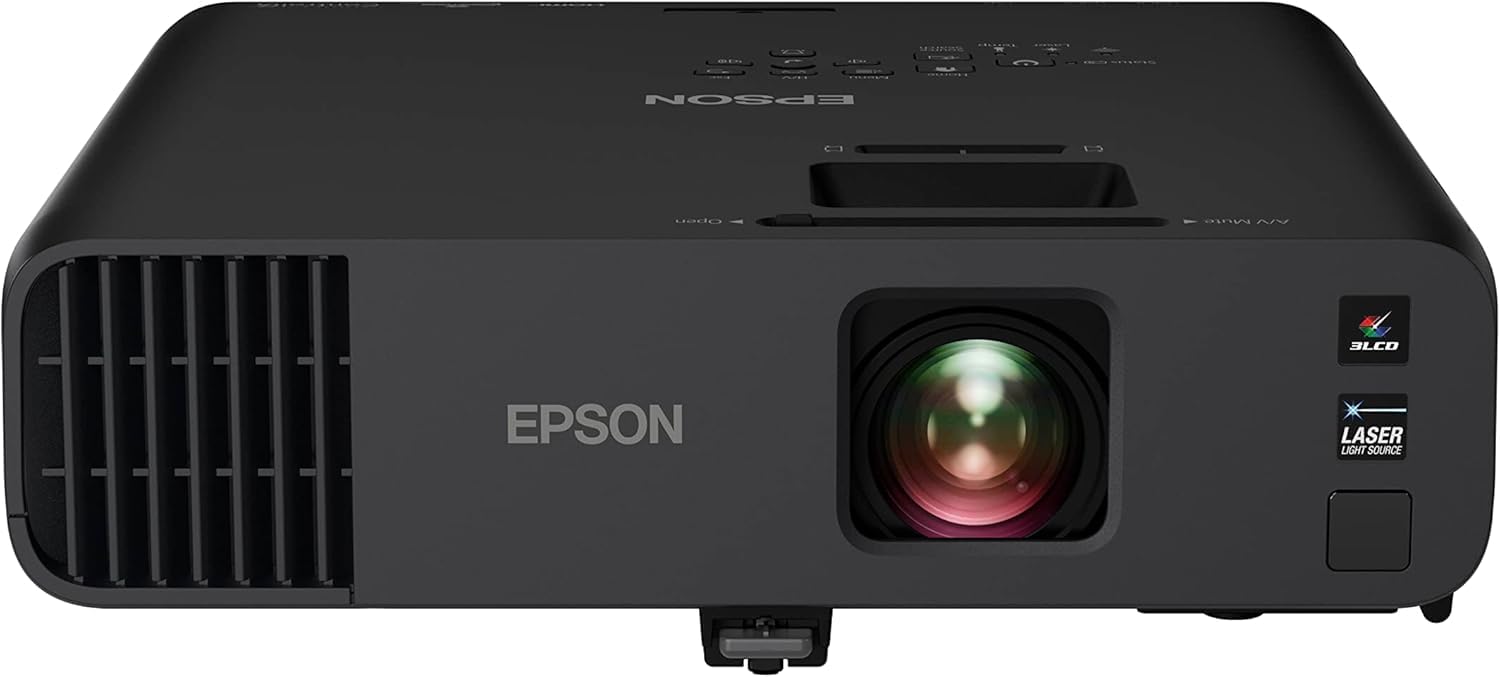
1. Epson Pro EX11000 3LCD Laser Projector
Our pick — 4.5+★ from 150+ verified ratings; the strongest balance of quality and price.
The one that keeps spreadsheet text readable with every overhead light on.
The headline is 4,600 lumens of color and white brightness — the raw light output that decides whether your slides survive a lit room. That figure is what makes this the pick for spaces where nobody wants to close the blinds. It also beats the GOODEE’s 4,000 lumens in the same side-by-side, so the Epson holds the brighter image when windows are open behind the screen. The crowd favorite here sits at 4.5+ stars across a few hundred owners, and what wins people over is sheer performance — the projector simply does what a business machine is supposed to do, day after day.
The light source is a laser, rated by Epson for up to 20,000 hours of operation with no bulbs to replace. For a projector bolted to a ceiling and running through every workday, that means years of use without a maintenance visit or a lamp order. Resolution is full HD at 1920 x 1080, and Epson says it scales images up to 300 inches — the kind of screen where a 12-point table becomes readable from the back corner. Three-chip 3LCD also means the color signal is delivered whole in every frame, so you avoid the rainbow fringing some single-chip designs produce on white text.
Connections cover the basics well: dual HDMI for a room PC plus a guest laptop, USB power for a streaming stick, Ethernet, and Miracast for wireless mirroring. That wireless side is the one place buyers split — some rooms link up instantly, others fight with HDMI handshakes and network setup. Budget a few minutes of setup testing before the first real meeting. Everything else, from the 100,000:1 contrast figure to the manual zoom and focus dials, is straightforward and honest office hardware.
Where this one earns the ceiling mount
- 4,600 lumens keeps slides visible with lights on and blinds open
- Laser rated to 20,000 hours — no bulb swaps in a daily-use room
- Dual HDMI plus Ethernet, USB and Miracast cover most meeting-room sources
- 3-chip 3LCD avoids rainbow fringing on white text and thin fonts
What to sort before the first meeting
- Wireless mirroring is the inconsistent part — test it before you rely on it
- Zoom, focus and proportion are manual dials rather than motorized
Built for: the meeting room that runs all day with the lights up and a projector nobody wants to babysit.
Think twice if: wireless casting is your only input plan — this is the one area the reviews flag as hit-or-miss.
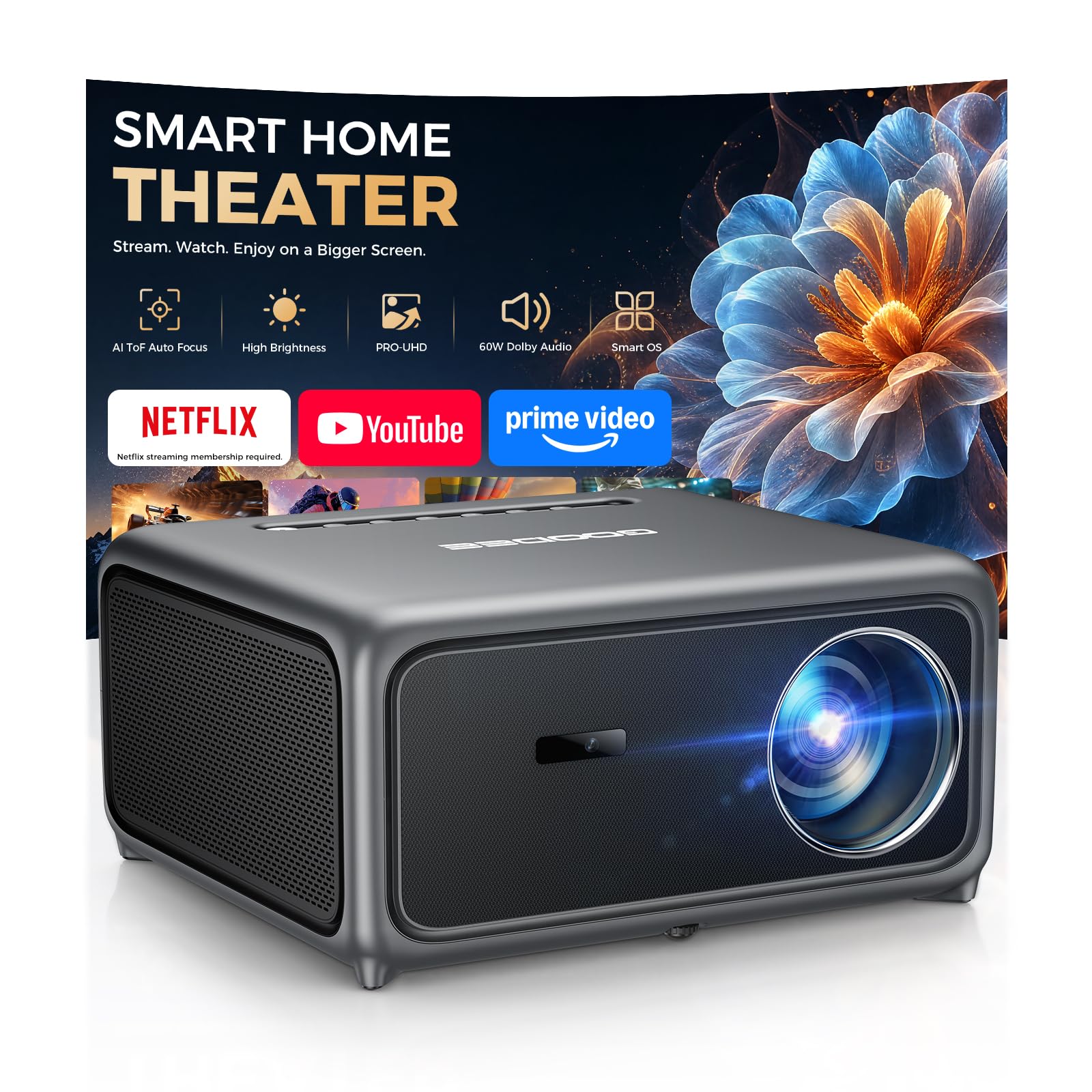
2. GOODEE 4K Smart Projector
Set it down, point it at the wall, and its ToF sensor squares and focuses the image without you touching a dial.
Most office projectors make you fiddle with keystone and focus every time somebody nudges the cart. This one uses AI ToF autofocus — a Time-of-Flight sensor that bounces light off the wall to measure distance and snap the image sharp automatically. It layers in automatic keystone correction, screen alignment and obstacle avoidance, so a presenter who moves the unit between meeting rooms gets a squared, focused picture without hunting for adjustment wheels. Own it as the hybrid pick: it clocks 4000 lumens for daytime work and doubles as a movie projector after hours.
Resolution is where you need to read carefully. The panel is listed at 4096 x 2160 pixels, and that is a genuinely higher native figure than the 1920 x 1080 of the Epson Pro EX11000 above. What that extra detail really buys you is finer text and sharper downscaled 4K content — useful when a dashboard with tiny figures is on screen. Contrast, though, is the trade: the GOODEE lists 2000:1 against the ViewSonic PA503X’s 22000:1, so dark-room blacks are shallower on this one. Pair brightness with the fact that its Smart OS carries Netflix, YouTube and Prime Video natively, and you have a machine that skips the streaming stick entirely.
WiFi 6 and Bluetooth 5.4 handle the wireless side, and Miracast covers screen mirroring from Windows and Android gear. There is a 60W Dolby Audio speaker setup onboard, loud enough that a room full of people hears the video without a soundbar. Sound and fan noise come in for praise in the reviews; the one split opinion is physical size — some buyers love the compact footprint, others find it bigger than the photos suggest. Check the shelf or ceiling bracket dimensions against the space before you order.
What the reviews settle on: owners consistently describe the build and picture as worth recommending, and setup as genuinely quick — the autofocus does most of the work a presenter would otherwise do by hand.
The honest split: a 2000:1 contrast figure means this is a bright-room workhorse, not a bat-cave cinema projector, and a few buyers find the body larger than expected.
Reach for this if: your space pulls double duty for presentations and evening entertainment, and you want the projector to straighten itself out.
Look elsewhere if: deep blacks and cinematic contrast in a dark room are the priority.
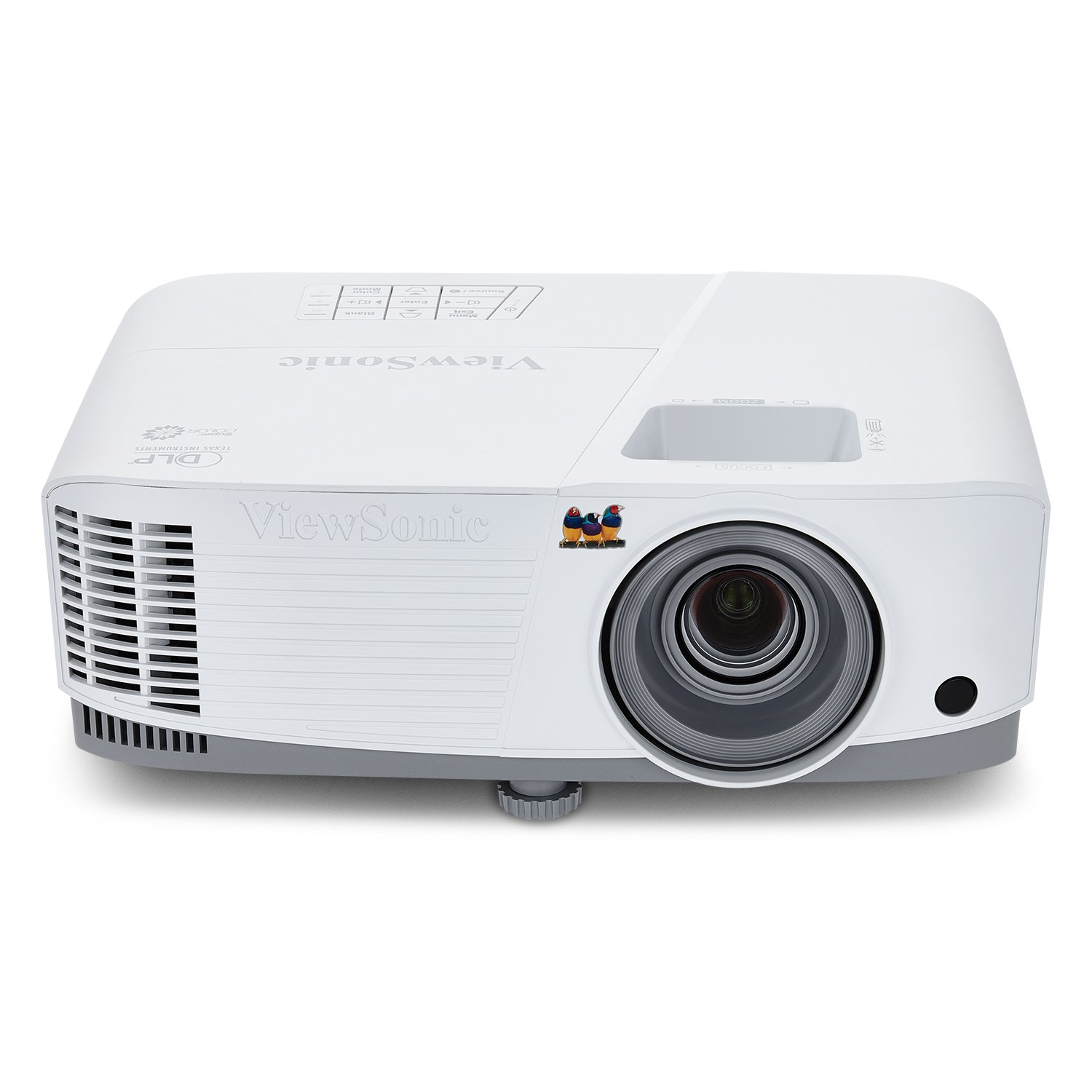
3. ViewSonic PA503X XGA Projector
The no-frills workhorse that puts a bright, crisp image on the wall for the least money.
Here is the value read: 4,000 ANSI lumens of brightness with a 22000:1 contrast ratio for a modest outlay. That contrast number is the standout, and it leaves the GOODEE’s 2000:1 far behind — meaning noticeably deeper blacks and richer shading in a lit-to-moderately-lit room. For a church hall, a training room or a small boardroom where the projector runs slides a few times a week, that combination is hard to argue with. One honest limit up front: the native resolution is XGA at 1024 x 768, which is fine for photos and large type but will soften very small spreadsheet text.
The DLP lamp inside also does something unusual for the class — a 16ms input latency (the lag between a signal arriving and the frame appearing) and a 120Hz refresh rate. So a video clip or a mouse scrolling across the screen stays smooth instead of smearing. ViewSonic’s SuperColor processing widens the color gamut for more lifelike visuals, and a 1.9-2.1 throw ratio fills an 80- to 150-inch screen from a sensible ceiling distance. The image stays visible in moderate room lighting, which is exactly the fight most meeting rooms pick.
Owners call this one a workhorse — crisp pictures that hold up with the lights on, reliable operation and simple controls. The recurring gripe is the little built-in speaker, which several describe as not loud at all, so plan on external audio for anything with sound. Keep in mind a lamp projector means a bulb replacement down the road, unlike the laser-equipped models higher on this list.
The case in one line: 4,000 lumens and a 22000:1 contrast ratio at the entry level is the sharpest brightness-per-dollar math in this lineup.
Your honest trade-off: XGA resolution and a quiet speaker mean this is a presentations machine, not a detail-critical or cinema setup.
Paired well with: classrooms, church halls and small boardrooms that need brightness without the premium tag.
Pass on it if: you need crisp small text on a big screen or built-in audio that fills the room.
4. Epson EpiqVision Flex CO-FH02 Projector
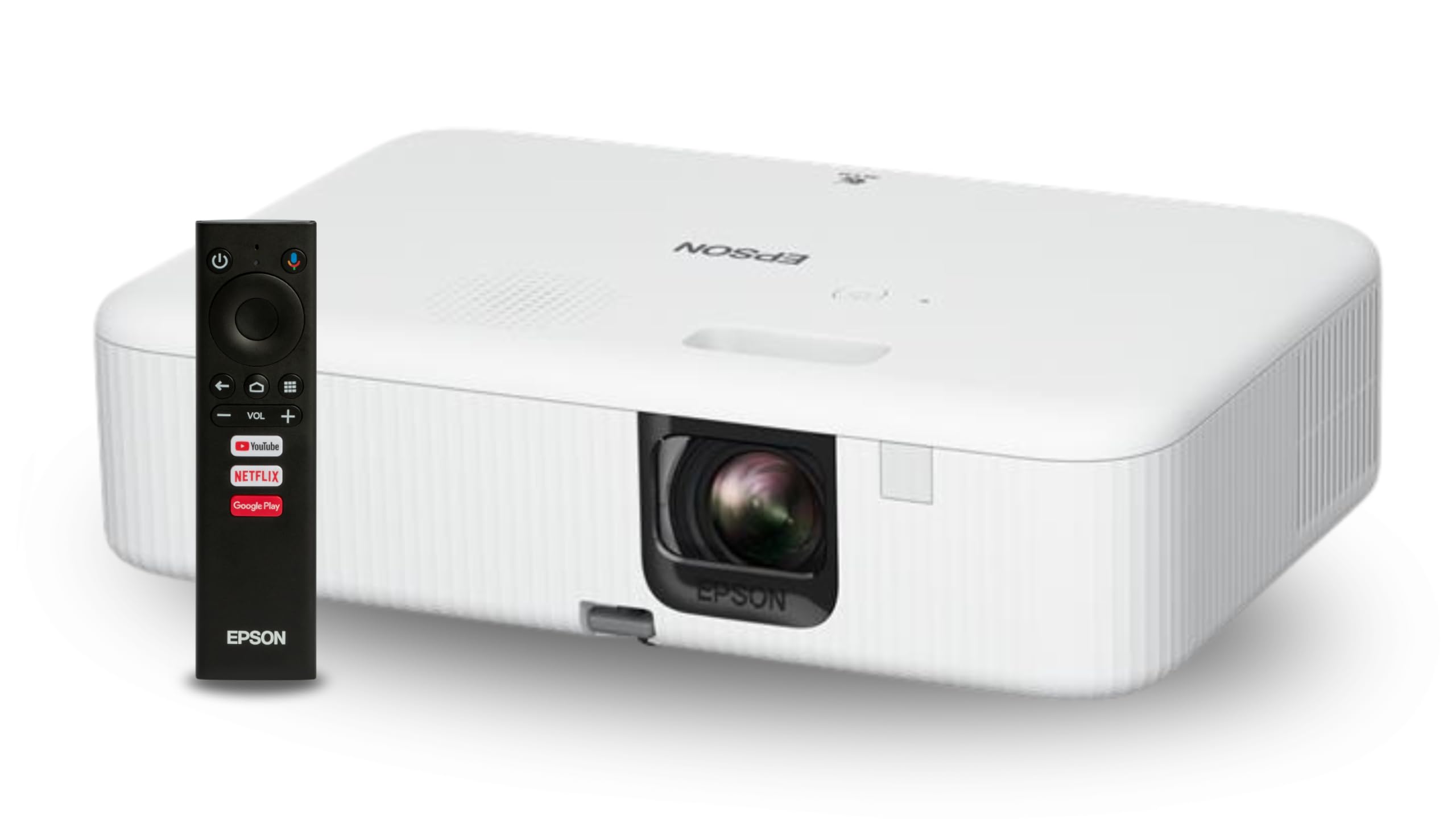
A full HD projector small enough for a backpack, with Android TV built in so it streams on its own.
If your “conference room” moves — a client’s office, a hotel meeting space, a pop-up training session — portability stops being a nice extra and becomes the whole spec. This Epson is built for that: a compact body that fits in a backpack, a built-in 5W speaker, and Wi-Fi plus Bluetooth on board. It drops to 3,000 lumens, which is below most picks here, so it is happiest in a moderately lit room or with the blinds partly drawn.
What it delivers for the size is real. Full HD 1080p at 1920 x 1080 projects up to 300 inches, and Epson says that is up to four times the viewing area of a 75-inch flat panel — enough to make a slide deck feel like a presentation rather than a phone screen. Android TV is built in, carrying Netflix, YouTube, Disney+ and Prime Video without a separate streaming device, so a road trip setup is projector plus wall. Three-chip 3LCD (a projection engine that uses three color chips) keeps colors accurate and free of the rainbow artifact some single-chip designs show.
Setup earns strong praise — owners describe it as quick to get running, with crisp, clear 1080p picture. The less comfortable reading is reliability, where experiences are split, with some units reported turning off intermittently. Sound is also mixed, and Bluetooth specifically draws complaints from buyers who expected it to pair cleanly. Treat this as a well-built portable for the travelling presenter, not a fixed-installation workhorse.
Why the travelling presenter likes it
- 1080p at 1920 x 1080 projects up to 300 inches
- Android TV built in — no streaming stick to pack
- Compact enough for a backpack with a 5W speaker and Wi-Fi onboard
- 3-chip 3LCD color without rainbow artifacts
Where it gives ground
- 3,000 lumens is the dimmest of the full HD picks here
- Reliability and Bluetooth pairing are the two areas buyers split on
Yours if: the room changes every week and the projector travels in a bag with a laptop.
Not ideal if: it hangs in one bright room and must run unattended for hours — that is a fixed-install job.
5. Epson Pro EX9270 3LCD Business Projector

Its 0.9 short-throw lens fills a big screen from the front of a tiny room — and keeps light out of the presenter’s eyes.
Short throw is the whole reason this BenQ exists. The 0.9 short-throw lens (a wide-angle design that spreads the image from close range) lets you fill a large screen from just a few feet away, so the presenter stands beside the projector rather than in its beam. In a tight meeting room or classroom where there is no back wall to mount from, that changes everything about placement. The WXGA 1280 x 800 panel delivers twice the resolution of SVGA for cleaner slides and photos.
Brightness sits at 3,200 lumens, and the reviews say it holds up in daylight better than that number might suggest — owners specifically praise the picture quality in daytime hours. A 12000:1 contrast ratio keeps colors vivid in a lit room. Lamp life is rated up to 10,000 hours, which BenQ frames as lasting over 10 years on a 2-hour-a-day presentation habit, and a 1.2x zoom plus keystone correction help square the image after installation. Two HDMI ports let a room PC and a guest laptop both stay wired.
The soft spots are worth knowing. The built-in speaker is genuinely divisive — described as fine by some, poor by others — so plan on external audio for videos. A handful of long-term owners mention the bulb giving out shortly past the warranty window, though many more call the lamp life solid. Pack the budget for a replacement lamp somewhere down the road, the same way you would for any lamp projector.
The reason it earns a slot: 0.9 short throw plus a 3,200-lumen image is a rare pairing for cramped rooms where a standard throw cannot reach the screen.
The one soft spot: audio is the weakest link, and a few long-term owners have needed a bulb replacement sooner than the rating suggests.
Best fit: small classrooms and tight meeting rooms with no room at the back for a projector.
Not the one for: a hall that relies on the built-in speaker for a full presentation.
6. ViewSonic LS740HD 1080P Laser Projector
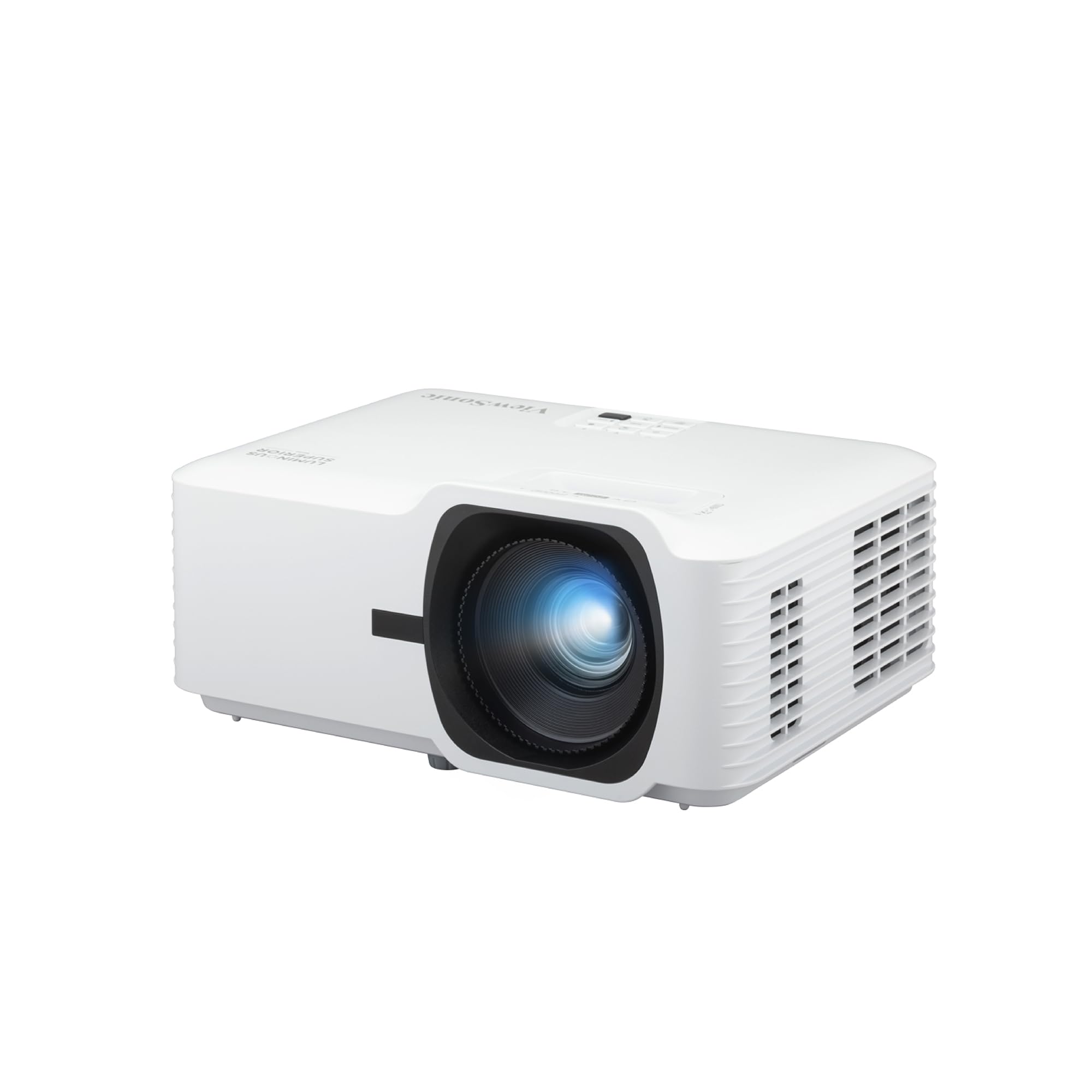
Five thousand five hundred lumens keeps slides punchy with the overheads on and daylight coming through the windows.
Boardrooms and lecture halls are where this ViewSonic belongs, and 5,500 ANSI lumens is the figure that lets it live there. In a room with the overheads on and daylight leaking through the windows, that output keeps slides punchy instead of washing them into gray. Full HD 1920 x 1080 sits behind it, with a 1.13-1.47 throw ratio that adapts to a range of mounting distances. A 30,000-hour laser phosphor light source in Dynamic Eco mode means years without a bulb change, which suits a permanently installed unit.
Laser means it also keeps the image at full clarity from a fixed ceiling mount without the dimming that lamp projectors show over their life. Ports are plentiful: dual HDMI 1.4 inputs, USB Type A, RS232 control and audio out, plus a built-in 15W speaker. Screen sizes run from 30 to 300 inches with 1.3x optical zoom, and H/V keystone, four-corner adjustment, portrait mode and 360-degree projection make it easier to place in awkward rooms. The 3000000:1 contrast figure is the standout on paper.
Owners lean on its picture as crisp, bright and quiet in operation — the kind of performance that fits a permanent install. The recurring honest note is color reliability: some report random orange flashes or poor contrast on certain units. Treat it as a straightforward, install-friendly laser that rewards a quick check on arrival. Nothing about its brightness or build is fragile, but a color sample on day one beats discovering an issue mid-presentation.
Why it suits a fixed ceiling mount
- 5,500 ANSI lumens holds slides in a lit boardroom
- 30,000-hour laser in Dynamic Eco mode — no lamp swaps
- Dual HDMI, RS232, USB and 15W speaker cover installed systems
- 360-degree projection, portrait and four-corner adjustment
Worth checking on arrival
- Color is the split feature, with a few units showing orange flashes
- Contrast in dark rooms is where some buyers feel it falls short
Right for: lecture halls and boardrooms where brightness trumps every other spec.
Look at a different pick if: accurate color in a darkened room is the main goal.
7. ViewSonic LS741HD 1080p Laser Projector

Engineered to stay on around the clock in rooms that never really go dark.
The rare spec here is the 24/7 operation rating. A laser projector built for continuous use suits the kind of room that runs from first meeting to late session, or a digital-signage wall in a busy office. At 5,000 ANSI lumens it holds a detailed image in bright classrooms and large meeting halls, and the native 1080p at 1920 x 1080 keeps text sharp on a big screen. With the 1.4-2.2 throw ratio, a 100-inch image lands from 10.2 feet away.
Setup depth separates it from simpler models. A 1.6x optical zoom lets you size the image without moving the projector, and H/V keystone (horizontal and vertical correction) plus four-corner adjustment square it in any mounting position. Portrait mode and 360-degree projection extend placement options further. Ethernet joins HDMI, USB and a 3.5mm audio jack for connectivity, and the 3000000:1 contrast figure backs up the laser engine’s clarity. A Golf Mode sharpens greens and blues for simulator setups if the room serves that purpose too.
Its track record is the smallest on this list, so the weight sits on the spec sheet rather than a long review history. What that means for a buyer is simple: if you need proven long-haul reliability with a deep user record, the bigger-viewed models are a safer read. If you need a laser that stays on, with the flexibility to mount in awkward spots, this is built around that exact job.
The standout spec: 5,000 lumens with a 24/7 operation rating, which is exactly the brief for an always-on conference room or signage wall.
The honest note: a thin review history means the specs do more of the talking than long-term owner reports.
Consider it if: the projector will run continuously, and placement in the room is awkward.
Hold off if: you want a long track record of owners before you commit.
8. JMGO IRIS Ultra Max Triple Laser Projector
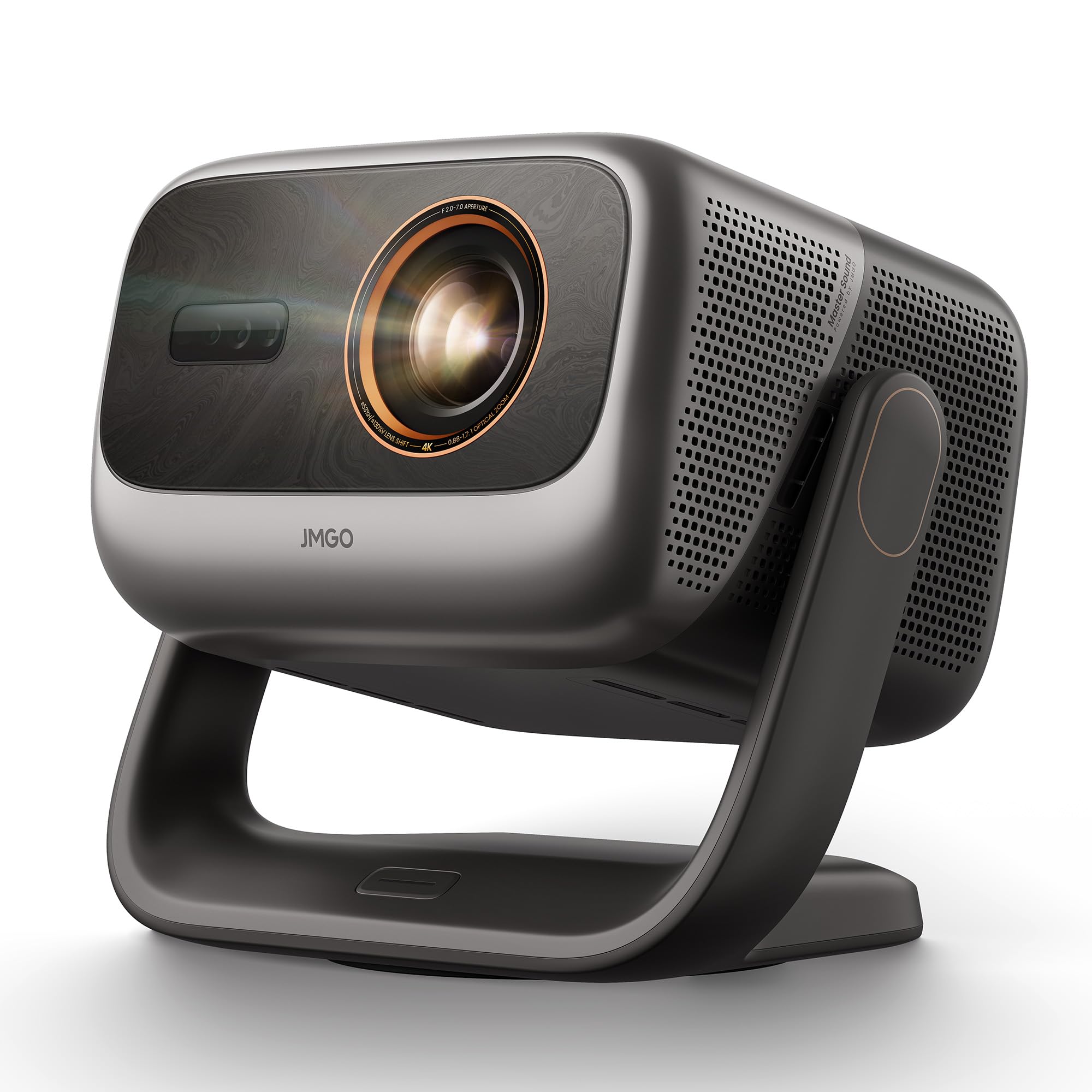
A boardroom projector that also runs 4K at 120Hz when the laptop closes.
This is where the picture jumps into another class. The panel is native 3840 x 2160, and that is double the 1920 x 1080 pixel count of the Epson Pro EX11000 above — meaning far finer detail on large dashboards, charts and video. Add 4K@120Hz support, VRR and ALLM, and a compatible console or gaming laptop gets smooth, low-lag action on the big screen. A 6,500 ISO lumen output and a dual-iris system rated at 10,000:1 native contrast give it both punch in a lit room and genuinely deeper blacks in a dim one.
The light engine is MALC 6.0 RGB triple laser (a light source that uses red, green and blue lasers), delivering 110% BT.2020 color coverage and ΔE≈0.7 color accuracy — plain terms, colors land very close to the intended values, and the triple-laser setup avoids the color fade of lamp designs. A motorized gimbal with 360° pan and 150° tilt, plus four-way lens shift (V ±130%, H ±53%) and a 0.88-1.7:1 optical zoom, make it easy to place in a room with awkward mounting points. Google TV, Netflix and Wi-Fi 6 handle the software side, and dual HDMI 2.1 inputs take the high-frame-rate sources.
The reviews are enthusiastic on performance, color and adjustability — Dolby Vision content especially draws praise. The honest split is brightness: a few owners find it not quite as bright in the flesh as the spec promises. Built-in 25W stereo speakers reach down to 35Hz for real room-filling audio, so a conference-call setup needs no add-on soundbar. Read the brightness caveat against your room’s lighting before you buy.
What defines it: 3840 x 2160 native at 120Hz with 110% BT.2020 color is boardroom-grade detail with a gaming pedigree.
The honest limit: brightness is where reviews split — some find it falls short of the headline figure in a very bright room.
The pick for: a dual-use room that needs a 4K picture for slides and smooth 120Hz for gaming.
Think twice if: every meeting happens under full glare and maximum brightness is the make-or-break.
9. Hisense XR10 Triple Laser 4K Projector
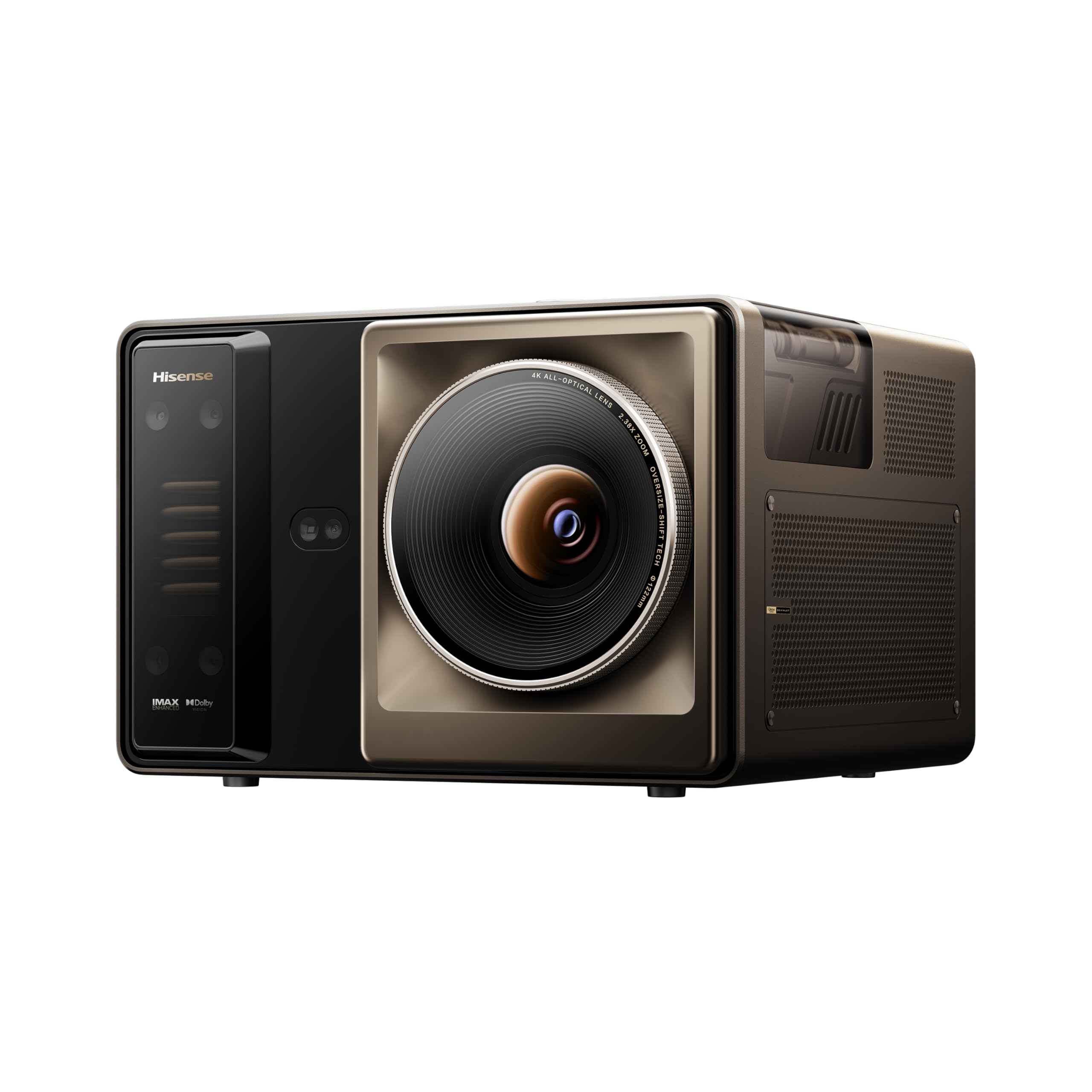
The premium room-filler: 6,000 lumens, Dolby Vision, and a glass lens built for detail.
Step up to the top of the shelf and brightness climbs again. 6,000 ANSI lumens peak brightness with dual laser light sources keeps a 4K image bright and clear even in a fully lit room, and a 6,000:1 contrast figure with a seven-level iris lets you dial the black level to your room’s light. Resolution is 3840 x 2160, and the 17-element all-glass lens is built to resist heat so fine detail stays true instead of soft or ghosted over time.
The feature list reads like a screening room: Dolby Vision, IMAX Enhanced with DTS:X, active 3D and VIDAA smart OS with 1,200+ apps. A 0.84-2.0:1 optical zoom with lens shift lets you position the image optically instead of physically moving the unit — handy when it lives in a ceiling mount. The liquid cooling system uses a single-tube, dual-channel design with leak-proof construction, and a triple-laser engine gives consistent color across the frame. Ports cover Bluetooth, Ethernet, HDMI and USB 3.0.
Owners describe the picture as rich and sharp, the graphics crisp and the setup quick. The one thing to read carefully is the brightness claim in the listing’s own review text, which references 3,000 lumens in one line — always go by the printed spec on the box for your room. Set that aside, and this is a premium conference-room projector that doubles as a home-cinema machine.
Where it earns its place at the top: 6,000 ANSI lumens with a 17-element all-glass lens, Dolby Vision and IMAX Enhanced is the most cinematic spec list on this list.
The honest caveat: brightness is a headline feature, so confirm the exact figure on the unit you receive against the printed spec.
The premium pick:
Better options exist if: you do not need 4K, Dolby Vision and a glass lens in one body.
Know the Specs
Brightness in lumens
Lumens measure how much light the projector throws at the screen, and in a conference room they decide whether your slides survive the ceiling lights. Dim-home projectors wash out the moment the blinds are open; the brighter models here — from 4,000 lumens up to 6,500 — are built to keep a spreadsheet readable from the back row. The higher the ambient light in your room, the more lumens you should demand.
Native resolution versus supported resolution
Native resolution is the number of real dots the projector draws, printed as pixels such as 1920 x 1080. Anything the listing calls “supported” is usually being shrunk down to the panel’s real count, and small text is the first thing to soften. For a room where people read figures at a distance, native full HD is the sensible floor; XGA and WXGA models work better for wide slides and photos than for dense tables.
Laser versus lamp light source
A laser light engine uses solid-state lasers and runs for thousands of hours without a bulb change, while a lamp projector needs a replacement lamp eventually. Laser models here are rated anywhere from 20,000 to 30,000 hours depending on the unit. If the projector hangs from a ceiling and runs every day, laser removes the maintenance visit; if it sits on a cart and comes out occasionally, a lamp model is still a fair choice.
Connectivity: HDMI, Miracast and AirPlay
Dual HDMI ports let a room PC and a guest laptop stay plugged in at once, which is the simplest way to keep meetings moving. Wireless mirroring over Miracast or AirPlay saves passing a cable around the table, though it is the feature customers note the most inconsistency with, since it relies on the room’s network. Ethernet and RS232 control matter when the room has a fixed AV rack and a control panel.
Contrast ratio
Contrast ratio describes how far apart the brightest white and deepest black can stretch, so a higher number usually means richer shadow detail and less gray haze. It matters most in a darkened room; in a bright boardroom, raw lumens win the fight. Compare the number only between models in the same setting — a 22,000:1 lamp projector and a 2,000:1 bright-room machine are built for different jobs.
Throw ratio and optical zoom
Throw ratio is the relationship between how far the projector sits from the screen and how large the image lands. A short-throw lens, such as the 0.9 on the BenQ, fills a big screen from a few feet away and keeps light out of the presenter’s eyes. Optical zoom lets you resize the image without physically moving the unit, which saves a lot of frustration once it is bolted to a ceiling.
Common Questions
How many lumens does a conference room projector need?
Will a 1080p projector make small spreadsheet text readable?
Laser or lamp projector for a room that runs every day?
Do I need a screen, or can I project on the wall?
Can I screen-share from a phone or Mac without a cable?
How far should the projector sit from the screen?
What is keystone correction and does it hurt picture quality?
Can these projectors handle video calls as well as slides?
Does a bright projector mean a louder fan?
Is native 4K worth it in a conference room?
The Bottom Line
For most rooms, the projector for conference room winner is the Epson Pro EX11000 because 4,600 lumens, full HD and a 20,000-hour laser cover brightness, sharpness and maintenance in one unit. If your presenters live on iPhones and Macs, grab the Epson Pro EX9270 for built-in AirPlay. And for a dual-use room, the JMGO IRIS Ultra Max brings 3840 x 2160 at 120Hz to the boardroom. One honest nudge: the top pick holds a 4.5+ star rating with a modest review count, so pair its spec sheet with the crowd-approved brightness of the ViewSonic PA503X if you want the most-reviewed value option.
How we choose
We do not accept paid placement. Every pick is matched to a real buyer and a real use-case; we do not hands-on test units.
Sources
Specifications: manufacturer listings and product documentation. Review insights: verified customer reviews, as of November 2026. Pricing: not shown on this page (it changes often); check the current price via the retailer link.
As an Amazon Associate, Tactical Gear Guy earns from qualifying purchases. This does not affect which products we feature.