Specs are compiled from manufacturer listings and verified buyer reviews and can change over time — please confirm the key details on the product page before buying.
You want a desktop that plays your games smoothly on day one without you learning what a chipset is. That is the whole promise of a prebuilt, and it holds up — as long as you match the graphics card to your monitor and check the power supply before you click buy. This guide walks you through every configuration worth owning, from entry-level 1080p towers to 4K monsters with liquid cooling, and it tells you plainly where each one fits.
This guide is built by comparing the manufacturers’ published specifications and the patterns across verified customer reviews, so you get each pick’s real strengths and trade-offs instead of marketing spin.
Most buyers overpay for a graphics card they cannot feed, or underpay for a power supply that fails in month two. The picks below sort that out — the configurations that hold up, explained in plain terms, so you can spot the real deal and the real risk in the best prebuilt PC.
Top Picks

How To Choose The Best Prebuilt PC
A prebuilt PC arrives fully assembled, with the graphics card, memory, storage, and Windows already installed. You plug it in, connect your monitor, and play. Three parts decide how it performs: the graphics card draws every frame you see, the processor runs the game’s logic and background work, and the power supply feeds both. Nail those three and the rest is detail.
Start with the graphics card, not the processor
The graphics card (also called the GPU) is the part that renders each frame. Its dedicated memory — the VRAM figure in gigabytes — is the number that decides whether you can run a game at higher texture settings. An 8GB card is the comfortable floor for modern 1080p play, while a 16GB card gives you room for 1440p and 4K. Paid attention to this one spec and you avoid the classic mistake of buying a fast processor bolted to a weak card.
Match the tower to your monitor
A tower aimed at 1080p gaming wastes money on a 4K monitor spec it will never hit. Likewise, a card built for 4K is wasted on a 1080p screen. Read the resolution each pick targets, then buy the monitor that matches. Matching card to monitor saves more than any coupon code.
Check the power supply and cooling
The power supply is the component most often skipped on prebuilts, and it is the one that decides whether your system survives a heavy gaming session. A rated 80 Plus Gold unit moves power more efficiently than an unbranded one. Cooling matters too: air coolers with multiple fans suit mid-range builds, while a 360mm liquid cooler (a sealed radiator filled with coolant) tames the hottest processors. Both matter, and both are listed per pick below.
Side-by-Side Comparison
| Model | Best For | Graphics Card | Processor | Memory / Storage | Amazon |
|---|---|---|---|---|---|
| CyberPowerPC Gamer Xtreme VR (GXiVR8060A40)★ Best Overall | All-round 1440p gaming | RTX 5060 8GB | Intel Core i5-13400F, 10 cores, 2.5GHz | 16GB DDR5 / 1TB NVMe | Amazon |
| Prebuilt Gaming Desktop PC (ZYNEEX)Best Entry Point | First build, editing, streaming | RTX 3050 6GB | AMD Ryzen 5 5500, 6 cores, up to 4.2GHz | 16GB DDR4 3200MHz / 1TB NVMe | Amazon |
| Olialia Gaming PC PrebuiltBest 1440p Value | 1440p on a tighter budget | RTX 3060 Ti 8GB | AMD Ryzen 5 5500, 6 cores, up to 4.2GHz | 16GB RAM / 512GB SSD | Amazon |
| iBUYPOWER Element SE (ESA5N3501) | Quiet everyday gaming | RTX 3050 6GB | AMD Ryzen 5 8400F, up to 4.7GHz | 16GB DDR5 4800MHz / 1TB NVMe | Amazon |
| HP OMEN 45L | Content creation plus gaming | RTX 3060 Ti 8GB | AMD Ryzen 7 5700X, 8 cores, up to 4.6GHz | 32GB DDR4 / 1TB PCIe SSD | Amazon |
| CyberPowerPC Gamer Master (GMA2900A2) | Stepping up to RTX 50-series | RTX 5060 Ti 8GB | AMD Ryzen 7 8700F, 8 cores, 4.1GHz | 16GB DDR5 / 1TB PCIe 4.0 | Amazon |
| Alienware Aurora | 4K gaming with light tinkering | RTX 5070 | Intel Core Ultra 7 265F, up to 5.3GHz | Air cooled (config varies) | Amazon |
| MSI Codex Z2 | Big VRAM for 1440p gaming | RTX 5070 12GB | AMD Ryzen 7 8700F, 8 cores, up to 5.0GHz | 32GB DDR5 / 2TB SSD | Amazon |
| The Horizon Autherium Dragon I9 | Heavy multitasking and editing | RTX 5070 OC 12GB | Intel Core i9 KF, up to 5.3GHz | 64GB RAM / 4TB total | Amazon |
| STORMCRAFT Phantom | High-refresh 4K play | RTX 5080 16GB | AMD Ryzen 7 9800X3D, up to 5.2GHz | 32GB DDR5 6000MHz / 2TB NVMe | Amazon |
| Skytech Gaming Desktop | No-compromise 4K build | RTX 5080 16GB | AMD Ryzen 7 9850X3D, up to 5.6GHz | 32GB DDR5 6000MHz / 2TB NVMe | Amazon |
Detailed Reviews
1. CyberPowerPC Gamer Xtreme VR Gaming PC (GXiVR8060A40)
Our pick — 4.5+★ from 600+ verified ratings; the strongest balance of quality and price.
The build that hits the balance between price and frames, with room to grow.
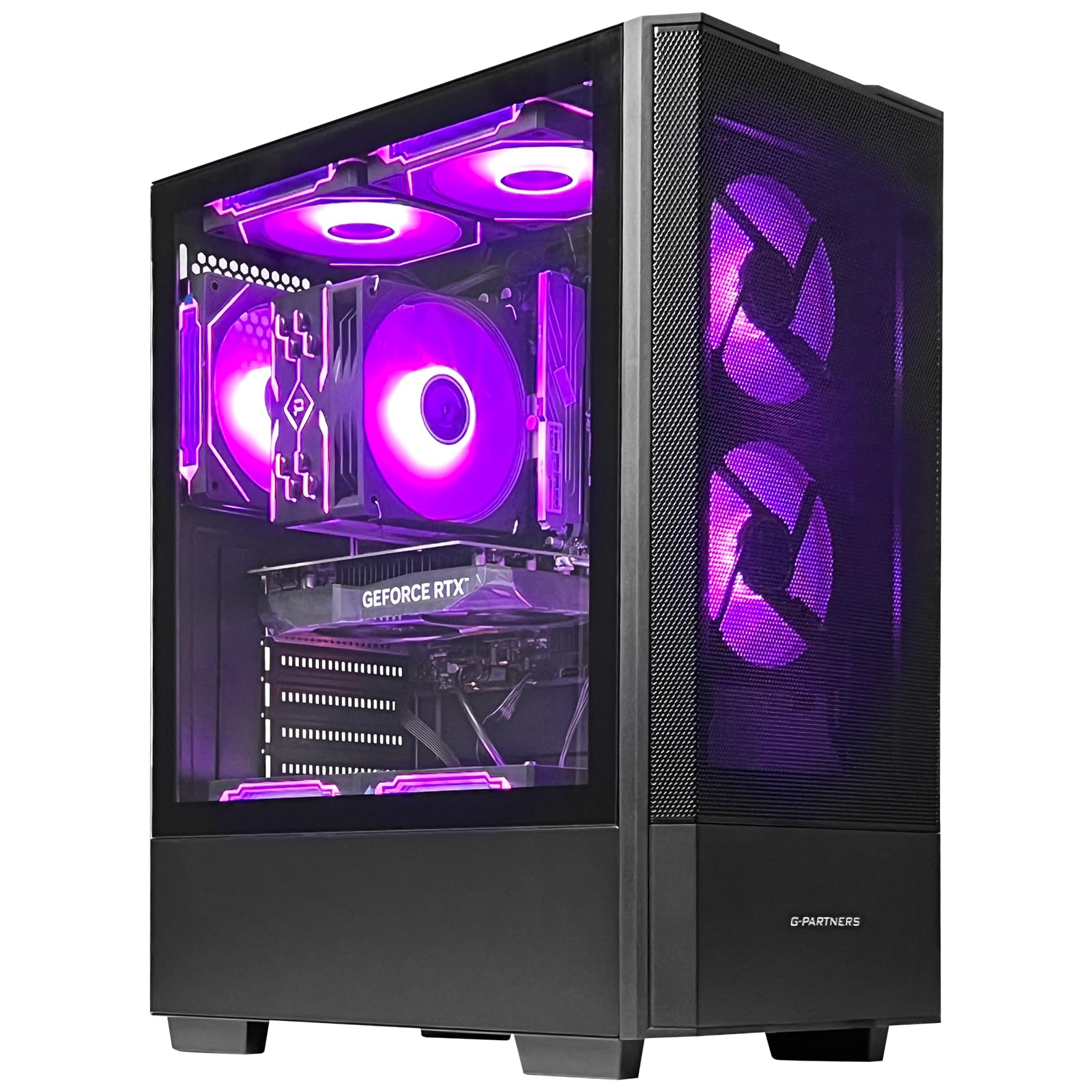
Here is the tower that makes the least sense to outgrow. It pairs a 10-core Intel Core i5-13400F processor with a GeForce RTX 5060 carrying 8GB of dedicated graphics memory — the working space a card uses for textures. That pairing earns it the top spot: enough GPU headroom for high-refresh 1080p and comfortable 1440p play, without paying for frames your monitor cannot show. The 16GB of DDR5 memory is the newer, faster generation of RAM (random access memory), so games load levels and swap assets quickly. Storage is a 1TB PCIe 4.0 NVMe drive, which is a solid-state drive that reads data far faster than a spinning hard disk.
What buyers report most is smooth, unfussy performance — the kind of system that runs an indie title without a stutter and holds high frame rates in Fortnite. Setup is the quiet surprise: multiple buyers call it plug-and-play, with a keyboard and mouse in the box. The 16GB DDR5 figure also sits well against the cheaper DDR4 builds here — this tower has double the memory of the Olialia Gaming PC Prebuilt and the ZYNEEX desktop, both of which run 16GB DDR4. Cooling uses standard air, and owners note it runs quiet under load.
The honest catch is that 8GB of VRAM is a ceiling you will feel if you chase maximum texture settings at 1440p in the newest AAA releases. It is not a defect — it is the line between “play everything well” and “max out everything.” At 1080p or 1440p on sensible settings, this tower earns its price. And the 1-year parts and labor warranty plus lifetime tech support softens the risk of a first-week hiccup.
RTX 4060 value build
- RTX 5060 8GB graphics card handles high-refresh 1080p and solid 1440p play.
- 10-core Intel Core i5-13400F processor keeps background tasks from dragging frames.
- 16GB DDR5 memory outruns the DDR4 builds further down this list.
- 1TB PCIe 4.0 NVMe SSD loads games fast and leaves room for a library.
- WiFi 6 and Bluetooth 5.3 built in, so no dongle hunting.
- 1-year parts and labor warranty with lifetime tech support.
single-fan noise
- 8GB VRAM limits the highest texture settings at 1440p in the newest titles.
- Air cooling only — a hotter processor upgrade path would want liquid.
- 16GB RAM is fine for gaming but tight if you edit video alongside it.
starter pick: Buy this if you want a balanced 1080p/1440p tower that will not need replacing in two years, with a warranty to lean on.
upgrade path: If you plan to max out texture settings at 1440p in the newest AAA games, step up to a 12GB or 16GB card.
2. ZYNEEX Gaming Desktop PC
A complete starter tower that does 1080p and 4K editing without fuss.
If this is your first desktop, this is where the learning curve flattens. The AMD Ryzen 5 5500 runs 6 cores and 12 threads (threads are the queues each core can work through), boosting up to 4.2GHz. The graphics card is a GeForce RTX 3050 with 6GB of GDDR6 memory — GDDR6 being the fast, purpose-built memory graphics cards use. That combination is honest about its target: high-frame-rate 1080p play with ray tracing (a rendering technique that simulates real light reflections) switched on. It is not a 1440p monster, and it does not pretend to be.
The 16GB of DDR4 3200MHz memory and 1TB NVMe SSD are the parts that make it feel quicker than its price suggests. DDR4 3200MHz tells you the memory’s generation and rated speed, and NVMe is the newer, faster way an SSD talks to the rest of the PC — so Windows and games open fast. Owners describe the setup as easy and the performance as excellent for gaming. The ARGB air cooling system runs multiple fans, and the brand touts low noise during long sessions, which matters when the tower sits on your desk.
The trade-off you should know: 6GB of VRAM is a tight floor for the very newest games at higher texture settings, and 16GB of DDR4 will feel snug if you stream and edit at the same time. Neither is a flaw at this tier — they are the reasons it costs less. For a first gaming PC, or a second desktop for editing and schoolwork, the balance is sound.
Ryzen 5 5500 pairing: A 1TB NVMe drive (fast solid-state storage) and 16GB of DDR4 3200MHz memory keep typing, browsing, and game loading feeling quick. The RTX 3050 6GB graphics card holds its own in 1080p ray-traced play, where lighting is simulated realistically.
no Wi-Fi included: It is a 1080p machine, not a 1440p one. Buy it for 1080p and it will hold up for years.
budget entry: You want a plug-in-and-play 1080p desktop for gaming, streaming, and editing, with 1TB of NVMe storage from the start.
case airflow: Your monitor is 1440p or above, where the 6GB RTX 3050 runs out of headroom.
3. Olialia Gaming PC Prebuilt — RTX 3060 Ti, Ryzen 5 5500
The 1440p play at a price that undercuts the newer cards.
This is the value pick that gets you into 1440p without a flagship bill. The RTX 3060 Ti carries 8GB of GDDR6 memory (graphics memory, or VRAM). Olialia claims 60+ FPS at 1440p in AAA titles like Black Myth: Wukong with DLSS upscaling enabled. It also handles 1080p at max settings comfortably. That 8GB matches the CyberPowerPC Gamer Xtreme VR above, so both sit at the same VRAM tier — the difference is how each card and its cooling are built.
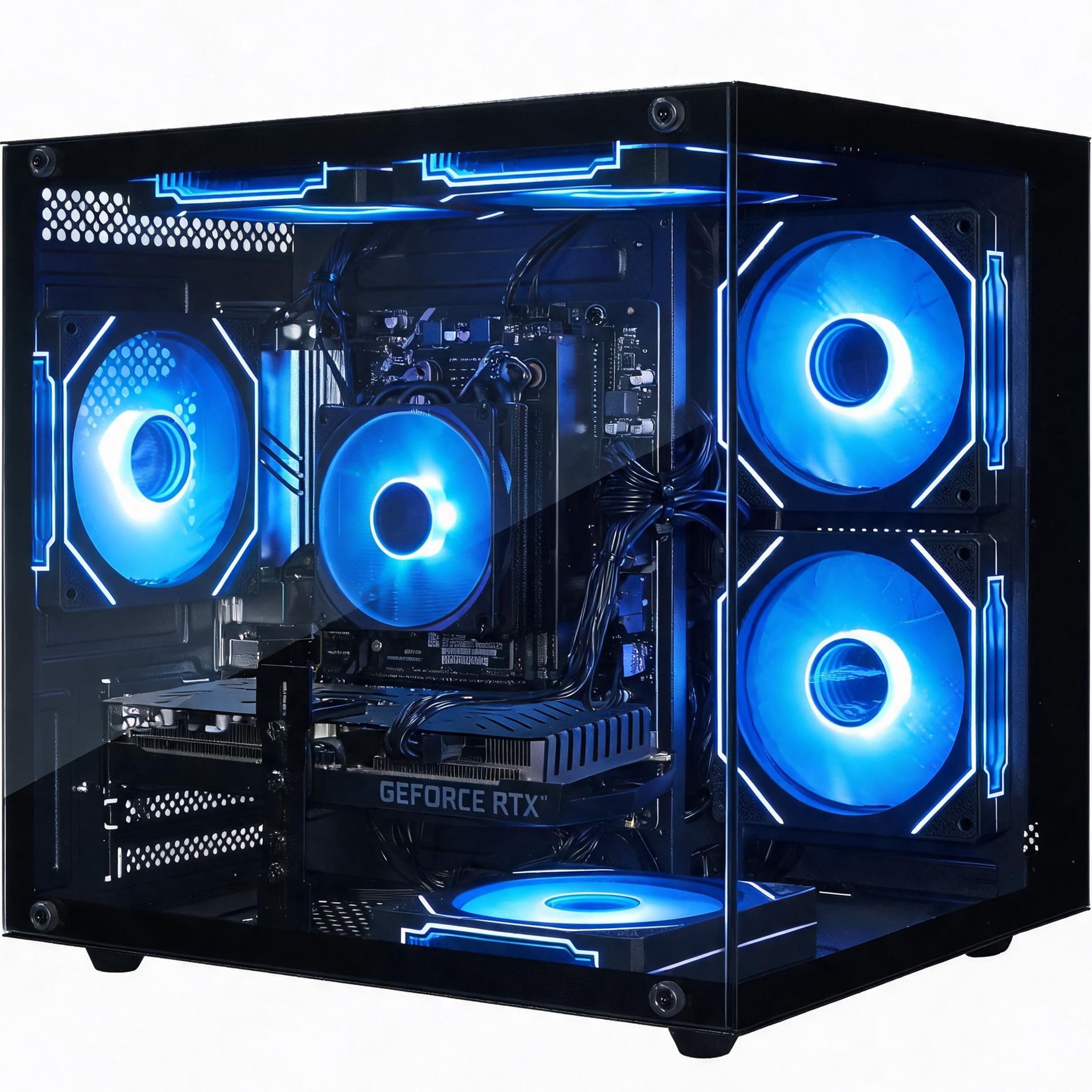
The Ryzen 5 5500 runs 6 cores and 12 threads up to 4.2GHz, paired with 16GB of RAM and a 512GB SSD. That storage figure is the sharpest trade-off in this pick: 512GB fills quickly once you install three or four big games. The case is the standout feature — a compact mid-tower with dual tempered glass panels for a clear view of the parts, plus 6 adjustable RGB case fans and an RGB CPU cooler. That is a lot of lighting hardware at this price, and owners respond to it strongly.
What owners praise most is the build quality itself — the case, the fans, and the finish get the top marks. The 512GB SSD is the part to plan around, so budget for a second drive down the line. Windows 11 is preinstalled and the warranty covers parts for a year, with the brand noting repairs are handled in the United States.
midrange balance: 1440p gaming now, on a tighter budget, with a glass-and-RGB case that looks far more expensive than it is.
future GPU swap: The 512GB SSD — a 2TB drive added later is the fix, not a dealbreaker.
4. iBUYPOWER Element SE Gaming PC (ESA5N3501)

The newest memory and a fire-breathing processor, tuned to whisper.
Where this tower wins is the processor speed. The AMD Ryzen 5 8400F clocks up to 4.7GHz — that figure leads this list’s mid-tier, ahead of the 2.5GHz Intel Core i5-13400F in the CyberPowerPC Gamer Xtreme VR. Higher clock speed means faster single-thread work (the kind most games lean on), so menus, textures, and the CPU-side game logic move quickly. It teams that with the newer 16GB DDR5 4800MHz memory, which is the current generation of RAM and runs faster than the DDR4 in several builds here.
The graphics side is a GeForce RTX 3050 with 6GB, so this is a strong 1080p tower rather than a 1440p one. The build includes a tempered glass RGB case with 16-color lighting, a keyboard and mouse, and Windows 11 Home — with no bloatware, per the brand. 1TB of NVMe storage keeps the library roomy.
Reliability is the mixed story here, and it is worth saying plainly. Some owners mention it runs great from the start, while others report it stopping after about two weeks — and the power supply is the part named most often. This is where the fit guidance matters: this tower suits the buyer who wants a fast, quiet, DDR5-equipped 1080p system and is comfortable registering the warranty early and contacting support if a unit arrives faulty. The performance and value for money are strong; the longevity odds are the caveat to weigh.
Element SE chassis: A 4.7GHz Ryzen 5 8400F processor and 16GB of DDR5 4800MHz memory make daily use and 1080p play feel snappy, and the air-cooled build runs super quiet for desk duty.
PSU headroom: The power supply gets called out by some owners as failing early, so keep the warranty paperwork handy and test the system in the first week.
clean cable job: A buyer who values a fast, quiet DDR5 machine for 1080p gaming and everyday work, with no bloatware and a keyboard and mouse included.
rear port access: Anyone who wants a set-and-forget tower and will not run a first-week stress test — the power supply is the wildcard.
5. HP OMEN 45L Gaming PC — RTX 3060 Ti, Ryzen 7 5700X
Double the memory of most picks, cooled by liquid, built for editing as much as gaming.
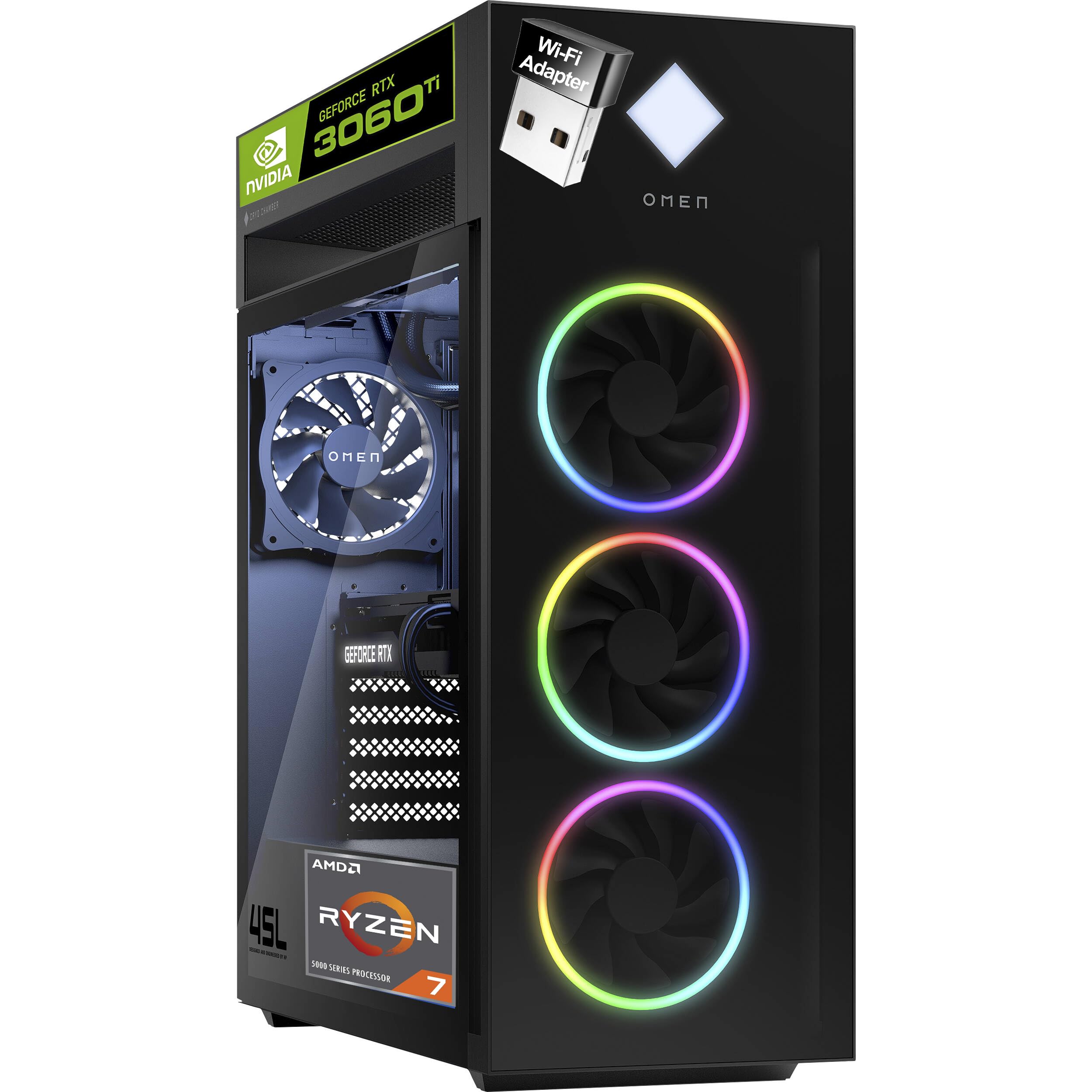
The number that drives this pick is 32GB — that is the RAM, and it is twice what the CyberPowerPC Gamer Xtreme VR and the ZYNEEX desktop carry at 16GB. For gaming alone that is more than you need; for video editing, streaming, and running a dozen browser tabs while a game renders, it changes the experience entirely. The AMD Ryzen 7 5700X runs 8 cores and 16 threads with a 32MB cache (a fast on-chip buffer that keeps frequently used data close). The RTX 3060 Ti with 8GB GDDR6 targets 1440p at high-ultra settings with ray tracing on.
Cooling is the second headline: a 240mm AIO (an all-in-one liquid cooler with a sealed radiator and pump) with dual 120mm radiators keeps the processor temperature down under load. Three 120mm ARGB front fans handle airflow, and the brand rates the power supply at 800W with an 80 Plus Gold certification (a rating that measures how efficiently the unit converts power). It is a microATX case with a tempered glass front panel, and it includes a wireless USB WiFi adapter plus a chassis side lock.
The OMEN earns its keep under sustained load — the part gaming and editing share. Customers note it runs great with no issues, and reviewers consistently praise its speed and value. The honest catch: 8GB of VRAM on the RTX 3060 Ti sets the same 1440p texture ceiling as the CyberPowerPC pick. If you need max settings on the newest AAA titles, neither is the one. The 32GB of RAM, though, keeps it comfortably ahead for anyone who works on their PC as well as games.
Omen 45L airflow
- 32GB DDR4 memory — double the standard 16GB on most builds here.
- 240mm AIO liquid cooling with dual 120mm radiators keeps temperatures in check.
- 8-core Ryzen 7 5700X processor for editing and streaming alongside gaming.
- 800W 80 Plus Gold power supply with headroom for future upgrades.
large footprint
- 8GB VRAM on the RTX 3060 Ti caps texture settings at 1440p.
- WiFi arrives as a USB adapter rather than built into the board.
- The microATX case leaves less expansion room than a full tower.
quiet load: Your desktop doubles as a work machine — the 32GB of RAM and 8-core processor are built for that load.
desk space: You only game at 1080p and would rather spend the RAM budget on a stronger graphics card.
6. CyberPowerPC Gamer Master Gaming PC (GMA2900A2)

The next tier up in graphics, with the DDR5 memory to feed it.
This is the tower for a buyer who wants more graphics headroom than the RTX 5060 provides but is not ready to jump into the RTX 5070 tier. The GeForce RTX 5060 Ti runs 8GB of GDDR7 — the newest generation of graphics memory, which moves data faster than GDDR6. Support for 4K resolution is listed, and the output ports include 1x HDMI and 2x DisplayPort. The processor side is an AMD Ryzen 7 8700F with 8 cores at 4.1GHz on an AMD B850 chipset, paired with 16GB of DDR5 memory and a 1TB PCIe 4.0 NVMe SSD.
What owners focus on is performance and easy setup — the case arrives almost fully assembled, and reviewers call the build quality strong. The tempered glass side panel and custom RGB lighting handle the looks, and WiFi 6 plus Bluetooth 5.3 cover wireless. The 16GB DDR5 matches the CyberPowerPC Gamer Xtreme VR above, so the real jump here is the graphics card generation and the 8-core Ryzen 7, not the memory.
The caveat is the same one that follows the RTX 5060 tier: 8GB of VRAM stays the ceiling at the highest texture settings. Owners also split on long-term reliability, with some reporting it runs flawlessly and others reporting it stopped working. Treat that as a reason to run it hard in the first two weeks and lean on the 1-year warranty and lifetime tech support. The 8GB GDDR7 card is the star; the memory spec is the honest limit.
daily driver: Someone stepping up to a current-generation graphics card with GDDR7 memory and an 8-core Ryzen 7, without leaping to the top tier.
heavy multitask: Anyone set on maxing out 1440p textures — the 8GB of VRAM will stop you before the card runs out of speed.
7. Alienware Aurora Gaming Desktop
A 4K-class graphics card in a chassis built for quiet, cool running.
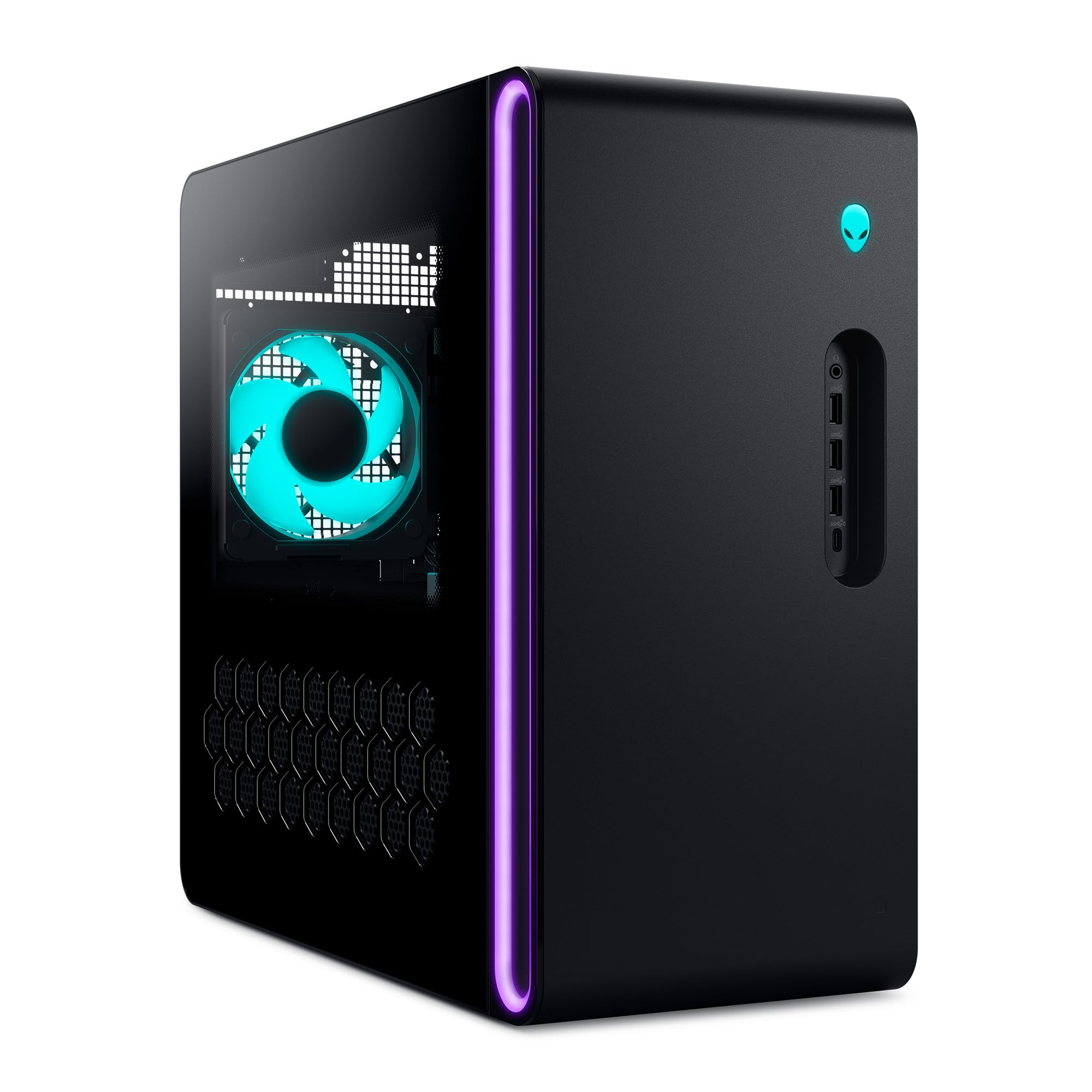
The Alienware Aurora is the first tower here that clearly targets 4K resolution — the specs support 3840×2160, so you get four times the pixels of 1080p. The NVIDIA GeForce RTX 5070 is built on NVIDIA’s Blackwell architecture, the design behind its current graphics cards. The Intel Core Ultra 7 265F processor boosts up to 5.3GHz, the highest clock speed among this list’s Intel picks. The CyberPowerPC Gamer Master above stays at 4.1GHz on its 8-core Ryzen 7, so this processor’s ceiling is higher — and that matters for games that lean on one fast core rather than many.
Owners talk about two things above all: how quiet it runs, and how cool it stays during play. The matte basalt black finish and customizable AlienFX lighting zones keep it looking intentional on a desk. Dell backs it with 1 year of onsite service — meaning they come to you if a warranty issue cannot be fixed remotely. That service level is the practical reason this pick sits in premium territory.
The trade-off reviewers point out is about memory and storage headroom — some wish for more RAM slots, and some find the specs listed understate what the machine actually is. Air cooling is listed rather than liquid, which is fine at this power level but leaves less headroom for heavy overclocking. If you want a 4K-ready tower with the backing of onsite service and the quietest operation on this list, this is the fit.
RTX 5070 power: An RTX 5070 and Intel Core Ultra 7 265F up to 5.3GHz deliver 4K-capable frames, and owners single out the quiet, cool operation as the daily delight.
proprietary parts: The memory configuration draws grumbles — the expansion slots are fewer than some buyers expect, so plan your RAM and storage upgrades at the start.
new-gen jump: 4K gaming with a quiet, cool-running tower and onsite service behind the warranty.
self-repair: You want to expand memory and storage heavily later — the memory slots are the limiting factor buyers mention.
8. MSI Codex Z2 Gaming Desktop — RTX 5070, R7-8700F

Twelve gigabytes of graphics memory and two terabytes of storage — no compromise on space.
The MSI Codex Z2 is the first pick here with 12GB of graphics memory on an RTX 5070. That matters because VRAM is the ceiling on texture quality at higher resolutions — 12GB gives you the breathing room that 8GB cards lack. The AMD Ryzen 7 8700F runs 8 cores and 16 threads, boosting up to 5.0GHz, paired with a generous 32GB of DDR5 and 2TB of SSD storage. For a buyer who wants to store a whole game library and run it at high settings, this is the configuration that stops feeling cramped.
Cooling uses an ARGB fan air cooler plus four system fans — three front, one rear — pulling cool air in and pushing heat out. Owners describe a system that runs cool without overheating, and they value the quiet operation and easy setup. Performance is what wins people over most: gaming on titles like Battlefield 6 and Civilization runs cleanly, and the desktop handles demanding scenes without strain.
Reliability is the part to weigh — some shoppers say it runs great, others say it stopped after four months. At this price tier that is the honest caveat, not a verdict. Test the system hard in the first month, keep the warranty documentation, and the 12GB VRAM and 2TB storage make it a capable long-term machine for 1440p play at high settings.
compact tower: A buyer who wants 12GB of graphics memory, 32GB of DDR5, and 2TB of storage without stepping into the flagship tier.
drive expansion: Someone who wants a zero-risk set-and-forget purchase — the mixed reliability reports mean you should stress-test it early.
9. The Horizon Autherium Dragon RGB I9 Gaming PC
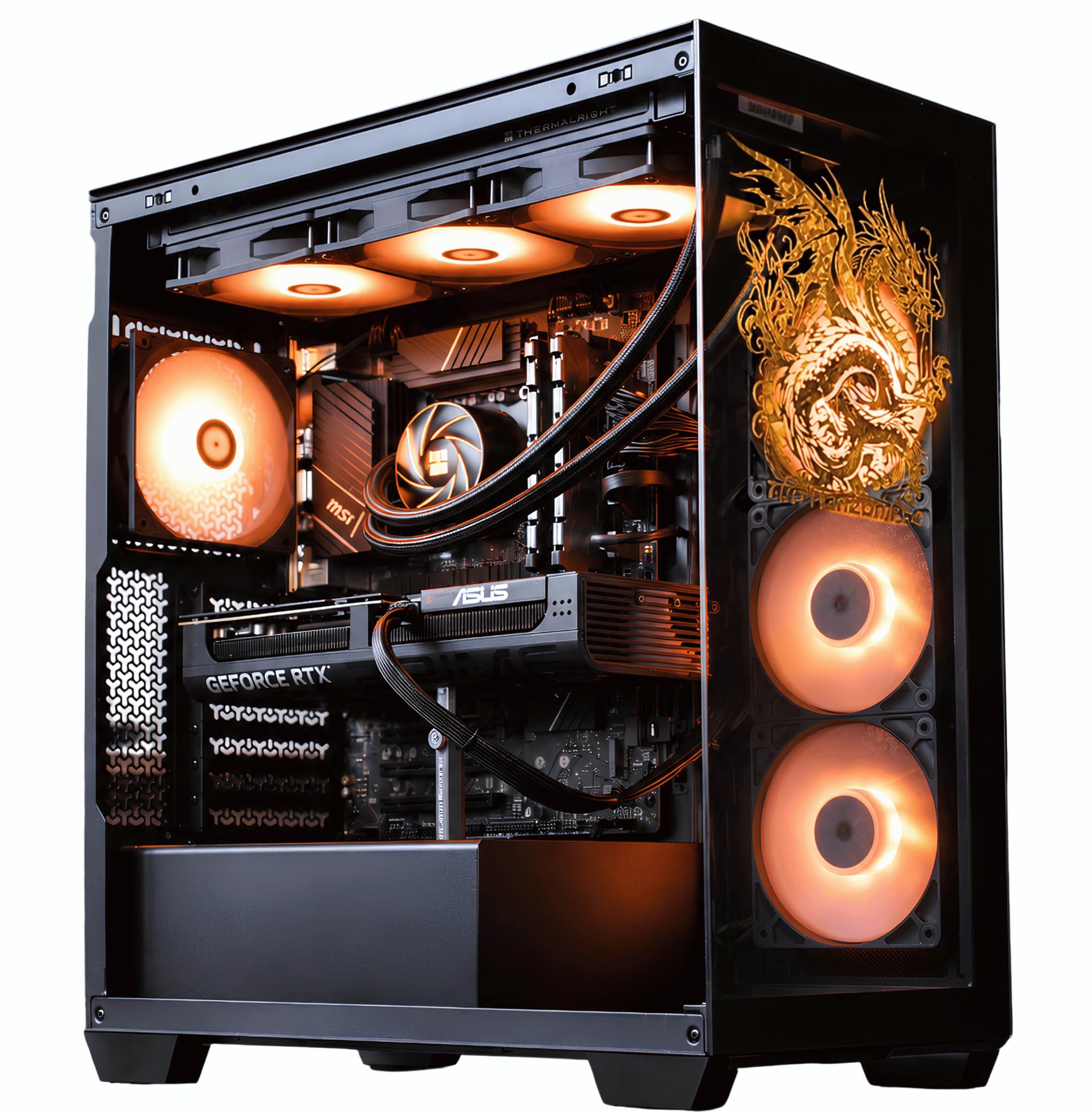
Sixty-four gigabytes of memory and four terabytes of storage — built for bulk work.
No other pick here comes close on memory or storage. The Horizon Autherium Dragon carries 64GB of RAM — the brand notes that is twice the high-end average of 32GB on other systems — plus 4TB of total storage. That splits into a 1TB M.2 NVMe drive rated up to 7000MB/s (fast enough to load big projects in seconds) and a 3TB 7200RPM hard drive for bulk files. The processor is an open up Core i9 KF boosting up to 5.3GHz, paired with an RTX 5070 OC carrying 12GB of memory and factory overclocked for higher, more consistent frame rates.
Cooling is the other headline: a 360mm liquid cooling loop (a sealed radiator with a pump) plus 11 total fans across the GPU, power supply, and case. Owners describe the system as a beast that exceeds expectations, with setup called easy and speed called impressive. The tech support draws specific praise, and that support pairs with a 3-year parts and 5-year labor warranty — the longest coverage on this list.
The honest limits: this is a lot of machine and a lot of case, and 12GB of graphics memory still caps the very highest texture settings at 4K. But for video editing, 3D work, streaming, and running large projects alongside games, the RAM and storage headroom here is class-leading. Buy it if your workload, not just your gaming, is heavy.
Dragon RGB flair
- 64GB of RAM and 4TB of total storage — the biggest capacity on this list.
- RTX 5070 OC with 12GB of graphics memory and factory overclocking.
- 360mm liquid cooling plus 11 total fans for sustained loads.
- 3-year parts and 5-year labor warranty, the longest coverage here.
loud under load
- 12GB VRAM still limits texture settings at true 4K.
- A big tower — measure your desk and workspace before ordering.
- Most of the value is memory and storage; if you only game, you may not need all of it.
showcase build: Buy it if you edit, render, or stream alongside gaming — the 64GB RAM and 4TB storage are the whole point.
silent room: Pure gamers will pay for capacity they never touch, and 12GB of VRAM is still not the top VRAM tier.
10. STORMCRAFT Phantom RTX 5080 Gaming PC
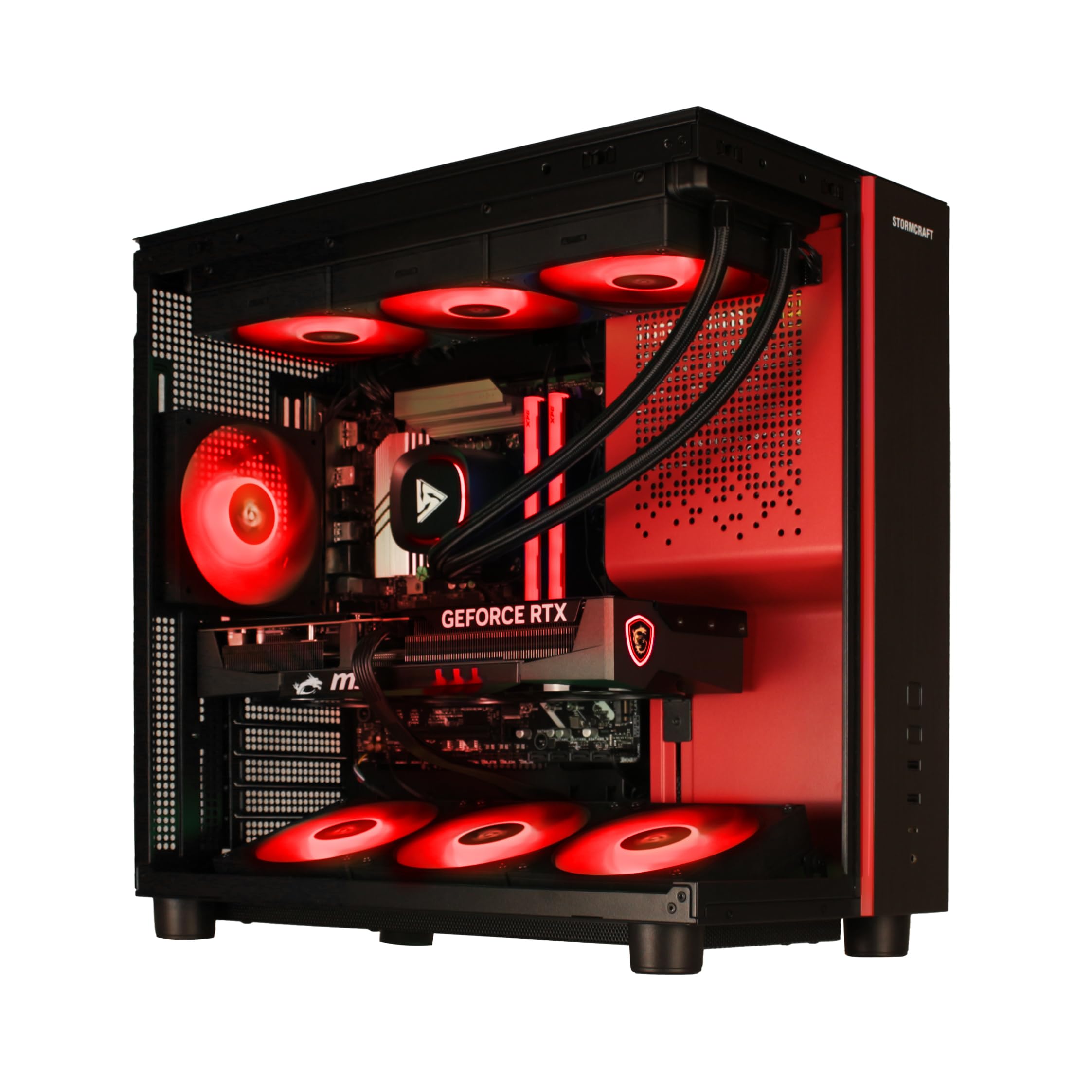
The first real 4K machine on this list, with 16GB of graphics memory to prove it.
The STORMCRAFT Phantom is where the list crosses firmly into 4K. The RTX 5080 runs 16GB of GDDR7 graphics memory on a 256-bit memory bus — the wide data path that feeds the card — and that 16GB is twice the VRAM of the RTX 5070 cards above, so texture settings stop being a negotiation. The processor is an AMD Ryzen 7 9800X3D, later listed with a 4.7GHz base and up to 5.2GHz, paired with 32GB of DDR5 6000MHz memory and a 2TB NVMe Gen4 SSD (fast solid-state storage).
Cooling is a 360mm AIO liquid loop with 7x ARGB system fans, and power comes from an 850W Gold certified supply. Owners describe performance as exceeding expectations, with build quality and easy setup earning steady praise. The warranty is the standout admin detail: 2 years parts and 3 years labor, 1 year shipping, plus lifetime technical support, and the system is assembled in California.
The catch is straightforward: 16GB of VRAM is the tool you need for 4K with high textures, and this is the first pick where you get it. The price of entry is high, and the case is large at 17″ x 9.25″ x 17″ — check your desk clearance. For 4K at high settings, this is the first pick where the money buys real frames.
4K gaming: You are gaming at 4K and want 16GB of GDDR7 graphics memory feeding an RTX 5080, backed by a 3-year labor warranty.
1080p setup: Your monitor is 1080p or 1440p — the 16GB card will sit largely unneeded.
11. Skytech Gaming PC Desktop — Ryzen 7 9850X3D, RTX 5080
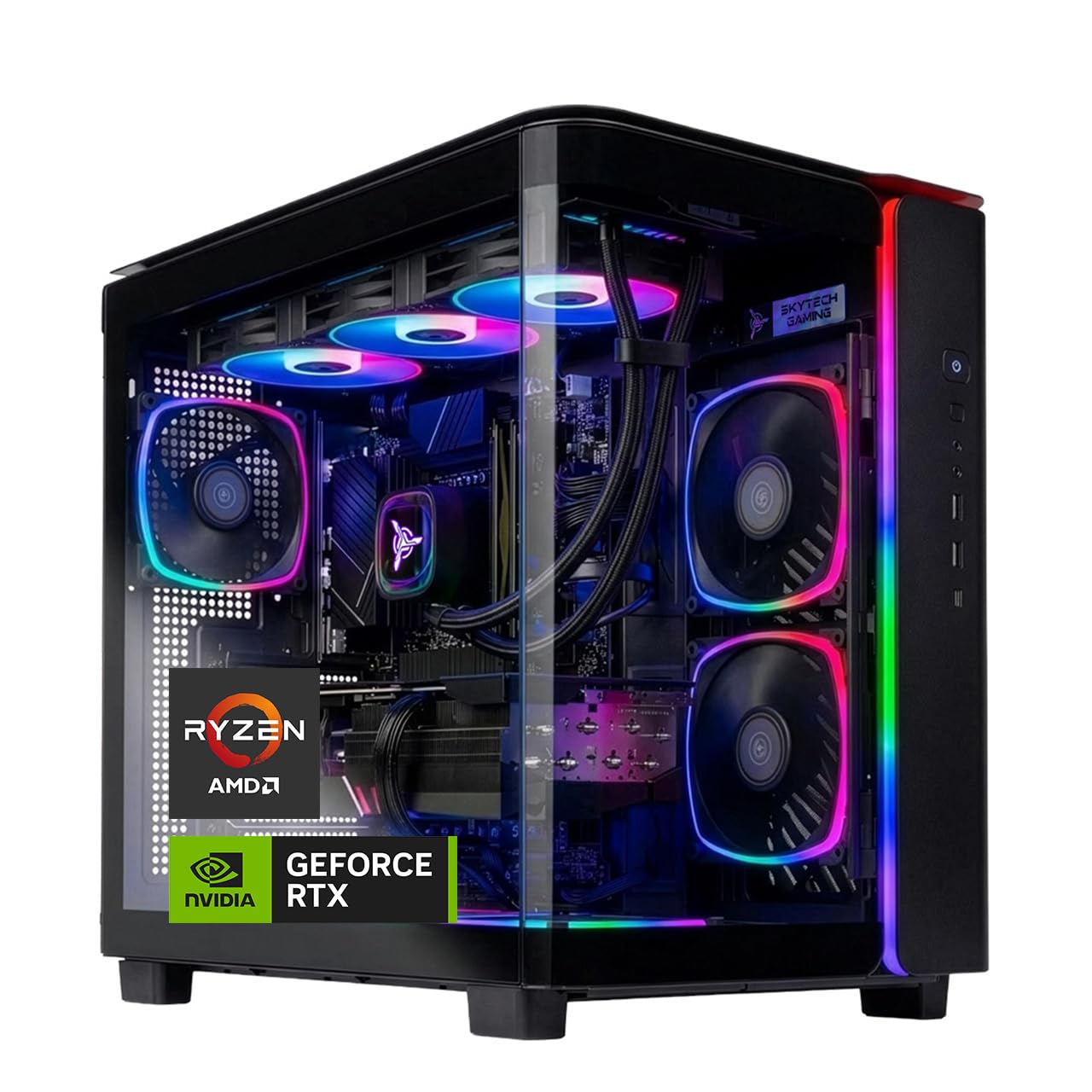
The highest-clocked processor and the same 4K card — the top of the stack.
Skytech takes the same 16GB GDDR7 RTX 5080 graphics card as the STORMCRAFT above and pairs it with an AMD Ryzen 7 9850X3D boosting to 5.6GHz — the highest turbo figure on this entire list. It runs 32GB of DDR5 6000MHz RGB memory and a 2TB NVMe M.2 SSD, with a 360mm AIO liquid cooler and ARGB fans pushing the air. Windows 11 Home comes preinstalled, and the build ships with a free gaming keyboard and mouse plus no bloatware.
This is a 4K machine aimed at the buyer who wants both the graphics card and the processor at the top of their tiers. The King 95 case with the black finish is built for showing off, and the liquid cooler keeps the processor from throttling — slowing down when it gets too hot — under long sessions. Connect your monitor through the listed 1x HDMI and1x DisplayPort, and the USB ports cover 2.0, 3.0, and 3.2 Gen1.
The honest note: WiFi 5 802.11ac is listed — an older wireless standard than the WiFi 6 on the two CyberPowerPC towers above — and 32GB of DDR5 is generous but not the 64GB of the Dragon. Buyers report the performance exceeds expectations and setup is easy. The real question is whether the 5.6GHz ceiling is worth the premium over the STORMCRAFT, and for most 4K gamers it depends on how much the processor matters in the titles you play.
max frame rates: This pairs the highest-turbo processor on the list with the RTX 5080’s 16GB — a flagship 4K build with liquid cooling and a display-ready case.
value shopper: WiFi 5 is listed rather than WiFi 6, so a wired Ethernet connection or a newer adapter is the cleaner path if wireless speed matters.
Know the Specs
Graphics Memory (VRAM)
VRAM is the dedicated memory on the graphics card — think of it as the workbench where the card holds textures, shadows, and lighting data while it renders each frame. More VRAM lets the card hold richer, higher-resolution textures without spilling over to slower system memory. An 8GB card is comfortable at 1080p and high settings at 1440p; a 12GB card gives you room to push texture settings higher at 1440p; a 16GB card is what you want if 4K is the goal. Watch for generation labels too — GDDR7 is newer and faster than GDDR6, which is newer and faster than GDDR5.
Processor Cores and Clock Speed
The processor handles the game’s logic, physics, and background tasks. Core count tells you how many jobs it can work on at once — 6 cores handle gaming and light multitasking, 8 cores manage streaming and editing alongside play, and the 10-core Intel Core i5-13400F in this list’s top pick is built for running several things without slowing. Clock speed (measured in GHz, or billions of cycles per second) tells you how fast each core works, so a 5.6GHz boost ceiling and a 4.1GHz base represent different single-thread ceilings. Games often lean on a fast core or two more than raw core count, which is why clock speed matters alongside cores.
RAM: DDR4 vs DDR5
RAM is the system’s short-term workspace — the faster it is, the quicker games load levels and swap between assets. DDR5 is the newer generation and generally runs faster than DDR4; a 16GB DDR5 kit gives you snappier everyday use than 16GB of DDR4. Capacity still matters, though: 16GB is the comfortable floor for gaming, and 32GB or more helps when you edit video or stream. A system with 64GB, like one pick here, is aimed at heavy creative work first.
Storage: NVMe SSD vs Hard Drive
Storage speed decides how long you wait between clicking a game and playing it. An NVMe SSD is a solid-state drive that connects directly to the motherboard and reads data far faster than a traditional spinning hard drive. A 1TB NVMe drive holds a healthy library and loads games fast; some picks pair a fast NVMe system drive with a large hard drive for bulk storage. If you install a lot of big games, plan for 1TB as your floor and 2TB as comfortable.
Common Questions
Is a prebuilt PC better than building one myself?
What resolution should I target with an 8GB graphics card?
Do I need 16GB or 32GB of RAM for gaming?
Is liquid cooling necessary on a prebuilt gaming PC?
Will an RTX 5080 prebuilt run 4K games smoothly?
What does the 80 Plus Gold rating on a power supply mean?
Can I upgrade the graphics card in a prebuilt PC later?
Is a 1TB SSD enough for a gaming PC?
What is the difference between the RTX 5060 and the RTX 5070 picks here?
Do prebuilt gaming PCs come with Windows and a monitor?
The Bottom Line
If you want the build that gets the most things right for the money, the CyberPowerPC Gamer Xtreme VR is the clear winner — a 10-core Intel Core i5-13400F and an 8GB RTX 5060 with 16GB of DDR5, 1TB of NVMe storage, and WiFi 6 at a level that balances performance against what you actually need. It is the tower the crowd backs hardest for everyday gaming value, and it holds up on the spec sheet too.
If you want to step up in graphics memory without jumping to the top of the market, the MSI Codex Z2 gives you a 12GB RTX 5070 with 32GB of DDR5 and 2TB of SSD storage. And if 4K at high settings is the goal, the STORMCRAFT Phantom is where the RTX 5080’s 16GB of GDDR7 actually starts to matter, backed by a 3-year labor warranty.
How we choose
We do not accept paid placement. Every pick is matched to a real buyer and a real use-case; we do not hands-on test units.
Sources
Specifications: manufacturer listings and product documentation. Review insights: verified customer reviews, as of November 2026. Pricing: not shown on this page (it changes often); check the current price via the retailer link.
As an Amazon Associate, Tactical Gear Guy earns from qualifying purchases. This does not affect which products we feature.