Specs are compiled from manufacturer listings and verified buyer reviews and can change over time — please confirm the key details on the product page before buying.
If you are plugging external drives, a mic, and a webcam into a laptop, the ports give out before the devices do. A powered hub fixes that by feeding each port from its own wall adapter instead of draining your computer. The atolla 7-Port USB 3.2 takes the top spot because all seven data ports run at 10Gbps, so no device drops to a slower tier just for sharing the hub.
This guide is built by comparing the manufacturers’ published specifications and the patterns across verified customer reviews, so you get each pick’s real strengths and trade-offs instead of marketing spin.
You will see the wattage gap between hubs, why some ports quietly run at half speed, and which models actually keep drives awake overnight. Each pick below tells you what it does, what it costs you in desk space, and where it falls short, so you can choose a powered USB hub that fits your setup the first time.
Top Picks

How To Choose The Best Powered USB Hub
The common mistake is buying a seven-port hub and expecting all seven ports to hit full speed at once. A hub’s ports share one upstream channel, and unless a power adapter carries the load, every drive you add pulls current from your laptop’s own port. Start with the adapter wattage, then look at the port speed, then decide how many switches you want to press.
Read the adapter wattage before the port count
Wattage is the number that keeps external hard drives from clicking off mid-transfer. The atolla 7-Port runs a 20W adapter (5V/4A), while the TP-Link UH720 ships with a 12V/4A unit — a bigger brick than most people expect. If you plan to run three or four mechanical drives at once, aim higher: the SABRENT carries 60W, and both the intpw and AGEEN 16-port hubs run a 65W and a 96W adapter respectively. More wattage means each drive gets the current it needs instead of dropping off mid-transfer.
10Gbps versus 5Gbps: the port-speed split
The speed label tells you how fast one port moves data when it has the channel to itself. A 5Gbps port handles an SSD backup comfortably; a 10Gbps port is what you want for moving 4K footage or cloning a large drive. The atolla 7-Port USB 3.2 gives all seven of its ports the 10Gbps ceiling, and the intpw, AGEEN, and ACASIS 16-port hubs do the same across their full port count. Hubs that mix 10Gbps and 5Gbps ports force you to remember which socket is the fast one.
Per-port switches: convenience or clutter
An on/off switch on each port lets you kill power to one device without unplugging it, which saves wear on the connector and keeps your laptop from waking up a drive it does not need. The atolla 7-Port has a switch and LED on every port, the SABRENT puts a switch and indicator on each of its ports, and the ACASIS 16-port carries one per port. If you move a headset or drive between machines daily, per-port switches save you from unplugging cables. If your devices stay put, you can skip it.
Side-by-Side Comparison
| Model | Best For | Data Speed | Ports | Adapter | Amazon |
|---|---|---|---|---|---|
| atolla 7-Port USB 3.2★ Best Overall | All ports at full speed | 10Gbps | 7 data + 1 charge | 20W | Amazon |
| TP-Link UH720Best Value | Charging phones and tablets | 5Gbps | 7 data + 2 charge | 12V/4A | Amazon |
| UGREEN 7-in-1USB-C Mix | Mixed USB-A and USB-C gear | 5Gbps | 7 (5 A 2 C) | 24W | Amazon |
| vantisan 11-Port | Packing the most sockets | 5Gbps | 10 data + 1 charge | 5V/4A | Amazon |
| SABRENT HB-B7C3 | Heavy power for drive arrays | 5Gbps | 7 data + 3 charge | 60W | Amazon |
| intpw 16-Port | Video editing and 3D work | 10Gbps | 16 USB-A | 65W | Amazon |
| AGEEN 16-Port | Server rooms and studios | 10Gbps | 16 | 96W | Amazon |
| ACASIS HB16PRO | USB-A and USB-C mixed fleets | 10Gbps | 8 A 8 C | 96W | Amazon |
Detailed Reviews
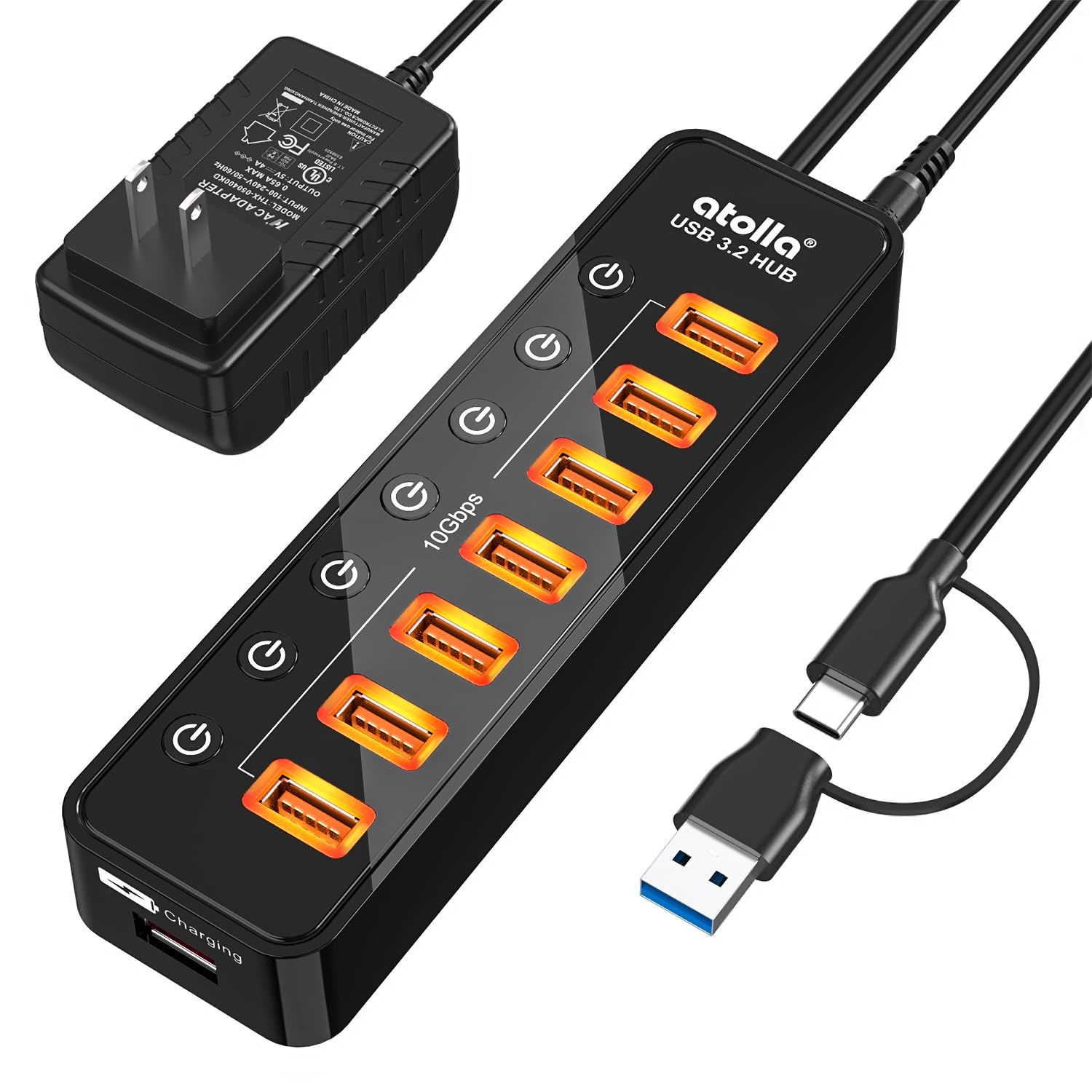
1. atolla 7-Port USB 3.2/USB C Hub
Our pick — 4.5+★ from 21,000+ verified ratings; the strongest balance of quality and price.
Every one of the seven ports runs at 10Gbps, so no device in your chain gets sidelined.
Most hubs with a “fast” label give you one or two quick sockets and quietly fill the rest with slower ones. The atolla 7-Port USB 3.2 Gen 2 does the opposite — all seven data ports carry the same 10Gbps ceiling, which is twice the 5Gbps that the TP-Link UH720 offers across its own seven sockets. Plug a couple of external SSDs and a memory card reader into this and nothing falls back to a crawl.
The 20W adapter (5V/4A) does the load-bearing work here. It matters because a hub running out of current is what makes drives click and drop off a laptop mid-copy, and the surge protection built in is designed to keep that from happening. You also get a dedicated charge-only port alongside the seven data ones, and each socket has its own switch with an LED. Reviewers keep praising the switch row: you can cut power to one idle drive without unplugging it or crawling under the desk.
The cable is a 2-in-1 USB-C/USB-A connector at 3.3ft, so it reaches a laptop or a tower without a dongle, and the 4.9ft power cord gives you room to place the hub. What wins people over is plug-and-play reliability: the computer recognizes it instantly and you never think about it again. The honest catch is current draw — a rare unit has reportedly over-amped a connected device, and reliability chatter exists in the review pages alongside the praise. Treat it as a hub for reasonable loads, not for stacking four power-hungry drives at once.
What earns it the top slot
- All 7 data ports at 10Gbps — double the 5Gbps of the TP-Link UH720
- Individual switch and LED on every port for one-tap power control
- Built-in 2-in-1 USB-C/USB-A cable, so no adapter hunting
- 20W adapter with overcurrent and surge protection
Where you should pause
- A small number of units have drawn too much current on a connected device
- One data port short of the vantisan’s ten, if socket count is your priority
- 10Gbps is wasted unless your drives and host actually support it
Reach for this if: you run SSDs and card readers and want every socket at the same top speed with a switch on each one.
Think twice if: you need to power four or more mechanical drives at once — the 20W adapter is the limiting piece there.
2. TP-Link Powered USB Hub 7 USB 3.0
Two extra charge-only ports at 5V/2.4A turn a laptop into a phone and tablet dock.
The trick here is the port split: seven USB 3.0 data sockets at up to 5Gbps for your keyboard, mouse, printer and drives, plus two separate charging ports that push 5V/2.4A each. That second row is what draws buyers in — you can top up a phone and a tablet at full speed while the data ports keep working. TP-Link’s charging circuit identifies what is plugged in and adjusts the current to shorten the wait.
Power delivery is handled by a 12V/4A adapter, which is a visibly bigger brick than the atolla’s 20W unit — the heaviest adapter in this lineup by far. That is a real trade-off in a power strip: the supply is oversized and can swallow three plugs’ worth of space on a strip. Circuit protection covers overheat, overload, overvoltage and short circuit, and the ports handle hot-swapping while the computer is running.
The 500g body sits heavier on a desk than the 231g atolla, so it stays put instead of skating around when you pull a cable. Reliability is the strongest theme in the feedback: buyers use it to move external drives off a laptop port and then forget about it. Connection trouble does surface on occasion, and one breakdown report exists in the pages. Set the adapter brick aside before you buy and confirm your strip has room.
Where it earns its keep: a 5Gbps data bank plus two 5V/2.4A charge ports means your phone and tablet do not compete with your drives for a socket. Compatibility covers Windows, Mac, Chrome and Linux with no driver install.
The honest letdown: that 12V/4A adapter brick is bulky enough to sprawl across a power strip, and it is the physically largest supply in this group.
Pick this one: if your desk has a phone, a tablet and a stack of quick 5Gbps devices that all need a home at the same time.
Skip the hassle: if your power strip is already crowded — the oversized adapter needs a wide berth.
3. UGREEN 7-in-1 Powered USB 3.0 Hub
The only seven-port hub here that splits its sockets between USB-A and USB-C shapes.
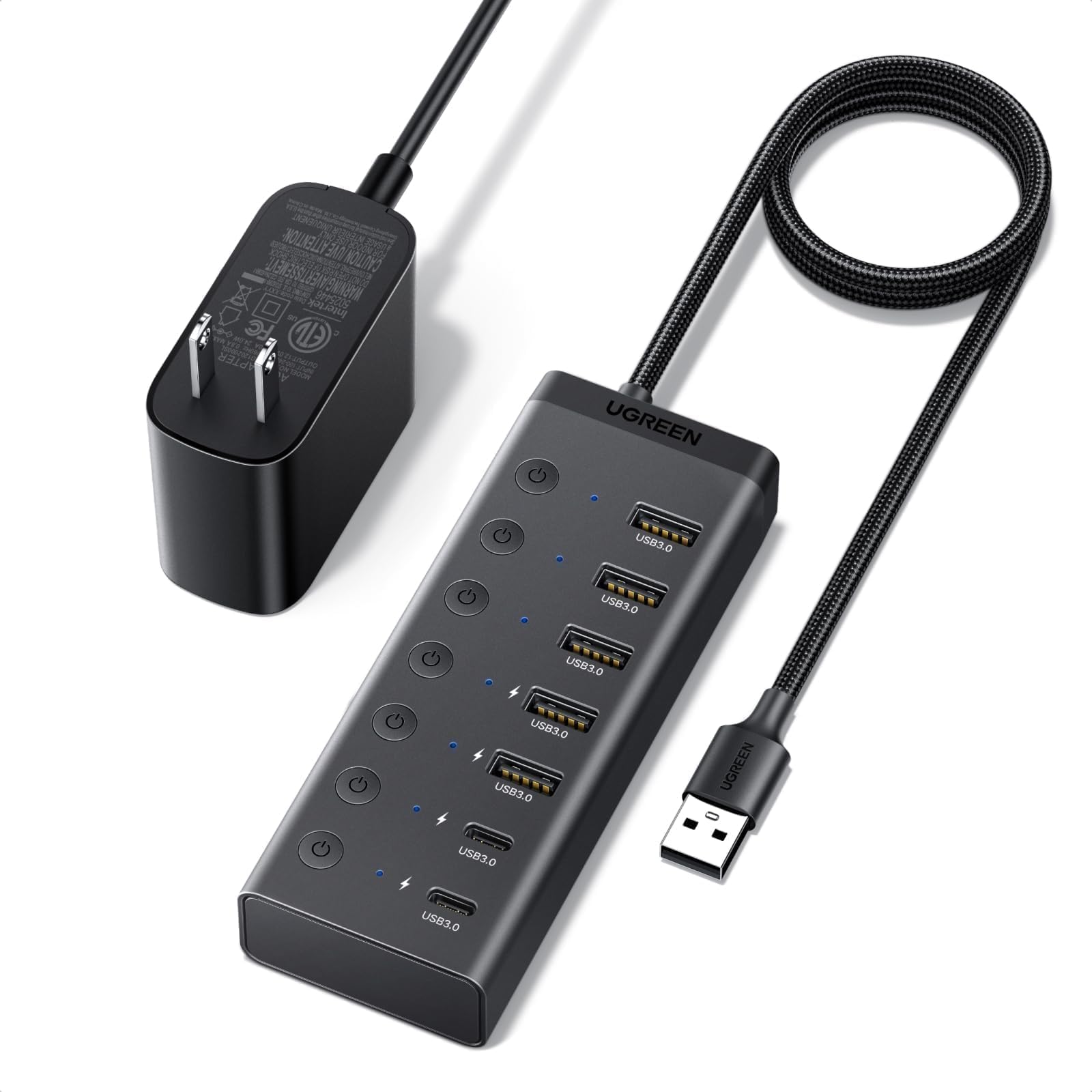
Two USB-C data ports in a seven-port hub is the differentiator. If your gear has drifted toward USB-C plugs but your peripherals still use the older rectangular USB-A, this hub covers both shapes without adapters. The other five sockets are USB-A, and all seven share a single 5Gbps upstream channel — one active transfer gets the full speed, and simultaneous transfers divide it.
A 24W adapter feeds the ports, and a single port can send up to 7.5W under the right conditions, which is plenty for a powered SSD but not for charging your laptop. The 3.3ft cable gives you reach from a tower under the desk to the surface where you actually plug things in. Each port carries its own on/off switch, so you can cut power to a device without pulling the plug.
Here is the part that needs a straight answer: this hub is the newest of the group, and the feedback skews mixed rather than settled. Power is the most-discussed topic and it splits both ways — some units light up and work fine, others show no power at all when connected to the wall. One design note keeps recurring too: all the sockets face upward, which lets dust settle into them over time. If you want the proven track record, the SABRENT or TP-Link have the longer history. If you specifically need USB-C data ports, this is the shape to look at.
The reason to pick it: two USB-C data sockets plus five USB-A in one block is unusual at this size, and each has its own switch. It suits a desk where both cable shapes show up daily.
What to watch: power is the split issue in the feedback, and the upward-facing port design collects dust — cap unused sockets and keep your receipt handy.
Best match: a newer laptop with USB-C gear that still needs the old USB-A sockets for its accessories.
Look elsewhere: if you want a hub with a long, settled track record — this one is too new for that.
4. Powered USB Hub, 11-Port USB 3.0 Hub Splitter

Eleven sockets in a slim aluminum shell — four more than the atolla 7-Port offers.
Eleven ports means one adapter can host your keyboard, mouse, printer, three drives, a card reader and still leave spares. The count matters: this is 40% more sockets than the seven data ports on the TP-Link UH720, and it does it in a body that sits flat on a desk without any wobble. Ten of the eleven are USB 3.0 data ports at up to 5Gbps, and the eleventh is a charge-only socket delivering 2.4A.
The 5V/4A adapter handles the current, and each of the eleven ports has its own switch plus an LED so you can see at a glance what is live. Build quality is the thing the praise centers on — a solid, well-finished block rather than a rattly plastic shell. Three external drives all showing up at once, powered from the wall instead of the laptop, is exactly the scene this hub was designed for.
Speed is where expectations need calibrating. It runs the 5Gbps standard, so if your day is cloning SSDs or moving 4K clips, the 10Gbps intpw or ACASIS will finish the job sooner. A small number of units have quit working after a couple of months of service, and one report describes shorting out a connected computer — rare, but worth knowing. Keep it on surge protection and do not exceed a sensible device load.
Where eleven sockets pay off
- 10 USB 3.0 data ports at 5Gbps plus one 2.4A charge port
- Switch and LED on every single port
- Aluminum and plastic housing that sits flat and stable
- Windows 11/10/8, Mac OS and Linux support with no drivers
What you accept in return
- 5Gbps keeps it behind the 10Gbps hubs for large file work
- A handful of units have failed after a couple of months
- Eleven ports is a lot of surface on a narrow desk
Worth grabbing: if your problem is socket count, not speed — this is the widest 5Gbps expansion in the lineup.
Less ideal: if your work is big file transfers, where the 10Gbps picks earn their keep.
5. SABRENT 10-Port Powered USB 3.0 Hub HB-B7C3

A 60W adapter that holds seven drives and three phones steady at the same time.
Looking at the adapter rating first tells the story: 60W is three times the 20W feeding the atolla 7-Port USB 3.2, and that headroom is what lets you plug in a full row of mechanical drives without a single one clicking off. Seven USB 3.0 data ports at up to 5Gbps sit alongside three charge-only ports, each pushing up to 2.4A — enough to refill an iPad and an iPhone while the data bank stays busy.
The enclosure is aluminum and compact at 0.94 inches tall, with the three charge ports grouped at one end so they are easy to find without reading labels. Every port has a power switch and an LED, which people value for a specific reason: you can confirm a device is off before you pull the cable instead of yanking it live. Hot-swapping a drive is safe while the machine is running.
This is a hub that has clearly been out in the world for a while, and the build earns repeat purchases from hobbyists who stack hubs off each other. The recurring caution is longevity — not everyone reports an early failure, but it does happen, and some units are affected. Note for anyone running a bank of drives: this is the most power per port you can get short of a 16-port unit.
Why it earns a premium slot: a 60W 12V/5A adapter is the single most useful number here for anyone running multiple external drives. Three charge ports at 2.4A each mean phones and tablets stop competing with data for power.
Fair caveat: the failure reports do exist, so if uptime is critical, pair it with a surge-protected strip and back up anything critical — it is a well-made unit, not an indestructible one.
Suits you: if you stack drives off a single hub and need an adapter with real wattage behind it.
Not quite: if every gigabyte-per-second counts — that is a 5Gbps hub, not a 10Gbps one.
6. intpw 16-Port USB 3.2 Hub
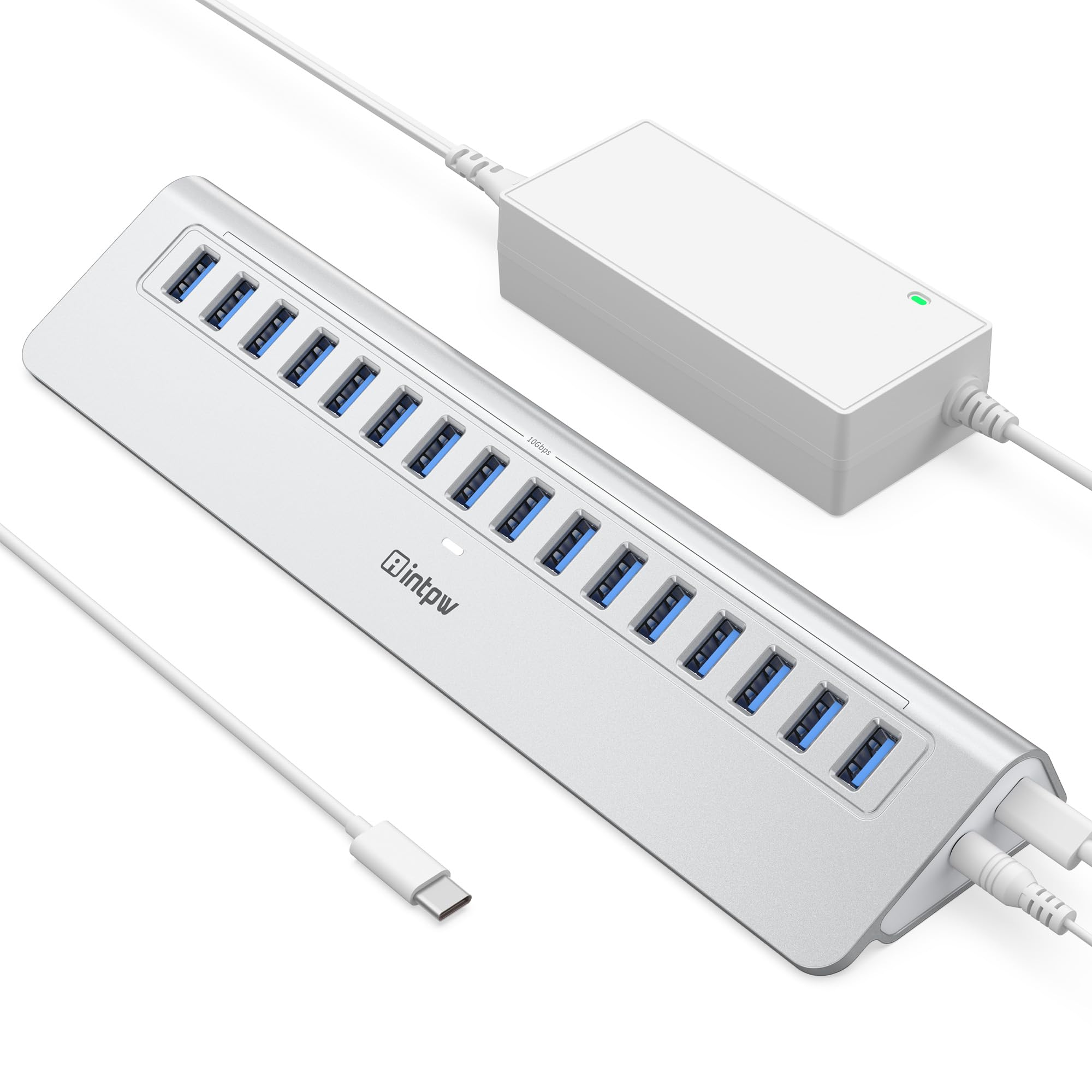
Sixteen USB-A ports, all 10Gbps, on a face angled 28 degrees toward your hands.
Every one of the sixteen ports is USB-A 3.2 Gen 2 running at 10Gbps — no USB-C sockets diluting the count, no adapter juggling. That is more than twice the sockets on the atolla 7-Port USB 3.2, all holding the same speed tier. Video editors, 3D designers and IT engineers are the intended audience, and the point is that sixteen hot-swaps happen without a port conflict or a speed drop.
The physical design is where the thought shows. A one-piece aluminum body heatsinks itself during long transfers, and the 28-degree angled face means you can plug a drive in without lifting the hub or tilting it up. Anti-slip feet hold it anchored when you yank a cable. A 65W adapter feeds all sixteen ports, which is the piece that prevents the stutter and dropout you get when a hub runs out of current. The 3.3ft USB-C to USB-C cable is included.
It works across USB-C and Thunderbolt 3/4 machines — Macs, XPS, Surface, plus Linux and Windows desktops. Functionality is the thing the praise rests on: plug in, it works, devices go in and out easily. The honest misstep is that this is a data hub, not a charger, so it will not fast-charge your phone, and it does not output video at all. Some ports also grip tight, which keeps cables secure but takes a firm push.
Built for a heavy desk
- 16 USB-A ports, all at 10Gbps, no hybrid sockets
- 28° angled face and anti-slip feet for repeated plugging
- 65W adapter holds all 16 ports under load
- Aluminum body with heat resistance for 24/7 benches
Set your expectations here
- No video output — data and peripheral power only
- No fast phone or tablet charging from these ports
- Sockets are tight enough to need a firm push
Made for: editing suites, workbenches and server desks where sixteen 10Gbps data ports is the job requirement.
Wrong tool: if you need to charge a phone fast or push video through the hub — it does neither.
7. AGEEN 16-Port Powered USB 3.2 Hub

A 96W power supply behind sixteen 10Gbps ports — the most wattage in this lineup.
Ninety-six watts from a 12V/8A adapter is the headline, and it is four times the adapter feeding the UGREEN 7-in-1. That headroom matters in a studio or server room where every one of the sixteen ports might be live at once. The 10Gbps ports are backward compatible with older USB 3.1, 3.0 and 2.0 gear, so your legacy peripherals still work without a separate hub.
Aluminum casing does the thermal work here, pulling heat out of the board so long sessions do not turn the case into a hot plate. A weighted base resists cable tugs, and each port carries an independent on/off switch with a dimmable blue LED — you can choose how bright the status row glows. Surge protection shields connected drives from a voltage spike during a storm, which is the quiet insurance you want on a hub feeding expensive gear.
Plug and play covers Windows, macOS, Linux and Unix with no drivers. Reliability is what the feedback emphasizes most, with functionality close behind — set up, connect, and it does what it is supposed to do. The trade-off is size: sixteen ports means a wide footprint, and there is no way to make it smaller, so plan desk space accordingly. The shell reads as durable plastic rather than metal in at least some units, so check the housing on arrival.
The wattage case: 96W spread across sixteen 10Gbps ports is what separates this from the 5Gbps crowd. A dimmable LED row and independent switches on each port make a sixteen-device desk manageable instead of a tangle of guesswork.
The desk-space cost: sixteen ports is a lot of real estate, and the housing material may not match the aluminum spec on every unit — size it against your desk before you commit.
Right for you: if you are powering a full studio bench and need 96W behind sixteen fast ports.
Look past it: if your desk is tight — this hub demands a wide slot and gives nothing back on footprint.
8. ACASIS 16 Ports Powered USB 3.2 Hub
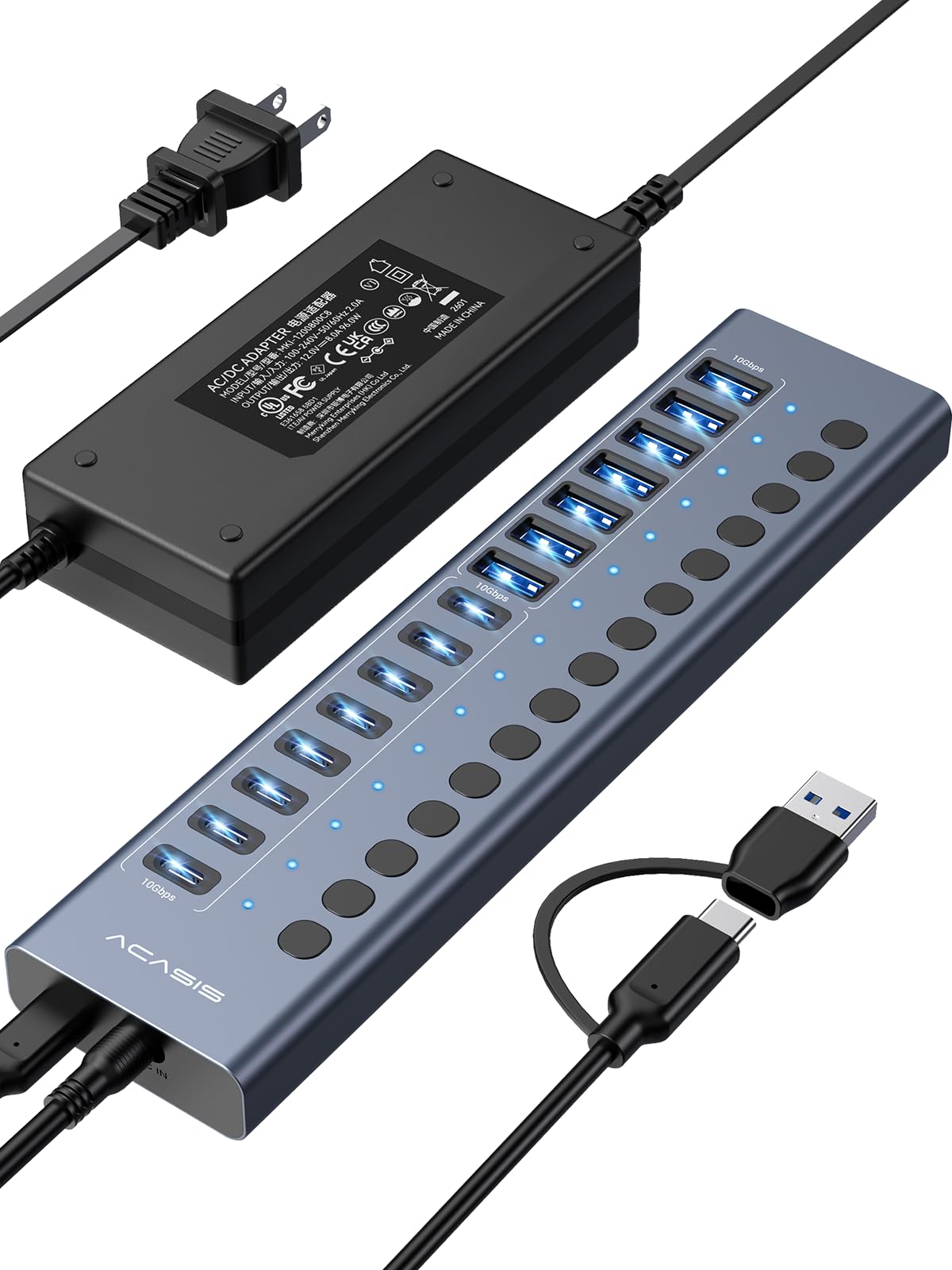
Eight USB-C and eight USB-A sockets at 10Gbps, all fed by a 96W brick.
Nobody else in this lineup splits a sixteen-port hub down the middle like this. Eight USB-A 3.2 ports and eight USB-C 3.2 ports, all at 10Gbps, means a modern laptop with only USB-C can still host every legacy drive and dongle you own. The 96W adapter supports multiple devices at once at up to 5V/1.5A per port, with surge protection and hot swapping built in.
An aluminum alloy shell moves heat off the board and is drop resistant, which matters when the hub sits on a crowded bench. Each port has its own independent switch — tap one to kill power to a single device without unplugging anything. It handles Windows from XP through 11, plus MacOS and Linux, with plug-and-play setup.
Port availability is the strongest theme in the feedback: the A-and-C mix is the exact reason people choose this over a pure USB-A hub. The catch worth naming is heat. The aluminum body does get warm in use, and one particularly sharp report describes it running very hot, so give it airflow rather than boxing it in. Backward compatibility with older USB 2.0 devices is also mixed — new 3.0 and 3.2 gear connects cleanly, older 2.0 peripherals may not.
Why the mix wins
- 8 USB-A and 8 USB-C ports, all at 10Gbps
- 96W adapter with surge protection and hot swapping
- Independent switch on every port
- Windows XP through 11, MacOS and Linux support
Where to tread carefully
- The case runs warm — keep it ventilated
- Older USB 2.0 devices may not connect reliably
- The heaviest hub here at 727g
The one for you: if your gear is split between old USB-A and new USB-C and you want ten-gigabit speed on both shapes.
Better skip: if you still rely on USB 2.0 peripherals — that compatibility is the weak spot here.
Know the Specs
Adapter wattage and why it protects your drives
A powered hub draws its current from a wall adapter, not from your laptop’s port. Wattage is the size of that supply. An underpowered hub makes a mechanical drive click or disappear mid-copy, because the drive is asking for more current than the hub can hand out. A 20W adapter handles a couple of SSDs and a card reader comfortably, while 60W and 96W units are built to feed several drives plus a phone or two at the same time. Check the adapter rating on the box before the port count — it is the number that decides how many devices you can actually run.
Gbps, shared bandwidth, and what speed really means
Gbps stands for gigabits per second, the rate at which data moves through a port. A 5Gbps port is plenty for a keyboard, a mouse, or a single SSD backup. A 10Gbps port is what you want when you are cloning a large drive or moving 4K footage. Here is the part sellers skip: all the ports on a hub usually share one upstream channel to your computer. When one port is transferring, it can reach the full speed; when several transfer at once, the bandwidth splits between them. That is why a hub with all 10Gbps ports still gives you a real advantage — the ceiling is higher for every device in line.
Data ports versus charge-only ports
Not every socket on a powered hub moves files. Some are charge-only ports, designed to push current into a phone or tablet without passing data to your computer. They typically output a set current like 2.4A, and they do not show up as a drive on your desktop. A hub with a dedicated charge port lets you top up a device without sacrificing a data socket. Just do not expect a data port to fast-charge a phone — many are not power-tune, and some hubs state plainly that fast phone charging is not supported.
Per-port switches and LEDs
An individual switch on each port lets you cut power to one device while the rest keep running. That saves wear on the connector and stops a drive from spinning up when you do not need it. The LED beside each switch shows live status at a glance, so you know which sockets are hot before you unplug anything. On a desk with six or seven devices, this is the difference between reaching for a cable and pressing a button.
Common Questions
Will a powered hub let me run multiple external hard drives at once?
Do all the ports on a powered hub run at full speed together?
Can I charge my phone or tablet through a powered hub?
Is 10Gbps worth it over 5Gbps for everyday use?
Will a powered hub work with a laptop that only has USB-C ports?
Why does my hub feel warm while I am using it?
Does a powered USB hub support video output to a monitor?
Do these hubs need drivers installed?
Will older USB 2.0 devices work on a 10Gbps hub?
How many ports do I actually need on a powered hub?
The Bottom Line
For most desks, the powered usb hub winner is the atolla 7-Port USB 3.2 because all seven of its ports carry the same 10Gbps ceiling and each one has its own switch — no slow sockets hiding in the back row. If your priority is charging as much as data, the TP-Link UH720 pairs seven data ports with two 5V/2.4A charge ports. And if you are feeding a full editing or server bench, the AGEEN 16-Port puts 96W behind sixteen 10Gbps sockets. Whichever way you lean, the one number worth checking before you click buy is the adapter wattage — it is what keeps your drives awake.
How we choose
We do not accept paid placement. Every pick is matched to a real buyer and a real use-case; we do not hands-on test units.
Sources
Specifications: manufacturer listings and product documentation. Review insights: verified customer reviews, as of November 2026. Pricing: not shown on this page (it changes often); check the current price via the retailer link.
As an Amazon Associate, Tactical Gear Guy earns from qualifying purchases. This does not affect which products we feature.