Specs are compiled from manufacturer listings and verified buyer reviews and can change over time — please confirm the key details on the product page before buying.
If you only want one answer: buy the Brother P-Touch PT-D460BT. It prints on genuine TZe tape (Brother’s laminated label stock), it connects to your phone or laptop over Bluetooth, and it has the strongest track record of the group. Everything below explains who the other eight suit better.
This guide is built by comparing the manufacturers’ published specifications and the patterns across verified customer reviews, so you get each pick’s real strengths and trade-offs instead of marketing spin.
A label on a storage bin, breaker panel or shipping box only helps if it survives a year of handling. This breakdown separates models that hold up from ones that fade, so you can pick a machine that suits your bench, your tape and your budget. The right choice among portable label printers usually depends on tape width, print method and how you edit labels.
Top Picks

How To Choose The Best Portable Label Printers
The first decision is not brand or price. It is what you plan to stick the label onto. A label on a spice jar in a kitchen cabinet and a label on an outdoor junction box live in completely different conditions, and that single difference rules out half the field before you look at anything else.
Tape width sets your ceiling
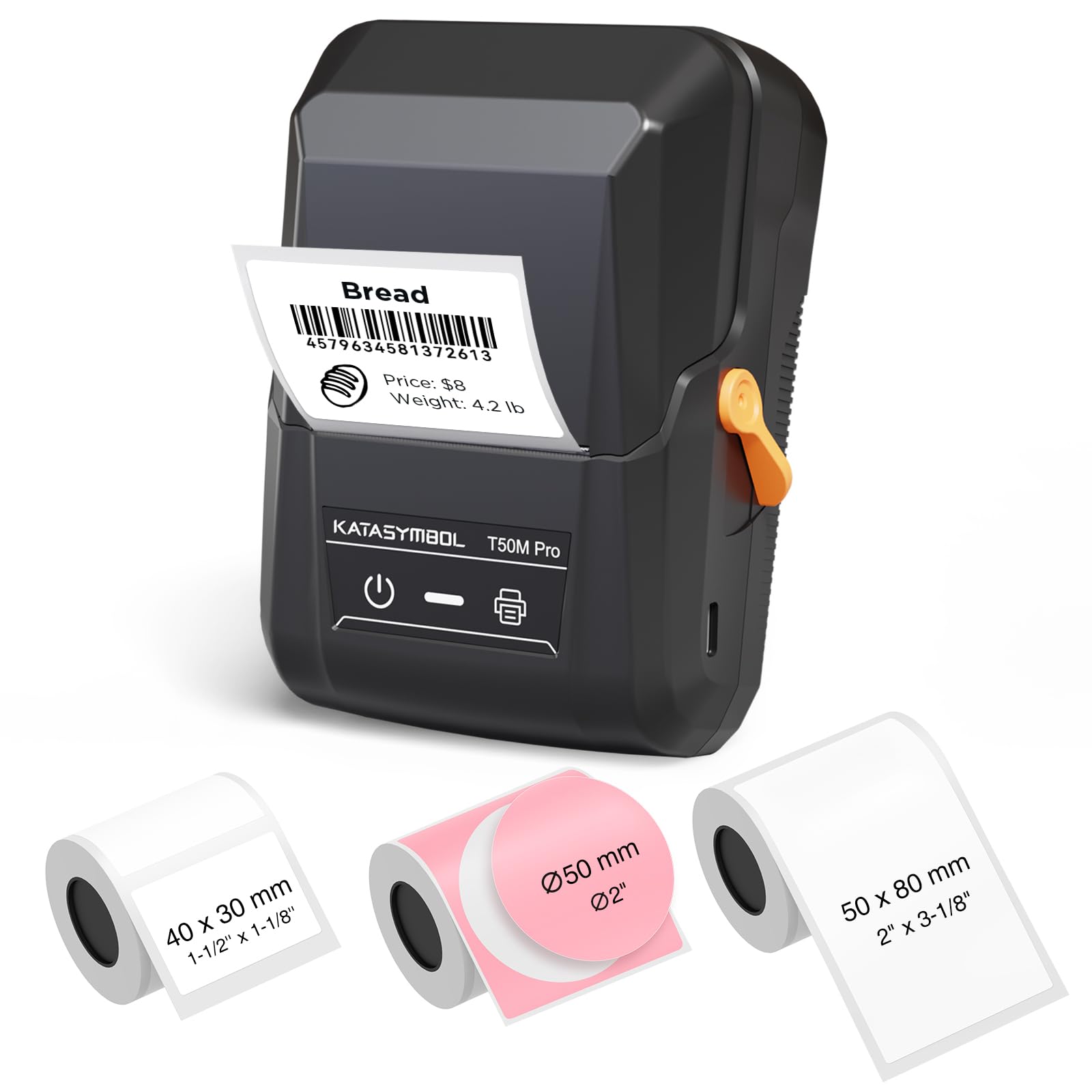
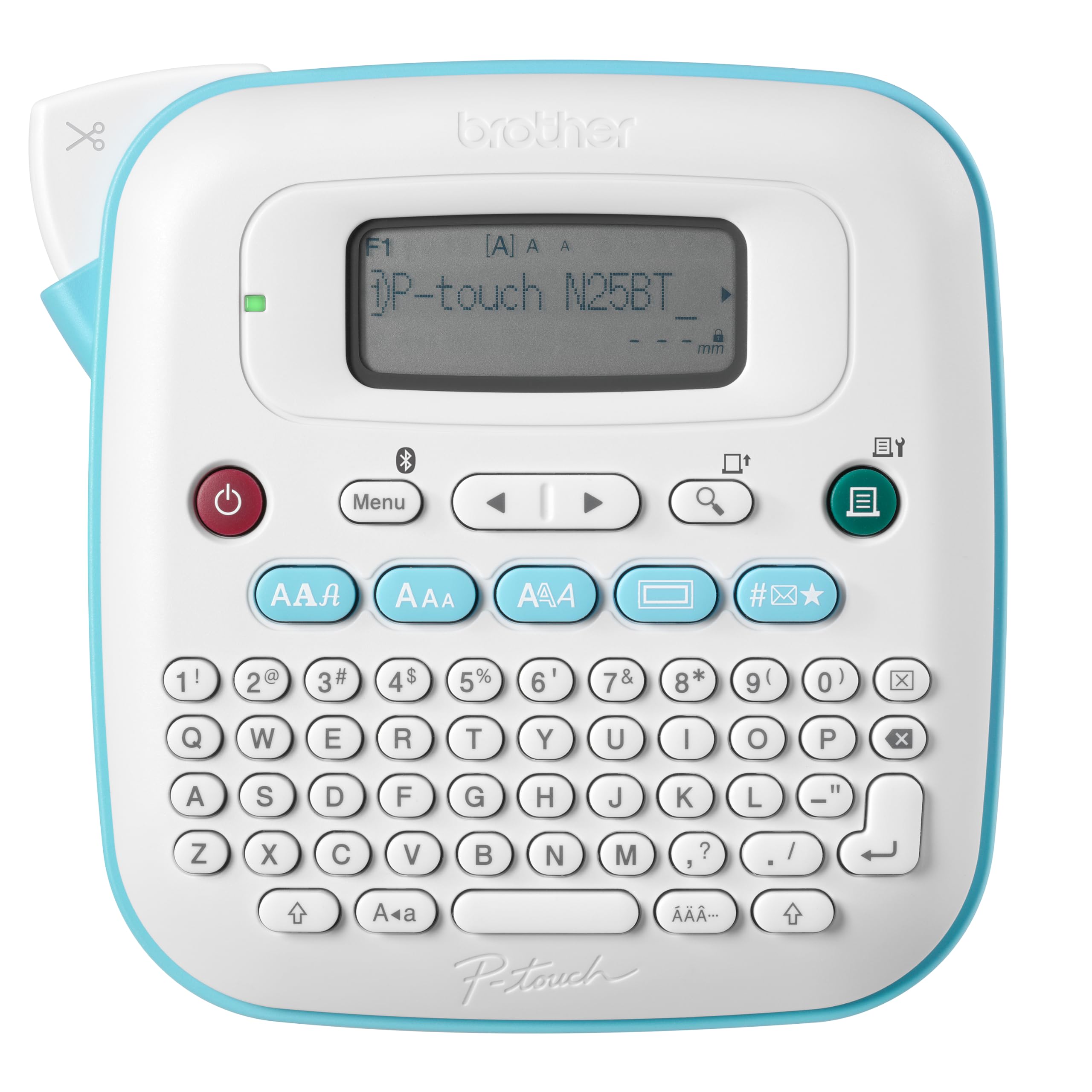
A printer that tops out at half-inch tape cannot make a shipping label no matter what the app promises, so check the maximum width first. The Brother PT-N25BT uses only 12 mm (about half-inch) Btag tape, which is fine for cup labels and file tabs. The SUPVAN T50M Pro prints on 3/4″ to 2″ wide labels, which covers address and product labels. Width is the hard limit — the app cannot print wider than the head allows.
Thermal direct versus thermal transfer
Direct thermal printers burn the image straight into heat-sensitive paper. They need no ink or ribbon, which is why the Phomemo M110 and the NIIMBOT B21 Pro run inkless. The trade-off is that direct thermal labels fade over time and dislike heat and sunlight. Thermal transfer printers melt a ribbon onto the label instead, which is what the NIIMBOT M2 and MakeID P31S do, and it produces labels rated to handle water, oil and weather.
Resolution: when 300 DPI matters
DPI (dots per inch) is how finely the print head can place ink. At 300 DPI the MakeID P31S, NIIMBOT B21 Pro and NIIMBOT M2 can render small text and scannable QR codes without mush. Lower-resolution heads still handle big bold text fine, so if you are only labeling bins, you can save on this spec.
How you type the label
Every model here either has a physical keyboard or leans on a phone app. The SUPVAN G15M has a built-in keyboard and an LCD screen, so it works with no phone at all — handy in a garage with no signal. App-driven machines like the Phomemo M110 trade that for templates and free fonts you can edit on your phone.
Side-by-Side Comparison
| Model | Best For | Max Tape Width | Print Resolution | Listed Speed | Amazon |
|---|---|---|---|---|---|
| Brother P-Touch PT-D460BT★ Best Overall | All-round home and shop labeling | Up to ~3/4 inch (TZe) | — | 20 pages per minute | Amazon |
| SUPVAN T50M ProVolume Value | Volume printing on a budget | 3/4″ to 2″ | — | 60 pages per minute | Amazon |
| Brother P-Touch PT-N25BTColor Pop Pick | Cute color labels for home and dorm | ~½” (12 mm) Btag | — | 12 pages per minute | Amazon |
| Phomemo M110 | Small, pocketable inkless printing | 20 mm to 50 mm | — | 1 page per minute | Amazon |
| SUPVAN G15M | Wire and cable labeling without a phone | Heat-shrink tube plus 12 mm tape | — | 25 pages per minute | Amazon |
| MakeID P31S | Jobsite and datacom identification | 1-inch print head | 300 DPI | 60 pages per minute | Amazon |
| NIIMBOT B21 Pro | Sharp, creative sticker labels | 20 to 50 mm | 300 DPI | 50 pages per minute | Amazon |
| NIIMBOT M2 | Labels that must survive handling | 20-50 mm | 300 x 300 DPI | 40 pages per minute | Amazon |
| Brady M211 | Harsh-environment industrial work | — | — | 0.6 pages per minute | Amazon |
Detailed Reviews
1. Brother P-Touch PT-D460BT Label Maker
Our pick — 4.5+★ from 400+ verified ratings; the strongest balance of quality and price.
The one that labels an entire breaker panel without flinching.
What you are really buying here is a supply of TZe tape (Brother’s laminated cartridge system) and a machine that prints on it up to roughly 3/4 inch wide. That laminated tape is the reason this pick sits at the top: it holds up to scuffs and handling in a way bare thermal paper does not. The rated speed of 20 pages per minute is slow in printer terms, but for a run of forty panel labels you will not notice it.
You set up through the app on a phone, tablet or PC, and the 16-character LCD (a small screen that shows your text) gives you a quick preview before you commit tape. Type, print, peel. The whole loop takes seconds once you are connected. Owners praise the build and output quality most — 50 separate comments land on quality, comfortably ahead of everything else — and the general read across reviews is that it is reliable, versatile and worth the money. Label sizes and Bluetooth pairing are the two areas where feedback splits, so a slow first connection is the trade-off rather than a fault.
Where it earns its keep
- Laminated TZe tape handles everyday scuffing and wear
- Prints on tape up to roughly 3/4 inch wide, enough for address and panel labels
- App works on PC, smartphone and tablet, so you are not tied to one screen
- LCD preview stops you wasting a strip on a typo
The honest caveats
- Bluetooth pairing can be slow on the first attempt
- You are locked into Brother’s TZe cartridges
- 20 pages per minute is modest for very long print runs
Reach for this if: you want one machine that labels breaker panels, storage totes and files without babysitting it. Look elsewhere if: you need a tiny pocket unit or you print hundreds of labels a day.
2. SUPVAN T50M Pro Bluetooth Label Maker Machine with 3 Tapes
The one that sprints through a batch while everything else crawls.
Compare the rated speeds directly: the SUPVAN T50M Pro is listed at 60 pages per minute while the Phomemo M110 is listed at 1 page per minute. That is the difference between a stack of labels done before your coffee cools and a slow, one-at-a-time rhythm. If you are labeling an entire filing system or a rack of product bins, that gap is the whole reason to pick this one.
It prints on 3/4″ to 2″ wide labels, so a single machine covers everything from a jewelry tag to a product info label with a QR code and barcode. The app is free, needs no registration, and carries 30+ fonts, 50+ frames and 660+ icons. Auto label-size recognition and a USB-C port round out the practical side.
The reviews back the ease-of-use story hard — ease of use is the second-heaviest theme after quality, with 620 comments, and versatility adds 161 more. Print quality and connectivity are the two threads that split. Expect the occasional label needing a second pass or a Bluetooth hiccup, and the noise fades. This is the volume workhorse of the bunch.
What it prints on: square, round, address, cable, jewelry and file labels all fit, which is why it suits both a home office and a small storefront.
The trade-off: a direct-thermal-look output at this speed is built for volume, so treat fine detail work as a second job rather than the first.
Built for: the person printing dozens of labels a week who wants it over with fast. Not built for: archival labels that must outlast a decade of sunlight.
3. Brother P-Touch PT-N25BT Personal Connected Label Maker
Seventeen tape colors and a keyboard that skips the phone entirely.
Here is a printer built for the fun end of labeling. It runs exclusively on Brother Btag tape, each roll about ½” (12 mm) wide and 13.1′ (4 m) long, and that tape comes in 17 colorful varieties with split, easy-peel backings that lift off cleanly. For cup labels, folder tabs and dorm-room name tags, that color range is the pitch.
You can type straight on the QWERTY keyboard and print — no phone required — or connect over Bluetooth and open the free Brother Design&Print2 app for more fonts and frames. The 16-character LCD lets you preview before printing, and the built-in cutter trims clean edges every time. It saves 10 labels for quick re-printing, so your most-used tags take seconds.
Print quality is what people comment on most, and the app is described as especially simple to use. The honest caveat is power: it needs six AAA batteries, sold separately, and battery compatibility is the single most-flagged gripe in the reviews. If you print a lot, budget for rechargeable AAAs or the optional adapter, or this pick will eat batteries faster than you would like.
The color and keyboard story
- 17 tape color varieties for personalized, peely labels
- Type and print with no phone at all
- Built-in cutter and LCD preview cut waste
- Free app adds fonts, frames and 250 symbols
What to plan for
- Needs six AAA batteries plus a separate adapter
- Locked to 12 mm Btag tape only
- Prints up to two lines, so detail is limited
The match: home organizers, students and parents who want cheerful labels with zero fuss. The mismatch: anyone labeling wide shipping or electrical panels that need more than two lines.
4. Phomemo M110 Label Maker with 3 Tapes

Inkless, pocket-sized, and happy to sit on a desk between jobs.
Bluetooth 4.0, no ink or toner, and a body small enough to drop in a drawer — that is the M110 in a nutshell. It prints on labels from 20 mm to 50 mm wide, and the app (Print Master) carries 100+ free templates plus a library of regularly updated icons. It handles clear labels too, so you can print transparent tags that nearly vanish on glass.
Its rated speed is 1 page per minute, which sounds alarming until you see the job it does. It prints hundreds of identical pre-cut labels in one run, so you set it going and walk away. Owners love the compact size and the friendly app. The honest note is that the output is black and white only, and it is not built for shipping labels — the width ceiling rules them out. If you want full-color covers or wide address labels, look elsewhere.
Where it fits: labeling cables, jars and file tabs without dedicating bench space to a printer.
The catch: one page per minute and a 50 mm ceiling means you set the batch running and come back later.
Best fit: tinkerers and home organizers who want inkless printing from their phone. Think twice: if you print wide shipping labels or need color, both of which this cannot do.
5. SUPVAN G15M Mini Portable Label Maker with Heat Shrink Tube
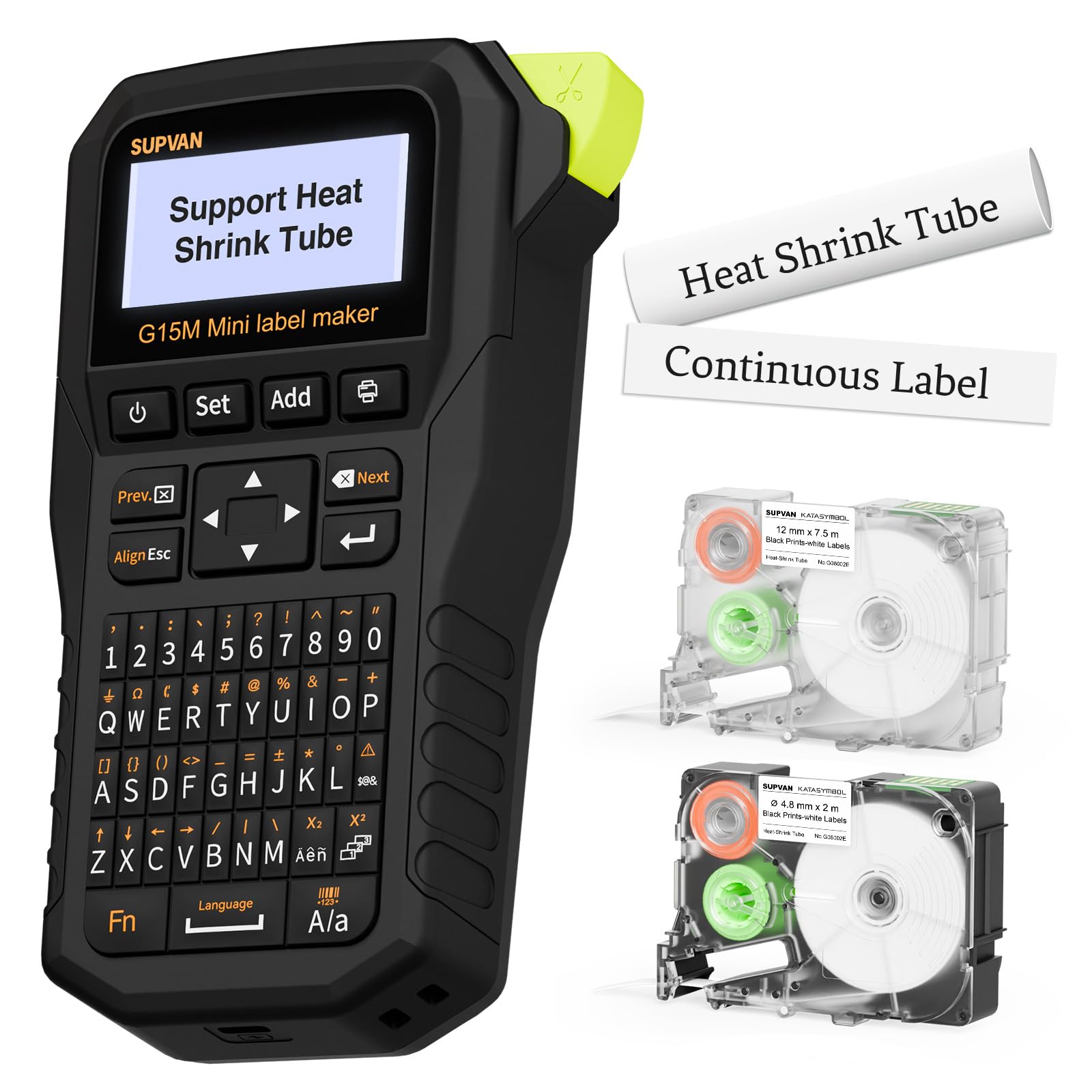
The only one here that prints onto heat-shrink tube for wiring.
If you ever label wire harnesses, this is the machine for the job. It accepts heat-shrink tubes alongside continuous labels, fixed-size labels and cable labels, so a single unit handles both your wire ends and your toolbox bins. That heat-shrink compatibility is a feature none of the app-first pocket printers offer.
It runs on a 1200 mAh rechargeable battery, and the rated run time is up to 3 months on one charge. At 0.88 lb it is light enough to carry around. The print margin is a stingy 0.19″, roughly half of what others leave, which saves tape over a long run. Thermal transfer output is rated at 10 years with UV, heat and water resistance, so an outdoor cable tag holds its markings. On the editing side you get 9 font sizes, 6 font styles, 5 frames and 400+ icons, with up to four lines per label.
Measured against the Phomemo M110 at 4.48″D x 2.44″W x 3.43″H, this SUPVAN G15M at 6.7″D x 1.7″W x 3.35″H is a longer, slimmer body that is easier to grip for a labelling run. Quality is the thing people rave about here, with heat-shrink capability a close second — those wire labels are the star. Battery life is where the feedback splits: most owners say it stays charged for months, though not all. Charge it before a big wire job and you will be fine.
The standout: a built-in keyboard and LCD mean you can label cables in a garage with no phone or signal.
The limit: rechargeable battery feedback is mixed, so keep the USB-C cable handy on long jobs.
Worth it for: electricians, network installers and anyone who labels wiring. Pass on it: if you only label pantry jars and want a pocket-sized form factor.
6. MakeID P31S Portable Industrial Label Maker, 300dpi

A 300 DPI print head built for network closets and tool cribs.
Three things separate this from the casual picks. First, 300 DPI resolution, which renders small text and barcodes sharply. Second, a 1-inch wide print head that supports up to 8 lines per label, more detail than the two-line limit on smaller models. Third, labels in 30+ sizes and materials including vinyl, self-laminating wraps, PET, nylon cloth and heat-shrink tubing.
The speed is the draw. It is rated at up to 100 labels per minute and a listed 60 pages per minute, which is the kind of throughput you want when every network port in a building needs a tag. Bulk data import through the app or PC software lets you load a spreadsheet of labels and let it run. Thermal transfer printing gives waterproof, oil-proof labels with 10-year weather resistance, and it meets ANSI and TIA/EIA-606-A labeling standards for electrical, datacom and IT work.
A 2600 mAh rechargeable battery is rated for up to 90 days of standby, so it sits in a bag between jobs without dying. At 0.75 kg it is heavier than a pocket printer but still portable. Performance is the top theme in the feedback — 32 comments — with ease of use and value close behind. Connection setup is the one area with mixed notes, so pair it before you leave the office, not on the ladder.
Why the pros will like it
- 300 DPI output that keeps small barcodes scannable
- Up to 8 lines on a 1-inch print head
- Meets ANSI and TIA/EIA-606-A labeling standards
- 2600 mAh battery rated for 90 days standby
- 3 years of replacement service and support
Where it asks more of you
- Heavier than the pocket models at 0.75 kg
- Bluetooth setup can be fiddly on first pairing
The specialist’s pick: installers and IT techs who need compliant, high-resolution labels fast. Not for everyone: home labelers will pay for resolution and line capacity they never touch.
7. NIIMBOT B21 Pro 300 DPI Bluetooth Label Maker
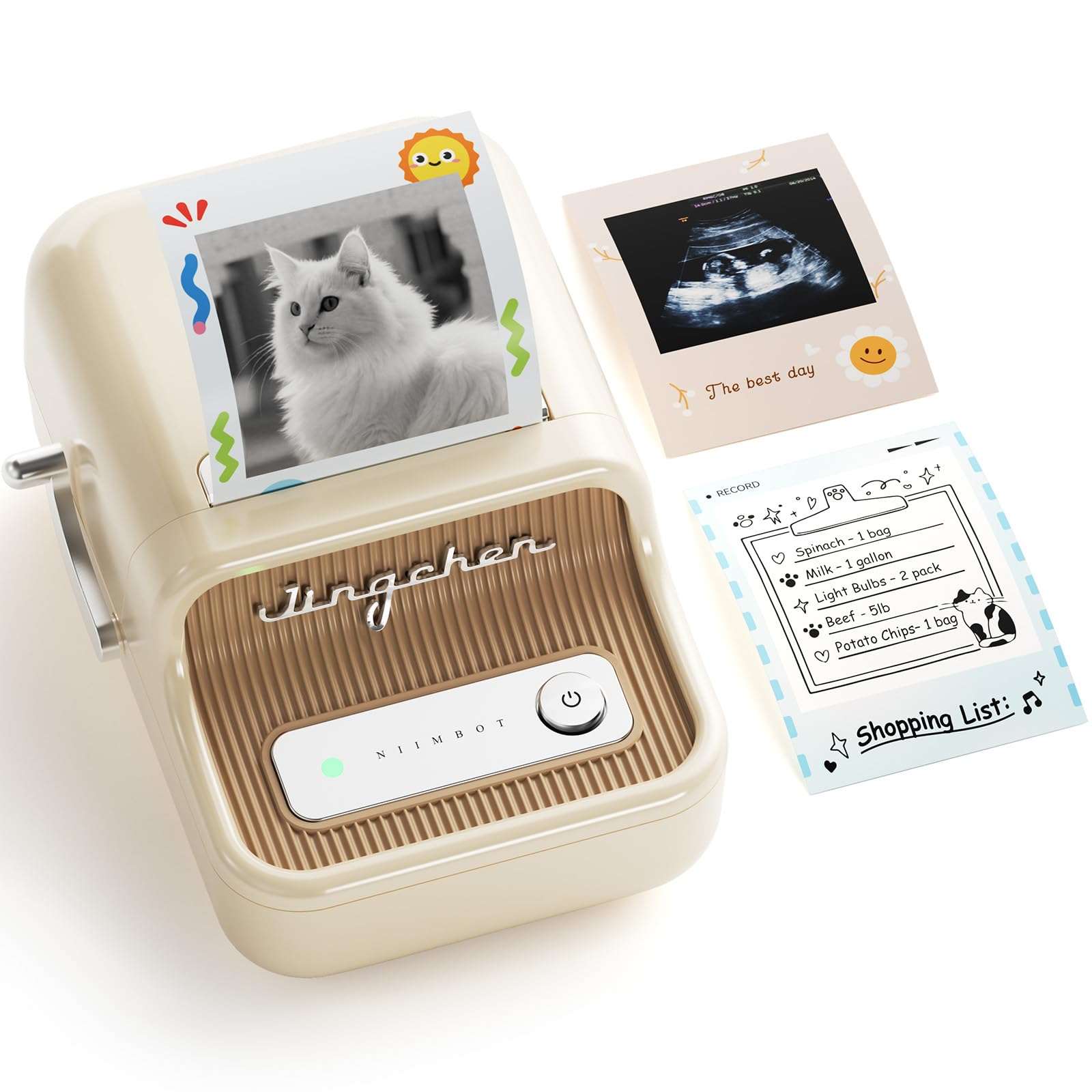
Fifteen hundred icons and a 300 DPI head for pretty labels.
The B21 Pro bumps the print sharpness to 300 DPI compared to the B1 and B21 before it, which means fine text stays legible on a small sticker. Combined with the app library, that turns a useful label into a decorative one. You get over 1500 icon and border materials, 249 free creative fonts plus 100+ VIP fonts, and more than 1,000 design templates ready to use.
Label styles go beyond the obvious: photo-style labels that work as scrapbook stickers, memo tags or refrigerator recipe notes, and a red-and-black dual-color label for flagging important info. It prints labels from 20 to 50 mm wide across home, small business and school uses. The app runs on iOS and Android, and PC connection is supported through a driver download.
Quality is the thing that wins people over, with appearance right behind it — these are labels you show off, not just stick on. Value is the one thread that splits, so judge it on what you will actually print. The 50 mm width ceiling also means no shipping labels, which is worth knowing up front.
Where it shines: kitchen jars, gift tags and school items where a cute label is half the point.
The limit: at 50 mm maximum width, wide address or shipping work is off the table.
Pick it for: creative household labeling with sharp 300 DPI type and a huge template library. Skip it for: heavy shipping or industrial jobs that need more width and durability.
8. NIIMBOT M2 Thermal Transfer Label Printer
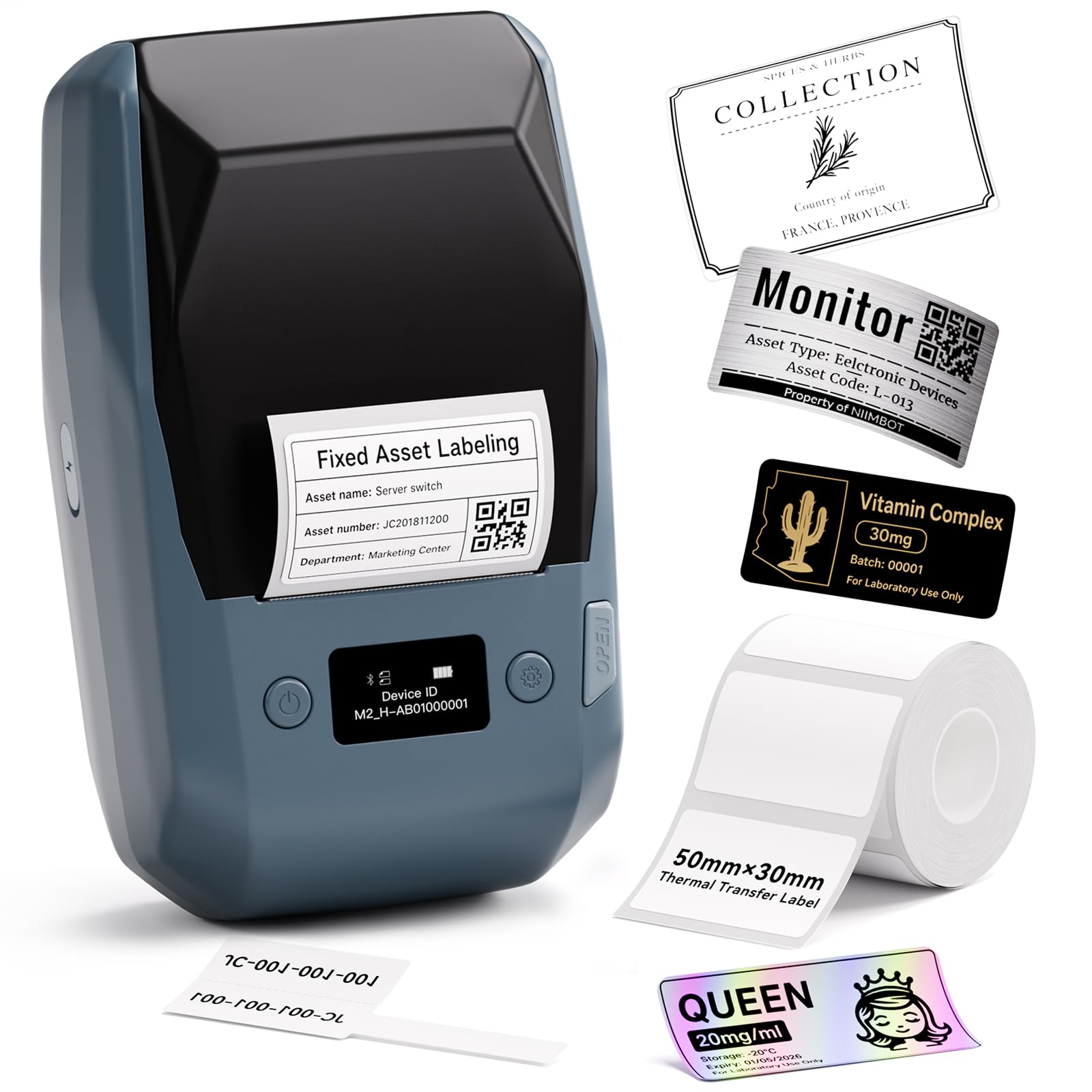
The one that fixes the fading problem inherent to thermal labels.
Most cheap label printers use direct thermal paper, which fades over time. The M2 upgrades to thermal transfer with a ribbon, so labels are rated waterproof, oil-proof, alcohol-proof, wear-resistant and scratch-resistant, and they tolerate high and low temperatures. The point is simple: print once, and the label outlasts the wear. One roll of ribbon is rated to print 3 rolls of label paper.
It prints at 300 DPI on labels from 20 to 50 mm wide, and the app supports 10 phones at once, three iOS and seven Android, plus a PC via data cable for more complex editing. You can pair color ribbons to create printed effects, and the printer intelligently recognizes consumables, rewinds paper and self-corrects density. There are batch printing, templates, Excel import and voice recognition in the app. At 795 g it is on the heavier side, so it belongs on a desk or in a job box rather than a shirt pocket.
The M2 will not run on standard thermal labels from the B1, B2 or B21 series — you need genuine M2-series rolls — which is the one buying note to heed before checkout. Set that limit aside and the payoff is labels that behave in a freezer, a lab or an essential-oil drawer. Quality leads the feedback with ease of use right behind, and connection plus print quality both read clean.
The real upgrade: ribbon-based printing means labels that survive moisture, oil, alcohol and temperature swings instead of smudging.
Mind before you buy: it takes only M2-series thermal transfer labels, so stock up on the right rolls.
Made for: labs, essential-oil sellers, small shops and anyone whose labels face cold or chemical contact. Overkill for: kitchen jar labels that only need to look neat.
9. Brady M211 Portable Bluetooth Monochrome Label Printer

The rugged one that shrugs off a drop from table height.
This is the pick that earns its place by surviving the job. The Brady M211 is a monochrome, Bluetooth, handheld label printer with an LCD and app control on Android and iOS. It builds labels for datacom and electrical work, and its self-laminating inch-and-a-half label stock is made for wrapping cables and connectors so the marking stays protected.
Durability is a genuine strength — the machine is described as surviving drops from table height, and the cutter trims each label cleanly every pass. The trade-off is speed. It is listed at 0.6 pages per minute, so this is not a machine for volume label runs. It is a machine for doing a handful of critical labels correctly, in the field, on a ladder, where dropping the unit is a real risk.
The interface is where the honest reservation sits. User-friendliness splits, and app usability lands as the one clearly negative thread in the feedback — the hardware is tough, but the software side takes patience. If you install cable tags on industrial equipment and want a printer that can take a knock, this delivers. If you want fast, app-easy labels on a desk, one of the NIIMBOT or SUPVAN picks will suit you better.
Why field techs gravitate to it
- Rugged build that holds up to drops
- Self-laminating 1.5-inch stock for cable and datacom labels
- Cutter produces clean edges on every label
- Bluetooth app control on Android and iOS
The friction points
- 0.6 pages per minute is slow for batch work
- App usability is the weakest link
Its home: cable closets, server rooms and industrial sites where the printer will get knocked around. Look past it: if you want slick phone-first labeling or high output volume.
Know the Specs
Print Resolution and DPI
DPI stands for dots per inch, and it tells you how much fine detail the print head can place on the tape. At 300 DPI — the MakeID P31S, NIIMBOT B21 Pro and NIIMBOT M2 all list it — small text stays readable and QR codes scan on the first try. Lower resolution heads still handle big, bold labels fine, so you only need to prioritize this if your work calls for tiny type or scannable codes.
Thermal Direct vs Thermal Transfer
Direct thermal heats the label paper itself, so the printer needs no ink or ribbon and runs cheaply. Thermal transfer melts a ribbon onto the label instead, which produces markings rated to resist water, oil and temperature swings. If your labels sit on a freezer shelf, a chemical bottle or an outdoor box, thermal transfer is usually the more durable option. For mess-free jar and bin labels, direct thermal is fine.
Tape Width and Label Capacity
Every cartridge is listed by its width, and that width caps how much you can print in one go. The Brother PT-N25BT’s 12 mm Btag tape is great for a name or a file tab but cannot fit a wide address label. A 1-inch print head like the MakeID P31S supports up to 8 lines, while a 50 mm ceiling on the Phomemo M110 and NIIMBOT picks fits most home and small business labels but rules out shipping.
Battery Life and Power
Portable printers run on either a rechargeable cell or disposable batteries. A 1200 mAh cell like the SUPVAN G15M’s is rated up to 3 months of use per charge, and the MakeID P31S’s 2600 mAh cell is rated for up to 90 days of standby. Disposable setups like the six AAA on the Brother PT-N25BT avoid charging but need a steady supply of cells. Match the power source to how often you print.
Common Questions
Can a portable label printer print shipping labels?
Do these printers need ink or toner?
Will the labels fade over time?
Do I need a phone to print a label?
Is 300 DPI worth it over a lower resolution?
Can I print labels from my laptop instead of a phone?
What is heat shrink tube printing used for?
Do the printers take any compatible label tape or only brand tape?
Can I use a portable label printer in a garage with no phone signal?
How many labels does a printer battery hold?
The Bottom Line
For most people, the winner is the Brother PT-D460BT because its laminated TZe tape (a strong, layered tape that resists wear) and app editing make it the safest everyday labeler. It also holds the highest score of the list at 4.5+ stars across 400+ ratings, though the budget SUPVAN T50M Pro has far more reviews — 8,000+ to 400+ — so this pick wins on score, not sheer volume.
If you print in bulk, grab the SUPVAN T50M Pro for its 60 pages per minute. And for wire and heat-shrink labeling, the SUPVAN G15M is the one to reach for, with its heat-shrink compatibility none of the others match.
How we choose
We do not accept paid placement. Every pick is matched to a real buyer and a real use-case; we do not hands-on test units.
Sources
Specifications: manufacturer listings and product documentation. Review insights: verified customer reviews, as of November 2026. Pricing: not shown on this page (it changes often); check the current price via the retailer link.
As an Amazon Associate, Tactical Gear Guy earns from qualifying purchases. This does not affect which products we feature.