Specs are compiled from manufacturer listings and verified buyer reviews and can change over time — please confirm the key details on the product page before buying.
You want a real photo you can peel and stick on a fridge or a journal page, straight from your phone, without waiting on a print shop. The short answer: buy dye-sublimation over ZINK if print quality matters most, and the Fujifilm INSTAX Mini Link 3 is the safest all-rounder because it prints true 2 x 3″ instant film photos and ships with 20 exposures in the box. A quick honesty note before we go further: this list uses flexible, human-like matching for phone-to-printer Bluetooth connectivity, so not every pick is the exact model you typed into the search bar — the nearest same-type pocket printer that does the same job makes the cut.
This guide is built by comparing the manufacturers’ published specifications and the patterns across verified customer reviews, so you get each pick’s real strengths and trade-offs instead of marketing spin.
Below you will find nine pocket printers split by how they actually print, what each one costs you per photo, and who each one suits. The short version: dye-sub prints look better and survive water, while ink-free ZINK paper stays cheaper and thinner, and knowing which of those two you need is the whole buying decision when you shop for a portable bluetooth picture printer.
Top Picks

How To Choose The Best Portable Bluetooth Picture Printer
A pocket photo printer is really two purchases in one: the hardware you hold in your hand, and the paper-plus-ink you keep feeding it. Most buyers obsess over the printer and forget the refills, which is where the cost and the frustration actually live. So start with the print technology, because that single choice decides how your photos look, whether they survive a water spill, and what you pay every time you hit print.
Dye-sublimation versus ZINK paper
Dye-sublimation printers (often shortened to dye-sub) heat a ribbon so the color sinks into the paper in layers. These machines usually add a clear protective laminate on top, so the finished 2×3″ print shrugs off fingerprints and water. The catch is that dye-sub uses a cartridge, which is a consumable you replace and which can dry out if the printer sits unused for weeks.
ZINK stands for “Zero Ink” — the color crystals live inside the paper itself, so there is no cartridge to buy or dry out. ZINK prints come out thinner and often carry a peel-and-stick backing. The trade-off is that color on ZINK tends to run a little less punchy than a dye-sub print, so set your expectations by what you plan to do with the photo.
Pairing, app, and the 2×3 footprint
Every printer here talks to your phone over Bluetooth, and the app is where you crop, add frames, and send the job. Bluetooth 5.3 (a newer wireless standard with better range and stability than older versions) is the strongest spec on this list, while 5.0 and 5.1 are perfectly workable for a device sitting a couple of feet from your hand. A 2×3″ print is roughly the size of a credit card, which is what makes these printers so good for journals and wallets.
What to check before you click buy
Look at three numbers: what comes in the box (sheet count matters more than you think), how many prints one charge delivers, and whether the manufacturer sells refill paper separately and easily. A printer bundled with 110 sheets keeps you printing for months; a printer bundled with 20 has you shopping for refills in a week. A 110-sheet bundle keeps you printing for months; a 20-sheet one has you buying refills within a week.
Side-by-Side Comparison
| Model | Best For | Print Tech | Print Size | Sheets Included | Amazon |
|---|---|---|---|---|---|
| Fujifilm INSTAX Mini Link 3★ Best Overall | All-round instant film | Instant film (dye-based) | 2 x 3″ | 20 exposures | Amazon |
| KODAK Mini 2 RetroBest for Volume | Cheap prints, big output | 4PASS dye sublimation | 2×3″ | 38 sheets | Amazon |
| HP Sprocket 2×3Party Sidekick | Group printing at parties | ZINK Zero Ink | 2×3″ | — | Amazon |
| KODAK Step Slim | Slimmest pocket carry | ZINK Zero Ink | 2×3″ | — | Amazon |
| Nelko Flow | Crafting and six paper types | 650 ink cartridge | 2×3″ | 60 sheets | Amazon |
| Liene Pearl N200 Pro | Sharpest small prints | Thermal dye sublimation | 2×3″ | 50 sheets | Amazon |
| Polaroid Hi-Print 2nd Gen | Combo printer-plus-paper box | Dye-sub cartridge | 2×3″ | 40 sheets | Amazon |
| HPRT CP4100 | Full 4×6″ photo prints | Thermal dye sublimation | 4×6″ | 108 sheets | Amazon |
| Canon Ivy 2 Mini | Big paper bundle | ZINK Zero Ink | 2×3″ | 110 sheets | Amazon |
Detailed Reviews
1. Fujifilm INSTAX Mini Link 3 Smartphone Printer Bundle
Our pick — 4.5+★ from 500+ verified ratings; the strongest balance of quality and price.
Real instant film, printed from your phone, with 20 exposures ready on day one.
This is the pick for anyone who wants a photo that feels like a real Polaroid rather than a thin sticker. It uses actual INSTAX Mini film (the dye-based instant film Fujifilm is known for) instead of ZINK paper, and you feed it from the INSTAX MINI LINK app over Bluetooth 5.1 (a newer wireless standard than the older 5.0 found on some rivals). Its 4.5+ stars across 500+ ratings make it the best-reviewed printer on this list, and the genuine film prints are why.
Pairing is where most buyers expect a fight, and the 5.1 connection here does its job — it holds a link while you scroll, edit, and send. You get the full creative toolkit through the app: 3D AR effects via INSTAX AiR Studio, text and frames, filters and stickers, and even the ability to pull a still frame out of a video and print it. There is a collage mode for photobooth-style shooting and a remote live view so a friend can frame the shot from their own phone. For a birthday party or a wedding table, that remote-view trick alone makes it the more social choice.
The honest trade-off is the consumable. INSTAX film is a real cartridge purchase, and the value question is the most divisive part of this model’s feedback — some owners find it a fair trade for film-quality prints, others do not. Connectivity also splits opinion: most pair it cleanly, a few wrestle with the app handshake. And film costs more per shot than ZINK paper, so this is not the budget route if you plan to print hundreds of photos.
What sold me on it
- Genuine instant film prints that look like actual Polaroids, not stickers
- Bluetooth 5.1 pairing held steady through editing and printing
- 20 exposures and the cleaning cloth ride along in the box
- 3D AR effects, video-frame stills, and remote live view add real fun
Where it asks for more
- Film is a running cost — more per shot than ZINK paper
- The app pairing takes a second or two, and a few owners find it fiddly
- Not the choice if you plan to print in volume
Grab this one if: you want instant-film quality and the social extras of AR effects and remote framing.
Left wanting if: you print often — the film refill will be the biggest line in your budget.
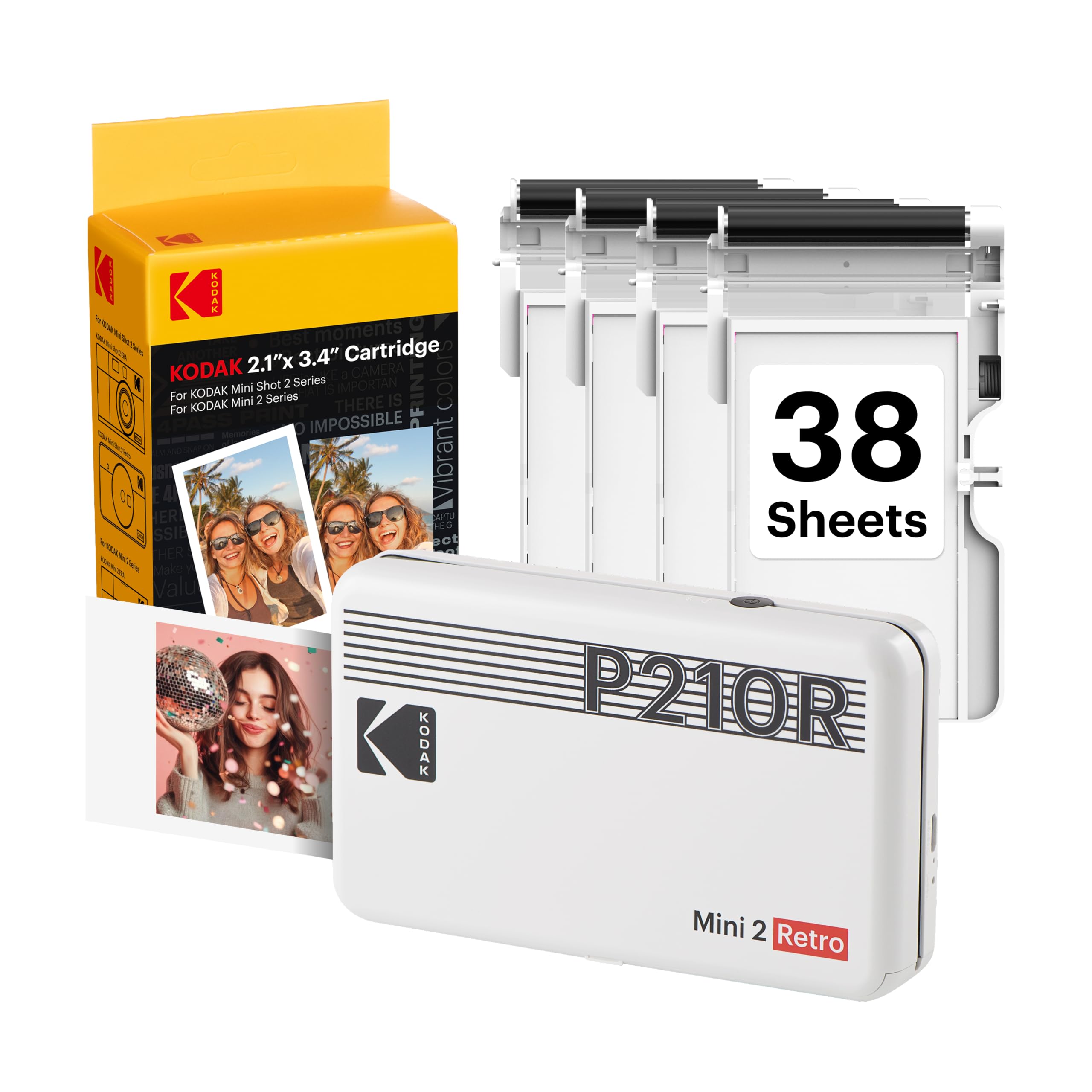
2. KODAK Mini 2 Retro 2×3 Portable Photo Printer
Layered 4PASS prints at a fast clip, with 38 sheets to burn on day one.
Where this one pulls ahead of the INSTAX is straightforward speed on paper. The KODAK Mini 2 Retro’s rating sheet lists 20 pages per minute in black and white and 5 pages per minute in color — compare that with the HP Sprocket’s 1 page per minute on both counts, which is the slowest of the bunch. For journaling or party favors where you want to keep a line moving, that headroom matters more than fancy effects.
The printing itself is genuine 4PASS dye sublimation: three color layers finished with a clear protective laminate. KODAK says each photo takes roughly 55 seconds, and the laminate is there to resist fingerprints, water, and fading. You get 4 cartridges and 38 sheets in the box, plus a USB-C cable, so you can start printing without a separate refill run. The unit itself measures 3″D x 5″W x 1″H — roughly a thick phone in your palm, which makes it the one that lives in a bag without complaint.
Here is the caveat worth knowing before you order. This is the most-reviewed model on the list, and the biggest cluster of feedback is quality-related, with an honest split between owners who love the prints and owners who got grainy or off-color results. The most-discussed negative is jamming: the cartridge and paper can stick. That is a care issue as much as anything — feed it clean paper, seat the cartridge firmly, and it behaves. If you want zero fuse, skip to the Liene below.
What holds up: Genuine 4PASS dye sublimation with a protective laminate means your prints are built to resist fingerprints, water, and fading, and the 38 sheets plus 4 cartridges mean no emergency refill trip.
The honest wrinkle: Print quality draws mixed reports and jamming is the recurring gripe, so treat this as a workhorse that rewards careful loading rather than a set-it-and-forget machine.
My read: the right buy if you want laminated prints and a bigger starter sheet count.
Think twice if: you want a fuss-free first printer — the jamming and grain reports mean this one needs a little patience.
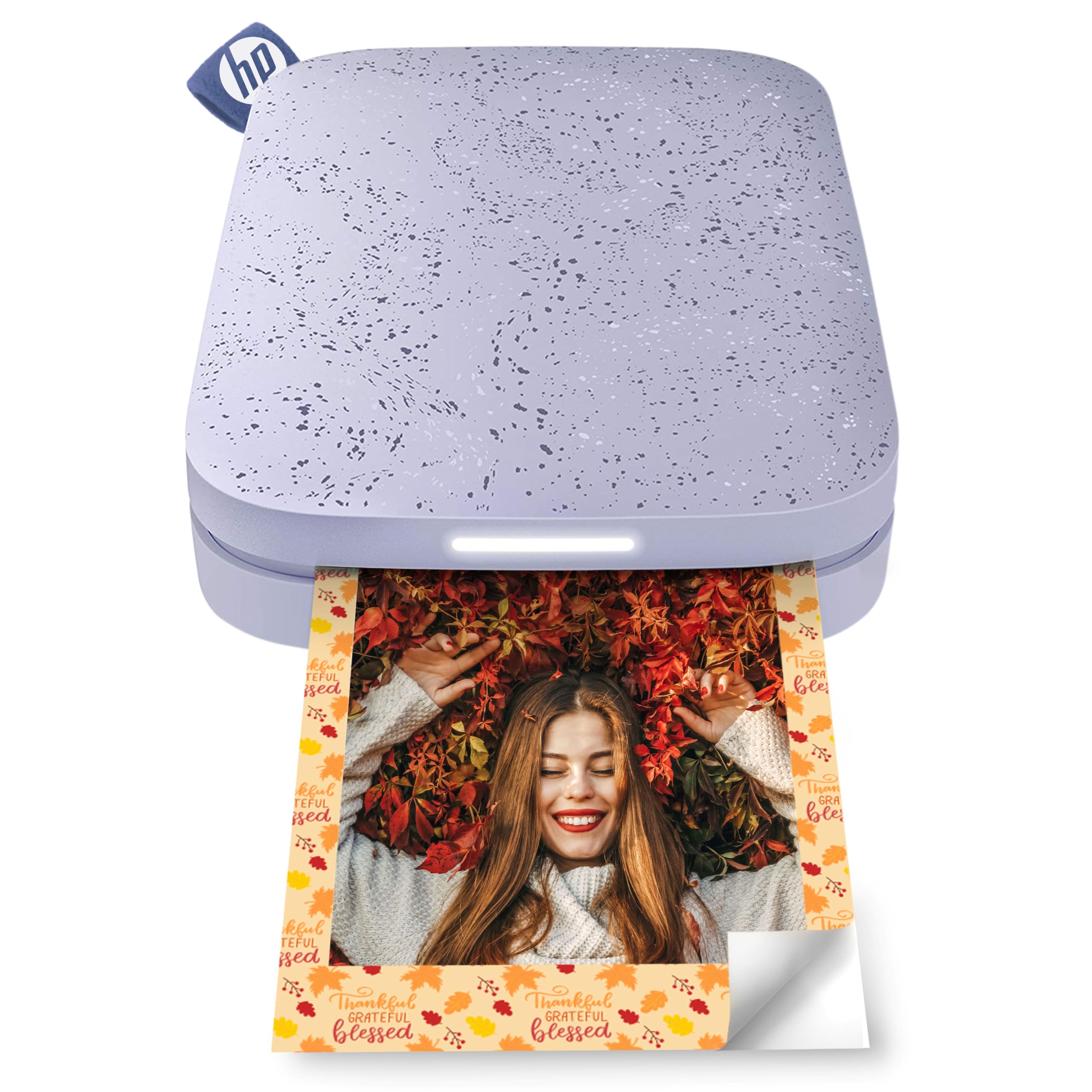
3. HP Sprocket 2×3 Instant Smartphone Photo Printer
The one to hand around a table — multiple phones, one printer, no queue.
This is the model built for sharing rather than solo use. The HP Sprocket supports Bluetooth 5.3 (the newest wireless standard here — 4% newer spec than the INSTAX at 5.1, if you’re counting version numbers), which is the cleanest pairing signal you can buy in this class. More usefully, it lets you connect multiple devices at once, and each person gets a personalized LED light that flashes when their print is running. At a birthday party, that “who’s printing now” light ends the guessing.
The paper here is ZINK Zero Ink — the color crystals live inside the paper, so there is no toner or ribbon to replace. The finished 2×3″ print is glossy with a sticky back, and HP builds it to resist water, smudges, and tears. A single charge gets you 35 prints, and it charges over micro USB. It is slim enough to live in a purse or backpack, so it travels without ceremony.
Set expectations on speed, because this is not the fast one. The rated output is 1 page per minute black and white and 1 page per minute color — the KODAK Mini 2 Retro’s 5 pages per minute in color is the faster number by a long way. The trade for that speed is the ZINK system’s thinner prints, which is fine for journaling and sticky-fun but a step below laminated dye-sub. This one is about the experience and the group, not about speed.
Pick it for: parties and shared printing — the multi-device pairing and LED indicator are genuinely useful when friends are crowding in.
Look past it if: you print solo at any speed — a chapter per minute will test your patience.
4. KODAK Step Slim Instant Smartphone Photo Printer
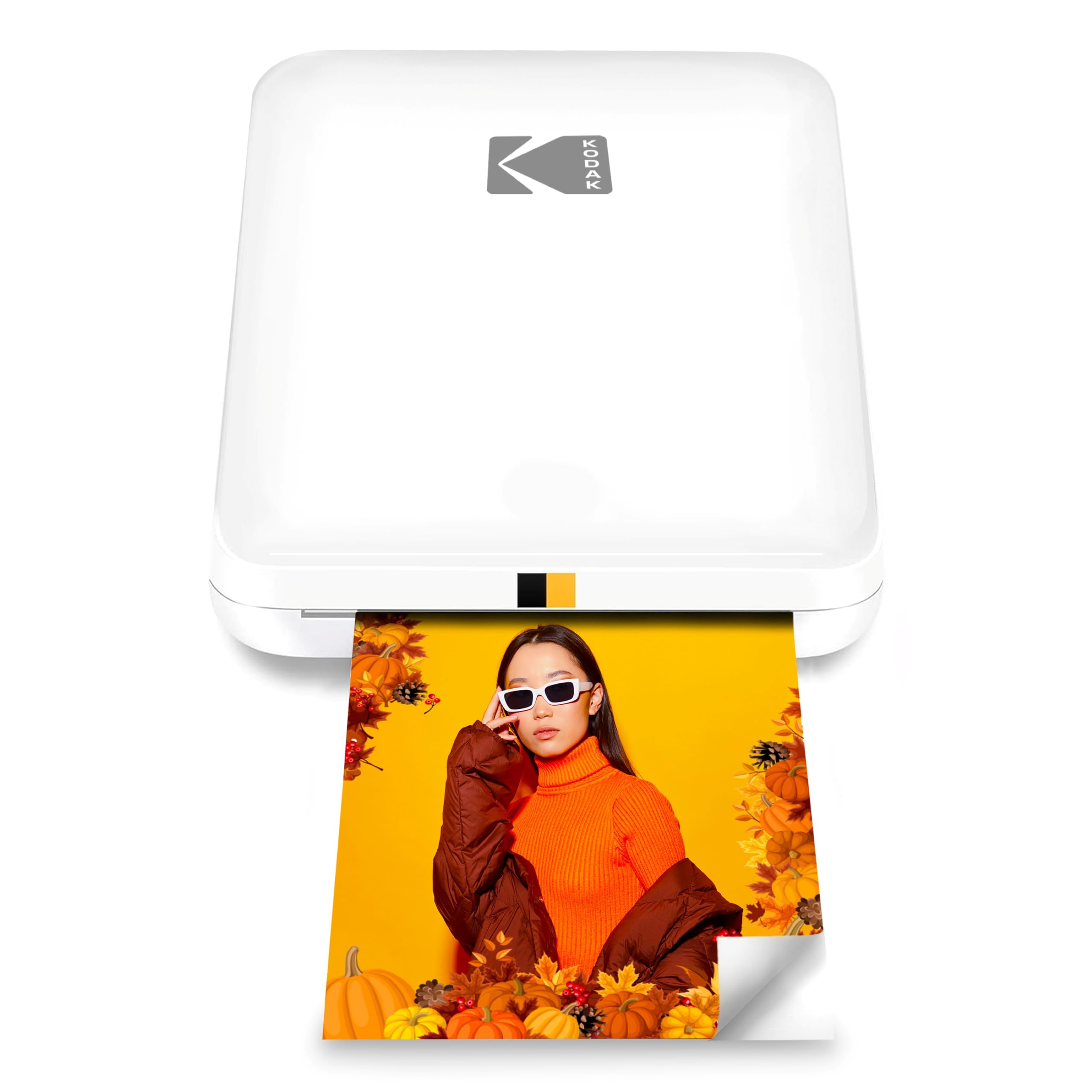
Under an inch thick, so it disappears into a pocket and prints in under a minute.
Take the KODAK Mini 2 Retro’s footprint of 3″D x 5″W x 1″H and shave it — the Step Slim runs 0.9″D x 3.25″W x 4.9″H, which is the thinnest body on this list. That 0.9″ depth is what lets it ride in a jacket pocket rather than a bag, which is the whole point for journalers and scrapbookers.
Like the HP Sprocket above, this uses ZINK (Zero Ink) 2×3″ paper with a sticky back, so there is no cartridge to buy or dry out. The KODAK STEP Prints app (free, on iOS and Android) handles frames, stickers, and edits before you send. The glossy shell in white keeps it looking tidy on a desk, and the whole package is aimed at people who print a few photos a week rather than a batch.
Print quality is the split here. There is praise for the pictures and the setup — many find it easy to pair and easy to run — but color runs off-tone on some units, leaning yellow, and a few reports mention a printer that quit early. Treat those as the exception rather than the rule; the recurring praise is for the price and the form. If color accuracy is your life’s work, this is not your machine. If you want a slim sticker printer for a journal, it is a solid, honest option.
The case for carrying it
- Thinnest body here at 0.9″D, so it slips into a pocket
- ZINK paper means no cartridge to buy or dry out
- Prints in under a minute, and setup is quick
What to weigh up
- Color can run yellow on some prints
- A few units have stopped working early
- Not for anyone chasing dye-sub sharpness
Snap it up if: pocketability is the deal, and you want a sticker printer that goes anywhere without a bag.
Keep looking if: color accuracy is your priority — the off-yellow prints are the recurring note here.
5. Nelko Flow Photo Printer

Six paper types in the box — magnets, decals, and iron-on transfers, not just stickers.
This is the only printer here that says yes to a mug, a tee, and a fridge door. The Nelko Flow ships with 60 sheets across 10 transparent, 10 macaron sticker, 10 white sticker, 10 magnetic, 10 water-transfer, and 10 heat-transfer sheets — the widest paper variety in this article. That is 60 sheets against the KODAK Mini 2 Retro’s 38, which is 58% more material to work with if you count by the pack. If you print magnets, iron-on transfers, and mug decals rather than journal stickers, the six paper types are the reason to buy it.
The heat-transfer sheet takes dark cotton and an iron at 356°F with steam off, and you need to cool it fully before peeling — Nelko is clear that these are decorative wear only, not washable or dry-cleanable. The water-transfer sheets are for mugs and crafts, and the magnetics are for fridges and message boards. The battery is the second headline: it delivers up to 80 photos on a full charge, recharges in 120 minutes, and can print while charging. If you’re running a birthday party, 80 photos is a whole event on one battery.
The cartridge is the number to check. It takes a 650 ink cartridge, and Nelko recommends printing at least once every 3 to 5 days to keep the ink flowing and prevent it drying out. That is a real commitment if you print in bursts. Buy Nelko’s genuine 650 refill when it runs low, since third-party carts can be a lottery. If you print at least weekly, the six paper types make it the most creative printer on the list. If you will print twice a year, the cartridge will give you trouble.
The standout: six paper types and 80 prints per charge make it the most versatile crafting option here.
The catch: the ink cartridge wants regular use every 3 to 5 days, so burst printers should look to ZINK instead.
Built for: crafters who want magnets, transfers, and stickers from a single machine and will print weekly.
Wrong fit if: you print only at holidays — the ink cartridge will dry out between uses.
6. Liene Pearl N200 Pro Portable Photo Printer
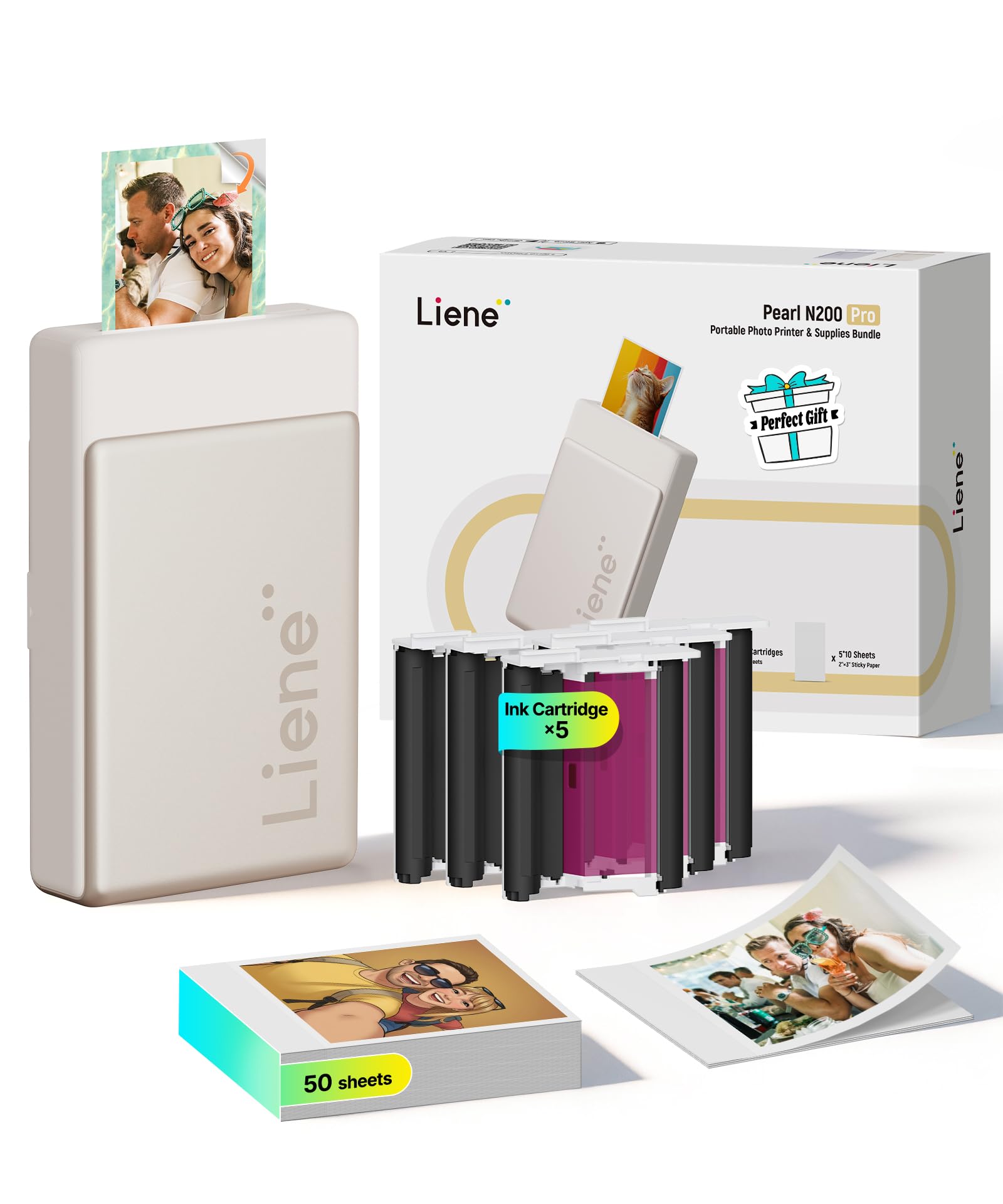
Dye-sub color and a stack of adhesive sheets that make gallery walls easy.
If the KODAK Mini 2 Retro above left you second-guessing the grain, this is the upgrade path. The Liene Pearl N200 Pro runs thermal dye sublimation (the layered process that sinks color into the paper and can add a protective finish) in a compact 3-inch body, and the result is the sharpest print quality in this list’s feedback. The printer arrives with 50 sheets of 2×3″ adhesive paper and 5 cartridges, so you get a proper starter set rather than a sample pack.
The app is where Liene goes beyond the basics. There is an InstaPic Print mode that works more like a camera than a printer — you shoot and it prints, complete with built-in CCD camera filters, so you skip the album-scrolling step. There is AI background removal for cutting a subject out and framing it, plus watermarks, timestamps, and official stickers. The Liene Photo App even offers AI portrait styles that reimagine your photo while keeping the subject intact. For scrapbookers, the AI cutout alone saves a fiddly manual step.
The Bluetooth is the one wrinkle. Most owners pair cleanly and stay paired, but pairing problems are the most-discussed mixed note for this model, so give yourself a quiet moment to set it up before the party. A full charge prints up to 27 stickers — that is a smaller battery number than the Nelko Flow’s 80 photos, so plan on a midday top-up for a long day of printing. For most journalers 27 is plenty per sitting.
Choose this for: image quality and a generous 50-sheet adhesive stack — the app’s AI cutout and camera filters make it the most capable creative tool here.
Go elsewhere if: you need all-day printing — the battery tops out at 27 stickers per charge.
7. Polaroid Hi-Print 2nd Generation + Paper Bundle
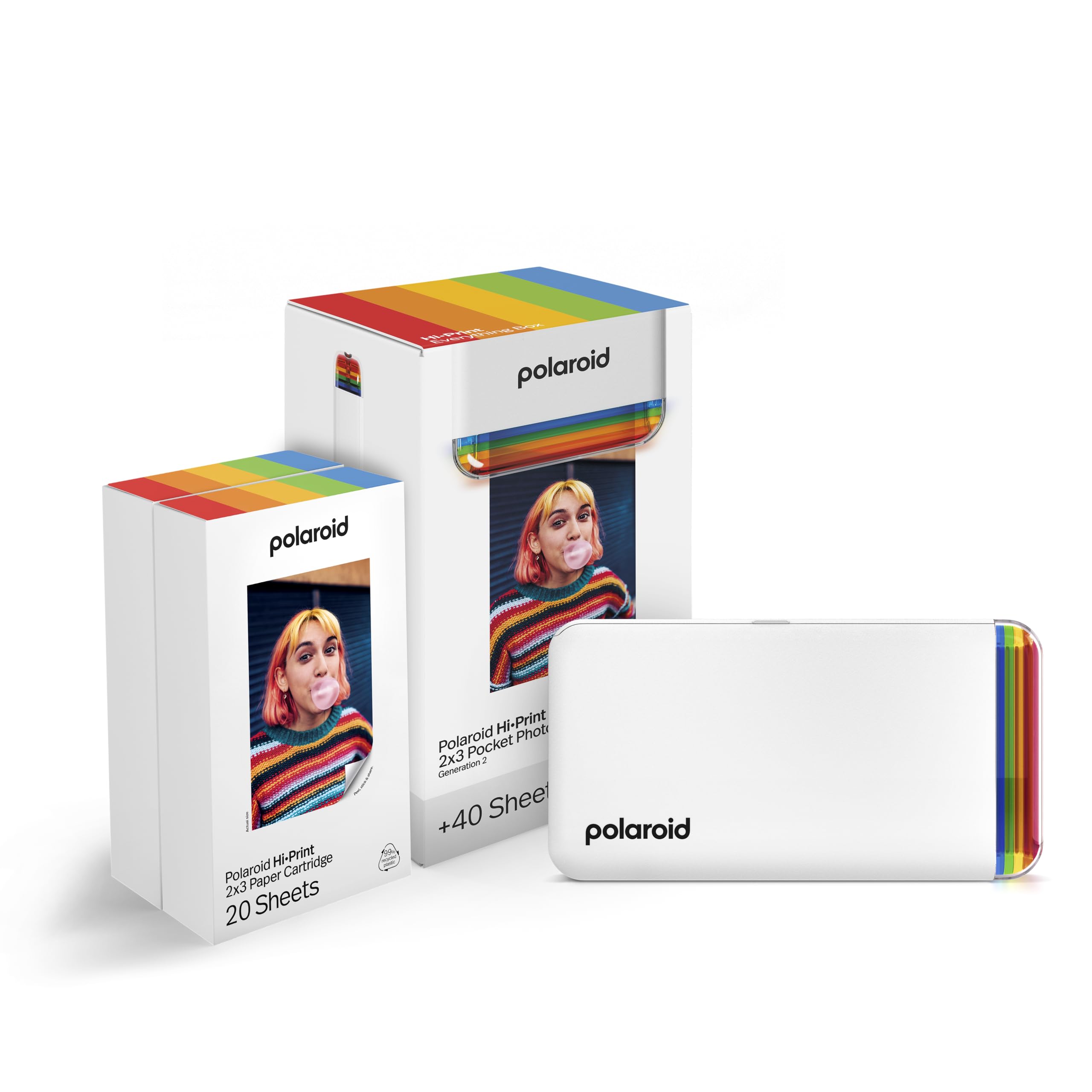
Printer and 40 sheets in one box, with dye-sub photos in under 50 seconds.
This is the “everything box” approach: the Polaroid Hi-Print wireless pocket printer plus two packs of Hi-Print paper (40 sheets) arrives together. The printing is dye-sub cartridge technology — Polaroid put it at under 50 seconds per print — and the 2×3″ format is business-card sized, with the sticky back ready for a wall or laptop. The pairing is one of the smoother parts of the experience: connectivity is the strongest positive category in this model’s feedback, and it pairs cleanly with phones over Bluetooth.
The app is the usual toolkit: frames, filters, text, and emoticons, all applied before printing. It charges over USB Type-C and is designed to live in a pocket. If you have used a ZINK printer before and found the prints thin, this is the step up in physical feel — dye-sub prints are the more substantial of the two.
Honesty time. Print quality is the most divisive aspect of this model’s feedback: plenty love the image quality, but some report images coming out wonky. The adhesion is the second note, with a few finding the sticky back is not permanent on every surface. Reliability also splits — most work great, a few report failures early. Treat those as the exceptions. The bigger question is value: the bundle is the appeal, not the unit price.
Why it earns a spot: the bundle packs printer and 40 sheets in one box, and Bluetooth pairing is the smoothest part of the experience.
The thing to know: print quality and adhesion split opinion, so pick a smooth surface and keep your expectations on colour calibrated.
Right for you if: you want one box with printer and paper, and a dye-sub printer that pairs without drama.
Pass if: a guaranteed permanent stick is essential — the adhesive reports are the weak link here.
8. HPRT CP4100 Photo Printer
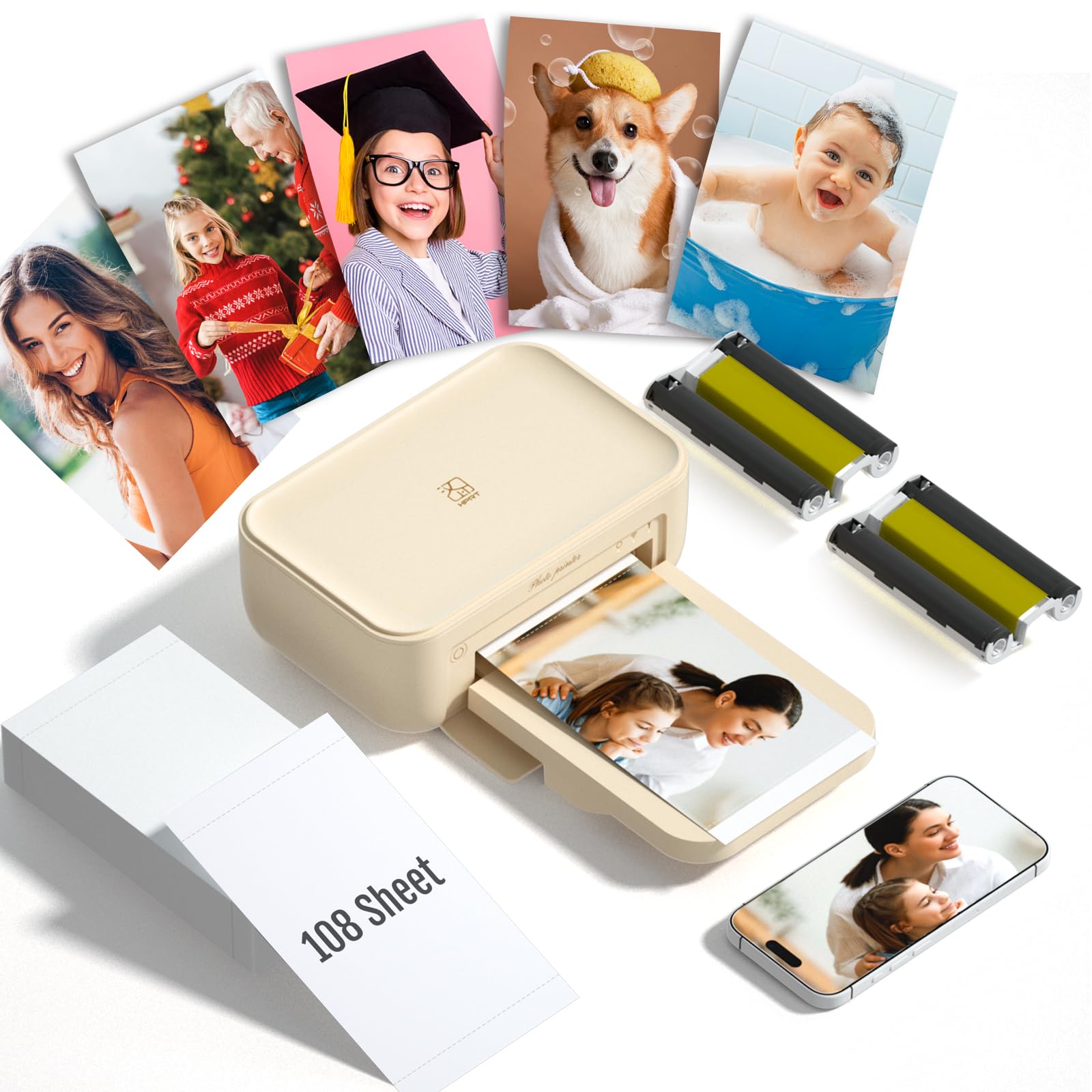
The only 4×6″ printer here, and it bundles 108 sheets for a proper print run.
Every other pick on this list makes a 2×3″ print the size of a credit card. The HPRT CP4100 does 4×6″ — a proper photo-album size — which changes what the device is for. This is the one for holiday cards, gift prints, and wall-worthy shots rather than journal stickers. Thermal dye sublimation sinks the color into the paper and laminates it, so the print is fingerprint-proof, water-resistant, and built to resist fading. The 300 dpi display resolution is your print fineness, and 108 sheets plus 2 ribbons means the box can print for months before a refill.
The bundle is the real value here: 108 sheets and 2 ribbons, and HPRT says each ribbon supports 180 printing missions. That means a single purchase keeps you printing rather than topping up every few weeks. The paper has crop areas on both sides so you can tear it off without fingerprints on the image, and you can choose border or borderless prints. The Heyphoto app adds variety, with multiple print sizes (6″, 5″, 3″, 2″, 1″) and an AR feature that plays back video when you scan a printed photo with the app.
Two things to know. First, the body is not pocket-sized: it measures 5.11″D x 7.86″W x 3.42″H and weighs 5.6 pounds, so it is a tabletop device, not a pocket one. Second, the rating pool is small (30+ ratings), so the 4.5+ stars is a strong signal from a short track record rather than a long one. If you want a 4×6″ print for albums or gifts and don’t need pocket carry, this is the most capable model here.
Why this one stands out
- The only 4×6″ printer here — album-sized, not credit-card sized
- Laminated dye-sub prints are fingerprint-proof, water-resistant, and fade-resistant
- 108 sheets and 2 ribbons in the box, with each ribbon rated for 180 prints
- AR playback and multiple print sizes through the Heyphoto app
Where it limits itself
- 5.6 pounds and 5.11″D x 7.86″W x 3.42″H — tabletop, not pocket
- The 30+ rating pool is small, so the 4.5+ stars is a short track record
Buy it if: you want full 4×6″ album prints with a 108-sheet starter set.
skip it if: pocket carry is non-negotiable — this is a tabletop machine.
9. Canon Ivy 2 Mini Photo Printer Bundle

110 ZINK sheets in the box — the biggest paper stash on the entire list.
You will not refill this for months. The Canon Ivy 2 Mini bundle includes 110 sheets of ZINK paper (2 packs of 50 plus the 10 that ship in the printer), a protective case, and a USB-A to USB-C cable. That is nearly triple the Fujifilm’s 20 exposures, and for a first-time buyer who doesn’t want to shop for paper in week one, it is the most complete starter kit here. ZINK means no ink or cartridge — the colorful dye-based crystals are inside the paper — and the prints carry a peel-and-stick backing for journals, mugs, and laptops.
The Ivy 2 is the journaling favorite in this list’s feedback: printing on studies and journals is the strongest positive note, and ease of use is close behind. Canon lists an improvement over the previous generation in skin tone, contrast, and sharpness, plus Bluetooth 5.0 for pairing and a fast-charge spec of 45 minutes from empty. The LED light bar is the little detail that tells you the status without opening the app. For a student or journaler, 110 sheets plus a 45-minute charge is a long runway.
Color is the honest caveat. Print quality and colour split opinion — some love the prints, and some report a deep blue tint that makes certain images look muddy. Connectivity is also mixed, with most pairing fine but a handful reporting dropouts. Neither is universal, and the journaling crowd is the happiest group of owners. If you want predictable color for family photos, a dye-sub like the Liene above is the safer gamble.
The big win: 110 ZINK sheets, a protective case, and a charging cable in one box mean a long gap before your first refill.
The fair warning: color can lean blue on some prints, so this is the pick for stickers and journals rather than color-critical work.
Best for: journalers and students who want the biggest paper stash and no cartridges to buy.
Not for: anyone printing portraits where a blue cast would ruin the shot.
Know the Specs
Dye-sublimation vs ZINK
Dye sublimation heats a ribbon into the paper in layers and often adds a clear laminate, which is why dye-sub prints run thicker and resist water, fingerprints, and fading. ZINK paper hides color crystals inside the sheet itself, so there is no cartridge at all — the trade is thinner prints and less color punch. If you want album-worthy photos, go dye-sub. If you want cheap, sticky, ink-free prints, go ZINK.
Print size — 2×3″ vs 4×6″
A 2×3″ print is roughly a credit card, which is why pocket printers are so good for journals, wallets, and stickers. A 4×6″ print is a proper album size for gifts and cards, but it takes a bigger body — the HPRT CP4100 measures 5.11″D x 7.86″W x 3.42″H and weighs 5.6 pounds. Choose the print size first, because it decides whether the printer fits in your pocket at all.
Bluetooth version and pairing
Bluetooth 5.3 (the newest here, on the HP Sprocket) gives the most stable link and the best pairing experience, while 5.0 and 5.1 are perfectly fine for a device sitting a couple of feet from your hand. When Bluetooth is listed as a mixed category in customer feedback, the fault is usually the app handshake rather than the radio — so set the printer up at home before the event.
Battery life in prints per charge
Battery is rated in prints, not hours: the Nelko Flow lists 80 photos per charge, the HP Sprocket lists 35, and the Liene Pearl N200 Pro lists 27 stickers. The number that matters is how many photos you expect in one sitting. If you print all day at a fair, aim high. If you print a handful of journal stickers in an evening, 27 is plenty.
Common Questions
Do I need ink or a cartridge to use a ZINK portable photo printer?
Will a 2×3″ ZINK printer work with my iPhone?
How many photos per charge can I expect from a pocket printer?
What size are the prints from a portable Bluetooth picture printer?
Do the sticky backs actually hold photos on a wall or journal?
Is dye-sublimation better than ZINK for photo quality?
How long do prints last before they fade?
Why does the app need to be open for the printer to work?
What should I do if the cartridge dries out?
Can more than one phone print to the same printer at a party?
The Bottom Line
The portable bluetooth picture printer that makes the most sense for most people is the Fujifilm INSTAX Mini Link 3, because it prints genuine instant film with 20 exposures in the box and adds AR effects and remote live view. If you want laminated dye-sub prints with 50 adhesive sheets, reach for the Liene Pearl N200 Pro. And for album-sized 4×6″ prints, the HPRT CP4100 is the one to order — its 108-sheet bundle keeps you printing for months.
The one nudge worth making: if a single model has to justify its place, look at how long you plan to keep printing. A printer with a large bundled paper stash or a bundle like the CanonIvy 2 Mini will keep a beginner printing for far longer than a skinny 20-sheet starter pack, and a big bundled paper stash is what keeps a pocket printer in use past the first month.
How we choose
We do not accept paid placement. Every pick is matched to a real buyer and a real use-case; we do not hands-on test units.
Sources
Specifications: manufacturer listings and product documentation. Review insights: verified customer reviews, as of November 2026. Pricing: not shown on this page (it changes often); check the current price via the retailer link.
As an Amazon Associate, Tactical Gear Guy earns from qualifying purchases. This does not affect which products we feature.