Specs are compiled from manufacturer listings and verified buyer reviews and can change over time — please confirm the key details on the product page before buying.
You want a 4×6 print in your hand before the party ends, not a phone full of pictures nobody ever holds. The picks below all make real 4×6 inch photos, and the biggest difference between them is how the color gets onto the paper — because that decides whether your print survives a wet glass, a hot car dash, or a decade in a shoebox.
This guide is built by comparing the manufacturers’ published specifications and the patterns across verified customer reviews, so you get each pick’s real strengths and trade-offs instead of marketing spin.
The two print methods you will see here behave very differently in daily use, so start with that before you pick a body size. Here is how each portable 4×6 photo printer earns its spot on the shelf.
Top Picks


How To Choose The Best Portable 4×6 Photo Printer
The wrong assumption most first-time buyers carry is that every compact printer lays down ink the same way. It does not, and that single fact decides how long your prints look right.
Dye sublimation versus everything else
Dye sublimation means the printer heats a ribbon so the color sinks into the paper layer by layer, then seals a thin clear coat on top. In plain terms: the photo is protected from the outside, not just painted on the surface. That protective layer is why these prints shed water, fingerprints, and scratches far better than a wet-ink print does.
Connection method matters more than you think
A built-in Wi-Fi hotspot means the printer broadcasts its own signal, so your phone talks straight to it with no router involved. That is the setting that saves you at a birthday party, a wedding reception, or a hotel where the venue Wi-Fi is locked. Bluetooth pairing is the other route, and it is quick to set up but tends to be a shorter-range link.
How many prints you actually get
Two numbers tell you how far a printer will go before you stop: sheets per ribbon and prints per charge. Read both before you plan a photo booth night. A ribbon that handles around 54 sheets keeps you printing through a whole event, while a battery that delivers 40 prints per charge tells you roughly how much cord-free time you have.
Side-by-Side Comparison
| Model | Best For | Print Method | Speed (Color ppm) | Sheets / Power | Amazon |
|---|---|---|---|---|---|
| Liene White M200 Battery Edition★ Best Overall | Travel and events, cord-free | Dye sublimation | 1 pages_per_minute | 20 sheets, 40 prints per charge | Amazon |
| Yoton 4×6 with 54 Sheets & 1 RibbonBudget Champion | Budget-friendly starter kit | Dye sublimation | 5 pages_per_minute | 54 sheets, 1 ribbon | Amazon |
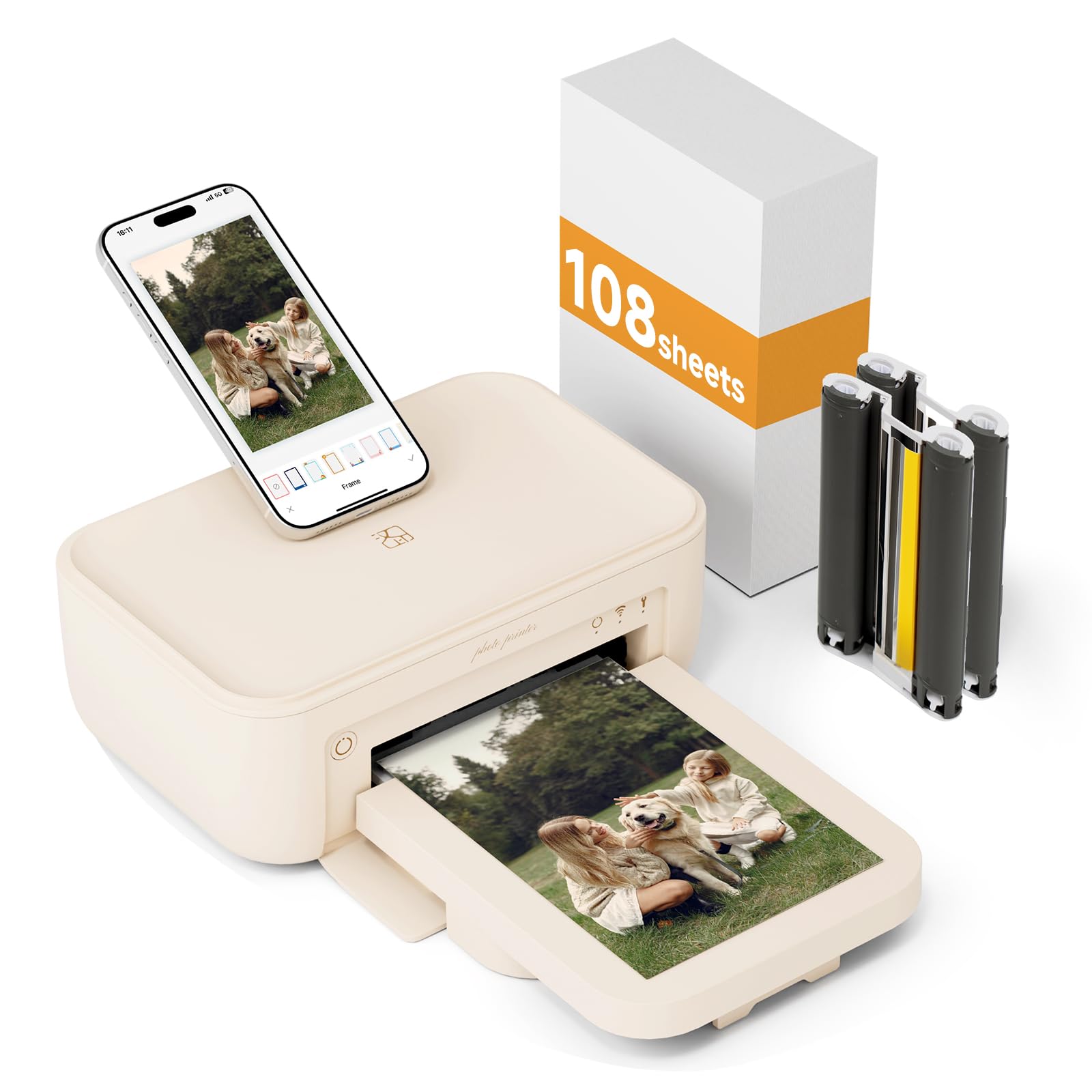
| HPRT Beige 108pcs + 2 RibbonVolume Leader | Big print volume, home + road | Thermal dye sublimation | 1.3 pages_per_minute | 108 sheets, 2 ribbons | Amazon |
| iDPRT 4×6 with 108 Sheets & 2 Ribbons | Batch printing sessions | Thermal sublimation | 1 pages_per_minute | 108 sheets, 2 ribbons | Amazon |
| HP Sprocket Studio Plus | Simple app-based home printing | Premium dye sublimation | 1 pages_per_minute | 10 sheets + cartridge | Amazon |
| HPRT CP4100 108 Sheets & 2 Ribbons | Family photo printing at home | Dye sublimation | 1 pages_per_minute | 108 sheets, 2 ribbons | Amazon |
| Liene Amber M110 Bluetooth | Two paper sizes in one tray | Thermal dye sublimation | 1 pages_per_minute | 80 sheets (60 4×6 + 20 3×3) | Amazon |
| KODAK Dock Plus | Desktop station with phone charging | 4PASS dye sublimation | 1 pages_per_minute | 50 sheets | Amazon |
| Canon SELPHY CP1500 Bundle | Multiple print sizes and finishes | Wireless dye sublimation | 1 pages_per_minute | KP-36IP set included | Amazon |
Detailed Reviews
1. Liene White M200 4×6” Photo Printer Battery Edition
Our pick — 4.5+★ from 550+ verified ratings; the strongest balance of quality and price.
The battery-powered 4×6 that prints 40 photos per charge with no wall socket in sight.
Here is the number that decides it: 40 prints per charge. A built-in rechargeable battery means you set this on a picnic table or a reception table with no power cord trailing behind it, and it still delivers a full evening of 4x6s. That cord-free run is what makes the Liene M200 the pick for anyone who prints away from a desk — the crowd favorite at 4.5+ stars across 500+ ratings, and it earns that spot on exactly this kind of practical detail.
The other portable trick is the built-in Wi-Fi hotspot. Your phone joins the printer’s own signal in about 3 seconds, so a locked venue network or a dead campsite connection never blocks a print. Up to 5 people can connect at once, which turns it into a shared photo station for a small party. Compatible with iOS, Android, laptops, and PC over USB-C, it covers the mixed-device crowd without needing adapters.
The printing itself is dye sublimation: three primary colors sink into the paper layer by layer, and the final coat seals the image against water, scratches, and fading. First print lands in 59 seconds, and the listed color throughput is 1 pages_per_minute — so plan a photo booth as a steady drip rather than a rapid burst. That beats the Yoton’s 5 pages_per_minute on paper, but the Liene trades raw speed for the battery and the sealed, lasting print. What wins people over is the overall quality of the output, and the picture quality is the second thing buyers keep coming back to.
Why It Leads The List
- Runs 40 prints per charge with no outlet needed
- Own Wi-Fi hotspot connects in 3 seconds, no router
- Sealed dye-sublimation print resists water and scratches
- App handles filters, borders, and low-supply warnings
Where It Gets Fiddly
- Steady 1 page-per-minute color pace, not a burst printer
- A few phones fight the hotspot pairing, so test the link at home first
- Reliability outside the house is the recurring gripe — keep the charger handy
Reach for this if: you print at events, parties, or on the road and want zero dependence on a wall outlet.
Look elsewhere if: you need a high-volume desktop run — the single-sheet-per-minute pace will feel slow.
2. Yoton Photo Printer 4×6
A 7.1-inch-wide body, 54 sheets and a ribbon in the box, and the fastest color engine here at 5 pages per minute.
The Yoton’s headline is 5 pages_per_minute in color — the fastest listed color speed in this group, and five times the Liene M200’s 1 pages_per_minute. In practice that means the machine churns out a birthday-party backdrop of 4x6s faster than you can hand them out. It also arrives with a full starter kit: 54 sheets of photo paper, one ink ribbon, a print cassette, and the AC charger.
Set the size next to the HPRT beige unit and the portability angle gets clear. The Yoton measures 5.16″D x 7.08″W x 2.44″H while that HPRT measures 11.7″D x 7.8″W x 3″H, so the Yoton slips into a backpack where the bigger body wants desk space. It works with iOS and Android phones plus computers, and the built-in Wi-Fi means your phone connects straight to the printer even with no internet around.
One feature nobody else on this list has: AR video printing. You can print a still from a video up to 15 seconds long, then scan the photo with the app and the moment replays on your phone. Photos come out with a protective top layer that resists water, scratches, and fingerprints, so the print is built for handing around. Buyers report “sharp, vibrant prints and easy smartphone app setup, taking just 10 minutes to set up everything.” The catch is the connection — Wi-Fi pairing earns the most pointed frustration of any aspect here, so get the link solid before you rely on it at an event.
Best-value read: the 5 pages_per_minute color rate and the 54-sheet kit together put a lot of printing in one box. The size is genuinely bag-friendly at roughly 7.1″ x 4.9″ x 2.2″ and 970g.
Worth it when: you want the most printing per session and you print from a stable home network.
Test first if: you plan to print on the go with no router — the wireless setup is the weak point.
3. HPRT Photo Printer 4×6”
Two 54-sheet ribbons and 108 sheets in the box, so the first refill is a long way off.
Open the box and you already have 108 sheets of photo paper and 2 ink ribbons waiting, which means no scramble for consumables before the first event. Each ribbon is rated for about 54 sheets, and HPRT puts that at 35% to 50% more per cartridge than others. That is the plain benefit: fewer mid-party ribbon swaps and less wasted time between prints.
The connection story is the flexible part. You can join it to the same Wi-Fi as your phone, or flip to the built-in hotspot when there is no network at all — the printer becomes its own little access point. It runs thermal dye sublimation, laying pigment on the paper three times and finishing with a clear protective film against dust, water, oil, and scratches. HPRT sells that coating on the idea of decades-long storage, which for you simply means the print you frame today stays framed-long.
Where it sits on a desk is the honest trade-off. At 11.7″D x 7.8″W x 3″H and 2.3 pounds, it takes real shelf space compared with the compact Yoton at 5.16″D x 7.08″W x 2.44″H. It lists 1.3 pages_per_minute in color and black-and-white, which is the modest end of print speed here — the Yoton’s 15 pages_per_minute in black-and-white is the number to weigh if raw throughput matters to you. The recurring gripe is a jam after a picture or two that clears with a cartridge reseat, so keep your ribbon changes calm and unhurried.
The honest math: the supplied 108 sheets and 2 ribbons are the real value here — a considerable amount of printing before you buy anything else.
Set expectations on speed: at 1.3 pages_per_minute, budget a relaxed pace for a big batch instead of a rapid roll.
Pick this for: a home or road trip printer that starts with a big pile of paper and two long ribbons.
Measure your desk first: the 11.7-inch depth needs a proper spot, not a crowded counter edge.
4. iDPRT 4×6 Photo Printer with 108 Sheets & 2 Ribbons, Beige
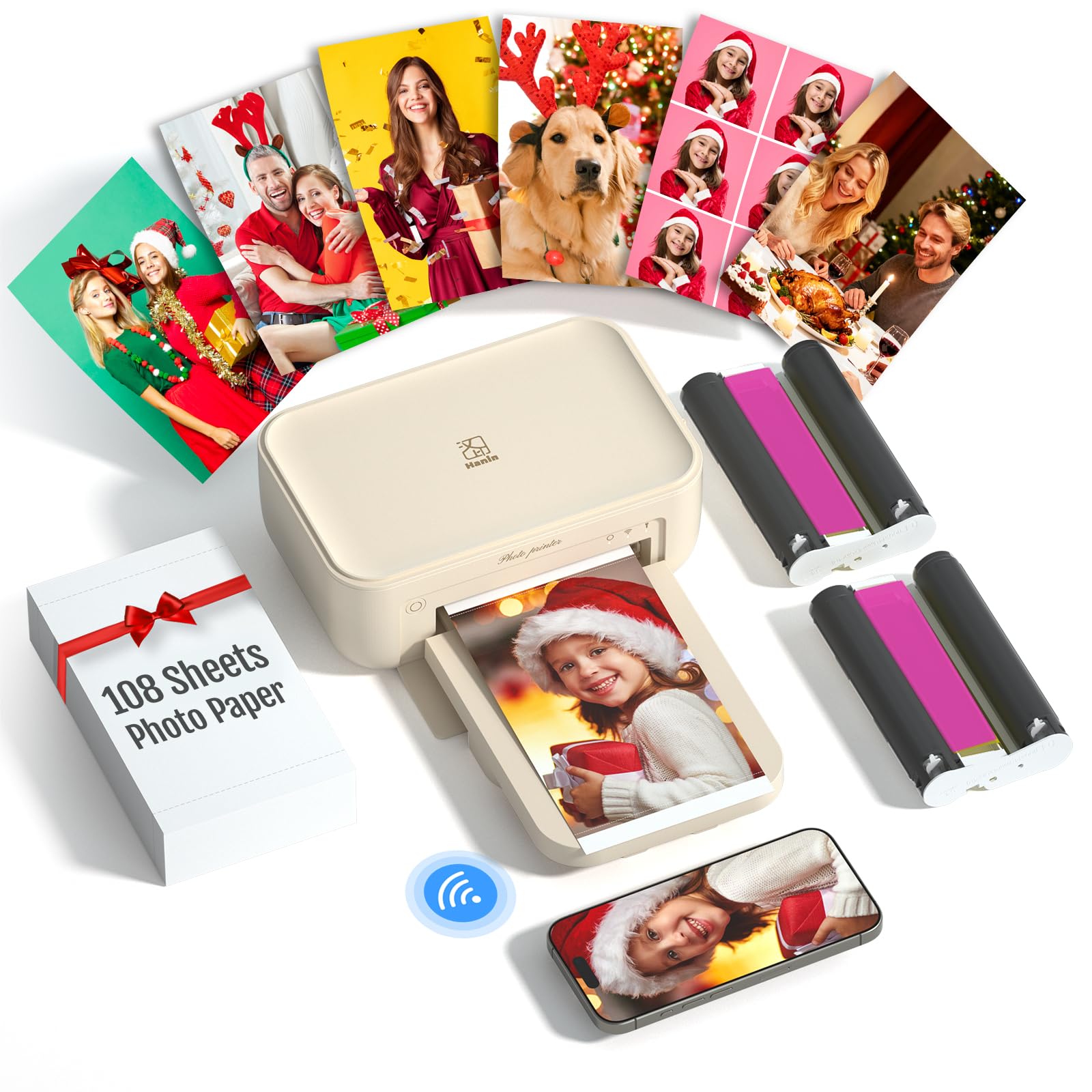
Queues 18 photos in the app and prints them back-to-back at about 90 seconds each.
If your plan involves printing a stack of whole-event photos rather than one hero shot, the 18-photo consecutive queue is the reason to look here. You fire off the batch from the app and it works through the line while you do something else. Each photo takes about 90 seconds, so a queue of 18 runs roughly a quarter of an hour of steady output — plan around the gap and it is painless.
The image engine is 300dpi thermal sublimation with no ink, and the resolution is what keeps color transitions smooth rather than banded. A transparent film is automatically laid over each finished print to guard against dust, water, oil, fingerprints, and fading. The Heyphoto app includes filters, text, sticker decoration, and an AR video feature that turns a print into a scannable clip. It arrives with 108 sheets, 2 ribbon cassettes, and the power adapter.
Portability lands in the middle of the pack: 1kg, sized 200×130×87mm, and one-hand holdable, with Wi-Fi connection and no warm-up wait. The unit runs hot after a few prints, which is normal for dye-sublimation hardware and simply means giving it air between bursts. The value side is mixed — the prints look wonderful, but a chunk of owners question the cost of running it. If per-print cost is your priority, the HPRT’s 54-sheets-per-ribbon ratio is worth a side-by-side look before you commit.
What It Does Well
- Queues up to 18 prints back-to-back for event work
- 300dpi thermal sublimation keeps gradients smooth
- One-piece consumable bin keeps refills tidy and portable
- AR video from printed stills adds a shareable extra
What To Weigh
- About 90 seconds per photo sets the pace
- Body warms after 3 photos, so give it breathing room
- Running cost is the most-debated point in its reviews
Go for it if: you are printing in batches — a party, a school event, a scrapbook push — and want them queued.
Skip the batch life if: you only ever print one picture at a time, where the 90-second wait feels slow.
5. HP Sprocket Studio Plus 4×6 Wireless Instant Photo Printer
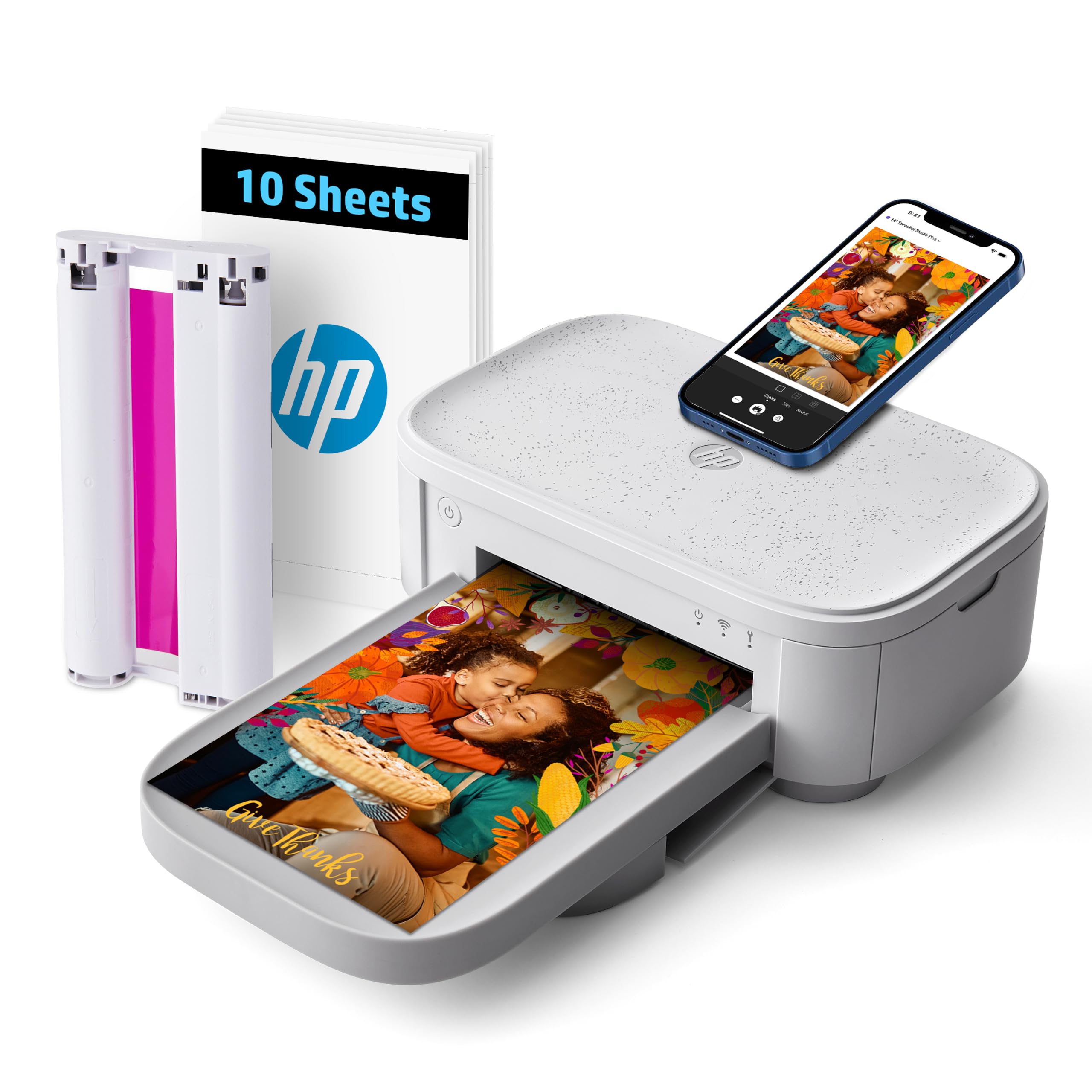
Edit in the HP Sprocket app, print over Wi-Fi, and handle the 4×6 the moment it lands.
The Sprocket Studio Plus is built around the app rather than the hardware. You download the HP Sprocket app, connect over Wi-Fi in seconds, and edit before you print — stickers, frames, filters, plus a collage mode, a photobooth mode, and even a photo ID template. It is the friendliest option here for someone who wants a printed keepsake from a phone with almost no fiddling.
The print you pull out is dry to the touch immediately, so there is no smudge window before you pass it around. HP uses premium dye sublimation with a tear-resistant, smudge-proof, waterproof paper, and the finished 4×6 is designed to last for years. That waterproof and tear-resistant finish is the practical edge if the photo is headed for a kitchen fridge or a kid’s backpack.
Two things to know going in. The kit ships with just 10 sheets plus a cartridge, so a heavy printing night will need a refill sooner than the HPRT’s 108-sheet bundle. And the speed sits at 1 pages_per_minute in color and black-and-white — fine for a photo at a time, slow for a run of them. It pairs with smartphones over Wi-Fi and uses the HPIS4X6C108 cartridge, so check you can get that refill before you lean on it heavily.
Why it fits the app crowd: the editing suite is the most loaded on the list, and instant dry prints mean you share the moment the second it exits.
The honest limit: the 10-sheet starter pack runs dry fast, so budget for the refill cartridge early.
Made for you if: you want a one-app, edit-then-print flow and durable, waterproof photos to display.
Think twice if: you print in volume on day one — the small starter cartridge will not carry a big event.
6. HPRT Photo Printer 4×6
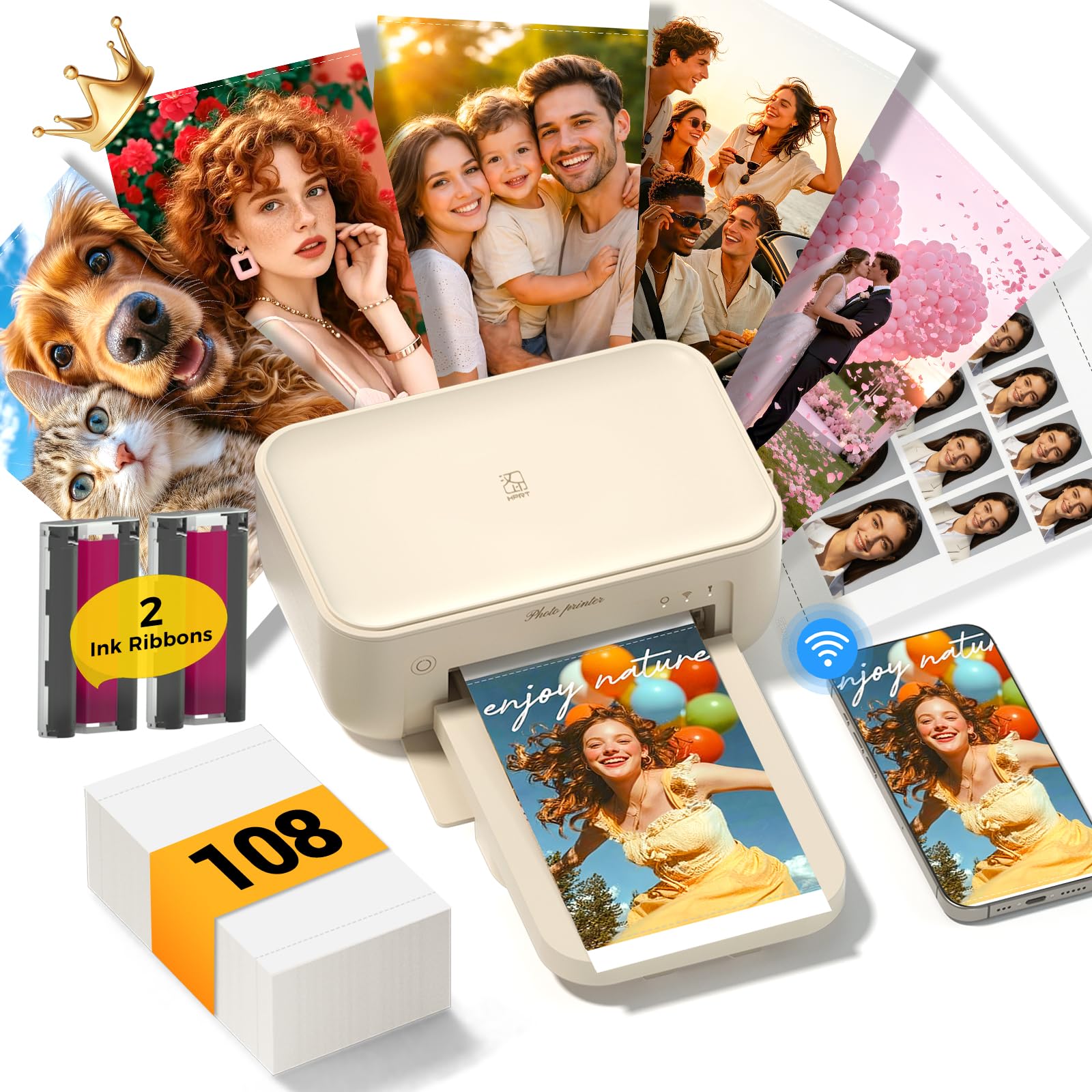
Under 60 seconds per 4×6 at 300 DPI, with 108 sheets and 2 ribbons in the box.
Speed here is the selling point: each 4×6 lands in under 60 seconds at 300 DPI, with the dye-sublimation engine laying down rich colors and smooth gradients. For a family turning phone shots into fridge and wall prints, that turnaround is the difference between a printer that gets used and one that sits in a drawer. Each print gets an automatic protective coat against water, fingerprints, scratches, and fading.
The package is built to keep you printing: 108 sheets of 4×6 paper, 2 ink ribbons, and the power adapter. That is a lot of supply before you need to reorder, and the ribbons are the same 54-sheet-per-cartridge count the HPRT beige model uses. It connects two ways — your home 2.4GHz Wi-Fi or the built-in hotspot when there is no router — through the HeyPhoto app, which handles filters, frames, and AR video printing.
The honest wrinkle is setup. Picture quality is compared to a professional lab by the people who own it, and it is easy enough for a non-techie to run, but connecting the phone is the most-hit snag. There is also ink life to consider — the thrill of cheap prints fades a little once you see how many pictures each ribbon actually delivers. Get the first phone connected before the event and the rest is smooth.
Reasons It Earns A Spot
- Under-60-second prints at 300 DPI
- 108 sheets and 2 ribbons in the box
- Lab-comparable picture quality in owners’ eyes
- Home Wi-Fi or built-in hotspot for flexibility
Getting It Going
- Phone pairing is the most common setup headache
- Ribbon life means refills arrive sooner than expected
- At 1.97 kg it is a home-and-desk printer, not a jacket-pocket one
Fits the family table: under-60-second prints, a loaded supply kit, and lab-grade quality in one box.
Less ideal for: the traveler who needs cordless printing — there is no listed battery here, so it wants a power outlet.
7. Liene Amber M110 Bluetooth Portable Photo Printer
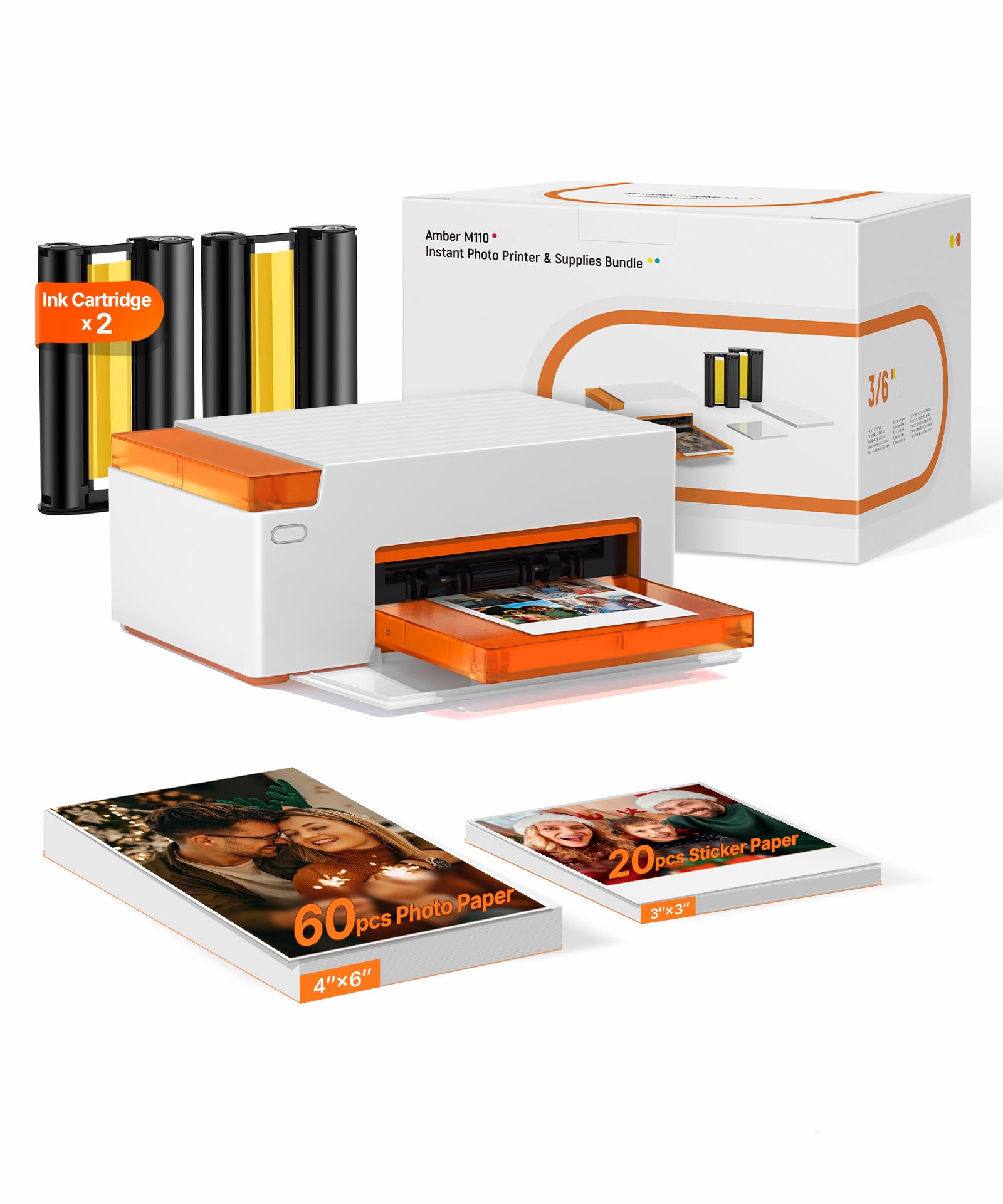
A dual tray takes 4×6 photo paper or 3×3 sticker paper, so you switch sizes without swapping trays.
Most printers on this list do one size. The Amber M110 carries a dual tray for both 6-inch photo paper and 3-inch sticky-backed paper, so you can print a standard 4×6 for the album and a 3×3 sticker for the fridge in the same sitting. The box ships with 60 4×6 sheets and 20 3×3 sticker sheets plus 2 cartridges — a real starter supply instead of a token pack.
Pairing is the quickest here at 13 seconds over Bluetooth, and multiple devices can connect at once so friends and family can each send a photo to the same printer. First print lands in 59 seconds. The thermal dye sublimation engine pushes dye deep into the paper and laminates the surface against water, scratches, fingerprints, and fading. The Liene app adds Polaroid-style borders, filters, contrast and brightness controls, a print-status check, and photo ID printing from home.
What people keep coming back to is the print quality — it is the clear favorite aspect in its reviews — alongside an app that is genuinely easy to run. The compact, light body travels well and saves counter space, and the prints come out sharp, vibrant, and true to color. Watch the supply count: at least one ribbon did not reach the advertised 40 sheets, so order refills before a big event and you will not run dry mid-party.
The standout: the dual tray is the feature no other pick matches — 4×6 keepsakes and 3×3 stickers from one machine.
Watch the consumables: the ink cartridge not always hitting 40 sheets is the recurring note, so stock an extra delivery before a big day.
Best fit: crafters and scrapbookers who want both full prints and sticker-sized pieces from a single compact box.
Not the one if: you only ever print standard 4×6 — you would be paying for a tray you never use.
8. KODAK Dock Plus 4×6 Photo Printer
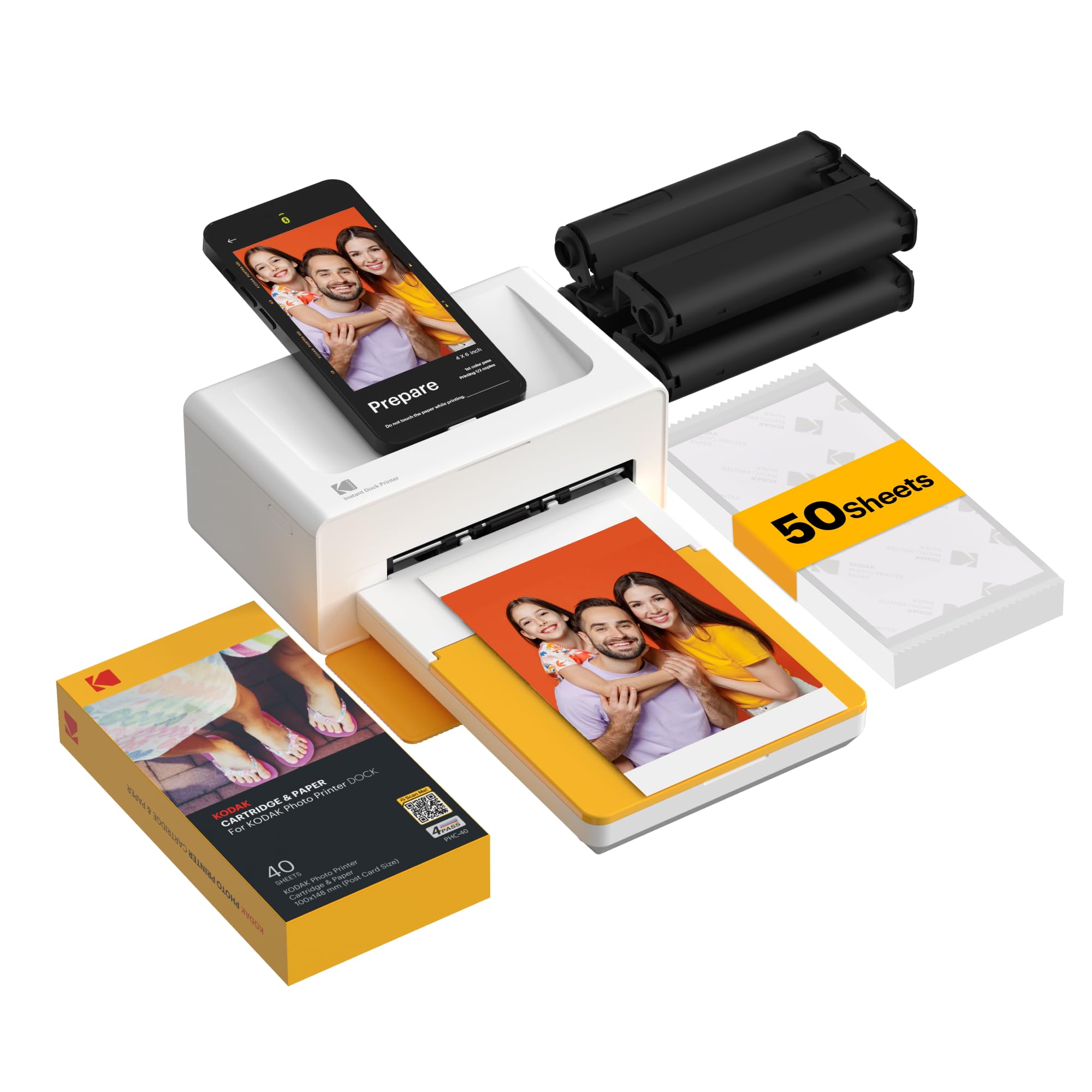
Dock a compatible phone, charge it while it prints, and skip the wireless pairing step.
The idea is tidy: place a compatible phone on the integrated dock, and the connection is physical rather than a wireless handshake. It charges the phone while it prints, which solves the dead-battery panic that hits when you are printing off a phone all evening. The 4PASS dye-sublimation process lays down three color layers and finishes with a clear lamination, producing a print in about 55 seconds that resists fingerprints, water, and fading.
It is a home station rather than a travel gadget. It plugs into a power outlet for consistent output and is built for stable desktop use — albums, framing, family events, and everyday prints. The KODAK Photo Printer app over Bluetooth handles editing, cropping, and customization before each print, and 50 sheets are included to get you started.
The caveat is reliability over time. Print quality and functionality draw mixed feedback — when it prints, the pictures look great, but some units stop working after a modest number of prints, and a bad one can be a headache to sort out later. Docking also means one phone at a time, so it suits a solo photographer better than a party of people queueing up. Get it for the charge-while-you-print convenience and treat it as a fixed desk companion.
The dock advantage: a physical connection plus a phone charge while you print removes two of the biggest wireless headaches.
One station, one phone: no multi-device sharing — it is built around a single docked device at a time.
Right for you if: you want a fixed home printing station that charges your phone and prints from the dock.
Not for the road: it needs a power outlet and would rather stay on a desk than travel in a bag.
9. Canon SELPHY CP1500 Compact Photo Printer
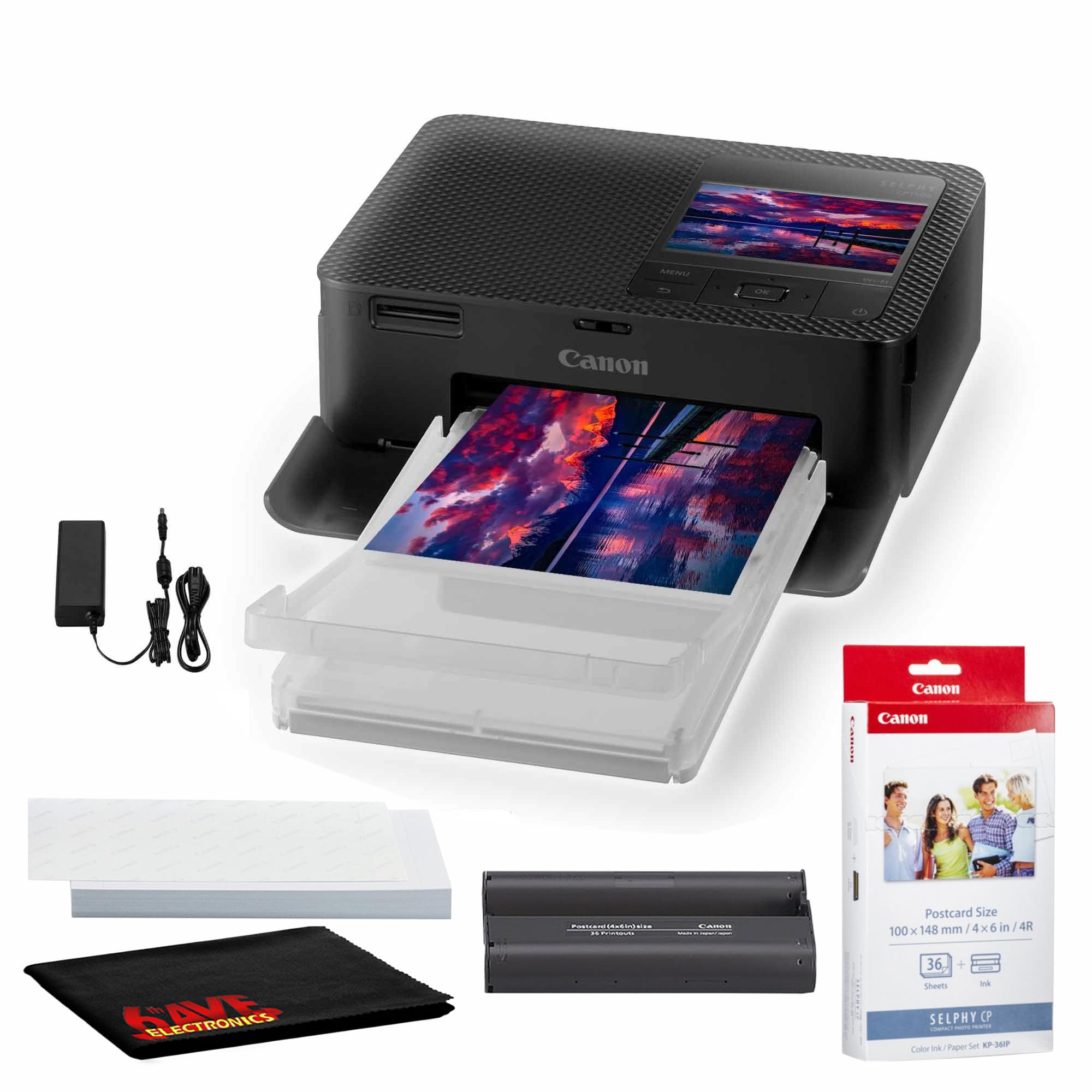
Four print sizes, three finishes, and a battery option for printing away from a desk.
Canon casts the widest net here on format. It prints 4″ x 6″, card-size (2.1″ x 3.4″), square label (2.1″ x 2.1″), and mini sticker (0.9″ x 2.1″) — then lets you choose a gloss, semi-gloss, or satin finish for each. For anyone turning photos into cards, labels, or framed keepsakes rather than just album prints, that flexibility is the whole reason to pick this one.
The print engine is wireless dye sublimation at 300 x 300 dpi, built for long-lasting, fade-resistant results, and the bundle includes the Canon KP-36IP Color Ink and Paper Set so you can print 4″ x 6″ photos right away. You send photos from Wi-Fi-enabled smartphones, tablets, SD cards, or USB drives, and the SELPHY Layout app handles borders, layouts, and creative filters. It lists 1.46 pages_per_minute in black-and-white and 1 pages_per_minute in color, with an LCD display and a compact 7″D x 5″W x 2″H body.
What holds this back from the top is not the prints. The photos come out excellent and the app is notably simple, which is why the compact size and quality carry its reputation. The friction arrives in connecting — some owners mention pairing trouble, and it prefers one device at a time. An optional battery pack turns it into a travel printer, but that is a separate buy. If you want finish and size variety, this is the pick; if you want the simplest wireless setup, the Liene M200’s 3-second hotspot stays ahead.
The format story: four sizes and three finishes make this the go-to for prints that are not plain 4×6.
The trade-off: single-device-at-a-time connections and a separate battery mean it rewards a little setup planning.
The one for you if: you want cards, labels, and mini stickers alongside standard photo prints in several finishes.
Less suited to: a shared, multi-phone party station — it links one device at a time.
Know the Specs
Dye Sublimation vs Thermal Dye Sublimation
These terms describe the same core method: the printer heats a ribbon so the color sinks into the photo paper in layers, then seals a clear protective film on top. That film is why the finished 4×6 shrugs off water, fingerprints, and scratches. When a listing says “thermal dye sublimation” or “4PASS,” it is telling you the photo is being built color by color and then laminated. For you, the practical outcome is a print that holds up on a fridge or in a wallet rather than fading or smudging after a week.
Pages Per Minute On A Photo Printer
Pages per minute sounds fast, but on a 4×6 photo printer it is a rough count of finished prints, not a laser printer’s document speed. A figure like 1 pages_per_minute means about a minute per photo, while 5 pages_per_minute in color means a much quicker run. Use the number to set expectations for a batch — a party where you print for 20 guests takes a while at 1 page per minute. The first-print times and under-60-second figures in these listings give you a closer read on a single output.
Common Questions
Will a portable 4×6 photo printer work with my iPhone and my Android phone?
Do I need internet to print photos wirelessly?
How many photos can I print before replacing the ribbon or cartridge?
Can I print a 4×6 photo without plugging the printer into the wall?
Will these prints survive water, fingerprints, and fading?
Is a dye-sublimation printer better than an ink-based one?
What print sizes can these photo printers make?
Can more than one phone print to the same photo printer?
Do these printers need a separate ink cartridge?
Which portable photo printer is easiest to set up in under 10 minutes?
The Bottom Line
For most people, the best portable 4×6 photo printer is the Liene White M200 Battery Edition, because 40 prints per charge and a 3-second hotspot mean you can print anywhere without a wall socket or a working network. If you want the most prints per session for your budget, grab the Yoton 4×6 with its 5 pages_per_minute color speed and 54-sheet kit. And for turning photos into cards, labels, and mini stickers, the Canon SELPHY CP1500 covers four sizes in three finishes. One nudge worth taking: the Liene M200 is the crowd pick at 4.5+ stars across 500+ ratings, and that battery-plus-hotspot pairing is the exact combination most event printers are missing.
How we choose
We do not accept paid placement. Every pick is matched to a real buyer and a real use-case; we do not hands-on test units.
Sources
Specifications: manufacturer listings and product documentation. Review insights: verified customer reviews, as of November 2026. Pricing: not shown on this page (it changes often); check the current price via the retailer link.
As an Amazon Associate, Tactical Gear Guy earns from qualifying purchases. This does not affect which products we feature.