Specs are compiled from manufacturer listings and verified buyer reviews and can change over time — please confirm the key details on the product page before buying.
If your phone will not talk to your TV, the fix is usually the wrong cable, not a broken phone. A phone to HDMI converter takes the video signal out of your phone’s charging port and hands it to a TV, monitor, or projector over HDMI. The right converter mirrors your screen in seconds; the wrong one leaves you staring at a black screen. Here is the short answer: match the cable to your phone’s port, confirm it supports DisplayPort Alt Mode (the phone feature that lets a USB-C port send video), and know that almost every paid streaming app blocks mirroring no matter which converter you buy.
This guide is built by comparing the manufacturers’ published specifications and the patterns across verified customer reviews, so you get each pick’s real strengths and trade-offs instead of marketing spin.
Below you will find nine converter options sorted by what they actually do well — from a 48Gbps 8K cable to a 13-foot iPhone-only cord — plus the port rules that decide which one will work with your device before you plug anything in. The right phone to hdmi converter depends on three things: your phone’s port, your display’s resolution, and which apps you actually stream.
Top Picks


How To Choose The Best Phone to HDMI Converter
Start with the port on the bottom of your phone. Everything else follows from it. A Lightning port (the small flat connector on older iPhones) needs a Lightning converter. A USB-C port (the oval, reversible one) needs a USB-C converter — and on top of that, the phone itself must support video out over that port. That phone-side feature is called DisplayPort Alt Mode, and it is the single most common reason a cable “does not work.”
Check the port before you check the specs
Many Android phones and older iPhones can send video over their charging port; plenty of budget Android models cannot, no matter what cable you attach. If your phone is not on a converter’s compatibility list, assume it will not work until the maker confirms it. A two-in-one converter that carries both a Lightning end and a USB-C end covers a mixed-device household in one cord.
Decide whether you can live with HDCP blocks
HDCP is a copy-protection handshake that streaming services use to stop piracy. Netflix, Disney+, Prime Video, HBO Max, and Hulu frequently refuse to mirror through a converter, and that applies to wired and wireless models alike. Free apps, your camera roll, YouTube, presentations, and games generally mirror fine. Buy for the apps you actually watch, not the ones the listing promises.
Match resolution and power to your screen
A 1080p converter is enough for a 1080p TV or a projector used for slides. A 4K or 8K cable earns its keep only when the display and the source can both feed it — and note that macOS caps many USB-C adapters at 4K@60Hz. If the converter has a separate power port, a 5V@2A adapter keeps the signal stable when the HDMI output acts up. Check whether the cable draws a charge from your phone or leaves it alone.
Side-by-Side Comparison
All three spec columns measure the same things across every row, so you can scan the trade-offs in one pass.
| Model | Best For | Max Video | Bandwidth | Phone Connector | Amazon |
|---|---|---|---|---|---|
| CHENLENIC USB C to HDMI 2.1★ Best Overall | High-refresh gaming and 8K screens | 8K@60Hz / 4K@120Hz | 48 Gbps | USB-C | Amazon |
| Cable Matters USB C to HDMI 2.1Top Performer | Big-brand build with 4K@240Hz | 8K@60Hz / 4K@240Hz | 48 Gbps | USB-C | Amazon |
| Wahbite USB-C to HDMI AdapterBest Feature Set | Charging while you mirror | 4K@60Hz | — | USB-C | Amazon |
| 1STCHAMP 2-in-1 Lightning/USB-C | Mixed iPhone and USB-C households | 4K@60Hz | — | Lightning + USB-C | Amazon |
| lulaven Wireless HDMI Adapter | Presenting without a cable run | 1080P | — | Lightning (iOS only) | Amazon |
| FEINODI 5-in-1 Lightning Adapter | Keyboard, audio, and charging hubs | 1080p mirroring | — | Lightning | Amazon |
| JUCONU 13.2ft iPhone HDMI Cable | Reaching a TV from across the room | 1080P | — | Lightning | Amazon |
| TASUMATO USB-C MHL Adapter | Samsung and Android screen mirroring | 4K@60Hz | 5 Gbps | USB-C | Amazon |
| lulaven 2-in-1 Lightning/USB-C Cable | Cheap spare cord for iPhone and iPad | 1080p | — | Lightning + USB-C | Amazon |
Detailed Reviews
1. CHENLENIC USB C to HDMI 2.1 Cable
Our pick — 4.5+★ from 300+ verified ratings; the strongest balance of quality and price.
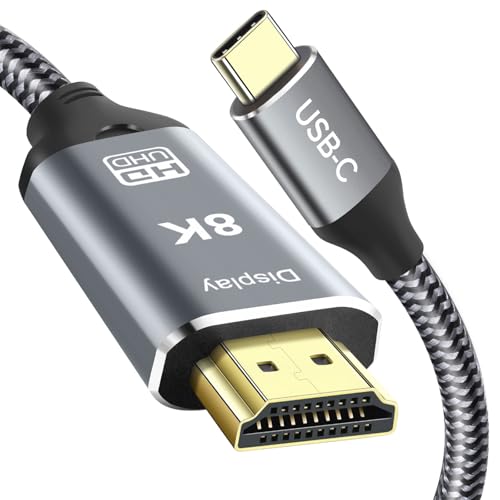
One cable that carries 8K at 60Hz and 48Gbps of bandwidth without a stutter.
The headline here is bandwidth: 48 gigabits per second (Gbps), which is roughly how much video and audio data the cable can move each second. That figure is what lets it run 8K at 60Hz, 4K at 120Hz, and 2K at 240Hz on a compatible display. In plain terms, a 120Hz refresh rate means the screen redraws 120 times a second, so fast camera pans and racing games stay smooth instead of smearing. It is the crowd favorite here at 4.5+ stars, with the buyers who bought it mostly raving that it simply does what it promises. What wins owners over is that it simply works, in a category where far too many cords quietly fail.
Built to survive a bag, it uses a braided nylon outer jacket over a slim zinc alloy shell (a metal housing that resists corrosion better than plain plastic). The contacts are 24K gold-plated, which keeps the signal steady without oxidation fading over time. It weighs 80 g and runs 6.6 feet, so it reaches from a laptop on a desk to a monitor on a shelf. Dynamic HDR and HDCP 2.3 support round it out, and 3D, 8K UHD, and Dolby Atmos all pass through. Thunderbolt 5, 4, and 3 laptops and USB4 Type-C ports all work on the sending end.
Two honest limits shape who should buy it. First, it is unidirectional — video flows only from the USB-C device into the HDMI monitor, never the reverse, so do not plan to use it to feed a phone from a PC. Second, macOS caps the output at 4K@60Hz, so a Mac owner will not see 8K no matter what screen is attached. Your phone also has to support video out over USB-C in the first place. Compared with the TASUMATO adapter below, which moves data at 5Gbps, this cable runs 48Gbps — a dramatically wider pipe that open up high frame rates those older adapters cannot approach.
Why the bandwidth matters
- 48Gbps supports 8K@60Hz and 4K@120Hz on hardware that can feed it
- Braided nylon jacket and zinc alloy shell hold up to travel
- 24K gold-plated contacts resist oxidation over time
- Works with Thunderbolt 5 and USB4 Type-C laptops
Where it falls short
- One-way signal only — USB-C to HDMI, never reverse
- macOS tops out at 4K@60Hz regardless of display
- Needs a phone that supports video out over USB-C
Reach for this if: you own a high-refresh monitor or 8K screen and want headroom nothing else here matches.
Look elsewhere if: you use a Mac and only need 4K — a cheaper 4K adapter covers you.
2. Cable Matters Unidirectional USB C to HDMI 2.1 Cable
A big-name cable that claims 4K@240Hz and 48Gbps of headroom for serious desktop rigs.
Cable Matters is the household brand in the room, and its spec sheet reads strong. It carries the same 48 Gbps bandwidth as the CHENLENIC above, but its peak is written as 4K at 240Hz — a figure aimed squarely at high-end displays and gaming setups. It is built around HDMI 2.1, the newest HDMI standard, and it plays nicely with Nvidia RTX 4000-series, AMD Radeon RX 7000-series, and Intel Iris Xe graphics. Thunderbolt 4 and Thunderbolt 5 laptops are supported too.
Where owners push back is on that 240Hz number. Several report it does not actually deliver 4K at 240Hz as advertised, and display quality draws a mix of smooth and rough experiences. The core function still earns the majority — smooth, lag-free viewing and solid build quality come up again and again, and the cable is inspected before shipment. It is reliable gear at 6 feet long, with dynamic HDR and ALLM (auto low-latency mode, which flips a TV into game mode automatically) on board.
Like the CHENLENIC, this one is one-directional: video travels from a USB-C port to an HDMI display and does not work in reverse. macOS is capped at 4K@60Hz. Treat the 240Hz headline as a ceiling for a very specific hardware pairing rather than a promise, and it is still a strong pick for a desktop or gaming laptop. For a mixed-device home that swaps between an iPhone and a Galaxy, the 1STCHAMP two-in-one below is the more flexible buy.
Real-world read: the build and compatibility are the reliable parts; the top-end refresh figure is the part to verify against your own GPU and monitor before you commit.
Best matched to: desktop gamers pairing an RTX or Radeon card with a high-refresh display.
The caveat: if 4K@240Hz is the reason you are buying, confirm your chain of hardware can actually hit it.
3. Wahbite USB-C to HDMI Adapter
Mirror in 4K and keep the phone topped up through the same adapter.
This is the one for anyone who hates a dead battery mid-movie. Its USB-C port passes up to 100W of power through to your phone, tablet, or laptop while the HDMI side carries the picture — so a long presentation or a full-length film does not drain you to zero. Actual charge speed depends on your cable, adapter, and voltage, but the pass-through port itself is rated to 100W. Video tops out at 4K@60Hz (3840×2160 at 60 frames per second), which is crisp for a TV or monitor and smooth enough for most viewing.
There is an Apple MFi certified chip inside, and that is the detail that matters for iPhone owners. MFi means Apple licensed the chip, so a USB-C iPhone 15, 16, 17, or 18-generation handset mirrors and extends to an HDMI screen without a fuss. It also supports HDCP 2.2, the handshake that lets protected 4K apps like Netflix, HBO Max, Disney+, and Hulu stream through. That is a real step up from the cheaper adapters that choke on those apps. Plug and play — no app, no driver, no Wi-Fi needed.
Owners describe it as easy to use and easy to carry, a light white dongle you can drop in a pocket for on-the-go mirroring. It carries a 24-month warranty, which is generous for a pocket accessory. The one thing to check is your source: it is a USB-C adapter, so a Lightning-port iPhone needs a different part. Samsung Galaxy S26 through S10, Note 10 and 20, Surface Book 2, Dell XPS 13/15, and a long list of laptops all appear on its compatibility sheet.
The pocket pick: MFi certification plus HDCP 2.2 plus a 100W charging pass-through is a genuinely rare combination in a dongle this portable.
The fit note: it is USB-C only, so older Lightning iPhones are out — those buyers want the 1STCHAMP or FEINODI below.
Go here for: a USB-C phone or tablet that needs to stay charged while it streams protected 4K content.
Keep looking if: your phone still uses a Lightning port.
4. 1STCHAMP 2-in-1 Lightning & USB-C to HDMI Adapter

One pocket adapter with both a Lightning end and a USB-C end — no cable swapping.
The pitch is simple: a household with an older iPhone and a newer iPad Pro only needs one adapter. It carries two interfaces in one body, and you use the matching end for the device you are holding. It is MFi certified, so Apple licensed the chip, and it supports iOS 17 and earlier. Resolution runs up to 4K@60Hz, and there is no app, no Wi-Fi, and no personal hotspot required. Plug in, tap “Trust” once, wait a few seconds, and the screen appears.
The pocketable shape is the reason it travels well. It handles iPhone 18 through 11 as well as iPad Pro, Air, and mini, plus MacBook, Samsung Galaxy, Surface, and XPS on the USB-C side. Quality is what earns it the trust — the buy-in from owners centers on the build and on how reliably it connects. Value for money and connectivity both land warmly too, and the 12-connection list is a genuinely long compatibility sheet for a two-port gizmo.
Two honest notes. Charging speed draws mixed remarks — it will charge and mirror, but do not count on it as a fast charger. Durability also gets a split verdict, so treat the cable joins with a little care. And if you want a clean single-purpose cord rather than a dongle you plug a separate HDMI cable into, this is not that. It ships with a 5-year warranty, which is unusually long for the category. Compared with the Wahbite above, this one adds the Lightning end that the Wahbite lacks.
Household answer: the two-in-one design is the smartest buy for a mixed Apple household — one adapter covers a Lightning iPhone and a USB-C iPad.
Set expectations: charging is a bonus, not the main event, and durability asks for gentle handling.
Made for: the household with both an older iPhone and a newer USB-C device sharing one TV.
Second-guess it if: fast charging mid-mirror is a must-have for you.
5. lulaven Wireless HDMI Adapter for iPhone iPad
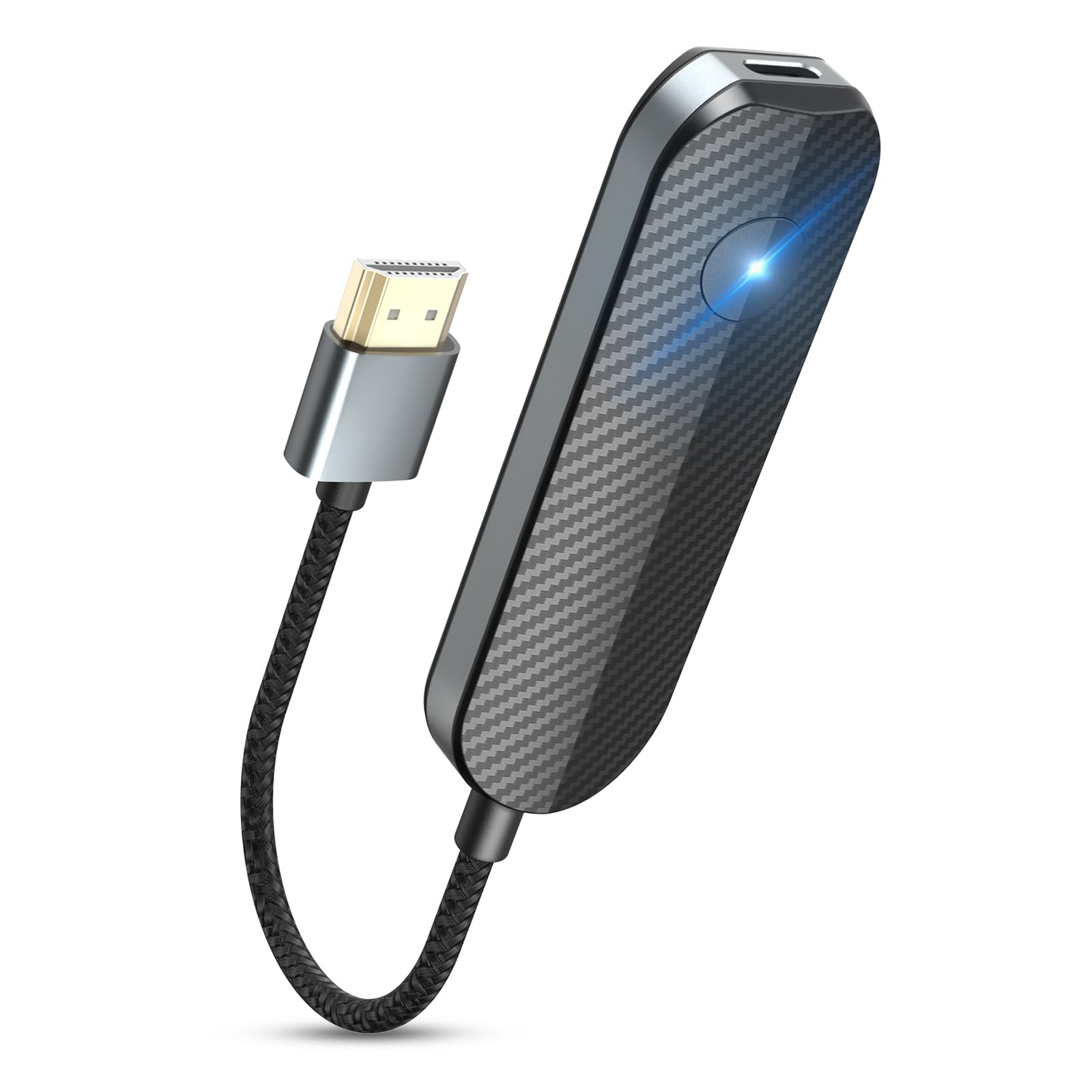
Cut the cord entirely — a wireless dongle built only for iPhone and iPad.
For anyone tired of a cable run across the living room, this is the clean answer. It is designed exclusively for iPhone and iPad on iOS 7 and later, so it skips the Android compatibility headaches that drag down generic wireless adapters. There is no app to download, no Bluetooth pairing, and no Wi-Fi setup. Plug the dongle into the TV, choose it on your phone, and your screen appears. Users report it working well within 40 to 50 feet of the display. At 2 ounces and roughly 8 inches long, it stows in a bag without a thought.
The big caveat everyone should know before buying: Netflix, Disney+, and other DRM-protected streaming apps cannot be mirrored through it. That is not a flaw in this unit — the maker is upfront that it applies to all wireless HDMI adapters — but it does mean you should buy it for YouTube, TikTok, photos, games, and PowerPoint, not for movie night. Quality, ease of use, and picture resolution are the warm spots in owner feedback, though some note the picture is not true 1080p. Connectivity draws a split verdict, so range and reliability vary with your room.
What it is genuinely good at is presenting: a conference room, a hotel TV, a family gathering where you want to share photos without hunting for the right cable. It is a 4.0+ star product as listed, and the maker points out that iOS-only design is why it avoids the Android complaints that drag rivals down. Pair it with a wired adapter like the 1STCHAMP if you also watch protected apps.
Where it shines: zero cables and zero setup — the ideal travel dongle for shared photos and presentations.
The honest limit: DRM-protected apps like Netflix and Disney+ will not mirror, and the picture is not full 1080p for everyone.
Built for: iPhone and iPad owners who want cable-free mirroring for free apps and photos.
Not for: anyone whose main goal is streaming paid movie services.
6. FEINODI Lightning to HDMI 5-in-1 Adapter

A mirroring adapter that doubles as a keyboard dock and a recording rig.
Most converters do one job. This one spreads out: a Lightning connector feeds an HDMI port, two USB ports for peripherals, a 3.5mm microphone-headphone jack, and a Lightning charging port. That means you can plug a keyboard into your iPhone and type documents, drop in a USB flash drive to move files, and still charge while the TV shows your screen. File transfer runs at 60MB/s to 90MB/s for photos and video, which is quick enough to clear a camera card in one sitting. It handles guitar, MIDI keyboards, and digital pianos through those USB ports too.
For creators, the headphone jack is the draw. You can live stream to Twitch, TikTok, YouTube, or Spotify with a headset, record video, and charge at the same time. The mirroring itself is plug and play on iOS 9.2 and later — no app, no Wi-Fi, no Bluetooth — and it covers iPhone 14 back to 7 plus iPad. Owners are warmest about how easy it is to use and how many jobs it covers in one part. Value and connectivity both land nicely, and the extra charging port is the sort of detail people call a lifesaver mid-session.
Be realistic about two things. Reliability draws mixed experience across the wider review set, so give the unit a steady surface and the recommended power feed when the HDMI output acts up. Durability is a split verdict, so a light hand on the connectors goes a long way. Note also that it does not support phone calls, and HDCP-protected apps like Netflix, Amazon, HBO, and Hulu are blocked. First connection takes roughly 15 seconds.
The multi-tool advantage
- Five ports from one Lightning plug — HDMI, two USB, 3.5mm, and charging
- Keyboard typing and 60MB/s to 90MB/s file transfers
- Headphone jack for live streaming and recording
Keep in mind
- No support for phone calls
- HDCP-protected streaming apps stay blocked
- Reliability and durability split verdicts — handle with care
Ideal for: a creator or office worker who wants one dock to mirror, type, record, and charge.
Rethink it if: you need rock-solid single-purpose mirroring with no fuss.
7. JUCONU 13.2ft iPhone HDMI Cable

Thirteen feet of cable — enough to cross a room to the TV with slack to spare.
Length is the whole story here. Most converters run 6 feet, so the phone has to sit close to the TV. This one reaches 13.2 feet, which is the difference between a phone on the coffee table and a phone at the back of the conference room. It needs no power supply — the chip draws what it needs directly, and you extend or mirror to an HDMI TV, monitor, or projector. It tops out at 1920 x 1080p full HD, which is the right call for a 1080p TV where 4K would go unnoticed anyway.
The chip is a higher-performance design built to synchronize HD video and digital audio in one pass. It works with apps like YouTube, Quickflix, IMDb, ABC, NBC, FOX, and Microsoft Office for streaming what you own. Owners find it easy to use and a solid value, and it is the sort of thing you buy once and leave plugged in behind the set. It handles all iPhone and iPad sources on the Lightning side.
Two things to plan around. First, HDCP-protected apps — Netflix, Prime Video, HBO Go, Hulu — will not mirror, so this is for your own videos and free-streaming apps. Second, reliability draws a split read, with some units going a long distance and occasional reports of one stopping after a short run. If a long cable is your priority, give it a stable spot rather than yanking it around. For a permanent run in a room with a far-away TV, the length earns its place.
The room-crossing pick: 13.2 feet of reach removes the biggest annoyance in wired mirroring — sitting next to the TV.
What to expect: 1080p resolution, no DRM apps, and a cable that likes to stay put.
Pick this one: when your TV is far from where you want to sit and you only need full HD.
Pass if: 4K or streaming-service mirroring is on your list.
8. TASUMATO USB-C to HDMI MHL Adapter Cable

A budget Android-friendly adapter that outputs 4K at 60Hz from a USB-C phone.
This is the Android workhorse of the group. It plugs into a USB-C phone or laptop that supports DP Alt Mode (the feature that lets the port carry video) and sends 4K at 60Hz to a monitor, projector, or TV, with audio carried along. It also accepts a 6-foot USB cable to a 5V@2A power adapter when the phone needs a lift — and that cable doubles as a plain charging cord when you are not mirroring. Owners’ strongest praise is for the overall quality of the part, and for its price-tier value. It gives you the picture fast, with no lag and no driver install.
The compatibility sheet is long on the Android side — Samsung Galaxy S25 down to S20, Note 20 through Note 8, the S8 and S9 lines, and a wide sweep of Lenovo, Dell, LG, OnePlus, and Pixelbook hardware. Even iPhone 15 and 16 are listed on the Apple side, plus iPad Pro. The caveat is on the Android front: this adapter’s own materials say some OnePlus models work on most 720p/1080p displays but crash on 4K displays, and the S22 line is a known sticking point. It ships with a 4.0+ star listing and solid praise for the quality of the build, but treat the compatibility list as the real spec you are buying.
On the bandwidth front, this adapter runs 5 Gbps — modest next to the 48Gbps cables above, which is why its ceiling is 4K@60Hz rather than 8K. For a phone feeding a normal TV, that is all you need. For a 240Hz gaming monitor, the Cable Matters or CHENLENIC is the better tool. It does not require any software or app to work.
Price-to-value winner: 4K@60Hz, a 6-foot reach, and a dual-purpose charging cable at an entry-level sticker.
The fit note: compatibility is the one thing to check carefully — some newer Samsung and OnePlus models are known trouble spots.
Strong choice for: an Android phone owner who wants reliable 4K mirroring on a tight budget.
Double-check first: whether your exact model appears on its known-good list.
9. lulaven 2-in-1 Lightning & USB-C to HDMI Cable

A single cord with two ends, so you can mirror an iPhone or an iPad from one cable.
You get a Lightning end and a USB-C end on one cable, and you use whichever matches your device. That covers an older iPhone 14 and a newer iPad Pro from the same cord — handy for an office or a household with mixed Apple gear. It carries video and audio up to 1080p HD and runs 6.6 feet, which is the standard length for a desk setup. It weighs just 0.06 kg, so it rolls up small in a bag.
The limits are firm and spelled out. It does not work with Android phones, Windows laptops, or MacBooks — it is an Apple-device cord only. And it will not mirror paid apps like Netflix, HBO GO, Xfinity Player, Hulu, DirecTV, or Vudu because of copyright protection. What you do get is clean audio and HD video from your own content, plugged straight from phone to TV or projector with no extra HDMI cable. It supports the latest iPhone models on both interface types.
This is a spare-cord pick rather than a do-everything converter. The price is entry-level and the fit is narrow, which is fine if you just need a single reliable cord for an iPhone or iPad. Buyers report a mixed experience on functionality and compatibility, so buy it for the Apple-only, non-DRM use case and check your model against the supported list. If you also own Android gear or watch Netflix, the TASUMATO or the Wahbite adapter is the better fit.
Where this cord beats a two-in-one dongle is simplicity: no separate HDMI cable to lose. One piece, two ends, plug and go.
What it is good for: a single Apple-only spare cord that handles iPhone and iPad without a separate HDMI lead.
The hard limit: no Android, no Windows laptop, and no Netflix or Hulu — check your device before buying.
Best for: an Apple-only household that needs one spare cord for iPhone and iPad.
Skip if: you own Android gear or rely on paid streaming apps.
Know the Specs
Bandwidth (Gbps)
Gbps stands for gigabits per second — the amount of video and audio data the cable can carry each second. A 48Gbps cable has room for 8K at 60Hz or 4K at 120Hz; a 5Gbps adapter tops out around 4K at 60Hz. Higher bandwidth only helps if your display and your source can feed it, so match the cable to the screen you actually own rather than buying headroom you will never use.
USB-C vs Lightning
Lightning is Apple’s older flat connector; USB-C is the oval one used on newer iPhones and most Android phones. They are not interchangeable, which is why a converter is built for one or the other. A USB-C phone also has to support DisplayPort Alt Mode — the feature that lets the port send video — or no converter will work. Two-in-one cords carry both ends to cover a mixed household.
HDCP and Streaming Apps
HDCP is a copy-protection handshake used by paid streaming services. When a converter lacks the right HDCP support, apps like Netflix and Hulu simply refuse to mirror, and the screen goes dark. Some adapters here support HDCP 2.2 or 2.3 and handle protected 4K; others explicitly block those apps. Buy for the apps you actually watch, not the ones that stay blocked.
Refresh Rate and Resolution
Resolution (1080p, 4K, 8K) is how much detail fits on screen; refresh rate (60Hz, 120Hz, 240Hz) is how many times per second the picture redraws. A high refresh rate smooths fast motion in games and sports. A 1080p cable on a 1080p TV looks identical to a 4K cable on the same screen — the extra resolution goes unused, so pay for the ceiling you can actually reach.
Common Questions
Will a phone to HDMI converter work with my iPhone?
Why does Netflix refuse to mirror through my adapter?
Do I need to install an app for screen mirroring?
Does the converter drain my phone battery?
What is DisplayPort Alt Mode and why does it matter?
Can I use a phone to HDMI converter on a MacBook or laptop?
Does 8K support matter if I only have a 1080p TV?
Will a longer cable lower the picture quality?
Can I connect a keyboard or headset through my phone adapter?
What should I do if my HDMI converter shows a black screen or no signal?
The Bottom Line
For most people the best phone to HDMI converter on this list is the CHENLENIC USB C to HDMI 2.1, because its 48Gbps bandwidth and 8K@60Hz support leave it room to grow for years of screen upgrades. If you want a smaller everyday tool, the Wahbite USB-C to HDMI Adapter adds MFi certification, HDCP 2.2 streaming, and 100W charging pass-through in a pocket dongle. For an iPhone and iPad household on one cable, grab the 1STCHAMP 2-in-1 adapter — and if cable-free mirroring is the whole goal, the lulaven wireless adapter cuts the cord for good. Now go match your port, check your app list, and plug in with confidence.
How we choose
We do not accept paid placement. Every pick is matched to a real buyer and a real use-case; we do not hands-on test units.
Sources
Specifications: manufacturer listings and product documentation. Review insights: verified customer reviews, as of November 2026. Pricing: not shown on this page (it changes often); check the current price via the retailer link.
As an Amazon Associate, Tactical Gear Guy earns from qualifying purchases. This does not affect which products we feature.