Specs are compiled from manufacturer listings and verified buyer reviews and can change over time — please confirm the key details on the product page before buying.
You know the move: mouse across the screen, find the little speaker icon in the corner, drag a slider a few pixels, and hope you land on the right level. A physical volume knob ends that. You reach over, twist a real metal dial, and the level moves — no window, no menus, no hunting. This guide covers eight desk dials that do exactly that, sorted by what they’re actually good at.
This guide is built by comparing the manufacturers’ published specifications and the patterns across verified customer reviews, so you get each pick’s real strengths and trade-offs instead of marketing spin.
A volume dial you keep depends on three things: turn feel, mute behavior, and how the knob talks to your operating system. This breakdown of the pc volume control market covers all three for every pick below. The best overall is the DROK USB Volume Knob, the crowd favorite at 4.5+ stars across 500+ ratings. Its metal shell and ALPS rotary shaft (a metal turning mechanism) give you a dial that feels like real hardware, not a plastic toy.
Top Picks


How To Choose The Best PC Volume Control
The biggest mistake people make is assuming every volume knob turns the same way. They don’t. Some move one volume step per click, some jump ten, and a few jump so far per turn that the dial is genuinely unusable. Before you buy, figure out which style fits your listening.
Increment behavior matters more than anything else
When you twist the knob, the computer receives a volume command. Some devices send a single step per click — good for fine-tuning music or calls. Others send larger jumps, which is faster for gaming but frustrating when you’re trying to hit 35 percent. If you use headphones in a quiet room, favor a knob with fine-tune or coarse modes you can switch between. If you’re covering a large hall or a kids’ gym, faster sweeping is a feature.
Where it sits on your desk
Rubber feet and a weighted base are what prevent the knob from skating across the desk when you spin it one-handed. Aluminum housings tend to stay put better than plastic. A long, detachable cable (something like 1.5 meters) also gives you more freedom to place the dial near your speakers or under a monitor — with a short fixed cable, you’re stuck near the USB port.
Operating system and plug-and-play
Most of these knobs work driver-free on Windows and Mac, which means they’re recognized the moment you plug them in. A few advertise deeper compatibility — Android, iOS, or Linux — which is worth double-checking if you’re running a non-Windows setup. One thing to watch: a couple of models explicitly don’t support Chrome OS or Batocera, so if you’re building a custom media box, verify compatibility first.
Side-by-Side Comparison
| Model | Best For | Connectivity | Mute Function | Build | Amazon |
|---|---|---|---|---|---|
| DROK USB Volume Knob★ Best Overall | All-around desk pick | USB-A | 1-key press mute | Aluminum + ALPS shaft | Amazon |
| XMSJSIY USB Volume Knob ControllerBest Value | Play/pause and track skip | USB / USB-C detachable | One-click mute | Metal shell | Amazon |
| CINROPE USB Volume Control KnobTop Performer | Car audio and speakers | USB | One-touch mute/pause | Metal shell, blue LED | Amazon |
| Geekria Audio Control Knob | Long-cable desktop placement | USB + USB-C adapter | Mute included | Zinc-aluminum alloy | Amazon |
| VAYDEER Volume Control Knob | Steady, weighted desk knob | USB | One-key mute | Aluminum alloy + weighted base | Amazon |
| DROK USB Volume Knob (3-Mode) | Fine and coarse volume control | USB-C detachable 1.5m | One-click mute | Metal housing + weighted base | Amazon |
| AXABING Wireless Volume Knob | RGB desk setup, no wires | Bluetooth 5.3 | Yes | Zinc alloy CNC | Amazon |
Detailed Reviews
1. DROK USB Volume Knob
Our pick — 4.5+★ from 550+ verified ratings; the strongest balance of quality and price.
The aluminum desk dial that turns volume control from a mouse chore into a satisfying twist.
For most people who want one knob for their whole desktop, this is the pick. Plug it into a USB port and Windows 10, 8, 7, Vista, XP, and Mac all recognize it without installing a driver — you twist, and the system volume moves. The shell is metal, and the rotary shaft is an ALPS unit (a name-brand mechanical component known for smooth turning), so the dial feels like actual hardware rather than a plastic substitute. Owners say the build quality is a highlight, and the functionality is what gets praised most across the listing.
Press the knob and it mutes instantly; press again and your music comes back. Press it down while turning and you sweep through volume faster. Hold it for eight seconds and the knob drops into a night mode where a breathing light stays on. That helps in a dark home theater or a kid’s gym where music runs all day, and a kids-gym owner uses it exactly this way. One thing to know: custom key mapping is set up through a blank text file using a short-press-and-connect routine. There are both Mac and Windows modes plus quite a few mapping options.
The honest trade-off: two sizes exist, and the smaller version is light and portable but can wobble a touch if you spin it vigorously. Owners are split on stability — the weighted base and non-skid feet keep it planted for most people, but a few say the small unit slides slightly. If you want a more substantial stand, DROK makes a heavier version. For everyone else, the black metal body, the 1.5-meter USB lead, and the mute button cover the essentials.
What earns it the crown
- Metal shell + ALPS rotary shaft for a genuinely premium turn feel
- True plug-and-play on Windows 10, 8, 7, Vista, XP and Mac — no drivers
- One-key mute plus fast-scroll mode when you press and turn
- Programmable key mapping via Mac and Windows modes
- Ships with a 1.5-meter USB lead
Where it might not fit
- The small version can wobble when turned hard; the larger version is steadier
- Programmability requires a slightly fiddly setup process
- The breathing light isn’t for everyone’s taste
Best for: Anyone who wants one metal knob handling volume and mute on any Windows or Mac desktop.
Look elsewhere if: You need a Bluetooth dial to untether completely — this is USB-only.
2. USB Volume Knob Controller Multimedia
A retro-weighted dial that adds media buttons — with real caveats on how far each turn moves volume.
This dial also pauses, skips, and rewinds without touching the keyboard. The knob rotates to adjust volume, presses to mute, and includes dedicated play/pause, back, and forward buttons. It works driver-free (no software install) on Windows 10, 8, 7, Vista, XP, Mac, and Android, and ships with a detachable USB and Type C cable. Owners love the heft: the metal shell and solid rotary shaft give a genuine retro weight feel that keeps it planted on the desk.
That’s the good news. The honest part is the increment behavior (how far each turn moves the volume), and it’s this dial’s defining quirk. Twisting this knob doesn’t nudge volume one step at a time. It jumps. A buyer who expected a gentle turn got big increments instead of fine ones, and people report specific jumps like 4, 16, and 40 rather than clean 2, 4, 10 steps. If fine volume control matters to you, favor the DROK or the 3-mode DROK rather than this one. If you just need to swing between “too loud” and “too quiet” quickly while gaming, the punchy jumps work in your favor.
A secondary concern: some owners find the play/pause and skip buttons lose function over time — one reported it stopped working around three months. That’s a single anecdote, not a pattern across the listing, but it’s worth knowing. For the setup itself, Windows sees it as a USB audio controller without any drivers, and the mute press works instantly. Reach for this if you want media buttons on your dial and don’t care about delicate volume tweaks.
What’s worth knowing: The metal dial feels substantial and the mute gives instant silence — but the volume jumps per turn are aggressive, so this isn’t the dial for one-step precision.
Verdict: A solid budget pick for quick media control; skip it if you need single-step volume tuning.
Good match for: Gamers and media-watchers who want play/pause and skip buttons on the dial.
Reconsider if: You’re mixing audio and need per-step volume control.
3. CINROPE USB Volume Control Knob
The knob that works just as happily in a first-gen Tacoma as it does on a desktop.
What makes this one stand out is how broad its compatibility claims go. Plug it into USB and it handles volume on Windows, Mac, iOS, Android, and Linux without any driver install. That range is unusual in this niche — most knobs stop at Windows and Mac. One owner fitted it into a first-generation Tacoma with an Atoto aftermarket stereo and it works there, which tells you the plug-and-play behavior is real. Another paired it with Audioengine A2+ desktop speakers and had the same result.
The dial itself is metal with a blue LED indicator and a neat dual-function button: a tap mutes or pauses, and holding it for eight seconds switches what that button does. Owners value the one-touch mute and skip-track function — the physical knob makes a real difference over tiny on-screen sliders. That’s the everyday benefit: you reach, you turn, the volume moves, no mouse required.
One functional note is worth sharing up front: this knob’s turn-to-volume ratio is long. A full sweep from silence to 100 requires roughly two and a half full rotations, or about ten quick spins. That means fine control is possible, but fast dumps to silence aren’t instantaneous. If you’re using it in a car, a shop, or on a music setup, that’s fine. If you need instant drop-to-zero during a meeting, mash the mute button instead. CINROPE also states it doesn’t support Batocera or Chrome OS, so check your OS before ordering a custom build. For Windows, Mac, and mobile users, the fit is clean.
The short version: Broad OS support, compact height, metal build, and genuine one-touch mute make this the safest cross-platform pick in the group.
Worth a pause: Roughly ten spins to travel the full volume range — friction-heavy for anyone needing instant level changes.
Grab this if: You’re running Android, Linux, iOS, or a car stereo setup the others don’t cover.
Think twice if: You want instant full-range sweeps or you’re on Chrome OS.
4. Geekria Audio Control Knob

A compact zinc-aluminum dial with an unusually long braided cable that can reach your speakers.
The Geekria earns its spot on placement freedom. Its cable runs 1.5 meters, and it ships with a USB-A to USB-C adapter, so you can set the knob beside your speakers or on the far side of a monitor without needing the port right in front of you. The housing is a zinc-aluminum alloy with corrosion resistance (it resists rust and wear), and the turn, as owners describe it, is smooth, quiet, and genuinely tactile. That matters in a category where turning feel can vary wildly.
What gets the dial noticed is its rotation quality; owners single it out as the strongest quality of the listing, and the build quality ranks second. In practice, turning this one feels like adjusting a real piece of audio equipment rather than a toy dial. It also offers multiple functions and lighting modes toggled by pressing and turning, which gives you more than basic volume adjustment if you bother to learn the combos. Windows 10, 8.1, 8, 7, Vista, and XP, plus macOS and Android, all work without driver installation.
Two honest caveats. The LED on the front is bright, and it stays lit green — one user taped over it, and that’s a fair reaction for a dark room or a bedroom setup. Second, the USB-C connection is described as hit-or-miss by at least one buyer, even plugged straight into a PC port. That’s a single experience, not a widespread issue, but if you’re planning to use the Type-C path, note that the included adapter is the safer route. It weighs 120 grams, sits compact on a desk with dimensions of 2.36 x 1.97 x 0.79 inches, and carries a one-year manufacturer warranty. For desk placement with plenty of reach, this is the right knob.
Why it earns a spot
- 1.5-meter braided cable gives real placement freedom
- Smooth, quiet, tactile rotation owners praise highly
- Zinc-aluminum build with corrosion resistance
- Multiple function and lighting modes add flexibility
- One-year manufacturer warranty
Watch-outs to weigh
- Bright front LED can be distracting in dark rooms
- USB-C connection may require the included adapter for reliability
- Function combos aren’t immediately obvious without reading the instructions
Ideal for: Desks where the knob needs to sit near speakers or across a wide monitor gap.
Skip the Type-C if: You can’t live with a possibly finicky direct USB-C link.
5. VAYDEER Volume Control Knob

The heavy, non-slip desk knob that’s been in more setups than any other dial here.
The VAYDEER has the deepest bench of owner experience behind it. A heavy metal base with four anti-slip mats stuck to the bottom keeps the knob from sliding around when you turn it. Owners describe the weight and feel as solid, with the dial turning smoothly and holding the feel of an industrial control rather than a lightweight puck. It’s driver-free (no software install) on Windows 10, 8, 7, and Mac, and it does one thing well: rotate to adjust, press to mute.
The turn increments on this model are more sensible for fine control than some of the alternatives — buyers report the choice of increments is “just right” and easy to adjust. That makes it a friendly pick if you’re changing volume constantly and want predictable steps. A Linux user noted it works plug-and-play there, which is a bonus, especially if you’re running a custom build. The aluminum alloy body with the black finish also looks more substantial on a desk than the compact silver options.
Two things to know. First, this knob has a wide, flat rubber pad underneath — combined with light overall weight, it can collect dust and then slide around more than you’d expect, despite the weighted design. One owner found the flat pad made it less planted than the smaller DROK. Second, the button responsiveness can occasionally be inconsistent — some users report the volume jumping from 50 to 0 instead of nudging one step at a time. That’s a real behavior to plan around: use mute when you need a hard cut, and fine increments when you don’t. For everyday use, though, it works exactly as advertised — reach out, twist, music moves.
The trade-off read: Heavy metal base and non-slip feet for a steady dial, but dust can reduce grip over time and a few find the button jumps rather than nudges.
Pick it if: You want a low-fuss metal knob with dozens of real-world setups behind it.
pass on it if: You need pixel-perfect one-click-per-step control.
6. DROK USB Volume Knob (3-Mode)

A three-mode dial that lets you choose between gentle nudges and quick sweeps.
The defining feature here is right in the name: three volume modes. You can switch between Fine-Tune (4 or 10 steps) for careful adjustments and Rapid-Change (2 steps) for faster sweeps. A toggle lets you flip between them, so a mixing session and a quick movie-sound crank feel like two different knobs. That’s a meaningful step up over models that lock you into one jump size — you no longer have to compromise between speed and precision. For anyone who has fought a knob that overshoots the volume they wanted, this is the answer.
The rest of the build holds up. The housing is metal, the rotary mechanism is solid, and the cable is a detachable 1.5-meter dual-port USB Type C lead, which covers both Type-C and older USB-A ports through adapters. That means you can run it into a modern laptop without hunting for a dongle. A weighted base with internal metal blocks and four non-slip pads underneath keeps it planted on a desk, mirroring the stability goal of the single-mode DROK.
The feature set is leaner than it looks — there’s no muting beyond the single press, no Bluetooth, and no key-mapping software, which means custom functions aren’t on the table here. That’s a deliberate simplification: it’s designed to do volume well and nothing else. Windows 10, 8, 7, and Mac all recognize it without a driver. At 1.6 ounces it’s a light dial, and while the weighted base helps, owners have enough unit variance that the weight is more about the base than the knob itself. If you’ve been burned by dials that overshoot, the mode toggle here earns its keep.
Why the mode switch matters: Three volume modes let one dial handle both careful listening and fast cuts, and the detachable USB-C lead means modern ports work without a dongle.
What’s missing: No custom key mapping or Bluetooth — volume control only.
Reach for this if: You want both fine-tune and rapid-sweep control from a single dial.
Pass on it if: You want programmable keys or wireless operation.
7. AXABING Wireless Volume Knob
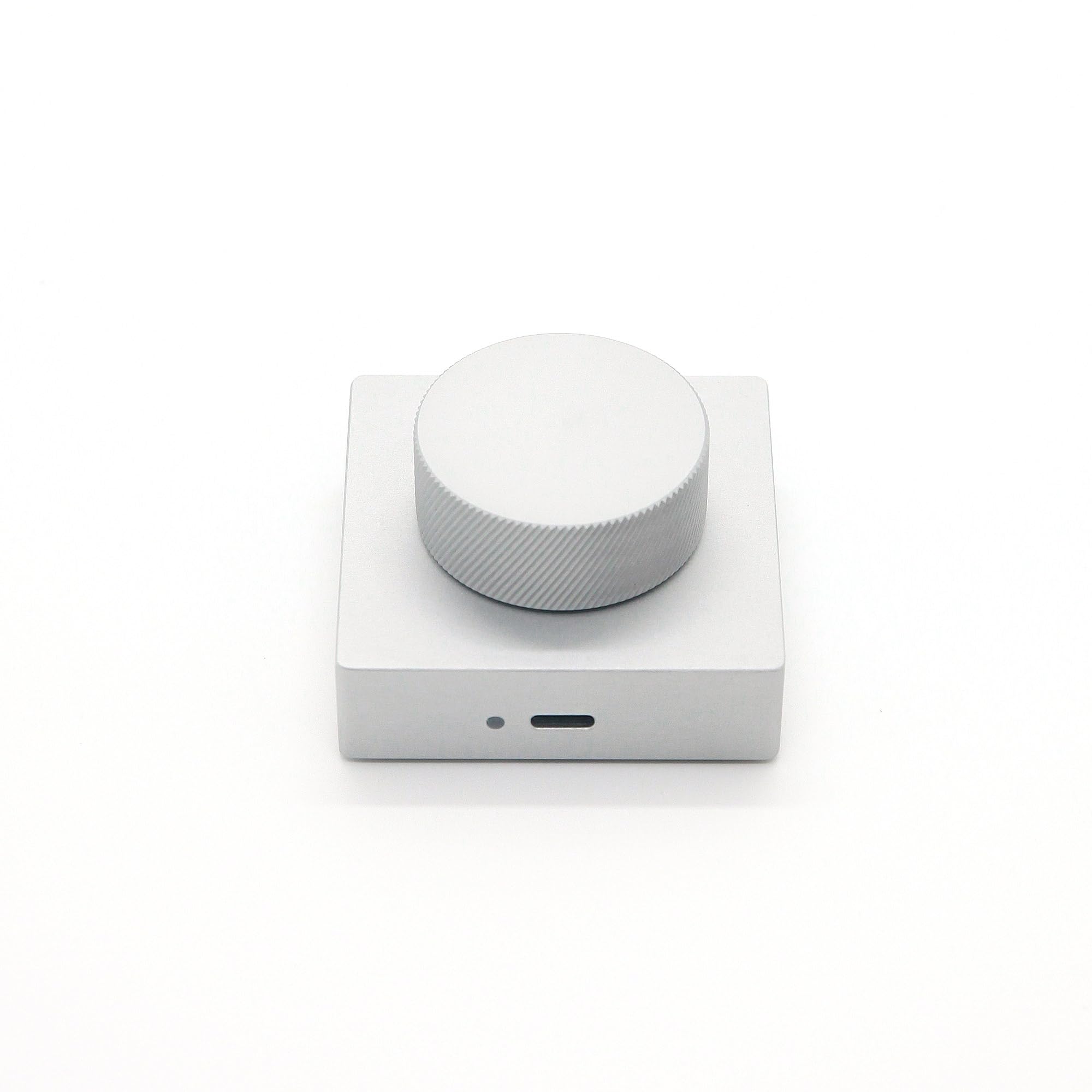
A rechargeable Bluetooth dial with RGB lighting for anyone building a lit-up gaming desk.
This is the odd one in the best possible way. Where every other knob here plugs into a USB port and stays tethered, the AXABING pairs over Bluetooth 5.3 with Windows, MacOS, iOS, and Android — no cable, no dongle, no port occupied. It runs a built-in 300mAh lithium battery that charges via USB-C and supports up to 90 days of standby after a full 2-hour charge. That’s the practical win: drop it wherever’s convenient, charge it a couple times a year, and it’s ready.
The feature set is deeper than volume alone. A single dial handles up, down, mute, play/pause, previous/next track, ebook page flipping, and short-video screen switching — it’s targeted at people who spend their day switching between Spotify, Apple Music, YouTube, and a document. The body is zinc alloy with CNC machining and anti-slip knurling, and the RGB lighting offers 16.8 million colors across multiple lighting modes to match your desk. The weighted base keeps it planted, and the compact palm-sized design fits between a keyboard and a monitor without feeling like clutter.
Honest note: this is a newer product with fewer owner experiences to draw from, and its feature ambitions are high. If you’ve already got RGB software (lighting control software) running your peripherals, this adds another battery-powered device to keep charged and another app to configure. For anyone with a bare PC and a gaming desk, though, the lack of wires and the lighting sell themselves. Just confirm your machine supports Bluetooth before you rely on it, since this is the only wireless-standalone dial in the group.
The wireless appeal: 300mAh battery, USB-C charging, and a 90-day standby window mean you can leave it on a shelf and forget about it for months.
The honest hurdle: Newer to the market with fewer owner experiences, and Bluetooth pairing is a precondition — no pairing, no dial.
Fits best: Gamers and streamers who want a lit, untethered dial that handles volume and track control.
Less fitting: Anyone wanting a simple, wired, no-configuration knob.
Know the Specs
Increment Behavior (Volume Steps)
This is the most underrated spec. It describes how far the volume moves each time you click the dial. A knob that sends 4 or 10 steps per click gives you fine control — good for quiet-headphone listening. A knob that jumps 2 steps per turn is faster and works well for gaming, gym play, or a stage setup. Some knobs, like the 3-mode DROK, let you switch between fine and coarse modes without changing hardware.
Connectivity and Cable Reach
Most PC volume knobs are USB-A. A few include Type-C or a detachable USB-C lead. Cable length — typically 1.5 meters on the better models — decides whether you can place the knob beside your speakers or have to keep it near the port. Wireless options (Bluetooth or 2.4 GHz) free you entirely but add a battery to charge.
Weighted Base and Anti-Slip Feet
These small parts matter more than their size suggests. A metal base with internal weights and four rubber pads keeps a dial steady when you turn it one-handed. Without that weight, a lightweight knob can skate across the desk after a couple of quick spins, especially if dust gets between the pad and the surface.
Mute and Media Buttons
One-click mute is standard on most dials here, and it’s often the feature people use most. Some go further: dedicated play/pause, previous, and next-track buttons; programmable macro assignments; or a press-and-hold gesture to switch button behavior. Check whether the button you’ll press most is a dedicated physical key or a tap of the dial.
Common Questions
Will a USB volume knob work with my Mac?
Can I use a PC volume knob with my phone or tablet?
Why does my volume jump too many steps per click?
Will a USB volume control work without drivers?
Does any PC volume knob work over Bluetooth?
How long does a wireless volume dial last on one charge?
Will a PC volume knob work in a car stereo setup?
Do these knobs work with Chrome OS or Linux?
Will a PC volume knob mute system audio or just one app?
Is a heavier metal knob better than a plastic one?
The Bottom Line
For most desktop users, the pc volume control winner is the DROK USB Volume Knob. Its aluminum body, ALPS rotary shaft, and one-key mute cover everything you need for a physical dial that works instantly on any Windows or Mac machine. If you need the widest OS support, grab the CINROPE USB Volume Control Knob — it handles Android, iOS, and Linux as well as Windows and Mac. And for a dial with fine-tune and rapid-change modes in one unit, the DROK 3-Mode USB Volume Knob is the one to reach for.
Whichever dial you pick, pair it with desktop speakers that resolve small volume steps cleanly. You’ll reach for the dial far more often than the keyboard shortcut.
How we choose
We do not accept paid placement. Every pick is matched to a real buyer and a real use-case; we do not hands-on test units.
Sources
Specifications: manufacturer listings and product documentation. Review insights: verified customer reviews, as of November 2026. Pricing: not shown on this page (it changes often); check the current price via the retailer link.
As an Amazon Associate, Tactical Gear Guy earns from qualifying purchases. This does not affect which products we feature.