Specs are compiled from manufacturer listings and verified buyer reviews and can change over time — please confirm the key details on the product page before buying.
You have a new PC sitting in the box and a decade of files trapped on the old one. Copying folders onto a thumb drive works, but it is slow, it breaks up your folder structure, and it leaves you hunting for the one document you forgot. A PC to PC transfer cable moves files across directly, with no cloud account and no subscription. The difference between a smooth afternoon and a wasted weekend is almost always whether the cable ships with working software.
This guide is built by comparing the manufacturers’ published specifications and the patterns across verified customer reviews, so you get each pick’s real strengths and trade-offs instead of marketing spin.
Some cables run at USB 2.0 rates and need no setup, while others push USB 3.0 speeds but ask you to install software on both machines first. Knowing which camp you are shopping in saves you the headache, and this breakdown of the pc to pc transfer cable options shows exactly which one fits your two machines.
Top Picks
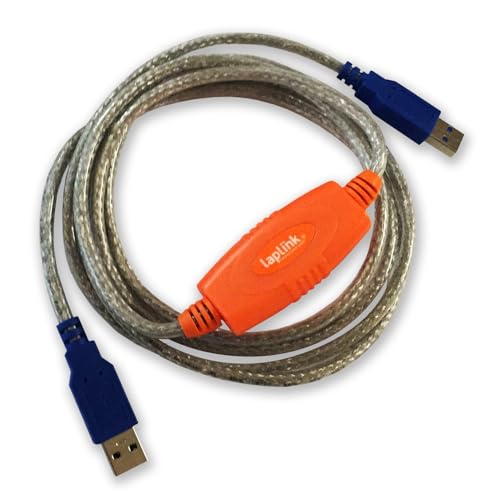

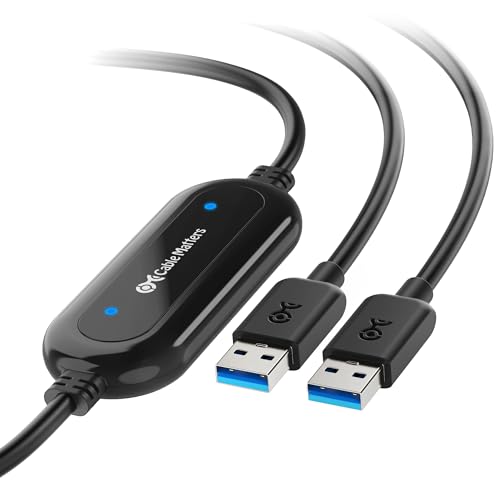
How To Choose The Best PC to PC Transfer Cable
The first thing to understand is that these are not ordinary USB cables. A standard USB-A to USB-A cord will not move files between two computers, and plugging one in can damage the ports. A true transfer cable has a small controller chip inside that lets two machines talk to each other, and it usually arrives with software that does the copying.
Speed: USB 2.0 or USB 3.0
An entry-level cable runs at USB 2.0 speed, which is 480 Mbps (megabits per second — the rate data travels down the wire). That is fine for documents, photos and music, and one owner moved 25 GB of music in under ten minutes on the Gearmo cable. A USB 3.0 cable raises the ceiling to 5 Gbps (gigabits per second), versus 480 Mbps for USB 2.0, so a big video library crosses over far quicker. Your real speed still depends on both computers, the drives inside them, and the software you use.
Software: included, downloadable, or plug-and-play
This is where buyers get caught out. Some cables carry the migration program built in and launch it the moment you connect, so there is nothing to install. Others give you a licence key for a downloadable program like Bravura Easy Computer Sync or PCLinq, and you must install it on both PCs before the cable does anything. A few cables are sold as hardware only and expect you to supply your own software. Check which one you are buying, because a hardware-only cable with no software will do nothing on its own.
Files versus programs
Almost every cable on this list moves files, folders, photos and settings. None of them move installed programs intact. If you rely on an application, you will reinstall it on the new machine from the original installer. Budget an hour for reinstalls and the migration becomes predictable.
Side-by-Side Comparison
| Model | Best For | Transfer Rate | Cable Length | Operating Systems | Amazon |
|---|---|---|---|---|---|
| LAPLINK USB 3.0 Super Speed★ Best Overall | Fast transfers with PCmover | 5 Gbps | 6 ft | Windows 10, 11 | Amazon |
| Plugable USB Transfer CableMost Trusted | Windows-to-Windows file moves | 0.48 Gbps | 6 ft (2 m) | Windows XP through 11 | Amazon |
| Cable Matters USB 3.0Cross-Platform Pick | Cross-platform Mac and Windows | 5 Gbps | 6.6 ft | Windows and macOS | Amazon |
| StarTech.com USB3LINK | Software stored on the cable | 5120 Mbps | 6 ft (2 m) | Windows and Mac | Amazon |
| Plugable USBC-TRAN | Mixed USB-C and USB-A machines | 5 Gbps | 6.6 ft (2 m) | Windows XP through 11 | Amazon |
| Gearmo SS-PC-LINK | No-install file transfers | 480 Mbps | 6 ft | Windows 7, 8, 10, 11 | Amazon |
| Soke-Six USB 2.0 Link | Older Windows machines | 480 Mbps | — | Windows 2000 through 10 | Amazon |
| LAPLINK Easy Transfer Cable | Files and settings with support | Up to 1 Gbps | 7 ft | Windows 7 through 11 | Amazon |
| ELFJMZP USB File Transfer Cable | Laptop-to-desktop sync | 480 Mbps | 1.5 m | Windows | Amazon |
Detailed Reviews
1. LAPLINK USB 3.0 Super Speed Transfer Cable
Our pick — 4.0+★ from 650+ verified ratings; the strongest balance of quality and price.
A 5 Gbps USB 3.0 cable built to run Laplink’s PCmover migration software.
The headline here is raw throughput: this cable moves data at up to 5 Gbps over USB 3.0 (gigabits per second), versus 480 Mbps on an old USB 2.0 cable. Plug both ends into USB-A ports and your photos, video and documents cross the gap far quicker than a stick-drive copy ever would. It also steps down to USB 2.0 speeds on older ports, so a decade-old laptop is not left out.
What makes it the safest pick is the software relationship. It is built to run with Laplink’s PCmover family, and the USB 3.0 male-to-male connection means Windows 10 and Windows 11 machines recognise each other without fuss. The 6 ft length is long enough to sit two towers side by side or stretch across a desk, which matters more than people expect when one PC lives under a desk.
The catch you should know before you order: the cable is sold as hardware for PCmover, and the software is not included. If you do not already own a PCmover licence, budget for that separately or the cable has nothing to drive it. Owners who pair it correctly find it dependable, though a portion of the crowd reports that real-world transfer speed varies a lot with the machines on each end.
Why it earns the top spot
- 5 Gbps ceiling makes short work of large photo and video folders.
- Backward compatible with USB 2.0 ports on older PCs.
- 6 ft reach handles tower-to-tower and desk-to-laptop setups.
What to weigh first
- PCmover software is not included — you supply the licence.
- Speed and perceived quality split opinion; a few buyers call it slow.
Worth grabbing if: you already run PCmover or plan to buy it, and you want the fastest cable on this list driving it.
Keep browsing if: you want software in the box — the Gearmo or Plugable picks below arrive ready to run.
2. Plugable USB Transfer Cable, Unlimited Use
The crowd favourite because it ships with a Bravura licence key and runs on Windows XP through 11.
Where the Laplink cable hands you a fast pipe and expects you to bring the software, this Plugable cable brings both. It ships with a full licence key for Bravura Easy Computer Sync, printed on the cable itself, so you download the program, enter the key, and start dragging files. Owners describe setup measured in seconds, and a whole terabyte crossing over in about eight hours on one machine — the sort of concrete scene that tells you the tool is doing its job.
That popularity is not accidental. It runs on Windows 11, 10, 8.1, 8, 7, Vista and XP, in both 32-bit and 64-bit versions, which covers nearly every old desktop in a spare room. Because it never touches a network, it is also the pick for anyone moving files from a machine with restricted internet access or sensitive data they would rather not route through a cloud account.
The trade-off is a hard limit on scope. It is Windows-only, it will not work with macOS, and it does not move installed programs — you reinstall those from source. It also runs on USB 2.0 silicon, so if you are dragging a huge video library and speed is the priority, a USB 3.0 pick above will save you hours. For files, folders, photos and documents, though, this is the least-fuss tool in the box.
What seals it: a software licence in the box, Windows XP through 11 support, and no dependency on a network make it the easiest cable here to hand a non-technical family member.
The honest limit: USB 2.0 throughput and no Mac support mean large video projects and Apple machines should look elsewhere.
Reach for this one: if both computers run Windows and you want the software sorted without hunting for a licence key.
Look past it: if either machine is a Mac, or your job is moving gigabytes of raw footage.
3. Cable Matters USB 3.0 Data Transfer Cable
The one that moves files between Windows and Mac, or Mac to Mac, over USB 3.0.
This is the cable to grab when your old machine is a Mac and the new one is not, or vice versa. It handles Windows-to-Windows, Windows-to-Mac and Mac-to-Mac migrations, and it does it at up to 5 Gbps over USB 3.0 — the same ceiling the Laplink top pick runs at. The 6.6 ft reach gives you a little more slack than a 6 ft cable for awkward desk layouts.
The wrinkle is that it is not plug-and-play, and the manufacturer is upfront about that. You must install the included software on both computers first, then connect the cable. Two programs come with it: PClinq5 for Windows and macOS transfers, which needs no registration code, and Easy Computer Sync for Windows-only moves, which adds drag-and-drop and remote control but needs its registration code from the cable.
Where owners split is on reliability. The functionality and ease-of-use threads carry as many grumbles as praise, and the instructions are the most-criticised part of the package. Read the setup guide carefully, plug straight into the PC’s own USB-A ports rather than a hub, and this becomes a solid cross-platform cable. Skip that step and you may join the frustrated crowd.
Best fit for: mixed-household migrations where one computer is Apple and the other is Windows.
Think twice if: you want zero software setup — this one demands a proper install on both ends.
4. StarTech.com USB 3.0 Data Transfer Cable (USB3LINK)

No disc, no download — the PCLinq migration software lives on the cable itself.
StarTech’s trick is convenience: the PCLinq transfer program is stored on the cable, so there is no CD to lose and no download to sit through. The cable hits USB 3.0 speed, listed at 5120 Mbps (megabits per second, which is the 5 Gbps class), so a large folder of photos moves in minutes rather than hours. It works across both Windows and Mac. PCLinq moves files in any direction between compatible operating systems, and the package is CE and FCC certified (meets European and US safety and interference standards) for confidence.
Owner experience is best measured in throughput: buyers report consistent 35 MB to 40 MB per second moving across this cable. That is a realistic figure to plan your migration around — a big folder takes minutes, not seconds. Ease of use draws generally warm words, and the software-on-cable design means a machine with no internet still gets its files moved.
The honest caveat is that quality and usability draw mixed views, so it is not the automatic choice for everyone. It also relies on you installing PCLinq and running it properly on both computers. It is a strong option for the person who loses software keys, but the pure speed crown belongs to the 5 Gbps Laplink cable above.
Why it’s appealing: the software riding on the cable means even an offline PC can complete its migration, and 35 to 40 MB per second moves a photo library briskly.
One to know: quality feedback is split, and you still install PCLinq before anything crosses over.
Go for it when: you want software built into the cable and a mixed Windows-and-Mac household.
Pass if: you want the fastest raw throughput — a 5 Gbps cable with familiar software wins that race.
5. Plugable USB-C Transfer Cable (USBC-TRAN)

A hybrid cable that bridges an old USB-A tower to a brand-new USB-C laptop.
The gap this pick solves is the one most people hit today: your old desktop has USB-A ports, the shiny new laptop has USB-C. This cable is a hybrid USB-C and USB-A design, and it includes a USB-C keychain adapter, so it connects the two without a dongle hunt. It moves files at up to 5 Gbps and runs on Windows XP, Vista, 7, 8.x, 10 and 11.
Unlike the Laplink cable above, this one brings its own software: a full-use licence for Bravura’s Easy Computer Sync, letting you transfer across an unlimited number of Windows machines with no repeat fees. Owners move all their files in about 90 minutes in a typical migration, and the intuitive program draws warm words. Everything stays off the cloud and off third-party services, which matters when the folders contain sensitive documents.
Here is the part that divides people: value for money. A portion of owners find it well worth the outlay, others find it on the pricey side, and connectivity experiences are mixed. If you have a mix of USB generations between your machines, the hybrid design is exactly what you are paying for. If both PCs already have USB-A, a simpler cable does the same job for less.
The reasons to choose it
- Hybrid USB-C and USB-A ends plus a USB-C keychain adapter cover modern laptops.
- Full-use Easy Computer Sync licence handles unlimited Windows transfers.
- 5 Gbps speed and no cloud dependency keep sensitive files local.
Where it stumbles
- Opinions on value split — a chunk of buyers call it costly.
- Connectivity experiences are mixed, so stick to direct ports, not hubs.
Pick it for: a new USB-C laptop paired with an older USB-A desktop, where the hybrid ends save a dongle.
Look elsewhere if: both machines have standard USB-A — you are paying for a connector type you will not use.
6. Gearmo PC to PC Data Transfer Cable
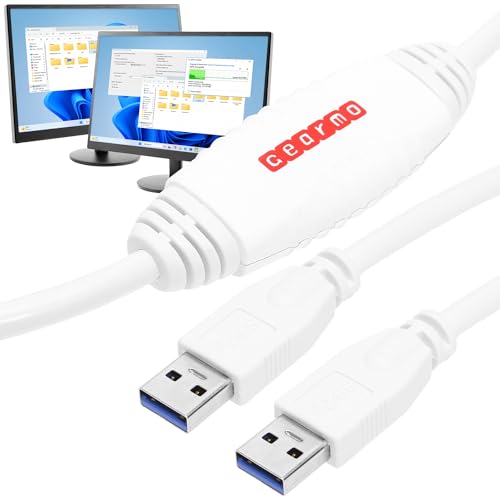
Plug in, and the software launches itself — no install, no setup wizard to wrestle.
For the buyer who dreads installs, this cable is the gentle route. The built-in OTi EasySuite program launches the moment you connect both computers, giving you a split-screen view of the host and remote PC. You drag and drop files from one side to the other, plainly and visually. It works across Windows 7, 8, 10 and 11, and the 6 ft cable gives enough room to set two machines side by side.
The speed is USB 2.0 class, listed at 480 Mbps (megabits per second), which is honest for moving photos, documents and music, though a big video folder will take a while. Owners mention that a 25 GB music transfer took less than ten minutes, which is a concrete sign it handles ordinary libraries without complaint. Requiring no software install also means you can run it on a locked-down machine that will not accept new programs.
There is one condition to respect: both computers must be powered on, open up and fully operational during the transfer. This is a drag-and-drop tool, not an offline cloning disk. Within those bounds it is the friendliest software-free starting point on this list, and it asks little of you beyond plugging it in.
Made for: anyone who wants to skip software installs and just start dragging files across.
skip it if: your folder is a giant video project — a 5 Gbps cable will cross it much faster.
7. Soke-Six USB 2.0 High Speed Data Transfer Cable

The cable that reaches back to Windows 2000 when nothing modern will talk to your old machine.
If the machine you are rescuing boots into Windows ME or Windows 2000, most cables on this list have already given up. This one supports Windows 10, 8, 7, XP, Vista, ME and 2000, so a genuinely ancient desktop can still hand over its files. It runs on a USB 2.0 chip rated at 480 Mb/s, with a built-in flash program that needs no driver or setup — you plug in and start the two-way transfer.
There is real flexibility in how you move things. You can copy an entire user account, or all accounts, from one computer to another with a few clicks, or pick the individual folders you want. For someone migrating a family PC full of shared accounts, that selective copy is a practical time-saver.
The obvious boundary: no Mac support at all. The listing says so plainly, so do not buy it for an Apple machine. It is also a USB 2.0 device, so treat it as a steady workmate for ordinary files rather than a speed tool. Read the setup cards that float around for this model, since guidance is thin in the box.
Its real strength: backwards compatibility to Windows 2000 and ME, plus account-level transfer and a driver-free startup.
The clear boundary: Windows only — it will not touch a Mac, and USB 2.0 caps the speed.
Your move if: you are rescuing a genuinely old Windows PC that newer cables refuse to see.
Not the one if: either computer is branded Apple.
8. LAPLINK Easy Transfer Cable with PCmover Express
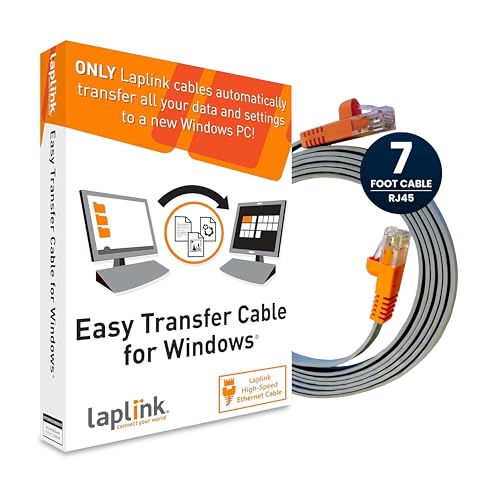
A wizard that carries your files and settings across, with a helpline on the other end.
This is a different beast from the USB cables here: it is an Ethernet cable, connecting to both PCs through their RJ45 ports. It uses a Cat 5e cable rated at up to 1 Gbps on supporting network cards, and it includes the PCmover Express software that walks you through the transfer with a wizard. You pick files, settings and user profiles, and the program carries them to the new machine.
The standout extra is support. A certified PC migration expert is available by phone or remotely, free, around the clock. It works with Windows 7, 8, 8.1, 10 and 11, and the 7 ft Ethernet run beats the 6 ft cables here, giving you a little more room between two towers.
Know exactly what it moves: files and settings only. The included PCmover Express does not carry applications — that needs PCmover Professional or PCmover Ultimate. And the single-use licence means one migration, not unlimited transfers. Some customers note the cable works well and speeds up the handover; others find it fails to move data. For a one-time upgrade with support on call, it earns its place.
Choose it for: a one-time move where you would value a free support line and settings come across too.
Rule it out if: you need unlimited transfers or want applications moved — neither is part of this package.
9. ELFJMZP USB File Transfer Cable 1.5m
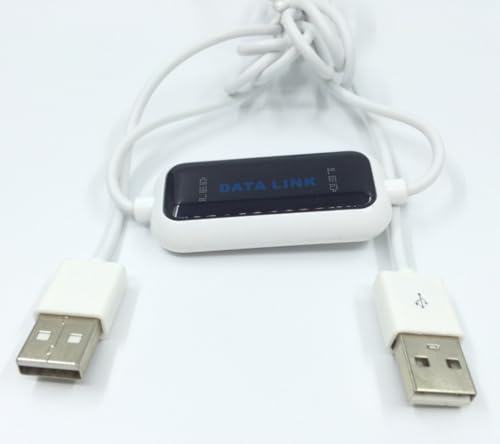
A short, focused sync cable for two Windows PCs sitting close together.
The 1.5 m reach (about 59 inches) is the defining feature here: it is meant for a laptop and desktop on the same desk, or a dual gaming setup side by side. It runs at USB 2.0 speed, listed at 480 Mbps (megabits per second), and uses a 26 AWG cable to move game saves, high-definition video and work documents across in batches. A built-in file manager launches automatically on connection, or you can open it from the last drive letter in File Explorer.
It is strictly a file-sync tool, and the maker is clear about that. It does not share a keyboard or mouse between the two machines, so do not buy it expecting a KVM-style switch. Within its lane it handles several-gigabyte batches steadily and without interruptions, which is all a straightforward document or save-file migration needs.
What you trade for the compact size and plug-and-play ease is flexibility. USB 2.0 speed and a short cable rule it out for grabbing a big library from a tower across the room. Think of it as the tidy cable for two machines that already live together, not a long-haul mover.
The case for it: a built-in file manager, automatic launch, and a tidy 59-inch run for two machines on one desk.
Weigh before buying: USB 2.0 speed and no keyboard/mouse sharing — it moves files, nothing more.
Fits best when: your laptop and desktop share a desk and you just want quick, no-fuss file batches.
Not for you if: the two PCs sit in different rooms, or you need a shared keyboard and mouse.
Know the Specs
Transfer Rate (Mbps vs Gbps)
Mbps means megabits per second — how much data the cable can carry each second. USB 2.0 cables here run at 480 Mbps, and USB 3.0 cables reach 5 Gbps (gigabits per second), a much higher ceiling for big video and photo folders. The caveat: the slowest part of your setup sets the pace, so two old drives can bottleneck even a fast cable.
Software: Included vs Hardware Only
A transfer cable needs a program on both computers to move files. Some ship with a licence (Bravura Easy Computer Sync, PCmover, PCLinq), some store the program on the cable itself, and some are sold as hardware only and expect you to bring software. Confirm which before you buy so the cable is not left doing nothing.
Common Questions
Can I just use a normal USB-A to USB-A cable to move files?
Do these transfer cables move installed programs too?
Will a USB 3.0 transfer cable work on an older USB 2.0 PC?
Can I use a transfer cable to move files from a Mac to a Windows PC?
Do I need a licence key to run the transfer software?
How long does a typical file transfer take?
Is a transfer cable safer than cloud storage for sensitive files?
My old PC is ancient — will any of these cables still connect to it?
Do these cables need both computers switched on during the transfer?
What cable length should I get?
The Bottom Line
For most buyers, the safest starting point is the Plugable USB Transfer Cable — it brings its own licence key, works across Windows XP to 11, and asks nothing of your internet connection. If speed is your priority and you already run PCmover, the LAPLINK USB 3.0 Super Speed cable is the fast pipe to pair with it, and it earns the top spot on raw throughput. Cross-platform movers should reach for the Cable Matters USB 3.0, which handles the Windows-to-Mac handover the others cannot. Whichever you choose, confirm the software ships with the cable before you order — that single detail is what turns a dead cable into a finished migration.
How we choose
We do not accept paid placement. Every pick is matched to a real buyer and a real use-case; we do not hands-on test units.
Sources
Specifications: manufacturer listings and product documentation. Review insights: verified customer reviews, as of November 2026. Pricing: not shown on this page (it changes often); check the current price via the retailer link.
As an Amazon Associate, Tactical Gear Guy earns from qualifying purchases. This does not affect which products we feature.