Specs are compiled from manufacturer listings and verified buyer reviews and can change over time — please confirm the key details on the product page before buying.
Buying a laptop part is a match-the-numbers job, not a browsing job. The one thing that decides whether your repair works is whether the part number, voltage, and screen spec match what is already screwed inside your machine. Get that right and a tired laptop runs again for the cost of a component. Get it wrong and you are packing a return box. This guide covers replacement batteries, screen panels, and body parts, with each pick’s exact compatibility spelled out.
This guide is built by comparing the manufacturers’ published specifications and the patterns across verified customer reviews, so you get each pick’s real strengths and trade-offs instead of marketing spin.
Every entry lists the exact model codes and part numbers it replaces, so you can check your own sticker before you order. The picks below are the ones worth checking against your machine first when you shop for parts for laptops.
Top Picks

How To Choose The Best Parts for Laptops
The safest way to buy a laptop part is to stop searching by laptop name and start searching by the code printed on the part you are replacing. A Pavilion 15 covers dozens of model numbers, and the battery inside one of them will not fit another. Pull the old component, read its label, and match that code against the listing’s compatibility list.
Match the part number before anything else
A replacement battery carries codes like HT03XL or WDX0R, and a screen carries a panel code such as B156HAN02.1. Those codes are the real identity of the part. If the listing names your exact code, the odds of a clean fit climb sharply. If it only names a series, open the listing’s full compatibility list and search for your model string inside it.
Check voltage and capacity, in that order
Voltage must match your original exactly — an 11.4V laptop expects an 11.4V battery. Capacity, given in Wh (watt-hours, the total energy stored) or mAh (milliamp-hours, the charge the cells hold), tells you how long you can run unplugged. A higher Wh number means a bigger reserve, but only if the physical shape still drops into the same bay.
Screens: resolution, pins, and touch vs non-touch
A replacement panel has to match four things: screen size in inches, resolution, connector pin count, and whether your original was touch or non-touch. A 30-pin non-touch panel will not work where a touch assembly was fitted. Panel type matters for your eyes too — an IPS panel holds colour and viewing angles better than a standard TN panel.
Side-by-Side Comparison
| Model | Best For | Part Type | Key Spec | Compatibility Marker | Amazon |
|---|---|---|---|---|---|
| HT03XL Battery for HP Pavilion 14★ Best Overall | Reviving a Pavilion 14 or 15 that no longer holds charge | Battery | 41Wh, 11.4V | HT03XL / L11119-855 | Amazon |
| Replacement Bottom Case for HP 17-by / 17-CACracked-Shell Fix | Cracked lower shell on a 17-inch HP | Body part | 16.3 x 10.63 x 0.59 inches | L48405-001 / L22515-001 | Amazon |
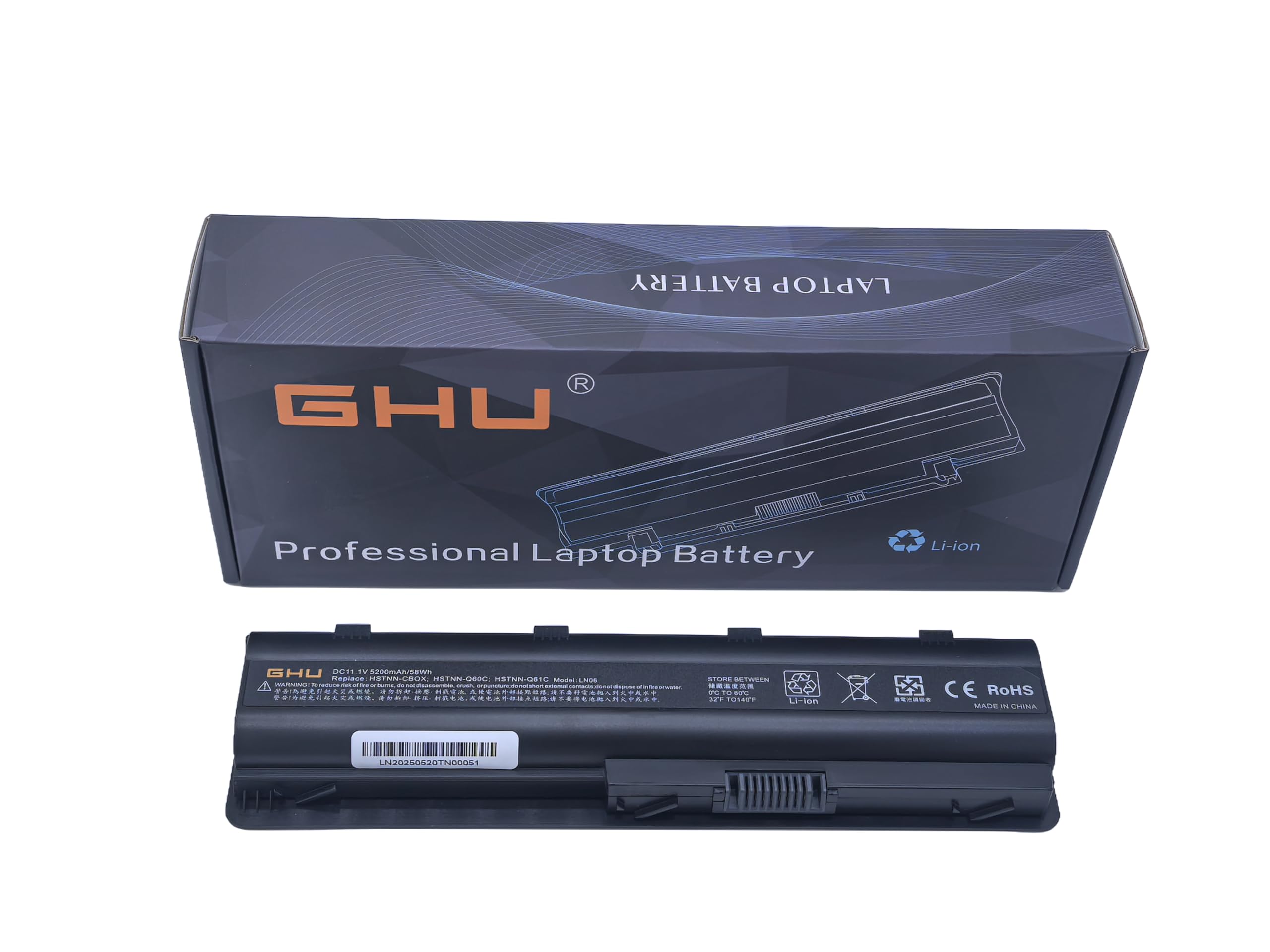
| MU06 58Wh Battery for HP Pavilion G4–G72Biggest G-Series Reserve | Older Pavilion G-series that needs runtime back | Battery | 58Wh, 5200 mAh | MU06 / 593553-001 | Amazon |
| LCD Screen for HP Chromebook 11 G3–G9 | Cracked 11.6-inch Chromebook display | Screen | 1366×768, 30-pin | B116XTN02.3 | Amazon |
| PA5109U-1BRS Battery for Toshiba Satellite | Toshiba Satellite C855 / L875 losing runtime | Battery | 58 Wh, 5200 mAh | PA5109U-1BRS / PABAS271 | Amazon |
| LCD Back Cover Kit for Dell Inspiron 15 3510/3511/3515 | Broken lid or hinge on an Inspiron 15 | Body kit | 13.78 x 9.06 x 0.67 inches | 0WPN8 / AP3LE000901 | Amazon |
| 15.6″ IPS FHD Screen B156HAN02.1 | Upgrading or replacing a 15.6-inch FHD panel | Screen | 1920 x 1080, 30-pin | B156HAN02.1 / N156HCA-EAC | Amazon |
| 86Wh 69KF2 Battery for Dell XPS 15 | XPS 15 or Precision 5550 needing a big reserve | Battery | 86Wh, 11.4V | 69KF2 / 8FCTC | Amazon |
| DELL WDX0R 42Wh Battery | Inspiron 5000 / 7000 series battery swap | Battery | 42Wh, 11.4V | WDX0R | Amazon |
Detailed Reviews
1. HT03XL Battery for HP Pavilion
Our pick — 4.5+★ from 700+ verified ratings; the strongest balance of quality and price.
The most-owned swap on this list, and the one most Pavilion owners will recognise.
If your Pavilion 14 or 15 dies the moment you unplug it, this is the part you want first. It is a 41Wh lithium-ion pack (watt-hours measure total stored energy) at 11.4V across 3 cells, built to drop into the same bay as the original. The crowd verdict backs that up — 4.5+ stars across 700+ owners, with the replacement working exactly as the worn-out pack did.
The compatibility list is the reason it takes the top spot. It names HT03XL plus the full spread of part codes owners actually find on their stickers — HSTNN-DB8R, HSTNN-LB8L, L11119-855, L11421-1C1 and the TPN-C136 family. It also lists the model strings straight: 14-CE, 14-CF, 14-DQ, 14-FQ, 15-CS, 15-DA, 15-DY, 17-BY, 17-CA. That means most buyers can confirm their fit from the page without a single support email.
Where it asks for a little patience is runtime. Some owners get a pack that outlasts the original, others find it fades sooner than they hoped, so treat a replacement cell as a normal consumable rather than a permanent upgrade. It is also the smaller of the HP-fit batteries here — the MU06 below holds a 58Wh rating, while this one sits at 41Wh, so expect a shorter unplugged stretch if you are coming from that older machine.
What Wins People Over
- Replacement works as the original did — the most-praised quality by a wide margin
- Compatibility covers 14, 15, and 17-inch Pavilion lines with full part codes listed
- Installs like the factory pack — no adapter, no modification
- 3-cell lithium-ion at 11.4V and 41Wh matches the original spec
Where It Asks For Patience
- Runtime splits owners — some outlast the original, some fade early
- Smaller reserve than the 58Wh MU06 pack, so plan shorter unplugged sessions
Go for it: Your Pavilion 14, 15, or 17 has died on battery and your sticker shows HT03XL or a matching L11/TPN code.
Hold off: You want the largest reserve available — the 58Wh MU06 is the bigger cell for the older G-series chassis.
2. HP 17-by Laptop Bottom Case
A bare lower shell that turns a smashed 17-inch HP back into a closed lid.
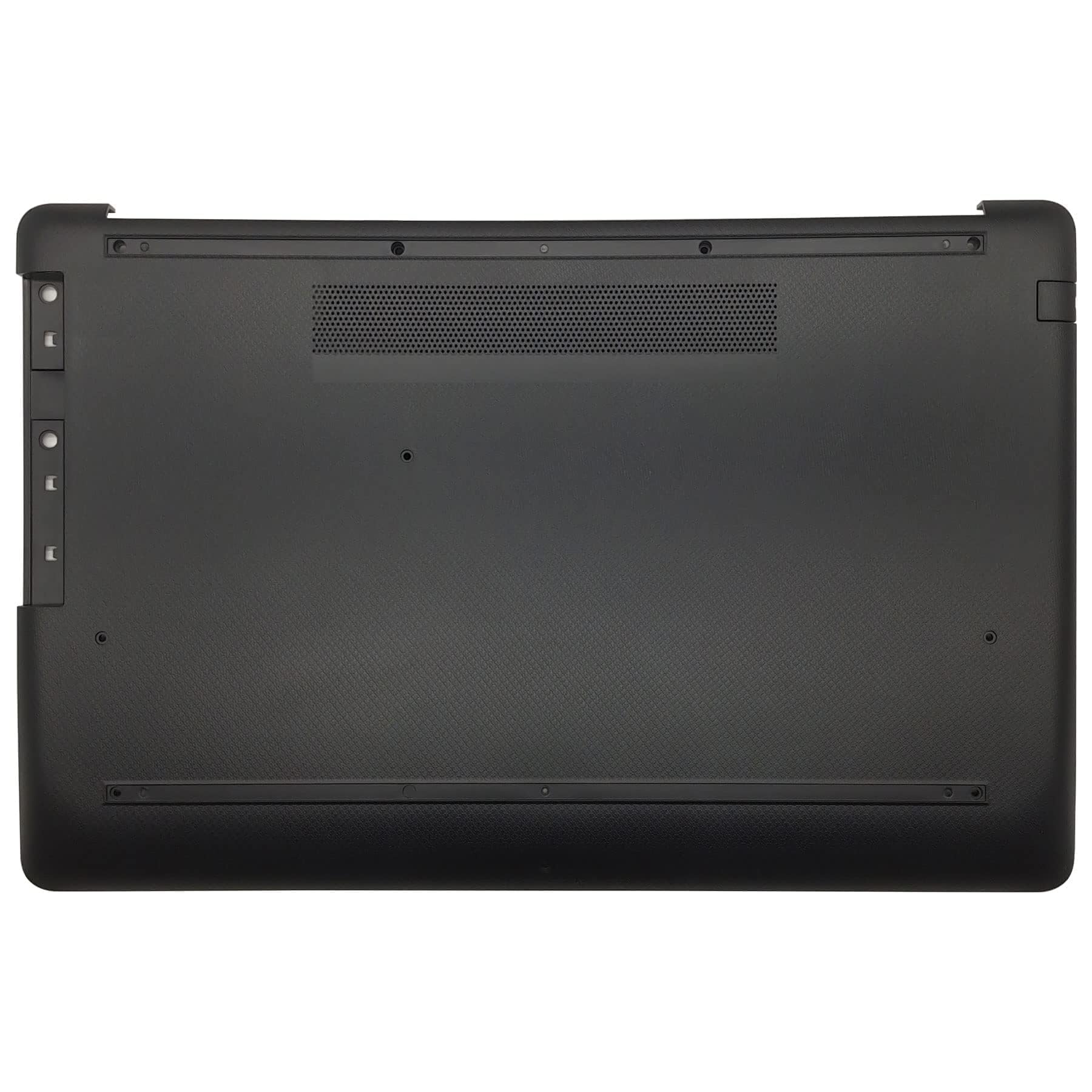
When the bottom of a 17-inch HP cracks around the hinge or the screw posts strip out, the whole laptop feels loose. This replacement lower cover is the answer for the 17-by, 17T-by, 17-CA, and 17Z-CA chassis. It measures 16.3 x 10.63 x 0.59 inches, which is the giveaway that it is a full-size 17-inch shell rather than a 14-inch part — check that against your machine before you order.
What owners talk about most is that it is a proper replacement rather than a close-enough lookalike, and that it drops into place as the original did. The finish is jet black plastic, listed as 100% new original brand, and each unit is tested before shipping. It arrives as the cover only, so keep your old screws and any rubber feet you want to reuse.
The bits that need care are the two numbers printed on your old part. The listing names L48405-001, L22515-001, 6070B1546601, and 6070B1308201 — one of those should match your original label. Jxjslp backs it with a 120-day warranty against manufacturer defect, not against scratches or install damage.
Editor’s read: This is the part that stops a 17-inch HP from flexing at the hinge. The 4.5+ star showing across 100+ owners comes from owners who found the fit and the look matched their original, so it earns its place as the body-panel pick.
The one caution: It ships bare, with no screws and no feet, so budget for moving your old hardware across before the lid goes back on.
Reach for this if: Your 17-by or 17-CA lower shell is cracked and your label shows L48405-001 or L22515-001.
Look elsewhere if: You need screws, rubber feet, or a top lid included — this is the bottom cover alone.
3. MU06 Battery for HP Pavilion
Fifty-eight watt-hours for the old G-series Pavilion everyone still keeps in a drawer.
The G4, G6, G7, G42, G56, G62, and G72 are the workhorses of a decade of HP Pavilion machines, and this is the 58Wh lithium-ion pack built for that exact family. That is 5200 mAh of charge at 321 g, which is the heavier cell here — it outweighs the HT03XL’s 263 g, so expect a bit more heft in the bay. In return you get HP’s bigger reserve for the older chassis.
Owners single out the battery quality more than anything else, and the fit lines up cleanly with the G-series bays. The part codes it replaces are thorough: MU06, MU09, 593553-001, 593554-001, 593562-001, 584037-001, and the HSTNN-LB0W / UB0W / CBOW family. The maker rates the cells for more than 500 recharge cycles and about 3+ hours per charge.
Runtime is the honest gripe — some owners get a pack that holds much longer, others find it fades fast and only runs around two hours after charging. That is normal for a replacement cell that lives through the drain of an older laptop. If you expect a lithium-ion pack to match day-one factory life forever, size that expectation down.
Where the value sits: 58Wh in a G-series-compatible body is more reserve than the HT03XL’s 41Wh, so if you are reviving an old Pavilion this is the bigger cell for the money.
Set realistic runtime: The maker states 3+ hours per charge, and owners are divided on how long it actually holds after months of cycles.
Best paired with: A G4, G6, G7, G42, G56, G62, or G72 whose label shows MU06 or 593553-001.
skip it if: You own a newer Pavilion 14 or 15 — this pack is shaped for the G-series chassis, not those.
4. LCD Screen for HP Chromebook 11

A bare 11.6-inch panel for the Chromebook that took one too many knocks in a backpack.
This is a HD 1366×768 panel with a matte finish, meaning it scatters light instead of bouncing it back at you, so overhead lights do not wash the picture out. It connects over a 30-pin EDP (embedded DisplayPort, the internal cable standard for laptop screens) and is non-touch. The 11.6-inch size pins it to the smaller HP Chromebooks — G3, G4 EE, G5, G6, G7, G9, 11A, G8 EE — plus ProBook G2 and Stream Pro machines.
What the page makes clear is how little room there is for guessing. You must match resolution, backlight, screen size, and touch or non-touch to your current panel, or the replacement will not work with your system. Buyers report the swap working well, with the display quality landing as expected. The panel is standard TN with a 3-month warranty, so colour and viewing angles are basic Chromebook grade, not the IPS look of the 15.6-inch pick.
The package is the screen only — no bezel, no back cover, no tools, no control board. If you have never split a Chromebook lid before, plan to reuse every original part and treat the install as a careful, slow job.
Why It Fits The Job
- 1366×768 HD resolution matches the stock Chromebook panel
- 30-pin EDP connector and matte finish, non-touch as required
- Compatibility spread across G3, G4 EE, G5, G6, G7, G9, 11A, G8 EE, ProBook G2, Stream Pro
- Works as the original on install, by owner account
Plan Around This
- Standard TN panel — not the richer IPS you get on the 15.6-inch replacement
- Screen only; no bezel, tools, or control board in the box
- Resolution, size, and touch spec must match exactly or it will not run
Made for: An 11.6-inch HP Chromebook or Stream Pro with a cracked non-touch HD panel.
Wrong turn if: Your machine is a touch model or a larger screen — this panel will not work in either case.
5. PA5109U-1BRS Battery for Toshiba Satellite
The Toshiba Satellite battery with the widest pool of owners behind it.
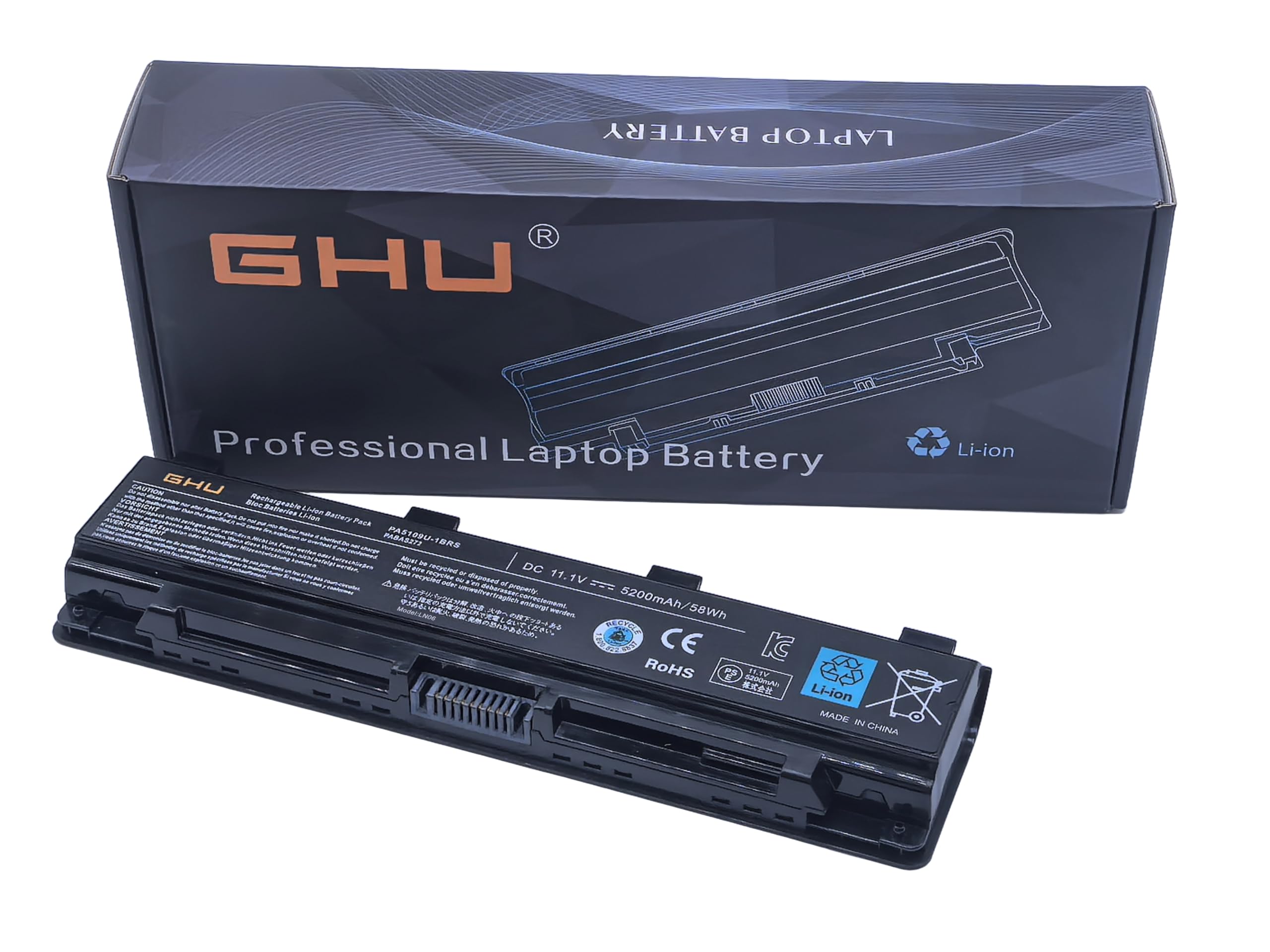
If you still run a Satellite C855, L875, or P875, this is the 58Wh lithium-ion pack sized for it at 5200 mAh and 286 g. It replaces PA5109U-1BRS, PA5110U-1BRS, PA5108U-1BRS, PABAS271, PABAS272, and PABAS273, so a sticker match is straightforward. The listing also spells out the fit check: compare shape, connector, voltage, and part number before you buy.
Owners praise the fact that it works as a proper replacement, and the install is a clean screw-out, screw-in job with no adapter. Built-in circuits guard against over-current, over-voltage, overheating, and short circuits. This is the battery more Satellite owners have put in than any other pick on the page.
Runtime is where opinions split hardest — this battery draws more battery-life talk than any other trait. Some owners get a long-lasting pack that behaves like new, others find it holds for a short stretch and stops charging after a couple of months. The warranty covers manufacturer defect, so keep your order details handy if your first pack is a dud.
Fit and finish: The 58Wh rating and 5200 mAh capacity match the laptop’s original spec, so there is no adapter to fiddle with and no bay to modify — pull, swap, screw back.
Honest caveat: Replacement cells are a mixed bag on runtime, and this one is no exception. Plan for the possibility that the pack is fine for months rather than years.
The right call for: A Toshiba Satellite C855, C855D, L855, L875, P855, P875, S855, S875, or C55-A that will not hold charge.
Not for you if: Your Toshiba is a modern model outside the Satellite range — the part codes here are specific to that family.
6. LCD Back Cover Kit for Dell Inspiron 15
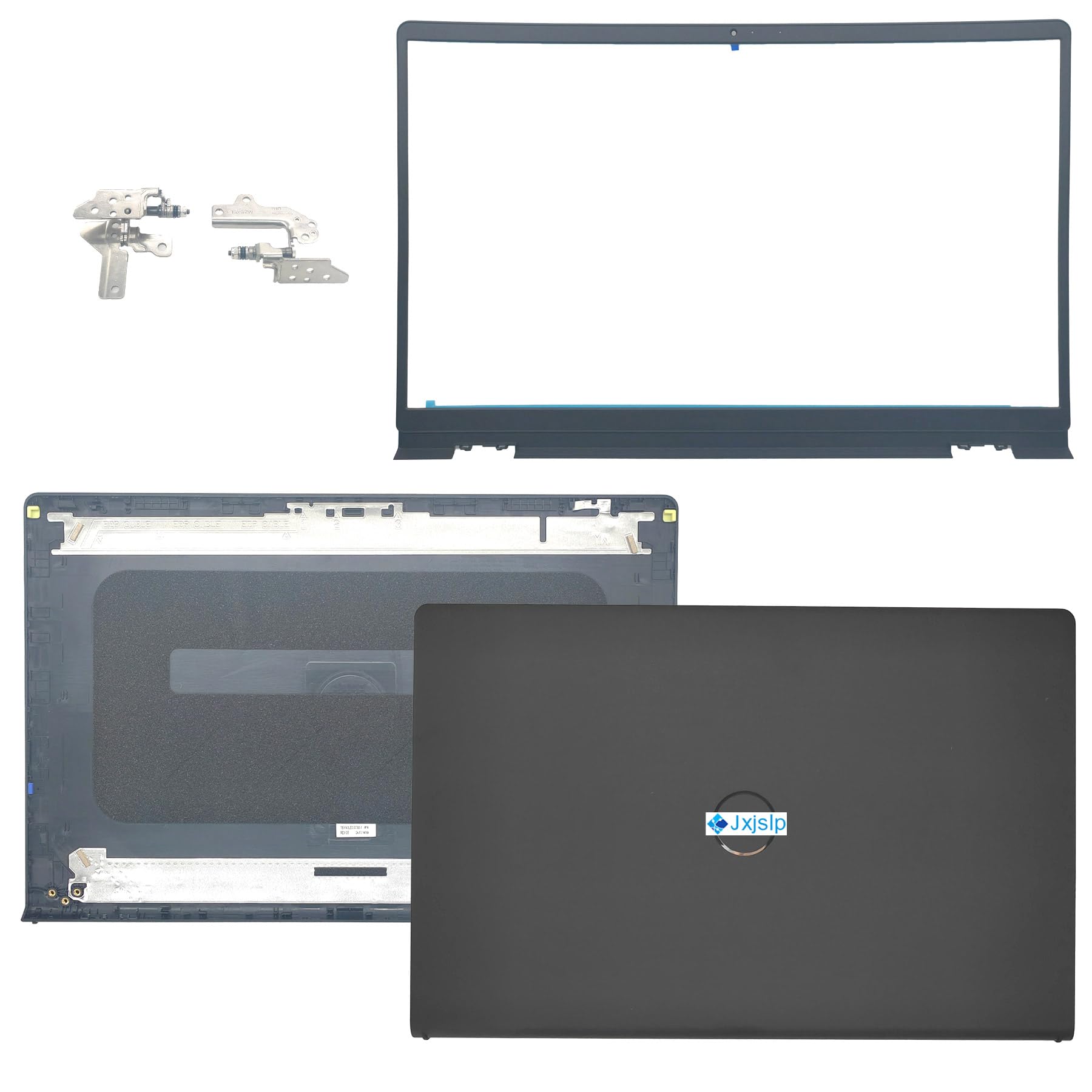
Three parts in one box: the lid, the bezel around the screen, and both hinges.
When a hinge snaps on an Inspiron 15, the lid usually goes with it, and that is exactly the mess this kit is built to solve. You get one new LCD back cover, one screen bezel, and two hinges, all sized for the Dell Inspiron 15 3510, 3511, 3515, 3520, and 3525 series. The lid also carries the top surface you touch every day, so a fresh cover fixes the look as well as the structure.
Fit is the trait that earns the most approval, with functionality close behind, and owners mention the parts landing where the originals did. The part numbers to match are 0WPN8, 00WPN8, 09WC73, 9WC73, and AP3LE000901. Jxjslp backs it with a 120-day warranty against manufacturer defect, not against scratches or install damage.
Two rough patches are worth knowing. Owners are split on how simple the install is — some breeze it, others find it fiddly, so a proper pry tool and patience help. Hinge design and durability also draw mixed notes, so if your original failed because the hinge design is the weak point, understand you are replacing it with the same design.
The package is the pitch: Buying lid, bezel, and hinges as one kit spares you the second order you would otherwise place after the first part arrives bent.
Skill required: The install is the honest trade-off here. Owners are split on how easy it is, so treat this as a job for someone comfortable with a pry tool.
Suits you if: Your Inspiron 15 3510, 3511, 3515, 3520, or 3525 has a broken lid or snapped hinge and you want the full assembly at once.
pass on it if: You only need a single screw-on part — the kit’s hinges and bezel would just be extras.
7. B156HAN02.1 LCD Screen
The panel that makes an old 15.6-inch laptop look better than the day it shipped.
Here is the clearest quality jump on the page. This is a 15.6-inch IPS panel at 1920 x 1080 FHD (full high definition), on a matte finish with a 16:9 shape and a 30-pin connector at the bottom right. An IPS panel is the type that keeps colours steady when you tilt the screen, which is why owners describe the picture as looking better than the original. That puts it a step above the 11.6-inch Chromebook panel’s standard TN grade.
The screen quality and overall performance carry the praise, and the fit lines up with the listed codes — B156HAN02.1 HW0A, HW7A, HW4A, HW9C, and N156HCA-EAC. At 0.28 kg the panel itself is light, so the swap does not change the lid’s feel. The image is crisp at FHD, and the matte surface cuts the glare that bothers owners on glossy panels in bright rooms.
Two details need your eyes before checkout. First, the maker states an ISO pixel policy under which up to 3-5 dead pixels may be acceptable — that is spotty pixels on an otherwise working screen, not a fault. Second, screen durability is the one place owners have raised concerns, so handle the panel with care and keep it away from pressure. Support is available before you buy if you are unsure whether this fits your machine.
What Stands Out
- 1920 x 1080 FHD resolution on a 15.6-inch IPS panel for wider viewing angles
- Matte finish cuts glare in bright rooms
- Owners describe the picture as looking better than the original
- 30-pin connector and 16:9 ratio match the standard 15.6-inch bay
Before You Buy
- Up to 3-5 dead pixels may be acceptable under the maker’s ISO policy
- Durability is the one repeated concern, so handle the panel carefully
- A compatible model may ship, and outline details may vary slightly
Pick it when: You want the bright, accurate IPS look on a 15.6-inch laptop and your panel code matches B156HAN02.1.
Think twice if: A single dead pixel would bother you — the ISO policy allows a few, so glass-grade perfection is not promised.
8. 69KF2 Battery for Dell XPS 15

Eighty-six watt-hours for the XPS 15 owner who works away from a wall socket.
This is the biggest battery cell on the list — 86Wh at 7167mAh and 11.4V of lithium-ion — built to match the original pack in a Dell XPS 15 9500, 9510, or 9520. It also fits the Precision 5550, 5560, and 5570, the G15 line, and several Inspiron 16 Plus and Alienware M15 / M17 machines. That bigger reserve is the reason owners describe it as better than the original.
Setting it apart from the HT03XL above is the size of the reserve and the machine it serves. The 86Wh rating is roughly double the 41Wh HT03XL, so a heavy-workload XPS owner gets more unplugged time before the low-battery warning. The compatibility notes are careful — it does not fit the 7620 2-in-1 or 7510 2-in-1 convertible models, so check the form before you buy. Owners also report the install running about 10 minutes for a straightforward back-cover swap.
Runtime lands mixed, which is the usual story with replacement cells. Some owners call it an extremely noticeable upgrade, others find it lasts around 3 hours and then quits. The listing gives a 12-month warranty and a 30-day refund, with the seller’s message option once Amazon’s return window closes. Good support for a part that usually outlives one order.
The pitch in one line: 86Wh in a body matched to the XPS 15 and Precision 5550 gives the largest unplugged stretch of any battery on this page.
Check the shape first: The 2-in-1 convertible variants are excluded, so open the back cover and confirm the model before the order goes in.
Built for: An XPS 15 9500, 9510, 9520, Precision 5550, or G15 whose original 86Wh pack has faded.
Not for: A 7620 or 7510 2-in-1 convertible — those take a different battery shape and this one will not seat.
9. WDX0R Battery for Dell Inspiron

A three-cell pack that covers a wide spread of Inspiron 5000 and 7000 machines.
This is the 42Wh lithium-polymer pack at 11.4V, replacing the WDX0R in a long list of Dell Inspiron 13, 14, 15, and 17-inch machines — the 5368, 5378, 5379, 5567, 5570, 5580, 7570, and 7580 among them. It also fits Vostro and Latitude models from the same era. It includes overcharge, over-discharge, over-temperature, and short-circuit protection, and the maker rates it for up to 500 recharge cycles.
Accuracy is the trait owners reward most — this is a drop-in match for the original, and the fit lands correctly. The install is a simple back-panel swap at 240 g, so the weight of the pack in your hand is close to what the laptop shipped with. The compatible list is long, so search for your exact model string before ordering.
The screen is where you will need care. The Inspiron 7586 can take three different batteries — YRDD6, WDX0R, or 33YDH — so open the bottom case and check which is actually inside your machine. The listing offers a full refund within one month and a replacement within 12 months. Battery life feedback is mixed, as it is for most replacement cells, so do not expect factory-day runtimes forever.
What it solves: A dead battery in one of the many Inspiron 5000 / 7000 models that use WDX0R — with the protection circuitry already built in.
The fit check: The 7586 model can take three different packs, so look at the one inside your laptop to confirm it is the WDX0R before you commit.
Right pick when: Your Inspiron 5368, 5378, 5379, 5567, 5570, 5580, 7570, or 7580 has a WDX0R sticker on its old battery.
Double-check first: An Inspiron 7586 that may be carrying the YRDD6 or 33YDH pack instead — the WDX0R will not work there.
Know the Specs
Watt-hours vs milliamp-hours
Watt-hours (Wh) tell you how much total energy the pack stores, while milliamp-hours (mAh) tell you how much charge the cells hold. Both describe the same battery, so a listing may use either. On this page, the XPS 15 pack is rated 86Wh and 7167mAh, while the HT03XL is 41Wh with 3470 mAh listed. A bigger Wh number generally means more unplugged time, but only if the shape still fits the bay.
Voltage and part codes
Voltage has to match the laptop exactly — 11.4V is the standard here for the HP, Dell, and Toshiba packs. The part code is what you match on the sticker: WDX0R, HT03XL, MU06, PA5109U-1BRS, and 69KF2 each map to their own machine family. The listing’s compatibility list is the final check, so search for your exact model string before you order.
Screen pins and panel type
A panel’s connector pin count must match the internal cable — 30-pin is the standard for both screens on this page. Panel type matters too: IPS holds colour when you tilt the screen, while TN shifts and is the cheaper grade. A matte finish reduces glare, while a glossy one looks sharper but reflects more light.
What body kits include
A bare cover is just the plastic shell. A kit bundles more — the Dell Inspiron 15 back cover kit ships one LCD back cover, one bezel, and two hinges. If hinges are the weak point on your machine, the kit approach saves you a second order after the first part arrives. Check what is included before you buy, because a bare cover means moving your old screws and feet across.
Common Questions
How do I know a replacement battery will fit my laptop?
Is a 41Wh battery worse than a 58Wh battery?
Can I replace a non-touch screen with a touch screen?
What does 30-pin mean on a laptop screen?
Is an IPS screen better than TN for a laptop?
Will a new laptop battery last as long as the original?
Do I need to open my laptop before ordering a battery?
What is included with a Dell LCD back cover kit?
How long should a replacement laptop battery last?
Can a dead pixel be normal on a replacement screen?
The Bottom Line
The strongest starting point for most laptop repairs is the HT03XL Battery for HP Pavilion 14 — it covers the widest spread of Pavilion 14, 15, and 17 models, lists every matching part code on the page, and drops in without modification. If your machine is a 17-inch HP with a cracked lower shell, the replacement bottom case is the exact-fit answer. And for the sharpest picture upgrade on the list, the 15.6-inch IPS FHD panel beats the stock display with a 1920 x 1080 matte screen that owners say looks better than the original.
The one habit that protects every order here is simple: open the machine, read the sticker, and match the code before you buy. The HT03XL pack carries 4.5+ stars across 700+ owners for the same reason — it fits the codes it claims. Confirm your part number, and any of these nine picks will get a laptop running again.
How we choose
We do not accept paid placement. Every pick is matched to a real buyer and a real use-case; we do not hands-on test units.
Sources
Specifications: manufacturer listings and product documentation. Review insights: verified customer reviews, as of November 2026. Pricing: not shown on this page (it changes often); check the current price via the retailer link.
As an Amazon Associate, Tactical Gear Guy earns from qualifying purchases. This does not affect which products we feature.