Specs are compiled from manufacturer listings and verified buyer reviews and can change over time — please confirm the key details on the product page before buying.
Most people buy an outdoor access point to fix one specific problem: the Wi-Fi dies the moment they walk past the back door. The fix is not a bigger router or another plug-in extender. It is a weather-sealed box mounted outside that broadcasts its own Wi-Fi 6 signal, wired back to your network with a single Ethernet cable. This guide sorts nine of them by the things that actually decide whether your patio, barn, or gate camera stays connected — the weatherproofing rating, the real throughput, and how the thing gets power.
This guide is built by comparing the manufacturers’ published specifications and the patterns across verified customer reviews, so you get each pick’s real strengths and trade-offs instead of marketing spin.
Below you’ll find the honest breakdown of each model, the specs that separate them, and the traps that catch first-time buyers of an outdoor wi-fi 6 ap.
Top Picks

How To Choose The Best Outdoor Wi-Fi 6 AP
An outdoor access point is not a router and not an extender. It is a radio you mount outside, feed with one Ethernet cable, and let broadcast a fresh Wi-Fi 6 network to whatever sits in the yard. Get the three decisions below right and the rest is detail.
The weatherproof rating is the first thing you check
An IP rating is a two-digit score for how well a housing keeps out dust and water. The first digit covers solids and the second covers water, so IP68 is the toughest seal on this list and IP55 the lightest. For a unit bolted to a wall under an eave, IP55 often survives fine. For a pole out in open rain, aim higher.
Wired uplink versus repeater mode
A wired uplink means running one Ethernet cable from your router or switch to the access point. That gives the unit a clean, full-strength connection to your network instead of asking it to repeat an already-weak signal. Repeater mode exists on several models and is useful when you cannot run cable, but expect the speed to reflect whatever the source signal gives you.
How much throughput you actually need
Wi-Fi 6 speeds on these boxes range from around 1,800 Mbps combined to 6.3 Gbps combined. That combined figure splits across two radio bands, so no single device sees all of it. Cameras, doorbells and phones rarely need the top end. Many simultaneous 4K streams or a busy guest area might.
Power: PoE saves you an electrician
PoE (Power over Ethernet) sends electricity down the same cable as your data, so the access point needs no nearby outlet. Several models here ship with their own PoE injector — the small brick that feeds power into the cable — which means you can deploy without buying extra gear. Check whether your unit wants standard 802.3at PoE or a passive adapter, because they are not interchangeable.
Side-by-Side Comparison
| Model | Best For | Weather Rating | Rated Throughput | MIMO / Radios | Amazon |
|---|---|---|---|---|---|
| Omada EAP610-Outdoor★ Best Overall | Yard coverage on a budget | IP68 | 1800 Mbps | Dual-band | Amazon |
| Mikrotik wAP axToughest Small-Site Pick | Tough installs, small networks | Weatherproof (rated for indoor/outdoor) | — | 2×2 MIMO dual-chain | Amazon |
| Cudy AP3000 OutdoorBest for Crowds | High-density client loads | IP65 | AX3000 (2402 + 574 Mbps) | 4-stream dual-band | Amazon |
| Zyxel NWA55AXE | Bridging a detached building | IP55 | 1800 Mbps | Dual-radio MU-MIMO | Amazon |
| Omada EAP650-Outdoor | Balanced speed and sealing | IP67 | 2976 Mbps | Dual-band | Amazon |
| BrosTrend AX3000 Outdoor | Long-range yard and farm | IP65 | 2402 + 574 Mbps | Dual-band, 80 devices | Amazon |
| TP-Link Festa F65-Outdoor | Cloud-managed small business | IP67 | 3000 Mbps | Dual-band, 4 spatial streams | Amazon |
| NETGEAR WAX610Y | Insight-managed multi-AP sites | IP55 | 1800 Mbps | Dual-band MU-MIMO | Amazon |
| Alta Labs AP6-PRO Outdoor | Best-weathering high-throughput pick | IP68 | 6.3 Gbps | 4×4 MU-MIMO | Amazon |
Detailed Reviews
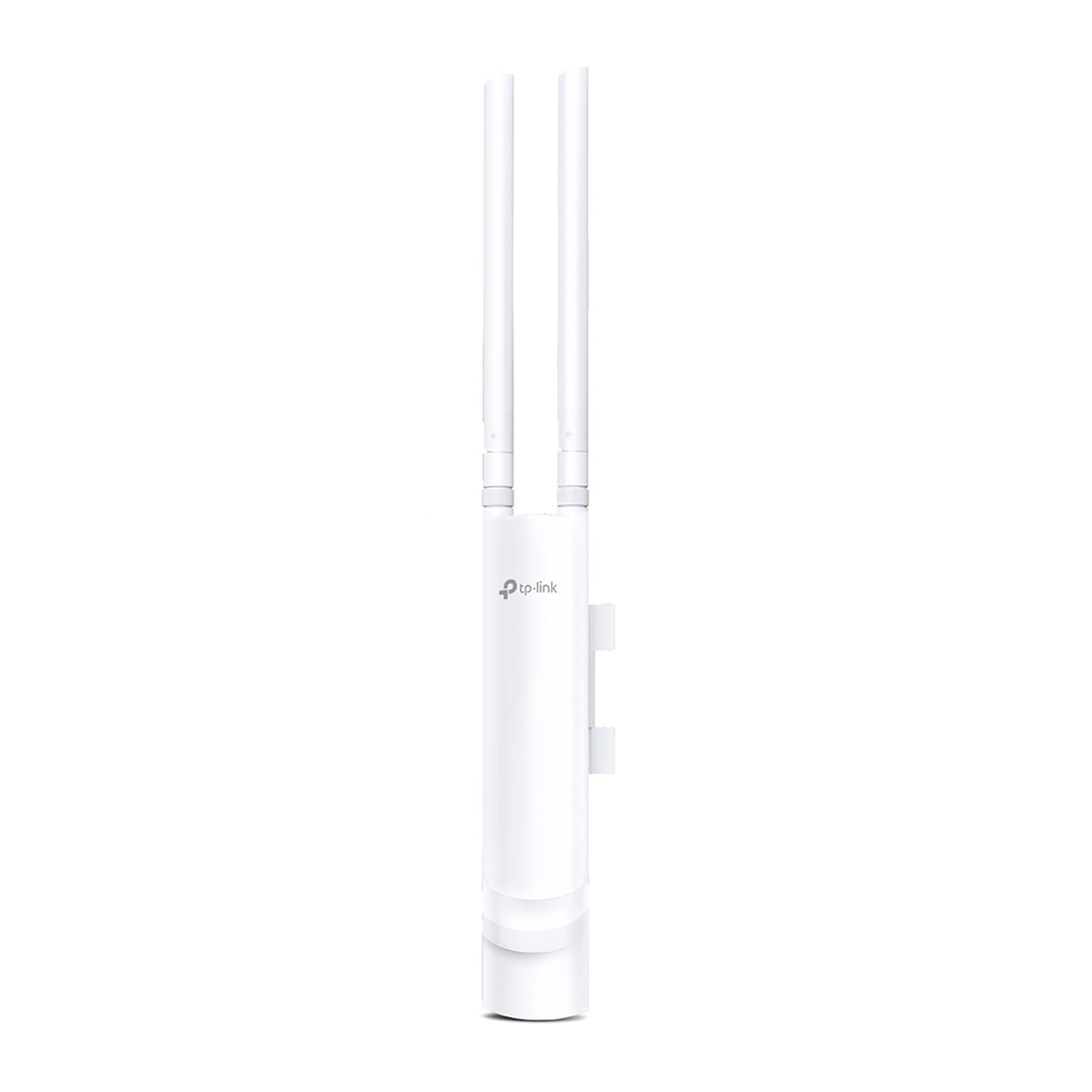
1. Omada AX1800 Outdoor Wireless Access Point (EAP610-Outdoor)
Our pick — 4.0+★ from 750+ verified ratings; the strongest balance of quality and price.
The one that seals out weather at the highest rating without asking you to buy extra hardware.
Start with the number that most of these boxes cannot match: IP68. That is the tightest dust-and-water seal on this list, and it means the EAP610-Outdoor is built for a pole in open weather rather than a sheltered eave. Add dedicated high-gain antennas and the unit pushes dual-band Wi-Fi 6 up to 1800 Mbps combined across the two bands.
Reliability is the most-praised quality of the whole package, and the two-acre reach backs that up. Reviewers repeatedly report coverage stretching past two acres, which is exactly the job you are hiring this box to do. Setup is the second thing that lands well: the included passive PoE adapter means one cable carries power and data, so there is no outlet to chase.
The honest catch is the mixed picture on connectivity and signal strength. Most installs settle in strong, but a meaningful slice of reports describe stubborn connection trouble in some layouts. If you are bridging a long run across a property rather than covering a patio, plan the placement carefully and expect to test before you commit the mount. It slots into Omada’s SDN platform if you want central control, though the standalone mode and the Omada app handle single-unit setups fine.
Where it earns the top slot
- IP68 sealing — the toughest weather rating in this lineup
- Covers well beyond two acres outdoors in real installs
- PoE adapter in the box, so no separate power run
- Standalone mode, app setup, or full Omada SDN control
What to weigh before you buy
- Connection reliability draws a mixed response in some layouts
- 1800 Mbps combined trails the AX3000 and faster units here
Go for it if: you want the strongest weather seal here and a proven long-reach yard setup without buying a separate injector.
Look elsewhere if: you need the top throughput for many devices at once — the AX3000 models above outrun it on rated speed.
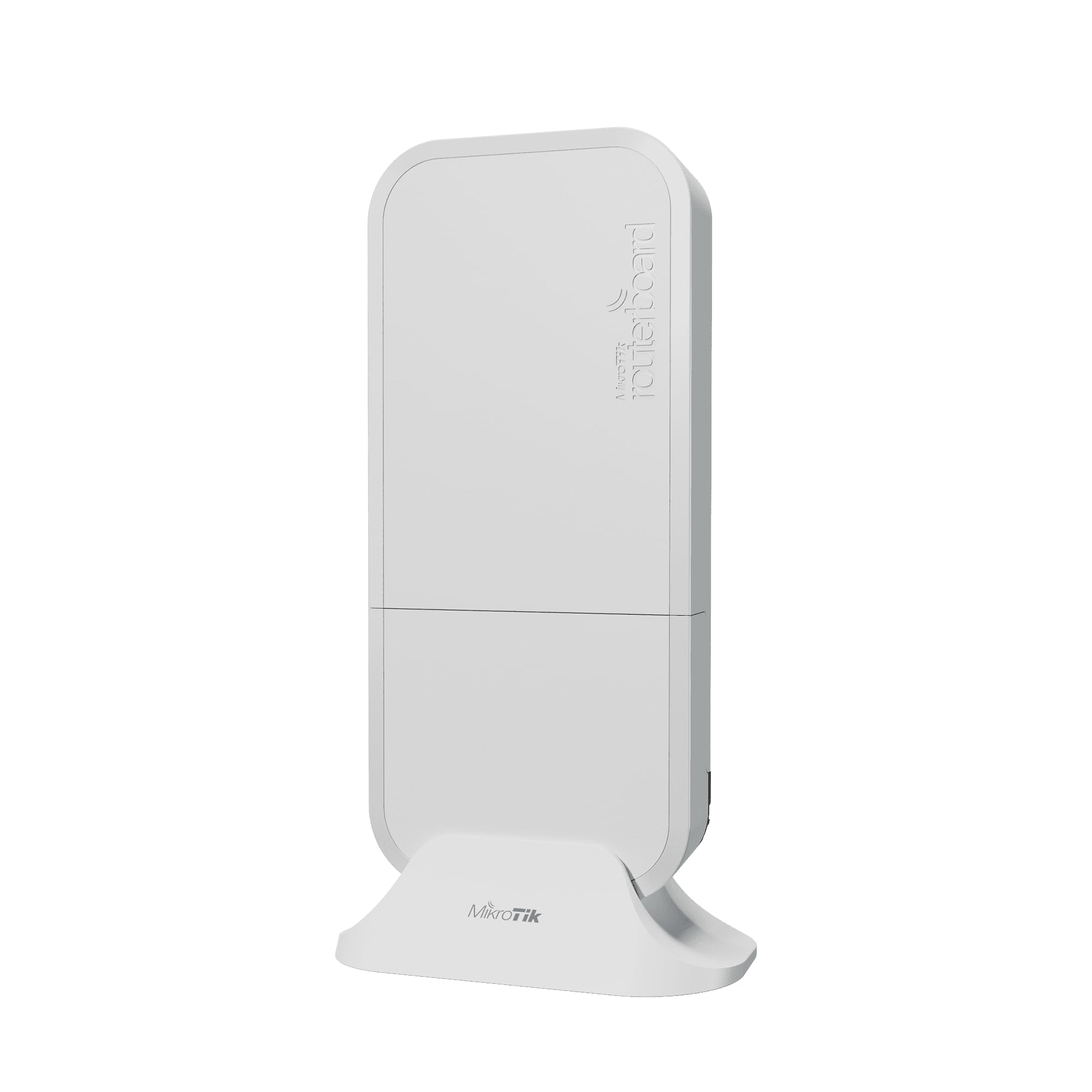
2. Mikrotik wAP ax (wAPG-5HaxD2HaxD-US) Dual-Chain Wi-Fi 6
A rural gas station on a hillside is the kind of install this weatherproof box was built to survive.
MikroTik’s wAP line has a reputation that spans generations for one reason: the housing. It is the same proven weatherproof form factor here, and the maker pitches it at genuinely hard spots — a countryside getaway, a bus stop, a remote fuel pump. Inside, a dual-band, dual-chain 2×2 MIMO radio keeps both bands running at once, with 256 MB of RAM driving RouterOS v7 at license level 4.
For anyone who already runs RouterOS, the appeal is obvious: this is a fully configurable access point, not a locked-down consumer box. Two Gigabit Ethernet ports give you wired flexibility most of these units lack. It handles both indoor and outdoor placement, so the same unit can cover a workshop and the yard outside it.
Two things to know before you commit. RouterOS is a serious configuration environment — if you want an app that walks you through setup in five minutes, this is not that box. And its 2×2 MIMO and 5 GHz focus put it behind the 4-stream units on raw multi-device throughput. You are paying for durability and control, not headline speed.
Why it stands out: a battle-tested weatherproof shell, two Gigabit ports and full RouterOS control in a compact dual-band Wi-Fi 6 package.
The trade-off: this is a network engineer’s tool — budget real time for configuration, and do not buy it expecting the fastest rated throughput on this list.
Reach for this if: you run RouterOS already, need a spec’d weatherproof box in a genuinely exposed spot, and want two wired ports to work with.
Think twice if: you want plug-and-play — a locked-down unit with a guided app will save you hours.
3. Cudy AX3000 Outdoor Access Point
Built for the yard full of phones, tablets and cameras — not a quiet corner.
Where the 1800-class units split their speed two ways, this one keeps a fast lane open. Four-stream dual-band Wi-Fi 6 delivers up to 2402 Mbps on 5 GHz and 574 Mbps on 2.4 GHz, and the open-field wireless range stretches to 320 m (1,050 ft). Beamforming steers the signal toward each device instead of spraying it evenly.
The client ceiling is the real story: up to 256 connections, with 200 recommended for steady performance. OFDMA, MU-MIMO and BSS Color work together to keep a crowd of devices from stepping on each other — exactly what a busy patio or event space needs. Power arrives over one shielded Gigabit PoE port, using either 802.3at PoE or 48–57V passive PoE.
Its IP65 housing resists dust and rain when mounted vertically, which is the detail to note — an angled or horizontal install changes that rating. It runs from -40 to 65°C (-40 to 149°F) with 6kV surge protection and a hardware watchdog that reboots the unit if it locks up. Cudy’s AP Controller handles multi-AP sites, and the captive portal covers guest access. If you need high throughput and a high client ceiling in this group, this one delivers strong rated speed.
What justifies the AX3000 class
- Up to 256 clients, 200 recommended, for genuinely busy sites
- 2402 Mbps on 5 GHz plus 574 Mbps on 2.4 GHz
- 6kV surge protection and hardware watchdog for unattended installs
- Range up to 320 m (1,050 ft) in the open
The fine print
- IP65 seal assumes a vertical mount — angle it and you lose that protection
- No mesh-to-router bridging shortcuts; plan a wired PoE run
The right call for: guest areas and patios where a crowd of devices connects at once, mounted upright under the eave.
Keep looking if: you need a horizontal or angled mount — the IP65 rating depends on a vertical install.
4. Zyxel NWA55AXE WiFi 6 Outdoor Access Point AX1800

For the barn or garage you cannot reach with a cable but want on the same network.
ZyxMesh is the feature that earns this unit a spot. It lets access points link wirelessly, so you can extend Wi-Fi 6 out to a detached garage, a barn, or a guest house without pulling new cabling between buildings. For anyone with a scattering of outbuildings, that solves a problem the wired-only units simply cannot.
The radio setup is a dual-radio AX1800: 575 Mbps on 2.4 GHz and 1200 Mbps on 5 GHz via 802.11ax MU-MIMO, enough for outdoor cameras, IoT sensors and phones at the same time. Built-in 4G/5G filters cut interference from nearby cellular antennas, which matters on a site close to a tower. Band steering and 802.11r/k/v keep clients handing off cleanly as they move around the property.
Management gives you two paths: no cloud account at all through the local Web UI, or the Nebula Control Center for multi-site VLANs, guest networks and WPA3. Its IP55 rating is the lightest here, so plan a sheltered mount rather than a fully exposed pole. PoE+ keeps the install to a single cable.
The case for it: ZyxMesh bridging plus cellular-interference filters make this the unit for awkward properties near a tower or split across buildings.
The honest limit: IP55 is the lightest seal on this list — it prefers an eave or sheltered wall over open weather.
Pick this when: your network needs to hop between structures without new cable runs, and you want to skip the cloud entirely.
Not your unit if: the mount will sit fully exposed — the IP55 rating wants some shelter.
5. Omada AX3000 Outdoor Wireless Access Point (EAP650-Outdoor)

The step up in the Omada family — 2976 Mbps versus the EAP610-Outdoor’s 1800 Mbps and a still-tough IP67 shell.
Put the two Omada boxes side by side and the jump is clear. This EAP650-Outdoor is listed at 2976 Mbps against the EAP610-Outdoor’s 1800 Mbps, a meaningful gain on the 5 GHz band thanks to 1024-QAM, HE60 and Long OFDM Symbol. It pairs that speed with an IP67 weatherproof enclosure — slightly lighter than IP68 but still a serious seal for open outdoor mounting.
Long-term reliability is the most-praised quality of this package. Owners also repeatedly report signal reaching up to 300 feet, and they rate it a step above interior access points for raw performance. The included passive PoE adapter keeps it to one cable, and the discreet white housing can even pull indoor duty.
Its connectivity picture is the one area that draws a mixed read. Some installs run clean and some hit hand-off trouble, so it pays to map coverage before you finalize the mount. On the software side it slots into Omada SDN for hardware, software or cloud control, and standalone mode covers a single unit just fine. If you want a fast outdoor AP with a strong seal and do not need the top of the price ladder, this balances both.
Where it pulls ahead of the smaller Omada
- 2976 Mbps versus 1800 Mbps on the EAP610-Outdoor
- IP67 shell suits exposed outdoor mounting
- Signal reaches up to 300 feet in real installs
- Passive PoE adapter included; indoor-outdoor flexibility
Points worth noting
- Connectivity draws a mixed response across installations
- Still short of the AX3000-class ceiling some units reach
Best fit for: a mid-size outdoor area where you want serious throughput and a real IP67 seal without chasing the priciest box.
Only pass if: your install is a sprawling multi-building property — the Zyxel’s mesh bridging handles that better.
6. BrosTrend AX3000 WiFi 6 Outdoor Access Point Long Range
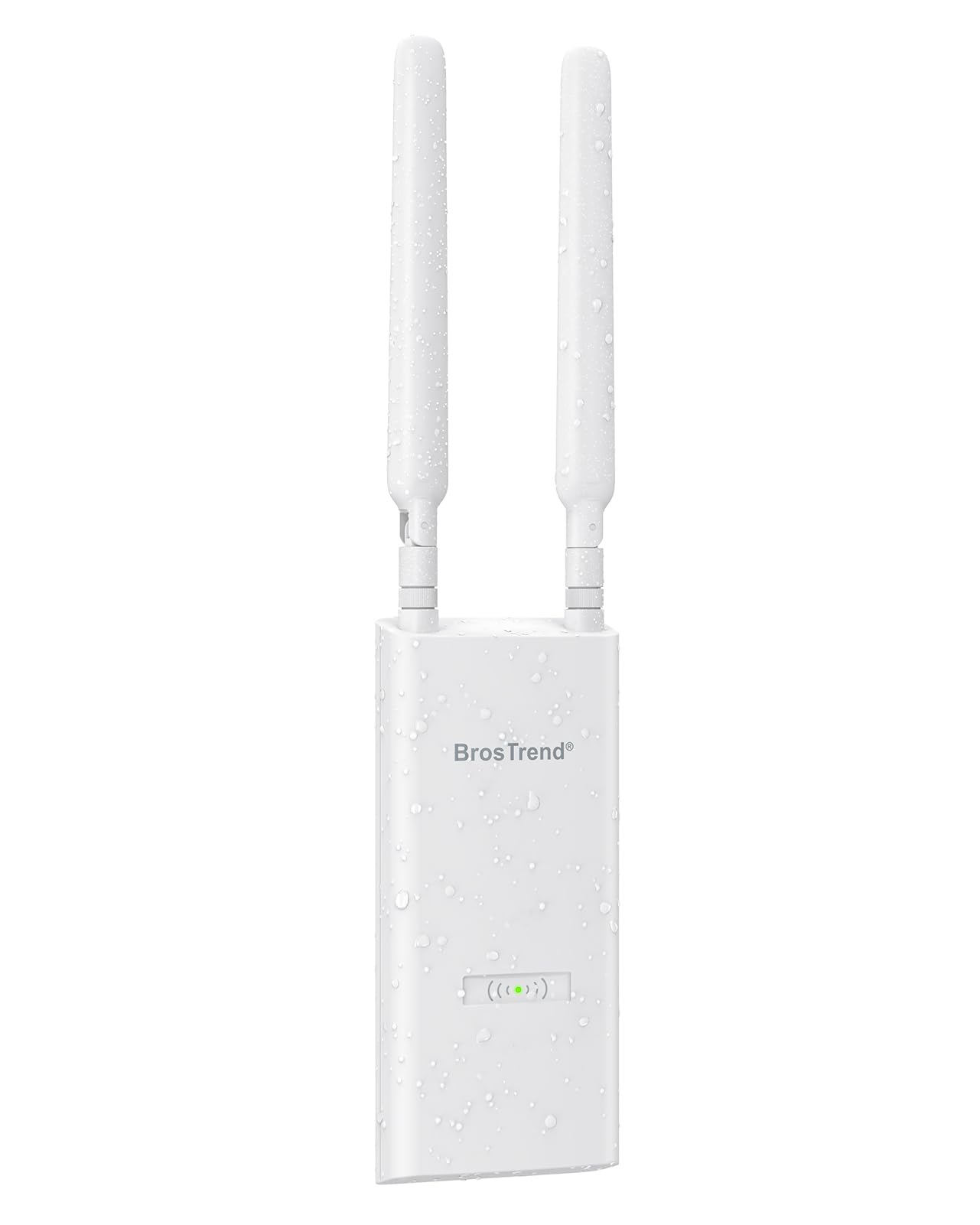
A wired uplink turns your main router’s wired internet into fresh outdoor Wi-Fi instead of repeating a weak signal.
The whole idea here is the wired uplink. Run one Ethernet cable from your router to this unit and it broadcasts a brand-new Wi-Fi network where you need it — no relay of an already-feeble router signal. That approach gives more consistent speeds and lower latency than a passive extender chasing a distant source.
Rated speed lands at 2402 Mbps on 5 GHz plus 574 Mbps on 2.4 GHz, backed by 160 MHz channels, UL/DL MU-MIMO and support for up to 80 devices. The box ships with two detachable waterproof antennas, a Gigabit passive PoE injector, an outdoor PoE cable and a pre-attached wall-mounting bracket — a genuinely complete install kit. It carries IP65 waterproofing plus 6 kV lightning protection and 8 kV ESD protection, running from -22 °F to 140 °F.
Its one notable physical trait is the height: 15.24 inches tall with the antennas on. That is fine on a pole but worth a glance before you picture it against a wall. Coverage targets yards, patios, garages, barns and workshops — and the listing names it as an alternative to WiFi extenders, which matches how it works. If your pain is a dead zone far from the house, this kit is aimed straight at it.
Why it is built for distance: a wired uplink plus two detachable high-gain antennas and IP65 protection make this a true long-reach outdoor broadcast, not a signal repeater.
One detail to check: at 15.24 inches tall with antennas attached, it wants pole or high-wall placement rather than a low tuck under a window.
Reach for this if: your outdoor Wi-Fi dies far from the house and you can run a single cable to a pole or high wall.
Skip this one if: your install cannot reach a wired connection — a repeater-mode box suits cable-free setups better.
7. TP-Link Festa F65-Outdoor Access Point

Cloud management without the full enterprise setup — designed for the business with no IT department.
The Festa line does one thing the Omada boxes do not: it stays simple. The Festa app, Self-Organizing Networking and Zero-Touch Provisioning mean you bring up a unit without a professional technician on site. Cloud management runs at no cost through the Festa app or web, and it holds up to 250 clients across an outdoor and indoor footprint.
On the radio side you get AX3000 with 4 spatial streams — 2402 Mbps on 5 GHz and 574 Mbps on 2.4 GHz via HE160 and 1024-QAM. An IP67 weatherproof enclosure with dedicated high-gain antennas guards it against harsh weather, and the discreet white housing pulls indoor duty too. A passive PoE adapter and waterproof kit are in the box.
Here is the compatibility point that trips people up: this is Festa, not Omada. It will not work with Omada controllers, and standalone mode does not apply — Festa Cloud is required to manage it. The maker also notes performance varies by distance and obstacles like walls, which is true of every unit here but worth planning around. If you want the free central control without the complexity, this delivers it.
The small-business angle
- Free Festa Cloud management with Zero-Touch Provisioning
- Handles up to 250 clients across an indoor and outdoor site
- IP67 sealing plus 4 spatial streams of AX3000 throughput
Compatibility to check first
- Will not work with Omada controllers — Festa Cloud only
- No standalone mode, so a cloud connection is mandatory
The right fit for: a small business or venue that wants easy central cloud control without a controller box on site.
Wrong choice if: you already run Omada gear — this unit will not join that network.
8. NETGEAR WAX610Y WiFi 6 Wireless Outdoor Access Point

A 2.5G uplink and a year of free cloud insight — the pick for a multi-AP site that wants remote control.
The WAX610Y brings dual-band AX1800 speed and MU-MIMO, rated for up to 200 client devices across 2,500 sq. ft. of coverage. The detail that matters for future-proofing is the 2.5G Ethernet option — connect it to a 2.5G switch and the uplink is not your bottleneck. PoE+ simplifies deployment to one cable, and it comes with a year of free Insight cloud management with no separate hardware or cloud key.
What earns it the nod is coverage. Owners consistently report it covers a good portion of their yards, and setup through the Insight app is straightforward. Security is thorough: WPA3, network and client isolation, rogue AP detection, up to 8 SSIDs, load balancing, band steering and assisted roaming. The IP55 housing installs on a wall or pole with the included hardware.
Its signal strength and reliability draw a mixed response, so expect some installs to need placement tuning before the coverage lands where you want it. The rating is lighter too — IP55 wants a sheltered mount rather than full exposure. Where it shines is any site running several APs with remote oversight, because Insight keeps them in one dashboard without extra gear.
What it is good at: managing multiple APs from one free Insight dashboard, with a 2.5G uplink and up to 200 clients of AX1800 capacity.
Where to plan carefully: the IP55 seal needs shelter, and the mixed signal reports mean placement deserves real thought.
Choose it for: a multi-AP property that wants remote troubleshooting and a 2.5G uplink, mounted where it has some cover.
skip it if: you are covering a single exposed pole — a tougher IP67 or IP68 unit suits full weather better.
9. Alta Labs AP6-PRO Outdoor WiFi 6 Access Point

Six-point-three gigabit throughput in an IP68 shell — the spec sheet that outruns every other box here.
You get fast Wi-Fi and weatherproofing in one box. The combined 6.3 Gbps of network speed comes through 4×4 MU-MIMO (four antennas that talk to several devices at once), so many cameras and phones stay fed. The IP68 rating (dust-tight and able to survive a dunk) covers conditions from -40 to 70°C (-40 to 158°F), so it keeps working through a hard freeze or a heatwave. The maker specifies a 4×4 MU-MIMO design, while most 2×2 WiFi access points use a 2×2 MIMO design. That difference is what separates it from the 2×2 MikroTik and the AX1800 crowd on raw capacity.
Omnidirectional coverage (signal spreads in every direction) plus mesh connectivity lets you extend across large outdoor areas with smooth roaming. A sprawling yard or a paddock of cameras is within reach. You manage it three ways: scalable Alta Cloud, local hosting with Alta Control, or a mobile app. On security, you get AltaPass multi-password technology (separate passwords for different users or devices), a built-in Deep Packet Inspection engine (it inspects traffic for threats), and SSID broadcasting flexibility (you can hide or show the network name).
That 6.3 Gbps is a big number, and the honest read is that few real outdoor devices will saturate it — cameras and phones will never touch the ceiling. You are buying headroom for many demanding clients at once, not a speed a single laptop will show. Depth of real-world feedback is also thinner here than on the established models, so plan your setup around the published specs rather than years of reviews.
The headline specs
- Combined 6.3 Gbps through 4×4 MU-MIMO — the highest here
- IP68 shell rated from -40 to 70°C (-40 to 158°F)
- Cloud, local hosting, or app control plus built-in DPI security
What to keep in mind
- The 6.3 Gbps ceiling is far beyond what most outdoor devices need
- Less real-world install feedback than the long-standing models
Built for you if: you want the toughest seal and the highest rated throughput here, plus 4×4 MIMO headroom for many clients.
Not worth it if: you are covering a modest patio with a handful of devices — the AX1800 picks deliver that for a lot less headroom.
Know the Specs
IP Ratings Explained
An IP (Ingress Protection) rating uses two digits — one for dust, one for water — to describe how well a housing seals. IP55 shrugs off dust and low-pressure water spray, so it prefers a sheltered wall or eave. IP65 resists dust and water jets, often earning its rating from a vertical mount. IP67 and IP68 are the toughest here: IP68 sits at the top of this lineup and belongs on a fully exposed pole where the weather wins.
PoE and the Injector
PoE (Power over Ethernet) sends electricity along the same cable that carries your data, so the access point needs no wall outlet. Some units run on standard 802.3at PoE from a switch, others want a passive adapter — the small brick that feeds power into the cable, included with several models here. Check which one your unit takes, because a passive adapter and an 802.3at switch are not interchangeable.
2×2 vs 4×4 MIMO
MIMO (multiple-input, multiple-output) counts the radio chains a unit runs inside each band. A 2×2 design has two chains; a 4×4 has four, letting it serve more streams of data at once. For a handful of devices, 2×2 is plenty. For a busy patio or a camera-heavy yard, 4×4 keeps more connections moving without slowing each other down.
Wired Uplink vs Repeater Mode
A wired uplink feeds the access point from your router or switch with a single Ethernet cable — the unit then broadcasts a fresh, full-strength network. Repeater mode instead grabs an existing Wi-Fi signal and re-broadcasts it, useful where cable cannot reach but limited by the source. For the most consistent outdoor speeds, wired beats repeated every time.
Common Questions
Does an outdoor Wi-Fi 6 AP replace my router?
What is the difference between IP65, IP67 and IP68 here?
Can I power an outdoor access point with a standard PoE switch?
Will a Festa unit work with an Omada controller?
How far can an outdoor Wi-Fi 6 AP reach through open space?
Is a wired uplink better than a Wi-Fi extender for a yard?
How many devices can these access points handle at once?
Do these units need a cloud account to work?
Do outdoor access points need surge protection for lightning?
Can an outdoor access point run indoors too?
The Bottom Line
For most yards, the right starting point is the Omada EAP610-Outdoor, because its IP68 seal is the toughest weather rating on this list and its reach runs past two acres. If you want more throughput without giving up serious weather protection, the Omada EAP650-Outdoor raises the rated speed from 1800 Mbps to 2976 Mbps and holds an IP67 shell. And if your site is several buildings with no cable between them, the Zyxel NWA55AXE earns its place through ZyxMesh bridging. Match the seal to how exposed your mount really is, and the rest of the choice gets simple.
How we choose
We do not accept paid placement. Every pick is matched to a real buyer and a real use-case; we do not hands-on test units.
Sources
Specifications: manufacturer listings and product documentation. Review insights: verified customer reviews, as of November 2026. Pricing: not shown on this page (it changes often); check the current price via the retailer link.
As an Amazon Associate, Tactical Gear Guy earns from qualifying purchases. This does not affect which products we feature.