Specs are compiled from manufacturer listings and verified buyer reviews and can change over time — please confirm the key details on the product page before buying.
Your old Chromebook has plenty of life left in it — the charger usually dies first. The trick is matching the connector, the voltage, and the wattage your school-owned or hand-me-down machine actually asks for, because a mismatched brick either trickle-charges or refuses to work at all. The picks below all deliver power over USB-C at 45W or above and each one is aimed at a slightly different Chromebook generation.
This guide is built by comparing the manufacturers’ published specifications and the patterns across verified customer reviews, so you get each pick’s real strengths and trade-offs instead of marketing spin.
What follows is a straight look at seven USB-C replacement bricks, from ones built for Samsung and Asus Chromebooks to a higher-wattage universal unit that also feeds a MacBook or a Steam Deck. If your original cord is frayed and your laptop still begs for a charge, this breakdown of the old chromebook charger options will get you pointed at the right one fast.
Top Picks


How To Choose The Best Old Chromebook Charger
A Chromebook charger is not a universal accessory, even though the plug looks identical on every one of them. The plastic shell hides a power supply that has been tuned to a specific voltage and amperage, and your laptop will only accept a charge when those numbers line up. Before you buy anything, find the small print on the dead charger’s label or on the sticker under your laptop.
Match the wattage first, not the brand
Wattage is the total power the brick pushes into the laptop — volts multiplied by amps. A 45W charger is the common baseline for older Chromebooks. A 65W or 100W brick will also work on a 45W machine, because USB-C negotiates down to what the laptop asks for. Going the other way is the mistake: putting a 45W brick on a laptop that wants 65W leaves you with a slow trickle or a charger that shuts off under load.
Check the connector generation
Check your laptop’s charging port before you buy anything. Older Chromebooks used a barrel plug (a round pin that pushes into a matching round hole). Almost everything from the last several years uses USB-C (the small oval connector that works either way up). Every pick in this guide is USB-C, so if your laptop has a round barrel hole, none of these will fit.
Decide whether the cord should be attached or detachable
Some bricks have the cable molded into the adapter, which means less to lose but no way to swap a frayed cord. Others have a separate USB-C to USB-C cable, which lets you replace just the cord or use a longer one. If your charger lives in a bag and gets yanked out daily, a detachable cord is the more forgiving setup.
Side-by-Side Comparison
| Model | Best For | Output | Amperage | Cord Length | Amazon |
|---|---|---|---|---|---|
| Nicpower Charger Fit for Samsung Chromebook★ Best Overall | Samsung Chromebook 4 / Plus / Pro owners | 45W | 2.25 A | 7.5 ft | Amazon |
| Slbagfsu 45W USB Type C Chromebook ChargerWidest Match | Widest model crossover list | 10W/30W/36W/45W | 2.25 A | — | Amazon |
| QXA 65W USB-C Dell Replacement Charger | Dell Chromebook 3100 / 3110 / 5190 owners | 65W | 3.25 A | — | Amazon |
| LAP POW 65W USB-C Asus Charger | Asus Chromebook Flip and ZenBook owners | 65W | 3.25 A | 5.9 ft | Amazon |
| COWOOGMZ 65W USB-C Lenovo Charger | ThinkPad and Yoga crossover | 65W | 3.25 A | — | Amazon |
| Lenovo 45W USB-C ADLX45YCC3G | Chromebook Duet 3 and Yoga 6 owners | 45W | 2.5 A | — | Amazon |
| ELECBRAiN 100W USB-C Universal Charger | One brick for a mixed-device house | 100W | 5 A | 7.2 ft | Amazon |
Detailed Reviews
1. Charger Fit for Samsung Chromebook USB Type C (Nicpower)
Our pick — 4.5+★ from 900+ verified ratings; the strongest balance of quality and price.
A 45W Samsung-specific brick with a 7.5 ft cord and a one-year warranty.
This is the brick to reach for if your dead charger was feeding a Samsung Chromebook 4, 4 Plus, Pro, or Plus — the model list covers XE310XBA, XE350XBA, XE513C24, XE520QAB, XE521QAB, W16-030N1A and PA-1300-87. It pushes 45W at 20V and 2.25A through a USB-C tip, which is the standard lunchbox power for older Samsung Chromebooks. The cord runs 7.5 ft, long enough to reach a floor outlet from a couch or a classroom desk without dragging the laptop to the edge.
Owners describe it as a straight drop-in for a lost or dying original that simply keeps working. A full charge lands in about an hour and a half, the same league as the cord that came in the box. The build is backed by a one-year manufacturer warranty, and there is a small detail worth knowing: it charges USB-C phones too, so on a trip you can leave the phone brick at home.
This one is tuned for Samsung Chromebooks, and the model list is specific. Check your model against that list before ordering, because a USB-C connector does not guarantee your laptop will accept 45W. Durability is the other soft spot: buyers report a slim handful of these shorted out inside six months. Treat the cord joint gently rather than yanking it out by the cable. For most buyers who just want the laptop charging again, the upsides outweigh that.
What earns its keep
- 45W at 20V and 2.25A — the right power tier for Samsung Chromebook 4, 4 Plus, Pro and Plus models
- 7.5 ft cord gives real reach across a room or a lecture hall seat
- Also charges USB-C phones, so it doubles as a travel brick
- One-year manufacturer warranty backs the purchase
Where it asks for care
- Model list is Samsung-specific — check your exact Chromebook before ordering
- A few units have shorted out inside six months; handle the cord joint gently
Buy this one if: you own a Samsung Chromebook 4, 4 Plus, Pro, or Plus and want a proven, warranty-backed replacement.
Hold off if: your laptop is not on that model list — a mismatched brick is the number one reason these fail to charge.
2. Slbagfsu 45W USB Type C Laptop Chromebook Charger
The compatibility monster — one brick aimed at Asus, HP, Samsung, Acer, and Lenovo Chromebooks alike.
Where the Samsung-tuned pick above plays it safe, this one swings at the whole Chromebook shelf. The model list covers Acer C330, C340, C630, S330 and S340, Asus Flip and Spin lines, Samsung Chromebook 4 and Plus, plus a long run of ThinkPad and IdeaPad names. Output scales across 10W, 30W, 36W and 45W at up to 2.25A, so it settles into whatever wattage your older machine asks for. If you inherited a school Chromebook with no paperwork and no idea what model it is, this is the brick most likely to negotiate a charge anyway.
Owners consistently report it charges fast and steady, with no drama. A 45W brick like this is a sensible spare to keep in a bag for the day the original cord finally gives up.
The trade-off here is quality variance, and it is worth being honest about. Some units hold up for a long stretch and some fail inside a couple of months, and the wall plug has been known to sit loosely in a worn outlet and drop the connection. It also has a shorter reach than the 7.5 ft Samsung cord — there is no claimed length here, so measure your outlet distance before you count on it. If the charger mostly lives at one desk, that is a non-issue.
The straight read: buy it for the model coverage, not the build — no other 45W pick here casts as wide a net across Acer, Asus, Samsung and Lenovo Chromebooks.
The fair caveat: quality is a lottery, and the plug can sit loose in a worn outlet, so keep it at a desk rather than bouncing it around a backpack daily.
Reach for this if: you have an unidentified or mixed-brand Chromebook and want the broadest fit list at the entry level.
Look elsewhere if: you need years of hard travel use — the build quality does not promise that.
3. QXA 65W USB-C Dell Replacement Charger
A 65W Dell-flavored brick for the school-issue Chromebook that wants more than 45W.
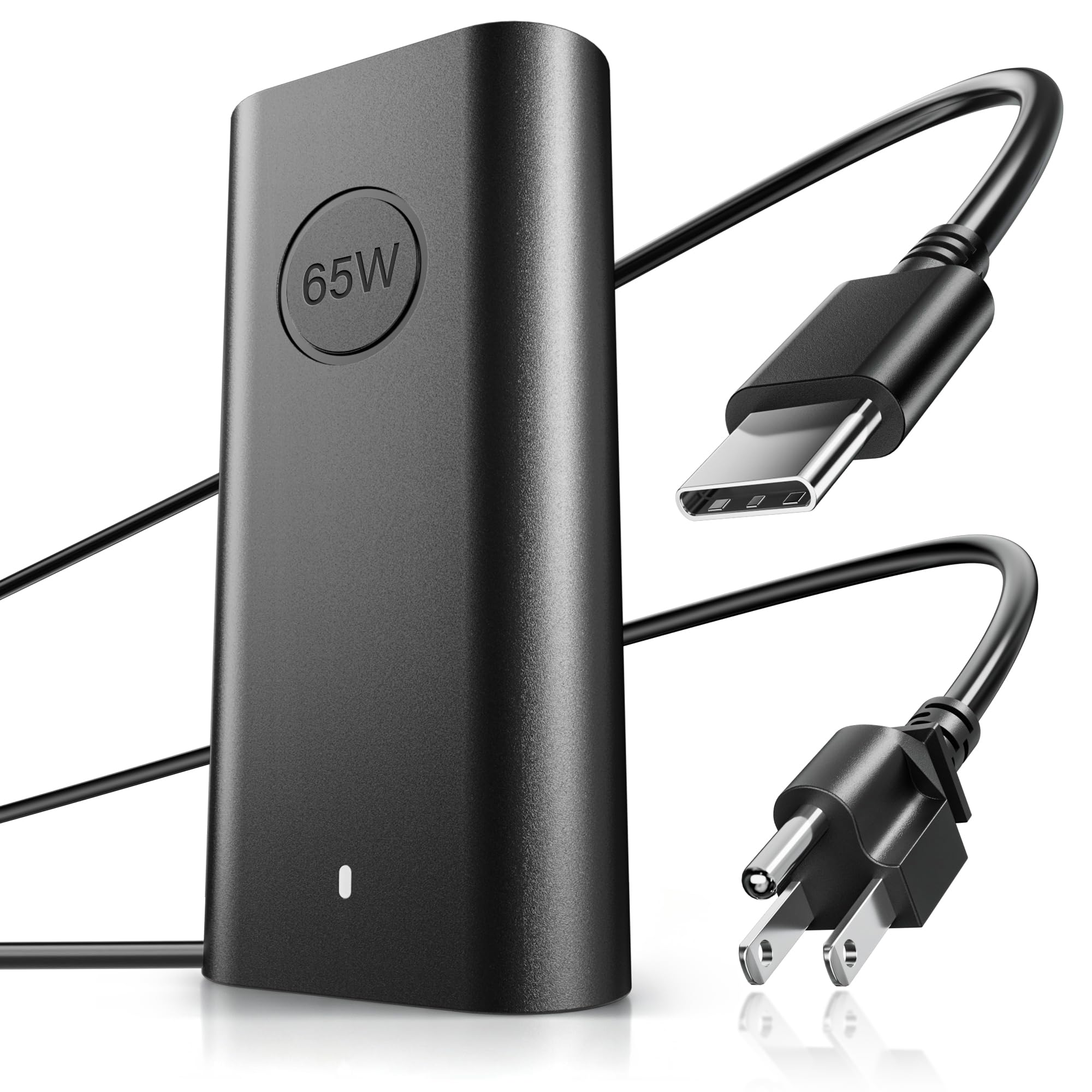
The headline number here is 65W at 20V and 3.25A, and that matters if your Dell Chromebook 3100, 3110, 3300, 3400, 3500 or 5190 came from a school district that issues higher-wattage machines. A 65W adapter also works on 60W and 45W Dell USB-C laptops, because the laptop pulls only what it needs. It runs on 100-240V input, so a hotel outlet overseas is not a problem. The package includes both the adapter and a separate power cord, which means a frayed cord is a replaceable part rather than a dead brick.
Owners say it does exactly the job it claims: it matches the listed models, works with the laptop, and holds up in use. The compatibility story for Dell replacement part numbers is unusually thorough: LA65NM170, HA65NM170, DA65NM170, 0WMDHR, 0VT148, 0CJG9W and a long list of others, which helps if you are matching against the tiny print on a dead adapter.
The honest limit is the Dell specificity — this is the wrong buy for an Asus or Acer Chromebook, no matter that the plug shape looks identical. There is also a live question about how well a third-party 65W brick holds up long-term on a laptop that runs hot. If you carry the Chromebook between home and class every day, a spare cable and a snug outlet notch are worth checking before you depend on it.
Why Dell owners pick it: the 65W output at 3.25A covers the higher-power Dell Chromebooks that 45W bricks leave straining, and the replacement part-number list is the most complete Dell cross-reference here.
What to watch: if your Chromebook is Asus, Acer, or HP, this is the wrong adapter — Dell is the only family it is built for.
Fits best with: Dell Chromebook 3100, 3110, 5,000+ owners who need genuine 65W output and a detachable cord.
Not for you if: your Chromebook wears an Asus, Acer, or HP badge — the Dell part list will not match it.
4. LAP POW 65W USB-C Asus Chromebook Charger

The Asus-minded brick with a foldable plug and enough wattage to feed a ZenBook.
If your Chromebook says Asus on the lid, this is the most on-target pick. The compatibility list runs the Flip line (C302, C302CA, C101, C204, C213, C214, C223, C423, C425, C433, C434, C436, C523, C536EA) and stretches to Transformer and ZenBook models. It delivers 65W max at 20V and 3.25A and will still charge a 33W or 45W machine, so a mix of Asus hardware under one roof is fine.
The 5.9 ft cord is the shorter of the two known lengths in this lineup — the Samsung pick above runs 7.5 ft, so the LAP POW gives up 1.6 ft of reach. What it gives back is a foldable plug, a thoughtful touch when the brick travels in a backpack, since the prongs tuck away instead of snagging a cable or scratching a phone screen. There is a core tie loop for the cord, which keeps the cable tidy when it is not in use.
The catch is that the cable is not detachable — a frayed or chewed cord means replacing the whole adapter, not just the cord. It also leans Asus-heavy in the model list, so a Samsung or Acer owner should check carefully before assuming it fits. For someone carrying an Asus Chromebook Flip between home and a coffee shop, the trade is worth it for the travel-friendly design.
Carry-friendly wins
- Foldable plug tucks the prongs away so nothing gets scratched in a bag
- 65W output at 3.25A handles both Asus Chromebooks and ZenBook laptops
- 5.9 ft cord plus a tie loop keeps the cable tidy on the road
Trade-offs to weigh
- Shorter 5.9 ft cord than the Samsung pick’s 7.5 ft
- Attached cable means a damaged cord kills the whole adapter
Best suited to: Asus Chromebook Flip and ZenBook owners who value portability and a plug that folds flat.
Think again if: you need the extra reach of a longer cord or a cord you can swap out separately.
5. COWOOGMZ 65W USB-C Lenovo Charger
A 65W brick that speaks ThinkPad, Yoga, and older Chromebook all at once.
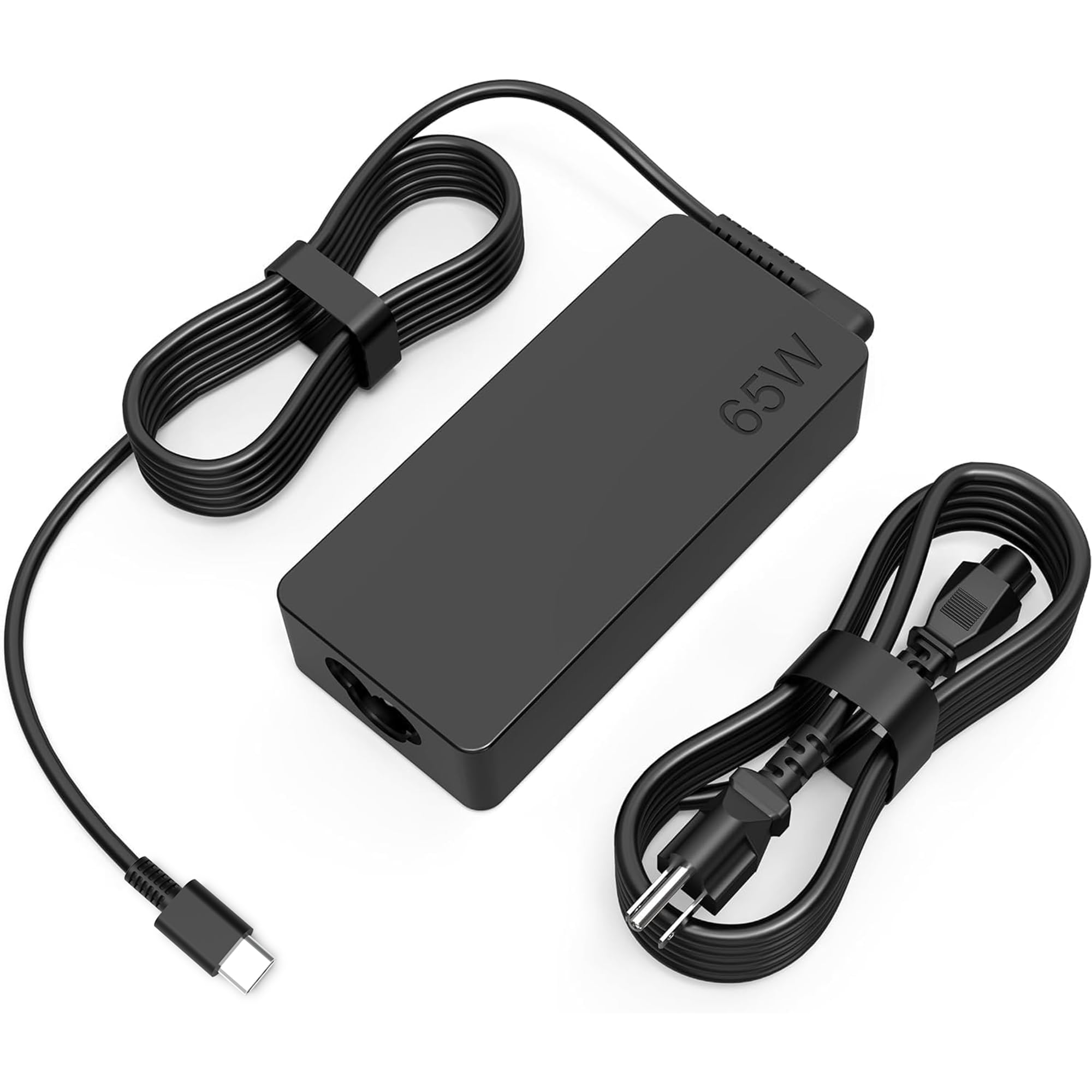
This one earns its spot on the compatibility list, which is long even by Chromebook standards: ThinkPad X1, X13, T14, E14, E16, Yoga 7i and 9i, the Chromebook A275, A285, A475, A485 and T480 through T490 families, plus a run of P/N cross-references (Lenovo part numbers) like 4X20E75131 and ADLX65YLC2D. It tops out at 65W at 20V and 3.25A, so it can feed a power-hungry ThinkPad, and it runs on 100-240V input (wall voltage worldwide). If your household mixes a school Chromebook with a work ThinkPad, this brick can move between them.
The build quietly monitors temperature and voltage and pulls the plug on overheating, overvoltage, overcurrent and short circuits before they reach your laptop. Owners say it survives a backpack’s worth of packing and unpacking and still works like day one. It also runs lighter and easier to carry than a stock Lenovo charger, which is the sort of thing you notice on a commute.
Here is the part that deserves a straight answer: durability is the weak link, with a cluster of these dying after a few months and a few owners reporting the brick gets very hot. Being a 65W unit, it runs warmer than a 45W anyway, but if it is going to power a laptop that stays plugged in all day, expect to feel some heat. The one-year-ish warranty coverage is worth confirming at checkout if you want a cushion.
Where it shines: the model list crosses ThinkPad, Yoga and older Lenovo Chromebooks in one adapter, so a single brick can cover a mixed household.
Where it strains: heat and long-term durability — a real share of these fail within a few months, so this is not the pick for a laptop that runs all day at full load.
Worth it when: you want one 65W adapter that can jump between a ThinkPad and a Lenovo Chromebook.
Pass if: durability matters more than flexibility — the failure reports here are more frequent than on the Dell or Asus picks.
6. Lenovo 45W USB-C ADLX45YCC3G

The official Lenovo brick for the Duet 3 and Yoga 6 crowd — matches the original by design.
Buy this one when original-equipment confidence matters more than saving an extra few dollars. It is a genuine Lenovo part, model ADLX45YCC3G, delivering 45W at up to 2.5A. It is built for the Chromebook Duet 3, Yoga 6, and 100e 2nd Gen. The compat list is Lenovo-heavy — C330, C340, S330, S340, S345, 100e/300e/500e 2nd gen, plus ThinkPad X270, X280, T480, T490 and L-series laptops. If your old charger was a Lenovo badge and you want the same shape and feel, this is it.
Owners say this genuine Lenovo part performs as well as the OEM charger it replaces, sometimes better. One, plugged into a Pixel 8 Pro, found the fast charge so good it became the everyday brick. Another put it to work on a school Chromebook and got fast, dependable charging from the start. Owners also call it good value: fast charging at a reasonable cost.
The catch is that this is a 45W adapter, and 45W will not satisfy a laptop that wants 65W. It is also a bit pricier than the third-party 45W options, and it comes in bulk packaging (a stripped-down retail box). If you own a Lenovo Chromebook and prefer to stay inside the Lenovo family, the confidence is the whole point.
For the Lenovo loyalist
- Genuine Lenovo part with an official ADLX45YCC3G designation
- 45W at 2.5A matches the original for Duet 3, Yoga 6, and 100e builds
- Performs as well as or better than the OEM charger it replaces
The honest limits
- 45W ceiling will not satisfy a 65W laptop
- Costs a bit more than third-party 45W bricks and ships in bulk packaging
Buy it for: a genuine Lenovo replacement on a Duet 3, Yoga 6, or 100e where matching the original build is the priority.
skip it if: your laptop needs 65W or you want the lowest-cost 45W brick available.
7. ELECBRAiN 100W USB-C Universal Charger
One brick to feed the whole house — 100W across a Chromebook, a MacBook, or a Steam Deck.
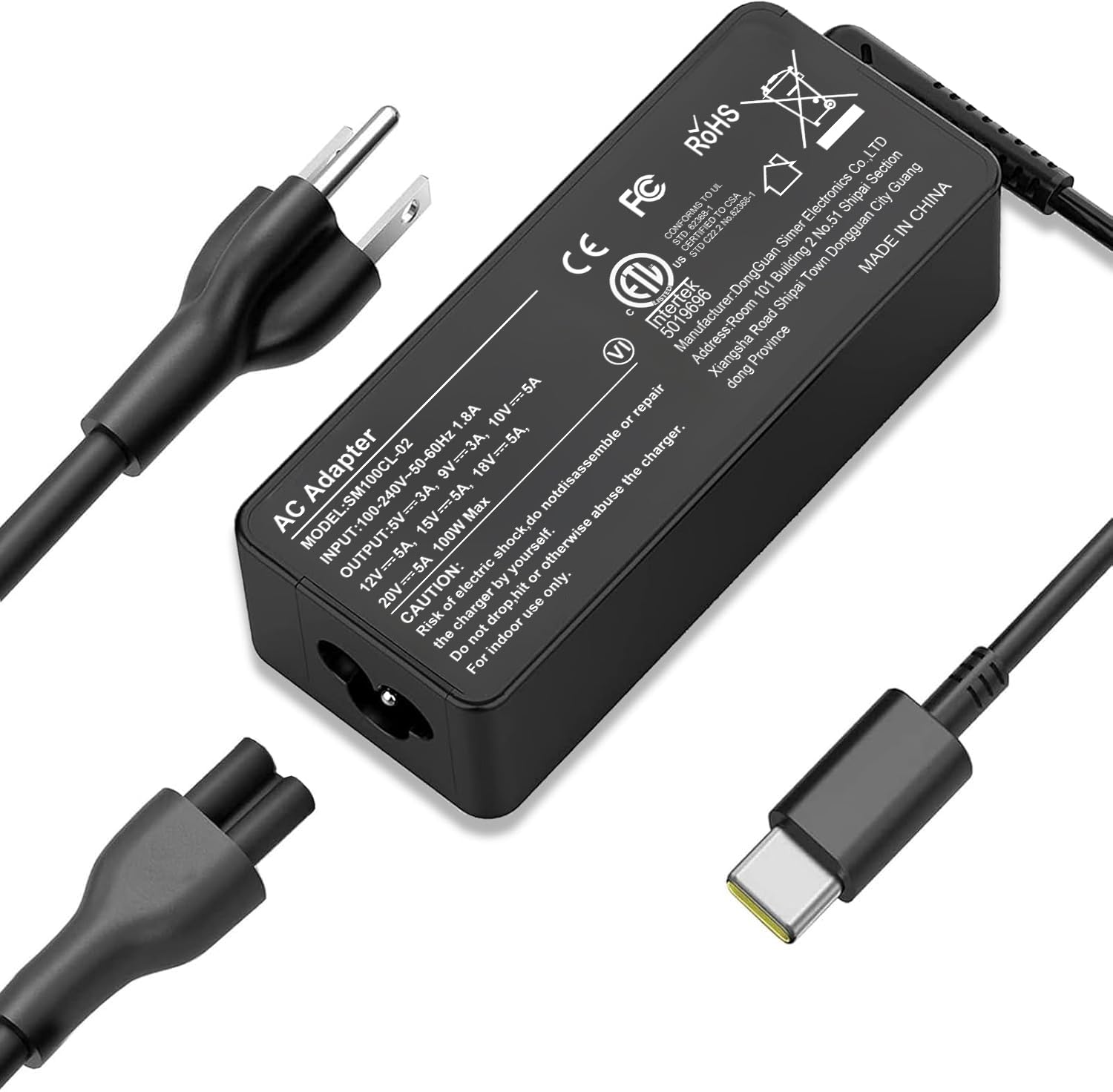
This is the one charger that can hop between everything in the house. It pushes 100W at 20V and 5A, then negotiates down (automatically adjusts) to 96W, 90W, 65W, 45W, 30W and below. That means it can feed a Chromebook, a MacBook Pro, a tablet, or a phone. It is compatible with Lenovo, HP, Asus, Acer, Dell, MSI, Toshiba and MacBook over USB-C, and it comes with a 7.2 ft USB-C to USB-C cord — longer than the Asus pick’s 5.9 ft and shorter than the Samsung pick’s 7.5 ft by a hair.
Owners use it exactly as advertised: one brick for a Steam Deck and dock, a MacBook Pro, an HP Envy, and a Samsung laptop. A Steam Deck and dock run off it, a MacBook Pro draws real 100W, an HP Envy charges fast, and a Samsung laptop fit is right on. The smart circuit guards against overcharge, short circuit, overload, and overheating, and it is the only 100W brick of the group.
The trade-off is the price of that headroom: it costs the most here, and durability is a real question. Several units stop providing a charge within a few months, and one owner got under a year before it quit — the risk rises the harder you push a 100W brick. If you run it at full 100W into a MacBook Pro every day, treat the cable and the brick gently. If it is a hallway spare for a Chromebook with occasional travel trips, the odds are better.
What you get: a single 100W charger and a 7.2 ft USB-C to USB-C cord that can replace the bricks for a laptop, tablet, phone, and Steam Deck alike.
What to know: it costs more than the rest and the failure reports are the most numerous here — those that survive the first months tend to keep going, but the gamble is real.
Pick this if: you want one brick for every USB-C device in the house and value the 7.2 ft cord.
Stick with an OEM-style brick if: this is a single-device charger that needs to last years, not a shared house brick that gets replaced.
Know the Specs
Wattage (W)
Wattage is the total power the brick pushes into your laptop, and it is the number to match first. A 45W charger is the old-Chromebook standard; a 65W or 100W charger will also work on a 45W machine because USB-C negotiates down. The reverse fails — a 45W brick on a 65W laptop trickle-charges or cuts out under load. The output line on a label tells you this, usually as volts and amps that multiply to watts.
Amperage (A)
Amperage is the current side of the equation, and it pairs with voltage to produce wattage. A 45W brick at 20V draws 2.25A; a 65W brick at 20V draws 3.25A; a 100W brick at 20V draws 5A. You rarely need to do the math yourself — match the wattage and the amperage follows — but if a listing gives amps instead of watts, you can check it with the voltage.
Cord Length
Cord length decides whether you can keep the laptop on your knees with the outlet behind the couch. The picks here run as short as 5.9 ft and as long as 7.5 ft, with one at 7.2 ft. A longer cord is forgiving at a desk; a shorter one travels lighter. Detachable cords can be swapped for a longer one, while molded cords cannot.
Protection Circuitry
Every one of these bricks has built-in protection against overvoltage, overcurrent, overheating and short circuits. That is basic insurance for a laptop that charges unattended overnight. There is no guarantee that doesn’t eventually fail, so the practical advice is to watch for heat and stop using any brick that gets hot to the touch.
Common Questions
Will a 65W charger work on my 45W Chromebook?
Do all these chargers work with a Chromebook that has a round barrel plug?
How do I know which wattage my old Chromebook needs?
Can I use a USB-C phone charger on my Chromebook?
Will these chargers also charge my phone and tablet?
Is a third-party charger as good as the original?
Why does my charger get hot while charging?
How long should a replacement Chromebook charger last?
Do I need a special cable for a USB-C laptop charger?
What if my Chromebook does not charge at all with a new brick?
The Bottom Line
If you have a Samsung Chromebook 4, 4 Plus, Pro, or Plus, the Nicpower Charger Fit for Samsung Chromebook is the safest replacement. It matches the 45W output and 2.25A those laptops expect, runs a 7.5 ft cord, and comes with a one-year warranty. Asus Chromebook Flip and ZenBook owners should look at the LAP POW 65W USB-C for its foldable plug and matching model list. Anyone who needs genuine 65W for a Dell school-issue machine should grab the QXA 65W Dell adapter for its long part-number cross-reference. And if a single brick has to charge everything in the house, the ELECBRAiN 100W USB-C covers the most ground — just factor in the durability risk before you rely on it for a daily MacBook charge. Match the wattage on your laptop’s sticker to the list and your old Chromebook will be back on the charger in minutes.
How we choose
We do not accept paid placement. Every pick is matched to a real buyer and a real use-case; we do not hands-on test units.
Sources
Specifications: manufacturer listings and product documentation. Review insights: verified customer reviews, as of November 2026. Pricing: not shown on this page (it changes often); check the current price via the retailer link.
As an Amazon Associate, Tactical Gear Guy earns from qualifying purchases. This does not affect which products we feature.