Specs are compiled from manufacturer listings and verified buyer reviews and can change over time — please confirm the key details on the product page before buying.
You do not need to spend a fortune for a screen that looks sharp, moves smoothly, and does not leave your eyes aching after a long session. the balance sits in the budget and mid-range tiers, where you can get a crisp 1920 x 1080 (Full HD, the standard pixel count for most desk work and gaming) panel with a fast refresh rate for very little. This guide walks you through the eight screens that actually earn their place on a desk, from a high-refresh gaming display to a curved 27-inch workhorse, so you can pick the one that fits your setup without guessing.
This guide is built by comparing the manufacturers’ published specifications and the patterns across verified customer reviews, so you get each pick’s real strengths and trade-offs instead of marketing spin.
You will see how refresh rate, panel type, and connection options change what you see on screen every day. A 144Hz IPS panel with Flicker Free backlighting turns a cramped, flickering workspace into a smooth, easy-on-the-eyes setup. That is exactly what a well-chosen monitor under $150 delivers for your desk.
Top Picks

How To Choose The Best Monitor Under $150
Most buyers walk in thinking the biggest screen wins. In reality, the spec that changes your daily experience most is the refresh rate, followed by the panel type. A fast panel makes everything from dragging windows to fast shooters feel fluid. An accurate panel keeps colors true whether you sit dead center or lean to one side. Focus on these two before anything else.
Refresh rate explained in plain terms
Refresh rate measures how many times per second the screen redraws the image, written in hertz (Hz). A standard office screen runs at 60Hz, so it redraws 60 times a second. A gaming panel at 144Hz or 200Hz redraws far more often, which keeps fast motion sharp instead of smeary. For everyday scrolling and video, higher is smoother; for competitive games, it can give you a tracking advantage. Just remember your graphics card and cable must support the higher rate to reach it.
Panel type and response time
Panel type decides color accuracy and viewing angles. IPS (In-Plane Switching) panels hold their color from wide angles, which matters if you share a screen or sit off-center. Response time, usually written in milliseconds (ms), describes how fast a pixel changes color; a lower number means less ghosting behind moving objects. A 1ms figure is common on gaming-oriented screens, while office panels are often a little slower and that is fine for documents and spreadsheets.
Side-by-Side Comparison
| Model | Best For | Refresh Rate | Panel Type | Screen Size | Amazon |
|---|---|---|---|---|---|
| MSI PRO MP243L E14★ Best Overall | All-around gaming and office use | 144Hz | IPS | 23.8-inch | Amazon |
| AOC 24G42HEFastest Refresh | Competitive gaming speed | 200Hz | IPS | 23.8-inch | Amazon |
| Sceptre C275W-FW100TBig Curved View | Big curved screen on a budget | 100Hz | VA (curved) | 27-inch | Amazon |
| Dell SE2426H | Eye comfort and easy setup | 144Hz | IPS | 23.8-inch | Amazon |
| LG 24G411A-B | Gamers wanting sync features | 144Hz (O/C) | IPS | 24-inch | Amazon |
| Amazon Basics 27-inch | Big screen for office and home | 120Hz | IPS | 27-inch | Amazon |
| Samsung S32GF | Slim design and vivid color | 120Hz | IPS | 27-inch | Amazon |
| Acer SB273 G0bi | Large screen for a small outlay | 120Hz | IPS | 27-inch | Amazon |
Detailed Reviews
1. MSI PRO MP243L E14 24-inch IPS Gaming Office Monitor
The desk screen that covers work and play without asking you to pick a side.
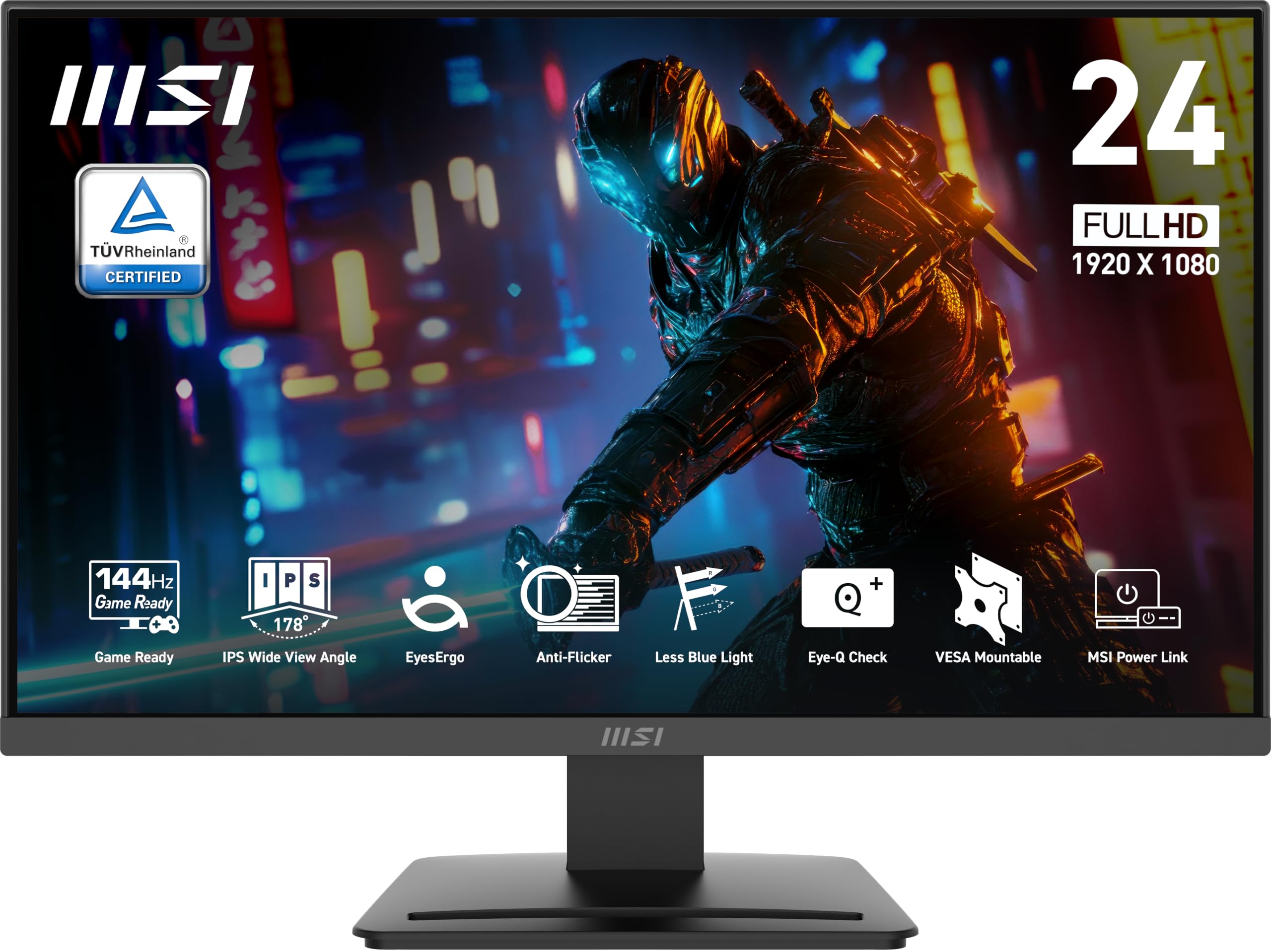
The MSI PRO MP243L E14 earns the top spot because it balances speed, color, and eye comfort in one 23.8-inch package. Its 144Hz refresh rate makes fast motion and everyday scrolling feel fluid, which is a real step up from a standard 60Hz office panel. The IPS (In-Plane Switching) display holds its colors from wide 178°/178° viewing angles, so the picture stays true whether you sit dead center or lean over from a chair beside you.
This MSI beats the curved Sceptre below on contrast: its 1500:1 ratio (a measure of how deep blacks and bright whites can get) is a different measurement than the Sceptre’s 1,000,000:1 spec, so judge it by the deeper blacks and brighter highlights you actually see on screen. Color on this MSI reaches 102 on the gamut figure (a score for how many colors it can show), versus 72 on the Dell SE2426H, so you get noticeably richer tones from the start. For your eyes, TÜV Rheinland Flicker Free and Low Blue Light certification (independent tests for reduced screen flicker and blue light) means less of the flicker that tires you out during an all-day edit session.
The catch is brightness headroom, which sits modestly even with the listed 856.5 lm figure, so a room flooded with direct afternoon sun will wash the image out unless you pull the blinds. It also leans on HDMI and VGA rather than DisplayPort, which is fine for most desks but a small step behind the DisplayPort-equipped picks if you run a high-refresh card.
What earns it first place
- 144Hz refresh keeps games and scrolling smooth
- IPS panel with wide 178° viewing angles
- 1500:1 contrast for deeper blacks
- Flicker Free and Low Blue Light certified
Where it asks for patience
- Brightness headroom is modest in a sunlit room
- HDMI and VGA only — no DisplayPort input
Go for this if: you want one screen for both work and gaming without trading away color or eye comfort.
Consider the AOC instead if: pure competitive speed at 200Hz is your only priority.
2. AOC 24″ Gaming Monitor FHD 200Hz IPS 24G42HE
The one built for players who count frames, not pixels.
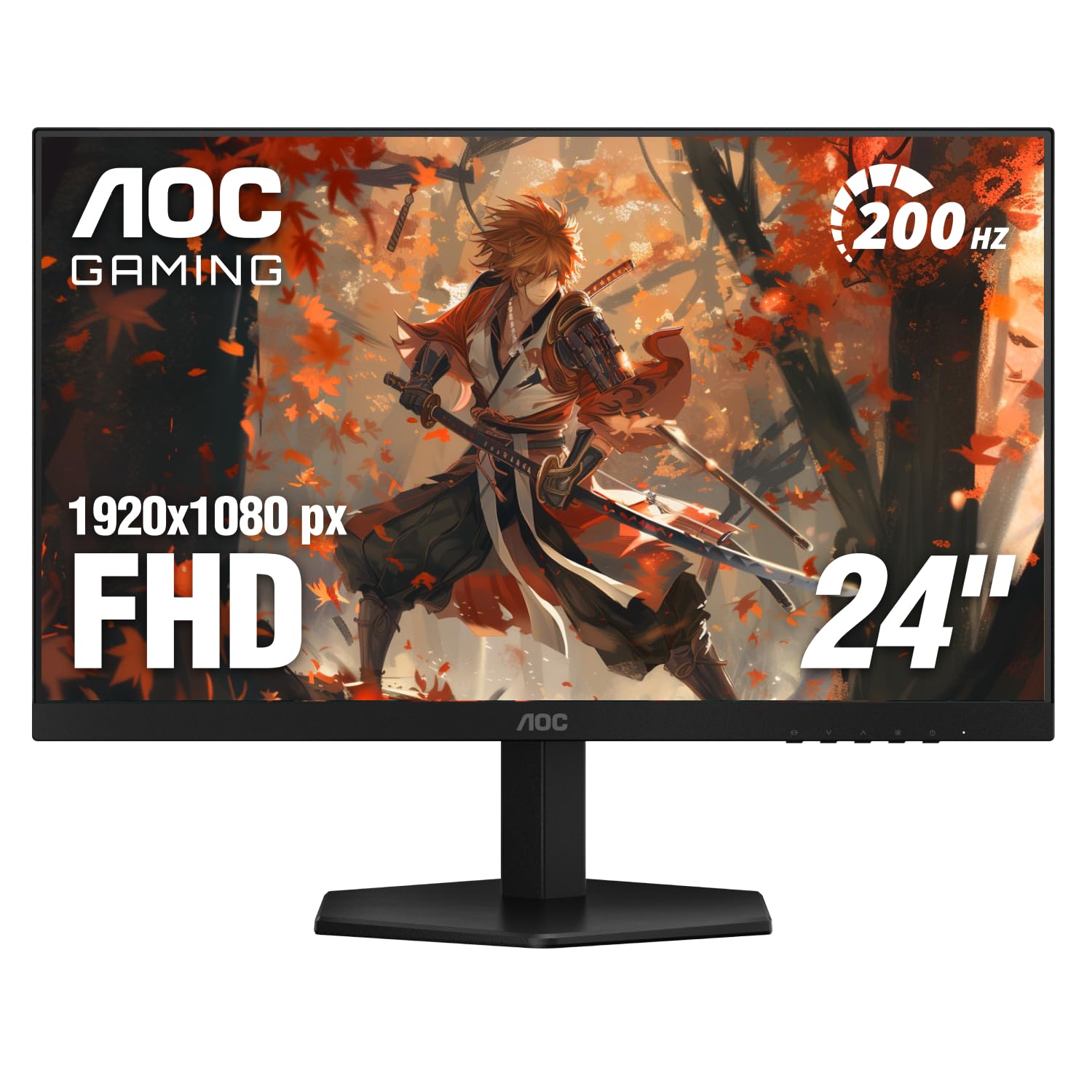
If you chase kills in fast shooters, the AOC 24G42HE is the speed specialist of this group. Its 200Hz refresh rate redraws the picture twice as often as the 100Hz Sceptre curved model below, which is the difference between tracking a sprinting opponent cleanly and seeing a smear of motion. A 0.3ms response time keeps ghosting to a minimum, and Adaptive-Sync together with low input lag smooths out the stutter that wrecks a good run.
Colors are no slouch either. The 116% sRGB gamut tops the Sceptre’s 100% sRGB, so vivid titles and video clips carry a little extra punch. The three-sided frameless design keeps bezels thin, which helps if you ever stack two of these side by side for a wider field of view.
The thing to know is that its 1000:1 contrast ratio is the paler end of what you get here — blacks look gray in a dark room compared with the deeper contrast panels. Brightness lands at 300 cd/m², which is plenty for a normal office but not blinding in a bright space. Console owners also cap out lower than the 200Hz figure, since consoles max the frame rate at their own limit. What wins players over most is the 200Hz refresh and 0.3ms response that keep fast motion smear-free.
Built for speed: 200Hz and 0.3ms are aimed squarely at competitive gaming, where split-second tracking decides the round.
Trade-off to weigh: the 1000:1 contrast keeps blacks on the lighter side, so movie nights in a dark room favor a panel with deeper contrast.
The gamer’s call: pick this if a lightning-fast refresh rate and vivid color matter more to you than deep blacks.
Think twice if: you mostly watch films in a dim room and want inky shadows.
3. Sceptre Curved 27-inch Prime Gaming Monitor C275W-FW100T
A wider, wrapping picture that pulls you into the scene.
For anyone who wants a big screen that feels like it wraps around them, the Sceptre C275W-FW100T is the obvious draw. Its 27-inch panel is larger than the 23.8-inch MSI, so you fit more windows side by side or sink deeper into a game. The 1500R curve (a gentle bend that mirrors the shape of your eye) gently angles the edges toward you, which keeps both far corners in easy view when you sit close.
The 100Hz refresh rate is a solid middle ground — smoother than a plain office screen, though it trails the 200Hz AOC for competitive play. Color reaches 100% sRGB, so photos and video games look true to life. Two HDMI ports plus a DisplayPort give you room to keep a console and a PC plugged in at once, and the built-in speakers keep your desk cable-free for casual listening.
Be realistic about the speakers: sound quality is the one recurring letdown, with owners describing them as weak and barely audible, so anyone serious about audio will want a pair of desk speakers or headphones on the side. The 1000:1 contrast is also on the lighter side for dark-room viewing. What keeps people happy overall is the 27-inch 1500R curved panel you get for the outlay.
Why the curve sells: a 27-inch 1500R panel wraps the edges toward your eyes, so a large picture stays comfortable to scan at desk distance.
The honest catch: the built-in speakers are quiet, so treat them as a stopgap until you add real audio.
Reach for it if: you want the biggest, most rich screen in this group and already have speakers or headphones.
Look elsewhere if: crisp built-in sound is a must for you.
4. Dell 24 Monitor SE2426H
For the long workday crowd who feel every flicker by 4 p.m.
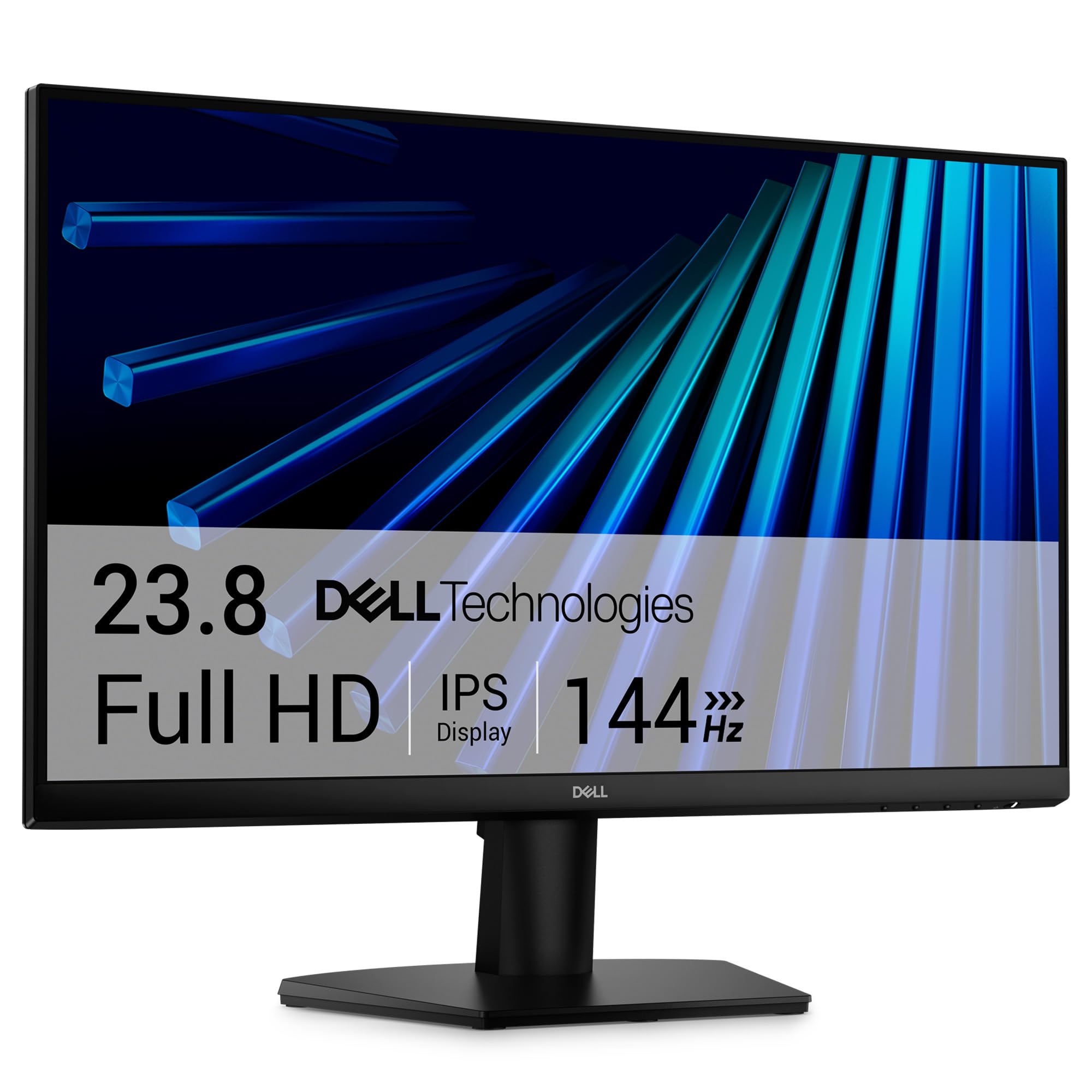
The Dell SE2426H is the pick for anyone who stares at a screen for hours and pays for it with tired eyes. It carries TÜV Rheinland 3-star eye comfort certification, which cuts blue light while keeping the color intact, and the 144Hz refresh rate paired with a 1ms response keeps motion smooth and tear-free. The IPS panel holds its picture from a wide 178°/178° viewing angle, so leaning across the desk does not shift the colors on you.
Where it trails its rivals is color range. Its 72 gamut figure sits well below the MSI’s 102, so the tones are more restrained — accurate enough for spreadsheets and web work, but less punchy for color-grading video. Ultra-thin bezels keep the frame out of the way, and setup is about as simple as it gets; a 1.8m HDMI cable, monitor, and power cable come in the box, so you plug in and go.
The tilt-only stand is fine for a straight-on desk but will not raise or pivot to portrait if you like a vertical reading layout. For a home-office desk where eye comfort leads, that is a fair trade.
The eye-comfort argument
- TÜV Rheinland 3-star eye comfort certification
- 144Hz with 1ms response keeps motion clean
- 178°/178° IPS viewing angles
- HDMI cable included for quick setup
The small compromises
- Narrower color range than the MSI or AOC
- Tilt-only stand — no height or portrait adjustment
Best for the desk-bound: long workdays where keeping your eyes comfortable tops the list.
Not ideal for: color-sensitive editing work that needs a wide gamut.
5. LG 24G411A-B 24-inch Ultragear Gaming Monitor
The one loaded with gamer extras a plain office panel never bothers with.
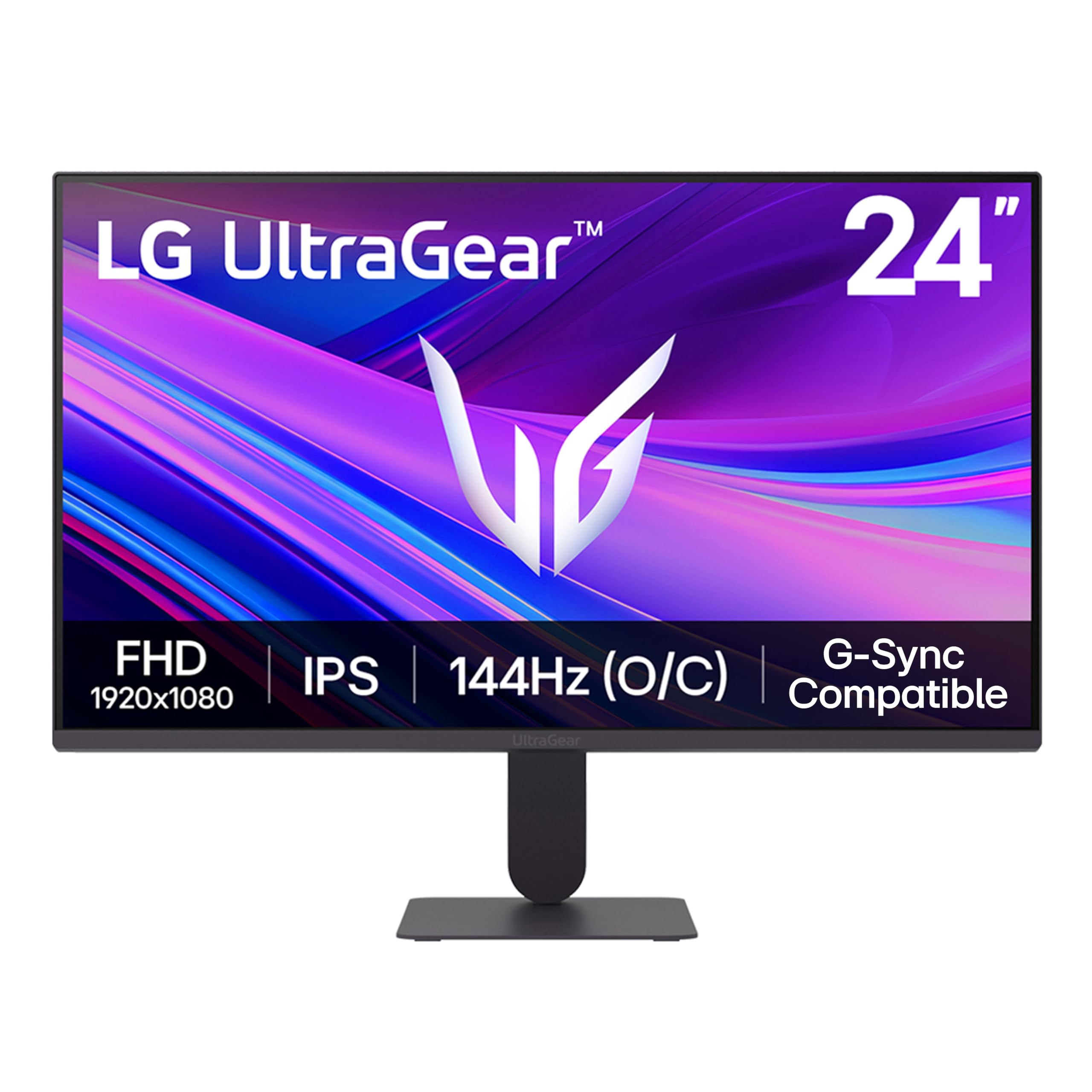
The LG 24G411A-B stacks up on features rather than brute specs. It runs a 120Hz native refresh rate that climbs to 144Hz when overclocked, paired with 1ms MBR (Motion Blur Reduction) to keep fast action sharp. Both NVIDIA G-Sync Compatible and AMD FreeSync support mean the screen matches your graphics card’s frame output to avoid tearing, whichever brand of card you own. HDR10 and up to 99% sRGB color coverage push the picture toward richer, more lifelike tones on the IPS panel.
The extras are what set it apart. Dynamic Action Sync trims input lag so your shots land when you press the button. Black Stabilizer brightens dark corners so you spot threats early. A Crosshair overlay places an aiming mark at screen center. The Switch app even splits your screen into up to 6 sections for juggling work and a stream at once. It also carries a 1500:1 contrast ratio, matching the MSI for depth.
Two honest notes. Brightness lands at 250 cd/m², which is on the dim side and shows in mixed feedback about whether the panel is bright enough. And the slim floating stand is the weak point — several owners describe it as weak and cheap, so if you plan to mount on an arm or care about a rock-solid base, budget for a VESA arm. The 1080p IPS picture itself is sharp and clear.
Feature depth: Crosshair, Black Stabilizer, and a 6-way screen splitter give gamers tuning tools most rivals skip.
Two things to plan for: modest 250 cd/m² brightness and a slim stand that rewards anyone who mounts it on an arm.
Pick it if: you want gaming overlays, dual sync support, and HDR10 in a tidy 24-inch frame.
Skip if: you need a bright panel or a solid, height-adjustable base from the start.
6. Amazon Basics 27-inch Computer Monitor
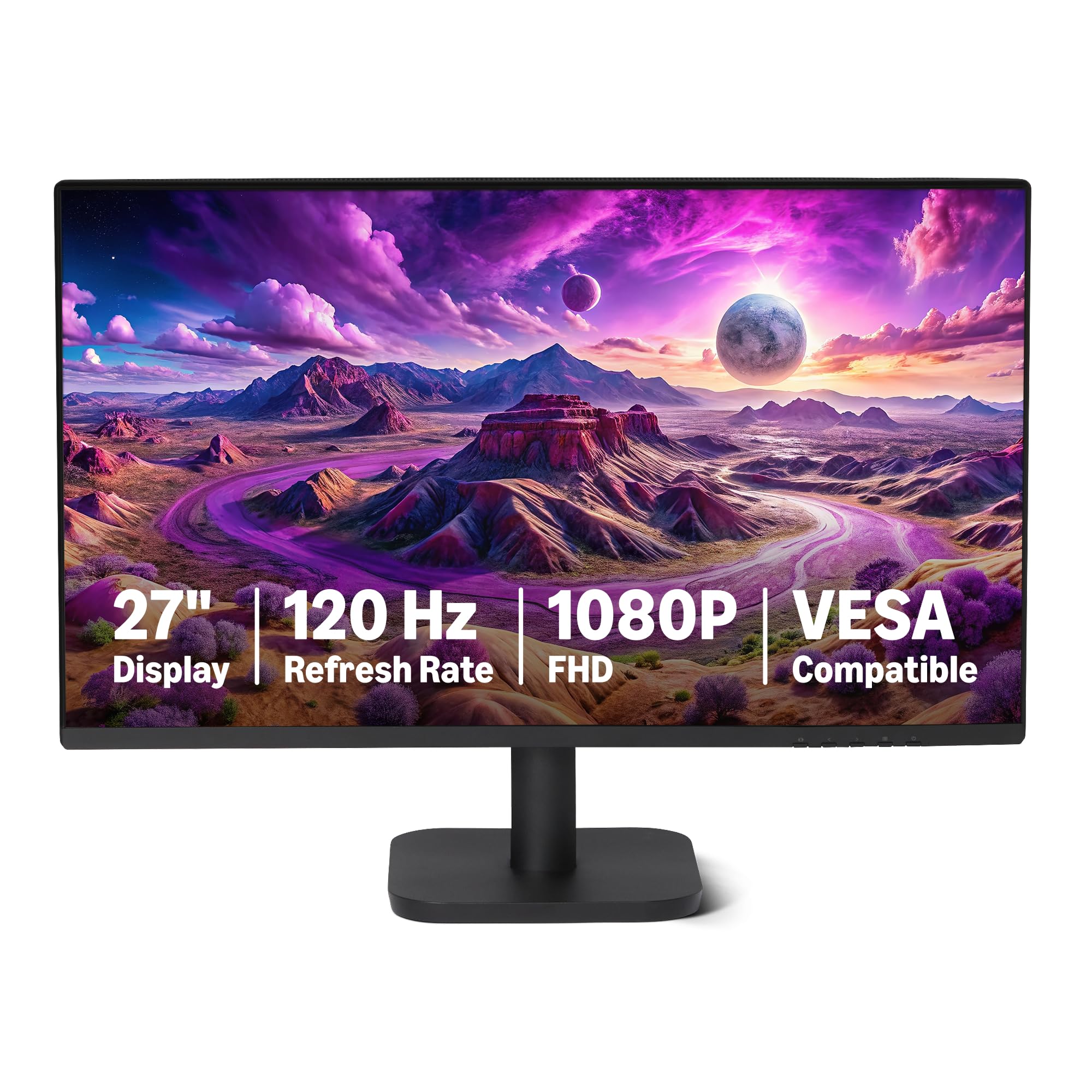
Big-screen desktop space without the gaming aesthetic.
If your day is spreadsheets, browser tabs, and video calls, the Amazon Basics 27-inch is the sensible size upgrade. Its 27-inch IPS panel serves 1920 x 1080 Full HD with 16.7 million colors, a 1500:1 contrast ratio, and 99% sRGB coverage, so both documents and photos look clean and colorful. The 120Hz refresh rate with Adaptive Sync smooths out motion and cuts blur, which makes dragging windows and scrolling feel light rather than jerky.
Connectivity is complete for a home desk: HDMI 1.4, DisplayPort 1.2, and a 3.5mm audio-out. Built-in 2W x2 speakers save you from adding a soundbar for everyday video, and the 4-sided narrow bezel keeps the frame slim for a tidy multi-monitor row. To hit the full 120Hz you need a graphics card and cable that support it, so check your cable is rated for 120Hz before you wonder why it feels sluggish.
The honest note is that the panel is built to a value standard — great for work and video, but not the speed demon the AOC is for competitive play. What keeps it a crowd favorite is the 27-inch 120Hz IPS panel and the sheer amount of screen you get.
Made for: a home office that wants a large, colorful screen for work and casual video.
skip it if: competitive gaming speed is your main goal — the 200Hz AOC is the faster tool.
7. Samsung 27″ S3 (S32GF) Series FHD Monitor

A 27-inch panel that looks as clean switched off as it does on.
The Samsung S32GF wins on looks and color consistency. Its IPS panel keeps colors bright and clear across the whole screen, even when you change your viewing angle, so a wide 27-inch surface stays true from edge to edge. The 120Hz refresh rate trims lag and motion blur whether you are gaming or scrubbing a video timeline. On the outside, a super slim body with ultra-thin borders makes it a stylish addition to any desk rather than a bulky black slab.
For tuning, game settings adjust color and contrast for clearer scenes, and Game Picture Mode stretches any game to fill the screen. Reduced blue light and flicker-free tech keep long sessions comfortable. For creators, the panel hits a 0.72 color gamut figure that gives images a natural, saturated feel.
The one quirk is brightness adjustment, which splits opinion — some buyers cannot get the setting to respond the way they want. If you prefer dialing the screen brightness by hand, that is worth a test in your first week. Its single HDMI input is also leaner than the dual-port rivals, so a console-plus-PC setup needs a switcher. What most owners praise is the edge-to-edge IPS color and the slim, easy-to-place body.
The styling angle: ultra-thin bezels and a slim body make this the most décor-friendly 27-inch of the group.
Watch the controls: brightness adjustment behaves inconsistently for some, and HDMI is the only input.
Suits you if: a slim, vibrant 27-inch screen you are proud to leave on the desk matters.
Pass if: you need multiple inputs or dial-in brightness control.
8. Acer 27in FHD IPS 120Hz Office Monitor SB273 G0bi

The largest panel here for buyers who value screen real estate above all.
The Acer SB273 G0bi is the roomiest screen in this lineup, and that is the reason to consider it. Its 27-inch panel delivers 1920 x 1080 Full HD in a 16:9 frame, and the zero-frame design stretches the visible area edge to edge, so nothing on the desk feels boxed in. Adaptive-Sync (FreeSync Compatible) matches the screen’s refresh rate to your graphics card, keeping games and video tear-free.
Speed is reasonable rather than blistering. Up to 120Hz refresh with a 1ms VRB response keeps 2D motion and fast games smooth enough for most users. Brightness lands at 250 nits, so it is best suited to a normally lit room rather than a sun-drenched window seat. Connectivity covers HDMI and VGA, giving casual users a straightforward plug-in path.
The thing to check is the ports — opinions split, with some users finding the options sufficient for daily use and others hitting connectivity limits. If you run a modern graphics card on DisplayPort, the HDMI-and-VGA setup here is the leaner choice compared with the port-rich rivals. On picture alone, the 1920 x 1080 detail across 27 inches and accurate IPS color make the big panel shine.
Why the big panel earns a look
- 27-inch Full HD with edge-to-edge zero-frame design
- Adaptive-Sync keeps games and video tear-free
- 120Hz refresh with 1ms VRB response
- Crisp images and accurate color
What to double-check
- HDMI and VGA only — no DisplayPort
- 250 nits brightness suits a normally lit room
The roomy pick: choose it for the largest screen in this group without stepping into premium territory.
Check your ports first if: your graphics card relies on DisplayPort to reach its best refresh rate.
Know the Specs
Refresh rate (Hz)
Refresh rate is how many times per second the screen redraws, measured in hertz. A 60Hz office panel redraws 60 times a second; a 144Hz or 200Hz gaming panel redraws far more often, so fast motion stays sharp instead of smearing. For everyday work, a higher rate makes scrolling feel smoother. For competitive games, it helps you track players mid-sprint. Your graphics card and cable both need to support the higher rate to reach it.
Panel type and response time
IPS panels hold their color from wide angles, which matters for shared desks and off-center viewing. VA panels, often used in curved screens, tend to offer deeper contrast. Response time in milliseconds describes how fast a pixel shifts color, so a lower figure means less ghosting behind moving objects. A 1ms figure is common on gaming-oriented displays; office screens are often a touch slower, which is perfectly fine for documents.
Connections and cables
HDMI and DisplayPort are the two common ways to feed a monitor. HDMI carries both video and audio and is on virtually every device; DisplayPort is more common on graphics cards and often open up the highest refresh rates. A VGA (D-Sub) port keeps older hardware working. Whichever you use, match the cable to the speed you want, since a slow cable can cap the refresh rate below what the panel supports.
Eye-comfort and color features
Flicker Free and Low Blue Light reduce the strain of long sessions by smoothing out screen flicker and trimming blue light. Color gamut, often written in percentage of sRGB, describes how broad the panel’s color range is; a higher number means richer, more lifelike tones. Contrast ratio describes the gap between the brightest white and darkest black, so a higher figure means deeper shadows and cleaner highlights.
Common Questions
Will a 144Hz monitor actually look different from my old 60Hz screen?
Do I need a DisplayPort cable to hit the monitor’s top refresh rate?
Is a 27-inch Full HD screen too pixelated compared with 24-inch?
What is G-Sync or FreeSync, and does it matter for my build?
Are the built-in speakers on a monitor good enough for everyday use?
How do I stop eye strain during long sessions in front of my monitor?
Can I mount my monitor on an arm or wall bracket?
Is a curved 27-inch screen harder to use for office work?
Will my console hit the same refresh rate as my gaming PC on these monitors?
Does a higher refresh rate monitor cost me more in power or heat?
The Bottom Line
The all-around winner is the MSI PRO MP243L E14, because it pairs a 144Hz IPS panel (a screen that refreshes 144 times per second for smooth motion) with 1500:1 contrast and certified eye comfort — a combination that works equally well for a workday and a gaming night. If competitive speed is your only measure, grab the AOC 24G42HE and its 200Hz panel (200 refreshes per second for even smoother fast action). And if you want the biggest, most rich screen for work and casual video, the curved Sceptre C275W-FW100T wraps a 27-inch picture around you.
Whatever you choose, remember the spec that changes your day most is the refresh rate, and the one that keeps you comfortable is eye-comfort tech. Pick the panel that matches how you actually spend your hours — 144Hz IPS for mixed work and play, 200Hz for competitive shooters, a 27-inch curve for immersion — and you will get years of smooth, easy viewing from a screen that fits your desk cleanly.
How we choose
We do not accept paid placement. Every pick is matched to a real buyer and a real use-case; we do not hands-on test units.
Sources
Specifications: manufacturer listings and product documentation. Review insights: verified customer reviews, as of November 2026. Pricing: not shown on this page (it changes often); check the current price via the retailer link.
As an Amazon Associate, Tactical Gear Guy earns from qualifying purchases. This does not affect which products we feature.